
In today’s competitive accounting landscape, outdated proposals and poorly drafted engagement letters no longer meet the expectations of clients. Whether you are a solo accountant or a growing accounting practice, you need sharp and efficient proposals and engagement letters.
That is where software like FigsFlow and Cone come into play. Both platforms help with proposals, pricing, engagement letters, and client onboarding, but they take different approaches.
So, which platform is better suited to the needs of modern accountants?

We assessed FigsFlow and Cone using a range of practical criteria tailored to the day-to-day needs of accountancy firms. These included:
- Core Purpose
- User Interface (UX)
- Team Collaboration & Workflows
- Customer Support & Product Evaluation
- Pricing Plans & Affordability
- Client Experience
- Ratings & Testimonials
Thus, we can deliver an objective look at the strengths and weaknesses of both and tell you which one may be able to fulfil your needs.
Product Overview: Cone vs FigsFlow
Before we get into the detailed comparison, here is a brief overview of the two platforms.
| Features | FigsFlow | Cone |
|---|---|---|
| Best For | Accountants, Tax Advisers, Bookkeepers | Digital Marketing Agency, Marketing Consultants, Freelancers, Graphic Designers |
| Engagement Letter Compliance | Built-in templates compliant with ACCA, ICAEW, CIOT, CIMA, AAT, ATT and more | No built-in and regulatory compliant templates |
| Proposal & Engagement Letter Flexibility | Single proposal with multiple engagement letters for each client | Separate proposals needed for each client |
| Speed of Creating Engagement Letter | Less than a minute | 5 minutes |
| AML & ID Verification | ✔ Built-in AML checks, sanctions screening, PEP checks | ✘ No AML capabilities |
| Payment Collection | ✔ GoCardless & AdFin integration for automated payments | Limited payment integrations |
| Signature Configuration | ✔ Accountant signatures embedded in LOEs before sending | Basic e-signature only |
| Disengagement Management | ✔ Automated disengagement letter generation | Not available |
| Integrations | HubSpot, Companies House, Irish CRO, Xero, Stripe, QuickBooks, GoCardless, AdFin | Stripe, QuickBooks, Sage (No HubSpot or Companies House) |
| Pricing | Starter: £8/month (1 user) Essentials: £24/month (3 users) Standard: £60/month (5 users) Professional: £120/month (10 users) |
Essentials: £12/month per user Growth: £16/month per user |
With a general sense of what each platform is, let us now take a closer look at their underlying philosophies and how they serve accountants, bookkeepers and tax advisers.
Which Tool Best Meets the Needs of Accountants?
FigsFlow is built around a simple but powerful principle: accountants, bookkeepers, and tax advisers should not have to choose between compliance and convenience. The platform is designed to deliver both.
FigsFlow excels in this area with a sleek design, thanks to the dedicated FigsFlow design team. Feature placements are well-thought-out, and related features are grouped together within each module for smooth navigation.
At FigsFlow, our mission is to offer a truly all-in-one solution that goes far beyond basic template customisation. We have developed a system that not only manages proposals but tracks client onboarding and enables team collaboration through task assignment. It is everything we wish we have when working everyday.
-Raju Gajurel, CEO & Founder of FigsFlow
Cone, meanwhile, approaches the challenge from a broader angle. It focuses on simplicity and ease of use across multiple sectors. While it performs well as a general proposal tool, its approach lacks the specificity and regulatory awareness that accounting firms often require.
Cone Vs FigsFlow: Which Tool Has Better User Interface?
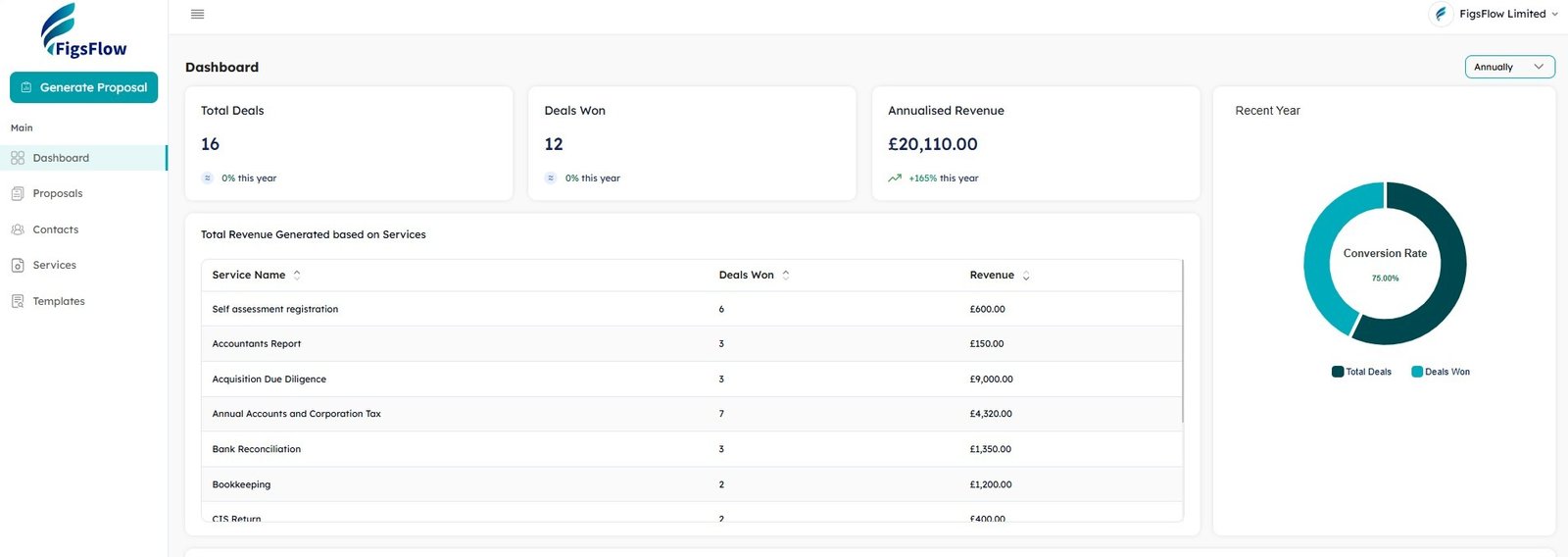
FigsFlow presents a clean interface with a sleek and well-organised layout. Features are sensibly grouped into modules, making the navigation feel more natural. The setup process is designed to tailor the platform to your specific requirements, ensuring a personalised experience from the outset.
Here’s a look at FigsFlow’s dashboard.
Cone also offers a user-friendly experience with a modern design and straightforward navigation. However, its interface feels more generic, and it typically requires additional setup and manual adjustments to match the specific needs of accountancy firms.
We assessed both platforms across various devices and service delivery stages. Here’s the result.
| User Experience Criteria | FigsFlow | Cone |
|---|---|---|
| Setup & Onboarding | Guided setup with customisation options | Generic onboarding process |
| Dashboard Layout | Modular, role-based | Standard layout |
| Mobile Responsiveness | ✔ Fully responsive | ✔ Responsive |
| Navigation Logic | Feature-grouped modules | Menu-based navigation |
| Learning Curve | Minimal (accountant-focused) | Moderate (multi-sector) |
Result
The results clearly favoured FigsFlow, particularly in terms of logical layout and user flow. FigsFlow offers streamlined UI, enabling faster onboarding and more productive usage.
Cone vs FigsFlow: Which is Better for Creating & Sending Proposals?

With FigsFlow, generating a proposal is as simple as selecting “Generate Proposal” from the home dashboard. From there, users can build multiple service packages, insert custom variables, and tailor proposal content to specific client types. The result is a polished, fully customised proposal in just a few minutes. No wonder it markets itself as the best proposal software for accountants.
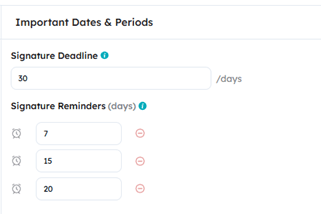
FigsFlow also provides additional features like automated reminders for client follow-ups, status updates for proposal signings and the ability to configure email templates for client communication.
Cone offers a comparable proposal workflow, though with notable limitations. The number of templates available is limited, and the wording often lacks the precision required by accountancy firms.
One interesting difference is how each system handles proposal revisions. While FigsFlow enables users to revive lost proposals, Cone allows active proposals to be recalled and edited mid-process. This functional divergence perhaps reflects the platforms’ differing priorities: one focused on continuity and compliance, the other on flexibility.
Cone vs FigsFlow: Which is Better for Creating & Automating Engagement Letters?
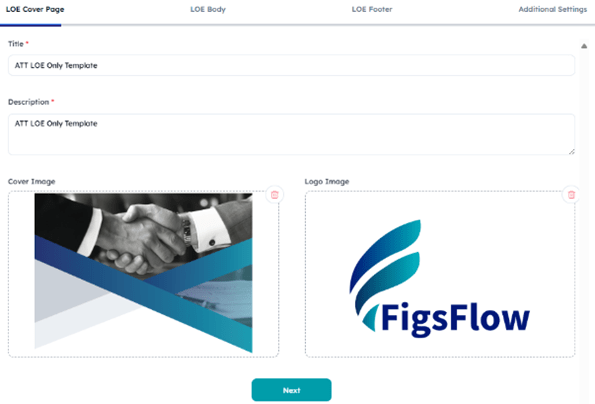
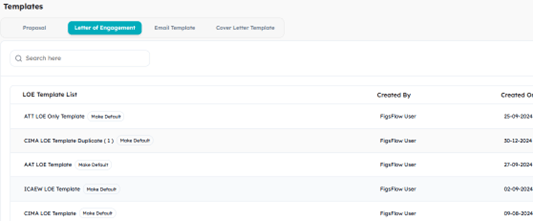
FigsFlow allows you to choose from a range of LOE (Letter of Engagement) templates aligned with the requirements of major accounting bodies and customise specific wordings and clauses in real time within the live preview window.

Once the template is customised as per your unique needs, you can click on the Generate Proposal and proceed with pricing services. FigsFlow will automatically generate a single proposal and multiple engagement letters based on the services offered and the companies involved.
You can also generate and finalise LOEs without creating a full proposal letter by clicking on LOE only.
Meanwhile Cone offers a highly customisable template library for LOE like FigsFlow. However, only few templates are available and lacks consideration for specific requirements of regulatory bodies.

Like FigsFlow, you can edit engagement letter templates by simply duplicating the original and use real time preview to see the changes instantly. I found this feature helpful in both FigsFlow and Cone.
However, if you want to send just the engagement letter in Cone, you need to work around and create a separate service, price it at zero and send it. This doesn’t look appealing.
Professional Signature Support in Engagement Letters
FigsFlow includes signature configuration, allowing accountants to embed their own signatures into engagement letters before sending them to clients. This ensures every document looks polished and carries a professional sign-off, reinforcing trust and compliance.
Cone Vs FigsFlow: Which is Better for Pricing?
FigsFlow simplifies pricing your accountancy services by automating rates based on the industry standards, including pay scales for associates, senior partners, junior partners and other accounting professionals. These settings are highly customisable and can be tailored to meet your specific needs.
In addition to this, it features manual adjustment and discounting for flexibility. You can manually adjust the pricing, apply discounts, and set VAT percentages in real-time.
Once satisfied, accountants can preview the pricing breakdown and move ahead to final confirmation. All this can be done within a minute, if not less.
Cone also offers similar approach to pricing by allowing users to edit service rates directly within the proposal letter. You can add multiple services, adjust unit pricing for each, modify quantities, and apply discount rates manually.
However, it has certain limitations compared to advanced systems like FigsFlow.
Unlike FigsFlow, Cone lacks real-time pricing updates and thus requires you to scroll up and down across the proposal to check the updated total. Also, it lacks flexible VAT rates within the proposal and requires extra hassle for zero-rated and reduced-rated services.
The Real Difference: Cone Vs FigsFlow
Where FigsFlow has extensive database of 100+ preset accounting services, Cone offers small range of templates and thus calculates prices based on standard rates for limited selection of services.
What's Better for AML & Client Onboarding: Cone or FigsFlow?
This is where FigsFlow establishes clear separation from general proposal tools like Cone.
FigsFlow’s AML & Client Onboarding Capabilities
FigsFlow integrates complete AML compliance directly into the client onboarding workflow. At £2.10 per check (the cheapest AML check in the UK), FigsFlow provides:
- Biometric ID Verification – Matches client photos against passport or driving licence
- PEP & Sanctions Screening – Real-time checks against UK and global watchlists
- Ongoing Monitoring – Automated alerts when client status changes
- CDD & EDD Workflows – Guided customer and enhanced due diligence processes
- Audit-Ready Records – Exportable reports with timestamps and risk scores
Companies House & Irish CRO Integration:
FigsFlow now directly imports organisation contact details and associated contacts from Companies House and Irish CRO without manual data entry. This eliminates transcription errors and speeds up corporate client onboarding.
Payment Collection Integration:
With GoCardless integration, clients can add bank details when signing engagement letters. Payments are deducted automatically from then on unless the client disengages. AdFin integration provides streamlined payment collection across all client services, turning proposals into revenue faster.
Disengagement Management:
FigsFlow automatically generates disengagement letters for services clients want to end. You can edit before sending and maintain complete audit trails of service changes.
Cone offers no AML verification capabilities. It cannot perform ID checks, sanctions screening, or PEP monitoring. For accountancy firms under MLR 2017 obligations, this means:
- Separate AML subscription required (£50-£300/month additional cost)
- Manual data transfer between proposal tool and AML platform
- Fragmented client records across multiple systems
- Higher total compliance costs
Result
If you’re running 50 AML checks annually, FigsFlow’s integrated approach costs £105 for checks plus £96-£120 for the platform (£201-£225 total). With Cone, you’d pay £96-£144 for Cone plus £125-£300 for separate AML software (£221-£444 total), and you’d still be juggling two systems.
Cone vs FigsFlow on My Wallet
Let us now consider one of the most pressing concerns for any firm: which software offers better value for money?
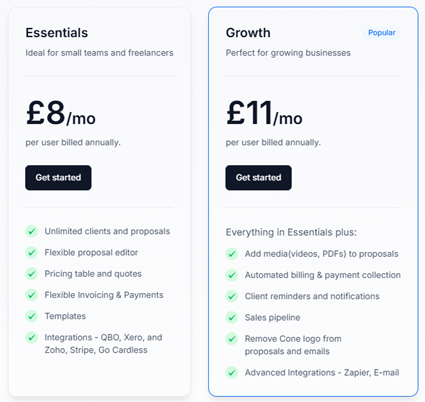
FigsFlow operates on a four-tier pricing structure, ranging from £8 per month to £120 per month in its yearly plan.
Proposal & Engagement Letter

The starter plans with its 1 user access and 10 proposal per month limitation is best suited for firms with basic needs and minimal transactions.
Firms with higher transaction volumes can opt for standard and professional packages which allows multiple user access and unlimited proposal per month.
All these packages come with onboarding support. However, only the standard and professional tier packages support dedicated customer support and relationship manager to assist with any issues.
AML Module Pricing
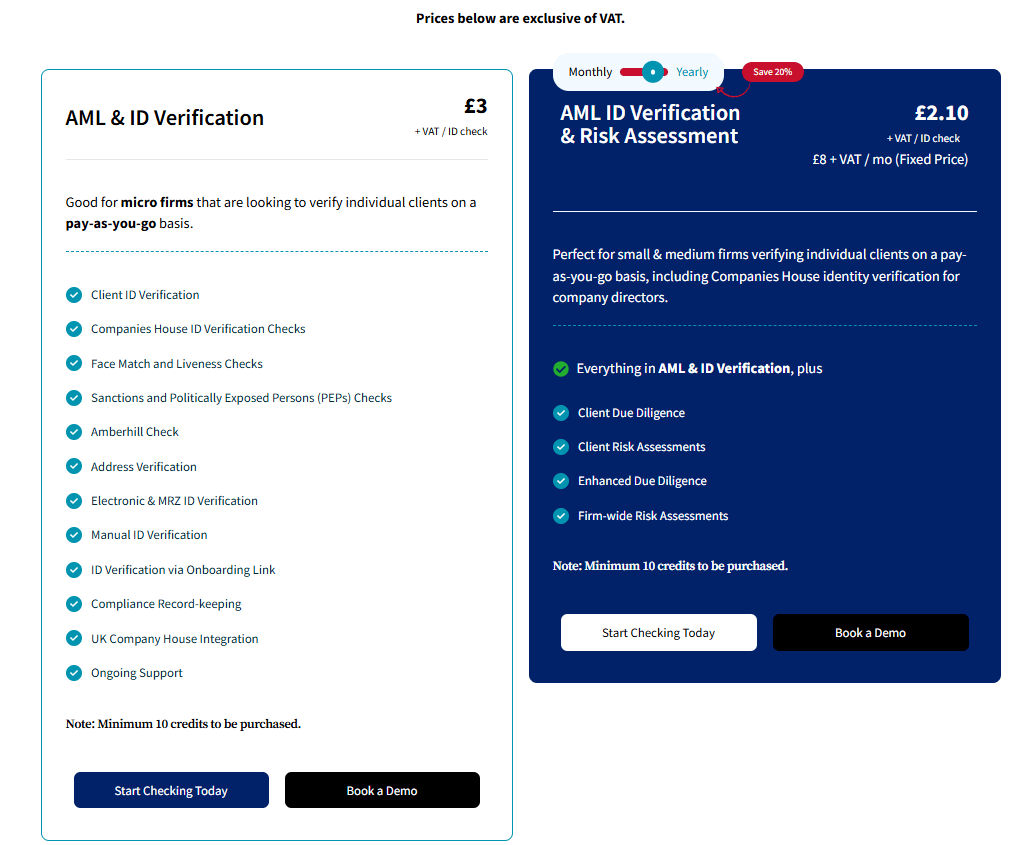
FigsFlow offers two distinct AML pricing options that integrate seamlessly with all proposal and engagement letter plans:
Pay-As-You-Go AML:
£3 per ID check with no monthly fees. Good for micro firms verifying individual clients occasionally. Includes client ID verification, Companies House ID verification checks, face match and liveness checks, sanctions and PEP screening, Amberhill check, address verification, electronic and MRZ ID verification, manual ID verification, compliance record-keeping, and UK Company House integration. Minimum 10 credits must be purchased.
AML with Risk Assessment:
£2.10 per ID check plus £8 per month fixed fee (yearly plan). Perfect for small and medium firms running regular client verifications. Includes everything in the pay-as-you-go option plus client due diligence, client risk assessments, enhanced due diligence, and firm-wide risk assessments. Minimum 10 credits must be purchased.
Cone, meanwhile, offers two plans: the Essentials plan at £8 per month and the Growth plan at £11 per month in its annual plan.

Cone Vs FigsFlow: Which Has Better Integration with Accounting Tools & Apps?
There is little use for an onboarding software that fails to integrate with your core systems, especially your CRM.
FigsFlow offers integration with HubSpot, making it easy to import client contacts directly into the platform, eliminating the need to constantly switch between apps.
Additionally, FigsFlow added integrations with Companies House and Irish CRO for direct import of organisation contact details, GoCardless for automated direct debit payments, and AdFin for streamlined payment collection.
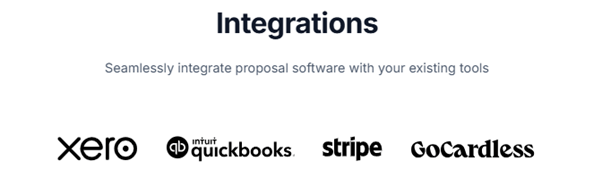
Cone offers a broader range of integrations with popular accounting tools such as QuickBooks Online (QBO), Xero, Zoho, Stripe, and others. However, it lacks direct HubSpot integration, even on its premium plan, and has no Companies House or payment automation integrations.
| Integration Type | FigsFlow | Cone |
|---|---|---|
| CRM | HubSpot | None |
| Accounting Software | Xero, QuickBooks, Stripe | Xero, QuickBooks, Stripe, Sage |
| Company Data | Companies House, Irish CRO | None |
| Payment Collection | GoCardless, AdFin | Limited |
| AML Compliance | Built-in | None |
While FigsFlow currently leads with its CRM connectivity and company data imports, Cone has advantage when it comes to synchronising with Sage accounting software.
Result
On balance, FigsFlow provides more comprehensive integrations for the complete client journey from prospect to ongoing compliance, while Cone offers slightly broader accounting software compatibility.
Cone Vs FigsFlow: Which is Better for Ensuring Regulatory Compliance?
For accountancy firms, regulatory compliance is non-negotiable. The software you choose must align with the standards set by professional bodies and legal frameworks.
FigsFlow has been developed to help accountants, bookkeepers and tax advisers ensure compliance in their proposal and engagement letter generation – no ifs, buts or ands. Its templates for proposals and engagement letters are fully aligned with the requirements of key regulatory bodies across the UK and beyond.
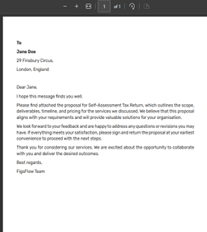
This built-in compliance provides reassurance to practices working under strict professional regulations. FigsFlow’s AML capabilities ensure full compliance with MLR 2017, HMRC supervision requirements, and ICAEW/ACCA guidance.
Cone, meanwhile, is a generalist tool aimed at a broad user base. A review of its website and product documentation revealed no references to compliance with professional accounting bodies.
This omission may simply reflect the fact that Cone serves many users in unregulated sectors. However, this lack of explicit compliance support is a potential red flag for accountancy firms.
Cone Vs FigsFlow: Which Excels at Collaboration Among Accountants?
Efficient team collaboration is essential for firms managing multiple users and complex workflows. Both FigsFlow and Cone offer role-based access, but the depth of control varies significantly.
FigsFlow provides comprehensive multi-user access, enabling administrators to assign roles to individual users. Beyond standard role allocation, FigsFlow allows granular control over four core permissions — create, read, update and delete — across all modules. This high level of configurability supports effective task delegation, enhances team productivity and mitigates the risk of unauthorised changes.

Cone also includes role-based access through three predefined user roles: Admin, Standard User, and Restricted User. However, it lacks the same level of detailed permission management found in FigsFlow. This may be sufficient for general use, but firms requiring strict access controls and clear lines of responsibility may find Cone less suitable.
Cone Vs FigsFlow: Which Offers Reliable & Responsive Customer Support?
Reliable customer support is a critical factor when adopting any software, particularly for professionals who depend on timely technical assistance.
FigsFlow offers support via live chat, email, and onboarding sessions. Although the live chat function is accessible from the main interface, agent availability is not always guaranteed. In a recent test, a support query submitted via the chat feature received a helpful response after a wait of approximately 7.5 hours. FigsFlow supplements direct support with an extensive library of user resources, including articles and video guides.

In Cone, accessing support requires navigating to the “Need Help” section within the user settings. Once initiated, users interact with an live agent. In testing, this method produced a helpful response within 5 hours and 21 minutes.
Cone also provides email and in-app support, with documented average response times of 24 to 48 hours, depending on the subscription tier. Overall, Cone’s support response was faster and more accessible, though the absence of supplementary learning resources may be a consideration for some users.
What Do the Customers Say?
Customer reviews provide insight into user satisfaction and product reliability. These are especially useful for evaluating less tangible aspects such as ease of use, responsiveness and perceived value.
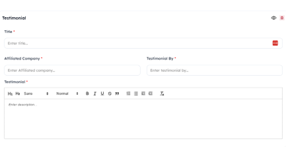
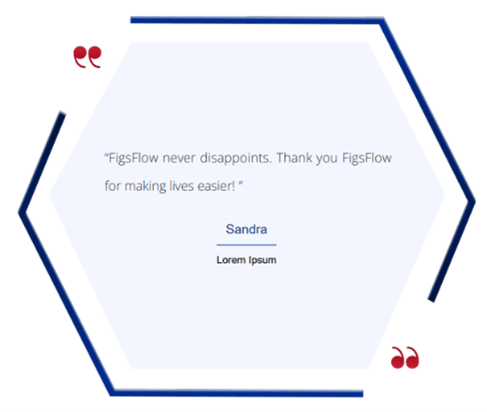
FigsFlow maintains a strong reputation across third-party review platforms:



On the other hand, Cone does not appear to have publicly available ratings on Trustindex, and Trustpilot. However, it maintains strong reputation over Google with G2 review of 5.0/5 as per 15 reviews. The number is not much which limits external validation of the software’s qualify and may be a point of concern for firms.

Do They Evolve & Specialise for Accountants?
FigsFlow has undergone significant development since its inception. It now includes over 100 pre-built templates supporting services such as statutory accounts, share transfers, bookkeeping, and audits. FigsFlow also provides templates aligned with emerging regulatory frameworks such as Making Tax Digital (MTD IT) and ACSP verification, underscoring its commitment to staying ahead of industry changes.
What this means is FigsFlow continues to evolve to provide both what accountants, bookkeepers and tax advisers need today and may need tomorrow.

Meanwhile, Cone positions itself as a generalist solution, offering flexible templates suitable for a variety of sectors. While this broad appeal allows for customisation, it does not include pre-configured workflows or templates tailored to regulated industries like accountancy. For firms requiring tools that integrate directly with compliance obligations, this may limit Cone’s practical utility.
What About Other Unique Features Relevant to Accountants?
As an accountant myself, I value the following key aspects in any proposal and engagement letter software:
- Ease of document generation
- Ease of pricing services
- Speed
- Regulatory compliance
- Payment collection
- Graphics
FigsFlow excels at the first five areas.
The entire process from service packaging and pricing to generating proposals and engagement letters comes with built-in templates and takes less than a minute.
With FigsFlow AI, you can generate professional service schedules and descriptions in seconds, while Signature Configuration automatically adds your signature to every engagement letter, eliminating manual signing steps entirely.
FigsFlow’s templates are aligned with regulatory and professional standards across multiple jurisdictions, ensuring both speed and compliance. The integrated payment solutions (Adfin, GoCardless, Stripe) allow clients to pay directly when accepting proposals, removing payment friction entirely.
However, when it comes to graphics and visual presentation, Cone stands out. While FigsFlow offers customisable and sleek templates, Cone takes it a step further with premium aesthetics.
Cone & FigsFlow: Checklist for Decision-Making
| Key Features | FigsFlow | Cone |
|---|---|---|
| Built for Accountants | ✔ 100+ regulatory-compliant templates (ACCA, ICAEW, CIOT, CIMA, AAT, ATT) | ✘ Generic templates for multiple industries |
| AML & ID Verification | ✔ Built-in at £2.10/check ✔ PEP & sanctions screening ✔ Ongoing monitoring |
✘ No AML capabilities ✘ Requires separate tool (£600-£3,600/year extra) |
| Payment Automation | ✔ GoCardless integration ✔ AdFin integration ✔ Automated direct debit |
✘ Limited payment features |
| Company Data Import | ✔ Companies House integration ✔ Irish CRO integration |
✘ Manual data entry required |
| Proposal Generation Speed | < 1 minute | 5 minutes |
| Pricing Flexibility | ✔ Real-time VAT adjustments ✔ Reduced & zero-rated supplies ✔ Industry-standard rate library |
✘ No flexible VAT rates ✘ No real-time updates |
| CRM Integration | ✔ HubSpot | ✘ No HubSpot |
| Signature Configuration | ✔ Accountant signatures embedded in LOEs before sending | ✘ Basic e-signature only |
| Disengagement Management | ✔ Automated disengagement letter generation | ✘ Not available |
| Annual Cost (3-person team with 50 AML checks) | £489/year (all-inclusive) | £1,032-£1,776/year (requires separate AML tool) |
| Platform | Total Score |
|---|---|
| FigsFlow | 9/10 |
| Cone | 4/10 |
The Wiser Choice
Both FigsFlow and Cone offer capable solutions for automating the creation of proposals, engagement letters, and related templates. Each has strengths that may appeal to different user groups.
However, when assessing the platforms through the lens of an accounting, bookkeeping or tax advisory practice, FigsFlow distinguishes itself as the more suitable platform. It offers a targeted suite of tools designed with regulatory requirements in mind, supported by extensive template libraries and advanced user permission controls. These features collectively enhance both operational efficiency and compliance assurance.
While Cone remains a viable option for users seeking a flexible, design-oriented platform, its generalist approach and limited accounting-specific functionality may not fully meet the specialised needs of accountancy firms.
FAQs
FigsFlow is the best proposal software. It offers built-in, regulatory-compliant templates, branding options, value-based pricing tools and a user-friendly interface, among other valuable features.
FigsFlow can be the perfect alternative to Cone especially if you are accountant or tax professionals. While Cone caters to the need for multiple industries, it lacks specialisation and depth accountants need. FigsFlow on the other hand feature 100+ regulatory compliant templates and easy engagement and proposal workflow tailored to the needs of accountants.
Yes, FigsFlow offers fully ACCA-compliant engagement letters. In fact, you can select from a range of regulatory bodies, including ICAEW, ACCA, CIMA, ATT, and more, to ensure compliance with the professional body that governs your sector.
You can use FigsFlow and Cone concurrently, if that is what you mean. However, since the two software serve different types of service providers, it is best to stick with FigsFlow if you are an accountant, tax adviser or bookkeeper. For freelancers, Cone offers great value.
Some top alternatives to FigsFlow includes FigsFlow, Ignition, Better Proposals and Panda Doc. While most of these software offers generic tools and templates, FigsFlow stand out with specialist feature including regulatory-compliant templates, real-time pricing adjustments and smooth client onboarding.