Now Live: Practice Management Launched In FigsFlow On 7 October.Free until 28/02/2027
FigsFlow

Sandeep Subedi

Compliance Writer · FigsFlow

Sandeep reads Finance Acts so you do not have to. Specialising in UK taxation and compliance, he writes guidance for accounting firms that is accurate, direct, and mercifully free of the phrase "it is important to note." At FigsFlow, Sandeep covers AML, engagement letters, MTD, and the latest regulatory shifts across UK accounting.

Published entries

10/4/2026

AI Proposal & LOE Analyser For Accountants

AI Proposal & LOE Analyser For Accountants AI Proposal & LOE Analyser For Accountants #aia-hero .pill{display:inline-flex;align-items:center;gap:8px;margin:0 0 16px;padding:6px 12px;border-radius:999px;background:var(--n0);border:1px solid var(--n200);font:500 12px/16px var(--mono);letter-spacing:.12em;text-transform:uppercase;color:var(--p)}#aia-hero .pill i{width:6px;height:6px;border-radius:50%;background:var(--sig)}#aia-hero .chk{display:flex;flex-wrap:wrap;gap:8px;margin:20px 0 0;padding:0;list-style:none}#aia-hero .chk li{display:inline-flex;align-items:center;gap:8px;min-height:36px;padding:4px 14px 4px 6px;border-radius:var(--r8);background:var(--n0);border:1px solid var(--n200);font:600 14px/20px var(--body);color:var(--ink)}#aia-hero .chk i{display:grid;place-items:center;flex:0 0 auto;width:24px;height:24px;border-radius:var(--r4);background:var(--sig);color:var(--ink)}#aia-hero .chk svg{width:14px;height:14px;fill:none;stroke:currentColor;stroke-width:2.5;stroke-linecap:round;stroke-linejoin:round}#aia-hero{background:var(--wash);--py:clamp(56px,7vw,96px);border-top:0}#aia-hero .g{display:grid;grid-template-columns:minmax(0,1.05fr) minmax(0,.95fr);gap:clamp(40px,6vw,80px);align-items:center}#aia-hero .g.solo{grid-template-columns:minmax(0,1fr);max-width:860px;margin-inline:auto;text-align:center}#aia-hero .g.solo .psa-lead{margin-inline:auto}#aia-hero .g.solo .psa-btns,#aia-hero .g.solo .chk{justify-content:center}#aia-hero h1{margin:0 0 20px;max-width:20ch}#aia-hero .g.solo h1{margin-inline:auto}#aia-hero .psa-lead+.psa-lead{margin-top:12px}#aia-hero .psa-btns{margin-top:28px}#aia-hero .vis{position:relative;padding:0 0 32px}#aia-hero .tint{position:absolute;top:32px;left:48px;right:-16px;bottom:0;border-radius:var(--r24);background:color-mix(in srgb,var(--p2) 20%,var(--n0));border:1px solid color-mix(in srgb,var(--p2) 35%,var(--n0))}#aia-hero .frame{position:relative;z-index:1;margin:0 28px 0 0;padding:8px;background:var(--n0);border:1px solid var(--n200);border-radius:var(--r24);box-shadow:var(--e3)}#aia-hero .frame img{display:block;width:100%;height:auto;border-radius:var(--r16)}#aia-hero .note{margin-top:16px;font-size:14px;line-height:20px;color:var(--n600)}@media (max-width:1024px){#aia-hero .g{grid-template-columns:minmax(0,1fr)}#aia-hero .vis{max-width:600px}}@media (max-width:600px){#aia-hero .tint{display:none}#aia-hero .frame{margin:0}#aia-hero .vis{padding:0}}#aia-hero .tg{margin:0 0 4px;font:700 clamp(1.25rem,2vw,1.5rem)/1.3 var(--head);color:var(--n600)}#aia-hero h2.tg2{margin:0 0 20px;font-size:clamp(1.5rem,2.4vw,1.875rem)!important;color:var(--p)} Analyser AI Proposal & LOE Analyser Your Prospect Will Read Your Proposal Once. Make Sure It's Ready Before They Do. The AI Proposal & LOE Analyser built for accountants, bookkeepers and tax advisers. Every scope gap, missing clause and LOE risk — caught before your client sees it. Analyse Your Document — Free See a sample report #figsflow-ai-analyser-interface{background:var(--n0);scroll-margin-top:96px}#figsflow-ai-analyser-interface .ph{display:grid;place-items:center;gap:8px;min-height:320px;padding:32px;border-radius:var(--r16);border:2px dashed var(--n300);background:var(--n50);text-align:center}#figsflow-ai-analyser-interface .ph b{font:500 12px/16px var(--mono);letter-spacing:.12em;text-transform:uppercase;color:var(--p)}#figsflow-ai-analyser-interface .ph span{max-width:56ch;font-size:15px;line-height:23px;color:var(--n600)}#figsflow-ai-analyser-interface h3{margin:0 0 24px!important;text-align:center} Placeholder AI Proposal & LOE Analyser interface #aia-killers .pill{display:inline-flex;align-items:center;gap:8px;margin:0 0 16px;padding:6px 12px;border-radius:999px;background:var(--n0);border:1px solid var(--n200);font:500 12px/16px var(--mono);letter-spacing:.12em;text-transform:uppercase;color:var(--p)}#aia-killers .pill i{width:6px;height:6px;border-radius:50%;background:var(--sig)}#aia-killers .hd{max-width:780px;margin:0 auto 40px;text-align:center}#aia-killers .hd h2{margin-bottom:16px}#aia-killers .hd .psa-lead{margin-inline:auto}#aia-killers .psa-lead+.psa-lead{margin-top:12px}#aia-killers .hd .psa-btns{justify-content:center;margin-top:20px}#aia-killers{background:var(--n100)}#aia-killers .cards{display:grid;grid-template-columns:repeat(3,minmax(0,1fr));gap:16px}#aia-killers .card{display:grid;align-content:start;gap:10px;padding:24px;border-radius:var(--r16);background:var(--n0);border:1px solid var(--n200);box-shadow:var(--e1);transition:border-color 120ms var(--out),box-shadow 120ms var(--out)}#aia-killers .card:hover{border-color:var(--n300);box-shadow:var(--e2)}#aia-killers .card h3{font-size:19px!important;line-height:1.32!important;letter-spacing:-.01em!important}#aia-killers .card p{font-size:15px;line-height:23px;color:var(--n600)}#aia-killers .ic{display:grid;place-items:center;width:56px;height:56px;border-radius:var(--r12);background:var(--n100)}#aia-killers .ic img{width:32px;height:32px;object-fit:contain}#aia-killers .ph{margin:-8px -8px 6px;border-radius:var(--r12);overflow:hidden;background:var(--n100);display:grid;place-items:center;padding:16px}#aia-killers .ph img{display:block;width:auto;max-height:220px;height:auto}#aia-killers .bdg{justify-self:start;padding:2px 10px;border-radius:var(--r4);background:var(--n100);font:500 11px/18px var(--mono);letter-spacing:.06em;text-transform:uppercase;color:var(--p)}#aia-killers .num{display:grid;place-items:center;width:44px;height:44px;border-radius:var(--r12);background:var(--n0);border:1px solid var(--n200);box-shadow:var(--e1);font:500 15px/1 var(--mono);color:var(--p)}@media (max-width:900px){#aia-killers .cards{grid-template-columns:minmax(0,1fr)}} Why every accountant needs this Six profit killers hiding in your documents Scope Creep "The client keeps asking for work we never agreed to" Vague scope language invites clients to push boundaries. One “quick” payroll run becomes a permanent monthly expectation. Underquoting "We quoted too low and can't raise the fee now" LOE estimates not matching true complexity leave practices chronically underpaid. Average firms underquote by 30–40%. Evergreen Risk "We're still using an engagement letter from 2020" Outdated letters don’t reflect current GDPR obligations or 2026 regulatory changes. Non-compliant on every client. Fee Disputes "The client says they never agreed to that charge" Fees not tied to deliverables are legally fragile. Recovering disputed invoices costs more than the invoice itself. Compliance Risk "Our letter didn't protect us when it mattered" Missing liability caps, absent GDPR clauses, unsigned countersignatures. One in three letters lacks a critical legal clause. Inconsistency "Junior staff send proposals nobody has reviewed" Quality is only as good as the last person who drafted. That is not a risk a professional practice can afford. #aia-checks .pill{display:inline-flex;align-items:center;gap:8px;margin:0 0 16px;padding:6px 12px;border-radius:999px;background:var(--n0);border:1px solid var(--n200);font:500 12px/16px var(--mono);letter-spacing:.12em;text-transform:uppercase;color:var(--p)}#aia-checks .pill i{width:6px;height:6px;border-radius:50%;background:var(--sig)}#aia-checks{background:var(--n100)}#aia-checks .g{display:grid;grid-template-columns:minmax(0,.9fr) minmax(0,1.1fr);gap:clamp(32px,6vw,72px);align-items:start}#aia-checks h2{margin-bottom:16px}#aia-checks .stat{margin:28px 0 0;padding:20px 24px;border-radius:var(--r16);background:var(--n0);border:1px solid var(--n200);box-shadow:var(--e1)}#aia-checks .stat .v{font:800 44px/1 var(--head);letter-spacing:-.03em;color:var(--p)}#aia-checks .stat .l{margin-top:6px;font-size:15px;line-height:23px;color:var(--n600)}#aia-checks .psa-btns{margin-top:24px}#aia-checks .tabs{border-radius:var(--r16);background:var(--n0);border:1px solid var(--n200);box-shadow:var(--e2);overflow:hidden}#aia-checks .tl{display:flex;gap:4px;padding:6px;margin:0;border-bottom:1px solid var(--n200);background:var(--n50)}#aia-checks .tl button{flex:1;min-height:44px;margin:0;border:0;border-radius:var(--r8);background:none;font:700 15px/1 var(--body);color:var(--n600);cursor:pointer}#aia-checks .tl button[aria-selected=true]{background:var(--n0);color:var(--ink);box-shadow:var(--e1)}#aia-checks .tl button:focus-visible{outline:none;box-shadow:0 0 0 3px color-mix(in srgb,var(--p) 35%,transparent)}#aia-checks .tp{padding:20px 24px}#aia-checks .tp[hidden]{display:none}#aia-checks .ck{display:grid;gap:8px;margin:0;padding:0;list-style:none}#aia-checks .ck li{display:flex;align-items:center;gap:12px;padding:12px 14px;border-radius:var(--r8);border:1px solid var(--n200);font:600 15px/22px var(--body)}#aia-checks .ck .n{display:grid;place-items:center;flex:0 0 auto;width:28px;height:28px;border-radius:50%;background:var(--n100);font:500 13px/1 var(--mono);color:var(--p)}@media (max-width:900px){#aia-checks .g{grid-template-columns:minmax(0,1fr)}} What our AI Proposal & LOE Analyser checks Every item. Every document. Built from ICAEW, ACCA, AAT, and CIOT guidance. These are the exact checks your documents need. 0+ Completed Proposals & Engagement Letters Analysis Analyse Your Document — Free See a sample report Proposal Engagement Letter 1 Client-specific problem statement 2 Exclusions stated explicitly 3 Every fee tied to a deliverable 4 Proposal validity period stated 1 Both parties fully identified 2 Services defined specifically 3 Explicit exclusions listed 4 Liability limitation clause 5 GDPR data protection clause 6 AML compliance (MLR 2017) (function(){var R=document.getElementById('aia-checks');if(!R||R.getAttribute('data-init'))return;R.setAttribute('data-init','1');var t=[].slice.call(R.querySelectorAll('.tl button')),p=[].slice.call(R.querySelectorAll('.tp'));function go(i){t.forEach(function(b,k){b.setAttribute('aria-selected',k===i?'true':'false');b.tabIndex=k===i?0:-1;p[k].hidden=k!==i})}t.forEach(function(b,i){b.addEventListener('click',function(){go(i)});b.addEventListener('keydown',function(e){if(e.key==='ArrowRight'||e.key==='ArrowLeft'){e.preventDefault();var n=(i+(e.key==='ArrowRight'?1:t.length-1))%t.length;go(n);t[n].focus()}})});go(0)})(); #figsflow-ai-analyser-sample{background:var(--n100);scroll-margin-top:96px}#figsflow-ai-analyser-sample .ph{display:grid;place-items:center;gap:8px;min-height:320px;padding:32px;border-radius:var(--r16);border:2px dashed var(--n300);background:var(--n50);text-align:center}#figsflow-ai-analyser-sample .ph b{font:500 12px/16px var(--mono);letter-spacing:.12em;text-transform:uppercase;color:var(--p)}#figsflow-ai-analyser-sample .ph span{max-width:56ch;font-size:15px;line-height:23px;color:var(--n600)}#figsflow-ai-analyser-sample h3{margin:0 0 24px!important;text-align:center} Analysis Sample Report Placeholder Analyser sample report #aia-how .pill{display:inline-flex;align-items:center;gap:8px;margin:0 0 16px;padding:6px 12px;border-radius:999px;background:var(--n0);border:1px solid var(--n200);font:500 12px/16px var(--mono);letter-spacing:.12em;text-transform:uppercase;color:var(--p)}#aia-how .pill i{width:6px;height:6px;border-radius:50%;background:var(--sig)}#aia-how .chk{display:flex;flex-wrap:wrap;gap:8px;margin:20px 0 0;padding:0;list-style:none}#aia-how .chk li{display:inline-flex;align-items:center;gap:8px;min-height:36px;padding:4px 14px 4px 6px;border-radius:var(--r8);background:var(--n0);border:1px solid var(--n200);font:600 14px/20px var(--body);color:var(--ink)}#aia-how .chk i{display:grid;place-items:center;flex:0 0 auto;width:24px;height:24px;border-radius:var(--r4);background:var(--sig);color:var(--ink)}#aia-how .chk svg{width:14px;height:14px;fill:none;stroke:currentColor;stroke-width:2.5;stroke-linecap:round;stroke-linejoin:round}#aia-how{background:var(--n0)}#aia-how .g{display:grid;grid-template-columns:minmax(0,1fr) minmax(0,1fr);gap:clamp(32px,6vw,72px);align-items:center}#aia-how .g.rev>:first-child{order:2}#aia-how h2{margin-bottom:16px}#aia-how .psa-lead+.psa-lead{margin-top:12px}#aia-how .psa-btns{margin-top:24px}#aia-how figure{margin:0;padding:8px;border-radius:var(--r24);background:var(--n0);border:1px solid var(--n200);box-shadow:var(--e2)}#aia-how figure img{display:block;width:100%;height:auto;border-radius:var(--r16)}@media (max-width:900px){#aia-how .g{grid-template-columns:minmax(0,1fr)}#aia-how .g.rev>:first-child{order:0}}#aia-how .sl{display:grid;gap:12px;margin:28px 0 0;padding:0;list-style:none}#aia-how .sl li{display:grid;grid-template-columns:44px minmax(0,1fr);gap:16px;padding:16px;border-radius:var(--r12);background:var(--n0);border:1px solid var(--n200)}#aia-how .sl .n{display:grid;place-items:center;width:44px;height:44px;border-radius:var(--r12);background:var(--n100);font:500 15px/1 var(--mono);color:var(--p)}#aia-how .sl h3{margin:0 0 4px!important;font-size:19px!important;line-height:25px!important}#aia-how .sl p{font-size:15px;line-height:23px;color:var(--n600)} How it works Four steps. Seconds, not hours. Paste Your Text or Upload a File. Your Report Is Ready in Under 60 seconds. Analyse Your Document — Free 1 Upload your document or Paste text Engagement letter, proposal, or LOE. PDF, DOCX, TXT, MD file — or paste a Text along with your custom prompt. 2 AI analyses it instantly under seconds Reads against ICAEW, ACCA, and HMRC requirements — not just generic document structure. Results in under 5 seconds. 3 Receive your full report with insights Reads against ICAEW, ACCA, and HMRC requirements — not just generic document structure. Gives you a grade for the report. 4 Send with complete confidence Implement all enhancements, ensuring every detail is perfect, and send it off, confident your client will be impressed! #aia-faq .pill{display:inline-flex;align-items:center;gap:8px;margin:0 0 16px;padding:6px 12px;border-radius:999px;background:var(--n0);border:1px solid var(--n200);font:500 12px/16px var(--mono);letter-spacing:.12em;text-transform:uppercase;color:var(--p)}#aia-faq .pill i{width:6px;height:6px;border-radius:50%;background:var(--sig)}#aia-faq{background:var(--n0)}#aia-faq .side figure{margin:0;padding:8px;border-radius:var(--r24);background:var(--n0);border:1px solid var(--n200);box-shadow:var(--e2)}#aia-faq .side figure img{display:block;width:100%;height:auto;border-radius:var(--r16)}#aia-faq .side h2{margin-bottom:16px}#aia-faq .g{display:grid;grid-template-columns:minmax(0,.8fr) minmax(0,1.2fr);gap:clamp(32px,6vw,80px);align-items:start}#aia-faq .side{position:sticky;top:110px;display:grid;gap:24px}#aia-faq .side h2{margin-bottom:16px}#aia-faq .still{padding:24px;border-radius:var(--r12);background:var(--n0);border:1px solid var(--n200);box-shadow:var(--e1)}#aia-faq .still h3{margin:0 0 4px!important;font-size:19px!important;line-height:25px!important}#aia-faq .st{font-size:15px;line-height:23px;color:var(--n600)}#aia-faq .still .psa-btns{margin-top:16px}@media (max-width:900px){#aia-faq .g{grid-template-columns:minmax(0,1fr)}#aia-faq .side{position:static}}#aia-faq .fq{display:grid;gap:8px}#aia-faq details{border-radius:var(--r12);background:var(--n0);border:1px solid var(--n200);transition:border-color 120ms var(--out)}#aia-faq details:hover{border-color:var(--n300)}#aia-faq details[open]{border-color:var(--p)}#aia-faq summary{list-style:none;display:grid;grid-template-columns:minmax(0,1fr) auto;align-items:center;gap:16px;padding:18px 20px;cursor:pointer;border-radius:var(--r12)}#aia-faq summary::-webkit-details-marker{display:none}#aia-faq summary:focus-visible{outline:none;box-shadow:inset 0 0 0 3px color-mix(in srgb,var(--p) 35%,transparent)}#aia-faq summary h3{font-size:17px!important;line-height:25px!important;letter-spacing:0!important}#aia-faq .pm{position:relative;width:28px;height:28px;border-radius:50%;background:var(--n100)}#aia-faq .pm::before,#aia-faq .pm::after{content:'';position:absolute;left:50%;top:50%;width:12px;height:2px;margin:-1px 0 0 -6px;border-radius:1px;background:var(--p);transition:transform 180ms var(--io)}#aia-faq .pm::after{transform:rotate(90deg)}#aia-faq details[open] .pm{background:var(--p)}#aia-faq details[open] .pm::before,#aia-faq details[open] .pm::after{background:var(--n0)}#aia-faq details[open] .pm::after{transform:rotate(0)}#aia-faq .bd{padding:0 20px 20px;display:grid;gap:10px}#aia-faq .bd p{max-width:68ch;font-size:15px;line-height:24px;color:var(--n600)}#aia-faq .bd a{color:var(--p6)} Common Questions Everything you need to know before you upload. What file formats does the analyser accept? Paste text directly or upload .txt, .doc, .docx, .pdf, or .md files. Maximum 20MB per file. Is my proposal or LOE kept confidential? Yes. Documents are processed securely and not stored, shared, or used to train any model. Results are general guidance only — always review with a qualified professional. How many analyses can I run? Two free analyses per day. The usage tracker shows how many you have used and how many remain today. Why are only three issues shown initially? The first three issues are shown in full immediately. The remaining issues are unlocked by entering your work email — you receive the complete report to your inbox and on screen. What is the difference between the Proposal and LOE Analyser? Select your document type before uploading. Proposals are scored for conversion quality. LOEs are evaluated for scope protection, compliance language, and firm risk. What should I do after I see my score? FigsFlow builds proposals and LOEs with every parameter the analyser checks built in by default. Start your free trial or see pricing . {"@context": "https://schema.org", "@type": "FAQPage", "mainEntity": [{"@type": "Question", "name": "What file formats does the analyser accept?", "acceptedAnswer": {"@type": "Answer", "text": "Paste text directly or upload .txt, .doc, .docx, .pdf, or .md files. Maximum 20MB per file."}}, {"@type": "Question", "name": "Is my proposal or LOE kept confidential?", "acceptedAnswer": {"@type": "Answer", "text": "Yes. Documents are processed securely and not stored, shared, or used to train any model. Results are general guidance only — always review with a qualified professional."}}, {"@type": "Question", "name": "How many analyses can I run?", "acceptedAnswer": {"@type": "Answer", "text": "Two free analyses per day. The usage tracker shows how many you have used and how many remain today."}}, {"@type": "Question", "name": "Why are only three issues shown initially?", "acceptedAnswer": {"@type": "Answer", "text": "The first three issues are shown in full immediately. The remaining issues are unlocked by entering your work email — you receive the complete report to your inbox and on screen."}}, {"@type": "Question", "name": "What is the difference between the Proposal and LOE Analyser?", "acceptedAnswer": {"@type": "Answer", "text": "Select your document type before uploading. Proposals are scored for conversion quality. LOEs are evaluated for scope protection, compliance language, and firm risk."}}, {"@type": "Question", "name": "What should I do after I see my score?", "acceptedAnswer": {"@type": "Answer", "text": "FigsFlow builds proposals and LOEs with every parameter the analyser checks built in by default. Start your free trial or see pricing."}}]} ai-proposal-loe-analyser ai proposal loe analyser page Page

An image showcasing a template design interface for customizing proposals.

10/2/2026

How to Customise Proposal Templates Using FigsFlow

How to Customise Proposal Templates Using FigsFlow How to Customise Proposal Templates Using FigsFlow Why Customise Proposal Templates The Two Ways to Customise Proposal Templates in FigsFlow Way 1: Customise the Template Behind Every Proposal Way 2: Tailor a Single Proposal to One Client Which Method to Use, and When Conclusion You customise proposal templates using FigsFlow in one of two ways. You set up a firm wide template once, so every proposal you send carries your branding, your expertise, and the standard sections you want every client to read. Or you open a single proposal and tailor it for one client, swapping in service-specific testimonials, sharpening a service description, and attaching the documents that close the deal. Most firms jump straight to editing individual proposals and never touch the template. That gets the effort backward. This article shows you both ways to customise proposal templates, what each one controls and which to reach for when. A generic proposal competes on one thing: price. If a client cannot see why your firm fits their situation, they pick the cheapest quote in the inbox. Personalising to client needs is not a nice to have. It decides whether you are considered or skipped. Two layers do that work, and the first happens on its own. Build a proposal from a FigsFlow template, and it arrives already personalised. The client’s name, their entity, the services selected, the fee drivers behind each line, all of it flows in from pricing. They read it and feel it was written for them. Customisation is the second layer, and it is the one that earns trust. Your logo, your fonts, your colours, the faces of your team, testimonials from clients like them. That is what tells a prospect you are an established firm worth committing to, not a quote pulled off a shelf. A generic, unbranded template says nothing about who you are. Strip the customisation out and you give the client no reason to choose you over anyone else. Did you know? FigsFlow’s Proposal Analyzer scores your proposal against 13 parameters, each weighted by its impact on conversion, then flags exactly which ones to fix before you send. Source: FigsFlow Proposal Analyser. The two methods to customise proposal templates solve two different problems. One – you set up once and forget. The other you touch only when a specific client warrants it. Way 1: Template level Way 2: Proposal level Scope Every proposal you send One client, one proposal Controls Branding, firm story, standard sections, email automation Service descriptions, service specific testimonials, attachments, dynamic variables You set it Once Per proposal, only when needed Best for Reflecting what your firm does and proves across all services Adding proof and detail relevant to this client's situation Way 1 is the foundation. Way 2 is the exception. This is where you make the proposal template your own. Everything you set here applies to every proposal built from it, so it holds what stays constant across clients: your brand, your credentials, and the proof that lands whichever service a client picks. You build it once in Template Setup, and every future proposal inherits it. Three tabs shape what the client sees. Cover Page: the first impression, on your brand. Set the template title, a description, and your brand colour, then swap the system default for your own cover image (PNG or JPEG, up to 500 KB) and add your logo. The client opens to your firm, not a stock layout. Proposal Body: where trust is built. Arrange the blocks every client should read, Introduction, Our Fees, Terms and Conditions, Next Steps, and a Service Summary, then strengthen them with the Textbox, Image, and Testimonial tools or a Custom Page. This is the home for proof that applies to any prospect: your qualifications, your regulatory memberships, the testimonials that hold true regardless of the service. Proposal Footer: the details that never change. Fix your company name, a short description, contact number, email, website, the three address lines, and postcode in one place. Set once, it stays identical on every proposal, so nothing drifts as your team sends quotes. Set the follow up once, then forget it. The template’s Email Settings link a predefined email to each stage, so the right message sends itself. Client emails cover Send Live, Won, Signature Reminder, and Point of Contact. Staff emails cover Send Live, Won, and Lost. The chasing runs whether or not you remember to chase. Open the edit icon on a proposal’s preview to reach the Edit Proposal Report view. The pricing already filled in the client’s details, so most of this layer you leave alone. The move worth making is adding proof that fits this service and this client. Edit the service description only where it differs. Each service arrives with a default covering the statutory duty, deadlines, and scope. Change it where this client departs from the standard, leave it where it does not. Toggle blocks, do not rewrite them. Introduction, Terms, and Next Steps each have a switch. Turn off what does not apply. Curation, not authorship. Insert dynamic variables. Placeholders like [CLIENT_NAME] and [BILLABLE_RATES_TABLE] fill themselves with live client and firm data when the proposal renders. Attach proof that answers this prospect’s question. A service specific case study, or a review from a client in the same niche. A landlord’s testimonial lands harder on a property proposal than a generic five star average. The two methods are not either/or. They stack, and the order is what matters. A rule of thumb keeps your effort where it pays. Way 1 is your default. Branding, credentials, standard sections, and email automation hold true for every client, so they live in the template and apply on their own. Once it is set, most proposals need nothing more. Way 2 is the exception. Pricing has already made the proposal client specific, and the default descriptions already say the right thing. Reach for it only to add targeted proof, a testimonial or case study that speaks to this client’s situation. Editing for its own sake spends the time the template was built to save. Set your proposal template up once, and every proposal starts ahead of the last. Start a free trial and build your firm template before your next quote goes out. Customisation works on two levels. The template holds what is true of your firm for every client. The individual proposal holds what is true of this client and this service. Set the firm layer once and it pays you back on every proposal that follows, each one inheriting the same credible, consistent pitch. Leave it unset and you rebuild that story by hand every time, slower and never quite the same twice. So before your next proposal goes out, ask yourself: does it show this client something a generic template never could? Way 1 to Customise Proposal Template - Customise the Template Behind Every Proposal How to Customise Proposal Templates Using FigsFlow - Way 2 customising-templates-in-figsflow-tailoring-proposals-to-perfection customising templates in figsflow tailoring proposals to perfection page Page

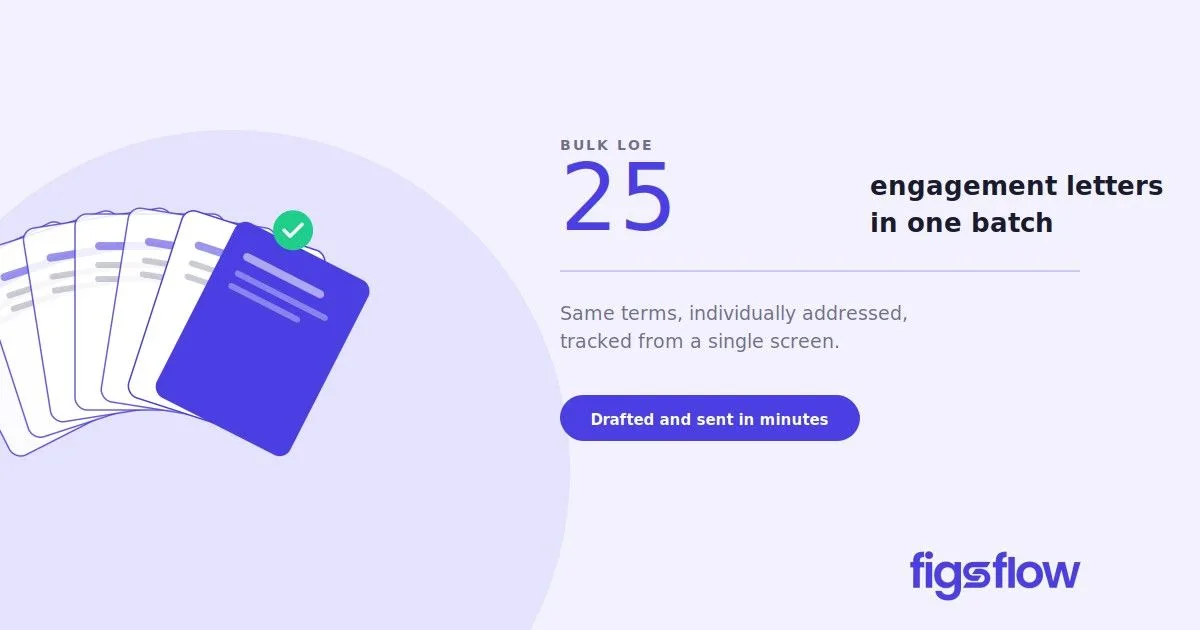
A graphic showing multiple engagement letters being processed in one batch.

6/4/2026

Introducing Bulk LOE: Draft and Send 25 Engagement Letters Within Minutes

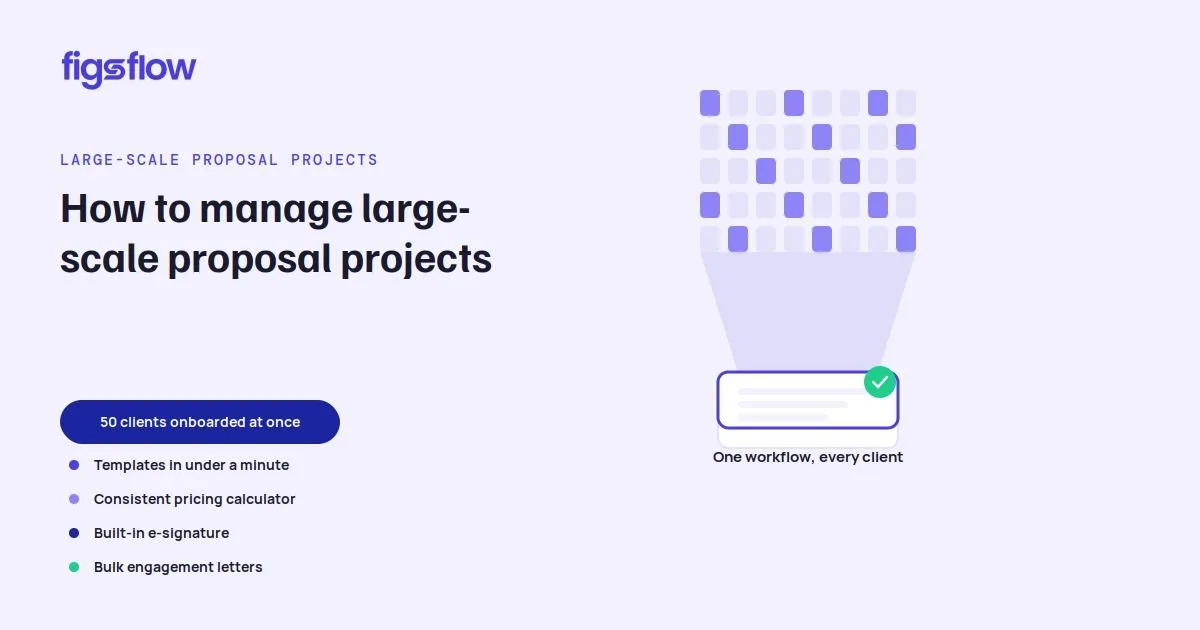
Introducing Bulk LOE: Draft and Send 25 Engagement Letters Within Minutes Introducing Bulk LOE: Draft and Send 25 Engagement Letters Within Minutes The Problem With One LOE at a Time How Bulk LOE Changes That How to Send Engagement Letters in Bulk When to Use Bulk LOE What Happens After You Send Bulk LOE Conclusion Bulk LOE is now live in FigsFlow. If you work with a large client base, you have probably spent more time than you should sending the same engagement letter, one client at a time. Bulk LOE changes that. Here is what it does and when to use it. For most engagements, drafting one at a time makes sense. Fees differ, scope differs, and each letter needs to reflect that. But some services are nearly identical across clients. A CGT return on a straightforward residential property disposal. Self-assessment for landlords with two or three rental properties. A dormant company accounts filing for a batch of inactive entities. Same scope, same terms, same fee. Only the name changes. Yet you still draft each one separately. Bulk LOE removes that repetition. You select the clients, choose the service, and FigsFlow generates a separately addressed engagement letter for each one in a single workflow. One review, one send, and every client gets engaged. The terms and content apply across the whole batch. Each letter is still addressed personally to its recipient. Select the clients who share the same engagement and click Generate Bulk LOE. Then, add the service and any associated services applicable to the batch, and proceed to preview. That is it. The same LOE goes to every client in the batch, with no limit on how many you include. Each letter is addressed personally to its recipient. Bulk LOE works when the engagement is effectively the same across a group of clients. Same service, same scope, same terms, same fee. The only variable is who the letter is addressed to. Typical scenarios include: Re-engaging an existing client cohort at the start of a new tax year Onboarding a group of clients on the same service Filing the same return for multiple clients under identical conditions If any client in the batch has a different fee, different scope, or different terms, the standard individual LOE workflow applies. Each client receives their own individually addressed letter of engagement and an e-signature request. The reminder schedule you set runs automatically, chasing each client until they sign. You track every letter in the batch from one screen. Who has signed, who has not, and when the last reminder went out. Bulk LOE is built for the engagements that should never have taken this long in the first place. Same service, same terms, same fee across a group of clients. Now it takes one workflow instead of ten. It is available in FigsFlow today at no additional cost. bulk-loe-draft-and-send-muliple-loe-in-seconds bulk loe draft and send muliple loe in seconds page Page

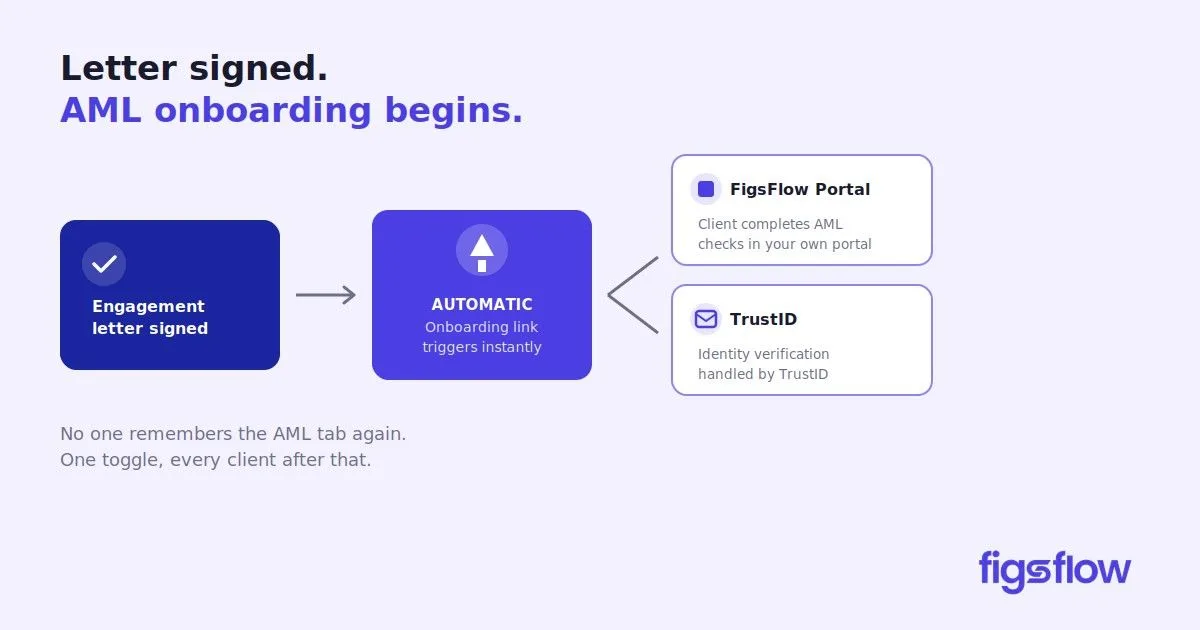
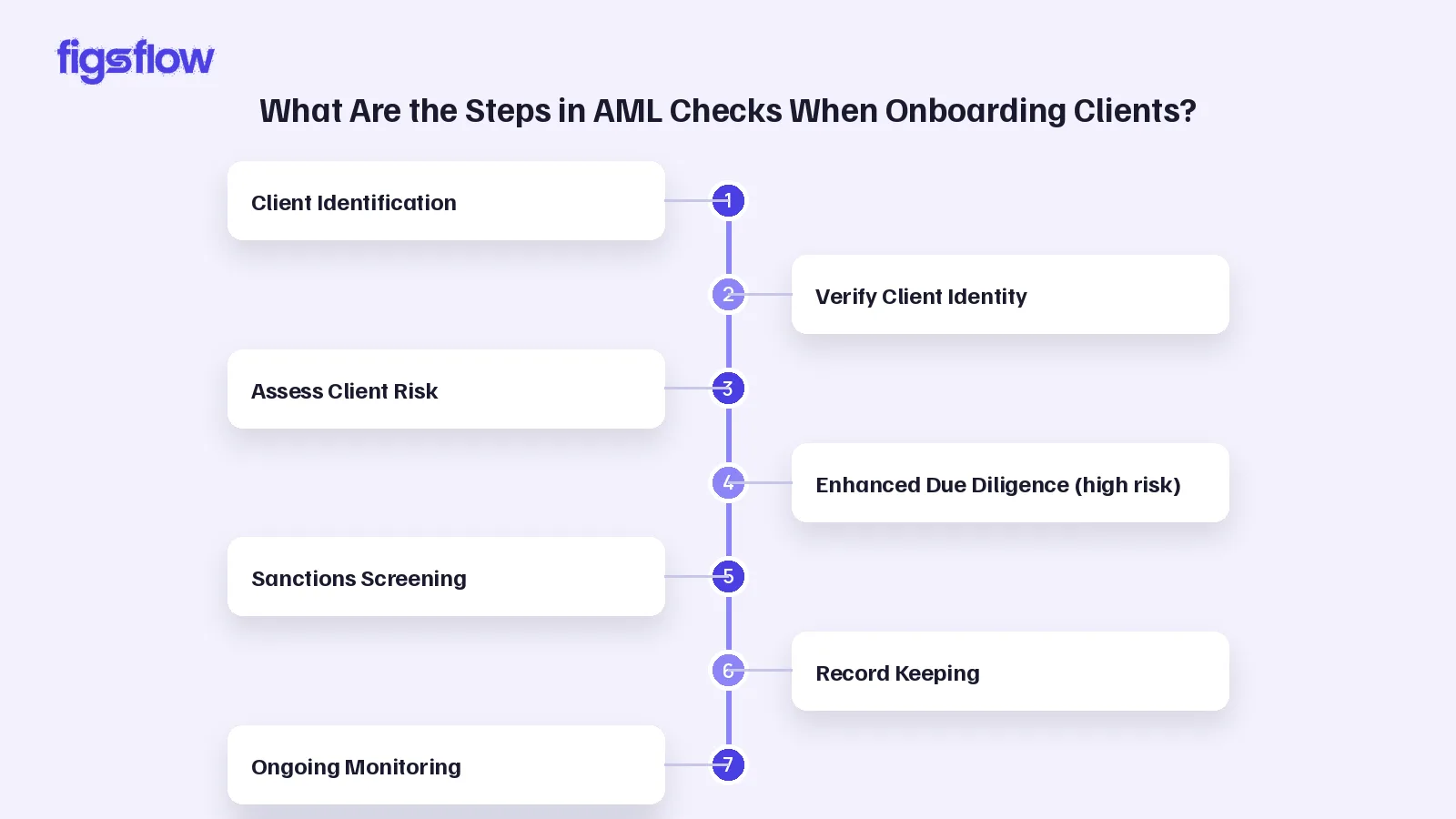
Graphic showing steps in an AML onboarding process.

6/4/2026

Engagement Letter Signed. Automated AML Onboarding Begins. FigsFlow.

Engagement Letter Signed. Automated AML Onboarding Begins. FigsFlow. Engagement Letter Signed. Automated AML Onboarding Begins. FigsFlow. Automated AML Onboarding The Manual Step That Caused the Delay What Changes Now When Should AML Checks Happen - Before or After the Engagement Letter? How to Turn It On What This Means Day to Day Automate Your AML Onboarding AML Onboarding Automation: FAQs What is automated AML onboarding? When should AML checks be done — before or after the engagement letter? Can I automate AML onboarding but still run the check myself? Do I have to set this up for every client one by one? What if I don't want a client onboarded automatically? AML onboarding automation is the process of triggering a client’s anti-money laundering checks automatically when a defined event occurs – such as an engagement letter being signed – rather than a team member sending the request by hand. It removes the manual gap between signature and verification. Until now, sending a client their AML onboarding link was a manual task with no trigger. That step is now automatic. One forgotten AML check is one too many - so stop leaving it to memory. Switch it on once. Every client gets their onboarding link the moment they sign - from £2.10 + VAT per check , in the platform you already use. 5.0 ★★★★★ on G2 4.9 ★★★★★ from 50+ reviews Start your 30-day free trial Book a demo See AML pricing → Built for UK firms working under the Money Laundering Regulations 2017 and the AML guidance of bodies including ICAEW and ACCA. For most practices, AML onboarding after a signed engagement letter meant one of two things: working through a sanctions list by hand, or exporting client data into a separate platform just to run the check. Two workflows, two logins, two places for something to go wrong. FigsFlow users had it better. The entire process lived in one place: proposal, engagement letter, AML, all connected. But even then, the trigger was manual. Once the letter was signed, someone had to navigate to the AML tab, find the client, and send the onboarding link themselves. Hectic, for a platform that exists to make every step faster. So we removed it. The moment a client signs their letter of engagement, FigsFlow sends the AML onboarding link automatically. You choose which path that triggers: Feature FigsFlow Portal TrustID Onboarding link sent Automatically on LOE signature Automatically on LOE signature AML check Accountant runs manually (one click) Completed automatically On both paths, the client receives their link without the team lifting a finger. The difference is how much of the check itself FigsFlow handles. Anti-money laundering checks should be completed before a firm begins providing services to a client. In practice, most firms run customer due diligence at onboarding, immediately after the engagement letter is signed. Automating the trigger at signature closes the gap so verification starts without delay. Head to AML & Risk Assessment, open AML & RA Configuration, then select Onboarding Automation. Toggle it to active. Then choose your preferred onboarding path: Select FigsFlow Portal to automate document collection via FigsFlow. The AML check runs manually with one click once documents arrive. Select TrustID to automate the full check via TrustID verification. The AML report generates automatically. Tick whether you want IDV, KYC, or both under Request Information. Click Save. The automation applies to all clients from that point forward. If you do not want AML onboarding triggered for a specific client, set the toggle to inactive. The link will not be sent and no prompt will appear. No one on your team needs to remember the AML tab again. The moment a client signs, FigsFlow takes over: the link goes out, documents come in, and your team picks up exactly where automation stops. Signed to verified, without the gap. One toggle. Every client after that gets their onboarding link the moment they sign. Try FigsFlow Free → It’s when the client’s AML check is triggered for you automatically, instead of someone on the team remembering to send it. With FigsFlow, the moment a client signs their engagement letter, the onboarding link goes out on its own — no one has to open the AML tab and chase it. The check should be done before you start working on the client’s affairs. In practice that means running it at onboarding, right after the letter is signed. Automating the trigger at signature is simply the cleanest way to make sure it actually happens, every time, without the gap. Yes. If you pick the FigsFlow Portal path, the link and document collection are automated, but you still run the AML check yourself with one click once the documents are in. If you’d rather hand off the whole thing, the TrustID path generates the report automatically. No. You turn it on once in your AML & RA Configuration and it applies to all clients from that point forward. The only per-client decision is if you want to switch it off for someone specific. Just set the toggle to inactive for that client. No link goes out, no prompt appears. The automation applies to everyone else from the point you switch it on, so it’s an opt-out per client rather than all-or-nothing. G2 reviews Trustindex reviews Automate AML Onboarding With FigsFlow aml-onboarding-automation-for-accountants aml onboarding automation for accountants page Page

A visual representation of a client meeting agenda with outlined steps.

4/23/2026

Client Meeting Agenda: Free Templates & Checklist

Client Meeting Agenda: Free Templates & Checklist Client Meeting Agenda: Free Templates & Checklist What Is a Client Meeting Agenda? Why Client Meeting Agenda Matters How to Make a Client Meeting Agenda The Client Meeting Agenda Template & Checklist Tips for Using Your Client Meeting Agenda Effectively Further Reading Conclusion Frequently Asked Questions (FAQs) What is a good agenda for a client meeting? How to structure a client meeting? How do I write my client meeting agenda? How to talk in a client meeting? Ever Happened? You schedule a meeting to discuss a client's assignment. The meeting runs for a full hour. There's coffee, there's conversation, maybe even some laughs. Then it ends. And on your way back to your desk, you realize: you never actually got to the thing you called the meeting for. No documents collected. No decision made. Nothing signed. With internal meetings, that's frustrating. With clients, it's costly. They walk away confused. You walk away empty-handed. Deadlines get missed, penalties stack up, and somehow, you're the one who gets blamed. That's exactly what a client meeting agenda is designed to prevent. It keeps you focused, your client informed, and every meeting purposeful. A client meeting agenda is a structured document that an accountant prepares before sitting down with a client. It outlines what needs to be discussed, what documents need to be collected, what decisions need to be made, and what outcomes the meeting should achieve. Think of it as your personal guide for the meeting. It lets you know where you're starting, what you need to cover, and where you need to land before the meeting wraps up. It works before the meeting and during it. Before, it helps you prepare. During, it keeps the conversation on track. And after, it tells you clearly whether the meeting actually achieved what it was supposed to. Most accountants are organized people. They know their client files, they track deadlines, and they stay on top of their work. But even organized professionals walk out of client meetings without what they came for. And that's a problem a client meeting agenda directly solves. You always leave with what you came for. Every goal, document, and decision is listed before the meeting starts. You work through each one systematically, so nothing gets skipped because the conversation drifted or time ran short. Your client feels respected & prepared. When clients receive a clear agenda in advance, they know what to bring and what to expect. That preparation signals professionalism and builds confidence in you before the meeting even begins. Meetings stop running in circles. Without structure, one unrelated comment can consume thirty minutes. An agenda keeps both sides anchored to what actually matters, so the time you spend together produces real outcomes. Nothing falls through the cracks afterward. Agreed action items, outstanding documents, and follow-up tasks are captured during the meeting itself, not reconstructed from memory two days later when details are already fuzzy. Research consistently shows that use of an agenda is one of five characteristics that define an effective meeting alongside keeping minutes, punctuality, appropriate environment, and having a clear meeting leader. Making a client meeting agenda doesn't take long. Here's how to build one before your next client meeting. Start with the meeting details. Write down the date, who will be present, and the primary purpose of the meeting. One clear sentence on why this meeting is happening is enough. It keeps everything that follows focused. Set your goals. Ask yourself: what needs to actually happen before everyone leaves the room? Write those down as your goals. Keep them specific and measurable. Collecting a signed document is a goal. Agreeing on a filing approach is a goal. Having a general chat about the client's business is not. List your discussion points under each goal. For every goal, write down the specific things you need to raise, ask, or explain to achieve it. These are your talking points for the meeting. List every document you need to collect. Go through the client file and write down exactly what you need from them, by name. If it's not on the list, there's a good chance you'll forget to ask for it. Add a notes section. Leave space to capture anything that comes up during the meeting that wasn't planned for. New information, unexpected issues, or items to revisit next time all go here. Close with action items. Before the meeting ends, you should know the next steps, who is responsible for each, and by when. An agenda without action items is a conversation. An agenda with them is a plan. The template below doubles as a checklist. Prepare it before the meeting, bring it with you, and tick each item off as it's completed. By the time the meeting ends, you should have a clear visual record of what was achieved and what still needs follow-up. The Goals section is the most important part to fill in carefully. Keep them specific and measurable. If you can't check it off as done or not done, it's probably not specific enough. Building the agenda is only half the work. How you use it before, during, and after the meeting is what makes the difference. Share it with your client in advance. When you confirm the meeting, send the agenda along as a follow-up. A simple “here's what we'll be covering” gives your client time to gather the documents you need and shows up prepared. It doesn't need to be formal. It just needs to be sent. Keep your goals tight. Three to five goals per meeting is the right range. More than that and you'll either rush through them or run out of time. If you have more than five things to achieve, consider splitting it into two meetings. Assign a note-taker. During a meeting, it's easy to think you'll remember everything. You won't. Written notes also serve as a reference point when action items need to be followed up. Close every meeting by reviewing the agenda. Spend two minutes going through what got checked off and naming what didn't. Unfinished items roll over to the next meeting with full awareness from both sides, so nothing slips away quietly. A client meeting agenda works best when it becomes a habit, not a one-off tool. Use it consistently and your meetings will consistently produce results. How to Deal With Difficult Clients Without Losing the Relationship – Practical strategies for handling challenging client behavior without damaging the relationship or walking away from the engagement. How to Write a Follow-Up Email After No Response (Free Templates) – A straightforward guide on following up with unresponsive clients, with ready-to-use templates for different situations. When to Reissue an Engagement Letter (& When You Don’t Have To) – Covers exactly when a new engagement letter is needed and when your existing one still holds up. How Accounting Firms Can Enhance Client Experience – Practical ways to improve how clients feel at every touchpoint, from onboarding to ongoing communication. 7 Task Management Tips for Accountants – Seven actionable tips to help accountants stay on top of deadlines and client work without things falling through the cracks. A client meeting agenda won't make every meeting perfect. But it will make every meeting purposeful. You walk in prepared, cover what matters, and leave with a clear record of what was achieved and what comes next. Over time, that consistency builds client trust. Clients notice when their accountant is prepared. And that difference, repeated across every interaction, is what separates a professional relationship that works from one that's always slightly frustrating for everyone involved. Download the client meeting agenda template above, fill in your goals, and send it to your client before the meeting. It looks simple. Because it is. But that simplicity is what keeps meetings focused, clients prepared, and work moving forward. A good client meeting agenda includes the meeting goal, a list of topics to be discussed, the purpose behind each topic, and clear action items for follow-up. Share it with your client before the meeting so they come prepared and both sides know exactly what the session is meant to achieve. Start with what's on your client's mind, not just your own list. If they've walked in with a question or a concern, address it early. It sets a collaborative tone and makes the rest of the meeting more productive. Then move through your prepared agenda systematically from there. Start with the goal of the meeting, then list the topics you need to cover and why each one matters. Note what documents you need to collect, who will be present, and what decisions need to be made. Finish with a section for action items so the meeting ends with clear next steps for both sides. Open with a brief, warm introduction then move to business without letting small talk run too long. Keep the conversation anchored to the agenda, listen actively when your client raises something unexpected, and close by confirming what was agreed and what happens next. client-meeting-agenda-free-templates-and-checklist client meeting agenda free templates and checklist page Page

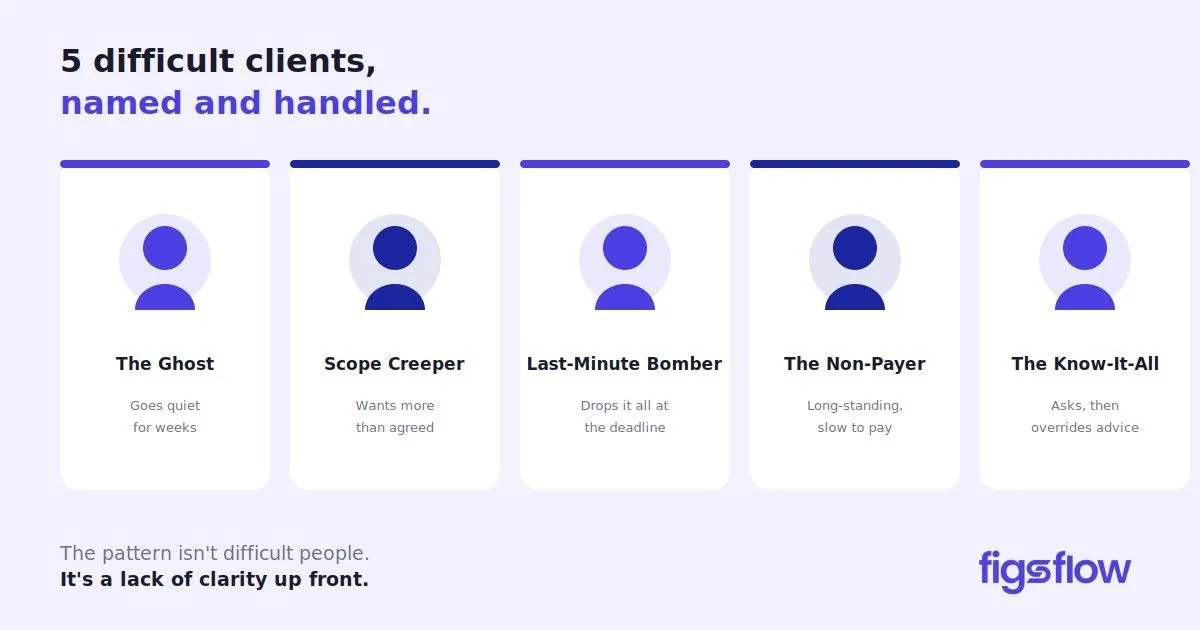
A graphic listing five types of difficult clients in a professional context.

4/20/2026

How to Deal With Difficult Clients Without Losing the Relationship

How to Deal With Difficult Clients Without Losing the Relationship How to Deal With Difficult Clients Without Losing the Relationship What Does "Difficult Client" Actually Mean? 5 Types of Difficult Clients (& What's Driving the Behaviour) How to Handle Each Type of Difficult Client What Most Difficult Client Situations Have in Common 5 Ways to Handle a Difficult Client Conversation Professionally When to Repair the Relationship & When to Walk Away Helpful Resources Conclusion Frequently Asked Questions (FAQs) How do you deal with difficult clients? How do you handle working with difficult clients? How do I deal with a client who won't pay? How do I handle a client who thinks they know more than me? When should I fire a difficult client? How do I stop scope creep with clients? We once had a client spend an afternoon arguing that his weekly cleaning bill should reduce his capital gains tax liability. No amount of legislation, worked examples, or patient explanation moved him. He knew what he knew. Every accountant has a version of that story. The client who ghosts you for weeks, then threatens a complaint because their filing was late. The one who questions every piece of advice, ignores it anyway, and goes quiet until something goes wrong. Or the one who blames for regulatory penalties after weeks of unanswered calls. These situations are hard. But with the right approach, they become manageable. That's exactly what this post is about. In this post, we break down the specific types of difficult clients that accountants encounter, what's driving the behaviour, and exactly how to deal with difficult clients without damaging the relationship or your reputation. A difficult client is one whose behaviour consistently disrupts your workflow, strains the professional relationship, or poses a risk to your practice. That's the working definition. And the practical one: the client you're thinking of right now. The one who prompted you to open this post. Before we go further, it's worth acknowledging that anything involving people is difficult. There's emotion on both sides. You have off days. They have off days. A single frustrating exchange doesn't make someone a difficult client. But a pattern does. And that distinction matters, because the wrong response to a pattern is to keep tolerating it. You've encountered these. The client who never listens. The one who never speaks. The one who knows everything, except apparently how to pay an invoice on time. Let's put names to them so you know exactly who you're dealing with and how to handle each one. The Ghost As the name suggests, these clients exist only in your imagination. Or at least, they make you feel that way. The engagement is agreed, the invoice is paid, and then nothing. Unanswered calls. Unseen emails. Document requests that disappear into the void. At some point, you start wondering: is this deliberate, or are they genuinely this stretched? Because it's hard to imagine someone ignoring a deadline they've paid you to meet. The truth is usually neither. Ghosts are overwhelmed business owners who avoid anything that feels like admin until it becomes a crisis, and then expect you to fix it overnight. The Scope Creeper You agreed on the year-end accounts. They now expect cash flow forecasts, ad hoc financial advice, help interpreting their lease, and a same-day response every time something comes up. Scope creepers rarely intend to take advantage. They hired an accountant and assumed that meant all things financial, because nobody told them otherwise. The Last-Minute Bomber They've known about the VAT return for three months. They drop everything on you with 48 hours to go and ask, sincerely, if this is a problem. These clients aren't malicious. They operate on urgency rather than planning and assume your schedule is as flexible as theirs. The Non-Payer Often, it's the long-standing client. The one you've worked with for years, taken on before proper invoicing was even on the table. The invoice goes out. A reminder gets a vague response. A second one gets disputed on grounds nobody raised when the work was delivered. Sometimes it's genuine cash flow difficulty. Sometimes it's a quiet test of how seriously you enforce your own terms. Either way, the longer it runs, the more it poisons everything else. The Know-It-All They asked for your professional opinion. You gave it. Now they're disputing it, armed with something they read online, a friend who “used to work in finance,” or a 60-second TikTok from someone with a ring light and no qualifications. The answer wasn't what they wanted, so the answer must be wrong. It wasn't for your judgment and the hours spent arguing the right case that most of them would be facing penalties they couldn't begin to cover, or worse. Be polite. Listen carefully. Show empathy. If it's about pricing, just lower it. That's the advice from people who've never had to chase an invoice at month three or explain CGT to someone who learned accounting from TikTok. Here's what actually works. Client type Your Move The Ghost Switch channels. A call or WhatsApp cuts through where email doesn't. Make it explicit in your engagement letter that if information isn't received by a set date, liability for penalties, missed deadlines, or HMRC charges sits with them, not you. List the consequences clearly. Better still, have that conversation at onboarding so nothing comes as a surprise. The Scope Creeper Your engagement letter should clearly list your responsibilities, and anything beyond that requires a separate agreement and additional fee. Highlight that section. Make it impossible to miss. For long-standing clients, the same rule applies. The relationship doesn't change the scope. The Last-Minute Bomber You don't have to turn them away. Be honest about what's achievable in the time available, set a reasonable expectation, and make them aware of the penalties they're risking by leaving it this late. Charge a rush premium. It's not only fair, it's expected. The Know-It-All Stay factual. This is what HMRC says. This is the legislation. This is your professional position. If they choose to proceed differently, put it in writing that you've advised against it and that you won't carry liability for that decision. And if following their instruction would result in an incorrect return or cross into tax evasion territory, be direct: you won't be able to act as their accountant. That's not a threat. That's your professional obligation. The Non-Payer Ideally, don't deliver work without payment or at least a clear agreement upfront. If a balance is outstanding, follow up directly and don't take on further work until it's cleared. A payment plan agreed in writing is better than an open invoice going nowhere. Look back at those five types. The Ghost doesn't know that going silent has consequences. The Scope Creeper doesn't know where your responsibilities end, and theirs begin. The Last-Minute Bomber doesn't know what a missed deadline actually costs them. The Know-It-All doesn't know what they don't know. The Non-Payer never truly understood the payment terms they agreed to. The pattern isn't difficult people. It's a lack of clarity on both sides about responsibilities, boundaries, and consequences. And in most cases, that clarity was never established at the start – which means most difficult client situations are preventable, not inevitable Some clients are difficult by nature. Not because of a miscommunication or a gap in the engagement letter, but because of who they are. They rarely agree with what you say, push back on everything, and turn routine interactions into something far more draining than they need to be. Here are some ways to deal with difficult clients. Stay calm, not passive Remaining composed isn't the same as rolling over. You can be measured and still hold your ground. A calm tone de-escalates the immediate tension without conceding anything. Separate the behaviour from the person Most difficult moments aren't personal. A client stressed about cash flow takes it out on their accountant. Understanding what's underneath the behaviour helps you respond to the real problem rather than the surface one. Ask questions before you respond When a client is unhappy, the instinct is to defend or explain. Resist it. Ask them to walk you through the issue first. You'll often find the problem is smaller than it sounded, or completely different from what you assumed. Pick up the phone, but know its limits A call resolves more than ten emails when a situation is deteriorating. But phone calls can escalate faster too. If a conversation is heading somewhere unproductive, it's better to say you'll follow up shortly and end the call than to let it spiral. Come back when both sides are calmer. Take a break between difficult conversations Back-to-back calls with difficult clients compound the stress. Where possible, give yourself time between interactions to reset before the next one. Not every client relationship can be saved. And sometimes, no matter how professionally you handle things, you can't make it work. There are also situations where walking away isn't just the right business decision, it's your professional duty. Repair when Walk away when The behaviour is new and out of character The Know-It-All proceeds against your advice in a way that could result in an incorrect return or tax evasion. In this case, you're not just walking away, you're required to notify HMRC that you're no longer acting for the client. There's a clear external cause such as business stress or personal difficulty There's a conflict of interest or a threat of intimidation to you or your firm that makes the relationship unmanageable They're responsive once a concern is raised A client is abusive toward you, your employees, or other members of your team A direct conversation hasn't been had yet A series of invoices remain unpaid with no resolution in sight When walking away is the right call, how you do it matters. The engagement needs to be closed properly and professionally, with a disengagement letter that clearly sets out your reasons and timeline. Here’s how to write one: Disengagement Letter: How to Write One Right | FigsFlow Automate Client Onboarding With FigsFlow: Stop Losing Clients: FigsFlow Fixes Client Onboarding | FigsFlow Steps in AML Checks When Onboarding Clients: Step-by-Step Guide to Clients’ AML Checks for Accountants How to Enhance Client Experience: Practical Ways to Enhance Client Experience | FigsFlow Automate Proposals With FigsFlow: Automate Proposals with FigsFlow and Win Clients Dealing with difficult clients is part of the job. The chasing, the scope arguments, the unpaid invoices, most of it is preventable with the right setup at the start. Know which type you're dealing with, respond to the behaviour rather than the frustration, and keep everything documented. When a relationship can be saved, save it. When it can't, end it professionally. And on the really tough days, a trick that works better than it should: imagine them as a client who doesn't yet understand what they're risking. Not because they're malicious – but because nobody explained it clearly enough yet. That reframe won't fix the situation. But it might just get you through the call with your professionalism intact. Then you follow up in writing and let the engagement letter do the rest. Identify which type of difficult client you're dealing with, because the approach differs for each. Stay calm, ask questions before responding, and follow up every significant conversation in writing. If the behaviour is a pattern rather than a one-off, have a direct conversation early. The longer it runs unaddressed, the harder it becomes to resolve. Don't take it personally. Most difficult behaviour has nothing to do with you and everything to do with stress, confusion, or unmet expectations. Ask questions, stay factual, and keep the conversation focused on the issue rather than the emotion. If a call is escalating, it's better to pause and come back than to let it spiral. Don't deliver further work until the outstanding balance is cleared. Follow up directly by phone rather than email, and if cash flow is genuinely tight, agree on a payment plan in writing. Ideally, payment terms and consequences should be set out clearly in your engagement letter before work begins. Stay factual. Present the legislation, set out your professional position, and document your advice in writing after every conversation. If they proceed against your recommendation, confirm in writing that you've advised against it and won't carry liability. If it crosses into the territory of incorrect returns or tax evasion, you may need to cease acting. When the same problem has recurred despite a direct conversation, when invoices are routinely disputed without grounds, when a client is abusive, or when their instructions would compromise your professional obligations. End the engagement with a formal disengagement letter and, where required, notify HMRC that you are no longer acting. Your engagement letter should clearly list your responsibilities, with anything beyond that requiring a separate agreement. Highlight that section and walk the client through it at onboarding. When requests outside the scope come in, price them separately before starting. Name the boundary once, clearly and professionally, and it usually holds. how-to-deal-with-difficult-clients how to deal with difficult clients page Page

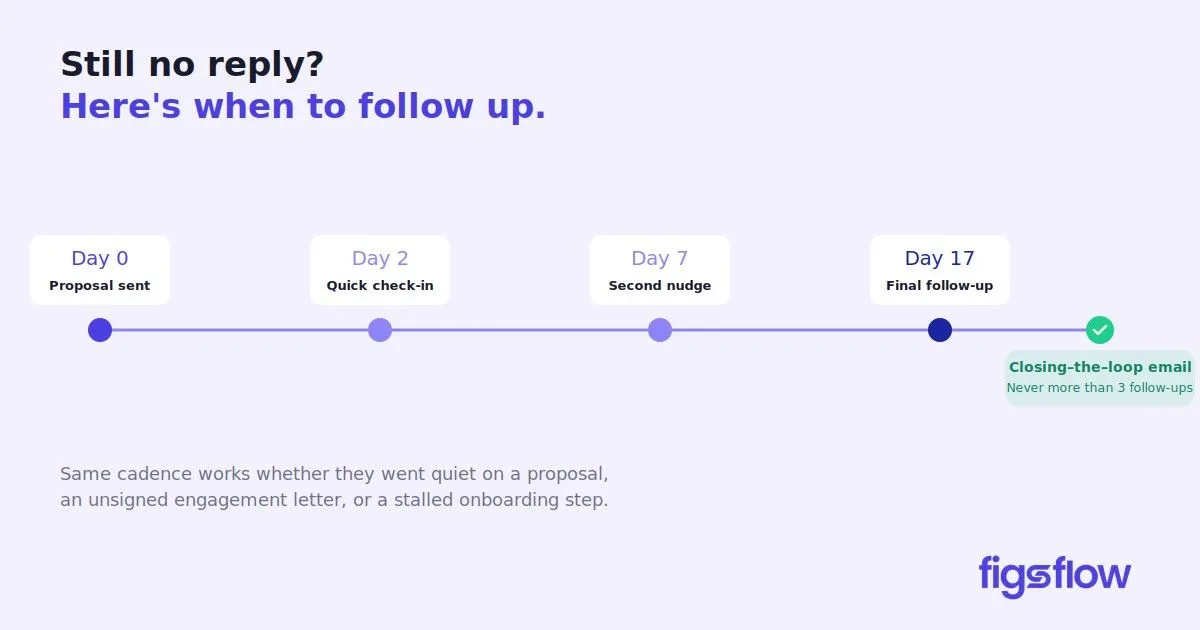
A timeline for email follow-ups after sending a proposal.

4/16/2026

How to Write a Follow-Up Email After No Response (Free Templates)

How to Write a Follow-Up Email After No Response (Free Templates) How to Write a Follow-Up Email After No Response (Free Templates) Why Clients Go Quiet (& What It Usually Means) Scenario 1: You Sent a Proposal & Heard Nothing Scenario 2: They Agreed on the Call But Haven't Signed the Engagement Letter Scenario 3: They've Gone Quiet Over Something in the Package How Long Should You Wait Before Following Up? (Timing Guide) The Closing-the-Loop Email Conclusion Built for UK accounting practices Frequently Asked Questions (FAQs) How long should you wait before following up on a proposal? How many follow-up emails should you send before giving up? What do you do if a client agreed verbally but won't sign the engagement letter? Should you follow up by phone or email? Does following up too much damage the client relationship? You sent the proposal. Or you sent the engagement letter after a call where they seemed genuinely ready to go. Days passed. Nothing. So you followed up. Still nothing. Now you're second-guessing everything. Was it the timing? The subject line? Did you come across as too eager, or not eager enough? Is there something every other accountant knows about following up that nobody told you? This post is your answer to all of it. One complete guide to writing follow-up emails that actually get a response, showing you how to make your messages feel valued and appreciated, with templates written for the three specific situations you're most likely to be in right now. Sounds good? Let's start. A follow-up email after no response is a short, purposeful message sent to a prospect or client who has not replied to a previous email. For UK accounting firms, follow-up emails most commonly arise after sending a proposal, an unsigned engagement letter, or a revised service package situations where a response is required before work can begin. Clients go quiet for dozens of reasons. You don't need to know all of them. You just need to know the ones that actually affect what you do next. They Forgot Your email arrived on a busy afternoon, got buried under twelve others, and never came back up. These clients aren't avoiding you. They just need a warm nudge at the right time. One well-timed follow-up email and you're back in the conversation. Something Gave Them Pause Maybe the price landed differently on paper than it did on the call. Maybe they left the discovery call with a doubt they couldn't quite name. These clients aren't gone either, but a generic “just checking in” email won't reach them. What they need is an opening to say the thing they haven't said yet. They've Moved On They found another firm, or decided they don't need the service right now, and they're doing what most people do in that situation: saying nothing and hoping the thread dies quietly. You can't win these back with a follow-up email. But you can follow up two or three times, close the loop professionally, and keep them in a nurture sequence. People switch accountants. When they're ready to move again, you want to be the first name that comes to mind. Knowing which of these three you're dealing with changes everything about how you follow up. That's what the rest of this post is for. Most prospects talk to two or three firms before they decide. They’re comparing pricing, service offerings, and how well each firm guides them through the process. That’s the most likely reason your proposal hasn’t come back. That said, it's just as possible they genuinely forgot, or that one well-timed follow-up email is all it takes to edge ahead. You won't know until you try. That's why you follow up: two to three times, spaced out enough not to feel like pressure, but close enough to keep the conversation alive. A good default cadence is two days after sending, seven days after that, and seventeen days after that. Adjust based on your service type or any statutory deadline in play. Here are templates for each of those touchpoints. Follow-up Email 1: Day 2 Subject: Re: Proposal for [Client Name] Hi [Name], Just checking in on the proposal I sent over on [day]. Happy to answer any questions if anything needs clarifying before you make a decision. If it's easier to talk through the services or pricing on a quick call, just reply and we'll find a time. [Your name] Follow-up Email 2: Day 7 Subject: Quick question about the proposal Hi [Name], Still happy to help with [specific service] and wanted to check if anything in the proposal raised a question I can answer. Would a short call be easier than going back and forth on email? [Your name] Follow-up Email 3: Day 17 Subject: Following up one last time Hi [Name], I haven't heard back since I sent the proposal, so I'll assume the timing isn't right at the moment. No problem at all. If anything changes, just get in touch. I'll keep your details on file. [Your name] There are a few reasons this happens. They forgot, which is the most common. The e-signature process gave them friction and they quietly dropped it. Or they've since decided to go elsewhere and haven't said so yet. Since they already agreed on the call, your follow-up email has one job: reduce whatever friction is sitting between them and the signature, and do it quickly. The longer you leave it, the colder it gets. Below are sample templates for each follow-up. Follow-up Email 1: Day 2 Subject: Engagement letter for [Client Name] Hi [Name], Just checking in on the engagement letter I sent on [day]. Once that's signed, I can get everything set up, and we can get started. If you're having any trouble with the signing process or anything looks unclear, just let me know. [Your name] Follow-up Email 2: Day 7 Subject: Any questions on the engagement letter? Hi [Name], A quick nudge on the engagement letter. If anything in the terms has raised a question, or the signing link isn't working, just reply, and we'll get it sorted. [Your name] Follow-up Email 3: Day 12 Subject: Re: Engagement letter Hi [Name], Still haven't heard back on the engagement letter. Can you let me know where things stand? Even a brief reply helps. [Your name] You can usually spot this one before the silence even starts. There was a moment on the discovery call where they hesitated. Maybe the price came up and they went quiet for a beat. Maybe they questioned whether they needed a particular service. You moved past it, they seemed fine by the end of the call, but the hesitation was there. These clients don't need a nudge. They need an opening. Your follow-up email has to invite them to say the thing they didn't say on the call, directly and without making it awkward. Below are follow up email templates that does exactly that. Follow-up Email 1: Day 2 Subject: A quick question about the proposal Hi [Name], Just checking in on the proposal I sent over. If anything in there doesn't quite match what you were expecting, whether that's the scope, the price, or something else, it's worth a quick conversation rather than leaving it hanging. What's on your mind? [Your name] Follow-up Email 2: Day 7 Subject: Worth a quick call? Hi [Name], I've followed up a couple of times and haven't heard back. I don't want to assume you're not interested when it might just be that something needs a conversation. Would ten minutes this week help? I'm flexible on timing. [Your name] Follow-up Email 2: Day 7 Subject: One last question Hi [Name], I've reached out a few times without hearing back. Before I close this off, is there something specific about the proposal I can address? Even a quick reply helps me understand where things stand. [Your name] Different situations call for different pacing. Here's a quick reference: Scenario Follow-up 1 Follow-up 2 Follow-up 3 Unanswered Proposal Day 2 Day 7 Day 17 Unsigned Engagement Letter Day 2 Day 7 Day 12 Package Hesitation Day 2 Day 7 Day 12 Never follow up more than three times before you move to the closing email. Beyond that, you're not helping the relationship. At some point, another follow-up stops helping. If you've sent your follow-up emails across any of the three scenarios and still heard nothing, send one final email. Then stop. The goal isn't to guilt them into responding. It's to end the thread cleanly, leave a good impression, and make it easy for them to come back if things change. Closing-the-Loop Email Subject: Closing the loop Hi [Name], I haven't heard back after a few messages, so I'll assume the timing isn't right at the moment. I won't keep following up. If things change and you'd like to revisit, just get in touch. If you'd like to stay updated on [service area] or hear from us occasionally, subscribe to our newsletter here: [link]. [Your name] Different situations call for different follow-up emails. An unanswered proposal needs a structured nudge. An unsigned engagement letter needs a tighter cadence. A client who hesitated on the call needs an opening, not a reminder. Get that right and replies come in. Proposals get signed. Clients move forward. But the follow-up email is a symptom, not the problem. The real issue is friction – in how the proposal was built, how the engagement letter was sent, and whether signing it required effort the client didn't expect. Fix that friction and the follow-ups become unnecessary. Stop chasing clients. FigsFlow follows up for you. Proposals, engagement letters and e-signatures in one workflow. The automated reminder system follows up on unsigned documents so nothing slips through. Start free 30-day trial → Book a demo 5.0 4.9 Trustindex When to reissue an engagement letter Engagement letters Engagement letter vs proposal - key differences Proposals Lead response time - why it matters for accountants Client management How to deal with difficult clients Client management Free client onboarding checklist Free resource Three days is the right window for a first follow-up on an unanswered proposal. Any sooner and you risk coming across as impatient. Any longer and the conversation goes cold. If the client agreed verbally before you sent it, two days is reasonable given that expectation is already set. Three follow-ups is the practical limit for most situations. Research shows response rates drop significantly after the fourth email, and beyond three you risk damaging goodwill. After three attempts with no reply, send one closing-the-loop email and stop. Keep the door open, but move on. Follow up within two days and keep the tone practical rather than pressured. Acknowledge they may have questions about the terms and invite them to raise anything. If there's still no response after three follow-ups, send a closing email and flag internally that you cannot begin work without a signed letter. Email first, because it gives the client time to respond on their own schedule and creates a written record. If two email follow-ups go unanswered, a brief phone call is appropriate and often more effective. Mention on the call that you'll send a quick email summary so the thread continues. It can, if the tone is wrong or the frequency is too high. Three follow-ups spaced several days apart, each adding something useful or opening a door to questions, is professional persistence. Following up daily or using language that implies frustration will put clients off. Follow-up email cadence for unanswered proposal — Day 2, Day 7, Day 17 They said yes on a call. The engagement letter disagress Follow-up email timing guide for UK accountants — when to send across three scenarios how-to-write-a-follow-up-email how to write a follow up email page Page

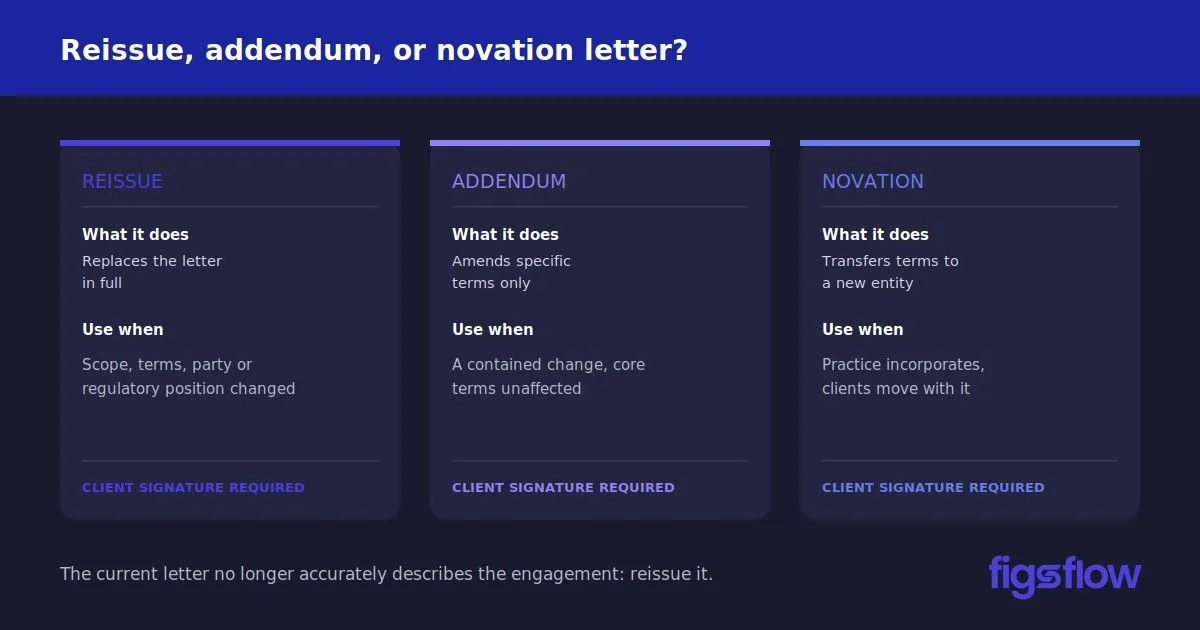
Illustration explaining reissue, addendum, and novation letters.

4/7/2026

When to Reissue an Engagement Letter (& When You Don’t Have To)

When to Reissue an Engagement Letter (& When You Don’t Have To) When to Reissue an Engagement Letter (& When You Don’t Have To) What Reissuing an Engagement Letter Actually Means When You Must Reissue an Engagement Letter Situations That Require You to Reissue an Engagement Letter What situations make reissuing strongly advisable? What Counts as a Scope Change? Reissue, Addendum, or Novation Letter: Which One Do You Need? How Often Should You Reissue Engagement Letters? What Happens If You Don't Reissue an Engagement Letter When You Should? Reissue an Engagement Letters in Seconds with FigsFlow Further Reading Conclusion Frequently Asked Questions (FAQs) Do I need to reissue an engagement letter every year? Does a fee increase require a new engagement letter? Can I use an addendum instead of reissuing? Do I need new engagement letters when I incorporate my practice? What is a novation letter, and when should I use one? Is there any software that can reissue an engagement letter? You need to reissue an engagement letter when the scope of services changes, when your terms change, when the regulatory position shifts, or when the party you’re engaged with changes. That’s the short answer. ‘The four situations that require a full reissue are: (1) scope change not covered by the current letter, (2) the client entity has changed, (3) your terms have materially changed, (4) a regulatory update affects the letter. An addendum covers contained changes. A novation letter handles practice incorporation. But the situations that actually catch practices out are the grey areas. The scope change that looked minor. The client who incorporated, and nobody thought to check. The terms update that went on the website, but never got a client signature. The difference between mandatory, strongly advisable, and “an addendum will do” is what most guides skip over. This one doesn’t. Reissuing an engagement letter means: sending a new engagement letter to a client and getting their signature on it. It replaces the previous letter in full and resets the contractual baseline between you and your client. That’s different from an addendum, which is a supplementary document that amends specific terms without replacing the original letter entirely. And it’s different from a novation letter, which transfers the terms of an existing engagement to a new entity. Each has its place. Choosing the wrong one is where the risk creeps in. Not every change demands you to reissue an engagement letter . But some do, and acting on the wrong assumption is exactly what leads to disputes you can’t win. There are certain situations where reissuing an engagement letter isn’t a judgment call. It’s a requirement. These include: The scope has changed, and the current letter doesn’t cover the new work The party you’re acting for has changed Your terms and conditions have materially changed A regulatory update affects what your letter must state In any of these cases, you need to reissue an engagement letter. There are situations that don’t invalidate your existing letter but leave you significantly exposed if a dispute arises. These include: A fee change that isn’t documented in writing A client with new directors, new beneficial owners, or a restructured business A new partner, a rebrand, or a merger on your side None of these automatically voids what you have. But “we didn’t update the letter” is not a position you want to be defending. What Practice Assurance Visits Keep Finding According to ICAEW Practice Assurance guidance , failure to maintain current engagement letters is among the most frequently cited findings during practice visits. When a dispute arises, your engagement letter is your evidence. If it’s outdated, you don’t have any. A scope change is any addition, removal, or shift in the services you provide that isn’t covered by the terms of the existing engagement letter . If the letter no longer accurately describes what you’re doing for that client, the scope has changed. There are specific changes to a client relationship that constitute a scope change and require you to reissue an engagement letter. These include: Adding a service such as payroll, VAT returns, or advisory work not covered by the original letter Removing a service you previously provided A client incorporating, moving from sole trader to limited company A change in who you’re acting for, including partnership changes, trustee changes, or changes in beneficial ownership The incorporating client is the one who catches practices most off guard. When a sole trader incorporates, the company is a new legal entity. Your existing letter is with the individual. It does not cover the company. Post-incorporation, you’re typically producing company accounts and a corporation tax return for a client that has never signed anything with you. That company needs its own engagement letter. The original may still stand for the individual’s personal self-assessment, but you now have two clients, not one. The Ad Hoc & Advisory Clause Exception If the additional work is covered by the ad hoc and advisory section of the original letter, a new engagement letter may not be required. But don’t assume it does. Read the clause, check the work sits clearly within it, and don’t stretch it further than it was written. Reissue, addendum, and novation letters are three distinct documents that get used interchangeably when they shouldn’t be. Each one applies to a different situation. Here is how a reissue, an addendum, and a novation letter differ – and when each one applies Reissue Addendum Novation Letter What it does Replaces the existing letter in full Amends specific terms only Transfers existing terms to a new entity When to use it Scope, terms, party, or regulatory position has changed Change is contained and doesn't affect core terms or liability Practice incorporates, and client relationships move to the new company Client signature required Yes Yes Yes Original letter still valid No, replaced entirely Yes, for everything not covered by the addendum Yes, transferred rather than replaced Use when The current letter no longer accurately describes the engagement One contained change sits alongside an otherwise unchanged engagement You're incorporating and want to transfer existing relationships without reissuing individually The novation letter is the one most practices aren’t aware of. The ICAEW has acknowledged it as a valid route when a practice incorporates, though it doesn’t currently provide a template. The standard answer is annually, and it’s the right one. But there are two ways to apply it, and they’re not the same thing. Annual as a blanket policy means every client gets a fresh letter once a year, at the same time each year, regardless of whether anything has changed. It’s administratively heavier but removes any question about whether a trigger was caught. Annual, as a minimum floor , means you reissue an engagement letter on trigger as soon as something changes and treat the annual review as a safety net for anything that slipped through. For most practices, this is the more practical approach. The risk is that the annual review gets deprioritized when things are busy, which is exactly when stale letters accumulate. Whatever cadence you choose, build it into your workflow rather than relying on someone to remember. There are four specific consequences that follow when engagement letters aren’t kept current. Unenforceable Fee Terms. If your fee has changed and the letter still references the original amount, you may have no contractual basis to recover the difference. Clients don’t have to pay for what they didn’t agree to in writing. Acting Outside Your Contractual Scope. If you’re providing a service not covered by the letter, you’re doing work with no agreed liability framework. You can’t enforce payment, and your client can’t hold you to the standard they expected. No Evidence of Client Acceptance. In a dispute, you need to demonstrate that your client agreed to the revised terms. Updating your website doesn’t count. An unsigned letter doesn’t count. A timestamped digital signature does. Professional Indemnity Exposure. Your PI insurer will want to see a signed, current engagement letter as part of any claim. An outdated one complicates that process in a situation that’s already difficult enough. The compliance obligation is clear. The operational challenge is executing it across a full client base without it becoming an admin burden. Here is how practices are solving that Reissuing engagement letters across a full client base is one of those tasks that never feels urgent until it is. When you’re managing dozens of clients, even a straightforward update becomes an afternoon of admin. FigsFlow makes it easy. You can reissue an engagement letter, collect a digital signature, run an AML check, conduct a risk assessment, and have a fully documented, compliant client record in under 10 minutes of your actual time. For existing clients where the groundwork is already done, it’s considerably less. FigsFlow lets you: Build a new engagement letter from a pre-built template or update an existing one in minutes Send it directly to your client for a digital signature via a secure link Track exactly who has viewed and signed the document from your dashboard Store a timestamped, audit-ready record the moment the client signs Handle proposals, AML checks, and risk assessments in the same workflow But words only go so far. Book a demo and see it for yourself. Engagement Letter vs Letter of Intent: Key Differences Explained – Breaks down how these two documents differ and why the distinction matters for accountants. Engagement Letter vs Proposal: Understanding Key Differences – Clarifies what each document does and when to use one over the other. Understanding Engagement Letters: A Guide for Professionals | FigsFlow — A practical introduction to what engagement letters are and what they need to contain. Complete Guide to Drafting Engagement Letters | FigsFlow — A step-by-step guide to drafting engagement letters that are compliant and client-ready. The trigger hierarchy is straightforward once you know it: Mandatory reissues before you continue acting Strongly advisable ones before a dispute forces your hand Annual review is the floor that catches everything else The grey areas are where most practices get caught out. Scope changes that looked minor. Clients who incorporated without anyone updating the letter. The addendum should have been a full reissue. That said, reissuing engagement letters across your entire client base isn’t easy. It’s time-consuming, it’s repetitive, and when done manually, it eats into hours that should be going elsewhere. With FigsFlow, you can reissue an engagement letter, collect a digital signature, and have a fully documented client record in seconds. No admin pile-up. No chasing. No version confusion. At minimum, yes. Annual review is the floor, not a fixed rule. If a trigger occurs mid-year, such as a scope change or a change in client circumstances, reissue at that point rather than waiting. The annual review exists to catch anything that slipped through between triggers. It’s strongly advisable. If the original letter references a specific fee and you’re now charging more, your contractual basis for recovering the difference is weak without a new signed document. A full reissue with a digital signature gives you the clearest evidence if a dispute arises. Yes, in some cases. An addendum works when the change is contained, doesn’t affect core terms or liability, and the original letter remains accurate for everything else. It’s not appropriate when the party has changed, terms have materially shifted, or the original letter would give a misleading picture of the engagement. Yes. Work carried out by the incorporated company isn’t covered by your previous sole trader terms. You can reissue full letters under the new company name or use a novation letter to transfer existing agreements to the new entity. Either way, you need a client agreement in writing before continuing to act. A novation letter transfers the rights and obligations of an existing contract to a new entity, in this context, from a sole trader practice to a newly incorporated company. It requires client agreement and needs to be drafted carefully. It’s a different legal mechanism for achieving the same outcome as a full reissue, not a shortcut around it. Yes. FigsFlow lets you create regulatory compliant engagement letters for accounting, bookkeeping, and tax advisory services in under a minute. You can send it alongside a proposal, and clients receive a secure onboarding portal where they can preview and sign electronically. when-to-reissue-an-engagement-letter when to reissue an engagement letter page Page

A comparison of 9 time tracking and billing platforms with key questions.

3/27/2026

Best Time Tracking & Billing Software for Accountants in 2026

Best Time Tracking & Billing Software for Accountants in 2026 Best Time Tracking & Billing Software for Accountants in 2026 9 Time Tracking & Billing Software for Accountants at a Glance Time Tracking & Billing Software for Accountants (Detailed Overview) Karbon Key Features of Karbon Pros & Cons of Karbon Financial Cents Key Features of Financial Cents Pros & Cons of Financial Cents FreshBooks Key Features of FreshBooks Key Features of FreshBooks Xero Key Features of Xero Pros & Cons of Xero Uku Key Features of Uku Pros & Cons of Uku QuickBooks Key Features of QuickBooks Pros & Cons of QuickBooks Clockify Key Features of Clockify Pros & Cons of Clockify TMetric Key Features of TMetric Pros & Cons of TMetric Zoho Invoice Key Features of Zoho Invoice Pros & Cons of Zoho Invoice How to Select the Best Time Tracking & Billing Software Conclusion The best time tracking and billing software for accountants in 2026 includes Karbon, Financial Cents, FreshBooks, Xero, Uku, QuickBooks, Clockify, TMetric, and Zoho Invoice. Between them, they cover everything an accounting firm needs to log billable hours, automate invoicing, collect payments, and understand which clients and engagements are actually profitable. But let’s be real. Not all nine are the right fit for your firm. Budget, team size, billing model, and workflow all push the decision in very different directions. So which one should you go for? That is exactly what this guide covers. Use the comparison table below for a fast shortlist, then read the detailed breakdowns to find the one built for how your firm actually operates. The table below gives you a quick snapshot of the best time tracking and billing software for accountants before diving into the full breakdowns. Each tool has been assessed across four criteria: time tracking capability billing and invoicing capability accounting firm fit value for money. Use it to narrow down your shortlist before reading the detailed overviews below. Time Tracking & Billing Software for Accountants Best For Pricing Score /30 Karbon All-in-one practice management with fully integrated time and billing From $59/user/mo 28/30 Financial Cents Purpose-built time tracking and billing for accounting and CPA firms From $19/mo (solo); $49/user/mo (team) 26/30 FreshBooks Solo accountants wanting time tracking, billing, and accounting in one place From $6.90/mo; 30-day trial 23/30 Xero Accounting firms already in the Xero ecosystem wanting connected billing From $29/mo; 30-day trial 22/30 Uku Automated billing directly from time tracking, built for accounting firms Free (solo); from $38/user/mo 21/30 QuickBooks Firms committed to the QuickBooks ecosystem wanting time-to-invoice sync From $10/mo base + $8/user/mo; 30-day trial 19/30 Clockify Budget-conscious firms wanting a free time tracker with basic invoicing Free plan; from $5.49/seat/mo 16/30 TMetric Small teams wanting affordable time tracking with project-based billing Free (2 seats); from $5.83/seat/mo 14/30 Zoho Invoice Independent accountants wanting free invoicing with basic time tracking Free forever 11/30 Now that you have the snapshot, here is where each platform earns or loses its place on your shortlist. The entries below go deeper on features, pricing, real user experience, and fit, giving you everything you need to choose the right time tracking and billing software for accountants with confidence. Watch This Space Most time tracking and billing software for accountants was built for agencies or general businesses and retrofitted for the profession. The gaps show. FigsFlow is being built differently. Developed by people who have spent years working inside accounting practices, it is being designed around the actual bottlenecks of the profession from the ground up. Time tracking, automated billing, compliance, proposals, and full practice management. It is not here yet. But it is coming. Keep an eye on FigsFlow. Karbon is the top-ranked accounting practice management software on G2, trusted by over 30,000 accounting professionals globally, including firms such as BDO, Baker Tilly, and Armanino. It combines time tracking, budget management, billing, payments, workflow automation, and client communication in one platform built exclusively for accounting firms. For practices evaluating time tracking and billing software for accountants that want their entire firm operation running from one place, Karbon is one of the most complete options on this list. No free trial is available, but a demo can be booked directly. Quick Facts Cost: Team plan starts at $59 per user per month paid annually, or $79 per user per month paid monthly. Business plan at $89 per user per month paid annually, or $99 per user per month paid monthly. Enterprise pricing available on request. Payment processing fees apply separately. Ratings: 4.8/5 (based on G2) Who’s For: Small to large accounting firms wanting a single platform connecting time tracking, billing, workflow management, client communication, and capacity planning Best At: Connecting time tracking directly to billing and payments, real-time budget visibility, WIP and realization reporting, and workflow automation built for accounting practices Tracks billable hours with a built-in timer and auto-suggested time entries based on team behavior, reducing missed time and manual errors Generates invoices from tracked time with flexible billing options, including time and materials, fixed fee, and recurring billing linked to work schedules Collects payments by card or direct debit with auto-payment options, and tracks aged receivables and unpaid invoices from a dedicated dashboard Monitors budgets in real time, showing whether engagements are trending over or under estimate, with capacity planning across the full team Produces WIP, realization, and receivables reports automatically, with API access for custom reporting and integration with tools including Xero, QuickBooks, and Zapier Karbon sits at the premium end of this list for a reason. The depth of what it connects, from a single email all the way through to a paid invoice, is genuinely difficult to match. Number one-ranked accounting practice management software on G2 Time tracking, billing, and payments included on all plans Auto-suggested time entries reduce missed billable hours Real-time budget and capacity visibility across the firm Integrates with 49 verified tools, including Xero and QuickBooks No free trial available, demo required to get started Steep learning curve when transitioning from multiple tools Higher price point than most other options on this list Accounting teams that use Karbon daily describe it less as a piece of software and more as the operating system the firm runs on. The ability to link a client email to a timeline, assign a task, track the time spent, and generate an invoice without leaving the platform removes the context-switching that quietly drains productivity across busy periods. For any firm seriously evaluating time tracking and billing software for accountants at the higher end of the market, that connected workflow is the central argument for Karbon over anything else. Having internal conversations, client emails, and documents all connected to the right project in one place changed how the whole team works. The triage and timeline features make it much easier to keep multiple engagements moving without losing track of where anything stands. Teams that have been through implementations at other platforms and then moved to Karbon consistently note that the onboarding support sets a different standard. The learning curve is real, but the payoff reported by long-term users of time tracking and billing software for accountants at this level of integration is consistently described as worth the investment. The implementation was smoother than expected, and whenever something came up, the support felt genuinely invested in making the platform work for our specific setup. Turning an email into a prioritized task in a single click, with no copying between windows, is the kind of small thing that adds up significantly across a full week. Financial Cents is accounting practice management software built exclusively for accountants, bookkeepers, and CPAs, and used by over 10,000 firms. It combines time tracking, client invoicing, automated billing, workflow management, and a client portal in a single platform designed around how accounting firms actually operate. For practices evaluating time tracking and billing software for accountants that want their client work and their billing in the same system, Financial Cents is one of the most purpose-built options on this list. A 14-day free trial is available with no credit card required. Quick Facts Cost: Solo plan starts at $19 per month for single users. Team plan at $49 per user per month, billed annually. Scale plan at $69 per user per month, billed annually. Enterprise pricing available on request. Month-end close is an optional add-on at $5 per client per month. 14-day free trial available. Ratings: 4.7/5 (based on G2) Who’s For: Solo accountants, bookkeeping firms, CPA practices, and tax firms wanting an all-in-one platform connecting time tracking, invoicing, workflow, and client communication Best At: Billing directly from tracked time, automated payment collection, QuickBooks Online two-way sync, and workflow management built specifically for accounting practices Tracks billable and non-billable hours using a start-stop timer or manual entry, with the ability to run multiple simultaneous timers across different clients and projects Generates invoices directly from tracked time entries and collects payments via card or ACH with automated recurring billing and payment reminders Syncs invoices, client records, and payment data two-way with QuickBooks Online, eliminating duplicate data entry between platforms Provides profitability reports, realization reports, and accounts receivable aging to show which clients and services are driving the firm’s revenue Sends automated client task reminders and document requests through a branded client portal, reducing manual follow-up across active engagements Financial Cents earns its place near the top of this category because it was never adapted from another tool. Every feature in the platform was designed with accounting firm workflows in mind from the start. Purpose-built for accounting and bookkeeping firms Time tracking connects directly to invoicing and billing Native two-way QuickBooks Online sync included Automated payment collection and recurring invoices built in 200-plus workflow templates included across all plans Month-end close is a paid add-on rather than included Mobile experience significantly weaker than desktop Pricing can feel steep for very small or solo practices Accountants who have been through the process of testing multiple tools before landing on Financial Cents tend to point to the QuickBooks integration as the initial selling point, but describe the broader workflow as what actually keeps them using it long-term. As a complete solution functioning as time tracking and billing software for accountants, the combination of automated client reminders, time-to-invoice flow, and capacity visibility gives firms a level of control over their workload that standalone time trackers simply cannot match. The automated client reminders alone changed how busy season runs. Having a clear view of every stage of every client engagement, alongside what each client still needs to provide, removed the mental load of tracking it all manually. The QuickBooks integration was the reason for signing up, but the workflow is the reason for staying. Long-term users are particularly vocal about the reliability of the platform and how the development team responds to feature requests. For any accountant evaluating time tracking and billing software for accountants who have previously been burned by buggy software or slow update cycles, that track record matters more than most features on a spec sheet. After several years of daily use, the platform has earned genuine trust. Task tracking, document requests, and client communication all run smoothly together. The team behind it asks for customer input and actually acts on it, which is not something you can say about most practice management tools. FreshBooks is an accounting and billing platform built for small businesses and professional services firms, with accountants listed directly among its core audiences. It brings time tracking, invoicing, expense management, and double-entry accounting together in one workspace. For firms evaluating time tracking and billing software for accountants that need more than just a timer, FreshBooks covers the full billing cycle. A 30-day free trial is available. Quick Facts Cost: Lite plan starts at $6.90 per month. Plus plan starts at $12.90 per month. Premium plan starts at $21.00 per month. Select plan pricing available on request. Team members added at $11 per user per month across all plans. 30-day free trial available. Ratings: 4.5/5 Who’s For: Small to mid-sized accounting firms and independent accountants wanting time tracking, invoicing, and accounting tools in one platform Best At: Billable time tracking linked directly to client invoicing, recurring billing automation, and project profitability reporting Tracks billable hours using a timer, mobile app, or Chrome browser extension, and converts logged time into client invoices with a single click Automates recurring invoices, late payment reminders, and scheduled late fees to reduce manual follow-up across client accounts Accepts payments via credit and debit cards, ACH bank transfer, Apple Pay, Google Pay, and Buy Now Pay Later from within the invoice Monitors project budgets, tracks profitability per engagement, and gives a clear view of team time across multiple clients simultaneously Generates double-entry accounting reports, tax-time summaries, and bank reconciliation tools from the Plus plan upward FreshBooks makes the strongest case for accounting professionals who want their time tracking and their billing to live in the same place, without needing two separate tools to get from a logged hour to a paid invoice. Timer links directly to client invoices Recurring invoices automated on all plans Double-entry accounting from the Plus tier 30-day money-back guarantee included Award-winning customer support on all plans Lite plan capped at 5 billable clients Reporting customization limited across tiers Payment processing fees add up quickly For accounting professionals who have lost billable hours to disconnected tools, the link between time logging and invoicing is where FreshBooks earns its place as time tracking and billing software for accountants. Users who manage multiple clients simultaneously highlight the organization piece as much as the speed. The timekeeping function tracks hours spent on each project and drops that time directly onto the invoice without any manual calculation involved. Managing multiple clients with multiple active projects stays organized, and the whole billing process moves faster because the numbers are already there when it is time to send. Others point to how the mobile experience changes the way billable hours get captured, particularly on fast-moving engagements where time logged later is time at risk of being underreported or forgotten entirely. On a time-sensitive project, logging hours from a phone as each task was completed meant those hours showed up on the invoice automatically. The visual payment calendar was another layer of clarity, showing at a glance which clients had paid, which had not, and who needed a follow-up without having to search for the answer. Xero is cloud-based accounting software used by small businesses and accounting professionals worldwide, with a dedicated product tier built specifically for accountants and bookkeepers. Its Xero Projects feature allows firms to log time, track job costs, and feed that data directly into client invoices. For practices evaluating time tracking and billing software for accountants that want a single platform handling the full accounting and billing workflow, Xero covers significant ground. A 30-day free trial is available. Quick Facts Cost: Starter plan starts at $29 per month. Standard plan at $50 per month. Premium plan at $75 per month. Xero Projects is an optional add-on for $7 per month across all plans. 30-day free trial available. Ratings: 4.4/5 (based on G2) Who’s For: Small to mid-sized accounting firms wanting a full-featured cloud accounting platform with integrated time tracking, invoicing, and bank reconciliation Best At: Automated invoicing, bank reconciliation, project time tracking, and connecting with a broad ecosystem of third-party accounting tools Tracks billable hours against projects using a start-stop timer or manual entry, then populates client invoices automatically with accurate figures Creates customized online invoices with Pay Now buttons and accepts payments via Stripe, GoCardless, PayPal, and direct debit Automates recurring invoices, payment reminders, and bank reconciliation to reduce manual admin across client accounts Connects to 21,000-plus global financial institutions for daily bank feeds and automated transaction matching Integrates with over 1,000 third-party apps, including practice management, payroll, CRM, and expense tools via the Xero App Store Xero earns its place on this list because it does not separate accounting from billing. The two sit in the same system, which removes a layer of friction that standalone time tracking tools inevitably create. Time tracking feeds directly into invoicing within one platform Automated bank reconciliation reduces month-end admin significantly Over 1,000 app integrations via the Xero App Store Dedicated accountant and bookkeeper product tier 30-day free trial with access to all features Xero Projects time tracking is an additional paid add-on Reporting customization is limited without third-party tools No immediate phone support, help is email and ticket-based Accountants who move their full workflow into Xero consistently point to how much the automation changes the experience of month-end close. For a chartered accountant running multiple client files, the cleanliness of the interface and the reliability of bank feed matching during reconciliation are what make it a practical daily tool rather than just a capable one. The bank feeds and reconciliation run smoothly, and the match suggestions genuinely speed things up at month-end. The interface is clean enough that navigating between client files stays manageable even when you are not on the platform every day. The invoicing side draws similar praise from users who have built their billing workflow around Xero. Setting up repeating invoices for retainer clients, then using the dashboard to track what is outstanding across multiple accounts, is where it operates most naturally as time tracking and billing software for accountants who want their billing and their books in the same place. Repeating invoices for monthly retainers run automatically, and the dashboard shows what is coming in and what is overdue at a glance. Having invoicing, reconciliation, and reporting all sitting together means there is no need to move between systems just to understand where a client account stands. Uku is accounting practice management software built from the ground up for accountants and bookkeepers, trusted by thousands of firms worldwide. It combines time tracking, automated invoicing, workflow management, client portals, and reporting in a single platform designed specifically for how accounting firms operate. Firms evaluating time tracking and billing software for accountants that want everything purpose-built rather than adapted will find Uku one of the most focused options on this list. A 14-day free trial is available. Quick Facts Cost: Solo plan is free for 1 member and up to 25 clients. Team plan starts at $38 per member per month. Elite plan at $48 per member per month. Enterprise at $88 per member per month. 14-day free trial available on all paid plans. Ratings: 4.7/5 (based on G2) Who’s For: Accounting firms of all sizes wanting a purpose-built platform that connects time tracking directly to automated client billing and practice management Best At: Automated invoice generation from tracked time, flexible billing contracts, and workflow management built specifically for accounting firms Tracks billable hours using a timer, manual entry, or bulk time entry across multiple tasks and clients simultaneously Generates invoices automatically from tracked time data using fixed, hourly, or service-based billing contracts assigned to each client Alerts the team when client budgets are approaching their limit so firms can adjust scope before agreements are exceeded Exports invoices directly to QuickBooks, Xero, and e-conomic, and sends them to clients from within the platform in one step Produces analytical time reports filtered by client, employee, or task to identify where time is spent and which clients to reprice Uku stands out on this list for one reason most other platforms cannot claim: it was built for accounting firms specifically, not adapted from a general-purpose tool. Purpose-built for accounting and bookkeeping firms Automated billing cuts invoicing from hours to under 30 minutes Free Solo plan available for independent practitioners Native QuickBooks, Xero, and e-conomic integrations 90 minutes of free onboarding support included on signup Recurring task scheduling has a learning curve Mobile app less functional than the desktop version Team and billing features locked behind paid plans Accounting firm owners who need complete visibility across their team’s time highlight how Uku changes the way they understand where their capacity is actually going. The ability to see which work is most time-consuming, and then use that data to adjust how the firm prices its services, is precisely what makes it a strong candidate as time tracking and billing software for accountants serious about profitability. It shows exactly where the team's time goes across every client and task, which makes it much easier to spot which parts of the workflow are eating the most hours. Being able to hand tasks between team members without losing context, and having checklists and comments attached to each task, removes a lot of the friction that usually slows firms down." Others point to the flexibility of the time entry system as a day-to-day benefit that compounds over time, particularly for practitioners who move between clients quickly and cannot always start a timer at the exact right moment. That adaptability is one of the reasons Uku continues to earn strong reviews as time tracking and billing software for accountants managing a high volume of recurring client work. The ability to go back and adjust a time entry after the fact makes the whole process far less stressful. Client management, workflow, and time tracking all sit in the same place, and the flexibility of being able to edit entries rather than lose them keeps the records accurate without adding extra admin. QuickBooks is among the most widely recognized platforms in the accounting profession, used by businesses of every size across the United States. Its time tracking product, QuickBooks Time, logs hours and syncs directly to QuickBooks Online for invoicing and payroll. For firms already in the Intuit ecosystem, it functions as time tracking and billing software for accountants without requiring a platform switch. A 30-day free trial is available on QuickBooks Time plans. Quick Facts Cost: QuickBooks Time Premium starts at a $10 per-month base fee plus $8 per user per month. QuickBooks Time Elite starts at a $20 per-month base fee plus $10 per user per month. QuickBooks Online plans start at $19 per month. 30-day free trial available on Time plans. Ratings: 4.4/5 (based on G2) Who’s For: Accounting firms already using QuickBooks Online who want time tracking and billing connected within one platform Best At: Syncing tracked hours to client invoicing and payroll inside the QuickBooks ecosystem Tracks billable hours across clients and projects through online, mobile, and browser-based interfaces Syncs time data directly to QuickBooks Online to streamline client invoicing and payroll processing Creates customized invoices with Pay Now buttons and tracks sent, viewed, and paid status in real time Automates recurring billing schedules and sends follow-up reminders for outstanding invoices Generates reports on job costs, project estimates versus actuals, and team productivity across engagements For accounting firms already operating inside the QuickBooks ecosystem, the direct connection between tracked time and client billing is the clearest argument for staying put rather than switching to a separate tool. Time data syncs directly to invoicing and payroll Recurring billing and automated payment reminders built in Mobile app available on iOS and Android 30-day free trial on QuickBooks Time plans Broad integration library across payroll, payments, and productivity tools Requires an active QuickBooks Online subscription to use QuickBooks Time Subscription costs rise quickly as users and features are added GPS tracking and geofencing features are largely irrelevant for office-based accounting firms For accounting professionals, the platform’s consistent appeal is how much of the financial workflow it consolidates in one place. One user who works across invoicing, expense tracking, and reconciliations daily put it this way. As time tracking and billing software for accountants, QuickBooks does a lot of the heavy lifting. Invoicing, expense tracking, bank reconciliations, and reporting all sit in one workspace, and the cloud setup means you can access everything you need from wherever you are. The bank feed automation alone cuts out a significant amount of manual data entry. Others point specifically to the real-time reporting as the feature that earns its keep across a range of firm sizes. That said, pricing is the most consistent frustration among users who have grown into the platform. The automation built into this time tracking and billing software for accountants is genuinely useful. Auto categorization, recurring transactions, and real-time profit and loss reporting reduce the manual workload in a meaningful way. The main downside is how quickly the cost climbs once you start adding users or unlocking advanced features. The entry price rarely reflects what a growing firm will actually end up paying. Clockify is a free time tracker used by over 7 million users worldwide across freelancers, agencies, and professional services firms. As time tracking and billing software for accountants, it covers billable hour logging, invoicing, project budgeting, and exportable reports in one platform. A free plan is available for unlimited users, with paid plans starting at $5.49 per seat per month. Quick Facts Cost: Free plan available for unlimited users. Standard plan starts at $5.49 per seat per month billed annually, or $6.99 billed monthly. Pro plan at $7.99 per seat per month, billed annually. Enterprise at $11.99 per seat per month, billed annually. Ratings: 4.5/5 (based on G2) Who’s For: Accounting firms and independent accountants wanting a low-cost, flexible time tracker with invoicing and QuickBooks integration Best At: Billable hour tracking, invoice creation from tracked time, and project budget monitoring Logs billable hours in real time using a timer, or manually via weekly timesheets Creates invoices directly from tracked billable time and records client payments within the platform Monitors project budgets and compares estimated hours against actual time worked across engagements Integrates with QuickBooks, Asana, Jira, Google Workspace, and 90+ other tools Generates exportable reports in PDF, CSV, and Excel across clients, projects, and team members Clockify earns its place on this list by combining a genuinely usable free tier with invoicing and billing features that most free tools simply do not include. Free plan supports unlimited users Invoicing built in from the Standard tier QuickBooks integration on the Standard plan upward Exportable reports in PDF, CSV, and Excel Available across web, mobile, and desktop Invoicing locked behind the paid Standard plan Mobile app can experience syncing issues Reporting customization limited on lower tiers Firms managing multiple client engagements simultaneously tend to highlight billable accuracy as the standout benefit when using the platform day to day. As time tracking and billing software for accountants handling several clients at once, Clockify keeps the billable hours accurate across every project and team member. The budget visibility is particularly useful, giving a clear picture of where each engagement stands without having to dig through separate reports. Others point to how quickly the platform becomes embedded in daily operations once it is set up, with the billing workflow feeling more like a natural extension of how the team already works. What sold us on this as time tracking and billing software for accountants was how little friction there was from day one. Setting up clients and projects took minutes, and the reporting fed directly into our billing and invoicing process. The whole team was using it throughout the workday within the first week, and the need to involve support never came up. TMetric is a time tracking and billing platform trusted by over 10,000 companies worldwide, with accountants listed among its core target industries. It combines billable hour tracking, client invoicing, project budgeting, and expense management in one workspace. For practices evaluating time tracking and billing software for accountants, TMetric covers the full billing cycle from logging hours to sending invoices. A 14-day free trial is available. Quick Facts Cost: Free plan available for up to 2 seats. Professional plan starts at $5.83 per seat per month billed annually, or $7 billed monthly. Business plan at $7.50 per seat per month billed annually, or $9 billed monthly. Enterprise pricing available on request. 14-day free trial available on paid plans. Ratings: 4.6/5 (based on G2) Who’s For: Accounting firms and independent accountants wanting a straightforward platform that connects time tracking directly to client billing and project budgets Best At: Billable hour tracking, client invoicing, project budget monitoring, and expense management Tracks billable hours using a real-time timer, manual entry, or browser extension across 50-plus integrated tools Generates branded client invoices directly from tracked time, with billing by project, client, or task type Sets flexible billable rates by client, project, or work type and updates rates without breaking historical data Monitors project budgets against tracked time and sends alerts before engagements run over the estimate Exports time reports, expense summaries, and invoices in PDF, CSV, and Excel for billing and payroll purposes TMetric makes a strong case for accounting firms that want time tracking, invoicing, and budget oversight in one place without paying enterprise prices to get there. Free plan available for up to 2 seats Invoicing and billable rates included from the Professional tier QuickBooks sync is available on the Business plan Project budget alerts built into the platform 24/7 customer support with 99% first contact resolution QuickBooks integration locked behind the Business tier Mobile app functionality is limited compared to the desktop version Dashboard customization options are limited on the current plans For accounting teams where every billable minute counts, the speed of the logging process is what users highlight most when describing how time tracking and billing software for accountants fits into their daily routine. The whole team can log hours in a few clicks, and those hours flow straight into client billing reports. It keeps scope creep in check and gives us a much more grounded starting point when we are setting budgets at the beginning of a new engagement. That benefit compounds over time. The longer a firm uses the platform, the more useful the historical data becomes, and several users specifically point to how the reporting function reshapes the way they plan and price future work. For any accounting practice that is serious about adopting time tracking and billing software for accountants that pays for itself in planning accuracy alone, that pattern is worth noting. Over time, the reports became one of the most valuable parts of the platform. Looking back at how long specific tasks actually took gave us a much more accurate basis for quoting future projects. The efficiency gains were gradual, but they built up in a way that changed how we approach estimates entirely. Zoho Invoice is a completely free invoicing and billing platform from Zoho, designed for small businesses, consultancies, and professional services firms. It combines project-based time tracking, client invoicing, expense management, and automated payment reminders in one workspace. As time tracking and billing software for accountants working with domestic clients, its permanently free pricing and professional output make it a genuinely compelling option. No paid plan exists. Quick Facts Cost: Free forever. No paid tiers. No credit card required. Ratings: 4.7/5 (based on G2) Who’s For: Independent accountants and small accounting firms wanting a free, professional billing platform with built-in time tracking and project management Best At: Client invoicing, automated payment reminders, project-based time tracking, and expense management at zero cost Logs billable hours against projects and converts tracked time directly into client invoices with a single click Creates customized, tax-compliant invoices using branded templates and sends them via email or as a PDF Automates recurring invoices and payment reminders to reduce manual follow-up on outstanding balances Tracks expenses by category, captures receipts from mobile, and converts billable expenses into invoices Provides a self-service client portal where customers can view invoices, approve quotes, and make payments directly Zoho Invoice makes the strongest argument on this list for independent accountants and lean practices that want professional billing without a monthly subscription eating into their margins. Completely free with no usage limits Time tracking converts directly to client invoices Automated recurring invoices and payment reminders Client portal included at no cost 30-plus built-in reports on receivables and billing activity Multi-currency billing has been removed and pushed to the paid Zoho Billing product No direct QuickBooks or Xero integration Template customization options are limited The combination of zero cost and a clean invoicing workflow is what keeps practices coming back to Zoho Invoice once they have set it up. For accountants evaluating time tracking and billing software for accountants on a tight budget, the fact that recurring invoices, payment reminders, and time-to-invoice conversion are all included without paying anything tends to settle the decision quickly. Creating and sending invoices is straightforward from the first day. Recurring invoices run automatically, the AR balance stays accurate without manual input, and the overall setup took minutes rather than hours. For a firm that does not need complexity, it handles the billing process without getting in the way. Long-term users of the platform point to consistency as the quality that keeps them from switching, even when newer tools come to market. For any accountant considering time tracking and billing software for accountants that simply needs to work reliably every month without adding cost, that track record carries real weight. The documents look professional, whether you are on the free version or not, and that has never changed across five years of use. It does exactly what it is meant to do, and there has never been a reason to look elsewhere. The decision comes down to one honest question: Do you need a standalone tool that tracks time and sends invoices, or do you need time tracking and billing built directly into how your firm operates day to day? Those are two different things, and most firms that end up switching platforms did so because they confused them the first time around. Once you know which camp you are in, narrow your shortlist using these filters: Billing Model Support Hourly, fixed fee, retainer, or a mix. Not every platform handles all three cleanly. Confirm this before anything else. Integration Depth A native two-way sync with QuickBooks or Xero is meaningfully different from a one-way export. Verify exactly how the data flows before committing. Team Size Fit Capacity planning, timesheet approvals, and team-level reporting only matter at a certain scale. Do not pay for features your firm does not need yet. True Cost Per User Entry pricing across this category is rarely what a growing firm ends up paying. Check what tier unlocks the features you actually need and price from there. Accounting firms that are already running their workflows inside a practice management platform will get far more value from time tracking and billing that lives in the same system. Firms that bill simply and want something up and running fast are better served by a lighter, lower-cost tool. Either way, the right platform will feel obvious within a week of using it with real work. The wrong one will feel like something your team works around rather than with. Shortlist two or three, run the trials, and let daily use make the decision. There is no single platform that works best for every accounting firm. A sole practitioner has completely different needs from a growing CPA firm juggling multiple service lines and a team of ten. What matters is finding time tracking and billing software for accountants that removes friction from your workflow rather than adding to it. The nine platforms in this guide cover a wide range of approaches, from free invoicing tools to purpose-built practice management systems with billing embedded at every step. What they all share is this: any one of them, properly adopted, will give your firm better visibility into profitability, tighter control over budgets, and faster payment collection than disconnected tools ever could. Take the shortlist, run the trials, and choose the time tracking and billing software for accountants your team will actually open every morning. Karbon time tracking and billing software for accountants 1 Financial Cents AI powered time tracking and billing software for accountants FreshBooks time tracking and billing software for accountants Xero cloud based accounting software for accountants and bookkeepers Uku time tracking and billing software for accountants QuickBooks - Top time tracking and billing software for accountants Clockify - Top time tracking and billing software for accountants TMetric - time tracking and billing software for accountants Zoho Invoice - tracking and billing software for accountants time-tracking-and-billing-software-for-accountants time tracking and billing software for accountants page Page

An infographic detailing the steps in a CRM pipeline from lead capture to engagement.

3/26/2026

9 Best CRM Software for Accounting Firms in 2026

9 Best CRM Software for Accounting Firms in 2026 9 Best CRM Software for Accounting Firms in 2026 CRM Software for Accounting Firms At a Glance CRM Software for Accounting Firms (Detailed Overview) HubSpot CRM Key Features of HubSpot CRM Pros & Cons of HubSpot CRM Salesforce CRM Key Features of Salesforce CRM Pros & Cons of Salesforce CRM Accelo Key Features of Accelo CRM Pros & Cons of Accelo CRM Capsule CRM Key Features of Capsule CRM Pros & Cons of Capsule CRM Insightly CRM Key Features of Insightly CRM Pros & Cons of Insightly CRM Pipedrive Key Features of Pipedrive Pros & Cons of Pipedrive Zoho CRM Key Features of Zoho CRM Pros and Cons of Zoho CRM Freshsales Key Features of Freshsales Pros & Cons of Freshsales Nimble CRM Key Features of Nimble CRM Pros & Cons of Nimble CRM How to Choose the Best CRM Software for Accounting Firms Additional Resources Conclusion Frequently Asked Questions (FAQs) What is the best CRM for accounting firms in the UK? What is the cheapest CRM for accounting firms? What is the best CRM for small accounting firms? What is the best CRM for tax professionals? The best CRM software for accounting firms in 2026 includes HubSpot, Salesforce, Accelo, Capsule, Insightly, Pipedrive, Zoho, Freshsales, and Nimble. Each brings something different to the table, whether that is enterprise-grade automation, native accounting software integrations, or a lightweight setup that gets out of your way and lets you focus on clients. That said, you cannot realistically demo all nine, let alone implement them. This guide breaks down how each CRM software for accounting firms compares, what it costs, and what real users think, so you can shortlist with confidence and choose the one that grows your practice. The table below gives you a quick snapshot of CRM software for accounting firms before diving into the full breakdowns. Each tool has been assessed across overall CRM capability, accounting software compatibility, value for money, and ease of adoption, then scored out of 30. Use it to narrow down your shortlist before reading the detailed overviews below. CRM Software for Accounting Firms Best For Pricing Score /30 HubSpot CRM All-in-one CRM with proven scalability Free plan; from $15/seat/mo 29/30 Salesforce CRM Enterprise-grade depth and AI automation Free (2 users); from $25/user/mo 27/30 Accelo Purpose-built quote to cash for accounting firms On request, demo required 25/30 Capsule CRM Native Xero, QuickBooks, Sage, FreeAgent sync Free (2 users); from $18/user/mo 23/30 Insightly CRM CRM plus post-sale project delivery in one tool From $29/user/mo; 14-day trial 21/30 Pipedrive Visual pipeline management, strong deal tracking From $14/user/mo; 14-day trial 19/30 Zoho CRM Affordable AI-powered CRM with broad integrations Free (3 users); from $14/user/mo 17/30 Freshsales Budget friendly AI assisted CRM for small firms Free (3 users); from $9/user/mo 15/30 Nimble CRM Inbox and LinkedIn native relationship management From $24.90/seat/mo; 14-day trial 13/30 Now that you have the snapshot, here is where each platform earns or loses its place on your shortlist. The entries below go deeper on features, pricing, real user experience, and fit, giving you everything you need to choose the right CRM software for accounting firms with confidence. Watch This Space After analysing every platform on this list, one thing is clear: most CRM software for accounting firms was never actually built for accounting firms. It was built for sales teams and adapted. FigsFlow is changing that. Purpose-built from the ground up for accountants, bookkeepers, and tax advisors, it combines CRM, practice management, compliance, proposals, time tracking, and client billing in one unified platform. It is launching very soon. And when it does, it will sit at the top of this list. Keep an eye on it. HubSpot CRM is a general-purpose platform trusted by over 288,000 businesses worldwide. While not designed specifically as CRM software for accounting firms, its contact management, pipeline tracking, and AI-powered automation tools make it a practical choice for practices wanting a scalable, well-integrated system. A genuinely useful free plan makes it accessible for firms of any size. Quick Facts Cost: Free plan available. Paid plans start at $15 per seat per month Ratings: 4.4/5 (based on G2) Who’s For: Accounting firms wanting a flexible, scalable CRM with strong automation Best At: Contact management, deal pipelines, and AI-assisted workflow automation Centralizes all client contacts, deals, and communication history in one unified view Tracks opportunities and forecasts revenue through a visual pipeline dashboard Automates routine follow-ups and repetitive tasks using customizable workflows Connects with 2,000+ third-party tools through the HubSpot Marketplace Surfaces client insights and summarizes records using built-in AI tools HubSpot CRM brings a lot of firepower to firms that want a proven, scalable platform without a steep upfront investment. Genuinely useful free plan available Scales easily across growing teams 2,000+ app integrations supported Intuitive workflow builder for automation AI tools built throughout the platform Not purpose-built for accounting firms Costs climb steeply at higher tiers Can feel complex for smaller, simpler setups Users who rely on it for day-to-day client management generally find it gets the job done. For everyday use cases like managing accounts, tracking opportunities, and monitoring activity, HubSpot's free tier covers everything a practice needs without spending a penny. That experience is consistent with what others report after switching from competing platforms. After moving from a different platform, we found that HubSpot delivered on automation and reporting. The workflow builder is logical once you get the hang of it, but the learning curve was steeper than we anticipated. For accounting firms comfortable with adapting a general-purpose tool, HubSpot offers a strong and scalable foundation. Salesforce CRM is widely recognized as the world’s leading AI-powered CRM platform, used by businesses of every size across virtually every industry. While not designed exclusively as CRM software for accounting firms, its depth of customization, agentic AI capabilities, and enterprise-grade reporting make it a serious option for larger or fast-growing practices that need maximum flexibility. A free plan for up to two users is available. Quick Facts Cost: Free plan available for up to 2 users. Paid plans start at $25 per user per month Ratings: 4.4/5 (based on G2) Who’s For: Larger accounting firms needing enterprise-level CRM with deep customization Best At: Sales pipeline management, AI-powered automation, and cross-team collaboration Centralizes sales, service, marketing, and client data on one unified platform Automates workflows and lead routing to reduce manual handoffs between team members Delivers AI-powered forecasting and real-time performance dashboards Integrates with thousands of business applications through the AppExchange marketplace Deploys AI agents via Agentforce to handle tasks and surface insights across the firm Salesforce brings unmatched CRM depth to firms that are ready to invest in a platform built to scale without limits. Industry-leading AI and automation capabilities Highly customizable to fit complex firm workflows Strong cross-team collaboration across departments Extensive integration library via AppExchange Trusted by enterprises globally with proven reliability Not purpose-built for accounting firms Significantly more expensive than most alternatives Can take considerable time and resources to implement fully Users with experience across multiple platforms tend to recognize the value once Salesforce is properly set up. The platform is straightforward to navigate, which has made it easy for the team to stay on top of client interactions, sales activity, and marketing efforts all in one place. Those who have stuck with it over longer periods point to its reliability for handling high volumes of activity. Having used it for years, it consistently delivers accurate results and reliable forecasting. When you are managing a large volume of opportunities, that level of precision makes a real difference. For accounting firms operating at scale and willing to invest in implementation, Salesforce delivers a level of CRM capability that few platforms can match. Accounting firms that have outgrown basic contact tools and need something that connects client relationships directly to project delivery and billing will find Accelo purpose-built for exactly that. It covers the full arc from prospect to payment in one platform, making it one of the most operationally complete CRM software for accounting firms on this list. Pricing is available on request, with a demo required to get started. Quick Facts Cost: Pricing available on request. Demo required Ratings: 4.4/5 (based on G2) Who’s For: Accounting and CPA firms wanting an end-to-end platform connecting CRM, projects, timesheets, and billing Best At: Quote to cash management, client profitability tracking, and workflow automation Manages the full client lifecycle from lead and quote through to project delivery and invoice Tracks time, tasks, and expenses across client engagements with full team visibility Converts approved quotes into active projects in a single click with no data loss Integrates with Xero, QuickBooks, Microsoft 365, Google Workspace, and Stripe Delivers profitability dashboards showing which clients and project types generate the best returns Accelo gives accounting firms something most CRMs cannot: a clear line of sight from the first client conversation all the way through to getting paid. Purpose-built for professional services, including accounting Full quote to cash visibility in one platform Strong Xero and QuickBooks integration Automates billing, retainers, and timesheet tracking Client profitability reporting is built in Pricing not transparent, requires a demo Steep learning curve, typically 2 to 3 months to fully implement Can feel complex for smaller or leaner firms Users who invest the time to implement it properly tend to see meaningful operational gains. For accounting firms wanting CRM software for accounting firms that goes beyond contact management, Accelo brings clients, projects, and tasks together in one place. The ability to delegate work, log time, and track project progress keeps the whole team aligned, and the Xero integration takes the friction out of invoicing and financial management. Firms that have embedded it into their daily operations speak to the strategic clarity it creates. Using Accelo as our CRM software for accounting firms gave us a level of financial clarity we did not have before. We can now clearly see which clients and types of work are actually profitable, and that insight has driven some of the biggest changes we have made to how the business operates. For accounting firms ready to move beyond standalone CRM tools and manage their entire client operation from one platform, Accelo delivers a level of depth that few alternatives can match. Capsule CRM was built around a simple idea: a CRM should get out of your way and let you focus on relationships. For accounting firms that have grown tired of overcomplicated platforms, that philosophy lands well. It integrates directly with Xero, QuickBooks, Sage, and FreeAgent, making it one of the most naturally compatible CRM software for accounting firms on this list. A free plan for up to two users is available, with paid plans starting at $18 per user per month. Quick Facts Cost: Free plan available for up to 2 users. Paid plans start at $18 per user per month Ratings: 4.7/5 (based on G2) Who’s For: Small to mid-sized accounting firms wanting a clean, easy-to-adapt CRM with accounting tool integrations Best At: Contact management, pipeline tracking, and integrating with accounting software Tracks every client interaction, note, email, and task in one centralized contact record Manages sales pipelines through a clean drag-and-drop Kanban-style board Integrates natively with Xero, QuickBooks, Sage, and FreeAgent out of the box Automates follow-up tasks and workflow sequences to reduce manual admin Surfaces AI-powered summaries of recent client activity before calls or meetings Capsule hits a sweet spot that accounting firms with lean teams will appreciate: enough depth to be genuinely useful, without the setup burden that slows down adoption. Native integrations with major accounting tools Very fast to set up and easy for teams to adopt Clean interface with minimal learning curve AI summaries are available on paid plans Excellent value at its price point Free plan limited to 2 users Advanced automation options are limited on lower tiers Reporting lacks the depth of larger enterprise CRMs Users who switched from more complex platforms consistently point to how quickly Capsule clicked for their teams. After testing a number of platforms, most fell short on one end or the other. For practices searching for CRM software for accounting firms that balances capability with simplicity, Capsule delivers on both. The pipeline and forecasting tools in particular give a clear and reliable view of what is coming ahead. Those in financial services specifically highlight how well it handles the full client journey. As CRM software for accounting firms goes, Capsule handles the full client journey remarkably well. From first contact through to active engagement, the process feels seamless. The integrations work exactly as they should, and the ability to automate follow ups and run targeted email campaigns has had a noticeable impact on how the practice communicates with clients. For accounting firms that want a CRM that connects directly to the tools they already use and works reliably from day one, Capsule makes a compelling and practical choice. Insightly CRM earns its place on this list by doing something most platforms struggle with: combining client relationship management and project delivery in one workspace. For accounting firms managing ongoing engagements alongside new business, that combination matters. As a capable CRM software for accounting firms that need more than a basic contact database, it brings pipeline tools, workflow automation, and deep integration with apps like QuickBooks and Xero into a single, well-structured platform. Paid plans start at $29 per user per month with a 14-day free trial. Quick Facts Cost: Starts at $29 per user per month. Free 14-day trial available Ratings: 4.2/5 (based on G2) Who’s For: Accounting firms wanting a scalable CRM with project management built in Best At: Pipeline visibility, workflow automation, and post-sale project delivery Manages leads, contacts, opportunities, and communication from a single dashboard Converts closed deals directly into projects without losing any client data Automates repetitive tasks, including emails, reminders, and record updates Integrates with QuickBooks, Xero, Google Workspace, and 500+ other apps Customizes fields, dashboards, and page layouts to match your firm’s workflow Insightly stands out for combining CRM and project delivery in one platform, which suits accounting firms managing ongoing client engagements alongside their sales pipeline. CRM and project management in one tool Clean, easy-to-navigate interface Highly customizable fields and dashboards Strong integration with accounting apps Quick to implement with good onboarding support Not built specifically for accounting firms Advanced features locked behind higher-tier plans Automation setup has a noticeable learning curve Users who work across both client acquisition and delivery tend to find real value in how the two sides of the platform connect. What stands out most about Insightly is the way it brings CRM and project management together, letting you follow a client from initial contact right through to completed delivery. The interface is clean, the workflows are straightforward, and the email and calendar sync works seamlessly. Others who have been using it day to day over a longer period share a similarly positive view of how it fits into their operations. The interface is intuitive and easy to get your head around. We made the switch over two years ago and have not looked back. Getting up and running was straightforward, and it has become a platform our team relies on every single day. For accounting firms that want a structured post-sale workflow alongside their CRM, Insightly offers a practical and well-integrated solution. Accounting firms that live and die by their pipeline will find a lot to like in Pipedrive . Built around activity-based selling, it keeps client opportunities visible, follow-ups on track, and revenue predictable. As a dedicated CRM software for accounting firms looking for simplicity without sacrificing depth, Pipedrive earns its reputation among 100,000+ companies across 179 countries. Plans start at $14 per user per month with a 14-day free trial. Quick Facts Cost: Starts at $14 per user per month. Free 14-day trial available Ratings: 4.5/5 (based on Trustpilot) Who’s For: Accounting firms that want a clean, pipeline-focused CRM with strong automation Best At: Visual pipeline management, deal tracking, and AI-powered sales insights Visualizes the entire client pipeline through a customizable Kanban-style dashboard Automates follow-up sequences and repetitive tasks to keep deals moving forward Generates sales reports instantly using AI-powered natural language prompts Integrates with 500+ tools, including QuickBooks, Zapier, Google Workspace, and more Sends and tracks quotes, proposals, and contracts with built-in e-signature support Pipedrive keeps things focused on what matters most for client-facing teams: knowing exactly where every deal stands and what needs to happen next. Clean and intuitive interface from day one Strong pipeline visibility across all deals AI features are included across all plan tiers E-signature and document tools built in Highly rated customer support and onboarding No free plan, only a 14-day trial Advanced features require higher-tier plans Some security controls locked behind premium tiers Firms that have made the switch consistently highlight how quickly the platform delivers results. It is one of the few tools I recommend without hesitation for running a business effectively. We had a long established accounting firm work through a prospecting exercise on Pipedrive and within a matter of hours their representative came back to us having uncovered close to $188K worth of potential revenue they had not previously identified. Others appreciate how the simplicity translates directly into adoption across their teams. Out of every CRM I have tried, Pipedrive is the easiest to work with day to day. For any accounting firm evaluating CRM software for accounting firms, the clean interface, drag and drop pipeline, and straightforward workflow setup make it one of the least intimidating options to get started with. For accounting firms that want visibility, speed, and a CRM their team will actually use every day, Pipedrive delivers on all three. Zoho CRM has built a reputation that speaks for itself, with over 300,000 businesses worldwide choosing it as their central hub for client relationships. Accounting firms that want a highly customizable, AI-powered system without the enterprise price tag will find it hard to look past. Its broad integration library, flexible pricing, and built-in AI assistant Zia make it one of the most complete CRM software for accounting firms options at this price point. A free plan for up to three users is available, with paid plans starting at $14 per user per month. Quick Facts Cost: Free plan available for up to 3 users. Paid plans start at $14 per user per month Ratings: 4.3/5 (based on Capterra) Who’s For: Accounting firms wanting a highly customizable, budget-friendly CRM with strong automation Best At: Workflow automation, AI-powered insights, and omnichannel client engagement Manages leads, contacts, deals, and pipeline activity from a single unified workspace Automates workflows and sales processes to reduce repetitive manual tasks Uses built-in AI assistant Zia to forecast trends and surface timely insights Integrates with 1,000+ third-party apps, including accounting and productivity tools Customizes team spaces, dashboards, and data views to match your firm’s structure Zoho CRM delivers impressive depth at a price point that suits firms of nearly any size, making it one of the more accessible options on this list. Free plan available for up to 3 users Highly competitive pricing across all tiers Strong AI features built into the platform Extensive integration library including accounting tools Flexible contracts with no long-term commitment required Not designed specifically for accounting firms Can feel feature-heavy for smaller or simpler setups Initial setup and customization take time to get right Users who have moved to Zoho from more expensive competitors tend to highlight the automation gains most. Once we set up the workflow rules, Zoho took care of the repetitive processes automatically. Security and data privacy were non-negotiable for us and Zoho met every requirement. It completely transformed how we operate. That experience is echoed by others who found more capability in the platform than they initially expected. Zoho brought a level of automation to our sales and lead management that we simply did not have before. For anyone who has not explored it properly, there is a lot more depth to this platform than you might expect from the outside. For accounting firms watching their software budget without wanting to compromise on capability, Zoho CRM offers a compelling and flexible foundation. Freshsales strips away the bloat that makes so many CRM platforms frustrating to adopt and replaces it with something that accounting firms can actually get up and running fast. Its Freddy AI assistant handles lead scoring, deal insights, and email writing, while built-in phone and chat mean client communication never has to leave the platform. For smaller or growing practices exploring CRM software for accounting firms at an accessible price point, Freshsales makes a compelling case. A free plan for up to three users is available, with paid plans starting at $9 per user per month. Quick Facts Cost: Free plan available for up to 3 users. Paid plans start at $9 per user per month Ratings: 4.5/5 (based on G2) Who’s For: Small to mid-sized accounting firms wanting an affordable, AI-assisted CRM Best At: Lead management, AI-powered deal insights, and multichannel client communication Manages contacts, accounts, and deals through clean kanban views and drag and drop pipelines Scores leads, and surfaces deal insights automatically using the Freddy AI assistant Communicates with clients via built-in chat, email, and phone from within the platform Automates repetitive tasks and follow-up sequences to free up team time Generates quotes, invoices, and onboarding documents through the built-in CPQ tool Freshsales brings a well-rounded feature set at one of the more accessible price points on this list, making it a strong contender for firms that want smart automation without overspending. Very affordable entry price at $9 per user Free plan available for teams of up to 3 users AI features included from mid-tier plans upward Built-in phone, chat, and email in one platform Clean interface with a short learning curve Not built specifically for accounting firms Advanced AI features require higher-tier plans Less customizable than enterprise-level alternatives Firms that have adopted Freshsales tend to highlight the impact on team efficiency and client engagement. In the past year alone, our customer base grew tenfold. What surprised us most was that despite the rapid growth, the time our team spent on admin actually fell by a fifth. Others point to how it changed the way they use client data to drive their outreach. Email engagement data gave us a clearer picture of our audience, which sharpened how we targeted specific niches. The platform stopped being a background tool and became central to how the whole organisation operates. For accounting firms at an earlier stage of growth that need a capable and budget-conscious CRM solution, Freshsales is a strong starting point. Accounting firms that live in their inbox and spend meaningful time on LinkedIn will find Nimble CRM built around exactly how they already work. Rather than pulling people into a separate platform, it sits inside Gmail, Outlook, and LinkedIn, surfacing client context and letting teams capture contacts, log notes, and trigger follow-ups without breaking their flow. For practices evaluating CRM software for accounting firms that prioritize relationships over rigid sales processes, Nimble makes a strong case at a flat, all-inclusive price. Plans start at $24.90 per seat per month billed annually, with a 14-day free trial. Quick Facts Cost: Starts at $24.90 per seat per month, billed annually. 14-day free trial available Ratings: 4.5/5 (based on G2) Who’s For: Small accounting firms and solopreneurs wanting a lightweight, relationship-focused CRM Best At: Contact enrichment, email sequences, and LinkedIn prospecting via the Nimble Prospector tool Enriches contact records automatically by pulling data from email, social, and the web Captures leads directly from LinkedIn and any website using the Nimble Prospector browser extension Sends automated email sequences and group messages from the user’s own email address Manages deals and workflows through fully customizable kanban-style pipelines Integrates natively with Microsoft 365 and Google Workspace, including two-way contact and calendar sync Nimble keeps the focus on the relationship side of client management, which suits accounting firms where trust and long-term contact nurturing matter as much as closing new work. All features included at one flat price Prospector tool works directly inside LinkedIn Clean, intuitive interface with minimal setup Strong Microsoft 365 and Google Workspace integration Responsive customer support team Storage limit of 2GB per user fills up quickly Reporting lacks depth for larger or more complex teams Add-ons required for email marketing and additional contacts Users who have tried multiple platforms tend to come back to Nimble for its simplicity and focus. After a frustrating experience with another platform, switching back to Nimble felt like the right move. As CRM software for accounting firms that prioritises relationship management over rigid processes, it stands out for its seamless lead capture, well structured email sequences, and visual workflows that make it easy to see and control exactly where every lead sits. Others highlight how much time it saves on the parts of client management that used to happen manually. For accounting firms using CRM software for accounting firms that actually reduces admin rather than adding to it, Nimble delivers. The platform handles the heavy lifting of finding, capturing, and organising contact data, cutting that workload significantly and freeing up time to focus on building client relationships rather than managing spreadsheets. For accounting firms that want a CRM that works where they already are, rather than asking them to change how they operate, Nimble is a smart, low-friction choice. Before scrolling back up and picking the one with the best-looking interface, be honest with yourself and answer these questions first. Does your CRM need to connect directly with the accounting tools your firm already uses? How many people in your firm will actually use it day to day? Are you managing ongoing client engagements after the sale, or is your focus mainly on winning new work? What is your realistic monthly budget per user once you move beyond the entry tier? Does your team have the time and appetite to learn a complex platform, or do you need something running within a day? Your answers will point you in a clear direction. If you want enterprise-level power, deep customization, and brand reliability, go with HubSpot or Salesforce If you need native accounting software integrations and a clean, no-fuss setup, go with Capsule If you want CRM and project delivery combined in one place, go with Insightly or Accelo If budget is the primary driver and you need something lean and fast to adopt, go with Freshsales or Pipedrive If your team wants the CRM to come to them rather than the other way around, go with Nimble or Zoho That said, five questions will rarely capture everything. The best CRM software for accounting firms is ultimately the one that fits how your team works in practice, not just on paper. Shortlist two or three options and test them properly. Choosing the right CRM software for accounting firms is a decision worth taking a few extra days to get right. [[secure-client-portal-for-accountants|Secure Client Portal for Accountants: What It Is, What to Look For & What’s Coming in FigsFlow]] [[engagement-letter-software-that-connects-to-workflow|Which Engagement Letter Software Connects to Workflow Management? FigsFlow Does]] [[ai-in-accounting-is-transforming-accounting-firms|AI in Accounting: How Artificial Intelligence Is Transforming Accounting Firms]] [[7-task-management-tips-for-accountants|7 Task Management Tips for Accountants]] [[task-management-software-for-accountants|Top 10 Best Task Management Software for Accountants in 2026]] Top 10 Document Generation Software for Accountants in 2026 20 Best Practice Management Software Solutions for 2026 Top 10 Best Proposal Software for Accountants in 2026 There is no single platform that works best for every accounting firm. A sole practitioner has completely different needs from a growing CPA firm juggling multiple service lines and a team of ten. What matters is finding the tool that removes friction from your day rather than adding to it. The nine platforms in this guide cover a wide range of approaches, from lightweight inbox native tools to full practice management systems. What they all have in common is this: any one of them, properly adopted, will put your firm in a stronger position than spreadsheets and disconnected tools ever could. The right CRM software for accounting firms does not just organize your contacts. It gives your team visibility, saves time on admin, and helps you show up better for every client. Take the shortlist, run the trials, and choose the CRM software for accounting firms your team will actually use. There are plenty of options available, but none of them are purpose-built for UK accounting firms. Most were designed for sales teams and adapted. FigsFlow is set to change that. Built specifically for accountants, bookkeepers, and tax advisors, it is launching very soon and is shaping up to be the most relevant and complete option for UK practices. Several platforms offer low entry prices, but cost and value are not always the same thing. FigsFlow is launching soon with pricing designed to be the most competitive option for accounting firms, without compromising on capability. Affordable and purpose-built rather than cheap and adapted. Small firms need a platform that works from day one and scales as they grow, without forcing a switch down the line. FigsFlow is built with exactly that in mind. It offers everything a small practice needs to manage clients, proposals, compliance, and delivery, with enough flexibility to grow with your firm so you never have to start over. Most CRMs on the market were not built with tax professionals in mind. They were built for sales teams and retrofitted. FigsFlow is the exception. Designed specifically for accountants, bookkeepers, and tax advisors, it is built around the actual workflows of the profession by a team with over ten years of industry experience. It is not adapted from another tool. It is built from the ground up for the way tax professionals work. Launching very soon. HubSpot CRM - Best CRM Software for Accounting Firms SalesForce CRM Best CRM Software for Accounting Firms Accelo CRM Best CRM software for accounting firms Capsule CRM - Best CRM software for accounting firms Insightly CRM - Top CRM software for accounting firms Pipedrive CRM - Top CRM software for accounting firms Zoho CRM Most Complete CRM software for accounting firms Freshsales - AI Powered CRM software for accounting firms Nimble CRM Smart AI Powered CRM software for accounting firms crm-software-for-accounting-firms crm software for accounting firms page Page

A visual representation of the onboarding process for a financial service platform.

3/25/2026

Secure Client Portal for Accountants: What It Is, What to Look For & What’s Coming in FigsFlow

Secure Client Portal for Accountants: What It Is, What to Look For & What’s Coming in FigsFlow Secure Client Portal for Accountants: What It Is, What to Look For & What’s Coming in FigsFlow What Is a Secure Client Portal for Accountants? How Does a Client Portal Make Your Accounting Practice Easier to Run? What Does a Client Portal for Accountants Typically Offer? How Do You Get a Secure Client Portal for Accountants? Look Inside FigsFlow's Client Portal for Accountants What’s Coming Next in FigsFlow's Client Portal? Additional Resources Conclusion Your clients are emailing you asking where things stand. Calling to check if their tax return is done. Messaging to ask what documents they still need to send. You reply, they follow up, you reply again. The work is getting done, but a significant chunk of your day is spent on communication about the work rather than the work itself. A secure client portal for accountants is a private, encrypted digital hub where clients securely upload documents, track project progress, and complete onboarding tasks. It streamlines workflows by centralizing e-signatures and identity verification in one place, eliminating the security risks and inefficiencies of managing sensitive financial data via email. Here’s what a secure client portal for accountants is, what it does, and what to look for. A secure client portal for accountants is a dedicated digital space where clients access their documents, track the progress of their work, submit information, and complete actions like signing engagement letters or uploading identity documents, without those tasks needing to happen over email. It is not a shared Dropbox folder. It is not a Google Drive link either. It is a purpose-built space connected directly to your practice workflow, where every action the client takes feeds into the process on your end automatically. Most accountants don’t go looking for one separately. A secure client portal for accountants comes with your onboarding system, your practice management system , or ideally a platform that combines both. It takes the low-value communication off your plate and handles it automatically, so your time and your clients’ attention go toward the things that actually matter. Two scenarios every UK accountant recognises. A client emails asking if their self-assessment has been filed. Without a portal, you stop, check, and reply. With a client portal for accountants, they log in and see the status themselves. You still email them when it’s done with a summary of what was submitted and anything worth noting. That email means something because it’s not one of twenty status requests. Second scenario: you need three documents from a new client before you can proceed. You send an email notifying them that their onboarding link is ready and what to expect. They click through to the secure portal, upload their documents, and complete their KYC form directly. The system handles the format checking, flags anything missing, and sends them a reminder if they haven’t completed it. You get a notification when it’s done. The back and forth about dim passport photos and wrong file formats never enters your inbox. Email didn’t disappear. It just stopped carrying the weight of things it was never good at. A good accounting client portal covers two distinct phases of the client relationship. During Onboarding Document collection, identity verification , KYC forms, and e-signatures on proposals and engagement letters. The client receives an email notifying them their onboarding is ready. They click through to the secure portal, complete everything in one place, and the information lands where it needs to be on your end. No attachments, no chasing, no formatting issues landing in your inbox. During Service Delivery Work progress tracking, task visibility, document access, and approvals. The client can see what is being done, what is outstanding from their side, and where their engagement stands. You still email them with updates, advice, and anything requiring their attention. The difference is those emails carry substance rather than status queries. A good, secure document portal for accountants covers both phases. Most tools only cover one. You don’t buy it separately. It comes from one of two places. Your onboarding system handles document collection, e-signatures , KYC and AML checks. The client gets a portal to submit everything required before work begins. Your practice management system handles work tracking, task progress, deadlines, and team assignments. The client gets visibility into what is happening with their engagement. The best platforms combine both. One accounting client portal covering the full client journey from first proposal through to ongoing service delivery. A standalone e-signature tool or a generic file-sharing platform gets you partway there. A connected platform gets you the whole thing and keeps the right communication in the right place throughout. FigsFlow’s secure client portal for accountants currently covers the full onboarding journey. You send the client a proposal and engagement letter. They receive an email notification, click through to their secure portal, review and sign digitally on any device. No printing, no scanning. Once signed, they receive their onboarding link where they submit identity documents, proof of address , and a selfie, and complete a KYC form. FigsFlow runs AML checks, PEP and sanctions screening, and document verification. Signatory tracking shows exactly who has viewed and signed. Automated reminders chase anything outstanding. Your email to the client at this stage is the one confirming you’re ready to begin and what they can expect next. Not a chase for a passport photo. The full practice-wide portal is on its way. Clients will have persistent login access to a dedicated space where document folders are organised and synced with your firm in real time. They will be able to track the progress of their jobs and tasks directly, with a dedicated to-do list showing exactly what is outstanding from their side. They can leave notes and comments on tasks, approve or reject documents and milestones, and communicate with the delivery team through real-time chat. Financial visibility is coming too, with clients able to view due payments, outstanding balances, and key financial reports, including profit and loss statements and balance sheets. When this rolls out, FigsFlow becomes a complete secure client portal for accountants covering onboarding, compliance, service delivery, and client communication in one connected platform. FigsFlow Pros and Cons | User Likes & Dislikes | G2 Reviews 9 Best CRM Software for Accounting Firms in 2026 Which Engagement Letter Software Connects to Workflow Management? FigsFlow Does AI in Accounting: How Artificial Intelligence Is Transforming Accounting Firms 7 Task Management Tips for Accountants Top 10 Best Task Management Software for Accountants in 2026 Top 10 Document Generation Software for Accountants in 2026 20 Best Practice Management Software Solutions for 2026 Top 10 Best Proposal Software for Accountants in 2026 A secure client portal for accountants doesn’t replace email. It improves it. The back and forth over documents, formats, missing items, and status updates moves into the portal. What remains in email is the communication that builds the relationship, the advice, the strategic conversations, and the updates that require your expertise. That’s what the email clients remember. FigsFlow offers that portal today for onboarding and compliance, with the full practice-wide client portal for accountants on the way. Book a demo , walk through your specific setup, and see exactly where it fits. secure-client-portal-for-accountants secure client portal for accountants page Page

A diagram illustrating a connected workflow for client lifecycle management.

3/24/2026

Which Engagement Letter Software Connects to Workflow Management?

Which Engagement Letter Software Connects to Workflow Management? Which Engagement Letter Software Connects to Workflow Management? What Does FigsFlow Actually Cover? How Do You Create an Engagement Letter with FigsFlow? How Does FigsFlow Connect Your Engagement Letter to the Client Onboarding Journey? How Does FigsFlow Handle Invoicing & Payment After the Signature? What's Coming Next: Workflow Management & Time Tracking? Additional Resources Conclusion Frequently Asked Questions (FAQs) Does engagement letter software integrate with accounting software? What should engagement letter software include? Can engagement letters be automated? What is the best engagement letter software? FigsFlow automates your engagement letters from start to finish — templates, pricing, e-signatures, AML checks, and payment collection, all inside one platform. It connects every step of the process that most firms still handle manually or across disconnected tools: proposals, KYC, risk assessment, e-signatures, invoicing, and payment collection. No re-entry, no chasing signatures, and no duct-taped integrations holding it together. Here is how it works. The entire journey from first contact to active, risk-rated client. Here’s what that looks like in practice. You start with a proposal, an engagement letter, or both, depending on where you are with the client. FigsFlow’s AI writes your service schedule and descriptions. The pricing calculator handles the numbers. The whole thing takes under 30 seconds to put together and send. Once the engagement letter is signed, two things happen automatically. An invoice is generated straight into QuickBooks or Xero. And AML and KYC checks kick off at the same time. Your client gets a link to a secure portal to upload their documents. You run the check inside FigsFlow. It takes seconds. From there, you run a risk assessment against your own criteria, combine it with the AML result, and produce a Customer Risk Rating. If it comes back high, Enhanced Due Diligence gets triggered. That can be completed inside the platform, too. You select the service, configure the scope, set the fee, choose what to send, and it’s out the door in under 30 seconds. Your client reviews and signs through a secure portal. You get notified the moment they do, and every proposal tracks live from your dashboard. Here’s what it actually looks like. Service Selection & Pricing You can pick from your service library, bundle in associated services, and include catch-up work if it applies. FigsFlow’s pricing calculator works out the fee automatically, or you can adjust it to fit your model. Choose What to Send You can send a proposal, an engagement letter, or both together. Preview the documents, set a custom reminder, and send. Client Signing Your client gets a professional email through to their own secure portal, where they can review the documents and sign digitally on any device. Dashboard Tracking You can see every proposal in one place: what’s been sent, what’s been signed, and what’s still waiting. The signature triggers everything. Once your client signs, FigsFlow opens the AML and KYC workflow automatically. Your client receives a secure onboarding link through the engagement letter software, uploads their ID documents, proof of address, and selfie, and completes a KYC form. From there, you run the risk assessment . FigsFlow comes with pre-built templates by client type, or you can configure your own. With the AML report and risk assessment side by side, you assign the overall customer risk rating yourself. If the rating comes back high, it flags the need for enhanced due diligence . Again, a pre-built template or your own. Every decision is logged with a full audit trail. The entire compliance sequence, from signed letter to completed risk assessment, runs inside one platform. When you win a proposal in FigsFlow, the invoice auto-generates as a draft in QuickBooks or Xero. You log in, review it, approve it, and send. One step in your accounting software rather than building an invoice from scratch. For payment, FigsFlow integrates with GoCardless and Adafin . You set up recurring payment schedules for retainer clients based on the package agreed upon in the proposal. Clients pay each period automatically. FigsFlow is rolling out a practice management system soon. It’ll connect the existing onboarding and invoicing workflow to time tracking, work assignment, team productivity, and deadline management. The same platform that handles your engagement letters and AML checks will handle your entire practice operations. That closes the loop on the entire client lifecycle. You send the engagement letter. Client signs. AML and KYC kick off automatically . Invoice drafts in QuickBooks or Xero. Recurring payment runs via GoCardless or Adafin. Work gets assigned, tracked, and managed to the deadline. All inside FigsFlow. 10 Best Engagement Letter Software for Accountants in 2026 | FigsFlow Best Software for Engagement Letters – Try FigsFlow Today! Stop Wasting Hours: Automate Engagement Letters with FigsFlow Most engagement letter software stops at the signature. FigsFlow starts there. Proposals, engagement letters, AML checks, risk assessments, invoicing, and payment all run inside one connected workflow. Practice management and time tracking are coming next. If you want to see how it fits your firm specifically, book a demo and see it for yourself. A charge out rate is the hourly amount your accounting firm charges clients for professional services. It’s different from your salary or take-home pay. This rate must cover your total employment costs, business overheads, and generate profit for your practice. At minimum: a service library, pricing configuration, e-signature, and document storage. The better platforms also include AML and KYC checks, risk assessment, and integrations with accounting and payment software, so the letter connects to the rest of your workflow rather than sitting in isolation. Yes. FigsFlow generates engagement letters automatically based on the service and client details you configure. You review and send. Your client signs digitally. The whole process from proposal to signed letter takes under a minute of your time. FigsFlow is built specifically for accounting and tax practices. It covers proposals, engagement letters, AML checks, risk assessment, e-signatures, and integrations with QuickBooks, Xero, GoCardless, and Adafin. The full client onboarding journey runs inside one platform. How do you create an engagement letter with FigsFlow Client Document Upload Portal FigsFlow Sample AML Report By FigsFlow engagement-letter-software-that-connects-to-workflow engagement letter software that connects to workflow page Page

Statistics on AI benefits in accounting.

3/18/2026

AI in Accounting: How Artificial Intelligence Is Transforming Accounting Firms

AI in Accounting: How Artificial Intelligence Is Transforming Accounting Firms AI in Accounting: How Artificial Intelligence Is Transforming Accounting Firms What Is AI in Accounting? What Accounting Tasks Can AI Handle Right Now? What Are the Benefits of AI for Accounting Firms? Will AI Replace Accountants? What Are the Challenges of Adopting AI in Accounting? How Do Accounting Firms Implement AI Successfully? The Future of AI in Accounting Conclusion Frequently Asked Questions What is AI in accounting? Will AI replace accountants? What are the benefits of AI for accounting firms? What accounting tasks can AI handle? Is AI in accounting GDPR compliant? How do I start implementing AI in my accounting firm? You are probably asking one of two questions. What can AI actually do? And should my firm be using it yet? The answer to the second question is yes. The window for “we will look into it eventually” has already closed. AI is not replacing accountants. It is removing the layer of work that sits beneath them. The data entry. The document chasing. The compliance checks that eat hours before you reach the work your clients actually value. This guide covers what AI in accounting looks like right now, the real benefits, the honest challenges, and how to start. AI in accounting refers to the use of artificial intelligence technologies to automate, assist with, or improve accounting processes and decision-making. In practice, that breaks down into three things. Automation Rules-based tasks like data entry, invoice processing, bank reconciliation, and report generation can be handled by software without human input. This is the most mature and widely adopted form of AI in accounting, and most modern accounting platforms already have it built in. Machine learning This is where the software gets smarter over time. It recognizes patterns in your data, flags anomalies, detects potential fraud, and improves its accuracy the more it processes. It does not just follow rules. It learns from outcomes. Generative AI Tools like large language models can draft client communications, summarize financial data, answer queries, and generate reports in natural language. This is the newest layer, and adoption is accelerating fast. Together, these three capabilities are reshaping what it means to run an accounting firm. Less time on the process. More time for advice. This is not a list of future possibilities. These are things AI is handling inside firms today, and the range is wider than most practitioners expect. Bookkeeping and reconciliation AI pulls transactions from bank feeds, categorizes them, matches them to invoices and receipts, and flags anything that does not reconcile. What used to take a member of staff the better part of a day can run overnight and be ready for review in the morning. Invoice processing AI reads invoices, extracts the relevant data, matches them to purchase orders, and routes them for approval. Tax compliance AI tools collect and organize financial data, check for errors, track legislative changes, and prepare returns with far less manual input. Fraud detection and anomaly flagging Machine learning analyzes transaction patterns and surfaces anything outside the norm. Duplicate payments, unusual amounts, and vendors that do not match prior behaviour. It does not replace your judgment. It removes the manual hunt. Client onboarding The part most firms underestimate. Proposals, engagement letters , AML and KYC checks, risk assessments, e-signatures, and payment setup. Manually, that takes days. With AI built into an onboarding platform, the same process takes under ten minutes of practitioner time. The client gets a frictionless experience. You get a compliant, complete file before a single piece of accounting work has been done. Client communication and reporting Generative AI drafts client updates, summarizes financial positions, produces management reports, and handles routine queries. Your clients get faster, clearer communication. Your team stops writing the same email fifteen times a week. The common thread across all of it: AI does not make decisions for you. It removes the work that was eating up the time you needed to make them. The numbers make the case before the argument even starts. 39% more revenue per employee at tech-advanced accounting firms 98% of firms using automation reported accuracy gains 33% of accounting professionals believe their firm is prepared for AI 18.55% average growth rate at the top 100 accounting firms in 2022 Sourced from ais-cpa.com The gap between the firms embracing AI in accounting and the ones watching from the sidelines is already visible in the numbers. The first benefit is time. When your team is not spending Tuesday afternoon on data entry, they are available for the work that actually builds the practice. Advisory conversations. Business development. Complex client work that software cannot touch. That is not a productivity gain. That is a different kind of firm. The second is accuracy. AI in accounting does not get tired. It does not miss a line because it is rushing to clear a backlog. Fewer errors means fewer write-offs, fewer client complaints, and fewer late nights fixing something that should not have been wrong in the first place. The third is scalability. A firm running on manual processes can only grow as fast as it can hire. A firm running on AI-assisted workflows can take on more clients without proportionally increasing headcount. You scale the output without scaling the overhead. The fourth is client experience. Faster turnaround, cleaner client onboarding , proactive communication. Clients notice when a firm runs well. They also notice when it does not. And with only 33% of firms feeling genuinely prepared for AI in accounting, the ones moving now have a real window to pull ahead. The practices investing now are not just becoming more efficient. They are becoming harder to compete with. No. But the reason matters. AI replaces tasks. Not judgment, not relationships, not professional accountability. It can categorize a transaction. It cannot decide whether a business structure serves a client’s long-term interests. It can draft a report. It cannot have the conversation that follows it. What AI in accounting is actually doing is shifting the balance. The low-value work at the bottom, data entry, document handling, and basic compliance admin, is increasingly handled by software. The high-value work at the top, strategy, advisory, and client relationships, is becoming more of the job. The threat is not AI. The threat is inaction. AI in accounting is not a switch you flip. There are real obstacles that catch firms out, and being honest about them is part of making adoption work. The main ones: Poor data quality means AI automates your mess, not your efficiency. Security and compliance risks are real when sensitive financial data is involved. Staff resistance kills adoption faster than any technical limitation. Tool overload creates integration headaches and confused workflows. None of these are reasons to wait. They are reasons to go in prepared. The firms getting the most out of AI in accounting are not the ones that moved fastest. They are the ones who moved deliberately. The approach is simpler than most expect. Sit back and look at your workflow honestly. Where is your team losing the most time? Where do things slow down, fall through the gaps, or land back on your desk half finished? That friction point is your starting position. Pick one bottleneck and solve it. Onboarding taking too long? Fix that first. AML checks eating hours? Start there. Tax prep a recurring drain? That is your entry point. The goal is not to transform the whole firm overnight. It is to prove that one thing can run better than it does today. Choose one tool that solves that specific problem and commit to it. Not five platforms on simultaneous trials. One. Implement it properly, get your team using it, and measure what changes before you add anything else. Once it works, move to the next one. This is how AI in accounting compounds. Each workflow you connect saves time that flows into the next. Onboarding leads to compliance. Compliance leads to reporting. Reporting leads to advisory. Start with one thing. Do it properly. Then build from there. The current wave is largely about removing manual effort from well-defined processes. What comes next goes further. Agentic AI is already emerging. Software that does not just flag a problem but initiates the steps to resolve it. Predictive analytics that models a client’s cash flow six months out and surfaces risks before they become problems. Advisory that stops being reactive and starts being structural. The accounting firm of the near future will spend very little time on compliance work and a great deal of time on the conversations that used to get squeezed out by admin. Advisory will not be the premium add-on. It will be the core offering. The firms building toward that now, by automating the foundational work first, will be the ones with the capacity to deliver it. AI in accounting is not a trend that is still finding its footing. It is already reshaping how firms operate, how clients are served, and what it means to run a competitive practice. The firms winning right now are not doing more. They are doing the same work with less friction, less overhead, and more time for the clients and conversations that actually grow a practice. The gap between them and everyone else is opening fast. It will not reverse. The best time to act was two years ago. The second-best time is now. AI in accounting is the use of artificial intelligence technologies to automate and improve accounting processes. It covers automation of repetitive tasks like data entry and reconciliation, machine learning for fraud detection and anomaly flagging, and generative AI for drafting reports, summaries, and client communications. No. AI replaces tasks, not professionals. It handles the repetitive, rules-based work at the bottom of the value chain so accountants can focus on advisory, strategy, and client relationships. Demand for accountants with AI skills is growing, not shrinking. The main benefits are time saved on manual processes, improved accuracy, the ability to scale without proportionally increasing headcount, and a better client experience through faster turnaround and cleaner communication. AI can handle bookkeeping, bank reconciliation, invoice processing, tax compliance, fraud detection, client onboarding, report generation, and client communication. Most modern accounting platforms already have some of these capabilities built in. It can be, but it depends on the provider. Look for tools with strong encryption, clear data retention policies, and explicit GDPR compliance. Do not assume it is included. Ask before you commit. Start by identifying the workflow where your team loses the most time. Choose one tool, implement it properly, measure the return, and expand from there. Get your data in order first and bring your team into the process early. ai-in-accounting-is-transforming-accounting-firms ai in accounting is transforming accounting firms page Page

A list of seven task management tips for accountants.

3/12/2026

7 Task Management Tips for Accountants

7 Task Management Tips for Accountants 7 Task Management Tips for Accountants Build a Master Deadline Calendar Batch Similar Tasks Across Clients Set Internal Deadlines Before the Real Ones Triage Client Requests Instead of Reacting to Every Email Use Checklists for Recurring Work Time-Block Your Day Around Deep Work Do a Weekly Client Review Every Monday Conclusion Accounting is not a nine-to-five job. The clients do not stop, the deadlines do not space out, and the emails do not slow down. And somehow you are expected to get everything out on time without dropping the ball. But we all know that pace is not sustainable. You are always one busy season away from burnout, one missed deadline away from a bad week, and one chaotic day away from dropping the ball on something important. That is exactly why we put together these 7 task management tips for accountants. These are not tips we found in a generic productivity book. These are task management tips we actually use every day at FigsFlow, and they are built specifically for the way accounting work runs. When you are working across multiple clients, deadlines do not space themselves out neatly. They pile up, overlap, and sometimes sneak up on you. Missing one is not just an inconvenience. It can damage a client relationship and, in some cases, carry real penalties. A master deadline calendar is one place where every single client deadline lives. Not spread across sticky notes, email reminders, and spreadsheet tabs. One place. You look at it, and you immediately know what is due, for whom, and when. We use a shared deadline calendar at FigsFlow, and it is genuinely the first thing our team checks every morning. Once it becomes a habit, you stop operating in reactive mode and start working ahead. Switching between different types of work all day is exhausting and slow. Your brain has to reset every time you shift from preparing accounts to answering client queries to reviewing a VAT return. That constant switching adds up and costs you more time than you realize. Batching means grouping the same type of task together and doing them in one focused block. All VAT returns in one sitting. All client calls in one window. All document reviews together. You get into a rhythm, make fewer mistakes, and move faster. Among all the task management tips for accountants we have tried, this one delivers one of the most noticeable differences in daily output almost immediately. The real deadline is the one your client or HMRC is expecting. The internal deadline is the one you set for yourself, a few days earlier. That gap is your buffer, and it is more valuable than most accountants give it credit for. Last-minute client information, a small error that needs fixing, and a team member who needs to review the work before it goes out. These things happen all the time. If you are working right up to the actual deadline, there is no room to handle any of it. We build internal deadlines into every project at FigsFlow. It has saved us more than once, and it takes a significant amount of deadline stress off the whole team. Client emails come in all day. Some are urgent. Most are not. But if you treat every incoming message as something that needs an immediate response, you will spend your entire day in your inbox and get very little actual work done. Triage means sorting requests by priority rather than by arrival time. Set two or three specific windows during the day to check and respond to emails. Outside of those windows, close the tab and focus on the work in front of you. This is one of those task management tips that took some adjustment for our team at FigsFlow, but once everyone committed to it, the difference in daily output was immediate. Clients still get timely responses. The work just gets done, too. A lot of accounting work repeats on a fixed cycle. Monthly bookkeeping. Quarterly VAT returns. Year-end accounts. The steps are largely the same every time, but without a checklist, small things get missed, or you spend time trying to remember what comes next. A checklist for each recurring task type removes that mental load entirely. You follow the steps, tick them off, and move on. Nothing falls through the cracks. We have checklists for almost everything at FigsFlow at this point. It sounds simple because it is, and that is exactly why it works so well. The simpler the system, the more consistently people actually use it. Deep work is the focused, uninterrupted time where real accounting work actually gets done. Preparing complex returns, reviewing financials, and working through a tricky piece of tax planning. This kind of work requires real concentration, and it cannot happen in five-minute gaps between meetings and emails. Time blocking means assigning specific tasks to specific time slots in your day and treating those slots like appointments you cannot cancel. Our team at FigsFlow protects the morning hours for deep work. Emails, calls, and admin happen in the afternoon. The structure keeps the day productive without feeling rigid or overwhelming. If you do not protect that time intentionally, something else will always fill it. Starting the week without a clear picture of what is due and for which client is one of the fastest ways to let things slip. Priorities feel unclear, the team is not aligned, and by Wednesday, you are already behind. A Monday client review does not need to be long. Fifteen minutes is enough. You look at every active client, check what is outstanding, confirm what is due that week, and decide what needs to move first. We call it the Monday reset at FigsFlow. It takes almost no time, and it makes the rest of the week run significantly smoother. Of all the task management tips on this list, this one is probably the easiest to start with today. These 7 task management tips for accountants are not going to transform your practice overnight. But here is the thing. You do not need an overnight transformation. You just need to stop running on chaos and start running on a system. One that actually holds up when deadlines pile up, clients keep calling, and the work does not stop coming. Pick one tip from this list. Start there. Build it into your week until it feels automatic. Then add another. That is how sustainable change actually happens, and that is how the best accounting teams we have seen at FigsFlow operate every single day. You are already doing the hard part. Managing this work is the part we can make easier. 7-task-management-tips-for-accountants 7 task management tips for accountants page Page

A graphic illustrating the changes in tax advice by ChatGPT.

3/9/2026

New ChatGPT Restrictions: What Changed, What Didn’t & What It Means for You

New ChatGPT Restrictions: What Changed, What Didn’t & What It Means for You New ChatGPT Restrictions: What Changed, What Didn’t & What It Means for You What OpenAI Actually Changed What ChatGPT Can Still Do What These ChatGPT Restrictions Mean for Your Clients What These ChatGPT Restrictions Mean for Your Practice The Bigger Picture Conclusion Many of your clients have been quietly turning to ChatGPT before calling you. They type in a question about their tax situation, get a detailed-sounding response, and either act on it or arrive at your desk with assumptions already formed. But that will no longer be the case now. On October 29, 2025, OpenAI updated its usage policy, which directly affects how ChatGPT handles financial and tax-related questions. Here is a clear breakdown of what the update actually says, what it does not say, and what it means for professionals in tax, accounting, and bookkeeping. OpenAI’s updated Usage Policy reclassifies ChatGPT from an advisory tool to an educational one. The policy now explicitly prohibits the platform from providing personalized financial, legal, or medical advice, or being used for consultations that would normally require a licensed professional. In practical terms, ChatGPT will no longer offer personalized tax guidance, financial planning recommendations, or investment decisions tied to a user’s specific situation. It also cannot support high-stakes decisions in areas such as employment, housing, or migration without clear human oversight. The change is driven by regulatory pressure and liability concerns. At the same time, documented cases of real harm have added urgency. A patient was hospitalised after replacing table salt with sodium bromide based on ChatGPT advice. A man delayed seeking medical help after the tool suggested cancer was unlikely and was later diagnosed at stage four. Tax and financial decisions carry the same potential for serious consequences when AI-generated responses are treated as professional guidance. It is important not to overstate the scope of this change. ChatGPT has not gone silent on financial and tax topics. The platform can still explain general concepts clearly. It can describe how tax brackets work, define what a capital gain is, explain the difference between a sole trader and a limited company, or summarize what a particular regulation covers in broad terms. What it can no longer do is apply that information to a specific person’s circumstances and present the output as guidance. The line being drawn is between general information and personalized advice. A user asking “how does depreciation work” will still get a useful answer. A user asking “Should I claim this expense given my income and business structure?” should, under the new policy, be redirected to a qualified professional rather than given a direct answer. This distinction matters for tax professionals to understand because it means ChatGPT remains a legitimate general information tool. It has not become useless in this space. It has simply been formally moved out of the advisory lane. The most direct impact on your clients is simple: a tool many of them have been using as a free substitute for professional advice has now officially stopped playing that role. Clients who were getting personalized-feeling tax and financial responses from ChatGPT will increasingly be redirected to seek qualified help instead. That said, the shift is gradual rather than immediate. Enforcement has limits, and clients who push with specific scenarios may still get responses that feel advisory. But the policy puts OpenAI on record, and that changes the accountability conversation. If a client acts on AI-generated tax guidance from this point forward, they are doing so against the explicit position of the platform itself. The confidentiality angle is also worth raising with clients directly. Conversations with ChatGPT carry no equivalent of adviser-client privilege. They can potentially be subpoenaed. For clients who have been sharing financial details with an AI chatbot , that is a material risk they may not have considered. On the client intake side, some people who were previously self-serving with AI on tax and financial questions may now be more inclined to seek professional input. The policy does not guarantee a shift in behaviour, but it does remove a layer of confidence that many users placed in AI-generated responses. It also gives practices a clearer way to communicate their value. A licensed tax adviser is regulated, insured, and professionally accountable for the guidance they give. An AI chatbot, regardless of how credible its output sounds, is none of those things. This has always been true. The OpenAI update simply makes it easier to say out loud. The third point is worth being clear on internally. This policy restricts what ChatGPT tells clients. It does not restrict how practitioners use AI in their own workflow. Using AI to draft documents, organise information, or research general positions is entirely unaffected. The line being drawn is between a professional using AI as a tool and a client using AI as a replacement for the professional. Those are two different things, and this update makes that distinction official. OpenAI’s policy change reflects a broader trend in how regulators are approaching AI in high-stakes fields. Governments across multiple jurisdictions are moving toward requiring greater transparency, accountability, and human oversight in AI systems that touch decisions with serious real-world consequences. Financial and tax advice sit clearly within that category. For the AI industry, this represents a calibration period. The initial wave of adoption was relatively permissive. The current period involves a more careful reckoning with where AI can operate without adequate safeguards and where it cannot. Professional advice in finance, tax, and law is an area where regulators and companies alike are concluding that human oversight is not optional. This is also unlikely to be the last update of this kind. As regulatory expectations tighten, AI platforms operating near professional services will face continued pressure to clarify and enforce their limitations more rigorously. OpenAI’s October 2025 update does not change what licensed professionals do. It simply confirms, officially, that AI cannot do it. For tax professionals, the distinction between what AI can do and what a qualified professional does has now been acknowledged by one of the largest AI companies in the world. That distinction has always existed. It is now simply a matter of record. new-chatgpt-restrictions-what-it-means-for-you new chatgpt restrictions what it means for you page Page

A graphic showing the results of testing 40 platforms with 10 shortlisted.

2/20/2026

Top 10 Best Task Management Software for Accountants in 2026

Top 10 Best Task Management Software for Accountants in 2026 Top 10 Best Task Management Software for Accountants in 2026 What Is Task Management Software for Accountants? What to Look for in Accounting Task Management Software Quick Comparison: Top 10 Task Management Software for Accountants Top 10 Task Management Software for Accountants: Detailed Reviews TaxDome Karbon Cone Practice Financial Cents Canopy Jetpack Workflow Pixie Xero Practice Manager (XPM) Mango Practice Management Senta How to Choose the Right Task Management Software for Your Accounting Firm Additional Resources Conclusion Not Sure Task Management Is Enough for Your Firm? Frequently Asked Questions (FAQs) What is task management software? What should I look for in task management software for accountants? What are the must-have features in task management software? How do I choose the right task management software for my firm? What is the best task management software for accountants? If you are looking for task management software for your accounting firm, you are already thinking in the right direction. The right tool keeps deadlines visible, reduces manual follow-up, and ensures nothing slips during busy season. But here is the problem. Dozens of tools advertise themselves as purpose-built for accountants. Most are not. We tested over 40 platforms, each claiming to be designed specifically for accounting firms and practitioners. Only 10 genuinely made the grade. The rest were either generic project management tools with an accounting skin on top, or platforms missing features basic enough to disqualify them entirely. What follows are the 10 that actually hold up, reviewed honestly and ranked so you can find the right fit without wasting weeks figuring it out yourself. Task management software for accountants is a digital tool that helps accounting firms and individual practitioners plan, assign, track, and complete client work within defined deadlines. At its core, it gives practice owners and team managers a centralised view of everything that needs to happen, who is responsible for it, and whether it is on track. This is not the same as general project management software. Generic tools are built for flexible, one-off projects with loose timelines. Accounting work is fundamentally different. It is recurring, deadline-driven, and compliance-sensitive. VAT filings repeat every quarter Confirmation statements carry hard regulatory deadlines with real penalties attached Self-assessment returns come back on the same cycle every year General tools are simply not built to handle that kind of structured, regulation-aware workflow. The right task management software is built around the dynamic nature of accounting work, featuring recurring schedules, statutory deadlines, and team capacity management, so nothing gets missed, nothing gets duplicated, and every piece of work remains traceable from start to finish. Not all task management tools are created equal, and for accountants, the wrong choice means missed deadlines, compliance gaps, and frustrated teams. There are features that are non-negotiable and features that separate a good tool from a great one. On the must-have side, any tool worth considering should offer features like: recurring task automation, client-linked task management, deadline tracking, team assignment and workload visibility, custom workflow stages, document attachment, and a full audit trail These are not extras. Without them, the tool cannot handle the basic rhythm of an accounting practice. Beyond the essentials, the better platforms go further with features like time tracking against client work, client portals for document collection and approvals, integrations with accounting software and communication tools, automated client reminders, and built-in reporting for practice managers. The simplest way to evaluate any tool is to ask whether it was built with accountants in mind or adapted from something more generic. Purpose-built solutions almost always handle the nuances of accounting workflows better than general tools that have been stretched to fit. Each platform below is evaluated across three dimensions: depth of workflow and task automation, quality of client management and portal experience, and how well the pricing reflects the value on offer. Scores are out of ten, listed from strongest to most limited, so you can quickly identify what fits your firm’s size and priorities. Software Workflow & Task Automation Client Management & Portal Pricing & Value Score /10 TaxDome End-to-end automation; conditional logic; recurring jobs; full audit trail; AI reporting Top-rated client mobile app; e-signatures; secure messaging; built-in CRM $800–$1,200/user/year; no free trial 9.5 Karbon Best-in-class workflow templates; email embedded in workflow; capacity planning; AI features Client portal on Business plan, automated reminders, strong team collaboration $59–$89/user/month; no free trial 9.2 Cone Practice Recurring workflows; custom project statuses; proposal-to-project automation Client portal with e-signatures; automated reminders; document requests From £5/user/month; 14-day free trial 8.8 Financial Cents 300+ workflow templates; recurring projects; automated client requests Branded client portal; integrated email per client; automated follow-ups $19–$69/user/month; 14-day free trial 8.2 Canopy Recurring workflows; capacity planning (Pro); AI-assisted intake Branded client portal with mobile app; e-signatures; modular add-ons From $32/user/month; modular pricing 7.9 Jetpack Workflow Strong recurring task automation; reusable template library; capacity planning tab No client portal; internal labels and messaging only $40/user/month (annual); free trial 7.2 Pixie Auto-assigned recurring jobs; SOPs with embedded training; to-do prioritisation GDPR-compliant portal; e-signatures; document timeline per client From $129/month (unlimited users); 30-day free trial 7.3 Xero Practice Manager Job and task assignment; recurring templates; WIP tracking Basic client sync via Xero; no dedicated portal; limited collaboration tools Free for Xero partners; 14-day trial 7.0 Mango Practice Management Workflow templates, task assignment, scheduling, and to-do lists Branded client portal; e-signatures; engagement letter automation Pricing on request; free trial available 6.8 Senta Customisable workflows; automated job scheduling; pre-loaded templates Client portal with unlimited e-signing, SMS and email reminders From £22.40/user/month; 30-day free trial 6.5 The reviews below cover each platform in detail, exploring what it does well, where it falls short, and who it is best suited for. Read them in order or jump straight to the tools that match your firm’s size and budget. Visit Website TaxDome is a comprehensive practice management platform built specifically for accounting, tax preparation, and bookkeeping firms. It consolidates client management, workflow automation, document handling, billing, and team collaboration into a single platform. With over 15,000 firms and 3 million clients, it is one of the most widely adopted solutions in the accounting practice management space. Quick Facts: Best for: Accounting, tax, and bookkeeping firms of all sizes Pricing: Essentials $800/year per seat, Pro $1,000/year per seat, Business $1,200/year per seat Platform: Web, Desktop, Mobile (iOS and Android) Free Trial: Not available; demo on request Key Features of TaxDome Automates end‑to‑end workflows so tasks move through stages based on triggers, reducing manual follow‑ups. Lets managers assign, prioritise, and track team tasks with full visibility into workloads and deadlines. Creates recurring jobs automatically on set schedules for annual returns, quarterly filings, and other repeated tasks. Provides AI‑powered reports on team performance, workflow efficiency, and client profitability with fast data search. Offers a client portal for document sharing, e‑signatures, approvals, and communication, all with a complete audit trail. Pros & Cons of TaxDome Built specifically for accounting firms Strong recurring task automation Scales from solo to 50-plus staff Rated 4.7/5 across 7,600 reviews No free trial available Annual upfront billing only Per-seat costs scale quickly Visit Website Karbon is a purpose-built accounting practice management platform trusted by over 30,000 accounting professionals globally. It combines workflow automation, task management, client management, email, and reporting in a single platform designed specifically for accounting firms. Rated 4.8 on G2 and ranked the number one accounting practice management software for 17 consecutive quarters, it is one of the most established solutions in the market. Quick Facts: Best for: Small to large accounting firms seeking workflow automation and practice visibility Pricing: Team $59/user/month, Business $89/user/month, Enterprise custom pricing (billed annually) Platform: Web, iOS, Android Free Trial: Not listed; demo available on request Key Features of Karbon Builds standardised workflows with automated task progression and full visibility across all jobs. Generates recurring work automatically on set cycles so compliance and routine tasks aren’t recreated manually. Embeds email directly into workflows, letting teams share, assign, and action messages within jobs. Tracks team capacity and time against budgets, helping managers spot bottlenecks early. Provides a client portal for document uploads and communication, with automated reminders to reduce chasing. Pros & Cons of Karbon Number one ranked on G2 for 17 quarters Saves an average of 18.5 hours per employee weekly Email embedded directly in workflow Built exclusively for accounting firms No free trial available Higher price point per user Automation locked to Business plan and above Visit Website Cone Practice is a practice management platform built for accounting and bookkeeping firms, combining workflow management, task tracking, client collaboration, proposals, and billing in a single solution. It is designed for firms of all sizes across the UK, US, and Australia, with a G2 rating of 4.9 and a pricing structure significantly more affordable than most competing platforms. Quick Facts: Best for: Accounting and bookkeeping firms of all sizes Pricing: Starter £5/user/month, Essentials £10/user/month, Growth £15/user/month (billed annually) Platform: Web Free Trial: 14-day free trial, no credit card required Key Features of Cone Practice Lets firms create, assign, and track tasks within client projects, with custom statuses and a clear work dashboard for visibility. Automatically creates recurring projects on set schedules so VAT returns, annual accounts, and other cyclical work start without manual setup. Provides a client portal for document uploads, forms, and e‑signatures, with automated reminders to reduce chasing. Starts projects automatically when proposals are accepted, connecting proposals and delivery with no manual handoff. Integrates with Xero, QuickBooks, Zoho Books, GoCardless, Stripe, and supports broader automation via Zapier on higher tiers. Pros & Cons of Cone Practice Very affordable per-user pricing 14-day free trial available Built specifically for accountants Recurring workflow automation included Rated 4.9 on G2 Limited document storage on lower tiers Advanced features are locked to higher plans Fewer reviews than established competitors Visit Website Financial Cents is a cloud-based practice management platform built exclusively for accountants, bookkeepers, and CPAs, trusted by over 10,000 practitioners. It focuses on helping firms track client work, automate recurring workflows, and hit deadlines without switching between multiple tools. It serves solo practitioners through to mid-sized and large firms, with pricing structured to match each stage of growth. Quick Facts: Best for: Solo practitioners, small and mid-sized accounting and bookkeeping firms Pricing: Solo $19/month, Team $49/user/month, Scale $69/user/month (billed annually); 14-day free trial available Platform: Web Free Trial: 14-day free trial, no credit card required Key Features of Financial Cents Creates, assigns, and tracks tasks across client projects with a central dashboard showing deadlines and team workloads. Automates recurring projects with scheduled cycles, status updates, and triggered emails for smooth compliance workflows. Sends automated client requests and reminders until completed, reducing the need for manual follow‑ups. Organises all client emails inside each client dashboard, keeping communication linked to the relevant work. Provides 300+ community‑built workflow templates for tax, accounting, bookkeeping, and admin processes. Pros & Cons of Financial Cents 14-day free trial, no credit card Very affordable solo and team pricing 300-plus prebuilt workflow templates Built specifically for accountants Advanced automation on the Scale plan only No mobile app listed Fewer enterprise features than competitors Visit Website Canopy is an all-in-one practice management platform built exclusively for accounting, tax, and bookkeeping firms, trusted by over 15,000 practitioners. It takes a modular approach, allowing firms to start with client management as a foundation and add workflow, document management, time and billing, and other modules as needed. It is designed for firms of all sizes, from solo practitioners to large multi-user practices. Quick Facts: Best for: Accounting, tax, and bookkeeping firms of all sizes seeking a modular practice management solution Pricing: Client Engagement Platform from $150/month (unlimited users); Workflow module $32/user/month; small firm plans from $45/user/month (billed annually) Platform: Web, iOS, Android Free Trial: Not listed; demo available on request Key Features of Canopy Provides a workflow module for creating projects and tasks, automating steps, managing recurring work, and tracking capacity across the team. Supports reusable templates and recurring workflows so cyclical compliance jobs start automatically each period. Offers capacity planning tools on the Pro tier, helping managers allocate work based on availability and avoid bottlenecks. Includes a branded client portal for documents, e‑signatures, and requests, with AI‑assisted intake forms that reduce missing-info chasing. Uses a modular pricing model so firms can buy only the features they need, including workflow without unnecessary add‑ons. Pros & Cons of Canopy Flexible modular pricing structure Built exclusively for accounting firms Capacity planning is included on the Pro tier Strong client portal and mobile app Costs add up across multiple modules No free trial available Advanced reporting locked to Pro tier Visit Website Jetpack Workflow is a dedicated workflow and task management platform built specifically for accountants, bookkeepers, and CPA firms. It focuses on helping firms standardise recurring client work, automate deadlines, and maintain full visibility over team progress without the complexity of larger all-in-one platforms. Over 6,000 accounting professionals use it, with more than 3 million jobs and tasks completed on the platform. Quick Facts: Best for: Solo accountants, bookkeepers, and small to mid-sized CPA firms Pricing: Starter $40/user/month (billed annually) or $49/user/month (billed monthly) Platform: Web, accessible on any device Free Trial: Available, no credit card required Key Features of Jetpack Workflow Sets tasks and projects to repeat on custom schedules so compliance and recurring client work generate automatically each cycle. Lets firms build reusable workflow templates and apply them in one click to standardise processes across all services. Gives managers a real-time view of team workloads, helping them compare availability and reassign work before bottlenecks form. Provides a client work dashboard with filters for status, deadlines, and team members, offering clear visibility into all engagements. Uses labels like urgent or waiting on, with internal messaging and permissions to keep team collaboration organised. Pros & Cons of Jetpack Workflow Free trial, no credit card required Simple, focused feature set Complimentary onboarding and training included Unlimited clients and projects on all plans No client portal functionality Single pricing tier limits flexibility Fewer integrations than larger platforms Visit Website Pixie is a practice management platform built specifically for accounting and bookkeeping firms, designed to help small and growing practices manage workflows, track deadlines, and centralise client data without complex pricing structures. Based in London, it charges a single flat fee regardless of team size, making it particularly well-suited to firms that want predictable costs as they grow. It is trusted by thousands of accountants and bookkeepers worldwide. Quick Facts: Best for: Small to mid-sized accounting and bookkeeping firms Pricing: From $129/month (unlimited users, up to 250 clients); scales by client volume Platform: Web Free Trial: 30-day free trial, no credit card required Key Features of Jetpack Workflow Automatically builds and prioritises each team member’s to‑do list so they always see their most urgent tasks without manual sorting. Creates recurring jobs based on client dates, with automatic assignment and internal target deadlines to keep compliance work on track. Provides a secure, GDPR‑compliant client portal for document sharing, client tasks, e‑signatures, and a full communication timeline. Supports SOPs with step‑by‑step instructions, checklists, images, links, and embedded training videos for easy onboarding. Uses flat‑fee pricing based on client volume, allowing unlimited team members at no extra cost as the firm grows. Pros & Cons of Pixie Flat-fee pricing, unlimited users 30-day free trial available Built specifically for accounting firms Dedicated account manager included Limited advanced reporting features Scales by client volume, not features Smaller user base than established competitors Visit Website Xero Practice Manager is a cloud-based accounting practice management platform developed by Xero, designed to help accounting and bookkeeping firms manage jobs, track time, invoice clients, and run customised reports. It sits within Xero’s broader ecosystem of accountant-facing tools alongside Xero HQ, Xero Tax, and Xero Workpapers, making it a natural fit for firms already operating on Xero. It is free for practices that have reached silver, gold, or platinum status in the Xero partner program. Quick Facts: Best for: Accounting and bookkeeping firms already using Xero Pricing: Free for silver, gold, and platinum Xero partners; 14-day free trial for existing partners Platform: Web Free Trial: 14-day free trial (existing Xero partners) Key Features of Xero Practice Manager Allows firms to create jobs, assign tasks with due dates and milestones, and track team progress and productivity from a central dashboard. Lets staff record time by duration or timer and convert it into draft or final invoices, with task details auto‑populating invoice lines. Gives managers real‑time visibility into the value of all work in progress or specific segments across the practice. Offers customisable reporting with standard and build‑your‑own reports covering productivity, recoverability, internal time, and job/cost breakdowns. Syncs natively with Xero for invoices, payments, and client details, creating a seamless end‑to‑end workflow for firms using Xero internally. Pros & Cons of Xero Practice Manager Free for Xero partners Deep native Xero integration Built-in time-to-invoice workflow Customisable reports and templates Requires Xero partner status Limited standalone appeal Fewer features than dedicated PM tools Visit Website Mango Practice Management is a cloud-based, all-in-one practice management platform built specifically for CPAs, accountants, and bookkeeping professionals. With over 25 years in the market, it combines time and billing, project management, workflow management, client portals, eSignatures, and document management into a single unified interface. It is designed to replace multiple disconnected tools with one purpose-built solution that handles the full lifecycle of accounting firm operations. Quick Facts: Best for: Small to mid-sized CPA and accounting firms in the US Pricing: Available on request; plans include free implementation, training, and 200 eSignatures Platform: Web Free Trial: Yes, no credit card required Key Features of Mango Practice Management Offers accounting‑specific workflow templates with task assignment and due‑date tracking, giving managers full visibility over all client work. Tracks all billable time, supports recurring and batch invoicing, and lets time be added after invoicing so nothing billable is missed. Includes a secure branded client portal with built‑in eSignatures for sending, collecting, and storing signed documents. Enables bulk creation, sending, and auto‑renewal of engagement letters with integrated electronic signing for streamlined onboarding. Supports ACH, credit card, mobile payments, surcharging, and recurring billing, keeping payments and cash flow management in one system. Pros & Cons of Mango Practice Management Purpose-built for accountants True all-in-one platform Free implementation and training Broad software integrations US-based live support Pricing not publicly listed US-focused only May overwhelm solo practitioners Visit Website Senta is a cloud-based practice management platform built specifically for accountants and bookkeepers, with a strong focus on the UK market. It combines CRM, customisable workflows, a client portal, and integrations with leading accounting software into a single, straightforwardly priced platform. It comes pre-loaded with jobs, workflows, and email templates so firms can get started without building processes from scratch. Quick Facts: Best for: UK-based accounting and bookkeeping firms of all sizes Pricing: From £28/user/month (monthly) or £22.40/user/month (annual); clients access free Platform: Web Free Trial: 30-day free trial, no credit card required Key Features of Senta Lets firms build customised workflows with automated job scheduling, recurring tasks, and deadline tracking across all client work. Sends automated email and SMS reminders to clients and staff, reducing manual chasing and keeping compliance work on schedule. Includes a secure client portal with unlimited eSigning, document sharing, and built‑in communication at no extra cost. Integrates with Xero, QuickBooks, FreeAgent, and GoProposal, with broader automation available through Zapier. Comes pre‑loaded with job templates, workflows, and email templates for common accounting and bookkeeping services. Pros & Cons of Senta 30-day free trial, no credit card Clients access the portal free Pre-loaded with accounting workflows No per-module or record limit charges UK-focused, limited global presence Per-user pricing adds up for larger teams Fewer reviews than larger competitors The right tool depends on where your firm is today and where it is heading. Start with firm size. Solo practitioners and small teams are better served by simpler, affordable platforms like Financial Cents or Jetpack Workflow. Multi-staff firms managing complex recurring work need deeper automation and workload visibility, which is where Karbon or TaxDome justify their price. Think about your existing tools. Firms already on Xero will find Xero Practice Manager a natural fit. For everyone else, check integration depth with your tax and accounting software before committing. Consider how much of the client relationship needs to live inside the platform. If clients need to upload documents, sign letters, and respond to requests in one place, a strong portal is non-negotiable. If you handle that separately, internal workflow clarity matters more. [[crm-software-for-accounting-firms|9 Best CRM Software for Accounting Firms in 2026]] [[engagement-letter-software-that-connects-to-workflow|Which Engagement Letter Software Connects to Workflow Management? FigsFlow Does]] [[ai-in-accounting-is-transforming-accounting-firms|AI in Accounting: How Artificial Intelligence Is Transforming Accounting Firms]] [[7-task-management-tips-for-accountants|7 Task Management Tips for Accountants]] [[task-management-software-for-accountants|Top 10 Best Task Management Software for Accountants in 2026]] Top 10 Document Generation Software for Accountants in 2026 20 Best Practice Management Software Solutions for 2026 Top 10 Best Proposal Software for Accountants in 2026 There is no universally perfect task management software for accounting firms. TaxDome and Karbon lead the pack for firms that need depth and scalability. Cone Practice and Financial Cents offer strong value for smaller and growing practices. Pixie suits firms that prioritise simplicity and predictable costs. The others each serve a specific type of firm well, depending on size, budget, and workflow complexity. What matters most is finding a tool your team will actually use. The most feature-rich platform is worthless if adoption is poor and workflows are ignored. Start with your firm’s biggest pain point, whether that is missed deadlines, client chasing, or lack of team visibility, and let that guide your shortlist. Most platforms on this list offer a free trial. Use it, involve your team, and test it against real work before committing. Practice management software goes further. See how the top 20 solutions for 2026 compare across every dimension that matters to accounting firms. Explore the Full Guide → Task management software is a digital tool that helps teams plan, assign, track, and complete work within set deadlines. For accounting firms specifically, it goes beyond basic to-do lists, handling recurring compliance schedules, client-linked workflows, and team workload visibility in one centralised place. Look for software built around the rhythm of accounting work. That means recurring task automation, deadline tracking, client-linked projects, team assignment, and a full audit trail as a minimum. Beyond that, stronger platforms add time tracking, client portals, and integrations with your existing accounting tools. Recurring task automation, client-linked task management, deadline tracking, team assignment, custom workflow stages, document attachment, and a full audit trail are non-negotiable. Without these, the tool cannot handle the basic demands of an accounting practice. Everything else is valuable but secondary. Start with firm size and workflow complexity, then consider your budget and existing tools. Think about whether your clients need to interact directly inside the platform. Shortlist two or three options that match those criteria and test them against real work before committing. There is no single answer. The best fit depends on your firm’s size, budget, and workflow needs. Larger firms with complex recurring work need deeper automation and team visibility. Smaller practices are often better served by simpler, more affordable tools. The detailed reviews and comparison table above cover the strongest options currently available. TaxDome Karbon Cone Practice Financial Cents Canopy Jetpack Workflow Pixie Xero Practice Manager (XPM) Mango Practice Management Senta task-management-software-for-accountants task management software for accountants page Page

An overview of KYC forms for sole traders and non-UK corporate clients.

2/19/2026

Build & Send Custom KYC Questionnaires. Your Firm’s Onboarding, Your Way

Build & Send Custom KYC Questionnaires. Your Firm’s Onboarding, Your Way Build & Send Custom KYC Questionnaires. Your Firm’s Onboarding, Your Way When the Form Doesn't Fit, the Audit Trail Pays the Price Now, Build Exactly What the Engagement Needs Your Workflow Stays the Same One Step That's Easy to Miss How to Get Started One form doesn’t fit every client. Now it doesn’t have to. A sole trader and a non-UK resident corporate aren’t the same. An enhanced due diligence case and a standard KYC check don’t ask the same questions. When the form didn’t fit, you worked around it. Emails, calls, separate documents. Your compliance record ended up scattered across three places instead of one. Creating a Custom KYC Questionnaire is essential for ensuring that every client receives the appropriate level of scrutiny, tailored to their specific requirements, and improving compliance efficiency. The previous setup gave firms a limited selection of forms tied directly to client type. There was no way to modify them, extend them, or build something specific to a particular engagement or risk profile. If your standard onboarding process asked for something the form didn’t cover, you worked around it. Over time, those workarounds add up, and in a compliance context, workarounds are exactly the kind of thing that creates gaps in your audit trail. With a Custom KYC Questionnaire, you can address unique compliance needs while maintaining a thorough audit trail. FigsFlow now includes a dedicated Forms section where you can create custom questionnaire templates from scratch. The form builder runs on a drag-and-drop system, so you add only the fields your engagement requires, nothing more and nothing less. The flexibility of a Custom KYC Questionnaire allows you to adapt to the evolving regulatory landscape seamlessly. Nothing changes about how you send questionnaires to clients. When you initiate onboarding and go to send a KYC email, you’ll now see a dropdown that includes both the default templates and any custom forms your firm has created. Select the one that fits the client and send it. The client completes it through the same portal they have always used. The difference is entirely on your end. You now control what they are asked, how the form is structured, and how that information sits on record. Utilising a Custom KYC Questionnaire can significantly enhance your compliance processes and client interactions. Forms save automatically as drafts while you’re building them, but a draft form won’t appear in your onboarding workflow until you activate it. Before you use a new form with a client, return to the Forms section and confirm it’s active. It’s a single toggle, but skipping it means the form won’t show up when you need it. Ensure your Custom KYC Questionnaire is activated before client engagement to streamline the onboarding process. The Forms section sits in your FigsFlow dashboard navigation. Add a template, build your sections, and drop in the fields your engagement needs. It’s designed to be picked up without any guidance. Start building your Custom KYC Questionnaire today and transform how you collect client information. One Step That's Easy to Miss - Build & Send Custom KYC Questionnaires. Your Firm's Onboarding, Your Way create-and-send-custom-kyc-questionnaires create and send custom kyc questionnaires page Page

A graphic ranking 10 document generation tools, highlighting FigsFlow as number one.

2/12/2026

Top 10 Document Generation Software for Accountants in 2026

Top 10 Document Generation Software for Accountants in 2026 Top 10 Document Generation Software for Accountants in 2026 How to Choose the Right Document Generation Software for Accountants How We Selected These 10 Document Generation Software for Accountants Documents Generation Software for Accountants: Top 10 Global Solutions FigsFlow The Real Problems FigsFlow Solves What You'll Absolutely Love About FigsFlow Who Should Choose FigsFlow? Ignition The Real Problems Ignition Solves What You'll Absolutely Love About Ignition What You'll Hate About Ignition Who Should Choose Ignition? DocuSign The Real Problems DocuSign Solves What You'll Absolutely Love About DocuSign What You'll Hate About DocuSign Who Should Choose DocuSign? PandaDoc The Real Problems PandaDoc Solves What You'll Absolutely Love About PandaDoc What You'll Hate About PandaDoc Who Should Choose PandaDoc? Proposify The Real Problems Proposify Solves What You'll Absolutely Love About Proposify What You'll Hate About Proposify Who Should Choose Proposify? GetAccept The Real Problems GetAccept Solves What You'll Absolutely Love About GetAccept What You'll Hate About GetAccept Who Should Choose GetAccept? Qwilr The Real Problems Qwilr Solves What You'll Absolutely Love About Qwilr What You'll Hate About Qwilr Who Should Choose Qwilr? Better Proposals The Real Problems Better Proposals Solve What You'll Absolutely Love About Better Proposals What You'll Hate About Better Proposals Who Should Choose Better Proposals? Bidsketch The Real Problems Bidsketch Solves What You'll Absolutely Love About Bidsketch What You'll Hate About Bidsketch Who Should Choose Bidsketch? Quotient The Real Problems Quotient Solves What You'll Absolutely Love About Quotient What You'll Hate About Quotient Who Should Choose Quotient? Document Generation Software Comparison: Top 10 at a Glance Conclusion Frequently Asked Questions (FAQs) What is the best proposal software? What is proposal software? What is in an engagement letter? What is the best document generation software for accounting firms? Do I need separate software for proposals and engagement letters? If you’re looking for the best document generation software for accountants to create professional proposals and regulatory-compliant engagement letters, you’re in the right place. In this guide, we’ll compare the top 10 Document Generation Software for Accountants , helping you choose the best solution for your firm.. We’ve ranked each software and broken down its pricing, key features, compliance capabilities, and ideal firm profiles so you can quickly find the right solution for your practice. Before diving into the list, go through how to match your firm profile to the right platform and what criteria we used to select these 10 software options. Sounds good? Let’s start. Before comparing features and pricing and going through each software, know your firm’s profile and match it to the right fit. Consider these factors to find the best Document Generation Software for Accountants: Here’s what you need to know: Your firm size and client volume (solo vs. small team vs. mid-sized vs. Enterprise) UK regulatory compliance requirements (ACCA, ICAEW, CIOT) vs. general accounting needs Budget reality, including per-user costs, document volume overages, and integration add-ons Whether you need all-in-one (proposals + engagement letters + pricing + AML) or standalone tools Now you know what you need. Here’s what you can skip to or go for directly: If you’re a UK firm needing regulatory-compliant engagement letters, → Go straight to FigsFlow If you’re a solo accountant or small practice (<50 clients) → Skip to FigsFlow, Ignition, Proposify If you’re an enterprise firm (20+ users, high volume) → Focus on DocuSign IAM, PandaDoc Enterprise, FigsFlow Professional If you want all-in-one platform (proposals + engagement letters + pricing + AML) → Go straight to FigsFlow If you’re a solo accountant, go straight to Document Generation Software for Accountants like FigsFlow, Ignition, or Proposify. We evaluated Document Generation Software for Accountants, focusing on features critical for creating proposals and engagement letters for client onboarding and agreement management. We tested platforms used by accountants, bookkeepers, tax advisers, and accounting firms to identify which ones deliver the best combination of compliance, functionality, and value. These are the top 10 Document Generation Software for Accountants, ranked based on their compliance, functionality, and value. Here’s what we considered: Ratings and reviews from verified accounting users (minimum 4.0/5.0 on G2, Capterra, or Trustpilot) Accounting relevance and whether the platform is built for or widely adopted by accounting professionals Core functionality, including professional proposal generation and regulatory-compliant engagement letter creation Compliance features meeting professional standards for UK accountancy bodies (ACCA, ICAEW, CIOT) and general professional services requirements Transparent pricing publicly available without mandatory sales calls, plus scalability from solo practitioners to enterprise firms We excluded practice management platforms where document generation is a minor feature, tools without free trials or clear pricing, and platforms with consistently poor reviews from accounting professionals. These platforms were selected for their ability to generate compliant documents, and they fit the needs of professionals using Document Generation Software for Accountants. The following platforms are ranked from #1 to #10 based on overall value, compliance features, and suitability for accounting firms. Each entry includes pricing, key features, ideal firm profiles, and what makes each platform stand out. These are the top 10 Document Generation Software for Accountants, ranked based on compliance, functionality, and overall value. FigsFlow is the best Document Generation Software for Accountants for firms needing regulatory-compliant proposals and engagement letter, advanced pricing automation, and integrated AML checks in one platform. With FigsFlow, accountants can automate engagement letters and generate proposals quickly, making it the top Document Generation Software for Accountants. FigsFlow’s advanced pricing calculator sets it apart as the best Document Generation Software for Accountants. FigsFlow is the only Document Generation Software for Accountants that is cheapest &offers an integrated AML verification system. Built by chartered accountants specifically for accountancy bodies (ACCA, ICAEW, CIOT, CIMA, AAT, ATT), it generates professional proposals and engagement letters in under 60 seconds while ensuring complete regulatory compliance, earning recognition as Proposal Software of the Year 2026 by SME500 UK Awards. Quick Facts Best For: accountants, bookkeepers, and tax advisers needing regulatory-compliant proposals and engagement letters Rating: 4.9/5 (based on 27 reviews) Price: Starter £8/month (1 user, 10 proposals) | Essentials £24/month (3 users, 30 proposals) | Standard £60/month (5 users, 75 proposals) | Professional £120/month (10 users, unlimited proposals) Platforms: Web-based platform with accounting software integrations Learning Curve: 30-day free trial, guided onboarding support from Essentials plan upward The Multi-Tool Chaos Draining Budgets You’re paying separately for proposal software, engagement letter tools, pricing calculators, and AML verification platforms. FigsFlow combines all four in one platform, eliminating multiple subscriptions and software switching. The Hours Lost to Manual Proposal Creation Creating proposals from scratch wastes hours on formatting, fee calculations, and regulatory compliance checks. FigsFlow’s 100+ pre-built templates generate fully customised proposals in under 60 seconds with automatic compliance for all major accountancy bodies. The Engagement Letter Compliance Nightmare Generic templates miss regulatory requirements specific to accountancy bodies, creating compliance risks. FigsFlow’s templates auto-populate engagement letters meeting ACCA, ICAEW, CIOT standards, with regular updates when regulations change. The Inconsistent Pricing Killing Profitability Manually calculating fees across service packages leads to inconsistent quotes and undercharging. FigsFlow’s advanced pricing calculator handles fixed, value-based, and tiered fees with automatic adjustments for bundles, discounts, and VAT. FigsFlow ensures that all your documentation is compliant with UK standards, making it the go-to Document Generation Software for Accountants. Built by Accountants for Compliance Purpose-built by chartered accountants who understand regulatory requirements. Templates reflect actual accounting services with proper scope considerations for year-end accounts, VAT returns, tax prep, and audits. Award-Winning Speed Without Sacrificing Quality Generate professional, branded proposals with client-specific details and regulatory-compliant language in under 60 seconds. Named Proposal Software of the Year 2026 for delivering quality and speed together. Advanced Pricing Calculator for Complex Scenarios Handle annual fees split across payment frequencies, multi-entity discounts, optional services, and bundled packages without external spreadsheets. Apply value-based, fixed, or contingent fees with complete transparency. Integrated AML Verification Streamlines Onboarding Complete AML compliance checks and risk assessments within the same platform where you create proposals and engagement letters, eliminating workflow disruption from switching between separate tools. If you’re a accounting firm needing regulatory-compliant proposals and engagement letters with integrated pricing automation and AML verification, FigsFlow delivers award-winning results with complete compliance. Ignition is one of the best Document Generation Software for Accountants for automating engagement letters and payment collection. It combines proposal creation, engagement letter automation, integrated payment collection, and contract management in one platform trusted by 8,500+ service-based businesses, with customers achieving zero accounts receivable and 2x growth from efficiency gains. Quick Facts Best For: Accounting and bookkeeping firms needing engagement letter automation with upfront payment collection Rating: 4.7/5 (based on 118 reviews) Price: Solo $39/month (20 clients) | Core $99/month (50 clients) | Pro $229/month (350 clients) | Pro+ $399/month (600 clients) Platforms: Web-based platform with accounting software integrations With Ignition, Document Generation Software for Accountants can streamline client onboarding and proposal management. With Ignition, Document Generation Software for Accountants can streamline client onboarding and proposal management. The Engagement Letter Chase Killing Cash Flow Engagement letters sit unsigned for weeks while work starts anyway, creating cash flow gaps. Ignition’s automated engagement letters with integrated payment collection secure signatures and payment details upfront, eliminating accounts receivable entirely. The Scope Creep Revenue Leakage Clients request additional services mid-engagement, but you delay billing until the month-end. Ignition’s scope adjustment feature lets you bill clients instantly when scope changes, capturing every billable dollar. The Manual Renewal Time Drain Renewing 50+ client agreements annually wastes hours on repetitive work. Ignition’s bulk renewal features with ready-made templates automate the process, renewing multiple agreements simultaneously. Automated engagement letter creation makes Ignition a leading Document Generation Software for Accountants. Upfront Payment Collection That Eliminates AR Collect client payment details directly in proposals before work begins. Once signed, billing and payment happen automatically. Connected Accounting achieved zero accounts receivable using this feature. AI-Powered Price Insights Get data-backed AI price suggestions based on real proposal data from thousands of firms. Price Insights add-on ($349/year) provides benchmarks and reasoning to help you price profitably. For accountants needing payment collection integrated into proposals, Ignition is the top Document Generation Software for Accountants. Active Client Limits Force Expensive Upgrades Growing from 50 to 51 active clients forces an upgrade from $99/month Core to $229/month Pro—a 131% price jump for one additional client. Single eSignature Restricts Multi-Signer Agreements Solo and Core plans include only one eSignature per proposal. Engagement letters requiring both managing partner and client signatures need the Pro plan ($229/month) for 2 eSignatures. Ignition provides a complete solution for accountants, combining proposals, engagement letters, and payment automation in Document Generation Software for Accountants. If you’re an accounting firm needing engagement letter automation with integrated upfront payment collection and recurring billing management, Ignition delivers proven results with zero AR. If you have fewer than 20 active clients, simpler tools may serve you better. DocuSign is the best intelligent agreement management platform for accountants who need to send, sign, and manage contracts, engagement letters, and client agreements at enterprise scale. It combines AI-powered document generation, eSignature, contract lifecycle management, and automated workflows in one platform trusted by 95% of Fortune 500 companies with proven security certifications, including ISO 27001, SOC 2, and FedRAMP compliance. DocuSign IAM is perfect for accountants who need Document Generation Software for Accountants that also includes secure eSignature functionality. Quick Facts Best For: Accounting firms needing enterprise-grade eSignature, contract management, and automated agreement workflows Rating: 4.7/5 (based on 9191 reviews) Price: Personal £8/month | Standard £20/month | Business Pro £33/month | IAM plans with custom pricing Platforms: Web-based platform with iOS and Android mobile apps For large firms, DocuSign IAM is the ideal Document Generation Software for Accountants that offers contract lifecycle management. The Agreement Process is Scattered Across Multiple Tools You create contracts in Word, send via email, chase signatures through text messages, and track status in spreadsheets. DocuSign unifies creation, signing, tracking, and storage in one platform with AI-powered search and automated reminders. The Contract Intelligence Black Hole Signed agreements sit in filing cabinets or scattered folders with no visibility into obligations, renewal dates, or risks. DocuSign Iris AI engine surfaces obligations, risks, and opportunities from agreements while triggering automated workflows for renewals and next steps. The Manual Document Creation Bottleneck Accountants spend hours manually generating engagement letters and service agreements for each client. DocuSign Agreement Preparation creates documents from templates with prefilled data pulled directly from your CRM, eliminating repetitive typing and reducing errors. The Slow Agreement Turnaround Killing Revenue Engagement letters take weeks to finalize as documents bounce between email, physical signatures, and follow-up calls. DocuSign delivers 81% improvement in document turnaround time through electronic signatures, SMS delivery, multi-channel signing, and automated follow-ups that get signatures 65% faster. Enterprise-Grade Security With Global Compliance E-SIGN, UETA, GDPR, eIDAS compliant with ISO 27001, SOC 2, FedRAMP, and PCI DSS certifications. Includes SSO, two-factor authentication, role-based access, retention policies, and complete audit trails for regulatory requirements. AI-Powered Agreement Intelligence Navigator centralizes all agreements in a searchable repository with AI extraction of key terms, automated reminders, and analytics. Maestro builds no-code custom workflows that automate multi-step agreement processes without developer resources. DocuSign IAM ensures compliance with global standards, making it a trusted Document Generation Software for Accountants. Envelope Limits Create Unexpected Costs Standard plan caps at 100 envelopes per user annually. High-volume accounting firms sending monthly engagement letters to 200+ clients will exhaust limits quickly, forcing mid-year upgrades or additional seat purchases. Add-On Pricing Stacks Up Fast SMS delivery costs £0.35 per send, identity verification costs £2 per attempt, and Qualified Electronic Signatures cost £9 per recipient. These essential features for accountant workflows add hundreds monthly beyond base subscription pricing. Complex Feature Tiers Confuse Planning Personal, Standard, Business Pro, Enhanced, and separate IAM plans each unlock different capabilities. Understanding which tier enables web forms, bulk sending, payment collection, or workflow automation requires sales consultation rather than a transparent comparison. If you’re an accounting firm handling high-volume client agreements, need enterprise security and compliance certifications, and require integration with existing CRM systems, DocuSign delivers proven agreement automation trusted globally. If you send fewer than 100 agreements annually or need transparent pricing without add-on complexity, simpler eSignature tools may serve you better. DocuSign IAM ensures compliance with global standards, making it a trusted Document Generation Software for Accountants. PandaDoc is the best document generation software for accountants who need to create proposals, quotes, contracts, and engagement letters with built-in eSignatures and payment collection. It combines document creation, collaboration, automation, signing, and analytics in one platform rated #1 by G2 for proposals, eSignature, and contract management. Quick Facts Best For: Accounting firms needing proposal automation, eSignatures, and client payment collection Rating: 4.7/5 (based on 3,367 reviews) Price: API Developer Plan at $40/month (40 documents included) | Enterprise pricing available Platforms: Web-based platform with mobile apps PandaDoc provides accountants with a comprehensive Document Generation Software for Accountants, combining document creation and eSignature. The Manual Document Creation Bottleneck Accountants waste hours copying client data into proposal templates and engagement letters. PandaDoc’s drag-and-drop editor with smart content eliminates errors by pulling data directly from your product catalog and CRM, generating custom documents in seconds instead of hours. The Scattered Document Workflow You create proposals in Word, send for signatures via DocuSign, track status in spreadsheets, and chase payments separately. PandaDoc handles creation to signature to payment in one platform, eliminating the need to juggle multiple tools and manual tracking. The Lost Deal Tracking Problem You send proposals into a black hole with no visibility into whether clients opened them, which sections they viewed, or when they’ll sign. PandaDoc’s tracking and analytics show real-time document activity and user engagement, helping you follow up strategically. The Revenue Leakage from Unsigned Agreements Engagement letters sit unsigned for weeks, delaying project starts and creating compliance risks. PandaDoc Rooms creates digital collaboration spaces where clients can review, discuss, and sign documents faster, accelerating deal closure by up to 28%. The real-time analytics feature in PandaDoc enhances Document Generation Software for Accountants, offering actionable insights into client engagement. Complete Agreement Management in One Platform Create documents with a drag-and-drop editor, collaborate with clients in real-time, automate repetitive tasks, collect legally binding eSignatures, analyze document performance, and get paid—all without leaving PandaDoc. Enterprise-Grade Security & Compliance E-SIGN, UETA, HIPAA compliant, and SOC 2 Type II certified with secure electronic signatures. Includes SSO support, two-factor authentication, and granular document permissions for client data protection. PandaDoc is one of the best all-in-one Document Generation Software for Accountants solutions available today. Per-Document Pricing Can Get Expensive API Developer Plan includes 40 documents at $40/month, then $4 per additional document. High-volume firms sending hundreds of proposals monthly face escalating costs beyond the base subscription. Limited Information on Feature Access The Developer Plan shows “Limited” embedded editor, signing, audit trail, and webhooks without clarifying restrictions. You won’t know the actual limitations until testing or contacting Enterprise sales. Integration Complexity for Non-Technical Users API-first approach and developer-focused documentation may overwhelm accountants without technical resources. Enterprise features require custom implementation conversations and technical setup. If you’re an accounting firm sending frequent proposals and engagement letters while needing integrated eSignatures and payment collection, PandaDoc delivers complete document automation with strong compliance. If you send fewer than 40 documents monthly or lack technical resources for setup, simpler proposal tools may serve you better. Proposify is the best proposal management software for accountants who need to create professional, branded proposals and engagement letters quickly while tracking client engagement in real-time. It combines drag-and-drop document creation, eSignatures, payment collection, and proposal analytics with CRM integrations, helping customers achieve close rates 2x the industry average with proposals created in 17 minutes or less. Quick Facts Best For: Small to mid-sized accounting firms needing branded proposal automation and client tracking Rating: 4.2/5 (based on 6 reviews) Price: Basic $19/user/month | Team $41/user/month | Business $3,900/year (5 users) Platforms: Web-based platform Learning Curve: 17 minutes average to create proposals after setup Proposify is a highly recommended Document Generation Software for Accountants needing quick proposal generation and client tracking. The Proposal Creation Time Drain Accountants waste hours formatting engagement letters and service proposals in Word, manually updating client details and pricing tables. Proposify’s drag-and-drop editor with reusable templates and CRM data integration creates branded proposals in 17 minutes instead of hours. The Proposal Black Hole Problem You send proposals via email with zero visibility into whether clients opened them or which sections they reviewed. Proposify tracks real-time engagement, showing when prospects view documents and the time spent on each section for strategic follow-ups. The Multi-Tool Document Workflow Chaos You create proposals in Word, send via email, chase signatures through DocuSign, and track status in spreadsheets. Proposify handles creation, sending, tracking, eSignatures, and payment collection in one platform with a centralized content library. The Branding Inconsistency Across the Sales Team Different team members create proposals with varying formats, outdated pricing, and off-brand designs. Proposify’s standardized templates with locked elements and approval workflows ensure consistent, professional documents without losing control of what goes out. With its drag-and-drop editor, Proposify simplifies the proposal process, making it one of the best Document Generation Software for Accountants. Real-Time Proposal Tracking & Analytics Get email notifications when clients open proposals, see detailed analytics on time spent per section, and export full reports. 43% of proposals win within 24 hours of opening. Professional Template Design Service In-house designers create custom, on-brand proposal templates based on best practices. Customers report doubled close rates after launching customized templates with a professional design service. Real-time engagement tracking makes Proposify stand out as a Document Generation Software for Accountants. Document Send Limits on Basic Plan Basic plan caps at 5 document sends monthly. Small accounting firms sending 10+ engagement letters monthly must upgrade to Team or Business plans immediately. Integration Costs Add Up Salesforce managed package costs $9/user/month extra. Aspire integration costs another $9/user/month. Premium integration support and advanced automations require a Business plan at $3,900 annually. If you’re an accounting firm sending frequent branded proposals needing client engagement tracking and integrated eSignatures with payment collection, Proposify delivers proven proposal automation with strong design capabilities. If you send fewer than 5 proposals monthly or need document generation beyond proposals, other tools may serve you better. GetAccept is document generation software that excels mainly at creating sales proposals, quotes, and contracts within Digital Sales Rooms for B2B sales teams. It combines AI-powered content creation, eSignatures, and deal room collaboration to double win rates and reduce proposal creation time by 80%, though it lacks regulatory compliance features needed for accounting engagement letters. Quick Facts Best For: B2B sales teams needing Digital Sales Rooms with proposal management Rating: 4.2/5 (based on 18 reviews) Price: eSign £20/user/month | Professional £45/user/month (5 user min) | Enterprise custom Platforms: Web-based with CRM integrations Learning Curve: Information not available The Scattered Deal Communication Problem Proposals, contracts, and stakeholder conversations scatter across email threads, losing context. GetAccept’s Digital Sales Rooms centralize all deal content and communications in one shared hub. The Manual Proposal Creation Bottleneck Sales reps waste hours creating personalized proposals from scratch. GetAccept AI generates buyer-ready content from prompts and builds business cases from meeting notes, reducing creation time by 80%. The Deal Momentum Black Hole You lack visibility into which stakeholders engage with proposals. GetAccept’s tracking analytics identify key decision-makers, show which content works, and notify you at perfect moments. The Proposal-to-Close Delay Traditional PDF workflows slow down deal closure with printing and scanning delays. GetAccept’s integrated eSignatures enable instant online signing with GDPR compliance, closing deals faster. GetAccept offers a unique Document Generation Software for Accountants, particularly for those looking to integrate with CRMs and streamline proposal creation. AI Content Creation from Meeting Notes Turn sales conversations into business cases and executive summaries automatically. AI generates meeting recaps with next steps shareable in seconds. Proven 100% Win Rate Increase SalesScreen doubled win rates from 13% to 26% using Digital Sales Rooms. Teams save 16 hours monthly with 51% increase in proposal-to-close rates. Professional Plan Requires 5 Users Minimum AI features and CRM integrations require the Professional tier at £45/user/month with 5 user minimum commitment. Small teams pay £225 monthly, even with fewer users. No Accounting Compliance Features Built for B2B sales proposals and contracts. Lacks regulatory-compliant engagement letter templates and accounting-specific documentation requirements. If you’re a B2B sales team creating frequent proposals needing Digital Sales Rooms, AI content generation, and CRM integration, GetAccept delivers proven results, doubling win rates. If you’re an accounting firm needing regulatory-compliant engagement letters, accounting-specific document generation tools will serve you better. Qwilr is document generation software that excels mainly at creating interactive sales proposals and quotes for modern sales teams. It combines drag-and-drop content blocks, AI-powered proposal creation, CRM integrations, and real-time analytics to help teams reduce proposal creation time by 75% and close deals 20% faster, though it lacks regulatory compliance features needed for accounting engagement letters. Quick Facts Best For: Sales teams, marketing, and customer success teams needing interactive proposals and quotes Rating: 5/5 (based on 388 reviews) Price: Business $35/user/month | Enterprise $59/user/month (10 user minimum, annual billing) Platforms: Web-based platform Learning Curve: 14-day free trial, includes a getting-started guide The Static PDF Proposal Problem Traditional PDFs and Word documents look primitive and outdated to modern buyers. Qwilr creates interactive, web-based proposals with rich media, embedded videos, and live pricing that update in real-time without resending documents. The Manual Proposal Creation Bottleneck Sales teams waste hours recreating proposals from scratch for each deal. Qwilr’s AI Creator converts your website into ready-to-use proposal templates, with drag-and-drop reusable content blocks, reducing creation time by 75%. The Proposal Version Control Nightmare Sending updated PDFs creates confusion as prospects juggle multiple versions searching for current pricing. Qwilr’s live links let you update proposals on the fly without resending, improving customer experience. The Deal Velocity Black Hole You lack visibility into buyer engagement with your proposals at crucial deal stages. Qwilr provides page-level analytics showing exactly how buyers interact with content, helping teams close deals 20% faster with actionable insights. Interactive Proposals That Drive 20% Higher Win Rates Web-based proposals with embedded pricing calculators, videos, and rich content create standout buyer experiences. Teams see full ROI payback in 5 months with measurable win rate increases. Direct CRM Integration for Automated Workflows Send proposals directly from Salesforce, HubSpot, Pipedrive, or Zoho with automatic data population. Enterprise plan includes CRM automations and template-level settings for scalable proposal processes. Enterprise Plan Requires 10 Users Minimum Salesforce integration, advanced analytics, and team permissions require the Enterprise tier at $59/user/month with 10 user minimum commitment. Small teams pay $590 monthly, even with fewer users. No Accounting-Specific Compliance Features Built for sales proposals, quotes, and contracts. Lacks regulatory-compliant engagement letter templates, professional services compliance tracking, and accounting-specific documentation requirements needed for accountants. If you’re a sales team creating frequent interactive proposals needing CRM integration, real-time buyer analytics, and modern web-based documents, Qwilr delivers proven results with 20% faster deal closure and 75% time savings. If you’re an accounting firm needing regulatory-compliant engagement letters and professional services documentation, accounting-specific document generation tools will serve you better. Better Proposals is document generation software that excels mainly at creating professional sales proposals for small businesses and freelancers. It combines web-based interactive proposals, real-time collaboration, digital signatures, and client onboarding flows to replace Word/PDF workflows, though it lacks regulatory compliance features for accounting engagement letters. Quick Facts Best For: Small businesses, freelancers, and sales teams needing professional proposal creation Rating: 5/5 (based on 164 reviews) Price: Starter $13/user/month | Premium $21/user/month | Enterprise $42/user/month Platforms: Web-based, works on any device Learning Curve: 14-day free trial, 24/7 support with 2-minute response time The Word/PDF Proposal Mess Creating proposals in Word, exporting PDFs, and sending attachments creates embarrassing typos and inconsistent branding. Better Proposals templates ensure perfect formatting every time with automatic content fitting and no design skills needed. The Static PDF Experience Problem Clients receive spammy email attachments requiring printing, signing, and scanning. Better Proposals delivers web-based interactive proposals that clients can read comfortably on any device with live chat for questions. The Follow-Up Guesswork You set random reminders, wondering if clients opened proposals or what to say. Better Proposals notifies you instantly when opened, shows exactly what sections they read and for how long, enabling perfectly timed follow-ups. The Disjointed Client Onboarding Post-signature onboarding involves messy email threads chasing information and payments. Better Proposals provides branded step-by-step onboarding flows starting immediately after signature, handling everything in one smooth process. Real-Time Collaboration Like Google Docs Set up templates, fonts, and colors once for perfect consistency. Team members collaborate in real-time with simultaneous editing and inline commenting without design skills. 24/7 Human Support in 2 Minutes No AI chatbots or canned replies ever. Highly trained humans respond to every query in an average of 2 minutes, 24 hours a day, including weekends. Starter Plan Limits Send Volume Starter tier caps at 10 monthly sends with 1 user seat. Small agencies sending 15-20 proposals monthly must upgrade to Premium at $21/user with a 50-send limit. No Accounting Compliance Features Built for sales proposals and contracts. Lacks regulatory-compliant engagement letter templates and accounting-specific documentation requirements. If you’re a small business creating sales proposals needing interactive documents and client onboarding automation, Better Proposals replaces Word/PDF workflows effectively. If you’re an accounting firm needing regulatory-compliant engagement letters, accounting-specific tools will serve you better. Bidsketch is a document generation software that excels mainly at creating professional sales proposals for agencies and salespeople. While it offers reusable templates, electronic signatures, and real-time analytics to cut proposal creation time in half and close deals 60% faster, it lacks the regulatory compliance features and engagement letter templates needed for accounting professionals. Quick Facts Best For: Design, development, marketing, and advertising agencies needing sales proposal creation Rating: 5/5 (based on 25 reviews) Price: Solo $29/month | Team $79/month (3 users) | Business $149/month (8 users) Platforms: Web-based platform Learning Curve: Less than a minute to get started, 14-day free trial The Proposal Creation Time Drain Creating custom proposals wastes hours on reformatting, copying, pasting, and renaming files. Bidsketch cuts proposal creation from 3 hours to 45 minutes using reusable templates, pricing items, content blocks, and designs with an example content library. The Revenue Left on the Table You’re not upselling additional services effectively to clients already buying from you. Bidsketch’s optional fees feature lets clients accept add-on services during proposal approval, earning 32% more revenue on average. The Proposal Tracking Black Hole You send proposals via email with zero visibility into whether clients opened them or how interested they are. Bidsketch provides instant email notifications when clients view proposals, tracks view duration, and exports activity. The Signature Delay Killing Deals Waiting for printed, scanned, and faxed signatures slows deal closure by weeks. Bidsketch’s built-in electronic signatures let clients sign instantly online, closing deals 60% faster than PDF workflows. Client Landing Pages That Convert 18% Better Custom-branded landing pages where clients view, approve, export, comment, and sign proposals set you apart professionally. Proposals were approved 18% more than traditional proposals. Approval Messages Automating Client Workflow Set automatic messages shown after proposal approval, prompting for deposits, sharing guides, or explaining next steps. Streamlines client onboarding immediately after signing. User Limits Force Plan Upgrades Solo plan restricts to 1 user, Team caps at 3 users, Business at 8 users. Growing agencies need expensive plan changes even with low proposal volume. No Regulatory Compliance Features for Accountants Built specifically for design, development, marketing, and advertising agencies. Lacks engagement letter templates, compliance tracking, and regulatory features needed for professional accounting services. If you’re an agency creating frequent sales proposals needing upselling capabilities, client engagement tracking, and fast electronic signatures, Bidsketch delivers proven automation, cutting creation time in half. If you’re an accounting firm needing regulatory-compliant engagement letters and professional services documentation, accounting-specific document generation tools will serve you better. Quotient is document generation software that excels mainly at creating professional price quotes and estimates for businesses selling products or services. It combines real-time pricing updates, optional items for upselling, eSignatures, and customer engagement tracking to reduce quote creation time from 4-6 hours to minutes, though it lacks regulatory compliance features needed for accounting engagement letters. Quick Facts Best For: Small businesses and teams needing professional quotes and estimate generation Rating: 4/5 (based on 1 reviews) Price: Solo $28/month (1 user) | Team $48/month (2-5 users) | Team+ $88/month (6+ users) Platforms: Web-based, works on any device or browser Learning Curve: Quick to learn with a 2-minute overview video The Quote Creation Time Drain Copying and pasting from Word documents wastes 4-6 person-hours per quote with inconsistent pricing across teams. Quotient’s templates and price item library reduce quote generation to minutes with a single-screen workflow. The Version Control Chaos Multiple quote versions clutter inboxes, wrong attachments get sent, and customers struggle to find current pricing. Quotient’s web-based quotes update in real-time with personalized links that open perfectly on any device without downloads. The Upselling Opportunity Missed Back-and-forth emails negotiating optional services waste time and kill deals. Quotient’s optional and multiple-choice items let customers select add-ons with real-time price updates, simplifying upselling without email chains. The Follow-Up Black Hole Busy schedules mean forgotten follow-ups and lost deals while you wonder if customers even opened your quote. Quotient shows exactly when and how many times customers viewed quotes with automated follow-up notifications for aging deals. Seamless Customer Experience with Questions on Quotes Customers post questions directly on quotes, creating a clear paper trail throughout the sales process. Your entire team stays in sync with communication centralized in one place. One-Click Acceptance with eSignatures The Accept Quote button creates legally binding deals instantly. Touch device signing feature eliminates mouse-signing hassle, making signatures simple and convenient from any device. Limited to Quote & Estimate Generation Built specifically for price quotes and estimates. Lacks proposal content creation, engagement letter templates, and regulatory compliance features needed for professional services beyond product/service pricing. Team Plan Jumps from 5 to 6 Users Team plan caps at 5 users for $48/month. Adding a sixth user requires the Team+ plan at $88/month, nearly doubling costs even with just one additional team member. If you’re a business creating frequent price quotes for products or services needing customer engagement tracking, real-time pricing updates, and quick eSignatures, Quotient delivers proven time savings, reducing 4-6 hour processes to minutes. If you’re an accounting firm needing regulatory-compliant engagement letters, professional service proposals, or comprehensive document generation beyond pricing quotes, accounting-specific tools will serve you better. Here’s how the top 10 document generation platforms compare when evaluated on regulatory compliance, pricing value, and real-world performance for accounting firms. The scores reflect our assessment based on verified ratings, feature sets, and proven adoption among UK and international accounting professionals. Software Core Features Pricing & Value Compliance & Support Total Score FigsFlow UK regulatory templates (ACCA/ICAEW/CIOT), pricing calculator, AML integration, 60-sec generation £8-120/month, unlimited proposals at top tier, all-in-one platform Built by chartered accountants, auto-updates for regulation changes, 4.9/5 rating 9.4/10 Ignition Engagement letter automation, upfront payment collection, bulk renewals, scope adjustments $39-399/month, client limits per tier, zero AR capability AI price insights, recurring billing, 4.7/5 rating (118 reviews) 8.9/10 DocuSign IAM AI agreement intelligence, contract lifecycle management, 81% faster turnaround £8-33/month + custom IAM pricing, add-ons stack costs ISO 27001, SOC 2, FedRAMP, GDPR/eIDAS compliant, 4.7/5 (9,191 reviews) 8.7/10 PandaDoc Complete agreement management, eSignature + payment in one platform, 28% faster closure $40/month API plan (40 docs), $4 per additional document E-SIGN, UETA, HIPAA, SOC 2 Type II, #1 G2 for proposals, 4.7/5 (3,367 reviews) 8.5/10 Proposify Real-time engagement tracking, 17-min creation time, custom template design service $19-41/user/month, Business $3,900/year (5 users) 2x industry average close rates, professional design team, 4.2/5 rating 8.2/10 GetAccept AI content from meeting notes, Digital Sales Rooms, 100% win rate increase proven £20-45/user/month, 5-user minimum on Professional GDPR compliant, doubles win rates (13% to 26%), 4.2/5 (18 reviews) 7.8/10 Qwilr Interactive web proposals, AI Creator, 75% time reduction, 20% faster deals $35-59/user/month, 10-user minimum on Enterprise CRM integration, 5-month ROI payback, 5/5 (388 reviews) 7.6/10 Better Proposals Real-time collaboration, 2-min support response, branded onboarding flows $13-42/user/month, send limits per tier 24/7 human support, no AI chatbots, 5/5 (164 reviews) 7.4/10 Bidsketch 50% faster creation (3 hrs to 45 mins), 60% faster deal closure, optional fees upselling $29-149/month, user limits force upgrades 18% higher conversion on landing pages, 5/5 (25 reviews) 7.1/10 Quotient Quote-specific generation, real-time pricing updates, 4-6 hrs reduced to minutes $28-88/month, team size jumps at 6 users Customer questions on quotes, touch signing, 4/5 (1 review) 6.8/10 Choosing the right document generation software for accountants isn’t about the most features. It’s about solving your specific problems without juggling multiple platforms. Start by identifying your core pain points: Are you wasting hours on manual engagement letter creation? Paying for separate tools for proposals, pricing calculators, and AML checks? Losing revenue to unsigned agreements? Facing compliance risk from generic templates? If you’re a UK accounting firm, FigsFlow is the clear choice. Purpose-built by chartered accountants with auto-updating ACCA, ICAEW, and CIOT templates at £8-120/month. For international firms, FigsFlow’s all-in-one platform still delivers better value than paying for multiple subscriptions, though you’ll miss the UK-specific regulatory automation. Most platforms offer free trials. Create actual engagement letters for real clients, test compliance templates against your requirements, and verify whether 60-second generation claims hold up. FigsFlow is the best proposal software for UK accounting firms, offering regulatory-compliant templates, integrated AML checks, and advanced pricing automation at £8-120/month. For international firms, Ignition and PandaDoc provide strong engagement letter automation with payment collection. Proposal software automates professional document creation, enabling businesses to generate branded proposals, track client engagement in real-time, collect electronic signatures, and manage agreements from creation through payment collection in one centralized platform. An engagement letter defines the professional relationship between accountant and client, detailing service scope, deliverables, fees, payment terms, responsibilities, confidentiality obligations, liability limitations, and regulatory compliance requirements. It protects both parties legally. FigsFlow leads for UK firms with ACCA/ICAEW/CIOT-compliant templates and integrated AML verification at £8-120/month. Ignition excels internationally with zero AR capability through upfront payment collection at $39-399/month based on client volume. No. All-in-one platforms like FigsFlow combine proposals, engagement letters, pricing calculators, and AML checks into a single subscription. Using separate tools costs more, creates workflow friction, and increases compliance risk from disconnected systems. Top 10 Document Generation Software for Accountants in 2026 Ignition - Top 10 Document Generation Software for Accountants in 2026 DocuSign Top 10 Document Generation Software for Accountants in 2026 PandaDoc - Top 10 Document Generation Software for Accountants in 2026 Proposify - Top 10 Document Generation Software for Accountants in 2026 GetAccept - Top 10 Document Generation Software for Accountants in 2026 Qwilr - Top 10 Document Generation Software for Accountants in 2026 Better Proposals- Top 10 Document Generation Software for Accountants in 2026 Bidsketch - Top 10 Document Generation Software for Accountants in 2026 Quotient - Top 10 Document Generation Software for Accountants in 2026 document-generation-software-for-accountants document generation software for accountants page Page

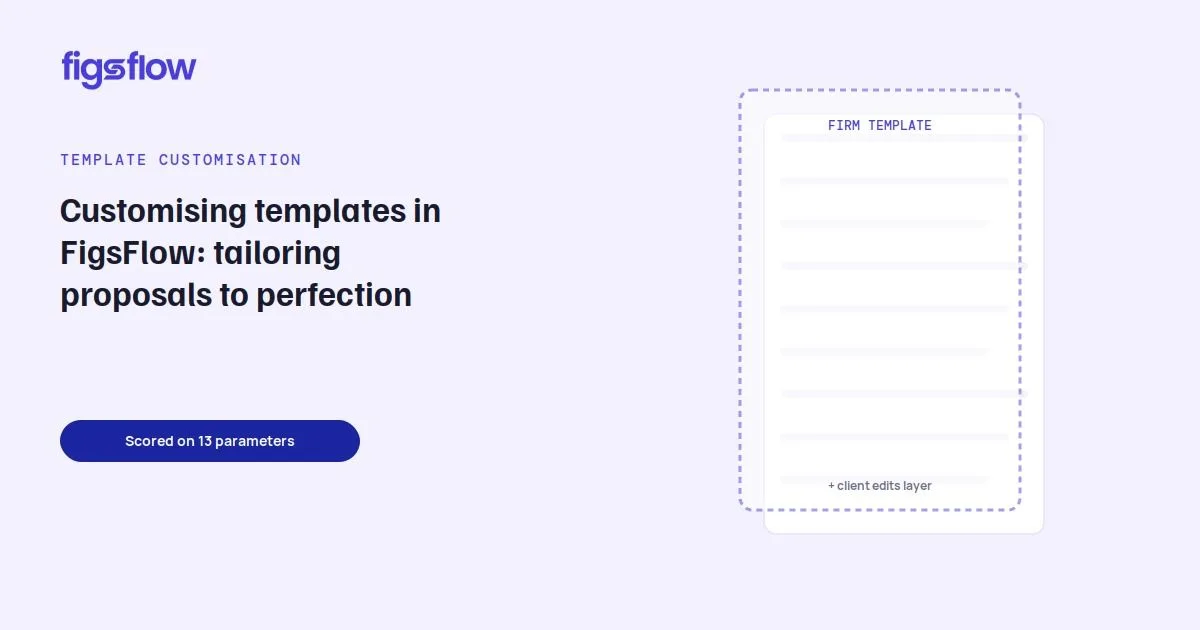
A graphic showcasing an award for an AML/KYC solution with the text 'You did this.'

2/12/2026

FigsFlow Won AML/KYC Solution of the Year, Thanks to You

FigsFlow Won AML/KYC Solution of the Year, Thanks to You FigsFlow Won AML/KYC Solution of the Year, Thanks to You The Problem You Were Living What We Built Together What the Judges Recognized What This Means for You The Numbers That Tell the Story What Happens Next Thank You You did this. When you told us AML checks were eating three hours per client, we listened. When you said jumping between systems during filing season was killing your productivity, we rebuilt the workflow. When you asked for real-time Companies House verification because manual data entry kept failing you, we made it happen. And for it, SME500 UK has recognized us, FigsFlow, as the AML/KYC Solution of the Year 2026. On this occasion, we’d like to say thank you. This award belongs to you too. You know the drill. It’s 11 pm. MLR deadline is tomorrow. You’re switching between four different applications just to complete one client’s AML checks. Proposal system here, engagement letter tool there, KYC verification somewhere else, Companies House lookup in another tab. Copy. Paste. Pray you didn’t miss anything. You were losing clients because onboarding took too long. You were losing sleep because compliance gaps kept you up at night. You were losing money on separate subscriptions for tools that refused to talk to each other. And every software vendor said this was normal. That if you wanted proper AML compliance, you’d have to sacrifice speed. Or pay through the nose. Or both. You knew there had to be a better way. Here’s the thing about awards, they usually go to companies who talk a lot. But we don’t think that’s entirely fair. You know why? Because the best product ideas don’t come from boardrooms. They come from accountants working at 2 am fixing a compliance error before a client meeting. Remember when you said AML verification shouldn’t be bolted on as an afterthought? That’s why we built it directly into the onboarding workflow. One platform, one process, zero gaps. When Sarah from Cardiff told us she lost a prospect because her old system took 90 minutes to generate a compliant proposal with AML checks, we made ours work in under 60 seconds. Not by cutting corners. By cutting the nonsense. When James from Edinburgh said his firm couldn’t afford £15 per AML check on top of proposal software fees and engagement letter subscriptions, we brought the cost down to £3 or less because compliance shouldn’t be a luxury. When Maria from Manchester asked why she had to manually verify Companies House data, we said no longer and integrated Companies House with FigsFlow. Real-time verification. Audit-ready documentation. No more copy-paste anxiety. Every feature we’ve introduced came from someone like you saying, “Here’s what’s actually broken.” The customizable signature reminders? Your idea. The proposal withdrawal feature? Your request. The mini-CRM, so you didn’t need another external app? You told us to build it.ok SME500 UK recognized FigsFlow because we solved what the industry had accepted as unsolvable: you can have thorough AML compliance without sacrificing speed, affordability or sanity. Proposals, engagement letters, and AML checks in one workflow means no client slips through the cracks. Companies House and Irish CRO integration means your data is authoritative, not approximate. Under-60-second generation means you respond to leads while they’re still warm. But more than the features, they recognized the philosophy you helped us build: Compliance without Compromise. When you tell a prospect you use an award-winning AML software, that’s not marketing speak. That’s third-party validation that your onboarding process meets the highest industry standards. When MLR auditors ask about your compliance procedures, you’re not scrambling through disconnected systems hoping you didn’t miss anything. You’ve got audit-ready verification, risk profiling, and documentation automatically generated for every single client. When filing season hits and everyone else is drowning in admin work, you’re onboarding clients in the time it takes them to make coffee. This award sits next to the other wins you get with FigsFlow: the 90% time savings you’re reporting, the 51% efficiency boost in your workflows and the prospects you’re converting faster because you’re not making them wait days for paperwork. Your wins are our wins. Always have been. Together, we’ve helped over 70 UK accounting firms escape the fragmented workflow trap. You’ve collectively saved thousands of hours this year. You’ve onboarded clients in under 60 seconds while maintaining full regulatory compliance. You’ve conducted AML checks at £3 or less, while competitors charge five times that. You’ve proven that speed and compliance aren’t trade-offs. They’re partners. Here’s what happens next. We keep listening, we keep building and we keep making FigsFlow better. Because this award isn’t the destination, it’s proof we’re on the right path together. You’ve told us what you need from us. Practice management. You’ve sketched out ideas for CRM integration on napkins. You’ve sent late-night feature requests that became our roadmap. We’re working on all of it. The vision is still the same: one platform for the entire accounting lifecycle, from first inquiry to ongoing client management. No app-switching. No duplicate data entry. No compliance anxiety. You’re helping us build it. Just like you always have. So, thank you. For the bug reports at midnight. For the feature ideas scribbled during filing season. For honest feedback when something wasn’t working. For trusting a startup when you could have picked the “safe” option with the established name. For believing that accountants deserve software that actually respects their time. This award is yours. We’re just holding it for you. figsflow-won-aml-kyc-solution-of-the-year figsflow won aml kyc solution of the year page Page

Announcement of an award for accounting software.

2/11/2026

FigsFlow Named Proposal Software of the Year

FigsFlow Named Proposal Software of the Year FigsFlow Named Proposal Software of the Year Why We Built FigsFlow From Frustration to Solution What This Award Represents What Makes FigsFlow Different What Comes Next We’re proud to announce that FigsFlow has been named the Proposal Software of the Year 2026 by the SME500 UK Awards. This recognition validates not just us as a platform but the belief that accountants deserve a proposal software that delivers speed, accuracy and detail without any disruption to their workflow. As practising accountants ourselves, we hit a breaking point. Every proposal software we tried promised efficiency, but delivered the opposite. Confusing interfaces. Weeks spent learning systems. Separate charges for engagement letters. Hours of editing to make proposals look professional. We’d think, “Sarah needs year-end accounts, VAT returns, and quarterly management accounts. Send the proposal now while she’s interested.” But the software forced us through catalogues, line items, formatting checks and manual calculations. By the time we’d finished, Sarah had moved on. The market needed something different. Something built by accountants, for accountants. FigsFlow emerged from that frustration. Our founding team knew exactly what was broken because we’d lived it. You shouldn’t choose between quality and speed. You shouldn’t pay separately for features that belong together. You shouldn’t spend half a day on a single proposal. We built FigsFlow to deliver fully customised, client-winning proposals in under 60 seconds. Not templates that look generic. Not proposals that still need hours of editing. Actual professional proposals with your branding, the client’s details and regulatory-compliant language – all generated faster than you can make coffee. The response surprised us. Within months, UK accounting firms were switching from platforms they’d used for years. They told us the same story: “Finally, software that thinks like we do.” SME500 UK recognised FigsFlow for solving a problem the industry had accepted as unsolvable. Their criteria focused on innovation, user impact and market disruption. Competing against established platforms with decades of market presence made this recognition even more meaningful. “This award belongs to every accountant who suffered through generic software like we did,” says Raju Gajurel, founder of FigsFlow. “We listened to your frustrations about clunky interfaces, your complaints about hidden costs, and your requests for features that actually save time. This recognition proves we’re on the right path.” You’re not choosing between dozens of different options anymore. You’re choosing whether your proposal software respects your time. Our service packaging bundles common service combinations into one-click selections. Our advanced pricing calculator handles annual fees, payment frequencies, and multi-entity discounts without external spreadsheets. Our proposal withdrawal feature lets you retract and fix errors before clients see them. Over 70 UK accounting firms have already made the switch. They’re sending proposals while leads are still warm, converting prospects faster and reclaiming billable hours previously lost to admin work. This award marks a milestone, not a destination. We’re testing our practice management software to replace fragmented workflows. We’re developing an integrated CRM. We exhibited at Accountex 2025, secured direct integrations with Companies House and Irish CRO, and delivered five major feature updates based on your feedback. Our promise remains unchanged: win more clients in less time. The award simply confirms we’re delivering on it. If you’re still spending hours on proposals, there’s a faster way. Try FigsFlow with our 30-day free trial and see why UK accountants chose us as Proposal Software of the Year 2026. figsflow-named-proposal-software-of-the-year figsflow named proposal software of the year page Page

A graphic showing the comparison of practice management tools tested and the reasons for tools that were eliminated.

2/4/2026

20 Best Practice Management Software Solutions for 2026

20 Best Practice Management Software Solutions for 2026 20 Best Practice Management Software Solutions for 2026 What is Practice Management Software? Why You Need Practice Management Software What's the Best Practice Management Software? How We Selected the 20 Best Practice Management Software Solutions for 2026 20 Best Practice Management Software Solutions: Complete Reviews PracticeFlow TPS Cloud Axis Uku Pixie TaxDome QuickBooks Online Accountant Karbon Financial Cents Client Hub Pascal Workflow Mango Practice Management Firm360 Teamwork.com Asana BQE CORE Jetpack Workflow Xero Practice Manager Aero Workflow Canopy FirmTamer Quick Comparison: 20 Best Practice Management Software at a Glance Conclusion Frequently Asked Questions (FAQs) What does a practice management software do? What is a practice management software? What is an example of practice management? What are the different types of practice management software? What is the difference between CRM and practice management software? Be real. This is not your first time searching for practice management software. You’ve seen the demos with perfect workflows and seamless automation. Maybe you’ve implemented platforms that promised transformation but couldn’t track compliance deadlines, got abandoned by your team within weeks, or still required multiple tools to actually run your firm. That stops here. This comprehensive guide reviews the 20 best practice management software solutions in 2026, comparing workflow automation, time tracking capabilities, client portal functionality, and compliance features that actually matter to running an efficient practice. Practice management software centralizes the operational backbone of your accounting firm in one platform. It combines workflow automation, time tracking, billing, client communication, and document management to replace the spreadsheet chaos and disconnected tools that slow your practice down. Think of it as the central nervous system for your practice. When a new client inquiry arrives, your practice management software handles the engagement letter, creates workflow tasks, assigns team members, tracks time spent, generates invoices, and maintains a complete audit trail of every interaction and document. Modern platforms automate compliance deadline tracking, trigger reminder notifications before critical dates, and provide real-time dashboards showing exactly where every client engagement stands. For accounting practices specifically, the right platform integrates with your existing tech stack including accounting software, tax preparation tools, and client portals, creating seamless data flow that eliminates manual data entry and reduces errors. Manual processes are costing you money and peace of mind. Here’s what changes when you implement the right platform: Protect Billable Hours During Busy Season Automated workflow triggers move tasks forward without manual intervention. Your team focuses on client work instead of chasing status updates and managing spreadsheets. Never Miss Another Deadline Centralised deadline tracking with automated reminders ensures compliance obligations and client commitments stay visible across your entire team. Eliminate Data Silos and Duplicate Work One source of truth for client information, engagement status, and task progress means your team stops wasting time searching through email chains and updating multiple systems. The right platform transforms how your firm operates, freeing capacity for high-value advisory work instead of administrative firefighting. The “best” practice management software doesn’t exist as a single universal solution. What works brilliantly for a solo bookkeeper managing 50 clients will frustrate a 20-person accounting firm handling complex compliance cases. Your ideal platform depends on your practice size, service offerings, team structure, and growth objectives. The 20 practice management software solutions reviewed below cater to these different needs. Review each option against your firm’s specific challenges, not against generic “best of” criteria. Our research team comprising ACCA-qualified accountants, practice managers, and technology consultants evaluated 47 practice management platforms over. We analyzed product documentation, user reviews from verified accounting professionals, pricing structures, and feature capabilities to identify solutions that genuinely address practice management challenges. Each platform was scored against weighted criteria based on what actually drives practice efficiency and profitability: Workflow Automation Capabilities (25% weight) Time Tracking and Billing Features (20% weight) Client Portal Functionality (15% weight) Document Management Systems (10% weight) Integration Ecosystem (10% weight) Compliance and Security Standards (10% weight) Team Collaboration Tools (5% weight) Reporting and Analytics (5% weight) We eliminated 27 platforms that failed to meet basic security requirements or lacked essential UK compliance features. The remaining 20 solutions represent industry-leading platforms serving thousands of accounting professionals worldwide, ranked by their combined performance across value, features, and support quality. The 20 practice management software solutions below are ranked based on our comprehensive evaluation across workflow automation, pricing value, and compliance capabilities. Each platform review covers key features, pricing structures, integration options, and best-fit practice types. Practice management platform with automatic Companies House sync, UK compliance deadline tracking, and smart task automation for UK accountants and bookkeepers. Visit Website Who's PracticeFlow Best For UK Accounting Practices UK Bookkeeping Firms Small UK Practices Growing UK Firms Compliance-Focused Teams UK Tax Practitioners Key Features of PracticeFlow Daily Companies House Synchronisation for Filing Deadlines Automatic UK Compliance Deadline Calculation Smart Task Generation for VAT, Payroll, and Accounts Built-In Checklists for Process Standardisation Role-Based Access Control with Service Manager Assignment Email Templates with Auto-Population of Client Data How Much Does PracticeFlow Cost? 14-day free trial with no credit card required. Starter: £29/month (single user, up to 250 clients) Professional: £39/month (two users, up to 500 clients, email templates) Enterprise: £79/month (up to 5 users, unlimited clients, £9/month per additional user) Enterprise: Custom pricing for 25+ seats with additional features USP: Practice management platform built specifically for UK compliance requirements with daily Companies House synchronisation that automatically updates year-ends and filing dates, eliminating manual deadline tracking while providing simple setup in minutes with UK-based support team and no complex implementation required. Practice management platform with workflow automation, batch invoicing, and QuickBooks Online integration for accounting firms seeking 25 years of proven reliability. Visit Website Who's TPS Cloud Axis Best For Accounting Firms CPA Practices Tax Professionals Freelance Accountants Growing Firms Multi-Office Practices Key Features of TPS Cloud Axis Automated Workflow Management with Templates Batch Invoicing with Embedded Payment Links QuickBooks Online Bi-Directional Synchronization Secure Client Portal with Document Sharing Time Tracking with Chargeable vs Non-Chargeable KPIs Built-In E-Signature with KBA Verification How Much Does TPS Cloud Axis Cost? Free demo available. Entrepreneur: $15/user/month (time and billing, batch invoicing) Pro: $21/user/month (workflow automation, mass client communication, CRM) Ultimate: $28/user/month (QBO integration, e-signatures, multi-office support) USP: Practice management platform trusted by 10,000+ accountants since 1999, offering accountant-centric design with 400+ prebuilt reports, Power BI firm insights, and two-factor authentication while eliminating multiple tools through comprehensive integrations with QuickBooks Online, Stripe, and Outlook at competitive pricing without onboarding fees. Practice management platform with automated invoicing, workflow automation, and client portal for accounting and bookkeeping firms saving 12+ hours per team member weekly. Visit Website Who's Uku Best For Accounting Firms Bookkeeping Practices Solo Practitioners Growing Accounting Teams Multi-Language Firms European Accounting Practices Key Features of Uku Automated Data Collection and Invoicing Workflow Automation with Recurring Tasks Time Tracking with Browser Plugin and Stopwatch Client Portal with Tasks and Document Sharing Integrations with Xero, QuickBooks, and Microsoft 365 Workforce Management with Workload Visibility How Much Does Uku Cost? 14-day free trial with no credit card required. Solo: $0 (1 member, 25 clients, unlimited tasks) Team: $38/member/month (workflow automation, billing, unlimited clients, billed annually) Elite: $48/member/month (Google Drive, Zapier, e-signatures, billed annually) Enterprise: $88/member/month (dedicated account manager, custom integrations, billed annually) USP: Practice management platform trusted by thousands of accountants delivering 12+ hours saved per team member weekly and 23.5% profit increase through automated invoicing and workflow templates, available in 12 languages with 2 hours free onboarding help and SOC 2 compliance for European and global accounting firms. Practice management platform with workflow automation, client portal, and unlimited team members at flat-rate pricing for accounting and bookkeeping firms. Visit Website Who's Pixie Best For Accounting Firms Bookkeeping Practices Small Growing Firms Remote Teams CPA Practices Multi-Team Firms Key Features of Pixie Workflow Automation with Recurring Jobs Unlimited Team Members at No Extra Cost GDPR-Compliant Client Portal with E-Signatures Automated Job Assignment and Client Reminders Custom Fields and Email Timeline Tracking Pre-Built and Community Workflow Templates How Much Does Pixie Cost? 30-day free trial with no credit card required. Standard: $129/month (unlimited users, flat fee per firm) Pricing scales by client count: under 250, 251-500, 501-1000, over 1000 USP: Practice management platform eliminating per-user pricing with flat-rate subscriptions at $129/month for unlimited team members, providing pre-built workflow templates and dedicated account manager support with GDPR-compliant client portal. All-in-one practice management platform with built-in proposals, client portal, workflow automation, and payment collection for tax and accounting firms. Visit Website Who’s TaxDome Best For Tax Preparation Firms Bookkeeping Practices Accounting Firms CPA Practices Enterprise Accounting Operations Multi-Office Firms Key Features of TaxDome Automated Proposal Generation with E-Signatures Integrated Payment Collection and Recurring Billing AI-Powered Document Management and Tagging Complete CRM with Unlimited Client Records End-to-End Workflow Automation Custom-Branded Client Portal and Mobile App How Much Does TaxDome Cost? 30-day free trial available. Essentials: $700/year per seat (solo practitioners only) Pro: $900/year per seat (team collaboration, AI reporting) Business: $1,100/year per seat (Client Care, unlimited features) Enterprise: Custom pricing for 25+ seats with additional features USP: All-in-one practice management platform combining proposals, engagement letters, payment collection, client portal, and complete workflow automation in a single system trusted by 10,000+ firms, eliminating the need for 5+ separate tools while delivering SOC 2 Type II enterprise-grade security at every pricing tier. Free practice management platform with client accounting, real-time bookkeeping access, payroll, tax filing, and integrated reporting for accounting professionals. Visit Website Who's QuickBooks Online Accountant Best For Accounting Professionals Bookkeepers CPA Firms Tax Preparers Accounting Practices ProAdvisors Key Features of QuickBooks Online Accountant Free QuickBooks Online Advanced for Firm Use Real-Time Access to Client Books and Bank Feeds Integrated Payroll and Time Tracking Automatic GIFI Mapping and Year-End Workpapers Custom Reports and Transaction Reclassification Pro Tax Integration with Journal Entry Management How Much Does QuickBooks Online Accountant Cost? Free for accounting professionals and their firms QuickBooks Online Advanced: Free for firm (normally $220/month) QuickBooks Online Payroll Elite: Free for firm (normally $80/month) Client subscriptions: Up to 50% off standard pricing USP: Completely free practice management platform offering unlimited client file management, QuickBooks Online Advanced, and Payroll Elite at no cost to accounting professionals, delivering real-time collaborative bookkeeping access while providing clients up to 50% discounted subscriptions and unlimited priority tech support with dedicated account management. Enterprise practice management platform with integrated proposals, engagement letters, workflow automation, and AI-powered pricing recommendations for accounting firms. Visit Website Who’s Karbon Best For CPA Firms Large Accounting Practices Multi-Office Firms Tax Professionals Enterprise Accounting Operations Growing Accounting Practices Key Features of Karbon Professional Proposal and Engagement Letter Builder Automated Work Connection from Signed Engagements Flexible Billing Terms and Auto-Invoicing AI-Powered Renewal Pricing Recommendations Digital Signatures with Multiple Signer Support Integrated Payment Collection in Proposals How Much Does Karbon Cost? Free trial available. Team: $59/month per user (paid annually) Business: $89/month per user (paid annually) Enterprise: Custom pricing USP: Practice management platform that automatically connects signed engagements to workflow automation, triggering instant task assignment and providing complete visibility between client promises and team delivery, while AI analyzes profitability data to recommend optimal renewal pricing for every engagement. Cloud-based practice management platform with workflow automation, client portal, billing, and automatic client follow-ups for accounting and bookkeeping firms. Visit Website Who's Financial Cents Best For Accounting Firms Bookkeeping Practices CPA Firms Tax Preparation Firms Solo Accountants Growing Practices Key Features of Financial Cents Automated Client Task Requests with Follow-Ups Workflow Templates and Recurring Work Automation Integrated Email and Shared Team Inbox Time Tracking with Profitability Reporting Proposals and Engagement Letters with E-Signatures QuickBooks Online and Cloud Storage Integrations How Much Does Financial Cents Cost? 14-day free trial with no credit card required. Solo: $19/month per user (single user only, billed annually) Team: $49/month per user (billed annually) Scale: $69/month per user (advanced automation, billed annually) Enterprise: Custom pricing (advanced security, dedicated support) USP: Practice management platform delivering 6x faster client responses through automated follow-ups and passwordless client portal, saving firms 56 hours monthly and $19,200 annually per team member while consolidating 5+ apps into one system trusted by 10,000+ accounting professionals with SOC 2 Type II security. AI-powered practice management platform with deep QuickBooks and Xero integration, month-end close automation, and client portal for bookkeeping and accounting firms. Visit Website Who's Client Hub Best For Bookkeeping Practices Accounting Firms Outsourced CFO Service Providers Client Accounting Services Teams Small Business Accountants Solo Practitioners Key Features of Client Hub AI-Based Month-End Close Review and Books Analysis QuickBooks and Xero Uncategorized Transaction Resolution Integrated Client Portal with Secure Messaging Workflow Management with Automated Task Checklists Advanced Email Integration with Auto-Draft Replies Mobile App for Client Communication On-the-Go How Much Does Client Hub Cost? Free trial available. Solopreneur: $49/user/month (single user, all features, billed annually) Practice Manager: $59/user/month (complete practice management, billed annually) Practice Manager+: $79/user/month (QuickBooks and Xero integrations, billed annually) USP: Practice management platform delivering 80% faster client responses through AI-powered email drafting and deep QuickBooks integration that automates uncategorized transaction resolution and month-end close reviews, consolidating workflow management, client portal, and document management into one solution. Practice management platform with patented Payment Lock feature, IRS-compliant e-signatures, and automated document filing for accounting and tax firms. Visit Website Who's Pascal Workflow Best For Tax Preparation Firms Accounting Practices Small Firms Solo Practitioners US and Non-US Based Firms Growing Tax Practices Key Features of Pascal Workflow Patented Payment Lock for Tax Return Protection IRS-Compliant E-Signature and Form 8879 Delivery Automated Document Filing with 365-Day Email Lookback Client Portal with Detailed Task Lists Recurring Billing via Stripe or Authorize.net Marketing Platform with Google Review Integration How Much Does Pascal Workflow Cost? Free-Forever: $0 (up to 5 team members, 250 contacts, unlimited storage) Unlimited: $45/user/month (unlimited team members, unlimited contacts, billed monthly) USP: Practice management platform offering free-forever access for firms up to 5 team members with patented Payment Lock technology requiring client payment before document viewing, plus IRS-compliant e-signature delivery and automated email attachment filing with 365-day lookback eliminating manual document collection. All-in-one practice management platform with engagement letters, KBA e-signatures, and email-based file sharing for accounting firms. Visit Website Who's Mango Practice Management Best For CPA Firms Accounting Professionals Tax Practitioners Consulting Firms Bookkeeping Practices Growing Accounting Firms Key Features of Mango Practice Management Time Tracking and Branded Invoicing Project Management with Customized Workflows IRS-Compliant E-Signature with KBA Verification Password-Less Secure File Sharing from Email Inbox Integrated Credit Card and ACH Payment Processing Capacity Planning and Comprehensive Reporting How Much Does Mango Practice Management Cost? Free trial available with no credit card required. Basic: $35/user/month (time tracking, billing, engagement letters, billed annually) Plus: $55/user/month (project management, workflows, automations, billed annually) Pro: $69/user/month (document management, e-signatures, capacity planning, billed annually) USP: Practice management platform built by accountants with 25 years of experience, offering integrated engagement letters, batch invoicing, and email-based file sharing that eliminates clunky portals while providing free implementation assistance, U.S.-based live support, and 200 included e-signatures with SOC 2 certification. All-in-one practice management platform with client portal, document management, and e-signature integration for accounting firms. Visit Website Who's Firm360 Best For Accounting Firms CPA Practices Tax Professionals Small Accounting Teams Growing Practices Multi-User Firms Key Features of Firm360 Project Management with Progress Tracking Secure Client Portal with Mobile Access Document Management with E-Signature Integration Time Tracking and Automated Billing Advanced Reporting on Utilization and Realization Automated Accounts Receivable Collections How Much Does Firm360 Cost? Demo available. Basic: $49/user/month (no user minimum, billed annually) Standard: $79/user/month (3 user minimum, includes 1 e-signature license, billed annually) Premium: $99/user/month (3 user minimum, unlimited e-signatures, dedicated success manager, billed annually) USP: Practice management platform saving firms 200+ hours weekly through purpose-built accounting workflows, trusted by 300,000+ clients with dedicated U.S.-based support team and four-session onboarding that gets firms fully operational without technical roadblocks. AI-powered project and resource management platform with profitability tracking and workload forecasting for accounting and financial services firms. Visit Website Who's Teamwork.com Best For Accounting Firms Financial Services Companies IT Services Teams Consulting Practices Marketing Agencies Professional Services Firms Key Features of Teamwork.com AI-Powered Task Creation and Smart Filtering Resource Scheduling with Workload Capacity Planning Billable Utilization Tracking and Profitability Reports Gantt Charts with Project Health Monitoring Client Collaboration Portal with Approvals Integrated Time Tracking and Timesheet Management How Much Does Teamwork.com Cost? 30-day free trial with no credit card required. Free: $0 (up to 5 users, 5 projects) Deliver: $10.99/user/month (project status reports, billed annually) Grow: $19.99/user/month (budgeting, workload planner, billed annually) Scale: Custom pricing (profitability reports, resource scheduling) Enterprise: Custom pricing (SSO, dedicated account manager) USP: AI-powered platform delivering 22% billable utilization boost through automated workload forecasting and profitability tracking, trusted by 20,000 service-based businesses to centralize client collaboration and protect billable hours with SOC 2 Type 2 security. AI-powered work management platform with goal tracking, workflow automation, and compliance monitoring for financial services and enterprise teams. Visit Website Who's Asana Best For Financial Services Companies Enterprise Organizations Marketing Teams IT Operations Product Development Teams Government Agencies Key Features of Asana AI-Powered Workflow Automation and Task Creation Goal Tracking with OKR Management Timeline and Gantt View Project Scheduling Compliance Monitoring with Audit Logs Custom Forms with Branching Logic Portfolio Management with Workload Tracking How Much Does Asana Cost? Free trial available. Personal: $0 (up to 2 users, unlimited tasks) Starter: $10.99/user/month (workflow builder, custom fields, billed annually) Advanced: $24.99/user/month (goals, portfolios, approvals, billed annually) Enterprise: Custom pricing (SAML, resource management, 24/7 support) Enterprise+: Custom pricing (audit log API, data residency, HIPAA compliance) USP: AI-powered platform trusted by 85% of Fortune 100 companies and 100,000+ organizations to connect strategic goals with execution, offering 300+ integrations with enterprise tools while delivering SAML authentication, audit logs, and HIPAA compliance options for regulated industries including financial services and government agencies. All-in-one firm management platform with project accounting, resource planning, and 24/7/365 support for architecture, engineering, and consulting firms. Visit Website Who's BQE CORE Best For Architecture Firms Engineering Practices Consulting Firms Project-Based Businesses A&E Principals and Owners A&E Principals and Owners Project Managers Key Features of BQE CORE Real-Time Project Budget and Progress Tracking 100% DCAA Compliant Time and Expense Tracking Automated and Batch Invoicing with Multiple Billing Options Interactive Gantt Charts with Task Allocation Customizable Dashboards and Automated Reporting Embedded Payroll Processing and Compliance How Much Does BQE CORE Cost? Free trial available with no credit card required. Foundations Module: Per-user pricing (includes time tracking, billing, project management, reporting) Additional modules available: Accounting, CRM, HR, Payroll (custom pricing) USP: Firm management platform founded by an architect and engineer delivering 24/7/365 live support with 90-second average wait times, trusted by 3,000+ architecture and engineering firms to automate backend operations while providing real-time project visibility and seamless data flow from timecards to invoices without double entry. Workflow management platform with task automation, deadline tracking, and team collaboration for accounting and bookkeeping firms. Visit Website Who's Jetpack Workflow Best For Accounting Firms Bookkeeping Practices Solo Accountants Client Advisory Services Teams Firm Owners CPA Practices Key Features of Jetpack Workflow Unlimited Custom Work Templates and Automation Automated Recurring Task Scheduling Capacity Planning and Team Workload Monitoring Real-Time Progress Tracking and Reporting Team Collaboration with In-App Messaging Unlimited Client and Project Management How Much Does Jetpack Workflow Cost? Free trial with no credit card required. Starter (Annual): $40/month per user (billed annually) Starter (Monthly): $49/month per user (billed monthly) USP: Workflow management platform built exclusively for accountants and bookkeepers offering unlimited clients, projects, and templates at $40/user/month, saving firms 10+ hours weekly on manual admin work while providing complimentary onboarding sessions and industry-leading support with 10-minute average response times. Practice management software with job allocation, time tracking, automated invoicing, and seamless Xero integration for accounting and bookkeeping practices. Visit Website Who's Xero Practice Manager Best For Accounting Practices Bookkeeping Firms Xero Partners BAS Agents Australian Accounting Firms Silver, Gold, and Platinum Partners Key Features of Xero Practice Manager Job and Task Assignment with Schedules Time Tracking with Progress and Final Invoicing Native Xero Integration with Data Sync Customizable Reports and Dashboard Analytics Work in Progress Tracking Automated Task Descriptions for Invoice Generation How Much Does Xero Practice Manager Cost? 14-day free trial for existing Xero partners. Free for Silver, Gold, and Platinum Xero partners USP: Practice management platform offering completely free access to accounting and bookkeeping practices who achieve silver, gold, or platinum partner status, providing seamless native integration with Xero accounting software while including unlimited job tracking, time billing, and customizable reporting without subscription fees for qualified partners. Workflow management platform with unlimited task automation, pre-built checklist templates, and flat-rate pricing without per-user fees for accounting and bookkeeping firms. Visit Website Who's Aero Workflow Best For Bookkeeping Practices Accounting Firms Start-Up Practices Growing Firms CAS Service Teams Small to Mid-Size Teams Key Features of Aero Workflow Unlimited Customers, Tasks, Templates and Contacts Over 150 Pre-Built Checklist Templates Forward Tasks Directly from Email Inbox 20+ Built-In Reports and Analytics Full API Access with All Integrations Included QuickBooks Online Integration How Much Does Aero Workflow Cost? 30-day free trial with no credit card required. Startup: $135/month (1-5 users) Growth: $250/month (6-25 users) Scaling: $365/month (26-50 users) USP: Workflow platform eliminating per-user pricing barriers that prevent team collaboration, offering flat-rate subscriptions starting at $135/month with unlimited customers and tasks while providing 150+ pre-built checklist templates specifically designed for accounting workflows including payroll, monthly closes, and CFO services, with complimentary onboarding, training, and support included at every tier. AI-powered practice management platform with built-in engagement letters, tiered proposal packages, and automatic workflow launch for accounting firms. Visit Website Who's Canopy Best For Accounting Firms Tax Professionals CPA Practices Growing Firms Firms Seeking Integration Tax Resolution Specialists Key Features of Canopy AI-Powered Automatic Workflow Launch on Signed Proposals Three-Tier Engagement Packages Branded Proposals with Video and PDF Attachments Built-In eSignatures with Smart Field Placement Templatized Engagement Letters Automatic Task Generation and Assignment How Much Does Canopy Cost? 30-day free trial available. Base: $150/month (unlimited users) Engagements: $6/credit (blocks of 25) USP: AI-powered practice management platform that automatically launches complete workflows with task assignments the instant a proposal is signed, eliminating manual project kick-off entirely while offering three-tier engagement packages that standardize services and pricing across the firm without requiring separate integrations or bolt-on tools. CPA practice management software built by CPAs featuring integrated client management, time tracking, billing, and workflow tools for operational efficiency. Visit Website Who's CountingWorks PRO Best For Tax Preparation Firms Accounting Practices Advisory-Focused Firms Solopreneurs and New Firms Multi-Office Accounting Teams Firm Owners Seeking Growth Key Features of CountingWorks PRO Custom Brand Narrative and Website Development Automated Client Onboarding and Communication Proposal and Payment Automation AI-Powered Content Creation and SEO Optimization ClientHub Portal with Follow-Up Automation Integrated Marketing and Email Campaigns How Much Does CountingWorks PRO Cost? Starter: $150/month (solopreneurs, fast start) Grow: $200/month (automation, better client attraction) Premier: $300/month (content, visibility, retention) Premier+: $500/month (multi-office, custom solutions) USP: Affordable CPA practice management software integrating clients, jobs, tasks, time tracking, and billing in one platform with transparent pricing, pre-loaded accounting specific lists, and QuickBooks integration to eliminate duplicate data entry while maximizing profitability through accurate time capture. Here’s how the top 20 practice management software platforms stack up across three critical criteria: value and pricing, core features, and UK compliance and support. Software Value & Pricing Core Features UK Compliance & Support Total Score PracticeFlow 9/10 - Unbeatable UK value at £29/month 8/10 - Companies House sync, smart task automation 10/10 - Built for UK compliance, daily CH updates 27/30 TPS Cloud Axis 10/10 - Best pricing at $15/user, 25 years proven 9/10 - QBO integration, 400+ prebuilt reports 7/10 - Accountant-centric, no onboarding fees 26/30 Uku 9/10 - Free solo plan, excellent team pricing 9/10 - Automated invoicing, 12 languages 7/10 - SOC 2 compliant, European-focused 25/30 Pixie 9/10 - Flat-rate £129/month, unlimited users 8/10 - Workflow automation, community templates 8/10 - GDPR-compliant, dedicated account manager 25/30 TaxDome 7/10 - Annual commitment, comprehensive platform 10/10 - All-in-one automation, AI document management 8/10 - SOC 2 Type II, trusted by 10,000+ firms 25/30 QuickBooks Online Accountant 10/10 - Completely free for accounting professionals 8/10 - Real-time bookkeeping, integrated payroll 6/10 - Priority support, ProAdvisor program 24/30 Karbon 6/10 - Premium per-user pricing, enterprise focus 10/10 - AI pricing recommendations, automated workflows 8/10 - Enterprise-grade security, work visibility 24/30 Financial Cents 8/10 - Excellent value, starts at $19/user/month 9/10 - Automated follow-ups, passwordless portal 7/10 - SOC 2 Type II, 10,000+ professionals 24/30 Client Hub 7/10 - Competitive pricing, bookkeeping-focused 10/10 - Deep QBO/Xero integration, AI month-end close 7/10 - 80% faster responses, mobile app 24/30 Pascal Workflow 10/10 - Free-forever for 5 users, unlimited storage 8/10 - Patented Payment Lock, IRS-compliant e-sign 6/10 - 365-day email lookback, U.S. focused 24/30 Mango Practice Management 8/10 - Competitive at $35/user, 25 years experience 9/10 - Email-based file sharing, KBA e-signatures 7/10 - SOC 2 certified, U.S.-based support 24/30 Firm360 7/10 - Transparent pricing, $49/user minimum 9/10 - Purpose-built workflows, AR collections 8/10 - 200+ hours saved weekly, U.S.-based support 24/30 Teamwork.com 8/10 - Free tier available, scalable pricing 9/10 - 22% utilization boost, AI task creation 7/10 - SOC 2 Type 2, 20,000+ businesses 24/30 Asana 7/10 - Free for 2 users, enterprise options 8/10 - 300+ integrations, OKR management 9/10 - HIPAA compliance, Fortune 100 trusted 24/30 BQE CORE 5/10 - Per-user plus modules, custom pricing 9/10 - 100% DCAA compliant, Gantt charts 10/10 - 24/7/365 support, 90-second wait times 24/30 Jetpack Workflow 9/10 - Strong value at $40/user, unlimited templates 8/10 - Custom templates, capacity planning 6/10 - 10-minute support response, complimentary onboarding 23/30 Xero Practice Manager 10/10 - Free for silver/gold/platinum partners 8/10 - Native Xero integration, WIP tracking 5/10 - Partner-focused, Australian market 23/30 Aero Workflow 8/10 - Flat-rate pricing, no per-user fees 8/10 - 150+ templates, email task forwarding 6/10 - Complimentary onboarding, QBO integration 22/30 Canopy 5/10 - Credit-based pricing, unlimited users 9/10 - AI workflow launch, three-tier packages 7/10 - Automated task generation, engagement letters 21/30 FirmTamer 9/10 - Budget Friendly at $39-$59/month per user 4/10 - Basic time tracking, billing, workflow 5/10 - QuickBooks integration, transparent pricing 18/30 The right practice management software transforms how your firm operates. It eliminates manual admin chaos, protects billable hours, and ensures compliance deadlines never slip through cracks. But the best choice depends entirely on your practice. Solo practitioners need different capabilities than enterprise firms. Bookkeeping practices require deep accounting integration while tax firms prioritize e-signature workflows. The 20 platforms reviewed here represent proven solutions trusted by thousands of accounting professionals worldwide. Start with your biggest pain point: missed deadlines, unbilled time, document chaos, or workflow coordination. Trial platforms that specifically address it. Test against your actual workflow, involve your team in evaluation, and choose software that eliminates problems instead of creating new ones. Practice management software centralises scheduling, time tracking, invoicing, document management, and client communication in one platform, eliminating manual workflows and automating recurring work so firms focus on billable services instead of admin coordination. Practice management software handles essential administrative tasks like appointment scheduling, billing, workflow automation, and document management, saving time and streamlining operations so accounting professionals can focus on client work instead of administrative coordination. Practice management covers workflow coordination, deadline tracking, team scheduling, document organisation, and compliance monitoring. For accounting firms, this includes managing tax deadlines, coordinating assignments, tracking billable hours, and ensuring regulatory compliance across client engagements. Practice management software comes in three deployment types: desktop applications, hosted solutions, and cloud platforms. Cloud platforms dominate because they enable remote work, automatic updates, and real-time collaboration without IT infrastructure investment. CRM tracks sales pipelines and client relationships before work begins. Practice management handles operational delivery: workflow automation, deadline tracking, time billing, and document management. Accounting firms need both for complete business operations. PracticeFlow TPS Cloud Axis Uku Pixie TaxDome QuickBooks Online Accountant Karbon Financial Cents Client Hub Pascal Workflow Mango Practice Management Firm360 Teamwork.com Asana BQE CORE Jetpack Workflow Xero Practice Manager Aero Workflow Canopy FirmTamer best-practice-management-software-solutions best practice management software solutions page Page

An overview of a pricing formula for ATED returns.

1/28/2026

Build Custom Services with Real-Time Pricing: Introducing FigsFlow’s Advanced Pricing Calculator

Build Custom Services with Real-Time Pricing: Introducing FigsFlow’s Advanced Pricing Calculator Build Custom Services with Real-Time Pricing: Introducing FigsFlow’s Advanced Pricing Calculator What FigsFlow Already Offers The Problem with Service Pricing Introducing the Advanced Pricing Calculator How the Complete FigsFlow Pricing Workflow Works Step 1: Create Your Service with FigsFlow AI Step 2: Navigate to Pricing Setup Step 3: Add Your Input Parameters Step 4: Create Calculated Variables (Optional) Step 5: Build Your Main Pricing Formula Step 6: Preview Your Pricing in Real-Time Configure Once, Use Forever How FigsFlow’s Advanced Pricing Calculator Transforms Your Practice How to Access FigsFlow's Advanced Pricing Calculator Our Recent Product Updates Frequently Asked Questions (FAQs) Can I convert my existing services to use the advanced calculator? What happens to my old pricing if I convert? Can I use both simple and advanced calculators for different services? How do clients see the pricing calculator? What's the difference between volume-based and graduated pricing? We’re excited to announce FigsFlow’s Advanced Pricing Calculator, a powerful tool that eliminates manual calculations and spreadsheet dependency for accountants, bookkeepers, and tax advisers when pricing complex services. The Advanced Pricing Calculator handles everything from simple volume-based fees to complex graduated rates and tiered pricing structures. You build your pricing logic once, and FigsFlow calculates every quote automatically from that point forward, giving your team consistent pricing and your clients instant quotes. KEY TAKEAWAYS FigsFlow’s Advanced Pricing Calculator eliminates spreadsheet dependency by automating complex service pricing with formula-driven calculations built directly into your workflow Six parameter types handle every pricing scenario: Number inputs, Text fields, Options Lists, Tiered Pricing, Volume-Based Rates, and Graduated Rates for tax-bracket-style calculations The visual formula builder combines Input Parameters and Calculated Variables with operators and functions to create sophisticated pricing logic that calculates quotes instantly Real-time preview shows exactly what clients see when selecting services, with quote totals updating automatically as parameters change for immediate accuracy verification FigsFlow AI generates professional service schedules while the Advanced Calculator handles pricing, creating complete services ready for proposals in minutes FigsFlow handles the complete client onboarding journey, from initial proposal through AML verification and payment collection. While many practices use our platform successfully for standard services with fixed or simple pricing, we recognized the need for more sophisticated calculations. Here’s what the platform already provides: Professional Proposals & Engagement Letters Generate regulatory-compliant proposals and engagement letters in under a minute, meeting ACCA, ICAEW, CIOT, and international professional body standards. Electronic Signatures Collect client signatures digitally, eliminating printing, scanning, and manual follow-ups. Payment Integration Connect with Stripe, Adafin, QuickBooks, Xero, and GoCardless for seamless payment processing and automated reconciliation. KYC & AML Verification Conduct comprehensive compliance checks at the most competitive rates in the market, with automated Companies House integration. Workflow Automation Integrate with Zapier, Outlook, Gmail, and other tools to automate client communication and practice management tasks. Basic Pricing Calculator Handle straightforward fixed fees and simple pricing variations for standard compliance and bookkeeping services. Complex service pricing creates unnecessary friction in your practice. You know the work involved, but calculating fees means opening spreadsheets, checking formulas, and manually transferring numbers to proposals. This process repeats for every complex quote, wasting time on repetitive calculations instead of fee-earning work. Spreadsheets live on individual computers, formulas get modified without documentation, and team members use different versions, creating pricing inconsistency across your practice. Transcription errors between spreadsheets and proposals cost you money, while the time spent on manual calculations prevents you from serving clients or developing new business. The Advanced Pricing Calculator replaces manual spreadsheet pricing with automated, formula-driven calculations built directly into your FigsFlow workflow. You define your pricing structure once, and every quote calculates automatically based on client-specific parameters. Here’s what the calculator provides: Multiple Parameter Types Capture quantities, transaction volumes, property numbers, and client selections with parameters that handle every pricing scenario accounting practices encounter. Calculated Variables Create intermediate calculations for complex services, keeping sophisticated pricing logic organized and reusable across multiple formulas. Visual Formula Builder Construct pricing logic using drag-and-drop elements, operators, and functions, with automatic validation ensuring your formulas work correctly. Real-Time Preview See exactly what clients see when selecting services in proposals, with quote totals updating instantly as parameters change for scenario testing. IMPORTANT Once you convert a service to advanced pricing, the change is permanent, ensuring your practice maintains consistent, formula-driven quotes without reverting to manual calculations. Let’s walk through creating a complete service using FigsFlow AI and the Advanced Pricing Calculator. For this example, we’ll build an ATED Return service with pricing based on property values and filing volume. Navigate to Services in your FigsFlow dashboard. Click “Add Service Group” in the top right corner. Enter your service name in the Service Name field. For this example, type “ATED Return.” In the Service Description section, you’ll see an “ Ask FigsFlow AI ” button next to the text editor. Click it. FigsFlow AI generates professional content for two sections: Service Description (which appears in your proposal letters) and Service Schedule (which appears in your engagement letters). Review the AI-generated content in both fields. You can refine the output by entering additional instructions, adjusting terminology to match your firm’s style, or editing sections directly. The AI provides the professional foundation; you maintain complete control over the final output that clients see. Click the “Pricing Setup” tab at the top of the service configuration screen. For new services, the Advanced Pricing Calculator interface appears automatically. You’ll see sections for Input Parameters, Calculated Variables, and Main Pricing Formula ready to configure. If you’re working with an existing service that uses the legacy pricing system, you’ll see a blue button labeled “Convert to Advanced Calculator” in the top right. Click it, and a confirmation module appears with a warning icon explaining that this conversion is permanent and cannot be reversed once confirmed. Click “Confirm Conversion” to proceed, and the interface refreshes to show the Advanced Pricing Calculator builder. The Input Parameters section appears with an “+ Add” button. Click it to open the parameter configuration module. You’ll see “Name of the Parameter” and “Select Type” fields. The type dropdown shows six options: Text, Number, Options List, Tiered Pricing, Volume-Based Rate, and Graduated Rate. For our ATED tax return, let’s add three parameters. Average Value of Properties This parameter determines the complexity tier of your ATED calculations, as higher-value properties require more detailed reporting and valuation work. We'll name this "Average Value of Properties" and select Tiered Pricing as the type. Configure the value bands as: Up to £1 Million, £1M to £2M, £2M to £5M, £5M to £10M, and Above £10M. Each tier can have an assigned base rate or serve as a factor in your pricing formula. Number of Properties for which ATED Return has to be filed This parameter captures the volume of properties requiring ATED compliance, directly impacting the scope of work. We'll name this "Number of Properties for which ATED Return has to be filed" and configure it as a Number type with Simple Numeric Value input, creating a standard numeric field for clients to enter their property count. Number of ATED Returns This parameter accounts for the total number of returns to be submitted, as multiple returns may be needed for restructuring or ownership changes during the year. We'll name this "Number of ATED Returns" and set it up as a Number type with Simple Numeric Value, allowing clients to specify exactly how many separate returns require filing. Each parameter now appears in your factors list and will show as a client-facing input field in the quote interface. For services requiring intermediate calculations, click “+ Add” under the Calculated Variables section. The Calculated Variable module opens, showing a formula builder. Name your variable descriptively, such as “Complexity Multiplier” or “Base Fee Adjustment.” Build your intermediate formula using the same factors, operators (+, -, ×, ÷, parentheses), and functions (Constant, If Condition, MAX, MIN, AVG) available in the main calculator. Once saved, Calculated Variables become available as factors in your Main Pricing Formula, keeping complex logic organized and reusable. The Main Pricing Formula section displays all available factors, including your Input Parameters and any Calculated Variables you created. You can build formulas using operators (+, -, ×, ÷, parentheses) and functions (Constant, If Condition, MAX, MIN, AVG). Click factors to add them to the formula builder field. The formula displays visually as you build it, showing each component as a pill-shaped element. For our ATED Return service, we’ll use a simple formula: (Average Value of Properties × Number of Properties) + (Number of Returns × 150). The formula builder includes Undo, Redo, Backspace, and Clear All controls in the top right for easy adjustments. The system validates your formula syntax automatically as you build. Click the “Preview Quote” tab at the top of the screen to see exactly what clients will see. The preview interface shows your service name with all input parameters as client-facing fields. “Average Value of Properties” appears as a dropdown with your tier options. “Number of Properties for which ATED return has to be filed” and “Number of Returns to be filed” appear as numeric input fields. Select values to test your pricing. The Final Quote Total updates instantly based on your formula. Test different scenarios to verify accuracy before going live. The quote recalculates in real time, showing exactly what clients will see when this service appears in their proposal. You’ve just built a complete service with AI-generated schedules and automated pricing. From this point forward, every proposal using this service calculates instantly based on client-specific parameters. Your team uses identical pricing logic. No spreadsheets. No manual calculations. No inconsistency. Don’t know industry-standard pricing for a service? FigsFlow offers base pricing setups for common accounting services, giving you a professional starting point you can customize to match your practice. The Advanced Pricing Calculator delivers immediate operational improvements across four critical areas. Eliminate Pricing Errors Formula-based calculations remove manual mistakes completely. The number you quote is the number the system calculated. No transcription errors. No forgotten adjustments. No team member is applying incorrect formulas. Your pricing becomes mathematically consistent across every proposal. Scale Complex Services Services that previously required spreadsheet work now calculate automatically. ATED Returns, tax advisory packages, specialist compliance work, all priced instantly regardless of complexity. You can offer sophisticated services without adding administrative overhead. Quote Faster, Win More Real-time calculation means instant, accurate quotes during client conversations. No more "I'll send you a quote tomorrow." You can provide precise pricing immediately, shortening the sales cycle and improving conversion rates. Maintain Consistency Every team member quotes identical prices for identical client situations. New staff members don't need to learn complex spreadsheet systems. Your pricing knowledge lives in the calculator, accessible to everyone who generates proposals. The Advanced Pricing Calculator is live in FigsFlow now. Here’s how you can access it. For Services Created After the Calculator Launch All new services automatically use the Advanced Pricing Calculator. Simply navigate to Services, create your service group, and you'll see the advanced pricing interface in the Pricing Setup tab. For Existing Services Created Before the Launch Navigate to Services in your dashboard, select any service you want to upgrade, click the Pricing Setup tab, and click "Convert to Advanced Calculator." Remember that conversion is permanent, so review your service structure before converting. For New Users Start your 30-day free trial (no credit card required) and explore the Advanced Pricing Calculator alongside FigsFlow's complete practice management suite, including AI-powered service creation, automated proposals, and integrated payment collection. Custom Reminder Timelines: FigsFlow Now Has Custom Reminder Timelines Feature | FigsFlow GoCardless Integration: GoCardless Integration Now Live in FigsFlow | FigsFlow Signature Configuration: Signature Configuration: Auto-Sign Letters | FigsFlow FigsFlow AI: FigsFlow AI Launched Today for Accounting Firms Adfin Integration: FigsFlow Adfin Integration: Automate Payments & Boost Cash Flow Yes, you can convert any existing service to use the Advanced Pricing Calculator. Navigate to Services, select the service you want to upgrade, click the Pricing Setup tab, and click “Convert to Advanced Calculator.” Remember that this conversion is permanent and cannot be reversed, so review your service structure before proceeding. Your old pricing structure is replaced entirely by the Advanced Pricing Calculator. The conversion is permanent, meaning you cannot revert to the legacy pricing system once converted. Make sure to document your current pricing logic before converting so you can rebuild it accurately in the new calculator. Yes, you can use different pricing systems for different services. Services created after the calculator launch automatically use the Advanced Pricing Calculator, while older unconverted services continue using the legacy system. You decide which services to convert based on their complexity and your practice needs. Clients see a clean interface with input fields for each parameter you configured. Tiered options appear as dropdowns, numeric values as input fields with increment controls. As they adjust parameters, the quote total updates in real time, showing the exact price based on their specific situation before they accept the proposal. Volume-Based Rate applies different per-unit prices to entire quantities based on brackets (1-10 properties at £100 each, 11-20 at £80 each). Graduated Rate works like tax brackets, applying different rates to portions of the total (first 10 properties at £100 each, next 10 at £80 each, calculating progressively through the total quantity). Step 1 Create Your Service with FigsFlow AI Step 2 Navigate to Pricing Setup Step 3- Add Your Input Parameters Introducing FigsFlow Advanced Pricing Calculator Step 3 Add your input parameters Introducing Figsflow Advanced Pricing Calculator- Create Calculated Variable How to price service using FigsFlow Advanced Pricing Calculator STep 5 Introducing FigsFlow Advanced Pricing Calculator- Step 6 Preview Your Pricing in Real Time introducing-figsflows-advanced-pricing-calculator introducing figsflows advanced pricing calculator page Page

An infographic comparing different proposal tools for accountants.

1/26/2026

Top 10 Best Proposal Software for Accountants in 2026

Top 10 Best Proposal Software for Accountants in 2026 Top 10 Best Proposal Software for Accountants in 2026 Which is the Best Proposal Software for Accountants? How We Selected the 10 Best Proposal Software for Accountants 10 Best Proposal Software for Accountants: Complete Reviews FigsFlow Engager Cone GoProposal PandaDoc Karbon Pixie TaxDome Canopy DocuSign Quick Comparision: 10 Best Proposal Software at a Glance Which Proposal Software is Right for You? Conclusion Frequently Asked Questions (FAQs) What is the best proposal software for accountants? What proposal software do accountants use most? Can AI write proposals for accountants? What are common proposal mistakes accountants make? What features should accounting proposal software have? Finding the best proposal software can revolutionize how your accounting practice wins new clients. Manual proposal processes waste billable hours, create inconsistent pricing, and extend your sales cycle by weeks. This comprehensive guide reviews the 10 best proposal software for accountants in 2026, comparing features, pricing structures, and client conversion capabilities. Whether you’re a sole practitioner competing for local clients or managing a regional firm with multiple service lines, you’ll find the platform that accelerates your proposal delivery while maintaining professional standards and accurate pricing. FigsFlow stands out as the best proposal software for accountants in 2026, particularly for UK practices. It’s the only platform combining professional proposal generation (under 30 seconds), automated pricing calculations, instant conversion to engagement letters, and integrated AML compliance checks in one system built specifically for ACCA, ICAEW, CIOT, CIMA, AAT, and ATT standards. However, the “best” solution depends on your specific practice requirements: For UK Regulatory Compliance FigsFlow offers the most comprehensive UK-focused compliance features For Enterprise Scale Operations Platforms with advanced team collaboration and approval workflows may be preferable For International Practices Software with multi-currency and multi-jurisdiction capabilities works better For High-Volume Proposal Generation Entry-level pricing with unlimited proposals provides better economics The 10 best proposal software for accountants reviewed below cater to different practice sizes, budgets, and operational requirements. Review each option to identify which aligns best with your firm’s sales process, client demographics, and growth objectives. Our team of practicing accountants tested 42 proposal software platforms over a period of four months, evaluating each based on the following criteria to compile the list and ranking: Proposal Quality and Professionalism Pricing Automation Capabilities Template Customization Options E-Signature Integration Conversion to Engagement Letters CRM and Practice Management Integration Client Acceptance Rates Response Time and Support Quality Regardless of which of these 10 best proposal software for accountants you choose, they are all excellent, industry-leading solutions that will improve your win rates and reduce time spent on proposal creation. Here are the 10 best proposal software for accountants in 2026. Each platform has been ranked based on our comprehensive assessment criteria, with detailed reviews covering features, pricing, integration capabilities, and ideal use cases. UK platform for proposals, engagement letters, pricing automation, AML checks, and AI documentation. Visit Website Who It's Best For UK Accountants Bookkeepers Tax Advisers Sole Practitioners Small to Large Accounting Firms ACCA/ICAEW/CIOT Members Key Features Advanced Pricing Calculator with Tiered and Volume-Based Rates Professional Engagement and Disengagement Letter Generation FigsFlow AI for Service Documentation Integrated AML Compliance Verification Automated Signature Reminders Pricing 30-day free trial with no credit card required. Starter: £8/month (1 user, 10 proposals/month) Essentials: £24/month (3 users, 30 proposals/month) Standard: £60/month (5 users, 75 proposals/month) Professional: £120/month (10 users, unlimited proposals) USP : Only UK practice management platform combining proposals, engagement letters, advanced pricing calculator supporting complex formulas and conditional logic, integrated AML compliance verification, and AI-powered service documentation in one system built exclusively for UK accounting regulatory requirements (ACCA, ICAEW, CIOT, CIMA, AAT, ATT), eliminating the need for multiple separate tools while ensuring complete regulatory compliance. UK platform for rapid engagement letter generation with built-in pricing calculator, client portal, and complete practice management for accountants and bookkeepers. Visit Website Who It's Best For UK Accountants Bookkeepers Tax Advisers Sole Practitioners Small to Medium Accounting Firms Key Features Professional Engagement Letter Generation in Seconds Built-In Pricing Calculator Custom Branding and Templates Digital Signature Integration Secure Client Portal with Mobile App Pricing 28-day free trial with no credit card required. 50 clients: £35/month + VAT 100 clients: £45/month + VAT 200 clients: £65/month + VAT USP : Only UK practice management platform offering unlimited users at every pricing tier with complete engagement letter generation, client portal, and task management starting at £9/month, delivering exceptional value compared to competitors charging £87-£176/month for similar client volumes and feature sets. Unified proposal and practice management platform with unlimited clients, automated billing, and payment collection for accounting firms in the UK, US, and Australia. Visit Website Who It's Best For Small Teams Growing Accounting Practices Bookkeepers Freelancers Multi-Region Practices Budget-Conscious Firms Key Features Unlimited Clients and Proposals Flexible Proposal Editor with Media Embed Automated Billing and Payment Collection Multi-Currency Support (GBP, USD, AUD) Accounting Software Integrations (Xero, QuickBooks, Zoho) Sales Pipeline Management Pricing 14-day free trial with no credit card required. Essentials: £8/month per user (billed annually) Growth: £11/month per user (billed annually) Add-ons available: Multiple signers, Multiple pricing packages USP : Unbeatable value with unlimited clients and proposals starting at £8/user/month, saving £321+ annually compared to competitors charging £417/user while delivering comparable core functionality including automated billing, payment collection, and integrations with major accounting platforms across UK, US, and Australian markets. UK proposal software with pricing calculator, automated engagement letters, and integrated AML compliance for accounting businesses. Visit Website Who It's Best For UK Accountants Bookkeepers Tax Advisers Accounting Firms Compliance-Focused Practices Growing UK Practices Key Features Consistent Pricing System Professional Automated Proposals and Renewals Automated Engagement Letter Generation Client and Prospect Management Integrated AML and KYC Risk Assessments Deep Two-Way Integrations (Xero, QuickBooks, Sage) Pricing 30-day free trial with no card details required. Solo: £70/month (5 proposals, 1 user) Basic: £100/month (10 proposals, 1 user) Standard: £140/month (50 proposals, 2 users) Premium: £225/month (unlimited proposals, 10 users) USP : UK-focused proposal platform combining professional proposal generation with integrated AML compliance and OverSuite smart engagement letters, delivering quarterly regulatory updates and consistent pricing systems specifically designed for UK accounting regulatory requirements including ACCA, ICAEW, and professional body standards. Enterprise document automation platform with drag-and-drop editor, AI content generation, CPQ functionality, and comprehensive workflow management for sales and professional services. Visit Website Who It's Best For Sales Teams Professional Services Businesses Enterprise Organisations Legal Teams Accounting Firms Operations Teams Key Features AI-Powered Content Generation Configure Price Quote (CPQ) Functionality Document Generation at Scale Advanced CRM Integration (Salesforce, HubSpot) Deal Rooms for Collaboration Comprehensive Workflow Automation Pricing 14-day free trial available with no credit card required. Free: $0 (5 documents/month, unlimited seats) Starter: $19/seat/month (unlimited documents) Business: $49/seat/month (CRM integrations, custom branding, deal rooms) Enterprise: Custom pricing (CPQ, workflow automation, SSO, API) USP : Most comprehensive enterprise document automation platform with 68,000+ companies using advanced features like CPQ, notary services, AI content generation, and batch document creation at scale, delivering end-to-end agreement management from creation through signature to payment collection in one unified system. Enterprise practice management platform with integrated proposals, engagement letters, workflow automation, and AI-powered pricing recommendations for accounting firms. Visit Website Who It's Best For CPA Firms Large Accounting Practices Multi-Office Firms Tax Professionals Enterprise Accounting Operations Growing Accounting Practices Key Features Professional Proposal and Engagement Letter Builder Automated Work Connection from Signed Engagements Flexible Billing Terms and Auto-Invoicing AI-Powered Renewal Pricing Recommendations Digital Signatures with Multiple Signer Support Integrated Payment Collection in Proposals Pricing Team: $59/month per user (paid annually) Business: $89/month per user (paid annually) Enterprise: Custom pricing USP : Only practice management platform that automatically connects signed engagements to workflow automation, triggering instant task assignment and providing complete visibility between client promises and team delivery, while AI analyzes profitability data to recommend optimal renewal pricing for every engagement. Flat-fee practice management platform with workflow automation, client portal, and unlimited users for accounting and bookkeeping firms. Visit Website Who It's Best For Accounting Firms Bookkeeping Practices Small to Medium Firms Remote Teams Growing Practices Budget-Conscious Firms Key Features Workflow Automation with Recurring Jobs Client Portal with Document E-Signing Unlimited Team Members at No Extra Cost Custom Client Fields and Data Timeline Job Auto-Assignment and Auto-Reminders Standard Operating Procedures with Embedded Training Pricing 30-day free trial with no credit card required. Less than 250 clients: $129/month 251+ clients: Custom pricing USP : Only practice management platform offering truly unlimited users at a single flat monthly fee starting at $129, eliminating per-seat charges entirely and saving firms thousands annually compared to competitors charging $59-$89 per user while delivering complete workflow automation and client portal functionality. All-in-one practice management platform with built-in proposals, client portal, workflow automation, and payment collection for tax and accounting firms. Visit Website Who It's Best For Tax Preparation Firms Bookkeeping Practices Accounting Firms CPA Practices Enterprise Accounting Operations Multi-Office Firms Key Features Automated Proposal Generation with E-Signatures Integrated Payment Collection and Recurring Billing AI-Powered Document Management and Tagging Complete CRM with Unlimited Client Records End-to-End Workflow Automation Custom-Branded Client Portal and Mobile App Pricing Essentials: $800/year (1-year) Pro: $1,000/year (1-year) Business: $1,200/year (1-year) Enterprise: Custom pricing for 25+ seats with additional features USP : Only all-in-one practice management platform combining proposals, engagement letters, payment collection, client portal, and complete workflow automation in a single system trusted by 10,000+ firms, eliminating the need for 5+ separate tools while delivering SOC 2 Type II enterprise-grade security at every pricing tier. AI-powered practice management platform with built-in engagement letters, tiered proposal packages, and automatic workflow launch for accounting firms. Visit Website Who It's Best For Accounting Firms Tax Professionals CPA Practices Growing Firms Firms Seeking Integration Key Features AI-Powered Automatic Workflow Launch on Signed Proposals Three-Tier Engagement Packages Branded Proposals with Video and PDF Attachments Built-In eSignatures with Smart Field Placement Templatized Engagement Letters Automatic Task Generation and Assignment Pricing 30-day free trial available. Base: $150/month (unlimited users) Engagements: $6/credit (blocks of 25) USP : Only AI-powered practice management platform that automatically launches complete workflows with task assignments the instant a proposal is signed, eliminating manual project kick-off entirely while offering three-tier engagement packages that standardize services and pricing across the firm without requiring separate integrations or bolt-on tools. Enterprise document automation platform with eSignature, web forms, payment collection, and qualified electronic signatures for global compliance. Visit Website Who It's Best For Sales Teams Professional Services Firms Accounting Practices Enterprise Organisations Legal Teams International Businesses Key Features Simple, Advanced, and Qualified Electronic Signatures Mobile-Friendly Web Forms Bulk Sending to Multiple Recipients Payment Collection During Signing Real-Time Data Verification 1,000+ Integrations Including Salesforce Pricing 30-day money-back guarantee available. Personal: £8/month per user (5 envelopes/month) Standard: £20/month per user (100 envelopes/year) Business Pro: £33/month per user (100 envelopes/year) Enhanced: Custom pricing (unlimited envelopes, 24/7 support) USP : Only eSignature platform offering Qualified Electronic Signatures (QES) for eIDAS compliance alongside Simple and Advanced Electronic Signatures, delivering legally binding agreements across all European jurisdictions while supporting 1,000+ integrations and global compliance standards including GDPR, ESIGN, and regional regulations. Here’s how the top 10 proposal software platforms stack up across three critical criteria: pricing value, proposal quality, and pricing automation capabilities. Software Pricing Value Proposal Quality Pricing Automation Total Score FigsFlow 10/10 - Exceptional value, unlimited proposals at £120 10/10 - UK-compliant, customisable templates 10/10 - Advanced calculator, tiered rates 30/30 Engager 9/10 - Excellent value, scales with clients 9/10 - Customisable, branded templates 9/10 - Built-in calculator, automated workflows 27/30 Cone 10/10 - Unbeatable at £8/user, unlimited proposals 8/10 - Professional, media embed 8/10 - Automated billing, basic calculator 26/30 GoProposal 7/10 - Premium pricing, strong features 10/10 - Compliance-focused, professional 9/10 - Consistent pricing system 26/30 PandaDoc 7/10 - Competitive, free tier available 9/10 - Professional, AI-powered 9/10 - CPQ functionality, advanced 25/30 Karbon 5/10 - Premium per-user pricing 9/10 - Professional, AI-powered 9/10 - AI pricing recommendations 23/30 Pixie 9/10 - Flat-fee, unlimited users 7/10 - Standard templates, e-signing 6/10 - Basic automation capabilities 22/30 TaxDome 6/10 - Annual commitment, comprehensive platform 8/10 - Professional, integrated portal 7/10 - Integrated with billing 21/30 Canopy 4/10 - Credit-based, additional modules 9/10 - Branded, three-tier packages 8/10 - Automated workflow launch 21/30 DocuSign 6/10 - Industry standard, moderate pricing 9/10 - Professional, legally compliant 6/10 - Basic payment integration 21/30 Not all proposal software serves the same purpose. What works for a solo UK accountant differs from what an enterprise firm needs. Your ideal solution depends on regulatory requirements, team size, budget, and operational priorities. Choosing the wrong software wastes time and money. A platform built for US practices won’t deliver UK compliance. Budget tools may lack automation. Enterprise solutions overwhelm sole practitioners with unnecessary complexity. Use the decision tree below to find your perfect match. Answer each question about your practice and follow the path to your recommended software. You’ll identify the right platform in minutes. FigsFlow stands out as the best proposal software for accountants in 2026, combining regulatory compliance, advanced pricing automation, and AI-powered documentation in one platform designed specifically for UK practices at unbeatable value starting from £8/month. That said, the right choice depends on your specific needs. Cone offers unlimited proposals at £8/user. Engager scales perfectly with client count. Karbon excels at AI-powered workflows for enterprise firms. The 10 platforms reviewed here represent the industry’s best. Each solves real problems for accounting practices at different stages of growth. Our recommendation: use the decision tree above to identify your shortlist, then take the free trials. Test each platform against your actual workflow and choose the one that eliminates your biggest pain point. FigsFlow is the best proposal software for accountants in 2026, offering UK regulatory compliance, advanced pricing automation, and integrated AML verification starting at £8/month. Accountants primarily use FigsFlow, GoProposal, and Ignition for proposals and engagement letters. These platforms are specifically designed for accounting practices, unlike generic proposal tools. Every new client requires a proposal and engagement letter regardless of service type, making dedicated accounting proposal software essential for professional practices. Yes, AI can assist with proposal creation. FigsFlow AI, for example, generates service documentation and automates proposal content based on client requirements. However, AI should supplement rather than replace professional judgment. The best approach combines AI-powered automation for efficiency with accountant expertise for accuracy and compliance. The biggest mistakes include sending generic proposals without customized pricing, failing to include proper terms and conditions, omitting regulatory compliance language, and delays in sending engagement letters after proposals are accepted. Using specialized software like FigsFlow or GoProposal helps avoid these errors with built-in compliance templates and automated workflows. Essential features include e-signature integration, pricing calculators, engagement letter templates, regulatory compliance (especially for UK practices), automated reminders, and integration with accounting software. Advanced features like AML compliance verification, AI-powered documentation, and automated renewal systems provide additional value for growing practices. FigsFlow Engager Cone GoProposal PandaDoc Karbon Pixie TaxDome Canopy DocuSign Which Proposal Software is Right Fit for You top-10-proposal-software-for-accountants top 10 proposal software for accountants page Page
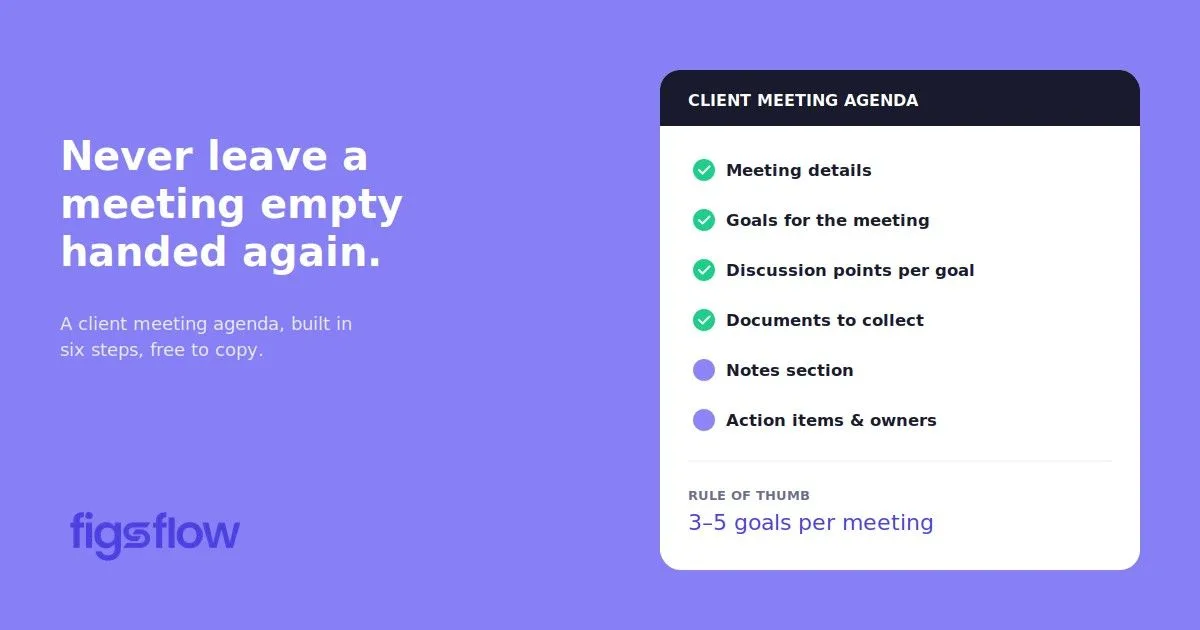
An illustration showing a timeline for sending reminders related to proposals.

1/19/2026

Never Chase a Proposal Again: Introducing Custom Reminder Timelines

Never Chase a Proposal Again: Introducing Custom Reminder Timelines Never Chase a Proposal Again: Introducing Custom Reminder Timelines The Problem We're Solving Introducing Custom Reminder Timelines How It Works Why This Matters for Your Practice What Our Users Are Saying Get Started with Custom Reminder Timelines We’re excited to announce Custom Reminder Timelines in FigsFlow. You send a proposal. The client says they’ll review it. Then nothing. Days pass. You’re stuck wondering when to follow up without seeming pushy or losing the opportunity entirely. That changes now. With Custom Reminder Timelines, you can set automated follow-up schedules for every proposal and engagement letter you send. Clients receive timely reminders without you lifting a finger. Most proposals don’t fail because clients reject them. They fail because clients forget about them. Between managing their business, dealing with urgent matters, and juggling competing priorities, reviewing your proposal slides down their to-do list. Meanwhile, you’re stuck guessing. Do you follow up after three days? A week? Send a gentle reminder or wait for their response? Every practice handles this differently, and most handle it inconsistently. The manual approach doesn’t scale. Sending five proposals a week means 15-20 follow-up emails you need to remember to send. Each one requires checking your calendar, drafting a polite reminder, and hoping you’re not being annoying. The result? Some clients get excellent follow-through. Others fall through the cracks. Your conversion rates suffer because follow-ups depend on your memory and available time. Custom Reminder Timelines automate the entire follow-up process. When you generate a proposal or engagement letter, you configure exactly when clients receive reminders. FigsFlow handles everything else. You decide the schedule. Send a gentle reminder after three days, a second at five days, a final nudge at eight days. Or adjust the timing to match your sales process. High-value engagements might get more frequent follow-ups. Routine compliance work might need just one or two. The system stops automatically. Once a client opens, signs, or responds to your proposal, reminders cease immediately. No accidental spam. The moment they take action, FigsFlow removes them from the reminder sequence. This happens within your existing workflow. No separate tool to manage. No reminder system to check. You configure the timeline during proposal setup, and the system takes over. Setting up Custom Reminder Timelines takes less than a minute. Navigate to Add Reminder When generating your proposal, find the Add Reminder section in the configuration panel. You'll see two options: Fixed schedules with preset timing, or Custom schedules you control completely. Configure Your Timeline Select Custom and input your preferred reminder days. Add as many intervals as your process requires. Common patterns include 3, 5, 8 days for standard proposals, or tighter schedules like 2, 4, 6 days for time-sensitive engagements. Review & Adjust The system displays your complete reminder timeline immediately. You'll see the total number of reminders and exactly when each one goes out. Edit or delete specific days without rebuilding the entire sequence. Set It & Forget It Once saved, your reminder timeline attaches to that proposal. FigsFlow sends each Reminder automatically on schedule. When clients respond or sign, reminders stop instantly. The average accounting practice sends 10-15 proposals monthly. Without automation, that’s 30-45 manual follow-up emails and 2.5 to 4 hours monthly just chasing proposals. Save Time on Admin Configure your schedule once, and every proposal gets consistent follow-through. No mental overhead, no calendar reminders, no wondering if you've already followed up. Improve Conversion Rates Consistent reminders keep your proposal top of mind without being aggressive. Professional persistence shows you're organized and serious about your business. Accelerate Cash Flow Faster proposal acceptance means faster engagement letter signing and quicker payment collection. The entire client onboarding cycle is compressed. Set It & Forget It Once saved, your reminder timeline attaches to that proposal. FigsFlow sends each Reminder automatically on schedule. When clients respond or sign, reminders stop instantly. Custom Reminder Timelines turn proposal follow-up from a manual chore into an automatic advantage. We’ve been testing Custom Reminder Timelines with select practices over the past few weeks. The feedback has been clear and consistent. It eliminated the mental burden of remembering who needs a follow-up and when. - Bdodge Malik Our proposal acceptance rate improved noticeably within the first month. The consistent follow-through made the difference. - Bookkeeping Practice, Manchester Clients receive timely reminders that feel helpful rather than pushy. The automatic stop feature prevents the embarrassing situation of sending a reminder to someone who's already signed. - Accounting Firm, Birmingham For Current FigsFlow Users – Custom Reminder Timelines are live in your account now. Start generating a proposal, navigate to Add Reminder in the configuration panel, select Custom, and configure your schedule. The Problem We Are Solving- Introducing Custom Reminder Timelines How it works introducing-custom-reminder-timelines-for-proposals introducing custom reminder timelines for proposals page Page

An overview of global AML regulations by region.

1/8/2026

Anti-Money Laundering Regulations Around the World: A Global Overview by FigsFlow

Anti-Money Laundering Regulations Around the World: A Global Overview by FigsFlow Anti-Money Laundering Regulations Around the World: A Global Overview by FigsFlow Why Anti-Money Laundering Regulations Matter for Global Accounting Practices Understanding the Global Anti-Money Laundering Regulations Framework Anti-Money Laundering Regulations: Key Requirements Across Jurisdictions Customer Due Diligence & Enhanced Due Diligence Suspicious Activity Reporting Record Keeping Requirements Transaction Monitoring Anti-Money Laundering Regulations by Region: What Global Firms Need to Know European Union Anti-Money Laundering Regulations United States Anti-Money Laundering Regulations Asia Pacific Anti-Money Laundering Regulations Middle East & Africa Anti-Money Laundering Regulations Americas Beyond the United States How Anti-Money Laundering Regulations Impact Global Accounting Practices The Future of Anti-Money Laundering Regulations: 2025 to 2026 Trends How FigsFlow Helps Global Firms Navigate Anti-Money Laundering Regulations Additional Resources Conclusion Frequently Asked Questions (FAQs) What are anti-money laundering regulations? What is FATF, and why does it matter for accounting firms? What is OFAC, and how does it relate to AML compliance? What are the key AML regulatory changes for 2025-2026? What are the three stages of money laundering that AML regulations target? How do anti-money laundering regulations impact accounting practices specifically? Here’s what changed while your firm was busy serving clients: AML compliance evolved from a domestic checkbox exercise into a complex, multi-jurisdictional obligation that most accounting practices are catastrophically under-equipped to handle. The Financial Action Task Force (FATF) now sets standards adopted by 200+ jurisdictions. The EU’s 6th Anti-Money Laundering Directive introduced criminal liability for compliance officers. The US expanded FinCEN requirements to catch more professional services firms. Asia-Pacific countries implemented increasingly stringent beneficial ownership registries. And enforcement? It went from occasional to relentless across every major market. Your clients operate globally. Your compliance framework probably doesn’t. This guide bridges that gap, explaining which Anti-Money Laundering regulations actually matter, how different jurisdictions approach enforcement, and what modern accounting firms do to stay ahead of the curve. KEY TAKEAWAYS AML compliance evolved from a domestic checkbox exercise into complex multi-jurisdictional obligations FATF’s 40 Recommendations set standards across 200+ jurisdictions, but implementation varies dramatically by region Accounting firms face direct obligations: CDD, beneficial ownership verification, PEP screening, suspicious activity reporting Key trends: real-time screening requirements, AI-powered monitoring, increased personal liability for compliance officers Manual processes cannot scale to meet cross-border complexity and regulatory expectations Modern firms automate compliance infrastructure to reduce risk, accelerate client onboarding, and maintain a competitive advantage Global enforcement intensified: penalties reach hundreds of thousands, criminal liability applies to deliberate facilitation Global AML fines hit £6.6 billion in 2024, up 42% year on year. Accounting practices can’t afford to treat anti-money laundering regulations as a domestic concern anymore. That property developer client with US investors? You’re potentially subject to FinCEN rules The tech startup expanding into Singapore? MAS requirements now apply The family office with UAE connections? CBUAE standards matter The e-commerce business shipping across ASEAN? Multiple jurisdictions expect compliance simultaneously Regulators worldwide handed out record penalties in 2024, with several cases specifically targeting inadequate cross-border due diligence. These weren’t rogue firms ignoring obvious red flags. They were established practices that simply hadn’t kept pace with how anti-money laundering regulations now work across multiple jurisdictions simultaneously. The reputational cost multiplies the financial damage. When a regulatory authority publishes an enforcement action, prospective clients see it. Referral partners reconsider their relationships. Professional indemnity insurers increase premiums or withdraw cover entirely. Some firms never recover from the reputational damage, regardless of whether they ultimately win appeals or negotiate reduced penalties. The Financial Action Task Force sets the baseline through its 40 Recommendations, which 200+ member jurisdictions have committed to implementing. These aren’t suggestions. FATF conducts mutual evaluations and publicly identifies non-compliant countries through its grey and black lists, creating significant economic pressure for compliance. But here’s where complexity enters. Each jurisdiction interprets these recommendations differently based on local risk assessments, legal systems, and enforcement priorities. Singapore might require daily sanctions screening for crypto transactions, while the EU emphasises beneficial ownership transparency and the US focuses on filing deadlines. The framework rests on three pillars. Prevention through customer due diligence and risk assessments Detection through transaction monitoring and suspicious activity reporting Prosecution through clear criminal offences and effective enforcement mechanisms Despite this global framework, practical implementation varies dramatically. Risk profiles differ by jurisdiction. The Cayman Islands faces different money laundering threats than Nigeria. Legal traditions shape the approach. Common law jurisdictions often use principles-based regulation, while civil law countries prefer detailed prescriptive rules. Political priorities determine focus, with some governments prioritising tax evasion while others concentrate on terrorism financing or corruption. Current stats tell the story. More than 200 jurisdictions are implementing FATF standards, yet 27% still haven’t determined their approach to regulating virtual asset service providers. France recently introduced penalties reaching €100 million for serious violations. The US is expanding requirements, with investment advisors facing a January 2026 deadline to implement full AML programs. Despite jurisdictional variations, certain core requirements appear in virtually every anti-money laundering regulations framework. Understanding these universal elements helps firms build compliance programs that scale across borders. Every jurisdiction mandates CDD before establishing business relationships. Firms must verify client identity using reliable, independent sources. Passport copies and utility bills remain standard, though increasing numbers of jurisdictions now accept digital verification through government databases or certified electronic identity schemes. The risk-based approach determines how deep you dig. Low-risk clients receive standard CDD High-risk situations trigger Enhanced Due Diligence , requiring additional information about the source of wealth, expected transaction patterns, and beneficial ownership structures Red flags include clients from high-risk jurisdictions, complex ownership arrangements with no clear commercial rationale, or business activities inconsistent with the client’s profile. Financial institutions and designated non-financial businesses must report suspicious transactions to their national Financial Intelligence Unit. The definition of “suspicious” varies, but generally covers transactions that appear inconsistent with normal activity, lack an obvious legitimate purpose, or involve known high-risk factors. Timing requirements differ significantly. Many jurisdictions expect reports within 30 days of detecting suspicious activity. Singapore mandates reporting “as soon as practicable” after forming the suspicion. Canada requires prompt reporting to FINTRAC. Missing these deadlines carries severe penalties, including potential criminal prosecution of compliance officers. Five years represents the global standard for retaining CDD documentation and transaction records, though several jurisdictions extend this to seven years. Records must capture sufficient detail to reconstruct individual transactions and demonstrate compliance with due diligence obligations. Here’s what must be retained. Customer identification documents Risk assessments Transaction records including amounts, dates, and parties involved Internal communications regarding unusual activity Suspicious Activity Reports and supporting analysis The format matters less than accessibility. Paper files work, but electronic systems simplify retrieval during regulatory examinations or law enforcement investigations. Ongoing monitoring ensures the customer information remains current and detects unusual transaction patterns. Sophisticated institutions use automated systems with configurable rules and machine learning algorithms. Smaller firms often rely on manual review, though this approach struggles to scale and misses patterns that software catches immediately. Threshold variations create compliance headaches. The US requires Currency Transaction Reports for cash transactions exceeding $10,000 India mandates identity verification for gaming deposits above ₹2,000 The EU generally leaves threshold setting to national authorities based on risk assessments Firms serving international clients must track multiple thresholds simultaneously or risk non-compliance. Geographic location determines which specific anti-money laundering regulations apply to your practice. Firms with international clients need a working knowledge of requirements in key jurisdictions worldwide. The EU’s Sixth Anti-Money Laundering Directive brings significant changes for member states, with full implementation required by December 2025. Criminal liability now extends to “enablers” including lawyers, accountants, and compliance officers who facilitate money laundering Directors face potential prison terms for corporate non-compliance The directive also harmonises the predicate offences that constitute money laundering across all member states. Individual member states implement additional requirements through national legislation. Germany’s BaFin requires real estate agents to perform CDD for transactions at or above €10,000, a threshold that took effect in July 2025. France’s TRACFIN mandates electronic filing of suspicious transaction reports through secure APIs, with penalties reaching €100 million or 10% of turnover for serious breaches. The UK maintains its Money Laundering Regulations 2017 framework despite Brexit, requiring accounting firms to conduct risk assessments, implement policies and procedures, appoint nominated officers, provide staff training, and maintain records. Recent FCA guidance emphasises proportionate treatment of Politically Exposed Persons , pushing back against blanket policies that discriminate without proper risk assessment. The Bank Secrecy Act creates the foundational AML framework, requiring financial institutions to assist government agencies in detecting and preventing money laundering. The USA PATRIOT Act expanded these requirements significantly following the 2001 terrorist attacks. FinCEN’s Beneficial Ownership Information Rule represents the most significant recent change. Companies formed on or after January 1, 2024, have 30 days to file beneficial ownership details with FinCEN’s database Companies existing before that date face a January 1, 2025, deadline This requirement applies to foreign companies registered to do business in the US, catching many international firms by surprise. The Corporate Transparency Act aims to eliminate anonymous shell companies by requiring disclosure of individuals who ultimately own or control reporting companies. Penalties for non-compliance include civil fines up to $500 per day and criminal penalties, including imprisonment up to two years. From January 1, 2026, investment advisors must implement comprehensive AML programs, including written policies , designated compliance officers, ongoing training, and independent testing. This extends requirements that have long applied to banks and broker-dealers to a much broader segment of the financial services industry. Singapore’s Monetary Authority requires rigorous compliance from financial institutions. MAS Notice PSN02 mandates that Digital Payment Token service providers screen all wallet addresses against UN sanctions lists every 24 hours. This goes far beyond traditional name screening, requiring technical integration and automated monitoring systems. Remote customer onboarding now requires biometric liveness checks under recent HKMA guidance in Hong Kong . Simple photo uploads no longer suffice. The technology must verify that the person presenting identification is physically present during verification, not using photos or videos of another person. Hong Kong also emphasises risk-based approaches to PEPs, with particular focus on properly assessing domestic PEPs and former PEPs rather than applying blanket restrictions. Australia’s AML/CTF regime extends to designated non-financial businesses and professions under Tranche 2 reforms taking effect in July 2026. Real estate agents, lawyers, accountants, and trust and company service providers will face registration requirements, compliance program obligations, and reporting duties similar to those currently applying to banks. AUSTRAC released comprehensive guidance in September 2024 to help affected businesses prepare. India’s Prevention of Money Laundering Act sets a ₹2,000 threshold for identity verification on online gaming platforms. This remarkably low threshold reflects concerns about gambling being used for money laundering and reflects a stricter approach than most jurisdictions take to similar activities. The Financial Intelligence Unit monitors compliance closely. Japan’s framework combines the Act on Prevention of Transfer of Criminal Proceeds with oversight from the Financial Services Agency and the Japan Financial Intelligence Center. The country emphasises customer identification procedures and suspicious transaction reporting across financial institutions and designated non-financial businesses. The UAE’s removal from the FATF grey list in 2024 recognises significant improvements to its anti-money laundering regulations framework. The Central Bank of the UAE enforces Federal Decree-Law No. 20 of 2018, which establishes comprehensive AML and counter-terrorist financing requirements for financial institutions and designated non-financial businesses. Saudi Arabia’s central bank SAMA , implements robust requirements across the financial sector. The Kingdom has criminalised money laundering and terrorist financing through specific legislation and actively cooperates with international law enforcement through its Financial Intelligence Unit. South Africa’s Financial Intelligence Centre Act requires reporting entities to implement risk management and compliance programs. The country continues to strengthen its framework to address concerns about financial crime and comply with international standards. The Financial Sector Conduct Authority issued updated guidance in 2024 on terrorist financing and targeted financial sanctions. Kenya operates under the Proceeds of Crime and Anti-Money Laundering Act , with the Financial Reporting Center serving as the central agency for receiving, analysing, and disseminating financial information related to money laundering and terrorism financing. Nigerian firms follow the Money Laundering Prohibition Act, enforced by the Economic and Financial Crimes Commission. Canada’s FINTRAC administers the Proceeds of Crime and Terrorist Financing Act , with mandatory registration for prepaid card issuers effective October 2025. The draft regulations released in 2024 implement changes from the 2023 Fall Economic Statement and form part of Canada’s AML strategy covering 2023 to 2026. The Department of Finance continues to develop additional regulatory amendments. Mexico’s Financial Intelligence Unit and the National Banking and Securities Commission enforce the Federal Law for the Prevention and Identification of Operations with Illicit Funds. The framework requires comprehensive CDD, ongoing monitoring, and suspicious activity reporting across financial institutions and designated non-financial businesses, including accountants and lawyers. Brazil’s Council for Financial Activities Control and the Central Bank of Brazi l oversee AML compliance under Law No. 9,613/1998, as amended by subsequent legislation. The framework has expanded significantly to cover cryptocurrency exchanges and other emerging financial service providers. Accounting practices worldwide face direct AML obligations as designated non-financial businesses and professions. The specific requirements vary by jurisdiction, but the core demands remain consistent: Registration & Governance Firms must register with their national AML supervisory authority and appoint a designated compliance officer responsible for implementing and monitoring AML procedures . Risk Assessment Requirements You must conduct comprehensive risk assessments at two levels: practice-wide analysis of your firm’s exposure to money laundering risks, and individual client relationship assessments that determine appropriate due diligence levels. Customer Due Diligence & Beneficial Ownership Standard due diligence applies to all clients. Enhanced due diligence applies to high-risk relationships, including politically exposed persons, clients from high-risk jurisdictions, and complex corporate structures. You must identify and verify beneficial owners controlling 25% or more of client entities, understand the purpose and intended nature of business relationships, and conduct ongoing monitoring throughout the engagement. PEP Screening Obligations Enhanced due diligence for politically exposed persons catches many firms unprepared. The definition extends beyond obvious government officials to include their immediate family members and known close associates Cross-Border Complexity International clients multiply obligations exponentially. A property transaction involving an offshore company requires beneficial ownership verification, source of funds analysis, and assessment of whether the structure serves legitimate purposes or conceals illicit proceeds. E-commerce clients expanding into new jurisdictions trigger different due diligence expectations in each country. One client can create compliance obligations across five regulatory frameworks simultaneously. Documentation & Training Written policies and procedures must cover your firm’s approach to customer due diligence, suspicious activity reporting, and record-keeping. Staff training must occur regularly, with documented evidence that team members understand their obligations. Records must be maintained for minimum retention periods, typically five years from the end of client relationships. The consequences escalate rapidly. Financial penalties start at thousands for minor breaches and reach hundreds of thousands for serious failures. Criminal liability applies to deliberate facilitation, carrying potential prison terms. The AML landscape is transforming faster than most firms anticipated. Six major trends will reshape compliance obligations for accounting practices, demanding immediate attention from firms still relying on manual processes. Virtual Asset Service Provider Regulation Twenty-seven percent of FATF respondents still haven’t decided how to regulate crypto exchanges, wallet providers, and DeFi platforms, but that indecision is ending. Expect comprehensive VASP licensing regimes in major jurisdictions by late 2025, with requirements mirroring or exceeding traditional financial institution obligations. Accounting firms serving crypto clients will face enhanced due diligence requirements across all jurisdictions. Mandatory AI & RegTech Adoption The volume of data requiring analysis exceeds human capacity. Firms handling thousands of transactions daily cannot manually review each one for suspicious patterns. Machine learning algorithms identify anomalies, generate risk scores, and flag transactions for human review. The technology isn’t optional anymore. Regulators increasingly expect sophisticated monitoring tools as evidence of adequate compliance. Beneficial Ownership Transparency Initiatives The UK’s register of overseas entities, the EU’s push for freely accessible beneficial ownership registers, and FinCEN’s beneficial ownership database represent a global movement toward transparency. The goal across jurisdictions remains consistent: eliminate the ability to hide behind corporate structures when engaged in criminal activity. Personal Liability for Compliance Officers The EU’s Sixth Anti-Money Laundering Directive establishes criminal liability for individuals who enable money laundering. Singapore recently introduced rash and negligent money laundering offences. Multiple jurisdictions now explicitly hold senior managers accountable through regulatory attestations and personal liability provisions. Compliance officers face direct consequences for failures, not just their firms. Cross-Border Complexity International clients multiply obligations exponentially. A property transaction involving an offshore company requires beneficial ownership verification, source of funds analysis, and assessment of whether the structure serves legitimate purposes or conceals illicit proceeds. E-commerce clients expanding into new jurisdictions trigger different due diligence expectations in each country. One client can create compliance obligations across five regulatory frameworks simultaneously. Real-Time Screening Requirements Static screening at onboarding no longer suffices when sanctions lists update multiple times weekly, and PEP statuses change constantly. Singapore’s daily screening mandate for crypto wallets signals the future direction. Firms need systems that automatically rescreen entire customer bases whenever watchlists change, detecting sanctions hits and PEP status changes within hours rather than waiting for annual reviews. Cross-Border Information Sharing Platforms Singapore launched its platform, allowing financial institutions to share customer information for financial crime prevention. Hong Kong is consulting on similar proposals. These platforms overcome traditional data protection barriers by providing legal gateways for sharing information when firms detect potential money laundering or terrorist financing, creating collaborative defense mechanisms across borders. These trends converge on one reality: manual compliance processes cannot meet emerging regulatory expectations. Firms continuing with spreadsheet tracking, annual reviews, and static screening will find themselves unable to demonstrate adequate systems when regulators assess their frameworks. The technology infrastructure required to handle these obligations represents a necessary investment, not an optional enhancement. FigsFlow transforms client onboarding from a multi-day administrative burden into a streamlined digital workflow. Currently serving UK accounting practices with US expansion launching in early 2025, the platform handles everything from proposals through AML verification and payment collection. Complete Client Onboarding in One Platform Generate professional proposals with accurate service pricing using FigsFlow’s AI-powered service description builder. Digital engagement letters with integrated e-signature mean clients can review and sign agreements from any device. Built-In AML & KYC Compliance Automated client screening checks every new client and beneficial owner against comprehensive sanctions lists, PEP databases, and adverse media sources. The system validates identity information, prompts for required documentation based on risk level, and generates compliant risk assessments with supporting rationale. Seamless Practice Operations Role-based team access ensures the right people see the right information. Direct integration with invoicing and payment collection closes the loop. Once engagement letters are signed and compliance checks clear, you can bill clients and receive payments without switching platforms. Expanding Global Coverage FigsFlow currently serves UK practices with full MLR 2017 compliance. US expansion launches early 2025, with additional jurisdictions following throughout 2025 and 2026. Discover the Best AML Software for Bookkeepers: Best AML Software for Bookkeepers | FigsFlow Discover the Best AML Software for Accountants: Best AML Software 2025 | Leading AML Solutions for UK Firms | FigsFlow Here’s the Top 6 AML Software for Accoutnants: Best 6 AML Software Every Accountant Needs – #Last Will Surprise You! Complete Guide to AML Compliance Tools for Accountants, Bookkeepers & Tax Advisers: Complete Guide to AML Compliance Tools for Accountants, Bookkeepers & Tax Advisors | FigsFlow Common ID Verification Mistakes in AML: Common ID Verification Mistakes in AML Compliance | FigsFlow The anti-money laundering regulatory environment isn’t simplifying. Real-time screening requirements, beneficial ownership transparency initiatives, and personal liability provisions represent the new baseline. The firms thriving in this environment automated compliance infrastructure before regulators demanded it. They eliminated manual screening, implemented continuous monitoring, and built systems that scale across jurisdictions without proportional increases in compliance staff. Your practice has a choice. Continue with manual processes and mounting risk exposure, or implement compliance infrastructure that handles the complexity modern regulations demand. The regulatory trajectory is clear, the penalties substantial, and the competitive advantage of proper automation significant. Anti-money laundering regulations are legal frameworks that prevent criminals from disguising illegally obtained funds as legitimate income. These laws require financial institutions and designated non-financial businesses, including accounting practices, to verify client identities, monitor transactions, and report suspicious activity targeting financial crimes, including drug trafficking, corruption, fraud, tax evasion, and terrorist financing. The Financial Action Task Force (FATF) is an intergovernmental body that sets global standards for combating money laundering and terrorist financing through its 40 Recommendations. Over 200 jurisdictions have committed to implementing these standards, though each interprets them differently. For accounting practices, this means compliance obligations extend beyond domestic regulations when serving international clients. The Office of Foreign Assets Control (OFAC) is a US Treasury department that administers economic sanctions programs and maintains lists of prohibited individuals, entities, and countries. While AML regulations focus broadly on preventing money laundering, OFAC handles specific sanctions enforcement. Accounting firms with US clients or connections must screen against OFAC lists as part of their broader AML obligations. FATF’s updated guidance emphasizes beneficial ownership transparency and enhanced risk assessments. The EU’s Sixth Anti-Money Laundering Directive introduces criminal liability for compliance officers. The US requires investment advisors to implement comprehensive AML programs from January 2026. Virtual asset service providers face new licensing requirements across major jurisdictions, demanding automated compliance infrastructure. Placement introduces illicit funds into the financial system through deposits or property purchases. Layering disguises the money’s origin through complex transactions and multiple transfers. Integration returns laundered funds as apparently legitimate wealth through property sales or business profits. AML regulations require firms to identify suspicious patterns across all stages through customer due diligence and transaction monitoring. Accounting firms are designated non-financial businesses under AML frameworks with direct legal obligations, including registering with supervisory authorities, appointing compliance officers, conducting risk assessments, performing customer due diligence, screening for politically exposed persons, maintaining records for five years, and reporting suspicious activity. Cross-border clients multiply these obligations exponentially across multiple jurisdictions simultaneously. anti-money-laundering-regulations-around-the-world anti money laundering regulations around the world page Page

An illustration showing the time savings from integrating GoCardless with FigsFlow for payment processing.

1/5/2026

GoCardless Integration Now Live in FigsFlow

GoCardless Integration Now Live in FigsFlow GoCardless Integration Now Live in FigsFlow What the GoCardless Integration Does Why This Matters for Your Practice How to Set Up GoCardless Integration What's Next Get Started with GoCardless We’re excited to announce that GoCardless integration is now available in FigsFlow. This means you can collect recurring payments via direct debit automatically when clients sign their engagement letters, eliminating payment chasing and reducing admin time. GoCardless joins our growing suite of integrations, including Xero, QuickBooks, Stripe, and Adfin, giving you more flexibility in how you collect payments from clients. The GoCardless integration connects your FigsFlow account with GoCardless’s direct debit payment platform. When a client signs their engagement letter in FigsFlow , they’re automatically prompted to add their bank details for direct debit setup. Once connected, payments are collected automatically according to your agreed schedule. No manual invoicing required. No chasing late payments. The client’s bank account is debited directly, and you receive funds without lifting a finger. This works seamlessly within your existing FigsFlow workflow. You send the engagement letter, the client signs it, adds their bank details through the secure GoCardless prompt, and recurring payments begin automatically. The entire process happens in one smooth client journey. Direct debit collection through GoCardless solves three major practice management headaches: Stop Chasing Payments The average practice spends 3-5 hours weekly following up on overdue invoices. With direct debit mandates in place, payments are collected automatically on schedule. No reminders. No awkward conversations. No wasted billable hours. Remove Onboarding Friction Clients set up payment during LOE signing in a smooth process. No standing order setup. No remembering to pay. No dropout between signing and paying. They commit faster, you start earning sooner. Scale Recurring Revenue Models If you're moving to value pricing or fixed monthly fees, manual invoicing kills the model. GoCardless makes recurring billing actually work. Set it once, collect automatically, focus on delivery instead of admin. The numbers add up quickly. With 50 clients spending 10 minutes each monthly on payment tasks (invoicing, recording, chasing), that’s 8+ hours on pure admin. GoCardless cuts this to near zero for recurring clients. Setting up the integration takes about 5 minutes. First, you’ll need a GoCardless account. If you don’t have one, you can sign up at gocardless.com. Get a GoCardless Account Sign up at gocardless.com if you don't already have one. They offer a free trial with no setup fees. Connect in FigsFlow Go to Settings → Integration, find the GoCardless card, and click Connect. Authorise the Connection You'll be redirected to GoCardless to log in and grant FigsFlow permission to create mandates and collect payments. Start Collecting Once connected, clients will see the direct debit setup option when they sign engagement letters. They add bank details, authorise the mandate, and automatic collection begins. If you’re already using Stripe or Adfin for payment collection, you can run multiple integrations simultaneously. This gives clients payment method choice while you maintain automated collection across different payment types. The GoCardless integration is part of our broader focus on automating practice admin and improving cash flow management for accounting professionals. We’re continuing to expand our integration ecosystem to give you more tools for running your practice efficiently. We’re also working on enhanced reporting features that will give you better visibility into payment status, collection rates, and cash flow forecasting across all your integrated payment platforms. If you have feedback on the GoCardless integration or suggestions for other integrations you’d like to see, we’d love to hear from you. Your input directly shapes our product roadmap. For Current FigsFlow Users – Set up your GoCardless integration today by visiting Settings → Integration in your FigsFlow account. GoCardless Integration Now Live in FigsFlow gocardless-integration-now-live-in-figsflow gocardless integration now live in figsflow page Page

A user interface showing options to draw, type, or upload a digital signature.

1/2/2026

Introducing Signature Configuration: Your Professional Signature, On Every Engagement Letter

Introducing Signature Configuration: Your Professional Signature, On Every Engagement Letter Introducing Signature Configuration: Your Professional Signature, On Every Engagement Letter What's New How to Set It Up What Our Users Are Saying Get Started Today Frequently Asked Questions (FAQs) Can I change my signature after setting it up? Does this work for all engagement letters in FigsFlow? What file formats can I upload for my signature? Is a digital signature legally valid on engagement letters? What happens to engagement letters I created before setting up my signature? Can I disable my signature temporarily? We’re excited to announce a new feature that makes your engagement letters more professional and saves you time with every client: Signature Configuration. You can add your signature directly to FigsFlow and have it automatically appear on every engagement letter you send. No more printing, signing, scanning, and re-uploading. No more worrying about consistency. Just configure it once, and you’re done. Signature Configuration lets you add your professional signature to engagement letters in three flexible ways: Draw Your Signature Use your mouse or touchpad to create a handwritten signature directly in FigsFlow. It captures your natural signing style and looks authentic on every document. Type Your Signature Prefer a text based signature? Simply type your name and FigsFlow converts it into a professional signature format that appears on all your engagement letters. Upload Your Signature Already have a signature image you use across your practice? Upload it once, and FigsFlow applies it automatically to every engagement letter going forward. Once you’ve configured your signature, it becomes part of your firm’s engagement letter template. Every time you generate a new letter of engagement for a client, your signature is already there, properly positioned and professionally formatted. Getting started takes less than two minutes: Step 1: Navigate to Settings in your FigsFlow account. You’ll find Signature Configurations in the left sidebar under Email Configurations. Step 2: Click “Add Signature” in the top right corner. A configuration window opens with three options: Signature, Text, and Upload. Step 3: Choose your preferred method. If you’re drawing your signature, use the canvas provided to sign naturally. If you’re typing it, enter your name in the text field. If you’re uploading, select your signature image file. Step 4: Toggle the “Enabled” switch to activate your signature. Give it a signatory name for easy identification if you manage multiple signature configurations. Step 5: Click Save. Your signature is now configured and will automatically appear on all future engagement letters generated in FigsFlow. That’s it. Every engagement letter you create from this point forward includes your signature without any additional steps. Since we began testing this feature with select practices, the feedback has been clear: this is one of those updates that immediately improves daily workflow. One accountant told us it eliminated “the most annoying three minutes of every client onboarding.” Another mentioned it finally solved the consistency problem they’d been manually managing across their team. We built FigsFlow to handle the operational details so you can focus on serving clients. Signature Configuration is another step in that direction. Signature Configuration is available now in FigsFlow at no additional cost. Head to Settings > Signature Configurations to set up your signature and start sending professionally signed engagement letters in seconds. We’re continuing to build features that eliminate friction from your practice operations. Have feedback or suggestions for future updates? Reach out to our support team . We’re listening. Yes. Go to Settings > Signature Configurations, click on your existing signature, make your changes, and save. All new engagement letters will use the updated signature. Yes. Once configured, your signature automatically appears on every engagement letter you generate, regardless of service type or client. You can upload common image formats including PNG, JPG, and JPEG. We recommend PNG for the best quality and transparency. Yes. Digital signatures on engagement letters are widely accepted in professional practice. However, you should confirm compliance with your local jurisdiction’s requirements. Previously generated engagement letters remain unchanged. The signature configuration only applies to new engagement letters created after you’ve set it up. Yes. Toggle the “Enabled” switch off in your signature configuration. Your signature will stop appearing on new engagement letters until you enable it again. signature-configuration-auto-sign-engagement-letter signature configuration auto sign engagement letter page Page

An infographic detailing steps to verify your identity using a phone.

12/11/2025

Step-By-Step Guide to Verify Client Identity in AML

Step-By-Step Guide to Verify Client Identity in AML Step-By-Step Guide to Verify Client Identity in AML Key Points Summarised for Busy Readers What is Companies House Identity Verification? Ways to Verify Your Identity Step-By-Step Guide to Verify Identity via GOV.UK One Login Additional Resources Conclusion Frequently Asked Questions (FAQs) How can I verify my identity with Companies House? What is a Companies House ID? How do I verify my identity with the UK government? What are the three main methods for verifying someone's identity? Who can verify proof of identity? Let me guess. This isn’t the first time you’ve fallen down a rabbit hole trying to figure out Companies House identity verification. The rules changed, deadlines are looming, and every website seems determined to confuse you more than help. Good news: this guide will cut through the noise. We’ll show you exactly what you need to do, who needs to do it, and how to get verified with GOV.UK One Login in under 20 minutes. Let’s get you sorted. Companies House Identity Verification ensures that individuals involved with UK companies are properly identified to prevent fraud All company directors and PSCs must verify their identity, regardless of company size or structure Verification is free through GOV.UK One Login takes under 20 minutes, requiring a valid UK passport or driving licence, a smartphone, and a computer Your Companies House Personal Code links to all your company roles and remains valid unless re-verification is requested Directors must complete verification before filing the next confirmation statement after 5 March 2026, and new appointments require verification at the time of appointment Companies House Identity Verification is a process that ensures individuals running, owning, or controlling UK companies are who they say they are. This verification system was introduced to close a gap in UK company law that previously allowed individuals to register directorships with false details and little scrutiny. The process generates a unique 11-digit Companies House Personal Code that serves as a digital signature linking an individual to all their company roles. Once verified, this personal code works across multiple directorships, PSC appointments, and LLP memberships. Who’s Required to Verify Identity with Companies House? All company directors, regardless of the size or structure of the company, must complete identity verification. This includes executive directors, non-executive directors, and directors of overseas entities registered in the UK. Individuals with Significant Control (PSC) must also verify their identity. A PSC is anyone who holds more than 25% of shares or voting rights, or someone who has the power to appoint or remove the majority of directors. In addition to directors, LLP designated members, general partners of limited partnerships, and managing officers of other company structures are required to verify their identity. If you hold both a director and PSC role, you only need to verify once. The personal code you receive will cover all of your appointments. There are two ways to verify your identity with Companies House. This includes: GOV.UK One Login (Free and Recommended) Authorised Corporate Service Provider (ACSP) In this blog post, we’ll go through the process of verifying your identity via GOV.UK One Login. To verify your identity via GOV.UK One Login, you’ll need: A valid UK passport or photocard driving licence A smartphone and a computer or tablet Your email address and the year you moved to your current address Ensure you have 15–20 minutes of uninterrupted time to complete the process. The system may time out after periods of inactivity. Heads up: The process might look lengthy, but it can be completed in under 15 minutes. Step 1: Start the Verification Process Visit GOV.UK and search for “Verify your identity for Companies House,” or go directly to the guidance page. Click “Verify your identity” to begin. Step 2: Create Your GOV.UK One Login Account Enter your email, verify it with the code sent to your inbox, and set up a password. Enable two-factor authentication via text or an authenticator app. Step 3: Answer Screening Questions Answer a few simple questions about your ID and residency. Based on your answers, the system will suggest a verification method (ID Check app, security questions, or Post Office verification). Step 4: Download the GOV.UK ID Check App Scan the QR code on your computer screen with your phone to download the GOV. UK ID Check app. Keep the browser window open throughout the process. Step 5: Scan Your Passport or Driving Licence Follow the app instructions to photograph your passport’s photo page or both sides of your driving licence. If using a passport, ensure the NFC chip scans properly by removing any phone case. Step 6: Complete Facial Recognition Take a selfie with good lighting for facial recognition matching. The app will compare it to your ID photo and verify your identity. Step 7: Return to Your Computer Go back to the browser on your computer to confirm that your identity has been successfully verified. Step 8: Enter Your UK Address Enter your postcode and select your exact address from the dropdown. Provide the year you moved in to confirm your residency. Step 9: Receive Your Companies House Personal Code Once complete, your unique 11-digit Companies House Personal Code will appear on screen and be sent to your email. Store this code securely as you’ll need it for future filings. Ways to Help Clients Prepare for Companies House Identity Verification Requirements: How to Help Clients Prepare for Companies House Identity Verification – FigsFlow Step-by-Step Guide to Verify Identity through ACSP: Identity Verification Through ACSP Is Now a Business Essential Directors’ Identity Verification Engagement Letter Templates: Identity Verification Engagement Letter Templates – Accountants ACSP: How Can Accountants Prove & Verify Clients’ Identity: Understand How to Prove Identities Under ACSP | FigsFlow Everything You Need to Know About ACSP: What Do Accountants Need to Know About ACSP Registration | FigsFlow Identity verification is mandatory for all UK company directors and PSCs. The GOV.The UK One Login route is free, quick, and provides immediate results. Your Companies House Personal Code works across all appointments and doesn’t expire unless re-verification is required. Directors must complete verification before filing their next confirmation statement after 5 March 2026, and new appointments require verification at the point of appointment. Start your verification today at GOV.UK to stay compliant and avoid filing restrictions. You can have your identity verified through an Authorised Corporate Service Provider (ACSP), such as an accountant or solicitor. The ACSP must be registered with Companies House to act as your authorised agent. This service is available from anywhere, allowing global directors to get verified. A Companies House ID is a unique 11-digit personal code issued once your identity is verified. This code is tied to you as an individual, not your company, and is used to link all your company roles. To verify your identity with the UK government, you can either enter details from your photo ID on GOV.UK, or visit a participating Post Office for in-branch verification. The Post Office will scan your ID and take a photo of you for verification. The three primary methods for identity verification are document verification, biometric recognition (such as facial scans), and data-based verification (using personal data from trusted sources). Proof of identity can be verified by professionals such as solicitors (including notaries), chartered accountants, or doctors who are authorised to certify documents. step-by-step-guide-to-verify-client-identity-in-aml step by step guide to verify client identity in aml page Page

A timeline showing important dates for Companies House ID verification.

12/8/2025

Companies House Identity Verification: Complete Guide (2026) | Who, When, How & Personal Code

Companies House Identity Verification: Complete Guide (2026) | Who, When, How & Personal Code Companies House Identity Verification: Complete Guide (2026) | Who, When, How & Personal Code Key Points Summarised for Busy Readers What is Companies House Identity Verification? Who Needs to Verify Their Identity with Companies House? Pro Tip: Critical 2026 Deadlines: When Must You Verify Your Identity? The 18 November 2025 Start Date Explained Existing Directors: The Confirmation Statement Deadline Timeline for New Directors Timeline for PSCs (The 14-Day Birth Month Window Explained) The Hard Deadline: 18 November 2026 How to Verify Your Identity: The 2 Official Methods for 2026 Method 1: Direct Verification via GOV.UK One Login (FREE) Option A: Using the GOV.UK App (Recommended) Option B: Online Security Questions Option C: In-Person Verification (Using the Post Office Network) Method 2: Through an Authorised Corporate Service Provider (ACSP) Companies House Digital ID Verification Which Method Should You Choose? Step-by-Step: Verifying via GOV.UK One Login What You'll Need Before Starting The Verification Process in Detail Understanding Your 11-Digit Companies House Personal Code How to Get Your Personal Code Where to Find Your Personal Code After Verification When & How to Use Your Personal Code 🔒 Keep Your Personal Code Private What Happens If You Don't Verify? Risks of Missing the 2026 Deadline Filing Restrictions Impact on Company Operations Troubleshooting Common Companies House Identity Verification Issues I Can't Find My Personal Code. Verification Failed - What Next? Post Office Verification Problems Email & Account Linking Issues Additional Resources Conclusion Frequently Asked Questions (FAQs) What documents can I use to verify my identity? Is identity verification required from 18 November 2025? Do I need an ID to set up a limited company in the UK? How long does identity verification take? How do I verify my identity in the UK? What is a Companies House personal code? What happens if I don't verify my identity by the deadline? Do dormant companies need to comply with identity verification? You can’t file your company’s confirmation statement yourself anymore. Not without a Companies House Personal Code. Yes, you heard that right. Since 18 November 2025, the system simply won’t let you proceed without Companies House identity verification. The Economic Crime and Corporate Transparency Act now requires every director and PSC to verify before they can file anything. This applies to confirmation statements, director changes, registered office updates, and any other company records. In this blog post, you’ll learn everything about Companies House Identity Verification, who must verify, how to complete the process via GOV.UK One Login or an Authorised Corporate Service Provider, and what to do with your personal code once you’ve got it. Companies House Identity verification became mandatory from 18 November 2025, marking the start of a 12-month transition period, not a hard deadline The transition period ends 18 November 2026 — this is the hard deadline for all existing directors and PSCs All directors, PSCs, and LLP members must verify once to receive a unique Companies House personal code for future filings Free verification takes 10 to 20 minutes via GOV.UK One Login using a passport or driving licence Failure to verify means you cannot file confirmation statements, face financial penalties, or commit a criminal offence Your personal code connects your verified identity to all your Companies House roles and must be provided when filing Companies House Identity verification is a new system for confirming that people who run, own, or control UK companies are who they claim to be. The system addresses a critical weakness in UK company law. Previously, anyone could register a company using false details with minimal checks. This made it easy for criminals to hide behind shell companies and commit fraud. Under the Economic Crime and Corporate Transparency Act 2023, Companies House now has enhanced powers to verify identities and maintain accurate records. The legislation transforms Companies House from a passive registry into an active gatekeeper against economic crime. When you verify your identity , you receive a Companies House personal code. This unique identifier acts like a digital signature that links you to your various company roles. You’ll need this code whenever you file documents or take on new directorships. The verification process uses two main routes. You can verify directly through: GOV.UK One Login for free, or pay an Authorised Corporate Service Provider to handle it for you. Both methods must meet the same identity assurance standards set by Companies House. Companies House Identity Verification requirements target specific roles where identity confirmation matters most for preventing economic crime. Company Directors – Every director must verify their identity, including executive directors, non-executive directors, and shadow directors. This applies regardless of company size, structure, or whether the company is UK-based or an overseas entity registered in the UK. Directors of overseas companies must also file form OS VS01 after verification, providing their personal code to Companies House.The deadline for OS VS01 is the anniversary of when the UK establishment opened. For overseas directors without UK photo ID, the ACSP route is the most practical verification option. People with Significant Control (PSCs) – Anyone who owns more than 25% of a company’s shares or voting rights, or who can appoint or remove the majority of directors. If you’re both a director and a PSC , you only verify once. Your personal code covers all roles across different companies. LLP Designated Members – Members of Limited Liability Partnerships who are designated must verify their identity to maintain the LLP’s good standing with Companies House. Equivalent Officers in Other Structures – Managing officers of companies, general partners of limited partnerships, and members of limited liability partnerships all fall under the verification requirements. However, corporate directors, company secretaries who aren’t also directors, limited partnerships as entities, and officers of corporate PSCs don’t need to verify immediately. Companies House will introduce requirements for these groups at a later date. If you’re unsure whether your role requires verification, check the official Companies House guidance or consult with your accountant. The timeline depends on your role and when you were appointed. Existing directors must verify before their company files its next confirmation statement. New directors appointed from 18 November 2025 onwards must verify before or at the point of appointment. PSCs have just 14 days to provide their personal code to Companies House after verification. See below for a detailed explanation. This date marks when identity verification became a legal requirement, not a deadline for everyone to complete it. Companies House introduced a 12-month transition period starting from this date. Your actual deadline depends on when you were appointed and what role you hold. If you were a director before 18 November 2025, you must verify before your company files its next confirmation statement after 5 March 2026. Since confirmation statements are filed annually, most directors have several months to complete verification. Verifying early is smart because if any director hasn’t verified when the confirmation statement is due, your company cannot file at all. Anyone appointed from 18 November 2025 onwards must verify before appointment. You cannot be validly appointed without providing your Companies House personal code on the appointment filing. New companies incorporating after this date cannot complete incorporation until all proposed directors have verified. Once you verify and receive your personal code, you have 14 days to provide it to Companies House for your PSC role. The start of your 14-day window depends on whether you were already registered as a PSC before 18 November 2025 and whether you’re also a director. Missing this deadline is a criminal offence. You provide your code using the dedicated “Provide identity verification details for a PSC” service on GOV.UK. This is separate from the initial verification process. The transition period ends on 18 November 2026. This is the absolute deadline for all existing directors and PSCs. After this date there is no grace period. Directors who have not verified cannot file confirmation statements, cannot be appointed to new companies, and are committing an ongoing criminal offence under the Economic Crime and Corporate Transparency Act 2023. There are two routes for Companies House Identity Verification. Both meet the same identity assurance standards, but they differ in cost, convenience, and who performs the checks. The UK One Login service provides free identity verification directly with Companies House. Most people can complete the entire process in 10 to 20 minutes from home. GOV.UK One Login asks simple questions about your circumstances. Based on your answers about residency, ID documents, and device availability, the system routes you to the most suitable verification method. Once verified through the GOV.UK One Login, you can use the same login credentials to access over 110 government services. This includes: DBS checks, HMRC services, and signing mortgage deeds. The verification has value beyond just Companies House compliance. The app-based route is fastest for anyone with a valid UK passport and a smartphone. You’ll download the GOV. THE UK ID Check app guides you through three simple steps. First, photograph your passport using your phone’s camera. The app captures the data page and checks for security features. Second, scan your passport’s biometric chip by placing your phone on the passport. This verifies that the passport is genuine. Finally, take a selfie for facial recognition matching. The system compares your live photo against your passport image to confirm you’re the passport holder. The whole process typically takes under 15 minutes. A valid UK driving licence with a photo also works through a similar app-based process. The app checks differ slightly, but the principle remains the same: document verification plus facial recognition. Suppose you don’t have suitable ID documents or prefer not to use the app.UK One Login can verify you through security questions. This route checks your identity against data held by credit reference agencies. You’ll answer questions about your financial history that only you should know. These might include previous addresses, accounts you’ve held, or other information from your credit file. Not everyone will successfully verify via security questions. If you’re new to the UK, have a thin credit file, or have a complex financial history, this route may not work. The system will tell you immediately if it cannot verify you this way. The Post Office route works for people who struggle with online-only verification. You must first enter your photo ID details on GOV.UK One Login. The system then emails you a confirmation letter with a unique QR code. Take this letter and your physical ID documents to a participating Post Office. Staff scan your QR code and verify your documents in person. Not all Post Offices offer this service, so check the eligibility tool before visiting. The Post Office checks your ID against the details you entered online. If everything matches, they confirm your identity back to the GOV.UK One Login. You’ll receive your Companies House personal code by email shortly after. An ACSP is a professional regulated under the UK anti-money laundering supervision. This includes accountants, solicitors, company formation agents, and chartered secretaries registered with Companies House as authorised agents. ACSPs can verify your identity on your behalf for a fee. Costs vary by provider but typically range from £100 to £150 per person. Your existing accountant or solicitor may offer this service if they’re registered as an ACSP. You’ll need to provide the ACSP with documents from an approved list. They perform the same identity checks required under AML regulations, then submit your verification to Companies House. The process can work from anywhere globally, making it suitable for overseas directors. The ACSP route suits people without UK ID documents or those struggling with GOV.UK One Login’s technical requirements. Some older directors or those uncomfortable with technology prefer having professional assistance. For Your Clients – Just £2.10 Verify Clients Instantly – Only £2.10 • Secure • Compliant • Trusted by UK Businesses For Fast Client Onboarding. Try GOV.UK One Login first. It’s free, instant, and available 24/7. Choose an ACSP if you don’t have UK photo ID, GOV.UK One Login hasn’t worked for you after multiple attempts, or you prefer professional assistance. ACSPs charge fees but handle the process for you. Both methods require the same proof of identity. Suppose you’re struggling with GOV.UK One Login, contact an ACSP or Companies House support, rather than delaying. Let’s walk through the complete Companies House Identity Verification process using GOV.UK One Login. This assumes you’re using the recommended app-based route with a UK passport. Gather your UK passport before beginning. It must be current and valid, with the biometric chip working. Damaged passports often fail the chip scanning stage. You’ll need access to both a computer or tablet and a smartphone. The process starts on any device but requires a phone for the app-based verification steps. Have your email address ready. You’ll create a GOV.UK One Login account using this email, and you’ll receive your Companies House personal code at this address. Use an email you check regularly. Know the year you moved into your current home address. The system asks this as part of confirming your address details against official records. Be as accurate as possible. Follow these steps to verify your identity and receive your Companies House personal code: Start the Process – Visit the official GOV.UK guidance page and click “Verify your identity for Companies House.” Confirm you have a valid UK passport or driving licence. Create GOV.UK One Login – Enter your email address and verify it with the six-digit code sent to your inbox. Create a strong password and set up two-factor authentication via text message or an authenticator app. Answer Screening Questions – Select your ID type (UK passport or driving licence), confirm UK residency, and choose your device. Your answers determine the verification method. Download the ID Check App – Scan the QR code on your screen with your smartphone. This downloads the GOV. THE UK ID Check app links it to your session. Grant camera and location permissions. Scan Your Passport – Photograph your passport data page with clear lighting. Then place your phone flat on your closed passport to scan the embedded chip (takes 10-30 seconds). Complete Facial Recognition – Take a selfie with good lighting and your face clearly visible. Remove glasses if possible. The system compares your live photo against your passport image. Enter Your Address – Switch back to your computer and enter your UK residential address using your postcode. Select your exact address from the dropdown and enter the year you moved there. Receive Your Personal Code – Wait 30 seconds for processing. Your Companies House personal code appears on the confirmation screen. Copy it immediately and store it securely. Your personal code is a unique identifier that proves you’ve completed identity verification. It’s personal to you as an individual, not to any specific company. If you’re a director of five companies, you use the same personal code for all five. Companies House generates your code automatically once verification succeeds. The code never expires unless Companies House explicitly tells you to verify again, which only happens if fraud concerns arise or verification standards change substantially. Your personal code appears on screen immediately after successful verification. The system also emails it to the address you used for your GOV.UK One Login account. If you verified via an ACSP, they’ll provide your personal code once Companies House processes your verification. This typically takes a few days rather than being instant like the GOV.UK One Login route. Store your personal code securely in a password manager or write it down in a safe location. Don’t rely solely on the email. If you’ve lost your personal code, you can retrieve it by signing in to Companies House using your GOV.UK One Login credentials. Navigate to “Manage account,” and your personal code displays clearly on this page. If you can’t see your code, check you’re using the correct email address. Many people use different email addresses for GOV.UK One Login and their existing Companies House account. Email enquiries@companieshouse.gov.uk if you cannot locate your code. Include details about when and how you verified your identity. Directors provide their codes when filing confirmation statements. The WebFiling system prompts you to enter codes for all directors. Your company cannot submit the confirmation statement until all directors’ codes are entered correctly. New directors must provide their code as part of their appointment filing. The appointment cannot be completed without it. PSCs use a separate service to provide their codes. After verifying, visit the “Provide identity verification details for a PSC” service on GOV.UK. Enter your code within your 14-day window. If someone files on your behalf, such as an accountant or company secretary, you’ll need to share your code with them. They enter it during the filing process. Never share your personal code online or send it to unknown recipients. Only share it with trusted professionals who handle your company filings, such as your accountant or company secretary. If you suspect your code has been compromised, contact Companies House immediately at enquiries@companieshouse.gov.uk . Failing to verify your identity by the deadline is a criminal offence under the Economic Crime and Corporate Transparency Act. Companies House can prosecute you through the courts, leading to criminal records and fines, or issue administrative penalties directly. If you continue acting as a director after your verification deadline passes, you commit an ongoing offence. The company itself may also commit an offence for allowing an unverified director to continue serving. Your company cannot file its confirmation statement if any director remains unverified. The system rejects the submission until all directors comply. You also cannot be appointed to new companies without verifying first. Companies House will publish a note against your name on the public register indicating non-compliance. This public notice damages your reputation and signals to business partners that you’re not meeting legal requirements. Beyond personal consequences, unverified directors harm their companies. Banks and suppliers may refuse to deal with companies whose directors appear non-compliant on the public register. Investment opportunities vanish when due diligence reveals verification issues. Investors want confidence in company leadership, and verification problems raise red flags about professionalism and compliance culture. The company faces operational paralysis if it cannot file the necessary documents. Changes to share capital, director appointments, registered office addresses, or other matters cannot be registered while verification remains outstanding. Identity verification sounds straightforward, but many people encounter problems. Here are the most common issues and their solutions. Sign in to Companies House using the exact same email you used for GOV.UK One Login verification. Many people use multiple email addresses and forget which one they used initially. Check your spam or junk folders. Search your entire mailbox for emails from Companies House or GOV.UK. If you completed verification but cannot find your code, email enquiries@companieshouse.gov.uk with details about when you verified and which method you used. Try a different verification route within GOV.UK One Login. If the app method failed, try security questions or the Post Office route. Use an ACSP if multiple attempts fail. They perform manual document verification and can help people who cannot pass automated checks. Don’t retry the same method repeatedly. Switch approaches after two or three failures. You cannot walk into a Post Office and verify directly. You must start verification on GOV.UK One Login first, enter your photo ID details online, and complete the initial steps. The system then emails you a letter with the QR code needed for Post Office verification. Not all Post Offices offer the service. Use the Post Office finder tool on GOV.UK to check your local branch before visiting. Bring the exact ID documents you entered online. Mismatches cause verification failure GOV.UK One Login and Companies House WebFiling are separate systems. Use the same email address for both to link them properly. If you used different emails, create a new GOV.UK One Login account using your WebFiling email address, then verify through this new account. Contact Companies House support if linking problems persist. Official Companies House Guidance on Identity Verification – Verify your identity for Companies House – GOV.UK When You Need to Verify Your Identity for Companies House – When you need to verify your identity for Companies House – GOV.UK List of Authorised Corporate Service Providers (ACSPs) – List of Authorised Corporate Service Providers (ACSPs) – GOV.UK Three Easy Steps to Complete Client ID Verification – 3 Easy Steps to Client ID Verification | FigsFlow Identity Verification through ACSP – Identity Verification Through ACSP Is Now a Business Essential Companies House Identity verification is now mandatory for every UK director and PSC. It enables you to file confirmation statements, appoint directors, update company records, and submit any changes to Companies House. Without identity verification and your personal code, you cannot file anything with Companies House. Most people complete it for free through the GOV.UK One Login in under 20 minutes. Others may need ACSP support. We suggest verifying now rather than waiting for your deadline. The process is straightforward, and completing it early gives you peace of mind. For GOV.UK One Login verification: you need a valid UK passport or UK photocard driving licence, with biometric passports working best for app-based verification. If you lack these documents, you may verify through online security questions using credit reference data, or use an Authorised Corporate Service Provider who accepts wider evidence, including birth certificates and bank statements. Yes, identity verification became legally mandatory from 18 November 2025, though this isn’t a hard deadline requiring immediate action from everyone. The date marks the start of a 12-month transition period, with your personal deadline depending on your role and when your company files its next confirmation statement. Yes, all proposed directors and people with significant control must verify identity before incorporating a new company, as you cannot complete incorporation without providing Companies House personal codes. This requirement applies equally to UK residents and overseas individuals taking roles in UK-registered companies. Most people complete GOV.UK One Login verification in 10 to 20 minutes, with the app-based route using a UK passport typically taking around 15 minutes. Post Office verification takes longer as you must complete online steps first, then visit a branch, while ACSP verification usually takes several days for document review and submission. Visit the official Companies House guidance page and use GOV.UK One Login for free verification, which guides you through using your passport or driving licence via smartphone app or security questions. For Post Office verification, enter your photo ID details online first to receive an email with a QR code, or alternatively, pay an Authorised Corporate Service Provider to handle the process professionally. Your Companies House personal code is an 11-digit unique identifier issued after successful identity verification. It is personal to you as an individual, not to any specific company. If you are a director or PSC of multiple companies, you use the same personal code for all roles. The code never expires unless Companies House instructs you to reverify. Store it securely and share it only with trusted professionals who file on your behalf. Failing to verify by your deadline is a criminal offence under the Economic Crime and Corporate Transparency Act 2023. Your company cannot file its confirmation statement until all directors have verified. Companies House will publish a non-compliance note against your name on the public register. Continuing to act as a director while unverified is an ongoing offence that can result in fines, criminal prosecution, and director disqualification for up to 15 years. Yes. Dormant companies are not exempt from identity verification requirements. If your company is dormant but still registered at Companies House, its directors and PSCs must still verify their identities before the next confirmation statement is filed. Dormant status only affects filing obligations for accounts – it does not remove identity verification requirements. Companies House Identity Verification via Gov.uk one login for free Companies House Identity Verification Using Gov.uk app login for free companies-house-identity-verification-complete-guide companies house identity verification complete guide page Page

A visual representation of business costs including employment costs, overheads, and profit margin.

12/5/2025

Charge Out Rate Calculator UK: Work Out Your Hourly Rate in Seconds (Free Tool)

Charge Out Rate Calculator UK: Work Out Your Hourly Rate in Seconds (Free Tool) Charge Out Rate Calculator UK: Work Out Your Hourly Rate in Seconds (Free Tool) Key Takeaways: Charge Out Rate Calculator UK What is a Charge Out Rate? Calculate Your Firm’s Charge Out Rate Now How to Calculate Your Charge Out Rate: The Complete Breakdown Step 1: Calculate Total Employment Costs Step 2: Factor in Overhead & Operating Expenses Step 3: Determine Your Profit Margin Step 4: Calculate Billable Hours The Calculation Understanding Billable vs Non-Billable Hours Common Mistakes When Setting Charge Out Rates Mistake 1: Forgetting Non-Billable Time Mistake 2: Ignoring Hidden Overhead Costs Mistake 3: Not Including Profit Margin Mistake 4: Not Differentiating by Service Type How to Calculate Charge Out Rates for Part-Time Staff Beyond Charge Out Rates: Other Essential Calculators Conclusion Frequently Asked Questions What is a charge out rate? What is the charge out rate formula? What is a typical charge out rate for UK accountants? How often should I review my charge out rate? What's the difference between billable and non-billable hours? Most UK accounting firms undercharge. They forget non-billable hours, underestimate overheads, or skip profit margins entirely. The result? A practice that works hard but barely grows. This charge out rate calculator helps you fix that. It shows you exactly what to charge so your firm actually makes money. Charge out rate is the hourly amount your firm charges clients for professional services. It covers total employment costs, business overheads, and profit margin to ensure sustainable operations. Billable hours are the time you can directly charge to clients for delivering services like accounts preparation, tax returns, or advisory work. Non-billable hours include CPD requirements, internal meetings, admin tasks, business development, and proposal writing. This significantly reduces chargeable capacity from total working hours. Part-time staff calculations follow the same methodology but require pro-rata adjustments for working hours, salary, and overhead allocation based on actual time worked. FigsFlow’s calculator handles the complex math instantly. Input employment costs, overheads, profit targets, and working patterns to get accurate charge out rates in seconds. A charge out rate is the hourly amount your firm charges clients for professional services. It’s not the same as salary or take-home pay. Rather, it’s the rate that covers all business costs and generates profit. By using a Charge Out Rate Calculator , you can easily calculate the ideal rate to cover all these components. Your charge out rate has three essential components: Employment Costs – Base salary plus employer National Insurance and pension contributions Business Overheads – Rent, software, insurance, professional subscriptions, and running costs Profit Margin – The percentage that funds growth, reinvestment, and rewards risk Most UK accounting firms use different rates for different service types and staff levels. A partner’s advisory work commands higher rates than junior bookkeeping. Complex tax planning justifies premium pricing compared to routine compliance. The key is ensuring every rate covers costs and contributes to firm profitability. Manual charge out rate calculation is hard, honestly, almost impossible these days with all the costs and factors you need to consider. So, use our advanced charge our rate calculator. It takes into account: Base salary and employment costs (NI, pension) Business overheads (rent, software, insurance, subscriptions) Profit margin targets Billable vs non-billable hours Annual leave and bank holidays Number of employees and working patterns The calculator does the complex math instantly and gives you your charge out rate in seconds. Want to give it a try? Click here to calculate your rate Calculating an accurate charge out rate requires understanding four critical components. Miss any and you risk undercharging by 30% or more. Start with gross annual salary, then add employer National Insurance contributions (roughly 13.8% above the threshold), pension contributions (typically 3% to 10%), and professional body subscriptions like ACCA or ICAEW memberships. Using Out Calculator ensures these employment costs are accurately included in your final rate calculation Many firms calculate rates based purely on salary and wonder why profit margins disappear. The true employment cost is always 15% to 20% higher than base salary alone. Business overheads often exceed employment costs. This includes office rent, utilities, software subscriptions (practice management, tax software, accounting platforms), professional indemnity insurance, marketing costs, and technology equipment. Total overhead costs typically range from £12,000 to £20,000 per employee annually for small to medium UK firms. Larger practices with premium offices may spend £25,000 to £35,000 per employee. Profit margin ensures your firm can sustain operations during quiet periods, invest in training and development, and upgrade systems. Industry benchmarks for UK accounting firms suggest 20% to 35% profit margins depending on service mix. Routine compliance work operates at lower margins around 20% to 25%. Advisory services and specialist consulting command 30% to 40%. Most established practices aim for 25% to 30% to balance competitiveness with sustainability. Calculate profit on total costs, not just salaries. This is where most firms get it wrong. They assume 2,000 working hours equals 2,000 billable hours. It doesn’t. Subtract statutory holidays (28 days including bank holidays), sick leave (5 to 7 days average), training and CPD requirements, internal meetings, administrative tasks, and business development time. Realistic billable hours for UK accounting professionals range from 1,200 to 1,400 hours annually. That’s 60% to 70% utilisation. The Charge Out Calculator automatically adjusts your rate based on realistic billable hours rather than theoretical maximums. For our example, let’s suppose you have: Salary & benefits (including pension): £40,974 Other costs and expenses (rent, utilities, software, insurance, taxes): £15,000 Profit margin: 50% Number of employees: 5 Working days per week per employee: 5 Average weekly hours at your firm: 40 Non-billable weekly hours per employee: 12 Annual bank holidays and leave: 28 days Below is your total charge out rate per hour: Billable hours are the time you can directly charge to clients for delivering services like accounts preparation, tax returns, or advisory work. Non-billable hours are everything else: the time you spend running your practice, developing skills, and managing the business that keeps client work possible. Non-billable time includes: CPD requirements (ACCA requires 40 hours annually, ICAEW expects 35 to 50 hours), internal meetings and practice coordination, proposal development and business development activities, and administrative tasks like timesheet completion and file organisation. The gap between working hours and billable hours determines whether your charge out rate delivers intended profitability. Our advanced charge out rate calculator accounts for this automatically by factoring in your non-billable hours per week and annual leave days, ensuring your rates reflect realistic billable capacity rather than the common mistake of assuming every working hour generates revenue. Most undercharging stems from recurring errors that slowly drain firm profitability. Avoid these and your rates will support sustainable growth rather than leaving money on the table. Firms assume 37.5-hour weeks mean 1,950 billable hours yearly. They price services accordingly and wonder why profitability disappoints. Reality involves 1,200 to 1,400 billable hours per professional due to CPD, meetings, admin work, and business development. Price for actual capacity, not theoretical maximum. The difference between assumed and real billable hours can mean undercharging by 30% or more. Software subscriptions seem manageable until you count everything: practice management, tax research, accounting platforms, document management, communication tools, and cybersecurity. That’s £200 to £500 monthly per professional before adding rent, insurance, equipment, and professional subscriptions. These costs accumulate quickly and must be recovered through your charge out rates. Underestimate overheads and you’re subsidising clients from your own pocket. Charging at cost might feel fair but provides no cushion for quiet periods, no funding for training, and no capital for growth. Profit margin isn’t optional for sustainable practice management. It’s the difference between a practice that survives and one that builds real value. Industry benchmarks suggest 20% to 35% depending on service mix and market positioning. Routine bookkeeping faces price competition and commands lower rates. Complex tax planning and specialist advisory work justify premium pricing because of the expertise and value delivered. Use blended rates cautiously and ensure your service mix doesn’t drift toward lower-value work that damages overall profitability. Part-time professionals require the same calculation as full-time staff, but inputs adjust for reduced hours. Pro rata means proportional to full-time equivalent. Salary, employment costs, and overhead allocation should reflect the proportion of hours worked. Employer National Insurance and pension contributions scale naturally with reduced salary. Most firms allocate overheads proportionally based on time worked, and billable hours follow the same pattern using consistent utilisation percentages. The calculator handles this automatically. The key inputs that change are working days per week per employee and average weekly hours at your firm. Example If you have three part-time staff working: Employee A: 3 days per week, 22.5 hours Employee B: 4 days per week, 30 hours Employee C: 2 days per week, 15 hours Your averages would be: Average working days per week: 3 days Average weekly hours: 22.5 hours Input these figures into the calculator along with pro-rated salaries and costs, and it calculates your charge out rate automatically. Beyond the charge out rate calculator, FigsFlow offers a comprehensive suite of tools to help UK accounting firms manage pricing, profitability, and compliance: Break Even Calculator – Determine the minimum revenue needed to cover all business costs and identify your break-even point for informed financial planning. Corporation Tax Calculator UK – Quickly calculate corporation tax liabilities for clients based on current UK rates and allowances. Profit Margin Calculator – Analyse profit margins across services and clients to identify which engagements deliver the best returns. VAT Calculator UK – Instantly calculate VAT amounts for invoicing, purchases, and client quotes using current UK rates. Billable Rate Calculator USA – Calculate appropriate hourly rates for US-based practices or international service delivery. Charge Out Rate Calculator AU – Work out charge out rates for Australian accounting practices using region-specific employment costs and regulations. Making Tax Digital Calculator – Estimate MTD compliance costs and help clients understand the investment required for digital record-keeping. Accurate charge out rates separate profitable firms from those that struggle financially. Account for employment costs, overheads, profit margins, and realistic billable hours. Use our free calculator to establish baseline rates in 30 seconds. It handles the complex math instantly and ensures cost recovery and profitability. Review rates annually. Adjust when costs increase or margins decline. Successful UK firms maintain 20% to 35% profit margins through disciplined pricing. Use our Charge Out Rate Calculator to get started today. A charge out rate is the hourly amount your accounting firm charges clients for professional services. It’s different from your salary or take-home pay. This rate must cover your total employment costs, business overheads, and generate profit for your practice. The formula is: Charge Out Rate = (Total Employment Costs + Overheads + Desired Profit) ÷ Billable Hours. For example, if your total costs are £55,974, you want 25% profit (£13,994), and you have 1,300 billable hours annually, your charge out rate would be £53.82 per hour, rounded to £55. Charge out rates vary by service type and staff level. Junior staff rates typically range from £40 to £70 per hour. Senior accountants and managers charge £70 to £120 per hour. Partners and directors charge £120 to £250+ per hour for specialist advisory and complex tax work. Rates also vary by region and firm positioning. Review your charge out rate annually at minimum. Adjust when salary costs increase, business expenses rise, you gain qualifications or expertise, or profit margins fall below targets. Regular reviews ensure inflation and cost increases don’t erode your profitability. Billable hours are time you can directly charge to clients for services. Non-billable hours include CPD requirements, internal meetings, business development, proposal writing, and administrative tasks. Most UK accounting professionals achieve 1,200 to 1,400 billable hours annually out of 1,950 total working hours. charge out rate calculator: How to calculate charge out rates work-out-hourly-rate-with-charge-out-rate-calculator work out hourly rate with charge out rate calculator page Page

A graphic listing criteria that separate different IDV platforms.

12/2/2025

How to Choose the Right Digital Identity Verification Solution

How to Choose the Right Digital Identity Verification Solution How to Choose the Right Digital Identity Verification Solution Key Points for Busy Professionals Understanding What Digital ID Verification Should Do What IDV Actually Means The Compliance Standards You Must Meet Need the full compliance picture? 7 Criteria for Choosing the Right Digital Identity Verification Solution Integration with Your Existing Workflow Verification Speed & Database Coverage Automated Audit Trail Generation Risk Assessment Capabilities Sanctions & PEP Screening Senior Management Approval Workflows Ongoing Monitoring & Re-verification Cut Through the Marketing Noise How to Compare Digital Identity Verification Solutions: A Simple Checklist Introducing FigsFlow: Best ID Verification Platform that Ticks the Checklist & Beyond FigsFlow goes far beyond digital identity verification Additional Resources Conclusion Frequently Asked Questions How long does electronic ID verification take? How can I prove my ID without a passport or a driving licence? How does digital ID verification work? What's the difference between Customer Due Diligence and Enhanced Due Diligence? Can I use the same verification system for individual and corporate clients? Something tells us this isn’t your first hunt for digital identity verification software. You’ve tested platforms, attended webinars, maybe even signed contracts. And practically every solution you touched created three additional problems for each one it supposedly fixed. We know because we’ve been in those same meetings where vendors promise integration that doesn’t exist and automation that requires manual workarounds. In this guide, we’re cutting through the noise. You’ll learn how to properly evaluate digital identity verification tools, get a no-nonsense checklist to compare vendors, and discover a platform that genuinely meets every criterion without the usual compromises. Digital identity verification solutions vary dramatically in how they handle integration, automation, and audit trail generation. The wrong choice creates compliance gaps even when you’re technically “doing the checks.” Here’s what separates effective solutions from checkbox compliance tools: Workflow integration means verification triggers automatically at client onboarding rather than requiring manual data transfer between systems Electronic verification should be completed in under 60 seconds by checking government databases and credit reference agencies simultaneously Audit trails must timestamp every action automatically because HMRC supervision requires proof of your compliance journey, not just document copies Risk assessment capabilities should include HMRC-aligned templates for different client types rather than generic questionnaires that don’t reflect accountancy sector risks The checklist later in this article shows exactly which features to compare when evaluating vendors Digital identity verification gets treated as a compliance checkbox when it should function as the foundation of your entire Customer Due Diligence process. Identity verification confirms that the person or entity you’re onboarding matches the identity documents they’ve provided. This involves three distinct components working together. Document Verification – Checks that passports, driving licences, or identity cards are genuine and haven’t been tampered with. Electronic verification systems read the machine-readable zone on these documents and compare data against authoritative independent sources. Database Verification – Confirms identity details against government records, credit reference agencies, and official registries like Companies House for corporate clients. This cross-referencing ensures the person exists in legitimate public records. Biometric Verification – Matches the photograph on identity documents to live images or selfies provided by the client. This prevents someone using stolen or borrowed documents by confirming the person presenting the ID is actually the document holder. Most accounting firms only need the first two components. Biometric verification becomes relevant for Enhanced Due Diligence situations involving high-risk clients. The Money Laundering Regulations 2017 require you to verify client identity before establishing a business relationship. “Before” means before you provide any regulated services, not weeks into the engagement. MLR 2017 regulation 28 specifies that verification must use documents, data, or information from reliable and independent sources. A passport photocopy satisfies the document requirement but doesn’t prove you verified it against independent sources. Your verification process must also screen clients against sanctions lists and PEP databases. Politically exposed persons are individuals holding prominent public functions where corruption risks are elevated. The regulations require five years of comprehensive records showing not just what documents you collected but what you verified, when you verified it, and what results you obtained. This is why audit trail automation matters more than most firms realise. Digital identity verification is just one piece of your AML obligations. Our comprehensive guide covers Customer Due Diligence requirements, risk assessment frameworks, and record-keeping rules that accountants must follow in 2025. Read: 2025 Guide to AML & Identity Verification Rules for Accountants → Effective digital identity verification solutions share specific characteristics that separate them from systems that technically work but create operational headaches. Integration determines whether verification happens automatically or requires manual intervention every time you onboard a client. Standalone verification tools sit outside your practice management system. You win a new client in your CRM, send them an engagement letter, then manually log into a separate verification platform to start compliance checks. This creates a gap where clients begin receiving services before verification completes. Integrated solutions trigger verification automatically when clients accept engagement letters . The moment they sign, their information flows to the compliance module without anyone needing to remember to initiate checks manually. Look for platforms that connect directly to your CRM through native integrations. HubSpot integration means won deals import automatically to your compliance dashboard with all client data already populated. See how: Save Time on Monthly Reports with FigsFlow & QuickBooks Integration Verification speed affects both client experience and your team’s efficiency. Manual verification takes 30 to 45 minutes per client when you’re checking documents, searching sanctions lists, and recording results across multiple systems. Electronic verification through automated systems should be completed in under 60 seconds. The system reads document data, queries government databases, checks credit reference agencies, and screens sanctions lists simultaneously. Database coverage matters as much as speed. Your solution should access Companies House for corporate clients, verifying incorporation details and checking the Person with Significant Control (PSC) register automatically. The PSC register identifies persons with significant control, which is essential for beneficial owner verification. Ask vendors which specific databases their system queries. “Government databases” is too vague. You need to know whether they’re checking DVLA records, passport databases, electoral registers, and credit files. HMRC supervision visits focus heavily on your ability to prove compliance, not just demonstrate that you collected documents. A passport copy in your filing cabinet shows you received a passport, but doesn’t prove you verified it against any database. Manual audit trails fail because they depend on someone remembering to document every action they take. When verification happens across multiple systems, audit trail gaps are inevitable. Automated audit trail generation timestamps every action without manual logging. Document uploads get timestamped. Verification checks get timestamped. Risk assessments get timestamped. Senior management approvals get timestamped. The system should generate compliance certificates automatically showing exactly what was verified, which databases were checked, what results were obtained, and when each action occurred. This satisfies MLR 2017 record-keeping requirements that demand five years of comprehensive records. Did you know? ICAS recently reviewed UK accounting firms and found 55% had higher actual risk levels than they declared. 88% with cash-based clients failed to identify this risk factor, while 100% with overseas clients missed these critical risks entirely. Read the complete ICAS review findings Generic risk questionnaires don’t reflect the specific risks facing UK accounting practices. You need risk assessment templates aligned with HMRC guidance for the accountancy sector. Templates should exist for different client types because property portfolios carry different risks than trading businesses or trust administration. High-net-worth individuals require different risk assessment questions than standard SME clients. The system should calculate overall risk ratings based on your responses and flag automatically when Enhanced Due Diligence triggers apply. EDD situations include clients from high-risk third countries, complex ownership structures, or unusual transaction patterns. Reusable templates matter more than most firms realise. Client circumstances change over time. When that happens, you complete a fresh risk assessment to determine whether your due diligence level remains appropriate. Every client verification must screen against PEP lists, financial sanctions lists, and adverse media databases. This isn’t optional under MLR 2017. Sanctions lists update constantly as governments add or remove individuals and entities. Your verification solution should pull current data with every check rather than relying on manually updated databases that might be weeks out of date. The system should check multiple lists simultaneously, including HM Treasury financial sanctions, UN sanctions, EU sanctions, and OFAC lists. PEP screening should cover both domestic and foreign politically exposed persons. When the system identifies potential matches, it should alert you for manual review rather than automatically blocking the client. Not every John Smith flagged in sanctions screening is the sanctioned John Smith. Your decision and reasoning should get recorded automatically in the audit trail. Enhanced Due Diligence situations require senior management approval before establishing or continuing the business relationship. This requirement under MLR 2017 regulation 33 isn’t optional. Manual approval processes fail when people forget to escalate or when approval requests sit unanswered in email inboxes. The system should route high-risk cases automatically to designated senior managers when verification results or risk assessments indicate EDD triggers. Senior managers need a complete context visible in one place. Verification results, risk assessments, submitted documents, and any flags or concerns should all appear in the approval request. Every approval must be timestamped and recorded with the approving manager’s identity. You need to prove not just that approval occurred but who approved it, when they approved it, and what information they reviewed. Client verification isn’t a one-time event. MLR 2017 requires ongoing monitoring proportionate to the risk level you’ve assigned. Document expiry tracking matters because passports and identity cards expire. Your system should flag when client documents are approaching expiry dates so you can request updated copies before they lapse. Client circumstances change. Someone might become a PEP after your initial verification. A standard-risk client might expand into high-risk jurisdictions. The system should support re-verification workflows when client circumstances change materially. Ongoing sanctions screening catches clients who get added to watchlists after your initial checks. Periodic screening frequency depends on client risk level, but your system should make it easy to run fresh checks without starting the entire verification process from scratch. Understanding these criteria helps, but comparing actual software against them takes hours of vendor calls and demo requests. Most marketing materials claim every feature regardless of actual capabilities. Use the checklist below to compare solutions systematically or see how FigsFlow implements each criterion in practice. Read the complete ID verification guide Use this comparison framework when evaluating different verification platforms. Put a tick in each box where the solution meets the requirement fully. Feature Solution A Solution B Solution C Solution D Native CRM integration (HubSpot, Salesforce) Automatic verification triggered at engagement acceptance Sub-60-second electronic verification Government database checks included in base price Automated sanctions and PEP screening Timestamped audit trails are generated automatically HMRC-aligned risk assessment templates Automatic senior management approval routing Secure client document collection portal Compliance certificates generated per verification Companies House PSC register verification Document expiry tracking and alerts Solutions that tick fewer than eight boxes will create manual work even when they technically complete verifications. You’ll spend time transferring data between systems, manually logging actions, and chasing approvals. FigsFlow is practice management software built specifically for UK accounting firms with AML compliance integrated throughout the workflow rather than bolted on afterward. Here’s what FigsFlow offers for digital identity verification: Automatic Verification Triggers – Verification starts the moment clients sign engagement letters through the e-signature system, no manual initiation required. Sub-30-Second Electronic Checks – Connects directly to government databases and credit reference agencies, with results and compliance certificates generated instantly. Integrated Sanctions Screening – Runs simultaneous checks against PEP lists, financial sanctions lists, and adverse media databases. Companies House Integration – Verifies incorporation details and checks the PSC register automatically for corporate clients. Automated Audit Trails – Every verification action, document upload, and approval creates timestamped records without manual logging. HMRC-Aligned Risk Assessment Templates – Customised templates for property portfolios, trusts, trading businesses, HNWIs, and cross-border clients. Smart Approval Routing – High-risk cases automatically route to designated senior managers with complete verification context visible in one place. Document Expiry Tracking – Alerts you before client documents expire so you can request renewals proactively. FigsFlow doesn’t just verify identities. It transforms how your firm manages compliance from first contact through ongoing client relationships. FigsFlow offers everything from client proposals and engagement letters to pricing calculators, document collection portals, team collaboration tools, and payment integrations: Generate compliant proposals and engagement letters in 30 seconds Collect CDD documents securely through client portals without email back-and-forth Integrate seamlessly with Xero, QuickBooks, and Stripe for an end-to-end workflow Manage team collaboration with internal notes, task assignments, and approval workflows Track document expiry and automate renewal reminders for ongoing compliance, and more. Explore All Features→ Verify Identity Through ACSP: Identity Verification Through ACSP Is Now a Business Essential Directors’ Identity Verification Engagement Letter Templates: Identity Verification Engagement Letter Templates – Accountants ID Verification in AML with FigsFlow: ID Verification & AML: 2025 Guide | FigsFlow Common ID Verification Mistakes: Common ID Verification Mistakes in AML | FigsFlow Guide to Write an AML Policy for Your Firm: Writing an AML Policy: Full Guide 2025| FigsFlow The right digital identity verification solution integrates verification into your workflow so compliance happens automatically, rather than creating another system to manage. Solutions that require manual data transfer, separate logins, or manual audit trail documentation will create compliance gaps even when they technically complete verifications. The gap between client acceptance and verification creates risk. Evaluate platforms based on the criteria in this guide rather than vendor claims about being “compliant” or “easy to use.” Use the comparison checklist to assess which solutions actually eliminate manual work instead of just shifting it around. Electronic verification through automated systems takes approximately 30 seconds compared to manual processes requiring 30 to 45 minutes per client. The system checks government databases, credit reference agencies, and sanctions lists simultaneously. UK residents can use biometric residence permits, national identity cards, or birth certificates combined with recent utility bills or bank statements. Electronic verification systems check these against credit reference agencies and electoral registers. Digital systems read identity documents using optical character recognition, then verify details against government databases and credit reference agencies while screening sanctions lists simultaneously. Results return in approximately 30 seconds with compliance certificates. Customer Due Diligence is standard verification for all clients. Enhanced Due Diligence adds senior management approval, source of funds verification, and more frequent monitoring for high-risk situations like PEPs or clients from high-risk countries. Yes, but corporate verification requires additional checks, including Companies House incorporation details and beneficial owner identification through the PSC register. Your system should automate these checks rather than requiring manual lookups. choose-right-digital-identity-verification-solution choose right digital identity verification solution page Page

An infographic comparing manual and digital verification times.

11/27/2025

Fraud-as-a-Service: How ID Verification is Fighting Back in 2026

Fraud-as-a-Service: How ID Verification is Fighting Back in 2026 Fraud-as-a-Service: How ID Verification is Fighting Back in 2026 Key Takeaways for Busy Readers How Fraud as a Service Works in 2026 The FaaS Business Model: Crime as a Subscription Tools Fraudsters Are Using Right Now Did You Know? Why FaaS Targets Businesses Like Yours How ID Verification Stops FaaS Attacks The Problem with Most Modern ID Verification Software The Multi-Tool Problem The Cost Barrier Speed vs Compliance Tired of Juggling Multiple Tools for AML Compliance? How FigsFlow Fights FaaS: Complete Protection in One Platform Beyond ID Verification: What FigsFlow Offers What to Do Next Ready for Step 1? Additional Resources Conclusion Frequently Asked Questions What is Fraud-as-a-Service (FaaS)? Why do FaaS attacks target accounting firms? How does electronic ID verification stop FaaS? What problems do multiple AML tools create? How much does FigsFlow cost? Three problems are hitting UK accounting firms right now: A fraudster buys a complete synthetic identity kit for £50. Your manual verification takes three days. HMRC finds the beneficial owner you missed was on a sanctions list. Fraud-as-a-Service has industrialised financial crime. Often referred to as fraud as a service, this model allows criminals to purchase ready-made fraud capabilities without building technical infrastructure themselves. Attack kits come with customer support and money-back guarantees. Your 15-minute manual checks can’t compete with automated tools creating convincing identities in seconds. This article explains how fraud as a service works in 2026 and how digital ID verification is fighting back. Fraud as a service platform now offer deepfake tools, synthetic identity generators, and document forgery kits from £50 monthly 47% of cybercrime cases in 2022 involved suspects aged 21 or younger, up from 33% in 2018 Traditional ID verification fails because it scatters verification across multiple systems, creating compliance gaps Electronic verification must check documents against government databases, not just visual inspection MLR 2017 requires independent verification sources, which manual processes cannot reliably deliver FigsFlow consolidates proposals, engagement letters, and AML verification from £18 monthly versus £95-320 for separate tools Complete verification, including sanctions screening, takes 30 seconds per client with automated audit trails Beneficial owner identification remains the most commonly missed compliance requirement during HMRC supervision visits The threat has industrialised. Your defences need to match. Fraud as a Service operates exactly like legitimate Software-as-a-Service businesses. Criminals subscribe monthly, access pre-built fraud tools through user-friendly dashboards, and receive customer support when attacks fail. The business model has completely commodified cybercrime. This subscription-driven structure is what defines fraud as a service and enables rapid adoption by low-skill attackers. Dark web marketplaces advertise fraud tools using the same tactics as legitimate SaaS vendors. Tiered pricing plans offer basic, professional, and enterprise packages. Customer testimonials praise ease of use. Tutorial videos walk subscribers through their first attacks. A basic FaaS subscription costs £50-150 monthly. This includes access to phishing kit templates, credential stuffing tools, and basic malware. Professional tiers add synthetic identity generators, deepfake creation tools, and premium stolen credential databases. Enterprise packages provide dedicated support and custom attack development. The democratisation of fraud means technical barriers have disappeared. A teenager with no coding experience can launch sophisticated identity theft campaigns using point-and-click interfaces. The learning curve that once protected businesses has flattened to zero. Payment processing happens through cryptocurrency, making transactions difficult to trace. Providers offer money-back guarantees if tools fail to bypass basic security measures. Some platforms even provide insurance against law enforcement detection. Fraud-as-a-Service platforms provide industrial-grade tools that bypass traditional verification systems. These platforms demonstrate how fraud as a service has evolved from isolated scams into coordinated, repeatable operations. App cloners create multiple instances of legitimate applications, letting fraudsters open dozens of accounts from a single phone. Image injection tools intercept camera feeds during verification and substitute deepfakes or stolen images. Your AML software sees a perfect match because it never receives the real camera input. Emulators generate thousands of unique device profiles, making each fraudulent account appear to come from a different legitimate phone. The most dangerous tools include: APK malware kits that intercept SMS one-time passwords and bypass two-factor authentication Bulk SIM cards that enable thousands of fake identities (the SIM cards are real, just not associated with the identity being verified) Application tampering that modifies location data, device identifiers, and biometric information before it reaches your servers Sophisticated dashboards that track stolen data across hundreds of compromised accounts and automate fund transfers before accounts get frozen The operational sophistication rivals legitimate businesses. Your manual ID verification processes weren’t built for this threat landscape. This scale and automation are what make fraud as a service so difficult for manual verification processes to detect. Fraud-as-a-Service works like SaaS but for crime. Cybercriminals sell fraud kits, bots, and infrastructure on the dark web, making fraud scalable and easy for anyone to launch. This commercialisation is what makes fraud as a service so dangerous for regulated firms. For accounting firms, fraud as a service represents a systemic threat rather than a series of isolated fraud attempts Accounting firms hold the keys to the financial system. Client trust accounts, access to business banking, and authority to file tax returns make you a high-value target. Compromising your systems provides fraudsters with access to dozens of legitimate business identities. Unlike opportunistic scams, Fraud as a Service target firms systematically based on access and weak controls. The shift to remote services expanded your attack surface. Digital onboarding and cloud-based systems create entry points that didn’t exist when clients brought physical documents to your office. Small and mid-sized practices face the greatest risk. Large firms invest millions in security infrastructure. You’re managing AML obligations between client meetings using systems built for document storage, not fraud prevention. The consequences have intensified: ICAS’s 2025 thematic reviews found 55% of firms misjudged their money laundering risks Penalties start at £5,000 and can reach £50,000 or more for serious breaches Reputational damage can destroy practices built over decades FaaS providers target industries with valuable access but limited security budgets. Fraudsters using automated tools improve faster than firms relying on manual verification. What protected you last year fails today. Effective electronic ID verification is one of the few controls that scales fast enough to counter fraud as a service attacks. Electronic ID verification creates friction that automated fraud tools cannot overcome at scale. While legitimate clients complete verification in seconds, fraudsters using synthetic identities fail when their fabricated documents hit government database checks. Here’s how ID verification stops FaaS attacks: Machine-readable zone verification checks encoded passport data against official records, defeating forged documents that look visually perfect Electronic database checks confirm document numbers exist in government systems (passport office, DVLA, electoral register) Sanctions and PEP screening identify individuals on financial watchlists before you establish business relationships Biometric liveness detection requires real-time responses to random prompts that pre-recorded deepfakes cannot replicate Complete audit trails timestamp every verification step, proving MLR 2017 compliance and providing forensic evidence when fraud occurs Automated verification completes in 30 seconds, removing the tension between thoroughness and efficiency. The speed advantage shifts to defenders. The compliance technology stack for most accounting firms looks like this: proposals in one system, engagement letters in another, document management in a third, AML verification in a fourth. Each tool solves one problem while creating integration nightmares. Information silos destroy verification continuity. Client data lives in your CRM. Documents arrive via email. Verification certificates sit in your AML software. Risk assessments exist in spreadsheets. When HMRC requests complete client records during supervision visits, you’re compiling from four separate sources and hoping nothing is missing. The gap between client acceptance and verification creates regulatory risk. Data re-entry multiplies error rates. Client names get spelled differently across systems. Addresses include or exclude apartment numbers inconsistently. Every manual transfer introduces errors that compromise verification accuracy. Legacy AML software charges £50-150 monthly just for verification capabilities. Add proposal software, engagement letter platforms, and document management. Total monthly spend reaches £125-285 before conducting a single verification check. High costs combined with weak integration leave firms exposed to fraud as a service despite significant software investment. Per-check fees compound the problem. Verification charges of £3-5 per client mean £150-250 in fees when onboarding 50 clients monthly, on top of base subscription costs. This tension is exactly where fraud as a service exploits manual onboarding processes. Manual verification creates impossible trade-offs. Thorough background checks take 15-45 minutes per client. Clients expect instant onboarding like digital banks provide. The approval bottleneck kills client satisfaction. Enhanced Due Diligence requires senior management approval. In multi-tool environments, this takes three days for a decision that needs three minutes. A prospect uploads documents to an awkward portal, then waits five days for verification. Your competitor, using modern systems, confirms their identity in 30 seconds and starts work immediately. So many options, inflated marketing claims, and hidden costs make choosing the right software overwhelming. To make your job easier, we’ve tested and compared the top 6 AML software platforms that actually deliver on their promises. Read the Comparison Guide FigsFlow consolidates everything from initial contact through ongoing compliance into a single integrated workflow. No platform switching. No information silos. Complete protection in one system. Complete FaaS defence in one platform: Electronic verification in 30 seconds connects directly to government databases and credit reference agencies for real-time verification. The system reads machine-readable zones on identity documents and checks against the passport office, DVLA, and international authorities. Forged documents with invented passport numbers fail immediately Automated sanctions screening checks every client against PEP lists, financial sanctions lists, and adverse media databases in parallel with identity verification. Lists update constantly, ensuring you always screen against the latest information Companies House integration verifies incorporation details automatically, pulling current information about registered office address, directors, and People with Significant Control . Beneficial owner identification happens as part of the workflow, not as a separate manual task Multi-source address verification leverages electoral register searches, credit reference checks, and utility account validation. This catches addresses that exist but aren’t associated with the individual claiming them Complete audit trails timestamp every action automatically. Document uploads, verification checks, risk assessments, and approvals all get recorded. When HMRC requests evidence, you produce complete client records instantly Verification quality meets MLR 2017 standards without requiring compliance expertise from every staff member. The system enforces regulatory requirements through automated workflows that prevent shortcuts. Proposals and engagement letters (generate in nine clicks) Built-in e-signature with automated workflows Document collection and management Risk assessment templates customised to client types Role-based team access and permissions Integrations with HubSpot, Xero, QuickBooks, and Stripe Dashboard compliance reporting across your entire portfolio All this comes at just £18 monthly (£8 base platform + £10 AML module + £2.10 per verification). And the best part: it’s yours for the next 30 days at zero cost. If you want real protection from FaaS, follow these steps: Step 1: Choose Reliable Software and Test It Select a platform with electronic verification, automated sanctions screening, and complete audit trails. Test it with real client onboarding scenarios. Step 2: Audit Your Current Process Against MLR 2017. Check if you conduct electronic verification against government databases or rely on visual inspection. Review if you maintain timestamped audit trails or just document copies. Step 3: Calculate Your True Costs. Compare monthly software subscriptions plus the opportunity cost of professional time on manual verification. Most firms spend more on scattered systems than consolidated platforms. We’ve tested dozens of AML software platforms. FigsFlow consistently delivers the best combination of security, speed, and value. Register for free and see automated verification replace manual processes in 30 seconds. Start Your Free Trial Money Laundering Regulations 2017: The Money Laundering, Terrorist Financing and Transfer of Funds (Information on the Payer) Regulations 2017 HMRC Economic Crime Supervision Handbook: Economic Crime Supervision Handbook – HMRC internal manual – GOV.UK Complete AML Software Guide: Complete Guide to AML Software for Accountants, Bookkeepers & Tax Advisors | FigsFlow Writing an AML Policy: Writing an AML Policy: Full Guide 2025| FigsFlow High-Risk Jurisdictions: “Black and grey” lists Companies House Identity Verification: “ Complete Guide “ Fraud as a Service has industrialised cybercrime. Tools once reserved for sophisticated hackers now cost less than gym memberships. Your manual verification processes weren’t built for this threat landscape. MLR 2017 demands electronic checks against government databases, automated sanctions screening, and comprehensive audit trails. Manual processes cannot deliver this while maintaining the speed clients expect. Firms that fail to modernise remain structurally exposed to fraud as a service, regardless of intent or effort. FigsFlow closes the gap. Electronic verification in 30 seconds, automated sanctions screening, and complete audit trails from £18 monthly. Everything is consolidated in one platform. The question isn’t whether to modernise verification but whether you’ll do it before the next HMRC visit or after the first penalty. FaaS platforms sell complete identity theft toolkits, including synthetic identity creators, deepfake generators, and device emulators for as little as £50. These platforms offer customer support and tutorials, making sophisticated fraud accessible to anyone with a web browser. Accounting firms hold access to client trust accounts, business banking, and tax filing authority. Compromising your systems gives fraudsters access to dozens of legitimate business identities they can exploit for money laundering and financial crime. Electronic verification checks document numbers against government databases in real-time. Forged documents that look visually perfect fail immediately because their numbers don’t exist in official systems. Biometric liveness detection requires real-time responses that pre-recorded deepfakes cannot replicate. Information silos destroy verification continuity. Client data, documents, verification certificates, and risk assessments exist in separate systems. When HMRC requests complete records, you compile from four sources. Data re-entry multiplies errors, and total costs reach £125-285 monthly before conducting a single check. FigsFlow costs £18 monthly (£8 base platform + £10 AML module) plus £2.10 per verification. A practice onboarding 20 clients monthly pays approximately £60 total. This includes proposals, engagement letters, document management, and complete AML compliance in one platform. fraud-as-a-service-how-id-verification-is-fighting-back-in-2026 fraud as a service how id verification is fighting back in 2026 page Page

The future of digital ID verification in AML – FigsFlow

11/26/2025

Digital ID Verification in AML: Why Firms Are Switching to FigsFlow in 2025

Digital ID Verification in AML: Why Firms Are Switching to FigsFlow in 2025 Digital ID Verification in AML: Why Firms Are Switching to FigsFlow in 2025 Key Points Summarised for Busy Readers Why Manual ID Verification Can't Survive 2025 What Digital ID Verification Actually Means in Modern AML The Three Problems Legacy AML Software Can't Solve Problem #1: Disconnection From Client Onboarding Problem #2: Incomplete Audit Trails Problem #3: No Integration with Service Delivery How FigsFlow Is Redefining Digital ID Verification Verification at the Point of Acceptance 30-Second Electronic Verification Automatic Audit Trail Generation Risk-Based Compliance Without Manual Work Beyond Verification: What Makes FigsFlow Different What to Do Next Additional Resources Conclusion Frequently Asked Questions How does digital ID verification differ from scanning documents? Can FigsFlow verify non-UK clients? What happens to audit trails if I cancel FigsFlow? Does FigsFlow replace my existing CRM? How long does implementation take? Your clients expect better than photocopied passports. They bank on their phones. They verify their identity for mortgages in minutes. Then they come to you and you’re asking them to print documents, sign forms, and post them back like it’s 1995. Meanwhile, the firm down the street onboards clients in under ten minutes. No printing. No posting. No friction. Digital ID verification through secure portals that connect directly to government databases. This shift to digital ID verification removes friction for clients while meeting MLR 2017 requirements through independent electronic checks. Sanctions screening that happens in real time. Compliance that builds itself while you focus on actual accounting work. The gap between what clients experience everywhere else and what traditional accounting firms offer is widening. This guide explains how digital ID verification works, why manual processes lose you clients, and how FigsFlow brings your practice into 2025. For UK accounting firms, digital ID verification is no longer a future upgrade but a baseline expectation from both clients and regulators. Digital ID verification uses electronic checks against authoritative databases, not visual document inspection alone. Proper digital ID verification ensures client identity is confirmed against government and credit reference databases, not just document appearance. Manual verification costs firms 15-45 minutes per client in staff time, plus penalty exposure from documentation gaps Legacy AML software operates separately from client onboarding, creating delays and scattered records FigsFlow completes electronic verification, sanctions screening, and audit trail generation in 30 seconds per client Integrated systems eliminate the gap between client acceptance and verification, which creates regulatory breach Complete audit trails are generated automatically with timestamps for every compliance action Manual verification worked when practices had ten clients and supervision visits happened rarely. Neither condition exists anymore. Your practice onboards clients faster now than five years ago. Client expectations changed. They compare your onboarding speed to their banking apps, not to other accounting firms. The regulatory environment tightened simultaneously. ICAS’s 2025 thematic reviews found that 55% of firms had inadequate verification procedures. HMRC supervision visits increased in frequency and depth. Manual processes cannot scale while maintaining compliance quality. Unlike digital ID verification, manual checks rely on staff memory, document handling, and delayed workflows that increase compliance risk. Each new client requires 15-45 minutes of verification work. Documents arrive via email, get saved to folders, require manual data entry into verification systems, and need someone to remember to complete checks before establishing the relationship. That someone often forgets. Or gets busy. Or assumes someone else handled it. The gap between client acceptance and verification creates a regulatory breach regardless of whether verification eventually happens. MLR 2017 expects verification when you establish the business relationship, not weeks later when staff remember outstanding checks. This is why digital ID verification triggered automatically at client acceptance is essential for regulatory compliance. Additionally, manual systems fail supervision in three different ways: Documentation gaps emerge naturally from manual processes. You verified the client correctly, but cannot prove which databases you checked, when you conducted verification, or who approved high-risk relationships. Missing timestamps doom supervision visits even when underlying compliance was adequate Penalty risk compounds over time . Each inadequately documented client represents potential exposure. Small gaps multiply across dozens or hundreds of clients until your entire practice carries unquantified regulatory risk Evidence assembly takes hours. When HMRC requests your AML records, you’re pulling files from multiple systems, reconstructing timelines from email threads, and hoping you haven’t missed anything critical The firms that will survive in 2025 were automated years ago. Manual verification is already obsolete. The question is whether you’ll recognise this before or after your next HMRC visit. Stop Wasting Time on Manual Checks See how digital verification completes in 30 seconds versus 45 minutes of manual work, while generating complete audit trails automatically. Read: Digital ID Verification for AML: Why Firms Are Switching to FigsFlow → Digital ID verification means checking client information against authoritative electronic databases rather than visually inspecting documents. It’s the difference between looking at a passport photo and verifying that the passport number exists in government systems. In AML terms, digital ID verification requires independent, reliable sources such as government databases, credit reference agencies, and the electoral register. MLR 2017 uses the term “electronic verification” specifically. This means using independent, reliable sources like credit reference agencies, government databases, or the electoral register to confirm information matches official records. Most firms think photocopying passports satisfies requirements. It doesn’t. Visual inspection proves you received a document, not that you verified it. Checking a passport photo resembles the client isn’t electronic verification. Deciding a document looks genuine isn’t electronic verification. Only checking information against independent systems that have already verified it satisfies the requirement. This is why provisional driving licences fail. They lack the machine-readable zone, abbreviated as MRZ, that electronic systems read to confirm authenticity. Master Digital Verification Requirements Get the complete guide to MLR 2017 electronic verification standards, acceptable documents, and common mistakes that trigger penalties. Read: ID Verification in AML with FigsFlow: Complete 2025 Compliance Guide → Legacy AML software looked adequate five years ago. They verified identities, checked sanctions lists, and produced certificates. But they were built for a simpler regulatory environment and smaller practices. The problems aren’t obvious until supervision visits expose them. Then you realise the gaps were always there, hidden behind software that claimed to solve compliance but actually just created new administrative burdens. Legacy AML systems bolt onto your existing workflows as separate tools. This fragmentation prevents digital ID verification from running automatically at the point of client acceptance. You win clients in HubSpot, send proposals through one platform, manage engagement letters in another, then finally remember to conduct AML checks in a fourth system. The gap between client acceptance and verification creates a regulatory breach. You’ve established a business relationship before completing required due diligence because nobody owns the handoff between systems. Client information lives in your CRM. Documents live in email. Verification certificates live in the AML tool. Risk assessments live in spreadsheets. When HMRC requests complete records, you’re compiling from four sources and hoping nothing’s missing. Integration promises don’t solve the fundamental problem. Two separate systems connected via API still require manual intervention to trigger workflows. Someone must remember to initiate verification after client acceptance. Legacy systems provide verification certificates showing checks occurred. They don’t provide complete audit trails connecting verification to the client relationship, risk assessment, and ongoing monitoring. Effective digital ID verification requires a continuous, timestamped record across the entire client lifecycle. A certificate proves you verified identity on a specific date. It doesn’t prove you assessed risk appropriately, obtained senior management approval for high-risk relationships, or applied enhanced due diligence measures when required. MLR 2017’s five-year retention requirement applies to comprehensive records, not just documents. You need timestamped evidence of every compliance action showing who did what when. Most legacy systems track verification events without tracking the complete compliance journey. Staff turnover eliminates institutional knowledge about why certain decisions were made. System changes risk losing historical records. The audit trail must survive these changes while proving your firm applied risk-based measures appropriately throughout the relationship. AML compliance isn’t separate from client service. It’s part of the onboarding experience that shapes client perception of your practice. When digital ID verification is embedded into onboarding, compliance becomes part of the client experience rather than a delay. Legacy systems treat compliance as back-office administration disconnected from revenue-generating activities. Clients accept engagement letters , then wait while you conduct separate verification processes they don’t understand. Modern clients expect seamless onboarding matching their banking experience. They don’t distinguish between “accepting our proposal” and “completing AML checks.” They see one process that either works smoothly or doesn’t. Separate systems cannot deliver integrated experiences. The handoffs create delays and friction that cost you clients who choose faster competitors. Your AML system should enhance service delivery, not obstruct it. Verification should happen invisibly as part of accepting engagement letters, not as a separate hurdle clients must clear after already committing. Don’t Settle for Software That Creates More Problems Than It Solves We researched 30+ AML software options to find the ones that actually integrate with your workflow instead of disrupting it. Read: Best 6 AML Software Every Accountant Needs – #Last Will Surprise You! FigsFlow isn’t AML software bolted onto existing systems. It’s a complete client onboarding platform where compliance integrates seamlessly from proposal through service delivery. Clients accept engagement letters through FigsFlow’s e-signature system. The moment they sign, the AML workflow triggers automatically, prompting you to complete verification without switching systems or losing context. No gap exists between relationship establishment and verification because the workflow guides you through compliance steps immediately after client acceptance. Documents upload to secure portals with client-specific requirements. Individuals see requests for passports and address proof . Companies see requests for incorporation documents and beneficial owner details. FigsFlow connects directly to government databases and credit reference agencies for electronic ID verification . Upload a passport scan and verification completes in approximately 30 seconds against authoritative sources. Simultaneously, the system runs PEP and sanctions screening, checking clients against global watchlists in real time. The system checks the MRZ against official records, returns compliance certificates showing exactly what was verified and which databases were checked, and timestamps every check automatically. For company clients, FigsFlow integrates with Companies House to verify incorporation details and check the PSC register. Beneficial owner identification happens as part of the same workflow. Every action creates timestamped audit trail entries automatically. Document uploads, verification checks, risk assessments, and senior management approvals all get recorded as they occur. When HMRC requests evidence during supervision visits, you produce complete client records instantly. Verification results, documents reviewed, risk assessments completed, and approvals obtained exist in a single auditable trail. FigsFlow provides risk assessment templates customised to specific client types following HMRC guidance for the accountancy sector. After reviewing PEP screening results and ID verification outcomes, you complete the risk assessment using information already gathered during onboarding. The system guides you through the assessment process, calculates overall risk ratings based on your responses, and flags when Enhanced Due Diligence triggers apply. High-risk cases can be routed to designated senior managers for approval, keeping compliance decisions documented within the same platform. Try Digital Verification with Real Clients Test electronic verification, sanctions screening, and audit trail generation using your actual client scenarios. No credit card required. FigsFlow handles everything from initial proposal through ongoing compliance in one integrated platform. AML verification is just one capability within a complete client onboarding system. Proposal Management: Professional proposals in nine clicks with customisable templates and pricing calculators Engagement Letters: Regulatory-compliant templates with built-in e-signature and automated reminders Team Management: Role-based access control so everyone sees exactly what they need Integration Hub: Connects with HubSpot, Xero, QuickBooks, Stripe, Companies House, Outlook, and Google Pricing starts at £18 monthly including the base platform and AML module. Per-verification charges are £2.10 each. Explore FigsFlow’s Complete Platform See how proposals, engagement letters, pricing, AML compliance, and team management work together in one system built for modern accounting firms. Explore All Features → The firms that win in 2025 made the switch before supervision visits forced their hand. Audit Your Current Process: Review your ID verification workflow against MLR 2017 requirements. Identify where manual steps create delays or documentation gaps. Calculate Real Costs: Time per client × monthly volume × hourly rate equals opportunity cost. Add separate tool subscriptions. Compare to FigsFlow’s consolidated pricing. Test With Real Clients: Start your 30-day free trial. Upload real documents, complete risk assessments, and generate audit trails. Your competitors automated years ago. The choice is whether you’ll automate before your next HMRC visit or after. Explore FigsFlow’s Complete Platform See how proposals, engagement letters, pricing, AML compliance, and team management work together in one system. Book Your Demo → Money Laundering Regulations 2017 : The Money Laundering, Terrorist Financing and Transfer of Funds (Information on the Payer) Regulations 2017 How to Verify Client Identity for AML Compliance : Step-by-step guide with FigsFlow’s automated verification process Complete AML Software Guide : Comprehensive comparison of AML software for UK accounting practices HMRC Economic Crime Supervision Handbook : Detailed guidance on supervision expectations and compliance failures How to Write an AML Policy : Practical guide for creating compliant AML policies that actually work Digital ID verification is the standard for 2025. Manual processes cannot deliver the speed clients expect while maintaining the compliance quality HMRC requires. FigsFlow completes verification in 30 seconds, generates complete audit trails automatically, and integrates seamlessly with proposals and engagement letters. Everything happens in one system without manual handoffs between tools. Manual verification already died. You’re just deciding whether to acknowledge this before or after your next supervision visit. Digital verification checks client information against authoritative electronic databases like government records or credit reference agencies. Scanning documents only creates electronic copies without verifying information against independent sources. MLR 2017 requires actual electronic verification, not just digital storage of documents. Yes. FigsFlow verifies foreign passports and identity documents through international database connections. The system checks machine-readable zones on foreign documents and screens against global sanctions lists and PEP databases automatically. You retain complete access to all historical records and audit trails. FigsFlow provides data export options, ensuring you maintain MLR 2017’s five-year retention requirements even after cancellation. Your compliance documentation remains yours permanently. No. FigsFlow integrates with HubSpot and other CRMs rather than replacing them. Won deals import automatically to trigger verification workflows. Client information syncs bidirectionally, so both systems stay current without manual updates. Most firms complete setup within 1-2 hours. Template customisation, team permission configuration, and integration connections happen quickly. You can verify your first client the same day you sign up. future-of-digital-id-verification-in-aml future of digital id verification in aml page Page

A graphic detailing different risk categories for politically exposed persons.

11/25/2025

Why PEP Screening Matters for Accountants & Bookkeepers

Why PEP Screening Matters for Accountants & Bookkeepers Why PEP Screening Matters for Accountants & Bookkeepers Key Points Summary What Exactly is a Politically Exposed Person? What is a PEP? The Three PEP Categories You Need to Know In the dynamic landscape of financial regulation, UK accountants and bookkeepers face an ever-evolving set of responsibilities, particularly concerning Anti-Money Laundering (AML) compliance. A critical component of this is PEP screening, a process designed to identify and mitigate risks associated with Politically Exposed Persons (PEPs). The year 2026 brings significant updates to the regulatory framework, emphasising a more proportionate, risk-based approach while strengthening defences against financial crime. This section provides a comprehensive overview of what constitutes a PEP, the inherent risks they present, and the specific AML compliance requirements for UK accounting professionals. We will delve into the latest guidance from key regulatory bodies such as HMRC, the Financial Conduct Authority (FCA), ICAEW, AAT, and ICB, ensuring you have the most up-to-date information to navigate the complexities of PEP screening effectively. Understanding PEPs – Individuals in prominent public positions (UK or abroad) who present higher money laundering risks due to their influence and access. Three Risk Categories – Domestic PEPs are now lower risk unless other factors exist; Foreign PEPs from high-risk jurisdictions require Enhanced Due Diligence; International PEPs depend on their organisation. 2025 Regulatory Shift – The FCA’s FG25/3 guidance emphasises proportionate, risk-based approaches rather than blanket high-risk treatment for all PEPs. Enhanced Due Diligence Requirements – Source of wealth verification, source of funds documentation, senior management approval, and ongoing monitoring for high-risk PEP relationships. Automation is Essential – Manual PEP checking is error-prone and time-consuming. Modern software provides real-time screening, ongoing monitoring, and comprehensive audit trails. Integration Matters – Embedding PEP checks into your client onboarding workflow through API connections streamlines compliance and improves efficiency. A Politically Exposed Person (PEP) is an individual entrusted with prominent public functions, either in the UK or elsewhere. Due to their position and influence, PEPs can be susceptible to corruption, bribery, and other illicit activities, making them a higher risk for money laundering and terrorist financing. For accountants and bookkeepers, accurately identifying and assessing the risks associated with PEP clients is fundamental to robust AML compliance . A Politically Exposed Person (PEP) is an individual who holds, or has held, a prominent public position or function. This includes heads of state, senior politicians, senior government, judicial or military officials, senior executives of state-owned corporations, and important political party officials. The definition also extends to their immediate family members and close associates, who may be used to conceal illicit funds. The inherent PEP risks stem from the potential for their position to be abused for private gain, either directly or through their connections. This can manifest as bribery, embezzlement, or the use of their influence to facilitate money laundering. Accounting professionals must be vigilant in identifying these risks, particularly when dealing with complex financial structures or transactions that appear inconsistent with a client’s known legitimate income or business activities. Understanding the different PEP categories is crucial for applying a proportionate risk-based approach. The 2025 regulatory updates, particularly the FCA’s Finalised Guidance FG25/3, have provided important clarifications on how these categories should be assessed. Domestic PEPs – These are individuals holding prominent public positions within the UK. Historically, all PEPs were treated with a high level of scrutiny. However, the revised 2025 guidance clarifies that Domestic PEPs should generally be treated as lower risk, unless other specific risk factors (unrelated to their PEP status) are identified. This allows for a more nuanced and proportionate approach to UK-based public officials. Examples include senior politicians, judges, high-ranking civil servants, and military officers. Foreign PEPs – These are individuals who exercise prominent public functions outside the UK. Due to varying levels of corruption and governance in different jurisdictions, Foreign PEPs typically warrant a higher-risk classification. Enhanced Due Diligence (EDD) is particularly important for PEPs from countries identified by the Financial Action Task Force (FATF) as “Call for Action” jurisdictions. International PEPs – This category includes individuals who hold prominent positions in international organisations, such as directors, deputy directors, or members of the board of international bodies. The risks associated with International PEPs are assessed based on the specific organisation and the individual’s role. The regulatory framework also extends to family members and close associates of PEPs, as they can be used to facilitate illicit activities. Firms must assess the actual risk posed by these individuals rather than applying an automatic high-risk classification. PEP Category Typical Risk Level (2025) Key Considerations for Accountants Domestic PEPs (UK) Lower (unless other risks) Apply proportionate scrutiny; focus on non-PEP related risk factors. Foreign PEPs (Increased Monitoring Countries) Medium Standard EDD, but not automatic high-risk. Foreign PEPs (FATF Call for Action Countries) High Mandatory EDD, rigorous source of wealth/funds checks. Family Members & Close Associates of PEPs Risk-dependent Assess actual risk, not automatic high-risk. why-pep-screening-matters-for-accountants-bookkeepers why pep screening matters for accountants bookkeepers page Page

An infographic explaining the stages of money laundering.

11/20/2025

What is AML Risk? A Complete Guide for Accountants & UK Firms

What is AML Risk? A Complete Guide for Accountants & UK Firms What is AML Risk? A Complete Guide for Accountants & UK Firms Key Takeaways What is AML Risk? UK Regulatory Framework for AML Compliance Top 5 AML Risk Factors You Must Assess Client Risk Service Risk Geographic Risk Transaction Risk Delivery Channel Risk How to Conduct Your Firm-Wide Risk Assessment The Three-Step Process: Identify, Assess, Mitigate Documenting & Reviewing Your Assessment Senior Management Responsibilities Customer Due Diligence (CDD) Requirements When & How to Conduct CDD Standard vs Enhanced Due Diligence Ongoing Monitoring Obligations High-Risk Services & Red Flags Accountancy Services That Pose Higher Risks Common Red Flags & Warning Signs Industry-Specific Concerns Reporting Suspicious Activity When to File a SAR & the DAML Process Avoiding the Tipping Off Offence Working with Your MLRO Practical Risk Mitigation Strategies Additional Resources Conclusion Frequently Asked Questions What is the difference between AML risk and AML compliance? How often should UK firms review their AML risk assessment? What happens if my firm fails an AML compliance check? Do small practices have the same AML obligations as large firms? What should I do if I suspect a client is involved in money laundering? Money laundering costs the UK economy billions each year. For accountancy firms, the stakes are even higher. A single compliance failure can result in unlimited fines, criminal prosecution, and irreparable reputational damage. AML risk is no longer just a regulatory checkbox. It’s a fundamental business risk that every UK accountancy firm must understand, assess, and actively manage. Whether you’re a sole practitioner or part of a multi-office practice, the Money Laundering Regulations 2017 apply to you. This guide explains what AML risk means for accountants, how to assess it properly, and what you need to do to stay compliant with UK regulations. AML risk refers to the potential for your firm to be exploited by criminals to launder money or conceal the proceeds of crime The Money Laundering Regulations 2017 (MLR17) require all UK accountancy firms to conduct and document firm-wide risk assessments You must assess five specific risk factors: client risk, service risk, geographic risk, transaction risk, and delivery channel risk Customer Due Diligence (CDD) is your primary defence against money laundering and must be conducted before establishing any business relationship High-risk services include tax planning, payroll, company formation, trustee services, and working with incomplete records You must file a Suspicious Activity Report (SAR) when you know or suspect money laundering activity Non-compliance can result in unlimited fines, criminal prosecution, and loss of your practising certificate AML risk is the potential for your accountancy firm to be used for money laundering activities. Criminals use your services to disguise the origins of illegally obtained money and make it appear legitimate. Understanding how money laundering works helps you identify when you’re being exploited. The process typically occurs in three stages: Placement – Introducing illicit funds into the financial system through cash deposits, asset purchases, or client money accounts. Layering – Creating complex transactions through multiple transfers or cross-border movements to obscure the money’s criminal origin. Integration – Bringing laundered money back into the legitimate economy through real estate purchases, business investments, or other large legitimate transactions. Criminals need professional enablers at each stage. Your services provide exactly what they require to successfully launder money and avoid detection. Accountancy firms are specifically targeted because your professional status lends legitimacy to suspicious transactions. Criminals exploit accounts preparation services to overstate revenues and explain suspicious deposits. Company formation services help create complex structures with hidden ownership. Tax advisory services move money between jurisdictions or integrate criminal proceeds into apparently legal structures. The consequences are severe. Association with money laundering can destroy client trust, result in losing your professional body membership, and lead to criminal prosecution of firm principals. The Money Laundering, Terrorist Financing and Transfer of Funds Regulations 2017 form the backbone of UK anti-money laundering law. These regulations implement the EU’s Fourth and Fifth Money Laundering Directives and establish comprehensive requirements for all accountancy firms. MLR17 defines accountancy firms as relevant persons regardless of your professional body membership. Even if you’re not a member of any professional body, you’re still subject to these regulations if you provide audit, accountancy, tax, insolvency, or related services by way of business in the UK. The regulations require you to: Identify and assess the risks of your firm being used for money laundering or terrorist financing Consider how criminals could use your specific services to conceal criminal proceeds Implement policies, controls, and procedures that address these risks Ensure senior management approves and oversees your AML framework For sole practitioners, senior management means you. You need sufficient knowledge of money laundering risks and the authority to make decisions affecting your firm’s risk exposure. Professional bodies act as anti-money laundering supervisors under the regulations. ICAEW supervises its member firms in practice, while ACCA, CIOT, and AAT supervise their respective members. These supervisors monitor compliance through annual returns, thematic reviews, and compliance visits. The Consultative Committee of Accountancy Bodies publishes approved guidance that interprets MLR17 for the accountancy sector. This guidance was last updated in 2023 to include information on proliferation financing and ongoing discrepancy reporting requirements. Following this guidance provides a safe harbour for demonstrating compliance and applies to all firms providing accountancy services in the UK. The regulations require you to consider five specific risk factors when assessing your firm’s exposure to money laundering. Each factor contributes differently to your overall risk profile and requires tailored mitigation strategies. Client risk varies significantly based on who you serve. Different client types present different levels of money laundering risk that you must identify and assess. Client Type Key Considerations Politically Exposed Persons (PEPs) Individuals in prominent public functions are vulnerable to corruption, including family members and known close associates Non-resident clients Complex international structures, harder to verify the source of wealth or funds High-risk jurisdictions Clients from FATF-listed countries with weak AML regimes require enhanced due diligence High net worth individuals Must verify sources of wealth, whether inherited, business-generated, or from property/investments Complex corporate structures Multiple holding companies, offshore entities, or nominee arrangements warrant enhanced scrutiny. However, legitimate commercial reasons sometimes justify complexity Cash-intensive businesses Restaurants, car washes, and nail bars lack clear audit trails, making it easier to introduce illegitimate funds Agricultural and farming clients Specific modern slavery and human trafficking risks related to labour sourcing practices Understanding your client’s risk profile is the foundation of effective AML compliance. Not all accountancy services carry equal money laundering risk. Some services can be easily exploited by criminals to conceal illicit funds or facilitate money laundering arrangements. Service Type Key Risks Tax planning services Can be used to layer and integrate criminal proceeds through structures that move money between entities or jurisdictions. You must understand the genuine commercial rationale Company formation and registered office Allows criminals to create entities with hidden beneficial ownership. Should never be offered as standalone services without other accountancy work for the same client Payroll services Risk of fictitious employees extracting funds or paying exploited workers below minimum wage. Verify employees actually exist and review whether staff costs appear reasonable Work with incomplete records Criminals may deliberately provide incomplete documentation to prevent identification of suspicious patterns Trustee services Control over assets can be exploited to conceal beneficial ownership or receive criminal proceeds. Requires enhanced due diligence and ongoing monitoring Your procedures should establish what supporting evidence exists and document reasonable explanations for any gaps or inconsistencies. Where your clients operate significantly affects your money laundering risk. Geographic risk encompasses not just where clients are based but where they trade, source funding, and maintain business relationships. Geographic Factor What You Need to Know FATF high-risk jurisdictions Countries with strategic AML deficiencies or under increased monitoring. FATF regularly updates its lists Highly corrupt jurisdictions Check Transparency International's Corruption Perceptions Index. Scrutinise payment practices and supply chains Sanctioned countries/entities Check OFSI and FCDO lists. You cannot provide services to sanctioned individuals or entities, even when they're not your direct client Unfamiliar jurisdictions Lack of experience increases risk as you're less able to identify unusual patterns or arrangements Your firm's expertise Considerable experience with specific countries allows better risk assessment compared to unfamiliar jurisdictions You must regularly check current FATF designations and sanctions lists, as these change frequently. Transaction risk focuses on the actual movement of money and assets. This is often where money laundering activity becomes most visible if you know what to look for. Transaction Type What to Watch For Client money accounts Know the expected source of all deposits, monitor for unusual patterns, maintain compliance with Client Money Regulations Large cash transactions Register as a High Value Dealer with HMRC if accepting cash payments exceeding €10,000 Transactions inconsistent with business profile International transfers to local retail businesses, payments from unexpected sources or unusual trading partners Rapid fund movements Money arriving and departing quickly without clear business purpose suggests layering Off-market asset valuations Assets purchased or sold at values significantly different from market rates may indicate value transfer or trade-based money laundering Client money accounts present the highest transaction risk for accountants and require robust controls. How you interact with clients affects your ability to verify their identity and detect suspicious activity. Remote relationships increase risk because you have fewer opportunities to assess clients directly. Delivery Channel Considerations Face-to-face meetings Allows observation of behaviour, natural follow-up questions, and verification of original documents Video calls Better than phone-only, but still limits ability to verify original documents Intermediary relationships Reduced visibility when communicating primarily through referrers. You cannot rely solely on an intermediary's due diligence Reliance on third-party CDD MLR17 allows this for certain third parties, but you remain responsible. Must satisfy yourself they conducted adequate due diligence Online-only relationships Prevents verification of original documents, making stolen or fake identities easier to use. Requires enhanced due diligence from multiple independent sources Complete avoidance of contact Clients refusing to meet in person or via video warrant enhanced scrutiny While remote working has become more common, complete avoidance of personal contact warrants enhanced scrutiny and additional verification measures. MLR17 legally requires you to conduct and document a firm-wide risk assessment. This isn’t merely a compliance exercise but a practical tool for focusing resources on your highest-risk areas. The risk assessment methodology follows three fundamental steps that together create a comprehensive view of your firm’s money laundering exposure. Step 1 – Identify all money laundering risks your firm faces. Consider how criminals could use each service you offer, review your complete client base and industries served, and examine the jurisdictions you have exposure to. Step 2 – Assess each risk by considering likelihood (from “rare” to “almost certain”) and impact (from “minor” to “critical”). For example, it’s almost certain that criminals would want to use a chartered accountant to legitimise proceeds, but rare that a local client you meet regularly will lie about their identity. Step 3 – Mitigate risks through customer due diligence procedures, enhanced due diligence for higher-risk situations, MLRO approvals for high-risk clients, second-partner reviews, and more frequent monitoring of high-risk areas. Documentation is not optional. The regulations explicitly require you to document your firm-wide risk assessment. Without proper documentation, you cannot demonstrate compliance. Your documented assessment should clearly show: The methodology you used All risks identified across the five risk factors How you assessed the likelihood and impact of each risk What mitigating actions you implement or plan to implement Who is responsible for each mitigating action and by what date Include specific examples rather than generic statements. Instead of “we serve limited companies,” specify “we serve approximately 30 limited companies, primarily in manufacturing and trades, with two clients in the agricultural sector. All clients operate within the UK with no international connections.” Regular reviews are mandatory. Regulation 19 of MLR17 requires annual reviews as a minimum. However, you must review your assessment whenever there are material changes, such as taking on a new service line, expanding into a new geographic market, or winning a major new client type. Senior management bears ultimate responsibility for your AML compliance . Under MLR17, senior management must approve the policies, controls, and procedures that address and mitigate identified risks. Senior management means an officer or employee with sufficient knowledge of money laundering risks and sufficient authority to make decisions affecting risk exposure. In a sole practice, this is you. In partnerships, it’s typically the managing partner or compliance partner. This responsibility cannot be delegated. While you can appoint a Money Laundering Reporting Officer to manage day-to-day compliance, senior management remains accountable. Your signature on the risk assessment demonstrates that you’ve personally reviewed and approved it. Customer due diligence represents your most important defence against money laundering. CDD helps you know who your clients are, understand their businesses, and detect when something doesn’t make sense. You must conduct customer due diligence before establishing a business relationship with any client. This means before you agree to provide any accountancy, tax, audit, or related services. Once you’ve begun work, withdrawing becomes much more difficult if CDD reveals concerns. CDD is also required for occasional transactions of €15,000 or more, whether as a single transaction or a series of linked transactions. This most commonly affects insolvency practitioners selling assets. Existing relationships require renewed CDD at appropriate times: When you have doubts about previously obtained identification information Material changes to a client’s business, such as expanding into new markets Significant changes in beneficial ownership Unusual transactions that don’t fit the client’s known profile The passage of time since your last CDD update The CDD process has four core elements: identify and verify your client’s identity using reliable sources, identify and verify beneficial owners who own or control 25% or more of a corporate client, understand the purpose and intended nature of the business relationship, and conduct ongoing monitoring throughout the relationship. Standard due diligence suffices for clients who present normal money laundering risks. This includes verifying identity through a passport or driving license plus proof of address , understanding the client’s business activities and industry, establishing the purpose of the professional relationship, and identifying beneficial owners of corporate entities. Enhanced due diligence becomes mandatory for: Politically exposed persons and their family members or associates Clients from high-risk jurisdictions Non-resident clients Unusual or complex beneficial ownership structures without a clear commercial rationale Enhanced due diligence goes beyond basic identity verification. You might conduct adverse media checks to identify any negative press associated with the client or beneficial owners. Source-of-wealth verification requires understanding how they accumulated their assets over time. Source of funds verification for specific transactions requires understanding where particular money came from. More frequent monitoring is essential for high-risk clients. While you might update a low-risk client’s due diligence every three years, a high-risk client might require annual or even more frequent reviews. Simplified due diligence applies only in limited situations where risks are demonstrably lower, such as certain public authorities or companies listed on regulated markets. However, simplified CDD still requires verifying identity and understanding the relationship’s nature. Deep Dive into Enhanced Due Diligence Learn when Enhanced Due Diligence is required, what additional checks you need to perform, and how to implement EDD procedures effectively. Read: Enhanced Due Diligence (EDD) Explained in Detail → CDD doesn’t end once you verify a client’s identity at onboarding. Regulation 28 requires ongoing monitoring throughout the business relationship. This means scrutinising transactions and activities to ensure they remain consistent with what you know about the client. You should monitor for transactions inconsistent with the client’s normal business pattern. For instance, if a client’s accounts typically show revenues of £200,000 annually, then bank statements revealing £500,000 in deposits require explanation. Changes in beneficial ownership trigger additional CDD requirements. When shareholders or partners change, you must verify the identity of new beneficial owners who cross the 25% threshold. Red flags requiring immediate attention include: Reluctance to provide routine information Implausible explanations for transactions or business activities Sudden requests for services outside your normal scope Defensive or evasive behaviour when asked reasonable questions Document your ongoing monitoring activities. Your files should show what monitoring you conducted, when you conducted it, and the results. If you identified issues requiring further investigation, document the investigation and its conclusions. Master the Art of Transaction Monitoring Discover how to effectively monitor client transactions, identify suspicious patterns, and maintain compliance throughout the business relationship. Read: AML Transaction Monitoring Explained → Certain accountancy services inherently carry higher money laundering risks. Understanding these risks and the red flags that indicate potential problems helps you protect your firm. Tax planning services can be exploited to layer criminal proceeds through structures that move assets between entities and jurisdictions. Ensure genuine commercial rationale exists for any structures you recommend. Payroll services present modern slavery risks. Verify that employees actually exist and review whether staff costs appear reasonable for the business size and industry. Company formation services allow criminals to create entities with obscured beneficial ownership. Never offer these as standalone services. Provide them only to clients for whom you also perform other substantive accountancy work. Trustee services can conceal beneficial ownership. The trust, its settlor, and beneficiaries all require thorough due diligence, including verification of asset sources. Working with incomplete records makes it harder to identify suspicious patterns. Document what evidence exists and note reasonable explanations for gaps. Combinations of these red flags significantly elevate suspicion: Client Reluctance – Evasive answers, implausible explanations, or defensive behaviour about reasonable requests Complex Structures – Multiple offshore layers without a clear commercial rationale for small businesses Inconsistent Transactions – Bank deposits that don’t match stated revenues or business activities Frequent Bank Account Changes – May indicate fraud or attempts to redirect payments High-Risk Jurisdictions – Payments from weak AML control countries without a clear business purpose Cash Anomalies – Unusually high deposits or revenues disproportionate to business size Urgency or Secrecy – Artificial time pressure or requests to keep arrangements confidential Master the Art of Transaction Monitoring Discover how to effectively monitor client transactions, identify suspicious patterns, and maintain compliance throughout the business relationship. Read: AML Transaction Monitoring Explained → Certain industries pose elevated money laundering risks based on their characteristics and how criminals have historically exploited them. Industry Key Risks Warning Signs Agricultural and farming Modern slavery and human trafficking Low staff costs, high turnover, poor worker conditions Property development Cash purchases, value manipulation All-cash deals, off-market values, frequent transactions Professional services Sham firms, false invoices No real offices, unqualified staff, no track record Construction Inflated contracts, subcontracting chains Inflated invoices, unusual suppliers, suspicious costs Healthcare and care homes Fraud, resident exploitation Patient numbers misaligned with staffing and capacity Understanding these industry-specific risks helps you assess client risk and identify suspicious patterns early. When you know or suspect money laundering, the law requires you to report it. Failure to report is itself a criminal offence carrying up to five years imprisonment. You must make a Suspicious Activity Report when you know or suspect that a person is engaged in money laundering or terrorist financing. The suspicion threshold is lower than proof. If your suspicion is more than fanciful and based on reasonable grounds, you must report. The requirement extends to any criminal conduct whose proceeds enter the financial system, including tax evasion, fraud, theft, drug trafficking, and corruption. Defence Against Money Laundering requests are a special type of SAR you submit when you need consent to proceed with a transaction involving suspected criminal property. The National Crime Agency has seven working days to grant or refuse consent. If you hear nothing within seven days, consent is deemed granted. If refused, you cannot proceed for a further 31 days unless they give earlier consent. Tipping off occurs when you disclose that a SAR has been made or is being considered, and that disclosure is likely to prejudice an investigation. The offence carries up to two years’ imprisonment. You must never tell your client that you’ve submitted a SAR about them. This restriction continues indefinitely, not just during the investigation. The prohibition extends to disclosures to third parties who might relay the information to the subject of the SAR. Your working papers should never contain copies of SARs you’ve submitted. Be extremely careful with reports to creditors or regulators to ensure they don’t reveal that SARs were submitted. Limited exceptions exist. You can disclose SAR submissions to your professional body supervisor during monitoring activities and discuss potential SARs with your MLRO or compliance team before submission. Your Money Laundering Reporting Officer acts as your firm’s focal point for AML compliance. In sole practices, you fulfil this role yourself. Larger firms appoint a dedicated person. The MLRO receives internal reports of suspicious activity from staff and determines whether they meet the threshold for external SARs to the NCA. Staff should report suspicions as soon as they arise using internal reporting templates. The MLRO needs sufficient seniority and authority to challenge partners or directors about compliance concerns. An MLRO who lacks authority or fears career consequences for raising issues cannot function effectively. Senior management must demonstrate that they value and support the MLRO’s work. Want to Learn More About the MLRO Role? Discover the complete responsibilities, regulatory framework, and best practices for Money Laundering Reporting Officers in our detailed guide. Read: Money Laundering Reporting Officer: Role & Responsibilities | FigsFlow Understanding risks accomplishes nothing unless you implement effective controls. The following strategies form the foundation of practical AML risk management. Written Policies & Procedures – Document your AML policy with clear senior management commitment, detailed client take-on procedures specifying acceptable identification and approval processes, risk assessment guidance with relevant red flags, and record-keeping requirements that comply with MLR17’s five-year retention period. Regular annual reviews ensure procedures remain current as risks evolve and regulations change. Staff Training – All staff require basic AML awareness training covering what money laundering is and their legal obligations, with annual refreshers. Client-facing staff need detailed role-specific training on customer due diligence procedures, risk indicators for their services, and handling suspicious situations. Use practical case studies relevant to your firm’s work to help staff connect concepts to real situations they might encounter. Screening & Monitoring Controls – Implement systematic beneficial ownership verification to identify individuals who own or control 25% or more of corporate clients. Conduct PEPs and sanctions screening at client take-on and periodically thereafter, remembering that PEP status extends to family members. Perform ongoing monitoring at risk-based frequencies, from quarterly reviews for high-risk clients to every three years for low-risk clients, checking for business changes, ownership changes, and transaction consistency. Effective implementation of these strategies creates a robust defence against money laundering while demonstrating your firm’s commitment to compliance. One smart way to stay compliant is to use RegTech. Find out what RegTech is and how it can benefit you: AI and RegTech: Transforming AML Compliance in 2026 | FigsFlow Financial Action Task Force (FATF): High-risk and other monitored jurisdictions Money Laundering Regulations 2017: The Money Laundering, Terrorist Financing and Transfer of Funds (Information on the Payer) Regulations 2017 ICAEW AML Webinars: On-demand anti-money laundering webinars | ICAEW] AML & ID Verification Guide for Accountants: 2025 Anti-Money Laundering ID Check Guide for Accountants in the UK – FigsFlow AML Software Guide: Complete Guide to AML Software for Accountants, Bookkeepers & Tax Advisors | FigsFlow AML risk management is not optional. It’s a legal requirement that protects your firm, your clients, and the integrity of the UK financial system. The framework is clear. Assess your risks across all five factors, document your findings, implement proportionate mitigations, and review regularly. Customer due diligence forms your primary defence, but training, monitoring, and a culture of compliance all play essential roles. Start today if you haven’t already. Review your current risk assessment against the methodology outlined here. Update your CDD procedures. Train your staff. The investment pays dividends through regulatory compliance, reduced exposure to criminals, and the confidence that you’re protecting your practice properly. Mitigate All Your AML Risks with Top-Notch AML Software – FigsFlow Streamline your AML compliance from start to finish. FigsFlow handles complete client onboarding – from proposal and engagement letter to KYC and AML checks – all in one platform. Starting at just £18 per month. But for you, it’s free for the next 30 days . AML risk is the potential for your firm to be exploited for money laundering. AML compliance is the policies, procedures, and controls you implement to mitigate those risks. Compliance is your response to risk. MLR17 requires regular reviews but doesn’t specify the exact frequency. Most firms conduct annual reviews, which regulators consider acceptable. You must also review whenever material changes occur, such as adding new service lines or taking on significantly different client types. ICAEW can issue civil penalties ranging from warnings to fines exceeding £100,000. Your practising certificate may be suspended or withdrawn. Serious failures can result in criminal prosecution with potential imprisonment. Compliance failures also damage your reputation and typically result in lost clients. Yes, MLR17 applies to all firms regardless of size. However, you can take size into account when designing procedures. A sole practitioner’s risk assessment can be more succinct than a multi-office firm’s, but you must still properly identify and mitigate your specific risks. Submit a Suspicious Activity Report to the National Crime Agency as soon as practicable. If you need to deal with suspected criminal property, submit a DAML request and wait for consent before proceeding. Never tell the client or anyone else that you’ve made a SAR, as this constitutes tipping off. How to Conduct Your Firm-Wide Risk Assessment what-is-aml-risk-a-complete-guide-for-accountants-uk-firms what is aml risk a complete guide for accountants uk firms page Page

A comparison of manual and automated client onboarding processes with associated costs.

11/19/2025

AI & RegTech: How Technology Is Transforming AML Compliance in 2026

AI & RegTech: How Technology Is Transforming AML Compliance in 2026 AI & RegTech: How Technology Is Transforming AML Compliance in 2026 Key Points Summarised What Is RegTech? The Real Cost of Manual AML Compliance The Real Timeline of Manual Onboarding The Compliance Failure Nobody Sees Coming How AI & RegTech Solve the Core Problems What to Look for in a RegTech Solution Introducing FigsFlow: RegTech That Checks 12 Boxes Getting Started: Your First Steps Additional Resources Conclusion Frequently Asked Questions How is AI used in RegTech? Who uses RegTech? What's the difference between FinTech and RegTech? SupTech vs RegTech: What's the difference? What are the best RegTech solutions for UK accountants? Your competitor down the street just onboarded three clients during their morning coffee. They verified IDs in seconds, screened sanctions lists in real time, and completed their identity and screening checks before the discovery call ended. Meanwhile, you’re still chasing passport copies via email and manually checking sanction databases with CTRL+F. You’re not just slower. You’re at risk. Manual compliance creates audit trail gaps, delays client onboarding, and makes growth impossible. Every hour you spend on compliance paperwork is an hour your RegTech-equipped competitor spends on billable work. This Guide explains what RegTech is, how AI-powered platforms are transforming AML compliance for UK accountants , and how you can leapfrog competitors still trapped in manual processes. It forms part of our wider AML compliance guide for professional services , which sets out the full MLR 2017 framework. RegTech uses artificial intelligence and machine learning to automate regulatory compliance processes that traditionally required manual intervention Manual AML compliance can create significant administrative overhead and gaps in the audit trail; the worked example below illustrates how the cost might add up for a firm onboarding 40 clients a year The MLR 2017 requires firms to verify identity using reliable, independent sources. Firms may use suitable electronic verification or appropriate documentary checks, depending on risk, and remain responsible for their customer due diligence Effective RegTech solutions integrate client onboarding, identity verification, PEP screening, risk assessment, and audit trails in unified workflows Cost structures have evolved from enterprise-only pricing to accessible models from £24 a month (billed annually) for small and medium accounting practices, with AML checks from £3.50 each Implementation time varies by platform and firm: cloud-based tools can often be activated quickly, while firms moving from fully manual processes may need a few weeks to set up and migrate Audit trail automation helps close the gap between holding documents and being able to evidence how and when you verified them Regulatory Technology, known as RegTech, represents the convergence of compliance requirements and automation capabilities. It uses cloud computing, big data analytics, and machine learning algorithms to help regulated businesses meet their legal obligations efficiently. The term “RegTech” emerged after the 2008 financial crisis when regulatory requirements expanded dramatically across the financial services sector. Traditional compliance approaches couldn’t scale to handle the volume and complexity of new obligations. For UK accountants, RegTech specifically addresses Money Laundering Regulations 2017 obligations: Customer Due Diligence beneficial ownership identification PEP screening sanctions checking ongoing monitoring The Technology has evolved from simple database lookups to sophisticated AI systems. Modern platforms analyse unstructured data like company incorporation documents, cross-reference multiple databases simultaneously, and generate timestamped audit trails automatically. For a closer look at the checks involved, see What Is an AML Check? and Top 7 KYC Trends That Will Shape Compliance in 2026 . CDD vs EDD: What’s the Difference? Learn what Customer Due Diligence and Enhanced Due Diligence actually mean for UK bookkeepers. Read the Guide → You think manual AML compliance might cost you around 6 hours weekly (an illustrative estimate). Maybe £6,500 annually in staff time if you’re tracking it properly. That’s what shows up on your timesheets. Here’s what might happen when a new client signs your engagement letter. This is an illustrative scenario rather than survey data, and actual time and cost will vary by firm, client risk and the checks required: Monday 10:15 AM – You email requesting passport, proof of address, and company documents. [Staff time: 15 minutes | Cost: £12.50] Tuesday 2:30 PM – Client replies. The passport photo is blurry. You email back asking for a clearer copy. [Staff time: 10 minutes | Cost: £8.33] Wednesday – Nothing. You send a follow-up. [Staff time: 5 minutes | Cost: £4.17] Thursday, 11 AM – New documents arrive. You download them, check the passport number manually on a government website, search three different PEP databases , and fill out your risk assessment spreadsheet. [Staff time: 90 minutes | Cost: £75] Thursday, 3 PM – You realise this is a property development company . Enhanced Due Diligence required. You need partner approval, but she’s in client meetings all afternoon. [Staff time: 20 minutes preparing approval request | Cost: £16.67] Friday morning – Partner reviews your documentation and approves. You file everything in the shared drive folder labelled “2025 Clients New.” [Partner time: 15 minutes (£37.50) | Your time: 10 minutes filing (£8.33)] Total direct Cost per client: £162.50 Time elapsed: Five days Revenue delay: One week minimum Meanwhile, your competitor is using RegTech. Client signed on Monday at 10 AM. AI verified documents, screened databases, generated risk assessment, flagged Enhanced Due Diligence , and created an audit trail by 10:03 AM. Partner approved via mobile notification. Platform cost: £3.50 | Staff time: 3 minutes | Revenue delay: Zero That’s not efficiency. That’s a different business model entirely. Multiply £162.50 by 40 new clients annually. You’re spending £6,500 on compliance administration that your RegTech competitor handles for £320 a year (40 checks at £3.50, plus the £15-a-month Compliance Programme). Six months later, HMRC requests your CDD records for that client. You know you did the checks. You remember doing them. But now you need to prove it. Where’s the evidence that you verified the passport electronically? The timestamp shows you checked sanctions lists before providing services? The documentation of why you classified this as high-risk? It exists. Somewhere. Across seventeen email threads, three folders, and that spreadsheet someone renamed last month. Reconstructing records for HMRC: 3 hours per client, £150 Discovering you can’t prove the verification sequence: Potential regulatory breach Manual compliance doesn’t just waste time. It creates evidence gaps that look like compliance failures during supervision visits. Manual compliance fails because humans can’t scale systematic processes across dozens of clients simultaneously. We forget steps. We apply criteria inconsistently. We can’t monitor changing circumstances in real-time. We create evidence gaps without realising it. AI-powered RegTech doesn’t just digitise manual processes. It eliminates the fundamental limitations that make manual compliance unreliable at scale. Compliance Task Manual Process AI/RegTech Solution Actual Impact Identity Verification Visual inspection of documents (30-45 minutes per client) Automated verification against government databases Documents verified in 30 seconds with tamper detection and an audit trail PEP Screening Manually searching outdated lists, missing name variations Real-time API screening across updated global databases Can surface matches that manual searches miss and updates as lists change Sanctions Checking CTRL+F through database websites, one at a time Simultaneous cross-referencing of multiple sanction lists Complete screening in seconds with timestamped evidence Risk Assessment Spreadsheet-based, applied inconsistently Algorithmic scoring using predefined criteria Every client is scored against the same predefined criteria, with the firm reviewing and deciding the final risk assessment Source of Funds Verification Email explanations that clients don't understand Structured workflows with context-specific prompts Clients provide correct documentation the first time Enhanced Due Diligence Triggers Someone remembers to apply them (sometimes) Automatic flagging of potential EDD triggers based on configured risk indicators Reduces the risk of missing EDD triggers, although the firm still decides when EDD applies Ongoing Monitoring Doesn't happen after onboarding Automated ongoing screening and monitoring of existing clients Can alert you when client circumstances change Audit Trails Reconstructed from fragments during HMRC visits Auto-generated timestamps for every action A timestamped record of what was checked, when, and by whom The Technology doesn’t replace professional judgment. It handles repeatable verification tasks so you can focus on what actually requires expertise: interpreting results, assessing unusual circumstances, and making risk-based decisions about client relationships. Not all RegTech platforms are created equal. Some were built for US regulations and poorly adapted for UK requirements. Others are just cloud storage with a compliance label. The difference between effective RegTech and expensive paperwork comes down to what the platform actually does versus what it claims to do. Use this checklist to compare solutions. It combines AML functionality, operational convenience and security considerations. These are software-selection criteria, not a list of requirements imposed in full by the MLR 2017: RegTech Platform Comparison Checklist Essential Capability Software A: _______________ Software B: _______________ Built specifically for MLR 2017 (not adapted from US regulations) ☐ Yes ☐ No ☐ Yes ☐ No Automated KYC verification against government databases ☐ Yes ☐ No ☐ Yes ☐ No Real-time PEP and sanctions screening ☐ Yes ☐ No ☐ Yes ☐ No Automated risk assessment with EDD triggers ☐ Yes ☐ No ☐ Yes ☐ No Ongoing monitoring (not just one-time checks) ☐ Yes ☐ No ☐ Yes ☐ No Engagement letter and e-signature capability ☐ Yes ☐ No ☐ Yes ☐ No Integration with accounting software (Xero/QuickBooks/Sage) ☐ Yes ☐ No ☐ Yes ☐ No Auto-generated audit trails with timestamps ☐ Yes ☐ No ☐ Yes ☐ No Complete compliance documentation retrievable in under 5 minutes ☐ Yes ☐ No ☐ Yes ☐ No GDPR-compliant data handling, with clear information on where data is stored ☐ Yes ☐ No ☐ Yes ☐ No SOC 2 certified or equivalent security ☐ Yes ☐ No ☐ Yes ☐ No Transparent pricing with no hidden fees ☐ Yes ☐ No ☐ Yes ☐ No Total "Yes" boxes: ______ / 12 ______ / 12 No platform checks every box perfectly. But if you’re evaluating solutions that score below 9 out of 12 (our own rule of thumb, not a regulatory threshold), you’re looking at digitised paperwork, not genuine RegTech. Go for the one that checks most boxes and solves your biggest compliance pain points first. FigsFlow was built by accountants frustrated with compliance software designed for banks and awkwardly adapted for accounting practices. It’s purpose-built for UK accountants who need MLR 2017 compliance without enterprise complexity or enterprise pricing. What FigsFlow Actually Does: Complete Workflow Integration – Proposals, engagement letters, e-signatures, AML verification, and ongoing monitoring in one platform (no switching between systems) 30-second Identity Verification – Electronic verification against government databases, not 45-minute manual checks Automatic Compliance Triggers – Client signs engagement letter, CDD workflows start automatically Real-Time Screening – PEP lists, sanctions databases, and Companies House data through unified APIs Sector-Specific Risk Templates – Property portfolios, trusts, high-net-worth clients following HMRC guidance Auto-Generated Audit Trails – Every check is timestamped and documented permanently Accessible Pricing – Onboarding from £24 a month (billed annually); AML checks from £3.50 each on the £15-a-month Compliance Programme (£3.00 from your 100th check). Prices exclude VAT FigsFlow doesn’t just check boxes on the evaluation list. It solves the fundamental problems that make manual compliance unreliable: scattered documentation, inconsistent processes, evidence gaps, and time you can’t afford to waste. The first step isn’t implementing new software. It’s seeing what manual compliance is actually costing you. Book a demo with a leading RegTech solution. Watch 30-second identity verification versus your 45-minute manual checks. Compare automated PEP screening to CTRL+F searches. See auto-generated audit trails versus reconstructing records from email fragments. During the demo, calculate your real costs: staff time chasing documents, qualified accountant hours on admin work, and revenue delays from slow onboarding. The comparison makes the decision obvious. Ready to Take Your First Step? Book a FigsFlow demo. See complete client onboarding from proposal to completed AML checks before your coffee ends. Book Your Demo → Economic Crime Supervision Handbook: Economic Crime Supervision Handbook – HMRC internal manual – GOV.UK Verify Client Identity for AML Compliance: Verify Client Identity in AML: Step‑by‑Step Guide | FigsFlow Complete Guide to ID Verification in FigsFlow: ID Verification & AML: 2025 Guide | FigsFlow 2025 Guide to AML & ID Verification Rules for Accountants: 2025 Anti-Money Laundering ID Check Guide for Accountants in the UK – FigsFlow AML Compliance: A Comprehensive Guide for Professional Services: Complete Guide to AML Compliance for Professional Services What Is Money Laundering? What Is Money Laundering? Definition, Process & Examples Counter Proliferation Financing: What Is Counter Proliferation Financing & What Do UK Accountants Need to Know? Money Laundering Offences: Money Laundering Offences for Accountants: Penalties and Defences Under POCA 2002 Manual compliance breaks down at scale. What works for 20 clients fails at 100. The question isn’t whether to adopt RegTech, but when. Every month you delay wastes accountant time on tasks that Technology handles better. HMRC supervision keeps tightening. Penalties for poor audit trails dwarf software costs. Your competitors are already faster. Lead the transition or scramble to catch up later. To see how technology fits into the wider risk picture, read our guide to counter proliferation financing for UK accountants . Start Your Free Trial Today Test FigsFlow for 30 days. No payment details. No obligation. Verify 30-second verification. Test real scenarios. See actual time savings. AI powers document verification by detecting forged security features invisible to humans, automates PEP and sanctions screening across multiple databases simultaneously, applies consistent risk assessment criteria to every client, and identifies patterns in transactions that manual reviews would miss. It handles the repetitive verification work so accountants can focus on judgment-based decisions. Banks, financial institutions, accountancy firms, legal practices, estate agents, crypto exchanges, payment processors, and any business regulated under anti-money laundering laws. In the UK, that includes accountancy firms supervised under MLR 2017 by HMRC or by a professional body. Small practices benefit most because they lack dedicated compliance teams. FinTech focuses on customer-facing financial services like payments, lending, and investing. RegTech focuses on regulatory compliance and risk management for regulated businesses. FinTech helps customers transfer money faster. RegTech helps businesses prove those transfers comply with anti-money laundering regulations. RegTech helps regulated businesses meet compliance obligations efficiently. SupTech (Supervisory Technology) helps regulators like HMRC and the FCA monitor compliance across thousands of firms. RegTech is for you to manage your AML compliance. SupTech is what HMRC uses to supervise you. FigsFlow combines client onboarding workflows with AML and identity verification features for UK accountancy practices. Onboarding starts at £24 a month (billed annually) and AML checks from £3.50 each, and it is designed for small practices. The right choice depends on your firm's size, risk profile and existing systems, so compare options against the checklist above. ai-regtech-how-technology-is-transforming-aml-compliance-in-2026 ai regtech how technology is transforming aml compliance in 2026 page Page

A list of seven triggers that require mandatory enhanced due diligence in financial transactions.

11/19/2025

Enhanced Due Diligence Under UK MLR 2017: A Comprehensive Analysis of Regulatory Standards, Implementation and Reform Prospects.

Enhanced Due Diligence Under UK MLR 2017: A Comprehensive Analysis of Regulatory Standards, Implementation and Reform Prospects. Enhanced Due Diligence Under UK MLR 2017: A Comprehensive Analysis of Regulatory Standards, Implementation and Reform Prospects. What is Enhanced Due Diligence? Seven Mandatory Situations Requiring Enhanced Due Diligence Source of Funds Verification Understanding Politically Exposed Persons (PEPs) PEP Identification and Risk Management Regulatory Framework and Potential Reforms Conclusion In today’s interconnected financial landscape, firms face increasing scrutiny regarding their customer relationships and transaction monitoring as money laundering schemes grow rapidly. Enhanced Due Diligence (EDD) has emerged as a critical component of modern Anti-money laundering frameworks, requiring firms to implement heightened verification and monitoring procedures when dealing with higher-risk scenarios. Understanding when and how to apply EDD is essential for regulatory compliance and protecting firms’ integrity. EDD is a detailed risk assessment process especially formed to prevent financial crimes which carefully reviews process used when a client is considered higher risk for money laundering or terrorist financing mandated under Regulation 33 of the Money Laundering, Terrorist Financing and Transfer of Funds (Information on the Payer) Regulations 2017. EDD is especially crucial for clients who are Politically exposed persons (PEPs) , from countries with strict sanctions or from weak AML jurisdictions. EDD includes examining client’s source of wealth and funds, understanding beneficial ownership structure, business relationships and activities and various other risk-related factors. The regulation specifies seven circumstances that automatically trigger EDD. The first involves high risk of Money Laundering Terrorist and Proliferation Financing (MLTPF) identified through initial assessments such as Know Your Customer (KYC). The second and third relate to high-risk third countries, covering occasional transactions and ongoing business relationships with clients from these weak AML control jurisdictions. The fourth trigger involves Politically Exposed Persons, including PEPs, their family members, and known close associates. The fifth occurs when clients present false or stolen identification. The sixth encompasses complex, unusually large transactions or those showing unusual patterns without apparent economic justification. The seventh captures any other circumstances presenting elevated MLTPF risks. These situations led firms to apply more rigorous checks than standard due diligence, including verifying identity through independent sources, understanding the customer’s background and the transaction’s purpose, and increasing ongoing monitoring with approval of the Money Laundering Reporting Officer (MLRO) to ensure legitimacy. This heightened scrutiny helps firms manage risks effectively while complying with AML regulations before forming any business relationship. One of the major verifications for EDD is through source of funds and wealth verification. Practical implementation requires specific documentation varying by fund or wealth source. Income verification needs pay slips and bank statements covering 3-6 months. Funds through Inheritance requires will and probate documents. Funds through Investment sources need statements and dividend records. Funds through Sales activities require agreements and completion statements and Funds through business income needs audited accounts and corresponding bank statements. PEPs are individuals entrusted with prominent public functions who may access public funds and contract awarding authority. This encompasses heads of state, government officials, senior politicians, senior government/judicial/military officials, state-owned corporation executives, political party officials, and their family members and close associates. Individuals must be treated as PEPs for at least 12 months after ceasing public functions, ensuring continued scrutiny during transition periods when residual influence may pose elevated risks. Firms should utilize multiple identification sources including publicly available information, existing business records, direct client inquiries, targeted internet searches, and specialist PEP databases. However, firms must understand database limitations to ensure effective utilization. The risk-based approach forms the foundation for determining EDD requirements, enabling systematic risk assessment across clients and transactions. MLRO becomes crucial as these relationships require executive level oversight and decision-making authority. The UK government is planning to simplify the rules around EDD, which are extra checks firms must do to prevent money laundering. Right now, there are several overlapping EDD requirements for different situations, like dealing with high-risk countries or PEPs, which can be confusing and complicated. The proposed changes aim to combine these into one clearer, risk-based system that still protects against financial crime but is easier for firms to understand and follow. This will help reduce unnecessary paperwork and make it simpler for firms to understand and function, especially smaller ones, to comply without lowering the government’s ability to catch illegal activity. These reforms are expected to be introduced by late 2025 to early 2026. EDD represents comprehensive risk management that protects firms from financial crime exposure. By understanding the seven triggers, implementing fundamental requirements, and maintaining comprehensive documentation and monitoring systems, organizations effectively navigate modern financial regulations while safeguarding operations and reputation. Success requires systematic approaches combining thorough risk assessment, strong information gathering, enhanced monitoring protocols, and appropriate MLRO oversight. As financial crime tactics evolve, maintaining comprehensive EDD procedures ensures firms remain compliant and protected in an increasingly regulated environment. what-is-enhanced-due-diligence-edd what is enhanced due diligence edd page Page

A graphic listing six responsibilities related to the role of Money Laundering Reporting Officer (MLRO).

11/19/2025

Role of Money Laundering Reporting Officer: Responsibilities and Regulatory Framework

Role of Money Laundering Reporting Officer: Responsibilities and Regulatory Framework Role of Money Laundering Reporting Officer: Responsibilities and Regulatory Framework Qualifications and Requirements for MLRO Appointment What Does an MLRO Do? Regulatory framework Emerging Challenges and Future Considerations Why This Matters The Money Laundering Reporting Officer, commonly referred to as the MLRO, represents a root of the United Kingdom’s comprehensive approach to combating financial crime. The role has become increasingly vital as regulatory expectations have evolved, and criminal methodologies have grown more sophisticated. The MLRO functions as the critical bridge between individual firms and law enforcement agencies, working to prevent money laundering and the financing of terrorist activities. Under the Money Laundering Regulations 2017, firms operating in the financial services sector are obligated to appoint an MLRO to oversee their Anti-Money Laundering efforts and ensure ongoing compliance with regulatory requirements. Understanding who is suitable for this position and what the role entails is essential for any organisation seeking to maintain robust compliance standards. The MLRO position carries significant legal responsibility and requires individuals with the right combination of seniority, knowledge and organisational authority to effect meaningful change. The role of MLRO cannot be assigned to just any member of staff. The Money Laundering Regulations 2017 establish clear criteria that must be met. The MLRO must be a senior member within the firm, holding the status of either a Board Member or Senior Manager with sufficient authority to make decisions that affect the organisation’s operations and compliance posture. This seniority requirement ensures that the MLRO has real influence and can implement necessary changes without undue obstruction. Beyond seniority, the individual appointed must demonstrate a thorough understanding of the firm’s operations, structure and client base. This requirement is not superficial. The MLRO needs to comprehend how the business functions across all its divisions, which clients it serves, what products and services are offered, and where risks might emerge. Without this comprehensive understanding, an MLRO cannot effectively assess risks or implement appropriate controls. The MLRO must also possess sufficient knowledge and expertise in Anti-Money Laundering matters to direct the activities of staff involved in AML compliance. This does not necessarily require the MLRO to be an AML specialist in every technical detail, but rather to have a working knowledge that enables informed decision-making and effective supervision. The individual must be capable of directing how the firm operates in relation to AML compliance and must hold ultimate responsibility for following AML rules. Where a firm has no traditional board structure, the MLRO should hold an equivalent Senior Management position with the independence and authority needed to oversee compliance effectively. The Money Laundering Reporting Officer carries a broad range of responsibilities that collectively form the foundation of a firm’s AML compliance programme. These responsibilities extend across multiple areas of the organisation and require consistent attention and oversight. Client Acceptance: They oversee how the firm takes on new clients, making sure proper background checks are done and risks are assessed before starting any business relationship. MLRO plays the crucial role while approving a high-risk client. Risk Management: They develop and maintain systems to spot, assess, and reduce money laundering risks. This means staying ahead of new potential threats and adapting the firm’s defences (CDD and EDD) accordingly. Internal Controls: They implement strong control systems, screen employees properly, and AML training programs. These controls must be appropriate for the size and nature of the business. Reporting Suspicious Activity: When employees find something suspicious, they report it to the MLRO. The MLRO then evaluates this information and, if necessary, reports it to the National Crime Agency (NCA). This is a legal requirement, failing to report can result in up to 5 years of imprisonment and unlimited fines. Oversight and Governance: MLRO conducts annual reviews of the firm’s AML program, supervises internal audits, and ensures all required records are kept properly (maximum 5 years). Training and Culture : They are responsible for training staff and creating a culture where everyone stays alert to potential financial crime. This includes regular updates on new threats and testing staff knowledge. The MLRO role is underpinned by a specific regulatory framework that defines the requirements and establishes enforcement mechanisms. The Money Laundering Regulations 2017 form the primary legislative foundation, establishing the overall framework that sets out MLRO requirements and Anti-Money Laundering obligations. Regulations What does it say Money Laundering Regulations 2017 (MLR 2017) Overall framework establishing MLRO requirements and AML obligations Regulation 21(1)(a) (MLR 2017) Mandatory appointment of MLRO with ultimate compliance responsibility Regulation 18 (MLR 2017) Requires comprehensive risk assessments and evaluations Regulation 19 (MLR 2017) Mandates internal documented written policies and procedures Regulation 24 (MLR 2017) Training requirements for all staff involved in AML-related work Regulation 40 (MLR 2017) Record-keeping - Maintain AML documentation for specified periods (5 years after ending of the business relationship) Section 331 of Proceeds of Crime Act 2002 (POCA 2002) Criminal penalties for failing to report suspicious activity (up to 5 years prison or unlimited fines, or both) The MLRO role is becoming increasingly complex for several reasons that warrant careful consideration. Criminals continue to develop more sophisticated methodologies to circumvent controls and move illicit funds. Technology is advancing at a rapid pace, creating both opportunities for improved detection and new vulnerabilities that must be defended against. International cooperation has become increasingly important as financial crime crosses borders with ease. Regulatory expectations continue to grow as supervisory authorities develop deeper understanding of AML risks and implement higher compliance standards. These trends mean that MLROs must continuously develop their knowledge and skills. MLROs must balance compliance with domestic United Kingdom rules whilst simultaneously meeting international standards established by organisations such as the Financial Action Task Force. This balancing act is not always straightforward, and MLROs must keep abreast of developments in both jurisdictions. The MLRO is essential to the United Kingdom’s Anti-Money Laundering system. They combine leadership responsibility with hands-on accountability to protect the financial system from abuse and misuse. As financial crime becomes increasingly sophisticated, MLROs must continuously adapt and improve their approaches whilst maintaining the high standards expected by regulators and the law. Ultimately, the effectiveness of the United Kingdom’s fight against money laundering depends heavily on skilled and committed MLROs who serve as guardians of financial integrity and work to prevent criminals from misusing the financial system for their purposes. role-of-money-laundering-reporting-officer role of money laundering reporting officer page Page

Image displaying updated HMRC AML supervision fees and charges.

11/18/2025

HMRC Increases AML Supervision fees by 33% for UK Accountancy Firms

HMRC Increases AML Supervision fees by 33% for UK Accountancy Firms HMRC Increases AML Supervision fees by 33% for UK Accountancy Firms News Summary in 30 Seconds The Premises Fee Increase Fit and Proper Test Fee Changes Application Fee Reintroduction Small Business Fee Reduction Awareness Sanctions Administration Charge Government Policy & Unchanged Fees Official Resource Conclusion HM Revenue and Customs has announced significant fee increases for anti-money laundering supervision affecting approximately 37,000 UK businesses, with accountancy firms facing a 33% rise in their annual premises fee. The changes, effective from 1 December 2025, mark the first fee adjustment since May 2019 and will see the premises fee increase from £300 to £400 for most firms. Despite receiving 478 responses during a consultation period, with many expressing concerns about the scale of increases, HMRC is proceeding with most of its proposed changes. Premises fee increasing from £300 to £400 (33% rise) Fit and proper test fee rising from £150 to £500 (reduced from proposed £700) Application fee reintroduced at £300 (waived for small businesses) Sanctions administration charge increasing from £1,500 to £2,000 Changes effective 1 December 2025 First fee increases since May 2019 94% of single premises firms are affected Small business fee reduction available but underutilised The annual premises fee will jump from £300 to £400 for all HMRC-supervised businesses, including accountancy service providers, money service businesses, trust and company service providers, art market participants, and high-value dealers. HMRC justifies the 33% increase by citing Consumer Price Index inflation since May 2019. If fees had increased annually with CPI, they would now stand at £387 to £390. An estimated 94% of supervised businesses operate from a single premise, meaning they’ll face a £100 annual increase. The premises fee represents almost 90% of HMRC’s total supervisory fee income and serves as a proxy for business size and supervision costs. The fit and proper test fee will increase from £150 to £500, though this represents a reduction from HMRC’s original proposal of £700. This one-off fee applies only to money service businesses and trust or company service providers due to heightened money laundering risks in those sectors. HMRC justifies the increase by pointing to a significant rise in retesting activity. The number of fit and proper retests carried out by HMRC has increased by 80% between 2020-2021 and 2024-2025. The authority does not charge for these retests, meaning current fees do not reflect actual costs incurred. Based on historical data, the increase is expected to add approximately £170 to annual costs for money service businesses and £65 for trust and company service providers on average. The fee is paid once per beneficial owner, officer or manager per business and does not time-expire. HMRC is reintroducing a one-off application fee of £300 for businesses registering for AML supervision for the first time. This represents a reduction from the originally proposed £400 fee following consultation feedback. The application fee represents the additional costs of scrutinising new applications, which require a more detailed review than annual renewals. The fee will also apply to businesses whose registration has been cancelled due to failure to pay fees on time. To address concerns about barriers to entry for startups and small businesses, HMRC will waive the application fee for businesses eligible for the small business fee reduction. These firms can reclaim it along with their small business fee refund. Analysis following the consultation revealed that fewer than 50% of eligible businesses are claiming the small business fee refund. This low uptake rate has prompted HMRC to commit to further outreach and awareness-raising campaigns. Businesses eligible for the small business fee will face an annual increase of just £20, from £180 to £200, rather than the full £100 increase. This represents an 11% rise compared to the 33% increase for standard premises fees. Many small accountancy service providers appear unaware of this reduction scheme or mistakenly believe they are ineligible. Details of the small business fee and eligibility criteria can be found on GOV.UK. The sanctions administration charge will increase from £1,500 to £2,000 for imposing penalties on non-compliant businesses. HMRC has also broadened the scope to cover all types of sanctions, not just financial penalties. The core principle remains that compliant businesses should not subsidise the costs of supervising non-compliant firms. Since 2019, HMRC has expanded its use of various supervisory tools beyond financial penalties, and the revised charge aims to cover these additional costs. The charge is capped so it does not exceed the value of any financial penalty imposed. A separate, lower fee of £350 applies for failing to notify HMRC of key changes or failing to provide requested information. It remains government policy that supervised businesses should pay for supervision costs rather than having these funded through general taxation. The increases align with HMRC’s commitment to strengthening anti-money laundering supervision and tackling non-compliance. The approvals fee will remain unchanged at £40. This fee applies to all beneficial owners, officers and managers in supervised sectors who must undergo an approvals check to ensure they are suitable for their roles. HMRC is not currently restructuring its overall fee model, though points raised during consultation about fee structures will be considered in future reviews. Some suggestions about changing transaction thresholds have been passed to HM Treasury for consideration. Full details of the fee changes are available in HMRC’s consultation response document on GOV.UK. Businesses can also access guidance on fee calculations and eligibility criteria through their HMRC online account. For information about the small business fee reduction scheme, visit: HMRC’s anti-money laundering (AML) supervision fees: responses and next steps – GOV.UK The revised fees take effect from 1 December 2025. While HMRC made concessions following consultation, including reducing the fit and proper test fee by £200 and the application fee by £100, the core increases proceed largely as proposed. The changes represent the first adjustment since May 2019 and broadly align with cumulative inflation over those six years. Accountancy firms and other supervised businesses should prepare for these increased costs and explore whether they qualify for available reductions. With fewer than half of eligible businesses currently claiming the small business fee refund, many firms may be paying more than necessary and should verify their eligibility status before the December deadline. hmrc-increases-aml-supervision-fees-from-december-2025 hmrc increases aml supervision fees from december 2025 page Page

An infographic displaying compliance risk categories and associated costs.

11/18/2025

AML Compliance: A Comprehensive Guide for Professional Services

AML Compliance: A Comprehensive Guide for Professional Services AML Compliance: A Comprehensive Guide for Professional Services Key Points Summarised for Busy Readers Introduction and Regulatory Architecture Core Legislative Framework and Risk Assessment (MLR 2017) Three-Tiered Risk Classification System Customer Due Diligence and Documentation Requirements Politically Exposed Persons Framework Record Keeping, Training, and Governance Training and Compliance Culture Conclusion The evolving landscape of financial crime necessitates robust Anti-Money Laundering (AML) frameworks that effectively combat money laundering, terrorist financing, and proliferation financing. This article examines the comprehensive regulatory structure governing AML compliance in the United Kingdom with particular emphasis on the Money Laundering, Terrorist Financing and Transfer of Funds Regulations 2017 (MLRs 2017). Through detailed analysis of regulatory requirements, risk assessment methodologies, and compliance obligations, this article provides practitioners with essential guidance for navigating the complex terrain of modern AML compliance. UK AML regulations cover 100,000+ businesses with distributed oversight by FCA, HMRC, and professional bodies under MLR 2017. Firms must conduct written risk assessments covering customers, geography, products, and delivery channels, updating them regularly. Three-tier risk system requires Enhanced Due Diligence for high-risk clients including PEPs, complex structures, and cash-intensive businesses. Customer Due Diligence mandates identity verification, beneficial ownership identification (25%+ control), and ongoing monitoring throughout relationships. Records must be kept for 5 years (up to 10 maximum), with comprehensive staff training and senior management oversight required. The fight against financial crime has intensified significantly, with over 100,000 UK businesses now covered by money laundering regulations. Accounting firms serve as crucial “gatekeepers” to the financial system, extending AML obligations beyond traditional financial institutions to encompass professional service providers who facilitate potentially suspicious transactions. The UK’s regulatory framework operates through distributed oversight, with the Financial Conduct Authority (FCA) serving as primary regulator under the Financial Services and Markets Act 2000. HM Revenue and Customs (HMRC) supervises Money Service Businesses and Trust/Company Service Providers, while professional bodies including ACCA, ICAEW, and CIMA function as self-regulatory organizations with statutory powers. The National Crime Agency (NCA) serves as the central repository for Suspicious Activity Reports (SARs). Recent enforcement actions under different regulators underscore the growing regulatory scrutiny surrounding AML compliance across the financial and professional services sectors. In 2025, the FCA imposed a £21 million fine on Monzo Bank for systemic failures in designing and implementing ALM processes and procedures, ranging from customer due diligence and enhanced due diligence to risk assessment and ongoing monitoring. Additionally, HMRC fined 91 accountancy service providers a total of £538,916 between October 2024 and March 2025 for breaches of AML regulations. These developments reaffirm the critical need for firms to maintain robust compliance frameworks and to ensure continuous alignment with evolving regulatory space. Spot the Red Flags Before It’s Too Late Understanding risk assessment is only half the battle. Learn how to identify suspicious activities and report them correctly to the NCA. Read SAR Guide: NCA Suspicious Activity Reporting Filing Requirements UK Regulation 18 establishes the cornerstone obligation for comprehensive risk assessment, requiring all relevant persons to evaluate their exposure to financial crime risks considering customer base, geographical operations, products and services, and delivery channels. The written documentation requirement creates institutional memory, provides compliance evidence, and establishes foundations for appropriate control measures. Regular updates ensure assessments remain current as businesses evolve and new threats emerge. Regulation 33, Enhanced Due Diligence (EDD) framework expands beyond traditional high-risk categories, incorporating evolving risk factors that reflect dynamic money laundering methodologies. EDD requires additional customer information including enhanced identity verification, deeper source of funds understanding, and comprehensive business relationship assessment. Senior management approval for high-risk relationships ensures appropriate accountability and executive-level risk judgment. Regulation 66, Suspicious Activity Reporting (SAR) requirements establish comprehensive reporting obligations while prohibiting “tipping-off” to maintain investigation integrity. Internal reporting procedures ensure suspicious activities are promptly escalated through designated Money Laundering Reporting Officers (MLROs) before external reporting to authorities. The regulatory framework employs a sophisticated risk classification system. High-risk factors requiring EDD include customers with complex corporate structures disproportionate to business activities, cash-intensive businesses, companies with nominee arrangements, and entities from countries lacking effective AML systems or subject to sanctions. Products favouring anonymity, private banking services, and transactions involving precious metals, oil, arms, or cultural artifacts automatically trigger enhanced scrutiny. Medium-risk factors represent the default category for standard CDD, applied to typical business relationships that neither qualify for simplified procedures nor require enhanced measures. Low-risk factors permit simplified due diligence for public administrations, regulated financial institutions, listed companies, and entities from jurisdictions with effective AML frameworks and low corruption levels. Regulation 27 establishes four mandatory CDD measures: Identity verification using reliable independent sources, beneficial ownership identification for entities with 25% or greater ownership/control, understanding business relationship purpose and intended nature, and ongoing monitoring throughout relationship duration. These components create comprehensive customer understanding while enabling effective ongoing risk management. Documentation requirements for Know Your Customer (KYC) procedures include proof of identity (passport, driver’s license, national ID) and proof of address (utility bills, bank statements, council tax bills within specified timeframes). Know Your Business (KYB) requirements encompass certificates of incorporation, shareholder registers, articles of association, and for non-UK companies, additional documentation including certificates of good standing and corporate structure charts. Certification must be performed by qualified professionals including lawyers, chartered accountants, notaries, bank officers, or embassy officials, with certification including full name, signature, date, position, firm details, professional membership information, and official stamps or letterheads. Although the MLR 2017 does not specifically address document certification for non-UK residents, established practice allows local authorities or qualified professionals in the individual’s or company’s country of residence to certify documents. Companies must ensure that the certifying authority is reputable and that the certification meets acceptable standards for regulatory compliance purposes. The PEP framework recognizes heightened corruption and money laundering risks associated with individuals in prominent public functions, including heads of state, senior government officials, military leaders, and state-owned enterprise executives. Family members and known close associates are included, with PEP status maintained for at least 12 months after leaving public positions. EDD automatically applies to PEPs, requiring case-by-case risk assessment, additional information gathering regarding source of wealth and funds, enhanced ongoing monitoring, and senior management approval for relationship establishment or continuation. Although the MLR 2017 establishes the requirement to verify source of funds, it does not provide specific steps for this process. In practice, firms typically require comprehensive documentation from income sources to probate documents. This documentation provides the necessary audit trail to substantiate the legitimate origin of funds and satisfy EDD requirements. High-risk clients must be subject to enhanced verification under the MLR 2017, but the regulations do not specify verification timings or frequency. The verification schedule should be determined through a risk-based approach that considers the client’s risk assessment, any changes in circumstances, and the firm’s professional discretion. Regulation 40 mandates comprehensive record retention for CDD measures, business relationship documentation, and occasional transaction records. The standard 5-year retention period from relationship termination or transaction completion serves investigative needs while balancing data protection considerations. Maximum retention extends to 10 years, with secure destruction required thereafter unless legal exceptions apply. Data protection integration through Regulation 41 creates strict “purpose limitation” preventing commercial use of AML-gathered customer data without legal authorization or explicit consent. Electronic record standards require data integrity maintenance, accessibility throughout retention periods, backup and recovery procedures, and authentication preventing unauthorized changes. Regulation 24 requires comprehensive training for all relevant employees and agents whose work involves AML compliance or financial crime detection. Training content must include legal explanations within commercial context, CDD procedures, internal reporting mechanisms, red flag identification, suspicious activity handling, and relevant data protection requirements. Training programs must be tailored to specific business areas and risk exposures, with documentation showing training recipients, content delivered, and completion dates. New employees require prompt training, with regular updates reflecting legislative changes, regulatory developments, and evolving risk profiles. The failure to provide adequate training creates potential defences for employees accused of reporting failures while exposing businesses to regulatory prosecution. Organizations must establish independent audit functions to assess AML policy effectiveness (except sole practitioners), senior management oversight for high-risk relationships and policy implementation, and governance frameworks ensuring compliance culture throughout the organization. As financial crime continues to evolve in scale and sophistication, AML compliance is no longer optional, it is essential. Professional services firms particularly in the accountancy sector must ensure their frameworks meet evolving regulatory standards. The UK’s stringent regulatory landscape, governed by MLR 2017, and overseen by multiple supervisory bodies, entrusts significant obligations on firms to assess risk, implement due diligence procedures, and maintain robust accountability structures. Recent enforcement actions highlight that accountability is no longer confined to large financial institutions. Accountancy firms are increasingly held to rigorous standards, with penalties imposed for inadequate risk assessments, poor documentation practices, and insufficient staff training. These developments serve as a clear reminder that compliance is not merely a regulatory requirement—it is a strategic imperative tied to institutional reputation, financial system integrity, and societal efforts to combat serious crimes and terrorism financing. aml-compliance-guide-for-professional-services aml compliance guide for professional services page Page

Illustration of five regulations that support the MLR 2017 framework.

11/17/2025

Understanding Supervisory Authorities and Obligations under UK Anti-Money Regulatory Framework

Understanding Supervisory Authorities and Obligations under UK Anti-Money Regulatory Framework Understanding Supervisory Authorities and Obligations under UK Anti-Money Regulatory Framework Primary Regulatory Authorities and Their Roles Core Legislative Framework: The Money Laundering Regulations 2017 Customer Due Diligence (CDD) Risk Assessment Enhanced Due Diligence (EDD) Suspicious Activity Disclosure (SAD) Policies, Controls, and Procedures Conclusion The United Kingdom maintains a comprehensive and multi-layered regulatory framework to combat Money laundering, terrorist financing, and related financial crimes. This framework is built upon a network of supervisory authorities, statutory bodies, and detailed legislative provisions, primarily governed by the Money Laundering Regulations 2017, Terrorist Financing and Transfer of Funds Regulations 2017 (MLRs 2017). Together, these elements establish clear responsibilities for regulated entities and provide the legal foundation for effective Anti-Money Laundering (AML) compliance. Several key authorities oversee the AML regime in the UK, each with distinct but complementary functions: Financial Conduct Authority ( FCA ) serves as a watchdog for financial markets and services, ensuring compliance with the Money Laundering Regulations 2017. It supervises compliance with AML obligations , can impose penalties for non-compliance ensuring firms implement effective controls to prevent financial crime. HM Revenue and Customs ( HMRC ) acts as the supervisory authority for Money Service Firms and Trust or Company Service Providers. Its role includes monitoring compliance and enforcing AML standards within these sectors. Professional Bodies are self-regulatory organisations such as the Association of Chartered Certified Accountants ( ACCA ), the Institute of Chartered Accountants in England and Wales (ICAEW), the Chartered Institute of Management Accountants (CIMA), the Chartered Institute of Taxation (CIOT), the Association of Taxation Technicians (ATT), and the Association of Accounting Technicians (AAT) hold statutory powers to supervise their members’ AML compliance. National Crime Agency (NCA) is the designated recipient of Suspicious Activity Reports (SARs) submitted by regulated entities, playing a central role in investigating and disrupting financial crime. The MLRs 2017 provide the detailed legal requirements that underpin AML compliance in the UK. Several regulations within the Money Laundering Regulations 2017 framework are particularly pivotal: Regulation 27-28 is a fundamental regulatory requirement that involves verifying the identity of clients through official documentation such as government-issued identification, proof of address, and financial statements. Firms must implement these measures in compliance with the Money Laundering Regulations 2017 when establishing new relationships, conducting high-value transactions (€15,000+ for most sectors, €10,000+ for high-value dealers), or when suspicious activity is detected. The process extends beyond basic identity verification to include identifying beneficial owners, understanding the purpose and nature of firm relationships, and maintaining ongoing monitoring to ensure customer information remains current. Firm must continuously assess and update their risk profiles for existing clients, particularly when circumstances change significantly, such as alterations in business activity levels or ownership structures. This comprehensive approach helps prevent money laundering and terrorist financing while ensuring compliance with regulatory obligations. Regulation 18 imposes a fundamental obligation on all relevant persons to conduct thorough and documented risk assessments of their exposure to money laundering and terrorist financing risks. This assessment must consider multiple factors, as outlined in the Money Laundering Regulations 2017 including the characteristics of the client profile, geographical locations of operations, products and services offered, transaction type and delivery channels employed. The risk assessment is not a one-time exercise; it must be formally documented in writing and regularly reviewed to reflect changes in the firm environment and emerging threats. This ongoing process ensures that organisations maintain a current understanding of their risk profile, which forms the basis for designing and implementing appropriate control measures. Where customers or transactions present heightened risks, Regulation 33 requires firms to apply EDD measures. This regulation expands the scope of EDD beyond traditional high-risk categories to include new risk factors reflecting evolving money laundering and terrorist financing methods. Under the Money Laundering Regulations 2017 and EDD, firms must obtain additional, more detailed information about customers. This includes enhanced verification of identity, a deeper understanding of the source of funds or wealth, and comprehensive insight into the intended nature and purpose of the firm relationship. Furthermore, higher-risk relationships demand increased ongoing monitoring, including more frequent transaction reviews, closer scrutiny of unusual patterns, and enhanced record-keeping to facilitate detection and reporting of suspicious activities. Regulation 66 mandates that regulated entities identify and report suspicious activities indicative of money laundering, terrorist financing, or related crimes. Organisations must file SADs with the NCA promptly in accordance with the Money Laundering Regulations 2017 upon identifying such activities. A critical feature of this regulation is the strict prohibition against “tipping-off,” which forbids informing customers or third parties about ongoing investigations or reports, thereby protecting the integrity of law enforcement efforts. To support this, firms are required to establish robust internal reporting procedures that enable employees to escalate suspicions confidentially and efficiently before external reporting. Regulation 19 requires all regulated entities to develop, implement, and maintain comprehensive AML policies and procedures. These must clearly articulate the organisation’s approach to preventing money laundering and terrorist financing and include detailed processes for CDD, transaction monitoring, and record-keeping. Regular staff training is a mandatory component, ensuring that employees understand their AML responsibilities and can identify and respond appropriately to suspicious activities. Additionally, regulated firms must establish an independent audit function to periodically assess the effectiveness of their AML systems and controls. However, sole practitioners without employees are exempt from this audit requirement due to practical limitations. Experience our AML compliance tools for free! Start your free trial today and see how we can help with the Money Laundering Regulations 2017. The UK’s AML regulatory framework, anchored by the MLRs 2017 and supported by a network of supervisory authorities, sets a high standard for financial crime prevention. Key regulations such as those governing CDD, Risk Assessment, EDD, Suspicious Activity Reporting, and internal policies create a comprehensive system designed to identify, mitigate, and report financial crime risks effectively. For regulated entities, understanding and implementing these requirements is essential not only for legal compliance but also for maintaining the integrity and reputation of the UK financial system. As financial crime threats evolve, ongoing adherence to these regulations, supported by vigilant supervision and robust internal controls, will remain critical to safeguarding the UK’s position as a trusted global financial centre. uk-money-laundering-regulations-2017-aml-compliance-guide uk money laundering regulations 2017 aml compliance guide page Page

A chart outlining penalties for failing to file a SAR and related offences.

11/17/2025

Suspicious Activity Reporting: Identifying and Reporting Red Flags and Warning Signs

Suspicious Activity Reporting: Identifying and Reporting Red Flags and Warning Signs Suspicious Activity Reporting: Identifying and Reporting Red Flags and Warning Signs The Legal foundation for Suspicious Activity Reporting (SAR) Triggers for Suspicious Activity Reporting in the UK Essential Information in SARs Struggling with client verification for AML compliance? Submission Process Tipping-Off Prohibition Internal Procedures Record Keeping Criminal Penalties Establishing Effective SAR Systems and Culture Streamline Your SAR Processes Conclusion Frequently Asked Questions When must a SAR be filed? What happens when you report suspicious activity? What qualifies as suspicious activity? What triggers a SAR report? Suspicious Activity Reporting (SARs) are a crucial part of the UK’s Anti-Money Laundering (AML) system. They allow regulated firms to report potential money laundering, terrorist financing, or related criminal activities to law enforcement. Under UK regulations, including the Money Laundering Regulations 2017 (MLR 2017) and the Proceeds of Crime Act 2002 (POCA 2002), regulated firms must submit SARs to the National Crime Agency (NCA) when they suspect or have reasonable grounds to suspect financial crimes. The proper identification and reporting of suspicious activity require a sophisticated understanding of warning signs, the application of sound professional judgment, and adherence to detailed legal procedures. For many regulated firms, ensuring that staff understand their obligations and that systems are in place to capture and escalate suspicious activity represents an ongoing compliance challenge. This article addresses the key requirements governing Suspicious Activity Reporting UK and provides practical guidance on how firms can establish effective systems. The obligation to report suspicious activity arises from two principal pieces of UK legislation. The Money Laundering Regulations 2017 establish a comprehensive framework governing the obligations of regulated firms, including the requirement to report suspicions to the NCA. POCA Act 2002 reinforces and extends these obligations, creating criminal offences for failures to report and for related conduct such as tipping off. These laws create a statutory obligation rather than a discretionary choice. Firms cannot decide whether to report based on business considerations or potential consequences. The legal framework is clear and unambiguous: when a regulated firm suspects or has reasonable grounds to suspect financial crime, it must report that suspicion to the NCA through suspicious activity reporting UK. The UK SAR process the gravity with which the law treats financial crime and the importance of cooperation between regulated firms and law enforcement. Understanding the AML compliance framework is essential for all regulated firms. The legal test for when a report is required is based on reasonable grounds for suspicion. This threshold differs from certainty and does not require proof. Rather, it requires that trained professionals would recognise grounds for suspecting financial crime based on the observable facts. A report is triggered when evidence suggests unusual transaction patterns, inconsistencies in customer information, or other warning signs that would cause a prudent professional to become concerned about potential financial crime. The suspicion must be more than a vague feeling or unfounded concern. Rather, it must be based on solid grounds that can be articulated and explained. Common warning signs include transactions that are inconsistent with the customer’s known business, unusual patterns of transfers to high-risk jurisdictions, customers who are reluctant to provide information or provide inconsistent information, evidence suggesting concealment of the source of funds, and transactions that lack clear commercial purpose. These are examples of activities that may trigger AML suspicious activity reports. Different industries and customer types may present different warning signs, and firms must train staff to recognise warning signs relevant to their specific business. Learn more about how to detect AML suspicious activity and trigger the reporting process. Every SAR must contain three key pieces of information: the identity of the suspected person (including names, addresses, and dates of birth where known), detailed information explaining why the activity is suspicious, and the location of any suspected criminal money or assets. These details are integral to suspicious activity reporting UK. For guidance on completing Client ID Verification for SARs, visit our detailed guide . Download our free checklist on ID verification for AML compliance. All SARs are submitted through the NCA’s secure online portal, which operates 24 hours a day and provides instant confirmation of receipt. For transactions involving suspected criminal property, firms can request a Defence Against Money Laundering (DAML), which provides legal protection. The NCA has 7 working days to respond to these requests. This submission process is a key component of the UK SAR process. This submission process is a key component of the UK SAR process. Submitting suspicious activity reporting UK forms through the National Crime Agency’s secure portal is mandatory for compliance. Tipping-off occurs when someone within a regulated firm improperly reveals that a SAR has been filed or that an investigation is taking place. This can happen through internal breaches where employees tell customers they are being investigated, external disclosure where confidential information is shared outside the firm, or direct warnings to suspected individuals. These actions are strictly prohibited because they can compromise investigations and allow criminals to escape detection. This prohibition is crucial to maintaining the integrity of the suspicious activity reporting UK process. Ensure confidentiality with the best AML software for accountants. Firms must establish clear internal reporting procedures that allow employees to easily report suspicions. The MLRO must be a senior manager with sufficient authority and independence to make reporting decisions effectively. These internal procedures ensure proper suspicious activity reporting UK and compliance with national financial crime laws. Companies must maintain comprehensive records of all internal reports, MLRO decisions, and correspondence with the NCA. These records must be stored securely and separately from regular client files to prevent unauthorized access and potential tipping-off. The law imposes serious penalties for failing to comply with suspicious activity reporting UK (SAR) requirements, reflecting the critical importance of these obligations to national security and financial stability. Offence Type Summary conviction Conviction on Indictment Failure to Report SAR Up to 6 months of imprisonment, or unlimited fine, or both Up to 5 years of imprisonment, or unlimited fine, or both Tipping-Off Offences Up to 3 months of imprisonment, or unlimited fine, or both Up to 2 years of imprisonment, or unlimited fine, or both The penalties for failure to report are particularly severe. On summary conviction, an individual can face up to 6 months imprisonment or an unlimited fine or both. On conviction on indictment, the maximum penalty increases to 5 years imprisonment or an unlimited fine or both. Tipping-off offences carry slightly lower penalties, with a maximum of 3 months on summary conviction and 2 years on conviction on indictment, but these remain serious sanctions. These penalties apply to individuals involved in the firm’s decision-making and can also extend to the firm itself in some circumstances. To avoid hefty penalties, ensure your team is trained on the latest AML compliance requirements. For regulated firms, the effectiveness of SAR depends not simply on understanding the legal requirements but on establishing systems and fostering a culture within the organisation that supports proper reporting. This requires leadership commitment, comprehensive staff training, and regular review of procedures. Staff must understand their obligations, know how to report suspicions, and feel confident that their reports will be properly evaluated and acted upon. Regular training ensures that staff remain alert to warning signs and maintain their understanding of reporting obligations as new threats emerge and regulations evolve. Explore the Best AML Software Solutions for Accountants. SAR forms a vital component of the United Kingdom’s defence against financial crime. For regulated firms, implementing robust SAR procedures supported by strong leadership, comprehensive training, and a compliance-focused culture is essential. Such systems protect not only the firm and its clients but also contribute meaningfully to the broader fight against money laundering and terrorist financing. The legal obligations surrounding SARs are absolute and admit of no exceptions based on business considerations. Regular reviews of procedures and staying updated with evolving regulations ensure that these systems remain effective against emerging threats and new criminal methodologies. Firms that invest in building a culture where compliance is valued and where staff understand their reporting obligations position themselves to fulfil their statutory obligations effectively, contributing to the fight against financial crime and suspicious activity reporting UK. Want to ensure your firm is fully compliant with SAR regulations? Contact Us Today for a Compliance Audit A SAR must be filed when a business suspects or has reasonable grounds to suspect money laundering, terrorist financing, or other criminal activity. The suspicion doesn’t need to be proven—just based on observable facts. Once a SAR is submitted, the National Crime Agency (NCA) reviews the report. If necessary, they may freeze assets or begin an investigation. The reporting entity is prohibited from informing the subject of the SAR (tipping off). Suspicious activity includes unusual transactions , inconsistent customer information , or activities that don’t match the client’s usual behaviour, suggesting potential money laundering or financial crime. A SAR is triggered by unusual or suspicious transactions or inconsistent behaviour that suggests money laundering, terrorist financing, or other illegal activity. suspicious-activity-reporting-identifying-and-reporting-red-flags-and-warning-signs suspicious activity reporting identifying and reporting red flags and warning signs page Page

An illustration representing different levels of customer due diligence.

11/14/2025

Navigating Customer Due Diligence Under the UK Money Laundering Regulations 2017: Legal Framework and Practical Implementation

Navigating Customer Due Diligence Under the UK Money Laundering Regulations 2017: Legal Framework and Practical Implementation Navigating Customer Due Diligence Under the UK Money Laundering Regulations 2017: Legal Framework and Practical Implementation Who Does CDD Apply To? When Does CDD Apply? (Regulation 27) What CDD Requires You to Do (Regulation 28) When Must Verification Be Completed? (Regulation 30) How to Apply a Risk-Based Approach Ongoing Monitoring: What It Means in Practice (Regulation 28(11)) Record Keeping: What to Keep & For How Long (Regulation 40) What Happens If You Do Not Comply (Regulation 76) Tools to Help You Stay Compliant Conclusion Take the Next Step in Ensuring Compliance Frequently Asked Questions What are the four customer due diligence requirements? What is customer due diligence meaning? What is CDD with an example? What is CDD vs KYC? The Money Laundering, Terrorist Financing and Transfer of Funds (Information on the Payer) Regulations 2017 set out the legal framework for customer due diligence in the UK. For accountants, bookkeepers, and tax advisers, CDD is not a background compliance concern. It sits at the centre of every new client relationship. This guide works through what the regulations actually require, how to carry out each step in practice, and what is at stake if you do not. The MLRs apply to “relevant persons” – a defined category of businesses and individuals operating in sectors that are considered higher risk for money laundering and terrorist financing. For the accounting profession, this includes accountants, tax advisers, auditors, insolvency practitioners, bookkeepers, and trust and company service providers. If your work involves preparing or carrying out financial transactions on behalf of clients, handling client money, or advising on tax or business structuring, you are within scope. This is not optional compliance. Being a relevant person under the regulations creates a legal obligation to have policies, controls, and procedures in place, and to apply them consistently. Regulation 27 sets out the four circumstances that trigger the obligation to carry out CDD. Many firms treat CDD as a new client exercise only, but the regulation is broader than that. CDD is required when you: Establish a business relationship Carry out an occasional transaction of €15,000 or more (or €10,000 in cash for high-value dealers) Suspect money laundering or terrorist financing, regardless of transaction value Have doubts about the veracity or adequacy of documents or information you previously obtained The third and fourth triggers are easy to overlook. Furthermore, Regulation 27(8) creates an ongoing obligation to apply CDD to existing clients at appropriate times on a risk-based approach. If something about a client’s circumstances changes and it raises a concern, the obligation to carry out CDD is live again, even for a longstanding client relationship. Regulation 28 sets out the specific measures that must be applied once the obligation to carry out CDD is triggered. There are six distinct requirements. Each one is a separate legal duty. Verify Your Customer's Identity You must identify the customer and verify their identity using documents or information from a reliable, independent source. For individuals, this typically means government-issued photo ID such as a passport or driving licence, plus proof of address from a utility bill, bank statement, or council tax bill. Identity verification must be based on sources that are independent of both the customer and the firm. A document provided by the client alone does not satisfy the requirement unless you can verify it against an independent source. Identify Beneficial Owners Where the customer is not an individual acting on their own behalf, you must identify any beneficial owner. Under the regulations, a beneficial owner is a person who ultimately owns or controls more than 25% of the shares or voting rights in a company, or who otherwise exercises control over the management of the entity. For private companies, this often requires looking beyond the registered directors to the individuals who actually hold influence. For trusts, you must identify the settlor, trustees, and beneficiaries. The regulations are clear that you cannot rely solely on information from Companies House or other registries to satisfy this requirement. Verify Anyone Acting on the Customer's Behalf If someone is acting on behalf of your client, you must verify that they are authorised to do so, identify them, and verify their identity using independent documents or information. This applies whether the person is an employee, agent, or a representative acting under a power of attorney. Understand the Purpose and Nature of the Business Relationship You must assess, and where appropriate obtain information on, the purpose and intended nature of the business relationship or occasional transaction. This goes beyond knowing who the client is. You need to understand what they want from you, what they do commercially, and whether that is consistent with what you know about them. For most clients this is straightforward. For clients with complex structures, offshore connections, or activity that falls outside their stated business purpose, this assessment carries more weight. Ongoing Monitoring Regulation 28(11) requires you to conduct ongoing monitoring of the business relationship. This includes scrutinising transactions to ensure they are consistent with your knowledge of the customer and their risk profile, and keeping the information you hold up-to-date. Additional Steps for Corporate Clients Where the customer is a company, Regulation 28(3) requires you to obtain and verify the company name, registration number, and registered office address. You must also take reasonable measures to determine and verify the law to which the company is subject and its constitution. You must also take reasonable measures to identify the full names of the board of directors and the senior persons responsible for the company’s operations. Crucially, under Regulation 30A, you must also report any material discrepancies you find between your own beneficial ownership findings and the information held on public registers. The default position under Regulation 30 is clear: verification must be completed before the business relationship is established or the transaction is carried out. You should not start work until you have verified your client. There are two limited exceptions. First, verification can be completed during the establishment of the relationship if doing so is necessary to avoid interrupting normal business conduct and there is little risk of money laundering or terrorist financing. Crucially, in these cases, verification must still be completed as soon as practicable after contact is first established. Second, credit and financial institutions can open an account before verification is complete, provided no transactions are permitted until verification is done. For most accounting firms, the practical implication is simple. Do not take on client work, issue an engagement letter, or begin any chargeable activity until identity verification is complete. The exceptions are narrow and do not cover standard onboarding delays. The regulations do not require the same level of scrutiny for every client. They require a risk-based approach, meaning the depth of CDD must reflect the money laundering and terrorist financing risk each client presents. There are three levels. Standard CDD Standard CDD is the default. It applies to the majority of clients and involves the full set of measures under Regulation 28 without enhancement or reduction. Most individuals and straightforward corporate clients fall here. Simplified Due Diligence Regulation 37 allows simplified due diligence (SDD) where a business relationship or transaction presents a low degree of risk, based on your firm’s risk assessment and the risk factors set out in the regulations. SDD does not mean no due diligence. It means you can adjust the extent, timing, or type of the measures you carry out. However, you must still comply with Regulation 30A regarding the reporting of material discrepancies found on beneficial ownership registers. Clients that may qualify include public authorities, regulated financial institutions subject to equivalent AML standards, and certain low-risk financial products. You must still carry out ongoing monitoring sufficient to detect unusual or suspicious transactions. SDD cannot be applied on a blanket basis; each determination must be grounded in your firm’s risk assessment and documented Enhanced Due Diligence Regulation 33 sets out when enhanced due diligence (EDD) is mandatory. You must apply EDD and enhanced ongoing monitoring in any case you identify as high risk, including: Business relationships or transactions involving persons or entities from a high-risk third country Clients identified as Politically Exposed Persons (PEPs), or their family members and known close associates (Regulation 35) Transactions that are complex, unusually large, or follow an unusual pattern with no apparent economic or legal purpose Cases where the client has provided false or stolen identification and you propose to continue the relationship Any other situation that by its nature presents a higher risk EDD requires you to examine the background and purpose of the transaction more thoroughly, seek additional independent sources to verify information, and increase the frequency and intensity of monitoring. For PEPs and high-risk third-country relationships, senior management approval is required before onboarding. Risk Level CDD Type Key Trigger Low Simplified Due Diligence Low-risk clients, public bodies, regulated institutions Default Standard CDD The majority of individual and corporate clients High Enhanced Due Diligence PEPs, high-risk countries, complex structures, suspicious activity CDD does not end once a client is onboarded. Regulation 28(11) requires ongoing monitoring throughout the business relationship. This has two components. The first is transaction scrutiny. You must review transactions to ensure they are consistent with your knowledge of the client, their business, and their risk profile. Under Regulation 28(11)(a), this scrutiny must include, where necessary, an assessment of the source of funds. If a client’s transactions look inconsistent with what you know about their income, activity, or stated purpose, that is a flag that requires attention. The second is keeping records current. Documents and information obtained for CDD purposes must be reviewed and updated. Crucially, under Regulation 30A(2A), you must also continue to collect register excerpts and report any material discrepancies you find between your findings and the information held on beneficial ownership registers. A client whose circumstances change, engages in new business activity, changes address, adds new beneficial owners, or moves to a higher-risk jurisdiction may need to be re-verified. In practice, while many firms use annual reviews as a baseline, Regulation 28(12) mandates that the frequency and intensity of monitoring must be determined by the client’s risk profile. It also means having a process to detect anomalies in transaction data and act on them when they arise. Regulation 40 imposes a separate and distinct obligation on record-keeping. Many firms apply CDD correctly but fall short on documentation. You must keep copies of all documents and information obtained to satisfy your CDD requirements. This includes identity documents, evidence of beneficial ownership, risk assessments, EDD reports, and records relating to any material discrepancies found and reported on beneficial ownership registers (Regulation 30A). You must also retain sufficient supporting records for each transaction subject to CDD or ongoing monitoring to enable reconstruction of that transaction. The retention period is five years, beginning from the date the transaction is complete (for occasional transactions) or the date the business relationship ends. Under Regulation 40(4), there is a maximum retention period of ten years for transaction records within an ongoing relationship. Once these periods have expired, Regulation 40(5) requires you to delete any personal data obtained for the purposes of the regulations unless you have a specific legal basis to retain it, such as for court proceedings or with the customer’s explicit consent. Data protection obligations run alongside these requirements to ensure personal data is handled appropriately. Part 9 of the MLRs sets out the enforcement framework. The consequences of non-compliance are not theoretical. The FCA and HMRC both have the power to act. Under Regulation 76, a designated supervisory authority, either the FCA or HMRC, can impose a civil penalty of whatever amount it considers appropriate on any person who has contravened a relevant requirement. There is no statutory cap on the fine. In addition to financial penalties, the supervisory authority can publish a public statement censuring the firm or individual. Where an officer of a business was knowingly involved in the contravention, a penalty may be imposed directly on that individual, not just on the firm. Regulation 77 goes further. If a firm fails to comply with a relevant requirement or repeatedly fails to provide required information on funds transfers, the FCA can suspend or cancel its permissions and registrations altogether. Two things are worth noting. First, the penalty can be avoided only where the firm can show it took all reasonable steps and exercised all due diligence to ensure compliance. Good intentions are not a defence; clear documentation of your policies and the actions you took is. Second, Regulation 76(6) requires supervisory authorities to consider whether the firm followed relevant guidance issued by the FCA or approved by the Treasury when determining whether a contravention occurred. Managing CDD manually is time-consuming and leaves room for error. Across a growing client base, keeping identity documents current, running sanctions checks, and maintaining audit-ready records becomes a significant administrative burden. FigsFlow is built specifically for accountants, bookkeepers, and tax advisers in the UK. Its AML module covers the full CDD workflow in one place. Client identity documents are verified in under a minute. Checks run automatically against sanctions lists, PEP databases, watchlists, and the Amberhill database. Companies House verification for company directors is built in. The platform covers Customer Risk Rating, Enhanced Due Diligence, and Firm-Wide Risk Assessment, with a complete audit trail and AML report generated at the end of each check. What FigsFlow Covers Detail Identity verification Passport, driving licence, biometric residence permit, proof of address Liveness check Live selfie matched against identity document in real time PEP and sanctions screening Automatic, surfaced in a single reviewable report Companies House verification Director and beneficial owner checks Customer Risk Rating Simplified, Standard, or Enhanced classification Enhanced Due Diligence Multi-section EDD questionnaire for high-risk clients Firm-Wide Risk Assessment Practice-level risk assessment tool Audit trail Every check logged, retained, and exportable AML checks start from £3 per ID check on a pay-as-you-go basis, or £2.10 per check with the £8 per month plan that includes risk assessment tools. There are no hidden per-check fees. PEP screening, sanctions, liveness, and Companies House verification are all included in a single price. Start a free 30-day trial or book a demo at figsflow.com . CDD under the MLRs 2017 is not a one-time exercise. It is an ongoing obligation that covers who you take on, what you know about them, how you monitor them, and how long you keep the evidence. The regulations are specific. The penalties for getting it wrong are real. And the good news is that the process, when handled properly, does not need to take over your day. Know your triggers. Apply the right level of scrutiny. Keep your records. And review your clients regularly. That is what navigating CDD in practice actually looks like. Get Started with Seamless Customer Due Diligence and AML Compliance Tools Start Your Free Trial The four key Customer Due Diligence (CDD) requirements are: Verify the customer’s identity. Identify the beneficial owner(s). Understand the purpose of the business relationship. Continuously monitor the relationship and transactions. Customer Due Diligence (CDD) refers to the process of verifying the identity of clients and assessing potential risks to prevent financial crimes like money laundering and terrorism financing. Customer Due Diligence (CDD) involves verifying a customer’s identity and understanding their business relationship. For example, a bank verifies a client’s identity with a passport and utility bill before opening an account. CDD (Customer Due Diligence) is a process within KYC (Know Your Customer) . KYC refers to the overall procedure of verifying a customer’s identity, while CDD focuses on assessing risk and monitoring ongoing transactions. customer-due-diligence-under-the-uk-money-laundering-regulations-2017 customer due diligence under the uk money laundering regulations 2017 page Page

An infographic listing common mistakes found by HMRC in audits.

11/13/2025

ID Verification Checklist for AML: Steps Every Accounting Practice Should Follow

ID Verification Checklist for AML: Steps Every Accounting Practice Should Follow ID Verification Checklist for AML: Steps Every Accounting Practice Should Follow Key Points from the ID Verification Checklist (For Busy Accountants) What ID Verification Actually Means Under MLR 2017 The Complete ID Verification Checklist for AML Compliance For Individual Clients For Company Clients For Enhanced Due Diligence (EDD) Clients Why Every Accounting Firm Needs a Formal ID Verification Checklist Common ID Verification Mistakes That Trigger HMRC Penalties Mistake #1: Relying on Visual Inspection Only Mistake #2: Accepting Unacceptable Documents Mistake #3: Missing Beneficial Owner Verification Mistake #4: Incomplete Audit Trails Mistake #5: Delayed Verification After Onboarding How FigsFlow Eliminates These ID Verification Mistakes Beyond AML ID Verification: What FigsFlow Offers What to Do Next Additional Resources Conclusion Frequently Asked Questions Can I use a provisional driving licence for ID verification? What counts as electronic verification under MLR 2017? Do I need to verify every beneficial owner separately? How long must I keep ID verification records? What happens if I can't complete verification before onboarding? Client onboarding done. Documents verified. Files saved. HMRC calls. They want your AML records. Now. You log into FigsFlow. Click on the client’s name. Passports, address proof, sanctions checks, verification certificates. All there. Timestamped. Traceable. Compliance delivered in seconds, not hours of frantic searching. This guide provides the complete ID verification checklist for AML that every accounting practice needs, plus the exact steps to verify clients correctly under MLR 2017. The ID verification checklist requires three mandatory elements: full name, residential address, and date of birth with photographic identification Electronic verification against government databases is legally required, not optional under MLR 2017 Beneficial owners holding 25% or more ownership must be identified and verified separately using the same standards as individual clients Common mistakes include accepting provisional driving licences, relying on visual inspection only, and missing electronic verification requirements FigsFlow automates document collection, electronic verification, sanctions screening, and audit trail generation in one integrated workflow Complete compliance takes 30 seconds per client with automated systems versus 15-45 minutes using manual processes ID verification confirms your client is genuinely who they claim to be. This forms the foundation of Customer Due Diligence, commonly called CDD, under the Money Laundering, Terrorist Financing and Transfer of Funds Regulations 2017. The goal is preventing criminals from using your practice to launder money through the financial system. Without proper verification, your firm becomes an unwitting participant in financial crime. MLR 2017 requires you to: obtain and verify specific information about every client confirm their full name, residential address, and date of birth through documentary evidence and independent electronic sources Visual inspection of documents alone doesn’t satisfy these requirements. You need electronic verification against authoritative databases like government records, credit reference agencies, or the electoral register. For company clients , requirements extend beyond the entity itself. You must identify beneficial owners, meaning individuals holding 25% or more ownership or control, and verify their identities using identical standards applied to individual clients. The Persons with Significant Control register, abbreviated as PSC, shows who owns or controls companies. However, relying solely on the PSC register isn’t sufficient because ownership structures change and complex arrangements might obscure ultimate beneficial ownership. Want to Master AML ID Verification? Get the complete guide to ID verification requirements, acceptable documents, and FigsFlow’s automated process. Read: ID Verification in AML with FigsFlow: Complete 2025 Compliance Guide → Use this ID verification checklist to verify every client under MLR 2017. Check off each requirement as you complete it and retain the records for HMRC inspection. Verification Step Requirement Status Identity Document Has one document been collected? (Valid passport / Full driving licence / National ID card) ☐ Address Document Has one document been collected? (Bank statement / Utility bill / Council tax bill / Mortgage statement) ☐ Electronic Verification Has identity been verified electronically against credit reference agency or electoral register? ☐ Sanctions Screening Has client been screened against sanctions lists? ☐ Document Storage Have copies been saved with verification date and source recorded? ☐ This part of the ID verification checklist applies to corporate entities, directors, and beneficial owners with 25% or more ownership or control. Verification Step Requirement Status Company Registration Has company registration number and incorporation certificate been obtained from Companies House? ☐ Registered Address Has registered office address been verified? ☐ Directors & PSC Have directors and PSC register been reviewed? ☐ Beneficial Owners Identified Have all individuals with 25%+ ownership been identified? ☐ Beneficial Owners Verified Has each beneficial owner been verified as individual client (identity + address + electronic check)? ☐ Ownership Documentation Has complete ownership structure been documented and timestamped? ☐ The ID verification checklist must be expanded for Enhanced Due Diligence cases to reflect higher risk, increased scrutiny, and additional documentation requirements. Verification Step Requirement Status EDD Trigger Identified Has reason for EDD been documented? (PEP / High-risk country / Non-face-to-face / Complex structure) ☐ Additional Documents Has at least one additional verification document been obtained? ☐ Source of Funds Has source of initial funds been verified? ☐ Senior Approval Has senior management approved relationship in writing before proceeding? ☐ Enhanced Monitoring Has ongoing monitoring schedule been set (minimum annually)? ☐ Without a documented ID verification checklist , firms rely on memory, informal processes, and inconsistent checks. HMRC supervision visits consistently show that undocumented or incomplete verification procedures are treated as non-compliance, even when documents exist. A formal checklist ensures every mandatory step under MLR 2017 is completed, recorded, and auditable. These five mistakes appear in most HMRC supervision visits. Each creates compliance gaps that lead to penalties starting at £5,000, even when firms believe they’re doing everything correctly. In most cases, these failures occur because firms do not follow a consistent ID verification checklist across all client types. Most firms think photocopying passports satisfies verification requirements. It doesn’t. Visual inspection proves you received a document, not that you verified it. MLR 2017 explicitly requires electronic verification using authoritative databases like credit reference agencies or the electoral register. ICAS’s 2025 thematic reviews found 55% of firms had inadequate verification procedures. The most common failure: accepting documents without electronic verification. The real risk isn’t the £5,000+ penalty. It’s discovering during an audit that verification you thought was compliant actually wasn’t. This usually happens when firms treat document collection as sufficient and fail to follow a documented ID verification checklist that includes mandatory electronic verification. Provisional driving licences appear in countless client files. They don’t satisfy MLR 2017 requirements because they lack the full verification standard required for AML compliance. A properly maintained ID verification checklist prevents this by clearly defining which documents are acceptable and which must always be rejected under MLR 2017. Expired documents fail regardless of photo quality. Mobile phone bills don’t qualify as address proof. Neither do credit card statements or internet-printed utility bills without official stamps. Care-of addresses invalidate documents entirely. The client must prove they reside at the address, not just receive mail there. Store cards, gym memberships, and loyalty programme statements all fail as address proof. The PSC register shows beneficial owners for UK companies. Many firms check the register and stop there. That’s not sufficient. You must verify each beneficial owner’s identity using the same standards applied to individual clients. If three individuals each hold 30% ownership, you need full identity verification for all three. Complex ownership structures magnify this requirement. If Company A owns 60% of your client and three individuals each own 40% of Company A, you need to verify those three individuals as beneficial owners. Missing beneficial owner verification is one of the most common compliance failures HMRC identifies during supervision visits. This gap typically arises when the ID verification checklist is applied only to the company itself and not extended to beneficial owners meeting the 25% ownership threshold. You verified the client two years ago. HMRC wants proof. You search through folders, emails, and separate systems trying to compile documentation. That scattered approach creates compliance gaps even when you performed verification correctly. You might have the documents but cannot prove when you obtained them, which databases you checked, or who conducted the verification. An effective ID verification checklist requires not just documents, but a complete audit trail showing when verification occurred, which sources were checked, and who completed each step. MLR 2017 requires five years of comprehensive records. This means timestamped records of every compliance action showing who did what when. A passport copy in your filing cabinet proves you received a passport. It doesn’t prove you verified it against any database or checked sanctions lists. You win a new client. Send engagement letters . Start work. Three weeks later someone remembers you haven’t completed AML checks yet. That delay creates regulatory breach. MLR 2017 expects verification when you establish the business relationship, not weeks later. Most firms create this gap because onboarding happens in their CRM while AML checks happen in separate systems. Nobody owns the handoff, so verification gets delayed or forgotten. Client information lives in your CRM. Documents live in email. Verification certificates live in the AML tool. Risk assessments live in spreadsheets. This fragmentation guarantees compliance gaps. Firms avoid this breach by embedding the ID verification checklist directly into onboarding, ensuring verification is completed before any work begins. See the Complete List of AML Mistakes Discover all common ID verification mistakes that trigger HMRC penalties and how to avoid them. Read: Common ID Verification Mistakes in AML → FigsFlow automates every step of ID verification checklist from document collection through compliance certification. The system handles what manual processes cannot: consistent execution, complete documentation, and zero gaps. Automatic Verification at Onboarding – Verification triggers when clients accept engagement letters. No delays, no forgotten checks. Electronic Verification Built In – Automated checks against government databases and credit reference agencies complete in 30 seconds. Compliance certificates generated automatically. Sanctions & PEP Screening Included – Automatic screening against PEP lists, financial sanctions lists, and adverse media databases. Timestamped Audit Trails – Document uploads, verification checks, risk assessments, and approvals recorded automatically. HMRC-ready documentation available instantly. Senior Management Approval Routes – High-risk cases escalate automatically to designated senior managers. EDD situations flagged and routed without manual intervention. With FigsFlow, your entire ID verification process runs smoothly from start to finish, ensuring every client is verified, every record is documented, and every compliance requirement is met without the usual hassle. FigsFlow is a complete client onboarding platform offering everything from initial proposals through ongoing compliance. Here’s what you get: Proposal management and professional templates Engagement letters with built-in e-signature Secure document collection portals Complete AML compliance module Pricing and fee management Team collaboration with role-based access Integrations with HubSpot, Xero, QuickBooks, and Stripe And the best part? It’s yours at zero cost for the next 30 days. Here’s your four-step action plan to move from manual checklists to automated compliance. Review Your Current Process Check your ID verification against the checklist in this guide. Identify compliance gaps. Most firms discover they’re missing electronic verification or beneficial owner checks. Calculate Your Opportunity Cost Time spent per client × monthly new clients × your hourly rate. Compare this to FigsFlow’s pricing. Test FigsFlow Free for 30 Days Upload actual documents, run verification checks, complete risk assessments. Experience automated processes with real client scenarios. Choose What Protects Your Firm Manual processes create gaps. Automated processes guarantee consistency. The choice determines your exposure during HMRC supervision visits. Money Laundering Regulations 2017 : The Money Laundering, Terrorist Financing and Transfer of Funds (Information on the Payer) Regulations 2017 HMRC Economic Crime Supervision Handbook : Detailed guidance on supervision expectations and common compliance failures Complete Guide to AML Software : Complete Guide to AML Software for Accountants, Bookkeepers & Tax Advisors How to Write an AML Policy : How to Write an AML Policy for Your Firm: A Practical Guide for UK Accountants High Risk Jurisdictions : High-risk and other monitored jurisdictions identified by FATF An effective ID verification checklist under MLR 2017 requires specific documents, electronic verification, beneficial owner checks, and complete audit trails. Missing any element exposes your firm to penalties starting at £5,000. Manual processes fail because verification steps are spread across multiple systems, making even a well-designed ID verification checklist difficult to apply consistently. Documents get missed, verification gets skipped, beneficial owners get overlooked, audit trails develop gaps. FigsFlow automates everything. Verification takes 30 seconds instead of 45 minutes. Audit trails generate automatically. Senior approvals route without manual escalation. The question isn’t whether to automate but whether you’ll automate before the next HMRC visit or after. See Automated ID Verification in Action Watch FigsFlow verify clients electronically, screen sanctions automatically, and build complete audit trails in real time. Book Your FigsFlow Demo → No. Provisional driving licences don’t satisfy MLR 2017 requirements because they lack the full verification standard. Only full UK or foreign driving licences with photo qualify for identity verification. The provisional licence confirms the DVLA issued a document but doesn’t provide the same identity assurance required for AML compliance. Electronic verification means checking client information against independent authoritative databases that have already verified the data. This includes government databases, credit reference agencies like Experian or Equifax, and the electoral register. Visual inspection of documents doesn’t qualify as electronic verification even if you’re confident the document appears genuine. Yes. Every individual holding 25% or more ownership or control requires full identity verification using the same standards applied to individual clients. If a company has four beneficial owners each holding 25% or more, you’re conducting complete verification on five parties total: the company entity plus four individuals with acceptable documents and electronic verification for each. MLR 2017 requires five years of comprehensive records beginning from when the business relationship ends. This includes all documents obtained, verification certificates, risk assessments, policies and procedures, and training records. Complete audit trails showing who did what when satisfy this requirement better than scattered documents alone. You cannot establish a business relationship before completing required verification. MLR 2017 expects verification to happen when you establish the relationship, not weeks later. If you cannot verify the client’s identity or beneficial ownership, you must decline the engagement regardless of commercial pressure. Proceeding without verification creates regulatory breach and penalty exposure. id-verification-checklist-for-aml-steps-every-accounting-practice-should-follow id verification checklist for aml steps every accounting practice should follow page Page

An illustration showing a computer and a smartphone with a shield symbol, depicting digital verification.

11/12/2025

Digital ID Verification for AML: Why Firms Are Switching to FigsFlow

Digital ID Verification for AML: Why Firms Are Switching to FigsFlow Digital ID Verification for AML: Why Firms Are Switching to FigsFlow Key Points Summarised for Busy Readers What Digital ID Verification Actually Means The Real Cost of Manual ID Verification Time That Disappears Into Compliance The Penalty Risk You're Carrying Why Legacy AML Software Isn't Enough Anymore What Firms Switching to FigsFlow Actually Get Electronic Verification in 30 Seconds Automated Sanctions Screening Complete Audit Trails Without Manual Work Risk Assessment That Follows HMRC Guidance Beyond AML: What FigsFlow Offers The Price Comparison That Changes Minds What to Do Next Additional Resources Conclusion Frequently Asked Questions Does FigsFlow require importing all my historical client data before I can use it? How does electronic verification differ from just looking at passport copies? What happens if sanctions screening identifies a potential PEP match? Can I use FigsFlow just for AML checks while keeping my existing proposal software? How long does the actual verification process take per client? Another client walks because your onboarding takes too long. Another HMRC letter arrives asking for audit trails you can’t produce in time. Another evening spent hunting through folders for documents you know exist somewhere. Manual ID verification creates a choice between speed and compliance. Digital verification through FigsFlow eliminates that choice entirely, giving you both in under 30 seconds per client. This isn’t about adding another tool to your stack. It’s about replacing the scattered manual processes that expose your firm to penalties while frustrating clients who expect the same speed they get from their banks. Digital ID verification uses electronic checks against government databases, not just visual document inspection MLR 2017 requires independent electronic verification, which manual processes can’t reliably deliver Manual verification costs firms 15-45 minutes per client in staff time alone FigsFlow completes electronic verification, sanctions screening, and audit trail generation in 30 seconds Legacy AML software rarely integrates with your proposal and engagement letter systems, creating compliance gaps The average firm spends £95-320 monthly across separate tools for proposals, documents, and AML checks FigsFlow consolidates everything from £18 monthly including electronic verification at £2.10 per check Switching requires no data migration; clients upload documents to secure portals immediately Complete audit trails generate automatically with timestamps for every compliance action Firms switching report 60-80% reduction in onboarding time while improving HMRC audit readiness Digital ID verification means checking your client’s identity against authoritative electronic databases rather than relying on visual inspection of documents. It’s the difference between looking at a passport photo and verifying that passport number exists in the government’s system. MLR 2017 uses the term “electronic verification” specifically. This means using independent, reliable sources like credit reference agencies, government databases, or the electoral register to confirm the information your client provides matches official records. Most firms think they’re compliant because they photocopy passports and driving licences. They’re not. Visual inspection proves you received a document. It doesn’t prove you verified it against any independent source. The machine-readable zone on passports and identity cards exists precisely for this purpose. That encoded strip at the bottom contains data that electronic systems read to confirm authenticity. Documents without MRZ can’t be electronically verified, which is why provisional driving licences don’t satisfy MLR 2017. Think You’re Verifying Correctly? Check This First. Visual inspection, photocopies, and provisional licences all seem compliant. None of them are. See what actually satisfies MLR 2017. Common ID Verification Mistakes in AML → Manual verification isn’t just slow. It’s expensive in ways that don’t show up on your P&L until HMRC arrives. A client emails their passport scan. You save it to their folder. Three weeks later, you remember you haven’t verified it yet. You log into a separate system, manually enter the details, wait for results, save the certificate somewhere, and hope you’ve documented everything properly. That’s 15 minutes minimum, assuming everything works first time and you don’t get interrupted. More complex cases with beneficial owners can take 45 minutes or more. Multiply that across 20 new clients monthly. You’re spending 5-15 hours on manual verification work that could happen automatically while you sleep. At £100 per hour, that’s £500-1,500 monthly in pure opportunity cost. The time compounds when HMRC visits. Gathering scattered documentation from emails, folders, and separate systems takes hours you don’t have. Firms report spending full days preparing for supervision visits that could have been handled in minutes with proper audit trails. ICAS’s 2025 thematic reviews found 55% of firms had misjudged their money laundering risks. The most common failure was inadequate verification procedures, specifically accepting documents without electronic verification. Penalties for AML breaches start at £5,000 for minor failures and scale rapidly. Serious breaches can reach £50,000 or more, plus reputational damage that takes years to rebuild. But the real risk isn’t the penalty amount. It’s discovering during an audit that verification you thought was compliant actually wasn’t. Visual inspection you believed satisfied the regulations doesn’t. Documents you accepted turn out to be unacceptable under MLR 2017. Manual processes create documentation gaps even when you’re trying to comply. Missing timestamps, incomplete records of what databases were checked, no clear audit trail showing who did what when. These aren’t intentional violations, they’re natural consequences of managing compliance manually. There’s a Better Way The 15 minutes of manual work, the scattered documentation, the penalty risk, all avoidable with automated verification that completes in under 60 seconds. See How: AML Compliance in Under 60 Seconds → Most AML software bolts onto your existing systems as a separate tool. You win a client in HubSpot, send proposals through one platform, manage engagement letters in another, then finally remember to conduct AML checks in a fourth system. The gap between client acceptance and verification creates risk. You’ve established a business relationship before completing required due diligence. MLR 2017 expects verification to happen when you establish the relationship, not weeks later when someone remembers. Legacy systems also don’t talk to each other: Client information lives in your CRM Documents live in email Verification certificates live in the AML tool Risk assessments live in spreadsheets When HMRC asks for complete records, you’re compiling from four sources and hoping nothing’s missing. Most AML tools give you a certificate proving verification occurred. They don’t give you timestamped records of every compliance action connected to the client record. The five-year retention requirement under MLR 2017 applies to comprehensive records, not just documents. You need to prove not just that you verified but how you verified, when you assessed risk, who approved high-risk relationships, and how you applied ongoing monitoring. Legacy systems track verification events. They don’t track the complete compliance journey in a single, auditable record that survives staff turnover and system changes. Software That Won’t Let You Down We researched 30+ AML software options to find solutions that actually integrate, maintain audit trails, and meet MLR 2017 requirements. Here are the 6 that passed our tests. Best 6 AML Software Every Accountant Needs – #6 Will Surprise You! → FigsFlow isn’t just AML software bolted onto your existing systems. It’s a complete client onboarding platform that handles everything from proposals through compliance certification in one integrated workflow. FigsFlow connects directly to government databases and credit reference agencies. When your client uploads their passport through the secure portal, you can conduct electronic verification immediately against authoritative sources. The system checks the document’s machine-readable zone against official records. Results return in approximately 30 seconds with a compliance certificate showing exactly what was verified and which databases were checked. For company clients, FigsFlow integrates with Companies House to verify incorporation details and check the PSC register automatically. Beneficial owner identification happens as part of the same workflow, not as a separate manual task you might forget. Every verification automatically screens against PEP lists, financial sanctions lists, and adverse media databases. The system checks if your client is a politically exposed person, whether they appear on any watchlists, or if adverse media mentions indicate potential money laundering risks. When the system identifies a potential match, it alerts you for manual review. Your decision and reasoning get recorded automatically in the audit trail. Sanctions lists update constantly. FigsFlow pulls current data with every check, so you’re always screening against the latest information without manually updating lists or worrying about outdated databases. Every action in FigsFlow creates a timestamped audit trail entry automatically. Document uploads, verification checks, risk assessments, and senior management approvals all get timestamped without manual logging. When HMRC requests evidence during supervision visits, you produce the complete client record instantly. Verification results, documents reviewed, risk assessments completed, and approvals obtained all exist in a single auditable trail. The audit trail proves not just compliance but the quality of your compliance. It shows you applied risk-based measures appropriately and obtained required approvals for high-risk situations. FigsFlow provides risk assessment templates customised to specific client types that follow HMRC guidance for the accountancy sector. Templates exist for property portfolios, trust and estate work, trading businesses, high-net-worth individuals, and cross-border clients. You complete the assessment using information already gathered during onboarding and verification. The system calculates an overall risk rating based on your responses and flags when Enhanced Due Diligence triggers apply. Templates are reusable at no extra cost. Everything stays connected to the client record rather than scattered across different systems. FigsFlow is a complete client onboarding platform handling every stage of the client journey from initial proposal through ongoing compliance. It offers: Proposals and engagement letters in 9 clicks Built-in e-signature with automated workflows Pricing modules with consistent fee structures Role-based team access and permissions Integrations with HubSpot, Xero, QuickBooks, Stripe Most firms spend £95-320 monthly across separate tools for proposals, engagement letters, document management, and AML software. FigsFlow consolidates everything from £18 monthly. What You're Paying For Separate Systems FigsFlow Proposal software £30-60/month Included Engagement letters £25-40/month Included Document management £20-35/month Included AML verification £50-150/month £8 + £2.10/check Total (10 clients/month) £125-285/month £37/month The time savings amplify the cost advantage. Reduce verification time from 15 minutes to 30 seconds per client. For 20 clients monthly, that’s nearly 5 hours of professional time reclaimed. At £100 per hour, that’s £483 monthly in opportunity cost eliminated. The software costs £37. You’re gaining £446 monthly in productive time that can be spent on client work rather than manual compliance administration. Here’s the best part: It’s Yours at zero cost for the next 30 days. Try electronic verification with real clients. Test the pricing calculator with your actual service packages. Experience the pace of engagement letter generation. Verify the quality and compliance standards for yourself. Here’s your four-step action plan to move from manual verification to digital compliance: Review the Additional Resources below to understand MLR 2017 requirements and common compliance failures HMRC finds during supervision visits. Calculate your current cost: time per client × monthly clients × hourly rate, plus separate tool costs. Compare to FigsFlow’s consolidated pricing. Book a demo or start your 30-day free trial to test with real client scenarios. Choose what protects your firm while improving client experience. Money Laundering Regulations 2017: The Money Laundering, Terrorist Financing and Transfer of Funds (Information on the Payer) Regulations 2017 HMRC Economic Crime Supervision Handbook: Detailed guidance on supervision expectations and common compliance failures ID Verification Complete Guide: ID Verification in AML with FigsFlow: Complete 2025 Compliance Guide AML Software Complete Guide: Complete Guide to AML Software for Accountants, Bookkeepers & Tax Advisors Writing an AML Policy: How to Write an AML Policy for Your Firm: A Practical Guide for UK Accountants Digital ID verification isn’t optional anymore. MLR 2017 requires electronic verification against independent sources, which manual processes can’t reliably deliver at scale. The firms switching to FigsFlow aren’t chasing features. They’re eliminating the choice between client experience and regulatory compliance. They’re reclaiming hours lost to manual verification. They’re protecting themselves from penalties that result from documentation gaps rather than intentional violations. Your competitors are already moving faster. The question isn’t whether to switch but whether you’ll switch before the next HMRC visit or after. Ready to See Digital ID Verification in Action? Watch FigsFlow verify clients electronically, screen sanctions automatically, and build audit trails in real time. Book Your FigsFlow Demo No. You start with new clients immediately while maintaining existing records in current systems until their five-year retention period expires naturally. Historical data stays where it is without migration headaches. Electronic verification checks documents against government databases and credit reference agencies to confirm authenticity and match official records. Visual inspection only proves you received a document, not that you verified it against independent sources as MLR 2017 requires. FigsFlow alerts you for manual review. You assess whether the match is genuine or a false positive based on additional information. Your decision and reasoning are recorded automatically in the audit trail with timestamps. Yes, though you lose the integration benefits. Most firms switch entirely because the consolidated workflow from proposals through verification eliminates compliance gaps and costs less than maintaining separate systems. Approximately 30 seconds once clients upload documents to the secure portal. Electronic verification, sanctions screening, and compliance certificate generation happen automatically without manual processing time. digital-id-verification-for-aml-why-firms-are-switching-to-figsflow digital id verification for aml why firms are switching to figsflow page Page

An illustration of a pen and a torn engagement letter discussing a financial penalty.

11/11/2025

What is an ACCA-Compliant Engagement Letter?

What is an ACCA-Compliant Engagement Letter? What is an ACCA-Compliant Engagement Letter? Key Takeaways for Busy Accountants What is an ACCA-Compliant Engagement Letter? Why ACCA Mandates Engagement Letters LOI vs LOE: Sounds Similar, right? Heads up: they're not. Why Use ACCA-Compliant Engagement Letters? Real-World Example: When a Missing Engagement Letter Cost £45,000 Key Components of an ACCA-Compliant Engagement Letter ACCA Engagement Letter Requirements: The Official Standards When to Issue & Update Engagement Letters Specific Requirements for Different Services How to Create an ACCA-Compliant Engagement Letter Step 1: Download the Official ACCA Template Step 2: Identify Your Client & Service Type Step 3: Define the Scope & Limitations Step 4: Set Fee Structure & Payment Terms Step 5: Include Legal & Compliance Clauses Step 6: Obtain Client Signature Step 7: Store Securely and Schedule Annual Reviews The Smart Way Forward: Automation of ACCA-Compliant Engagement Letters Beyond Engagement Letters Additional Resources Conclusion Frequently Asked Questions Is an ACCA engagement letter legally mandatory? How often should I update my engagement letters? Can I use digital signatures on ACCA engagement letters? What's the difference between ACCA and ICAEW engagement letters? Where can I download free ACCA-compliant templates? A routine tax return becomes a £50,000 professional indemnity claim. The client says you agreed to handle their VAT registration. You have no written record of what was agreed. Your insurer settles, and your premiums double. Without an ACCA-compliant engagement letter, this isn’t just possible. It’s probable. For ACCA members and UK accountants, engagement letters form your first line of defence when disputes arise. They clarify what you will and won’t do, establish fee structures, and create boundaries that protect your practice. More critically, they satisfy regulatory requirements that could determine whether you keep your practising certificate. This guide explains what makes an engagement letter ACCA-compliant, why regulatory bodies scrutinise them during audits, and how to create one that protects your practice. ACCA mandates engagement letters for all client relationships before work begins, not as a best practice but as a professional requirement Engagement letters define scope, fees, and responsibilities, preventing the most common sources of client disputes Templates must include specific clauses covering data protection, confidentiality, dispute resolution, and professional standards Different services require different schedules, including tax, audit, bookkeeping, payroll, VAT, and MTD compliance Letters must be updated annually or whenever services, fees, or regulations change Digital signatures are legally binding and acceptable under UK law for engagement letters Free ACCA templates are available through the ACCA website, updated regularly for regulatory changes Automation tools like FigsFlow can generate compliant letters in 30 seconds, eliminating manual drafting An ACCA-compliant engagement letter is a formal written agreement between an accountant and their client that establishes the legal terms of their professional relationship. It functions as a contract, but with language and structure specifically designed for accounting services. The letter outlines: what services will you provide what you won’t provide how much you’ll charge what each party’s responsibilities are Think of engagement letter as your professional boundary document. Unlike generic contracts, ACCA-compliant letters follow specific formatting and content requirements set by the Association of Chartered Certified Accountants. These requirements ensure consistency across the profession and protect both members and their clients. The document becomes legally binding once both parties sign it. This means it can be enforced in court if disputes arise about scope, fees, or deliverables. Further Reading: Best Engagement Letter for Accountancy Firms (Sample Engagement Letter & Free Templates Included) | FigsFlow ACCA requires all members to issue engagement letters under its Code of Ethics and professional standards. This isn’t guidance or recommendation. It’s a mandatory requirement for maintaining your membership. The requirement exists because engagement letters serve multiple regulatory purposes. They demonstrate that you’ve established clear terms before accepting money or beginning work They prove you’ve explained your professional responsibilities and limitations to your client Professional indemnity insurers also treat engagement letters as essential risk management tools. Claims are significantly harder to defend when no written agreement exists defining what you agreed to do. ACCA’s Technical Factsheet on Engagement Letters provides the official templates and guidance all members should follow. The factsheet is updated regularly to reflect changes in UK law, tax regulations, and professional standards. A Letter of Intent (LOI) is a preliminary document expressing interest in a potential business arrangement. It’s typically non-binding and used before formal negotiations begin. A Letter of Engagement (LOE) is a binding contract that defines your professional services, fees, responsibilities, and legal obligations to your client. Confusing them can create legal exposure and client misunderstanding. For complete differences, enforceability implications, and when to use each document, read the full breakdown: Engagement letter vs Letter of Intent Engagement letters protect your practice from disputes, clarify expectations, and satisfy regulatory requirements. They transform verbal agreements into enforceable contracts that define what you will (and won’t) do for clients. Here are some additional benefits of using an engagement letter. Legal Protection – Creates enforceable contracts that courts recognise when fee or scope disputes arise Prevents Scope Creep – Explicitly states what services are included, making it easier to charge for additional work GDPR Compliance – Includes required privacy notices and data processing terms to satisfy UK data protection law Fee Transparency – Specifies pricing, payment terms, and how out-of-scope work will be handled Defines Responsibilities – Makes clear what clients must provide (accurate records, timely information, cooperation) HMRC Documentation – Establishes who is responsible for filings, reducing compliance risks An accountancy firm provided bookkeeping and year-end accounts for a property developer for three years. No engagement letter was ever signed. The property developer assumed VAT advice and tax planning were included in the annual fee. When HMRC issued a £45,000 penalty for incorrect VAT treatment on mixed-use property developments, the property developer sued the accountancy firm for professional negligence, claiming they should have identified and corrected the errors. The accountancy firm had never been engaged to provide VAT services but couldn’t prove it. With no written agreement defining scope, the case settled out of court. The firm’s insurer paid £28,000, and their professional indemnity premiums increased by 140%. An engagement letter explicitly stating “VAT services are not included unless separately agreed in writing” would have prevented the entire dispute. An ACCA-compliant engagement letter must include specific sections that satisfy regulatory requirements and protect both parties. Missing even one component can render your letter non-compliant during ACCA monitoring visits or leave you exposed in disputes. The table below outlines every essential element your engagement letters must contain. Component Description Key Details Parties and Contact Details Full legal names and addresses of both the accountant and the client Must specify who you're acting for, especially for groups, partnerships, or trusts Scope of Services Detailed list of services included in the engagement Use specific service schedules (tax, audit, bookkeeping, VAT, payroll, MTD) Service Limitations Clear statement of what is excluded from the engagement Prevents assumptions about services not explicitly agreed Period of Engagement Start date, end date, and renewal terms Include specific tax years or accounting periods covered Fee Structure How fees are calculated (hourly, fixed, value-based) Must include VAT treatment and payment schedule Payment Terms When invoices are due and consequences of late payment Specify interest charges for overdue amounts if applicable Out-of-Scope Work How additional services will be handled and charged Protects against unpaid work for service expansion Client Responsibilities What information and cooperation client must provide Include deadlines for document submission Accountant Responsibilities Your professional duties and standards you'll follow Reference ACCA Code of Ethics and professional standards Confidentiality Clause How client information will be protected and used Must comply with GDPR and UK data protection law Data Protection Notice Privacy notice explaining data processing activities Separate document or integrated section required Professional Standards Statement that you'll follow ACCA rules and UK regulations Includes reference to Professional Conduct in Relation to Taxation Limitation of Liability Caps on your liability for negligence claims Must be reasonable under UK contract law Dispute Resolution Process for resolving disagreements (mediation, arbitration) Helps avoid costly litigation Termination Conditions How either party can end the engagement Typically, 21 days' notice unless immediate cause exists Third Party Rights Statement that only named parties can rely on your work Protects against liability to undisclosed third parties Digital Signatures Confirmation that electronic signatures are acceptable Speeds up agreement without compromising legal validity ACCA’s professional standards mandate that members must establish the terms of engagement in writing before commencing work. This requirement appears in the ACCA Rulebook under client engagement obligations. The rules specify that engagement letters must define the scope of professional services clearly. Vague descriptions like “general accounting services” don’t satisfy the requirement. You must detail specific deliverables such as preparing annual accounts, filing corporation tax returns, or managing payroll. Members must also include their responsibilities under the Code of Ethics . This means stating that you’ll maintain professional competence, act with integrity, and comply with legal obligations, including anti-money laundering regulations. New engagement letters must be issued before you begin any work for a new client. The letter should be signed before you receive confidential information or start billable activities. Existing clients require updated letters when: Annual reviews occur (ACCA recommends reviewing on the anniversary of the original engagement date) Service expansions happen (bookkeeping client now wants tax advice) Fee changes are implemented (hourly rate increases or switching to fixed fees) Regulatory changes affect services (such as Making Tax Digital requirements) Practice structure changes (sole practitioner becomes partnership or limited company) Different services require different engagement letter provisions. Tax services need separate schedules for each tax type. Audit engagements must reference specific auditing standards. Payroll services require GDPR-compliant data processing clauses. Here’s what each service type must include: Tax Services Tax engagement letters must specify exactly which returns you’ll prepare (personal tax, corporation tax, VAT, or payroll). They must also clarify that clients remain legally responsible for return accuracy, even when you prepare the submissions. Audit Engagements Audit letters must reference International Standards on Auditing and clearly define the audit’s objective, scope, and limitations. They must also address the respective responsibilities of auditors and management throughout the engagement. Payroll Services Payroll letters require detailed data processing clauses because you’re handling sensitive employee personal information. ACCA templates include specific data processor agreements that satisfy GDPR requirements for payroll work. Creating an ACCA compliant engagement letter doesn’t require starting from scratch. ACCA provides official templates that contain all required clauses and regulatory language. Follow these steps to customise them for your practice: ACCA provides a suite of engagement letters. You can navigate to “Engagement letter for Tax Practitioners” or “Engagement Letter for Accounts Production” depending on your service type and download the complete pack. The pack includes the covering letter template, privacy notice, service schedules, and standard terms and conditions. The pack also contains guidance notes explaining how to customise each section. The templates are provided as Word documents. This allows you to customise them with your firm’s details and specific service terms. Don’t use the templates as-is without personalisation. Review the guidance notes thoroughly before making changes. ACCA provides detailed explanations for each clause, including which sections must be customised and which should remain standard. Access ACCA’s suite of Engagement letters: Engagement letters | ACCA Global Determine the legal entity you’re serving. Is your client an individual, a partnership, a limited company, or trustees of a trust? The engagement letter must name the correct legal entity. For companies, address the letter to the board of directors For partnerships, address it to all partners or specify a nominated partner authorised to act on behalf of the partnership Select the appropriate service schedules. ACCA provides 13 different schedules covering personal tax, business tax, company accounts, trusts, partnerships, payroll, VAT, and specialist advisory services. You can attach multiple schedules to one covering letter. A client might need both company accounts preparation (Schedule B3) and corporation tax services (Schedule B7). Both schedules attach to a single covering letter and terms document. Complete the “Scope of Services” section using the relevant schedules. Be specific about deliverables. Instead of “prepare accounts,” state “prepare statutory accounts in accordance with FRS 105 for the year ending 31 December 2025.” Specify what you won’t provide . The “Out of Scope” section is equally important. If you’re not providing VAT advice, state this explicitly. If you won’t handle HMRC enquiries, make this clear Define time boundaries. State which tax year or accounting period this engagement covers. Make clear whether the engagement is for a single period or ongoing Include any service-specific limitations. For example, audit letters must state that you’re not verifying every transaction, only testing a sample. Tax letters should clarify that you’re relying on information provided by the client And most importantly, address the handling of additional work. The template includes standard wording about out-of-scope services requiring separate agreements and additional fees. Choose your fee basis. ACCA templates provide options for time-based fees, fixed fees, or value-based pricing. Complete the relevant section with your specific rates or amounts. If using hourly rates , list rates for each staff level (partner, manager, senior, junior). Explain how you’ll notify clients of rate changes, typically annually. For fixed fees , specify exactly what’s included in that fee. State any circumstances that would trigger additional charges, such as late provision of information requiring rush work. Include your payment terms. Specify when invoices are due (e.g., within 14 days or 30 days of invoice date). State whether you’ll charge interest on late payments and at what rate. Clarify VAT treatment. All fees should be stated as exclusive of VAT, with VAT added at the prevailing rate. This prevents confusion when VAT rates change. Setting prices can feel overwhelming. Learn how accountants structure fees, set payment terms, and handle VAT effectively. Read our full guide. The ACCA templates include pre-drafted legal clauses covering essential protections. Review these carefully and customise where indicated. The limitation of liability clause is critical. This section caps your maximum liability for negligence claims. ACCA templates include guidance on setting reasonable limits based on your insurance coverage Data protection clauses must reference GDPR compliance. The template includes a separate privacy notice explaining how you’ll collect, use, store, and protect client information Professional standards clauses confirm that you’ll follow ACCA’s Code of Ethics and comply with UK regulations, including anti-money laundering requirements. These clauses are largely standard but require your confirmation Dispute resolution clauses outline how you’ll handle disagreements. The template suggests mediation before litigation, which can save both parties significant costs Termination clauses specify notice periods (typically 21 days) and conditions under which immediate termination is justified, such as client dishonesty or non-cooperation Prepare the letter for signature. Print on your firm’s letterhead or format the Word template with your branding. Include two copies, one for the client to return and one for their records. Send the letter with a brief covering email explaining what you need. Request that the client read, sign, and return one copy. Specify your preferred method (email scan, post, or digital signature). Digital signatures are legally acceptable. Services like FigsFlow or Adobe Sign provide legally binding electronic signatures. ACCA templates explicitly confirm that electronic signatures are valid. Don’t begin substantive work before receiving the signed letter. You can have preliminary discussions, but don’t access client records or perform billable services until the agreement is signed. Store the signed engagement letter in your client file. Keep both electronic and paper copies in secure, backed-up locations that satisfy data protection requirements. Create a reminder system for annual reviews. Set a calendar notification for 11 months after the letter date. This gives you time to review and update before the anniversary. Review the letter whenever services change. If a client asks for new services mid-year, prepare an updated letter or additional service schedule immediately. Maintain a log of all engagement letters issued and updated. This audit trail proves you’ve maintained proper documentation throughout all client relationships. 💡 Creating ACCA-Compliant Engagement Letters You’ve seen what it takes: detailed templates, multiple steps, and plenty of admin time. ACCA’s guidance ensures compliance, but it’s far from efficient. What if you could achieve the same compliance in minutes, not hours? That’s where the smart, automated approach comes in. Manually preparing engagement letters takes 30–45 minutes per client: downloading templates, customising terms, formatting, and chasing signatures. FigsFlow reduces that to under a minute. With pre-loaded ACCA-approved templates, client data auto-filled from your records or CRM, and service schedules attached automatically, FigsFlow generates complete, compliant letters in seconds. Built-in pricing calculators handle fees, digital signatures capture client approval instantly, and your dashboard tracks every stage from draft to signed copy. Automatic reminders, version history, and multi-currency options keep everything organised and audit ready. To see how it works in detail, read our guide: How FigsFlow Automates Engagement Letters. FigsFlow does far more than automate engagement letters: Quick proposal generation that converts to engagement letters Built-in AML checks Secure document collection portal Legally compliant e-signatory Free risk assessment templates Full audit trails and team-wide consistency, and more There’s too much to list here. Try FigsFlow free for 30 days and see it in action for yourself Engagement Letters for Tax Practitioners (April 2020) – Official ACCA engagement letter pack with templates, guidance notes, and service schedules Engagement Letters for Accounts Production – ACCA templates specifically for accounts preparation services Guide to AML Identity Verification Rules for Accountants – Practical guide for accountants on AML identity verification requirements in 2025 ID Verification in AML with FigsFlow – Step‑by‑step process for automating client identity checks within FigsFlow Proposal Mistakes to Avoid and How FigsFlow Can Help – Common proposal errors and how FigsFlow streamlines the proposal process 10 Best Engagement Letter Software for Accountants in 2026 – Compare the top-rated engagement letter tools built for accounting firms. Proper engagement letters are essential. They set expectations, protect your practice, and keep you ACCA-compliant. Doing them manually wastes time and slows everything down. So be smart. Don’t let the hassle of manual work hold you back. Work with FigsFlow. It generates letters in seconds, handles signatures electronically, and keeps everything tracked automatically. Ready to Automate Your Engagement Letters? See how FigsFlow generates ACCA-compliant engagement letters in 30 seconds, integrates AML compliance, and streamlines your entire onboarding process. Book a Free Demo . Our team will show you exactly how FigsFlow works for your practice. Yes, for ACCA members. The ACCA Rulebook requires members to establish engagement terms in writing before commencing work. Failing to issue proper engagement letters can result in disciplinary action and make defending negligence claims significantly harder. Annually at minimum, and immediately when services, fees, or regulations change. ACCA recommends reviewing letters on each engagement anniversary. Major regulatory changes like MTD expansion require immediate updates regardless of timing. Yes. Electronic signatures are legally binding under UK law and explicitly acceptable for ACCA engagement letters. Services like Adobe Sign, or built-in platforms like FigsFlow, provide legally valid signatures with proper audit trails. Both follow similar structures and legal requirements, but templates differ slightly in format and specific clauses. ACCA members should use ACCA templates, while ICAEW members should use ICAEW versions. The core components remain largely the same. Download directly from the ACCA website’s Technical Factsheets section. The “Engagement Letters for Tax Practitioners” pack includes covering letters, privacy notices, service schedules, and standard terms of engagement. Templates are updated regularly for regulatory changes. what-is-an-acca-compliant-engagement-letter what is an acca compliant engagement letter page Page

An illustration outlining the steps for verifying client identity.

11/10/2025

How to Verify Client Identity for AML Compliance (Step-by-Step with FigsFlow)

How to Verify Client Identity for AML Compliance (Step-by-Step with FigsFlow) How to Verify Client Identity for AML Compliance (Step-by-Step with FigsFlow) Key Points Summarised for Busy Accountants What is Client Identity Verification for AML Compliance? What You Need for Proper Identity Verification Documents for Individual Clients Documents for Company Clients and Beneficial Owners Meet FigsFlow: Your AML Compliance Partner Step-by-Step: How to Verify Client Identity Using FigsFlow Step 1: Set Up Automated Client Onboarding Step 2: Send Secure Document Collection Portal Step 3: Run Electronic Verification & Sanctions Screening Step 4: Complete Risk Assessment Step 5: Get Senior Management Approval (When Required) Step 6: Review Your Complete Audit Trail What to Do Next Additional Resources Conclusion Frequently Asked Questions What documents are acceptable for AML identity verification? How long does electronic verification take with FigsFlow? Do I need to verify beneficial owners separately? What's the difference between Standard CDD and Enhanced Due Diligence? How long must I keep identity verification records? Another HMRC supervision visit. Another request for your AML audit trails. You’re scrambling through folders, emails, and spreadsheets trying to verify client identity properly. The documentation exists somewhere, but finding it takes hours. Manual checks scatter information, leaving gaps and missing timestamps that can expose your firm to penalties. FigsFlow automates the entire process from document collection through compliance certification, generating complete audit trails automatically. Every action is timestamped, every check is documented, every decision is recorded. This guide walks you through verifying client identity using FigsFlow’s AML module, showing exactly how automated workflows protect your firm while improving client experience. Client identity verification requires three core elements: full name, residential address, and date of birth with photographic ID Electronic verification against government databases is mandatory, not optional under MLR 2017 Beneficial owners with 25% or more ownership must be identified and verified separately from the client entity FigsFlow automates document collection, electronic verification, sanctions screening, and audit trails in one integrated workflow Verification takes approximately 30 seconds per client once documents are uploaded to the secure portal Complete audit trails are generated automatically with timestamps for every compliance action Pricing starts at £18 monthly including base platform, AML module, and per-verification charges Records must be maintained for five years from when the business relationship ends Client identity verification confirms that your client is genuinely who they claim to be. This is the foundation of Customer Due Diligence, or CDD, under the Money Laundering, Terrorist Financing and Transfer of Funds Regulations 2017. The goal is preventing criminals from using your accounting practice to launder money through the financial system. Without proper verification, your firm becomes an unwitting participant in financial crime. MLR 2017 requires you to obtain and verify specific information about every client. You must confirm their full name, residential address, and date of birth through documentary evidence and independent sources. Verify client identity by obtaining specific information through documentary evidence and electronic verification. Visual inspection of documents alone doesn’t satisfy these requirements. You need electronic verification against authoritative databases like government records, credit reference agencies, or the electoral register. For company clients, the requirements extend beyond the entity itself. You must identify beneficial owners, which means individuals holding 25% or more ownership or control, and verify their identities using the same standards applied to individual clients. For a detailed guide on AML identity verification rules for accountants, check out this blog: 2025 Anti-Money Laundering ID Check Guide for Accountants in UK – FigsFlow Your client needs one document proving identity and another proving address. These must come from independent sources that have already verified the information. For identity verification , MLR 2017 recognises three acceptable documents. A valid UK or foreign passport with machine-readable area A full UK or foreign driving licence with photo National identity cards with photo and machine-readable area for foreign nationals The machine-readable zone is critical for compliance. This is the encoded section at the bottom of passports and identity cards that electronic verification systems read to confirm authenticity against government databases. Provisional driving licences don’t meet the standard because they lack full verification requirements. Expired documents aren’t acceptable even if the photo still resembles your client. The document must be current and valid. For address verification , you need proof the client actually resides at the stated address. A full UK driving licence showing residential address works if you didn’t already use it for identity verification. Below are few documents acceptable for address verification. UK or foreign bank statements dated within three months UK mortgage statements dated within twelve months Current year council tax bills or utility bills less than three months old You cannot accept utility bills printed from internet portals unless they’re stamped and certified. Mobile telephone bills don’t qualify. Store card statements aren’t sufficient. Any care-of address or non-residential address invalidates the document. What Counts as Proof of Address? Get the full rundown of acceptable UK documents for AML checks in our accountant’s guide: Proof of Address UK & Its Role in AML Compliance | FigsFlow Company verification requires checking the entity itself plus identifying and verifying individuals who ultimately control it. You start by confirming the company exists and is properly registered. For UK companies , you verify incorporation details through Companies House. You need: the company registration number registered office address, and details of directors The People with Significant Control register shows who holds 25% or more ownership or control. Don’t rely solely on the PSC register. Ownership structures change, and complex arrangements might not be immediately obvious from the register alone. You need to understand if control changed hands recently or if multiple layers of companies obscure ultimate beneficial ownership. For non-UK companies, you need certified copies of the shareholders register and directors register. Evidence of registered address must come from official sources. If ownership traces through multiple entities, you work through each layer until you reach the human controllers. Every beneficial owner you identify needs the same verification as an individual client. If a company has four beneficial owners each holding 25% or more, you’re conducting identity verification on five parties total. FigsFlow is practice management software built specifically for UK accounting firms. It handles everything from client proposals through document management, with AML compliance integrated throughout the workflow rather than bolted on as an afterthought. The AML module automates identity verification, sanctions screening, and risk assessment. It connects directly to your client onboarding process, so compliance checks happen automatically when new clients accept your engagement letters. This eliminates the gap that exists when onboarding happens in your CRM while AML checks happen in separate systems weeks later. The moment a client becomes yours, verification begins without manual intervention. Everything stays in one platform. Proposals, engagement letters, document collection, electronic verification, sanctions screening, risk assessments, and audit trails all live in the same client record. Ready to Simplify AML Checks? Discover how to eliminate manual gaps and verify clients automatically in FigsFlow. Check the Guide: ID Verification & AML: 2025 Guide | FigsFlow To verify client identity as soon as a client accepts your proposal. Your verification process starts the moment a client accepts your proposal. FigsFlow integrates with HubSpot so won deals automatically import to your compliance dashboard without manual data entry. You send professional proposals, engagement letters, and service pricing with nine clicks. The entire process takes 30 seconds or less. When your client signs the engagement letter through FigsFlow’s e-signature system, the AML workflow triggers automatically. FigsFlow provides two onboarding methods depending on your preference. Email onboarding uses predefined templates guiding clients through document submission. Trust ID onboarding provides a dedicated secure link specifically designed for AML document collection. Your client receives clear instructions about exactly what documents they need to provide. The portal adapts based on client type, so individuals aren’t confused by requests for shareholder registers while companies aren’t asked for personal utility bills. Clients upload identification documents, proof of address, and any additional documents required for their specific risk profile. Everything goes directly to your secure portal, not scattered across unsecured email attachments. Documents upload in real time. You see immediately when clients submit information and can review it without delay. The portal tracks what’s been submitted and what’s still outstanding. You can send automated reminders for incomplete submissions without manually checking each client’s status. Once documents arrive, you conduct electronic verification against government databases. The verification process takes approximately 30 seconds. You’re checking the client’s details against authoritative independent sources to confirm the information they provided matches official records. Sanctions screening runs simultaneously against PEP lists, financial sanctions lists, and adverse media databases. The system checks if your client is a politically exposed person, which means someone holding prominent public functions where corruption risks are higher. FigsFlow returns an AML check status for the client immediately. You get a compliance certificate showing full details of what was verified, which databases were checked, and what results were obtained. Every check is timestamped automatically. Risk assessment determines what level of due diligence your client relationship requires. FigsFlow provides templates customised to specific client types that follow HMRC guidance for the accountancy sector. Templates exist for property portfolios, trust and estate work, trading businesses, high-net-worth individuals, and cross-border clients. You complete the assessment using information gathered during onboarding and verification. FigsFlow gives you full control to assign the appropriate risk level. You review AML checks, KYC information, and risk assessment responses to determine whether standard Customer Due Diligence is sufficient or whether Simplified Due Diligence or Enhanced Due Diligence applies. You can reuse templates at no extra cost. When client circumstances change, you complete a fresh assessment to determine if your due diligence level remains appropriate. Enhanced Due Diligence situations require senior management approval before establishing or continuing the business relationship. This isn’t optional under MLR 2017. When verification results or risk assessments indicate high-risk factors, FigsFlow routes the case automatically to your designated senior managers. You’re not relying on someone remembering to escalate manually. The senior manager sees the complete picture in one place. Verification results, risk assessment, submitted documents, and any flags or concerns are all visible. They approve or reject based on whether your firm can manage the risks to an acceptable level. Every approval is timestamped and recorded with the senior manager’s identity. You can prove not just that approval occurred but who approved it, when they approved it, and what information they reviewed. Every action in FigsFlow creates a timestamped audit trail entry automatically. You can see exactly who did what, when they did it, and what information they reviewed. Document uploads are timestamped. Verification checks are timestamped. Risk assessments are timestamped. Approvals are timestamped. Every compliance action is recorded as it occurs without anyone needing to remember to document manually. This satisfies record-keeping requirements under MLR 2017 that demand five years of comprehensive records. The audit trail proves not just that you have documents but that you verified them, assessed risks, applied appropriate due diligence levels, and obtained required approvals. A passport copy sitting in your filing cabinet proves you received a passport. It doesn’t prove you verified it against any database or checked sanctions lists. FigsFlow’s audit trail shows the complete compliance journey. When HMRC requests evidence during supervision visits, you produce timestamped records demonstrating every step of your process. Now you understand how proper identity verification works and what MLR 2017 actually requires. It’s time to take action. See what FigsFlow can do for your firm. Book a free demo to watch automated identity verification in action, or start your free trial to run tests with real client scenarios. Check the Additional Resources section below for comprehensive guides on AML compliance, risk assessment, and building a complete compliance framework for your practice. Complete Guide to AML Software: Complete Guide to AML Software for Accountants, Bookkeepers & Tax Advisors | FigsFlow Write AML Policy for Your Firm: Writing an AML Policy: Full Guide 2025| FigsFlow Money Laundering Regulations 2017 (MLR 2017): The Money Laundering, Terrorist Financing and Transfer of Funds (Information on the Payer) Regulations 2017 High Risk Jurisdictions: High-risk and other monitored jurisdictions AML Meaning: AML Meaning: Explanation for Accountants| FigsFlow Client identity verification is simple: verify client identity electronically, screen thoroughly, document everything. Doing this protects your firm from penalties and builds client trust. Manual processes can’t scale. Paper trails don’t satisfy modern supervisors. FigsFlow automates the workflow, from document collection to compliance certification, creating instant audit trails and approvals. Electronic verification takes seconds, not weeks, at just £18/month. Your competitors are already moving faster. Don’t get left behind. Try FigsFlow: Your Edge Over the Competition Automate AML checks, verify clients in seconds, and stay audit-ready without the chaos of manual processes. Try FigsFlow for Free. You need a valid passport with machine-readable area, full driving licence with photo, or national identity card with photo and machine-readable zone. Provisional licences don’t satisfy requirements. Expired documents aren’t acceptable even if the photo still resembles your client. Electronic verification and sanctions screening take approximately 30 seconds once your client uploads documents to the secure portal. The system checks government databases and returns an AML status with a compliance certificate showing exactly what was verified. Yes. Every individual holding 25% or more ownership or control must be identified and verified using the same standards as the client entity. For a company with four beneficial owners, you’re conducting five separate identity verifications total. Standard Customer Due Diligence is your baseline obligation for most clients. Enhanced Due Diligence is mandatory when high-risk factors appear, such as clients in high-risk countries, politically exposed persons, or complex ownership structures. EDD requires additional verification measures and senior management approval. Records must be kept for five years from when the business relationship ends or the transaction completes. This includes original documents, copies of identification, verification checks performed, risk assessments, and all compliance actions with timestamps. How to Verify Client Identity for AML Compliance (Step-by-Step with FigsFlow) verify-client-identity-for-aml-compliance-figsflow verify client identity for aml compliance figsflow page Page

An infographic detailing steps for electronic ID verification.

11/7/2025

ID Verification in AML with FigsFlow: Complete 2026 Compliance Guide

ID Verification in AML with FigsFlow: Complete 2026 Compliance Guide ID Verification in AML with FigsFlow: Complete 2026 Compliance Guide Key Points for Busy Readers Understanding ID Verification in AML: What UK Accountants Need to Know AML Regulations in 2026: Essential ID Verification Requirements for UK Accountants What Documents Are Acceptable for ID Verification? What Documents Are Acceptable for Address Verification? Beneficial Owner Identification Requirements Record Keeping: What, How Long & In What Format? Levels of ID Verification in AML: How to Apply Standard, Simplified, and Enhanced Due Diligence Standard Customer Due Diligence (CDD) Simplified Due Diligence (SDD) Enhanced Due Diligence (EDD) Avoid These 7 Common ID Verification Mistakes That Trigger HMRC Penalties Streamlining ID Verification: How FigsFlow Automates AML Compliance Step 1: Automated Client Onboarding (HubSpot to FigsFlow) Step 2: Secure Document Collection Portal Step 3: Automated ID Verification & Sanctions Screening Step 4: Risk Assessment with Pre-Built Templates Step 5: Senior Management Approval Workflow Step 6: Enhanced Due Diligence When Required Step 7: Complete Audit Trail & Timestamped Records Why FigsFlow is the Best ID Verification Solution for UK Accountants ID Verification Action Plan: What UK Accountants Need to Do Now Essential Resources for ID Verification & AML Compliance Conclusion: Automating ID Verification to Stay Compliant and Protect Your Firm Frequently Asked Questions Can I accept a photocopy of a passport for ID verification? How do I verify identity for clients I never meet face-to-face? What's the difference between source of funds and source of wealth? Do I need to verify beneficial owners if they're named on the Companies House PSC register? How often should I update ID verification for existing clients? “We’ll go with another accountant. Your onboarding process takes too long.” You’ve lost another client to a competitor with faster systems. But rushing ID verification in AML to win business creates compliance risks that dwarf any lost fee. The Money Laundering Regulations 2017 require electronic verification, sanctions screening, and documented risk assessments. Manual ID verification in AML forces you to choose between client experience and regulatory compliance. You shouldn’t have to choose. This guide shows how FigsFlow lets you onboard clients in minutes while exceeding HMRC’s verification standards, using automated systems that protect your firm and improve client satisfaction. ID verification must include electronic verification against government databases, not just visual document checks Three verification levels exist: Standard CDD for most clients, Simplified DD for low-risk situations, Enhanced DD for high-risk scenarios Acceptable ID documents: valid passport, photo card, driving licence, or national identity card with a machine-readable zone Address verification requires documents dated within specific timeframes (3 months for utility bills, 12 months for mortgage statements) Beneficial owners (25%+ ownership) must be identified and verified in addition to the client Records must be kept for 5 years from when the business relationship ends or the transaction completes Common failures: accepting online bank statements without certification, missing beneficial owner identification, not applying EDD when required FigsFlow automates the entire workflow: document collection, electronic verification, sanctions screening, risk assessment, and audit trails Complete compliance from £18/month (£8 base + £10 AML module + £2.10 per verification) Explore How FigsFlow Can Help Your Firm Stay Compliant With a Free Demo or Get Started Today. ID verification means confirming your client is who they claim to be through documentary evidence and electronic checks. It’s the foundation of Customer Due Diligence (CDD) under the Money Laundering, Terrorist Financing and Transfer of Funds (Information on the Payer) Regulations 2017 (MLR 2017). The goal is to prevent criminals from using your accounting services to launder money. Criminals need legitimate professionals to move illicit funds through the financial system. Without proper ID verification, your practice becomes an unwitting accomplice. MLR 2017 requires you to obtain and verify three core elements: the client’s full name their residential address their date of birth You must also see a photograph on an official identity document. This applies to individuals, beneficial owners behind companies, and anyone authorised to give you instructions. But here’s what most firms miss: visual inspection alone doesn’t satisfy the regulations . You need electronic verification against authoritative sources like government databases, credit reference agencies, or the electoral register. The regulations expect you to use independent, reliable sources to confirm that the information your client provides matches official records. For companies, you must: verify the entity itself using Companies House records identify the beneficial owners (individuals with 25% or more ownership or control trace ownership through several entities until you reach the ultimate human controllers The verification standard escalates based on risk. Low-risk clients may qualify for Simplified Due Diligence with reduced checks. High-risk situations demand Enhanced Due Diligence with additional verification from multiple independent sources. The Money Laundering Regulations 2017 set specific standards for what documents you can accept and how you must verify them. These aren’t just suggestions. They’re real requirements that HMRC tests during supervision visits. MLR 2017 and HMRC guidance recognise three acceptable documents: a valid UK or foreign passport with a machine-readable area, a full UK or foreign driving licence with photo, or a national identity card with photo and a machine-readable area The document must be current, in date, and signed by the holder. Expired passports don’t count even if the photo still looks like your client. Provisional driving licences aren’t sufficient because they lack the verification standards of full licences. The machine-readability requirement is critical. This is the section at the bottom of passports and identity cards containing encoded data that electronic verification systems read. Documents without this feature can’t be electronically verified against government databases, which means they don’t meet the regulatory standard. Address verification confirms where your client actually lives. You need a second form of identification that shows their permanent residential address, ideally from an independent source that has already verified the person lives there. Acceptable documents ( Proof of address ) include: a full UK driving licence bearing the residential address (if not already used as your ID document), UK or foreign bank statements or credit card statements dated within the last three months, UK mortgage statements dated within the last 12 months, UK council tax bills for the current year, or utility bills less than three months old Water bills follow different timing rules. They must relate to the current charging period, which may be longer than three months. TV licence letters or Direct Debit schedules less than 12 months old work, but they must confirm the person’s name, address, and existence of a TV licence. Electoral register searches through credit reference agencies provide strong independent verification. Here’s what you cannot accept: utility bills printed from the internet, mobile telephone bills, store card statements, or any documents showing a care-of address or non-residential address Online bank statements may only be accepted if they’re stamped and certified bearing the account holder’s address. The rationale is straightforward. Documents printed from online portals can be easily manipulated. Physical documents mailed to an address provide stronger evidence the person actually receives correspondence there. Beneficial owners are the individuals who ultimately own or control your client entity. MLR 2017 defines this as anyone holding more than 25% of shares, voting rights, or control over the company, partnership, or trust. For UK companies, you must check the People with Significant Control (PSC) register at Companies House. This register has been mandatory since July 2016 and should list all individuals with significant control plus any registrable legal entities. But don’t stop there. The PSC register shows current ownership. You need to understand if control changed hands recently or if complex arrangements exist that aren’t immediately obvious from the register alone. For non-UK companies , you need certified copies of the shareholders register, directors register, and evidence of registered address. If the beneficial ownership traces through multiple layers of companies, you must work through each entity until you reach the human beings at the top. For each beneficial owner identified , you must complete the same ID and address verification as you would for the client themselves. If a company has four beneficial owners each holding 25% or more, you’re conducting ID verification on five parties total (the company plus four individuals). You must keep comprehensive records of all customer due diligence measures you carry out. This includes: actual documents you obtained, copies of identification documents, risk assessments, details of verification checks performed, and dates when everything occurred The retention period is five years. For business relationships, that’s five years from when the relationship ends. For one-off transactions, it’s five years from when the transaction completed. Acceptable formats include originals, photocopies, microfiche, scanned copies, or computerised records. The format doesn’t matter as long as the records are readily accessible and can be produced quickly when HMRC requests them during supervision visits. What matters is completeness. Your records must show not just that you collected documents but what verification you performed, when you performed it, what sources you checked, and what results you obtained. A passport copy sitting in a file proves you received a passport. It doesn’t prove you verified it against any database or checked sanctions lists. This is where manual processes fall apart. Creating and maintaining these detailed audit trails manually takes significant time and introduces risk of incomplete documentation. Not every client requires the same verification intensity. MLR 2017 establishes a risk-based approach with three distinct levels: Standard Customer Due Diligence for most situations, Simplified Due Diligence when risks are demonstrably low, and Enhanced Due Diligence when high-risk factors are present. Understanding which level applies is critical. Apply insufficient verification to a high-risk client and you breach the regulations. Apply excessive verification to every client and you waste resources while frustrating low-risk customers with unnecessary delays. Standard CDD represents your baseline compliance obligation. It applies to most clients in most situations where no specific low-risk or high-risk factors are present. Standard CDD requires you to: identify your customer and verify their identity using reliable, independent sources identify the beneficial owner and take reasonable measures to verify their identity obtain information on the purpose and intended nature of the business relationship You must apply standard CDD when establishing a business relationship, when carrying out an occasional transaction worth £15,000 or more (£10,000 for high value dealers), when you suspect money laundering or terrorist financing, or when you have doubts about previously obtained customer identification information. The timing matters. For business relationships, you should verify identity when you establish the relationship or, where necessary to avoid interrupting normal business, within a reasonable time afterwards. You cannot establish a relationship, wait six months, and then think about verification. Simplified Due Diligence allows you to reduce the extent, timing, or type of customer due diligence measures when a business relationship or transaction represents low risk of money laundering or terrorist financing. Regulation 37 MLR 2017 sets out the framework. You must consider your own risk assessment, relevant information published by HMRC, and the lower risk factors specified in the regulations themselves. Lower risk customers may include: UK public authorities, financial institutions subject to UK or equivalent overseas AML supervision, companies whose securities are listed on regulated markets, or customers based in countries with effective systems to counter money laundering and low levels of corruption But here’s the critical point: the presence of low-risk factors doesn’t automatically mean you can apply SDD. You must assess each case individually. A listed company operating in a high-risk sector might not qualify. A UK financial institution conducting unusual transactions might not qualify. When you do apply SDD, you’re still required to identify and verify your customer. What changes is how much you do and when you do it. You might verify identity using fewer independent sources, conduct less frequent monitoring, or obtain less detailed information about the purpose and nature of the relationship. You cannot apply SDD where factors indicate higher risk. If your client is a PEP, established in a high-risk third country, or involved in complex transactions, SDD is not appropriate regardless of other low-risk characteristics. Enhanced Due Diligence represents the highest verification standard required when specific high-risk factors are present. EDD is mandatory, not discretionary, when these triggers apply. Seven situations require EDD: customers established in high-risk third countries on the FATF list, politically exposed persons and their family members or known close associates, high-risk factors identified in your own business risk assessment, high-risk factors identified in HMRC guidance for your sector, situations involving false or stolen documentation, complex or unusual transactions, or any other case that by its nature presents higher money laundering risk The phrase “established in” for high-risk countries means resident (for individuals) or incorporated/principal place of business (for companies). A client born in a high-risk country but resident in the UK for 20 years doesn’t trigger the high-risk third country requirements. For high-risk third countries , you must obtain additional information about the customer and beneficial owners, understand the intended nature of the relationship in greater depth, obtain information proving source of funds and source of wealth, establish the transaction purpose, get senior management approval to establish or continue the relationship, and conduct enhanced ongoing monitoring. For politically exposed persons , you need senior management approval, adequate measures to establish source of wealth and source of funds, and enhanced ongoing monitoring for business relationships. You cannot outsource EDD to third parties under reliance arrangements. This is a critical difference from standard CDD. When EDD applies, your firm must conduct the additional measures directly. Enhanced Due Diligence (EDD) Explained HMRC supervision visits reveal patterns of failure across accounting firms. Understanding these common ID Verification mistakes helps you avoid them in your own practice. Mistake 1: Accepting Documents Without Electronic Verification Many firms visually inspect passports and driving licences but never verify them electronically against government databases or credit reference agencies. The regulations require independent verification from reliable sources. Looking at a document and deciding it appears genuine doesn’t satisfy this requirement. The 2025 ICAS thematic review found 55% of firms had misjudged their money laundering risks. A significant portion of these failures involved inadequate verification procedures. Mistake 2: Using Online Bank Statements Without Certification Firms routinely accept bank statements printed from online portals as address verification. MLR 2017 specifically excludes these unless they’re stamped and certified bearing the account holder’s address. Statements that can be printed and modified at home don’t provide reliable independent verification. The same principle applies to utility bills. Physical documents mailed to an address provide stronger evidence than anything printed from a website. Mistake 3: Missing Beneficial Owner Identification Some firms verify the company itself but fail to identify and verify the beneficial owners behind it. Others check the PSC register but don’t verify those individuals’ identities. Both approaches breach the regulations. Every individual with 25% or more ownership or control must be identified and verified using the same standards as the company itself. For complex structures, this might mean verifying ten or more individuals across multiple jurisdictions. Mistake 4: Not Recognising EDD Triggers An accountancy firm provided services to a customer with beneficial owners in a high-risk third country but conducted no EDD. When questioned, they explained they thought “high-risk countries” meant conflict zones. They hadn’t reviewed HMRC guidance since registering five years earlier. Another common failure involves not recognising PEP status. Firms rely entirely on client self-declaration without conducting independent PEP screening. When the client doesn’t understand what a PEP is or chooses not to disclose, the firm misses the trigger entirely. Mistake 5: Having Procedures But Not Following Them An art market participant had written EDD procedures requiring nominated officer approval for third-party payments. During inspection, HMRC found a third-party payment where only standard CDD was conducted. None of the documented EDD procedures were followed. This represents a double breach: failing to apply EDD and failing to follow documented procedures. Both violations indicate systemic control failures rather than isolated errors. Mistake 6: Superficial Checks That Don’t Mitigate Risk A high-value dealer requested bank statements to verify source of funds for large cash payments. However, staff routinely accepted statements showing large credits from third parties without investigating where that money originated. The check was performed but didn’t actually reduce the risk. Going through the motions without substance doesn’t satisfy compliance obligations. Your verification must actually address the risks you’ve identified. Mistake 7: Inadequate Record Keeping Firms keep passport copies but maintain no records of when verification occurred, what sources were checked, who performed the checks, or what results were obtained. When HMRC asks for evidence of compliance, the firm can prove they received documents but cannot prove they verified them. The cascade effect compounds these failures. Missing EDD typically also means you failed to identify the risk properly, establish appropriate procedures, or train staff adequately. One visible breach usually signals deeper problems across your entire AML framework. FigsFlow automates the entire ID verification process from initial client contact through compliance certification. The workflow eliminates manual document handling, ensures consistent application of risk-based measures, and creates comprehensive audit trails automatically. Verify Client Identity for AML Compliance . Won deals in HubSpot automatically import to your FigsFlow dashboard. No manual data entry required. Client information flows seamlessly from your CRM into your compliance workflow. You send professional proposals, engagement letters , and service pricing with just nine clicks. The entire process takes 30 seconds or less. Client accepts with a binding e-signature through FigsFlow, triggering the AML compliance workflow automatically. This integration eliminates the compliance gap that exists when client acceptance happens in one system and AML checks happen separately weeks later. The moment a client becomes yours, verification begins. Watch how FigsFlow integrates with HubSpot to streamline your onboarding. You onboard clients through two methods. Email onboarding uses predefined templates that guide clients through document submission. Trust ID onboarding provides a secure link specifically designed for AML document collection. Clients upload their identification documents, proof of address, and any additional documents required for their risk profile directly to a secure portal. No more documents arriving via unsecured email attachments. No more chasing clients for missing information. The portal guides clients through exactly what’s needed based on their situation. Individual clients see requests for passport and address verification. Company clients see additional requests for incorporation documents and beneficial owner information. Documents upload in real-time. You see immediately when clients submit information and can review it without delay. Once documents arrive, you can conduct electronic verification against government databases and sanctions screening against PEP lists, watchlists, and adverse media. This takes approximately 30 seconds. The system returns an AML status for the client and generates an AML check certificate with: full details of what was verified, which databases were checked, and what results were obtained. Every check is timestamped automatically. This is electronic verification as MLR 2017 requires it. You’re not visually inspecting documents and making subjective judgments. You’re verifying against authoritative independent sources and documenting the results. The sanctions screening covers: politically exposed persons (domestic, foreign, and international organisation PEPs), individuals and entities on financial sanctions lists, and adverse media mentions indicating potential money laundering or terrorist financing risks. When the system identifies a potential match, it alerts you for manual review. You assess whether the match is genuine or a false positive based on additional information. Your decision and reasoning get recorded in the audit trail. FigsFlow provides risk assessment templates customised to specific client types: property portfolios trust and estate work trading businesses high-net-worth individuals cross-border clients These templates follow HMRC guidance for the accountancy sector. They address the specific risk factors HMRC expects you to consider, formatted in a way that makes sense for how accountants actually work. You complete the risk assessment using information you already gathered during onboarding and verification. The template asks relevant questions about the client’s business, transaction patterns, beneficial ownership, and geographic factors. The system calculates an overall risk rating based on your responses. You can use the templates repeatedly at no extra cost. When client circumstances change, you complete a fresh risk assessment to determine if your due diligence level remains appropriate. Explore Client Risk Assessment to better evaluate individual client risks. For a broader Firm-Wide Risk Assessment approach, check out our guide to assess risks . When verification results or risk assessments indicate high-risk factors requiring senior management approval, FigsFlow routes the case automatically to designated senior managers. The senior manager sees the complete picture: verification results, risk assessment, documents submitted, and any flags or concerns identified. They approve or reject based on whether the firm can manage the risks to an acceptable level. Every approval is timestamped and recorded with the senior manager’s identity. You can prove not just that approval occurred but who approved it, when they approved it, and what information they reviewed when making the decision. When high-risk factors trigger EDD requirements, FigsFlow provides the framework to document the additional measures needed. For high-risk third countries , you can record additional customer information, source of wealth and funds documentation, transaction purpose, and enhanced monitoring frequency within the client record. For PEPs , you can document senior management approval, source of wealth and funds, and schedule enhanced monitoring for business relationships. All additional measures stay connected to the client record rather than scattered across different systems or paper files. Every action in FigsFlow creates a timestamped audit trail entry. You can see exactly who did what, when they did it, and what information they reviewed. Document uploads are timestamped. Verification checks are timestamped. Risk assessments are timestamped. Approvals are timestamped. Every single compliance action is recorded automatically as it occurs. This satisfies record-keeping requirements under MLR 2017. The audit trail proves not just that you have documents but that you verified them, assessed risks, applied appropriate due diligence levels, obtained required approvals, and monitored the relationship. It’s comprehensive evidence of compliance rather than just a collection of files. FigsFlow isn’t just AML software . It’s a complete client onboarding platform built by accountants who got tired of stitching together five different systems just to onboard one client. Everything in One Place Proposals, engagement letters, document collection, ID verification, sanctions screening, risk assessments, and audit trails. One workflow. One client record. No switching between platforms or logging clients into multiple portals. Surprisingly Affordable Most firms spend £95-320 monthly across separate tools for proposals, engagement letters, document management, and AML software. FigsFlow does it all from £18 per month. That’s not a typo. Built by People Who Actually Do This Work Generic compliance software tries to fit everyone. FigsFlow was built specifically for UK accounting practices by accountants who faced the same frustrations you do. The workflows make sense because they’re designed by people who use them daily. Understanding ID verification requirements is one thing. Actually implementing them is what protects your firm. Audit Your Current Process Compare what you’re doing against the requirements in this guide. Do you conduct electronic verification or just visual inspection? Do you verify beneficial owners or just the company? Do you maintain audit trails or just keep document copies? Fix the Gaps Review recent client intake for missing verifications. Update your high-risk country lists. Train client-facing staff on what documents are acceptable and when different due diligent levels apply. Stop Relying on Manual Processes Electronic verification, automated sanctions screening, comprehensive audit trails, and approval workflows are difficult to manage consistently through spreadsheets and email. We know, we’ve just poured thousands of things at you, and we can feel how overwhelming it must seem. So today, just take a first step. Register for a FigsFlow demo, invest 30 minutes of your time, and see what it does. Believe us, you’ll discover a gem. Book a Demo. Money Laundering Regulation 2017: The Money Laundering, Terrorist Financing and Transfer of Funds (Information on the Payer) Regulations 2017 Economic Crime Supervision Handbook: Economic Crime Supervision Handbook – HMRC internal manual – GOV.UK FATF High-Risk Jurisdictions Lists: High-risk and other monitored jurisdictions Guide to AML Software: Complete Guide to AML Software for Accountants, Bookkeepers & Tax Advisors | FigsFlow How to Write an AML Policy for Your Firm: Writing an AML Policy: Full Guide 2025| FigsFlow AML Simplified: AML Meaning: Explanation for Accountants| FigsFlow Compliant ID verification comes down to three things: verify electronically, screen thoroughly, document everything. Getting it right protects your firm from penalties, your clients from fraud, and your reputation from damage. Getting it wrong exposes you to regulatory action and reputational risk that takes years to rebuild. Manual verification can’t scale. Paper trails don’t satisfy auditors. Scattered systems create the gaps that supervisors find. Stop managing compliance. Start automating it. See ID Verification Done Right Watch FigsFlow verify clients electronically, screen sanctions automatically, and build audit trails in real time. All in under three minutes per client. Yes, but only if certified by a qualified lawyer, accountant, notary public, or bank official with specific wording confirming it’s a true copy. However, you still need electronic verification against government databases. The physical document alone doesn’t satisfy MLR 2017 requirements. Non-face-to-face relationships trigger Enhanced Due Diligence under Regulation 33. You must obtain additional independent verification and ensure the first payment comes from an account in the customer’s name at a regulated institution. FigsFlow’s electronic verification satisfies these requirements without physical meetings. Source of funds is the origin of money in this specific transaction. Source of wealth is the origin of total accumulated assets over time. EDD for high-risk countries and PEPs requires you to establish both. Yes. The PSC register identifies beneficial owners but doesn’t verify their identity. You must conduct the same ID and address verification for each beneficial owner as you would for any individual client. It depends on risk level. Low-risk clients need updates when circumstances change. Medium-risk warrant annual reviews. High-risk requires frequent monitoring. FigsFlow schedules reviews automatically based on risk ratings. How to Verify Client Identity for AML Compliance (Step-by-Step with FigsFlow) Automated Client Onboarding with HubSpot Integration Automated ID Verification Sanctions Screening FigsFlow AML Module for ID verification AML & Risk Assessment Dashboard Conduct Enhanced Due Diligence When Required id-verification-in-aml-with-figsflow id verification in aml with figsflow page Page

A graphic summarizing categories of ID verification mistakes.

11/6/2025

Common ID Verification Mistakes in AML

Common ID Verification Mistakes in AML Common ID Verification Mistakes in AML Key Takeaways for Busy Readers What is AML & Why ID Verification Matters What Are Common ID Verification Mistakes? 5 Common ID Verification Mistakes in AML 1. Accepting Poor Quality or Expired Documents 2. Failing to Verify Documents Against Multiple Data Sources 3. Inconsistent Application of Verification Procedures 4. Inadequate Record-Keeping & Documentation 5. Neglecting Ongoing Monitoring & Re-verification Introducing FigsFlow: Your Solution to Common ID Verification Mistakes Additional Resources Conclusion Frequently Asked Questions What documents are acceptable for AML ID verification in the UK? How often should I re-verify client identity under AML regulations? Can I accept electronic copies of ID documents for AML purposes? What penalties can my firm face for poor ID verification? Do I need to verify existing clients who joined before current AML regulations? Your new client seems legitimate. Professional website. Plausible business story. Documents that look fine at first glance. Then HMRC comes knocking. Those documents were forged. That address doesn’t exist. You’ve just onboarded a money laundering operation. One verification shortcut has put your practice at risk. Penalties. Investigations. Reputational damage that takes years to repair. This guide reveals the five most common ID verification mistakes that get accounting firms into trouble and shows you how to avoid them completely. Id verification mistakes are expensive, with UK firms facing penalties of up to £10 million for serious AML failures The most common errors include accepting expired documents, skipping cross-verification checks, applying inconsistent procedures, maintaining poor records, and failing to monitor clients ongoing Automated AML software eliminates human error and ensures consistent compliance across your entire client base FigsFlow streamlines the entire process, reducing verification time from hours to minutes whilst maintaining complete audit trails Anti-Money Laundering regulations require UK firms to verify the identity of every client before establishing a business relationship. This isn’t just bureaucracy. It’s your first line of defence against financial crime. ID verification under AML means confirming that your client is who they claim to be using reliable, independent documentation. You must collect, verify, and retain evidence of this process for at least five years. The Financial Conduct Authority and HMRC regularly inspect firms’ ID verification procedures. Poor practices can result in significant fines, restrictions on your practice, or criminal prosecution in severe cases. Getting ID verification right protects your firm, your clients, and the wider financial system from money laundering and terrorist financing. AML Goes Beyond ID Verification ID verification is just one requirement. Learn about risk assessments, ongoing monitoring, record-keeping obligations, and the complete AML compliance framework for UK accountants. Read the Complete Guide: 2025 AML & Identity Verification Rules → Defining the term, “Common ID Verification Mistakes “ Common ID verification mistakes are compliance errors that occur when UK firms fail to properly confirm client identity under AML regulations. These mistakes happen at different stages of the verification process, from initial document collection through ongoing client monitoring. HMRC supervision visits reveal that most accounting firms make at least one of these errors without realising it. The consequences range from failed audits to significant financial penalties, with serious cases resulting in fines up to £10 million. ID verification mistakes typically fall into three categories: Process failures It occur when firms don't follow proper verification procedures or apply them inconsistently across clients. This includes shortcuts taken during busy periods or gaps in staff training. Documentation deficiencies Happen when firms complete verification steps but fail to record evidence properly. Without documented proof, you cannot demonstrate compliance during regulatory inspections. Monitoring gaps Emerge when firms treat verification as a one-time checkbox exercise rather than an ongoing responsibility throughout the client relationship. These mistakes share common patterns that appear repeatedly across the industry. Understanding these patterns helps you identify vulnerabilities in your current procedures before they trigger regulatory action. Many firms accept blurry photocopies, smartphone photos with glare, or documents that expired months ago. This fails the basic requirement for reliable ID verification evidence. The regulations require clear, legible copies where all security features are visible. Expired documents don’t prove current identity and won’t satisfy regulators during inspections. Always check expiry dates before accepting any identification document. Request new copies if the image quality prevents you from reading all details or verifying security features. Digital verification tools can automatically flag expired documents and poor image quality, preventing these errors before they enter your system. This is one of the most frequent id verification mistakes identified during HMRC supervision visits, as firms rely on document appearance rather than proper verification. These id verification mistakes often occur when firms fail to verify identity against independent and reliable data sources. Relying on a single document or source leaves you vulnerable to sophisticated ID verification mistakes. A driving licence alone isn’t sufficient when other data sources are readily available. Best practice requires verification against at least two independent sources. This might include electoral roll checks, credit reference data, or company registry searches for business clients. Cross-referencing reveals inconsistencies that single-document checks miss. Different addresses, name variations, or dates of birth across sources should trigger enhanced scrutiny. Failing to use available verification tools means you’re not taking reasonable steps to verify identity, which is a clear breach of AML requirements. Different staff members applying different standards creates compliance gaps and discrimination risks. One colleague might accept a utility bill whilst another insists on a bank statement. Your firm needs documented procedures that every team member follows identically. This consistency ensures fair treatment and creates defensible audit trails. Inconsistency often stems from unclear guidance or inadequate training. Staff should know exactly which documents are acceptable, how to verify them, and when to escalate concerns. Regular file reviews help identify where practices diverge from your written procedures. Address training gaps immediately before they become systemic problems. Inconsistent procedures are among the most preventable id verification mistakes, yet they continue to appear in regulatory findings. Storing incomplete records or failing to document your ID verification decisions leaves you exposed during regulatory inspections. You must prove you completed proper checks, not just claim you did. Records should show what documents you obtained, how you verified them, when you completed the checks, and who performed the work. Missing any element weakens your entire compliance defence. Poor documentation is one of the most damaging id verification mistakes, because firms cannot evidence compliance during inspections. Many firms lose digital files, misfile paper documents, or delete records before the mandatory retention period expires. This makes it impossible to demonstrate compliance retrospectively. Implement a structured filing system with clear retention schedules. Digital systems with automatic backups and retention management eliminate most record-keeping failures. You can reduce documentation errors by following an organised ID verification checklist for accountants, ensuring each requirement is completed and recorded accurately. AML compliance doesn’t end after the initial verification. You must monitor the business relationship and re-verify identity when circumstances change or risks increase. Many firms complete thorough initial checks then never review the client file again. This misses changes in risk profile, expired documents, or suspicious activity patterns. Trigger events requiring re-verification include significant transaction changes, relocation to high-risk jurisdictions, adverse media reports, or simply the passage of time. Set review dates in your client management system and build ongoing monitoring into your workflow. Annual reviews work for most clients, with more frequent checks for higher-risk relationships. Automation is becoming central to the future of digital ID verification , helping firms eliminate manual errors entirely. Ongoing monitoring failures remain one of the most overlooked id verification mistakes in AML compliance. FigsFlow transforms ID verification mistakes from a manual, error-prone process into a streamlined compliance workflow. Here’s how it prevents the mistakes outlined in this guide. Secure Document Collection That Works Clients receive a branded portal where they snap photos of documents using their mobile. FigsFlow stores everything securely in one place, eliminating lost files and incomplete records. Consistent Verification Standards The platform guides your team through structured document review and data entry. All information is stored systematically, preventing the inconsistent application that creates compliance gaps. Instant Multi-Source Screening FigsFlow screens clients against sanctions lists, PEP databases, and adverse media in under 30 seconds. Set automated re-screening at custom intervals for continuous monitoring without manual effort. Built-in Risk Assessment Framework Free risk assessment templates guide you through evaluating client risk factors. Senior management retains control over final risk ratings whilst the system documents every decision with timestamps. Complete AML Reports Ready for Inspection Generate timestamped AML compliance reports for each client with one click. Every document, screening result, and approval is recorded automatically, creating complete audit trails regulators expect. Beyond AML compliance, FigsFlow is the only platform that unifies your entire client journey in one place. Handle proposals , pricing , engagement letters , and compliant e-signatures alongside complete AML workflows from document collection through ongoing monitoring. Stop juggling multiple systems and spreadsheets. FigsFlow gives you everything you need to onboard clients professionally whilst maintaining bulletproof compliance records that satisfy any inspection. You’ve seen the five mistakes that put accounting practices at risk. You know the consequences of getting ID verification wrong. FigsFlow could be the solution that transforms your entire compliance workflow. Try it free for 30 days. Complete your first AML check in minutes. See if it’s the answer you’ve been looking for. HMRC Economic Crime Supervision Handbook: Economic Crime Supervision Handbook – HMRC internal manual – GOV.UK Joint Money Laundering Steering Group Guidance: Current Guidance – JMLSG HMRC “Understanding Risks and Taking Action” Guidance: Who needs to register for money laundering supervision – GOV.UK FATF High-Risk Jurisdictions Lists: “Black and grey” lists Person with Significant Control (PSC) Explained: Person with Significant Control (PSC) Explained – FigsFlow Top 6 AML Software for Accountants in 2025: Top 6 AML Software for Accountants in 2025 – FigsFlow ID verification mistakes expose your firm to regulatory penalties, reputational damage, and criminal liability. These id verification mistakes account for the majority of AML compliance failures identified in accounting practices.. These mistakes often arise when firms don’t have a structured approach to verify client identity for AML compliance . The good news is that every mistake in this guide is preventable. Review your current procedures against these common pitfalls. Train your team on consistent standards. Implement proper documentation and monitoring systems. Get ID verification right and you protect your practice, satisfy regulators, and build client trust that lasts for years. Ready to eliminate these errors from your practice? Book a FigsFlow demo to see how automated compliance protects your firm. Acceptable documents include valid passports, UK driving licences, national identity cards from EEA countries, and biometric residence permits. You also need proof of address such as utility bills, bank statements, or council tax bills. Always verify documents are current and contain clear photographs where applicable. There’s no fixed timeframe, but best practice suggests annual reviews for standard-risk clients. You must re-verify when there are significant changes to the business relationship, changes in client circumstances, concerns about previously obtained information, or when transactions become inconsistent with your knowledge of the client. Yes, electronic copies are acceptable if they’re clear, legible, and show all security features. However, you must be satisfied the copies are authentic and represent the original document accurately. Using certified digital verification services provides stronger evidence than simple email attachments or smartphone photos. UK firms face unlimited fines for AML breaches, with actual penalties determined by turnover, severity, and duration of non-compliance. Beyond financial penalties, you risk practice restrictions, public censure, criminal prosecution, and significant reputational damage. Individual accountable persons can also face personal fines and imprisonment for serious failures. Yes, you must apply current standards to all ongoing client relationships regardless of when they started. Conduct risk-based reviews of existing clients, prioritising higher-risk relationships first. Most firms phase this work over 12-24 months, but don’t delay verification for clients involved in significant transactions or showing risk indicators. Top 10 Document Generation Software for Accountants in 2026 common-id-verification-mistakes-in-aml common id verification mistakes in aml page Page

An illustration depicting an AML policy with listed non-negotiable parts.

11/5/2025

How to Write an AML Policy for Your Firm: A Practical Guide for UK Accountants

How to Write an AML Policy for Your Firm: A Practical Guide for UK Accountants How to Write an AML Policy for Your Firm: A Practical Guide for UK Accountants Key Points Summarised for Busy Readers Understanding AML Policy Requirements Under MLR 2017 What is an AML Policy? Who Needs an AML Policy? 11 Non-Negotiable Components of an AML Policy 8 Step Guide to Writing Your AML Policy Step 1: Review Your Risk Assessment Step 2: Designate Your MLRO Step 3: Document Your CDD Procedures Step 4: Establish Your EDD Framework Step 5: Create Your Reporting Framework Step 6: Specify Record Keeping Requirements Step 7: Plan Your Training Program Step 8: Establish Review Procedures 5 Overlooked Essentials of AML Policy Common Mistakes in AML Policy Writing & How to Address Them Action Steps: What Firms Should Do Next Additional Resources Conclusion Frequently Asked Questions Do small accounting practices really need a full written AML policy? Can I use a template AML policy from a professional body or compliance provider? Is EDD the same as KYC? Who should approve our AML policy? How often must we review and update our policy? Ready to Get Started with Your AML Policy? Your accounting firm needs an Anti-Money Laundering policy. You know this. HMRC knows this. Yet the thought of writing one probably fills you with dread. Do you need three pages or thirty? A simple checklist or a compliance manual? Most firms aren’t sure, so they either overcomplicate it or dangerously oversimplify it. The Money Laundering Regulations 2017 is clear: your AML policy need written policies, controls, and procedures that demonstrate how you prevent money laundering. Getting this right protects your firm, satisfies HMRC, and gives your team clear guidance they can actually follow. This guide shows you exactly what to include, how to structure it, and how to avoid the common mistakes that lead to HMRC breaches. To better understand AML Checks, check out our guide on what an AML check involves . An AML policy with written policies is mandatory under Regulation 19 MLR 2017, having procedures “in your head” constitutes a breach Three distinct elements required: policies set direction, controls prevent breaches, procedures guide staff actions Your policy must address your specific risks identified in your firm-wide risk assessment, not just generic risks The MLRO designation is non-negotiable and must be clearly documented with contact details and deputy arrangements Customer due diligence procedures must specify when standard CDD applies versus when enhanced measures are required Record retention is five years minimum for all customer due diligence and transaction records Staff training requirements must be documented, including frequency, content, and effectiveness measures Regular reviews are essential, your policy must specify review cycles and update procedures when regulations change Read more on AML transaction monitoring . The Money Laundering Regulations 2017 mandate documented approaches to preventing money laundering and terrorist financing. Your written policies, controls, and procedures serve two critical purposes: provide your team with clear guidance during daily operations prove to HMRC that your firm maintains genuine compliance standards An AML policy is your firm’s documented approach to preventing money laundering, terrorist financing, and proliferation financing. The regulations distinguish between three interconnected elements that work together to create your compliance framework: policies, controls, and procedures. Many firms conflate these elements, producing confusing documents that mix high-level principles with detailed instructions. Understanding the distinction is fundamental to creating an effective AML framework. Your policy document should: answer the question: what is our firm’s stance on money laundering prevention? identify your MLRO establish your commitment to compliance outline your risk-based approach Controls often work behind the scenes. A practice management system that won’t let staff proceed without completing identity verification is a control. Software that flags transactions above certain thresholds is a control. Staff may not always see how controls work, but they must exist and function effectively. Procedures are the detailed instructions that turn policies into daily practice. These tell staff exactly what to do when onboarding a new client, how to verify identity, when to escalate concerns, and how to maintain records. KYC vs AML explained. The requirement for a written AML policy applies to any firm conducting relevant business activities, especially those within the scope of anti-money laundering regulations. Relevant business activities include: tax advice accounting services treasury management investment or financial services audit services legal services trust and company formation services dealing in goods involving cash payments of £10,000 or more If your firm provides any of these services, you must have documented policies, controls, and procedures in place. The excuse that you’re a small practice doesn’t exempt you from this requirement. Size affects the complexity of what you need, not whether you need it at all. Even firms that primarily serve other UK local authorities or public bodies, which seem low risk, must have written procedures. The regulations make no exception for firms with exclusively public sector clients. Book Your Free Audit Every AML policy must contain specific elements to satisfy regulatory requirements. The table below outlines these components with placeholders indicating which require detailed explanation. Component Critical Elements Explanation Scope & Application Services covered, staff/members included, geographic scope [1] Money Laundering Offences Overview Concealing, arrangements, acquisition, failure to disclose, tipping off [2] MLRO Designation Named individual, contact details, deputy arrangements, reporting lines [3] Risk Assessment Link How policy addresses identified risks, sector-specific risks, ongoing assessment [4] Customer Due Diligence When required, what evidence needed, how to verify, record keeping [5] Enhanced Due Diligence Triggers for EDD, prescribed measures, senior approval processes [6] Cash Payment Procedures Thresholds, verification requirements, reporting protocols [7] Suspicious Activity Reporting Recognition, escalation, MLRO investigation, NCA reporting, consent procedures [8] Record Keeping What to retain, retention periods, storage methods, retrieval systems [9] Staff Training Frequency, content, effectiveness measures, record keeping [10] Review & Update Review frequency, trigger events, approval process, staff communication [11] Key Requirements Explained: [1] Scope & Application: Specify the actual services your firm provides that fall within MLR 2017 scope. Identify who the policy applies to, including permanent staff, contractors, and partners. If operating across multiple jurisdictions, clarify geographic scope. [2] Money Laundering Offences Overview: Brief overview of main offences under the Proceeds of Crime Act 2002 (concealing, arranging, acquiring criminal property), failure to disclose offences, and tipping off. Keep this concise to help staff understand why compliance matters. [3] MLRO Designation: Name a specific individual as your Money Laundering Reporting Officer with full name, job title, contact details, and office location. Designate a deputy MLRO and document escalation paths if both are unavailable. [4] Risk Assessment Link: Connect your policy explicitly to your firm-wide risk assessment. If you’ve identified third-party payments as high risk, your policy must address how you handle them. Reference HMRC’s sector guidance and the National Risk Assessment. [5] Customer Due Diligence: Document when CDD is required, what evidence you’ll obtain to verify identity, how you’ll verify it, and how you’ll understand the business relationship purpose. Include procedures for both individual and corporate clients, specifying how you’ll identify beneficial owners. [6] Enhanced Due Diligence: Identify triggers requiring EDD : customers in high-risk third countries, PEPs and their associates, false identification, complex transactions, and risks from your assessment. For high-risk countries and PEPs, document prescribed measures including senior approval and source of wealth verification. [7] Cash Payment Procedures: Specify procedures for accepting cash payments. Document when you’ll verify customer identity, how you’ll record transactions, and what triggers suspicious activity reports. Best practice suggests additional scrutiny for cash payments over £1,000. [8] Suspicious Activity Reporting: Detail how staff recognise potential money laundering, establish clear escalation procedures to the MLRO, document the MLRO’s investigation process, and include NCA consent procedures. Emphasise confidentiality and the tipping off offence throughout. [9] Record Keeping: Specify what records must be retained (identity verification, transactions, correspondence, internal reports, MLRO decisions, NCA correspondence) for at least five years. Document storage methods and establish procedures for quick retrieval if required by authorities. [10] Staff Training: Document training frequency (annual refresher is standard), detail training content covering money laundering indicators, CDD and EDD procedures, and reporting processes. Establish how you’ll measure effectiveness and maintain attendance records for HMRC compliance checks. [11] Review & Update: Establish annual review procedures with trigger events prompting immediate review: legislation changes, new HMRC guidance, FATF list updates, new business risks, compliance breaches, or audit findings. Document who reviews, how changes are approved, and how updates reach staff. An effective AML policy starts with understanding your risks and ends with ongoing review. Follow these eight steps to create a policy your team can actually use. Your policy must address the specific risks you’ve identified, not just generic money laundering risks. If you haven’t completed a risk assessment, stop here and complete one first. Your policy without a risk assessment is like building a house without foundations. Identify each risk factor your assessment has flagged: Customer Types – High net worth individuals, clients with overseas interests Service Types – Trust formation, tax planning for complex structures Transaction Types – Large cash receipts, third-party payments Geographic Factors – Clients with interests in high-risk jurisdictions Your policy must explain how you’ll manage each identified risk. Review HMRC’s sector-specific guidance for your activities and ensure your risk assessment addresses the risks they expect you to consider. Choose your Money Laundering Reporting Officer carefully. This person must be: Requirement What This Means Senior enough Has authority to make decisions affecting the firm's risk exposure Knowledgeable enough Understands money laundering and terrorist financing risks Available enough Can respond promptly to concerns and access necessary information Independent enough Can make objective judgments about reporting suspicions to the NCA For small practices, this might be a partner or sole practitioner. For larger firms, consider someone in a compliance or senior management role. Designate a deputy MLRO for situations where the primary MLRO is unavailable or conflicted. Document both appointments formally in your policy. Ensure both receive appropriate training beyond standard staff training, including investigative techniques, NCA reporting procedures, and handling complex disclosure decisions. Create clear, practical procedures for customer due diligence. Start with the basics. When does CDD apply? For most accounting firms, this means at the start of every new client relationship and periodically throughout ongoing relationships. Document what evidence you’ll obtain to verify identity. For individual clients, specify acceptable evidence. Typically, this includes viewing original documents from reliable, independent sources. One document from List A (passport, photo driving license) Two documents from List C (utility bill, bank statement, council tax demand) Whatever you choose, be specific. Don’t say “appropriate identification.” Say exactly what documents you’ll accept. For corporate clients, document how you’ll: verify the company exists (Companies House search, certificate of incorporation) identify persons with significant control or beneficial owners (those holding more than 25% of shares or voting rights) verify their identities specify how you’ll understand the nature of the business, the source of funds, and the intended nature of your business relationship You can create practical tools to support your procedures. a customer identity verification checklist ensures consistent application a flowchart showing when CDD applies and what steps to follow helps staff navigate complex situations Include these tools as appendices to your policy or in separate procedural documents that staff can easily access. Enhanced Due Diligence requires more detailed procedures because the stakes are higher and the measures more extensive. Start by clearly listing every trigger that requires EDD. Include the mandatory triggers (high-risk third countries, PEPs, false documentation, complex or unusual transactions) and any firm-specific triggers from your risk assessment. For each trigger, document exactly what additional measures will apply. For high-risk third countries, this must include all six prescribed measures from Regulation 33(3A): obtaining additional information on the customer and beneficial owners additional information on the intended nature of the relationship establishing source of funds and source of wealth understanding reasons for the transaction obtaining senior management approval conducting enhanced ongoing monitoring For PEPs, document the three prescribed measures from Regulation 35(5): senior management approval establishing source of wealth and source of funds enhanced ongoing monitoring Specify which senior manager must approve these relationships, what criteria they’ll apply, and how approval will be documented. Create clear guidance on source of wealth versus source of funds. Source of wealth means how the client accumulated their total assets (inheritance, business ownership, employment income over time, property appreciation). Source of funds means the origin of the particular funds involved in this specific transaction or relationship (sale of property, business profits, salary payment, loan proceeds). Your procedures should specify what evidence you’ll obtain for each. Your suspicious activity reporting procedures are perhaps the most critical part of your policy. They must enable staff to recognise potential money laundering, report concerns confidentially and understand what happens next. At the same time, they must protect against inappropriate disclosures that could constitute tipping off. Document indicators of potential money laundering that are relevant to your practice. Include both: general indicators (secretive clients, illogical transactions, unusual payment methods, reluctance to provide information) specific indicators relevant to your services (companies with poor financial records seeking audit opinions, trust formations with unclear beneficial ownership, tax planning that lacks commercial rationale, third-party payments from unexpected sources) Establish a clear reporting process. Staff must know how to contact the MLRO, what information to include in their report (use a standard template), and what timescales apply (immediate reporting is best, certainly within hours rather than days). Emphasise that staff should report suspicions, not certainties. The MLRO will investigate further; staff shouldn’t try to gather evidence themselves. Also, document the MLRO’s investigation and decision process. What inquiries will the MLRO make? How will they assess whether reasonable grounds exist to suspect money laundering? How will they decide whether to report to the NCA? How will they record their decision and reasoning? This documentation protects both the MLRO and the firm by evidencing that decisions were made properly. Clear record keeping requirements prevent compliance failures and provide evidence of your procedures if HMRC conducts a compliance check. Document exactly what records must be kept, in what format, for how long, and who is responsible for maintaining them. Your records must include evidence of: customer identity verification (copies of documents reviewed, notarised to indicate they’re copies and signed to evidence sight of originals) details of the business relationship (nature of services, purpose of relationship, expected transaction volumes) transaction records (dates, amounts, parties involved, nature of transactions) internal suspicious activity reports MLRO decisions and reasoning any correspondence with the NCA Specify retention periods clearly. The minimum is five years from the end of the business relationship or completion of the occasional transaction. Many firms adopt longer retention periods to align with other professional obligations. Clarify whether the retention period starts from the last service provided or from formal termination of the client relationship. Training transforms your written policy into practical action. Without effective training, even the best policy document sits unused. Document your training program in detail, as HMRC routinely reviews training records during compliance checks. Specify Training Frequency All relevant staff should receive AML training during induction and annual refresher training thereafter. Staff in higher-risk roles (those regularly conducting CDD, handling large transactions, or working with high-risk client types) may need more frequent training, such as quarterly updates. Detail Training Content Cover money laundering offenses and penalties, how to recognise potential indicators, your firm’s CDD and EDD procedures, how to report suspicions to the MLRO, and the critical importance of avoiding tipping off. Include recent case studies or compliance failures and updates to legislation or guidance. Make training practical and relevant to your firm’s actual activities rather than generic e-learning that staff click through without engagement. Establish How You’ll Measure Effectiveness Simple attendance records aren’t sufficient. Consider tests or quizzes after training, case studies that staff must analyse, supervision observations of staff applying procedures correctly, or review of staff documentation to ensure procedures are being followed. Document the results and use them to improve future training. Maintain Comprehensive Training Records Document who attended what training, when it occurred, what content was covered, what materials were provided, and any assessment results. These records demonstrate your commitment to compliance and help identify any staff who may need additional support. Comprehensive training ensures your policy becomes embedded in daily practice rather than remaining a theoretical document your team never references. Your policy must be a living document that evolves with changing risks and regulations. Document clear procedures for regular reviews and updates. Annual reviews are standard, but certain events should trigger immediate review. Specify who is responsible for conducting reviews. This might be the MLRO, a compliance officer, or a senior partner. Clarify how they’ll assess whether the policy remains appropriate (reviewing regulatory changes, considering compliance breaches or near-misses, analysing effectiveness of procedures, gathering feedback from staff). Establish an approval process for changes. Significant policy updates should require senior management approval, typically from the board, partnership, or practice owner. Document how approved changes will be communicated to all relevant staff, including those working remotely or part-time. Create a version control system. Maintain records of all previous policy versions, dates of changes, reasons for updates, and who approved them. This demonstrates to HMRC that you actively maintain your policy rather than creating it once and forgetting about it. Learn the steps of an AML check for accountants. Several aspects of AML policies frequently receive insufficient attention, creating compliance vulnerabilities even when the policy appears comprehensive. Essential Element What Your Policy Must Address Tipping Off Offense Staff must avoid communications that could prejudice an investigation once a suspicious activity report is made. This criminal offense carries up to five years imprisonment. Include practical guidance on handling client communications during investigations. Initial Risk vs Residual Risk [12] EDD requirements are triggered by initial risk before controls are applied, not residual risk. A client with beneficial owners in a high-risk third country triggers EDD regardless of other controls. Cascade Effect of Breaches Failing to apply EDD typically indicates multiple compliance failures: improper risk assessment, inadequate procedures, and insufficient training. Emphasise how compliance requirements interconnect. Senior Management Approval Specificity Identify exactly which senior manager has approval authority for high-risk clients. Specify criteria they'll apply, information they'll review, how decisions are documented, and what happens if approval is withheld. EDD Cannot Be Outsourced While standard CDD can rely on third parties, Enhanced Due Diligence must be conducted directly by your firm. State this clearly to prevent inappropriate reliance arrangements. [12] Initial Risk vs Residual Risk: Initial risk is your assessment before any controls are applied. Residual risk is what remains after controls. EDD triggers are based on initial risk only. Even well-intentioned firms make predictable mistakes when creating AML policies. Recognising these common errors helps you avoid compliance gaps that could trigger HMRC action. Mistake How to Address Using generic templates without customisation Start with your risk assessment. Customise every section to reflect your actual services, client base, and identified risks. Remove irrelevant content. Having procedures "in your head" only Document everything in writing. If you can explain a procedure verbally, you can write it down. Create flowcharts and checklists for complex procedures. Failing to link policy to risk assessment Explicitly reference your risk assessment findings throughout the policy. For each identified risk, explain the specific controls and procedures you've implemented. Inadequate MLRO designation Name specific individuals by full name and job title. Provide complete contact details. Designate a deputy for coverage. Document both formally. Vague EDD procedures Document exactly what EDD measures apply for each trigger. For high-risk third countries and PEPs, list all prescribed measures explicitly. Specify who does what, when, and how. Insufficient record keeping specification Specify exactly what documents and information to retain, minimum retention period (five years), storage method, and retrieval procedures. Reference GDPR compliance. Poor training documentation Document comprehensive training records including content, materials, assessment results, and effectiveness measures. Address gaps identified through assessment. Avoiding these mistakes creates a policy that satisfies regulatory requirements and actually supports your compliance efforts in practice. Creating or updating your AML policy requires immediate action. Use this practical checklist to address gaps and strengthen your compliance framework. Audit your current policy against the components in this guide and identify gaps Conduct or update your risk assessment if it’s more than a year old Designate your MLRO and deputy formally in writing with clear terms of reference Document your actual procedures as they currently operate, not aspirational ones Prioritise fundamental gaps (MLRO designation, basic CDD procedures, reporting framework) before refinements Involve staff in procedure development to build buy-in and improve practical application Plan your training rollout for all relevant staff once procedures are documented Establish your annual review cycle and system for tracking regulatory changes Document everything: policy development, risk assessments, MLRO designation, training, and approvals Don’t let perfect become the enemy of good. Better to implement a solid baseline policy quickly and refine it than pursue the perfect document that takes months to complete. Your regulatory exposure increases with every day of delay. Read about FCA’s new AML supervision changes HMRC Economic Crime Supervision Handbook: Economic Crime Supervision Handbook – HMRC internal manual – GOV.UK Joint Money Laundering Steering Group Guidance : Current Guidance – JMLSG HMRC “Understanding Risks and Taking Action” Guidance : Who needs to register for money laundering supervision – GOV.UK FATF High-Risk Jurisdictions Lists: “ Black and grey” lists Person with Significant Control (PSC) Explained: Person with Significant Control (PSC) Explained – FigsFlow Top 6 AML Software for Accountants in 2025 : Top 6 AML Software for Accountants in 2025 – FigsFlow Strong AML policies protect your firm and your clients. They reflect your actual risks, genuine procedures, and your commitment to preventing money laundering. A practical policy defines clear actions, meets regulatory standards, and works in everyday operations. Firms that excel involve staff, provide meaningful training, review procedures regularly, and adapt as risks evolve. Your AML policy safeguards your clients, supports your team, and reduces regulatory risk while enhancing your reputation. Stop delaying. Start writing your AML policy today. See why FigsFlow is the best AML solution for accountants Yes. The requirement for written policies, controls, and procedures under Regulation 19 applies regardless of firm size. A sole practitioner conducting relevant business activities must have documented procedures just as a large firm does. The complexity and length of your policy should be proportionate to your size and risks, but having procedures only “in your head” constitutes a regulatory breach. Templates can provide a useful starting point, but you cannot simply adopt them without customisation. Your policy must reflect your specific risks identified in your firm-wide risk assessment, your actual services and client base, your chosen procedures, and your organisational structure. HMRC will quickly identify generic policies that don’t match your actual operations. Length depends on your firm’s complexity, but clarity matters more than brevity. A sole practitioner might have a comprehensive policy in 15 to 20 pages including appendices. A larger firm with multiple service lines might need 40 to 50 pages. Focus on including all required elements explained clearly rather than achieving a specific page count. Senior management must approve your policy under Regulation 19(2). For partnerships, this typically means the partners collectively or a designated senior partner. For companies, the board of directors. For sole practitioners, the proprietor. Document the approval formally and include it in your version control records. Annual reviews are standard best practice and expected by HMRC. However, certain events should trigger immediate interim reviews, including changes to MLR 2017 or related legislation, new HMRC guidance relevant to your sector, updates to FATF high-risk country lists, identification of new risks, compliance breaches, or internal audit findings. Protect your firm with a comprehensive, compliant AML policy. Let’s build it together. Contact Us for Expert Help how-to-write-an-aml-policy-figsflows-guide how to write an aml policy figsflows guide page Page

An infographic illustrating mandatory measures for Enhanced Due Diligence in financial firms.

11/4/2025

Enhanced Due Diligence (EDD) Explained

Enhanced Due Diligence (EDD) Explained Enhanced Due Diligence (EDD) Explained Key Points for Busy Readers What is Enhanced Due Diligence? When is EDD Required? What Enhanced Due Diligence Involves Prescribed EDD Measures for High-Risk Scenarios 7 Ways Firms Fail at EDD How to Implement EDD Effectively Action Steps: What Firms Should Do Now Introducing FigsFlow: Your EDD Compliance Solution Additional Resources Conclusion Frequently Asked Questions Is EDD required for all customers? What is an example of enhanced due diligence? Is EDD the same as KYC? When would EDD be required for accountants? What is the difference between standard due diligence and enhanced due diligence? 55% of accounting firms got it wrong. The 2025 ICAS thematic review revealed a concerning finding: more than half of firms had misjudged their money laundering risks. One critical area where firms frequently fall short is Enhanced Due Diligence (EDD), the additional checks required when standard customer due diligence is not enough. For accountancy service providers, trust and company service providers, tax advisers, and bookkeepers, understanding when and how to apply EDD isn’t just about regulatory compliance. It’s about protecting your firm from being used as a vehicle for money laundering, avoiding significant penalties, and maintaining your professional reputation. This guide cuts through the complexity of HMRC’s guidance to give you practical, actionable information about EDD requirements under the Money Laundering, Terrorist Financing and Transfer of Funds (Information on the Payer) Regulations 2017 (MLR 2017). EDD is mandatory when specific high-risk factors are present. It’s not optional or discretionary You cannot outsource EDD to third parties under reliance arrangements, unlike standard customer due diligence Three main triggers: customers in high-risk third countries, politically exposed persons (PEPs), and complex/unusual transactions Prescribed measures exist for certain scenarios, simply doing “a bit more” isn’t sufficient for high-risk third countries and PEPs Initial risk matters, not residual risk. EDD applies based on risk factors before your controls are applied Written procedures are mandatory. Having procedures “in your head” breaches Regulation 19 Case studies show common failures: not recognising triggers, having procedures but not following them, and superficial checks that don’t actually mitigate risk Breaches cascade: failing to apply EDD typically also breaches risk assessment (Reg 18) and policies/procedures (Reg 19) requirements Enhanced Due Diligence represents the additional measures you must take beyond standard customer due diligence when higher money laundering or terrorist financing risks are present. Standard CDD covers the basics: identifying and verifying your client’s identity understanding their business purpose conducting ongoing monitoring EDD takes you significantly further into your client’s affairs, their transactions, and their funding sources. The key distinction is proportionality. Your approach to EDD must be tailored to the specific risks you’ve identified in each case. What’s proportionate for a domestic PEP with transparent UK-income sources will differ substantially from what’s needed for a client with beneficial owners in high-risk third countries conducting, complex, high value transactions. There is no universal checklist. HMRC’s guidance emphasises that you must understand not just what additional checks to perform, but why you’re performing them and how they mitigate the specific risks you’ve identified. A critical concept to grasp is the difference between initial risk and residual risk. EDD requirements are triggered by the initial risk rating – the risk before your controls are applied, not the residual risk remaining after controls are in place. For example, if an art market participant has customers in high-risk third countries, they cannot argue that their general EDD procedures have reduced the risk to “low” and therefore EDD isn’t needed. The requirement to apply specific EDD measures is triggered by the presence of the high-risk factor itself. MLR 2017 specifies seven situations where Enhanced Due Diligence is mandatory. Understanding these triggers is essential for compliance. Trigger When It Applies Key Points High-Risk Third Countries Customer is established in a country on FATF's "Call for Action" (blacklist) or "Increased Monitoring" (grey list) "Established in" means resident (individuals) or incorporated/principal place of business (companies). Simply being born there doesn't trigger EDD if they now reside elsewhere. Politically Exposed Persons (PEPs) Customer is a PEP [1] , or family member [2] or known close associate [3] of a PEP Applies to domestic, foreign, and international organisation PEPs. Excludes middle-ranking or junior officials. Business-Identified Risks High-risk factors your firm identified in its own risk assessment If your practice assessed third-party payments as high risk, apply EDD when this occurs. HMRC-Identified Risks High risks identified in HMRC's published guidance for your sector Includes "Understanding risks and taking action" guidance and National Risk Assessment. Example: super-prime property for estate agents. False or Stolen Documentation Customer provided false or stolen ID documents or false information, and you continue dealing with them EDD is mandatory if you choose to proceed with the relationship. Complex or Unusual Transactions Transactions that are complex, unusually large, follow unusual patterns, or have no apparent economic or legal purpose What counts as "unusual" or "complex" depends on what's normal for your practice and client base. Any Other High-Risk Case Any situation that by its nature presents higher money laundering or terrorist financing risk Covers cash-intensive businesses, products favouring anonymity, non-face-to-face relationships without safeguards, or transactions involving countries with significant corruption or sanctions. If any of these seven triggers apply to your client relationship, EDD is not optional. You must apply the additional measures proportionate to the risks identified. Definitions: [1] PEP (Politically Exposed Person): Someone entrusted with prominent public functions. [2] Family Member: Spouse, partner, children, children’s spouses or partners, and parents. [3] Known Close Associate: Business partners or individuals with joint beneficial ownership. The specific measures you must take depend on which trigger applies. Regulation 33(5) MLR 2017 provides a non-exhaustive list of EDD measures that may include: Additional Verification from Independent Sources – Seek additional independent, reliable sources to verify information provided to you. This goes beyond accepting documents at face value. If a client provides a bank statement to verify source of funds, you must check it actually shows the fund origins, not just that money exists in the account. Deeper Understanding of Client Background – Take additional measures to understand the background, ownership, and financial situation of the customer and other transaction parties. This means going deeper into the client’s business structure, understanding their revenue sources, and identifying who ultimately controls and benefits from the entity. Transaction Purpose Verification – Take further steps to confirm transaction consistency with the purpose and intended nature of the business relationship. You should be able to explain why this transaction makes sense for this particular client at this particular time. Enhanced Monitoring – Increase the frequency and intensity of monitoring the business relationship, including greater transaction scrutiny. This means more frequent reviews, lower thresholds for investigation, and closer attention to patterns that might indicate unusual activity. These measures provide flexibility to tailor your approach to the specific risks identified. However, for high-risk third countries and PEPs, prescribed measures are mandatory. You cannot simply choose from the general list above. Different high-risk scenarios require specific mandatory measures. You must complete all requirements listed for the relevant category. High-Risk Third Countries Requirement What You Must Do Additional Customer Information Gather information about the customer and beneficial owners that goes beyond standard CDD requirements Business Relationship Details Understand the intended nature of the business relationship in greater depth Source Verification Obtain information and documents proving both source of funds and source of wealth [1] Transaction Purpose Establish why the customer wants to conduct this transaction Management Approval Get approval from senior management [2] to establish or continue the relationship Enhanced Monitoring Conduct ongoing monitoring with increased frequency and intensity of controls Politically Exposed Persons: Requirement What You Must Do Management Approval Senior management [2] must approve establishing or continuing the business relationship Source Verification Take adequate measures to establish source of wealth and source of funds [1] Enhanced Monitoring Conduct enhanced ongoing monitoring for business relationships (not required for occasional transactions) These measures are mandatory when the specified triggers apply. You cannot choose to apply only some of them. Definitions: [1] Source of Wealth vs Source of Funds : Source of wealth means the origin of the client’s total assets or net worth (how they accumulated their wealth over time). Source of funds relates to the origin of the particular money being used in this specific transaction or business relationship. [2] Senior Management : Someone with sufficient knowledge of money laundering risks and authority to make decisions affecting your business’s risk exposure. Typically, a director, partner, or sole proprietor. HMRC case studies reveal patterns of failure that accounting firms should actively avoid: Not Recognising When EDD is Required – An accountancy firm provided services to a customer with beneficial owners in a high-risk third country but conducted no EDD. When questioned, they explained they thought “high-risk countries” meant conflict zones. They hadn’t reviewed HMRC guidance since registering five years earlier. Having Procedures but Ignoring Them – An art market participant had written EDD procedures requiring nominated officer approval for third-party payments. During inspection, HMRC found a third-party payment where only standard CDD was conducted. None of the firm’s documented EDD procedures were followed. Going Through the Motions Without Substance – A high-value dealer requested bank statements to verify source of funds for large cash payments. However, staff routinely accepted statements showing a large credit from a third party without investigating where that money originated. The check was performed but didn’t actually reduce the risk. Misunderstanding “Established In” – Some firms apply EDD based on where someone was born rather than where they currently live or operate. A client born in a high-risk country but resident in the UK for 20 years doesn’t trigger high-risk third country requirements unless they maintain residence or operations there. Relying Only on Customer Self-Declaration – When asked if they’re a PEP, customers may not understand the term or may not disclose truthfully. Relying solely on self-declaration without independent verification leaves your firm exposed if you later discover the customer was indeed a PEP. Using Outdated High-Risk Country Lists – The FATF lists change regularly. Firms using outdated lists may fail to apply EDD when required or apply unnecessary EDD to countries no longer listed. Your procedures must specify who updates these lists, how often, and where the current list is kept. Cascade Effect of Failures – Failing to apply EDD rarely happens in isolation. If you haven’t conducted EDD, you’ve likely also failed to identify the risk properly, establish appropriate procedures, or provide adequate staff training. One compliance failure typically signals deeper systemic issues across your AML framework. Understanding these common failures helps you spot vulnerabilities in your own practice before HMRC does. Each represents an opportunity to strengthen your compliance approach and protect your firm. Effective EDD requires more than writing procedures. You need to build risk awareness into how your practice operates day to day. Area What You Need to Do Written Procedures Document what additional measures apply in each EDD scenario, who approves high-risk relationships, and how enhanced monitoring works. Any trained staff member should be able to follow your procedures consistently. Specific Measures State exactly what checks you'll perform, which sources you'll consult, what information you'll gather, and how you'll record findings. Avoid vague statements like "we conduct additional checks." Risk Assessment Link Address the risks identified in your firm assessment and sector guidance directly in your procedures. If you've identified cash payments as high risk, specify what you'll do when they occur. Staff Training Teach staff how to spot EDD triggers, which measures to apply, who to escalate to, and how to document their work. Include regular refresher training when requirements or lists change. Senior Management Role Create clear processes for which senior manager reviews high-risk relationships, what criteria they use, and how approval gets documented. Approval should be informed, not automatic. Monitoring Systems Set up systems to flag unusual activity, generate reports about higher-risk clients, and schedule regular reviews. Identify what patterns require investigation and who acts on them. Regular Updates Review procedures when sector guidance updates, when FATF lists change, or when you identify new risks. Document reviews and communicate changes to staff. Record Keeping Keep detailed records of measures applied, sources checked, information gathered, approvals given, and reasons for decisions. Records must prove compliance for specific customers. Implementation success depends on making these elements work together as a system. Strong procedures mean nothing if staff don’t understand them, if records don’t prove they were followed, or if senior management approves relationships without proper review. Understanding EDD requirements is the first step. Implementing them effectively is what protects your firm. Immediate Actions: Review your procedures. Compare your written EDD procedures against the requirements in this guide. Do you have specific procedures for high-risk third countries, PEPs, and the risks identified in HMRC guidance for your sector? Document any gaps and create an action plan Check recent clients. Review your recent client intake and identify whether any should have triggered EDD. If you find cases where EDD should have been applied but wasn’t, investigate why Update your FATF lists. Check when you last updated your high-risk country lists. If you’re working from pre-2024 lists, update immediately and establish a process for monthly checks Train your staff. Ensure all client-facing staff understand EDD triggers and know what to do when they encounter them. Document this training and repeat it regularly Verify documentation. For current high-risk clients, ensure you have comprehensive records of the EDD measures applied. Could you demonstrate exactly what checks you performed if HMRC reviewed your compliance tomorrow? Confirm management approval. For clients requiring senior management approval, verify it actually occurred, was documented, and was informed rather than automatic EDD represents a significant compliance obligation, but it’s fundamentally about understanding your clients and the risks they present. The firms that struggle with EDD typically treat it as a box-ticking exercise rather than embedding risk awareness throughout their practice. By taking a systematic approach, you achieve compliance efficiently while building genuine resistance to money laundering risks. FigsFlow’s AML module helps accounting firms meet EDD requirements without the complexity or cost of traditional compliance software. Here’s what it includes: Core EDD Features: Risk assessment templates that let you identify which clients require EDD and which need standard CDD Integrated PEP screening during client onboarding with configurable workflows for all prescribed measures Senior management approval tracking with clear documentation of who approved what and when Source of wealth and funds documentation with structured templates and prompts Enhanced monitoring schedules that let you schedule AML checks at custom period based on client risk ratings Comprehensive audit trails recording exactly what checks were performed, when, by whom, and with what results Document organisation that keeps all EDD evidence in one place and easily accessible for HMRC reviews Sector-specific procedure templates addressing HMRC’s published risk factors for accountancy services Beyond EDD compliance, FigsFlow offers a complete practice management solution. Generate engagement letters , create professional proposals, manage your service pricing, handle client communications, and integrate seamlessly with major accounting software including Xero, QuickBooks and Sage. Everything you need to run your practice efficiently is in one platform. FigsFlow is truly software designed by accountants for accountants. The workflows match how accounting practices actually operate, the interface is simple and intuitive, the features are comprehensive, and most importantly, it’s budget-friendly. 🤔 Take a Guess: What Does FigsFlow Cost? Here’s everything FigsFlow offers complete AML compliance with automated EDD workflows, PEP screening, FATF list updates, risk assessments, audit trails, engagement letters, proposals, service pricing, client management, and integrations with major accounting platforms. What would you expect to pay? £100/month? £200/month? £500/month? FigsFlow starts at just £8/month for proposals and engagement letters. For AML compliance, choose what works for your practice: Pay-as-you-go: £3.00 per ID check Subscription: £8/month base + £2.10 per ID check See full pricing details → Economic Crime Supervision Handbook: Economic Crime Supervision Handbook – HMRC internal manual – GOV.UK FATF High-Risk Jurisdictions: “Black and grey” lists Joint Money Laundering Steering Group Guidance: Current Guidance – JMLSG HM Treasury Publications: HM Treasury – GOV.UK Difference between CDD & EDD: CDD & EDD: Compliance Secrets Every Bookkeeper Must Know AML Transaction Monitoring Explained: AML Transaction Monitoring (Complete Guide) | FigsFlow Latest Changes in UK AML Rules: The Latest UK AML Rules Explained: Are You at Risk? Enhanced Due Diligence isn’t optional. With 55% of firms misjudging their money laundering risks, the gap between what firms think they’re doing and what regulations require is significant. You now understand when EDD is required, what measures to apply, and how to implement them effectively. The difference between compliant firms and those facing penalties comes down to action: understanding the requirements and actually implementing them consistently. The immediate actions are clear: Review your procedures against this guide. Check your recent clients for missed EDD triggers. Update your FATF lists. Train your staff. Verify your documentation. Confirm management approvals are genuine. Don’t wait for an HMRC inspection to discover gaps in your compliance. Take the first step today. 💡 Not Sure Where to Take Your First Step? Start with FigsFlow. See how automated EDD workflows, integrated PEP screening, and comprehensive documentation make compliance manageable. Book a demo and discover why accountants choose FigsFlow at £18/month. Book your demo → No. EDD is only required when specific risk factors are present, such as customers in high-risk third countries, PEPs, complex transactions, or other high-risk situations identified in your risk assessment or HMRC guidance. Most customers only require standard CDD. Apply EDD proportionately based on actual risks identified. For a client in a high-risk third country, EDD includes obtaining senior management approval, gathering additional information about beneficial owners, verifying source of wealth and funds with supporting documents, understanding transaction purposes, and conducting enhanced ongoing monitoring with increased frequency compared to standard clients. No. KYC (Know Your Customer) encompasses all customer identification and verification processes, including standard CDD. EDD is a specific level of KYC applied only to higher-risk customers. Think of KYC as the umbrella term, with standard CDD and EDD as different levels within it based on risk. Accountants must apply EDD when serving customers in high-risk third countries, PEPs or their associates, clients providing false documents, complex or unusual transactions, risks identified in their firm assessment, risks in HMRC guidance, or any other high-risk situations. Third-party payments often trigger EDD requirements. Standard CDD verifies identity, understands business purpose, and monitors activity. EDD goes further with additional verification from independent sources, deeper investigation of beneficial ownership and financial background, more frequent monitoring, senior management approval, and source of wealth/funds verification. EDD intensity matches the specific risks identified. enhanced-due-diligence-edd-explained enhanced due diligence edd explained page Page

An illustration summarizing AML guidelines with the acronym RIMMED.

11/4/2025

AML Meaning: A Simple Explanation for Accountants

AML Meaning: A Simple Explanation for Accountants AML Meaning: A Simple Explanation for Accountants Key Points Summarised for Busy Readers What Does AML Actually Mean? AML Regulations: What the Law Actually Requires What AML Compliance Actually Looks Like in Practice Common AML Misconceptions What Happens If You Don't Comply How to Get AML Compliance Right Additional Resources Conclusion Frequently Asked Questions What counts as money laundering in the UK? Who regulates AML in the UK? How long do AML checks take in the UK? How do I report a company for money laundering in the UK? How to tell if someone is laundering money? You’re three months into working with a property client. Turnover looks good, margins are healthy, they pay on time. Then you notice something odd in the bank statements. Multiple round-sum transfers to offshore accounts. Cash deposits that don’t match the rent roll. A lifestyle that doesn’t fit the declared income. You know something’s wrong. But here’s the question: do you know what you’re legally required to do about it? Not what feels right or what seems sensible. What the law actually requires. That’s where most accountants get unstuck. Not understanding what AML is, but knowing exactly what to do when they spot it. This guide covers what AML means in practice, what the regulations actually require, and how to build compliance that works without drowning in paperwork. AML stands for Anti-Money Laundering, the legal framework preventing criminals from legitimising illegal funds through professional services Money Laundering Regulations 2017 requires all UK accountants providing regulated services to comply, regardless of practice size Five core obligations: customer due diligence, risk assessment, ongoing monitoring, suspicious activity reporting, and record keeping Non-compliance carries unlimited fines, up to 14 years imprisonment for facilitation, and practice closure Criminals specifically target accountants because you provide credibility and access to the financial system Proper AML compliance integrates with normal service delivery rather than existing as separate bureaucracy Don't Risk Non-Compliance. See How FigsFlow Can Help AML stands for Anti-Money Laundering. It’s the regulatory framework designed to prevent criminals from disguising the origins of illegally obtained money. Money laundering operates in three stages: placement (getting illegal cash into the financial system) layering (moving it around to obscure the source) Integration (making it appear legitimate for open use) Your role as an accountant makes you a primary target. Criminals need professionals with credibility to legitimise their funds. You handle money, prepare accounts, form companies, and provide the veneer of respectability that criminals can’t manufacture themselves. A property portfolio looks legitimate when a chartered accountant prepares the accounts. The same portfolio raises immediate suspicion when the owner files their own returns with obvious inconsistencies. The regulations exist because money laundering funds serious organised crime. Drug trafficking, human trafficking, terrorism, large-scale fraud. When accountants unknowingly (or worse, knowingly) help clean this money, they enable the underlying crimes to continue and expand. The £100 million you help legitimise funds the next operation. That’s why penalties are severe and why “I didn’t know” isn’t a defence if proper procedures would have revealed the issue. 📚 Need the complete regulatory framework? AML sits within a broader compliance landscape. For comprehensive coverage of all AML and identity verification requirements, read our 2025 Guide to AML & Identity Verification Rules for Accountants . Money Laundering Regulations 2017 governs AML compliance for UK accountants. It’s not guidance or best practice recommendations. It’s law with criminal penalties for breach. The regulations apply when you provide specific services. These include: Audit and assurance services Tax advisory, accountants preparation and bookkeeping Forming companies or setting up trusts Buying or selling businesses or property on behalf of clients Managing client money or assets HMRC supervises most accountants for AML compliance, though professional bodies (ICAEW, ACCA, CIOT, ATT) supervise their members. They conduct inspections, investigate complaints, and impose penalties. You must register with your supervisor and pay annual fees. Operating without registration is itself an offense. Your five core obligations under MLR 2017: Customer Due Diligence (CDD): Verify client identity and understand their business before providing services. This means obtaining and verifying documents proving identity and address, understanding the nature and purpose of the business relationship, and identifying beneficial owners where relevant. Risk Assessment: Conduct firm-wide and client-level risk assessments to determine money laundering exposure. Document your methodology, classify each client by risk level, and apply proportionate measures based on that classification. Ongoing Monitoring: Scrutinise client transactions throughout the relationship to detect unusual or suspicious activity. Frequency depends on risk level but must occur for all clients with reviews documented systematically. Suspicious Activity Reporting (SAR): File reports with the National Crime Agency when you know or suspect money laundering or terrorist financing. The threshold is “knowledge or suspicion,” not certainty. Failing to report when you should have is a criminal offense. Record Keeping: Maintain documentation of due diligence, risk assessments, monitoring, and decisions for at least five years. HMRC’s position is simple: if it’s not documented, it didn’t happen. 📋 Want the comprehensive list of AML rules? These five core obligations form the foundation. For the complete breakdown of all AML rules accountants must follow in 2025, see our List of 2025 AML Rules for Accountants in the UK. Consider Sarah, a sole practitioner taking on James, a new client running a property development business. James approaches Sarah needing accounts prepared for three limited companies holding 15 properties between them. Standard work, decent fees. Before Taking James On Sarah can’t just send an engagement letter and start work. She requests James’s passport and utility bill, verifies them in person, and checks he’s listed on Companies House as director. She screens him against PEP and sanctions databases. Then she asks questions. Where did the property deposit money come from? How does he fund developments? What’s his business model? She documents everything because these answers become her monitoring baseline. She assesses the risk. Property development, multiple companies, cash involved. She verifies the properties exist and checks planning applications. Everything checks out. She classifies him standard-risk and documents why. During the Relationship Six months in, Sarah spots something during year-end prep. One property shows £2,500 monthly rent when market rate is £1,800. Another shows zero income despite being listed as let. She documents her concerns and asks James to explain. He provides tenancy agreements showing the premium rent is a corporate let and the zero-income property had an eviction. Sarah verifies the tenancy agreements match bank deposits. Satisfied, she documents the explanation. Twelve months later, she notices large round-sum transfers to a British Virgin Islands account. £50,000, then £75,000, then £100,000. James says he’s invested in an overseas development opportunity. The explanation is vague, the sums are large, and BVI is high-risk for money laundering. Sarah files a Suspicious Activity Report with the National Crime Agency. She doesn’t tell James. She continues normal service while NCA reviews her report. 💰 Looks like a lot of hassle and cost for Sarah! But it doesn’t have to be. Discover practical, budget-friendly approaches that work for small practices: How Small Firms Can Affordably Stay Compliant with 2025 AML Rules. Misconception Reality AML only applies to large practices Size is irrelevant. Sole practitioners have identical obligations to 50-partner firms. I'd recognise money laundering when I see it Criminals are professional, charming, and pay on time. They look like your best clients because that's deliberate. AML is just ID checks at onboarding CDD is one of five obligations. Ongoing monitoring catches more money laundering than initial checks. Low-risk clients don't need monitoring Risk-based means proportionate, not optional. All clients require monitoring, just at different frequencies. Filing a SAR means stopping work You continue normal service unless NCA specifically refuses consent. Stopping suddenly tips off the client. Professional body membership covers compliance Your supervisor inspects whether you comply. They don't do your compliance for you. The dangerous misconception isn’t misunderstanding what AML means. It’s assuming you’d spot suspicious activity through intuition rather than systematic procedures. You won’t. Criminals specifically target professionals who rely on gut feeling rather than documented checks. The penalties for AML failures aren’t theoretical risks mentioned in guidance documents. They’re real consequences HMRC imposes regularly after inspections uncover systematic failings. Consequence What It Means Civil Penalties Unlimited fines for inadequate due diligence, failed monitoring, poor record keeping, or operating without registration. Published penalties range from thousands to hundreds of thousands of pounds. Criminal Prosecution Up to 5 years for failing to report suspicious activity. Up to 2 years for tipping off a client. Up to 14 years for facilitating money laundering through negligent procedures. Personal liability applies regardless of company structure. Reputational Damage HMRC publishes your name, breach details, and penalty amounts publicly. Professional bodies can suspend or remove membership. Without membership, you can't practice. Clients leave. Insurers refuse coverage. HMRC conducts thousands of AML inspections annually and finds failures in significant percentages of practices reviewed. Being small, busy, or well-intentioned doesn’t protect you. Documented systematic procedures do. 📢 Staying compliant means staying informed One of the major reasons for non-compliance is not being aware of latest regulatory changes. Keep up to date: Latest Changes in UK AML Rules Every Accountant Should Be Aware Of. Getting AML compliance right sounds complicated. Honestly, it is. But we accountants always have our ways. For AML, we use the RIMMED process. R – Register and Set Up Register with your AML supervisor if you haven’t already. Appoint an MLRO (yourself if you’re a sole practitioner). Write a basic policy covering your five obligations. Create templates for risk assessments and due diligence checks. Foundation sorted. I – Integrate into Workflow Stop treating AML as separate compliance work. Check identity before engagement letters. Assess risk during onboarding. Monitor during accounts preparation. Schedule annual reviews for all clients, quarterly for high-risk. When it’s part of normal workflow, it actually happens. M – Monitor for Red Flags Train everyone who touches client work to recognise warning signs: unexplained cash, circular transactions, lifestyle mismatches, unusual structures, reluctance to provide information. Create a culture where staff escalate concerns without fear of looking foolish. M – Make Documentation Systematic Use templates consistently for every client. HMRC wants evidence of systematic compliance applied to everyone, not individual heroics applied selectively. Store everything accessibly for five years minimum. E – Employ Technology Appropriately Electronic verification speeds up identity checks. PEP databases flag high-risk individuals automatically. Practice management software schedules reviews. Technology makes compliance efficient, but suspicious activity judgment stays human. D – Do Annual Reviews Review procedures every December. Regulations change, money laundering typologies evolve, inspection findings reveal common failures. Update templates and train your team. What worked last year might not satisfy inspectors this year. 🚀 Get AML Compliance Right the First Time, On Budget FigsFlow automates risk assessment, schedules monitoring reviews, conducts systematic PEP and sanctions screening, and creates complete audit trails automatically. Book a demo to see for youself. Money Laundering Regulations 2017 – Primary legislation governing AML compliance for UK accountants HMRC AML Supervision Guidance – Official guidance on responsibilities and supervisory expectations National Crime Agency: Suspicious Activity Reports – How to submit SARs and what triggers the requirement Complete Guide to AML Software for Accountants – Comparison of compliance tools and when you need them 2025 Guide to AML & Identity Verification Rules – Comprehensive overview of all AML requirements Top 6 AML Software for Accountants in 2025 – Learn about the top-rated AML solutions that can help you manage compliance and client verification with ease AML isn’t paperwork for regulators. It’s protection against criminals who specifically target accountants to clean dirty money. You already do some of this work. You just don’t document it systematically. That’s the gap HMRC finds during inspections. Follow the RIMMED process. Build it into your workflow. Train your team. Document everything. Get this right and AML becomes routine practice management. Get it wrong and you face unlimited fines, criminal prosecution, and practice closure. Simplify AML Compliance with FigsFlow Built by accountants, for accountants. FigsFlow automates risk checks, monitoring, and documentation, so you stay compliant with less effort. Money laundering is any process used to conceal the origins of criminal funds, including transferring, converting, or possessing money gained from illegal activity to make it appear legitimate. The Financial Conduct Authority (FCA) oversees AML compliance for financial institutions, while HMRC regulates accountants, estate agents, and other businesses under the Money Laundering Regulations 2017. AML checks typically take a few minutes to a few days, depending on the client’s risk level, the complexity of ownership structures, and whether additional verification is required. Suspicious activity should be reported to the National Crime Agency (NCA) through a Suspicious Activity Report (SAR). Accountants must submit reports promptly under legal obligation. Common red flags include large or unusual cash transactions, complex ownership structures, reluctance to share information, or activity inconsistent with a client’s normal business pattern. aml-meaning-a-simple-explanation-for-accountants aml meaning a simple explanation for accountants page Page

A bar chart displaying failure rates by risk gap in the 2025 ICAS review.

10/31/2025

The 2025 ICAS AML Review: Why Accountancy Firms Are Failing AML & How FigsFlow Can Help

The 2025 ICAS AML Review: Why Accountancy Firms Are Failing AML & How FigsFlow Can Help The 2025 ICAS AML Review: Why Accountancy Firms Are Failing AML & How FigsFlow Can Help Executive Summary: What the ICAS Review Actually Found Why Accountancy Firms Are Actually Failing AML Compliance The Five Most Dangerous Gaps in Firm Risk Assessments The Cash-Based Business Misconception (88% Failure Rate) The Overseas Connections Blind Spot (100% Failure Rate) Missing High-Risk Client Indicators The TCSP Registration Trap (46% Miss Rate) Human Trafficking Vulnerabilities Firms Never Consider The CDD Crisis: 21% of Firms Are Failing Basic Compliance The BOOM Problem: When Your Company Secretary Isn't Approved The Real Cost of Getting Your Risk Assessment Wrong How FigsFlow Prevents These Severe Mistakes Automated Client Verification & Screening Organised Client Information & Risk Profiling Companies House Integration for Beneficial Ownership Guided Risk Assessment with Pre-Built Templates Ongoing Monitoring & Audit Trails Integrated Practice Management Additional Resources Conclusion Frequently Asked Questions What is the AML review process? What are the reasonable grounds to suspect money laundering by clients? Is AML check mandatory? How much do AML checks cost? How far back does an AML check go? 100% failed. That's how many firms with overseas client connections properly identified this risk factor in their AML declarations. Every single firm with international clients, whether through overseas beneficial owners, emigrated tax clients, or foreign business operations, missed it completely. This finding comes from the Institute of Chartered Accountants of Scotland's 2025 thematic review of firm-wide money laundering risk assessments. ICAS examined 29 practices from their lowest and low-risk categories and found systematic failures in understanding what constitutes AML risk. The overseas connections example wasn't an anomaly. Across client risks, service risks, and procedural compliance, firms demonstrated fundamental gaps in their AML knowledge. 55% were operating at materially higher risk levels than their declarations suggested. The implications go beyond regulatory penalties. These firms were exposed to money laundering risks they didn't know existed and couldn't possibly mitigate what they couldn't see. All compliance statistics and regulatory findings discussed in this article come directly from the ICAS Firm-wide Money Laundering Risk Assessment Thematic Review, October 2025. Access the full official report &rarr; 55% of reviewed firms had higher actual risk categories than they declared to ICAS 88% of firms with cash-based business clients failed to identify this risk factor 100% of firms with overseas client connections missed this critical risk 100% of firms with high-risk or sanctioned country connections omitted these from assessments 46% of firms providing Trust and Company Service Provision (TCSP) services failed to declare them 21% of firms were conducting insufficient customer due diligence procedures 7% of firms had unapproved Beneficial Owners, Officers, or Managers (BOOMs) operating illegally 11 firms increased from lowest/low risk to medium risk, fundamentally changing their monitoring obligations Zero firms had their risk ratings decrease after proper assessment The root cause isn't negligence or corner-cutting. It's fundamental misunderstanding. ICAS identified clear patterns in why firms consistently get their risk assessments wrong, and none of them involve deliberate attempts to mislead regulators. Off-the-Shelf Templates That Miss Critical Questions – Many firms rely on generic risk assessment templates that don't ask about specific high-risk areas. These documents often omit questions about human trafficking vulnerabilities, dual-use goods, or proper definitions of cash-based businesses. Firms complete every question on the template and believe they're fully compliant, unaware of the gaps the template itself contains. Confusing Risk Mitigation with Risk Elimination – Firms wrongly believe that having good controls means they don't need to declare certain risks. The Money Laundering Regulations require you to identify risks first, then document your mitigations. You cannot skip the identification step just because you think your procedures are robust. If the risk exists in your client base, it must be declared, regardless of how well you manage it. Timing Gaps Between Declarations & Reality – Firms complete their AML declaration May each year, but client bases evolve constantly. New clients arrive; existing ones expand into new territories or change their business models. By the next declaration cycle, the firm's risk profile has shifted materially, but nobody updates the assessment until the annual deadline forces it. Fundamental Knowledge Gaps About What Constitutes Risk – This represents the most serious issue. Firms don't understand what constitutes an AML risk in an accounting context. They know the theory and complete the training, but when identifying risks in their actual client base, they miss obvious indicators. The National Risk Assessment explicitly identifies certain services and client types as high risk, yet firms routinely fail to recognise them in their own practices. Definitional Disconnect Between Regulators & Firms – Firms and regulators are reading different meanings into the same terminology. When ICAS says “cash-based business,” firms hear “cash-intensive business.” When the regulations reference “overseas connections,” firms think “overseas companies only.” This isn't wilful misinterpretation. It's a genuine gap between regulatory intent and practical understanding. This disconnect creates a dangerous compliance gap where firms believe they're declaring everything accurately while regulators see systematic under-reporting. The real problem isn't intent. It's clarity. The ICAS review revealed five critical areas where firms consistently fail to identify money laundering risks. These aren't minor oversights. They represent fundamental misunderstandings that leave practices exposed to regulatory penalties and reputational damage. 14 out of 16 firms with cash-based business clients failed to identify this risk. The confusion stems from a simple misinterpretation: firms think “cash-based” means “cash-intensive.” A cash-based business is any business that CAN accept cash for goods and services, regardless of volume. A coffee shop taking 90% card payments is still cash-based. A tradesperson who occasionally accepts cash is cash-based. What matters is the capability to transact in cash, not the amount. This creates money laundering risk because cash transactions are difficult to trace. Even small cash flows create opportunities to integrate illegally obtained funds. If you prepare accounts for cafes, salons, taxi firms, builders, or corner shops, you have cash-based business clients. Declare them. Every single firm with overseas client connections missed this risk. Ten firms had such clients. Ten firms failed to declare them. Firms interpreted “overseas connections” narrowly to mean overseas companies or international traders. ICAS defines it broadly to include any international element: beneficial owners living abroad, clients born overseas, business branches in other countries, foreign suppliers or customers, parent companies abroad, directors based internationally. Overseas connections complicate customer due diligence. Verifying foreign individuals requires additional steps. Different countries have different regulatory standards and corruption risks. Money laundering often involves moving funds across borders to obscure their origin. Firms consistently missed three client risk factors requiring enhanced scrutiny. Five out of six firms failed to identify high-net-worth clients (assets over £2 million or income over £200,000 annually). Some firms acted for companies owned by wealthy individuals and concluded they didn't have HNW clients. Wrong. If you know the beneficial owner is wealthy, factor it into your risk assessment. Half of all firms with non-face-to-face clients missed this risk. Obtaining photocopied ID isn't sufficient. A photocopy proves someone has access to that document, not that the person you're dealing with is the passport holder. You need face-to-face verification, certified copies, or electronic verification with biometric checks. One firm missed that they had a UK Politically Exposed Person in their client base. The client was a politician's spouse. PEP status extends to family members and close associates. These clients require senior management approval and enhanced due diligence. Six out of thirteen firms offering Trust and Company Service Provision didn't declare it. Some didn't realise they were providing TCSP services. Others thought declaring “company secretarial services” covered it. TCSP work includes forming companies or trusts, providing registered office addresses, acting as director or company secretary, and completing Confirmation Statements on behalf of clients. That last one catches many firms. If you complete and submit the form for your client, you're providing TCSP services. Providing TCSP services without proper ICAS registration is a criminal offence. You need specific authorisation. Several firms had “stopped” providing TCSP but still maintained registered office addresses for legacy clients. These arrangements still count. You still need registration. Four firms had clients in industries vulnerable to human trafficking. All four initially missed this risk. The review identified employment agencies and haulage companies. Employment agencies can facilitate illegal labour arrangements or traffic individuals under the guise of legitimate placements. Haulage companies have been implicated in moving people illegally across borders. Other vulnerable industries include construction, agriculture, beauty services, catering, garment manufacturing, and car washes. Be particularly alert when multiple risks combine: an employment agency that also operates rental properties for workers, or a client running both adult entertainment and beauty businesses. Your responsibility is to identify the risk, assess it properly, and document your findings. You cannot fulfil that responsibility by pretending the risk doesn't exist. Six firms were found to be failing basic customer due diligence procedures. This goes far beyond missing risk factors in declarations. These firms were not meeting fundamental legal requirements. CDD Failure Description Implication Identity verification Clients never met face-to-face, only photocopied ID obtained Cannot confirm client is who they claim to be Beneficial owner verification No verification of ultimate beneficial owners conducted Unknown who really controls the client entity KYC information gaps Insufficient information recorded about client&rsquo;s business, transactions, funding Cannot properly assess money laundering risk Missing risk assessments No documented risk assessment for individual clients Non-compliance with Regulation 18 MLR Ongoing monitoring CDD records never updated or reviewed after onboarding Cannot detect changes in client risk profile The review showed that firms were struggling in several ways: Three firms had clients they had never met in person or via video call, relying only on photocopies of identity documents. A photocopy proves access to a document, not that the client is who they claim to be Three other firms were not collecting enough information about the client's business, transactions, funding sources, or geographic connections. They also lacked documented risk assessments for each client None of the firms conducted ongoing monitoring after onboarding. CDD is not a one-time task. Client circumstances change, new risks emerge, and CDD information must be updated regularly These failures are not minor oversights. They represent breaches of core regulatory requirements and would trigger immediate action if found during a regulatory inspection. Two firms had individuals acting as Beneficial Owners, Officers, or Managers without proper ICAS approval. In both cases, the person was listed on Companies House as Company Secretary. This is a criminal offence. Every person who is a beneficial owner (generally 25% or more shareholding), officer (director, company secretary), or manager of an ICAS-supervised firm must be approved as a BOOM by ICAS before acting in that capacity. There are no exceptions. The firms involved hadn't deliberately flouted this requirement. They didn't realise their Company Secretary needed BOOM approval. Perhaps the role seemed administrative rather than managerial. Perhaps the individual wasn't involved in day-to-day operations. Neither factor matters. The Companies House record says they're an officer. They need approval. Other common BOOM mistakes include: Failing to register spouses or partners who are beneficial owners but not actively involved in the business Failing to register AML personnel such as AML managers, Money Laundering Compliance Principals, or Money Laundering Reporting Officers Firms must review their BOOM register annually when completing their AML declaration. Check your Companies House record, share ownership, and AML compliance personnel. Cross-reference against your approved BOOM list. If there's a mismatch, you need immediate resolution. Operating with unapproved BOOMs will likely result in Committee reporting and regulatory penalties when discovered. It also calls into question your overall compliance culture. The consequences of inaccurate risk declarations extend far beyond paperwork corrections. Cost Category Impact Example Monitoring frequency Increased regulatory scrutiny Moving from 4&ndash;10-year review cycle to 4-year cycle Monitoring intensity More extensive reviews requiring more resources Desktop review becomes onsite visit requiring full file access Regulatory penalties Financial sanctions for non-compliance Penalties for delayed or inaccurate information provision Criminal prosecution For specific offences like unregistered TCSP work Prosecution for operating without required authorisation Reputational damage Market perception of compliance failures Clients questioning whether to remain with the firm Resource inefficiency Time wasted on inadequate procedures MLRO time dealing with regulatory follow-up Unmitigated exposure Actual money laundering risk the firm hasn&rsquo;t addressed Potential involvement in criminal activity without knowing The review highlighted several immediate impacts and risks for firms: Eleven firms moved from lowest or low risk to medium risk, meaning they now face reviews every four years and potential onsite inspections, requiring more preparation and resources Regulatory guidance makes clear that serious delays or omissions can trigger formal action and financial penalties Certain offences carry criminal risk, including operating as a TCSP without registration or having unapproved BOOMs. These are criminal matters, not minor administrative breaches Unrecognised money laundering risks are particularly serious. Failing to spot cash-based clients, overseas connections, or human trafficking vulnerabilities means firms may inadvertently facilitate financial crime The ICAS review revealed that firms fail AML compliance primarily because of definitional confusion, inadequate templates, and inability to maintain current information. FigsFlow addresses these systemic problems through automated workflows and built-in compliance guidance. FigsFlow completes comprehensive AML verification in under 5 minutes. Clients receive a branded secure portal to upload documents via mobile. The system verifies authenticity against government databases and completes identity verification in 30 seconds. This eliminates the photocopy passport problem that caught out multiple firms in the review. The platform screens clients, beneficial owners, and directors against major national and international sanctions lists and PEP databases. It continuously re-screens your entire client base whenever lists update daily, catching changes that manual processes would miss. FigsFlow ensures every piece of client information is well-organised in one place. Client profiles are automatically labelled as low risk, medium risk, or high risk based on your risk assessment and timestamped AML check results . This makes it immediately clear which clients require enhanced monitoring and removes the guesswork that led to 55% of firms misjudging their risk categories. Enter a company number and FigsFlow automatically pulls company details, identifies all Persons with Significant Control, maps ownership structure, and alerts you when records update. This ensures you properly verify beneficial owners and catch unapproved BOOMs before they become criminal offences. Pre-built templates guide you through evaluating business factors and automatically score risk with written rationale. The system flags relevant risk factors based on client data, catching cash-based businesses, overseas connections, and industry vulnerabilities that firms consistently miss. Risk assessments are tailored to each client type, allowing junior staff to gather information while senior staff assign the final rating. Based on this rating, the system applies the appropriate level of due diligence, whether simplified, standard, or enhanced. The system schedules periodic reviews, re-screens automatically, and sends document expiry alerts. Every action generates timestamped records. You can export compliance reports with one click, providing the complete audit trail that 21% of firms in the review were missing. Beyond AML compliance, FigsFlow handles proposal management, engagement letters, and pricing solutions in a single integrated platform. You can manage your entire client onboarding and compliance workflow from first contact through ongoing relationship management. All of this comes at a price you won't believe £8/month for proposals and engagement letters £10/month for AML module + £2.10 per check Compare that to standalone AML tools charging £60 to £80 per check or £200+ monthly subscriptions. Try FigsFlow for free and see how it completes AML checks in minutes with automatic documentation that proves compliance. Money Laundering Regulations 2017 &ndash; Money Laundering Regulations 2017: consultation &ndash; GOV.UK HMRC Customer Due Diligence Guidance &ndash; ECSH33335 &ndash; Enhanced due diligence &ndash; HMRC internal manual &ndash; GOV.UK What is an AML Check? &ndash; What is an AML Check| FigsFlow Complete Guide to AML Software for Accountants &ndash; Complete Guide to AML Software for Accountants, Bookkeepers & Tax Advisors | FigsFlow Difference Between KYC & AML &ndash; Difference Between KYC & AML: What You Need to Know | FigsFlow AML Software for Accountants &ndash; Best 6 AML Software Every Accountant Needs &ndash; #Last Will Surprise You! 55% of firms reviewed by ICAS had misjudged their money laundering risk. These weren't rogue practices. They were established firms with policies, procedures, and regular compliance reviews. They simply didn't understand what ICAS required. The failures were systematic. 88% missed cash-based business risks 100% missed overseas connections 46% failed to properly declare TCSP services 21% weren't conducting adequate customer due diligence These problems are fixable. ICAS has clarified definitions. The guidance exists. The question is whether you'll act before a monitoring visit exposes your gaps. FigsFlow prevents the definitional confusion, missed risks, and inadequate procedures that affected most firms in the review. By automating risk identification and enforcing proper workflows, it turns compliance from an annual guessing game into a systematic process. Fix your AML compliance before ICAS finds the gaps See how FigsFlow automates risk identification, enforces proper workflows, and creates complete audit trails. Book a free demo and ensure your firm isn't next in the compliance failure statistics. Book Your Demo → ICAS reviews your firm's compliance with Money Laundering Regulations based on your risk level. Low-risk firms are reviewed every 4–10 years, medium-risk every 4 years, and high-risk every 2 years. The review looks at your risk assessment, client due diligence, and annual AML Declaration. Reasonable grounds exist when client circumstances don't make commercial sense, such as transactions inconsistent with their business activities, reluctance to provide information, or unusual payment structures. Red flags include cash transactions that don't fit the business model, rapid fund movements without reason, overly complex corporate structures, or sources of wealth that don't align with the client's background and income. If you provide services covered under the Money Laundering Regulations, AML checks are mandatory. These services include tax advice, accountancy services, audit work, insolvency services, and trust and company service provision. If you provide one of these services, you are required to conduct customer due diligence on all clients, assess money laundering risks at firm and client level, maintain ongoing monitoring. Most AML providers charge £60 to £80 per check, with monthly subscriptions reaching up to £200 or more. The worst part is they only fulfil part of the requirement, focusing solely on identity verification and screening without handling risk assessments, ongoing monitoring, or compliance documentation. However, you can use software like FigsFlow that charges £2.10 per AML check and comes with integrated risk assessment tools, ongoing monitoring workflows, complete audit trails, and practice management features all in one platform for £10/month plus the per-check fee. AML checks verify current identity and screen against current sanctions lists, but you must retain CDD records for five years after the business relationship ends. ICAS monitoring reviews will examine your historical compliance practices and client files going back several years. The key is maintaining up-to-date client information through ongoing monitoring rather than relying on outdated checks. The 2025 ICAS AML Review Why Accountancy Firms Are Failing AML & How FigsFlow Can Help icas-aml-review-accountancy-firms-are-failing icas aml review accountancy firms are failing page Page

A graphical representation of six stages in a monitoring process.

10/30/2025

AML Transaction Monitoring Explained

AML Transaction Monitoring Explained AML Transaction Monitoring Explained Key Points Summarised for Busy Readers What is AML Transaction Monitoring? When Accountants Must Monitor AML Transactions How To Monitor AML Transactions Step 1: Establish the Baseline Step 2: Conduct Regular Reviews Step 3: Know What You're Looking For Step 4: Document Everything Step 5: Act on Your Findings Step 6: Make It Sustainable Common Mistakes in AML Transaction Monitoring & How to Avoid Them How Tools Like FigsFlow Can Help Additional Resources Conclusion Frequently Asked Questions What is a red flag in AML transaction monitoring? What triggers transaction monitoring? What is the difference between KYC and transaction monitoring? What is better, AML or KYC? Is transaction monitoring part of AML? You’ve got a client whose rental income suddenly doubled. Another whose limited company is moving money in circles. A third depositing £15,000 cash monthly from a “consulting business.” Something feels off, but what are you actually required to do about it? Transaction monitoring is where AML compliance gets real. It’s not just onboarding paperwork or annual tick-box exercises. It’s ongoing scrutiny of client financial activity throughout your relationship with them. Most practices know they should monitor. Few know exactly what that means in practice. This guide explains the legal requirement, shows you practical implementation, and helps you build a system that’s sustainable rather than overwhelming. AML transaction monitoring is ongoing scrutiny of client financial activity required under MLR 2017 You must apply ongoing monitoring to all clients, with the level and intensity proportionate to risk You’re looking for activity inconsistent with what you know about the client’s business Red flags include unexplained cash, circular transactions, lifestyle mismatches, and sudden pattern changes Documentation is essential: record what you reviewed, what you found, and why you did or didn’t escalate Failure to monitor adequately risks regulatory penalties and facilitates money laundering Proper systems make monitoring efficient rather than overwhelming Transaction monitoring is the continuous scrutiny of client financial activity to detect unusual or suspicious patterns that may indicate money laundering or terrorist financing. The key question is whether a client’s financial behavior aligns with the known profile of their business. When activity deviates from expected patterns, it may trigger further investigation, and if it meets regulatory thresholds, could result in the filing of a Suspicious Activity Report (SAR). Money Laundering Regulations 2017 requires ongoing monitoring of business relationships. Here’s what you’re required to do: Scrutinise transactions to ensure consistency with your knowledge of the client Keep customer due diligence documents and information current Apply enhanced monitoring for high-risk clients Document your monitoring activity with evidence of what you reviewed, when, and what conclusions you reached HMRC requires documented evidence demonstrating that transaction monitoring is carried out systematically. The approach should be proportionate to the level of risk but must be applied to all clients. HMRC guidance emphasises that informal monitoring is insufficient during an inspection. From a compliance perspective, if it is not recorded in writing, it is considered not to have occurred. 📚 New to AML compliance? Transaction monitoring is just one part of your AML obligations. For a complete overview of all AML and identity verification requirements, read our 2025 Guide to AML & Identity Verification Rules for Accountants . Transaction monitoring is a continuous obligation. The frequency and depth depend on risk, but every client requires some level of ongoing monitoring. Low Risk Clients – Annual review minimum with monitoring during routine service delivery Standard Risk Clients – Annual review minimum with enhanced scrutiny during service work High Risk Clients – Quarterly or more frequent reviews with senior oversight and transaction-by-transaction scrutiny Special Circumstances Requiring Enhanced Frequency – New clients need intensive monitoring in the first 6-12 months, cash-intensive businesses require more frequent reviews, and Politically Exposed Persons (PEPs) need enhanced ongoing monitoring Key Trigger Points Beyond Scheduled Reviews – When circumstances change (new activities, ownership changes, geographical expansion), when red flags appear (inconsistent activity, unexplained transactions), following media reports about the client, or before any significant transaction Integration with Normal Work – Monitor during accounts preparation, tax return filing, bookkeeping services, and advisory meetings rather than treating it as separate compliance work Note: The suggested review frequencies are examples based on risk and should be adapted to each practice’s risk assessment. Compare the best AML software for accountants in 2025 📋 Understanding the bigger picture? AML transaction monitoring is just one of the 8 steps of AML compliance. Learn how accountants must conduct complete AML checks in our guide: Steps of an AML Check (Explained for Accountants) . Effective transaction monitoring requires a systematic approach. Here’s how to implement it practically. Before unusual activity can be identified, it is essential to understand what constitutes normal behavior for each client. Review customer due diligence information and document: Typical transaction types and values Expected volumes and frequency of transactions Normal sources and destinations of funds Transactions or patterns that would be unusual for this specific client This baseline serves as the reference point for all future monitoring and ensures deviations are identified consistently. Schedule reviews according to the client’s risk profile and integrate them with routine service delivery. For example, when preparing accounts or providing tax services, consider whether the financial activity aligns with the established baseline. High-risk clients should undergo more frequent, dedicated reviews beyond routine service work Regular reviews allow anomalies to be detected early and demonstrate systematic oversight. Monitoring is effective when you can recognise transactions that deviate from expected patterns. Focus on whether activity aligns with the client’s business, typical transaction amounts, and frequency, as well as the nature of counterparties involved. Behavioral cues from clients can also indicate potential risks. Key indicators to watch for include: Large or structured cash deposits Circular money movements Transactions with no clear business purpose Assets acquired without an apparent source of funds Being attentive to these signs allows you to identify unusual activity early while keeping the process practical and focused. All reviews, even those showing no unusual activity, must be documented thoroughly. Include: Date of review and period covered Reviewer’s name Scope of the review, including specific accounts, statements, and transactions Methodology used, such as full review, risk-based sampling, or automated reports Findings, including “nothing unusual noted” where appropriate Explanation of any unusual items and conclusion (satisfactory, requires follow-up, suspicious) Actions taken and next review date Create a simple template and use it consistently across all clients. This ensures quality and demonstrates systematic compliance during HMRC inspections. When unusual activity is identified, it is important to act promptly: Document specific concerns immediately If appropriate and without tipping off the client, request clarification Escalate concerns to the Money Laundering Reporting Officer (MLRO) to assess whether a Suspicious Activity Report (SAR) is warranted Continue normal service delivery unless advised otherwise Record the entire decision-making process This approach ensures that all actions are traceable and compliant with regulatory expectations. To maintain effective monitoring over time, integrate it into standard workflows: For Small Practices – Schedule regular review dates, use client-specific checklists, review bank statements during year-end work, leverage accounting software reports systematically, and document findings in client files. For Larger Practices – Use automated reporting from practice management systems, implement risk-based alerts for unusual activity, delegate reviews with partner supervision, perform quality control sampling, and maintain a centralised documentation system. Integration is key. Monitoring should be part of normal service delivery rather than a separate compliance task. Training client-facing staff on red flags and providing simple, accessible documentation templates ensures consistency and sustainability. 💰 Concerned about compliance costs? AML transaction monitoring, despite being one of 8 steps in AML checks, requires such scrutiny. You’re not alone worrying about AML compliance costs. Discover practical, affordable approaches that won’t break your budget: 2025 AML Rules Compliance Too Expensive? We’ve Got You Covered! . Even experienced practices fall into predictable traps with transaction monitoring. Understanding these mistakes helps you avoid them and build a defensible monitoring system. Mistake The Problem How to Avoid It Tick-box mentality Going through motions without genuine consideration; standard "nothing unusual" on every client Train staff on what they're actually looking for; require specific findings; review sample files for quality Year-end only monitoring Money laundering happens year-round; doesn't meet "ongoing" requirement; delays SAR submission Set review schedules based on risk; monitor during all client work; escalate concerns immediately No documentation Can't demonstrate compliance; no audit trail; "if not written down, didn't happen" Document every review; use consistent templates; include dates, names, specifics; store accessibly Unclear responsibilities Staff assume someone else is monitoring; inconsistent approaches; gaps in coverage Assign specific responsibilities; include in job descriptions; establish clear escalation to MLRO Ignoring low-risk clients "Risk-based" misinterpreted as "optional"; all clients require proportionate monitoring Define what "proportionate" means; maintain annual minimum; review risk classification regularly Accepting explanations uncritically Taking implausible explanations at face value; not verifying; criminals provide convincing stories Apply professional scepticism; verify where possible; document both explanation and your assessment Static approach Using same procedures for years; not adapting to changing circumstances or new typologies Annual review of procedures; update based on regulatory guidance; learn from inspection findings These mistakes share a common thread: treating transaction monitoring as an administrative burden rather than a meaningful compliance activity. The practices that get monitoring right integrate it naturally into their service delivery and view it as part of understanding their clients properly. FigsFlow addresses transaction monitoring through a systematic, risk-based approach that ensures no client falls through the gaps while keeping the process manageable as your practice grows. FigsFlow’s approach to transaction monitoring: Risk-based client classification using KYC results, AML check outcomes (including PEP and sanctions screening), and expert-drafted risk assessment templates to automatically categorise each client as high, medium, or low risk Automated review scheduling with custom intervals based on risk level, ensuring high-risk clients are flagged for frequent review while standard and low-risk clients are monitored proportionately Systematic AML checks at scheduled intervals including PEP screening , sanctions list checks, and adverse media searches against extensive databases, with all results documented automatically in the client file Complete audit trail showing when monitoring was conducted, what checks were performed, and what results were found, creating defensible evidence of compliance for HMRC inspections This handles the systematic screening and scheduling elements, freeing you to focus on transaction pattern analysis and applying your professional judgment about client financial activity. Additional transaction monitoring capabilities for analysing financial patterns and flagging unusual activity are currently in development and will be available on FigsFlow soon, further streamlining your ongoing monitoring obligations. 🚀 Ready to see it in action? FigsFlow transforms how accountants handle AML obligations, from initial client onboarding to ongoing monitoring. Discover how FigsFlow simplifies every aspect of AML compliance: How FigsFlow Simplifies AML for Accountants . Money Laundering Regulations 2017 – Money Laundering Regulations 2017: consultation HMRC AML Supervision Guidance – ECSH33335 – Enhanced due diligence Complete Guide to AML Software for Accountants, Bookkeepers & Tax Advisors – Everything you need to know about AML software Best AML Software for Accountants in 2025 – Best AML Software for Accountants in 2025 What is an AML Check – What is an AML Check | FigsFlow Transaction monitoring separates compliant practices from those waiting for an HMRC inspection to expose their gaps. Most practices monitor informally during service delivery but fail to record it. That’s the problem. Start by documenting what you’re already doing. Formalise your approach, set review schedules, and train your team on red flags. Make it systematic rather than ad hoc. Technology handles scheduling and screening. Your professional judgment handles context. Together, they create defensible, sustainable compliance that protects both your practice and your clients. 📅 See FigsFlow in Action Discover how automated monitoring scheduling, risk-based client classification, and systematic AML checks make ongoing monitoring manageable rather than overwhelming. Book a FigsFlow Demo A red flag is any unusual or suspicious financial activity that deviates from a client’s normal behavior and may indicate money laundering or terrorist financing. Transaction monitoring is triggered when client activity falls outside expected patterns, such as unusual transaction amounts, frequency, counterparties, or jurisdictions. KYC establishes a client’s identity and risk profile at onboarding, while transaction monitoring continuously reviews financial activity to detect suspicious behavior. AML is the broader framework encompassing all anti-money laundering measures, including KYC. KYC is a key component, not a replacement for AML. Yes, transaction monitoring is a core component of AML programs, helping detect and prevent money laundering and terrorist financing. aml-transaction-monitoring-explained aml transaction monitoring explained page Page

An illustration about potential tax changes for LLP-structured accountants.

10/29/2025

Potential £2 Billion Tax Shake-Up for Accountants Under Reeves’ Budget Plans

Potential £2 Billion Tax Shake-Up for Accountants Under Reeves’ Budget Plans Potential £2 Billion Tax Shake-Up for Accountants Under Reeves’ Budget Plans News Summary Understanding the Current LLP Tax Treatment Tax Shake-Up for Accountants: Proposed Changes & Revenue Implications Policy Rationale & Horizontal Equity Considerations Potential Economic & Behavioural Impacts Implementation Challenges & Structural Considerations Broader Fiscal Context Conclusion Explore More from FigsFlow You’re trying to plan for next year,amid talk of a potential tax shake-up for accountants . Budget partner compensation. Consider practice investments. Make decisions that require some certainty about costs and cash flow. Then the Treasury starts briefing about LLP tax reforms . Different figures get quoted. Various implementation approaches get discussed. Nothing is confirmed, but everything suggests significant changes are coming. Rachel Reeves is preparing to extend employer National Insurance Contributions to accountants operating through LLPs , with estimates suggesting this could add approximately £23,000 to the annual tax bill for an average-earning partner. The reforms form part of broader measures to address an estimated £20-50 billion fiscal shortfall. The November 26 Budget will provide clarity on the proposed tax shake-up for accountants, but that’s weeks away. In the meantime, affected practices face difficult decisions: plan based on current rules and risk being wrong, or factor in potential changes and potentially over-prepare. Neither option is satisfactory when the changes could fundamentally alter practice economics. Chancellor Rachel Reeves plans to extend employer National Insurance Contributions to accountants operating through LLPs, potentially raising £2 billion annually. The measure targets approximately 190,000 professionals currently treated as self-employed and exempt from employer NICs. Accountants earning around £246,000 could face additional tax bills of approximately £23,000 annually . The reforms aim to level the playing field between employees and self-employed professionals, though critics warn of potential workforce impacts. The changes form part of broader fiscal measures needed to address an estimated £20-50 billion shortfall in public finances while adhering to the government’s fiscal rules. Limited Liability Partnerships represent a hybrid business structure combining partnership flexibility with limited liability protection. Under current tax legislation, LLP members are classified as self-employed for tax purposes, meaning they avoid employer National Insurance Contributions (NICs) entirely. This classification stems from the transparency principle in partnership taxation, where the partnership itself is not a separate taxable entity. Currently, employer NICs stand at 15% on earnings above the secondary threshold . This represents a substantial cost differential between traditional employment structures and LLPs. The self-employed pay Class 2 and Class 4 NICs instead, which are considerably lower than the combined employee and employer NICs paid through PAYE (Pay As You Earn) arrangements. This structural difference creates what tax economists term a “ fiscal asymmetry ” in the tax system. The Institute for Fiscal Studies has long highlighted this disparity as creating distortions in how businesses structure their operations and compensate their workers. The anticipated reforms would introduce a charge on LLP members approximating employer NICs, though reports suggest it may be set slightly below the current 15% rate. However, the actual revenue raised depends on several variables. Tax behaviour elasticity plays a crucial role here. When faced with increased tax costs, taxpayers often engage in what economists call “ tax planning arbitrage ,” restructuring their affairs to minimise liabilities. Senior economists at the Institute for Fiscal Studies have noted significant uncertainty around revenue projections due to expected behavioural responses. The effective tax rate increase for affected accountants could reach approximately 7.3% of their income . For accountants earning the average £246,000 annually, this translates to an additional £23,000 tax liability. This represents a meaningful erosion of take-home income that will require careful financial planning and potentially impact business investment decisions. The government’s position centres on horizontal equity , a fundamental tax policy principle requiring that individuals with similar economic capacity should bear similar tax burdens . The Resolution Foundation has advocated for these changes, arguing that the current system creates unjustifiable disparities between employees and self-employed professionals performing economically comparable work. The Chancellor has emphasised that those with the broadest shoulders should contribute their fair share. This progressive taxation principle suggests that higher earners should bear proportionally greater tax burdens. Given that LLP members in accounting firms typically earn substantially above median incomes, the government argues they represent an appropriate target for revenue-raising measures. The reforms also address concerns about disguised employment, where contractual arrangements are structured primarily for tax advantages rather than genuine commercial purposes. While LLPs serve legitimate business purposes, the tax differential has undoubtedly influenced structural decisions in professional services firms. The proposed changes raise important questions about labour supply elasticity and international competitiveness . Economic theory suggests that higher marginal tax rates create disincentive effects on labour supply. For high-earning professionals with significant human capital, these effects may manifest through reduced working hours, earlier retirement, or geographic relocation. The accounting profession operates in an increasingly globalised market. Senior practitioners possess internationally transferable skills and qualifications. Tax-motivated emigration , while difficult to predict, represents a genuine risk when tax differentials between jurisdictions become substantial. Jurisdictions with more favourable tax treatment of professional services could become more attractive. There are also concerns about the impact on practice viability and structure . Many accounting practices operate as LLPs with relatively modest profit margins after accounting for substantial professional indemnity insurance, continuing professional development costs, and regulatory compliance expenses. The additional tax burden may force smaller practices to reconsider their business models or potentially consolidate with larger firms. Implementing employer NICs on LLPs presents significant technical challenges. Partnership taxation operates fundamentally differently from corporate taxation. Determining the appropriate charge base requires careful consideration. Should the charge apply to all profit shares, or only to amounts representing remuneration for services rather than returns on capital? The distinction between salaried members and equity members adds complexity. Many LLPs already distinguish between these categories, with different rights and responsibilities. Salaried members often already pay tax through PAYE arrangements. The reforms must avoid double taxation while ensuring the policy achieves its intended objectives. There are also administrative burden considerations. HMRC (Her Majesty’s Revenue and Customs) will need systems to assess and collect the new charges. Accounting practices will face additional compliance costs in calculating liabilities and potentially restructuring their arrangements. These transaction costs represent real economic losses that should factor into policy evaluation. These proposals emerge against challenging fiscal circumstances. The government faces an estimated shortfall of £20-50 billion in meeting its fiscal rules, which require government debt to fall as a share of national income by 2029-30 and day-to-day spending to be funded through taxation rather than borrowing. With manifesto commitments ruling out increases to income tax, VAT, and corporation tax, the government’s options for revenue raising are constrained. This has focused attention on areas where tax treatment appears anomalous or preferential, including partnership taxation. The reforms represent part of a broader strategy to improve what tax economists call “ tax base efficiency ” by reducing distortions and aligning tax treatment across economically similar activities. Whether this approach proves politically and economically sustainable remains to be determined. Accountants working through LLPs should proactively assess potential changes by modelling the financial impact on their practices and exploring their options. These could involve restructuring as limited companies, adjusting profit allocation methods, or revisiting pricing strategies to counterbalance increased tax expenses. The Treasury has declined to comment on speculation regarding specific tax measures ahead of the Budget. However, the convergence of reports and expert commentary suggests these reforms have substantial probability of implementation. The November 26 Budget will reveal the precise details, including the exact rate, implementation timeline, and any transitional arrangements. The likelihood of a tax shake-up for accountants means practices should start reviewing partnership structures and compensation models. Until then, affected accountants should engage with their professional bodies and tax advisers to understand the implications and prepare appropriate responses. FCA Takes Over AML Supervision: What This Means for Your Accounting Practice 10 Password Security Best Practices Accountants Can’t Ignore Introducing the Smarter AML Software AI for Accountants: How Can AI Enhance Your Excel Documents Updated Guidance on Politically Exposed Persons (PEPs) potential-2-billion-tax-shake-up-for-accountants-under-reeves-budget-plans potential 2 billion tax shake up for accountants under reeves budget plans page Page

An illustration depicting key steps in the AML process with a couple receiving a house key.

10/28/2025

AML Checks When Buying or Selling a House (UK Guide)

AML Checks When Buying or Selling a House (UK Guide) AML Checks When Buying or Selling a House (UK Guide) Key Points Summarised for Busy Readers Why Property Transactions Require Enhanced AML Checks Who Gets Checked in a Property Transaction What Information Solicitors Must Collect & Verify Identity Verification Address Verification Source of Funds Verification Source of Wealth Documents for Company Buyers Documents for Trust Buyers The AML Check Process in Property Transactions Stage 1: Initial Instruction Stage 2: Document Collection Stage 3: Verification & Screening Stage 4: Enhanced Due Diligence Stage 5: Approval & File Progression What Happens If Clients Fail AML Checks How FigsFlow Revolutionises Property AML Checks for Solicitors Automated Document Collection Companies House Integration Comprehensive Sanctions & PEP Screening Guided Risk Assessment Complete Audit Trail & Ongoing Monitoring Beyond AML Compliance Additional Resources Conclusion Frequently Asked Questions How long do property AML checks typically take? What specific documents do clients need to provide to their solicitor? Do cash buyers face additional scrutiny beyond mortgaged purchases? Can solicitors start legal work before completing AML checks? What happens if a client appears on a sanctions list? How long must UK firms keep AML records? Your client calls, frustrated: “We’re meant to complete Friday but the solicitor says they need more documents. The seller’s threatening to pull out. Can you help?” Property transactions collapse because of AML documentation gaps. When solicitors request additional evidence at the last minute, clients blame everyone involved including their accountant who “should have warned them.” This guide explains MLR 2017 requirements for property transactions, what triggers enhanced due diligence , and exactly what documentation solicitors need. All UK solicitors and conveyancers must conduct AML checks before handling property transactions under MLR 2017 Property transactions receive enhanced scrutiny compared to standard accounting services due to high money laundering risk Solicitors verify identity , address, source of funds, and source of wealth for every party to the transaction Cash buyers face additional verification requirements including detailed source of wealth declarations Gift deposits require full verification of donors including their identity, address, and source of funds Checks must be completed before contracts are exchanged, creating potential transaction delays Missing or inadequate source of funds evidence is the primary cause of delayed property transactions FigsFlow enables solicitors to complete comprehensive property AML checks in under 5 minutes with automatic documentation Money Laundering Regulations 2017 apply to all legal professionals, but property transactions receive heightened scrutiny that your accounting clients won’t experience in their relationship with you. Solicitors and licensed conveyancers face civil penalties of up to £5 million for the most serious breaches, though typical penalties are substantially lower. Personal penalties may also apply to compliance officers. Property transactions present specific characteristics that elevate money laundering risk under MLR 2017. High transaction values allow criminals to launder substantial sums in a single purchase. The UK property market accommodates cash buyers without triggering the same scrutiny as equivalent cash transactions in other sectors. Ownership through corporate structures or trusts can deliberately obscure who ultimately controls the property. International buyers purchasing UK property may use funds sourced from jurisdictions with weak financial controls. The National Crime Agency has reported that billions of pounds are estimated to be laundered through UK property, making residential and commercial conveyancing a priority enforcement area. Property Transaction Risk Classifications: Transaction Type Risk Level Enhanced Requirements Standard residential purchase with mortgage Low to Medium Standard CDD, routine verification Cash purchase (lower value) Medium Source of funds verification, basic source of wealth Cash purchase (substantial value) High Enhanced source of funds and source of wealth, senior approval Offshore buyer or funding High Beneficial ownership verification, enhanced due diligence Property development or investment High Business purpose verification, detailed funding structure Every person or entity involved in a property transaction must be verified. This ensures compliance with anti-money laundering laws and confirms that all parties are legitimate. The table below sets out who is checked and to what extent. Party Type Identity Address Source of Funds Enhanced Checks Individual buyer Required Required Required Applied if cash buyer or politically exposed person Company buyer Company verification Registered office Required, including business purpose All beneficial owners verified Individual seller Required Required Sometimes Required if property recently purchased Guarantor Required Required Required Source of wealth checked for large commitments Trustee Required Required Trust deed verified All trustees verified Under the Money Laundering Regulations 2017, solicitors must carry out these checks independently and cannot rely on information collected by other professionals or third parties. Solicitors must independently verify identity , address, and the full source of funds for every property transaction, as required under the Money Laundering Regulations 2017. Only official government-issued documents are accepted. These include a valid UK or international passport, a full UK photocard driving licence, a national identity card from an EEA country, or a biometric residence permit. Expired documents, birth certificates, provisional driving licences, and employee ID cards are not accepted. Proof of address must be recent, generally issued within the last three months. Acceptable documents include a bank or building society statement, credit card statement, utility bill for gas, electricity or water, council tax bill, mortgage statement, or HMRC correspondence. This is where property transactions differ substantially from accounting service AML checks. Solicitors must trace the origin of every pound used in the transaction. They must confirm not only that funds exist, but also how they were accumulated, ensuring a clear and legitimate financial trail. Funding Source Required Documents Common Issues Employment savings 3–6 months of bank statements, payslips, written savings explanation Unexplained deposits or irregular patterns Previous property sale Completion statement, bank statement showing sale proceeds, original purchase documents Inability to justify value increase Family gift Donor's ID and address verification, donor's bank statement, signed gift letter, donor's source of funds explanation Donor unable to verify source Inheritance Grant of probate or letters of administration, estate accounts, solicitor's confirmation of receipt Incomplete or pending estate Cash purchase (substantial value) All of the above plus full source of wealth declaration Insufficient evidence of wealth origin Solicitors are required to go beyond confirming that money is available. They must verify that it comes from legitimate and identifiable sources. Source of wealth is not the same as source of funds. Source of funds identifies where the specific money for this transaction came from. Source of wealth explains how the client built their overall net worth, through their career, business interests, inheritance, or investments accumulated over time. Solicitors must verify source of wealth for higher risk clients: politically exposed persons, overseas buyers, cash purchases above the enhanced due diligence threshold, or any client flagged under the firm's own risk assessment. Acceptable evidence includes tax returns, business accounts, probate documents, or a letter from an employer confirming salary history. Where the buyer is a company, solicitors must collect the certificate of incorporation, current filings from Companies House, identification for every beneficial owner holding 25% or more of shares or voting rights, and evidence of the company's own source of funds for the purchase. Where the buyer is a trust, solicitors must collect the trust deed, identification for the trustees, and identification for the settlors and beneficiaries, along with evidence of the source of the trust's funds. Anti-money laundering (AML) checks in property transactions are more rigorous than in accounting. Solicitors cannot begin any legal work until all verification steps are fully completed. When a solicitor is instructed, AML verification begins immediately. Clients receive a document request for identity, address, and source of funds evidence. The solicitor cannot open or progress the file until these checks are complete. Clients provide the required documents for verification. The solicitor reviews them for validity and completeness, requesting any missing or unclear information. Most delays occur at this stage when clients are unprepared or documents are incomplete. Identity documents are verified through in-person meetings, electronic identity verification services , or video verification meetings. Source of funds documentation is reviewed for consistency and adequacy. The solicitor also carries out a full risk assessment and performs sanctions and politically exposed person (PEP) screening for all parties involved. If the transaction is considered high risk, additional checks are required. These may include a detailed source of wealth declaration, verification of beneficial owners in company or trust structures, senior management approval, and adverse media searches. Here are some common triggers that may require enhanced due diligence : Cash purchases beyond certain threshold Funds from overseas accounts or entities Complex ownership structures using companies or trusts Client reluctance to provide full information Unusual or urgent transactions without clear reason Identification of a PEP Inconsistent information between documents Recent large cash deposits before purchase Once all checks are complete, a senior solicitor reviews and approves the file. Legal work can then proceed, and the solicitor continues to monitor for any changes or new risks throughout the transaction. Solicitors are subject to strict legal prohibitions under the Money Laundering Regulations. If clients fail AML checks, the solicitor is often unable to continue acting, regardless of circumstances. The table below outlines the main reasons transactions fail or are delayed and the typical consequences. Failure Reason Immediate Consequence Timeline Impact Sanctions match Solicitor must investigate match and refuse instruction if confirmed as true positive under financial sanctions regulations Indefinite (until cleared) Inadequate source of funds Instruction suspended until full documentation provided 1–3 weeks delay Client refusal to verify Instruction terminated and file closed Transaction fails PEP identification Enhanced due diligence and senior approval required 2–4 weeks additional Reasonable suspicion Instruction terminated and report filed with NCA Transaction fails Common failure scenarios include gift deposits where the donor refuses verification or cannot explain their source of funds, and unexplained cash accumulations such as large deposits before purchase or business cash sales without records. FigsFlow automates the entire AML check process, allowing solicitors to complete full verification in under five minutes with automatic documentation that proves compliance. It replaces manual checks, chasing clients via email, and spreadsheet tracking with a seamless, secure digital workflow. Clients receive a branded, secure portal to upload documents directly from any device. No more email chains with missing attachments or illegible photographs. Documents arrive in a centralised location where you can review and extract the necessary information efficiently, eliminating the back-and-forth that typically delays property transactions by days. Enter a company number and FigsFlow retrieves all current registered company details instantly. When buyers purchase through limited companies, you can verify corporate information in seconds rather than manually navigating Companies House records and copying details into your case management system. FigsFlow screens all clients, beneficial owners, and directors against major UK and international sanctions and PEP lists. The system continuously re-screens your entire client base whenever these lists are updated daily, ensuring ongoing compliance without manual effort. This catches sanctions additions that manual processes inevitably miss. Built-in templates guide you through each AML risk factor and automatically generate a risk score with clear written rationale. This reduces subjectivity between fee earners and ensures regulatory consistency across all property transactions, regardless of who handles the file. Every AML action is recorded with timestamps for a verifiable audit trail. You can export compliance reports instantly for HMRC inspections, set automated review schedules, and receive alerts when documents or checks are due for renewal. This eliminates the retrospective documentation work that consumes 15 minutes per party under manual systems. FigsFlow also handles proposals , engagement letters , and pricing in a single integrated platform. It is the only software that manages the entire client onboarding and compliance workflow from first contact through ongoing relationship management. Want to see how FigsFlow transforms property transaction AML compliance? Book a personalised demo and we’ll show you exactly how the system handles document collection, sanctions screening, risk assessment, and audit trails for all transaction parties. See how solicitors are cutting AML processing time by 80% while maintaining full MLR 2017 compliance. Book Your FigsFlow Demo → Money Laundering Regulations 2017 – Money Laundering Regulations 2017: consultation – GOV.UK HMRC Customer Due Diligence Guidance – ECSH33335 – Enhanced due diligence – HMRC internal manual – GOV.UK Complete Guide to AML Software for Accountants – Complete Guide to AML Software for Accountants, Bookkeepers & Tax Advisors | FigsFlow Why Accountants Should Prioritise AML – AML & KYC Compliance: Accountants Must Prioritise | FigsFlow Difference Between KYC & AML – Difference Between KYC & AML: What You Need to Know | FigsFlow Explore Top AML Software for Accountants – Top 6 AML Software for Accountants in 2025 | FigsFlow Your clients will push for exchange when documentation remains incomplete. They will tell you the seller is threatening to accept another offer. They will ask you to “just proceed” and sort the verification afterward. You cannot. MLR 2017 prohibits proceeding without adequate customer due diligence, part of the wider anti-money laundering framework , and the consequences fall on you personally as well as your firm. FigsFlow removes the tension between compliance and client service speed. Complete AML checks for all transaction parties in under five minutes means you never cause the delay that collapses a transaction chain. Automated sanctions screening catches matches that manual searches miss. Instant compliance reports demonstrate you maintained standards even under exchange pressure. Ready to eliminate AML delays from your property transactions? Try FigsFlow free for 30 days and see how you can complete full verification in under five minutes while maintaining complete MLR 2017 compliance. No credit card required. Start Your Free Trial → Manual property AML checks require 30 to 45 minutes of solicitor time per party when conducted properly. Document collection usually takes 1 to 7 days, with delays when clients provide inadequate information. FigsFlow reduces solicitor verification time to under 5 minutes per party, though client document provision still determines overall timeline. Clients need government-issued photo ID (valid passport or UK photocard driving licence), proof of address within three months (bank statement, utility bill, council tax bill), and comprehensive source of funds documentation. Source requirements vary: savings need 3-6 months bank statements plus income proof, gift deposits require donor verification and donor’s source explanation, cash buyers need source of wealth declarations. Yes. Cash purchases receive enhanced scrutiny as higher money laundering risk. Cash buyers over certain threshold must provide source of wealth declarations explaining overall asset accumulation, business ownership documentation, employment history verification, and detailed explanations for large cash holdings. The verification process takes 2 to 4 weeks longer than mortgaged purchases due to enhanced due diligence requirements. Solicitors generally cannot commence legal work before completing AML verification under MLR 2017, though Regulation 27 permits limited preliminary work in certain low-risk circumstances where CDD will be completed as soon as practicable. In practice, most firms prohibit any work until checks complete. Solicitors must immediately refuse the instruction or terminate the relationship. The UK operates absolute prohibitions against providing any services to sanctioned individuals. No exceptions exist regardless of circumstances. The solicitor must report the attempted instruction and cannot explain why to the client. Clients believing they’re wrongly matched must contact OFSI directly for official clearance. Regulation 40 of the UK Money Laundering Regulations 2017 requires firms to retain AML records for a minimum of five years from the end of the business relationship or the completion of the transaction, whichever is later. aml-checks-when-buying-or-selling-a-house-uk-guide aml checks when buying or selling a house uk guide page Page

An illustration depicting the consolidation of supervision under the FCA for AML compliance.

10/27/2025

FCA Takes Over AML Supervision: What This Means for Your Accounting Practice

FCA Takes Over AML Supervision: What This Means for Your Accounting Practice FCA Takes Over AML Supervision: What This Means for Your Accounting Practice Key Points for Busy Readers What Are the Changes with AML supervision & Why Are They Happening? What Counts as the FCA's New Remit? Who Is Most Affected by This Change? What Your Firm Should Do Right Now The Uncomfortable Reality of the New AML Supervision System Additional Resources Conclusion Your professional body is about to lose its AML supervision role, and what’s replacing it has the profession deeply concerned. The Financial Conduct Authority (FCA) will become the sole anti-money laundering supervisor for all UK accounting firms, ending the current system where professional bodies like ICAEW, ACCA and CIOT handle AML oversight for their members. This shift in AML Supervision has raised major concerns across the profession. The reaction from the profession is uniformly negative. Professional bodies warn of higher costs, more bureaucracy and supervision by regulators who don’t understand accounting practice. Practitioners who’ve seen how the FCA operates in other sectors aren’t optimistic either. This affects every accounting practice in the UK. And while implementation is still months or years away, the time to understand what’s coming is now. The FCA will replace 22 professional body supervisors as the single AML authority for approximately 60,000 UK accounting, legal and trust service firms. This centralisation of AML supervision represents the most significant regulatory change in decades. No implementation date has been set. Professional bodies unanimously oppose the move, warning of increased costs and loss of sector expertise. Practitioners should expect more prescriptive guidance, higher supervision fees and stricter enforcement. Firms need to strengthen AML documentation now, as the FCA’s approach will be more formal and less sympathetic to the realities of small practices. Currently, Anti-Money Laundering (AML) supervision in the UK is split between three public sector bodies and 22 professional body supervisors who ensure firms comply with the prevalent money laundering regulations. For accountants, this typically means supervision by your professional body like ICAEW, ACCA, CIOT, ATT or others. The system isn’t perfect, but oversight comes from organisations that understand accounting practice. That ends when the FCA takes over as the single body responsible for AML supervision. Following a 2023 consultation proposing four different models, the government has chosen to consolidate everything under the FCA. This makes the regulator responsible for approximately 60,000 firms across accounting, legal services, and trust and company service providers. The stated aim is improving UK defences against money laundering through better coordination with law enforcement. The problem? This wasn’t what the profession wanted. Not a single major professional body supported this option. They preferred strengthened supervision by professional bodies overseen by OPBAS (the Office for Professional Body Anti-Money Laundering Supervision). The government ignored them. Implementation timing remains unclear. The change requires new legislation, funding confirmation and a detailed transition plan. A consultation on the FCA’s specific powers will be published in early November 2025, but no go-live date has been announced. What we do know is that when it happens, every accounting firm will move from professional body supervision to FCA oversight. And based on the FCA’s track record in other sectors, that means more rules, higher costs and stricter enforcement. The FCA will become the “ single professional services supervisor ” responsible for ensuring firms meet their money laundering regulations obligations . This marks the beginning of direct FCA-led AML supervision for accountants. This includes: Risk Assessment & Monitoring – The FCA will categorise firms by money laundering risk and allocate supervisory resources accordingly. They claim this will be “risk-based,” with lower-risk firms receiving lighter-touch oversight. Whether that proves true remains to be seen. Compliance Checks & Inspections – Expect more formal, structured reviews of your AML policies, procedures and controls than most firms currently experience from professional bodies. Enforcement Action – The FCA will impose sanctions, penalties and restrictions on non-compliant firms. Given their enforcement culture in other sectors, penalties will likely be higher and imposed more readily than under professional body discipline. Guidance & Rule-Making – The FCA will issue detailed guidance on expectations. Anyone familiar with FCA rulebooks knows these tend to be voluminous and highly prescriptive. Every accounting firm currently supervised for AML will eventually move to FCA oversight – a major shift in AML supervision structure. But the impact won’t be felt equally. Solo practitioners and small firms face the most significant adjustment. You’ll likely pay separate FCA levies on top of professional body fees and supervision will feel far less tailored to small practice realities. The FCA supervises large financial institutions and their mindset doesn’t naturally translate to high-street accountants. Mid-sized firms face the greatest disruption. You’re large enough to attract regulatory attention but lack the dedicated compliance teams of major firms. The FCA’s expectations around documented policies, management information and governance may require substantial investment to meet. Large and network firms already operate under intensive scrutiny with established compliance infrastructure. The transition may feel less jarring, though costs and bureaucracy will still increase. Firms in high-risk sectors should prepare for heightened attention. If you specialise in cash businesses, property transactions or international clients, the FCA has explicitly stated it will target resources at the highest-risk firms. Practitioners nearing retirement may find this change accelerates their exit. Learning a new regulatory regime, paying higher fees and dealing with more demanding supervision may not feel worth it for those winding down. The transition won’t happen overnight, but waiting until the last minute to prepare would be a mistake. Review Your Current AML Procedures – Ensure your policies, controls and procedures are robust and well-documented. Strong documentation will be critical under FCA-led AML supervision. When the FCA takes over, they’ll review what you have in place. Starting from a strong position makes the transition easier. Strengthen Your Documentation – The FCA places heavy emphasis on documented evidence of compliance. Your working papers, risk assessments and decision-making processes should be clearly recorded and easily retrievable. Scattered spreadsheets and email chains won’t cut it. Assess Your Risk Profile – Consider how the FCA is likely to categorise your firm. If you work in high-risk sectors or with complex international clients, you’ll receive more intensive supervision. Understanding your risk profile helps you prepare appropriately. Budget for Increased Costs – The FCA will charge supervision fees, likely through a levy system. These may exceed your current professional body fees. Factor this into your pricing and financial planning now. Stay Informed – Watch for the November consultation on FCA powers and subsequent updates on implementation timelines. The more notice you have, the better you can prepare. Consider Your Professional Body Membership – Many practitioners maintain membership primarily for AML supervision. Once the FCA takes over, you’ll need to decide whether continuing membership still provides value. Professional bodies may need to reduce fees substantially to retain members who no longer require their supervisory function. Invest in Systems that Simplify Compliance – When regulatory demands increase, having the right infrastructure makes the difference between manageable compliance and overwhelming bureaucracy. Systems that integrate client onboarding, risk assessment, identity verification and AML documentation will become essential under FCA supervision. Preparing for Stricter AML Supervision? The FCA will expect robust systems and documented compliance. Discover which AML software features matter most and how to choose a solution that simplifies rather than complicates your workflow. Preparing early for this new phase of AML supervision will give firms the best chance to stay compliant and confident under FCA oversight. Compare your options: Best AML Software for Accountants in 2025: Top Solutions for Compliance | FigsFlow Here’s what nobody in authority wants to acknowledge. There’s remarkably little evidence that the entire AML supervisory regime actually prevents money laundering. Practitioners spend countless hours on client due diligence , risk assessments and policy documentation. Professional bodies charge substantial fees for supervision and issue penalties for paperwork failures. Yet prosecutions for money laundering remain rare, and when major scandals emerge, they typically involve banks, not small accounting practices. The system excels at creating work, generating costs and penalising minor compliance failures. Whether it meaningfully reduces financial crime is far less clear. The shift to FCA supervision won’t change this fundamental dynamic. If anything, it will intensify it. More rules, more costs, more penalties for technical breaches, while actual criminals continue largely unimpeded. For firms already stretched by Making Tax Digital , ACSP registration , identity verification requirements, and the general burden of regulatory compliance, this feels like another weight added to an already groaning structure. What is an AML Check – What is an AML Check| FigsFlow Best AML Software for Accountants – Best AML Software for Accountants | FigsFlow Complete Guide to AML Software – Complete Guide to AML Software for Accountants, Bookkeepers & Tax Advisors | FigsFlow The Latest UK AML Rules Explained – The Latest UK AML Rules Explained: Are You at Risk? Step-by-Step AML Checks Guide – Step-by-Step Guide to Clients’ AML Checks for Accountants Quick AML Compliance – AML Compliance in Under 60 Seconds? Yes, It’s Possible The FCA takeover of AML supervision represents the most significant change in regulatory oversight for UK accounting practices in decades. It wasn’t what the profession wanted or recommended. It will cost more, demand more, and be delivered by people with less understanding of how accounting practices actually operate. But complaints won’t stop it. The decision has been made, legislation will follow, and at some point in the next few years, every accounting firm will transition to FCA supervision. The firms that prepare now by strengthening procedures, investing in appropriate systems, and documenting everything properly will navigate this transition successfully. Those that ignore it until forced to act will struggle. The regulatory environment for accounting practice keeps getting more complex and demanding. Firms that treat compliance as an unfortunate cost rather than a core operational requirement will find themselves increasingly exposed. This is the new reality, and adaptation is no longer optional. fca-takes-over-aml-supervision-what-this-means-for-your-accounting-practice fca takes over aml supervision what this means for your accounting practice page Page

An infographic outlining seven steps of an Anti-Money Laundering check.

10/24/2025

Steps of an AML Check (Explained for Accountants)

Steps of an AML Check (Explained for Accountants) Steps of an AML Check (Explained for Accountants) Key Points Summarised for Busy Readers What Exactly is an "AML Check"? The Seven Steps of an AML Check Step 1: Client Information Collection Step 2: Identity Verification Step 3: Address Confirmation Step 4: Beneficial Ownership Identification How to identify beneficial owners: Step 5: Sanctions & PEP Screening Step 6: Risk Assessment & Classification Step 7: Ongoing Monitoring & Periodic Reviews Documentation: The Eighth "Hidden" Step Common Mistakes at Each Step of AML Check How FigsFlow Handles All Seven Steps of AML Check Additional Resources Conclusion Frequently Asked Questions What are the steps of AML check? How long does an AML check take? What documents are needed for AML checks? What is the difference between KYC and AML? Who needs to do AML checks in the UK? You’re reviewing new client files. “AML done,” says the notes. But when you ask what politically exposed person (PEP) screening returned, nobody remembers running it. When you ask about the source of funds verification, someone says “they’re a limited company, so we didn’t need to.” Wrong. And now you’re exposed. “AML check” covers seven distinct procedures. Each has specific requirements. Each needs specific evidence. This guide shows you exactly what each step involves and how to document it properly. An AML check is a seven-step verification process, not a single document review Each step has mandatory requirements and specific documentation standards The process must be completed before establishing the business relationship Proper documentation at every step creates the audit trail HMRC expects Missing any single step constitutes a regulatory breach under MLR 2017 FigsFlow automates all seven steps with complete compliance documentation in under 5 minutes Most practices use “AML check” to mean “we verified their passport.” That’s step two of seven. An AML check is the complete verification and assessment process required under Money Laundering Regulations 2017. While the regulations don’t prescribe a specific number of steps, best practice involves seven key procedures: collecting client information verifying identity and address identifying beneficial owners screening against sanctions lists assessing risk classifying the client establishing ongoing monitoring Each step serves a different compliance purpose. Identity verification proves who they are. Risk assessment determines how closely you monitor them. Sanctions screening ensures you’re legally allowed to work with them. You can perfectly execute six steps and still fail compliance if you miss one. HMRC doesn’t accept partial completion. Need Complete Guidance on AML Compliance? Understand your complete obligations under Money Laundering Regulations 2017, from customer due diligence procedures to identity verification requirements and ongoing monitoring. Read the Complete Guide: 2025 Guide to AML & Identity Verification Rules for Accountants → Before diving into client work, every AML process must begin with a clear understanding of who your client is. The AML process starts with collecting complete and accurate client details for both the entity and the individuals who control it. Without a full information set, verification cannot proceed effectively. What to Collect: For Individuals – Full legal name, date of birth, residential address, nationality and occupation. For Companies – Registered name, company number, registered and trading addresses (if different) and the nature of business. For both: Details of all beneficial owners holding 25% or more ownership or control. It’s essential to record the date, method (email, secure portal, in-person) and person responsible for collecting the information. Failing to gather everything upfront leads to repeated client follow-ups and, more seriously, potential regulatory breaches if work begins before verification. After collecting client details, the next step is confirming that the individual or business is genuine. Identity verification ensures the documents provided are valid, current, and consistent with the information collected earlier. This is what many refer to as an “ AML check ,” though it’s only one part of the process. Client Type Acceptable Documents Notes Individuals Valid UK or international passport UK photocard driving licence (not provisional) National ID card from EEA countries UK biometric residence permit Verify expiry date, check holograms or watermarks, and confirm the photograph matches the person via video call or in-person meeting. Companies Companies House registration or confirmation statement Identification documents for all directors and beneficial owners Ensure company details match the information collected and verify all controlling individuals separately. Expired documents, birth certificates, employee ID cards, and provisional driving licences are not acceptable. For companies, letterheads, invoices, or website details do not serve as valid verification. A compliant verification record should include copies of verified documents, the date of verification, the method used, and the name of the person who conducted it. The third step is confirming that the client genuinely resides or operates at the address provided. This must be supported by independently verifiable documents. The required timeframe varies by document type to ensure currency while recognising different update frequencies. Address confirmation helps ensure the client has a real, traceable presence and reduces the risk of impersonation or false representation. Client Type Acceptable Documents Notes Individuals Bank or building society statement Credit card statement Utility bill (gas, electricity, water) Council tax bill Mortgage statement HMRC tax calculation Documents must show the client's full name and current residential address. Timeframes vary by document type - typically bank/utility statements within 3 months, council tax bills within 12 months. Companies Companies House registration confirmation Official correspondence from HMRC Proof of address for all directors and beneficial owners Confirm that the address represents the genuine trading location, not only a registered office service. Mobile phone bills, insurance documents, gym memberships, or documents that are excessively old relative to your firm’s risk-based policies are not valid proof of address . Most firms require bank statements and utility bills dated within 3-6 months, while accepting council tax bills and tenancy agreements within 12 months. For special cases, clients in shared accommodation should provide a letter from the homeowner along with their own proof of address and ID. Clients who have recently moved can use a bank statement showing their new address. Each verification record should include a copy of the address proof, the date it was verified, and confirmation that the document meets your firm’s acceptance criteria for that document type based on your risk assessment. Identifying the individuals who ultimately own or control the business is a key part of an AML check. UK regulations define a beneficial owner as anyone holding 25% or more ownership or control of a company, or someone who exercises significant influence over its management. Criteria for Beneficial Owner Notes Holds 25% or more of shares or voting rights Can be direct or indirect through other entities Holds the right to appoint or remove the majority of directors Demonstrates control over key decisions Exercises significant influence or control Includes financial, operational, or strategic influence Trusts Include settlors, trustees, and beneficiaries with defined interests Check the Companies House PSC (Persons with Significant Control) register for UK companies. Review the company’s shareholding structure and, for complex ownership chains, trace through holding companies to the ultimate individuals. Request a written ownership declaration from the client. For non-UK entities, obtain equivalent beneficial ownership records. It is critical to verify the identity and address of each beneficial owner using the same standards as Steps 2 and 3. The PSC register shows who they are, but verification is still required. If no individual meets the 25% threshold, identify and verify senior managing officials such as directors, and document why no beneficial owners were found. Checking whether your client, their beneficial owners, or directors appear on sanctions lists or are Politically Exposed Persons. This prevents you from providing services to individuals or entities prohibited under UK and international law. The screen involves checking against key lists like HM Treasury sanctions list, OFAC (US) list, United Nations Security Council sanctions list, European Union Sanctions List, PEP databases and more. Here’s what the screening result means to accountants: Screening Result What You Must Do Sanctions match Legally prohibited from establishing relationship. Cannot provide services. Must report to relevant authority. No exceptions. PEP identification Apply Enhanced Due Diligence: senior management approval, source of wealth verification, enhanced monitoring. Adverse media match Investigate further. May trigger Enhanced Due Diligence or relationship refusal. Screening should occur during onboarding, be updated continuously as lists change, at each periodic review, and whenever key individuals in the client entity change. All checks must be documented, including date, lists reviewed, results, and who conducted the screening. Manual checks alone are insufficient. After completing client verification, address confirmation, beneficial ownership checks, and sanctions/PEP screening, the next step is evaluating the money laundering risk the client may pose. This helps determine how closely you need to monitor the relationship and what level of due diligence is required. You can consider factors like the client’s business sector (for example, cash-intensive businesses, property development, gambling, or cryptocurrency), geographic location (high-risk jurisdictions or offshore centres), transaction patterns (high-value, complex, or unusual transactions), ownership structure (complex chains, offshore entities, frequent changes), and client behaviour (reluctance to provide information or adverse media coverage). Following this, you can then classify the clients, which determines your approach. Risk Level Requirements Low risk Standard Customer Due Diligence, annual reviews, routine monitoring Medium risk Additional verification, quarterly or semi-annual reviews, closer monitoring High risk Enhanced Due Diligence, senior approval, source of wealth verification, continuous monitoring, minimum quarterly reviews It’s important to document the assessment properly. Keep a record of the completed risk assessment, the classification decision with a brief written rationale, the date of assessment, who conducted it, and the appropriate sign-off. This ensures transparency, supports future reviews, and forms an integral part of the steps of an AML check for accountants. Continuous verification ensures client information remains accurate and that the business relationship operates as expected. It includes tracking transactions for unusual patterns, keeping client records up to date, re-screening against daily-updated sanctions lists, reviewing changes in ownership or control, and flagging any suspicious activity for investigation. You must also conduct periodic reviews of clients based on their risk level. Low-risk clients should be reviewed at least once a year, medium-risk clients every three to six months, and high-risk clients require continuous monitoring with formal reviews at least quarterly. In some circumstances, accountants may need to conduct an immediate re-assessment if specific triggers arise. These include: Appointment of new directors or beneficial owners Changes in business activities Unexplained wealth or unusual transactions Adverse media coverage Client reluctance to provide updated information When suspicious activity is identified, accountants may need to carry out Enhanced Due Diligence or file a Suspicious Activity Report (SAR) with the National Crime Agency. Always ensure that documentation is maintained for each review, including the date of completion, findings, updates to client information or risk classification, next review due date, and the name of the reviewer. Need the Complete List of AML Requirements? See every regulatory obligation accountants must meet under Money Laundering Regulations 2017, from registration requirements to record-keeping standards. Read the Complete List: 2025 AML Rules for Accountants in the UK → You can execute all seven steps perfectly and still fail compliance if you can’t prove it. Documentation transforms verification actions into compliance evidence. Here’s what HMRC expects: Timestamped records of every action at each step Clear audit trail showing who did what when Documented rationale for decisions, especially risk classification Retention of all source documents Immediate accessibility during inspections During HMRC inspections, you must produce evidence on demand. “We definitely did it” without documentation is identical to not doing it at all. The documentation is the compliance. Even practices with good intentions create compliance gaps through common mistakes. Here’s what goes wrong at each stage and how to fix it. Step Common Mistake How to Fix It 1. Client Information Collection Starting work before collecting all required information Use standardised intake forms that block progression until complete 2. Identity Verification Accepting expired documents or not verifying photo matches individual Check expiry dates systematically and require video call or in-person meeting 3. Address Confirmation Accepting documents beyond acceptable timeframes for their type or not verifying company trading addresses Date-check every document and verify where business actually operates 4. Beneficial Ownership Identification Accepting PSC register without verifying individuals or missing beneficial owners in complex structures Verify each beneficial owner's identity and address. Trace through holding companies 5. Sanctions and PEP Screening Manual Google-only searches or screening client but not beneficial owners Use comprehensive databases and screen every individual identified 6. Risk Assessment Inconsistent classification between clients or no documented rationale Use standardised assessment templates and document specific factors considered 7. Ongoing Monitoring No scheduled reviews or not re-screening when sanctions lists update Calendar periodic reviews and implement continuous re-screening Most mistakes aren’t intentional. They’re gaps in processes or understanding. Systematic approaches eliminate them. Here’s the workflow in FigsFlow : FigsFlow unifies every stage of AML compliance into a single, intuitive workflow that mirrors how accounting practices operate. The process starts with client verification, collecting and confirming identity and address documents via email or a secure portal. Once verified, the details are added to the client record, creating a clear foundation for compliance. Clients are then screened against global sanctions lists, adverse media, and government databases to ensure regulatory requirements are met. The system generates clear compliance reports, making review straightforward and reducing manual effort. Risk assessments are tailored to each client type, allowing junior staff to gather information while senior staff assign the final rating. Based on this rating, the appropriate level of due diligence (CDD and EDD) is performed, whether simplified, standard or enhanced. Additional documentation can be requested as needed, ensuring the process remains consistent and policy-driven. Additionally, FigsFlow also provides proposal management, engagement letters, and pricing solutions in a single integrated platform. You can manage your entire client onboarding and compliance workflow from first contact through ongoing relationship management. All this comes at a price of: £8/month for proposals and engagement letters + £10/month for AML module + £2.10 per check. Compare that to standalone AML tools charging £60 to £80 per check or £200+ monthly subscriptions. Want to see how FigsFlow handles all seven steps with complete audit trails? Try FigsFlow free for 30 days and see for yourself how it completes AML checks in minutes with automatic documentation that proves compliance. Start Your Free Trial → Money Laundering Regulations 2017 – Money Laundering Regulations 2017: consultation HMRC Customer Due Diligence Guidance – ECSH33335 – Enhanced due diligence What is an AML Check? – What is an AML Check| FigsFlow Complete Guide to AML Software for Accountants – Everything you need to know about AML software Explore Top AML Software for Accountants – Top 6 AML Software for Accountants in 2025 | FigsFlow Most firms think they’re doing AML checks. Most firms are actually doing identity verification plus a few other bits when they remember. The gap between “I’ve done the AML check” and actually completing all seven steps with proper documentation creates the compliance failures HMRC finds during inspections. Close the gap by understanding what each step requires, documenting every action, and using systems that ensure nothing gets missed. Manual processes work when they’re thorough. Automated processes work because they’re thorough by design. Want to see how FigsFlow handles all seven steps with complete audit trails? Book a demo and we’ll show you exactly how it works for your practice. Book a Demo → The steps of an AML check are client information collection, identity verification, address confirmation, beneficial ownership identification, sanctions and PEP screening, risk assessment and classification, and ongoing monitoring. All seven steps must be completed before establishing a business relationship with any client. Manual AML checks typically take 30 to 45 minutes per client when done properly. With purpose-built AML software like FigsFlow, comprehensive checks complete in 3 to 5 minutes with better accuracy and automatic documentation. You need government-issued photo ID (passport, photocard driving licence, or national identity card), proof of address (utility bill or bank statement dated within 3 months, or council tax bill dated within 12 months), and for companies, Companies House confirmation plus beneficial owner details with ID and address for each. All documents must be current, with expired documents being unacceptable for compliance purposes. KYC (Know Your Customer) refers specifically to the identity and address verification components of an AML check. An AML check is broader, including KYC verification plus beneficial ownership identification, sanctions and PEP screening, risk assessment, and ongoing monitoring. KYC is steps 2 and 3 of the complete seven-step AML process. UK accountants, bookkeepers, tax advisers, auditors, and trust or company service providers must conduct AML checks for every client receiving regulated services. Money Laundering Regulations 2017 requires these professionals to complete Customer Due Diligence before onboarding clients. HMRC enforces compliance with penalties for firms that fail to conduct proper checks. Steps of an AML Check (Explained for Accountants) steps-of-an-aml-check-explained-for-accountants steps of an aml check explained for accountants page Page

An infographic detailing steps for an Anti-Money Laundering check.

10/22/2025

What is An AML Check?

What is An AML Check? What is An AML Check? Key Points Summarised for Busy Readers What is an AML Check? When Must You Complete an AML Check? The Five Components of a Complete AML Check Component 1: Identity Verification Component 2: Address Verification Component 3: Beneficial Ownership Identification Component 4: Sanctions & PEP Screening Component 5: Risk Assessment How to Do AML Checks Manual vs Automated AML Checks How FigsFlow Can Help All of this comes at a price you won't believe. Additional Resources Conclusion Frequently Asked Questions What's the difference between an AML check and KYC? How long does an AML check take? Can I start working with a client before completing their AML check? What documents do I need for an AML check? How often do I need to repeat AML checks for existing clients? A new client wants to work with you. They’ve sent their documents. Signed the engagement letter. Ready to start. Then someone on your team asks: “Have we done the AML check?” You pause. What exactly does that mean? “AML check” gets thrown around in accounting practices like everyone knows exactly what it means. Most don’t. One team member accepts a four-month-old utility bill. Another insists on three months maximum. One person Googles the client’s name for sanctions. Another skips it entirely. Different standards for every client create compliance gaps you’ll discover only when HMRC inspects. This guide breaks down exactly what an AML check is, what it includes, when you must do it, and how to ensure consistent verification across your team. An AML check is the complete verification process required under Money Laundering Regulations 2017 before onboarding clients It includes five components: identity verification, address verification, beneficial ownership identification, sanctions/PEP screening, and risk assessment UK accountants, bookkeepers, and tax advisers must complete AML checks for every client receiving regulated services The check must happen before establishing the business relationship, not after you’ve started work Each component has specific requirements and acceptable documentation standards Proper documentation with audit trails is as important as conducting the check itself FigsFlow completes comprehensive AML checks in under 5 minutes with automatic documentation that proves compliance An AML check is the complete verification process you must complete before onboarding any client. It involves verifying identity , assessing money laundering risk, and screening against sanctions lists. Money Laundering Regulations 2017 requires UK accountants, bookkeepers, and tax advisers to conduct Customer Due Diligence for every client receiving regulated services like tax advice, accountancy services, audit work, or trust formation. HMRC enforces this with penalties for non-compliance. An AML check has five distinct components, each with specific documentation requirements. It’s not a one-time exercise. You have ongoing obligations to monitor clients throughout the relationship, conduct periodic reviews, and re-screen when circumstances change. Done properly, the check protects your practice from regulatory penalties and proves you know who you’re dealing with. Looking for Practical AML Guidance? Explore our comprehensive guide on identity verification requirements, acceptable documents, and compliance best practices for UK accountants. Dive deeper into AML ID checks: 2025 Anti-Money Laundering ID Check Guide for Accountants in UK – FigsFlow Timing matters as much as content. Conducting checks too late creates regulatory breaches even if the checks themselves are thorough. Here’s exactly when AML checks are required: Before starting any work: Complete the check before providing regulated services, before the client pays you, before accessing confidential information No grace period exists. The check happens first, or the work doesn’t start Exception: if delaying would interrupt normal business and risk is low, you can verify during establishment but must finish before completing the transaction (rarely applies to accounting practices) When significant changes occur: New directors or officers appointed Changes to beneficial ownership (anyone crossing the 25% threshold) Company restructuring or mergers Changes in control even without ownership changes Significant changes to business activities or risk profile During periodic reviews: Low-risk clients: annual reviews minimum Medium-risk clients: quarterly or semi-annual reviews High-risk clients: continuous monitoring with formal reviews at least quarterly Re-screen against sanctions lists, confirm ownership hasn’t changed, verify contact details are current, reassess risk classification When red flags arise: Unexplained wealth or unusual transactions Reluctance to provide updated information Behaviour inconsistent with known business activities May require Enhanced Due Diligence, source of wealth verification, or filing a Suspicious Activity Report (SAR) with the National Crime Agency AML checks aren’t a one-time exercise. They’re required before starting work, when circumstances change, during periodic reviews, and whenever red flags appear. Missing these timing requirements creates regulatory breaches regardless of how thorough your verification process is. Stay Updated on AML Regulatory Changes The AML landscape evolves constantly. New rules, updated requirements, and changing enforcement priorities mean what was compliant last year might not be sufficient today. Learn what’s changed in 2025: Accountants: The 2025 AML Rules You Can’t Afford to Ignore A proper AML check isn’t one action. It’s five distinct verification steps that work together to prove you know who you’re dealing with and understand the risks. Missing any component creates a compliance gap. Verifying your client is who they claim to be by checking government-issued identity documents. For individuals, this means passport, UK driving licence, or national identity card. For companies, you verify the business entity through official registries and then verify the individuals controlling it. Valid identity documents: For Individuals For Companies Valid UK or international passport UK photocard driving licence (not provisional) National identity card from EEA countries UK biometric residence permit Companies House confirmation Plus, individual ID for all beneficial owners (25%+ ownership or control) Plus, individual ID for all directors Expired documents, birth certificates, employee ID cards, provisional driving licences, and non-photographic documents aren’t acceptable. For companies, letterhead or invoices don’t verify the business entity. Check expiry dates, verify security features (holograms, watermarks, microprinting), compare photographs to the person via video call or in-person meeting, and confirm details match across all information. For electronic verification , use certified systems that check against government databases. Confirming your client’s residential or business address through independently verifiable documentation dated within the last three months. This proves they have genuine physical presence and aren’t using fictitious addresses. Valid proof of address documents: For Individuals For Companies Bank statements Credit card statements Building society statements Utility bills (gas, electric, water—not mobile phone) Council tax bills Mortgage statements HMRC tax calculations or assessments Solicitor's letters confirming property purchase Companies House registration confirmation Official correspondence from HMRC or regulatory bodies Plus, proof of address for all beneficial owners and directors Mobile phone bills, documents older than three months, insurance documents, letters from non-official sources, TV licences, and gym memberships don’t count. Special considerations: For clients in shared accommodation, get a letter from the homeowner plus their proof of address plus their ID. For recently moved clients without utility bills yet, bank statements showing the new address work. For companies, Companies House address alone may be insufficient if it’s a registered office service. So, verify the actual trading address. Special considerations For clients in shared accommodation, get a letter from the homeowner plus their proof of address plus their ID. For recently moved clients without utility bills yet, bank statements showing the new address work. For companies, Companies House address alone may be insufficient if it’s a registered office service. So, verify the actual trading address. Identifying and verifying the actual people who ultimately own or control the business. UK regulations define beneficial owners as anyone holding 25% or more ownership or control. This prevents criminals from hiding behind complex corporate structures. You must identify every individual: Owning 25% or more of the company Exercising 25% or more voting rights Holding the right to appoint or remove majority of directors, or Exercising significant influence or control. For trusts, identify settlors, trustees, beneficiaries with defined interests, and anyone else with control. Check Companies House PSC (Persons with Significant Control) register for UK companies. Review company shareholding structure and articles of association. Request written ownership declarations from clients. For complex structures, trace ownership through holding companies to ultimate individuals. For non-UK companies, obtain equivalent beneficial ownership records from their jurisdiction. Verify each beneficial owner’s identity and address using the same process as the client entity. When no one meets the 25% threshold, identify senior managing officials (directors or equivalent), verify their identities, and document why no beneficial owners were identified. Checking whether your client, their beneficial owners, or directors appear on sanctions lists or are Politically Exposed Persons (PEPs) . This prevents you from providing services to individuals or entities prohibited under UK and international law. You must screen the client (individual or company name), all beneficial owners, all directors and officers, all authorised signatories, and for trusts: settlors, trustees, and beneficiaries against: HM Treasury sanctions list OFAC (US Office of Foreign Assets Control) list United Nations Security Council sanctions list European Union sanctions list World Bank debarment list Interpol wanted lists PEP databases covering current and former officials, family members, and close associates Here’s what the screening results mean for you: Screening Result What You Must Do Sanctions match You are legally prohibited from establishing or continuing the business relationship. You cannot provide services and must report to the relevant authority. No exceptions. PEP identification Apply Enhanced Due Diligence: senior management approval, additional verification of source of wealth and source of funds, enhanced ongoing monitoring, and documented rationale for accepting the relationship. Family member or close associate of PEP Same Enhanced Due Diligence requirements as direct PEPs. Adverse media match Investigate further. Allegations of corruption, financial crime, links to organised crime, or serious reputational issues may trigger Enhanced Due Diligence or relationship refusal. Screen at initial onboarding before establishing the relationship, continuously throughout the relationship as lists update daily, at each periodic review, and when you become aware of changes to individuals involved. Evaluating the money laundering risk the client presents based on their business sector, location, transaction patterns, and ownership structure. This determines whether standard Customer Due Diligence is sufficient or Enhanced Due Diligence is required. You must assess each client’s risk into low, medium, or high classification based on factors like business sector (cash-intensive businesses, property development, gambling), geographic location (FATF high-risk jurisdictions, offshore centres), transaction patterns (high-value, complex, or unusual transactions), ownership structure (complex chains, offshore entities, nominee directors), and client behaviour (reluctance to provide information, frequent ownership changes, negative media). Your classification determines the level of due diligence required. Risk Level What's Required Low risk Standard Customer Due Diligence, annual reviews, routine monitoring Medium risk Additional verification, quarterly or semi-annual reviews, closer monitoring High risk Enhanced Due Diligence mandatory, senior approval required, source of wealth verification, continuous monitoring, quarterly reviews minimum Document your risk assessment with written rationale explaining the classification, specific factors considered, date of assessment and who conducted it, and reassess when circumstances change. Understanding KYC vs AML Many practices confuse KYC with AML or use the terms interchangeably. Understanding the difference helps you structure proper compliance processes. Read the complete breakdown → Difference Between KYC & AML: What You Need to Know | FigsFlow Now you know what an AML check includes. Here’s the practical process for conducting one properly. [GRAPHIC: Flowchart showing AML check process from document collection → verification → screening → risk assessment → appropriate diligence level → ongoing monitoring] Step 1: Collect Documents – Request government-issued photo ID, proof of address dated within three months, and for companies, Companies House confirmation plus beneficial owner details. Use a standardised template so nothing gets missed. Step 2: Verify Identity & Address – Check documents are genuine, current, and match across all records. Verify the person matches the photograph. Confirm addresses are complete and documents are within the three-month requirement. Step 3: Identify Beneficial Ownership – Search Companies House PSC register. Identify each individual holding 25% or more ownership or control. For complex structures, trace through holding companies to reach actual people. Verify each beneficial owner’s identity and address. Step 4: Screen Against Sanctions & PEPs – Check all individuals against HM Treasury, OFAC, UN, EU sanctions lists, PEP databases, and adverse media. This is where manual processes typically fail. Manual Google searches catch perhaps 10% of actual matches. You need access to comprehensive databases. Step 5: Conduct Risk Assessment – Evaluate business sector, geography, transaction patterns, ownership structure, and client behaviour. Classify as low, medium, or high risk with written rationale. Step 6: Apply Appropriate Diligence – Low-risk clients proceed with standard verification and annual reviews. Medium-risk clients may need additional verification and quarterly reviews. High-risk clients require Enhanced Due Diligence: senior approval, source of wealth verification, and continuous monitoring. Step 7: Ongoing Monitoring – Conduct periodic reviews based on risk level. When circumstances change (new directors, ownership changes, unusual transactions), reassess risk classification and adjust diligence accordingly. Document everything and retain for five years after the relationship ends. All of these can be done manually or via automated tools like FigsFlow. When done manually, it takes 30 to 45 minutes per client. Manual Google searches catch only 10% of sanctions matches, and comprehensive database access requires expensive subscriptions. But you don’t have to. Tools like FigsFlow complete comprehensive checks in under 5 minutes with automatic sanctions screening, continuous re-screening, and complete audit trails. FigsFlow automates the entire AML check process, completing comprehensive verification in under 5 minutes with automatic documentation that proves compliance. Here’s how FigsFlow transforms AML compliance for UK accounting practices. Automated Document Collection & Verification – Clients receive a branded secure portal to upload documents via mobile. FigsFlow automatically extracts information, verifies authenticity against government databases, and completes identity verification in 30 seconds. Companies House Integration – Enter the company number and the system automatically pulls company details, identifies all Persons with Significant Control, maps ownership structure, and alerts you when records update. Comprehensive Sanctions & PEP Screening – Screens clients, beneficial owners, and directors against major national and international sanctions lists and PEP databases. Continuously re-screens your entire client base whenever lists update daily. Guided Risk Assessment – Pre-built templates guide you through evaluating business factors and automatically score risk with written rationale. Complete Audit Trail & Ongoing Monitoring – Every action generates timestamped records. Export compliance reports with one click. The system schedules periodic reviews, re-screens automatically, and sends document expiry alerts. Besides AML compliance , FigsFlow also handles proposal management, engagement letters, and pricing solutions in a single integrated platform, making it the only software that manages your entire client onboarding and compliance workflow from first contact through ongoing relationship management. Just £8/month for proposals and engagement letters + £10/month for AML module + £2.10 per check. Compare that to standalone AML tools charging £60 to £80 per check or £200+ monthly subscriptions, and you’ll see why FigsFlow is the most affordable yet reliable AML software for UK accounting practices. Don’t believe us yet? Try FigsFlow free for 30 days and see for yourself. Money Laundering Regulations 2017 – Money Laundering Regulations 2017: consultation – GOV.UK HMRC Customer Due Diligence Guidance – ECSH33335 – Enhanced due diligence – HMRC internal manual – GOV.UK Complete Guide to AML Software for Accountants – Complete Guide to AML Software for Accountants, Bookkeepers & Tax Advisors | FigsFlow Why Accountants Should Prioritise AML – AML & KYC Compliance: Accountants Must Prioritise | FigsFlow Explore Top AML Software for Accountants – Top 6 AML Software for Accountants in 2025 | FigsFlow An AML check is the complete verification process required before onboarding any client under Money Laundering Regulations 2017. It’s five distinct components with specific requirements and documentation standards, not a single passport copy. HMRC expects complete checks before work begins. Partial checks or poor documentation create compliance gaps. You can spend 30 to 45 minutes per client manually or use purpose-built software like FigsFlow that completes comprehensive checks in under 5 minutes with automatic audit trails. Ready to simplify AML compliance? See how FigsFlow completes proper AML checks in under 5 minutes. Book a demo → See FigsFlow in action KYC (Know Your Customer) refers specifically to the identity and address verification components of an AML check. An AML check is broader, including KYC verification plus beneficial ownership identification, sanctions and PEP screening, and risk assessment. Manual AML checks typically take 30 to 45 minutes per client when done properly. With purpose-built AML software like FigsFlow, comprehensive checks complete in 3 to 5 minutes with better accuracy and automatic documentation. No. Money Laundering Regulations 2017 explicitly require completing Customer Due Diligence before establishing the business relationship. Starting work before verification creates a regulatory breach regardless of whether you complete the check later. You need government-issued photo ID (passport, photocard driving licence, or national identity card), proof of address dated within three months (utility bill, bank statement, or council tax bill), and for companies, Companies House confirmation plus beneficial owner details with ID and address for each. You must conduct ongoing monitoring and periodic reviews. Low-risk clients require annual reviews minimum, medium-risk clients need quarterly or semi-annual reviews, and high-risk clients require continuous monitoring with formal reviews at least quarterly. what-is-an-aml-check what is an aml check page Page

An illustration of a professional discussing financial trust and estate planning services.

10/17/2025

Best Anti-Money Laundering Compliance Tools for Tax Advisers: FigsFlow’s Easy Compliance Solution

Best Anti-Money Laundering Compliance Tools for Tax Advisers: FigsFlow’s Easy Compliance Solution Best Anti-Money Laundering Compliance Tools for Tax Advisers: FigsFlow’s Easy Compliance Solution Key Points Summarised for Busy Readers When Tax Advisers Need Anti-Money Laundering Compliance Tools Services That Always Require AML Compliance Services Requiring Risk-Based Assessment Services Generally Not Requiring AML The Revenue Opportunity Why Generic Anti-Money Laundering Compliance Tools Don't Work for Tax Advisers Key Features to Look for in Anti-Money Laundering Compliance Tools for Tax Advisers Is Your Anti-Money Laundering Compliance Tools Right for Tax Advisory Work? Introducing FigsFlow: AML Compliance Tools That Ticks All Checkboxes for Tax Advisers Most Affordable Yet Most Reliable Complete Workflow Integration Additional Resources Conclusion Frequently Asked Questions Do all tax advisory services require AML compliance? What's the difference between CDD and EDD for tax advisers? How do I document source of wealth for high-net-worth clients? Does FigsFlow meet ACCA and CIOT compliance requirements? Do I need AML compliance for existing clients or just new ones? Tax advisory is complex enough without compliance headaches adding to the burden. You’re advising clients on trusts, estates, and international structures. Then HMRC requires full AML compliance on top of everything else. The problem is that most Anti-Money Laundering compliance tools treats tax advisers like accountants, but your work involves different risks and requirements entirely. The specific challenge? Enhanced Due Diligence is standard for tax advisers, not the exception. You need Anti-Money Laundering compliance tools for tax advisers that handles complex structures, source of wealth verification, beneficial ownership mapping, and sophisticated ongoing monitoring. This post shows why FigsFlow is the easy compliance solution built specifically for tax advisory practices. Tax advisers need AML compliance for trust work, offshore planning, and company formation. Most clients require Enhanced Due Diligence, not simple checks Generic Anti-Money Laundering compliance tools lacks EDD workflows, source of wealth verification, beneficial ownership mapping, and risk assessment that handles complexity without defaulting everything to “high risk” FigsFlow delivers complete AML compliance plus proposals, engagement letters, and document management. Pre-built templates cover trusts, offshore planning, and international tax scenarios Pricing: £18/month base plus £2.10 per check. For 15 clients annually, that’s £247.50 versus £1,200 to 3,600 for specialised alternatives Simple for solo practitioners yet sophisticated for complex trust work. Complete audit trails from initial consultation through implementation Not every tax advisory service trigger Anti-Money Laundering compliance tools. Here’s when AML software for tax advisers becomes mandatory. The following services trigger full AML obligations under Money Laundering Regulations 2017: Trust formation or acting as trustee Nominee arrangements where you hold assets or positions Company formation services Acting as company secretary or director Handling client money beyond standard fees Offshore structure setup and management Estate administration involving trusts or complex structures No exceptions. These services always require complete AML compliance. These services often require Enhanced Due Diligence depending on client circumstances: High-net-worth inheritance tax planning (source of wealth verification needed) International tax planning spanning multiple jurisdictions Property portfolio advice for non-resident clients Complex family office arrangements with multiple entities Cross-border wealth transfer planning If relevant risk factors are present, comprehensive beneficial ownership mapping and EDD become necessary. Standard tax advisory work typically doesn’t trigger AML requirements : Standard UK tax return preparation Basic tax advice and consultations without implementation HMRC enquiry support and representation Tax planning advice that stops at recommendations However, having proper Anti-Money Laundering compliance tools keeps you ready when clients request implementation. Many tax advisers start with straightforward compliance work. Then clients ask about trust planning or offshore structuring, shifting the conversation from basic advice to implementation worth tens of thousands in fees. Real example: Client comes for inheritance tax advice. Straightforward consultation, modest fee. They ask you to establish a discretionary trust. Now you need full Enhanced Due Diligence including source of wealth verification and beneficial ownership mapping across three generations. The fee jumps to £15,000 or more. Without Anti-Money Laundering compliance tools built for tax advisers, you’re either turning away revenue or drowning in paperwork that makes the engagement unprofitable. Need Complete Guidance on AML Compliance? Understand your complete obligations under Money Laundering Regulations 2017, from CDD procedures to ongoing monitoring requirements. Read the Complete AML Compliance Guide → Generic compliance tools miss the complexity of tax advisory work. Here’s why they fail: Missing Enhanced Due Diligence Workflows – Basic Anti-Money Laundering compliance tools offer simple identity checks. Tax advisers need EDD as the baseline: detailed source of wealth verification, comprehensive beneficial ownership mapping across generations, multi-jurisdiction screening, and enhanced risk assessment for offshore structures. Generic tools tell you to “conduct EDD” but provide no guidance. Wrong Risk Assessment Frameworks – Standard templates assume straightforward businesses. Tax advisers handle discretionary trusts with shifting control, international property portfolios, legitimate offshore structures, and family offices with intricate wealth management. Generic software flags everything complex as “high risk” regardless of actual circumstances. No Integration with Tax Advisory Workflows – Generic tools exist in isolation. You still need separate systems for engagement letters, secure document portals, complex proposals, and ongoing client communication. More platforms mean higher costs, compliance gaps, and scattered client data. Either Over-Engineered or Under-Powered – Enterprise software costs £500 to 1,000 monthly with features tax advisers never use. Cheap tools skip EDD entirely, leaving you non-compliant for trusts, estates, and high-value clients. The best Anti-Money Laundering compliance tool for tax adviser balances sophistication with usability. Enterprise capabilities without enterprise complexity or costs. Need Help Choosing AML Software? Read our complete guide to AML software for accountants, bookkeepers, and tax advisers. Read the Complete AML Software Guide → Tax advisers need different capabilities than standard AML software provides. Here are the essential features that actually matter: Enhanced Due Diligence as Standard Practice – Tax advisers need pre-built EDD workflows designed specifically for their clients. Look for source of wealth verification templates covering inheritance, business sales, property appreciation, and investment income. Beneficial ownership mapping for multi-generational structures should be included, showing settlors, trustees, protectors, and beneficiaries clearly. Sophisticated Risk Assessment – The software must handle nuance properly. Offshore structures, discretionary trusts, international portfolios, and family offices need proper evaluation based on actual circumstances. The software should understand that complexity does not automatically equal suspicion or high risk. Source of Wealth Verification Tools – You need guided workflows for documenting wealth origins over decades. The software should help you verify inheritance with probate records, business proceeds with completion statements, investment income with portfolio history, and property appreciation with purchase and sale documentation. One text box saying “document source of wealth” is inadequate. Beneficial Ownership Mapping – Visual tools are essential for tracking ownership chains through multiple layers. The software should show discretionary beneficiaries, protector powers, appointment rights, and control mechanisms across complex structures. Spreadsheets and text descriptions fail when structures involve dozens of entities. Integration with Advisory Workflows – The software should include professional proposals for tax advisory engagements, engagement letters meeting CIOT/ATT/STEP standards, and secure document portals for sensitive financial information. The best Anti-Money Laundering compliance tools for tax advisers becomes part of how you work, creating seamless workflows from consultation through implementation rather than bolted-on compliance creating duplicate effort. Does your current or prospective Anti-Money Laundering compliance tool tick these boxes? ☐ Enhanced Due Diligence workflows built specifically for tax advisory clients ☐ Source of wealth verification templates and guidance ☐ Risk assessment frameworks that handle offshore and trust complexity appropriately ☐ Multi-jurisdiction screening for international clients ☐ Professional proposals for tax advisory engagements ☐ Engagement letters meeting CIOT, ATT, and STEP standards ☐ Secure document portals for sensitive financial information ☐ Complete client onboarding from consultation to implementation ☐ Electronic ID verification and sanctions screening ☐ Complete audit trails for regulatory reviews ☐ Integration with your existing workflow (not a separate system) ☐ Affordable pricing for solo practitioners and small firms ☐ Simple enough to use without dedicated compliance staff If it ticks all of these boxes, it’s right for you. But does it? FigsFlow is the only platform designed specifically for how tax advisers work, combining sophisticated compliance with practical usability. FigsFlow costs £18/month (£8 for proposals and engagement letters + £10 for AML module) plus £2.10 per check. For tax advisers onboarding 15 complex clients annually requiring Enhanced Due Diligence, the total first year cost is £247.50. Compare this to specialised trust and estate Anti-Money Laundering compliance tools costing £1,200 to £3,600 annually. These alternatives rarely include proposals, engagement letters, or document management, and often miss practical EDD workflows despite high prices. FigsFlow delivers enterprise-level EDD capabilities without enterprise costs. You get the same sophisticated compliance tools large firms use at pricing that makes sense for solo practitioners and small tax advisory practices. Professional Proposal → Client Accepts → Engagement Letter → Document Collection → EDD Workflows → Source of Wealth Verification → Beneficial Ownership Mapping → Risk Assessment → Complete Audit Trail Everything happens in one platform. Send proposals for inheritance tax planning, trust formation, or international tax advice. Client accepts with e-signature. Engagement letters meeting CIOT, ATT, and STEP standards generate automatically. Secure portal opens for sensitive documents. Pre-built EDD workflows guide you through trust structures and offshore planning. Source of wealth templates cover inheritance, business proceeds, and investment portfolios. Visual tools map beneficial ownership across complex structures. Sophisticated risk assessment recognises legitimate complexity. Complete audit trails ready for HMRC reviews throughout multi-year relationships. Simple enough for solo practitioners, sophisticated enough for the most complex trust and estate work. Don’t Believe Us Yet? As a tax adviser, you must be sceptical. Book a demo and see for yourself how FigsFlow handles the complexity you deal with daily. For Tax Advisers: How to Complete KYC in Minutes: Step-by-Step Guide The Latest UK AML Rules Explained: Are You at Risk? Money Laundering Regulations 2017: consultation – GOV.UK Complete Guide to AML Software for Accountants, Bookkeepers & Tax Advisers | FigsFlow CDD & EDD: Compliance Secrets Every Bookkeeper Must Know Tax advisers deal with complex AML scenarios that involve enhanced due diligence, source of wealth verification, and beneficial ownership mapping. Generic compliance tools rarely meet these needs. Basic ID checks overlook trust arrangements, and simple templates fail to assess offshore structures accurately. FigsFlow is designed for this level of complexity. It offers enterprise-grade EDD workflow at the most affordable pricing, fully integrated from consultation through to implementation. It’s sophisticated for intricate tax cases yet remains practical for solo practitioners. Leading UK tax advisers trust FigsFlow because it simplifies compliance without flagging every complex structure as a risk. Your focus is tax advice. Let your software handle compliance so you can focus on clients. Book a demo and see how FigsFlow manages the AML challenges tax advisers face every day. No. Standard tax return preparation and basic advice don’t trigger AML requirements. AML compliance becomes mandatory for trust formation, acting as trustee, nominee arrangements, company formation, acting as company secretary, or handling client money beyond advisory fees. CDD covers standard identity and address verification for lower-risk clients. EDD applies to most tax advisory work involving trusts, offshore structures, high-net-worth clients, or international planning, requiring source of wealth verification, beneficial ownership mapping, and enhanced screening. Collect evidence of wealth creation: inheritance documentation (probate records, estate accounts), business sale proceeds (completion statements, valuations), investment income (portfolio statements), property appreciation (purchase records, sale documentation), or employment income (career history, compensation records). Yes. FigsFlow meets CIOT, ATT, and STEP standards. Engagement letters follow professional body requirements. AML workflows align with Money Laundering Regulations 2017 and HMRC supervision requirements with complete audit trails for regulatory reviews. You need AML compliance when taking on new clients for regulated services and when conducting ongoing monitoring of existing relationships. If an existing client starts requesting trust formation or offshore planning, you must complete full AML checks before providing those services, even if they’ve been a client for years. best-aml-software-for-tax-advisers-figsflows best aml software for tax advisers figsflows page Page

An illustration promoting a branded email portal service.

10/16/2025

Best Anti-Money Laundering Software for Accountants: Why FigsFlow is the Top Choice for Compliance

Best Anti-Money Laundering Software for Accountants: Why FigsFlow is the Top Choice for Compliance Best Anti-Money Laundering Software for Accountants: Why FigsFlow is the Top Choice for Compliance 60 Second Summary for Busy Readers What Accountants Need in an Anti-Money Laundering Software Why FigsFlow Tops the List The Most Affordable Anti-Money Laundering Software Without Compromise Built by Accountants, for Accountants Everything in One Workflow Reliable AML Software You Can Trust The Bottom Line How FigsFlow Solves Real Accountant Pain Points Quick Comparison: FigsFlow Vs Other AML Tools Additional Resources Conclusion Frequently Asked Questions Is FigsFlow suitable for small practices or just large firms? How long does it take to set up FigsFlow? Do I need separate AML software if I already have practice management software? What's the difference between CDD and EDD in AML software? Are cloud-based AML solutions secure enough for sensitive client data? Your new client receives five separate emails: one for the proposal, one for the engagement letter, one for ID verification, one for document upload, and one for bank details. Each from a different platform. Each requiring a new login. They’re confused. Half your clients call asking “which link do I click?” The other half just stop responding. Most so called, Anti-Money Laundering software for accountants usually focus on screening databases and risk ratings. But none focus on what actually matters: making compliance effortless for your clients. What if new clients received one branded portal where everything happened in logical order? What if they never had to ask, “what do I do next?” This post shows why FigsFlow tops the list of “Best Anti-Money Laundering Software for Accountants” for UK accountants and how it solves problems other AML tools create. Here’s what you need to know: Most Anti-Money Laundering software only handles screening and monitoring Accountants need more: proposals, engagement letters, KYC, AML, all integrated FigsFlow is the only platform that does everything in one workflow Complete KYC and AML compliance built into client onboarding Three advantages: Everything in one place, accountant-focused yet easy to use, most affordable Saves 45+ minutes per client compared to manual processes Replaces 3-4 separate tools with one platform Starts at £8/month compared to competitors at £50-£500+/month 30-day free trial, no credit card required Leading UK practices are switching for speed, simplicity and cost savings Before comparing options, let’s define what actually matters when choosing Anti-Money Laundering software for your practice. Complete Compliance Coverage AML software for accountants must include electronic identity verification against government databases. You need automated sanctions screening across PEPs, watchlists, and adverse media. Risk assessment tools for both CDD and EDD . Ongoing monitoring that tracks changes throughout the client relationship. Complete audit trails ready for supervisor reviews. Integration with Your Workflow The software must work with how accountants actually operate. It should connect to your existing tools like Xero and QuickBooks , eliminating duplicate data entry. The client journey from first contact to full compliance should be seamless. Ease of Use Junior staff should handle routine AML checks confidently. The interface should provide clear guidance on when to escalate cases. The best Anti-Money Laundering software is built for accountants, not IT specialists. Affordable Pricing The solution must be accessible for small to mid-size practices. Pricing should be transparent with no hidden fees. You should see clear ROI through time savings and reduced tool costs. The platform should scale as your practice grows. UK-Specific Compliance The software must be built for Money Laundering Regulations 2017. It should address HMRC supervision requirements specifically. Templates should fit UK accounting scenarios. Updates should happen automatically when regulations change. The reality is most of the Anti-Money Laundering software fails on at least two (if not most) of these requirements. Need Help Choosing AML Software? Discover the 5 essential features that separate basic compliance tools from comprehensive AML solutions built for accountants. Explore the top 5 AML software features → FigsFlow isn’t just Anti-Money Laundering software for accountants. It’s the most affordable yet most reliable complete client onboarding platform, built by accountants, for accountants. Most Anti-Money Laundering software for accountant costs £50-200/month just for screening. Add proposal software (£20-50/month), engagement letters (£15-40/month), and document management (£10-30/month), and you’re spending £95-320/month across multiple platforms. FigsFlow replaces everything: Proposals and engagement letters start at just £8/month . Add the AML & KYC module for £10/month + £2.10 per check . That’s professional proposals, regulatory-compliant engagement letters, secure document collection, electronic ID verification, sanctions screening, risk assessments, ongoing monitoring, e-signatures, and invoicing. Everything from first contact to full compliance at £18/month + per-check fees . Less than what most practices currently spend on AML screening alone. Generic AML tools force accountants to adapt their workflow to rigid compliance software. FigsFlow works the way you actually work. Every feature was designed by accountants who understand UK practice workflows. Risk assessment templates come pre-built for property portfolios, trust and estate work, trading businesses, high-net-worth individuals, and cross-border clients. Engagement letters meet ACCA, ICAEW, CIOT, AAT, and ATT standards out of the box. The result? An accountant-centric workflow that junior staff can use confidently from day one. No compliance officers required. No weeks of training. No IT specialists needed. This is what sets FigsFlow apart as the best Anti-Money Laundering software for accountants: true end-to-end integration. Your workflow looks like this: Professional Proposal – Choose from 100+ templates, add your pricing using the built-in calculator Client Accepts – Proposal accepted with e-signature Engagement Letter – Generates automatically based on services selected Document Collection – Secure portal opens for client uploads KYC & AML Checks – Identity verification and sanctions screening run automatically Risk Assessment – Completes using industry-specific templates Ongoing Monitoring – Tracks changes throughout the relationship Invoicing – Generates from agreed pricing Everything happens in one platform. Client data flows seamlessly through each stage. No duplicate entry. No switching between systems. No compliance gaps. Complete audit trail from first contact to full compliance. Other Anti-Money Laundering software makes you stitch together this workflow using multiple tools. FigsFlow is the only solution built specifically for accountants that handles everything in one place. Affordable pricing doesn’t mean compromised features. FigsFlow delivers enterprise-grade AML compliance: Electronic identity verification against databases. Automated sanctions screening across PEPs, watchlists, and adverse media. Purpose-built CDD and EDD workflows. Customisable ongoing monitoring intervals. Complete audit trails with timestamps for every action. Full team access with role-based permissions. Integrations with Xero, QuickBooks, HubSpot, Companies House, Stripe, and GoCardless. Big firms pay £10,000+ annually for these capabilities. FigsFlow delivers the same reliability at small practice prices because we believe every UK accounting practice deserves affordable, professional-grade Anti-Money Laundering software. FigsFlow tops the list as the best Anti-Money Laundering software for accountants because it delivers: Most Affordable Pricing – Complete compliance from £10/month + £2.10 per check Built by Accountants – Accountant-centric workflows, not IT-centric systems Complete Integration – Everything from proposals to invoicing in one platform Enterprise Reliability – Professional-grade features without enterprise costs Simple Enough for Anyone – Junior staff confident from day one Pain Point FigsFlow Approach Result Client onboarding takes forever Automated workflow from proposal to AML completion. Client accepts, documents upload, verification runs, risk assessment populates automatically. Under 3 minutes of actual work. Save 45+ minutes per client. Onboarding completes in 24-48 hours instead of weeks. We're paying for too many tools Everything in one platform. Proposals, engagement letters, documents, and AML compliance from £18/month total. Save £170/month or £2,040 annually versus separate tools. Data lives in too many places One client record contains proposals, engagement letters, documents, KYC, AML screening, and complete history. Export compliance reports with one click. Audit-ready at all times. No hunting across systems during regulatory reviews. Team struggles with complicated software Cloud-based, intuitive interface with guided workflows. Junior staff handle routine checks confidently without extensive training. Entire team productive from day one. AML checks feel like a separate burden AML checks happen automatically during normal onboarding. No separate login or data re-entry. Compliance integrated into workflow. Compliance becomes automatic, not an interruption. Feature FigsFlow Typical AML Software Manual Process Electronic ID Verification ✓ Included ✓ Usually included ✗ Manual checking Sanctions Screening ✓ Included ✓ Included ✗ Manual lists Risk Assessment Templates ✓ Free, built-in ✗ Usually DIY ✗ Create from scratch Proposals & Engagement Letters ✓ Included ✗ Buy separately Manual creation Document Collection Portal ✓ Included ✗ Buy separately Email chaos Complete Audit Trails ✓ Automatic Partial ✗ Manual logging UK Accounting Focus ✓ Purpose-built Generic business N/A Pricing From £18/month* £50-500/month Time cost massive Setup Time Minutes Days/weeks N/A Training Required Minimal Extensive N/A Integrations Xero, QB, HubSpot, etc. Limited N/A *£8/month for proposals and engagement letters + £10/month for AML module + £2.10 per check FigsFlow is the only solution offering complete client onboarding plus full AML compliance in one affordable platform. Other tools either cost significantly more or require multiple subscriptions to match FigsFlow’s capabilities. Top 6 AML Software for Accountants in 2025 How to Complete KYC in Minutes: Step-by-Step Guide How FigsFlow Will Simplify AML for Accountants The Latest UK AML Rules Explained: Are You at Risk? Money Laundering Regulations 2017: consultation – GOV.UK Complete Guide to AML Software for Accountants, Bookkeepers & Tax Advisors | FigsFlow Choosing Anti-Money Laundering software for accountants shouldn’t be complicated. You need complete compliance, easy integration, simple usage, and affordable pricing. The reality: Most tools only deliver on one or two of these requirements. FigsFlow delivers on all four because it’s built differently. It’s not just Anti-Money Laundering software. It’s a complete client onboarding platform purpose-built for UK accounting practices. Not an expensive enterprise solution priced out of reach, but accessible for practices of all sizes. Leading UK practices are switching to FigsFlow for speed, simplicity and significant cost savings. They’re replacing multiple subscriptions with one integrated platform. They’re onboarding clients in hours instead of weeks. They’re giving junior staff confidence to handle compliance from day one. The question isn’t whether you need better Anti-Money Laundering software for accountants . The question is whether you’re ready to stop juggling multiple tools, paying premium prices, and watching your team struggle with complicated systems. Book a demo now and discover why FigsFlow is the top choice for UK accounting practices. FigsFlow is designed specifically for small to mid-size UK practices. Solo practitioners get enterprise-level compliance tools at accessible pricing: £8/month for proposals and engagement letters, plus £10/month for the AML module and £2.10 per check. The platform scales as you grow. Minutes. It’s cloud-based with no IT installation. Create your account, use pre-built templates, and start onboarding clients immediately. No extensive setup or training needed. Yes. Practice management software handles jobs and billing, not the electronic ID verification, sanctions screening, or risk assessments required under Money Laundering Regulations 2017. FigsFlow handles client onboarding and compliance, then integrates with your practice management system. Customer Due Diligence (CDD) applies to standard-risk clients with basic verification. Enhanced Due Diligence (EDD) applies to high-risk clients requiring additional documentation and source of wealth verification. FigsFlow provides guided workflows for both with built-in templates. Modern cloud-based AML software uses bank-level encryption and meets UK data protection standards. FigsFlow includes encrypted transmission, role-based access controls, automatic backups, and complete audit trails. Cloud solutions are typically more secure than local storage maintained by small practices. best-aml-software-for-accountants-figsflow best aml software for accountants figsflow page Page

An illustration of a person working on a laptop with accounting software.

10/16/2025

Best AML Software for Bookkeepers: FigsFlow’s Complete Compliance Solution

Best AML Software for Bookkeepers: FigsFlow’s Complete Compliance Solution Best AML Software for Bookkeepers: FigsFlow’s Complete Compliance Solution 60 Second Summary for Busy Readers Why Bookkeepers Need AML Software The 5 Things Every Bookkeeper Needs from AML Software Introducing FigsFlow: The Best AML Software for Bookkeepers Quick Decision Guide: Is FigsFlow the Right AML Software for Your Bookkeeping Practice? Additional Resources Conclusion Frequently Asked Questions Do I really need AML software as a bookkeeper? What's the difference between AML software for bookkeepers vs accountants? Can bookkeepers handle AML compliance without dedicated compliance staff? Can I use FigsFlow if I'm a solo bookkeeper with no team? What's the real cost of FigsFlow for my bookkeeping practice? You’re a bookkeeper, not a compliance officer. But HMRC doesn’t care. The reality is that bookkeepers now face the same AML obligations as accountants. The problem? Most AML software for bookkeepers is built for big accounting firms with big budgets and dedicated compliance teams. You need something different. AML software for bookkeepers that’s simple enough to use solo, affordable enough for your practice economics, and powerful enough to keep you compliant without hiring specialists. This post shows why FigsFlow is the best AML software for bookkeepers who want enterprise-level compliance at bookkeeper-friendly prices. Here’s what you need to know about best AML software for bookkeepers: Bookkeepers face mandatory AML compliance under Money Laundering Regulations 2017 when offering company formation, acting as company secretary or handling client money HMRC enforces the same penalties on bookkeepers as accountants, regardless of practice size Most AML software fails bookkeepers because it’s designed for accounting firms with different workflows and budgets Five essential requirements for AML software for bookkeepers: fits bookkeeping workflows, simple for solo use, affordable pricing, covers complete client journey, integrates with bookkeeping tools FigsFlow combines proposals, engagement letters, document collection, and AML compliance in one platform at £18/month plus £2.10 per check Real scenarios show how solo bookkeepers, growing practices, and those adding company formation use AML software effectively Decision guide helps determine if integrated AML software fits your practice needs Key Consideration – Can you justify separate tools versus an all-in-one solution for your bookkeeping practice economics AML compliance isn’t optional anymore. Under Money Laundering Regulations 2017, bookkeepers face the same legal requirements as accountants when providing specific services. AML software for bookkeepers is mandatory when you offer services like: Company formation services Acting as company secretary for clients Handling client money beyond standard bookkeeping fees Managing trust or nominee arrangements These services trigger full AML obligations with serious consequences for non-compliance. The stakes are high. HMRC issues unlimited fines for serious breaches. Criminal prosecution can lead to imprisonment. Practice closure orders shut down non-compliant firms. Professional reputation damage spreads quickly in local business communities. Recent enforcement trends show regulators treating bookkeepers exactly the same as accountants. The challenge is meeting accountant-level compliance on bookkeeper budgets. You can’t skip AML compliance or rely on generic business software that wasn’t built for regulated services. The cost of getting it wrong? Recent cases show bookkeepers receiving the same penalties as larger accounting firms. HMRC doesn’t reduce fines based on practice size. Not all AML software for bookkeepers is created equal. Most tools are built for accountants handling annual engagements and complex compliance scenarios. Bookkeepers need something different: software that fits monthly client reviews, handles high volumes of straightforward clients efficiently, and works within bookkeeping practice economics. Here’s what actually matters: Fits Bookkeeping Workflows – Works with monthly client reviews, not annual engagements. Handles high volumes of smaller clients efficiently. Quick onboarding suits typical bookkeeping scenarios where clients expect fast turnaround. Batch processing helps when onboarding multiple similar clients at once. Simple Enough for Solo Practitioners – Requires no compliance team or specialists. Clear guidance at every step eliminates guesswork. Junior staff or VAs can handle routine checks confidently. Works for bookkeepers who wear all the hats in their practice. Affordable for Bookkeeping Practice Economics – Pricing makes sense for bookkeeping fee structures. Per-check pricing works better than paying for unlimited checks you’ll never need. ROI comes from time saved, not just compliance checkboxes. No enterprise costs designed for big accounting firms. Covers Complete Client Journey – Professional proposals that win bookkeeping clients. Engagement letters specific to bookkeeping services. Document collection portals eliminate email chaos. Ongoing client management and renewals stay organised. Integration with the entire onboarding process creates seamless workflows. Integrates with Bookkeeping Tools You Already Use – Works seamlessly with Xero , QuickBooks, and Receipt Bank. Reduces double entry between systems. Fits your existing tech stack without disruption. You shouldn’t have to change how you work to meet compliance requirements. Most AML software built for accountants fails bookkeepers on three or four of these requirements. The best AML software for bookkeepers delivers on all five. FigsFlow isn’t just best AML software for bookkeepers. It’s everything you need to run your practice in one platform. Everything Bookkeepers Need in One Place Professional Proposals – 100+ bookkeeping service templates ready to customise and send. Engagement Letters – Built for monthly retainers, VAT returns, payroll processing and year-end accounts. Service Pricing Calculator – Calculate and present pricing for bookkeeping packages. Secure Document Portal – Clients upload payroll, receipts, and invoices securely. Electronic ID Verification – Automated checks against government databases. Sanctions & PEP Screening – Runs automatically in the background. Risk Assessment Templates – Pre-built for sole traders, small, limited companies, property landlords and e-commerce businesses. Additionally, it offers seamless integration with Xero, QuickBooks, Stripe and GoCardless, plus invoicing and payment tracking all in one platform. Most Affordable Yet Reliable FigsFlow starts at just £18 + VAT /month: £8 + VAT/month for proposals and engagement letters £8 + VAT/month for AML module, plus £2.10 per check Compare that to paying £50-200/month for AML software alone, plus separate costs for proposals, engagement letters, and document management. At 20 new clients per year, you spend £60 on checks versus £600-2,400 on subscription-only tools. Pay for what you use, not enterprise features you’ll never need. The most affordable AML software for bookkeepers without compromising reliability or features. Simple Enough for Anyone to Use Junior staff and VAs handle everything confidently from day one with clear guidance at every step. No compliance specialists required. No weeks of training. No complex enterprise systems. Just simple, reliable software that works the way bookkeepers actually work. It’s why leading UK bookkeepers call FigsFlow the best AML software for bookkeepers. Not sure if FigsFlow is the best AML software for bookkeepers like you? Here’s a simple guide: FigsFlow is Right for You If You Tick Most of These Boxes: ☐ You need AML compliance for company formation or client money handling ☐ You want professional proposals and engagement letters for bookkeeping services ☐ You need secure document collection from clients ☐ You want electronic ID verification and sanctions screening ☐ You use Xero or QuickBooks and want seamless integration ☐ You’re looking for affordable pricing that fits bookkeeping practice economics ☐ You want simple software that junior staff or VAs can use from day one ☐ You’re tired of juggling multiple tools for proposals, letters, and compliance ☐ You need risk assessment templates for typical bookkeeping clients ☐ You want invoicing and payment tracking integrated ☐ You run a solo practice or small team (up to 10 people) Still unsure? Book a demo and see exactly how FigsFlow works for bookkeepers like you. Complete Guide to AML Compliance Tools for Accountants, Bookkeepers & Tax Advisers Money Laundering Regulations 2017: consultation – GOV.UK The Latest UK AML Rules Explained: Are You at Risk? How to Complete KYC in Minutes: Step-by-Step Guide 2025 Anti-Money Laundering ID Check Guide for Accountants in UK – FigsFlow Bookkeepers face accountant-level AML requirements but operate on bookkeeper budgets. Most AML software for bookkeepers is either too expensive, too complicated, or built for big accounting firms. FigsFlow is different. Purpose-built for how bookkeepers actually work with bookkeeper-friendly pricing at £18/month plus £2.10 per check. Simple enough for solo practitioners with no compliance team needed. Complete solution with proposals, engagement letters, and AML all integrated. Leading UK bookkeepers choose FigsFlow because it treats bookkeeping practices like bookkeeping practices, not small accounting firms. You can stay fully compliant without enterprise software or enterprise prices. Start your free 30-day trial today and discover why UK bookkeepers choose FigsFlow as the best AML software for bookkeepers. Yes, if you provide company formation services, act as company secretary, manage trust arrangements, or handle client money beyond standard fees. Under Money Laundering Regulations 2017, bookkeepers must comply with the same AML requirements as accountants for these services. Most AML software is built for accountants handling annual engagements and complex compliance scenarios. Bookkeepers need tools that fit monthly client reviews, handle high volumes of straightforward clients efficiently, offer per-check pricing instead of expensive unlimited plans, and integrate with typical bookkeeping workflows. Yes, with the right AML software for bookkeepers. AML software like FigsFlow provides clear guidance at every step, pre-built risk assessment templates for typical bookkeeping clients, and simple workflows that junior staff or VAs can follow confidently without weeks of training or compliance specialists. Absolutely. FigsFlow is designed for solo bookkeepers. The interface is intuitive with no training or IT support needed. You handle client onboarding, AML checks, and ongoing monitoring yourself in minutes without requiring compliance specialists or technical knowledge. FigsFlow costs £8/month for proposals and engagement letters, plus £10/month for the AML module, plus £2.10 per check. For a bookkeeper onboarding 10 new clients annually, that’s £237 first year total. Compare this to £600-2,400/year for other AML software where you’d still need separate tools. best-aml-software-for-bookkeepers-figsflow best aml software for bookkeepers figsflow page Page

An infographic illustrating the costs associated with manual AML compliance.

10/15/2025

Complete Guide to AML Compliance Tools for Accountants, Bookkeepers & Tax Advisers

Complete Guide to AML Compliance Tools for Accountants, Bookkeepers & Tax Advisers Complete Guide to AML Compliance Tools for Accountants, Bookkeepers & Tax Advisers Key Points Summarised for Busy Readers Your 2026 AML Obligations: FCA Shift & Companies House IDV How AML compliance tools Can Help What is AML compliance tools? Why AML compliance tools is Non-Negotiable for Accountants, Bookkeepers & Tax Advisers Cost Comparison: AML Compliance Tools vs Traditional Methods Key Features to Look for in AML Compliance Tools AML Compliance Tools Selection Checklist Top AML Compliance Tools for Accountants in 2026 (UK Review) How FigsFlow Automates Your 2026 Companies House Filings Additional 2026 UK Compliance Resources Conclusion Frequently Asked Questions How much does AML software typically cost for small accounting practices? Can AML software integrate with our existing practice management system? Do we need separate AML software if our practice management system has document storage? What is the best AML software for accountants? Can I use the same tool for both KYC and AML? It's the middle of tax season when you notice something unsettling. You pull a client file to prepare their return and realise their proof of address expired eight months ago. You check your AML spreadsheet and find six other clients with expired documents. Then you spot three clients you've never actually screened against sanctions lists because they were onboarded during your busiest period. This is the reality of manual AML compliance: things slip through. Not because accountants aren't thorough, but because tracking dozens of expiry dates across 40+ clients using spreadsheets is genuinely impossible to sustain. AML compliance tool for accountants eliminates these risks. This guide covers everything you need to know: your legal obligations, what proper AML compliance tool should do, how costs compare to manual methods, which features actually matter, and how to choose a platform that delivers complete compliance without the complexity. Here's what you need to know: UK accountants, bookkeepers, and tax advisers must comply with Money Laundering Regulations 2017 AML compliance tool automates verification, screening, and monitoring that manual processes can't sustain Manual AML processes create compliance gaps, consume 15-30 minutes per client, and fail under regulatory scrutiny Essential features: electronic ID verification, real-time sanctions/PEP screening, automated risk assessment, ongoing monitoring Cost comparison: AML compliance tool delivers ROI within 2-3 months through time savings and risk reduction Leading 2025 platforms compared by features, pricing, and accounting-specific capabilities FigsFlow offers the most complete and affordable AML solution purpose-built for UK accounting practices UK accountants, bookkeepers, and tax advisers providing regulated services under Money Laundering Regulations 2017 face specific legal obligations. This includes services like tax advice, accountancy services, audit work, and trust or company formation services. The regulations require firms to implement systematic processes for client verification, risk assessment, ongoing monitoring, and record-keeping. These aren't optional best practices. They are legal obligations enforced by HMRC. Compliance involves Customer Due Diligence (CDD) , Enhanced Due Diligence (EDD) for high-risk clients, sanctions and PEP screening, ongoing monitoring throughout the relationship, and maintaining records for at least five years. Key requirements include: Register with HMRC as a supervised business Conduct risk assessments for every client Verify client identity and address before onboarding Identify beneficial owners (25%+ ownership or control) Screen against sanctions lists and PEP databases Apply Enhanced Due Diligence for high-risk clients Monitor clients on an ongoing basis Maintain comprehensive records for five years minimum Appoint a Money Laundering Reporting Officer (MLRO) where required File Suspicious Activity Reports (SARs) when necessary These requirements create significant administrative burden when handled manually. That's precisely why AML compliance tools has shifted from optional efficiency tool to practical necessity for compliance. For a detailed breakdown of every AML requirement affecting UK accounting practices, see our complete guide: List of 2025 AML Rules for Accountants in the UK AML software can automate every compliance obligation and complete in seconds what takes hours manually. Tasks that once consumed entire afternoons now happen in the background while you focus on client work. Before diving into how AML compliance tool delivers real value to accountants, tax advisers, and bookkeepers, let's understand what this software actually is. AML compliance tools is a digital platform that automates the verification, screening, and monitoring processes required under Money Laundering Regulations 2017. It replaces manual document collection, spreadsheet tracking, and email-based workflows with systematic, auditable compliance procedures. The software handles three critical functions: verifying client identity through electronic document checking, screening clients against sanctions lists and PEP databases, and monitoring clients throughout the relationship. Each function generates automatic audit trails that prove compliance. AML compliance tool isn't document storage. It's not your practice management system with a files folder. It's purpose-built compliance infrastructure that actively checks, screens, verifies, and alerts rather than passively storing information. Manual processes fail at scale for predictable reasons. Here's exactly how AML compliance tools solve each failure point: Eliminates Human Error & Inconsistency – Different team members apply different standards. One person accepts a utility bill from four months ago. Another rejects it. AML compliance tools enforce standardised workflows that apply the same requirements for every client, every time. No variations, no gaps, no defensibility issues during HMRC inspections. Prevents Missing Documentation – Client documents arrive via email, get saved to random folders, or disappear when team members leave. AML compliance tools centralise storage with mandatory documentation checks before proceeding to next steps. Nothing moves forward until everything required is captured. Automates Sanctions Screening – Practices either skip sanctions screening or rely on manual searches that miss global sanctions lists. AML compliance tools screens automatically against all major lists (OFAC, UN, HMT, EU sanctions) updated in real-time. No guesswork, no exposure to sanctioned entities. Manages Expired Verifications – You verified a client three years ago. They've since moved, changed directors, or restructured ownership. Calendar reminders can't sustain ongoing monitoring across dozens of clients. AML compliance tools handle automated review schedules, expiry alerts, and re-screening triggers based on risk classification. The question isn't whether your practice needs AML compliance tools. It's how long you can afford to operate without the systematic compliance and audit trails that only proper software provides. Discover how much your practice could save by switching from manual processes: Cost Savings of Automating AML & KYC for Accounting Practices The real cost of AML compliance isn't the software subscription. It's the time your team spends on manual processes and the exposure you carry without proper systems. Here's what the numbers actually show. Compliance Task Manual Method With AML Compliance Tools Time Recovered Initial ID verification 15-20 min 3-5 min 12-15 min Proof of address verification 5-8 min 1-2 min 4-6 min Sanctions & PEP screening 10 min (or skipped) 30 seconds 9.5 min Companies House verification 8-12 min 1-2 min 7-10 min Risk assessment 10-15 min 3-5 min 7-10 min Annual reviews 25-35 min 5-10 min 20-25 min For a practice onboarding 50 new clients annually: Manual process = 50 clients × 60 minutes average = 50 hours. AML compliance tools = 50 clients × 15 minutes average = 12.5 hours. At £75/hour billable rate = £2,812 in recovered time. Typical AML compliance tools subscription: £500-£1,200 annually. ROI timeline: 2-3 months. Time savings tell only part of the story. HMRC penalties for AML failures are unlimited. Recent fines range from £10,000 for small breaches to £250,000+ for systematic failures. A single penalty exceeds ten years of software subscriptions. Factor in reputational damage, potential client loss, and legal costs, and the risk cost of manual processes dwarfs any subscription fee. AML compliance tools isn't an expense. It's risk mitigation that pays for itself within the first quarter while protecting everything you've built. Now you understand as an accountant, tax adviser, or bookkeeper why you need AML compliance tools, let's look at how to select the right platform. Here are the top AML features that separate genuine AML solutions from glorified document storage systems. Electronic Identity Verification – Automated checking of identity documents against government and credit reference databases. Manual checking consumes 15-20 minutes per client and misses fraudulent IDs. Electronic verification completes in seconds with audit trails proving compliance. Real-Time Sanctions & PEP Screening – Automated checking against global sanctions lists (OFAC, UN, HMT, EU) and Politically Exposed Persons databases. These lists update daily. Manual checking is impossible to maintain accurately, and missing a sanctioned entity creates severe legal exposure. Companies House & PSC Verification – Direct integration with Companies House API to verify company details and identify Persons with Significant Control automatically. Eliminates time-consuming manual searches and transcription errors. Ongoing Monitoring & Periodic Reviews – Automated scheduling of client re-verification and continuous re-screening against updated sanctions and PEP lists. Client circumstances change, people become PEPs, and sanctions lists update daily. Complete Audit Trail & Documentation – Automatic timestamped record of every action, decision, verification, and document. HMRC inspections require proving what you did, when you did it, who did it, and why. Based on your firm's requirements, you might also consider factors like integration with your existing practice management software, multi-user access with role-based permissions, client portal functionality for document submission, customisable risk assessment frameworks tailored to accounting practices, bulk upload capabilities for existing client bases, white-label options if you want branded client experiences, and responsive customer support that understands UK accounting regulations. AML Obligation (What Your Firm Needs) Does the Software Provide This? Verify client identity and address electronically before onboarding ☐ Yes ☐ No Screen all clients against global sanctions lists (OFAC, UN, HMT, EU) ☐ Yes ☐ No Screen clients against PEP databases including family members and close associates ☐ Yes ☐ No Verify beneficial owners through Companies House API and identify PSCs automatically ☐ Yes ☐ No Conduct automated risk assessments with clear audit trails for every client ☐ Yes ☐ No Apply Enhanced Due Diligence automatically when high-risk indicators are detected ☐ Yes ☐ No Schedule and trigger ongoing monitoring reviews based on client risk classification ☐ Yes ☐ No Maintain complete audit trails with timestamps, user attribution, and 5+ year retention ☐ Yes ☐ No Store all verification documents centrally with version control and expiry alerts ☐ Yes ☐ No Export compliance reports easily for HMRC inspections showing complete documentation ☐ Yes ☐ No Use this checklist when evaluating any AML platform. Any software that cannot tick every box cannot deliver complete AML compliance for UK accounting practices. Download This Checklist: Get the complete AML Software Selection Checklist as a printable PDF to use when evaluating platforms: Download AML Software Checklist The AML Compliance Tools market includes dozens of platforms ranging from generic global compliance tools to accounting-specific solutions. Below is a quick overview of leading options for UK accountants, bookkeepers, and tax advisers in 2025. Rank Software Best For Pricing #1 FigsFlow UK accountants, bookkeepers, and tax advisers seeking complete compliance £3 + VAT per identity check #2 NorthRow Reducing false positives for AML checks Custom pricing #3 XAMA Technologies Instant identity verification and sanctions check £2 (excluding VAT) per check #4 Creditsafe Multi-source AML checks at once Custom pricing #5 Veriphy AML compliant client onboarding £0.50 to £99 per check For detailed feature breakdowns, pricing analysis, and real-world testing of each platform, see our complete review: Top 6 AML Software for Accountants in 2025 FigsFlow was built by people who understand UK accounting practices because they lived the AML compliance frustration themselves. Every feature addresses a real gap that accountants, bookkeepers, and tax advisers face under Money Laundering Regulations 2017. While other platforms treat accountants as an afterthought, requiring workarounds to fit accounting workflows, FigsFlow was designed from day one around how accounting practices actually operate. The workflows use accounting terminology. The risk templates reflect accounting client types. The integrations connect with accounting software. FigsFlow now includes a complete AML and KYC module, making it the only platform that handles your entire client journey from proposals to full compliance. Here's how FigsFlow Handles KYC Collect client documents electronically through secure portals Gather proof of identity and proof of address without email chains Verify document authenticity automatically using industry standard technology that checks against comprehensive government databases Store all documents in one organised place with instant access And here's how FigsFlow Handles AML Screen clients automatically against global sanctions lists, PEP databases, and adverse media Conduct risk assessments using purpose-built templates designed for accounting practices Apply Customer Due Diligence (CDD) workflows with automatic documentation Trigger Enhanced Due Diligence (EDD) processes for high-risk clients systematically Schedule automated monitoring at custom intervals for ongoing compliance Receive notifications when client risk profiles change Generate complete audit trails with automatic timestamps for every action Export compliance reports ready for HMRC or regulatory review All of this happens in one single workflow. Your client receives proposal and engagement letter through FigsFlow, submits documents via the secure portal, and FigsFlow handles everything from identity verification to ongoing monitoring automatically. Direct connections with Xero, QuickBooks, and practice management systems mean no duplicate data entry. Simplify Your AML Compliance Today FigsFlow delivers complete AML functionality at a fraction of the cost with transparent monthly subscription and affordable per-check fees. See how AML compliance should actually work. Try FigsFlow free for 30 days with complete access to all features. Money Laundering Regulations 2017 – Money Laundering Regulations 2017: consultation – GOV.UK HMRC AML Supervision Guidance – ECSH33335 – Enhanced due diligence – HMRC internal manual – GOV.UK What's the Difference Between KYC & AML? – Difference between KYC & AML Explained | FigsFlow Step-by-Step Guide to Clients' AML Checks for Accountants – Step-by-Step Guide to Clients' AML Checks for Accountants 2025 Anti-Money Laundering ID Check Guide for Accountants in UK – 2025 Anti-Money Laundering ID Check Guide for Accountants in UK – FigsFlow Manual AML compliance creates inevitable gaps: expired documents, missed sanctions screening, lost audit trails, and forgotten review schedules. This can be avoided with automated AML Compliance Tools that verifies identities, screens against sanctions and PEP lists, conducts risk assessments, and maintains complete audit trails automatically. However, not all AML Compliance Tools are created equal. Even the best specialist platforms only serve one purpose. Achieving complete compliance means juggling multiple subscriptions and switching between disconnected systems. This can be avoided with FigsFlow, which has everything from proposals and engagement letters to complete AML and KYC compliance in a single integrated workflow. See how FigsFlow works in action. Book a FigsFlow demo and discover the difference purpose-built AML Compliance Tools makes for your practice. Pricing varies significantly by platform and model. Per-check models range from £1.50-£80 per client verification. Subscription models range from £50-£500+ monthly. FigsFlow combines transparent monthly subscription with affordable per-check fees, delivering complete functionality at a fraction of what comparable platforms charge. Integration capability varies by platform. Leading solutions like FigsFlow integrate directly with Xero, QuickBooks, and major practice management systems, allowing client information to flow automatically without duplicate data entry. Always verify specific integration availability before committing to any platform. Yes. Document storage isn't AML compliance. AML software actively verifies identity documents, screens against sanctions lists, conducts risk assessments, triggers EDD workflows, schedules ongoing monitoring, and generates audit trails. Practice management systems store documents but don't perform the verification and screening processes MLR 2017 requires. FigsFlow is the best AML software for UK accountants, bookkeepers, and tax advisers because it's purpose-built for accounting practices. Unlike generic platforms or specialist tools that handle only one function, FigsFlow delivers complete AML and KYC compliance integrated with proposals, engagement letters, and practice management in a single workflow at transparent, affordable pricing. Yes. Integrated platforms like FigsFlow handle both KYC verification and complete AML compliance in one workflow, eliminating gaps and ensuring everything is properly documented. complete-guide-to-aml-software-for-accountants-bookkeepers-tax-advisers complete guide to aml software for accountants bookkeepers tax advisers page Page

An infographic explaining KYC and AML concepts in financial compliance.

10/14/2025

What's the Difference Between KYC & AML? Key Compliance Insights

What's the Difference Between KYC & AML? Key Compliance Insights What's the Difference Between KYC & AML? Key Compliance Insights Key Points Summarised for Busy Readers What is AML? What is KYC? Differences Between KYC & AML How KYC & AML Work Together in Practice Real-World Examples Legal Requirements for UK Accountants KYC Requirements for UK Accountants AML Requirements for UK Accountants How FigsFlow Simplifies KYC & AML Compliance How FigsFlow Handles KYC How FigsFlow Handles AML Additional Resources Conclusion Frequently Asked Questinos Is KYC the same as AML? Do I need both KYC and AML as a UK accountant? How often should KYC be updated? What triggers Enhanced Due Diligence (EDD)? Can I use the same tool for both KYC and AML? You're onboarding a new client. They've signed the engagement letter and sent their documents. Then someone asks: "Have we done the KYC checks?" Another person chimes in: "What about AML compliance?" Are these the same thing or different requirements? Your team uses these terms interchangeably, and the regulatory guidance doesn't make it much clearer. This confusion isn't just frustrating. It's risky. In the past four years, HMRC AML fines have surged by 177%. Many penalties went to firms that thought they were compliant but had gaps because they didn't understand what each requirement actually demanded. So what's the real difference between KYC and AML? This post breaks it down, showing you exactly what each means, how they work together, and what you need to do to stay compliant. Here's what you need to know: KYC (Know Your Customer) verifies client identity at onboarding AML (Anti-Money Laundering) is the broader framework to prevent financial crime KYC is a component of AML, not a separate requirement UK accountants must implement both under Money Laundering Regulations 2017 KYC happens at specific points; AML is ongoing throughout the client relationship Non-compliance can result in unlimited fines and criminal prosecution Modern platforms like FigsFlow integrate both into a single workflow AML stands for Anti-Money Laundering. It is a set of laws, regulations, and procedures designed to prevent criminals from disguising illegal funds through legitimate businesses. Its main goal is to stop money laundering, terrorist financing, and other financial crimes. AML compliance goes beyond legal requirements. It helps businesses identify, assess, and manage risks through: Risk assessment and client categorization to understand who you are dealing with Customer Due Diligence and Enhanced Due Diligence to gather the right information based on risk levels Transaction monitoring to detect unusual or suspicious activity Suspicious Activity Reporting to alert authorities when needed AML requires ongoing monitoring throughout the client relationship. Practices must maintain written policies, provide staff training, and keep records for at least five years. In the UK, accountants follow the Money Laundering Regulations 2017, enforced by HMRC. Compliance protects your firm from legal and reputational risks while ensuring your business is secure and trustworthy. Learn the complete AML process: Step-by-Step Guide to Clients' AML Checks for Accountants KYC stands for Know Your Customer. It is the process of verifying and confirming a client's identity to ensure you know exactly who you are doing business with. KYC involves collecting and verifying specific documents. Proof of identity can include passports, driving licenses, or national ID cards Proof of address can include council tax bills, utility bills, or water bills dated within the last three months For companies, you need to identify beneficial owners and verify the business through official registries like Companies House. All documents must be authenticated and checked against reliable sources. KYC takes place at key points during the client relationship. It is essential at onboarding before starting any work, when there are significant changes such as new directors or owners, and during periodic reviews, typically annually for low-risk clients and more frequently for higher-risk clients. KYC is a core part of AML compliance, forming the foundation for managing risk, but it is only one part of the broader AML framework. For the practical walkthrough of the entire KYC process, see our guide: Complete KYC in Minutes! | Complete Guide For Accountants | FigsFlow While KYC and AML are closely related, they serve different purposes in protecting businesses from financial crime. KYC focuses on verifying and understanding your clients, while AML encompasses the full set of processes and controls to prevent money laundering, terrorist financing, and related risks. The table below highlights the key differences: Aspect KYC AML Scope Narrow: Focused on client identification and verification Broad: Complete framework for preventing money laundering and terrorist financing Timing Specific checkpoints, such as client onboarding, significant client changes, and periodic reviews Continuous monitoring throughout the client relationship Purpose Verify client identity Prevent money laundering, terrorist financing, and other financial crimes Components ID verification, address verification, beneficial ownership checks Risk assessment, Customer Due Diligence (CDD), Enhanced Due Diligence (EDD), transaction monitoring, Suspicious Activity Reporting (SAR), policies, and staff training Documentation ID documents, proof of address, business registration records Comprehensive records including risk assessments, monitoring logs, SAR filings, and compliance policies Regulatory Focus Part of the broader CDD requirement Full regulatory framework under AML laws Staff Involvement Primarily onboarding and client-facing teams Entire firm, including senior management and compliance officers In summary, KYC is one essential element within the broader AML framework. Effective AML compliance relies on robust KYC practices, but also includes ongoing monitoring, reporting, and firm-wide policies to mitigate financial crime risk. In practice, KYC and AML form an integrated compliance workflow that protects your firm and clients from financial crime. The process begins when a client expresses interest in your services. You collect KYC information, including identity documents, proof of address, and business details, and verify these against government or official databases. Once the client is verified, you conduct an AML risk assessment. This evaluates risk based on factors like sector, location, transaction patterns, and ownership structure, classifying clients as low, medium, or high risk. The classification then determines the level of due diligence: low-risk clients receive standard Customer Due Diligence, while higher-risk clients require Enhanced Due Diligence. All clients are also screened against sanctions lists, PEP databases, and adverse media. Senior management reviews and approves the onboarding decision. Throughout the client relationship, ongoing AML monitoring tracks transactions and activity, triggering additional KYC checks if red flags arise. Low-Risk UK Limited Company A local trading company with straightforward operations. Basic KYC includes passport, utility bill, and Companies House verification. Standard AML involves low-risk classification, annual reviews, and routine monitoring. Automation can complete this process in under a minute. Medium-Risk Property Investment Company A property portfolio client with multiple transactions. Enhanced KYC requires multiple ID documents and proof of source of funds. AML includes medium-risk classification, quarterly reviews, and more detailed monitoring. With proper tools, this process takes 2-3 minutes. High-Risk Offshore Trust A trust with international connections. Comprehensive KYC requires multiple IDs for all beneficial owners and extensive documentation. Full EDD involves high-risk classification, senior approval, continuous monitoring, sanctions screening, and potential SAR filings. Initial setup takes 10-15 minutes, with ongoing reviews and detailed transaction analysis throughout the relationship. UK accountants face special obligations under the Money Laundering Regulations 2017 to prevent financial crime and protect their firms and clients. Compliance involves both KYC (Know Your Customer) and AML (Anti-Money Laundering) requirements . UK accountants must verify the identity of every client before establishing a business relationship. This includes identifying beneficial owners, defined as anyone holding 25% or more ownership or control. Accountants must collect reliable proof of identity and proof of address, and all documents must be authenticated using independent, trustworthy sources. Copies of verification documents must be retained for at least five years after the client relationship ends. Key points for KYC compliance: Verify all clients and beneficial owners before onboarding Collect and authenticate proof of identity, such as passports, driving licenses, or national ID cards Collect and authenticate proof of address, including utility bills, council tax bills, or water bills Maintain verification records for a minimum of five years Accountants providing regulated services must register with HMRC and maintain robust AML compliance procedures. Each client must undergo a risk assessment , and the appropriate level of due diligence must be applied: Customer Due Diligence (CDD) for all clients Enhanced Due Diligence (EDD) for high-risk clients, including: Politically Exposed Persons (PEPs) Clients from high-risk jurisdictions identified by FATF Complex ownership structures Unusual or high-value transactions Ongoing monitoring is required throughout the client relationship. Firms must file Suspicious Activity Reports (SARs) when needed, maintain written AML policies, provide regular staff training, and appoint a Money Laundering Reporting Officer (MLRO) where applicable. All records must be kept for a minimum of five years. UK AML rules have changed recently. See what's changed and what you need to update: The Latest UK AML Rules Explained: Are You at Risk? FigsFlow handles both KYC and AML requirements within a single platform, eliminating the confusion and gaps that come from treating them separately. Collect client documents electronically through secure portals Gather proof of identity and proof of address without email chains Verify document authenticity automatically using industry standard technology Store all documents in one organized place with instant access FigsFlow puts comprehensive AML compliance on autopilot. Here's what the platform handles for you: Screen clients automatically against global sanctions lists, PEP databases and adverse media Conduct risk assessments using purpose-built templates designed for accounting practices Apply Customer Due Diligence (CDD) workflows with automatic documentation Trigger Enhanced Due Diligence (EDD) processes for high-risk clients Schedule automated monitoring at custom intervals for ongoing compliance Generate complete audit trails with automatic timestamps for every action Prepare SAR documentation when suspicious activity is detected The best part? All of this happens in one single workflow. You get free risk assessment templates to classify clients based on risk level. Complete KYC verification flows seamlessly into AML compliance without switching platforms or juggling multiple systems. And all this comes at a price you'd never think would be possible, making FigsFlow the most affordable yet comprehensive solution in the market. Ready to simplify KYC and AML compliance? Try FigsFlow free for 30 days and experience how compliance should actually work. Money Laundering Regulations 2017 – Money Laundering Regulations 2017: consultation – GOV.UK HMRC Guidance on Customer Due Diligence – ECSH33335 – Enhanced due diligence – HMRC internal manual – GOV.UK Best AML Software for Accountants in 2025 – Best AML Software for Accountants in 2025 | FigsFlow Anti-Money Laundering ID Check Guide for UK Accountants – 2025 Anti-Money Laundering ID Check Guide for Accountants in UK – FigsFlow How FigsFlow Transforms AML Compliance – How FigsFlow will Change AML for Accountants Forever Explore Top AML Software for Accountants – Top 6 AML Software for Accountants in 2025 | FigsFlow KYC identifies who your client is. AML determines whether and how you should work with them. Both are legal requirements under UK Money Laundering Regulations 2017. KYC is a component of AML, not a separate compliance track. Together, they protect your practice from being used for financial crime. Understanding this distinction helps you build processes that cover both requirements without gaps or duplication. Getting this right matters. Regulators are increasing scrutiny, and firms with unclear processes are getting caught. The practices that stay ahead treat KYC and AML as integrated parts of client onboarding, using tools that handle both seamlessly from day one. Book a demo now and see for yourself how FigsFlow simplifies AML and KYC compliance for your practice. No. KYC (Know Your Customer) is the process of verifying client identity, while AML (Anti-Money Laundering) is the broader framework to prevent money laundering. KYC is one component of AML compliance. Yes. Under Money Laundering Regulations 2017, you must implement both. KYC verification is required at onboarding, and AML compliance including risk assessment, monitoring and reporting is required throughout the client relationship. At minimum, review KYC information annually for low-risk clients, quarterly for medium-risk, and continuously for high-risk clients. Always update when client circumstances change significantly. EDD is required for Politically Exposed Persons (PEPs), clients from high-risk jurisdictions, complex ownership structures, unusual transaction patterns, and any situation where standard CDD doesn't provide sufficient information to assess risk. Yes. Integrated platforms like FigsFlow handle both KYC verification and complete AML compliance in one workflow, eliminating gaps and ensuring everything is properly documented. difference-between-kyc-and-aml difference between kyc and aml page Page

An infographic outlining three steps to replace email chains with secure onboarding.

10/13/2025

Three Easy Steps to Complete Client ID Verification (and How FigsFlow Shines)

Three Easy Steps to Complete Client ID Verification (and How FigsFlow Shines) Three Easy Steps to Complete Client ID Verification (and How FigsFlow Shines) What Is Client ID Verification? When Is Client ID Verification Required? Two Ways to Complete Client ID Verification The Traditional Approach The Right Approach How to Complete Client ID Verification Step 1: Send the Client an Onboarding Link Step 2: Run the AML and ID Verification Check Step 3: Store Verification Records Securely & Maintain Compliance FigsFlow: Best Tool to Complete Client ID Verification Conclusion Frequently Asked Questions What documents are required for client ID verification in the UK? When must client ID verification be completed? What is an Amberhill check? Is electronic ID verification acceptable under UK AML regulations? Client ID verification is a legal requirement for accountants in the UK. Before you take on a new client, you must confirm who they are and check they are not subject to sanctions, on a Politically Exposed Persons list, or connected to financial crime. Get it wrong, and you risk regulatory penalties, reputational damage, and personal liability. This guide explains what client ID verification involves, when it is required, and how to complete it properly. It also covers two very different approaches to the process and why one of them wastes hours your practice does not have. Client ID verification is the process of confirming that a client is who they claim to be. It involves checking their identity documents, verifying their address, and screening them against sanctions lists and PEP databases. For accountants, bookkeepers, and tax advisers, ID verification forms part of the broader Know Your Customer (KYC) and Anti-Money Laundering (AML) compliance process. It is not optional. It is a legal obligation under the Money Laundering, Terrorist Financing and Transfer of Funds (Information on the Payer) Regulations 2017 (MLR 2017). Under MLR 2017, you must verify a client's identity before establishing a business relationship or carrying out a transaction on their behalf. In practice, this means completing ID verification before you begin any substantive work for a new client. You must also re-verify identity when: There is a material change in the nature of the relationship or the client's circumstances. You have reason to doubt the accuracy of information you hold. Your firm's own risk policy requires periodic re-verification, typically at engagement renewal for higher-risk clients. The obligation covers individual clients and, where applicable, the beneficial owners of corporate clients. Every person with significant control of a company or trust must be identified and verified. The traditional approach to client ID verification relies on email and manual effort. You contact the client and ask them to send copies of their passport, driving licence, or utility bills. They email back scanned documents, or photographs of documents, and you check each one manually. You look for signs of tampering, confirm the document has not expired, and try to cross-reference the name and address against what you already hold. This process is slow. Clients take days to respond. Documents arrive in poor quality. You follow up repeatedly. When everything finally comes in, you check it by eye and hope you have not missed anything. There is no audit trail worth presenting to a supervisor, and no confidence that your check meets the standard regulators actually expect. For firms handling a handful of new clients a year, this is inconvenient. For firms scaling up, particularly ahead of Making Tax Digital mandates bringing hundreds of new clients into scope, it is not workable. The right approach replaces the email chain with a single secure link. You send the client an onboarding link by email. They open it, complete the KYC questions, and upload their identity documents directly through the secure portal. Their client profile updates automatically. Once that is done, you run the ID verification and AML checks with a single click. No chasing. No manual document inspection. No scattered files across email threads. The client does the work on their end, the system handles the verification on yours, and you review a clean compliance output. This is the approach FigsFlow is built around. The following steps describe the FigsFlow onboarding workflow for client ID verification. From the client's profile in FigsFlow, generate and send a secure onboarding link by email. The link takes the client to a guided portal where they answer KYC questions, enter their personal details, and upload their identity documents, including photo ID and proof of address . Once the client submits, their information populates their FigsFlow profile automatically. You do not need to transfer data manually or follow up for missing fields. With the client's details in place, you can initiate ID verification and AML checks with a single click. FigsFlow runs the following checks automatically: Electronic and MRZ (Machine-Readable Zone) document verification Address verification Sanctions screening PEP (Politically Exposed Persons) check Amberhill check Companies House identity verification (where applicable for directors and PSCs) The system validates the identity document against the submitted personal details, flags any discrepancies, and surfaces the results in a single reviewable report. Once the checks complete, FigsFlow generates a compliance report covering the ID verification result, PEP outcome, sanctions outcome, and liveness result. You review the report, add your reviewer notes, and confirm the outcome. Every check is logged by date, result, and reviewer, and retained indefinitely within the client record. This creates an audit trail that is ready for inspection by your AML supervisor, HMRC, or your professional body at any time. MLR 2017 requires records to be kept for a minimum of five years from the end of the engagement. FigsFlow handles this automatically. FigsFlow was built by Chartered Certified Accountants specifically for UK accounting practices. It is not a generic AML tool repurposed for a professional services market. The workflows, templates, and compliance outputs are designed around how UK firms actually carry out AML and KYC obligations in their day-to-day work. The AML and ID verification module includes everything in a single check, at a single price: Client ID verification Companies House ID verification for directors and PSCs PEP and sanctions screening Amberhill check Address verification Electronic and MRZ document verification Full compliance record-keeping with audit trail Pricing starts from £3 plus VAT per ID check on a pay-as-you-go basis, with no monthly minimum on the standard plan. The AML ID Verification and Risk Assessment plan, which adds client risk assessments, enhanced due diligence, and firm-wide risk assessments, is available from £2.10 plus VAT per check with a fixed monthly fee of £8 plus VAT. Firms using FigsFlow report a 70 to 90 per cent reduction in onboarding time per client compared to manual processes. Client ID verification is a legal obligation, not a formality. Under MLR 2017, you must verify every new client before work begins, maintain records for at least five years, and be able to demonstrate to your supervisor that your process meets the required standard. The traditional approach, built on email chains and manual document checks, creates delays, gaps in your audit trail, and significant time costs as your client base grows. The right approach uses a secure onboarding link, automated document validation, and a single-click AML check that produces a regulator-ready compliance record. FigsFlow is built to support exactly that workflow, for UK accounting practices of every size. For an individual client, you typically need one form of photo ID (a passport or photocard driving licence) and one form of proof of address dated within three months (a utility bill or bank statement). For corporate clients, you must also identify and verify any beneficial owners or persons with significant control. Under MLR 2017, verification must be completed before establishing a business relationship or carrying out a transaction. You cannot begin substantive work for a new client until verification is done, or at least well underway with adequate safeguards in place. An Amberhill check screens a client against intelligence data held by law enforcement to identify individuals connected to serious and organised crime. It is included as standard in FigsFlow's AML and ID verification checks. Yes. MLR 2017 explicitly permits electronic identification processes where the process is secure from fraud and capable of assuring that the person claiming a particular identity is in fact that person, to a degree sufficient to manage the relevant money laundering risk. FigsFlow's TrustID-powered process meets this standard. steps-to-complete-client-id-verification-figsflow steps to complete client id verification figsflow page Page

Infographic explaining what constitutes a Person with Significant Control (PSC) in compliance matters.

10/10/2025

What is a Person with Significant Control (PSC)?

What is a Person with Significant Control (PSC)? What is a Person with Significant Control (PSC)? Understanding People with Significant Control (PSCs) How to Identify PSCs Legal Owners vs Beneficial Owners: Identifying Who Really Owns the Company What Accountants Should Do About PSCs When Taking on a Company Client Step 1: Check Companies House & Gather Supporting Documents Step 2: Collect Required Information for Each PSC Step 3: Verify & Compare Against Official Records Step 4: Trace Complex Ownership Structures Step 5: Maintain Secure, Retrievable Records Accountants Responsibilities Around PSCs for AML Compliance Standard Customer Due Diligence for PSCs When Enhanced Due Diligence Becomes Mandatory for PSCs What to Do If a PSC Is a Politically Exposed Person What to Do If a PSC is From a High-Risk Third Country Additional Responsibilities for AML Compliance Accountants Role in Companies House ID Verification Requirement for PSCs The New Identity Verification Requirements Overlap With AML Obligations Deadlines for Companies House Identity Verification You Must Be Aware Of Ongoing PSC Monitoring: When & How to Update Checks When to Review PSCs Immediately Scheduling Periodic Reviews of PSCs Based on Risk Common PSC Scenarios & How Accountants Can Handle Them When to Seek Legal Advice Spotting Red Flags: What Accountants Should Watch for When Dealing with PSCs Conclusion A new corporate client approaches your practice. Growing trading company, reasonable fees, straightforward compliance. You accept the engagement and begin onboarding. That's when PSC verification starts. Identify Persons with Significant Control, verify identities, conduct AML checks, complete KYC procedures, document everything properly. Questions pile up fast. Who qualifies as a PSC? How do you verify beneficial owners who aren't directors? What happens when ownership is held through another company? Do you need separate AML checks for each one? The requirements feel overwhelming because they're interconnected across multiple regulations. Companies House registration, AML obligations, identity verification rules, beneficial ownership transparency. This guide answers every question: what PSCs are, how to identify them, what verification is required, and when ownership structures should concern you. A Person with Significant Control (PSC) is an individual who owns or controls a company, either directly or indirectly. The UK government introduced the Companies House PSC register to improve transparency about who truly owns and controls companies. This makes it harder for individuals to misuse corporate structures for unlawful purposes. According to Companies House guidance, a person with significant control (PSC) is someone who meets one or more of the following conditions: Holds, directly or indirectly, more than 25% of the company's shares Holds, directly or indirectly, more than 25% of the voting rights Has the right, directly or indirectly, to appoint or remove the majority of directors Exercises, or has the right to exercise, significant influence or control over the company Controls a trust or firm that itself meets one of the above conditions The first three conditions are numerical and straightforward to measure. The fourth condition captures situations where someone may not meet the percentage thresholds but still effectively controls the company. For example, an individual may have veto rights over key decisions or influence through shareholder agreements. The fifth condition addresses indirect control. If a trust or another company meets any of the first four conditions, any individual controlling that entity is also considered a person with significant control (PSC). This ensures that control is identified even through corporate layers or complex ownership structures. Once the five conditions are understood, it is important to distinguish between legal ownership, which refers to who is officially listed as a shareholder, and beneficial ownership, which refers to who ultimately enjoys the benefits and control. For example, in a family-owned business, a husband and wife each own 50% percent of the shares and are both directors. They clearly meet the thresholds and are recorded as PSCs. If the same company is owned by a holding company that is in turn owned by the couple, the ultimate control has not changed. The couple remain the beneficial owners even though the legal ownership appears layered. This distinction highlights why identifying PSCs requires more than reading the share register following the UK's approach to beneficial ownership transparency as set out on GOV.UK. It involves understanding the real flow of control through the company's ownership structure. When you take on a new company client, identifying and verifying their PSCs should be one of your first tasks. This forms part of your customer due diligence obligations and helps you understand who you're really doing business with. Follow these five steps: Start with the Companies House person with significant control (PSC) register. Every UK company must maintain a PSC register and file this information publicly. This gives you a baseline, but don't rely solely on what's recorded there. Companies House publishes information provided by companies but doesn't verify its accuracy. Review the company's register of members, articles of association, and shareholder agreements for additional control details not visible in public filings. For every person with significant control, you need: Full name, date of birth, nationality, and country of usual residence Service address and usual residential address Date they became a PSC and which conditions they meet Level of shares and voting rights (over 25% up to 50%, more than 50% and less than 75%, or 75% or more) Compare the information you've gathered against Companies House records. Discrepancies should be discussed with your client and resolved. If Companies House records contain incorrect person with significant control (PSC) information, you have a legal obligation to report this to the registrar. When a company is owned by another company, trace through to identify the individuals who ultimately control the structure. If a trust controls the company, trustees may need to be recorded as PSCs. If person with significant control information is missing or someone refuses to provide it, document your attempts to obtain information and consider whether the engagement is appropriate to accept. Set up systems to record PSC information securely from day one. Retain PSC records for at least five years after the business relationship ends. These records must be readily retrievable. It's a legal requirement under the Money Laundering Regulations. These five steps ensure you meet your legal obligations while protecting your practice from compliance failures. Person with significant control (PSC) verification done systematically becomes routine due diligence rather than complicated investigation. Person with significant control verification sits at the heart of your anti-money laundering responsibilities. Under the Money Laundering, Terrorist Financing and Transfer of Funds Regulations 2017, you must conduct customer due diligence before entering into a business relationship with a client. For company clients, identifying and verifying PSCs is fundamental to this process. You need to understand not just what the company does, but who ultimately owns and controls it. This knowledge allows you to assess whether the company might be used for money laundering or terrorist financing. Standard due diligence requires verifying PSC identity using reliable, independent sources. For individuals, this typically means government-issued photographic identification (passport or driving licence) plus proof of address (recent utility bill or bank statement). Check these documents carefully to ensure they're genuine and belong to the person claiming them. Beyond identity verification, you need to understand the nature and purpose of the business relationship. Why is the company structured this way? Does the ownership structure make commercial sense? Are there features that seem unusual or overly complex? Standard due diligence isn't sufficient for all PSCs. Enhanced Due Diligence becomes mandatory when the PSC is a Politically Exposed Person, when the PSC is from a high-risk third country identified by the EU, or when you're not physically present during the identity verification process. These situations present higher money laundering risks that require deeper investigation beyond basic identity checks. The enhanced measures ensure you understand not just who the PSC is, but where their wealth comes from and whether the business relationship presents acceptable risk. PEPs are individuals who hold or have held prominent public functions: heads of state, senior politicians, senior government officials, high-ranking military officers. Family members and close associates of PEPs also require enhanced scrutiny. For PSC PEPs, you must: Obtain senior management approval for establishing the relationship Establish their source of wealth and source of funds (understand not just that they own 30% of your client company, but where the money came from to acquire that stake) Conduct enhanced monitoring of the ongoing relationship with more frequent reviews When a person with significant control is established in a high-risk third country, enhanced due diligence requires more detailed investigation and ongoing oversight. You must: Obtain additional information on the beneficial owner and the intended nature of the business relationship Gather information on the source of funds and source of wealth Understand the reasons for transactions Obtain senior management approval for establishing or continuing the relationship Conduct enhanced monitoring through increased controls and more frequent reviews Beyond verification and enhanced due diligence, accountants have ongoing obligations around person with significant control compliance: Maintain all customer due diligence records, including PSC verification documents, for five years after the business relationship ends Report discrepancies between the PSC register and actual ownership or control to Companies House (may indicate attempts to conceal beneficial ownership) Integrate PSC checks into your firm's broader AML framework, including risk assessment processes, policies and procedures, and staff training Ensure everyone in your firm who deals with company clients understands PSC requirements and knows when to escalate concerns Monitor for changes in PSC status throughout the client relationship, not just at onboarding Meeting these responsibilities protects your practice from regulatory penalties while ensuring you're not unknowingly facilitating financial crime. PSC verification done properly becomes systematic due diligence that strengthens your compliance position rather than administrative burden that drains resources. From 18 November 2025, identity verification becomes mandatory for company directors and PSCs under reforms announced by Companies House . This represents a significant change in how Companies House operates and creates new responsibilities for accountants, particularly those acting as Authorised Corporate Service Providers . Every PSC must now verify their identity with Companies House. They can do this either: directly through GOV.UK One Login or through an Authorised Corporate Service Provider . If you act as an ACSP, you take on legal responsibilities for identity verification. You must confirm their full name, date of birth, nationality, and residential address using reliable evidence: government-issued photo identification and proof of address. You then make a formal declaration to Companies House confirming you have verified the person's identity in accordance with legal requirements. Companies House accepts this declaration without requiring you to upload the actual documents. However, you must retain all verification documents in your own records because regulators such as HMRC may request to see your audit trail during AML supervision visits. The identity checks you conduct for AML customer due diligence can often satisfy the identity verification requirements for Companies House, and vice versa. If you've already verified a person with significant control's identity as part of your AML checks , that same verification can support your ACSP declaration, provided it meets the required standards and is reasonably current. Structure your verification process to meet both requirements from the start. Collect the right documents, check them thoroughly, record what you've verified and when, and retain clear evidence. This means you verify once but comply twice, saving time and avoiding duplication. PSCs must meet specific deadlines: New PSCs Appointed After 18 November 2025 – Identity verification must be completed before or at the time of appointment. Existing PSCs Who Are Also Directors – Deadline aligns with the company's next confirmation statement. Existing PSCs Who Are Not Directors – Deadline based on their month of birth as shown on the Companies House register, with a 14-day period starting from the first day of that month in 2026. These deadlines matter. It becomes a criminal offence for a director to act without being verified once their deadline has passed. While Companies House has indicated they will take a proportionate approach to enforcement, the legal obligation is clear. Ensuring your clients meet verification requirements protects both their compliance position and your professional obligations as an ACSP. Person with significant control compliance isn't a one-off task you complete at onboarding and then forget. The Money Laundering Regulations require ongoing monitoring of your business relationships, and this includes keeping PSC information current and watching for changes that affect your risk assessment. Certain situations require immediate PSC review and action: Ownership or Control Changes – When shares are sold, voting rights are transferred, or someone acquires the right to appoint directors, review and update your Person with significant control records. Record these changes in your own register within 14 days of becoming aware of them, then notify Companies House within a further 14 days. Personal Detail Changes – When a PSC changes address, nationality, or other recorded details, update your records and report these changes to Companies House within the same 14-day timeframes. Service Relationship Changes – When you start providing different services to a company, particularly higher-risk services, review your PSC information as part of reassessing the overall engagement risk. If you're reactivating a previously stalled engagement, refresh your person with significant control (PSC) checks before proceeding. Information Contradictions – When you discover transactions inconsistent with your understanding of the ownership structure or business relationships that don't align with recorded PSCs, investigate immediately. These inconsistencies may require enhanced due diligence. PEP Involvement – When you discover a person with significant control has become politically exposed or a new PSC is a PEP, escalate your risk assessment immediately and apply enhanced due diligence requirements. Business Activity Changes – When the company starts operating in new countries or enters new sectors, review PSC information to assess whether these changes affect your risk profile. Beyond immediate triggers, schedule regular person with significant control reviews based on your client risk rating: Low-Risk Clients – Schedule annual reviews. Confirm person with significant control (PSC) information remains accurate, ownership structure hasn't changed, and nothing has emerged that alters your risk assessment. Standard-Risk Clients – Schedule annual reviews with the same verification focus. High-Risk Clients – Schedule quarterly or semi-annual reviews. This includes clients with PEP involvement, complex ownership structures, or operations in high-risk jurisdictions. Your periodic reviews don't require repeating full identity verification each time. Focus on confirming accuracy, checking for structural changes, and identifying any new risk factors. Periodic reviews do not require full identity verification each time. Focus on accuracy, structural changes, and new risk factors. Document every review, including when it was done, what was checked, findings, and any actions taken. Integrate PSC verification into regular client review cycles, such as engagement letter updates or annual compliance checks. Understanding how person with significant control rules apply in real situations helps you identify and record PSCs correctly. Here are common scenarios you're likely to encounter and what to do in each situation. Scenarios What to Do Single Owner-Director as PSC Record full details, note they meet conditions one and two, indicate shareholding is in the 75% or more band. Complete full documentation and verification. Multiple PSCs with Equal or Varying Ownership Record each PSC separately with their specific ownership band. Two owners at 50% each fall in the over 25% up to 50% band. Different ownership percentages require different band classifications. Holding Company Structures Look through the corporate structure to identify ultimate beneficial owners. Record the holding company if it meets thresholds, then identify and record the individuals who ultimately control the structure. Trust-Controlled Companies Identify individuals who have significant control over the trust. Typically record all trustees as PSCs under condition five. Often requires legal advice to identify correctly. PSCs in Nominee Arrangements Identify the beneficial owner, not the nominee. Ask who the beneficial owner is and why nominee arrangements are being used. This can signal attempts to conceal true ownership. No Identifiable PSC Record a statement explaining why there is no PSC if ownership is genuinely dispersed. Be cautious with small private companies where lack of identifiable PSCs should raise suspicions. Changes in Control Through Mergers or Restructuring Record changes within 14 days of becoming aware and notify Companies House within a further 14 days. Significant changes may trigger new customer due diligence. Seek legal advice in these situations: Unsure whether someone meets the significant influence or control condition Trust arrangement is particularly complicated Dealing with unusual corporate structures Ownership arrangements seem designed to obscure beneficial ownership Professional advice prevents costly mistakes and ensures you meet compliance obligations correctly. Certain patterns in person with significant control disclosure should alert you to potential risks and prompt closer scrutiny. Discrepancies or reluctance to disclose often signal problems. If the PSCs listed by the client differ from Companies House records, ownership percentages do not match, or the client delays, claims ignorance, or refuses to provide information, it may indicate a lack of transparency or awareness of legal obligations Unnecessarily complex structures are another warning sign. Small companies with multiple ownership layers across jurisdictions without a clear business purpose should be questioned. Nominee arrangements that lack legitimate explanation may also obscure who truly benefits from ownership Undisclosed politically exposed persons (PEPs) require immediate attention. If you discover PEP status through your own checks rather than client disclosure, determine whether it was an oversight or an attempt to avoid enhanced scrutiny, as this affects your due diligence obligations Ownership through high-risk jurisdictions indicates elevated risk. PSCs based in countries with weak anti-money laundering controls, banking secrecy, or corruption do not automatically suggest wrongdoing, but they require more detailed checks on source of wealth and closer monitoring of the relationship Frequent or unexplained changes in PSCs or control arrangements can also be concerning. If ownership rotates regularly, arrangements shift without clear business reasons, or stated business activities do not align with the ownership structure, these patterns may indicate attempts to obscure true control These red flags do not necessarily imply misconduct but should trigger enhanced scrutiny, careful documentation, and in some cases, a decision to decline the engagement. Protecting your professional reputation and ensuring compliance should always take priority over any single client fee. Understanding PSCs means knowing who really owns and controls your company clients, not just what appears on paper. This knowledge protects you from unknowingly facilitating financial crime while meeting your legal obligations under Companies House registration, AML regulations, and identity verification requirements. So, don't wait. Every delay in establishing proper PSC controls risks regulatory fines or prosecution. Build systematic processes now that capture all five control conditions, trace beneficial ownership through complex structures, and recognize warning signs requiring enhanced scrutiny. Person with significant control verification done properly becomes routine due diligence that protects your practice from compliance failures while meeting your professional obligations. what-is-a-person-with-significant-control-psc what is a person with significant control psc page Page

An illustration promoting AML software for accountants.

10/9/2025

Best AML Software for Accountants in 2025

Best AML Software for Accountants in 2025 Best AML Software for Accountants in 2025 What Makes Anti–Money Laundering Software Stand Out in 2025 Why Generic AML Software Falls Short for Accountants FigsFlow's Approach to AML Compliance Deep Dive into FigsFlow's AML Features How FigsFlow Simplifies KYC Verification How FigsFlow Simplifies AML & Sanctions Screening How FigsFlow Simplifies Risk Assessments How FigsFlow Simplifies Documentation Management How FigsFlow Simplifies Ongoing Monitoring What Does FigsFlow Cost? Why FigsFlow Is the Best Anti-Money Laundering Software? Conclusion You've tried three different AML software in the past two years. The first promised comprehensive compliance but couldn't handle beneficial ownership verification properly. The second integrated poorly with your existing systems and created more administrative work. The third looked perfect in demos but proved clunky in daily use. Now you're sceptical of vendor promises and tired of implementation projects that disrupt operations without delivering results. What you need is the best Anti–Money Laundering Software that handles verification accurately, delivers great client experiences and maintains reliable compliance documentation. No gimmicks, no feature overload, just solid compliance infrastructure. FigsFlow delivers exactly that for accounting practices navigating AML requirements in 2025. Before naming names, it's worth cutting through the marketing noise and focusing on what truly matters when choosing the top AML solution for your firm. Complete & Connected Workflow – The best anti-money laundering tools support every stage of compliance. It brings KYC checks , sanctions screening, risk assessments, document collection and ongoing monitoring together in one connected system. This removes the need to switch between platforms or re-enter data. Built Around the Way Accountants Work – A strong AML tool integrates smoothly with your practice management and onboarding systems. Client information moves naturally from proposal to engagement letter to compliance review. It also allows flexibility in client communication, whether through secure online links or traditional email, so the process works for every type of client. Practical, Risk-Based& Easy for Teams to Use – The leading AML software reflects how accounting firms actually operate. Risk assessments are built around your client types rather than banking models. The system supports collaboration between team members, provides transparency, and makes it easy for new staff to get up to speed. Intelligent Automation & Fair Pricing – Routine tasks such as completing Know Your Customer and Anti-Money Laundering screenings and reminders should happen automatically while key decisions remain under your control. Pricing should be predictable and fair, scaling sensibly as your firm grows without unnecessary costs. Most AML tools in the market miss these principles. They either serve large financial institutions with complex structures or focus on a single piece of the puzzle. The best anti–money laundering solutions for UK practices in 2025 is designed around real accounting workflows, combining end-to-end coverage, team usability, automation and value in one cohesive solution. Most AML solutions weren't designed for accounting practices. They were built for banks, financial institutions or compliance departments within large corporations. Then vendors adapted them for accountants and called it a solution. That's why the problems show up immediately. Banking Workflows Don't Translate to Accounting – Bank AML systems focus on transaction monitoring, account opening procedures and payment screening. Accountants need client onboarding workflows that connect to proposals, engagement letters and service delivery. You're forced to work around features designed for different business models. Risk assessment questions ask about account types and transaction volumes instead of client structures and service engagements. The systems assume you're screening transactions, not onboarding professional service clients. Fragmented Tools Create Coordination Nightmares – Some vendors offer excellent identity verification but no sanctions screening. Others handle screening perfectly but can't manage risk assessments. A third tool stores documents but doesn't connect to either verification or screening systems. You end up managing three separate subscriptions, three different logins and three sets of client data that don't synchronise. Client information gets entered manually into each system. Compliance status lives in spreadsheets because no single platform shows the complete picture. The coordination overhead defeats the purpose of automation. Integration Promises Rarely Deliver – Vendors claim their software integrates with practice management systems . But what they mean is you can export a CSV file from one system and import it into another. That's not integration. That's manual data transfer with extra steps. Real integration means client data flows automatically. Verification status appears alongside engagement letters. Risk assessments connect to client records. Compliance documentation lives where you actually manage clients. Generic AML solutions sit in separate portals that your team accesses occasionally, not within the systems they use daily. Pricing Models Penalise Growth – Per-check pricing sounds reasonable until you scale. Onboarding 50 clients costs one amount. Onboarding 150 clients triples your compliance costs. Growth becomes expensive instead of profitable. Some vendors charge per user, per client, per check, and per month. The pricing structure requires a spreadsheet to understand. You can't predict annual costs because they fluctuate with every new client and team member. This unpredictability makes budgeting difficult and creates hesitation about taking on new clients. One-Size-Fits-All Risk Assessments Miss the Mark – Generic questionnaires ask questions relevant to retail banking customers. They don't reflect the clients accountants actually serve: property portfolios, trusts, partnerships, limited companies and the like. You're adapting generic templates to fit accounting engagements, which defeats automation's purpose. Or you're asking clients irrelevant questions that confuse them and make your process look unprofessional. Purpose-built solutions understand accounting client types from the start and ask relevant questions without customisation. This is why accountants who've tried multiple AML tools remain frustrated. The solutions technically work but don't fit how accounting practices actually operate. They create administrative burden instead of eliminating it. FigsFlow unifies every stage of AML compliance into a single, intuitive workflow that mirrors how accounting practices operate. The process starts with client verification, collecting and confirming identity and address documents via email or a secure portal. Once verified, the details are added to the client record, creating a clear foundation for compliance. Clients are then screened against global sanctions lists, adverse media, and government databases to ensure regulatory requirements are met. The system generates clear compliance reports, making review straightforward and reducing manual effort. Risk assessments are tailored to each client type, allowing junior staff to gather information while senior staff assign the final rating. Based on this rating, the appropriate level of due diligence ( CDD and EDD ) is performed, whether simplified, standard or enhanced. Additional documentation can be requested as needed, ensuring the process remains consistent and policy-driven. Now let's explore exactly how each feature works in practice and why the approach matters for your day-to-day operations. FigsFlow offers three ways to collect client documents: a TrustID link, a FigsFlow portal email link or a direct document request. This flexibility might seem small, but it solves real challenges you face every day. Tech-savvy clients, like property investors, can use the TrustID link to quickly submit their details from their phones. Traditional clients, such as long-term sole traders bringing in new partners, benefit from the structured guidance of the FigsFlow portal link. Clients who prefer email can send documents directly, keeping communication simple while you maintain organised records. Currently, client details must be entered manually from documents. Soon, this will be automated, and data such as name, date of birth, address and document information will populate the client record automatically, saving time and reducing errors. Once all client data is collected through KYC or earlier processes, you can request an AML check . You have the option to run it as a one-time check or schedule automated repeat checks at custom intervals. After the check is completed, you receive a comprehensive AML report highlighting any potential risks or matches. Behind the scenes, FigsFlow screens client information across vast databases, including global sanctions lists, politically exposed persons lists, media sources and other relevant regulatory data. This ensures a thorough view of potential financial crime or reputational risks without extra effort from your team. FigsFlow replaces generic AML templates with workflows built specifically for accounting practices. You begin by selecting the appropriate template based on the client's KYC and AML information, such as property portfolio, trust or trading business. Each template is purpose-built and tested in real accounting environments, ensuring that every question is relevant and easy to complete. You then answer a series of yes or no and descriptive questions, attach the necessary supporting documents and submit the assessment for review. A senior reviewer evaluates the submission, reviews the AML results, assigns the correct risk level (Low, Medium or High), and approves it. If required, they can carry out another assessment using a different template. Every stage of the process, including who completed it, who reviewed it and what decisions were made, is automatically recorded to create a full audit trail. This makes risk assessment in FigsFlow clear, structured and fully aligned with how accounting teams actually work. Once the client's risk level is determined, your team identifies what supporting documents are needed and request the appropriate files through FigsFlow's secure portal. Clients can upload everything safely and directly into the system. For example, a high-risk client might be asked for bank statements, sale agreements or proof of source of funds. A trust client may need to provide trust deeds, identification of trustees and beneficiaries and evidence of source of wealth. For a low-risk trading business, standard ID and address verification may be enough. All uploaded documents are stored neatly within the client's profile alongside their AML results and risk assessment. Everything sits in one organised space, making it easy for your team to find the right information when needed and maintain complete and compliant records. FigsFlow automates AML checks at intervals you set. It reviews sanctions lists, PEP lists and client ID documents to detect changes or suspicious activity. High-risk updates are flagged immediately so you can review them without manually tracking information. Alerts provide relevant details, allowing you to document your response and update the client record. Your actions are stored in the file, keeping compliance current and creating a clear audit trail. A wide range of additional features for ongoing monitoring is in development. These will further enhance how your firm tracks and manages client risk, making monitoring more comprehensive and integrated into your existing workflow. FigsFlow's AML module is live now, and pricing details can be obtained by calling the FigsFlow team. But you can rest assured that FigsFlow is the most cost-effective AML solution for accounting firms, designed to help small and medium practices thrive without draining budgets. Most accounting practices underestimate their true AML costs. Between juggling multiple subscriptions, staff time coordinating systems and regulatory risk exposure, firms easily spend £3,000 to 8,000 annually on AML compliance. What's worse, they're draining precious time on unproductive administrative work instead of serving clients. But with FigsFlow, that's going to change once and for all. FigsFlow is the best AML solution to consolidates everything into a single workflow: Initial Proposal & Engagement Letter → KYC Verification → AML Screening → Risk Assessment → Client Risk Rating → CDD & EDD → Ongoing Monitoring . All this within one integrated platform. You eliminate multiple vendor subscriptions. Manual data entry disappears. Coordination time vanishes. Compliance errors decrease because information flows automatically. Faster client onboarding means faster revenue recognition. Predictable pricing means you can scale confidently without surprise costs. So, the question is not just what FigsFlow costs, but what your firm saves. Time, subscriptions, errors, regulatory risk and headcount pressures are all reduced. Efficiency gains alone make the best AML software platform pay for itself while delivering a comprehensive, streamlined AML compliance infrastructure. FigsFlow delivers complete AML compliance in a single integrated platform. No other software handles the entire client lifecycle from proposals and engagement letters to KYC verification, AML screening, risk assessment, and ongoing monitoring within one unbroken workflow. Here's what makes FigsFlow stand out: Complete End-to-End Workflow – From proposals and engagement letters through KYC verification, AML screening, risk assessment, CDD and EDD, to ongoing monitoring. Other AML tools handle one or two pieces, leaving you to coordinate between multiple platforms. FigsFlow eliminates the juggling act entirely. Purpose-Built for UK Accounting Practices – Risk assessment questionnaires reflect the clients accountants actually serve: property portfolios, trusts, partnerships, limited companies. The workflow mirrors how practices operate, with junior staff gathering information and senior staff making risk decisions. Intelligent Automation with Professional Control – The system handles verification checks, sanctions screening, documentation prompts, and file organisation. But control stays with your professional judgment. You decide risk levels and client acceptance based on organized, complete information. Most Affordable Yet Reliable – At just £16/month base (£8 for proposals + £8 for AML) plus £2.10 per verification check, FigsFlow costs a fraction of standalone AML tools charging £60-£80 per check or £200+ monthly subscriptions. For practices onboarding 20 clients annually, your total cost is under £300/year. FigsFlow is the only AML solution combining end-to-end compliance, intelligent automation, and accountant-focused design at a price that makes sense for practices of every size. That's why FigsFlow is the best AML software for accountants in 2025. AML compliance isn't getting simpler. Regulatory expectations continue rising, verification requirements become more detailed, and penalties for gaps grow steeper. Choosing the best AML software determines whether compliance strengthens your practice or drains your resources. Generic solutions force you to coordinate between multiple platforms. Banking-adapted tools don't understand accounting workflows. Fragmented systems create administrative burden instead of eliminating it. FigsFlow stands apart as the best AML software for accountants in 2025 because it consolidates everything: proposals, engagement letters, KYC verification, AML screening, risk assessment, and ongoing monitoring within one integrated platform purpose-built for UK accounting practices. Your team stops juggling multiple vendors. Your clients experience seamless professional onboarding. Your practice maintains comprehensive compliance without excessive manual work. The difference between struggling with AML and managing it confidently comes down to having the right infrastructure. Try FigsFlow free and see why it's the best AML software for accounting practices in 2025. Best AML Software for Accountants How FigsFlow (Best AML Software for Accountants in 2025) simplifies KYC verification how figsflow simplify aml checks How FigsFlow Simplifies Risk Assessment How FigsFlow Simplifies Proof of Address Collection Verification Client POA overview 1 How FigsFlow Best AML Software for Accountants in 2025 Simplifies Ongoing Monitoring best-aml-software-for-accountants-in-2025 best aml software for accountants in 2025 page Page

An article discussing essential password security practices for accountants.

9/26/2025

10 Password Security Best Practices Accountants Can’t Ignore

10 Password Security Best Practices Accountants Can’t Ignore 10 Password Security Best Practices Accountants Can’t Ignore 1.Strengthen Password Security with Complex & Unique Passwords 2. Implement Multi-Factor Authentication 3. Establish Clear Security Policies 4. Conduct Regular Access Reviews 5. Provide Ongoing Security Training 6. Stay Alert to Phishing Attempts 7. Foster Collective Security Responsibility 8. Build Robust Access Controls 9. Monitor Suspicious Activities 10. Develop Incident Response Plans Conclusion Recent figures paint a stark picture: more than 80% of successful cyberattacks stem from weak or stolen passwords, with the average cost of a breach for UK businesses now exceeding £3.2 million. The National Cyber Security Centre (NCSC) responds to major incidents every day, and most of them begin with a single point of failure — a reused or easily guessed password. For accountants entrusted with sensitive client data, these are not just statistics. A single compromised login can expose years of financial records, trigger GDPR penalties, and cause lasting damage to client trust and professional reputation. The reality is clear: poor password security is no longer a minor oversight. It is a direct business risk. The encouraging news, however, is that password security can be greatly enhanced by following a few straightforward safeguards. Here are ten best practices that every accounting professional should put in place to protect both their practice and their clients. The first and most important step in password security is to ensure that every password is strong and unique. Avoid reusing the same password across different accounts. Every system should have its own strong password that combines uppercase and lowercase letters, numbers, and special characters. A passphrase made from several unrelated words can often be more secure and easier to remember than a random string of characters. Add an extra security layer beyond passwords. Multi-factor authentication dramatically reduces unauthorised access risks, even when passwords are compromised. Authenticator apps generating time-sensitive codes provide stronger protection than SMS-based verification. This added layer strengthens overall password security for your accounts. Develop comprehensive cybersecurity guidelines tailored to your practice’s specific risks. Staff perform better when they understand expectations and the reasoning behind security measures. Make password requirements clear and accessible to all team members. Schedule routine audits to review user access roles and password security. Updating passwords every three to six months helps limit the risk of ongoing exposure after a breach. Free tools such as HaveIBeenPwned can be used to check whether credentials have appeared in known data leaks. Human error remains a major vulnerability in cybersecurity. Deliver regular training sessions covering password security best practices and current phishing techniques. Embed security awareness into onboarding processes rather than treating it as an afterthought. Verify all requests for login credentials before responding. Never click suspicious links or download unexpected attachments. Confirm website security certificates before entering sensitive information and always double-check message authenticity through alternative communication channels. Password security is not just the responsibility of the IT department. Every team member has a part to play in safeguarding systems and client information. Building a culture of shared responsibility helps staff recognise the importance of their individual actions in maintaining overall security. Restrict system access according to job responsibilities so that employees can only reach the data necessary for their role. Ensure all software and security tools are kept up to date with the latest patches. Monitor for unusual login activity, such as access from new devices or unexpected locations to safeguard password security. Implement systems that flag unusual account behaviour, such as multiple failed logins attempts or access from unfamiliar locations. Early detection of suspicious activities can prevent minor security incidents from escalating into major breaches. Prepare for potential security incidents with comprehensive response and recovery procedures. Regular data backups and clear incident protocols ensure quick recovery if breaches occur, minimising client impact and regulatory exposure. For accounting professionals , password security is not just a technical task. It is essential to protecting client data, maintaining trust, and meeting regulatory requirements. As cyber threats grow more sophisticated, the consequences of weak passwords become increasingly severe. Firms that implement strong password practices now will safeguard their clients, preserve their reputation, and reduce the risk of costly breaches. Take action today to secure your systems and ensure your practice does not become the next cautionary example. password-security-best-practices-for-accountants password security best practices for accountants page Page

Announcement for affordable AML software coming in October

9/25/2025

The Best & Most Affordable AML Software is Coming to You This October

The Best & Most Affordable AML Software is Coming to You This October The Best & Most Affordable AML Software is Coming to You This October FigsFlow AML Module is Live Now FigsFlow: Automated AML Software Introducing the Smarter AML Software Intelligent Risk Assessment Next Level Client Onboarding Exceptionally Affordable Pricing Activating Your AML Module Join the Future of Accounting Practice Management Are you ready to revolutionise your AML compliance game like never before? Get ready for some game-changing news coming your way! This October , FigsFlow is introducing a powerful addition to our platform: a comprehensive AML compliance module . With this, FigsFlow will be the best and most affordable AML software you’ll need. FigsFlow now offers end-to-end functionalities from proposals and engagement letters to complete AML compliance and ongoing client monitoring. Everything your accounting practice needs to onboard clients, stay compliant, and manage relationships, all in a single integrated platform. Here’s what you get with FigsFlow: Client Document Portal – A secure, centralized place for all client documents. Electronic ID Verification – Automated identity checks against government databases in 30 seconds. KYC Verification – Fast and accurate client verification with biometric matching. Companies House Integration – Auto-pull company details, PSCs, and beneficial ownership structures. Sanctions List & PEP Screening – Comprehensive screening against major national and international databases. Enhanced Due Diligence Templates – Pre-built workflows for high-risk clients and complex structure. Schedule Custom AML Screening – Set periodic review intervals based on client risk levels with automatic alerts. Automated Audit Trail Creation – Every action logged and timestamped automatically, ready for regulatory inspections. Here’s the best part: the risk assessment module is completely free. No extra charge. And the entire software, from professional proposals to full AML compliance, can be yours at just £16/month base (£8 for proposals + £8 for AML) plus £2.10 per verification check, or £8/month for proposals with £3.00 per check including AML screening. So, what’s stopping you? Try FigsFlow free for 30 days and see how compliance can finally feel effortless. Start Your Free Trial → Think of FigsFlow as having a seasoned AML compliance expert right at your fingertips, guiding you through every regulatory requirement with precision and speed. With automation doing the heavy lifting, you’ll not only streamline workflows but also impress clients and regulators alike. Here’s what you can expect right out of the box: Automated comprehensive risk assessments Easy client identity verification Flag high-risk clients and trigger appropriate due diligence levels Organise all compliance documentation in one secure location Picture this: you’re onboarding a new client, and FigsFlow’s AML module swoops in. It runs automated identity verification , performs Companies House Checks , assigns risk level to clients and organises the documentation . The AML module ensures every client onboarding process runs smoothly and efficiently from simple sole traders to complex corporate clients. Every step is tracked and managed in one central workflow, so compliance never slows you down. Discover a whole new world of compliance confidence when our system automatically analyses your client data and assigns appropriate risk ratings (high, medium or low). Each level comes with built-in diligence requirements, aligned with CDD and EDD principles, ensuring you always know exactly what’s expected. No more second-guessing. You’ll have compliance confidence built right into your workflow. With the help of our integrated AML module, you can effortlessly manage the entire client lifecycle from first contact to ongoing monitoring. Our system handles identity verification , address confirmation, Companies House checks, and document collection through a secure client portal, all while maintaining detailed audit trails that regulators love to see. Here’s what makes FigsFlow different: we’re accountants ourselves, and we built the software we wished existed for us. Our AML (Anti-Money laundering) module offers a flexible and affordable pricing that we’ll soon announce. And the best part? The price is lower than you’d ever expect for a professional, all-in-one compliance solution. No hidden costs No extra licensing for team members Only pay for the checks you need, at rates designed for accounting practices of every size All of this gives you world-class AML compliance without the high price tag . Getting started couldn’t be simpler. The AML module will be present right on the dashboard when you log into/purchase FigsFlow from early October. No additional setup required Fully integrated with the existing system Instant access for your whole team Syncs perfectly with your existing integrations (Xero, QuickBooks, HubSpot, and more) You’ll get a notification as soon as the module is live and ready to use. Register FigsFlow for free today and gain access to the AML module as soon as it goes live. If you’re still juggling multiple systems for proposals, AML checks, onboarding, and invoicing, now’s the time to simplify. Don’t miss out on this opportunity to leverage integrated AML compliance and revolutionise how efficiently your practice operates. Experience what it’s like when your engagement letters , service pricing, AML compliance, client portals, and invoicing all work together in perfect harmony, designed specifically for how accountants actually work. So, are you ready to transform your practice? FigsFlow’s AML module launches early October, and we can’t wait to show you how compliance can finally feel effortless. The Best & Most Affordable AML Software is Coming to You This October The Best & Most Affordable AML Software is Coming to You This October The Best & Most Affordable AML Software is Coming to You This October The Best & Most Affordable AML Software is Coming to You This October The Best & Most Affordable AML Software is Coming to You This October the-best-most-affordable-aml-software-is-coming-to-you-this-october the best most affordable aml software is coming to you this october page Page

An informational graphic about email management for accountants.

9/24/2025

Why Email Management Is Essential for Accountants

Why Email Management Is Essential for Accountants Why Email Management Is Essential for Accountants The Role of Email Management in Accounting Why Effective Email Management is Essential The Gap in Email Management The Smarter Way Forward: FigsFlow with Google Mail Integration Conclusion Picture this. It is the week before the 31 January Self Assessment deadline and you are digging through hundreds of emails to find a client’s P60. Another client is chasing an engagement letter lost in your inbox, and you might have missed an urgent query from HMRC . For accountants, email management is both essential and overwhelming. It carries client communication, documents and compliance requests, yet poor management creates stress, risks and lost productivity. In today’s fast-moving profession, effective email management is no longer optional. The good news is that tools like FigsFlow are turning cluttered inboxes into streamlined, secure communication hubs that make life easier for accountants and clients alike. Email is at the heart of accounting communication. It allows accountants to quickly share financial reports, invoices, tax updates and other important documents with clients and colleagues. It is also the main channel for sending engagement letters and proposals. Beyond communication, email acts as a crucial record-keeping tool. Every message creates a traceable record that can support audits, approvals and compliance with regulations. This makes accountability and transparency much easier to maintain. Email also enhances teamwork by enabling accountants to: • Assign and track tasks efficiently • Share documents and reports securely • Coordinate approvals and deadlines seamlessly In short, email is more than just a messaging tool. It’s a central hub that helps accountants stay organised, professional and efficient. For accountants, the inbox is the command centre for work. Without a proper system, emails pile up, deadlines slip, and important documents like engagement letters, proposals and invoices can get lost. Effective email management changes all that. When your emails are organised and easy to find, everything flows smoothly. Tasks get done faster, client communications are seamless and nothing falls through the cracks. Effective Email Management Boosts Efficiency – With a well-organised inbox, less time is wasted searching for documents. You can focus on high-value tasks like serving clients, meeting deadlines and growing your practice. Managing Emails Properly Keeps You Compliant – Every message counts when it comes to regulatory obligations. Organised emails ensure records are safe, easily retrievable and fully compliant, giving you a clear audit trail when it matters most. Quick Access Elevates Client Service – Being able to instantly find past emails, proposals and engagement letters means you can respond faster to any client inquiry, reducing your lead response time . Faster, accurate responses strengthen trust and improve client relationships. Secure Email Protects Sensitive Information – Encryption, controlled access and audit trails make sure client data stays confidential while meeting all privacy requirements. A Tidy Inbox Reduces Stress – Knowing that every email is tracked and organised frees your mind. You can focus on work with confidence and clarity. Even with so many tools on the market, managing emails efficiently is still a challenge for accountants. Many solutions promise integration and productivity but fall short in real-world workflows. Some tools focus only on email and lack connection to your broader accounting system . Others are bundled packages with high pricing that don’t justify the cost. Many “integrated” tools still force you to leave your workflow to send or retrieve emails, breaking efficiency. Tracking is another headache . Finding old emails or attachments can be slow and you often can’t see whether sent documents like engagement letters or proposals have been viewed. Templates can be clunky, hard to customise and difficult to maintain consistently. Other common gaps include limited collaboration within email threads , poor security controls , and no easy way to ensure compliance with record-keeping requirements. All these gaps create friction, slow response times, and increase the risk of mistakes. That’s where a smarter solution like FigsFlow comes in. FigsFlow’s Google Mail integration takes the frustration out of juggling multiple platforms. You can send engagement letters, proposals and other client communications directly from FigsFlow. Everything flows naturally from your existing processes, saving time and boosting efficiency. Beyond Google Mail, FigsFlow also helps you: Draft regulatory-compliant engagement letters and professional proposals in under 60 seconds Use the advanced service pricing calculator for accurate quotes Track client deal status and get detailed analytics Integrate with HubSpot for seamless CRM management Manage invoicing within the same workflow via QuickBooks integration From 6 April , FigsFlow is launching its AML module , making it the first software to handle entire client onboarding system at the most affordable prices you’ve ever seen . This AML module shall includes: Proof of ID verification Proof of address verification Client Risk Assessment , including Enhanced Due Diligence system This update transforms FigsFlow into a complete end-to-end onboarding platform , with everything accountants could ever need to manage clients efficiently, securely, and professionally. Email management is more than just keeping your inbox tidy. A well-organised system helps you meet deadlines, track communications and make sure important documents like engagement letters, proposals and invoices are never lost. FigsFlow makes email management effortless with Google Mail integration and automation of routine tasks. The upcoming AML module adds ID and address verification along with a free client risk assessment, creating a complete platform to manage all client interactions securely and professionally. Don’t just take our word for it. Sign up for a free trial and be among the first to try FigsFlow’s AML module. Experience how simple, secure and efficient client onboarding can really be. why-email-management-is-essential-for-accountants why email management is essential for accountants page Page

An infographic explaining the integration between FigsFlow and QuickBooks for monthly reporting.

9/23/2025

How FigsFlow & QuickBooks Integration Saves Time on Monthly Financial Reporting

How FigsFlow & QuickBooks Integration Saves Time on Monthly Financial Reporting How FigsFlow & QuickBooks Integration Saves Time on Monthly Financial Reporting Turn Proposals into Invoices Without Manual Effort Automate Data Flow Between Systems Reduce Errors & Cut Month-End Clean-Up Streamline Invoice Tracking & Payment Terms Gain Real-Time Financial Visibility Scale Reporting Without Scaling Time Spent Conclusion For most businesses, month-end financial reporting is a recurring headache. It involves hours of pulling data from different sources, double-checking invoices, reconciling accounts, and chasing down discrepancies. Even small inefficiencies add up when repeated every month, leaving finance teams buried in admin instead of focusing on insights and strategy. The good news is that technology can change this. B using the FigsFlow & QuickBooks integration, businesses can streamline how proposals, invoices, and customer data move between systems. The result is a smoother reporting cycle that saves time, reduces errors, and delivers accurate financial insights exactly when they’re needed. Let’s explore how FigsFlow & QuickBooks integration makes monthly financial reporting faster, easier, and more reliable. Traditionally, once a client accepts a proposal , accountants spend time creating customer records, setting up services, and drafting invoices. Each step requires manual input, which slows down the process and increases the risk of errors. With FigsFlow and QuickBooks integration, all of this happens automatically. The moment a proposal is accepted, QuickBooks is instantly updated with: Customer contacts Service items Draft invoices What once took 30 to 45 minutes per client now happens in seconds. For firms managing multiple proposals, this adds up to hours saved each month. Even better, automation removes inconsistencies from manual entry. Because the same data powers both systems, invoices always match proposals—building a solid, accurate base for monthly reporting. One of the biggest challenges in monthly reporting is reconciling mismatched data. Service descriptions don’t line up, tax rates differ, and customer details vary across platforms turning reporting into detective work instead of analysis. With FigsFlow and QuickBooks integration, data flows automatically and stays consistent: Tax rates in FigsFlow map directly to QuickBooks for compliance accuracy Invoice terms (like Net 15 or Net 30) carry over without extra checks Client relationships such as multiple entities under one contact are preserved This isn’t just data transfer; it’s intelligent synchronisation that keeps context intact. The result? QuickBooks becomes your single source of truth, with current, accurate data ready for reporting. Month-end often brings a familiar stress: mismatched customer records, missing service entries, or inconsistent tax settings surface just as reports are due. Correcting these errors can take hours, even days, as accountants track down which system has the right information. Common issues in manual workflows include: Differences in customer names between proposals and invoices Mismatched service descriptions Varying tax rates depending on who entered the data Each requires investigation and adjustment, slowing down the reporting process. FigsFlow and QuickBooks integration solves this by ensuring all data comes from a single approved source. Customer details, service items, and tax configurations automatically sync into QuickBooks, keeping everything accurate and consistent. The result is a smoother month-end close. Accountants spend their time analysing financial performance instead of fixing errors, management receives reliable reports, and the entire process is faster and more efficient. Invoice management is often a major time sink in month-end reporting. Accountants spend hours verifying that invoice terms match proposals, reconciling different payment schedules, and ensuring cash flow projections are accurate. Manual entry inevitably leads to inconsistencies that complicate reporting and collections. FigsFlow and QuickBooks integration solves this by automatically carrying invoice terms from proposals into QuickBooks. Net 15, Net 30, or custom schedules are applied correctly every time. Draft invoices reflect exactly what was agreed, ready for review and finalisation with minimal effort. Key benefits include: Accurate cash flow projections as payment terms are consistent Faster receivables reconciliation because invoices match proposals Improved collections with clear, standardised payment schedules By keeping invoice details aligned with proposals, accountants save time, reduce errors, and gain a clear, real-time view of accounts receivable—making month-end reporting smoother and more reliable. Traditional reporting often feels like looking in the rearview mirror. By the time data is entered and reconciled, the financial information may already be outdated, making timely decision-making difficult. FigsFlow and QuickBooks integration changes this by updating QuickBooks instantly. When proposals are accepted, services delivered, or payments received, the information flows automatically. With real-time data, monthly reporting becomes faster and more reliable: Reports anytime with current financial data Agile decision-making as management sees up-to-date insights Confidence in accuracy so discussions focus on strategy, not data errors This immediate visibility turns your accounting system into a live reflection of business performance, helping teams act quickly and make smarter decisions without waiting for outdated reports. As businesses grow, monthly reporting often becomes a bigger burden. Manual processes that worked for a few clients quickly become overwhelming as client volume increases, forcing longer reporting cycles or extra hires. FigsFlow and QuickBooks integration removes this bottleneck. Whether you handle 10 proposals or 1,000, the process runs automatically and consistently, keeping reporting time relatively constant. Key benefits of this scalability include: Consistent efficiency regardless of business volume Fewer errors as automated workflows reduce reconciliation issues Focus on strategic work like financial analysis and client advisory instead of manual data entry This allows accounting teams to grow their business without growing the reporting workload, turning operational efficiency into a competitive advantage. Monthly financial reporting is often bogged down by manual data entry, duplicate work, and avoidable errors. These inefficiencies waste hours every month and leave businesses with reporting that’s less accurate than it should be. By integrating FigsFlow with QuickBooks, businesses remove the roadblocks. Proposals flow directly into invoices, customer and service data sync seamlessly, and reports can be generated with real-time accuracy. The result: faster reporting cycles, fewer errors, and more time for finance teams to focus on insights rather than admin. For businesses that want to save time, improve accuracy, and gain confidence in their monthly financial reporting, the FigsFlow and QuickBooks integration is not just helpful, it’s transformative. [ Sign up for free trail now! ] how-figsflow-quickbooks-integration-saves-time how figsflow quickbooks integration saves time page Page

A roadmap outlining steps for accountants to support clients with Making Tax Digital.

9/22/2025

MTD for Accountants: How to Support Your Clients

MTD for Accountants: How to Support Your Clients MTD for Accountants: How to Support Your Clients Step 1: Identify & Prioritise Your Client Support Needs Step 2: Create Your Client Education Programme Step 3: Guide Clients Through Software Selection Step 4: Implement Client Onboarding Systems Step 5: Establish Ongoing Client Support Workflows Step 6: Handle Client Resistance and Concerns Step 7: Build Your Internal Support Infrastructure Step 8: Measure Client Support Success Bonus: Client Support Toolkit Conclusion April 2026 will mark one of the biggest shifts in how small businesses, landlords, and the self-employed manage their tax affairs, and MTD for accountants will play key roles in transitions. For many clients, it’s a complete shift in how they handle records, deadlines and compliance. That’s where you come in. As an accountant, your role is no longer limited to producing annual returns. Over the next phase of Making Tax Digital (MTD), you’ll become the translator, the problem-solver, and the steady hand guiding clients through unfamiliar systems, stricter deadlines, and the pressure of “always-on” compliance. The question isn’t whether your clients will comply with MTD, they don’t have a choice. The question is whether they’ll do it confidently with your support, or whether they’ll struggle through without clear guidance. This guide lays out the practical steps you can take to support clients every step of the way and position your firm as their go-to partner for navigating MTD successfully. Start by identifying who needs your help with MTD for accountants and how urgently they need it. The deadlines are staggered, so not all clients will be affected at the same time: April 2026 – Self-employed clients and landlords earning over £50,000 April 2027 – Self-employed clients and landlords earning over £30,000 April 2028 – Self-employed clients and landlords earning over £20,000 Every client within these thresholds will need HMRC-recognised software in place before their relevant deadline. Your role is to make sure they’re ready well in advance, avoiding last-minute stress or compliance risks. Start by creating a systematic assessment for each client. Look at: Total qualifying income – from self-employment and property (remember, the threshold is combined, not per source) Current record-keeping methods; are they using spreadsheets, manual logs or cloud systems? Technology comfort level; will they adapt quickly or need extra guidance? Income status; do they have multiple income streams, partnerships, or joint properties? Historical compliance issues – like late filings, errors, or recurring mistakes Once you have this information, document each client’s specific support needs. A landlord with three properties will need very different guidance than a sole trader electrician. Immediate Action: Use a Client Assessment Questionnaire to systematically evaluate your entire client base this month. This will give you a clear picture of who to support first, what guidance they need, and how to plan your engagement in line with the MTD timeline. For many clients, the challenge with MTD isn’t the technical requirements. It’s not understanding what’s expected of them. That uncertainty can feel overwhelming, especially with new software, quarterly deadlines, and digital record keeping obligations. Your role is to guide them step by step, breaking the process into manageable stages. Start early and plan your education around key milestones in the months leading up to each client’s MTD deadline. You can begin with an overview of what MTD means for their business, then then help them evaluate and choose the right software and finally walk through implementation and preparation of live reporting. A practical way to structure this is to focus on four key stages: Overview Sessions – Explain what MTD means for individuals , their businesses and why it matters. Software Guidance Workshops – Help clients evaluate and choose HMRC-recognised software. Implementation Planning Meetings – Walk through the steps to be ready for live reporting. Ongoing Support – Provide guidance and reminders aligned with quarterly reporting. To make the program scalable and consistent, prepare a standard presentation or guide that you can customise for different client groups. Include examples that reflect their specific business scenarios so clients can see exactly how MTD will affect them. Once you’ve assessed your clients’ needs, the next step is recommending the right software. Clients rely on your expertise to choose solutions that will work for their specific circumstances and be ready for their MTD deadline. The software selection process can be structured as follows: Identify Requirements – Consider income sources, accounting period, and any integration needs with existing systems. Shortlist Options – Narrow down 3/4 suitable HMRC-recognised software solutions. Trial & Evaluation – Coordinate trial periods and provide clear criteria for assessing functionality. Decision Support – Help clients weigh costs against features and confirm readiness for their MTD deadline. Implementation Planning – ensure the chosen software is fully set up before live reporting begins. By following this process, clients can make informed decisions with confidence, and you can avoid last-minute issues. Offer to attend software demonstrations with clients where possible. Your questions will highlight considerations clients might miss and demonstrate your support. Here are some resources you can consider for software selection: Top 8 Totally Free MTD Software for Accountants in 2025 | FigsFlow List of HMRC-approved MTD-compatible software HMRC-approved: MTD Compatible Software for Foreign Property Smooth onboarding is essential for keeping MTD for accountants implementation on track and ensuring that clients are prepared for the new digital processes.. You need a workflow that’s integrated, organised, and doesn’t force you to juggle multiple platforms. Clear guidance on HMRC authorisation, data migration, and setup ensures clients feel supported while giving you control over the process. That’s where FigsFlow comes in. As a proposal, pricing, and engagement platform for accountants, it’s soon launching AML checks, creating the first truly all-in-one onboarding solution. By centralising KYC, CDD, and AML checks in one platform, FigsFlow makes compliance faster, easier, and more reliable. With FigsFlow, you can: Securely collect client data and documents in one place Automate risk assessments and client categorisation Support enhanced due diligence for high-risk clients Maintain a clear audit trail and reduce manual errors The platform also includes ready-to-use engagement letters and proposal templates for services like MTD and directors’ ID verification, helping you onboard clients professionally and efficiently. Don’t wait. Get started today with FigsFlow and experience how an integrated onboarding platform can simplify client onboarding across all services, including MTD, while helping you stay compliant. Success with MTD for accountants depends on consistent quarterly performance, ongoing client support, and efficient record-keeping. Once clients are live, you need a clear, repeatable support workflow that ensures deadlines are met, records are accurate, and issues are resolved before they become problems. Begin by structuring your Quarterly Support Cycle : Pre-Deadline (2 weeks before submission) Submission Period (Final week before deadline) Post-Submission (within a week of deadline) Send reminder emails Process quarterly submissions Send confirmation communications to clients Review client’s record-keeping Review estimates and discuss with clients File submission evidence Identify and resolve any issues early Document any issues for future improvement Update client records with lessons learned Schedule submission appointments for clients Confirm successful submission Schedule any necessary follow-ups Provide clients with simple, visual record-keeping guidance showing how to categorise common transactions, when to record them, what supporting documents to keep, and how to handle unusual or complex cases. Finally, establish clear problem resolution protocols . For software issues, direct clients to provider support. For HMRC submission problems, you intervene with dedicated MTD assistance. For client process errors, provide additional training or adjust systems. And for any deadline pressure situations, have emergency procedures ready to keep everything on track. With this structure, clients stay compliant and confident, and your practice can manage quarterly MTD obligations efficiently and proactively. Not every client will embrace MTD enthusiastically. Anticipate common objections from clients and prepare your responses. For example, if a client says, “I don’t want to change my current system,” you can prepare your response like: “We can make MTD work with minimal disruption. Bridging software may let you continue using your existing spreadsheets while meeting the new requirements.” For clients worried about costs, you can create a cost comparison tool showing cost of compliance vs non-compliance penalties, benefits of quarterly updates vs annual surprises, value of improved business visibility and time savings from automated processes. Next offer flexible support levels to match different clients’ needs and budgets: Full Service – You handle all MTD requirements. Guided Self-Service – Client manages day-to-day, you provide quarterly support. Training & Oversight – Client learns the systems with your ongoing guidance. For those interested in understanding how to price MTD services effectively while considering these options, check out our detailed guide here . By combining clear cost justification with flexible services options, you address client concerns proactively. This approach reassures clients, reduces resistance, and positions you as a trusted partner. Supporting clients effectively requires internal systems that can handle increased complexity and interaction frequency. Focus on staff preparation. Ensure client facing team members understand MTD requirements, are confident with the software you support, and can explain complex processes clearly. Next, establish standardised processes to maintain consistency and quality across your practice. Client onboarding workflows Quarterly submission procedures Problem escalation and resolution steps Quality assurance checks Clear client communication standards Your systems should securely store client data, support multiple software platforms, provide automated reminders for deadlines, and keep documents organised. To ensure your MTD support is effective, it’s important to track performance and identify areas for improvement. Start by monitoring key implementation indicators , such as: Percentage of qualifying clients successfully onboarded by the relevant MTD deadline Client satisfaction with software selection On-time completion of quarterly submissions Retention of clients throughout the MTD transition Equally important is measuring client satisfaction. Look at feedback scores on support quality, the frequency of client-initiated problem contacts, referral rates from satisfied clients, and renewal rates after the first year of MTD. Pay attention to early warning signs that a client may be struggling, including missed record-keeping deadlines, repeated software issues, avoidance of MTD communications, or questions about changing accountants. Catching these early allows you to intervene proactively. Finally, establish a continuous improvement process. Regularly review client support metrics each month, gather feedback from clients quarterly, and conduct an annual review of internal processes, tools, and software provider relationships. This cycle helps you refine your approach, address gaps, and ensure your practice continues to deliver smooth, reliable, and confident MTD support. Find software that works with Making Tax Digital 7 Significant Steps to Register HMRC Agent Services Account – *Guide | Figsflow MTD Essentials: RentalBux for Landlords’ Compliance The next phase of Making Tax Digital is a chance to strengthen your relationships with clients and show the value you bring beyond traditional accounting. By guiding them through each step, from software selection to ongoing support, you can help them navigate changes with confidence and clarity. Investing in structured workflows, internal support, and practical tools ensures you are ready to meet challenges of MTD for accountants. The result is a smoother experience for your clients and a stronger, more trusted position for your firm in a changing landscape. mtd-for-accountants-how-to-support-your-clients mtd for accountants how to support your clients page Page

An infographic discussing the benefits and risks of Excel's dynamic arrays feature.

9/19/2025

Excel’s Dynamic Arrays: Why Accountants Are Split on Microsoft’s “Game-Changing” Feature

Excel’s Dynamic Arrays: Why Accountants Are Split on Microsoft’s “Game-Changing” Feature Excel’s Dynamic Arrays: Why Accountants Are Split on Microsoft’s “Game-Changing” Feature What Are Excel’s Dynamic Arrays Actually Doing? The Efficiency Promise But Here’s The Problem Nobody Talks About The Smart Way Forward Conclusion Most accountants think Excels dynamic arrays will solve all their spreadsheet problems. They’re half right and that’s exactly the problem. You’ve probably heard the hype. Excel’s dynamic arrays promise to revolutionise spreadsheet workflows by letting one formula populate multiple cells automatically . Sounds brilliant, right? But the reality is more complicated. While these functions deliver genuine efficiency gains, they’re creating headaches that many firms didn’t see coming. Let’s break down what’s really happening with Excel’s dynamic arrays and why getting this decision wrong could cost you more than time. Excel’s dynamic arrays let you use a single formula to return results across multiple cells at once. You write the formula once and Excel automatically fills the neighbouring cells with the results. Consider the formula “ =FILTER(A2:A100, B2:B100=”London”) ” for instance. If column A contains customer names and column B contains cities, this formula instantly produces a list of every customer based in London. The results “spill” into the cells below, and the number of rows adjusts automatically to match how many entries there are. This adaptability is especially useful when you work with variable datasets. Imagine importing monthly sales data where the number of rows changes each month. Before dynamic arrays, you had to manually extend formulas for new entries. It was easy to forget, leaving chunks of data uncalculated and creating gaps in reports. With dynamic arrays, the formula grows or shrinks automatically, ensuring that every row is captured and nothing is overlooked. This makes your accounting workflows faster, more accurate and far less error-prone. The productivity gains from dynamic arrays are real and measurable. Spreadsheets with memory-heavy models that used to slow down can now be dramatically faster when you rebuild them using these functions. Large financial models that once crawled become much easier to work with, saving you time and effort. Take the Unique function as an example. In the past, identifying unique items in your dataset, such as isolating all cost categories in financial data, required multiple helper formulas and several steps. Now, a single dynamic array formula accomplishes the task instantly. The Sort function delivers similar improvements. What once required complex formulas to rank or organise data can now be done with one simple formula, letting you focus on analysis rather than manual formula construction. Of course, a question here would be: can’t we just use AI for all this? Dynamic arrays are powerful, but their newness can create challenges that you need to be aware of. The unfamiliar syntax may feel intimidating if you are used to traditional Excel formulas. That is only the surface issue. The deeper challenge lies in auditability. Many standard audit tools you rely on simply do not work with dynamic arrays . The Evaluate Formula feature , which normally lets you break down calculations step-by-step, becomes ineffective when formulas populate multiple cells at once. Because dynamic arrays fill multiple cells simultaneously, you cannot perform the detailed breakdown auditors expect . This limitation directly impacts financial modelling best practices, where transparency and auditability are essential. If you are working with third-party auditors, the challenge grows. Without familiar reference points and debugging tools, it becomes difficult to follow logic and verify accuracy. Processes that should be straightforward can turn into time-consuming and complex tasks . You can adopt a measured approach that captures the benefits of dynamic arrays without creating audit challenges. Instead of packing complex logic into single formulas, you can break calculations into simpler, separate stages. This way, you maintain efficiency while keeping the clarity auditors and colleagues need. If you are serious about transitioning, it makes sense to maintain dual systems temporarily. Build a “shadow model” with traditional formulas to serve as a testing benchmark. This lets you verify that your dynamic array model produces identical results. Using this parallel approach gives you security and confidence. You get to use the efficient new model for daily work while keeping the traditional version available for validation and audit purposes. But perhaps the smartest way, at least if you’re quoting prices and such, is to use FigsFlow and its advance pricing calculator that gives you accurate figures accurately. Dynamic arrays aren’t going away, and the efficiency gains are real. But rushing into adoption without understanding the trade-offs can cost you later. These functions are already changing financial modelling. The real question is whether your firm can adopt them wisely while keeping audits and transparency intact. Use dynamic arrays where they truly help, but don’t let marketing convince you that newer automatically means better. Sometimes the old way works for a reason. excels-dynamic-arrays-accountants-challenges-benefits excels dynamic arrays accountants challenges benefits page Page

An image outlining four skills for leadership in accountancy.

9/18/2025

Mastering Leadership in Accountancy: Four Skills for Stability & Success

Mastering Leadership in Accountancy: Four Skills for Stability & Success Mastering Leadership in Accountancy: Four Skills for Stability & Success Why Are New Skills Necessary for Leadership in Accountancy? What Are Accountants Missing The Four Essential Skills to Rejuvenate Leadership in Accountancy Firms Skill 1: Master the Art of Curious Leadership Skill 2: Show Up with Authentic Presence Skill 3: Embrace Strategic Experimentation Skill 4: Connect Human-to-Human Conclusion The numbers make the story clear: mentions of uncertainty in business publications are now twice as high as they were during the COVID-19 pandemic, according to the Federal Reserve’s World Uncertainty Index. Yet many accounting leaders are still relying on the same strategies they used five years ago—strategies that no longer work. In today’s environment, thriving doesn’t come from having the best technical skills or the longest experience. The leaders who succeed in leadershipin accountancy are the ones who’ve developed four key people-focused skills that bring stability in uncertain times. We’re not dealing with temporary disruption anymore. This is the new operating environment, and it’s being shaped by forces that aren’t going away anytime soon: Artificial intelligence is reshaping how accountancy moves Gen Z professionals are demanding meaning from their work and flexibility in their working Regulatory complexities continue to multiply (MTD, AML, AI governance) Economic volatility keeps clients on edge The human cost of this chaos is staggering. In the UK, just 10% of employees report feeling engaged at work, compared to a 21% global average . That means nine out of ten people in your office are either checked out or actively looking for the exit. For accounting firms, this creates a vicious cycle. Disengaged teams deliver mediocre work, which frustrates clients, which increases pressure on staff, which drives more people away. Most accounting leaders think the solution is better systems or more technical training. But the real issue is not competence. Your team knows how to do the work. What’s missing is in leadership in accountancy is connection, clarity, and confidence in leadership. A recent research found that 59% of C-suite leaders are concerned about finding suitable talent for emerging roles . But dig deeper and the problem isn’t talent scarcity. It’s that traditional command-and-control leadership styles are failing in an environment where adaptability and human connection matter more than hierarchical authority. Technical expertise is not enough anymore. To lead effectively in today’s accounting profession, accountants need a new playbook, one that’s built on adaptability, empathy, and forward-looking leadership. Stop being the person with all the answers. Start being the person with the best questions. There’s a simple test for this: in your next team meeting, keep track of how many statements you make versus questions you ask . If statements outweigh questions, you’re doing it wrong. The best leaders aim for twice as many questions as statements. Instead of saying “Here’s what we need to do,” try, “What do you think would work best here?” Curiosity beats certainty every time, especially when you’re navigating uncharted territory. Your team doesn’t need you to have all the answers to problems that didn’t exist two years ago. They need you to help them think through solutions together. Your words matter, but your body language tells the real story. Over half of all communication is non-verbal and if your physical presence contradicts what you’re saying, people will believe what they see, not what they hear. Here’s what just being there vs showing up looks like: Just Being There Showing Up Physically present but mentally elsewhere Mentally and emotionally engaged Multitasking during conversations Full attention to the person Going through the motions Energy signals this matters In an age of remote work and digital communication, authentic presence becomes even more powerful. When you’re truly present with someone, they feel it. When you’re going through the motions, they feel that too. Practice this. In your next one-on-one meeting, focus entirely on the person in front of you. No phone, no laptop, no mental rehearsal of your next appointment. Just listen, really listen and notice how the dynamic changes. Leadership in accountancy is often about being risk-averse, but in a chaotic environment, the biggest risk is clinging to old patterns. Strategic experimentation isn’t about making reckless bets. It’s about making small , reversible changes that help you learn and adapt quickly. That could mean trying a new client communication style, testing a different meeting format, piloting a fresh project management tool or adjusting the way your team checks in. The key is to approach it systematically: Set clear parameters Define what success looks like Commit to learning from both wins and setbacks Keep the stakes low so changes can be easily reversed When you model experimentation, you give your team permission to try new approaches too. This creates a culture where adaptation becomes normal instead of threatening. In a profession that’s starting to get dominated by AI, the most valuable leadership skill is becoming more human. This means leading with empathy, not just efficiency . It means understanding that behind every performance issue, difficult client or team conflict are human beings dealing with human challenges. Here’s what practical human connection looks like: Remembering what matters to your people outside of work Checking in on how someone is handling a difficult client situation Acknowledging the work’s emotional impact Addressing issues directly rather than pretending they don’t exist until someone reports For many accounting leaders, this feels uncomfortable. We’re more comfortable talking about deadlines and deliverables than feelings and fears. But here’s the business case: teams with higher emotional connection show 21% better profitability and 12% better customer engagement . Start small. In your next team meeting, ask one question that’s not about work. “How are you feeling about the things happening in the country? ” or “What’s one thing that would make your work more better right now?” Uncertainty is no longer a passing storm, it’s the new climate of business. Market volatility, rapid technology shifts and evolving workforce expectations aren’t going away. The leaders who rise above in leadership in accountancy won’t waste energy resisting this reality. Instead, they’ll embrace it and anchor their teams through it. Their edge comes from four human-centred capabilities: curiosity, authenticity, experimentation, and connection. These aren’t abstract leadership ideals. They’re the practical tools that keep organisations steady when everything else is in motion. A key part of good leadership in accountancy is streamlining workflows and enhancing client communication. For this, you can try out FigsFlow . mastering-leadership-in-accountancy mastering leadership in accountancy page Page

Image promoting FigsFlow's automated engagement letter service.

9/17/2025

Automate Engagement Letters with FigsFlow

Automate Engagement Letters with FigsFlow Automate Engagement Letters with FigsFlow The Problem with Current Tools & Processes The Manual Approach The “Automated” Tool Problem How FigsFlow Does It Differently Expert-Designed Templates for Professional Bodies Intelligent Service Pricing Integration Professional Quality & Legal Compliance Streamlined Professional Workflow How to Automate Engagement Letters with FigsFlow How to Automate Services Not in the Library with FigsFlow How to Make an Engagement Letter with FigsFlow Step 1: Add Client Information Step 2: Set Your Pricing Step 3: Send the Engagement Letter 5 Benefits of Automating Engagement Letters Faster Client Onboarding Consistent Compliance Across Every Letter Fewer Errors and Scope Disputes Professional Presentation Every Time Integrated Workflows, Less Admin Further Reading Conclusion Automate Your Engagement Letters with FigsFlow Frequently Asked Questions (FAQs) What is the best software to automate engagement letters for UK accountants? What features should engagement letter automation software have? What is the difference between a proposal and an engagement letter? How long does it take to create an engagement letter? Every client relationship in accounting begins with an engagement letter. It defines scope, sets expectations, and establishes the legal foundation for professional services. Yet most UK practices still rely on outdated methods that invite liability, scope creep, fee disputes, and compliance failures. Automating engagement letters removes those risks. But automation only works when it is built for the specific demands of accounting, not adapted from something generic. This article covers five key benefits of automating engagement letters and five practical tips for doing it properly. Most accounting practices handle engagement letters in one of two equally problematic ways: manually creating each letter or using basic automation tools that don’t truly automate engagement letters. Creating engagement letters from scratch means starting with blank documents, researching current regulatory requirements, and customising terms for each client and service type. The inconsistency is immediate. Different team members create different versions, leading to: Varying terms and conditions across similar engagements Missing regulatory clauses that create compliance risks Formatting inconsistencies that look unprofessional Outdated language that doesn’t reflect current standards Regulatory compliance becomes a constant concern. Manual creation increases the chance of missing required ACCA, ICAEW or CIOT disclosures that could expose your practice to professional liability. Most so-called automation tools are just glorified templates with basic mail merge functionality, which means they don’t fully automate engagement letters for accounting practices. These generic solutions ignore the specific requirements accounting practices face. They generate standard legal language that doesn’t reflect UK accounting regulations or professional body standards. Here’s what’s wrong with packaged AI tools and generic automation: Templates designed for general business, not accounting services No understanding of different service types or client risk profiles Missing integration with practice management systems Outdated regulatory language that creates compliance gaps Generic formatting that lacks professional accounting presentation Neither manual processes nor generic automation tools understand what makes accounting engagement letters different from standard service agreements. FigsFlow’s engagement letter automation is built specifically for UK accounting, bookkeeping, and tax advisory services. By using FigsFlow, accountants can automate engagement letters to ensure compliance, efficiency, and professional quality. Here’s what makes FigsFlow unique: FigsFlow offers templates for ACCA , ICAEW , CIOT , ATT and more, created by legal and tax experts. Templates stay updated with industry changes, UK law, and regulatory requirements, ensuring your letters always meet professional standards. Built-in advanced pricing calculators remove guesswork. The system considers client risk, engagement complexity, and market trends to generate accurate fees that reflect the true value of your services. Every engagement letter maintains professional standards regardless of who creates it. Legally binding e-signatures are built in, so clients can review and sign seamlessly without switching tools. Client information flows directly into letters without manual re-entry. Documents generate instantly, integrate with your workflow and reduce administrative overhead, enabling faster onboarding and consistent quality. FigsFlow already has over 150 services across accounting, bookkeeping, and tax advisory pre-configured. For each one, the engagement letter is automated. Select the service, fill in the client details, and FigsFlow generates a compliant, professionally formatted engagement letter with built-in accurate pricing. That covers the vast majority of what a UK practice needs from day one. If you offer a service that is not in the pre-built library, you can set it up in FigsFlow once, and from that point the engagement letter for that service is automated in exactly the same way. The setup involves three things: creating the service, using FigsFlow AI to generate the proposal description and service schedule that will appear in the letter, and configuring the pricing calculator with the variables that determine the fee. Once that is done, the service behaves like any pre-built one. FigsFlow handles the letter generation every time after that. You do the setup once. Every engagement letter for that service from that point forward is automated. Start by adding your client’s details. FigsFlow lets you import data automatically or via HubSpot integration . Simply select the appropriate service type from each service category, add the entity name and point of contact. At this stage, you can also decide whether to create both a proposal and engagement letter or just the engagement letter. Next, set your pricing. FigsFlow’s advanced pricing calculator does the heavy lifting, considering engagement complexity, client risk and market trends, helping to automate engagement letters with accurate and tailored pricing. You can review the suggested fees, make manual adjustments (if needed) or offer custom discounts. Once you’re happy with the pricing, click “ Proceed to Preview. ” Finally, send the engagement letter. You can optionally add a cover letter with a single click, then choose to send it live to the client or save it as a draft. The letter is fully generated, compliant and ready for client review, all within a single integrated workflow. Here’s what your engagement letter looks like: Don’t just take our word for it! Register today for a 30–day free trial and see how quickly you can create compliant, professional engagement letters with FigsFlow. Switching from manual processes to purpose-built automation is not just about saving time. It changes how your practice operates across compliance, quality, and client experience. Every hour spent drafting an engagement letter from scratch is an hour not spent on client work. Automation pulls client information directly into pre-built templates, so a letter that once took 30 minutes to prepare takes minutes. For practices onboarding multiple clients a month, that adds up quickly. Manually created letters vary. Different team members use different versions, and it only takes one missing clause to create a compliance gap. Automated templates built for ACCA, ICAEW, CIOT, and other professional bodies ensure every letter meets current regulatory standards, regardless of who generates it. Scope disputes often trace back to vague or inconsistent engagement terms. When letters are generated from structured templates with defined service scopes and fee arrangements, there is less room for ambiguity. Clients know what they are getting. Your practice knows what it has agreed to deliver. A poorly formatted letter undercuts the impression your practice makes at the start of a client relationship. Automated systems apply consistent formatting, branding, and structure to every document. The quality does not depend on who created it or how rushed they were. Standalone documents create admin overhead. Someone has to email the letter, chase the signature, file the signed copy, and update the client record. Automation connects those steps. Letters generate, send, collect e-signatures, and feed back into your practice management system without manual intervention at each stage. 10 Best Engagement Letter Software for Accountants in 2026 – A ranked review of the top tools available, with a breakdown of features, pricing, and which practices each one suits best. What Accountants Need to Look for in Engagement Letter Software – A practical guide to evaluating your options before you commit, covering compliance, integrations, and pricing capability. Engagement Letter Software That Connects to Your Workflow – How the right software fits into your existing systems without adding another tool your team has to manage separately. Engagement letter automation only works when it’s designed for the specific needs of accounting practices. Generic templates often create more problems than they solve, AI tools generate standard language that overlooks professional requirements, and manual processes leave firms open to inconsistency and compliance risks. By choosing the right software to automate engagement letters, firms can avoid these pitfalls. Purpose-built automation changes everything. FigsFlow’s specialised approach ensures your engagement letters reflect expertise, regulatory compliance, and professional quality turning them into a competitive differentiator that strengthens client relationships while protecting your practice. The choice is clear: continue struggling with inadequate solutions or embrace automation designed specifically for accounting practices. Join hundreds of UK accountants already saving time with compliant, professional engagement letters generated in under a minute. Start Your 30-Day Free Trial → FigsFlow is the best software to automate engagement letters for UK accountants. It is built specifically for UK accounting practices, with 150+ pre-configured services, compliance-ready templates for ACCA, ICAEW, CIOT, and more, built-in pricing, and e-signatures in one workflow. Look for profession-specific templates, a built-in pricing calculator, e-signature functionality, and integration with your practice management tools. Automated reminders for unsigned letters and a centralised tracking dashboard are also worth having. A proposal is a commercial document that sets out your services and fees to win the client. An engagement letter is the legal agreement that follows acceptance, defining scope, responsibilities, and terms. It depends on the method. With modern AI tools, you can draft one in 10 to 15 minutes, but compliance is not guaranteed. A Word template takes at least 30 minutes once you factor in formatting and regulatory checks. With a purpose-built automation tool like FigsFlow, it takes under a minute. Automate Engagement Letters with FigsFlow Add Client Information- Automate Engagement Letters With FigsFlow Set your pricing- Automate Engagement Letters With FigsFlow Send Engagment Letter- Automate Engagment Letter With FigsFlow automate-engagement-letters-with-figsflow automate engagement letters with figsflow page Page

An infographic detailing how FigsFlow integrates with Google to enhance productivity for accounting teams.

9/16/2025

How FigsFlow & Google Integration Makes Accounting Teams More Productive

How FigsFlow & Google Integration Makes Accounting Teams More Productive How FigsFlow & Google Integration Makes Accounting Teams More Productive The Hidden Productivity Killer in Accounting Teams How FigsFlow & Google Integration Eliminates the System-Switching Bottleneck Case Study: How UK Property Accountants Saves 12 Hours Weekly with FigsFlow & Google Integration Conclusion How many times did you create a proposal in one system, only to download it and switch to Gmail just to send it to a client? If you’re like most UK accounting practices, this system-hopping happens dozens of times a week. The result? Your team can lose an average of 23 minutes every single day just switching between tools. Picture this: you’ve crafted the perfect proposal and engagement letter. Instead of sending it straight away, you’re forced to export the file, open Gmail, attach the document, and manually enter the client’s details. What should have been a 30 second task suddenly becomes 7 to 10 minutes of admin. Now, multiply that across every proposal, every client, every week. The productivity drain is staggering. FigsFlow’s Google integration cuts this time completely and lets you send proposals, and engagement letters directly from FigsFlow without ever leaving the platform. UK accounting practices typically send around 150 proposals every month, and each one requires unnecessary system switching that erodes productivity. Their typical workflow looks like this: Create proposal → Export file → Open Gmail → Find client email → Attach document → Write message → Send. This 6-step process can take 7 to 10 minutes per proposal. That’s 17 to 25 hours every month just switching systems. But the real cost goes beyond the wasted time. Loss of Focus – Every switch between systems requires 3 to 5 minutes for the brain to fully refocus, resulting in significant cognitive drag. Increased Errors – Manual steps lead to common mistakes such as sending to the wrong recipient, missing attachments, or using outdated versions of documents. Team Inefficiency – A five-person team collectively wastes 60+ hours per month on proposal delivery administration. Client Impact – Delayed proposal delivery creates unprofessional first impressions and slows down the client engagement process. This administrative friction isn’t just annoying; it reduces productivity, introduces risk, and extends lead response time , weakening client relationships at a critical stage. FigsFlow’s Google integration turns proposal delivery from a 6-step, 7-minute process into a single click. Here’s the new workflow: Create your proposal in FigsFlow → Click ‘Send Live” and you’re done. The proposal lands in their inbox with professional formatting. What once took 7-10 minutes now takes 30 seconds. That’s an 90% reduction in proposal delivery time . For a practice sending 150 proposals a month, that means 15+ hours saved which can now be redirected to client work instead of admin. Additionally, there are some hidden benefits such as: Error Reduction – No manual email entry, missing attachments or outdated versions Focus Preservation – Teams stay in creation mode without constant context switching Client Experience – Proposals and engagement letters arrive faster, leaving a stronger professional impression In short, clients see faster responses, stronger first impressions, and a smoother experience, thereby giving your practice a clear competitive edge. We have a firm that sends over 200 proposals a month. Before Adopting FigsFlow Their workflow was fragmented: exporting proposals from one system, switching to email, finding client contacts and manually crafting messages. With 200 proposals taking 6 minutes each, this firm spent over 20 hours monthly on proposal delivery alone. “We had team members who dreaded proposal follow-ups because it meant juggling three different systems. The constant switching was exhausting.” — Operations Director of the firm. The Solution They took up FigsFlow , the all-in-one proposal and engagement letter software. It not only eliminates the export-switch-attach process but also allows teams to draft proposals and engagement letters in less than 60 seconds and send them directly via Gmail. After FigsFlow Proposal delivery time dropped from 20 hours to 2 hours , saving 18 hours weekly. Faster, professional proposals improved client response rates by 40% , boosted team morale and enabled the firm to expand their client base by 25% without additional staff. FigsFlow & Google integration demonstrates how small workflow improvements can drive massive productivity gains. The numbers speak for themselves: 23 minutes saved daily on system switching, 17+ hours monthly per practice, and 90% faster proposal delivery . With effortless proposal delivery, teams can focus on client relationships instead of administrative tasks. Every day without integrated workflows costs your practice hours of productivity and responsiveness. While competitors juggle multiple systems, integrated practices respond to opportunities immediately. The advantage goes beyond speed. Clients notice the difference, and professional efficiency builds professional perception. figsflow-google-integration figsflow google integration page Page

Infographic showing benefits of automating invoicing with FigsFlow and Xero integration.

9/15/2025

Top 5 Benefits of Automating Invoicing with FigsFlow & Xero Integration for Accountants

Top 5 Benefits of Automating Invoicing with FigsFlow & Xero Integration for Accountants Top 5 Benefits of Automating Invoicing with FigsFlow & Xero Integration for Accountants Eliminates Data Entry & Human Error Accelerates Payment Collection & Cash Flow Provides Real-Time Financial Visibility Scales Without Additional Administrative Overhead Integrates with Your Existing Workflow FigsFlow: The Complete Client Lifecycle Solution Conclusion How many hours did your team spend last week manually creating invoices, chasing overdue payments, and fixing data entry mistakes? If you’re like most UK accounting practices, 39% of your day is consumed by manual tasks that could be automated. Manual invoicing doesn’t just waste time. It creates a cascade of costly problems that most practices don’t fully recognise. 46% of accountants spend over three hours each week on tasks like reconciling accounts and tracking compliance, while invoice errors plague 47% of all invoices sent to clients. That’s where Xero integration becomes transformative. Instead of drowning in administrative tasks, you can automate invoicing workflows that free your team to focus on advisory work that actually grows your practice. Here’s exactly how automating invoicing with Xero integration can revolutionise your accounting practice. Manual invoice creation takes valuable time that should be spent on client advisory work. With Xero integration, client information flows automatically from your initial engagement through to final billing without any manual intervention. The time savings are immediate and measurable: Automated invoice generation reduces creation time from 15-20 minutes per invoice to under 2 minutes Client data synchronisation eliminates the need to re-enter information across multiple systems Template automation ensures consistent formatting and reduces setup time by 85% Error reduction cuts invoice mistakes by up to 90% through automated data validation Manual data entry carries significant hidden costs beyond just time. Invoice errors create client disputes, delay payments, and damage professional relationships. When client details, service descriptions, or payment terms contain mistakes, the entire billing cycle gets disrupted. Xero integration eliminates these problems by creating a seamless data flow. When a client signs an engagement letter , their information automatically populates invoicing templates. Service delivery triggers billing events. Payment terms apply consistently across all client invoices. The result? Your team stops wasting hours on data entry and starts focusing on work that actually adds value to your practice. Late payments constrain business growth, particularly for smaller accounting practices. £23.4 billion worth of late invoices are currently owed to firms across Britain, creating cash flow challenges that limit investment capacity. Automated invoicing with Xero integration directly tackles this problem: Immediate invoice delivery eliminates postal delays and ensures clients receive bills instantly Automated payment reminders reduce average collection time from 45 days to 28 days Multiple payment options including direct debit and online payments increase payment completion rates Professional presentation improves client perception and payment compliance 58% of businesses using e-invoicing report improved payment times, with many seeing dramatic reductions in overdue accounts. The psychology of prompt, professional invoicing matters more than most practices realise. Consider the compound effect on cash flow. For a practice billing £300,000 annually, reducing payment time by 17 days improves cash flow by approximately £14,000 . That’s working capital that can fund growth initiatives instead of being tied up in overdue receivables. Traditional invoicing processes create dangerous blind spots in practice management. You’re making critical business decisions based on outdated information that doesn’t reflect current financial reality. Xero integration transforms this by providing instant access to comprehensive billing data: Live invoice tracking shows exactly which clients owe money and when payments are due Automated aged debtors’ reports highlight collection priorities without manual calculation Revenue forecasting enables proactive business planning based on pending invoices Client profitability analysis reveals which relationships generate the strongest returns 41% of finance leaders identify lack of visibility over accounts receivables as their company’s top challenge in managing cash flow. Real-time reporting solves this by putting critical information at your fingertips. Instead of waiting until month-end to understand your practice’s financial position, you get immediate insights into cash flow, client payment patterns, and revenue trends. This visibility enables confident decision-making about hiring, expansion, or investment opportunities. Most accounting practices hit a growth ceiling where adding clients means adding administrative staff. Manual invoicing creates this bottleneck because processing requirements increase linearly with client volume. Xero integration breaks this scaling limitation: Automated workflows handle 50 clients or 500 clients with the same staff resources Batch processing capabilities manage multiple invoices simultaneously without additional effort Template consistency maintains professional standards regardless of invoice volume Integration efficiency eliminates the need for separate invoicing staff as you grow 56% of accountants spend too much time on manual tasks, creating capacity constraints that limit growth potential. Automation removes these constraints by handling routine tasks automatically. The competitive advantage becomes clear when you can take on additional clients without proportional increases in administrative costs. While competitors struggle with manual processes, your integrated system maintains efficiency regardless of scale. This scaling benefit directly impacts profitability. Instead of hiring additional admin staff at £25,000 to 35,000 per year, automated systems handle increased invoice volume at minimal marginal cost. The savings compound as your practice grows. The biggest concern about invoice automation is disruption to established processes. Xero integration addresses this by enhancing rather than replacing your current workflow. Implementation preserves familiarity while adding powerful capabilities: Existing client data transfers seamlessly without losing historical information Current payment terms and invoicing schedules continue unchanged Team training requirements are minimal for practices already using Xero Gradual implementation allows testing with select clients before full rollout The integration connects with your existing practice management tools , creating a unified ecosystem rather than another standalone system. Client information flows from initial contact through service delivery to final billing without gaps or manual handoffs. This seamless approach reduces implementation anxiety and ensures smooth adoption across your team. Instead of learning completely new processes, staff enhance existing skills with automated capabilities. While Xero integration solves invoicing challenges effectively, there’s an even more powerful approach for UK accounting practices looking to eliminate operational inefficiencies entirely. Most practices still juggle multiple software tools for different aspects of client management. You might use one system for proposals, another for engagement letters, a third for compliance checks, and Xero for invoicing. Each transition creates friction, data gaps, and administrative overhead. FigsFlow changes this by creating a unified platform that connects seamlessly with Xero , Companies House , Stripe , QuickBooks , HubSpot and hundreds of other systems through Zapier integration. Instead of managing multiple tools, you get comprehensive client lifecycle management in one integrated solution. Here’s what this integration delivers: Professional proposals and engagement letters generated in under 60 seconds using regulatory-compliant templates 100+ pre-built templates specifically designed for UK accounting, bookkeeping, and tax advisory services Advanced pricing calculators that feed directly into Xero invoicing workflows Electronic signatures with automatic audit trails that eliminate paper handling Seamless client onboarding that connects directly to your automated invoicing system This October, FigsFlow is launching its AML and KYC module , completing the client integration cycle. You’ll be able to handle everything from the very first proposal and engagement letter to compliance verification, ongoing monitoring, and invoicing through Xero integration from a single, integrated FigsFlow platform. Manual invoicing isn’t just inefficient anymore. It’s a barrier to growth that’s costing UK practices thousands of pounds annually. The numbers don’t lie. 39% of your day consumed by manual tasks. £23.4bn tied up in overdue invoices. 47% of invoices containing errors that damage client relationships and delay payments. Xero integration with FigsFlow solves these problems with faster processing, improved cash flow, reduced errors, and scalable capacity without additional staff costs. But that’s only the beginning. When you combine Xero’s invoicing power with FigsFlow’s comprehensive client management, you eliminate every administrative bottleneck from initial contact through final payment . Don’t take our word though! See for yourself. Start your free 30-day trial with FigsFlow today and experience what it’s like to run an accounting practice without administrative chaos. xero-integration-accounting-firms-figsflow xero integration accounting firms figsflow page Page

Infographic about fines for AML breaches among UK accountancy firms.

9/12/2025

Why Accountants Should Prioritise AML & KYC Compliance

Why Accountants Should Prioritise AML & KYC Compliance Why Accountants Should Prioritise AML & KYC Compliance Your Professional Reputation is Your Most Valuable Asset Strong AML & KYC Compliance Attracts Premium Clients & Higher Fees Compliance Knowledge Can Be Your Competitive Advantage AML & KYC Compliance Expertise Unlocks High-Margin Premium Services Professional Networks Demand AML & KYC Compliance Excellence The True Cost of Non-Compliance Extends Far Beyond Fines Conclusion In 2024, HMRC handed out 1,860 fines for anti-money laundering (AML) breaches . [ HMRC’s Anti-Money Laundering (AML) regulations .] In one six-month period, 91 accountancy firms were fined a total of £538,916 . The message is simple: UK regulators are cracking down harder than ever. Accountants must take AML compliance seriously. This ought to be reason enough for accountants to prioritise AML & KYC compliance. But if you still need convincing, here are some more reasons: Importance of AML & KYC Compliance HMRC AML fines have surged 177% over four years AML and KYC compliance failures can result in unlimited fines, criminal prosecution and immediate business closure orders Proper compliance builds client trust and attracts higher-value, more profitable engagements Strong AML processes become a competitive differentiator that separates professional firms from amateur operations Compliance expertise opens doors to premium services like company formation, trust work and international clients Non-compliance risks extend beyond financial penalties to reputation damage and professional exclusion Your reputation took years to build but can be destroyed overnight by a single compliance failure. HMRC publishes details of all AML penalties, creating a permanent digital record that follows your practice forever. Think about it: when was the last time you hired a professional without checking them online first? Your clients do the same thing. They research their accountants, read reviews and specifically look for red flags like regulatory violations. The ripple effects of AML and compliance failures include: Digital paper trail that shows up on search engines Potential clients choosing competitors after discovering penalty records Existing clients questioning your competence and trustworthiness Professional referral networks avoiding your practice Banks and solicitors refusing to recommend your services What we’re talking about here isn’t some alarmist rhetoric. . Firms with public compliance failures actually report losing 20-30% of their client base within the first year. The reputational damage often costs more than the original fine, creating long-term consequences that can take decades to overcome. While weak firms see AML & KYC compliance as a cost, smart practices see it as a client magnet. Quality clients prefer working with firms that take compliance seriously because it signals professionalism, attention to detail and genuine care about protecting client interests. High-net-worth individuals and established businesses don’t want cheap accountants. They want professional ones. When they see your comprehensive onboarding process, thorough documentation and systematic approach to risk assessment, they recognise you as a serious practice worth paying premium fees. The financial impact is also significant: A client choosing between two accountants will often select the one with more rigorous processes, even if they charge 30 to 50% higher fees . Compliant firms attract clients who: Pay bills on time Provide valuable referrals to similar quality prospects Stick around for years rather than price shopping Value expertise over cost in their decision-making Most accountants see AML & KYC compliance as an administrative burden. But firms that harness compliance expertise can turn it into billable services and a real competitive edge . When clients need guidance on regulatory matters, they naturally turn to accountants who demonstrate compliance competence. This opens doors to consulting opportunities around risk management, regulatory compliance reviews and advisory services that command premium hourly rates. Your compliance processes also become major selling points during new client presentations. While competitors mumble through generic service descriptions, you can confidently explain your systematic approach to client onboarding, risk assessment and ongoing monitoring. This professionalism impresses prospects and justifies higher fees . There’s also a speed advantage . When you have streamlined compliance processes, you can onboard new clients faster than competitors who scramble through ad-hoc checks. In time-sensitive situations like business acquisitions or urgent tax matters, this speed becomes a decisive competitive factor. Firms can leverage compliance knowledge to: Position themselves as regulatory experts in their marketing Use compliance competence to justify premium pricing Attract quality prospects who value competence over cost Robust AML & KYC processes are more than just regulatory requirements; they’re the foundation for offering lucrative accounting services. The most profitable work on financial service industry often depends on meticulous compliance. For example: Company formation services can command £500 to2,000 per case, but only firms with thorough due diligence and ongoing monitoring can safely provide them Trust administration and estate planning generate several thousand pounds per client annually yet demand strict compliance processes to ensure legal and regulatory integrity International tax planning and cross-border transactions are among the highest-paying opportunities but also carry the greatest compliance risks. Only firms with bulletproof systems can safely manage offshore structures and complex tax arrangements The pattern is clear: the most profitable services require the strongest compliance processes . This creates a compounding advantage. Higher-margin services attract better clients, who generate more referrals, who bring more sophisticated work, which requires even stronger compliance processes that further differentiate your practice from the competition. The most valuable business relationships in accounting depend on compliance credibility. Professionals like lawyers, banks and financial advisers only refer clients to accountants they trust to handle sensitive matters properly. These referral sources stake their own reputations on their recommendations. If they refer a client to an accountant who later faces compliance problems, it reflects poorly on their professional judgment. Banks need accountants who can handle complex transactions without creating regulatory headaches. Legal practices require partners who won’t create complications during sensitive deals. A single compliance failure can result in being blacklisted from entire banking networks , cutting off valuable referral sources. Professional accreditations and industry memberships also depend on compliance standards and compliance failures can result in exclusion from these networks. HMRC can impose unlimited fines for serious AML breaches, but the hidden costs often exceed the headline numbers. Criminal prosecution remains a real risk for severe compliance failures, with partners and directors facing personal liability , potential imprisonment and permanent exclusion from providing regulated services . These consequences follow individuals for life, affecting their ability to start new practices or join other firms. The operational and financial impacts extend further. Compliance failures often lead to: Higher Insurance Costs – Professional indemnity becomes more expensive and harder to obtain. Strained Banking Relationships – Banks may terminate accounts and restrict access to financing. Disrupted Client Service – Investigations consume senior staff time and distract from business growth. The personal toll is significant. Compliance investigations create enormous stress and consume countless hours, and many practices never fully recover from the disruption caused by serious compliance failures. There’s also ongoing uncertainty. Once a firm is on regulators’ radar, it faces increased scrutiny for years, making it harder to focus on growth and forcing the practice to operate defensively rather than pursuing new opportunities. AML and KYC compliance isn’t just about rules; it’s a strategic advantage. Firms that embrace it attract better clients , offer premium services and build the professional relationships that drive long-term growth. The choice is yours: operate as a respected, high-value practice or compete solely on prices while constantly being exposed to regulatory risk. The accountants who thrive over the next decade will be those who embrace compliance as a core business strategy. Make sure you’re one of them. Our recommendation: If you’re struggling with AML checks, we highly recommend reading: How FigsFlow will Simplify AML for Accountants and signing up for FigsFlow as we will soon be rolling out AML & Compliance modules. Your Professional Reputation is Your Most Valuable Asset Why Accountants Should Prioritise AML & KYC Compliance Why Accountants Should Prioritise AML & KYC Compliance Why Accountants Should Prioritise AML & KYC Compliance Why Accountants Should Prioritise AML & KYC Compliance Why Accountants Should Prioritise AML & KYC Compliance accountants-should-prioritise-aml-kyc-compliance accountants should prioritise aml kyc compliance page Page

A comparison of the Engagement Letter and Letter of Intent for accountants.

9/11/2025

Engagement Letter vs Letter of Intent: What’s the Difference & Why It Matters for Accountants

Engagement Letter vs Letter of Intent: What’s the Difference & Why It Matters for Accountants Engagement Letter vs Letter of Intent: What’s the Difference & Why It Matters for Accountants What is an Engagement Letter? Key Characteristics of an Engagement Letter What is a Letter of Intent? Key Characteristics of a Letter of Intent What is the key difference between an engagement letter and a letter of intent When should UK accountants use an engagement letter vs letter of intent? What are the most common mistakes accountants make with engagement letters and letters of intent? Mistake 1: Starting Work Without a Signed Engagement Letter Mistake 2: Treating a Letter of Intent as a Contract Mistake 3: Using an Engagement Letter for Exploratory Work Mistake 4: Leaving Scope Vague in an Engagement Letter Mistake 5: Ignoring the Binding Clauses in a Letter of Intent Conclusion Further Reading Frequently Asked Questions (FAQs) What is the difference between an engagement letter vs letter of intent? What is another name for a letter of intent? What is the purpose of an engagement letter? What is the purpose of a letter of intent? What is the alternative to a letter of intent? What are the risks of using a LOI? Is the letter of intent final? Is a letter of intent valid? What are the different types of LOI? When comparing an engagement letter vs letter of intent, the core distinction is this: an engagement letter (LOE) is a binding written agreement that initiates professional services. A letter of intent (LOI) is a non-binding preliminary document used before formal commitment. For UK accountants, the rule is simple: use an LOE when work is about to begin, and an LOI when you are still exploring whether to proceed. Using the wrong one at the wrong stage creates legal ambiguity that ACCA and ICAEW both cite as a common source of member complaints. The engagement letter vs letter of intent question comes up every time you onboard a new client. Do you send one or the other? Get it right and you have legal protection from day one. Get it wrong and you either have unenforceable obligations or no protection at all. The engagement letter vs letter of intent difference is not complicated. An engagement letter starts the work. A letter of intent explores whether to. But using the wrong one at the wrong moment costs UK accountants more than most realise – from unenforceable fee terms to unintended legal commitments before a deal is even agreed. Here is exactly how the engagement letter vs letter of intent distinction works in practice, when to use each, and the five mistakes experienced accountants still make. Key Highlights: Engagement Letter vs Letter of Intent In the engagement letter vs letter of intent comparison, engagement letters or Letters of Engagement (LOEs) establish immediate, legally binding agreements. Letters of Intent (LOIs) are typically non-binding and used to outline the intent to negotiate a future deal with no formal commitment yet. LOEs require specific terms (scope, fees, responsibilities) because they initiate actual work; LOIs remain broad to allow flexibility during ongoing discussions. Breaking an Engagement Letter can lead to legal consequences. In contrast, walking away from a Letter of Intent is generally permissible unless specific clauses (e.g. confidentiality or exclusivity) are breached. An engagement letter is a legally binding agreement between an accounting firm and a client that defines the scope of services, fees, responsibilities, and legal terms before any work begins. Required by ACCA , ICAEW , CIOT , and AAT, it is the primary legal protection for any UK accounting practice if a client dispute, fee argument, or negligence claim arises. In the engagement letter vs letter of intent framework, think of the LOE as the rulebook for your relationship with your client – the document that locks everything in. As an accountant handling someone’s finances, the engagement letter you send your client makes things official and presents exact details about the scope of work, fees, deadlines and expectations. The letter typically covers: Specific services to be provided Payment terms and fee structures Project timelines and deliverables Confidentiality requirements Termination clauses and exit procedures What happens if things go wrong or either party wants to end the relationship early Here’s the crucial part: once signed, the LOE locks you into a working agreement. As an accountant, you’re committed to delivering the services and your client is committed to paying you according to the agreed terms. Legally binding on both parties from the moment it is signed. Defines the specific scope of services to be delivered. Sets out fees, payment schedules and billing arrangements. Includes project timelines, milestones and deliverables. Contains confidentiality requirements and data handling obligations. Covers termination clauses and what happens if either party exits early. Governs ongoing professional relationships that can last months or years. A letter of intent is a preliminary, typically non-binding document that signals serious interest in a potential deal or partnership before formal commitment. Unlike an engagement letter, it does not initiate work or create binding service obligations. Certain clauses within an LOI – such as confidentiality and exclusivity – are legally enforceable even if the wider deal falls through. A letter of intent is a preliminary document that outlines the basic framework for a potential deal or partnership before anyone commits to the real thing. In other words, it’s your way of saying, “ we’re seriously interested ” without saying, “ we are definitely doing this. ” In the engagement letter vs letter of intent context, letters of intent are the testing ground for bigger decisions. Whether you’re looking to acquire another business, enter a joint venture or make a major purchase, the letter of intent lets both parties explore the opportunity without the pressure of a binding contract . The document typically includes: Proposed terms and conditions for the potential deal Key deal points and overall structure Due diligence requirements and timelines Exclusivity periods for negotiations Timeline for reaching final agreements Confidentiality obligations and basic legal protections during negotiations Most letters of intent are non-binding, meaning either party can walk away if the deal doesn’t work out during deeper negotiations. However, certain provisions like confidentiality and exclusivity clauses are often legally enforceable even if the main deal falls through. Generally non-binding, with the exception of specific clauses such as confidentiality and exclusivity. Used to signal serious interest in a potential deal before formal commitment. Covers broad deal terms and overall structure rather than operational detail. Sets out due diligence requirements and timelines for further negotiation. Includes exclusivity periods to prevent either party from negotiating with others. Temporary by design, typically expiring within 30 to 90 days. Does not initiate any actual delivery of services or work. The fundamental difference is binding force and timing. An engagement letter creates immediate, enforceable obligations the moment both parties sign – work begins and legal consequences follow. A letter of intent is exploratory. It maps out a potential deal without locking either party into legal obligations, with the exception of specific clauses like confidentiality or exclusivity. In the engagement letter vs letter of intent comparison, an engagement letter creates immediate, enforceable obligations the moment both parties sign. Work begins, services flow and legal consequences follow if either side fails to deliver. A letter of intent, by contrast, is an exploratory document. It maps out the broad contours of a potential deal without locking anyone into legal obligations, with the notable exception of specific clauses like confidentiality or exclusivity that are typically drafted to be enforceable regardless of whether the deal proceeds. Engagement Letter (LOE) Letter of Intent (LOI) Legally binding Yes, in full from signing Partially, specific clauses only Purpose Formalises an active working relationship Explores a potential future deal Level of detail Comprehensive, covers all terms of service Broad, high-level framework only When it is used Before work begins Before formal negotiations begin Duration Months to years depending on services 30 to 90 days typically Consequences of exit Legal liability for breach of contract Generally no consequences unless binding clauses are violated Initiates work Yes No For a closer look at how engagement letters compare to other professional documents, the guide on Engagement Letter vs Proposal: Understanding Key Differences covers this well. When thinking about engagement letter vs letter of intent usage, engagement letters are fundamental whenever you are delivering professional accounting services. They define the scope, responsibilities, fees and terms before work starts, protecting both you and your client. Letters of intent come into play when you are advising on or involved in exploratory or transactional work, where the outcome is not yet fixed and both parties need space to evaluate before committing. Understanding the engagement letter vs letter of intent question is not just about legal protection. It is about setting the right tone with clients from the start. An engagement letter signals that work is beginning and expectations are locked in. An LOI signals that you are serious but still exploring. Using the wrong one sends the wrong message and can create confusion about what has actually been agreed. Scenario Use an LOE Use an LOI Onboarding a new bookkeeping client ✓ Preparing annual statutory accounts ✓ Delivering a self assessment tax return ✓ Providing ongoing tax planning and advisory services ✓ Supporting a client through a business acquisition ✓ Conducting financial due diligence ahead of a merger ✓ Advising on a joint venture or strategic partnership ✓ Reviewing terms for a major financing or supply contract ✓ Providing audit or assurance services ✓ Negotiating heads of terms on a commercial property deal ✓ For a full walkthrough on putting an engagement letter together correctly, the Complete Guide to Drafting Engagement Letters covers the process step by step. Even experienced accountants get tripped up by these two documents. The mistakes are rarely about intent. They usually come down to using the wrong document at the wrong time, leaving terms vague or assuming a signature means the same thing in both cases. Here are five mistakes worth avoiding. Beginning client work before the LOE is signed leaves you with no formal protection if the client disputes scope, refuses to pay or walks away mid-project. Work should not start until the letter is signed. An LOI signals interest, it does not confirm commitment. Assuming it means a deal is agreed can lead to serious problems if you have already allocated time or resources to work that was never formally confirmed. If the scope is not yet defined and neither party has committed to proceeding, an LOI is the right tool. Sending an LOE when you are still in the evaluation phase can create unintended obligations before you are ready. A poorly scoped LOE creates as many problems as having no letter at all. If services and boundaries are not clearly defined, scope creep becomes almost inevitable and you will have little grounds to push back. Confidentiality obligations and exclusivity clauses within an LOI are typically enforceable even if the wider deal falls through. Assuming an LOI is entirely non-binding can expose you or your client to unexpected legal risk. The engagement letter vs letter of intent choice is straightforward once you understand their purpose. Engagement letters formalise immediate professional relationships where services begin right away. Letters of intent explore future possibilities where both parties need time to evaluate before committing. Using the right document at the right time protects your interests, prevents misunderstandings and keeps deals moving smoothly. The engagement letter vs letter of intent rule is simple: choose an engagement letter when you are ready to work. Choose a letter of intent when you are ready to explore. Use FigsFlow to draft professional engagement letters in seconds! Engagement Letters Explained: 5 Most Common Questions Answered – Got questions about engagement letters? This guide answers the five most common ones accountants and professionals ask, from scope to signatures. When to Reissue an Engagement Letter (UK Guide) – Services change, clients evolve and regulations get updated. This guide explains exactly when UK accountants need to reissue an engagement letter and how to do it correctly. Disengagement Letter: How to Write One Right – Ending a client relationship professionally matters as much as starting one. This guide walks you through how to write a disengagement letter that is clear, compliant and protects your firm. Understanding Engagement Letters: A Guide for Professionals – New to engagement letters or looking to strengthen your understanding? This guide breaks down what they are, why they matter and what every accountant needs to know before sending one. The LOA signifies a contractor’s formal acceptance of an offer and begins the contractual relationship, while an LOI indicates a willingness to proceed with negotiations but does not create binding obligations until a formal contract is agreed upon. A Letter of Intent (LOI) is often also called a Memorandum of Understanding (MOU) or a term sheet. These terms refer to similar documents used to outline the intention to form a formal agreement but vary in format or detail. An Engagement Letter establishes the legal and professional relationship between a firm and its client, outlining roles, responsibilities, and expectations to protect both parties and build trust. A Letter of Intent (LOI) is used to outline the intentions and expectations between parties before entering into a formal agreement. It helps set the stage for further negotiations or a binding contract. An alternative to a Letter of Intent (LOI) is a Memorandum of Understanding (MOU). An MOU expresses the intention to collaborate but is less formal and does not establish binding contractual obligations. Letters of Intent (LOIs) are typically not legally binding, which means parties may not be compelled to follow through with the transaction unless specifically stated. This could lead to uncertainty or missed opportunities. While LOIs can resemble short contracts, they are not typically fully binding. However, some provisions, such as non-disclosure or exclusivity clauses, may be legally enforceable depending on the terms outlined in the document. A Letter of Intent (LOI) expresses a commitment to engage in business negotiations, but it’s usually non-binding unless it explicitly states the parties are legally bound by its terms. The main types of Letters of Intent (LOI) include comfort letters, instructions to proceed with consent to spend, and documents acknowledging binding contracts. The term “LOI” generally refers to these types of agreements. engagement-letter-vs-letter-of-intent-whats-the-difference-why-it-matters-for-accountants engagement letter vs letter of intent whats the difference why it matters for accountants page Page

Illustration depicting the transition from manual to automated AML processes for accountants.

9/10/2025

How FigsFlow Will Simplify AML for Accountants

How FigsFlow Will Simplify AML for Accountants How FigsFlow Will Simplify AML for Accountants Update: FigsFlow’s AML Module is Now Live The Growing Complexity of AML Compliance How FigsFlow Can Help Simplifies Pre-Onboarding with Proposals & Engagement Letters Streamlines Onboarding with AML & KYC Checks Makes Ongoing Monitoring Easy The Bigger Picture of FigsFlow: Compliance + Client Experience Conclusion FigsFlow has launched a major update that’s transforming how accountants handle compliance. The comprehensive KYC and AML module is now live. FigsFlow is now an all-in-one onboarding platform for accountancy firms, handling everything from regulatory-compliant engagement letters and professional proposals to AML and KYC checks, secure document uploads and automated verification. Read this blog post to find out how FigsFlow simplifies AML compliance and makes onboarding faster, easier and more secure for your firm. The wait is over. FigsFlow’s comprehensive AML and KYC module is now available, transforming how accounting practices handle compliance from start to finish. Here’s what the new module delivers: Electronic Identity Verification – Verify client identities using industry standard technology that checks documents against comprehensive databases in seconds Automated Sanctions Screening – Screen clients automatically against global sanctions lists, PEP databases and adverse media without leaving the platform Risk Assessment Templates – Use purpose-built templates designed specifically for accounting practices to classify clients as low, medium or high risk Enhanced Due Diligence – Conduct thorough checks for high-risk clients with scheduled automated monitoring at custom intervals Secure Client Portal – Collect documents through a secure portal with mobile support for remote identity verification Complete Audit Trails – Every action is logged and timestamped automatically, creating comprehensive records ready for regulatory review Everything described in this article is now live within a single, accountant-centric platform at the most affordable price in the market. Manage everything from proposals and engagement letters to full AML compliance in one place, eliminating the need to juggle multiple systems. Despite being purpose-built for accounting practices, anyone on your team can use it confidently from day one. Ready to experience effortless AML compliance? Try FigsFlow free for 30 days and see how compliance should actually work. AML compliance has evolved far beyond simple identity checks. Today’s requirements demand: Comprehensive Customer Due Diligence (CDD) with enhanced checks for high-risk clients Real-time transaction monitoring to spot suspicious patterns Detailed audit trails that satisfy regulatory scrutiny Ongoing monitoring throughout the entire client relationship Regular staff training and documented procedures The 2025 AML rules have made things even more demanding. Every firm must now carry out customer due diligence, keep detailed records, monitor and report suspicious activity to the National Crime Agency, and have clear risk assessment procedures and policies in place. For many practices, this means choosing between expensive specialist AML software that doesn’t integrate with existing workflows or cobbling together multiple free tools that leave gaps in compliance. Neither option is ideal when you’re trying to run an efficient, profitable practice. That’s exactly where FigsFlow’s integrated approach makes all the difference. FigsFlow isn’t just another compliance tool; it’s a platform designed to embed AML and KYC seamlessly into your firm’s client journey. From the very first proposal to ongoing client monitoring, FigsFlow automates tedious tasks, reduces risk and ensures regulatory compliance is built into every step of onboarding. Here’s how it works across each stage of your workflow: Before you even begin AML checks, FigsFlow ensures your client engagement starts on the right foot. The platform already helps thousands of accountants send regulatory compliant engagement letters and professional proposals in less than 60 seconds. But here’s what makes it special for AML compliance: Regulatory-compliant templates that meet the standards of all major accountancy bodies (ACCA, ICAEW, CIOT and more) Built-in risk assessment integration with pricing calculators, so you can factor compliance costs into your fees from day one Electronic signatures that create immediate audit trails, eliminating the gap between proposal acceptance and compliance verification Automated follow-ups that ensure no client slips through the cracks during onboarding This means your AML process begins the moment a client shows interest, not when they’ve already been onboarded. You’re building compliance into your workflow, not adding it as an afterthought. This is where FigsFlow’s AML update becomes a game-changer. The new AML and KYC features transform what used to be a fragmented, manual process into a seamless, automated workflow. Comprehensive Identity Verification All documents uploaded into FigsFlow go through a validated verification software, ensuring robust authentication and fraud detection. This integration means: Automated document verification that checks authenticity and flags potential issues Biometric checks and digital authentication to prevent identity fraud Support for a wide range of ID documents, ensuring you can verify clients with various documentation types Secure Document Portal Your clients get access to a user-friendly, secure portal where they can upload required documents without hassle. Here’s what the portal helps client with: Automatically organise and store of all compliance documents Mobile support with liveness detection for seamless remote identity verification Ensure secure authentication and proper audit trails Automated Risk Assessment All AML checks in FigsFlow are integrated with real-time screening against PEP lists, sanctions and watchlists. Some of the key features includes: Customisable risk thresholds based on your firm’s risk appetite Automatic triggering of Enhanced Due Diligence (EDD) for high-risk clients Continuous monitoring for suspicious activity during onboarding Efficient Integration FigsFlow’s AML and KYC features are embedded directly within your existing workflow. This integration means: No need to switch between standalone systems or multiple logins Automatic transfer of data from proposals and engagement letters to compliance checks A smooth, end-to-end workflow from client onboarding to verification without gaps AML compliance doesn’t end at onboarding. FigsFlow’s upcoming ongoing monitoring features (rolling out soon) will provide: Continuous transaction monitoring with AI-powered pattern recognition Automated alerts when suspicious activity is detected Regular client review reminders to ensure your due diligence stays current Integrated SAR filing when suspicious activity requires reporting This ongoing monitoring integrates with your existing client management, so compliance becomes part of your regular workflow rather than a separate task. What sets FigsFlow apart isn’t just its AML capabilities, it’s how compliance integrates with exceptional client experience. While other solutions force you to choose between thorough compliance and smooth onboarding, FigsFlow delivers both. For Your Firm: FigsFlow streamlines compliance so your firm can operate more efficiently and confidently: Reduce compliance costs through automation and integration Set clear audit trails that satisfy regulatory requirements Save time and let you focus on advisory work rather than paperwork Help your firm grow without limits with its scalable processes that grow with your practice For Your Clients: FigsFlow makes onboarding simple, secure, and professional: Professional, streamlined onboarding experience Clear communication about compliance requirements Secure document handling that builds trust Faster processing times without compromising thoroughness This dual focus addresses one of the biggest challenges in AML compliance: maintaining client satisfaction while meeting increasingly strict regulatory requirements. With FigsFlow, you don’t have to sacrifice one for the other. AML compliance no longer needs to be a burden or a bottleneck for your firm. FigsFlow delivers a fully integrated AML and KYC solution built directly into your client onboarding process from proposals and engagement letters to secure document collection, verification, risk assessment and ongoing monitoring. This makes it easier for firms to stay compliant, cut down on manual tasks and deliver a smooth, professional experience to clients—all within one platform at the most affordable price in the market. Ready to experience effortless AML compliance? Try FigsFlow free for 30 days and see the difference. how-figsflow-will-simplify-aml-for-accountants how figsflow will simplify aml for accountants page Page

A graph comparing the monthly costs of manual and automated AML and KYC processes.

9/9/2025

Cost Savings of Automating AML & KYC for Accounting Practices

Cost Savings of Automating AML & KYC for Accounting Practices Cost Savings of Automating AML & KYC for Accounting Practices The True Cost of Manual AML Processes How Automation Can Help ROI of AML & KYC Automation Make Compliance Easier This October with FigsFlow Update: FigsFlow's AML module is now live. Conclusion Take Control of Your AML Compliance with FigsFlow Did you know that UK accountants face AML fines that have surged by 177% in just four years ? The pressure on firms to stay compliant has never been higher. Yet, many practices still rely on manual AML and KYC process spending hours chasing client documents, checking IDs, and logging compliance records. These tasks drain resources, slow down onboarding, and expose firms to costly mistakes. So, what’s the way around? Read on to uncover the true cost of manual AML & KYC and see cost savings of doing it the smart way with automation. Manual AML checks take way more time (and money) than most firms realise. On average, firms spend 3-4 hours per client and that jumps to 6-8 hours for enhanced due diligence . Those alone costs around £120-220 per client, rising to £300-450 for higher risk cases. But that’s just the start. Hidden costs stack up fast, including: Rework – 15-20% of files need corrections, adding £25-45 per client Regulatory Enquiries – 4-8 hours of senior staff time per inquiry (£200-480) Client Delays – Longer onboarding means slower fee recognition and strained relationships Storage – Paper files add $5-12 per client annually Ongoing Monitoring – Medium/high risk clients require monthly checks. That requires 17-38 staff hours every month. For a 200-client practice, this translates to £24,000-49,000 a year in admin expenses. That’s money buried on manual compliance instead of growth. Anti Money Laundering (AML) automation turns hours of manual checks into minutes or even seconds. Modern platforms plug directly with official databases and regulatory lists, verify documents in real time, and keep everything up to date automatically. Here’s where the biggest savings happen: ID Verification – Automated systems can verify identity documents against official databases within 30-60 seconds, compared to 90-120 minutes for manual verification. This represents a 95% reduction in identity verification. Sanctions & PEP Screening – API connections to official watchlists complete checks in under 10 seconds. The system maintains current data automatically and eliminates the risk of outdated list versions. Risk Assessment – Predefined algorithms apply criteria consistently across clients. It reduces the review time by 60-70%, reduces subjectivity and strengthens regulatory compliance. Data Integration – Integration capabilities eliminate duplicate data entry across systems and ensures the seamless flow of information into practice management platform. Audit Trail Creation – Audit trail is created automatically with every check, decision, and document timestamped and stored. Manual file assembly typically requires 20-30 minutes per client; automation reduces this to zero while creating more comprehensive records. Investing in AML and KYC automation comes with some upfront costs, but the returns can be significant. Typical software costs include: Subscription – £50–150 per user per month Implementation – 5–15 hours per user Training – 2–4 hours per team member For a 5-user practice, this totals a first-year investment of around £3,700–11,300 . This might seem like a lot initially, but it comes with substantial cost savings. Savings come from multiple areas. Faster client onboarding can reduce processing time from 4 hours to just 30 minutes per client. For a 200-client practice, that translates to £24,500 annually . Ongoing monitoring also becomes more efficient: reducing monthly review time from 30 to 5 minutes per medium/high-risk client saves £10,500 per year . Not only does automation cut costs, but there are also additional benefits as well. Automation reduces lead response time , helping increase conversion rates. Clients can be onboarded in 24–48 hours instead of 2–3 weeks, improving satisfaction and accelerating fee recognition. Teams spend less time on administrative compliance and more on advisory services, business development and client relationship management . Consistent, documented processes reduce regulatory risk and ensure ongoing compliance with evolving requirements. In short, AML and KYC automation delivers both financial and operational value , paying back the initial investment quickly while letting teams focus on higher-value work. FigsFlow has fully integrated KYC and AML module, designed to make compliance effortless for accounting practices. Here’s what you get with FigsFlow: Client Document Portal – A secure, centralized place for all client documents. AML Verification – Automated checks to ensure compliance without manual effort. KYC Verification – Fast and accurate client verification. Client Risk Assessment Templates – Pre-built templates for free that guide risk classification with automatic scoring. Sanctions List Screening – Comprehensive screening against major national and international sanctions databases. Schedule Custom AML Screening – Set periodic review intervals based on client risk levels with automatic alerts. Automated Audit Trail Creation – Every action logged and timestamped automatically. FigsFlow users can experience end-to-end compliance, from proposals and engagement letters to AML/KYC checks and ongoing monitoring, all in a single platform. All of this comes at a price you’d never expect , making FigsFlow the most reliable yet most affordable AML software for UK accountants. Electronic identity verification, automated sanctions screening, risk assessments, Enhanced Due Diligence, and complete audit trails are all available now within your client workflow. Everything happens in one accountant-centric platform at the most affordable price in the market. Try FigsFlow free for 30 days and experience effortless compliance today. Manual AML and KYC processes cost accounting firms thousands of pounds every year in staff time, rework, and ongoing monitoring. But it doesn’t have to be this way. By automating compliance with FigsFlow , you can streamline onboarding, verification, and audit trails, thereby cutting hours of manual work and reducing errors . The savings aren’t just financial: your team can focus on higher-value tasks, clients get onboarded faster, and compliance becomes effortless. Streamline your AML process with our easy-to-use platform, designed for accountants, bookkeepers, and tax advisers. From client identity verification to risk assessments, FigsFlow has everything you need to stay compliant with ease. Explore Our AML Software for Accountants cost-savings-of-automating-aml-kyc-for-accounting-practices cost savings of automating aml kyc for accounting practices page Page

An infographic showing the integration process of FigsFlow and HubSpot for client relationship management.

9/8/2025

How FigsFlow & HubSpot Integration Enhances Client Relationship Management

How FigsFlow & HubSpot Integration Enhances Client Relationship Management How FigsFlow & HubSpot Integration Enhances Client Relationship Management The Real Challenge of UK Businesses The HubSpot CRM Alone is not Enough FigsFlow & HubSpot: The Perfect CRM Solution What You’re Going to Get with FigsFlow & HubSpot Integration Real Success Story: UK Property Accountants Conclusion I bet right now, you’re juggling at least four or five different software tools just to onboard a single client. Some handle AML and KYC checks, others manage proposals, engagement letters, e-signatures or task tracking… and the list goes on. We’ve been there ourselves, and we know all too well how painful it can be for both your efficiency and your bank account. But what if we told you there’s a perfect combo of just two software tools (one of which you’re probably already using) that can handle everything you’ll ever need? You read that right, everything from lead tracking to complete client onboarding and AML checks, all under one roof. Sounds too good to be true? Keep reading to discover how the FigsFlow and HubSpot combo can completely transform your client onboarding experience. UK businesses are under increasing pressure to meet rising client expectations. According to the recent studies, 73% of UK consumers expect companies to understand their needs and expectations across all touchpoints. Yet, most businesses struggle with disconnected systems that create frustrating gaps in client journey. Some of the common pain points of UK businesses include: Data Duplication – Teams spend 21% of their day re-entering client information across platforms. Communication Breakdowns – 67% of UK businesses report information gaps between sales and delivery teams. Slow Response Times – Response times to client queries increase by 300% when data is scattered across systems. Inconsistent Client Experience – Clients often repeat information to multiple departments, damaging trust and satisfaction. UK businesses are losing big due to this inefficiency. 24-30% of staff time is spent on admin instead of client value, 23% of chances to upsell are missed, and poor client communication causes 31% more customers to leave. And worst of all, manual work makes it hard to grow your business without hiring more staff. HubSpot is no wonder a great platform that has completely transformed how businesses capture and nurture prospects. But let’s be honest: the real challenge for service-based businesses begins after the deal closes and that’s where HubSpot falls short. It lacks native capabilities like project management, task delegation, visibility into current project status, proposals and engagement letters, service pricing calculators, KYC and AML checks, and hundreds of other functionalities. This gap is costing UK businesses heavily. Based on our recent survey of 200 UK service-based businesses, those relying solely on HubSpot without integration experienced: 65% longer project initiation times 40% more communication issues 33% more time spent on internal coordination 19% lower client satisfaction scores 28% higher administrative costs per client The message is clear: UK businesses need more than just HubSpot integration to bridge the cost gap between client acquisition and service delivery. Without the right tools, even the most promising tools can stall. HubSpot gives you everything to close a deal. But what happens next? If proposals, engagement letters, or compliance checks aren’t handled properly, you risk losing clients or damaging your reputation. That’s where FigsFlow comes in. It ensures your business can manage every stage of client lifecycle efficiently and professionally . With FigsFlow and HubSpot together, you can: Track every deal and monitor its status in real-time Auto-import contact and client details directly into your workflows Send regulatory-compliant engagement and proposal letters effortlessly Access 100+ prebuilt templates for accounting, bookkeeping, and related services Create winning proposals in seconds, not hours Stay fully compliant with regulatory bodies like ACCA, ICAEW, and others across the UK and global jurisdictions Really, FigsFlow and HubSpot are without a doubt the perfect combo you’ll ever need for your business. Let’s take a client journey to see how the integration works in practice. HubSpot Captures & Closes Deals HubSpot captures a new lead and instantly alerts your sales team. They jump in, have a conversation, and close the deal verbally. FigsFlow Makes It Official Once the deal is verbally agreed upon, FigsFlow extract the client’s details. You generate a professional engagement letter and proposal in seconds or delegate the task to a junior team member while keeping sensitive folders secure. Clients review and approve the proposal, then sign electronically right within FigsFlow. FigsFlow Protects Your Firm with KYC & AML Module (Rolling Out Soon) FigsFlow’s KYC (Know Your Customer) and AML (Anti-Money Laundering) modules keep your firm safe. Clients upload documents, complete biometric checks, and verify their identity with facial recognition. If you need to ongoing AML monitoring, FigsFlow takes care of that too. The Result: Every step is streamlined, every detail captured, and your client feels fully supported from first contact to ongoing service. Company: The UK Property Accountants Ltd – supporting 800+ property investors across the UK Before: The Manual Chaos Everywhere UK Property Accountants struggled with fragmented processes. Proposals took 45 minutes, onboarding lasted 2–3 weeks, AML/KYC checks were slow, deals went cold, and administrative inefficiencies cost £28,000 annually. After: The Lifetime Workflow Revolution With FigsFlow and HubSpot, proposals are generated in 2 minutes, onboarding completes in 24–48 hours with automated AML/KYC verification, and real-time deal tracking keeps the sales team aligned, eliminating extra subscriptions and manual work. Impact: Transformation in Numbers The integration saved 1,200+ hours annually, boosted client satisfaction from 74% to 92%, generated £180,000 in extra revenue, served 200+ more clients, and delivered £32,668 in cost savings, turning operational chaos into seamless efficiency. Managing disintegrated systems and fragmented client workflows might seem inevitable in today’s complex business environment, but the reality is quite the opposite. The solution is surprisingly straightforward: use FigsFlow and HubSpot . That’s everything you’ll ever need to handle each and every stage of your client journey from lead capture and proposal creation to compliance checks and ongoing service delivery. By designing your new workflow with HubSpot and FigsFlow, you can save over 1,200 hours annually , boost client satisfaction by several folds , generate significantly more revenue , and serve many more clients without adding extra staff . So, what are you waiting for? Register today for FigsFlow’s 30-day free trial and drop us an email if you have any queries regarding FigsFlow integration with HubSpot. how-figsflow-hubspot-integration-enhances-client-relationship-management how figsflow hubspot integration enhances client relationship management page Page

An infographic listing red flags accountants should watch for in AML screening.

9/5/2025

Top 5 Red Flags Accountants Should Watch for in AML Screening

Top 5 Red Flags Accountants Should Watch for in AML Screening Top 5 Red Flags Accountants Should Watch for in AML Screening What is AML Screening & Why Do AML Red Flags Matter? 1. Reluctance to Provide Information 2. Suspicious Transaction Patterns & Cash Activities 3. Complex Business Structures Without Clear Purpose 4. Financial Inconsistencies & Unexplained Wealth 5. Documentation & Source of Funds Issues Introducing FigsFlow: Your All-in-One AML Solution Conclusion HMRC’s AML fines have surged by a staggering 177% over the past four years. This sharp increase shows that UK regulators are cracking down harder than ever on money laundering. Making it vital for accountants to spot early AML red flags and address potential risks before they escalate. That said, it’s not possible for accountants to dig into every single detail regarding the client they are seeking to work with. So, there’s always a risk of something slipping through and if it does, the consequences can be severe. Does this mean accountants are at a dead end or is there a way to spot warning signs early and manage risk effectively? Utilising their years of experience in onboarding clients and running AML checks, FigsFlow’s team has prepared this list of five aml red flags that accountants should keep an eye out for. . We’ve also included a bonus tip at the end of this article to help you get automatic alerts when one of these red flag appears. Sounds good? Let’s dive in. AML screening is the process accountants use to verify client identities and assess money laundering risks before establishing a business relationship. It’s a legal requirement under the Money Laundering, Terrorist Financing and Transfer of Funds (Information on the Payer) Regulations 2017. During AML screening, identifying AML red flags early is crucial. These red flags are warning signs that indicate a client may pose a higher risk of money laundering or financial crime. Spotting these indicators helps you decide whether to proceed with onboarding, conduct enhanced due diligence , or decline the engagement. AML screening typically involves: Identity Verification: Confirming clients are who they claim to be through official documents. Risk Assessment: Evaluating money laundering risk based on business type, transactions, and location. This is where most AML red flags surface. Ongoing Monitoring: Continuously reviewing client activities for unusual behaviour. Enhanced Due Diligence: Applying additional scrutiny to high-risk clients, such as those from high-risk jurisdictions, Person with Significant Controls (PSCs) , Politically Exposed Persons or with complex ownership structures. By recognising AML red flags during the screening process, you can identify problematic clients early, avoid costly penalties, and protect your practice from being used for financial crime. Now that you understand what AML screening entails, let’s explore the five critical red flags you should watch for during this process. One of the most telling AML red flags in potential money laundering is when clients exhibit nervous behaviour or show unusual reluctance to comply with standard due diligence procedures . Such hesitancy is one of the most recognisable AML red flags accountants should be trained to identify from the outset. These behaviours can indicate an attempt to avoid scrutiny or conceal information that would otherwise be routine for legitimate businesses. These behaviours can include: Hesitancy to provide identification document or beneficial ownership information Unusual nervousness about compliance procedures Requests for unnecessary secrecy or confidentiality Inconsistent personal information across documents These red flags can be spotted through basic observation , common sense and an understanding of human psychology . So, it’s important to train your onboarding and front-line staff to recognise signs of hesitation, defensiveness or inconsistencies. When they do, prompt further questioning and carry out enhanced due diligence . Money launderers often leave distinct footprints in their transaction patterns, which can be detected through careful monitoring and analysis. Recognising these AML red flags in cash movements and client’s transactions helps accountants spot risk patterns long before they escalate. Some of these patterns include: Large cash deposits or payments without clear business rationale – one of the most frequent AML red flags spotted by firms Rapid movement of funds between accounts Transactions inconsistent with known business activities Payment to and from parties with no apparent business relationships Deposits or payments that are just below reporting thresholds These patterns can often be flagged by AML (Anti-Money laundering) software . These software detect any anomalies in client transactions and automatically trigger alerts. Some platforms even allow accountants to customise thresholds and criteria based on their risk appetite and client risk profile. While complex business structures aren’t inherently suspicious, they can be used to obscure beneficial ownership and create AML red flags that facilitate money laundering. So, it’s important to remain cautious when clients establish multiple shell companies , use nominee directors , or create convoluted ownership arrangements that seem disproportionate to their actual business needs. Here are a few things to watch out for: Complex ownership structures without a clear business purpose Multiple shell companies or nominee directors involved Business addresses that don’t match actual operations Involvement of high-risk jurisdictions without logical commercial reasons These setups may be legitimate in some cases, such as for tax planning or international expansion, but they often signal deeper AML red flags worth investigating. AML systems can help by flagging entities with links to high-risk jurisdictions or identifying patterns across related accounts . However, detecting suspicious ownership structure often requires manual review and investigative thinking. So, train your compliance and onboarding teams to spot inconsistencies, ask the right questions and escalate concerns. One of the most significant indicators of potential money laundering is when a client’s financial position doesn’t align with their known sources of income . This includes: Lifestyle or spending habits that don’t match declared income VAT returns that don’t align with actual bank activity Unexplained wealth or asset acquisition without clear funding sources Payments from unexpected third parties These inconsistencies often indicate that the funds may be coming from undisclosed or potentially illicit sources and can be detected through a combination of financial analysis and automated tools. Many client onboarding platforms are equipped to flag mismatches between reported income and actual transaction volumes. These software can help surface the anomalies but actual human judgement is required especially when reviewing documents like VAT returns, bank statements and client disclosures. Poor quality, suspicious or incomplete documentation is another major AML red flag in identifying potential money laundering. These issues often surface during onboarding or periodic reviews and can indicate attempts to obscure identity, ownership or the origin of the funds. Some of the common documentation-related red flags include: Poor quality or suspicious identification documents (e.g., altered, heavily photocopied or issued from high-risk jurisdictions) Frequent changes to company details without clear justification Missing or incomplete beneficial ownership information Documents from different sources that don’t align or contract each other When documentation appears inconsistent or questionable, it’s essential to investigate further. Some AML software can help flag discrepancies in submitted data but detecting poor-quality or suspicious documents requires human judgement . FigsFlow – includes a comprehensive AML module, making it one of the first (and arguably the best) complete onboarding platform that handles everything from proposals and engagement letters to AML screening and KYC checks in a single, integrated platform. Here’s what you can do with FigsFlow: Generate professional proposals and regulatory compliant engagement letters in seconds Verify client identities digitally using industry standard technology that checks documents against comprehensive databases Screen clients automatically against global sanctions lists, PEP databases and adverse media Conduct automated risk assessments and Enhanced Due Diligence for high-risk clients Schedule automated AML checks at custom intervals with instant notifications about changes Maintain complete audit trails with automatic timestamps for every compliance action FigsFlow delivers all of this within a single, accountant-centric workflow at the most affordable price in the market. Despite being purpose-built for how accounting practices operate , anyone on your team can use it confidently from day one. So, what’s holding you back? Try FigsFlow free for 30 days and experience the complete AML solution today. It’s no doubt, AML compliance is difficult but as an accountant, you simply can’t avoid it. However, by knowing the most common AML red flags, you make the job easier for yourself and your onboarding team. You can look for unusual client behaviour , suspicious transactions , complex ownership structures , financial inconsistencies , and poor-quality documentation . Spotting these early helps you reduce risk and stay ahead of regulatory fines. And with platforms like FigsFlow , you can automate everything from initial proposals and engagement letters to AML checks and KYC. The choice is yours: either keep struggling with manual checks or get smarter with tools that do the heavy lifting for you. Top 5 Red Flags Accountants Should Watch for in AML Screening Top 5 Red Flags Accountants Should Watch for in AML Screening Top 5 Red Flags Accountants Should Watch for in AML Screening Top 5 Red Flags Accountants Should Watch for in AML Screening Top 5 Red Flags Accountants Should Watch for in AML Screening aml-red-flags-accountants aml red flags accountants page Page

A visual guide outlining four steps to become an authorized corporate service provider.

9/4/2025

What Does It Take to Be an Authorised Corporate Service Provider (ACSP) for Companies House Identity Verification

What Does It Take to Be an Authorised Corporate Service Provider (ACSP) for Companies House Identity Verification What Does It Take to Be an Authorised Corporate Service Provider (ACSP) for Companies House Identity Verification What Is an ACSP? Why the Push for ACSPs Now? Who Can Become an ACSP? The Application Process: Getting Your Foot in the Door What ACSPs Actually Do The Technical Requirements Get Started with Your ACSP Registration Today Staying on the Right Side of the Rules Is Becoming an ACSP Worth It? What's Coming Next Is ACSP Right for Your Business? Getting Started Conclusion The UK business landscape is changing, and professionals who’ve been filing company information on behalf of clients are about to face a significant shift. If you’re an accountant, solicitor, or corporate service provider who regularly deals with Companies House filings, you’ll want to sit up and pay attention to what’s coming down the line. The introduction of Authorised Corporate Service Providers (ACSPs) – sometimes called Companies House authorised agents – represents one of the biggest changes to UK company law in recent memory. It’s part of the government’s ongoing battle against economic crime, rolled out under the Economic Crime and Corporate Transparency Act 2023. But what exactly does this mean for your business, and how can you get ready for the changes ahead? Let’s start with the basics. An Authorised Corporate Service Provider (ACSP) is essentially a Companies House authorised agent – a trusted third party who can verify identities and file information on behalf of companies and their directors. Think of ACSPs as the new gatekeepers of corporate transparency. They’re the professionals who’ll be able to verify that someone is who they claim to be when setting up a company or updating their details with Companies House. It’s a bit like being a digital bouncer for the corporate world, checking IDs at the door to make sure only legitimate people get through. The whole system stems from the government’s determination to crack down on shell companies and anonymous ownership structures that have been used to hide dirty money or avoid sanctions. By requiring identity verification through authorised agents, Companies House is essentially building a wall of transparency around UK company formation. Learn More About Registering as an ACSP The timing isn’t coincidental. The UK has been under increasing pressure to tighten up its corporate transparency rules, particularly following high-profile cases of money laundering and sanctions evasion involving UK companies. The government recognised that Companies House had become a bit of a free-for-all, where pretty much anyone could set up a company with minimal checks. From 18 November 2025, directors and people with significant control (PSCs) of companies must mandatorily verify their identities with HMRC. Companies House has taken a big step towards greater certainty about who is filing information on behalf of companies with the introduction of the ACSP system. It’s part of a broader transformation that’s been brewing for years, aimed at making the UK a less attractive destination for dirty money while maintaining its reputation as a business-friendly jurisdiction. The changes also reflect a growing recognition that professional intermediaries – accountants, lawyers, company formation agents – play a crucial role in the corporate ecosystem. Rather than leaving identity verification entirely to Companies House’s overworked staff, the new system leverages the expertise and local knowledge of professional service providers. Find Out How ACSPs Handle Identity Verification Not everyone can simply decide to become an ACSP. The eligibility criteria are quite specific and reflect the government’s desire to ensure only reputable, regulated professionals take on this responsibility. To register as an ACSP, businesses must meet specific eligibility criteria, including applicants for business registrations must hold a senior role, such as a director, general partner, or equivalent; and businesses must be registered with a UK AML supervisory body. This means you’ll need to tick several boxes: Professional Status – You need to be a regulated professional or work for a regulated firm. This typically includes accountants, solicitors, barristers, notaries, and other professionals who are already subject to anti-money laundering (AML) supervision. If you’re a sole practitioner, you’ll need to hold the appropriate professional qualifications and be registered with a recognised supervisory body. Senior Position – The person applying to become an ACSP needs to hold a senior role within their organisation. You can’t just delegate this to a junior member of staff – it needs to be someone with genuine authority and accountability within the business. AML Supervision – This is crucial. Your business must already be registered with a UK AML supervisory body. This could be a professional body like the Institute of Chartered Accountants in England and Wales ( ICAEW ), the Law Society, or HM Revenue and Customs for certain types of businesses. The requirement reflects the fact that ACSPs will be handling sensitive personal information and playing a key role in preventing financial crime. Identity Verification – Before you can even apply to become an ACSP, you’ll need to verify your own identity with Companies House. It’s a bit of a chicken-and-egg situation – you need to prove who you are before you can help others prove who they are. The eligibility criteria effectively mean that most ACSPs will be established professional firms rather than newcomers to the market. This isn’t necessarily a bad thing – it ensures that identity verification is carried out by people who understand the importance of due diligence and have systems in place to handle sensitive information properly. Learn how accountants can assist clients with ID verification. Companies House launched their new registration service on 18 March 2025, and the application process is entirely online. But don’t expect it to be a quick tick-box exercise – there’s quite a bit involved in getting your ACSP status sorted. The first step is making sure you meet all the eligibility criteria we’ve just discussed. If you’re unsure whether your business qualifies, it’s worth having a chat with your professional body or seeking legal advice before diving in. Once you’re confident you’re eligible, you’ll need to gather various documents and information. This typically includes proof of your professional status, evidence of your AML supervision, and details about your business structure. You’ll also need to verify your identity if you haven’t already done so. The fee for registering as an ACSP with Companies House will be £55, which is relatively modest compared to other professional registrations. However, the real cost lies in the time and resources you’ll need to invest in setting up proper systems and processes. The application itself involves providing detailed information about your business, including your registered address, the nature of your services, and details about the senior person who’ll be responsible for your ACSP activities. You’ll also need to confirm that you understand your obligations and responsibilities as an ACSP. Companies House will then review your application, which can take several weeks. They may come back with additional questions or requests for further information, so it’s worth building some buffer time into your planning. Explore AML Software That Supports ACSP Registration So what will you actually be doing once you become an ACSP? The role breaks down into several key functions, each with its own requirements and responsibilities. Identity Verification – This is the bread and butter of ACSP work, at least initially. ACSPs will be able to carry out and submit IDVs to Companies House from 8 April 2025. As stated above, submission of IDVs to Companies House becomes mandatory for directors and PSCs from 18 November 2025. As an ACSP, you’ll be verifying the identities of directors, people with significant control, and others involved in UK companies. The identity verification process isn’t just a case of checking someone’s passport and calling it a day. ACSPs must take into account the guidance provided by Companies House on How to meet Companies House identity verification standards. This involves multiple layers of checks, including document verification, biometric checks where possible, and ongoing monitoring requirements. Check Out our step-by-step guide for completing client ID verification. Document Authentication – You’ll need to verify that identity documents are genuine and belong to the person presenting them. This might involve checking security features, cross-referencing databases, or using specialist software to detect fraudulent documents. Record Keeping – The agent must keep records of any identity checks for 7 years, if they have verified someone’s identity for Companies House. This isn’t just a case of filing away a photocopy – you’ll need comprehensive records of your verification process, the documents you’ve seen, and any additional checks you’ve carried out. Ongoing Monitoring – Your responsibilities don’t end once you’ve verified someone’s identity. You’ll need to monitor for any changes in circumstances and may need to re-verify identities in certain situations. Future Filing Services – While identity verification is the immediate focus, third-party providers needing to be registered as an Authorised Corporate Service Provider to make any filings on behalf of other companies from spring 2026. This means that if you currently file annual accounts, confirmation statements, or other documents on behalf of clients, you’ll eventually need ACSP status to continue doing so. Quick & Affordable Identity Verification. Get identity checks done for just £2.10 with FigsFlow Becoming an ACSP isn’t just about meeting the eligibility criteria and paying the fee – you’ll also need to invest in the right technology and systems to do the job properly. Secure Document Handling – You’ll be dealing with sensitive personal documents, so you’ll need robust systems for storing, processing, and transmitting this information securely. This might mean upgrading your IT infrastructure, implementing new encryption protocols, or investing in secure document management systems. Identity Verification Technology – Depending on the volume of work you expect, you might need to invest in specialist identity verification software. This can help with document authentication, biometric checks, and fraud detection. When available, biometric or photographic evidence must be used as part of the verification process. Integration with Companies House – You’ll need to be able to submit identity verification information to Companies House electronically. This means ensuring your systems can interface with their APIs and meet their technical requirements. Audit Trails – Given the seven-year record-keeping requirement, you’ll need systems that can maintain comprehensive audit trails of all your verification activities. This includes not just the final verification decision, but all the steps you took to reach that decision. Staff Training – Your team will need to understand the new requirements and be trained in proper verification procedures. This isn’t something you can just pick up as you go along – proper training is essential to avoid mistakes that could have serious consequences. Ensure compliance and secure your role in verifying identities. Start your registration process now and meet the upcoming deadlines. Book a Demo Once you’re an ACSP, you’re not just accountable to your existing professional body – you’re also directly accountable to Companies House and, ultimately, to the government. This brings a new layer of compliance obligations that you’ll need to navigate carefully. Regulatory Oversight – Companies House will have powers to monitor ACSP activities, investigate complaints, and take enforcement action where necessary. This could include anything from requests for information to formal investigations and potential removal from the ACSP register. Professional Standards – You’ll need to maintain the professional standards expected of ACSPs, which go beyond just ticking the right boxes. This includes acting with integrity, maintaining confidentiality, and ensuring your verification procedures are robust and consistently applied. Anti-Money Laundering – While you may already be subject to AML requirements through your professional body, becoming an ACSP may bring additional obligations. You’ll need to ensure your customer due diligence procedures align with both your existing AML requirements and the specific standards expected of ACSPs. Data Protection – Handling personal identity information brings significant data protection responsibilities. You’ll need to ensure you’re complying with UK GDPR requirements, including having lawful bases for processing, implementing appropriate security measures, and managing data subject rights. Insurance & Liability – It’s worth reviewing your professional indemnity insurance to make sure it covers your activities as an ACSP. The risks involved in identity verification are somewhat different from traditional accountancy or legal work, and you want to make sure you’re properly covered. The question many professionals are grappling with is whether the investment required to become an ACSP is worth it. The answer depends on several factors specific to your business and client base. Revenue Opportunities – Identity verification services could become a new revenue stream for your business. As more companies need to verify directors’ identities, there’s likely to be steady demand for these services. The key is pricing your services appropriately to reflect the costs and risks involved. Client Retention – If you currently file documents with Companies House on behalf of clients, you may need ACSP status to continue offering this service in the future. For many firms, this isn’t really a choice – it’s essential for maintaining their existing business model. Competitive Advantage – Being an early adopter could give you a competitive edge, particularly if other firms in your area are slower to adapt. Clients who need identity verification services may naturally gravitate towards providers who are already set up and experienced. Market Positioning – ACSP status could enhance your professional credentials and demonstrate your commitment to high standards of due diligence and compliance. This could be valuable when pitching for new work or differentiating yourself from competitors. However, you also need to weigh up the costs and risks: Setup Costs – The initial investment in systems, training, and processes could be substantial, particularly for smaller firms. You’ll need to factor in not just the immediate costs, but also ongoing maintenance and compliance costs. Liability Risks – Taking on responsibility for identity verification brings new risks. If you get it wrong, the consequences could be serious – both for your clients and for your business. Regulatory Burden – The additional compliance requirements could be time-consuming and costly to manage, particularly if you’re operating with limited resources. The ACSP system is just the beginning of a broader transformation of Companies House and UK company law. Understanding what’s coming next can help you prepare your business for the changes ahead. Expanded Filing Requirements – While identity verification is the immediate focus, the requirement for ACSP status is likely to expand to cover other types of filings in the future. This means that eventually, any third-party provider who files documents on behalf of companies may need to be an ACSP. Enhanced Scrutiny – Companies House is investing heavily in new technology and systems to scrutinise filings more closely. This could mean more queries, more requests for additional information, and more rigorous checks on the accuracy of filed information. International Coordination – The UK’s moves towards greater corporate transparency are part of a broader international trend. We’re likely to see increased coordination between different jurisdictions and potentially reciprocal recognition of verification systems. Technology Evolution – The identity verification landscape is evolving rapidly, with new technologies like digital identity wallets and blockchain-based verification systems on the horizon. ACSPs will need to stay abreast of these developments and potentially adapt their systems accordingly. Deciding whether to become an ACSP isn’t something you should rush into. It requires careful consideration of your business model, client needs, resources, and risk appetite. Start by auditing your current services and client base. How many of your clients are likely to need identity verification services? How much of your revenue currently comes from Companies House filings? Are your competitors moving towards ACSP status? Next, assess your capacity for change. Do you have the resources to invest in new systems and training? Can your team adapt to new procedures and compliance requirements? How would becoming an ACSP fit with your other business priorities? Consider the timing as well. While only ACSPs that plan to provide IDV services are required to register at this time, in the future, third-party providers who plan to file information on behalf of others will also need to register as ACSPs. You might choose to wait until you absolutely need ACSP status, or you might prefer to get ahead of the curve. Finally, think about your long-term business strategy. Is becoming an ACSP aligned with where you want your business to go? Could it open up new opportunities or help you serve your clients better? If you’ve decided that becoming an ACSP makes sense for your business, here’s how to get the ball rolling: Check Your Eligibility – Make sure you meet all the requirements before starting the application process. If you’re unsure about anything, seek advice from your professional body or a specialist adviser. Verify Your Identity – If you haven’t already done so, you’ll need to verify your own identity with Companies House before you can apply to become an ACSP. Prepare Your Documentation – Gather all the information and documents you’ll need for your application. This includes proof of your professional status, AML supervision, and business details. Invest in Systems – Start planning your technology requirements and consider what systems you’ll need to verify identities and maintain records properly. Train Your Team – Make sure everyone who’ll be involved in identity verification understands the requirements and procedures. Review Your Insurance – Check that your professional indemnity insurance covers your activities as an ACSP. Apply Online – Once everything is in place, submit your application through the Companies House online service. Book a Demo to See How FigsFlow Can Simplify ACSP Registration. Our experts will show you how FigsFlow can help streamline your ACSP registration and identity verification process. Book a demo today! The introduction of ACSPs represents a fundamental shift in how UK company formation and filing works. For professional service providers, it’s both a challenge and an opportunity – a chance to take on new responsibilities and potentially develop new revenue streams, but also a requirement to invest in new systems and navigate additional compliance obligations. The key to success will be preparation. The firms that start planning now, invest in the right systems, and take the time to understand the requirements properly will be best positioned to thrive in the new environment. Those that wait until the last minute or try to cut corners may find themselves struggling to keep up. Whether you’re an accountant who’s been filing company documents for decades or a solicitor who occasionally helps clients set up new businesses, the ACSP system is likely to affect you in some way. The question isn’t whether change is coming – it’s already here. The question is whether you’re ready for it. The transformation of Companies House is part of a broader effort to clean up the UK’s corporate landscape and make it harder for criminals to hide behind shell companies. As a professional service provider, you have the opportunity to play a crucial role in this effort while building new capabilities for your business. But it requires commitment, investment, and careful planning to get it right. The ACSP system may feel daunting at first, but it’s also an opportunity to demonstrate your professionalism, enhance your credentials, and potentially expand your service offering. The firms that embrace these changes and see them as opportunities rather than just compliance burdens are likely to be the ones that come out ahead in the long run. what-does-it-take-to-be-an-authorised-corporate-service-provider-acsp-for-companies-house-identity-verification what does it take to be an authorised corporate service provider acsp for companies house identity verification page Page

A screenshot showing an AI tool for identifying irregular entries in Excel documents.

8/27/2025

AI for Accountants: How Can AI Enhance Your Excel Documents

AI for Accountants: How Can AI Enhance Your Excel Documents AI for Accountants: How Can AI Enhance Your Excel Documents Automate Formula Creation Clean & Prepare Data Generate Visual Insights Bring Sentiment into Finance Spot Trends & Forecasting Enhance Accuracy & Compliance Conclusion: Upgrade Excel with AI for Accountants Have you ever spent days, if not weeks, cleaning data, building formulas, or trying to spot patterns hidden in endless rows of numbers? If so, you know how boring and time-consuming Excel can feel. But that is about to change once and for all with AI for accountants. With new AI features built directly into Excel and add-ons becoming more accessible, tasks that once took hours can be done in minutes. Here’s how you can do the same with AI in Excel . AI for accountants makes working with Excel much easier by automatically creating formulas. Instead of remembering complex syntax like VLOOKUP or nested IF statements , accountants can simply type what they need in plain language like “show total expenses by region for Q2” and AI builds the correct formula or pivot table. This helps junior accountants learn faster and save time for experienced accountants by reducing error sand speeding up repetitive tasks. In short, AI can handle technical side of excel and frees time for accountants to focus more on analysing data and making decisions. The real challenge in reporting is rarely the final calculation; it’s preparing the data . Tasks like merging spreadsheets from different departments, aligning dates, or cleaning up inconsistent labels often consumes more hours than the analysis itself. This is where AI for accountants comes in. With machine learning tools, AI can automatically detect duplicate records, suggest corrections for inconsistent entries, and highlight anomalies in imported data. When paired with Excel’s Power Query, AI can turn a slow, manual job into a quick, guided workflow. Instead of manually scanning thousands of rows for errors, accountants can let AI flag the irregularities and make the entire dataset cleaner and more reliable. AI helps accountants quickly turn data into clear visuals . Instead of spending time choosing the right chart or testing different options, they can simply ask for what they want like, “show monthly revenue trends” or “compare this year to last year” and AI automatically creates the most suitable chart. AI also spot patterns in the data, such as seasonal changes in income or unexpected spikes in spending and highlight them using charts or graphs. Accountants don’t have to dig through rows of data to find insights. AI does all the hard work and shows what matters most. AI can help accountants understand the feelings behind the data . Accountants have to deal with text like comments on expense claims, customer feedback or notes from audits. With sentiment analysis, AI can quickly show whether the tone is positive, negative or neutral. This means accountants can spot things like frustration in employee claims or unhappy supplier feedback without reading every comment. This kind of analysis can also give early warnings, like signs of dissatisfaction with payment terms, and help create more complete and meaningful reports. AI makes forecasting in Excel much easier. Instead of building complex models, accountants can let AI analyse past data and predict future outcomes like cash flow for next quarter, possible expense overruns or late payment patterns. The real benefit is that AI finds hidden connections that might be missed such as how supplier delays could lead to higher overtime costs. This helps accountants go beyond just reporting what happened. They can spot problems early and help the businesses plan. AI for accountants catch mistakes and stay compliant. It can review spreadsheets for errors, spot unusual entries and flag anything that doesn’t match accounting rules . Instead of replacing human checks, AI act as a safety net. It catches problems early, so they don’t end up in final reports or submissions. This means less stress during sign-off and more confidence in the accuracy of the work. AI is starting to change the way accountants use Excel. It can take care of formulas, tidy up data, create clear visuals, bring in new insights from sentiment analysis, highlight patterns for forecasting, and improve accuracy and compliance. This frees up accountants to spend less time on routine work and more time on analysis and advice. As AI becomes part of everyday tools, Excel is less likely to feel like a spreadsheet and more like a smart finance assistant. ai-for-accountants-how-can-ai-enhance-your-excel-documents ai for accountants how can ai enhance your excel documents page Page

A list of Anti-Money Laundering rules for accountants.

8/27/2025

List of 2025 AML Rules for Accountants in the UK

List of 2025 AML Rules for Accountants in the UK List of 2025 AML Rules for Accountants in the UK 1) Conduct a Firm-Wide AML Risk Assessment Pro tip: 2) Apply Customer Due diligence (CDD) 3) Apply Enhanced Due Diligence (EDD) If Needed 4) Screen PEPs, Sanctions & Adverse Media 5) Submit SARs & Request DAML Promptly Make it practical: 6) Enforce AML PCPs with Real Accountability 7) Keep AML Records for 5 Years 8) Support Clients Through Companies House ID Rules So, what should accountants do now? Summary Table: AML Rules Accountants Must Meet in 2025 Additional Resources Conclusion Accountants, Meet Your AML Compliance Assistant. There are dozens of laws, regulations, and guidance notes surrounding anti-money laundering (AML) requirements in the UK. This often creates confusion about which rules to follow , and more importantly, how to stay compliant without drowning in endless admin and paperwork . For many, it feels confusing, daunting, and overwhelming. We know the pain: countless days of research, long compliance checklists, and sleepless nights wondering whether your practice has covered every angle. We’ve been through the process ourselves and after years of working with clients and refining onboarding procedures, we’ve distilled the noise into the core AML rules accountants actually need to comply with in 2025 . In this blog post, we’ll walk you through the essential AML rules for accountants in 2025. The Money Laundering Regulations (MLRs) require every firm to assess and document its exposure to money laundering and terrorist financing risks. This risk assessment includes looking at services offered (bookkeeping, company formation, trust work), client types (cash-heavy trades, high net-worth individuals, overseas ownership), delivery channels (remote onboarding), and geographics (including high-risk third nations). This AML risk assessment is not a once-a-year PDF. It should drive your internal policies, the level of due diligence you apply and your monitoring cadence. In short, AML risk assessment should form the backbone of your firm’s AML approach and evidence to the real-world controls. Tools like FigsFlow's AML software for accountants can automate firm-wide risk assessments with predefined templates, scoring logic, and auto-generated reports - eliminating the manual spreadsheet approach. Tie the risk assessment directly to your CDD tiers and workflow. If your assessment says, “company service provider + overseas PSC = high risk,” your onboarding must show enhanced checks actually happened. Before you start any business relationship or occasional transaction, you must identify the client and verify that identity using reliable, independent documents or data. For this, you need to collect and verify certain documents from your clients. These include: For Individuals For Businesses Proof of identity (passport, driver's license) Corporate structure details and information about beneficial owners Proof of address (utility bills, bank statements) Incorporation documents After onboarding, you must maintain ongoing monitoring. It includes refreshing ID when risk changes, watching for unusual patterns, and making sure the client’s activity still matches your understanding of them. You can use electronic methods to verify a client’s identity under AML regulations as long as it is robust, risk-appropriate and well documented. If your client or their transaction involves a High-Risk Third Country (HRTC) , you must apply Enhanced Due Diligence (EDD) . This includes: Senior management approval Detailed evidence of source of wealth/funds Stricter ongoing monitoring Possible service transactions The list of HRTC is updated three times a year by the Financial Action Task Force (FATF) and published by HM Treasury . For the most efficient compliance, you need to automate your onboarding to include: HRTC screening using the current FATF list. If “Yes”: Trigger a workflow that requires source of funds documentation. Flag the case for MLRO sign-off before proceeding To stay compliant with 2025 AML regulations , you must apply risk-sensitive measures when dealing with Politically Exposed Persons (PEPs) and their close associates . Your adverse media checks should be tailored to the client’s risk level. For example, a local sole trader may require basic checks while a multi-jurisdictional client with opaque financing needs deeper scrutiny. When it comes to financial sanctions , the rules are strict. Even an accidental breach can lead to penalties. So, if you are unsure, it’s best to freeze the transaction and escalate to your MLRO . Also, sanctions list is dynamic and certain countries are frequently updated. So, it’s best to: Check the UK Consolidated Sanctions List Record the timestamp of each check Save vendor reports to the client file If you know or suspect that someone is laundering money or financing terrorism, you must submit a Suspicious Activity Reports (SARs) to the National Crime Agency (NCA) . In some cases, you may need to request a Defence Against Money Laundering (DAML) before continuing with a transaction. To stay compliant and efficient, you can: Keep your internal reporting process simple: Staff report suspicions directly to the Money Laundering Reporting Officer (MLRO). The MLRO documents the suspicion, rationale, and decision to file (or not). Never tip off the client. This is a criminal offence. Train staff to spot red flags and act quickly. Even small anomalies can lead to major cases. Maintain a short, plain-English SAR checklist and an internal form. Rehearse the process in training so staff are comfortable spotting red flags and escalating fast. The regulations require firms to have written policies, controls, and procedures (PCPs) , that match their risk profile and business activities. These must be owned by senior person, typically MLRO or MLCO . Also, firms must screen relevant staff, train them regularly, and test whether controls actually work via independent audits. In case of inquiries, supervisors expect evidence of compliance , such as training logs, test results, file reviews, remedial actions, and board minutes showing AML is actively discussed and resourced. So, make sure to maintain the proper documentation. Here are some action tips to demonstrate accountability with your AML policies, procedures and controls. Area Action Required Ownership Assign responsibility to MLRO/MLCO Staff Screening Check honesty, integrity, and competence before assigning AML roles Training Provide regular, role-specific AML training (not generic slides) Audit & Testing Conduct independent audits to test effectiveness of AML controls Evidence for Supervisors Maintain logs, test results, file reviews, remedial actions, and board minutes Annual AML Report Include metrics, sample results, gaps and action plan Firms must retain customer due diligence (CDD) evidence and the rationale behind the risk decisions for at least five years after the business relationship ends . After that, records must be deleted, unless there is a legal or regulatory reason to retain them (e.g., court proceedings or consent). Here’s the key record keeping requirements: Requirement Details Retention Period Minimum 5 years after relationship ends or transaction completes Deletion Obligation Delete personal data unless legally required or consent is given Searchability Ensure records are easily retrievable Privacy Compliance Align with UK GDPR Audit Readiness Include a “file anatomy” guide to help reviewers navigate KYC folders This is not technically part of the Money Laundering Regulations (MLRs). But it will significantly affect how firms onboard UK entities. Form November 2025, all UK company directors and people with significant control (PSCs) must verify their identity with Companies House. There will be a 12-month transition period for existing appointments. Verification can be completed either: Directly via GOV.UK One Login or Through an Authorised Corporate Service Provider (ACSP) If you choose to act as an ACSP, you will face heightened AML expectations such as: Strong identification verification (ID&V) workflows Reliable evidence capture Controls to reject filings from unverified individuals Risk of penalties for non-compliance Map your client base now. Identify overseas directors/PSCs who’ll struggle with digital ID and build a support plan. Decide whether you’ll register as an ACSP and update your engagement letters accordingly. Rule What It Requires When It Applies Evidence Supervisors Expect Firm-wide Risk Assessment Identify and document Money laundering and terrorist financing risks Onboarding clients, updating procedures Written risk assessment, meeting minutes showing review CDD & Ongoing Monitoring Verify clients and beneficial owners Onboarding, periodic refresh, major changes ID&V records, ownership charts, rationale for due diligence level EDD & High-Risk Third Countries Apply enhanced checks for high-risk clients or jurisdictions Complex structures, overseas links, HRTC clients HRTC screening results, senior approval PEPs, Sanctions, Adverse Media Screen and manage risks from PEPs and sanctions New appointments, payments, cross-border clients Screening logs, notes on hits, timestamped checks SARs & DAML Report suspicious activity to NCA; avoid tipping off Unusual transactions or documents SAR register, MLRO notes, submitted SAR/DAML copies (if allowed) PCPs, Training, Audit Maintain written policies, train staff, audit controls Staff onboarding, annual refreshers Training logs, test results, audit reports, remediation actions Record-Keeping Keep CDD and decisions for 5 years; delete when due Throughout client lifecycle Retention schedule, file index, deletion logs Companies House ID Verification Verify directors/PSCs; ACSPs must meet higher AML standards Company onboarding, filings, confirmation statements ACSP registration, ID verification records, updated engagement terms MLR 2017 (as amended) – the legal backbone. Legislation.gov.uk HMRC/CCAB accountancy sector guidance – practical expectations for firms under HMRC or professional-body supervision. GOV.UK+1 HMT Money Laundering Advisory Notices – the latest high-risk third-country list. GOV.UK+1 Companies House ECCTA transition plan and rollout dates – identity verification for directors/PSCs from 18 Nov 2025. GOV.UK+1 ICAEW insights on 2025 reforms – sector view of what’s changing. ICAEW AML regulations might seem confusing and overwhelming, but the reality is quite the opposite. There are just a few key AML requirements that every accountant must follow. When these are done correctly, the processes are straightforward: assess client risk, gather and retain proper evidence, monitor relationships, report suspicions promptly, and stay ahead of verification obligations like Companies House checks. By focusing on these core rules, compliance becomes manageable, efficient and genuinely useful . For a more practical guide on implementing these rules affordably in your practice, check out: How Small Firms Can Affordably Stay Compliant with 2025 AML Rules . See How FigsFlow Makes Your Work Effortless. Conduct a Firm Wide AML Risk Assessment to comply with 2025 AML Rules Apply Enhanced Due Diligence (EDD) to comply with 2025 AML Rules Apply Customer Due Diligence (CDD) to comply with 2025 AML Rules Screen PEPs, Sanctions & Adverse Media to comply with 2025 AML Rules Submit SARs & Request DAML Promptly to comply with 2025 AML Rules Enforce AML PCPs with Real Accountability to comply with 2025 AML Rules Keep AML Records for 5 Years to comply with 2025 AML Rules Support Clients Through Companies House ID Rules to comply with 2025 AML Rules list-of-2025-aml-rules-for-accountants-in-the-uk list of 2025 aml rules for accountants in the uk page Page

An informational graphic about UK AML rules and fines for accountants.

8/26/2025

The Latest UK AML Rules Explained: Are You at Risk?

The Latest UK AML Rules Explained: Are You at Risk? The Latest UK AML Rules Explained: Are You at Risk? Enhanced DAML/SAR Reporting Thresholds Introduction of Authorised Corporate Service Providers (ACSPs) Mandatory Digital Filing Requirements Enhanced Due Diligence for High-Risk Jurisdictions Updated Guidance on Politically Exposed Persons (PEPs) Economic Crime Threat Priorities & Other Key Changes Summary Table of UK AML Rules Simplify AML Compliance with FigsFlow Conclusion: Navigate the UK AML Rules with Confidence In 2024 alone, the Financial Conduct Authority (FCA) issued over £176,045,385 in fines for breaches of anti-money laundering (AML) rules. Surprisingly, most of these penalties weren't for firms involved in serious money laundering or terrorist financing. Instead, they were imposed on firms that simply failed to meet basic AML requirements or struggled to keep up with the constantly evolving regulations. To be fair, it's not entirely their fault. UK AML rules are constantly changing, with nearly a dozen new changes expected on the horizon. Still, as accountants, we can't afford to overlook compliance. In this post, we'll break down the key AML updates for 2025 and beyond and show you how to stay compliant with ease. Stick around until the end for a bonus tip that makes keeping up with regulatory changes far easier. Let's kick things off with the changes to enhanced DAML/SAR reporting thresholds, effective 31 July 2025. From 31 July 2025 , the threshold for submitting a Defence Against Money Laundering (DAML) Suspicious Activity Report (SAR) has increased from £1,000 to £3,000 . This change applies to: Deposit-taking bodies Electronic money institutions Payment institutions This is the third increase in recent years, following the rise from £250 to £1,000 in January 2023. The aim is to reduce the volume of low-value DAMLs and allow law enforcement to focus on more serious cases. Accounting firms must respond to this change by updating their AML policies, training staff on the new threshold, and adjusting transaction monitoring systems to reflect the change. From 18 March 2025, individuals and organisations can register as Authorised Corporate Service Providers (ACSPs) with Companies House. By Spring 2026, registration will be mandatory for any agent filing on behalf of clients. Companies House estimates up to 50,000 businesses will register as an ACSP within the first 12 months. This marks a major shift in how corporate services are delivered in the UK. The ACSP regime increases accountability by ensuring all third-party providers are properly supervised and traceable. To register for ACSP , firms must be under AML supervision by one of the UK's 25 recognised supervisory bodies and pay a £55 registration fee. Importantly, ACSPs carry enhanced liability. Companies House will record who verified each individual and the original verifier may be held responsible if false documents are later discovered. Starting 1 April 2027, the UK will require all companies, regardless of size, to submit digital accounts, including profit and loss statements , using digital software. This change aims to modernise and digitalise the filing process and enhance security and efficiency. It will also remove previous distinctions between micro, small and large entities, and mark the end to abridged and filleted accounts. For accountants, this shift requires the following immediate action: Upgrade systems to handle full digital submissions and expanded data requirements Train staff on new filing procedures and compliance expectations Review fee structures to reflect the increased workload across all client types The UK has strengthened its AML rules by requiring Enhanced Due Diligence (EDD) and ongoing monitoring for any client or transaction linked to a High-Risk Third Country (HRTC). These countries are listed by the Financial Action Task Force (FATF) and updated three times a year. The obligations apply to both new and existing clients who are: Incorporated or resident in an HRTC Involved in transactions with parties based in an HRTC Firms must take a risk-based approach, but the minimum EDD steps include: Collecting detailed information about the client and beneficial owners Verifying the source of funds and the source of wealth Understanding the nature and purpose of the relationship Getting senior management approval before proceeding Applying enhanced monitoring throughout the relationship Accounting practices should now review and update their risk assessment frameworks, especially for clients with international links. Screening tools must be able to flag HRTC connections, and Staff should be trained to apply EDD measures proportionately. The Financial Conduct Authority's publication of final guidance on 7 July 2025 introduces a more balanced approach to handling Politically Exposed Persons (PEPs). Firms are now expected to treat UK-based (domestic) PEPs as lower risk by default, unless there are other unrelated risk factors. This means automatic Enhanced Due Diligence (EDD) is no longer required for domestic PEPs unless justified by specific risks. The guidance also clarifies that non-executive board members of UK civil service departments should not be treated as PEPs , resolving previous uncertainty. Accounting firms must now: Update PEP identification procedures to reflect a new risk-based approach Train staff to distinguish between domestic and foreign PEPs Review existing client files to identify domestic PEPs previously subject to unnecessary EDD Revise client communication materials to explain the updated treatment of PEPs These changes aim to reduce disproportionate treatment while maintaining effective AML controls. Firms should document their rationale when deviating from standard guidance and ensure senior Staff are trained to approve PEP relationships appropriately. The National Crime Agency (NCA) and Financial Conduct Authority (FCA)published 9 economic crime priorities to help regulated firms focus resources. These priorities highlight key areas of concern, including: Cash-based money laundering Money mule exploitation Fraud linked to overseas jurisdictions With an estimated £100 billion laundered through the UK annually, this framework is designed to guide firms in allocating resources to the most pressing risks. In addition to these strategic priorities, several other regulatory updates have been introduced. Trust Registration Service (TRS) – All non-UK trusts that acquired UK property before 6 October 2020 must now register with HMRC if they meet certain conditions, such as having a UK-resident trustee or entering into a business relationship with a UK entity. Fit & Proper Persons Test – The annual premises fee for AML-supervised businesses has increased from £300 to £400. Each beneficial owner, officer or manager (BOOM) must pay a non-refundable test fee, which is specific to the business and non-transferable. Together, these changes signal a stronger regulatory push to improve transparency, accountability, and risk management across the financial and professional service sectors. Change Effective Date Key Impact DAML/SAR Threshold Increase 31 July 2025 Threshold raised to £3,000; update policies and training ACSP Registration Launch 18 March 2025 Optional registration; mandatory from Spring 2026 Mandatory Digital Filing 1 April 2027 All accounts must be filed via commercial software EDD for High-Risk Jurisdictions Ongoing (Reg. 33 MLRs) Compulsory EDD of clients linked to FATF-listed countries FCA PEP Guidance 7 July 2025 Domestic PEPs treated as low risk; update procedures and communications Economic Crime Priorities (NCA/FCA) 21 July 2025 Focus on cash laundering, money mules, and overseas fraud Trust Registration (TRS) Ongoing Non-UK trusts with UK links must register with HMRC within 90 days Fit & Proper Test Fee Increase 31 July 2025 Premises fee: £400; Test fee: £700 (currently under consultation until 29 August 2025) AML rules are constantly changing and keeping up is quite hard. That's why FigsFlow includes integrated AML compliance directly within its client onboarding workflow. FigsFlow is your all-in-one onboarding platform that handles proposals, engagement letters, service pricing, client onboarding, KYC, ongoing monitoring and full AML checks from one place. Here's what FigsFlow AML delivers: Verify client identities digitally using industry standard technology that checks documents against comprehensive databases Screen clients automatically against global sanctions lists, PEP databases and adverse media Automated KYC and client risk assessments using purpose-built templates designed for accounting practices Enhanced Due Diligence for high-risk clients and jurisdictions with scheduled automated checks at custom intervals Secure record-keeping with full audit trails and automatic timestamps for every compliance action Compliance reporting ready in just a few clicks FigsFlow delivers enterprise-level AML capabilities at a price you'd have never imagined. While other solutions charge premium prices for standalone AML tools, FigsFlow gives you complete compliance plus proposals, engagement letters, pricing and client onboarding in one accountant-centric workflow. It's the most affordable AML solution in the market without compromising on features, yet simple enough for anyone on your team to use from day one. Ready to simplify your AML compliance? Try FigsFlow free for 30 days and experience how fast regulatory compliance can actually be. There's no doubt that AML rules are changing fast. The DAML threshold has jumped from £1,000 to £3,000 , FCA PEP guidance is now in play, and several more reforms, like mandatory ACSP registration and digital filing are on the horizon. Relying only on Companies House newsletter or tracking updates manually is the old way of doing things, and in today's competitive accounting landscape, it simply won't cut it. You need an advanced system like FigsFlow that helps you stay compliant in minutes while automating your entire workflow from proposals and client onboarding to AML checks, work delivery and routine communication. To see how this works in practice, check out our next blog on automating client onboarding with FigsFlow . Enhanced DAML & SAR Reporting Thresholds Introduction of Authorised Corporate Service Provider Mandatory Digital Filing Requirements Enhanced Due Diligence for high risk jurisdictions as one of the UK aml rules UK AML Rules Enhanced Due Diligence for politically exposed persons Economic Crime Threat Priorities Other Key Changes Top 5 Red Flags Accountants Should Watch for in AML Screening latest-changes-in-uk-aml-rules-every-accountant-should-be-aware-of latest changes in uk aml rules every accountant should be aware of page Page

Diagram outlining steps in AML checks when onboarding clients.

8/22/2025

What Are the Steps in AML Checks When Onboarding Clients as Accountants

What Are the Steps in AML Checks When Onboarding Clients as Accountants What Are the Steps in AML Checks When Onboarding Clients as Accountants Step 1: Identify the Client (Customer Due Diligence) Mini tip: Step 2: Verify the Client's Identity Step 3: Assess Client Risk (Risk-Based Approach) Step 4: Perform Enhanced Due Diligence (EDD) for High-Risk Clients Step 5: Screen Against Sanctions & Watchlists Step 6: Record Keeping Step 7: Ongoing Monitoring Simplify Your AML Onboarding with FigsFlow Conclusion Every accountant must follow strict Anti-Money Laundering (AML) checks before onboarding clients. Here's a simple breakdown of the steps you can't miss. Failure to comply with AML requirements can lead to hefty fines, serious reputational damage and even criminal prosecution . It's no wonder AML checks are risky, and getting them wrong can be costly. But the process is overwhelming with dozens of requirements from CDD and EDD to risk assessments, document verification and watchlist screening. It's so confusing about where to start. If you are in the same dilemma, don't worry. As an accountant, we've been there and with years of AML onboarding experience, we've learned the most effective way to fulfil these requirements . In this blog post, we'll walk you through seven essential steps in AML onboarding that will give you a clear framework to follow. Plus, we've a bonus tip at the end that can handle all your AML and KYC checks in minutes. Sounds fair? Let's get started with step no 1. The first step in AML onboarding is identifying your client through Customer Due Diligence (CDD) . For this, you need to collect proof of identity and proof of address from both the businesses and the individuals. Some of the documents you can collect include: For Individuals For Businesses Proof of identity (passport, driver's license) Corporate structure details and information about beneficial owners Proof of address (utility bills, bank statements) Incorporation documents Accuracy and completeness of this information are crucial for knowing exactly who you are dealing with, and any missing or incorrect information can create compliance gaps and potential regulatory issues. Use digital forms to collect client details and request verified documents upfront. This saves time, speeds up client onboarding, reduces errors, and gives a clean audit trail from day one. Collecting documents from the client is not enough. You need to confirm that the documents are genuine and the client is who they claim to be. For this, you need to cross-check official identification documents with trusted databases like the UK Passport Office, Death Registers, Credit Reference Agencies, and DVLA (Driver and Vehicle Licensing Agency) for individuals. For Businesses, you need to verify incorporation and ownership details via Companies House or equivalent registries. Using online verification tools can speed up these checks. But always make sure to add a final manual review as an extra layer of assurance. It not only protects your firm from hidden risks but also demonstrates your AML process is robust and reliable. Not all clients carry the same level of risk. A risk-based approach ensures that resources are focused where they're needed most. Assess clients based on factors such as client type (individual vs. corporate), country of residence, transaction patterns, and source of funds. Clients associated with high-risk countries or industries should receive extra checks. Once assessed, categorise clients as low, medium, or high risk . This categorisation determines the level of monitoring, verification, and due diligence needed throughout the business relationship. This method enables you to make efficient use of resources while still complying with AML requirements . For clients flagged as high risk, perform Enhanced Due Diligence (EDD). This requires you to go beyond standard CDD and carry out additional checks, such as verifying the source of funds, checking if the client is a Potentially Exposed Person (PEP), and obtaining senior management approval before onboarding. EDD helps to detect risks that may not be apparent during standard checks. It also minimises both regulatory and reputational exposure while ensuring your firm is regulatorily compliant. As an accountant, you could be held a partner in crime even if you unknowingly work with individuals or entities involved in illegal activities. That's why it is crucial to screen clients against sanctions and watchlists . For this, you need to check official resources such as HM Treasury sanctions, UN sanctions, and other relevant global watchlists, and document the results carefully to maintain a clear audit trail. It may sound like a lot of hassle, but AML software like FigsFlow (more on that at the end) can help you ensure AML compliance in under 60 seconds . It saves time, reduces errors, and provides immediate alerts if a match is found. You are legally required to keep records of all checks and documents for at least five years from the end of the business relationship. This means every document collected during CDD, EDD, and throughout your AML process, such as proof of address, identification documents, corporate records, risk assessments, verification checks, and approvals, must be properly stored. These records and audit trail act as your defence in the event of a regulatory inquiry. Regulators will look for evidence of compliance, and you need to demonstrate that sufficient checks were carried out and documented. AML compliance is not a one-time activity. It requires ongoing monitoring to ensure client information stays accurate and suspicious activities are detected quickly. So, as an accountant, you must review clients' transactions, update client information, and flag unusual activity for further investigation. In case of high-risk clients, you should perform periodic checks of their profiles and transactions and, if needed, file Suspicious Activity Reports (SARs). Ongoing monitoring protects your firm from emerging risks and maintains trust with clients and stakeholders. Plus, it forms a key part of your proactive AML strategy. FigsFlow , includes complete AML checks within its proposal, pricing and engagement platform, making it the first truly all-in-one onboarding solution for accountants. KYC, CDD and AML checks all happen within a single platform, making regulatory compliance faster, easier and more efficient than ever before. Here's how FigsFlow simplifies your AML onboarding: Verify client identities digitally using industry standard technology that checks documents against comprehensive databases Screen clients automatically against global sanctions lists, PEP databases and adverse media Automate risk assessments and client categorisation using purpose-built templates designed for accounting practices Support Enhanced Due Diligence (EDD) for high-risk clients with scheduled automated checks at custom intervals Maintain comprehensive records with automatic audit trails and timestamps for every compliance action FigsFlow handles your complete client journey from proposals and engagement letters to full AML compliance in one accountant-centric workflow. And all this comes at a price you'd have never imagined, making FigsFlow the perfect fit for practices that want everything they need in one place. It's the most affordable and reliable AML solution in the market, yet simple enough for anyone on your team to use from day one. Ready to transform your AML onboarding? Try FigsFlow free for 30 days and experience the complete solution. There's a lot of noise around AML checks, and while it may seem like a complicated process, it's quite the opposite. With a well-defined framework and structured process, you can easily and affordably stay compliant with the latest AML requirements. You can start by identifying your clients and verifying their identities , then assessing their risk based on specific parameters. Perform the necessary checks and follow-up processes according to their risk profile. For a practical, step-by-step walkthrough, check out our next guide on: How to complete KYC in minutes , where we share the fast-track KYC process we use at our firm. Client Identification- first step of aml checks when onboarding client Verify the client identity is the second step of aml checks when onboarding client Assess the client risk third step of aml checks when onboarding client enhanced due diligence for high risk clients as the steps in aml checks when onboarding client Sanction screening step in aml checks when oboarding clients record keeping- steps in aml checks when onboarding clients Ongoing monitoring steps in aml checks when onboarding the client What Are the Steps in AML Checks When Onboarding Clients as Accountants what-are-the-steps-in-aml-checks-when-onboarding-clients-as-accountants what are the steps in aml checks when onboarding clients as accountants page Page

A promotional image for HMRC-recognised MTD tools featuring a person with a tablet.

8/21/2025

9 Free HMRC-Approved MTD Software For Accountants and Tax Agents

9 Free HMRC-Approved MTD Software For Accountants and Tax Agents 9 Free HMRC-Approved MTD Software For Accountants and Tax Agents 1. RentalBux Key Details of RentalBux Pros of RentalBux Cons of RentalBux Why RentalBux Ranks First for Accountants 2. @Coconut Key Details of @Coconut Pros of @Coconut Cons of @Coconut 3. Clear Books Free Key Details of Clear Books Free Pros of Clear Books Free Cons of Clear Books Free 4. FreeAgent Key Details of FreeAgent Pros of FreeAgent Cons of FreeAgent 5. QuickFile Accounting Software for MTD IT Key Details of QuickFile Accounting Software Pros of QuickFile Accounting Software Cons of QuickFile Accounting Software 6. Sage Individual (Free) Key Details of Sage Individual (Free) Pros of Sage Individual Cons of Sage Individual 7. Self Assessment Direct Key Details of Self Assessment Direct Pros of Self Assessment Direct Cons of Self Assessment Direct 8. TaxNav Key Details of TaxNav Pros of TaxNav Cons of TaxNav 9. Zoho Books Key Details of Zoho Books Pros of Zoho Books Cons of Zoho Books Quick Comparison of Free HMRC-Recognised MTD Software for Accountants & Tax Agents Which Free MTD Software Is Right for Your Practice or Your Clients? Start Preparing Now. At No Cost. Get the #1 MTD Software at Up to 50% Off MTD Resources Accountants & Tax Agents Conclusion Frequently Asked Questions (FAQs) What is the best accounting software for accountants in the UK for MTD? Is there all-in-one accounting software that handles MTD for property and self-employment? What MTD software do accountants need for partnership and LLP clients? Is there free MTD-ready software for 2026? Can accountants use client tracking software to manage MTD deadlines? What self-employment accounting software works with MTD? Which software is good for MTD? Can my accountant do MTD for me? What is MTD in accountancy? What will accountants charge for MTD? MTD for Income Tax is live, and HMRC's recognised software list has grown to nearly 100 products. Some handle property. Some handle self-employment. Some are listed but not yet operational. That creates a real problem for accountants and tax agents. Which of these 100 products actually works for a practice? Which handles joint ownership, agent submissions, or mixed-income clients? Does it even have a proper agent portal? The questions are endless. This guide answers them. We reviewed the list, tested the options, and pulled out the nine best free HMRC-recognised MTD software for accountants and tax agents, with pros, cons, pricing conditions, and a comparison table. Plus, if you are a FigsFlow subscriber, there is a way to get the top-ranked software at up to 50% off. This guide focuses on software selection, not MTD basics. If you need a primer first, read: MTD ITSA Guide for Accountants and Tax Agents and How to Onboard MTD Clients Efficiently . RentalBux is free HMRC-recognised MTD software for accountants, tax agents and landlords covering UK Property, Foreign Property, and Self-Employment income. Purpose-built by UK Property Accountants, a specialist practice managing returns for over 1,500 landlords, it handles complex client scenarios including property portfolios, mixed income, joint ownerships, partnerships, and LLPs. Bank feed integration, OCR bill capture, automated expense categorisation, and a dedicated accountant dashboard come included as standard. Best for: Property accountants, partnership & LLP practices, mixed-income client management Accreditation: Fully recognised for MTD: UK Property, Foreign Property, and Self-Employment Pricing:Free plan available until March 2028 (one property or one business). Paid plans free until August 2026. Contact for Accountant Partner Programme pricing. Supported structures: Individuals, joint owners, sole traders, partnerships, LLPs, limited companies Special feature: Advanced profit-sharing calculations for multiple landlords and complex ownership structures Accountant Features: Multi-client management, agent submissions, MTD workflow automation, deadline tracking, client-level reporting Full HMRC recognition across all three MTD for Income Tax modules — no gaps in coverage MTD software combining property management, self-employment accounting, and MTD compliance in one platform Handles complex joint ownership, partnership, and LLP structures other software cannot manage MTD workflows built in for accountants with automated quarterly submissions and year-end declarations Pre-built, trade-specific charts of accounts mapped to SA boxes — zero configuration needed Bank feed integration, OCR bill capture, and automated expense categorisation Designed by practising UK property accountants who understand real client scenarios Free until March 2026 — zero cost to onboard your entire client base before the deadline Primarily designed for property and self-employment income — not a general commercial accounting platform Limited company features focus on property portfolios rather than full corporate accounting Most MTD software handles either property or self-employment, not both. Most treats property income generically. RentalBux was built specifically for accountants managing mixed-income clients at scale, with the workflows, entity coverage, and agent tooling to match. Start your free trial at rentalbux.com → Start Your MTD Software Search Here @Coconut is an user-friendly accounting platform designed to help accountants and tax agents successfully transition their customers to Making Tax Digital (MTD). It is based on simple yet powerful principle: make accounting simple for sole traders and landlords by giving accountants everything they need to manage clients and stay compliant with MTD. Best for: Sole traders and landlords Accreditation: Officially recognised by HMRC for MTD for Income Tax software provider Mobile app availability: Available via mobile app and web browser access Supported income types: Sole trader income, UK property income, foreign property income Special feature: AI-powered receipt processing and automatic categorisation via mobile app Business banking partnership: Enjoy 24 months of free access when you open a Zempler business account with just a deposit of £100. 30-day free trial: Access all features without payment commitment before subscription begins Real-time bank integration: Securely connects with over 30 UK banks and credit cards for automatic transaction import Accountant collaboration: Built-in Partner Portal enables real-time record sharing with accountants Monthly subscription required: £9.95 per month (inc VAT) after 30-day trial period ends No perpetual free version: Unlike competitors, requires ongoing payment for continued access Sole trader focus: Does not serve VAT-registered businesses or other entity types Clear Books Free is the free version of Clear Books. It provides essential MTD features like digital record keeping, tax filing and professional-grade accounting for free. It is best known for its excellent rating across several review sites like Trustpilot and AI-powered automated features such as intelligent transaction categorisation. Best for: Small to medium-sized sole traders and property owners requiring full accounting features Accreditation: HMRC recognised for both MTD VAT and MTD Income Tax compliance Mobile app availability: Full mobile app with offline capability and cloud synchronisation Supported income types: Sole trader income, UK property income Special feature: AI-powered transaction coding that automatically categorises transactions and reduces manual entry Free to use: No cost for core features, making it ideal for small businesses and sole traders Unlimited users: All plans include unlimited user access with customisable permissions Direct VAT submission: Medium and Large plans submit VAT returns directly to HMRC Bank integration: Automated bank feeds from 70+ UK banks using secure open banking connections Flexible upgrade path: Option to move to a paid plan if more advanced features are needed Limited multi-currency: Multi-currency accounting only available on Large plan (£36/month) No cash flow forecasting: Platform does not offer automated cash flow projection features No access to full reporting tools: Only basic reports are included; advanced financial reports require an upgrade No MTD VAT submissions: VAT registered businesses must upgrade to a paid plan FreeAgent is a cloud based accounting software that supports both MTD for VAT and MTD for Income Tax Self Assessment (ITSA). It is based on simple motto: spotlight what matters most and automate admin for small businesses . It is best known for its user-friendly design with professional grade functionality and its ability to provide sophisticated features without sacrificing ease of use. Best for: Established accounting practices and bookkeepers serving diverse client bases Accreditation: HMRC-recognised for MTD VAT and MTD Income Tax (both agents and businesses) Mobile app availability: Available with full feature access Supported income types: Sole trader income, UK property income Special Feature: Dedicated FreeAgent for Landlords platform available Free with select bank accounts: Get FreeAgent at no cost if you have a business current account with NatWest, RBS, Ulster Bank or a Mettle account Established track record: Founded in 2013 with proven experience in UK accounting software market Comprehensive integrations: Direct connections with PayPal, Stripe, GoCardless, and 40+ business apps API access included: Full API functionality available across all plans for custom integrations Optional add-ons may cost extra: Features like unlimited receipt and bill capture or Amazon integration may require additional payment Limited landlord features: Platform primarily designed for business accounting rather than property management Learning curve requirement: Professional features require time investment to master effectively Limited support for growing businesses: As your needs expands (e.g. VAT, payroll, or complex reporting), you may need to upgrade plan. QuickFile is a UK-based, cloud accounting software platform designed primarily for small to medium sized businesses, freelancers, accountants and tax agents. It is fully HMRC-recognised and supports Making Tax Digital (MTD) for both VAT and the upcoming Income Tax Self Assessment (ITSA) requirements. Best for: Small businesses and accountants managing budget-sensitive clients Accreditation: Listed on HMRC's Software Choices page, supporting MTD ITSA pilot scheme Mobile app availability: iOS and Android apps for receipt scanning and mobile access Supported income types: Sole trader income, UK property income Special Feature: Fully branded client portal that lets your clients view and pay documents Genuinely free for small businesses: Completely free for accounts with under 1,000 nominal transactions per 12 months No user limits: Unlimited users included on all plans including free tier Comprehensive MTD support: Full MTD VAT and Income Tax compliance included in free version Mobile receipt scanning: iOS and Android apps with OCR technology for expense capture Payment processor integrations: Direct connections with Stripe, PayPal, GoCardless, and major UK payment systems Transaction limit threshold: Free plan restricted to 1,000 nominal transactions per rolling 12-month period Paid upgrade required: Large (£45/year) and Extra Large accounts automatically charged for excess transactions Limited advanced features: Multi-currency, project accounting, and advanced reporting require paid plans Bank feed charges: Automated bank feeds cost additional £15 + VAT per year Sage Individual (free) is a free web-based accounting solution offered by Sage for Making Tax Digital (MTD) for Income Tax Self Assessment (ITSA). It is designed specifically for self-employed sole traders with basic needs. Best for: Non-VAT registered sole traders with basic needs Accreditation: HMRC-recognised MTD-ready software with Treasury backing for free provision Mobile app availability: Access through Sage's established mobile platform infrastructure Supported income types: Sole trader income (specifically designed for non-VAT registered businesses) Special feature: Agent access for accountants and tax professonals Treasury-backed free provision: Government arrangement ensures long-term availability at no cost Enterprise-grade security: Two-factor authentication, data encryption, and professional-level security features HMRC direct integration: Seamless quarterly submission process with automated workflow capabilities MTD compliance guarantee: Purpose-built for MTD requirements with ongoing compliance updates Non-VAT registered only: Exclusively designed for sole traders who are not VAT registered No property income support: Does not handle rental or property income streams Limited business types: Cannot be used by partnerships, limited companies, or VAT-registered entities Feature scope restriction: Basic functionality compared to full Sage Accounting products Self Assessment Direct is a free online service designed to help individuals and agents submit Self Assessment Tax Returns in line with Making Tax Digital (MTD) requirements. The platform focuses on simplicity and accessibility, particularly for users who prefer spreadsheets. Best for: Accounting practices transitioning existing self-assessment clients to MTD Accreditation: HMRC-recognised for MTD Income Tax with bridging capabilities Mobile app availability: Web-based platform with mobile-responsive design Supported income types: Sole trader income, UK property income, foreign property income Special feature: Connects existing records and workflows to MTD submission requirements Quarterly submission automation: Direct HMRC connection for reliable quarterly update processing Flexible tax periods: Supports both standard (6 April – 5 April) and calendar (1 April –31 March) update periods Web-based and cross-platform: Works on Windows, Mac, Linux, Android, and iOS without requiring installation Bridging software included: Allows users to submit data directly from spreadsheets, ideal for those who prefer Excel over full accounting software Limited standalone functionality: Focuses on compliance bridging rather than comprehensive business management Requires existing systems: Must be used alongside other record-keeping or accounting software Basic reporting capabilities: Does not provide advanced financial reporting or business analytics Professional-only design: Interface and features primarily suited for tax professionals rather than end users TaxNav is a UK-based MTD software. It is based on simple motto: make taxes simple and it is delivering on that with its simple platform that lets users manually enter or link spreadsheets, and it uses AI to reduce mistakes and give real time tax estimates. Best for: Users seeking maximum simplicity and guided tax compliance workflows Accreditation: HMRC-recognised MTD software with bridging capabilities Mobile app availability: Not available Supported income types: Sole trader income, UK property income, foreign property income Special feature: Step-by-step processes for MTD submission and record maintenance Browser based: No downloads or installation required Purpose-built for self-employed and landlords: Designed specially for users with income from self-employment or property Smart Reminders: Keeps you on track with HMRC deadlines and requirements Built by Experts: Developed by the team behind MD for VAT, with deep experience in HMRC systems Basic feature set: Simplicity focus limits advanced accounting and business management functionality Guided workflow restrictions: Step-by-step processes cannot accommodate unique or complex business requirements Limited scalability: Not designed for high-volume transactions or multi-entity business structures Minimal professional tools: Lacks sophisticated features required by established accounting practices Zoho Books is a cloud-based accounting software that enables businesses to maintain digital records, automate tax calculations, and submit returns directly to HMRC via a single platform. It supports both VAT and Income Tax submissions thereby meeting all HMRC digital record keeping and reporting requirements. Best for: Accounting firms and small businesses Accreditation: HMRC-recognised for both MTD VAT and MTD Income Tax compliance Mobile app availability: Available for iOS and Android platforms Supported income types: Sole trader income (MTD Income Tax feature currently available on request) Special feature: Connects with 40+ Zoho business applications Generous transaction limits: Up to 1,000 invoices per year included in free plan Mileage & CIS Tracking: Useful for contractors and service-based businesses Advanced Reporting: Offers P&L, balance sheet and over 50 detailed reports MTD-Ready: Supports MTD for Income Tax and Self Assessment (SA103F & SA103S) Limited users: Only suppors 1 user and 1 accountant, which may not be enough for growing teams No customisation: Lacks custom fields, reports, and journal templates available in higher tiers No workflow automation: Advanced automation and approval workflows are only in paid plans MTD Income Tax by request only: Advanced MTD features currently require special request rather than standard access Ecosystem dependency: Maximum value requires adoption of broader Zoho business application ecosystem Software Price MTD Submissions Income Sources Accountant Features Best For RentalBux Free until Mar 2028 Quarterly, Tax return, Bridging Sole trader, UK property, Foreign property Multi-client dashboard, agent submissions, MTD workflows, deadline tracking Property accountants, partnership & LLP practices @Coconut Free (Zempler) Quarterly, Tax return Sole trader, UK property, Foreign property Partner Portal Sole traders & simple landlords Clear Books Free Free Quarterly, Tax return Sole trader, UK property Unlimited users Small sole traders FreeAgent Free (select banks) Quarterly, Tax return Sole trader, UK property API access, integrations Diverse client bases QuickFile Free (<1k txns) Quarterly, Tax return Sole trader, UK property Client portal Budget-sensitive practices Sage Individual Free Quarterly, Tax return Sole trader only Agent access Non-VAT sole traders Self Assessment Direct Free Quarterly, Tax return, Bridging Sole trader, UK & Foreign property Tax professional design Spreadsheet-based clients TaxNav Free Quarterly, Tax return, Bridging Sole trader, UK & Foreign property Basic agent support Simple compliance filing Zoho Books Free Quarterly Sole trader 1 user + 1 accountant Zoho ecosystem users The nine free HMRC-recognised MTD software in this guide are RentalBux, @Coconut, Clear Books Free, FreeAgent, QuickFile, Sage Individual, Self Assessment Direct, TaxNav, and Zoho Books. All offer a free plan or a free period, with paid tiers available beyond that. Most are built with accountants and tax agents in mind. With the first quarterly update deadline approaching in August 2026, there is not much time. Pick one, test it with a client, and get moving. RentalBux is free until March 2028. Onboard your client base, test workflows, and prepare before mandatory submissions begin. Explore RentalBux for Accountants FigsFlow subscribers automatically qualify for the RentalBux Partner Programme from their first two MTD clients. The benefits grow as your client base does. Tier Min. MTD Clients Discount Key Benefits Bronze 2+ Up to 15% Free practice subscription, CPD certifications, adviser directory listing Silver 10+ Up to 25% Revenue share on referrals, co-branded marketing materials Gold 30+ Up to 40% Dedicated account manager, featured directory placement, quarterly reviews Platinum 100+ Up to 50% VIP support, highest revenue share, co-marketing opportunities For more information on the FigsFlow-RentalBux Partner Programme, book a demo with RentalBux and speak with the sales team directly. Last-Minute MTD Resources for Accountants | FigsFlow How to Update Your MTD Engagement Letter | FigsFlow What's Next After MTD: Tax Changes for UK Accountants MTD for Income Tax is live now for sole traders and landlords earning over £50,000, with the £30,000 threshold arriving in April 2027 and £20,000 in April 2028. All nine tools in this guide are free MTD software recognised by HMRC. Match the right one to your client's income type using the comparison table above, then test it with one client before rolling it across your practice. If you are an accountant, the next bottleneck after MTD compliance is usually client onboarding. Engagement letters, AML checks, and pricing agreements all need to keep pace with quarterly submission deadlines. FigsFlow handles all of that in one platform built specifically for UK accounting practices. RentalBux is the top-rated MTD software for accountants UK in 2025/26. It supports all three MTD income types — UK property, foreign property, and self-employment — with dedicated accountant features including multi-client management, agent submissions, and built-in MTD workflows. Free for all users until March 2026. Yes. RentalBux combines MTD compliance for property income and self-employment income in a single platform. Accountants manage both income streams per client without separate subscriptions. RentalBux provides partnership accounting software UK and LLP accounting software that handles multi-partner profit-sharing, calculates each partner's share automatically, and ensures accurate MTD submissions for every partner. Yes. Free options include RentalBux (free until March 2026), Clear Books Free, QuickFile, Sage Individual, Self Assessment Direct, and TaxNav. RentalBux is the most comprehensive free option for accountants as it covers all three income types with accountant-specific features. Yes. RentalBux provides client tracking software for accountants showing each client's MTD submission status, upcoming deadlines, and pending updates in one dashboard. RentalBux includes self-employment accounting software with trade-specific charts of accounts, automatic SA box mapping, and quarterly submission automation. Manage self-employed clients alongside property clients in one platform. The best MTD software depends on your income type. For property and self-employment income, RentalBux is HMRC-recognised and free for single-property landlords until March 2028. For general sole trader income, QuickFile is free for accounts under 1,000 transactions per year. For non-VAT registered sole traders, Sage Individual is free permanently with Treasury backing. Yes. Accountants registered as Authorised Corporate Service Providers (ACSPs) can submit MTD quarterly updates on your behalf. From Spring 2026, anyone filing on behalf of a company must be ACSP registered. Your accountant will need to connect their agent services account to your chosen HMRC-recognised MTD software to submit on your behalf. Making Tax Digital (MTD) is HMRC's programme requiring sole traders and landlords to keep digital records and submit quarterly income and expense updates directly to HMRC using recognised software. From April 2026, MTD for Income Tax applies to those earning over £50,000. The threshold drops to £30,000 in April 2027 and £20,000 in April 2028. MTD pricing varies by practice. Most accountants charge between £150 and £400 per year per client to manage quarterly MTD submissions, on top of existing annual accounts fees. Some practices include MTD in existing service packages. The actual cost depends on client complexity, income types, and whether the accountant uses free or paid MTD software. RentalBux best hmrc recognised mtd software for accountants @Coconut- Best Free HMRC Approved MTD Software For Accountants and Tax Agents Clear Books Free- Best Free HMRC Approved Software For Accountants and Tax Agents FreeAgent- Best Free HMRC Approved MTD Software For Accountants And Tax Agents QuickFile Accounting Software- Best Free HMRC Approved MTD Software For Accountants And Tax Agents Sage Individual Free Best Free HMRC Approved MTD Software For Accountants And Tax Agents Self Assessment Direct- Best Free HMRC Approved MTD Software For Accountants And Tax Agents TaxNav- Best Free HMRC Approved MTD Software For Accountants And Tax Agents Zoho Books- Best Free HMRC Approved MTD Software For Accountants And Tax Agents 8-free-hmrc-approved-mtd-software-for-accountants-and-tax-agents 8 free hmrc approved mtd software for accountants and tax agents page Page

An illustration comparing checks for a café owner and an offshore company.

8/19/2025

What Are CDD & EDD & Why Do Bookkeepers Need Them

What Are CDD & EDD & Why Do Bookkeepers Need Them What Are CDD & EDD & Why Do Bookkeepers Need Them Understanding CDD & EDD: The Fundamentals Legal Obligations for UK Bookkeepers When to Apply CDD vs EDD in Your Practice Standard CDD Scenarios Standard EDD Scenarios Implementing Effective CDD and EDD Procedures Streamlining CDD & EDD with FigsFlow Conclusion In 2023 alone, UK financial services paid over £400 million in anti-money laundering fines. Most of it was handed to legitimate firms that just failed to maintain proper records or conduct basic AML checks like CDD and EDD on their clients. If you want to avoid becoming another compliance casualty like these firms and protect your bookkeeping practice, read this blog. In this blog post, we'll walk you through Customer Due Diligence (CDD) and Enhanced Due Diligence (EDD) and show you exactly what you need to do to stay compliant. Plus, we've a surprise at the end that can help you streamline CDD and EDD without any hassle. Sounds good! Let's start with the basic understanding of CDD and EDD. Customer Due Diligence (CDD) represents the standard level of background checks and ongoing monitoring you must perform before taking on new clients or providing regulated services. Enhanced Due Diligence (EDD) takes this same process of identity checks further and requires more thorough verification and ongoing scrutiny. For example: Consider you, as a bookkeeper, are onboarding two potential clients: a local restaurant owner seeking basic bookkeeping services, and an offshore property investment company seeking company formation services. Restaurant owner here is a low-risk client, and you need to perform standard CDD. It includes checking photo identification, verifying business registration documents, understanding their revenue sources, and conducting basic background searches. An offshore company is a medium to high-risk client, and you need to perform EDD. It includes a detailed investigation of beneficial ownership, enhanced background checks on all directors, ongoing transaction monitoring, regular business relationship reviews, and additional documentation regarding funding sources and business purpose. The Money Laundering, Terrorist Financing and Transfer of Funds (Information on the Payer) Regulations 2017 govern anti-money laundering requirements in the UK , and HM Revenue and Customs (HMRC) serves as the primary supervisory authority for accounting practices. These regulations place specific legal obligations on accountants, bookkeepers and tax advisers who provide regulated services such as company formation, acting as a company secretary, trust services, or handle client money transactions. Your key obligations under these regulations are: Assessing Client Risk – Assess each of your bookkeeping clients based on factors like geographic location, nature of business, transaction patterns, source of funds, etc., and classify them as high, medium, or low risk. Conducting CDD & EDD – Conduct CDD or EDD based on client risk level before establishing business relationships. Keeping Proper Records – Keep records of all due diligence measures and related documents for at least five years after the business relationship ends. Implementing Appropriate Policies & Controls – Set up strong internal policies, controls, and procedures to prevent and detect money laundering and terrorist financing. Registering with HMRC – Register as an accountancy service provider with HMRC and pay annual supervision fees to remain compliant. Reporting Suspicious Activity – Submit Suspicious Activity Reports (SARs) to the National Crime Agency (NCA) when you suspect money laundering or terrorist financing, and seek a defence against money laundering if needed. Training Staff Regularly – Ensure all Staff receive ongoing training to recognise and report suspicious activity, and understand your AML procedures. Failure to carry out any of these checks or provide evidence of compliance can result in unlimited financial penalties, criminal prosecution leading to potential imprisonment, immediate closure orders, and permanent exclusion from providing regulated services. HMRC's enforcement approach has become increasingly stringent, with recent cases showing penalties starting from £1,000 for minor infractions and reaching hundreds of thousands of pounds for serious breaches. Knowing when to apply CDD vs EDD helps you avoid compliance failures and costly penalties while preventing unnecessary administrative burden on low-risk clients. The key to applying CDD vs EDD lies in effective risk assessment that starts from the very first client interaction. Most bookkeeping clients typically fall into standard risk categories and require basic Customer Due Diligence procedures. These situations involve straightforward business relationships with transparent ownership structures and predictable transaction patterns. You can apply CDD when dealing with: UK-registered limited companies with clear beneficial ownership operating in low-risk sectors Sole traders and partnerships providing standard bookkeeping, VAT returns, or annual accounts preparation Established clients seeking additional services within your existing service scope Small to medium enterprises with straightforward business models and transparent revenue streams Professional service businesses such as solicitors, architects, or consultants with regulated activities Companies listed on recognised stock exchanges with public disclosure agreements Clients referred by a trusted professional with verifiable credentials Enhanced Due Diligence becomes mandatory when dealing with clients that present elevated money laundering risks due to their business characteristics, geographical connections, or transaction patterns. These situations require deeper investigations and ongoing monitoring. You must apply EDD when dealing with: Clients operating in high-risk jurisdictions identified by the Financial Action Task Force or the UK government Companies with complex ownership structures involving multiple jurisdictions or nominee arrangements Politically Exposed Persons (PEPs), including government officials, their family members, and close associates Cash-intensive businesses such as car dealerships, jewellery stores, or hospitality venues with significant cash transactions Clients involved in high-value transactions disproportionate to their known business activities Trust and company formation services, particularly involving offshore structures Businesses operating in sectors prone to money laundering, including precious metals, art dealing, or estate agency Clients with unusual transaction patterns, frequent large cash deposits, or complex international transfers Customers are reluctant to provide standard identification documents or business information Individuals or entities subject to sanctions screening alert, or adverse media coverage Understanding these triggers of CDD and EDD helps you allocate compliance resources appropriately and apply CDD and EDD where reasonable. Effective implementation of CDD and EDD helps you know your clients and spot risks before they become problems. If done right, they can protect your business, your reputation and your clients. Here's a practical step-by-step workflow you can adopt for CDD and EDD. Initial Risk Assessment – Assess and classify clients into low, medium, or high risk based on factors like industry, location, transaction patterns, and ownership structures. Information Collection – Get key identification details according to the client's risk level. At a minimum, collect name, date of birth, address, business registration, identification numbers and beneficial ownership. Document Verification – Use government-issued IDs, corporate registration records, or reliable third-party verification tools. For medium and high-risk clients, consider biometric checks, video KYC, and facial verification. Sanctions & Watchlist Screening – Check clients against global and local sanctions lists, PEP (Politically Exposed Person) databases, and adverse media. Approval & Onboarding – Only proceed to onboarding once verification is complete and risk assessment results are documented. Ongoing Monitoring – Use software that flags unusual transactions, changes in client profiles, or new sanctions hits. You must also monitor and report suspicious activity promptly to the relevant authority. All these are ongoing processes and can often take hours per client. But we've found a smart workflow that makes it happen in minutes or less per client. You can access the workflow here: Complete KYC in Minutes FigsFlow , a proposal, pricing and engagement platform, now includes built-in AML and KYC checks directly within its workflow. Here's how this feature simplifies your CDD and EDD procedures. Instant KYC & AML Checks – Screen clients against sanctions lists, PEP databases, and ID verification services without leaving FigsFlow. All-in-One Process – Handle everything you'd ever need from proposals, engagement letters, service pricing, AML checks and KYC without juggling multiple platforms. Automatic Documentation & Audit Trails – Every action within FigsFlow is time-stamped and securely stored. This makes audits painless, particularly during regulatory inquiries. Automated Ongoing Monitoring – Schedule repeat AML checks for high-risk clients at custom intervals and get notified automatically about any changes in their risk profile, ensuring continuous compliance without manual tracking. Without a doubt, FigsFlow is the best and most affordable AML software available on the market . Unlike other solutions that charge premium prices for fragmented tools, FigsFlow delivers complete CDD and EDD capabilities within a single, accountant-centric workflow. You get everything from client onboarding to ongoing monitoring in one platform that's built specifically for how accounting practices operate, yet simple enough for anyone on your team to use from day one. Ready to streamline your compliance workflow? Try FigsFlow for free for 30 days and experience the complete AML solution built for bookkeepers. CDD and EDD are, without a doubt, time-consuming, administratively heavy, and frustrating to manage. But they are the non-negotiables for accounting and bookkeeping firms. So, you need a tool that can perform these checks quickly while still keeping you fully compliant. FigsFlow does exactly that by integrating KYC and AML checks into its client onboarding workflow. By switching to FigsFlow, you can save time, reduce compliance risk, and join the top 1% of firms using smart platforms, aligning their practice with the AI-driven future. What Are CDD and EDD and Why Do Bookkeepers Need To Know Them What Are CDD and EDD and Why Do Bookkeepers Need To Know Them What Are CDD and EDD and Why Do Bookkeepers Need To Know Them What Are CDD and EDD and Why Do Bookkeepers Need To Know Them What Are CDD and EDD and Why Do Bookkeepers Need To Know Them What Are CDD and EDD and Why Do Bookkeepers Need To Know Them what-are-cdd-edd-why-do-bookkeepers-need-them what are cdd edd why do bookkeepers need them page Page

Illustration depicting the merger of ICAEW and CIPFA.

8/15/2025

ICAEW- CIPFA Merger Nears Completion: What Accountants Need to Know

ICAEW- CIPFA Merger Nears Completion: What Accountants Need to Know ICAEW- CIPFA Merger Nears Completion: What Accountants Need to Know Looking Back: The 2005 ICAEW-CIPFA Merger Attempt Renewed ICAEW-CIPFA Collaboration How the New ICAEW-CIPFA Merger Would Work Support & Opposition of ICAEW-CIPFA Merger Potential Impact Conclusion Twenty years after their first attempt, the Institute of Chartered Accountants in England and Wales (ICAEW) and the Chartered Institute of Public Finance and Accountancy (CIPFA) are once again trying to forge a closer union. In late July this year, ICAEW and CIPFA signed an agreement setting out a framework for CIPFA to join the ICAEW group. The move was described, at the time, as a "natural next step" in a partnership that has been growing for several years. If the plan proceeds, this merger could shape the UK's accountancy landscape and offer a stronger collective voice, enhanced member service and increased influence in public finance. So, let's take a look back at how this partnership will impact accountants. As mentioned, this is not the first time these two organisations have tried to join forces. In 2005, both membership bodies held votes on combining. CIPFA members backed it with an overwhelming 86.6% approval, but ICAEW's support fell short of the two-thirds majority required under its constitution. Critics at the time warned that the merger could dilute the ICAEW qualification, do little for small accountancy practices and push membership fees higher. It would be interesting to see how these issues are handled this time around. After years of occasional cooperation, the pace for merging picked up again in 2021. Since then, these two institutes have: Introduced dual fast-track membership pathways Relocated CIPFA's London-based team to ICAEW's Moorgate Place headquarters Integrated CIPFA's disciplinary process into ICAEW's professional standards department Worked jointly to address the local audit backlog These steps paved the way for the current agreement. According to the agreed terms, CIPFA will maintain its name, legal status, charitable goals, and board, but will join the ICAEW group structure. The merger will not result in a single legal entity. CIPFA members will have the final say, as their constitutional amendments are required. ICAEW members will be consulted, but there will be no formal vote, as their constitution will remain the same. As was the case in 2005, not everyone is happy about the prospect of a merger between the two entities. Critics argue that the merger could weaken the ICAEW brand and raise membership costs while offering little say to ICAEW members. But there are others who see potential benefits. Those that support closer integration say it will make both entities stronger and could open the path to a broader consolidation of UK accountancy bodies, similar to Canada's unified CPA model. If approved, the combined entity could become a force to be reckoned with because their numbers would be substantial: ICAEW – 172,273 members and 38,199 students (Source: ICAEW ) CIPFA: 14,000 members (Source: CIPFA ) As the profession waits to see how the merger plays out, one thing is clear: change is coming. Mergers like this, if successful, can reshape not just the governance of the profession but also the way accountants work, collaborate and deliver value to clients. In such a climate, firms need tools that keep them agile and ready for new opportunities. That's where FigsFlow comes in, offering integrated client onboarding, proposal, pricing and engagement management, task tracking and compliance monitoring in one platform. Whether the ICAEW-CIPFA merger ushers in closer collaboration across the profession or a wave of new standards, FigsFlow's workflows and automation features ensure your practice stays ahead, connected and ready to thrive in the evolving UK accountancy landscape. This analysis is based on an article published on 12 August 2025 on accountingWEB. icaew-cipfa-merger-nears-completion-what-accountants-need-to-know icaew cipfa merger nears completion what accountants need to know page Page

An infographic illustrating the six steps of the KYC process.

8/13/2025

How to Complete KYC in Minutes: A Step-by-Step Guide for Accountants

How to Complete KYC in Minutes: A Step-by-Step Guide for Accountants How to Complete KYC in Minutes: A Step-by-Step Guide for Accountants What You Need to Complete KYC in Minutes The Fast-Track KYC Process Step 1: Choose & Integrate a Reliable KYC Platform Step 2: Classify Clients Base for Easy Document Collection Step 3: Perform Biometric or Video Verification Step 4: Automate Data Extraction & Validation Step 5: Conduct Internal Compliance Review & Approval Step 6: Generate Digital KYC: KYC Certificates & Archive Tips To Ensure KYC Completes in Minutes Additional Resources Conclusion FAQs What are the legal obligations around KYC for accounting firms in the UK? How can firms balance speed with thorough compliance checks? What should a firm do if a client's KYC documents are suspicious or incomplete? How often must firms update KYC information for clients? KYC process are, without a doubt, one of the most labour-intensive tasks an accountancy firm has to carry out. That said, skipping the KYC process is simply not an option. UK regulators like HMRC and FCA have increased scrutiny around client checks and any failure can lead to hefty fines, penalties or even money laundering charges. Really, it's been a trade-off between compliance and convenience for years. But what if your firm could complete the entire KYC process in just a minute? Yes, all those endless piles of documents, chasing clients for information, facial and document verifications done in 60 seconds while staying fully compliant with UK regulations. This is possible and many accounting firms are actually doing it. If you want to copy their workflow and enhance your KYC process, this post is for you. In this post, we'll walk you through actionable steps to help you complete KYC in minutes. To be able to complete KYC in minutes, you need to first collect the right documents from clients efficiently. Here are thedocuments you must collect forKYC: Proof of Identity – Passport, UK driving license or national identity card. Proof of Address – Utility bill, bank statement, county tax bill and the like. Business Documents – This is more relevant for corporate clients and includes documents like Companies House registration, Articles of Association and beneficial ownership information Tax Identification – National Insurance Number or Unique Taxpayer Reference (UTR). Being aware of the required documents means you don't waste time collecting unnecessary papers. You can also notify clients in advance, especially in an official engagement letter . This gives clients an early start, allowing them to submit all documents on time. Additionally, you also need some preparation from your side. These include: Setting up a clear checklist of required documents Training team to verify the document and recognise red flags Developing a clear client communication template Having the right digital tools or portals for quick document submission and verification Having these elements in place before client onboarding will help you avoid unnecessary back-and-forth requests and complete KYC in minutes or less. Now that you know what it takes to complete KYC in minutes, the next question is: how can your firm achieve this speed and efficiency? Below is the step-by-step approach to fast-tracking the KYC process. Modern KYC platforms leverage AI and biometric verification to validate client identity. This makes the KYC process quick, efficient and legally compliant. Below are the key things to watch for when choosing a KYC platform: Integration capabilities with your existing CRM or workflow systems Support for multiple verification methods like document upload, biometric verification and video KYC Compliance with local and international regulations like General Data Protection Regulation (GDPR) , AML etc. AI-powered Optical Character Recognition (OCR) and data validation Strong security protocols to protect sensitive data Also, it's important to ensure that the platform you choose fits your business needs and offers scalability as your firms grow. Once you have the right KYC platform integrated into your workflow, classify clients into low, medium and high-risk categories. This can be automated via KYC software that allows you to set basic parameters like business sector, transaction volume, geographic location and client profile to determine the client risk profile. Based on this classification, prepare a tailored checklist of documents for each category. For example, For low-risk clients: Passport, driving license or national identity card Utility bill, bank statement or council bill For medium risk clients: Passport or driving license and biometric verification Utility bill, bank statement, or tenancy agreement (dated within 3 months) Employment verification and source of funds For high-risk clients: Passport plus secondary ID such as national ID or driving license, and biometric verification (face match and liveness detection) Recent utility bill, council tax bill, or mortgage statement Enhanced Due Diligence, including source of funds, source of wealth, and screening for sanctions and Politically Exposed Persons Provide clients with clear instructions on acceptable document types (based on risk labels) and formats (PDF, JPG), file size limits, and quality standards (e.g. no blurred images, colour scans preferred). This prevents any delays caused by rejected or unclear submissions. Leverage biometric methods of identity verification, such as fingerprint or facial recognition. You can also conduct live video KYC sessions where secure video calls can be used to verify clients. These methods allow for instant validation and reduce the risk of fraud. To implement biometric or video verification, make sure your KYC process supports: Secure integration with fingerprint or facial recognition tools Low-latency video streaming for uninterrupted live KYC calls Compliance with regulatory standards across the UK and the globe Secure storage of ID and related verification records In addition to this, make sure to keep digital copies of all identification documents and keep a full audit trail of the verification process. The use of AI-powered OCR automates the extraction of key details such as name, address, registration number, and expiry date from the identification documents. It also validates these details in real time against official government databases, watchlists, or sanctions lists. This is possible with: Highly accurate OCR technology Integration with official government and regulatory databases Automated screening of watchlists and sanction lists By automating this stage, you can speed up reviews, reduce manual errors, and quickly flag inconsistencies. As the result, the whole process of document validation can be done within seconds. A fast internal review ensures the KYC process is completed without any delays. This can be achieved by equipping your team with a centralised dashboard that displays all submitted data, flagged issues, and pending approvals in one place. This allows them to prioritise cases quickly, request missing documents (if any), and approve clean applications. Additionally, you can set up clear internal Service Level Agreements (SLAs) and train your team to handle flagged items. By applying these measures, you can keep the KYC turnaround time to under a minute. Once you approve the client's KYC, generate a digital KYC certificate or acknowledgement receipt and share it with the client in real time. This serves as the official proof of verification while also signalling the successful completion of internal checks. You can do this by: Automating the generation of KYC certificates Ensuring certificates include key verification details and timestamps Using encrypted storage for all KYC records This ensures you have a defensible and verifiable record during any inspection or dispute. The best workflow in the world is worthless if it is not properly executed. Here are some tips to make "the fast-track KYC process" possible. Train Your Team – Make sure everyone on your team understands document requirements and signs of fraud or discrepancies. Automate Wherever Possible – Automate repetitive tasks such as client onboarding , engagement letters, document checks, data extraction, and facial verification. These minor tasks, when done automatically, can save a lot of time. Clear Client Communication – Provide straightforward instructions and examples of acceptable documents upfront to minimise confusion. Keep Technology Updated – Regularly review your KYC technology stack to stay compliant and leverage new features. Plan for Ongoing Monitoring – Set reminders for periodic KYC refreshes to maintain compliance without scrambling at the last minute. These habits help to keep KYC turnaround time low and maintain a consistently high standard of compliance. FCA Guidance on AML and KYC Money Laundering Regulations – FCA HMRC Customer Due Diligence Your Responsibilities Under Money Laundering Supervision – GOV. UK ACCA AML and Compliance Resources Anti-Money Laundering Guidance – ACCA Global 7 Actionable Tips to Master KYC- Blog Post 7 Actionable Tips To Master KYC for Your Accounting Practice- FigsFlow KYC is no longer a balancing act between compliance and convenience for UK accountants. With the right approach and modern tool, you can complete the entire KYC process in minutes, if not in seconds, without compromising the regulatory requirements. So, what's holding you back? Now is the perfect time to review your current KYC process, invest in the right technology, and implement workflows that keep you efficient and compliant. Firms must classify clients based on risk levels and perform identity checks accordingly. For example, for low-risk clients, the accounting firm must perform Customer Due Diligence (CDD), which includes general verification of identity and address. However, for high-risk clients, the accounting firm must perform additional procedures such as screening of sanction lists, PEPs lists, and biometric and facial recognition. Accounting firms can automate identity checks where possible. This involves the use of OCR for data extraction and validation, facial recognition, video KYC and biometric checks. These are both legally compliant and efficient KYC procedures. The firm should immediately request further information and perform enhanced due diligence. If necessary, the firm should report suspicious activity to the UK's National Crime Agency (NCA). Typically, accounting firms must update KYC every 12 months. But the frequency depends on the client's risk level and type. Updates are also required if there is a significant change in the client's circumstances, such as a change of address, ownership, or source of funds. Choose & Integrate a Reliable KYC Platform Classify clients base for easy document collection Perform biometric or video verification Automate Data Extraction and Validataion Conduct Internal Compliance Review and Approval Generate Digital KYC Certificates how-to-complete-kyc-in-minutes-a-step-by-step-guide-for-accountants how to complete kyc in minutes a step by step guide for accountants page Page
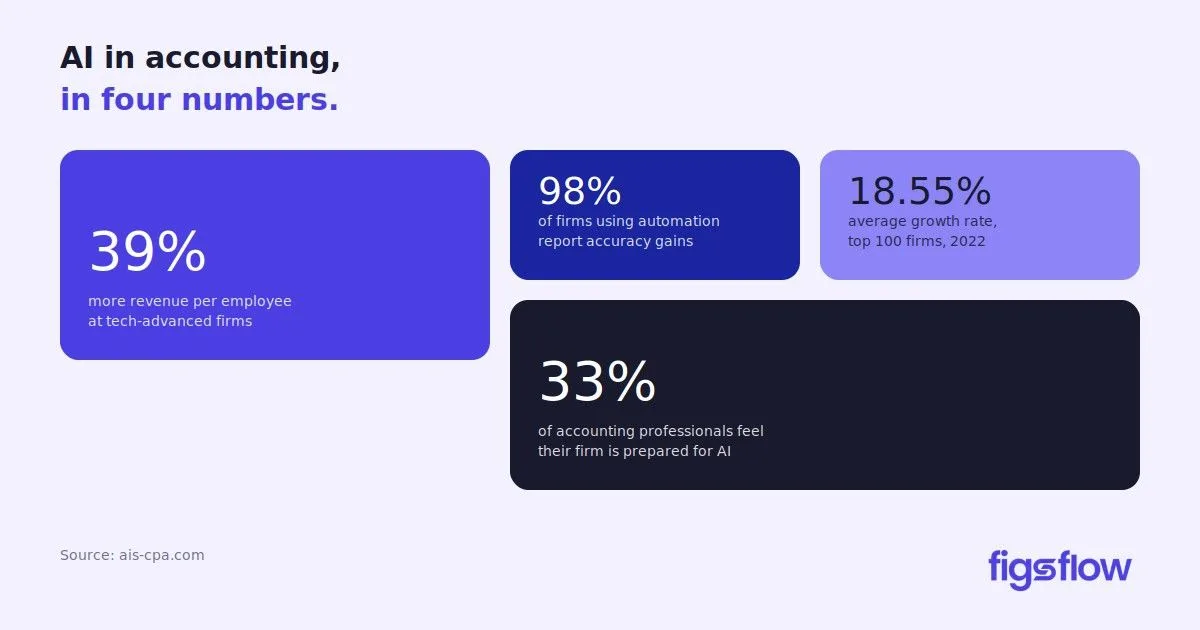
An infographic highlighting features that distinguish real AML software from spreadsheets.

8/12/2025

Top 5 AML Software Features Accountants Should Look For

Top 5 AML Software Features Accountants Should Look For Top 5 AML Software Features Accountants Should Look For Strong Customer Checks (Customer Due Diligence & Enhanced Due Diligence) Real-Time Monitoring & Alerts Detailed Audit Trails & Reporting Easy to Use & Works Well with Other Software Regular Updates & Reliable Support Every AML Feature You Need In One Platform: FigsFlow Conclusion For most accountants in the UK, keeping up with the AML regulations can often feel like a balancing act between compliance and convenience. The rules are harsh and require accountants to carry out thorough checks and ongoing monitoring. And even a single mistake can lead to hefty fines, penalties or even criminal charges in serious cases. This is where AML software becomes a game-changer. It bridges the gap between strict compliance and practical convenience and helps accountants fulfil their AML responsibilities without unnecessary hassle. But there are countless software in the market, each offering a unique set of features at similar prices. This often makes accountants unsure of what matters in AML software, and in many cases, they end up making software choices that don't deliver on their needs. If you want to avoid these mistakes, you will want to read this article, where we've highlighted five essential features every accountant should look for in AML software. One of the most important parts of AML software is the ability to help you properly check your clients. In the UK, accountants must carry out customer checks to make sure they know who they are working with and to spot any risks. This is called Customer Due Diligence (CDD). Sometimes, for clients who are considered higher risk, extra checks are required. This is called Enhanced Due Diligence (EDD). Good AML software makes these checks easier by automating client identity verification through identity documents and addresses. It also compares clients against important lists such as those of politically exposed persons (PEPs) or individuals on sanctions lists. Money laundering activities can happen even after clients have been onboarded, that is to say, even after initial checks have been carried out. So, AML software should keep a constant eye on client transactions and activities. Good AML software are equipped with real-time monitoring features that continuously monitor the client's payments and activities and identify any unusual activity. When the software spots something suspicious, it triggers an immediate alert allowing accountants to act before the situation escalates. Many AML software let accountants customise alert rules, thresholds and risk parameters as well. This helps accountant stay aligned with both internal policies and UK regulatory requirements. Accountants need to keep clear records of all AML checks and actions taken. This is particularly important during enquiries from UK regulators like FCA or HMRC who seek the evidence of compliance with AML requirements. Good AML software records every step in your firm's AML process and creates a detailed audit trail automatically. This audit trail shows who did what and when, making it easy to track all client checks, alerts and reports. Without this, it can be difficult to respond to regulator questions or investigations quickly and confidently. The software should also offer easy-to-use reporting tools. These tools can generate reports that meet UK AML compliance requirements and save you time. Instead of compiling information manually, you can produce professional reports at the click of a button, helping your firm stay organised and compliant. AML software should be straightforward to use. If it's too complicated, your team might avoid using it , which can lead to mistakes or missed checks. AML software should also connect with the other systems your firm uses, like accounting or practice management tools. This saves time by reducing duplicate data entry and helps keep client information up to date across your systems. When AML software works well with your existing tools, it makes the whole process more efficient. Your team can spend less time on paperwork and more time on advising clients, all while keeping your firm compliant with AML rules. AML regulations in the UK change constantly to address new risks and challenges. Your AML tools must keep up with these changes. Software that updates itself with the latest rules, sanctions lists and watchlists helps your firm stay compliant without extra effort. This also allows your team to stay confident that the software reflects the current legal landscape, which is especially important in a fast-changing regulatory environment. Finally, reliable customer support is a big plus. If you or your team have questions or need help adjusting the software to new rules, having quick access to support team ensures questions are answered quickly and issues are resolved efficiently. This reduces downtime, prevents compliance gaps and keeps your AML process smooth. FigsFlow integrates complete AML compliance directly into your client workflow. Here's what you get: Verify client identities digitally using industry standard technology that checks documents against comprehensive databases Screen clients automatically against global sanctions lists, PEP databases and adverse media Run Customer Due Diligence (CDD) and Enhanced Due Diligence (EDD) using purpose-built risk assessment templates designed for accounting practices Schedule automated AML checks for high-risk clients at custom intervals with automatic notifications about changes Maintain detailed audit trails of every AML action with automatic timestamps and complete documentation Beyond AML, FigsFlow handles your complete client journey including proposals, engagement letters, pricing calculations and integrations with Xero, QuickBooks, HubSpot and other tools you already use. Everything happens within a single, accountant-centric workflow. Here's the best part. All of this comes at a price you'd have never imagined, making FigsFlow the perfect fit for practices that want everything they need in one place. It's the most affordable and reliable Anti-Money Laundering solution in the market, yet simple enough for anyone on your team to use from day one. Ready to simplify your AML compliance? Try FigsFlow free for 30 days and experience the complete solution. Selecting the right AML software is key to protecting your accounting firm from financial crime and staying compliant with UK regulations. But with so many options available in the market, finding the right one often feel confusing and overwhelming. The process becomes much simpler if you know what features to look for and compare between different solutions. You can look for features like client checks, real-time monitoring, detailed audit trails, ease of use and reliable customer support. If you're unsure of where to start, we've tested almost a dozen AML options on the market and compiled the list to top 5 AML solutions for accountants . You can use this list as a reference to make an informed choice. How to Complete KYC in Minutes: A Step-by-Step Guide How to Complete KYC in Minutes: A Step-by-Step Guide How to Complete KYC in Minutes: A Step-by-Step Guide Easy to Use & Works Well with Other Software Regular Updates & Reliable Support in AML Software top-5-aml-software-features-accountants-should-look-for top 5 aml software features accountants should look for page Page

A graphic listing ten considerations for switching practice management systems.

8/11/2025

10 Must-Know Tips for Selecting the Right Practice Management System for Accountants

10 Must-Know Tips for Selecting the Right Practice Management System for Accountants 10 Must-Know Tips for Selecting the Right Practice Management System for Accountants 1. Start With Your Business Requirements 2. Make Sure the Practice Management System Supports the Essential Functions of Your Practice 3. Choose A Software That Your Team Will Use 4. Check How Well the Software Integrates with Your Existing Tools 5. Look for Automation Features to Simplify Routine Tasks 6. Make Sure the Software Helps You Stay Compliant 7. Make Sure the Software Can Grow with Your Practice 8. Evaluate the Quality of Support & Training 9. Check the Pricing Carefully & Make Sure It's Clear 10. Choose a System That Offers a Secure Client Portal Conclusion An accountant got excited about the latest AI-powered practice management software. The marketing made it sound like a game-changer, and he invested hundreds of pounds and spent countless hours setting it up. A week into the new system, he realised it was not much different than alternatives freely available in the market. Instead of boosting his productivity, the new software slowed him down, demanded more manual work and disrupted his entire workflow. Now, the accountant is stuck digging through dozens of tools, overwhelmed and frustrated and unsure of which software will fit his firm's needs. If you don't want to fall victim to a similar situation, you will want to read this article where you will get ten tips to help you find a practice management system (PMS) that suits your particular needs. Before you start comparing practice management systems, be clear about what your practice needs are. Ask yourself questions like: How do we invoice our clients? How do we assign and track work? Do we need integrated document sharing? Do we need client portals, e-signatures or secure messaging? Are there any specific workflows we must follow? A solo practitioner may only need a simple task tracker and client database, while a multi-partner firm might need advanced scheduling, team collaboration and reporting tools. Identify the bottlenecks that are slowing you down or causing missed deadlines. This will keep your focus sharp and help you pick the practice management system that solves your key problems. Now that you have identified what your accountancy practice truly needs, consider the practice management systems that can meet these essentials. Focus on core areas that matter most to your practice and ask yourself, "How effectively does this system address my problem?" For example, if you have identified delays in client communication as a bottleneck, check whether the system offers tools like secure messaging or client portals. If handling client data is a challenge, make sure the system provides safe and well-organised document storage and handling. Similarly, if you are facing issues with inconsistent proposal formats, look for a system that supports industry-specific proposals and workflows. The right system is not the one with the most features. It's the one that best supports the way you work. So, prioritise functionalities over features and choose the solution that will address your needs. The best practice management software in the world won't help you if your team struggles to use it. Look for software that is simple to understand and easy to move around. Here's a simple trick we often use to determine how easy-to-use the software is. Open the software and try to complete a basic task without referring to the manual or tutorials. If you cannot do it, it may be too complicated for everyday use. Here are a few things you can watch out for: Are the menus and buttons clearly labelled? Is it easy to navigate the software? Does it take more clicks than you think it should to complete a basic task? Will new staff be able to learn it quickly? Most software providers offer a free trial or a demo. Let a few team members try it out and give their honest feedback before you decide to move forward. Most accountancy practices already have a variety of tools they use for tasks like tax filings, maintaining client records or emailing follow-ups. Your new practice management system should work well with these tools. When your new system connects well with the tools that you already use, it saves time. You won't have to enter the same information in more than one place. It also helps to avoid mistakes and keeps everything up to date. But don't just rely on the list of integrations shown on their website. Those lists often look good, but they don't tell the full story. Take time to read customer reviews, especially the ones rated one, two or three stars. Look at what problems users had with integrations and how the company responded. That will tell you more about what to expect from the system. One of the major advantages of practice management systems is that they can automate routine tasks such as client onboarding, billing, proposal and engagement letter on your behalf. So, start with the list of tasks you would like to automate, such as sending billing reminders, filling in common forms, assigning tasks to the right people, and sending email updates. Then, check how well the software can do it. Regulations surrounding tax and accounting firms change frequently, and failure to comply often leads to serious consequences, including fines, penalties or even criminal charges in extreme cases. So, choose a practice management system that helps you stay up to date and regulatorily compliant. You can look for features such as secure data storage, audit trails and proper record keeping. Also, consider the requirements of the General Data Protection Regulation (GDPR) , local laws, and professional bodies such as ICAEW, ACCA, CIOT and others. You can also ask the software provider how often they update the system to comply with new regulations. Take it a step further and check customer reviews to see if updates are done on time and if users are happy with how the software handles changes. As your practice grows, your needs will change. You might hire more people, work with more clients or offer new services. Your system should be able to grow with you in a way that makes sense and stays affordable. It is normal for costs to go up when you add more users or features. But the software should offer flexible upgrade options. Also, make sure the software company is actively improving the product. They should regularly release updates, fix problems, and add helpful new features that match the needs of growing practices. Find out what kind of help they offer. It may include an on-demand software demo, initial setup, and customer support via phone, chat or email. These make your transition to the new system easier and fix problems quickly if anything goes wrong. Also, look for training materials such as live sessions, video guides or step-by-step instructions. Most software providers lure you in with low prices at first, but charge extra for important features or more users. Others use pricing plans that are hard to understand. So, before you sign up, understand the total cost of the software. This should include licenses, setup charges, support fees, and any limitations. Make sure you know what's included and what's not. Compare the different pricing options to see which one gives you the best value. The right practice management system should fit your budget and be clear about what you are paying for. Make sure the client portal is secure. You can look for features such as data encryption and secure login options to protect client information. This is particularly important if you are dealing with private tax or accounting data. A good client portal helps your firm look more professional and keeps things organised. It also gives your clients a simple and safe way to work with you. With countless tools offering identical features at similar prices, choosing the right practice management system can feel confusing and overwhelming. So, lead with your firm's needs. Look for a system that fits your workflow and solves real problems. You can review customer reviews, explore integration options, pricing plans, and accreditation to narrow the software list to the top three or four options. Then, take a demo and test the software with real work. And most importantly, don't go with someone else's recommendation. You already know that path and where it leads. 10-must-know-tips-for-selecting-the-right-practice-management-system-for-accountants 10 must know tips for selecting the right practice management system for accountants page Page
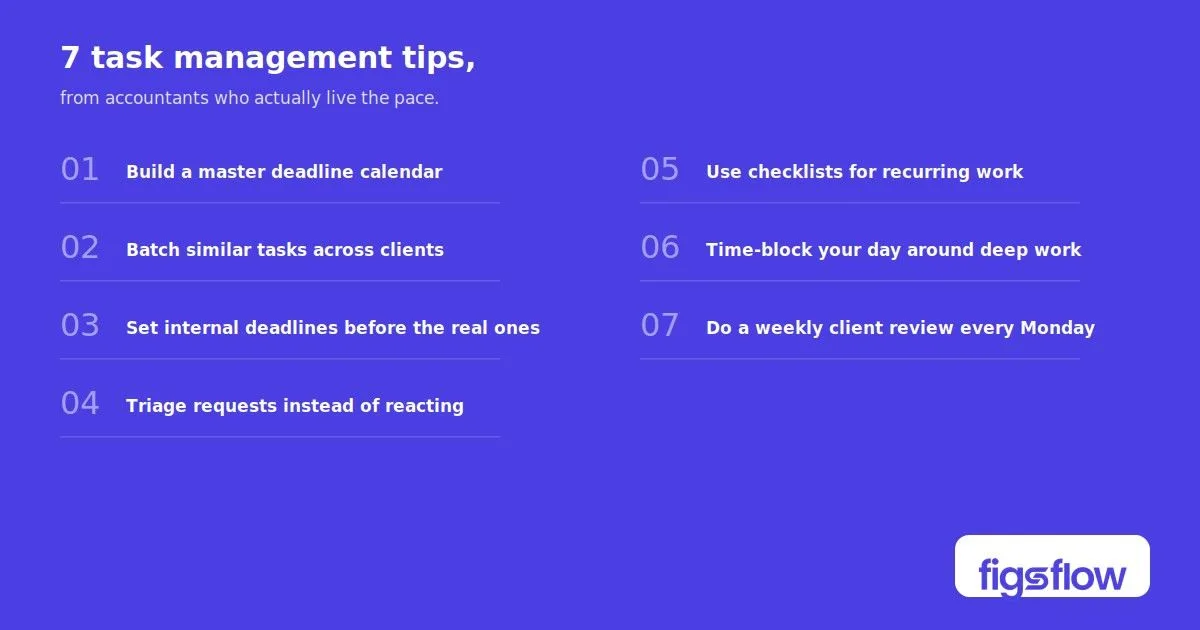
An infographic outlining a process improvement with a stopwatch and lightning bolt graphic.

8/8/2025

How to Ensure AML Compliance in Under 60 Seconds

How to Ensure AML Compliance in Under 60 Seconds How to Ensure AML Compliance in Under 60 Seconds What Are the Core Requirements of AML Compliance? What "AML Compliance in 60 Seconds" Really Means Three Things That Make 60-Second Compliance Possible 1. A Standardised Process 2. Purpose-Built Technology 3. Centralised Records & Notifications How FigsFlow Helps You Get There Conclusion AML compliance rules are, without a doubt, an administrative headache for small business, especially for firms that deal with client money. They take too much time, feel overwhelming, and a small mistake often lead to big consequences. What if you could stay compliant with all those AML requirements in under 60 seconds? All those never-ending piles of paperworks, the checks, the ongoing monitoring- everything done in less than a minute. Imagine how much time and money you'd save. In this blog post, we will show you exactly how to achieve AML compliance quickly and effectively. You will learn what AML compliance really means, what it takes to do it in under 60 seconds, and three key steps to make that possible. Under UK law, firms providing accountancy, tax or related services must comply with the Money Laundering Regulations 2017. HMRC oversees these obligations, and failure to comply can result in fines, penalties, and in serious cases, criminal charges. The main compliance requirements for small firms include: Customer Due Diligence (CDD) – You must verify the identity of your clients before starting work. This includes confirming their name, address, date of birth, and in certain cases, the source of their funds. Enhanced Due Diligence (EDD) – For clients that are considered higher risk such as politically exposed persons or overseas businesses, you must collect more detailed information and maintain thorough records. Risk Assessment – For each one of your client, you need to evaluate the risk level and document the reasons for your assessment. You should consider factors like the type of business, country of operation, and the services you provide. Ongoing Monitoring – Compliance requires regular reviews, especially when there are changes such as new directors, unusual activity, or different services being offered. Record Keeping – You must keep clear records of ID checks, risk assessments and compliance steps for a minimum of five years. Staff Training – If your firm have employees, they must receive training to identify money laundering risks and know how to report any suspicious activity. Policies & Controls – You need a written AML policy and procedures that are specific to your firm. These should reflect how your business operates rather than being a generic template. These requirements may be seen as extensive. However, with the right approach and the right tools , you can complete each of these steps in seconds. AML compliance is ongoing process and doing it right takes time. You cannot just do it once and expect to stay compliant forever. However, you can complete each of the key AML requirements for once in under 60 seconds per client. This is possible with a well-designed system that helps you to: Verify client identity using electronic tools Log risk levels based on your firm's criteria Capture and store compliance documents Keep a clear audit trail for HMRC checks If you carry out these tasks manually, it often takes between 15 to 20 minutes per client. There is also the ongoing need to follow up and chase clients for missing documents. However, with automation and an integrated process, that time drops sharply. In most cases, each task can be done in 60 seconds or even less. You cannot and should not ignore AML compliance, as we have already discussed the grave consequences compliance failure can have. But you can make the process efficient. Efficient AML compliance is not achieved just by working faster. It requires the right system, process and tool that support consistent and accurate results. Here are the three key elements that make it possible to complete AML tasks in under 60 seconds per client: Every client should follow the same step-by-step process. This helps ensure nothing is missed and all checks are completed properly. A clear process should cover: Collecting and verifying identification Assessing client risk Recording key decisions and actions A consistent approach reduces errors and avoids gaps in documentation. Using the right tools is essential. Manual checks are slow and increase the risk of mistakes. Technology can streamline key tasks such as: Verifying identification through electronic ID checks Scoring client risk automatically based on set criteria Storing compliance records securely in digital format These tools help you save time and meet legal standards more effectively. but also help firms meet legal standards more effectively. All AML records should be stored in one central system. This makes it easier to track actions, monitor progress, and respond to audits. Notifications can alert you when reviews are due or when action is required. Having all information in one place helps you stay organised and prepared, especially if HMRC reviews your compliance. FigsFlow includes a complete AML module within its workflow management system. It handles everything from proposals and engagement letters to client onboarding, performance tracking and ongoing AML compliance in one place. Here's how FigsFlow delivers 60-second compliance: Verify client identities digitally using industry standard technology that checks documents against comprehensive databases Screen clients automatically against global sanctions lists, PEP databases and adverse media Assess and record client risk using purpose-built templates designed specifically for accounting practices Schedule automated AML checks for high-risk clients at custom intervals with automatic notifications about changes in risk profiles Store all AML records securely with automatic audit trails for every compliance action Export complete AML logs instantly when HMRC or your supervisor requests evidence FigsFlow turns what used to take 15 to 20 minutes per client into a process that completes in under 60 seconds. The system guides you through each step, captures everything automatically, and keeps your firm audit-ready at all times. Ready to experience proper AML compliance? Try FigsFlow free for 30 days and see how fast compliance can actually be. AML compliance is not going away. In fact, the rules are likely to become even stricter. But that does not mean it has to take up all your time or cause unnecessary stress. With a clear process, automation and the right tools, you can complete AML tasks in under 60 seconds per client. You stay fully compliant without taking shortcuts or making errors. FigsFlow's AML module is built for this purpose. It will give small firms the systems they need to manage compliance with the same confidence as larger firms, but without the high cost or complexity. If you are spending too much time on compliance, now is the time to improve your process. Quick and reliable AML compliance is not out of reach. It is coming soon! how-to-ensure-aml-compliance-in-under-60-seconds how to ensure aml compliance in under 60 seconds page Page

An illustration comparing accounting software to a phone plan.

8/7/2025

10 Expert Secrets to Choosing the Right Accounting Software

10 Expert Secrets to Choosing the Right Accounting Software 10 Expert Secrets to Choosing the Right Accounting Software 1. Start With Your Business Needs, not a Feature List 2. Know the True, Long-Term Cost 3. Use the Free Trial Properly 4. Check How User-Friendly It Feels 5. Make Sure It Can Scale with You 6. Evaluate the Integration Ecosystem 7. Dig Into Support & Resources 8. Review Customisation Options 9. Look Into Mobile Access 10. Don't Ignore Security & Privacy Quick Checklist Before You Buy Conclusion Are you struggling to pick the right accounting software? This guide shares clear tips and a simple checklist to help you choose one that fits your business needs. Buying accounting software is easy. But choosing the right accounting software? That's difficult. And that's where many businesses slip up and pay a hefty price. There are countless accounting software available in the market offering near identical features for similar pricing. While it may sound like a win for small businesses, it often leads firms down one of two traps: they either get stuck in analysis paralysis and choose nothing, or they go with whatever software a fintech influencer recommends on social media. The result is that the software ends up costing way more than expected, slows down everything, and creates more problems than it solves. Here's the worst part. By the time you realise it, you've already wasted hours setting it up, and switching to another software becomes a costly, time-consuming mess. So, what should you do? More importantly, how do you make the right choice the first time? That's exactly what this guide is for. We've broken down 10 expert tips to help you confidently choose the best accounting software for your firm. Sounds good! Let's start with tip no 1. Before comparing software, you need clarity on what your business needs. Ask questions like: How do you invoice customers? Do you manage inventory? Do you need payroll or time tracking? Do you need to work with different currencies? If you're a solo consultant, you probably don't need a complex stock tracking feature. And if you run a retail business with dozens of products, simple invoicing won't be enough. So, take your time and find out what you need. Think about what's frustrating or time-consuming in your current system? Once you have all the answers, make a clear "must-have" vs. "nice-to-have" list. This keeps you laser-focused on one question while you review the software: how well does this software solve my actual problems? Many accounting software providers reel you in with a low monthly fee or a tempting discount. But prices often jump after the first year or when you need more features, users, or data capacity. Also, important features are often hidden behind expensive upgrades or add-ons. What once looked like a full package might cost much more once you add what you need. So, here's what you should do: Look beyond the discounts and find out the regular price Explore the cost of add-ons. Are there extra fees for payroll, additional users, reports, or integrations? Evaluate the time it takes to set up the software and train yourself or your team Think of accounting software like a phone plan. The first bill might look cheap, but the costs add up once you have added data, roaming, and call forwarding. Make sure you understand your true monthly cost before committing. Most popular software options offer a free trial or demo version. Use it wisely. Don't just browse the dashboard simulate by doing the real work, like: Create and send an invoice Import a bank transaction Generate a profit and loss report Test the mobile app Try customer support (yes, seriously) Only by doing hands-on testing can you know if the software fits your day-to-day workflow. Just because it looks nice doesn't mean it will work for you. Good accounting software is made for regular people, not accountants or techies. Such software often features: A clean and simple layout Easy navigation Clear workflows Helpful tips and guidance when you need it Lean layout You'll be using this tool every week, if not every day. So, make sure it feels easy to use. If it frustrates you now, it'll only get worse later. Your accounting software should work for your business today and have room to fit your needs in the next 2-3 years. Look for software that offers different pricing plans. That way, you can start with the basics and upgrade as your business grows. Growth can mean different things, like: Hiring employees (need for payroll and expense management) Selling online (need for e-commerce and payment integrations) Expanding internationally (need for multi-currency support) Taking funding (need for better reporting and forecasting) Planning can save you the hassle and costly switches and keep your business running smoothly. Your accounting software needs to connect smoothly with other parts of your business, such as HR, sales, banking, and operations. It makes your workflow simple and more effective. While looking for accounting software, look for one that directly links with: Your bank so that transactions are imported automatically Your payroll system is used to keep payroll records accurate Your e-commerce platforms, like Shopify or WooCommerce Your CRM, such as HubSpot or Salesforce Your payment processors, like Stripe, PayPal, or Square Integrations save time and help to reduce errors. You don't need to juggle multiple systems or re-enter the same data. You may also wish to integrate the software with your AML workflow. So, be sure to take that into consideration as well. Or, you may opt for a separate AML software . Before choosing any software, it's important to take a closer look at the help options available. You can start by checking if support is included in your plan or if it costs extra. You can also reach out to them via live chat, email, or phone support and try to find out how fast and helpful their responses are. Also, check if they have a help centre with step-by-step guides, how-to videos, or FAQs. These resources can save you time when you run into problems. Some tools also offer access to a network of certified advisors or a wider community. It is helpful, especially if support is slow or unavailable. Your accounting software should fit your business needs. It should be easy to tailor how things look and work based on what you need. So, while looking for accounting software, look for: Custom invoice templates (add your logo, tweak the layout) Adjustable fields in records (e.g., customer tax IDs, shipping notes) Ability to hide or show fields based on your needs Easy ways to add discounts, deposits, or attachments If the software makes basic things difficult or limits your options, it may not be flexible enough for your business needs. Most accounting software offers iOS and Android apps, but the quality and functionalities vary. So, check the reliability of the mobile app. Can you send an invoice from your phone or approve an expense on the go? View sales reports in a meeting? This is particularly important if you often work away from the desk. If so, test the mobile app during your trial period to make sure it meets your needs. Make sure your accounting software keeps your data safe and meets legal standards. Your accounting data includes sensitive info like income, client payments, taxes, payroll, and bank details. So, look for software that offers: Two-factor authentication (2FA) Regular backups Encryption during data storage and transfer Granular user permissions (if you have a team) GDPR compliance Additionally, check the company's security policy. If it's not easily available or hard to understand, that's a red flag. Before you choose any accounting software, run through this 10-point checklist. Have I identified what I need the software to do? Will this software fit my business in 12–24 months? Have I tried the free trial with real tasks? Do I understand what it will cost me (now and later)? Can I customise invoices, reports, and templates easily? Does it integrate with my other business tools (bank, CRM, eCommerce)? Is it easy to use for someone without an accounting background? Are the help resources and customer support reliable and accessible? Can I do key tasks from my phone if needed? Does it follow strong data security practices (MFA, encryption, etc)? If you can confidently say "yes" to most of the above, you're probably on the right track. Accounting software is a control panel for your business. And the right one should save your time, reduce stress during tax season, and provide valuable insights to help you make smarter business decisions. So, don't rush the decision. Use our 10-point checklist (above) to filter in the top 4 or 5 software. Take their demos and run simulations based on your real work environment. Then, choose the one that fits your business needs. And when choosing the right software, you also need to think about choosing the right proposal, pricing and engagement letter software. But that's an easier choice. Check out FigsFlow. It has everything you need. 10-expert-tips-to-choose-the-right-accounting-software 10 expert tips to choose the right accounting software page Page

An illustration of a compliance kit with various items for meeting regulatory requirements.

8/6/2025

How Small Firms Can Affordably Stay Compliant with 2025 AML Rules

How Small Firms Can Affordably Stay Compliant with 2025 AML Rules How Small Firms Can Affordably Stay Compliant with 2025 AML Rules What is New Under the 2025 AML Regime? The Minimum AML Setup Every Small Firm Needs Budget-Friendly Tools to Stay Compliant (Without Hiring a Team) How to Train Your Team Without Spending a Fortune Outsource Smartly (When It Saves You Money) Pro Tips to Keep Costs Low & Compliance Tight Introducing FigsFlow: Your AML Compliance Companion Conclusion New AML rules are here, and if you are not careful, they can put a big strain on your practice's finances. The 2025 AML rules require every firm to carry out customer due diligence, keep detailed records, monitor and report suspicious activity to the National Crime Agency, and have clear risk assessment procedures and policies in place. But here's the thing: most firms are on a tight budget and lack a compliance officer or a dedicated onboarding team. Or worse, they cannot even afford one. Time is short, budgets are tight, and these AML rules are not getting any simpler. So, is this the dead end for smaller practices, or is there a way to stay compliant without breaking the bank? This guide breaks down what's changed, what you need to know, and how you can stay compliant without blowing your budget. The Economic Crime and Corporate Transparency Act (ECCTA) has introduced new identity verification requirements and tighter controls on company filings. These changes are aimed at improving transparency and preventing misuse of UK companies. Here are some key changes that you need to be aware of: All new and existing company directors will be required to complete identity verification Statutory filings with Companies House can be done only via registered ACSPs or verified individuals You will need to register as an Authorised Corporate Service Provider (ACSP) if you help clients file documents or verify their identity AML supervisors, including HMRC, have increased their supervision and now expect more from firms, regardless of their size Train staff regularly on AML risks and procedures Additionally, firms are expected to conduct stricter Know Your Customer (KYC) checks, carry out ongoing monitoring, and file Suspicious Activity Reports (SARs) when necessary. Every firm, including sole practitioners, must have a few core AML setups in place. Failing to meet them can result in penalties, regulatory action, reputational damage, or worse, criminal liability in serious cases. Here's what you need as a bare minimum: A written AML risk assessment that reflects the nature of your services, types of clients, and potential exposure to money laundering risks A Customer Due Diligence (CDD) checklist for onboarding new clients A secure and organised record-keeping system (digital or physical) to store documents securely for at least five years Basic knowledge on how to spot red flags and file a Suspicious Activity Report (SAR) A nominated Money Laundering Reporting Officer (MLRO), who can be the director in small firms A clear and well-documented process for ongoing monitoring of existing clients Documented AML training for yourself and any staff If you get these requirements right, you're already ahead of many small firms that assume AML doesn't apply to them. There are now dozens of AML tools in the market that simplify compliance at a cost that is manageable for most small firms. Many start from as little as £10 to £30 per month and offer custom pricing and features based on the firm's needs. Most platforms offer the basic features such as: Templates for AML risk assessments and customer due diligence (CDD) Identity verification checks Secure document storage and audit trails Pre-filled Suspicious Activity Report (SAR) forms These tools help reduce human error, save admin time, and provide a digital paper trail, which is particularly important in the event of an HMRC audit. You don't need to commit right away. Most providers offer free trials or entry-level packages suitable for solo practitioners. The trick is to pick tools that fit your actual risk exposure and client base, and avoid the complex systems designed for large firms. AML training doesn't need to be expensive. You just need to make sure it happens and is documented. Here are some reliable starting points: HMRC's AML Training Resources: Free guidance and examples ACCA AML Courses: CPD-approved options for members ICAEW AML Hub: Practical guidance and training tips YouTube: Search for "UK AML training 2025" for plenty of short, digestible videos Use Google Forms to create simple quizzes and test understanding AML training must be updated regularly and properly documented. You are required to keep a record of who received the training, when it took place, and the topics covered. This applies even if you are a sole practitioner. Outsourcing can be a practical way to reduce workload and manage costs, especially for labour-intensive processes such as identity checks, document management, and client onboarding. However, outsourcing only works well if the service provider understands UK compliance standards and handles data responsibly. If you are thinking of outsourcing, consider the following points. Hire qualified freelancers for administrative tasks such as data entry or client onboarding support, but make sure they are familiar with UK AML requirements Explore white-label AML services that may offer bundled ID verification, risk assessments, and client onboarding processes. In most cases, it can be more cost-effective than purchasing full AML software packages Choose UK-based or UK-compliant providers. It ensures that they follow GDPR standards and use approved methods for ID verification And most importantly, avoid offshore providers that offer low-cost services but may lack compliance controls or use unreliable verification methods The goal of outsourcing is to support your AML process without adding complexity or risk. If it creates additional liabilities or dumps more problems onto your shoulders, then it is not worth doing. You do not need to spend a large amount to have a compliant AML system. You can have an efficient system that meets all your regulatory needs within the budget. Here are some practical ways to do this: Don't pay for generic templates. Instead, use free templates from HMRC or your professional body for risk assessments and CDD forms Set calendar reminders to review and update your customer due diligence files and risk assessments every six to twelve months Keep your AML records securely and ensure access is restricted and properly managed. For this, you can use cloud platforms such as OneDrive or Google Drive Maintain proper documentation and make use of regulatory-compliant e-signature software like DocuSign or Adobe Sign The ideal way is to subscribe to alerts from HMRC and Companies House or join industry forums and stay updated with the latest updates and policy changes Repurpose existing documents and templates wherever possible All these ensure that you have a cost-effective AML system, and you rely on reputable sources. What's a better way to affordably stay AML compliant than having the most reliable AML tool at your job 24/7 at the cost of 2 Starbucks coffees? We introduce you FigsFlow : the complete onboarding software for accountancy practices that handles client ID verification, AML checks, sanctions and PEP screening, Companies House integration, risk assessments, and ongoing monitoring. It's designed specifically for UK accounting practices to meet both AML and ACSP identity verification requirements simultaneously. It stands out for three reasons: Reliability: FigsFlow automatically verifies government-issued ID against official databases in 30 seconds, screens against major sanctions lists and PEP databases daily, and maintains complete timestamped audit trails ready for HMRC inspections. Affordability: At just £8/month plus £2.10 per ID verification check, FigsFlow delivers enterprise-level AML capabilities without enterprise costs. For a practice onboarding 20 clients annually, that's only £50.40 in verification checks plus the £96 annual subscription, a total of £146.40 per year. No add-ons: Everything you need comes included—pre-built risk assessment templates, automated monitoring with document expiry alerts, secure client portals, integration with Xero, QuickBooks, HubSpot, Stripe, and GoCardless, plus e-signature capability. No hidden fees or premium tiers for essential compliance features. Don't believe us yet? You're an accountant and got to be sceptical. Try FigsFlow free for 30 days. Upload client data, run verification tests, complete risk assessments, and see how the audit trail works. Then get committed to it. Start Your Free 30-Day Trial → Anti-money laundering compliance is now required for all firms, including sole practitioners and small practices. However, it doesn't have to be time-consuming, complicated, or overwhelming. With the right approach, templates, and tools, you can meet your obligations, protect your firm, and stay on top of HMRC and Companies House requirements. So, don't delay. Get your AML foundation in place, automate as much as you can, and stay on top of regulatory developments. It is the best way to avoid costly mistakes and maintain your firm's good name. how-small-firms-can-affordably-stay-compliant-with-2025-aml-rules how small firms can affordably stay compliant with 2025 aml rules page Page

An illustration depicting an identity verification timeline and process for registered ACSPs.

8/5/2025

New Compliance Rules Are Here: Why You Might Need to Register as an ACSP Now

New Compliance Rules Are Here: Why You Might Need to Register as an ACSP Now New Compliance Rules Are Here: Why You Might Need to Register as an ACSP Now What Is an ACSP & Why Does It Matter How to Register as an ACSP (and Common Pitfalls) Identity Verification: What's Changing & When What You Should Do Next Additional Resources A quiet but major shift has taken place at Companies House, and it affects nearly every accountancy firm in the UK. Under the Economic Crime and Corporate Transparency Act (ECCTA), firms that file documents on behalf of clients or want to carry out identity verification (IDV) will need to register as Authorised Corporate Service Providers (ACSPs). While the deadlines are still a few months away, registration has already opened. This change affects everyone handling company filings or client onboarding, irrespective of whether you're a sole trader or a small practice. And being late or getting it wrong can cost your firm time, clients and credibility. An ACSP is a firm that is authorised to carry out identity verification or file certain documents with Companies House on behalf of clients. This includes confirmation statements, incorporation documents and other statutory filings. Until now, anyone could file company documents for clients using their agent credentials. That's about to change. From late 2025, only registered ACSPs will be able to conduct identity verification. By 2026, ACSP registration will be required for all agents filing on behalf of clients. So even if you're not offering identity verification, you will eventually need to register just to continue doing what you already do. But here's where it gets urgent: if you want to help clients with identity verification now, you need to register as an ACSP immediately. IDV became voluntary in April 2025 and will become mandatory for all directors and people with significant control (PSCs) from late 2025. By late 2026, no one will be able to appear on the public register unless their identity has been verified. Companies House now has more power to reject suspicious filings, and it's already doing so. Over 14,000 filings have been blocked since the new rules began rolling out. Registering as an ACSP is fairly straightforward. The process begins with proving that your firm is supervised by a UK anti-money laundering (AML) body like ICAEW, ACCA, or CIOT. Just being a member of a professional body isn't enough. You must be AML-supervised as a firm. If you're not sure, check your annual return. Once you have confirmed that your firm is supervised, you will need to provide accurate information during the ACSP registration. Here's what you need to submit. The exact firm's name recorded by your AML supervisor Your firm's AML reference number (starts with C0 or, in rare cases, A0) Your firm's registered address and email Your company number (if you're a limited company) £55 registration fee Additionally, you're also required to verify the identity of the person submitting the application (e.g., director or sole trader). Do not submit: Personal ICAEW or ACCA member numbers Trading names Location codes starting with L0 Make sure everything you enter matches what's on record with your AML supervisor. If it doesn't match, Companies House can't verify your application, and it will get rejected. Almost 1 in 5 applications are rejected, often because the information didn't match up with records from AML supervisors. Once verified, approval typically takes under two minutes but may vary depending on accuracy and volume. Once approved, Companies House will create an online ACSP account. You will receive a reference number starting with 'AP' and can add users to the account. IDV is the real engine behind this reform. From autumn/winter 2025, any company submitting a confirmation statement must ensure that all its directors and PSCs are identity-verified. If even one person hasn't completed IDV and received a personal code, the statement will be rejected. There are two ways to verify: Directly through Companies House via the One Login system Through a registered ACSP Once verified, the individual receives a unique personal code. This will be required for all future filings. Here's the kicker: If your client's statement is due in December 2025 and one director hasn't done IDV, the submission will fail. So, even if mandatory deadlines feel far off, clients should verify now to avoid delays later. As a firm, you'll also need to verify your directors and PSCs if you're structured as a limited company or LLP. This is required even if you're not offering IDV services to clients. For most firms, offering IDV will not be essential. Many clients will verify directly through Companies House. But if you already have digital KYC processes in place and want to provide IDV in-house, becoming an ACSP early will help you support clients smoothly through this transition. The new compliance rules are not optional. And while not every firm needs to register as an ACSP immediately, almost every firm that files with Companies House will need to register by 2026. The earlier you prepare, the less likely you are to face delays or rejected filings. So, check whether your firm is AML-supervised and has the correct reference numbers. Review your client list and identify who needs to complete identity verification before their next confirmation statement. Encourage those clients to act early to avoid complications later this year. Also, make sure your own firm's directors and PSCs are also verified if you operate as a limited company or LLP. And if you plan to offer IDV services to clients, start the ACSP registration process now. Companies House is continuing to publish updates, webinars, and timelines. Keep an eye on those channels for firm deadlines. These changes are part of a wider regulatory shift. So, stay informed, stay compliant. Learn how to complete client ID verification: Discover the steps to efficiently complete client ID verification for ACSP registration. Explore the top AML software options for accountants: A list of the best AML software solutions to help accountants and ACSPs maintain compliance. Check out these HMRC-approved MTD tools: Find free HMRC-approved MTD software for accountants and tax agents to streamline your compliance processes. Learn more about the Economic Crime and Corporate Transparency Act: Get the full details on the ECCTA and how it impacts ACSP registration. Explore the Joint Money Laundering Steering Group guidance: Read the official JMLSG guidance to ensure your firm stays compliant with AML requirements. new-compliance-rules-are-here-why-you-might-need-to-register-as-an-acsp-now new compliance rules are here why you might need to register as an acsp now page Page

A graphic showing a ranked list of compliance tools with a bar graph.

8/4/2025

Top 6 AML Software for Accountants in 2026

Top 6 AML Software for Accountants in 2026 Top 6 AML Software for Accountants in 2026 Quick Comparison: Top 6 AML Software for Accountants (2026) What Accountants Need in AML Software Top 6 AML Software for Accountants (Ranked and Reviewed) 2026 # 6. SmartSearch # 5. Veriphy # 4. Creditsafe # 3. XAMA Technologies # 2. NorthRow # 1. FigsFlow What Makes FigsFlow #1 AML Software for Accountants? Where to Find These Tools Conclusion Frequently Asked Questions (FAQs) Do accountants need AML software? What does AML software do? What should I look for in AML software? How much does AML software cost? What is the best AML software for accountants? There are more AML software in the market than ever before. And while that sounds like a good thing, it often means wasting hours trying to figure out which one actually works for your firm. Some are too basic. Others are too complex. At the same time, UK accountants are under growing pressure to stay AML compliant. Manual checks are slow and risky and falling behind is not an option. So, we did the hard work for you. After reviewing over 30 tools and testing dozens of features, we've shortlisted the top 6 AML software for accountants in 2025 . These picks stand out for their reliability, ease of use and accounting-focused workflows. Let's jump in. Before diving into the full reviews, here is a snapshot of each tool to help you compare at a glance. Software Best For Pricing Rating FigsFlow All-in-one AML and client onboarding £3+VAT per check or £2.10+VAT per check plus £8+VAT/month ★★★★★ 5/5 NorthRow Reducing false positives Custom pricing ★★★★☆ 4/5 XAMA Technologies Instant ID verification for small firms £2 per credit check (excl. VAT) ★★★★☆ 4.1/5 Creditsafe Multi-source AML checks Custom pricing ★★★★☆ 4.1/5 Veriphy AML compliant client onboarding £0.50 to £99 per check ★★★☆☆ 3.2/5 SmartSearch Ultra-fast ID checks and monitoring Custom pricing ★★★★☆ 4/5 Before comparing options, it helps to be clear on what actually matters when choosing AML software for your practice. Complete compliance coverage The software must include electronic identity verification against government databases, automated sanctions screening across PEPs, watchlists and adverse media, risk assessment tools for both CDD and EDD , ongoing monitoring throughout the client relationship, and full audit trails ready for supervisor review. Workflow integration It should connect to the tools your firm already uses such as Xero and QuickBooks, eliminating duplicate data entry and keeping the client journey seamless from first contact to full compliance. Ease of use Junior staff should be able to handle routine AML checks confidently, with clear guidance on when to escalate. The best tools are built for accountants, not IT specialists. Transparent, scalable pricing The solution needs to work for small and mid-size practices with no hidden fees, a clear return on investment through time savings, and the ability to scale as your firm grows. UK-specific compliance Software must be built around the Money Laundering Regulations 2017, address HMRC supervision requirements directly, and update automatically when regulations change. Generic, repurposed tools simply do not cut it here. Most AML software on the market falls short on at least two of these. Keep this checklist in mind as you read through the options below. Cost: custom pricing based on your firm's needs Ratings: ★★★★☆ (4/5 based on G2) Who's For: UK-based Accounting, Bookkeeping, and Legal firms Best At: Ultra-fast ID checks and proactive monitoring Key Features Verifies client's identity using name, address, date of birth and social security number within seconds. Automates checks for Politically Exposed Persons (PEPs), sanctions, Special Interest Persons (SIPs), and Relatives and Close Associates (RCA) records. Provides global coverage for identity and sanctions check with support for over 200 countries. Provides audit-ready reports with detailed breakdown of checks for regulatory compliance. Automatically trigger Enhanced Due Diligence (EDD) for flagged identities to reduce false positives. Cost: £0.50 to £99 per checks, tailored pricing available on request Ratings: ★★★☆☆ (3.2/5 based on Trustpilot) Who's For: Regulated firms in legal, accounting, finance, banking and insurance sectors Best At: AML compliant client onboarding Key Features Spots high-risk individuals using global watchlists. Confirm identity with face recognition and liveness detection. Automatically checks if the money comes from legitimate sources without the need to check bank statements. Verifies UK and overseas businesses and directors. Offers online AML, KYC, and sanctions training for staff. Cost: Custom pricing Ratings: ★★★★☆ (4.1/5 based on G2) Who's For: Businesses in accounting, banking, finance, gambling, and crypto Best At: Multi-source AML checks at once Key Features Match clients using two independent credit sources for stronger verification. Pull information from 300+ sources like credit bureaus, passports, and utility bills. Assess financial stability and creditworthiness of clients by going through detailed credit reports on companies across the globe. Monitor how businesses pay their bills to identity potential risks. Provides global coverage with access to over millions of businesses and personal records across multiple countries. Cost: £2 (excluding VAT) per credit checks Ratings: ★★★★☆ (4.1/5 based on G2) Who's For: UK-based accountants, bookkeepers, and small professional services firms Best At: Instant identity verification and sanctions checks Key Features Automate AML checks throughout the client journey with smart workflows. Verify identity securely with selfie match and provides a safer remote onboarding. Use built-in risk assessments and Client Due Diligence (CDD) templates for faster checks. Monitor client activity and track source of funds in real time. Offers pre-built policies and template libraries to make you audit ready. Cost: custom pricing based on firm's specific needs Ratings: ★★★★☆ (4/5 based on G2) Who's For: UK-based businesses in finance, legal, real estate, and payroll Best At: Reducing false positives for AML checks Key Features Run instant KYC and KYB checks on individuals and businesses. Verify identity remotely using 13,000+ supported documents. Screen for PEPs, sanctions, watchlists, and negative news in real time. Access global data from 220+ countries and over 1 billion records. Automated alerts for changes in risk status, political exposure, or sanctions. FigsFlow isn't just AML software. It's a complete practice management platform that handles proposals, pricing, engagement letters and client onboarding. The AML module is now live, making it the only all-in-one solution that covers your entire client journey from first contact to full compliance. Cost: £3+VAT/ID check or £2.10 + VAT/ID check plus £8+VAT/month (fixed price) Ratings: ★★★★★ (5/5 based on G2) Who's For: UK-based accounting, Tax Advisory & Bookkeeping firms Best At: Complete client onboarding with built-in AML compliance Key Features Verify client identities digitally using industry standard technology that checks documents against comprehensive databases. Screen clients automatically against global sanctions lists, PEP databases, and adverse media without leaving the platform. Use purpose-built risk assessment templates designed specifically for accounting practices to classify clients as low, medium, or high risk. Schedule automated AML checks for high-risk clients at custom intervals and receive notifications about changes in risk profiles. Generate audit-ready documentation with automatic timestamps and complete trails for every compliance action. Collect and verify proof of address documents through secure client portals with automated database verification. FigsFlow stands out for three reasons: Everything in One Workflow – Handle proposals, engagement letters, service pricing, client onboarding, document collection, risk assessments, and complete AML compliance without switching platforms or juggling multiple subscriptions. Accountant-Centric Yet Easy to Use – Designed specifically for how UK accounting practices operate under MLR 2017, with pre-built templates for CDD and EDD, automatic risk classification, and Companies House integration. Junior staff can complete identity verification and document collection confidently from day one, while senior team members handle risk approval and regulatory reporting with full visibility. Most Affordable and Reliable – Enterprise-level AML capabilities including electronic ID verification, PEP and sanctions screening, beneficial ownership mapping, automated ongoing monitoring, and regulatory-compliant audit trails at a price other solutions can't match. Explore Top AML Software for Accountants – Top 6 AML Software for Accountants in 2025 | FigsFlow Compare leading AML tools built for UK accountants and bookkeepers. Learn how FigsFlow automates checks, risk assessments, and compliance reports. SmartSearch Veriphy Creditsafe XAMA Technologies NorthRow FigsFlow See how FigsFlow simplifies AML for accountants All the AML software listed here are top performer in the market. Each offers strong features and reliability, making them solid choices depending on your firm's needs. That said, if you want an all-in-one solution that combines proposal, pricing, engagement letter, and AML compliance, FigsFlow could be a game-changer. Don't just take our word for it. Try FigsFlow free for 30 days and see if it fits your firm's needs. Yes. Under the Money Laundering Regulations 2017, UK accountants must verify client identities, screen for PEPs and sanctions, assess risk and maintain audit-ready records. Manual checks are slow and inconsistent. AML software automates the entire process, reducing compliance risk and saving time during client onboarding. AML software automates the compliance checks required before taking on a new client. This includes identity verification, sanctions and PEP screening, adverse media checks, risk classification and ongoing monitoring. It also generates audit trails and compliance records ready for HMRC or professional body review. Prioritise UK-specific MLR 2017 coverage, electronic ID verification, automated PEP and sanctions screening, built-in CDD and EDD templates, ongoing monitoring and complete audit trails. Ease of use matters too as junior staff should be able to run checks confidently without specialist training. Most tools charge a monthly fee, a per-check fee or both. Pricing across the market varies widely, with many providers requiring a custom quote. FigsFlow is the most transparent and affordable option, starting at £3 plus VAT per check on pay-as-you-go, or £2.10 plus VAT per check with an £8 plus VAT monthly plan. FigsFlow is the strongest option for UK accounting practices. It combines AML compliance with proposals, engagement letters and pricing in one platform, built specifically for MLR 2017. Every check covers identity verification, PEP screening, sanctions and Companies House verification in a single price with no hidden fees. Top 5 AML Software for Accountants in 2025 Top 5 AML Software for Accountants in 2025 Creditsafe Protect - Top 5 AML Software for Accountants in 2025 XAMA Technologies- Top 5 AML Software for Accountants in 2025 NorthRow AML- Top 5 AML Software for Accountants FigsFlow- Best AML Software for Accountants in 2025 top-6-aml-software-for-accountants-in-2025 top 6 aml software for accountants in 2025 page Page

An illustration showing a checklist related to regulatory compliance with a gavel and documents.

8/1/2025

AML Compliance Failures Can Cost You Thousands. Beware!

AML Compliance Failures Can Cost You Thousands. Beware! AML Compliance Failures Can Cost You Thousands. Beware! What Exactly Does AML Compliance Failure Mean? Regulators Are Cracking Down on AML Non-Compliance What's Changing? A Smarter Way Forward: FigsFlow A law firm in South-East London has recently been fined £114,006 for failures in anti-money laundering or AML compliance. The firm did not break the law. It simply failed to keep its AML paperwork and risk assessments in order. Yet, it got one of the largest fines ever issued by the Solicitors Regulation Authority (SRA). This should be your wake-up call. If you are an accountant, bookkeeper or tax adviser handling client funds, you are expected to follow AML rules and be able to prove that you are following all AML rules. Even if no crime is involved, sloppy documentation can still cost you thousands. So, what exactly went wrong, and how can you avoid the same mistake? Let's understand in detail. Well, in the case of this firm, the regulator found that it had failed to meet two core AML requirements : having proper Policies, Controls and Procedures (PCPs) and conducting Client and Matter Risk Assessments (CMRAs). PCPs are your firm's written rules for preventing money laundering. They explain how you check client duties, monitor transactions and respond to anything suspicious. These need to be kept up to date, reviewed regularly and followed in practice. CMRAs are risk checks you carry out for each client or matter. You assess how likely it is that the client or transaction could pose a money laundering risk. This is not optional. Every case should have a documented risk assessment. In this case, the firm did not have a CMRA form or process in place. Their PCPs were also not fully compliant with current rules . What's more, these problems were not spotted during a client complaint or criminal case. They were flagged during a desk-based review by the regulator's supervision team. And it was enough to result in a six-figure fine. The same expectations apply to you. Regulators are not just looking at what you do. Instead, they want to see how you document your AML efforts. And if you lack proper documentation of AML checks, you have no defence . This incident was not a one-off. In recent months, several firms have been fined for similar AML compliance failures. The problems look familiar: no firm-wide risk assessments, outdated AML policies and poor or missing documentation. In most cases, these are firms that should have known better and were already part of well-known accreditation schemes. Some of the firms fined are members of the Conveyancing Quality Scheme (CQS) or have Lexcel accreditation. Both require strong AML compliance as part of their standards. That did not stop regulators from issuing penalties. It shows that having a badge on your website is not enough if your processes are not effectively implemented. The Solicitors Regulation Authority (SRA) is now taking a more proactive approach. It is not just responding to reports or client complaints. It is reviewing firms directly, checking how their AML systems hold up and acting where they fall short. No one is immune. Whether you are in legal services, accounting or elsewhere, the message is clear: If you handle client money, you need to have your AML house in order. And you need to be ready to prove it. Accountants, since they handle money directly, should understand AML and KYC requirements in detail. There has been a small but important change to the UK's anti-money laundering rules. From 31 July 2025, the threshold for submitting a Defence Against Money Laundering (DAML) report has increased from £1,000 to £3,000 . This means if you suspect a transaction that involves criminal property under that amount, you no longer need to file a DAML request before proceeding. A DAML report is a part of a suspicious activity report (SAR). It's what you file when you suspect a client is trying to move dirty money and you want consent from the National Crime Agency before continuing the transaction. With the new threshold, small routine payments are less likely to trigger this reporting process. For bookkeepers, this means you can now return small deposits or payments on account even if the relationship ends abruptly without filing a report, as long as the value is under £3,000. But let's be clear. This is not a free pass to ignore suspicious activity. AML compliance is still required at the entry level. You still need to check who you are dealing with, assess risk and document your decisions. The only change is that the rules are now slightly more flexible for low-value transactions. In short, there is less paperwork for minor issues. But the overall responsibility is still the same . FigsFlow has launched a built-in AML module designed specifically for accountants, bookkeepers and tax advisers. Client onboarding, risk assessments, sanctions screening and ongoing monitoring all happen in one place. Every action generates an automatic audit trail, giving you instant proof of compliance when regulators come knocking. FigsFlow stands out for three reasons. It's the most affordable AML solution available without cutting corners on features. It eliminates the need to juggle multiple platforms by handling proposals, engagement letters and complete AML compliance in a single workflow. Despite being purpose-built for accounting practices, any team member can use it confidently from day one. Regulators are reviewing firms proactively. They check AML systems directly and issue fines where documentation falls short. The time to get compliant is before they ask, not after. Ready to protect your practice? Try FigsFlow free for 30 days and see how proper AML systems should work. No credit card required. Full access to everything. aml-compliance-failures-can-put-you-in-serious-trouble aml compliance failures can put you in serious trouble page Page

An illustration featuring a laptop and notes with text about accountancy services.

7/31/2025

5 Best Ignition Alternatives for Accountants 2026 (Cheaper + Better)

5 Best Ignition Alternatives for Accountants 2026 (Cheaper + Better) 5 Best Ignition Alternatives for Accountants 2026 (Cheaper + Better) What Is Ignition & Why Would Accountants Need to Look for Alternatives? #1. FigsFlow What Does FigsFlow Offer? Coming Soon: AML & ID Checks How Much Does FigsFlow Cost? Try FigsFlow Free for 30 days What Are Users Saying About FigsFlow? How FigsFlow Compares to Ignition #2. PandaDoc What Can You Do with PandaDoc? How Much Does PandaDoc Cost? What Users Say About PandaDoc? How PandaDoc Compares to Ignition #3. Proposify What Does Proposify Offers? How Much Does Proposify Cost? What Are Users Saying About Proposify? How Proposify Compares to Ignition #4. Qwilr What Does Qwilr Bring to the Table? How Much Does Qwilr Cost? What Are Users Saying About Qwilr? How Does Qwilr Stack Up Against Ignition #5. SmartPath What Does SmartPath Offer? How Much Does SmartPath Cost? What Are Users Saying About SmartPath? Decision Flowchart: Which Ignition Alternative Is for You? Further Reading Conclusion: FigsFlow the Best Ignition Alternative Try FigsFlow Free for 30 Days Frequently Asked Questions (FAQs) What is the best Ignition alternative for accountants? What is the best Ignition alternative for bookkeepers? What is the best Ignition alternative for tax advisers? What is the best Ignition alternative for freelancers? Ignition offers a lot of things, but it does not offer everything. Accountants, in particular, may hit several stumbling blocks and limitations. And if you're one such accountant, remember that you're not options. Because there are several Ignition alternatives available in the market. But which ones are the best? Well, we tried them out and evaluated them on the following criteria and now, bring to you the top 5 options. Proposal & Engagement Letter Creation – How well the tool creates and customises proposals and engagement letters? Service Pricing Quotability – What kind of a pricing calculator does the tool possess, if any, and how flexible is it? Customer Reviews & Support – What do users say about the tool? How good is the customer support? Accountant-Centric Workflow – Is the software specifically built for accountants or is it repurposed? Does it integrate with other accounting tools? Cost – Does it offer a fair value for money? Are the prices transparent and affordable for solo accountants and small to mid-size practitioners? Ignition (formerly Practice Ignition) is a cloud-based client engagement and billing platform that helps businesses send proposals, automate signoffs and collect payments. But while many users appreciate Ignition, equally many accountants are starting to feel the friction. For starters, Ignition's pricing is on the higher side, especially for sole practitioners and small firms trying to control overheads. On top of that, many complain that customisation options for proposal and engagement letters are limited. Firms wanting to take more control over client portals and branding often find Ignition lacking. Users have also pointed out some "annoying" usability gaps in Ignition. For instance, clients can't reject proposals directly and linking with Stripe is often tricky. Also, customer support is not always consistent. There have been cases where users have reported delays in getting issues resolved. In short, accountants and accountancy firms are looking for better value, more flexibility and cleaner integrations. That's why they are exploring alternatives to Ignition. FigsFlow is a proposal, pricing and engagement software for accountants, bookkeepers and tax advisers. From professional proposals and engagement letters to e-signatures and end-to-end onboarding, FigsFlow covers it all, and offers full integration with Xero, QuickBooks, Stripe, HubSpot, Companies House and more. FigsFlow is built around the simple motto: Compliance and convenience should not be the trade-off for accountancy, tax advisory and bookkeeping firms. At FigsFlow, our mission is to simplify how accountancy firms start and grow client relationships – with professional proposals, regulatory-compliant engagement letters, an advanced pricing calculator, and seamless client onboarding, all in one place. It's everything we wish we had when working every day. –Raju Gajurel, CEO & Founder of FigsFlow Unlike Ignition which caters the needs of broad professionals, FigsFlow is laser–focused on accountants and offers greater accountancy-focused features at a fraction of the cost. FigsFlow is designed to help accountants handle the entire client onboarding process, from proposals and pricing to AML checks and analytics, all in one place. Here is everything you get with FigsFlow. 100+ pre-built proposal and Letter of Engagement templates for a range of accounting services Regulatory-compliant LOE templates that meet the requirements set by UK and global regulators (ACCA, AAT, CIOT, ICAEW, ATT, CIMA and more) Advanced pricing calculator that offers scientific pricing based on firm's size, services, discounts and other relevant parameters Works with Stripe, QuickBooks, Xero, HubSpot, Companies House, Zapier and more Built-in e-signature tools, no need to look for third party apps Option to create multiple LOEs for a single proposal and create engagement letters and proposals separately with just a click In short, FigsFlow offers everything accountants and accountancy firms can ever think of without compromising on speed, compliance and client experience . No more jumping between platforms. FigsFlow is introducing built-in AML and KYC modules, so you can screen clients, meet compliance requirements and keep your onboarding in one clean workflow, with no extra tools or hidden costs. FigsFlow offers four pricing plans (prices given for the yearly plan) designed to suit firms of all sizes and with varying needs. The Starter Pack at £8 per month perfect for firms with basic needs Essentials at £24 per month for sole practitioners and small firms Standard at £60 per month delivers exceptional services to small and medium accountancy firms The Professional Pack at £120 per month perfect for larger firms FigsFlow offers a full 30-day free trial . No credit card. No commitments. Just a full month to see how FigsFlow helps you and your firm soar. FigsFlow has earned stellar reviews across the board, with many praising its ease of use, delivery of professional proposals and engagement letters in seconds (yes, in seconds!) and responsive client support. FigsFlow is designed by working accountants for working accountants and it clearly shows. That said, few users have asked for improvements. Here's how it stacks up: Trustindex: 4.9★/5 G2: 5★/5 Here's what the users are saying. FigsFlow has completely streamlined how we create and manage engagement letters. The templates are professional, customisable, and save us so much time. Love the automation and how easy it is to stay compliant—highly recommended for any tax or accounting firm! – Jones Zel I absolutely love the built-in e-signature feature! It chases signatures for me automatically, so I don't have to follow up manually. Such a time-saver — clients sign faster, and I stay stress-free! – Crystal Kuro We'd like to thank Dipesh for the FigsFlow demo and onboarding. He was fantastic! Dipesh remained patient and guided us through setting up our accountancy firm profile. – Reynn Zion The software is super easy to use—customizing templates, sending documents, and getting client approvals all happen in no time. It's professional, efficient, and takes the hassle out of managing client interactions. Perfect for saving time and staying organized! – Bdodge Malik FigsFlow packs all the core features of Ignition and delivers them and more at a much lower cost. While Ignition starts at £29/month, FigsFlow's plans begin at just £8 per month. Let's break it down: Evaluation Criteria Ignition FigsFlow Proposal Creation ✅ ✅ Engagement Letter Creation ❌ (cannot send LOE separately) ✅ (can send LOE separately) Customer Reviews 4.7/5 (G2) 5/5 (G2) Service Pricing Calculator ❌ ✅ Accountant-Centric Workflow ❌ ✅ Cost (Value for Money) ❌ ✅ For a more in-depth comparison, check out our full Ignition vs FigsFlow analysis. Bottom Line: Who Should Use FigsFlow? FigsFlow is purpose-built for accountants, bookkeepers and tax advisers looking for an all-in-one onboarding platform that handles proposals, engagement letters, pricing, e-signatures and analytics all in one place. PandaDoc is more than just a proposal tool. It is a full agreement management solution that helps businesses build trust and close deals faster. From proposals and quotes to contracts and e-signatures, PandaDoc handles everything with simplicity and speed. PandaDoc is designed to help businesses manage proposals, contracts, quotes and agreements from start to finish. Here's what it brings to the table: Create and customise professional proposals using templates and drop-and-drag tools Legally binding built-in e-signature that let clients sign documents quickly and securely Automate approvals, tack document status and use reuseable content blocks to save time Integrations with tools like QuickBooks, Xero, HubSpot, Salesforce and Stripe Enjoy a clean interface and fast setup Plan Price (When Billed Annually) Features Starter $19 per month Unlimited uploads, e-signatures, drag and drop editor, real-time tracking, and 24/7 support Business $49 per month Everything in Starter plus custom quotes, CRM integrations, branding options, approval workflows, deal rooms, and bulk sending Enterprise Custom Everything in Business plus advanced automation, team workspaces, SSO, API access, and more PandaDoc also offers 14-day free trial, no credit card required. Users appreciate PandaDoc's rich feature set and helpful customer support. Many users find it easy to create and track documents with PandaDoc and like that it offers a variety of templates. But not everything is rosy. Many users have raised concerns about its pricing. Others have mentioned the need for more integration and better customisation options. Also, occasional bugs and glitches have been reported which have soured user experience. With that said, let's see how PandaDoc is rated in major review platforms. Trustpilot : 3.2★/5 G2: 4.7★/5 Here's a quick look at real user feedback: Changing plans and limiting features just to force you into the next bigger pricing plan - and then writing notifications full of bs to try to disguise it. Embarrassing. At least be honest about your intention. Strong recommendation for you who reads this: Select another provider - plenty of providers out there, only a search away. – Fabio Glitches sometimes and will erase my entire contract. Also need to need to completely close the window to do another contract. – Viacheslav PandaDoc focuses on document automation and eSignatures, making it great for sales and marketing teams. Compared to this, Ignition does appear better suited to the needs of accountants and other professionals. PandaDoc is best for flexibility and scale and Ignition for straightforward client approaching. Bottom Line: Who Should Use PandaDoc? PandaDoc is ideal for sales teams, consultants and general service providers who want to streamline proposals, automate document workflows and impress clients with sleek and professional documents. However, it may not be the right fit for accountants seeking regulatory-compliant engagement letters. Proposify is a proposal software that helps businesses create, send and track professional sales documents, including, but not limited to quotations, proposals and contracts. With its core mission to "help businesses win more clients with professional proposals that build credibility and close faster," Proposify aims to simplify your sales workflow without compromising on professionalism. Proposify is built for sales teams and service-based businesses that want to streamline how they pitch and close deals. Its key features include: Drag and drop editor for proposal API access for custom setups AI checks for spelling and grammar CRM integrations like Salesforce and HubSpot In short, it offers everything a sales team needs to close the deals quickly. Proposify offers three paid plans (prices when billed annually) to suit different business needs. Basic ($19 per user per month ) Includes 1 collaborator, content library, e-signatures, payment and basic metrics. Best suited for small businesses. Team ($41 per user per month) Includes everything in the Basic plan plus integrations, 3 collaborators, custom URL, custom fields and auto reminders. Business ($65 per user per month) Includes everything in Team plus 5 collaborators, user roles, approval workflows, SSO, multiple workspaces and API access. All plans come with a free 14-day trial. Proposify gets high marks for its clean interface and beautiful proposals. Users on G2 praise its customisation tools and visual polish. But it's not all smooth sailing. Many users have raised red flags around support quality and platform reliability. One reviewer noted, "The software is clunky, but the real issue is the complete lack of customer support." Here's how Proposify is rated across the major review platforms. Trustpilot: 2.4★/5 G2: 4.6★/5 Here are a few Trustpilot reviews: Paid for Q1. Got locked out of my account by the company with a 403 forbidden error at a critical time when I needed to get a proposal out. Cancelled the service and they would not refund a penny. – Matthew Lynch I used it for a few years. It was clunky, and the Foujnder was terrible at customer service. Things improved on the customer support front when he got staff, but the platform itself was not easy to use. My team finally made me get rid of it. It was costing us more time than it saved us. – Susan Mclennan Proposify gives lots of design options and tracking features and lets you create visually polished proposals. Meanwhile, Ignition lets you handle proposals, onboarding, billing and some compliance stuff within the same workflow. Bottom Line: Is Proposify Right for You? Use Proposify if you care about design and branding, want to send customisable proposals quickly, and need interactive pricing and real-time tracking. But skip it if you need deep compliance tools or premium customer support. In short, Proposify is a great fit for sales-driven teams that want to look sharp, move fast and win more deals. Qwilr is a web-based proposal software that best serves sales teams and client facing professionals. Its stated mission is to help businesses close deals faster by converting their traditional documents into dynamic webpages. Qwilr aims to make proposals more than just PDFs with a few bells and whistles. It transforms them into engaging web experiences. Here's what you get: Built-in e-signatures and payment collection Integration with HubSpot, Salesforce, Zoho, Pipedrive and QuickBooks Drop-and-drag editor API access for custom workflows Secure platform with SOC 2 Type II compliance Built-in content blocks and layouts for quick setup In short, Qwilr is all-in-one onboarding platform. It helps to create professional proposals, track client activity and collect payments. Qwilr offers two main plans. Their details (in annual package) are given below: Business plan ($35 per person per month) It includes features like proposal builder, e-signatures, QwilrPay for collecting payments, page analytics, and integration with HubSpot, Zoho and Pipedrive. Enterprise plan ($59 per person per month) It includes everything included in Business plan plus a dedicated account manager, identity verification, custom branding, domain-level access restrictions and advanced template settings. This plan needs minimum of 10 users and can only be billed annually. Qwilr gets high marks for aesthetics and ease of use. Users love how fast they can put together client-ready proposals that look like they've been professionally designed. One user even mentioned, " Qwilr is the hands down best solution out there for creating stunning proposals, sales documents, and client presentations." That said, Qwilr isn't without its drawbacks. Some users have expressed frustration with the platform's limited customisation, especially when it comes to fonts and colours. Others pointed out issues with integrations, particularly HubSpot. Qwilr holds a 4.6★ rating on G2. It does not appear to be present on Trustpilot. Here's what the users are saying . The main benefit I get from Qwilr is that I can put together a beautiful proposal really quickly and know that it will look amazing to my clients. I also love the analytics and the integrations – Rapheal T No updates for the past few years probably. They have three different options of font customization and five different colors - that's it. – Sergii P It can be a little difficult when arranging things within a section. – Carter F Qwilr is built for creating interactive, professional and well-designed proposals and sales documents. Ignition on the other hand is built to handle client engagement, including contracts, billing and payments. If you want sleek proposals that convert easily, Qwilr is the perfect choice. But if you are looking to automate onboarding, billing and client reminders, Ignition is the best choice. Bottom Line: Who Should Use Qwilr Qwilr is best for digital marketers, creative agencies, freelancers, sales teams and tech start-ups attributed in industries where presentation and branding matter the most. However, it's not ideal for accountants or legal professionals who require legally binding engagement letters or compliance heavy documentation. SmartPath is a client engagement and pricing platform specifically built for accountants and tax professionals. Its main goal is to help firms confidently price services, streamline onboarding, and improve client communication. SmartPath mainly offers pricing intelligence. Key features include: Client service calculator that assesses client needs and automatically matches them with the right service package Client pricing link that lets clients self-assess their needs, view tailored services and even auto enroll or book a meeting Automated dashboard, e-signatures, payment collection and document sharing Smart package creator that bundles services tailored to each client's situation Interactive client roadmaps that help clients understand what they are getting and why it matters Custom branding that allows firms to present a professional experience throughout the client journey In short, SmartPath helps eliminate guesswork from pricing. SmartPath offers three pricing tiers, which, when billed annually, are as follows: Engage ($76 per month) It includes quick start onboarding call, dynamic fee schedule, smart package creator, custom branding, built-in e-signatures and payments, interactive client roadmaps and more. Advise ($180 per month) This is the most popular plan. It includes everything in Engage plus client analysis report, on-demand strategic advisory training, strategic advisory certification, client advisory worksheets, checklists and scripts. Growth ($316 per month) This plan gives access to live monthly group calls, expert onboarding, plug-n-play WISP templates and up to 5 user access. Many users like SmartPath for its user-friendly interface and ease of use. Also, employees have rated the company positively with an average of 4/5 stars on Glassdoor. It shows both the product and the general working experience within the company are good. However, some users have reported issues. The Better Business Bureau (BBB) has assigned SmartPath Debt Relief Inc a C+ rating citing a failure to respond to a complaint filed against the business. It suggests that customer service responsiveness is weak. Bottom Line: Who Should Use SmartPath SmartPath is primarily built for accounting and advisory firms. But this tool caters to the needs of other professional service providers as well. Thus, accountants, tax professionals, bookkeepers, CFO and other professional service providers can use SmartPath. However, it might not be fit for firms that require legally compliant engagement letters (e.g. AICPA, ICAEW) or rely heavily on custom, one-off engagement or legal documentation. If you found this guide useful, these articles are worth your time. 10 Best Engagement Letter Software for Accountants in 2026 What Accountants Need to Look for in Engagement Letter Software Engagement Letter Software That Connects to Your Workflow Stop Wasting Hours: Automate Engagement Letters with FigsFlow There's no one-size-fits-all answer when it comes to choosing the best Ignition alternative. It all comes down to what your firm needs most — compliance, design, pricing or end-to-end automation. That's why, before choosing a software, ask yourself: What am I looking for in an alternative to Ignition? Why am I choosing an Ignition alternative? Is it because you need regulatory-compliant engagement letters? Do you want a refined workflow? Are you annoyed by limited flexibility? But, while there's no one ultimate solution that delivers everything, FigsFlow does come close. Built for accountants, it ticks all the boxes, from UK and international compliance to seamless onboarding and customisation. Of all the Ignition alternatives discussed here, it ranks the highest. Still weighing up your options? Let FigsFlow show you what it can do. No credit card. No commitments. Just 30 days to see how it simplifies your proposals, engagement letters and client onboarding from day one. Start Your Free 30-Day Trial → FigsFlow is the best Ignition alternative for accountants. It is purpose-built for accounting firms, with regulatory-compliant engagement letters, an advanced pricing calculator, built-in e-signatures and seamless onboarding — all in one place. Templates meet ACCA, ICAEW, AAT and CIOT standards. Plans start from £8 per month, making it accessible to sole practitioners and growing firms alike. FigsFlow is the strongest choice for bookkeepers. It includes pre-built engagement letter and proposal templates for bookkeeping services, a pricing calculator that accounts for transaction volumes and VAT status, and automated e-signature reminders. It is affordable, compliant and built around how bookkeepers actually work. FigsFlow is built for tax advisers. Its engagement letter templates meet CIOT and ATT standards. Advisers can create separate letters of engagement per service, send proposals and LOEs independently and manage full client onboarding without third-party tools, at a fraction of what Ignition costs. It depends on what you do. Freelance accountants, bookkeepers and tax advisers will find FigsFlow the most practical option — it is affordable (from £8/month), quick to set up and designed around exactly the kind of one-to-one client relationships that freelancers manage. Freelance digital marketers and creative professionals will be better served by Qwilr or PandaDoc, both of which offer polished, visually engaging proposals suited to sales-driven work. Top 5 Ignition Alternatives for Accountants in 2025 Top 5 Ignition Alternatives for Accountants in 2025 Top 5 Ignition Alternatives for Accountants in 2025 Top 5 Ignition Alternatives for Accountants in 2025 - Copy Top 5 Ignition Alternatives for Accountants in 2025 - Copy Top 5 Ignition Alternatives for Accountants in 2025 SmartPath- Ignition Alternative in 2025 Top 5 Ignition Alternatives for Accountants in 2025 top-5-ignition-alternatives-for-accountants-in-2025 top 5 ignition alternatives for accountants in 2025 page Page

An infographic outlining changes to the EU AI Act and steps for accountants.

7/23/2025

EU AI Act Kicks In: What Accountants Must Know Before August 2

EU AI Act Kicks In: What Accountants Must Know Before August 2 EU AI Act Kicks In: What Accountants Must Know Before August 2 The AI Countdown Begins What Changes on 2 August with the EU AI Act Accountability Goes Beyond Vendors AI Compliance Starts at Top Conclusion: Act Now or Fall Behind Starting August 2, accounting firms will no longer be allowed to use certain AI-powered tools thanks to the EU AI Act. This includes software that scores client risks, detects fraud, flags unusual transactions or automates onboarding. If AI is part of how the tools works, you may need to stop using it or meet strict new rules. Most firms are not ready for this. Many do not even know which tools use AI or what risks they carry. But under the new rules, there is no excuse. So, what exactly changes on August 2? Let us break it down. The European Union Artificial Intelligence Act kicks (EU AI Act) in on 2 August 2025 . And it is going to change how accountants use AI . Under this new rule, you will be responsible for how AI is used in your firm. Even if the software was built by others, the liability is still yours. This marks the need to rethink how accountants, bookkeepers and tax advisers handle data, assess risks and manage records. Also, some AI tools will be banned from day one. And for other AI tools, firms must assess their risk levels and apply proper documentation and oversight. This is the start of something big on how AI is used and it is the right time to get ready. On 2 August 2025, the EU AI Act officially begins. The first phase brings in two major changes for accounting firms. Ban on Prohibited AI Systems – Certain types of AI systems will no longer be allowed in EU. These include tools that try to manipulate how people behave, target vulnerable users or process biometric data in harmful way. Such systems are now off-limit whether used for clients or internal operations. Firms Must Review the AI They Use – Even if your firm did not build the AI tool, you are still responsible for how it is used. If you use software that scores client credit, flags unusual transactions or automates risk checks, you need to find out if it is "high-risk" under the EU AI Act. If the AI helps to make decisions that affect people's rights, money, or access to services, you must understand how the AI work, apply more oversight, and keep proper documentation. You cannot pass the blame to the vendor. Every firm must know what AI does, how it works and what risk it brings. Remember, tools that once helped you save time can now come with legal risk if you do not check them properly. You cannot blame the software maker now under the EU AI Act. Your firm is responsible for knowing what the AI tools does and how it works. Here are the steps every accounting firm should take now: Map all AI tools your firm uses across every software and platform Classify the risk of each AI tool. Find out if it is "high-risk" and needs special handling Ask vendors for documentation about the AI's training data, how it behaves and what controls they have in place Assign someone internally to take charge of AI compliance. This person should make sure human review happens where it matters Keep records that show you are following the rules and reviewing AI outputs responsibly Remember, AI results often need human checks. That means some of the expected time savings will be lost to careful insights, especially in areas like reconciliations, reports and audits. The EU AI Act not just target tech teams or compliance staff. It holds firms accountable at the top level. Senior leaders must now understand where AI is used in their workflows , what risks it introduces, and who is responsible for managing it. The law also expects firms to assign oversight to people with real authority, not just anyone with a tech title. This means partners and directors must be involved in AI decisions. From approving governance policies to understanding risk categories, leadership needs to know what is happening under the hood. In short, if you use AI, your partners need to speak the language. If you use AI, you will need to follow the EU AI Act. The EU AI Act is no longer a future concern. It starts on 2 August and waiting could put your firm at risk. Even if the AI is hidden inside a third-party tool, your firm is still responsible. You need to know what it does, how it works and what risks come with it. Firms that act early will have more control and fewer surprises. Those who ignore it could face fines, penalties, damaged reputation, or worse lost business opportunities. So, now is the time. Know your tools. Ask the tough questions. Keep records and stay ready. Meanwhile, if you want to automate your workflow and generate proposals and engagement letters in seconds, choose FigsFlow . eu-ai-act-kicks-in-what-accountants-must-know-before-august-2 eu ai act kicks in what accountants must know before august 2 page Page

An infographic detailing how AI is transforming the role of accountants.

7/21/2025

How is AI Reshaping the Work of Accountants?

How is AI Reshaping the Work of Accountants? How is AI Reshaping the Work of Accountants? What's Changing with AI in Accounting What Skills Accountants Will Need Next How ACCA Views the AI Shift Conclusion AI is not coming after accountants. It's already here doing a large chunk of the work accountants do every day. Tasks like invoice entry, reconciliations, data checks and forecast which once took hours for accountants are now done in minutes using AI. And they're more accurate too. So, is your job at risk? Not exactly. But it's evolving fast, and many accountants will be left behind. As per the Association of Chartered Certified Accountants (ACCA), those who adapt, upskill and learn to work alongside AI will be the ones reshaping the future. Here's what's changing and how accountants can stay ahead of it. AI is changing what accountants actually do. It is automating routine, rule-based tasks like tax calculations, data entry, invoice processing, compliance checks and even some predictive analysis. Machine can now handle these faster and more accurately than humans. Additionally, audit and assurance are evolving too. Unlike human accountants who audit the sample data, AI can scan all transactions, flag risks and unusual patterns and make audits more thorough and efficient. These are not just minor changes. They are a complete redefinition of the profession. But here's the catch: advisory work, data interpretation and ethics-based decisions can't be handed off to machines. It changes how accounting tasks are divided between machine and human accountants. As AI takes care of the routine task, accountants can now focus more on advisory roles and help clients make strategic decisions. It makes accountants more valuable than ever. In short, AI is making accounting more insight-based and judgement driven. Those who embrace the change will get ahead . Proficiency in Excel won't cut it anymore. Accountants will need to understand how AI tools work, how to use them and how to apply them to real business problems. Critical thinking and good judgement are also important. AI might handle numbers but they can't make decision based on ethics and business context. So, accountants will need to think critically, evaluate the information AI provides and decide on what it means for the business. Additionally, you will need to explain AI findings to clients who might not understand the technology. Your ability to turn technical information into a simple advice will set you apart. And finally, accountants must be ready to keep learning. AI and automation will keep changing the way we work. If you don't update regularly, you risk falling behind. In short, accountants need to use AI to its full potential and sharpen their judgement and communication skills. AI is not taking away the jobs of accountants. But it's reshaping the roles. According to Alistair Brisbourne, ACCA's head of technology research: "Professionals who can embrace uncertainty, develop strong judgement skills and continuously adapt their expertise will thrive even as specific tasks change or become automated." Also, this is not the first time accounting profession have gone through a tech shift. And every time, accountancy has prospered by its intelligent and enthusiastic adoption of the latest technology. ACCA highlights four major shifts AI will bring to accounting work. Less Routine Work – AI will automate routine tasks like data entry, reconciliations and data validation. More Strategic Input – Accountants will focus more on advising, interpreting data and supporting business decisions. Evolving Mid-Level Roles – These roles will require stronger judgement, collaboration and client interaction. New Responsibilities – Accountants will need to manage AI tools, check outputs for accuracy and ethics and ensure compliance with professional and regulatory standards. In short, accountancy is moving from task-based to insight driven. And those who adapt fast and upskill continuously will survive and thrive in this AI revolution. The future of accounting is not man versus machine. Instead, it's man with the machine. AI will do all the heavy lifting from data processing, routine admin to pattern recognition and compliance checks. But it needs direction, and accountants will be the ones guiding it. So, the real opportunity lies in how accountants respond. Those who upskill, adapt and learn to work with AI will be in high demand. And those who resist the change will fall behind. how-is-ai-reshaping-the-work-of-accountants how is ai reshaping the work of accountants page Page

A visual comparison of PandaDoc and FigsFlow with scores in a head-to-head format.

7/17/2025

PandaDoc vs FigsFlow: The Only Comparison You Need to Read

PandaDoc vs FigsFlow: The Only Comparison You Need to Read PandaDoc vs FigsFlow: The Only Comparison You Need to Read Introducing: The Two Solutions Which Tool Puts Accountants First? Bottom Line: Which Tool Is Better for Proposal Creation? Bottom Line: Which Tool Offers Smart Service Pricing Features? Bottom Line: Which Tool Handles Engagement Letter More Effectively? Bottom Line: Which Tool Has the Stronger CRM Capabilities? Bottom Line: Which Tool Integrates Better with Accounting Software? Bottom Line: Unique Features: What Sets Each Tool Apart? Bottom Line: Which Tool Is the Best Overall Value? Feature-to-Pricing test Bottom Line: PandaDoc Vs FigsFlow: Decision-Making Checklist And the Winner Is FAQ Can accountants use PandaDoc? What is the must-have software for accountants? What is the best alternative to PandaDoc for accountants? What is the cheapest proposal software for accountants? In this post, we're getting PandaDoc and FigsFlow head-to-head . If you're trying to choose the right proposal and engagement software for your firm, you've come to the right place. In today's post, we're going to compare two popular accountancy software- FigsFlow and PandaDoc in terms of: Ease and flexibility of proposal creation Accuracy and adaptability of the service pricing calculator Ease of LOE creation Service pricing functionality CRM functionalities Pricing and value Unique features And lots more. You can use our detailed comparison and the final decision-making dashboard at the end to make an informed choice between PandaDoc and FigsFlow. In the red corner, we have PandaDoc – a complete agreement management solution that helps businesses create, automate, sign, and analyse documents. It is based in San Francisco, California. And in the blue corner, we have FigsFlow —a proposal, pricing, and engagement software for accountancy, tax advisory, and bookkeeping firms. Let's take a brief overview of each platform before diving into a detailed comparison. Features PandaDoc FigsFlow Mostly Used for Creating, sending, and signing business documents like proposals, contracts, and quotes Creating a proposal and LOE, pricing services and onboarding clients Core Ideology Make agreements faster, cleaner and transparent Make compliance easy for accountants Starting Price $35/month if billed monthly $19/month if billed annually £10/month if billed monthly £8/month if billed annually AML & Identity Verification Integration Available in Business and Enterprise plans, $2 per ID check attempt Coming soon for all plans starting £8/month Time to Create Proposal & Engagement Letter 30 minutes Less than 30 seconds Customer Reviews 4.5/5 5/5 Client Communication Tools Features include Google Mail, Outlook, in-app comments, real-time notifications and SMS delivery Features Google Mail, Outlook, In-app messaging, Live chat and E-messaging Best for Sales, Marketing, Legal and General Business teams Accountancy, Tax Advisory and Bookkeeping firms Engagement Letter Compliance Not designed to meet accounting compliance requirements Aligned with UK regulatory standards and major professional bodies like ACCA, ICAEW, ATT, AAT and more So, which tool is the overall best value? Let's find out. First, let's examine which software is specifically designed for accountants. PandaDoc PandaDoc aims to help businesses earn trust with every interaction by making their agreements faster, cleaner and more transparent. We started PandaDoc with a clear goal: to make work easier. What began as a way to help two founders break free from inefficient processes has become a global platform trusted by tens of thousands of companies. We believe business documents should be fast, flexible, and free of frustration—so every team can focus less on paperwork and more on what moves them forward. – PandaDoc FigsFlow FigsFlow is built around the simple principle: Compliance and convenience should not be the trade-off for accountancy, tax advisory and bookkeeping firms. At FigsFlow, our mission is to simplify how accountancy firms start and grow client relationships – with professional proposals, regulatory-compliant engagement letters, an advanced pricing calculator, and seamless client onboarding, all in one place. It's everything we wish we had when working every day. – Raju Gajurel, CEO & Founder of FigsFlow FigsFlow wins the battle by miles . Despite both software programs aiming to improve client interaction, PandaDoc lacks focus and serves a broad audience. However, FigsFlow is laser-focused on accountants. Next up: proposal creation. Let's see, which tool makes it easier to craft polished, professional proposals and gives you more room to customise them your way? PandaDoc In PandaDoc, you can create a proposal by clicking on the " + Create document " icon on the home dashboard. Then, you're required to go through 3-step process and fill in the details. Get Started You can choose from the range of proposal templates covering everything from marketing, business, sales, to video and one-page proposals. Add Recipients You can rename the document, add a business email and single or multiple recipients. Review Content In this section, you can customise your proposal using a simple drag-and-drop approach. And you've done. You can send the proposal via a link to your clients. The whole process takes less than 10 minutes, and it's surprisingly smooth . But there's a catch. Templates for accountancy and bookkeeping services are rarely available. As a result, you often end up tweaking marketing or sales templates to fit your specific needs. This can easily turn into a 1-hour job. FigsFlow In FigsFlow, generating the proposal is as simple as clicking on the "Generate Proposal" icon on the dashboard. Then, you're required to follow two steps paths- add and preview . Add You can add or create your own services or service packages and enter the client's details, like point of contact and entity name. The software auto-calculates service prices and VAT for you. Preview You can use the live preview window to make changes on the spot and see exactly what the client will see in the proposal. Once everything looks good, you can send the proposal via email without leaving the platform or save it as a draft for later. FigsFlow comes with pre-built proposal templates for 100+ accounting services and even automates proposals for any new services you create. So, you never have to start your proposal from scratch. And the best part is that its workflow is intuitive and enjoyable. As a challenge, we once built a winning proposal for year-end tax advisory planning in under 40 seconds and with just 10 clicks . Let's see some of the proposal customisation features available in PandaDoc and FigsFlow. Customisation Features PandaDoc FigsFlow Customise the Proposal to Reflect Brand Identity Full design control with Canva integration; customise text, videos, tables, TOC and more Basic branding options—set colours, fonts, cover image, Limited compared to PandaDoc Automate Proposal Creation Not available, need to create a proposal from scratch or tweak existing ones Create professional proposals for 100+ accountancy services in under 30 seconds Set Expiry Dates and Reminders for the Proposal Only available in the Business or Enterprise plan Set custom expiry dates and reminder emails for any proposal Track Proposal Status in Real Time Tracks proposal status (draft, sent, viewed, signed, declined, expired) with manual updates available Track proposal as Lost, Won and Draft Embed Multimedia in Proposals Supports embedding images, videos, GIFs, and audio to make proposals more engaging Embed brochure and images as PNG/JPG Upsell with Add-ons on the Proposal Not supported, need to create line items manually Add associated services with a single click FigsFlow wins PandaDoc by miles in the accounting world, thanks to the built-in templates for accountants, tax advisors, and bookkeepers. However, if you work in sales, marketing, or SEO, PandaDoc is the perfect choice. Next up: service pricing calculator. Or which tool offers the most useful pricing calculator for accountancy services? For this, we put both tools to the test and tried pricing dozens of services inside each platform. Here's what we found… PandaDoc PandaDoc doesn't offer service-specific templates- it's just the general ones. Therefore, the pricing displayed is often vague and not tailored to accounting or tax services . Even when templates include pricing, they're more like placeholders that let you know where the numbers go, not the actual calculated values. That means you will need to enter your prices from scratch manually. On the plus side, you can apply discounts and VAT (either as a percentage or fixed amount) and adjust quantity and unit prices as needed . FigsFlow FigsFlow offers an advanced pricing calculator for accounting, tax advisory and bookkeeping services. It factors in industry benchmarks, firm profitability, fixed costs and dozens of other variables to calculate pricing that makes sense . We compared FigsFlow's suggested pricing with rates charged by firms across the UK, and they were a close match. Additionally, the pricing library is easy to access and can be used to customise calculations based on the firm's costs and targets. And the best part is that you can override any price manually. To price services in FigsFlow , just: Add services from the library That's it. FigsFlow automatically calculates pricing and applies relevant VAT and discount rates as needed. FigsFlow pricing not just looks good on templates but also works for accountants . Now that you know how the pricing calculator works in each tool, let's dive into the key service pricing features they offer. Service Pricing Features PandaDoc FigsFlow Flexible Pricing Methodology No automated pricing, manually write terms, payment cycle, and schedules Supports cost-plus pricing, billing in cycles, or one-off payments Real-time Price Updates Update price or quantity, auto recalculates VAT and discounts in real time Any changes are updated in real-time Multi-currency Support Supports multi-currency via lookup tables, but only one currency per pricing table Not supported, works with "£" only Parameter-based Pricing (Firm's revenue, profits, etc) Supports parameter-based pricing only in enterprise plan Can price service based on company annual revenue, and customise the parameters via service library, available across all plans Manual Price Override Lacks automated pricing adjustment, only manual input available Can override price, discounts, and VAT FigsFlow wins the service pricing game by miles . Where PandaDoc offers little more than a price placeholder, FigsFlow provides up-to-date pricing for 100+ accounting services and a customisable library to tailor prices as per firm's needs. Both PandaDoc and FigsFlow let you create a Letter of Engagement (LOE). But which one does it better? Let's find out… PandaDoc Like most proposal tools, PandaDoc allows you to create proposals and engagement letters simultaneously. But here's the catch. In PandaDoc, both the proposal and the engagement letter are merged into a single document. So, you can't send just one or the other. It's all or nothing . And that's not even the worst part. It falls short where it matters the most- compliance. It doesn't include key elements such as AML obligations, professional indemnity, disengagement terms, or GDPR-specific data holding requirements mandated by professional bodies like ACCA and ICAEW. Speaking from my personal experience, using PandaDoc for an engagement letter felt like using Canva for layout and ChatGPT for clauses. And that's on a perfect day. FigsFlow In FigsFlow, the engagement letter is created alongside the proposal, just like PandaDoc. You can choose to send both the proposal and the LOE or just the LOE by simply clicking on the simple checkbox at the bottom of the "Generate Proposal" section. Now the best part : FigsFlow offers regulatory-compliant LOE templates that are packed with clauses written by accountants and legal experts and are regularly updated to reflect changes in law and industry expectations. You can customise any of the existing templates or duplicate and tweak them to build your own custom templates library. This is where FigsFlow truly delivers on its promise: Compliance and convenience shouldn't be a trade-off, and here, they aren't . Now, let's look at some of the additional LOE features available in each software. LOE Related Features PandaDoc FigsFlow Built-in Regulatory Compliant LOE Templates No UK-specific regulatory-compliant templates, only general customizable ones for accounting and tax services Built-in templates for UK and global bodies, including ACCA, CIOT, CIMA, ICAEW, ATT, and more Time to Create LOE 30 minutes Less than 30 seconds Multiple E-signatories Support Available Supports multiple e-signatories for client and team signatures Auto-updates for LOE Templates Templates must be manually updated to track regulatory changes Accountants and legal experts regularly update templates to reflect current laws and market trends Create a Custom LOE Template Library Create from scratch or tweaking marketing/sales templates takes an hour Edit or duplicate existing LOE templates, or create from scratch Built-in AML & Identity Verification Checks Available in Business and Enterprise plans, includes government ID and biometric checks Coming soon on all plans, ID verification fully integrated within the platform FigsFlow is the obvious winner in the LOE battle. Where PandaDoc handles engagement letters like a generalist with just one document, no compliance and zero accounting-specific support, FigsFlow offers exclusive features to automate engagement letters and ensure compliance every step of the way. Most tools stop with just document management. But accountants need more. They need contact visibility, reminders, tracking and workflows that don't fall apart after signature. Let's see which tool actually supports your client relationships. Feature PandaDoc FigsFlow Contact Management Connect with CRM or Zapier to auto-fetch contacts, add manually, or import from Google Integrate with Zapier, enter manually, or upload Excel file; filter by individual or organisation clients Task Management No built-in tasks; integrates with external apps to automate tasks on approval Tasks auto-trigger on proposal won; assign tasks to team members Deal/Proposal Tracking Tracks draft, sent, viewed, completed, declined and expired Tracks won, lost, and draft status Email Integration Integrates with Gmail and Outlook; offers reusable email templates (Saved Messages) accessible to all team members Integrates with Gmail and Outlook; offers dozens of email templates and lets you build your own by duplicating existing ones Reporting & Analytics Available only in the Enterprise plan; includes document funnel, conversion rates, and revenue tracking Available across all plans; shows visual analytics on revenue, conversions, deals, and service-level revenue breakdown Automated Reminders Available only in Business and Enterprise plans; auto-email or SMS reminders to signers Available across all plans; sends automated reminders for proposal and engagement letter Data Storage GDPR, HIPAA, and SOC 2 Type II compliant, encrypted storage GDPR compliant, data stored within European Economic Area (EEA), encrypted and secure FigsFlow wins by miles . Where PandaDoc relies on integrations, FigsFlow offers built-in tools for tasks, tracking, reminders and reporting. All these features are custom built for accountants from start to finish. Next up: Integrations Both PandaDoc and FigsFlow claim to integrate with popular accounting, CRM and practice management tools. But which platform brings more relevant integrations for accountants? Let's find out. PandaDoc Think of any mainstream HR, payment, CRM or productivity software. There's a good chance PandaDoc integrates with it. In fact, its website proudly lists almost 40 integrations covering everything from admin tools and storage systems to design platforms and payment gateways. But how many of these integrations are useful for accountants? It integrates with HubSpot and Salesforce for CRM, Stripe and PayPal for payments, QuickBooks for accounting records and Canva for incorporating eye-catching images and illustrations in the documents. These are solid tools and useful for accountants. However, it lacks integrations with popular accounting software like Xero or Zoho Books. It doesn't integrate with Companies House either . Thus, PandaDoc users won't be able to auto-fetch data directly from the source into their documents. This adds extra manual work such as re-entering client records, uploading signed files and switching between platforms to complete onboarding or compliance checks into your workflow. So, while it covers a wide range of general-purpose apps, it misses the key integrations that matter the most to accountants . FigsFlow FigsFlow integrates with several accounting, practice management, CRM and data integration software like Xero, QuickBooks, Stripe, Gmail, Outlook and more. FigsFlow also integrates with Companies House , allowing you to auto-fetch company data and stay updated with changes in company status. At first glance, it might seem like FigsFlow integrates with fewer apps than PandaDoc. However, here's the catch: every integration FigsFlow offers is purpose-built to eliminate repetitive tasks from the accountant's plate . And most importantly, FigsFlow connects with Zapier, which is compatible with over 6,000 other apps. This allows you to automate data transfer between tools without needing custom setups. FigsFlow is the clear winner in terms of integrations . This is mostly because it offers integrations relevant to accountant workflows and simplifies their day-to-day tasks. Now that we've covered the core features, let's look at what sets each tool apart. In other words, let's see: What unique features do PandaDoc and FigsFlow offer? PandaDoc PandaDoc has some cool features. You can create proposals, get them signed and even collect payments without switching platforms. It also comes with advanced CPQ tools. That means you can build complex pricing tables, add products or services from a catalogue, and automate totals. Additionally, PandaDoc offers advanced e-signature tool that supports ID verification, audit trails, and compliant signatures. And finally, you can sync with popular CRMs and apps via Zapier. FigsFlow FigsFlow has numerous unique features that most proposal and engagement software, including PandaDoc, lacks. The most obvious one is its suite of 100+ pre-built templates tailored specifically for accounting services. It also provides regulatory-compliant Letter of Engagement (LOE) templates for professional bodies worldwide. So, you don't need to draft or research an engagement letter; just pick, personalise, and send. It takes less than 30 seconds to create and send winning proposals and an engagement letter . Alternatively, you can skip the proposal entirely and send just the engagement letter —a feature that's rare in most proposals and engagement letters. FigsFlow also offers an advanced service pricing calculator designed especially for accounting services. The default rates are close to market pricing, and you can tweak the prices based on client size, revenue or custom parameters. It also comes with a visual dashboard that shows revenue, conversion rates, and deal status. This feature is available across all plans. Additionally, it is rolling out integrated AML and ID verification soon. It makes compliance easier for accountants, and they don't have to juggle multiple platforms. FigsFlow wins the unique features battle by miles . While PandaDoc offers some solid features, it comes nowhere near FigsFlow. That's mostly because FigsFlow offers accountants specific features like regulatory compliant LOE templates, tailored pricing and tools that actually work. Next up: Pricing In other words, which tool provides the most value for your spend? PandaDoc PandaDoc offers a simple three-tier pricing model: Starter ($19) , Business ($49) and Enterprise (custom pricing) . Each tier adds more features, from basic document handling to advanced workflows and integrations. You'll find most essential features of PandaDoc in the Business plan ($49/month) . This includes CRM integrations, approval workflows and document analytics. However, advanced options like CPQ (configure, price, quote), workflow automation, team workspaces and API access are only available in the Enterprise plan, which requires custom pricing. FigsFlow FigsFlow follows a four-tier pricing model: Starter (£8/month) , Essential (£24/month) , Standard (£60/month) and Professional (£120/month) . Each plan is designed to match the size and the needs of accounting firms from solo practitioners to larger teams. Most core features of FigsFlow are available in the Standard plan (£60/month), which includes 75 proposals per month and 5 user access. It also features a dedicated relationship manager and email and live chat support. If you're managing multiple firms or need unlimited proposals, the Professional plan (£120/month) is the one to go for. The pricing alone doesn't really help much. So, let's map out the key features accountancy, tax advisory and bookkeeping firms need and see which tools offer them and at what cost. Must-Have Features for Accountants PandaDoc FigsFlow Regulatory-Compliant Letter of Engagement (LOE) Templates Not available Available in all plans (£8/month to £120/month) Customisable & Professional Proposal Templates Only general-purpose template available starting from $19/month Available across all plans; professional templates for 100+ accounting services Advanced Service Pricing & Fee Calculator Available only as an add-on in the Enterprise plan Available across all plans Multiple E-signatory Support Available across all plans starting $19/month Available across all plans starting £8/month AML & Identity Verification Integration Available in Business and Enterprise plans, $2 per ID check attempt Coming soon for all plans starting £8/month Detailed Sales & Engagement Analytics Available in Business and Enterprise plans starting $49/month Available across all plans starting £8/month FigsFlow is the clear winner for accountants . It offers all key features across affordable plans starting at £8/month, while PandaDoc locks most essentials behind expensive add-ons and higher tiers. For value and accountant-specific needs, FigsFlow beats PandaDoc hands down. Here's a summary of how each tool performed across the key categories we've covered. We've rated them on a scale of 1 to 5, based on how well they meet the needs of modern accountancy firms. Category PandaDoc FigsFlow Notes Accountant-Centric Workflows 2 5 PandaDoc is generalist; FigsFlow is built only for accountants. Proposal Creation 3 5 PandaDoc is flexible but FigsFlow is faster and made for accountants. Service Pricing Calculator 2 4 PandaDoc is manual and generic but FigsFlow is smart, tailored and automated. Engagement Letter Creation 2 5 PandaDoc lacks compliance; FigsFlow is built for UK accountants. CRM Capabilities 3 4 PandaDoc relies on integrations; FigsFlow has built-in CRM for accountants. Relevant Integrations 3 5 PandaDoc is broad. FigsFlow integrates what accountants actually use. Unique Features 3 5 PandaDoc is versatile. FigsFlow packs accountant-specific and time-saving tools only. Overall Value for Accountants 3 5 PandaDoc gets pricey for key features. FigsFlow offers more at relatively cheaper prices. Total Score 21/40 38/40 Both PandaDoc and FigsFlow are excellent proposal software and in some cases, they complement well with each other. However, PandaDoc is ultimately built for a general audience. That means accountants are forced to tweak, patch and improvise their way through proposals and engagement letters that weren't designed for their industry. FigsFlow, on the other hand, is purpose-built for accountancy, tax advisory and bookkeeping firms. Everything within FigsFlow, from proposals, engagement letters, to service pricing and compliance, is tailored to make an accountant's life easier. So, FigsFlow is the clear winner . PandaDoc is a versatile tool for many industries. However, it lacks accountant-specific features and compliance templates, which means accountants often must spend extra time customising templates. FigsFlow is the must-have software for accountants. It speeds up client onboarding, ensures compliance and automates proposal and engagement letters. FigsFlow. It is designed specifically for accountants and offers compliance-focused templates, automated workflows and pricing tools that work in the real accounting world. FigsFlow. It offers accountant-focused features, such as automated pricing, compliant LOE templates, and a service pricing calculator, starting at just £8 per month. For reference, PandaDoc starts at $19/month and GoProposal at £65/month. PandaDoc vs FigsFlow: The Only Comparison You Need to Read PandaDoc vs FigsFlow: The Only Comparison You Need to Read PandaDoc Vs FigsFlow Which is better for proposal creation PandaDoc vs FigsFlow: The Only Comparison You Need to Read PandaDoc vs FigsFlow: The Only Comparison You Need to Read FigsFlow engagement letter PandaDoc vs FigsFlow: The Only Comparison You Need to Read LOE template FigsFlow PandaDoc vs FigsFlow: The Only Comparison You Need to Read PandaDoc vs FigsFlow: The Only Comparison You Need to Read PandaDoc vs FigsFlow: The Only Comparison You Need to Read PandaDoc vs FigsFlow: The Only Comparison You Need to Read PandaDoc vs FigsFlow: The Only Comparison You Need to Read PandaDoc vs FigsFlow: The Only Comparison You Need to Read Regulatory compliant letter of engagement templates PandaDoc vs FigsFlow: The Only Comparison You Need to Read FigsFlow pricing calculator 1 PandaDoc vs FigsFlow: The Only Comparison You Need to Read How much PandaDoc cost Pricing of FigsFlow pandadoc-vs-figsflow-the-only-comparison-you-need-to-read pandadoc vs figsflow the only comparison you need to read page Page

An infographic listing actionable tips for mastering KYC.

7/16/2025

7 Actionable Tips to Master KYC for Your Accounting Practice

7 Actionable Tips to Master KYC for Your Accounting Practice 7 Actionable Tips to Master KYC for Your Accounting Practice Tap Into Official Records for Faster Checks Actionable Tip: Level Up How You Verify Identities Actionable Tip: Apply Deeper Checks for Risky Clients Actionable Tip: Combat Digital Fraud with Smarter Tech Actionable Tip: Ensure Your Tech Tools Are Connected Actionable Tip: Integrate KYC directly Into Your Proposal Actionable Tip: Keep Your KYC Process Sharp & Updated Actionable Tip: Bonus Tip: Simplify KYC with FigsFlow What FigsFlow Does for KYC: Beyond KYC Conclusion Do you know? A simple compliance step like Know Your Customer (KYC) can slow onboarding, create admin chaos or worse land you in regulatory trouble. For accountants, bookkeepers and tax advisers, the risk is only growing. There's more scrutiny, stricter AML rules, and clients are expecting faster onboarding. That's where a strong KYC process comes into play. It makes compliance easy, build client trust and enhance operational efficiency. But with complex regulations, ever-changing industry standards and fragmented tools, building such stronger KYC process is easier said than done. The result? Most firms are struck with outdated tools and manual checks. But it doesn't have to be that way. In this post, we'll share 7 actionable tips (plus one bonus) to help you build a KYC process that's fast, reliable and actually fits your workflow. Googling your clients might feel like "research". But it's unreliable, time-consuming and you can easily miss something important. So, use trusted public databases . Sources like Companies House, credit reference agencies, sanctions list, vehicle and banking records are reliable and help you quickly verify clients name, address, business status and potential red flags. And here's the best part. With the right tools, you can filter searches, set alerts for changes in the records (like new sanctions or flagged ID numbers) and get risk scores to make faster onboarding decision. This process is faster, more accurate and save countless hours copy pasting names from random search bars. Check if your onboarding platform integrates with the Companies House API or similar data source. If it does, enable integration today. This lets you auto-fill clients details and verify their details instantly. Documents often look legit but are they real? And most importantly, does it actually belong to client? Manual ID checks leave a lot of room for error and fraud. That's why it's important to use modern tools that are smart and use automated verification process. These tools let client snap a photo of their ID and a selfie and automatically runs biometric matching, forgery detection and document authentication within minutes. The best part- these checks not only confirm identity but also flag fake documents before they become a problem. Before moving toward biometric tools, stop asking for ID over emails and use secure client portals for collecting documents. Some clients require extra scrutiny. This includes foreign entities, politically exposed persons (PEPs), individuals subject to sanctions or those who operate in high-risk industries. For these clients, you're required to go beyond the standard KYC and AML process and carry out enhanced due diligence. Enhanced due diligence includes: Deeper identity verification Ownership and control structure analysis Verification of source of funds and wealth Screening sanctions and watchlist Enhanced risk assessment And more. Check sanctions list, PEP registers or other watchlists at least once a month and flag any high-risk names that are also on your client list. Keep a close eye on high-risk clients and make sure their AML and KYC details are up to date. Today's fraudsters don't just fake documents. They create entire synthetic identities or take over real accounts with frightening precision. So, manual checks won't cut it anymore. You need digital tools that can spot suspicious device fingerprints, detect malware, analyse user behaviour and flag inconsistencies in real time. Additionally, these tools can help you detect subtle anomalies and give you early warnings before fraud happens. Even better, they help you spot trends across your entire client base. This lets you strengthen weak points in your onboarding process and adjust risk strategy accordingly. Audit your current KYC process for blind spots. Fix the gaps, test the improvements and repeat the process regularly. This keeps your defence sharp as threats evolve. KYC process works best when the data flow seamlessly across your systems. So, make sure your CRM, onboarding software and proposal tool are all integrated. This helps you avoid duplicate data entry and ensures you have a complete picture of your client that's accurate, up to date and accessible when you need it. However, if your tech tools don't integrate well with each other, you end up copy/pasting information from one system to another. This adds more admin and increases the risk of missing something critical. Map out your CRM, proposal software, AML platform and document storage. If they don't connect, explore integration options or look for ways to streamline into fewer platforms. What's the point of KYC if your clients have already agreed to work with you? So, instead of sending proposals first and chasing KYC documents later, build the KYC checks right into your engagement process. This lets client complete identity verification and upload relevant documents as they accept your proposal. This avoids delays, keeps thing moving and makes your firm look professional and organised from day one. Integrate a simple identity check or document upload section into your engagement workflow. KYC is not a one-off task. It's an ongoing process. Over time, there is change in client details, ownership structure, addresses and their risk levels. So, it's important to keep your records up to date and review clients records regularly. Additionally, compliance requirements are always evolving. KYC are common and AML requirements are stricter than ever. And regulators expect your processes to keep up. So, make sure your KYC process is sharp and meet regulatory requirements. Develop a simple checklist and set reminder to make sure you review and refresh client KYC details at least once a year. Most accounting firms juggle multiple tools just to onboard a client. One for proposals, another for document collection, a separate system for KYC checks, and something else for client records. The result? Clunky workflows, scattered data, and frustrated clients. FigsFlow consolidates your entire client onboarding into a single platform designed specifically for UK accounting practices. Companies House Integration – Auto-fill and verify client details instantly by entering the company number Secure Document Portal – Clients upload ID and proof of address via branded portal (no more email chasing) Electronic ID Verification – Automated verification against government databases with biometric matching in 30 seconds Enhanced Due Diligence Templates – Pre-built workflows for high-risk clients including PEPs and foreign entities Automated Ongoing Monitoring – Schedule periodic reviews based on risk levels with document expiry alerts Complete Audit Trail – Timestamped records ready for regulatory inspections FigsFlow also handles AML compliance (sanctions & PEP screening), professional proposals with 100+ templates, engagement letters, pricing calculators, and integrations with Xero, QuickBooks, and HubSpot. 💡 How Many Hours Are You Spending on KYC Each Month? Chasing documents via email, manually checking IDs, updating spreadsheets, switching between platforms… What if you could complete the entire KYC process in under 5 minutes per client with everything documented automatically? FigsFlow starts at just £8/month for proposals + £3.00 per KYC check (includes identity verification and compliance screening). Try FigsFlow free for 30 days and see how much time you can reclaim. Start Your Free Trial → KYC is the first line of defence and a chance to make a great first impression. We've covered seven ways to make your KYC process smarter, faster and easier. From verifying IDs with biometrics to applying deeper checks for risky clients, staying alert to fraud and keeping everything up to date, each step brings you closer to a streamlined and compliant firm. But doing all this across multiple platforms is costly and time consuming. And that's what hit most of the firms. FigsFlow changes that with all-in-one onboarding solution for accountants and accountancy firms. The best part, it's rolling out built-in KYC and AML functionalities right inside your engagement workflow. So, if you're ready to build a process that's fast and compliant, FigsFlow is how you get there. Try FigsFlow free for 30 days and see how much smoother your onboarding can be. 7-actionable-tips-to-master-kyc-for-your-accounting-practice 7 actionable tips to master kyc for your accounting practice page Page

An infographic comparing the drawbacks of free versus paid engagement software.

7/10/2025

Free vs Paid Engagement Software: What's Best for Your Accountancy Practice?

Free vs Paid Engagement Software: What's Best for Your Accountancy Practice? Free vs Paid Engagement Software: What's Best for Your Accountancy Practice? What is Engagement Software? The Allure of Free Tools The Hidden Cost of "Free" Signs You've Outgrown Free Tools What Paid Engagement Software Brings to the Table How to Choose the Right Engagement Software? - Easy Checklist Don't Get Entangled in the Free vs Paid Engagement Software Chatter. Choose FigsFlow! Conclusion: Free vs Paid Engagement Software, Which One to Choose? Do you know? The way you handle client onboarding – from signed engagement letters to full proposals and compliance checks – can make or break your first impression . And what's better for seamless onboarding than an engagement software that handles proposals and engagement letters, secures signatures and keeps you on the right side of compliance? But then comes the age-old question: free vs paid engagement software. Which one's better? On the surface, free engagement software seems like a no-brainer. It costs nothing, is easy to get started with and promises to save hours with zero upfront risk. But is it truly "free"? In this blog, we'll explore both sides of the free vs paid engagement software debate: when free tools work, when they don't and why upgrading to paid software could be the step your accountancy firm needs to take to grow efficiently and professionally. Before we begin dissecting the strengths and weaknesses of free vs paid engagement software, let us first get an idea of what an engagement software is. An engagement software is a suite of tools that helps professional accountancy firms manage their client onboarding process efficiently . It links separate and disconnected manual tasks like proposal creation, engagement letter generation, e-signatures collection and compliance check and brings them all under one streamlined system. It's what modern firms use to kick off client relationships the right way, delivering a professional onboarding experience that starts every client relationship starts with clarity, compliance and credibility. But more importantly, it is a software that builds trust. Clients today judge your firm more by how you bring them on board than by the work you deliver. So, using an engagement software is not an optional luxury, it's an operational necessity. But again, free vs paid engagement software – which one to use? As accountants, many of us probably started the same way – Google docs for proposals, Word templates for engagement letters, free digital signing tools for e-signatures and countless email chains tying them altogether. And, as confusing as it may look in hindsight, it does make sense at the start. Why spend money on paid tools when free basic ones are already working fine? Every pound counts, and paid software can feel like a waste. We cobble things together, keep your workflow manual and focus on delivering services. So, if you're a start-up firm then the free vs paid engagement software debate isn't really a debate. Use free software, the most basic of free software. Right? Well, the free tools also have a cost. Here's the thing. In the whole free vs paid engagement software thing, paid software are pretty straightforward. They're what you pay money for. But free tools are deceptive because they're not fully free. Free tools may not cost you money immediately and directly, but they have an invisible price tag. Most free tools lack automation which costs you hours in chasing clients, juggling documents and double-checking for errors. Those are hours that could be spent winning business or deepening client relationships. Then there's compliance. Free tools rarely offer audit trails or built-in Anti-Money Laundering (AML) checks . That leaves you exposed to regulatory risk and costly penalties. Client experience suffers too. Using generic Word-docs and basic e-sign platforms can leave clients unimpressed , making them doubt your capability and wonder if they picked the right firm. It erodes clients trust before the work even begins. And finally, there is the integration headache. When your free tools don't talk to each other, your workflow becomes fragmented . You're forced to transfer data manually and if there's a mistake, you might lose everything. We haven't even mentioned data security issues here. Free tools can leave you open to hacks and data theft. All these inefficiencies add up and catch up with your firm faster than you expect. You get the lead, send the proposal but never get a reply. Or worse, your onboarding drags on for days. If that sounds familiar, your free tools are letting you down. Here are few more signs that your free tools are holding you back. You're resending proposals multiple times just to get a response. Clients disappear midway through onboarding without explanation. AML checks are done or too late (or not at all), putting you and your firm at risk. You are struck copying and pasting info between apps, wasting precious time. You are managing too many spreadsheets and scattered files to keep track. You miss deadlines or follow-ups slip through the cracks regularly. If you're ticking off most of these boxes, your firm has clearly outgrown free software. It's time to upgrade to something smarter, more reliable and efficient. If this is the condition in your firm, then the scales have begun tipping towards the paid side of the free vs paid engagement software issue. Imagine a day when every proposal goes out on time, follow-ups happen automatically, compliance checks only take minutes and onboarding flows smoothly. That day is possible with premium engagement software. Paid software can let you handle client onboarding without administrative headache. You can send professional and regulatory compliant proposals and engagement letters in seconds. Many platforms also include built-in pricing calculators, helping you quote accurately and avoid scope creep. Additionally, you get a clear dashboard showing where every client is in the process. That said, not all paid software are created equal. Many "premium" solutions are just free features dressed up in a slick interface and marketed as "AI-powered". So, choose wisely. It's important to find a solution that is cost-effective, purpose built for accountants and a true fit for your practice . It's not a question of free vs paid engagement software but rather of what kind of premium software to choose. So, paid software seem to deliver a knockout punch to their free counterparts in the free vs paid engagement software match. With so many options out there, how can you pick the right one? Here's a quick checklist you can use: User-friendliness – Can you use it without tech support? Is the interface easy enough for you and your team to navigate without needing Google at every step? Compliance-Ready – Does it offer compliance features like AML checks, audit trails and e-signature logs? Are they built-into the workflow? Integrations – Can you connect it with your CRM, accounting system and other core tools? Transparent Pricing – You know exactly what it costs. Are there any hidden fees? Built for Accountants – The software feels like it's built for accountants. Scalable – It doesn't fall apart regardless of whether you are onboarding 5 clients or 50. If your current software ticks most of the boxes, it's probably worth the investment. If not, keep looking . Now that you know what to look for in an engagement software, you may be tempted to try out everything available in the market one by one. But that's just not possible. So, let us save you the effort and introduce you to FigsFlow – a proposal, pricing and engagement software for accountants and accountancy practices. It brings everything together that you need to streamline onboarding, stay compliant and create a professional client experience. Here's what makes FigsFlow stand out: It lets you send professional proposals and regulatory compliant engagement letter in seconds. It comes with over 100 pre-built templates tailored for wide range of accounting services including the latest MTD and ACSP registration. It offers advanced pricing calculator to help you price services accurately and confidently. It ensures your engagement letters are up to date with the latest standards from ACCA, ICAEW, AAT, ATT, CIOT and more. It integrates seamlessly with tools that you already use such as Xero, QuickBooks, Stripe, HubSpot and Zapier. It supports multi-account and firm management under one subscription, so you don't have to juggle multiple logins and accounts. Not just that. FigsFlow is rolling out a new AML module that let you verify client identities without needing a third app or adding steps to your onboarding process . If your current system feels like duct tape, maybe it's time for something built with accountants in mind. Don't go down the rabbit hole of free vs paid engagement software. That's a never-ending discussion. Start getting work done. Try FigsFlow free today and see how simple engagement can really be. Free engagement software might seem smart at first, but they quickly become bottleneck. So, you need a reliable software that support your growth and compliance. But with so many options out there promising similar features, choosing the right software is overwhelming and it's easier to get lost in jargon-heavy sales pitches or end up with a tool that doesn't fully meet your firm's needs. That's exactly why FigsFlow was created. It's everything we wished we for when using generic tools and it's everything you'll ever need as an accountant. So, if you're ready to move beyond the limits of free tools, FigsFlow is the premium solution built to take your firm further. free-vs-paid-engagement-software-whats-best-for-your-accountancy-practice free vs paid engagement software whats best for your accountancy practice page Page

A graphic outlining routes for identity verification for accountants.

7/9/2025

How Accountants Can Help Clients Prepare for Companies House Identity Verification Requirements

How Accountants Can Help Clients Prepare for Companies House Identity Verification Requirements How Accountants Can Help Clients Prepare for Companies House Identity Verification Requirements What's Changing with Companies House Identity Verification? Two Ways to Verify: GOV.UK& ACSP What Accountants Should Be Doing Now Conclusion: Be the Accountant Clients Can Count On Are your clients ready for what's coming next – Companies House Identity Verification? From autumn 2025, Companies House will introduce mandatory identity verification (IDV) for anyone involved in forming or managing a company in the UK. That includes all directors, People with Significant Control (PSCs) and agents filing on behalf of companies. So, without ID verification, there will be no appointments and no filings. This shift is part of a wider government initiative to enhance corporate transparency, tackle economic crime and restore public trust in UK companies. Under this requirement, there will be two main routes for identity verification: either directly through GOV.UK or via an Authorised Corporate Service Provider (ACSP). Either way, your clients will likely need your support help to navigate the process. Here's how you can help them prepare. The UK government is implementing one of the most significant reforms to corporate transparency in decades through the Economic Crime and Corporate Transparency Act (ECCTA). At the heart of it is a clear and uncompromising rule that every director, PSC and agent filing on behalf of company must verify their identity . This rule applies to newly incorporated as well as existing entities making filings or changes. And if someone doesn't verify, they won't be allowed to act. That means they can't make appointments, updates or submissions to Companies House. Under this new requirement, the designated individuals will be able to verify their identity in two ways. Route 1: Directly via GOV.UK Individuals can verify their identity themselves through the government official portal GOV.UK. For this, they will need to upload a valid photo ID (like a passport or driving licence) and a selfie for facial recognition. Once verified, Companies House will issue a unique identifier (generally referred to as a personal code) that confirms their identity for filings. Route 2: Via an Authorised Corporate Service Provider (ACSP) Alternatively, identity verification can be completed via an Authorised Corporate Service Provider (ACSP) . ACSPs are usually accountants, company formation agents or similar professionals officially authorised to verify identities on behalf of Companies House. The ACSP verifies the client's identity in accordance with Companies House standards . Once completed, they submit the client's credentials through the ACSP portal. After this, the client receives their personal code. This second route is typically smoother and can easily be integrated into existing onboarding or filing processes. In the case of accountants, they have two options: either become ACSPs themselves or partner with other ACSPs. Either way, it's important to advise clients on the most suitable path for them and guide them through the process. FigsFlow's Companies House Identity Verification service can handle the entire process for you, ensuring timely and compliant submissions. Affordable Companies House Identity Verification With the new ID verification becoming mandatory from autumn 2025, accountants need to get ahead and prepare themselves and their clients for this new requirement in advance. Here's what you should start doing today. Audit Your Client Records Review your client base, particularly directors and PSCs, and identify those who will need to verify their identity. Educate Your Clients Many clients, especially overseas landlords, dormant companies, overseas directors and small business owners, may not yet be aware of this new requirement. So, you may need to communicate what's coming, what it means for them and what they need to do. Decide Whether to Become an ACSP Decide whether to register as an ACSP and carry out ID verification in-house or partner with a third party. Integrate ID Verification into Your Onboarding This will help ensure compliance with ID verification and Anti-Money Laundering (AML) requirements. For this, you can use tools like FigsFlow . This onboarding tool had already been streamlining everything from proposals and engagement letters to service pricing for accountants, bookkeepers and tax advisers. But now, it's also rolling out a new AML module to let you verify client identities without needing a third app or adding steps to your onboarding process. The identity verification rules will significantly reshape how Companies House operates and how clients rely on their accountants. Those who act early will not only keep their clients compliant but also earn more trust and unlock new advisory opportunities. However, those who delay might face frustrated clients, rejected filings and reputational damage. So, be the firm clients can rely on. Register your firm as an ACSP , educate your clients on the new requirements and prepare on how to guide your clients through these upcoming changes. how-accountants-can-help-clients-prepare-for-companies-house-identity-verification-requirements how accountants can help clients prepare for companies house identity verification requirements page Page

Illustration depicting steps for automating client onboarding with FigsFlow.

7/8/2025

Automating Client Onboarding with FigsFlow

Automating Client Onboarding with FigsFlow Automating Client Onboarding with FigsFlow Define Your Ideal Client Before Your First Call Run AML Checks Without Leaving the Platform Send Proposals & Engagement Letters in Seconds Automate Follow-Ups So Nothing Gets Missed Conclusion: Make a Killer First Impression with FigsFlow's Client Onboarding The way you're onboarding clients right now could be killing your growth. Too many accountancy firms are still juggling email chains, printouts and manual ID checks. The result? Wasted time, clogged calendars and prospects who leave unimpressed before you've even started work. Meanwhile, your competitors are handling the chaos behind the scenes efficiently, filtering out low quality leads and winning high quality clients faster and with less hassle. So, what's their secret? They have ditched manual client onboarding and embraced smarter tools like FigsFlow. Here's how you can do the same. Let's be honest: not every client is the right client . Trying to serve everyone wastes your time and makes it harder to deliver value. In the long run, it's not just bad for you but also for your clients. If you cannot bring value to their business, the relationship won't last long. That's why it's important to have a system to identify and attract your ideal client before any engagement letter, proposal or pricing discussion. So, be clear and selective about your niche and customers. Your ideal client could be anyone- a UK-based SME, a non-resident landlord, a Rent-to-Rent operator or some HMO landlord in London. Once you get the clear idea about your ideal client, filter them in. For this, you can use a simple discovery form to understand the client's business structure, industry and service needs. You can put the links to these forms on your website, social handles and referral platforms. This simple approach is enough to filter out poor-fit leads and invite in the ones that you can help. Okay. Discovery call's done, the client's keen to move forward. Now comes the buzzkill: AML checks. But let's be real. AML and ID verification often grind momentum to a halt. You end up chasing documents, switching between tools, and sending awkward reminders. Not exactly a seamless experience. FigsFlow changes that. It is rolling out new AML and ID verification modules that will let you request documents, verify documents and automate reminders and follow-ups without leaving the platform. This means, you can handle regulatory obligations with ease. It's a final filter that guarantees frictionless experience for your clients and ensures that your ideal clients are also the compliant clients. Once a client is qualified and AML checks are complete, it's time to onboard and this is where the clock really starts ticking. The longer your response time, the lower your chances of landing that client. You have already made a good impression and it's time to capitalise on momentum. So, you must send your proposal and engagement letter within minutes – five minutes at most. But how do you move that fast? That's where FigsFlow comes in. FigsFlow helps you send customised proposals and engagement letters in just a few clicks. It also offers: 100+ built-in LOE templates covering core and trending services like MTD for ITSA , ACSP and Director ID Verification Engagement Letter that are compliant with regulatory requirements across the UK and the globe Advanced service pricing calculator Built-in e-signature, invoicing and onboarding tools And most importantly, FigsFlow ensures every proposal you send becomes the proof that your firm is efficient, prepared and built on system. The use of FigsFlow doesn't just save time- it sends the message that the client is in capable hands . Onboarding clients is not a one-off thing; it's a process that requires consistent follow-up and timely reminders. And without a proper system, clients delay, forget or leave. FigsFlow gives you this exact follow-up system you need. With it, you can: Set automated email nudges Schedule reminders for pending signatures Track progress Nothing slips through the cracks. Every step moves forward, automatically. First impressions matter and your onboarding process is often the first real experience a client has with your firm. If it's slow, clunky or disorganised, that's what your client will think of everything else you do. So, make your first impression count with FigsFlow . With FigsFlow, you can create a seamless onboarding experience, send out proposals and engagement letters in seconds and automate the follow-up process. No more bottlenecks and manual back-and-forth. Just a smart workflow that help you bring in the right clients faster and with less admin. Get started with FigsFlow and let your onboarding speak for itself. automating-client-onboarding-with-figsflow automating client onboarding with figsflow page Page

An abstract graphic related to AML and identity verification for accountants.

7/4/2025

2026 Guide to AML & Identity Verification Rules for Accountants

2026 Guide to AML & Identity Verification Rules for Accountants 2026 Guide to AML & Identity Verification Rules for Accountants What is an AML Check? Why Should Accountants Care? Bottom Line: What is the Cost of AML Non-Compliance? Bottom Line: Who Regulates AML Compliance? When Do AML Rules Apply to Accountants? Are Sole Practitioners & Small Firms Included in AML Checks? What Are the Key AML Requirements for Accountants in 2025? Pro Tip: How Often Should AML Policies & Training Be Updated? Pro Tip: What Does ID Verification Mean Under AML Rules? How to Verify Identity for Remote or Overseas Clients Identifying & Verifying Beneficial Owners (BOs) Electronic ID Verification Tools: Are They Worth It? Caution: Who Are ACSPs? Who Can Act as an Authorised Corporate Service Provider? Key Takeaway: What Are the ID Verification Requirements of ACSPs? Key Takeaway: Do AML & ACSP ID Checks Overlap or Are They Separate? Pro Tip: How Should Accountants Conduct ID Verification in Practice? Pro Tip: How FigsFlow Simplifies AML Checks & ID Verification for Accountants Complete ID Verification & AML Compliance in Under 5 Minutes Beyond AML and KYC 💰 Guess the Pricing for FigsFlow? Conclusion FAQs Do I need to perform AML checks on all my clients? What documents are acceptable for verifying identity under AML rules? Can I use third party software for AML checks? What happens after ACSP registration is completed? Anti-Money Laundering (AML) rules have become stricter and with the introduction of the Authorised Corporate Service Provider (ACSP) regime, Anti-Money Laundering ID Check obligations have reached a new level of complexity. Many accountants, especially smaller firms and solo practitioners are struck juggling web of overlapping regulations and evolving supervision requirements. The Result? Onboarding new clients has become a bureaucratic nightmare. At the same time, the stakes are higher than ever and getting it wrong can lead to hefty fines, legal headaches and serious damage to your professional reputation. But compliance and convenience should not be the trade-off. This guide lays out what you need to know about Anti-Money Laundering ID Check rules in 2025- what's changed, what's expected from you and how to stay compliant without overcomplicating your processes. Here is every accountant's nightmare scenario: a money launderer uses your services to conceal illegal funds or funnel dirty money. You were careful but still, one person somehow slipped through the cracks. You didn't know he was laundering money through you. But under UK law, not knowing is not a defence. You may be held legally liable for aiding and abetting an illegal act, fined or even sentenced up to 14 years in prison! There's a lot at line. That is why an Anti-Money Laundering ID Check is crucial. An AML check is the process of verifying a client to ensure they are not involved in money laundering or other types of financial crimes . These checks are a legal requirement for businesses operating in regulated sectors like accounting, law, real estate and finance. But first, what is AML? Anti-Money Laundering (AML) refers to the laws, regulations and procedures designed to prevent criminals from disguising the origins of illegally obtained money. In other words, it is about stopping the process of turning "dirty money" obtained from drug trafficking, fraud, tax evasion, corruption or other crimes into "clean money" that appears to come from legitimate source. Money laundering typically happens in three stages: Placement : illegal funds is introduced into the financial system Layering : money is moved through various transactions, and its original source is concealed Integration : money is introduced into the economy as legitimate funds (e.g. through property purchases, businesses or investments) Every year, trillions of illegal funds is laundered globally through this process and almost 40% of that passes through the UK. To combat this, Governments across the world introduced Anti-Money Laundering (AML) laws and set out AML checks as a regulatory requirement. In the UK, the rules for AML checks are set out in the Money Laundering, Terrorist Financing and Transfer of Funds (Information on the Payer) Regulations 2017. As per the rules, businesses are legally required to conduct customer due diligence (CDD) before entering any business relationship beyond certain risk thresholds . This includes: Verifying client's identity Assessing the purpose and the nature of the relationship And most importantly, checking the transaction patterns over time. However, if the client is high-risk such as politically exposed persons (PEPs), overseas clients or person in sanction list, business must apply enhanced due diligence as part of their AML checks . Additionally, businesses must keep records of AML checks for at least 5 years and report any suspicious activity to the National Crime Agency (NCA). This can be done via a Suspicious Activity Report (SAR). Also, businesses are expected to provide staff with relevant trainings on Anti-Money Laundering ID Checkand establish internal control and risk assessment procedures in place. Learn how AML checks protect your clients and your firm-click to explore. Money launders need professional services and accountants are often the first door they knock on. For instance, getting illegal funds into the financial system typically include setting up a business, opening a bank account or moving cash into legitimate looking transactions- all tasks where accountants are involved, either directly or indirectly. The same is true with concealing the origins of funds or reintroducing funds into the economy. In fact, professional services are so deeply embedded in each stage of money laundering that regulators view accountants as a key line of defence and a primary target for AML supervision. It makes accountants legally responsible to prevent their services from being misused. This involves the responsibility to comply with Anti-Money Laundering ID Check regulations and prevent money laundering and terrorist financing. Accountants are gatekeepers of the financial system and regulators expect accountants to spot suspicious activity and prevent abuse of services. Non-compliance with Anti-Money Laundering ID Check regulations impacts your practice in three major ways: Financial, Reputational, and Operational. Financial Impact Supervisory bodies like Financial Conduct Authority (FCA) and HMRC has issued over £11 million in AML related fines since 2018. Defending non-compliance requires your firm to go through legal proceedings and you will likely need to engage senior legal counsel or barristers. Poor AML controls or non-compliance often results in inefficient onboarding process. And as per PwC, 50% of existing customers would leave a company just after two bad experiences. Reputational Damage Regulators often "name and shame" firms and accountants for breaches which can damage your brand reputation. Existing clients may lost trust in your firm and may leave resulting in lost business opportunities. Weak AML systems often come with weak data protection. It increases the exposure of your firm to further breaches. Operational Disruption Supervisory bodies may force remedial action and require you to pause operations and fix compliance failures. It would cost you time and money. Non-compliance further adds AML admin and decreases staff morale and efficiency. This could cost tens of thousands per employee. Non-compliance is expensive. It drains revenue, ruins firms' reputation and can bring your operations to halt. Getting AML right from the start is not just a legal decision, it is a business one. AML compliance in the UK is overseen by various supervisory bodies, depending on the sector and type of service provided. Professional Body Supervisors (PBSs) recognised by HM Treasury under Money Laundering Regulations usually look accountants . PBSs include major accountancy bodies such as Association of Chartered Certified Accountants (ACCA), Institute of Chartered Accountants in England and Wales (ICAEW), Institute of Chartered Accountants of Scotland (ICAS) and Chartered Institute of Management Accountants (CIMA). For other professionals such as bookkeepers, tax advisers and even accountants who are not affiliated with any professional body, HMRC acts as the default AML supervisor. Office for Professional Body Anti-Money Laundering Supervision (OPBAS)- a regulator under the Financial Conduct Authority (FCA) oversees the effectiveness of PBSs. Professional accountancy services such as tax advisory, trust or company services and transactional or financial advisory work are regulated by Anti-Money Laundering (AML) rules. So, if an accountants engage in any of such regulated activity, AML rules apply. However, if an accountant is involved only in internal bookkeeping and administrative work and there is no interaction with client's finances, AML rules may not apply. However, it is crucial to understand that even in such cases, there is a potential for indirect involvement in money laundering or terrorist financing, and accountants should remain vigilant. Compliance with AML rules applies regardless of the firm size. If any individual or firms provide services covered under the Money Laundering Regulations (like tax advice, bookkeeping or company formation), they must register with an AML supervisory body, carry out customer due diligence, maintain AML policies and complete ongoing training. The only practical difference is that sole practitioners and small firms might use simpler systems and processes to stay compliant. But the legal obligations are the same. Accountants face several responsibilities under evolving Anti-Money laundering (AML) regulations . They are expected to adopt a proactive, risk-based AML framework tailored to the nature of their clients and services. Here is the breakdown of key AML requirements: Customer Due Diligence (CDD) Customer due diligence is the first line of defence against money laundering. It involves: Identifying the client (e.g. business or individual) Verifying their identity using reliable and independent documents Evaluating the nature and purpose of the business relationship Identifying and verifying the identity of beneficial owner (if acting on behalf of another person or entity) Assessing the client's risk level (e.g. high, medium or low) CDD must be conducted before establishing a business relationship or carrying out occasional transactions over the threshold of £15,000 or when the circumstances relating to your client changes. Enhanced Due Diligence (EDD) EDD is done on top of CDD where the risk of money laundering is higher. It involves gathering additional information such as: Source of funds Business background and ownership structure Purpose of the transaction Additional identity verification (e.g. biometric ID, bank statements and government issued document like a passport) Enhanced due diligence should be applied when the customer is not physically present during identification checks or when you enter a business relationship with a "politically exposed person" or with a person from an high risk third country identified by the EU. Ongoing Monitoring AML is not a one-off thing. So, you must make sure your business has adequate internal controls and monitoring systems in place to detect unusual or suspicious activity and report it to the relevant person. Some of these internal controls include: Appointing a compliance officer if your business is large or complex Training relevant employees on their anti-money laundering responsibilities Documenting and updating your anti-money laundering policies, controls and procedures Introducing measures to consider the risk of money laundering in the day-to-day running of the business In addition to this, businesses must appoint MLRO (Money Laundering Reporting Officer) and make sure that all employees know to report any suspicious activity to them. Risk-Based Approach Accountants and practices must tailor AML procedures (CDD, EDD and ongoing monitoring) based on the risk level of each transaction and service offered. It includes risk assessment at client onboarding, classifying clients as low, standard or high risk, applying proportionate CDD or EDD and documenting all risk assessments and rationale. This ensures resources are invested in areas of greatest risk. Integrate digital AML tools into your onboarding and client management system. It makes customer due diligence faster, ensures consistency, reduces human error and provides a clear audit trail. AML policies and staff training should be updated whenever there are changes in legislation, services offered, client risk profiles or firm internal systems. Here is the breakdown. AML Policies & Procedures It should be formally reviewed at least once every 12 months. In addition to this, it should be updated immediately if: New AML laws or guidance are issued by HMRC or supervisory bodies The firm expands into new services, sectors or geographic markets There is a shift in client onboarding methods (e.g. remote verification) New tools or technology are introduced for ID checks or transaction monitoring Staff Training AML training should be mandatory for new joiners, with annual refresher sessions for all relevant personnel. In addition to this, staff in high-risk roles such as onboarding, compliance, MLRO should be provided with more frequent and role-specific training. The training should cover: Customer Due Diligence (CDD) and Enhanced Due Diligence (EDD) Identifying red flags and suspicious activity How to report concerns internally Scenario based examples to reinforce application Set automated calendar reminders each quarter to review AML updates, check regulatory guidance and log any internal changes that might require a mid-year policy update. It is always easier to stay compliant then to explain why you are not. ID verification means confirming that a client is who they claim to be. It involves checking documents such as Photographic ID (passport, driving license, National ID card) and proof of address (utility bills, HMRC correspondence and bank statement). Accountants can use both in-person and remote verification methods to verify the identity of clients under AML rules. For remote or overseas clients, you must adopt enhanced due diligence and consider: Certified copies of ID documents from a trusted professional (lawyer, accountant, notary) Live video call verification to confirm ID photo match the individual Cross reference clients ID with sanctions lists or Politically Exposed Persons (PEP) registers Seek bank verification to confirm the bank account exists in the client's name and matches the ID In the UK, a Beneficial owner is anyone who: Owns 25% or more of shares or voting rights Exercises control over management or decision-making Has the right to appoint or remove directors Accountants are required to identity the beneficial owners and verify their identity when dealing with companies, trusts or partnerships. The verification process for beneficial owner (BO) typically include: Obtaining proof of identity and address for each BO Cross-checking with the PSC register at Companies House Using EV tools or obtaining certified documents if BOs are overseas If no Beneficial can be identified, or if ownership is spread out, you can identify the senior managing official as the de facto beneficial owner for Customer due diligence purposes. Electronic verification (EV) is both compliant and increasingly encouraged if used properly. As per the Joint Money Laundering Steering Group (JMLSG), accountants can use electronic ID verification tools for AML checks provided that: The system uses robust and independent sources (e.g. government data, credit agencies) There is a multi-source, multi-factor approach — not just name and date of birth The tool provides an audit trail to prove checks were carried out Proper use of EV tools can speed up onboarding, reduce human errors and strengthen your audit trail. Plus, it enhances consistency across teams and reduce reliance on physical documents- all while meeting AML compliance standards. However, EV tools are only as good as the data they rely on and how you use them . Don't just rely on a "green tick" on the EV platform. It does not replace your obligation to assess the risk level or understand the client. Always check what sources the tool used, confirm the match quality and ensure the checks aligns with JMLSG expectations especially for high-risk clients and complex ownership structures. Authorised Corporate Service Providers (ACSPs) are individuals and organisations that can verify the identity of the directors & Person with Significant Control (PSCs) with the Companies House. Hence, they will act as an agent to verify identity. Starting 2025, all company directors, Person with Significant Controls (PSCs) and anyone acting on behalf of a company must verify their identity. It can be done either directly through Companies House or via an ACSP. This new requirement was introduced as part of the UK government broader crackdown on fraud, money laundering and misuse of corporate structures and aims to improve corporate transparency and restore trust in Companies House register. Individuals and businesses that are supervised under the UK's anti-money laundering (AML) regime can register as an Authorised Corporate Service Provider. These includes: Accountancy firms supervised by HMRC or professional bodies like ACCA, ICAEW or the Law Society Company formation agents Sole practitioners and regulated professionals (e.g. chartered accountants, solicitors) who are individually AML-supervised To register with the Companies House , you'll need: AML number Details about your firm or practice Companies House account And a confirmation that you will carry out identity verification checks for all relevant filings Once you have registered, you can submit filings on behalf of clients. But this is only possible after you verify the identity of directors, PSCs and anyone acting for the company. An ACSP is an officially authorised, AML supervised individual or businesses that can form companies and file statutory documents to the Companies House. Without ACSP status, you cannot act on behalf of others. Under the new rules, ACSPs are responsible to verify the identity of individuals involved in company formation and filings before any submission is made to Companies House. This identity verification can be done through ACSP or via gov.uk. The identity checks must confirm a person's full name, date of birth, nationality and residential address using reliable evidence. Acceptable evidence typically includes: Government-issued photo ID (passport, driving license, national ID card) Proof of address (recent utility bill, bank statement, Council Tax bill) Facial matching or biometric data ACSP can choose between manual and digital ID verification methods provided that the verification procedure meets government standards and can verify the authenticity of documents. Once the identity verification process is complete, ACSP must make a formal declaration to the Companies House confirming that the checks have been carried out in accordance with the legal requirements. The Companies House treats this confirmation as a legally binding statement and no further evidence or documents need to be uploaded. However, regulators like HMRC may request to see the underlying audit trail as part of AML compliance checks. So, it is essential to keep full records of all verification documents and processes for at least five years. ACSP verify the identity of clients and submit just a formal declaration confirming compliance to Companies House. This simple confirmation carries legit weight, so make sure your verification process is robust. The ID verification requirements of AML compliance and ACSP obligations often overlap but they are not always the same. In some cases, identity verification checks can satisfy the ID verification obligations of both regimes. For example, if ID verification checks verify the individual's full name, date of birth, residential address and includes reliable documentation (like a government issued ID and proof of address), that same check can typically be used to confirm AML checks. However, if AML check was done some time ago and is now considered out of date for ACSP purposes or if it did not include the specific details Companies House expects you to confirm, you might need to repeat or supplement the ID checks. This is also true if the original AML check was done using manual methods and you now use digital tools for ACSP filings. If you are performing ID checks for ACSP or AML purpose, structure them to meet the requirement of both regimes. This way, one verification serves both purposes and save you time, hassle and compliance down the line. Accountants professionals should implement a systematic approach for ID verification. This way, they can save time, reduce error and make compliance easy. Here is a practical workaround you can implement. Identify when verification is required Select the appropriate verification method Obtain necessary supporting documents Record verified data and outcomes Retain records for 5 years Review & update verification procedures regularly Each step in this workflow plays a critical role in ensuring your verification process meets both audit and legal requirements. For example, the manual verification process might seem simple and straightforward, but it lacks sufficient audit trail and exposes your firm to serious risk. The use of digital tools offers efficiency and scalability but must meet UK regulatory standards. Don't overlook PSC checks or secure data storage. These small details can make a big difference when regulators come knocking. The reality is clear: AML checks and ACSP identity verification requirements have created layers of administrative complexity that consume time, resources, and patience. Between manual document collection, verification procedures, audit trail documentation, and ongoing monitoring, accountants are spending hours on compliance tasks that generate no revenue. FigsFlow eliminates this friction by automating the entire ID verification and AML compliance workflow in a single, intuitive platform designed specifically for UK accounting practices. FigsFlow handles both AML customer due diligence and identity verification requirements simultaneously, ensuring one verification process satisfies both regulatory regimes: Automated Document Collection & Electronic Verification – Clients upload documents via a branded secure portal. FigsFlow automatically extracts information from government-issued ID, verifies authenticity against official databases, and completes anti-money laundering ID check. Companies House Integration – Enter the company number and the system automatically pulls company details, identifies all Persons with Significant Control (PSCs), maps ownership structure, and flags when records update. Comprehensive Sanctions & PEP Screening – Screens clients, beneficial owners, and directors against major national and international sanctions lists and PEP databases. The system continuously re-screens your entire client base whenever lists update daily. Pre-Built Risk Assessment Templates – Guide you through evaluating business factors and automatically score risk with written rationale. No more building risk assessments from scratch. Complete Audit Trail & Automated Monitoring – Every action generates timestamped records ready for HMRC inspections. Schedule periodic reviews based on client risk levels with automatic document expiry alerts. FigsFlow handles everything else you need to run an efficient accounting practice: professional proposals with 100+ service templates, engagement letters meeting ICAEW and ACCA standards, secure document portal, integration with Xero, QuickBooks, HubSpot, Stripe, and GoCardless, plus e-signature capability. How much would you pay for this end-to-end onboarding platform that handles everything from proposals and engagement letters to AML compliance and client document management? £50/month? £100/month? £1,000/year? FigsFlow starts at just £18/month (£8 for proposals + £8 for AML) plus £2.10 per verification check. Don't believe us yet? See for yourself. View Full Pricing Details → Anti-Money Laundering ID Check and AML rules are crucial for running a safe, credible and successful accounting practice. They safeguard your firm, keep you compliant and demonstrate concern for your clients. But let's face it, the process is not always smooth. These requirements often mean more administrative burdens, more paperwork and more complexity. If left unsupervised, the entire process can feel bureaucratic and even put off potential clients. That is why it is essential to establish a straightforward, efficient and user-friendly workflow that benefits both your team and clients. Start with a risk assessment. Map out your ID verification workflow. And most importantly, go digital where it makes sense. Yes, AML checks must be carried out on all clients at the start of any business relationship under UK Money Laundering Regulations. Customer Due Diligence (CDD) must be completed before providing services. A valid passport, driving license, national ID card and official government issued documents are acceptable for ID verification under AML rules. You also need proof of address, and you can consider documents like utility bills or bank statements for address proof under AML rules. Electronic Verification Services (EVs) or digital software are permitted for AML checks under UK Money Laundering Regulations. But they must be reliable and meet UK GDPR requirements. Once the registration for ACSP is completed, ACSPs get a digital account and a unique identity number. This allows them to carry out identity verification checks and upload client identity information to the register. 2025-guide-to-aml-identity-verification-rules-for-accountants 2025 guide to aml identity verification rules for accountants page Page
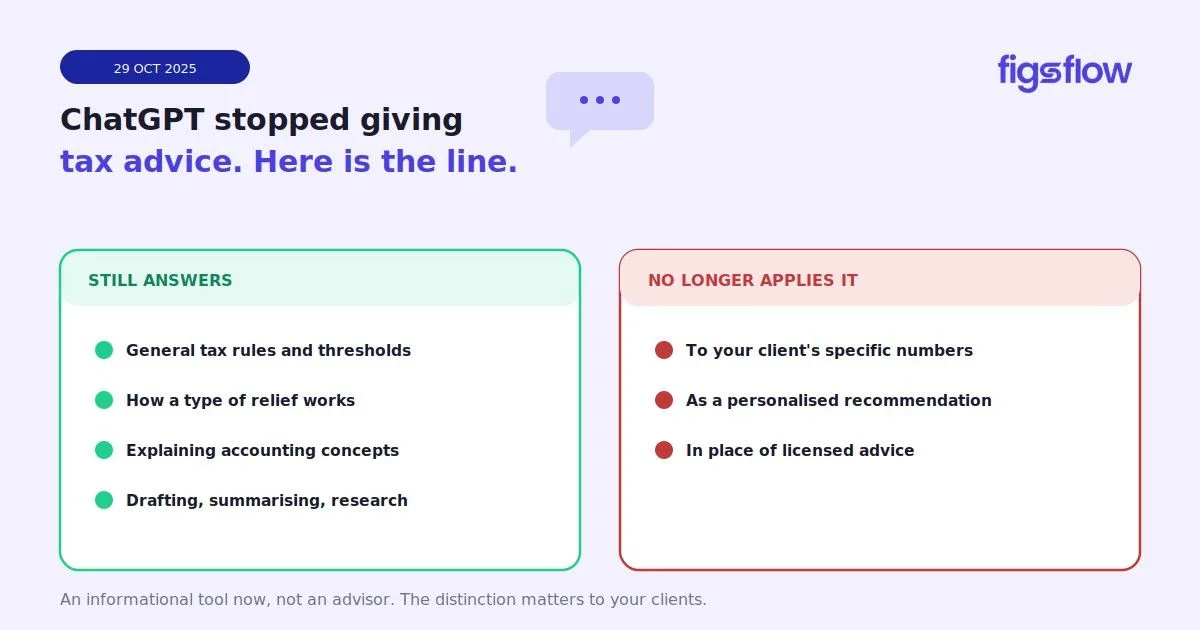
Infographic showing time savings with AI tools for accounting firms.

6/27/2025

How Can AI Tools Help Accounting Firms Compete?

How Can AI Tools Help Accounting Firms Compete? How Can AI Tools Help Accounting Firms Compete? The Rise of AI Tools In Accounting What AI Can & Can't Do for Your Practice Where FigsFlow Fits in the AI World Why Firms That Use FigsFlow Will Win More Clients How to Get Started With AI Conclusion AI is not coming, it's already here. Several accounting firms across the UK have already begun using AI to work faster, look more professional and win more clients. This has helped them relieve themselves of the burden of manual proposals and engagement letters and refine clunky onboarding processes. So, we can safely say that AI tools have already started changing the accounting industry. Let's be clear. This is not about replacing human accountants. Rather, it's about developing smart systems that take care of repetitive tasks and free humans up to focus on high-value work. AI is reshaping the way modern accounting firms operate. It's helping firms cut down on admin, speed up decision-making and deliver better client experiences. What started with basic automation like invoice scanning or bank feed imports has now evolved into intelligent systems that can automate entire workflows and analyse large pools of client data to suggest prices. Today, accounting firms of all sizes are turning to AI-powered tools to automate workflows and process complex data in seconds. Moreover, several even sole traders are using AI to automate proposals, track deals, flag client activity and improve service consistency. Truly, what once felt like science fiction is now part of everyday accounting. AI is excellent at handling repetitive, rule-based tasks. It can do things like extract data from documents, reconcile bank transactions, match receipts to ledger entries and send out the right onboarding forms. It can also analyse large volume of data in seconds, identify patterns, spot inconsistencies and give you a clear view of which services are growing (and which clients are slipping behind). It can also help firms monitor deal pipelines, pricing trends and service profitability in real time. Case Study: A large US accounting firm with 105 employees was spending 5 to 8 hours per client each month to manually reconcile bank statements. Implementing an AI powered system helped bring this down to just 15/20 minutes, reduced errors by over 90% and freed up 1,000 hours per year for more strategic work. But we need to understand one thing. AI can do a lot but it can't do everything. It doesn't understand your business pressures or seasonal cashflow quirks or how to navigate sensitive conversations. It might spot a dip in income but it won't know that your client is dealing with a family crisis and will pay you soon. And while AI can draft things like proposals, the document it gives are generic and vague. AI is not built with your regulatory requirements. It does not and will not understand the risk factors your firm faces or how tone and trust influence whether a client accepts an engagement. Think of it this way. AI can speed up the what but it still needs you to decide the why and the how . It's just tool not a team member. FigsFlow is made by and for accountants looking to streamline workflows and boost efficiency. And it gives you the best of both worlds – AI and human – and helps you automate your entire client onboarding, journey from initial AML checks to proposals and engagement letters in seconds. Here's how FigsFlow transforms your daily operations and saves you hours in time and hundreds in money. Draft professional proposals and compliant engagement letters within seconds. Get customisable templates for 100+ accounting, bookkeeping and tax advisory services. Price your services by analysing your top-performing offerings, market trends, your firm's profit margins and client expectations. Leverage deal analytics to identify your most profitable services . And most importantly, onboard clients in minutes and avoid back-and-forth emails for good. Case Study: How FigsFlow Streamlined Client Onboarding for a Firm Before A small accounting firm was drowning in manual work. It was spending hours (and sometimes days) preparing proposals, engagement letters and pricing quotations. It had slowed down their response time, created bottlenecks and heavily impacted their cashflow and growth. After FigsFlow automated everything from proposals and pricing to deal tracking and payments. What once took hours per client could be done in minutes. It saved thousands of staff hours annually, allowed staff to focus on high-value work and improved client satisfaction and retention. Firms using tools like FigsFlow are gaining a clear edge. While some practices are still juggling spreadsheets and chasing signatures, FigsFlow users are taking advantage of its state-of-the art features to respond faster, quote smarter and onboard clients in minutes. Imagine being the only shop on the street with a cash-only policy? Would big spenders shop there? Does that make sense in today's world? That's exactly how outdated systems feel to today's digital-first clients. Clients today expect speed, convenience and a seamless experience. They don't want to wait for days for a proposal or deal with vague engagement letters. And if your response time is slow, you're already losing clients. If your firm can deliver both proposals and engagement letters within seconds, you're already ahead of the competition. If you cannot, they may move on before you even reply. Using AI to save money and cut down countless hours of admin sounds great in theory. But how do you do that? Where do you even start? The good news? Getting started is simple. Start by automating the part of your workflow that takes the most time and effort: client onboarding. For this, use FigsFlow. Just enter your parameters, select from over 100+ built-in templates and start sending proposals and engagement letters in less than 60 seconds. And remember, you don't have to overhaul your entire process overnight. Start small, automate one part of your workflow, observe the results and scale from there. AI is reshaping accountancy and the gap between early adopters and those falling behind is growing wider by the month. Firms that are using AI-powered tools are discovering ways to work more efficiently, improve response times and deliver smoother onboarding to their clients. We're not talking about the future anymore. The change is happening today. And the question now is simple: Will your firm be part of the AI shift or left behind? how-can-ai-tools-help-accounting-firms-compete how can ai tools help accounting firms compete page Page

An infographic showing analytics related to client services demand.

6/25/2025

Want to Know Which Services Your Clients Really Want? Here's How FigsFlow Analytics Can Help!

Want to Know Which Services Your Clients Really Want? Here's How FigsFlow Analytics Can Help! Want to Know Which Services Your Clients Really Want? Here's How FigsFlow Analytics Can Help! Why Knowing Your Most Sold Services Matters Where to Find Demand Trends in FigsFlow How to Respond to What the Market Wants When to Review Analytics & Adjust Strategy What to Do Next with These Insights Conclusion You've probably faced this dilemma: You know some services bring money but you're never quite sure which ones your clients really want . Result? You end up chasing leads that don't convert and spending time promoting offerings that don't gain traction – wasting valuable time, money and effort. But what if you had access to data showing exactly how your services are performing at all times? Imagine the possibilities! You could run targeted ad campaigns to further boost your most popular services, customise your proposals to match what your clients are truly asking for and prioritise the deals that are more likely to close. FigsFlow makes this dream come true with its amazing analytics. It shows you exactly what you need: the deals you've won for each service, the revenue they bring in, the conversion rate and most importantly, who on your team is making it happen. Today, let's see how you can make the most of FigsFlow's analytics to recognise your most in-demand services, and use those insights to grow your practice. Imagine trying to serve your clients without knowing what they want . You'd waste time, push irrelevant offers and miss opportunities. But, worst of all, you'd not even know that you're not doing the right thing. That's why tracking demand matters. It shows where your attention is going, what clients are asking for and where your firm is gaining traction. When you know what's in demand, you can create smarter proposals, bundle services more strategically and make sure your marketing and sales efforts are aligned. For Example: If you notice company formations are being frequently requested but rarely converted, and tax planning gets fewer leads but higher conversions and revenue, you might spend more on marketing tax planning, price it accordingly and assign your best people to those deals. Understanding your most sold services lets you act on what's working rather than only relying on guesswork. The FigsFlow Analytics dashboard gives you a clear visual overview of how your deals are performing. At the top, you will see total deals, deals won, annualised revenue and the overall conversion rate. This shows how well your proposals are performing and how successfully you are closing deals. A line graph shows how many deals were created vs won each quarter . This helps you identify spikes in demand, performance dips and seasonal trends so you can prepare in advance. Under that that, you will find a revenue breakdown categorised by service type. It shows: Number of deals won per service Revenue generated from each All this information combined lets you see exactly which services are in demand, which are bringing in the most money and how well your team is performing. For Example: Company Accountants and Corporation Tax Return is in demand and generating £9,675 in revenue. Acquisition Due Diligence, though only one deal, brought in £3,000 Other services like Dormant Company Accounts, LLP Accounts and Partnership Tax Returns saw minimal traction Based on the example FigsFlow analytics above, you can reach the following conclusions about your services: Company Accountants and Corporation Tax Return best resonate with your target audience Acquisition Due Diligence is worth position as a premium service for high-end clients Other services either need to be repositioned or repackaged as they saw minimal traction Here's how you can respond to these findings: Double Down on Best Sellers Lead outbound sales efforts with your best sellers (Company Accountants and Corporation Tax Return) Run targeted campaigns focused on your top-performing services, highlight case studies, testimonials and outcomes. Bundle Wisely Use high-performing services to draw attention to lesser-known offerings. For example, bundle LLP Accounts with Company Accounts. Offer discounts when clients purchase bundled packages. This lets you increase the average deal size and gives lower-performing services more visibility. Revise Pricing & Packaging Introduce tiered pricing for high-demand services. This allows you to capture different client segments. Offer fixed fee "starter packs" for common service combinations. This simplifies purchasing decisions and reduces friction. Educate the Market Low-performing services often suffer from a lack of awareness. So, create educational content (videos, blogs and webinars) explaining why these services matter, who they're for and what risks they help avoid. Additionally, you can phase out underperformers, segment your market, personalise outreach and identify upselling opportunities. No matter what, data backed decisions will always outperform guesswork. And FigsFlow's analytics ensure you offer what the market wants. Checking your analytics at the right time ensures your strategy remains aligned with what's working. Here are the best occasions when you should dig into FigsFlow's analytics: At the End of Each Quarter – You can review analytics and evaluate your leads, conversion rates and revenue from each service. This way, you can spot market trends early and shape your focus for the next quarter. After Campaigns or Promotional Pushes – Check your FigsFlow analytics as soon as your seasonal or lead generation campaigns are over. It lets you identify patterns and double down on what's working. During Team Reviews – FigsFlow analytics highlight what services are generating the most revenue and which team member is closing the most deals. You can use this information during team reviews and appraisals. Reviewing FigsFlow analytics at these key points keeps you proactive and helps you make every proposal count. Once you have reviewed your FigsFlow data and identified what's working, it's time to take action. Refresh Your Proposals – Update your proposal templates to reflect what's resonating with clients. This helps you align with market demand and improve your win rates. Fine-Tune Your Workflow – If analytics show that a certain team member is doing great at closing certain types of deals, reorganise your internal handovers and lead distribution. Match the right person with the right job. Revisit Pricing Conversations – Just because your services are selling well doesn't mean they are priced right. You can use FigsFlow's advanced service pricing calculator to calculate prices and charge what you're truly worth with confidence. Let FigsFlow analytics guide smarter decisions across proposals, pricing and team strategy. FigsFlow's analytics gives you a clear view of how your services are performing. You can see: Total deals created, won and lost Conversion rates over time (monthly, quarterly and annually) Revenue breakdown by service type And most importantly, who created each deal and its status. You can use these insights from to update proposals, fine-tune your workflow and revisit pricing conversations. If you're already using FigsFlow, make it a habit to review your analytics regularly and act on what you learn. If you're not using it yet, start your 30-day free trial and see how FigsFlow helps you turn insight into action. Want to Know Which Services Your Clients Really Want? Here's How FigsFlow Analytics Can Help! want-to-know-which-services-your-clients-really-want-heres-how-figsflow-analytics-can-help want to know which services your clients really want heres how figsflow analytics can help page Page

An infographic about FCA staff receiving GDPR warnings.

6/23/2025

Why Accountants Using Personal Email for Client Work is a Big Problem

Why Accountants Using Personal Email for Client Work is a Big Problem Why Accountants Using Personal Email for Client Work is a Big Problem This isn't Clickbait Why Do Accountants Use Personal Email for Client Work at All? Why is Using Personal Email Risky? How Can Firms Fix This Without Making Accountants' Life Harder? Who's Responsible for The Personal Email Risk? The Staff or the System? Conclusion: Make It Easy to Do the Right Thing What's Next: Secure Your Communication from The Start Frequently Asked Questions (FAQs) Is it okay to use a personal email for business? Is it unprofessional to use Gmail for business? What is the +1 email trick? What is the best email address to use for a business? What should I avoid in a business email? Do you have the habit of using your personal email for client work, to communicate to your clients? After all, having just one email for all your communication – private and personal – is simple, keeps you accessible round the clock (work emails may not work outside of office hours) and ensures you don't miss anything, right? No! This habit can jeopardise your professional image and can land you in legal trouble. Why? Let's find out. Recently, four employees at the Financial Conduct Authority (FCA) received written warnings after it was discovered that they had used personal email accounts to send themselves sensitive data. This incident quickly caught the attention of professional accountancy firms around the world because here, secure handling of client data is both an ethical and a legal requirement. This incident begs the question, why do diligent accountants, fully aware of data security rules, often turn to their personal email accounts to send and receive client information? Is it carelessness, or are outdated and overly restrictive IT systems cornering them into risky workarounds? It's not just a careless habit. Accountants often use personal email, for instance, to send engagement letters or proposals, because data protection rules feel more like obstacles to effective client communication than helpful tools on most occasions. As any accountant or accounting expert can tell you, accountancy firms face intense workloads and mounting client demands, and when internal systems are too rigid or locked down, it's no surprise some staff turn to personal email as a workaround. Rigid IT controls, slow or limited file-sharing and stringent security policies can make use of official email accounts feel frustrating and time-consuming. Thus, under tight deadlines, personal email appears like the quicker [and better] option. In the absence of practical tools that match the daily workflow and working procedure of actual accountants (and not just managers), staff under deadline pressure often feel they have no choice but to take shortcuts – even when those shortcuts carry serious risks. Using personal email exposes firms to serious technical, reputational and regulatory risks. The Insitute of Chartered Accountants in England and Wales (ICAEW) UK GDPR help sheet warns, " Even if a client consents to receiving data via unencrypted personal email, accountancy firms must still ensure compliance with GDPR; consent alone doesn't absolve them of the obligation to secure data. " Personal email accounts lack features like enterprise-grade encryption, audit trails and access controls that accountants must have when sending data to or receiving data from their clients. This lack of security means personal emails are vulnerable to data breaches and GDPR violations. This, in turn, makes the accountant and/or the accountancy firm vulnerable to hefty fines and long-term reputational harm. What feels like a "harmless easy workaround" can easily become a costly liability for everyone involved. Accountants don't choose to use their personal emails for work out of malice or ignorance. They do it because the "secure" systems available to them are too slow and clunky. So, the solution is simple: make mandatory systems fast and easy. When firms adopt systems that are quick, intuitive and encrypted, the employees will naturally choose the safer route. No one will use their personal email because they won't have to. After all, you can train people until you're blue in the face, but without a friction-free alternative, they'll slip back to personal email every time. Only those firms that align policy, technology and culture can keep data secure without making life harder for their employees and clients. When personal emails become routine, is it a failure of staff judgement or a failure of the system that gives no better option? When staff need to bypass systems to get their job done, that's not a training issue, it's a systems failure. The sooner this reality is acknowledged, the sooner accountancy firms can move from blame to improvement. Accountants must always uphold compliance; there is no excuse for not doing that. At the same time, accountancy firms must build infrastructures that makes compliance easy. Most professionals aren't trying to cut corners. They're just trying to keep up. When the pressure of meeting clients demands are high and secure systems slow them down or block everyday tasks, shortcuts become inevitable. It's not laziness, it's a sign of something broken. The solution is not in more controls or stricter enforcement. It's smarter design. Because if the safe route is slow, clunky or frustrating, people will always look for workarounds. So, make the secure option the easiest one. Give staff the right tools, explain the risks and design system that support how people work. This way, you can protect your clients, your firm's reputation and your team. Client engagement is where risk first creeps in; sending fee quotes by email, chasing signatures across scattered PDFs or relying on untracked replies for approval. It's not only hectic and messy- it's insecure. That's where FigsFlow comes in. It lets you create regulatory compliant engagement letters and professional proposals in one place. It's professional onboarding features keep everything secure and in sync from day one. So, no more risky back-and-forth. If you're serious about cleaning your workflow and protecting your client's data, FigsFlow is the next logical step. Start your 30-day free trial of FigsFlow today and ditch risky workarounds for good. No. While technically possible, using personal email for business communication creates serious professional and legal risks. It signals a lack of organizational credibility to clients and exposes you to data protection violations. In regulated professions like accountancy, using personal email for client work can breach GDPR requirements and professional conduct standards, potentially resulting in regulatory penalties and disciplinary action. Using free personal Gmail accounts for business is unprofessional and risky. It undermines your credibility with clients who expect formal business communication. More critically, personal Gmail accounts lack business continuity protections – if your account is compromised or closed, you lose access to all client correspondence permanently. Google Workspace (business Gmail with your domain) is acceptable, but free personal accounts are not suitable for professional client work. The plus (+) addressing feature lets you create email variations by adding a "+" symbol and any text between your username and the "@" symbol (e.g., yourname+client@gmail.com). All messages sent to these variations arrive in your main inbox, allowing you to filter and organize emails without creating separate accounts. However, this trick only works with personal Gmail and doesn't address the fundamental security and compliance issues with using personal email for business. The best business email address uses your company domain (e.g., yourname@yourfirm.co.uk) rather than generic providers. It should be professional, clear, and typically based on your real name without nicknames or numbers. If your firm doesn't provide domain email, use a business-grade service like Google Workspace or Microsoft 365 with proper security configurations. Never use free personal email accounts (Gmail, Hotmail, Yahoo) for client-facing business communication. Avoid informal language, slang, unexplained acronyms, and excessive punctuation in business emails. Don't use humor or sarcasm, which can be misinterpreted in written form. Never type in all capitals, as this reads as shouting. Keep tone professional and message structure clear with proper greetings, concise body text, and appropriate sign-offs. Most importantly, avoid discussing sensitive client matters in unencrypted or personal email systems that lack proper security controls. why-accountants-using-personal-email-for-client-work-is-a-big-problem why accountants using personal email for client work is a big problem page Page

An infographic highlighting statistics about the importance of lead response time in business.

6/20/2025

What Is Lead Response Time & Why Is It Crucial for Accountants?

What Is Lead Response Time & Why Is It Crucial for Accountants? What Is Lead Response Time & Why Is It Crucial for Accountants? What Exactly is Lead Response Time? Key Takeaway: Why is Lead Response Time Important Then? Bottom Line: How Do I Calculate Lead Response Time? Pro Tip: What is a Good Lead Response Time? TLDR: How To Improve Lead Response Time? Pro Tip: The Smart Way to Respond & Follow-Up Conclusion What Next: Use FigsFlow FAQs What is a good lead response time? Does lead response time really affect conversion rates? Can lead response time influence customer loyalty? How to communicate value in a proposal letter? Imagine this: a potential customer submits a contact form or requests a free consultation but then go out of contact. Why did that happen? Could be because of your lead response time . Most buyers contact multiple companies at once, and the one that responds first usually gets their business. So, every minute you wait to follow up with a lead decreases your chances of making a sale. Yet, many companies still underestimate just how critical those first minutes are. Don't let this be you. Read this article to understand what lead response time is, realise why it matters and get to know how to fix slow responses before leads disappear. Let's get started. Lead response time is the length of time your team takes to respond to a prospective client after they reach out . It starts from the moment a prospect shows interest in your services (fills a contact form, books a call or calls you directly) and ends when they receive your first reply. For Example: Let's assume someone requests a free consultation through your website at 7:00 AM and your team replies to them at 10:00 AM. That's a lead response time of 3 hours. The thing is, if you reply quickly, it shows the prospect that you pay attention and are eager to support them. A slower response leaves them wondering if you've even received their request, confused as to what to do next and eager to reach out to someone [else] who may be able to help them sooner. Lead response time is the time it takes you to follow up after someone shows interest in your product or service. The faster you respond, the better your odds of turning that initial interest into willingness to purchase what you're offering. Quick lead response time is not just a nice metric to have; it's a driver for conversions. According to the research published in the Harvard Business Review , firms that contact their potential customers within an hour of receiving a query were seven times more likely to convert the query into a lead than those that tried to contact the customer later. This is where the concept of " speed to lead " comes in. In the early moments of the client's introduction to your accountancy firm, the pace of your response builds momentum and keeps your lead emotionally engaged. So, the faster you respond, the more likely you are to start the meaningful conversation and close the deal . But don't take only our word for it. Here are some statistics that prove speed equals more lead conversions. A 1-minute response can led to 39% more conversions . As per the research, businesses that respond quickly to inbound leads (ideally within a minute) see an almost 39% increase in conversion rates as compared to those who take longer than five minutes. 78% of the customers purchase from the first responder. An overwhelming majority of individuals purchase from the first business that responds to their contact. 44% of the leads are generated off-hours. Research shows that 44% of business leads are generated outside business hours and 41% of companies struggle to follow up with these leads quickly. 82% of the consumers expect a response within 10 minutes. It shows quick replies are not just appreciated but absolutely required. And incorporating quick text responses into an accountancy firm's workflow can enhance customer service and boost conversion. The average lead response time is 47 hours and only 27% of the leads are contacted at all. That's nearly two full days without a contact. By that time, a prospect would have forgotten about you, lost interest in your product or been wooed by your competitors. Calling after 30 minutes is 21 times less effective. If you don't reach out to your prospects within the first 30 minutes, your chances of qualifying that lead drops by 21 times. When it comes to following up potential leads, speed always beats perfection! Calculating lead response time is straightforward. It's simply the period between two events: when the prospect makes contact and when your team replies. You can calculate lead response time using this simple formula: Lead Response Time = Time of First Response – Time of Lead Enquiry For Example: A prospect fills out a contact form on your landing page at 4:47 PM and your sales team replies at 5:27 PM. That's a 40-minute lead response time. To understand the overall speed of your accountancy or CPA firm, you need to calculate the average response time for all your leads. That's done by using this formula: Average Lead Response Time = Total Response Time for All Leads / Number of Leads You can also use several CRMs tools like HubSpot and Salesforce to track these metrics automatically. They show your average response time over a set period for different channels or lead sources. Once you know the numbers, you can set targets and improve your sales strategy . Track lead response time by channel such as form, chat, email and phone. The expectations of customers vary across various channels and so should your benchmarks. There's no perfect number. Client attitudes vary from business to business. However, most studies emphasise that faster is better and ideally, lead response times should be within 5 minutes. But the shocking truth is that that the average response time for most web leads is 17 hours! Here's what a good lead response time looks like in practice. Live Chat – 30 seconds to a minute Phone Call – Within 1 to 5 minutes. Web Forms & Demo Requests – Under an hour. Ideally within 10 minutes Email Enquiries: Within an hour or two. Newsletters/Sign-Ups: Instant auto-response. 74% of the subscribers expect a welcome email right away. If you are responding faster than your competitors, you are already ahead. But if you're missing the window when the lead's interest is at peak (first 5 minutes), you're slow and will most likely be forgotten. You don't need to be online or on your phone 24/7 to have a quick lead response time. You only need to make a few changes to your accountancy firm's workflow, changes like these: Set Up Automations – You can use automated emails, SMS or chatbots to acknowledge a query immediately. You can send messages like, "We've got your request and will be in touch with you shortly." This lets you buy time and assures the lead that their message was received. Use Lead Routing – You can use tools like Slack, mobile or email and implement territory-based routing for the leads. It helps to avoid "who's handling this?" confusion and makes sure leads go to the right person. Use CRM To Full Potential – Your CRM can do more than just store contacts. You can use it to track response times; trigger workflows and highlight leads that haven't been followed up. Many CRM tools also offer custom dashboards that let you monitor performance in real-time. Prioritise High-Intent Leads – Not all leads are created equal. For example, someone who requests a demo or a quote must be followed up faster than a generic form submission. Identify and prioritise high intent signals and respond smartly. Don't Ignore After-Hour Leads – Leads come 24/7 and as per the research, 44% of leads are generated off-hours. So, consider staggered shifts or weekend coverage. If this is not possible, use autoresponders after hours. Train Your Team – Provide proper training to your team members on tools and response expectations. Also, equip them with pre-approved messaging templates for different types of enquiries. Create a shared folder of response templates that answer common questions. It ensures your team member can respond confidently and consistently. There are two key moments of contact with a potential client: The first touchpoint: when someone fills out a contact form or requests a free consultation. The follow-through: when it's time to send a proposal, quote the fee and issue an engagement letter. Thanks to the faster webpages, AI chat tools and automated email replies, many firms have nailed the first phase. Today, it's not uncommon for firms to respond to new enquiries within minutes. But what after the quick "Thanks for reaching out" or "let's book a call." That's where many firms fall behind. They lack well-defined scope of work and efficient client onboarding. They lack a system for pricing services confidently, generating proposals and engagement letters and staying compliant without hassle. As a result, they face delays, confusion and scope creep— all of which leads to lost clients and missed opportunities. That's where FigsFlow comes in. It helps accountants, tax advisers and bookkeepers respond faster and better—especially when it matters the most. FigsFlow comes with: Regulatory compliant engagement letters Smart service pricing calculators for accuracy and consistency Customisable proposals that win clients Built-in e-signatures, invoicing and client onboarding tools It's everything you need to get the client to say "yes" and respond instantly after they do. Because we at FigsFlow understand winning client isn't just about showing interest, it's about removing friction at every step: from initial enquiry to final sign-off . Lead response time is more than just a performance metric, it's a make-or-break moment in customer onboarding. Only a few minutes stand between your accountancy firm and a possible lifelong client. So, don't ignore lead response times. Review your process, identify where delays happen and start making effective fixes . This way, you can respond faster than your competitors without adding any workload. FigsFlow lets you respond instantly with pre-built proposal templates, advanced service pricing and ready-to-send engagement letters – all in one place. Instead of scrambling to follow up, you can send a complete and professional reply while the lead is still fresh and ready to move forward. Start your 30-day free trial and turn queries into closed deals. 5 minutes is the ideal time to respond to new leads. This lets you connect with the prospect when the interest is still high and they're ready to move forward. Yes, response time plays a crucial role in driving conversions. As per the study, businesses that respond quickly (ideally within a minute) can see almost 39% increase in conversion rates compared to those who take longer than five minutes. Definitely. A fast response shows you value your customer and respect their time. This helps to build trust and encourage long-term loyalty. To communicate the value in a proposal letter, anchor your services with value rather than a price tag. You can achieve this by quantifying the achievement of similar clients through testimonials and case studies. You can also add "money-back guarantee" if relevant. what-is-lead-response-time-why-is-it-crucial-for-accountants what is lead response time why is it crucial for accountants page Page
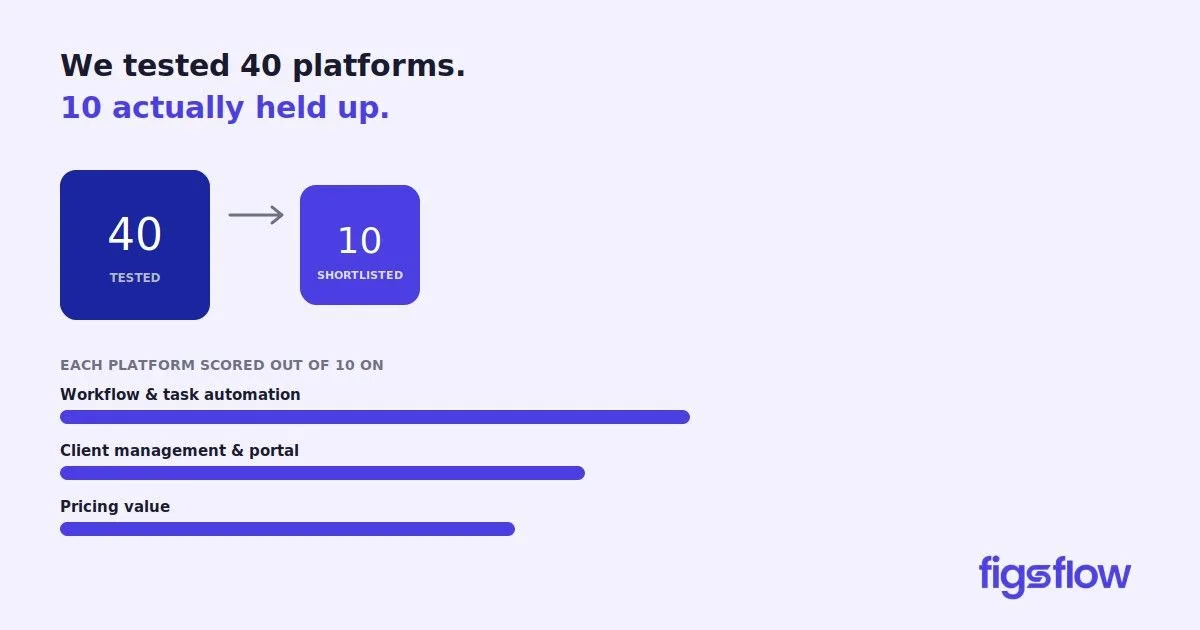
An illustration contrasting tasks handled by AI and human abilities in accounting.

6/18/2025

Is AI Going to Replace Human Accountants Soon?

Is AI Going to Replace Human Accountants Soon? Is AI Going to Replace Human Accountants Soon? Can AI Do What Accountants Do? What Clients Really Want Give Clients Clear Communication What Will Change for Accountants? Conclusion Think your accounting job is safe from AI? Think again! Tools like ChatGPT, Claude and Gemini can now complete mundane tasks like tax calculations, data entry, reconciliations and drafting client emails that once took accountants hours in a matter of seconds. These tools are also more efficient than human accountants. That's why many accountants have now started worrying if they are replaceable. This fear is justified. AI is reshaping the accounting profession faster than most people realise. Soon, many of the manual tasks once performed by accountants will be fully automated. The day when you'll be able to extract a trial balance, apply book-to-tax adjustments and generate a fully compliant tax return with just a few clicks is not too far away. But here's the caveat. While AI can do a lot, it can't do everything. It doesn't understand your client's goals, it doesn't build trust and it cannot be held accountable for its decisions. So, is AI really going to replace human accountants or is there more to the story? Let's break it down. AI can do a lot of the things that used to take accountants hours. It can process huge amounts of data in seconds. It can automate repetitive tasks like reconciliations, invoice categorisations and generating draft tax returns. Large language models (LLMs) like ChatGPT and Claude can also explain complex technical topics faster than most junior staff. In fact, a junior accountant who once would have had to turn to a colleague, a textbook or Google to understand a tricky rule can now ask an AI tool and get an instant, well-structured and personalised answer. But here's where AI hits a wall: AI cannot think like accountants . It doesn't understand context. It doesn't know a client's goals and cannot judge their risk appetite. It doesn't have the intuition to know what matters the most in business decision. And most importantly, it cannot build trust and show empathy. And let's not forget the one thing accountants know all too well. In tax advisory, the answer is often, "It depends." AI can give you the rule, but it cannot help you apply it in the real world. So yes, AI can replicate parts of what accountants do. But the core of accounting, that's still with a human accountant. Here's the truth that most AI enthusiasts ignore – clients don't just want reports or reconciliations. They want reassurance . They want someone they can trust to guide them through big decisions and financial uncertainty. This is where AI falls short. AI can spit out rules or generate a forecast. But it doesn't understand when a client is stressed about cashflow or facing tighter margins. It doesn't recognise when a business owner is hesitant to invest or when they're ready to go all-in but and simply need a sounding board. Remember, accounting is more than just numbers. It's about emotion, ambition, fear and family. That's why, trust, empathy and proper communication matters as much as accuracy in accounting. And when stakes are high, clients turn to humans, not chatbots! Communication with the client needs to be personal, clear and professional, all at the same time. And good client communication can only be done through good engagement letters. But that cannot be done with AI! AI-generated content is everywhere and clients are smart enough to notice. Worse still, most AI tools aren't built to meet regulatory standards. So, it's only a matter of time before clients begin to distrust them and push back. So, AI-generated engagement letters are a huge no-no! However, manually crafting engagement letters for each and every client is not sustainable. It's time-consuming and repetitive. Your time would be better spent advising clients and growing your practice. That's why you need FigsFlow! It lets you generate professional, customisable and personalised engagement letters and proposals in just few clicks and under 30 seconds. Also, FigsFlow keeps you aligned with evolving regulatory standards across the globe. Remember, trust begins with clear communication. And clear communication begins with FigsFlow. Manual, repetitive tasks that are more admin than engagement will most certainly be taken over by AI. Data entry, reconciliations and even first drafts of tax returns may soon begin to be generated by AI. But these tools can't explain the "why" behind the numbers and help clients decide what to do next . Accountants will remain essential in that sector. They will be indispensable for interpreting data, planning for the future and guiding through uncertainty. Take a tax return, for example. AI and automation can apply book-to-tax adjustments, track changes in business and produce a compliant tax filing. But we need accountants to sport flags, explain adjustments and recommend what the client should do next. All in all, while AI may, barely, be able to deliver on compliance, it most certainly will not be able to deliver on engagement . However, AI is here and accountants cannot and must not ignore it. They must upskill and sharpen their communication, critical thinking and storytelling abilities. Remember, the future is not in competing with AI. It's about working alongside it to deliver greater value to clients . AI is reshaping how accountants work. It's speeding up the processes, automating routine tasks and giving professionals a smarter workflow. But what AI can't do is: replace the need for judgement, context and connection- the very things only human can bring to the table . So, it's important for accountants to embrace technology and use AI to work faster. This way, accountants can ask right questions, listen to clients and guide them through complexity with clarity thereby establishing themselves as the most valuable partner to client. Remember, behind every account, every dashboard and every report- there's a story that's needs to be communicated. And someone needs to do it. That someone is still you. is-ai-going-to-replace-human-accountants-soon is ai going to replace human accountants soon page Page

An infographic outlining pricing strategies for CPA firms.

6/17/2025

What Winning CPA Firms Do Differently with Pricing That You Don't

What Winning CPA Firms Do Differently with Pricing That You Don't What Winning CPA Firms Do Differently with Pricing That You Don't 1. They Start Small 2. They Make the "Why" Clear, Both Internally & Externally 3. Sentiment is Fine but the Best CPA Firms Don't Make It a Strategy 4. They Let Staff Weigh In Conclusion: Follow a Clear Plan & Stick with It What's Next: Your CPA firm is quietly bleeding profits and you might not even know it! Many accounting firms like yours hold on to underpaying clients, avoid difficult pricing conversations and say yes to every job, even when it doesn't make sense. As a result, they're left with tight profit margins, burnt out employees and hardly any capital left for reinvestment. This is not a nice thing to hear but this may be the reality for you. But why? Why is this the case? Because there are firms out there that charge way more than you do and still manage to attract more (and better paying) clients than you! What exactly are these CPA firms doing differently? Keep reading if you want to find out. Sweeping changes don't happen overnight. Top CPA firms start small and make targeted adjustments . These CPA firms usually start with a client-by-client review that considers: Who's getting a bargain for high–effort work? Who consistently needs extra cleanup or rush jobs? Who's low-maintenance and priced appropriately? Based on these insights, they make pricing adjustments ranging from 5% for easy fixes to 50+% for long-overdue corrections. In some cases, they even double or triple prices based on scope and complexity. However, all changes are intentional and backed by logic , not emotions. And these CPA firms make sure to communicate this logic to clients clearly. Remember, top firms don't squeeze their clients. They simply ensure that they are paid fairly for the value they provide. Before communicating higher fees to clients, top CPA firms make sure their team is comfortable with the number set and has faith in it. To do this, they take time to explore (and convey) the reasons that necessitate the price increases. These reasons could be: Staff costs are up and good people don't come cheap. Compliance is more complex and time-consuming. Technology investments are no longer optional. And frankly, some clients have been undercharged for years When the team understands the reasons, they become better able to communicate about fees confidently and defend the pricing during client conversations. In the case of communicating "externally," i.e., conveying the pricing, it is paramount that CPA firms develop a clear and professional proposal. So, you may want to explore FigsFlow's proposal features . It's natural to feel loyal to long-term clients. But the hard truth is that loyalty shouldn't override logic . Top CPA firms understand this. That is why, while they may offer legacy terms to a select few clients, they never let emotions dictate the broader pricing model . They draw a clear line between sentiment and strategy by asking: Is this client still aligned with firms' direction? Is the client helping us grow or holding us back? And most importantly, would we take on another similar client today at the same price? If the answer is no, these firms either revisit the relationship or change the fees. Remember, being kind doesn't mean staying struck. And protecting your goodwill doesn't mean running your business at a loss . Not every problematic client directly costs you money. Some cost your firm in ways you can't quantify like constant last-minute emails, messy records and unprofessional conduct. Top CPA firms know this. That's why, they regularly ask their client-facing staff which customers [unnecessarily] use up their time and energy. These answers often reveal more than billing records. This staff feedback fuels two smart moves: Adjusting fees for high-friction clients who stay. Letting go of those who burn out your good people What results do these bring? They lower staff turnover, boost employee morale and makes staff members feel they're valued. At the end of the day, pricing decisions aren't just about profits. They are about protecting the people who keep the firm running too . There is no magic fix for pricing. But firms getting it right aren't just guessing. They're following a simple and repeatable process. Grade clients based on value, fit and effort Segment them into clear tiers Make the decision: raise fees, keep or let go And most importantly, review and adjust regularly It's not flashy but it works. And the firms following this approach are quietly building stronger businesses while protecting their margins, boosting team morale and creating space to grow on their own terms. If you think you're ready to rethink how your firm prices and manages clients, make pricing part of your onboarding process, not a stressful one-off conversation. For this, use FigsFlow. It lets you set pricing based on market norms, auto-generate proposal and send consistent engagement letters. Plus, it let your proposal do the pricing talking. Start with a 30-day free trial of FigsFlow . what-winning-cpa-firms-do-differently-with-pricing-that-you-dont what winning cpa firms do differently with pricing that you dont page Page

A visual guide outlining strategies for effective pricing communication.

6/16/2025

How Can Accountants Effectively Communicate the Value Behind Their Service Pricing?

How Can Accountants Effectively Communicate the Value Behind Their Service Pricing? How Can Accountants Effectively Communicate the Value Behind Their Service Pricing? Focus on Outcomes, Not Inputs Pro Tip: Make the Client the Hero Pro Tip: Lead with Expertise & Efficiency Pro Tip: Offer Clarity & Choice Pro Tip: Differentiate From Competitors Pro Tip: Enhance Clarity to Stand Out Emphasise the Bigger Picture of Working Together Pro Tip: Most Importantly, Anchor Value Before Revealing Price Pro Tip: Try the “No Price Pitch” Exercise Other Supporting Principles (Still Useful) Pro Tip: Conclusion What’s Next: FAQs How to handle pushback on price? How to respond to clients who ask for a discount? What do I say when the client says the price is too high? How to communicate value in a proposal letter? “ Why does it cost that much? ” It’s the question almost every accountant has faced. And no matter how hard you try to justify your pricing, your clients never fully understand the value behind it. It creates a recurring challenge- how to explain your fees without turning the conversation into an hours-long breakdown of tasks, spreadsheets, profit margins and competitors’ prices? Well, the answer is simple: change the narrative from what it costs to what it’s worth. This communicates exactly what every client wants: clarity, value and, most importantly, the belief that you are the right person for the job. Easier said than done. So, in this blog post, we’ll break down the key principles to frame your service pricing and put emphasis on what matters most: the value you deliver. Have you ever noticed that people buying an iPhone never talk about paying for the cost of materials or the engineer’s time? All they brag about is a lifestyle upgrade, experience, seamless connection and convenience —the very thing (value) that Apple is selling. You should price your services the iPhone way. Details like time spent, number of reports, technical risks and tasks completed are just line items to clients — worthless. What matters to them is the outcome and the reason behind the work. So, instead of focusing on what you do, focus on what the client gets. Here’s how you can do this: Rewrite service descriptions in plain language that highlight benefits. For instance, use “stay compliant and avoid penalties” instead of “submit quarterly returns”. Use “before & after” case studies to show the transformation of the clients instead of the task you did. Use testimonials that talk about benefits such as stress relief, time saved, business growth and convenience instead of task details or accuracy of the service. Ask clients what success looks like during the onboarding phase. Revisit the outcome in your check-ins and reports. And most importantly, reframe your conversation with the client from “We reconcile your accounts and prepare quarterly VAT returns” to “We give you a clear picture of your cashflow and help you make informed business decisions with ease.” By shifting the conversation from line items to results, you align services with the priorities of clients, not your internal workflow. Create a list of three services you provide, along with the client-focused outcomes they deliver. And frame your proposal and client call to reflect these outcomes. Remember, the more fluent you become in communicating value, the more persuasive your pricing becomes. Many accountants fall into the trap of positioning themselves as the main character- the expert and the star of the show (client engagement). But here’s the thing. Your clients don’t care about your qualifications and your process. All they care about is how you make them feel and the benefits they will get. Think of it like hiring a personal trainer, where the only thing that matters is how the trainer makes you feel healthier, stronger and more confident, not their process or qualifications. So, establish your firm like a personal trainer and position your service as the support that your clients need to succeed. It makes them the hero. Here are some practical ways you can do this: Share progress that highlights their achievements instead of tasks done. For instance, use “You are building a strong cash buffer for difficult times” instead of “Q2 bookkeeping completed.” Use client-centric language. And start sentences with ‘you’ instead of ‘we’. For example, “You’ll always know where your finances stand with us” instead of “We provide monthly or quarterly reports.” Celebrate the victory of clients (big or small) in emails, meetings and newsletters. Say things like, “Congratulations! You have grown by 25% this month. Here’s how we will proceed further.” Seek insights from the clients. Start by asking “What’s working best for you?” and “What do you want to improve?” Highlight their smart decisions, not your work. Use “You saved a £2,000 tax charge by acting early” instead of “We saved £2,000 in your taxes.” By framing your pricing and messaging around the client’s journey, you communicate that your clients matter the most. Audit your website, proposal and landing page. Count how many times you have used “we” and “our” versus “you” or “your.” Then, rewrite key sections to highlight the client’s goals and success. The small shift can have a big impact on how your customer feels. Many accountants make the blunder of tying their value to the time spent. But here’s the thing. Your clients aren’t paying for hours. They are paying for outcomes, accuracy and peace of mind. And most often, they appreciate speed and confidence over detail and grind. So, never apologise for the speed or the simplicity of your work. Rather own it: “We have refined our systems to make your reports early and as quickly as possible.” In other words, be like a top car mechanic. Don’t charge less because you fixed the issue or delivered the services early. Remember, clients value certainty, and that’s what your expertise and efficiency deliver. So, position yourself as the expert and most efficient accountant for your clients. Here’s how you can do this: Offer response-time guarantees. Let your client know you respond to all their queries within hours or a business day. Benchmark your clients against peers or industry averages. “You are doing great; your margins are 20% higher than the industry average.” Replace options with proactive recommendations. Instead of “You could do A, B and C”, say “Based on your goals, you should do option B because…” Avoid fluff in communication and get straight to the point of how this benefits the client. Say like this, “Here’s what we have got in the report, here’s how it will affect you and here’s what we can do together.” FigsFlow’s proposals and engagement letters for accountants can help you with this. Use “before & after” format in advertising. For instance, use “Before: 6 months behind on VAT. After: filed, up to date and penalty-free – in 10 days.” instead of “Your VAT return filed in 10 days.” By showcasing your ability to deliver accurate and efficient results, you not only lead with perceived expertise but also position your firm as a confident guide that your clients can rely on. Make a list of 3-5 things you do faster or smarter than most (if nothing, then take anything you do decently) and use talking points to show how your efficiency amplifies the value. One of the biggest sources of hesitation for potential clients is not the price itself, but the uncertainty of what they’re paying for. The open-ended and vague pricing erodes trust. However, when clients know exactly what they are paying for, including what’s included, what to expect, and the possible options and how this will benefit them, they feel like they are in control and are more likely to accept your proposal. Remember, clarity removes pressure from the sales process. Instead of convincing someone to accept your proposal, you establish yourself as a guide, providing them with the options and personalised recommendations and letting them decide what feels right to them. Here’s how you can do this: Use tiered pricing tables and clearly show 2-3 service levels, each with a summary of what’s included and the total fee. Tailor your service package to meet customer demands . Tools like FigsFlow enable you to understand the needs of clients and tailor services accordingly in the proposal. Reconfirm service level and deliverables in kick-off meetings or emails: “Just to confirm, you have chosen Growth plan, which includes A, B and C…” Use a flowchart or timelines to explain how your service works : Onboarding ——> bookkeeping ——> reporting ——-> year-end filing… Use a Yes/No checklist during onboarding. For example, “Would you like us to handle X? Yes or no?”. By providing clear options and ownership over the decision to the client, you shift the dynamics of your service from selling to supporting your client journey. And that’s where trust starts to grow. Review your service packages and create a simple, side-by-side comparison table with a clear description of what’s included in each package and the pricing. Use that table in your proposals, website and client calls. In a crowded market, your clients cannot distinguish one firm from another, especially when everyone is offering “personalised service” and “peace of mind.” So, how do you differentiate and establish your unique presence in the market? Start by exploring yourself and your firm. For this, ask the following questions: What type of clients do we serve best (and enjoy working with the most)? What tools, systems or technology give us an edge? What do most clients compliment us on? What industry experience or background do we bring that’s rare? What problem do we solve that others overlook? Such a questionnaire will help you explore what you do best and who it’s for. You can use this finding in your proposal, advertisement and client onboarding call. But here’s the challenge. You are not just competing with bad firms, but also with decent and a few technically excellent firms in your niche. Here, you stand no chance with any competitive edge. So, how do you differentiate yourself? The answer: shift your focus from what you do to how and for whom you do it. Your edge might not be louder marketing or lower pricing, but you could: Specialise in a particular niche and know how to deal with quirks; Make your onboarding process seamless and save hours of frustration; Provide proactive guidance and help someone grow by being a strategic partner. Remember, it’s not about being “better” than the competitors. It’s just about making your client feel you’re the obvious choice. You can achieve this by being clear about what you do best and who it benefits. Select one client type that you serve best (and with whom you work most effectively). Update your service page, landing page, proposal, and email with messaging that directly speaks to their needs. Clients often come to accountants with short-term questions- “How much is this going to cost me?” or “Can you help me file my return?” But let’s be real. Your value as an accountant isn’t in being a quick fix for your client’s mess. Rather, your real value lies in being a trusted advisor and preventing any mess from ever happening in the first place. Therefore, your goal should always be to transition your client from a one-off service to a strategic partner. Because that’s where the transformation happens, and your client sees your fee as an investment rather than a cost. But how do you do it, especially when clients are conditioned to see you as a “number guy”? Start by solving what they asked for as efficiently and accurately as possible. Then, follow the following approach. Bring a small insight they didn’t ask for . For example, say something like, “By the way, I’ve noticed your payment terms are…., how do you think about tightening them to improve your cashflow?” Drop strategic suggestions into regular emails . Over time, this helps to build trust and a new perception of your value. After the job is done, send a short message like: “Now that we’ve completed…., here are three things we often help clients tackle next.” Show results instead of advice . For example, say things like, “We helped the client save £12,000 last year by doing A, B and C”, instead of “We offer strategic planning.” Utilise client reviews and testimonials to shift perceptions . When other clients talk about how you helped them grow their business or save costs, new clients will start to see you that way, too. This changes how your clients perceive your role and establishes you as a potential partner. Add a short “looking ahead” section in your next client conversation or proposal and highlight how you will support them over the next 12-18 months. This changes the conversation from a single transaction to a long-term partnership without the need to “sell” anything new. One of the biggest mistakes most firms and accountants make is leading the conversation with price too early. When clients hear a number without understanding its value, they begin negotiating. And most often, it leads to a race to the bottom and everyone loses. Therefore, it’s essential to communicate the outcomes and the value your service delivers before disclosing the price. This way, your clients don’t buy hours – they buy growth, confidence, and the value you provide. So, how do you communicate value before revealing price? Start your proposal and pricing conversation with a summary of the key benefits. Then: Use stories that show impact. “We recently helped a client save £1000 in taxes through smart planning.” Include a “What You’ll Gain” box before the pricing section, highlighting key outcomes such as monthly visibility of cash flow, informed decision-making, regulatory compliance and more. Reference your track record in similar client results. 80% of our clients in your position improved their cash flow over the last 12 months.” Use an “Investment in Results” header instead of “Pricing.” This subtle change in language frames the price as a value-driven decision, not just a line item. Explain your process before price. Walk your client through the process of how you work. This makes them aware of the structure and the thought process behind your service before they see the fee. By clearly communicating what’s in it for them, you establish price as a natural next step rather than a barrier. Grab a team member and practice explaining your offer without ever mentioning the service name or the price. In addition to the core ideas discussed above, there are certain supporting ideas such as risk reduction, ROI framing, tailored packaging and future cost savings. These ideas won’t help you lead pricing conversations, but they can help navigate the situation when clients are unsure, comparing firms or debating whether you’re “worth it.” Risk Reduction – The clients rarely think about what could go wrong until it does. Therefore, inform the client of the risk and position your service as a protective measure. For this, you can highlight the risk mitigation within your proposal. For example, you can say, “We help you stay compliant, avoid late penalties and avoid HMRC issues.” ROI Framing – Tie your services to a measurable outcome instead of the cost. For example, “Clients who track quarterly cash flow with us often avoid overdraft fees.” This changes the perception of your fees from a cost to an investment. Future Cost Savings – Highlight how your work today avoids bigger costs tomorrow. You can use phrases like “Invest a little now to avoid a lot later” or “This presents year-end corrections that can cost twice as much later.” This is most effective when clients hesitate due to upfront fees. Provide Tailored Service Packaging – Tailor your services to meet the requirements of your clients. This shows you understand and care about your clients’ needs. You can use phrases like, “You can start small and scale as you grow. This ensures you are only paying for what you need”, in your pricing conversation with your client. Appeal to Emotions (Not Just Logic) – When accountants and tax advisers discuss pricing, the instinct is to explain the logic: time saved, costs involved and steps automated. But let’s be honest. Your clients don’t care about your technical details. All they want is peace of mind and the quiet satisfaction of knowing everything is under control. So, when communicating your value, go beyond technical. Instead of “We automate your tax process”, try “You’ll never lose sleep over a missed deadline again.” These small shifts build trust, connection and a greater willingness to invest. Take a service where you have listed what you do (e.g. monthly bookkeeping, year-end accounts). Rewrite your copy to highlight what your clients get. This shifts the message from task-based to value-based. Pricing isn’t just about numbers; it’s an art of showing why your work matters instead of what you do. You can do this by focusing on outcomes, positioning your client as the hero and anchoring your offer with clarity. The goal here is to shift the conversation from cost to value, from “how much does it cost” to “how far can this take me?” By doing so, you frame your services around results, making your proposal more compelling. It makes your clients feel seen, supported and leads them with clarity. As a result, they are more likely to accept your proposal and stick long term without negotiating much about prices. So, audit your prices. If it’s reflecting your expertise, communicating your impact and making your clients feel supported, you’re doing it right. Use FigsFlow- a proposal, pricing and engagement letter software for accountancy, tax advisory and bookkeeping firms. It helps you craft professional proposals, aligned with all the principles you just learned, in seconds. FigsFlow makes it easy to: Show outcomes, not just tasks Anchor pricing to value Deliver clarity and choice Try FigsFlow for free for 30 days . When clients’ backs are on the line, respond with transparency and try to communicate the value your client will receive. You can achieve this by highlighting the key benefits of your offerings and showcasing testimonials and case studies from similar clients. If appropriate, be willing to negotiate as well. When clients ask for a discount, understand their needs and offer an alternative solution rather than lowering your fees. A good approach is to provide a lighter service package tailored to the client’s requirements. When clients say the price is too high, acknowledge their concern and provide structured packages that meet their budget requirements. You can also highlight the value you bring to the client and offer a reasonable discount if appropriate. To communicate the value in a proposal letter, anchor your services with value rather than a price tag. You can achieve this by quantifying the achievement of similar clients through testimonials and case studies. You can also add “money-back guarantee” if relevant. how-can-accountants-effectively-communicate-the-value-behind-their-service-pricing how can accountants effectively communicate the value behind their service pricing page Page

An infographic promoting the Making Tax Digital initiative with a road and calendar imagery.

6/10/2025

MTD Is More Than Just Compliance. Here's Why!

MTD Is More Than Just Compliance. Here's Why! MTD Is More Than Just Compliance. Here's Why! Compliance Was Just the Starting Point for MTD Digital Tools Are Changing the Day-to-Day How Do Accountants Fit into the MTD Picture Conclusion Ever since talk about its introduction began, Making Tax Digital (MTD) has been perceived as just another compliance box to tick. But with over 2.75 million sole traders and landlords set to be affected by MTD for Income Tax (MTD for IT) from April 2026, it's becoming clear that this shift is not just about meeting HMRC deadlines. Rather, it's about adopting digital tools for smarter workflows and rethinking how accountants can operate within a digital world. MTD was introduced with a clear aim: help prevent tax evasion by requiring businesses to keep digital records, use HMRC compatible software and submit quarterly updates. Yet, for many, this felt like just another compliance burden – a mandate rather than a meaningful change. But as firms began transitioning to digital record-keeping and thinking seriously about the prospects of quarterly submissions, many discovered unexpected benefits. Digital tools reduced errors, cut down on the chaos of shoeboxes full of receipts and gave tax advisers and clients better insights. With MTD for ITSA now set to become mandatory from 6 April 2026 (for landlords with qualifying income over £50,000), many sole traders and landlords are voluntarily adopting digital record keeping . Firms are reassessing their workflows, adopting digital tools and rethinking how they manage client relationships. It's clear that many have recognised the benefits of MTD and the fact that it's approaching fast. Thus, they're acting early, not just for the sake of compliance but also to build more efficient ways of working. As firms prepare for MTD for Income Tax, digital tools are becoming central to their daily workflows. Firms are using smart software tools to cut down on repetitive admin tasks like data entry and invoice tracking. This has helped them save costs, free up time and reduce the risk of human error. Another advantage of MTD is real–time reporting, which has proved to be a game changer for many firms. Instead of relying on historical figures, accountants and tax advisers can access up-to-date financial data. This enables them to provide timely advice and keep clients on track with tax obligations. In addition to this, firms can use this data to gain deeper insights into clients' income, expenses and cashflow. This helps identify patterns and trends (good and bad) which would otherwise have gone unnoticed, allowing everyone involved to make informed financial changes. It's undeniable. The digital shift is enabling proactive support and helping clients make smarter decisions throughout the tax year. This digitalisation is changing what clients expect from their accountants. Accountants, today, must be strategic partners rather than just someone who files return on clients' behalf. People seek strategic input and forward-looking advice to help them make timely decisions. To meet these expectations, accountants need to step into strategic roles. But that's only possible if they automate everything that's routine and administrative. Admin tasks like drafting proposals, engagement letters and pricing quotations should not be eating into your valuable time. That's where FigsFlow comes in. With FigsFlow, you can draft professional proposal and regulatory–compliant engagement letters within seconds. Plus, it offers advanced pricing calculator that helps you price your services accurately. Remember, automation can take care of back-office work and all you need to do is deliver high value services such as forecasting, business planning and proactive advice. MTD is not just a compliance deadline, it's a defining moment for the accounting profession. Firms that perceive MTD as a strategic shift rather than an administrative burden are already experiencing better efficiency and stronger client relationships. They can streamline workflows and deliver more meaningful value to clients. Remember, the sooner you accept MTD and embrace the upside potential of digitalisation, the better positioned you will be. mtd-is-more-than-just-compliance-heres-why mtd is more than just compliance heres why page Page

Announcement of Derek Blair as the new President of ICAEW.

6/9/2025

ICAEW Welcomes New President Derek Blair for 2025/26

ICAEW Welcomes New President Derek Blair for 2025/26 ICAEW Welcomes New President Derek Blair for 2025/26 What's on Derek's Agenda? From Trainee to President Conclusion Derek Blair has officially succeeded Malcolm Bacchus and will remain President of the Institute of Chartered Accountants in England and Wales (ICAEW) until June 2026. Derek begins his term with a clear focus- strengthening the ICAEW community and supporting the profession through the time of change. As a President, Derek is focused on bringing ICAEW 's new strategy, Direction 2030 , to life. This strategy aims to keep accounting profession relevant, reputed and trusted in the fast-changing world. For Derek, this starts with members. He plans to strengthen the sense of community across ICAEW's network, thereby ensuring every member feels supported and valued regardless of the career path or their background. He's also championing for the growth of smaller, peer-led groups, officially termed as micro-communities . These groups will help the members connect, share experiences and build lasting professional relationships. According to the Derek, "These networks can make a big difference. They create space for learning, support, and belonging- everything that makes a profession stronger." Derek began his career as an audit trainee at Stoy Hayward in 1990. In 1994, he qualified to work as ICAEW chartered Accountant with Charles & Turner, a small firm in London. Then, Derek joined Morgan Brown & Spofforth as an audit manager and became the partner in 2001. In 2004, Derek co-founded Pinkham Blari with fellow ICAEW Chartered Accountant David Pinkham. Their general practice supports " corporate refugees"- people who have left larger organisations to start their own ventures. Outside of work, Derek is a lifelong rugby fan and a devoted military history enthusiast . He is also a Freeman of the Worshipful Company of Chartered Accountants in England and Wales. Derek's presidency is anticipated to be a time of growth and collaboration. His emphasis on Direction 2030, micro-communities, and member involvement indicates that the upcoming year will prioritise learning and active listening. Derek puts it, "I want every member to feel they have a place and a voice within ICAEW." It's clear: Derek presidency is built on people and will shape a stronger and connected future for the profession. icaew-welcomes-new-president-derek-blair-for-2025-26 icaew welcomes new president derek blair for 2025 26 page Page

An infographic discussing strategies for effective price communication for accountants.

6/6/2025

Good Price Communication for Accountants: How to Talk About Fees Without Losing Clients

Good Price Communication for Accountants: How to Talk About Fees Without Losing Clients Good Price Communication for Accountants: How to Talk About Fees Without Losing Clients How To Make Your Pricing More Transparent & Fair? Identify What Makes You Unique Psychology Tip: Showcase Your Strengths Perception Tip: Confidently Present Your Fees Perception Tip: Talking About Fees Without Making It Awkward When Should You Have the Pricing Conversation? Pro Tip: How to Talk About Rates? Pro Tip: Pro Tip: Conclusion Ever felt that awkward pause after quoting your fees to a client? You're not alone. Many accountants struggle with pricing conversations, especially with new clients. But let's be honest, poor pricing communication can be costly to your practice dearly. You could be undercharging for your services while still leaving your clients confused and unaware of what exactly they're paying for. Or worse, you could be losing your clients entirely. But don't worry. In this blog post, we will help you frame your accounting fees clearly and provide practical strategies to handle client pushback without hurting your value. Sound fair? Let's dive in. The first step to good pricing communication is making your pricing feel more transparent, fair and reasonable for the value you provide. This means charging for what you're truly worth without scaring off your clients. You can achieve this by properly communicating the reasons behind your figures. When people understand your thought process, they perceive you as a trustworthy individual and prefer to stick with you long-term. Here's a simple framework to establish your pricing: Let's break it down further. Before pricing your services, understand what makes you unique. This could be your unique service offering or the problem you are solving or the thing you do differently from your competitors. It's important to differentiate yourself and give clients a reason to choose you over your competitors. Here's how you can differentiate yourself from the competition: Ask clients what they value most Evaluate competitors and ask yourself, "What can I do differently to provide more value to clients?" Map your services and understand the problems you claim to be solving. Are you saving time? Are you reducing risk? Are you offering peace of mind? According to some studies, people are more likely to accept a price, even a higher one, if they understand the reason behind it. So, uncover your why (value) that helps explain your fees. Even gold needs a skilled jeweller to reveal its true value. In the same way, your strengths as an accountant need to be clearly communicated to your clients. It's not enough to be good at what you do; you have to show it in a way that resonates with your customers. Here's how you can do that: Choose your words wisely. For example, phrases like "Ongoing compliance with peace of mind" provide a greater focus on outcomes rather than, say, phrases like "quarterly filings" which offer little detail and may be too technical. Also, adding "because" to explain your fees where relevant makes clients feel more assured. Group your services into bundles to connect with your clients. Doing so enhances clarity and makes clients feel like they are in control. Use graphics, visuals, testimonials and real numbers to show the results you deliver. Don't just tell, show them what you've achieved. Do what Apple does. Don't just sell your services, sell your status, simplicity, story and experiences. People don't buy services, they buy experiences. Communicate your fees in a way that feels fair, transparent and confident. Here's how you can do this: Communicate your fees early — ideally in a proposal, with a clear breakdown of the value your clients will receive. Explain any changes in your pricing to your clients. People trust what they see and understand. It's like labels on food packaging — a little transparency goes long way in keeping clients informed, respected and involved. Now, let's address the elephant in the room: How to talk about fees without making it awkward! To do this, it's important to have the pricing conversation at the right time and with the right approach . It's best to have the pricing conversation as early as possible, ideally in in the client onboarding stage. The longer you wait, the more uncomfortable (and riskier) it becomes. So, talk about your fees as soon as a client shows interest in your services. Ideally, you should send a personalised proposal detailing your services and their prices. This enhances transparency and allows everyone to get on the same page money-wise before moving forward. If you're adjusting your existing fees, it's good practice to give a notice of 45 to 90 days and clearly explain why you needed to increase your fees. "Oh! Can you just do this too?" Clients tend to do this. It starts small. Just an additional form or an hour of extra work. But, before you know it, your neck-deep in work that you did not initially agree to and, more importantly, have not charged for. This is what scope creep is, my friend. But you can avoid this by using FigsFlow. This platform helps you develop proposals that outline exactly what you offer and, should the client ask for extra deliverables, has an advanced pricing calculator to easily calculate the extra fees you need to charge. No more awkward chats, long pauses or second-guessing. Just professionalism and clarity from day one. Try FigsFlow for Free ! Here's how you can communicate your prices to your clients without making things uncomfortable. Set Relevant Prices for Your Services The first step is setting the right prices for your services – prices that sound both reasonable to your customers and compensate you fairly for the value you provide. Then, you can stick with these rates when communicating fees to your potential clients. To price your services, you can sit down and manually do the math to come up with the charge-out rates that cover your costs. Or you can move beyond traditional hourly billing and adopt value-based pricing model , where you set prices based on perceived value rather than historical charges. MTD is new for you and your clients. If you are scratching your head wondering, "What should I even charge for MTD?", you are not alone. Check out our comprehensive guide for pricing MTD ITSA services . It is designed for accountants, bookkeepers and tax advisers and presents practical tips to help you price MTD ITSA services confidently. Keep Your Proposals Simple & Clear Use plain language in your proposals and avoid vague terms or hidden extras. Your proposal should clearly answer what exactly the client is going to pay for. To do this effectively, you need to personalise your proposals to suit the unique requirements of each client. Highlight Your Strengths Your proposals should serve as your testimonials, show your track record and showcase your strengths. It should also highlight what you can deliver. This boosts the perceived value of your offer and helps justify your pricing. Don't Make Your Proposals Feel Like Sales Brochures The good proposal should make clients feel supported and involved rather than sold to. You can achieve this by including personalised lines like, "Please feel free to ask any questions. I'd be happy to help." The best way to communicate your pricing is to let your proposal do the talking. It's more professional. You can use FigsFlow to draft professional proposals for your accounting, bookkeeping and tax advisory services. It helps you present your fees confidently, reduces back-and-forth and avoids awkward money conversations. Communicating pricing with clients is one of the most powerful tools for building long-term relationship and trust. However, if done incorrectly, it can be costly for your practice. So, it's important to make your prices more transparent and fairer. The goal here is not to be the cheapest. Rather, it's about making the client aware of what you offer and why you're worth their money. You can do this by using FigsFlow, which lets you craft professional-looking proposals and engagement letters in seconds. It also personalises your service offering for each client without admin and compliance hassles. Good Price Communication for Accountants: How to Talk About Fees Without Losing Clients good-price-communication-for-accountants-how-to-talk-about-fees-without-losing-clients good price communication for accountants how to talk about fees without losing clients page Page

Comparison of Ignition and FigsFlow proposal software pricing.

5/26/2025

Ignition Vs FigsFlow: Which Proposal Software Should You Use

Ignition Vs FigsFlow: Which Proposal Software Should You Use Ignition Vs FigsFlow: Which Proposal Software Should You Use Introducing: The Two Competitors Which Tool Puts Accountants First? Bottom Line: Which Tool Is Best for Proposal Creation? Bottom Line: Which Tool Is Best for Service Pricing? Bottom Line: Which Tool Is Best for Engagement Letters? Bottom Line: Which Tool Offers Smoother Software Integrations? Bottom Line: Which Tool Best Handles Client Onboarding? Bottom Line: Which Tool Offers Better CRM Features? Bottom Line: Which Tool Has Better User Experience? Bottom Line: What Sets Each of These Tools Apart? Bottom Line: So, Which Tool Is the Best Overall Value? Feature-to-Pricing Test Bottom Line: Ignition Vs FigsFlow: Decision-Making Checklist And the Winner Is Your proposals and engagement letters are more than just paperwork. They are the first real impression you make on a client and getting them right decides between a life-long client or a missed opportunity. Yet many firms continue to send proposals that feel generic, inconsistent and overly complex, costing themselves valuable client relationships. This is where, tools like Ignition and FigsFlow come in. Both platforms allow you to send polished, professional and personalised proposal documents within minutes. But Which Platform is best suited for your needs? 4/5 ★★★★☆ Sell. Bill. Get Paid. Trusted by accountants, and other service-based businesses 4.7/5 ★★★★⯪ Proposal, Pricing & Engagement Software For Accountancy, Tax Advisory & Bookkeeping services We, at FigsFlow put both these software through real-world testing across the following key areas. Core philosophy Proposal Creation Service Pricing Engagement Letter Creation Integrations with other software Client Onboarding Client Relationship Management (CRM) User Experience (UX) Value for Money You can use our detailed comparison and the final decision-making dashboard at the end and make an informed choice between Ignition and FigsFlow. In the blue corner, we have ignition – a client engagement and billing platform that helps businesses of all kinds send proposals, get contracts signed and collect payments automatically. And in the red corner, we have FigsFlow – a proposal, pricing and engagement software for accountancy, tax advisory and bookkeeping firms. Let's take a brief overview of each platform before diving into detailed comparison. Features Ignition FigsFlow Best for Agencies, Consulting, and Professional Services where regulatory compliance is not a priority Accountancy, Tax Advisory and Bookkeeping Firms Mostly Used for Proposal creation, client onboarding and payment tracking Proposal and regulatory compliant engagement letter creation, service pricing, and client onboarding Core Ideology Put professional service businesses and their clients on the same page from the start Compliance and Convenience should not be a trade-off for accountants Regulatory Compliance Letter of Engagement (LOE) No mention of regulatory body, only generic LOE template available Can choose regulatory compliant LOE from professional body across the UK and the Globe Time to Generate Proposal Less than 5 minutes 30 Seconds Customer Reviews G2 Review: 4.5/5 Trustindex Review: 2.0/5 G2 Review: 5/5 Trustindex Review: 5/5 Starting Price £39/month if billed monthly £29/month if billed annually £10/month if billed monthly £8/month if billed annually Scalability for Teams Allow multi-user access, multi-firm use not available Feature both the multi-user and multi-firm access Client Communication Tools Feature Google Mail, Outlook, In-app messaging and E-signatory Feature Google Mail, Outlook, In-app messaging, live chat, and E-messaging So, which proposal tool is the best overall value? Let's find out. First, we decided to see which tool is tailored to the needs of accountants. Let's see. Ignition Ignition aims to free business owners and professionals from proposal, billing and payment hassle and let them focus on what truly matters- client relationship and growing the business. Our mission is to transform the way people do business together, sparking long-lasting relationships by putting professional service businesses and their clients on the same page from the start. – Ignition FigsFlow FigsFlow is built around the simple principle: Compliance and convenience should not be the trade-off for accountancy, tax advisory and bookkeeping firms. At FigsFlow, our mission is to simplify how accountancy firms start and grow client relationships- with professional proposals, regulatory compliant engagement letters, advanced pricing calculator and seamless client onboarding, all in one place. It's everything we wish we had when working every day. – Raju Gajurel, CEO & Founder of FigsFlow Overall, FigsFlow wins the battle by miles . While Ignition caters all kind of professionals, FigsFlow is laser-focused on accounting and advisory firms. Next, we wanted to see which tool excel at creating proposal. Let's see, which one creates professional looking proposal with ease and offer higher customisation features. Ignition In Ignition, you can generate proposal by clicking on " Create New " icon within the dashboard. Then, you're required to go through five sections , and fill up the related details. General (add client and expiry date, setup contract date and period, and more) Services (add services, and define service type) Terms (make changes to LOE) Presentation (make changes to wording in proposal letter, and preview the client side of proposal) Send (share via link, email or accept on behalf of client) The workflow is smooth, and the whole process takes less than 5 minutes . FigsFlow In FigsFlow, generating the proposal is as simple as clicking on " Generate Proposal " icon on the dashboard. Then, you are required to follow 3 step paths – add, preview and send. Add (input services and entity name, price is auto calculated with service pricing calculator) Preview (make changes in proposal in preview-window and preview client point of view of proposal and LOE) Send (send proposal and LOE via email or save as draft) The workflow is smooth and intuitive from start to finish. It literally took me 10 clicks and 39.74 seconds to craft proposal and engagement letter for tax advisory and compliance services. Now, let's see some of the proposal customisation features available in Ignition and FigsFlow. Customisation Features Ignition FigsFlow Reflect brand in Proposal & Engagement letter Add brand logo and colour only Add brand logo, brand colour, font style and font size as per requirements Dynamic Data Entry for proposal and engagement letter Includes placeholders like contact addressee, contact name, email and more Placeholders are available, which change content based on certain conditions or logic and pull specific information into your documents Upsell with add-ons on proposal Add similar services as add-on on proposal Not available, requires manual typing in proposal letter Embed multi-media in Proposal Embed a video, and brochure Embed brochure and images in JPG/PNG format, Video-embedding not available Custom Cover Pages for Proposal and LOE Not available Can add cover pages with a single click, customise the cover letter in live preview window FigsFlow wins proposal creation by hair . While both the tools offer smooth workflow, FigsFlow offer more customisation, and generate proposal in seconds. The next feature I wanted to look was service pricing calculator. In other words: Which tool offer advanced service pricing calculator (and flexibility)? We tested built-in pricing calculator in the software for dozens of accountancy services. Let's see what happened next… Ignition Ignition has a solid built-in calculator functionality for services ranging from cleaning, and consulting to accounting and bookkeeping. To price the services within Ignition, you are required to: Define the type of service (recurring, one-off, or billed upfront and balance later) Add service Ignition would automatically calculate the pricing for your services. Also, Ignition offers the flexibility to change the billing mode (automatic or manual billing), Quantity, VAT and discount rates and most importantly, allow the manual override of pricing. However, even after months of using Ignition, I couldn't spot service pricing library. Thus, adjusting service prices as per firm requirements is a complicated process. FigsFlow FigsFlow offers advanced service pricing calculator for accounting, tax advisory and bookkeeping services . It incorporates industry trends, firm profitability ratios, fixed expenses and other dozens of variables within its prices. Also, the pricing library is well-placed and can easily be accessed through "setting" to customise variables as per firm requirements. To price the services within FigsFlow, you are required to: Add the services from library And you are done. FigsFlow automatically calculates the pricing for your services, applies custom VAT and discount rate where relevant. Now that you know how the pricing calculator works within each software, let's see some of the service pricing features available in each of the software. Service Pricing Features Ignition FigsFlow Pricing Methodology Can bill in cycle, one-off (on acceptance or on completion), and upfront Can bill in cycle (monthly, quarterly, and annually) or in one-off payment Manual Price Override Change Quantity, and pricing, apply relevant discount and VAT rates Change quantity, pricing, VAT and Discount rates Add help text for each price item Not available Can add labels, descriptions, and help text for each service item Include Associated Services (related or supplementary services) Not available, can add add-ons though which client may choose to opt-in Can add relevant extras with the main services based on the requirement of the client Parameter based pricing (revenue, profits, etc) Not available Can price service based on company annual revenue, and customise the parameters via service library FigsFlow is the winner in the service pricing calculator . Not only it incorporates pricing for every service Accountancy, Tax Advisory and Bookkeeping firm's needs, its pricing are relevant and up to the industry standard. Both Ignition and FigsFlow feature creation of letter of engagement (LOE). But which one is the best? Let's see… Ignition Like any proposal and engagement letter software, Ignition creates Proposal and Engagement letter together. However, the terms and conditions of engagement are integrated within proposal letter and thus, it won't be possible to send engagement letter alone. FigsFlow In FigsFlow, engagement letter is created alongside proposal. Also, FigsFlow allow you to send both proposal and LOE or LOE only by simply clicking on small checkbox on the bottom of " Generate Proposal " section. Now, let's look at some of the additional LOE features available in each software. LOE Related Features Ignition FigsFlow Built-in Regulatory Compliant LOE templates Not available but can create own custom template Built-in template for regulatory body across the UK and the Globe including ACCA, CIOT, CIMA, ICAEW, ATT, and more Create custom LOE template library Can create custom LOE library from scratch Can duplicate existing LOE template, and create custom LOE template library Time to Create LOE Less than 5 minutes 30 Seconds Auto-updates for LOE templates Not available Industry standard and up to date LOE templates available E-signatory Options for LOE Available, number of e-signatory range from 1 to 10 based on pricing plans 1 e-signatory per engagement letter and can send single engagement letter to multiple parties involved in contract, available across all plans When it comes to LOE, FigsFlow wins by miles . That's mostly because it provides regulatory compliant LOE templates for 100+ accounting services and features an option to send LOE only. Both Ignition and FigsFlow support integrations with several accounting, practice management and CRM software. But which one offers more relevant integrations for Accountants? Let's find out. Ignition It integrates with almost everything Accountants can think of – from accounting and payroll software to CRM, Workflow and Email marketing software. However, Ignition lacks direct integration with Companies House . Thus, Ignition users won't be able to auto-fetching company data and stay updated with changes in company status. FigsFlow FigsFlow integrates with several accounting, practice management, and data integration software like Xero, QuickBooks, Stripe, Gmail, Outlook, and more. It's important to note that, Zapier is compatible with 6000+ apps and allow automation in data transfer between apps. Thus, One Zapier Link equals thousands of possible integrations. It's a close tie between Ignition and FigsFlow . While Ignition integrates with large number of platforms, it lacks Companies House Integration. However, each software integrates with Zapier, which makes it easy to connect with thousands of other apps. Client onboarding is the must-have feature for any proposal and engagement software. And it is usually done in the five-step approach namely: Data Import Service Agreement Identity Verification Call/check-in (not limited to this step only) Project Launch Let's see how each of these software performs across these steps. Onboarding Steps Ignition FigsFlow Data Import (importing contacts into FigsFlow) Add manually or import from apps like Xero, QuickBooks, Practice CS and UltraTax CS Add manually or import excel files Service Agreement Send proposal, and Engagement letter (at once), E-signatory feature for engagement Send proposal and engagement letter at once or separately, built-in and legally binding e-signatory functionality for engagement Identity Verification & AML Checks No built-in system, need to do in person No built-in features, can use communication channel integrated within FigsFlow for AML checks Call/Check-in Use Calendly for booking meeting with clients Use Outlook, and Google Mail for scheduling the meeting and communication with client Project Launch Tools like Trello, and Asana create tasks and lists when Ignition proposal are accepted by clients No task created; however, the proposal is marked as won, triggering the need for task within FigsFlow Overall, it's a close tie between Ignition and FigsFlow . Both tools offer excellent onboarding functionalities. Where FigsFlow leads with Proposal and service agreement, Ignition has done a really good job with task management. Now, let's look at the key Client Relationship Management (CRM) features available in each software relevant to accountants. In other words, let's see- which tool checks all the boxes for CRM features? Feature Ignition FigsFlow Contact Management Upload CSV file or import from app, filter based on status of proposal and invoice Upload Excel File or input manually, filter based on whether its individual or Organisation Task Management Tools like Trello and Asana create tasks when proposal is accepted and deploy work in Teamwork Task is triggered when the proposal is accepted as its status change from live to won Deal/Proposal Tracking Track proposals and mark it as draft, lost, accepted, ending soon, completed and awaiting acceptance Track proposal as lost, Won and Draft Email Integration Integrated with Google Mail and Outlook, Email Templates available for different stages of interactions with client Integrated with Google Mail and Outlook, offer dozens of email templates and can build own email template library by duplicating the existing ones as well Reporting & Analytics Detailed Analytics available based on revenue, proposal, payments, and conversions Visually appealing analytics based on Revenue, Conversion, and deals, detailed breakdown of revenue based on services also available Automated Reminders Proposal reminders feature available for about-to-expire proposal Proposal reminders feature available for about-to-expire proposal It's a close tile between Ignition and FigsFlow . Both tools offer excellent features for client relationship management. For most people, the experience and ease of use is as important as any other features. That is why, we decided to test user experience of each software. For the test purpose, we assigned 21 Accountants at FigsFlow to use both the tools for a period of a month. After the end of the period, we seek their review entirely based on the ease of use. Here's the test results based on the 5 areas of service delivery. Areas of Service Delivery Test Result (UX) Proposal Creation 81% (17 out of 21) preferred FigsFlow over Ignition, claiming the workflow is smooth and faster 19% (4 out of 21) preferred Ignition, claiming the client preview window of Ignition is better than FigsFlow Automation of LOE 100% (21 out of 21) accountants preferred FigsFlow for its LOE templates, and the ability to generate LOE within seconds Service Pricing 52.3% (11 out of 21) accountants preferred Ignition over FigsFlow for its ability to upsell via add-ons services in proposal 47.6% (10 out of 21) accountants choose FigsFlow over Ignition for its advanced service pricing calculator and associated service functionality Client Onboarding 38% (8 out of 21) preferred Ignition over FigsFlow for its ability to import clients from multiple apps 62% (13 out of 21) preferred FigsFlow for its minimalist interface, and client library design Tracking Proposals 47.6% (10 out of 21) preferred both for tracking proposals 29% (6 out of 21) preferred Ignition, claiming its organised with more filtering functionality 23.6% (5 out of 21) preferred FigsFlow, claiming it provides only what's required When it comes to pure UX, FigsFlow wins . This is mostly because, related features in FigsFlow are bundled in modules and rightly placed, offering smoother navigation and shorter workflow. Now that we have evaluated the software based on common parameters, let's see the features available in each software that makes them unique. In short, what makes Ignition and FigsFlow stand out? Ignition Ignition has some cool features that FigsFlow doesn't have. The biggest one is tracking client billing cycle . Ignition features the option to sort clients based on billing due date, billing period, and billing state. In addition to this, Ignition has payout feature, that shows the combined batch of payment that's collected and that's processed for deposit into bank account. These features are highly helpful for accountants, thereby allowing them to onboard client and complete the entire sales cycle at ease. FigsFlow FigsFlow has tons of unique features that most proposal and engagement software doesn't have. It has 100+ pre-built templates for accounting services and regulatory compliant engagement letters for professional bodies across the UK and the Globe. And if done right, you can draft professional proposal and engagement letter in less than 30 seconds . Also, you can send LOE only – a feature that's rare in most proposal and engagement software. It lets you add cover letter for Proposal and Engagement letter with a single click . The cover letter is highly customisable, and you can make adjustment to reflect brand colour, font and logo. In addition to this, you can use and duplicate existing template for proposal, letter of engagement, cover letter, and email to create your own template library. And most importantly, you can edit proposal and engagement letter in a live preview window . FigsFlow is the overall winner in unique features criterion. Now, it's time for the most important question: " Which tool provide you the most value for your spend? " Ignition Ignition pricing is quite straightforward for the UK users. It offers 4-tier pricing plan ranging from £29/month to £299/month . However, for the users in United States, Pro+ plan is replaced with Enterprise plan with custom pricing. You can get most of the features of Ignition with Core plan (£79/month). However, advanced features such as bulk renewal of proposals, proposal expiry dates and lead and client forms are available in higher tier (Pro and Pro+) packages. If you decide to pay it monthly, Ignition ranges from £39/month to £399/month . FigsFlow FigsFlow also offers 4-tier pricing plans ranging from £8/month to £120/month if paid annually and £10/month to £150/month if paid monthly . Most of the core features of the FigsFlow are available within Standard plan (£60/month). However, if you are managing proposal and engagement letter for multiple firms/workplaces, you need professional tier plan, which cost further £60/month. Let's map out the key features accountancy, tax advisory and bookkeeping firms need and see which tools offer them and at what cost. Must-Have Features for Accountants Ignition FigsFlow Regulatory Compliant Letter of Engagement (LOE) templates Not available Available in all plans (£8/month to £120/month) Professional and customisable proposal Available in all plans (£29/month to £299/month) Available in all plans (£8/month to £120/month) Advanced service pricing calculator Available in all plans (£29/month to £299/month) Available in all plans (£8/month to £120/month) Multiple E-signatory option 1 e-signature per proposal in Solo plan (£29/month), 2 e-signatures per proposal in Pro plan (£169/month), and 10 e-signature per proposal in Pro+ plan (£299/month) Unlimited e-signatory per engagement letter but different engagement letter is sent to different parties involved (available in all plans - £8/month to £120/month) Renew lost proposal Included in plans starting from £79/month Available in all plans Detailed sales reporting and analytics feature Available in all plans Available in all plans FigsFlow is the clear winner when it comes to value for money. Not only it provides regulatory compliant engagement letters, but it also has everything Accountants need at relatively cheaper price. Key Parameters Ignition FigsFlow Accountant-Centric Workflows Tailored to meet the needs of every kind of service providers from digital marketing and software development to cleaning and accounting Tailored for Accountancy, Advisory and Bookkeeping firms Proposal Creation Can easily create Proposal but offers limited customisation options Easily create proposals within few clicks, Customisable to reflect brand colour, logo and ideology Service Pricing Calculator Available for consulting, and professional services, cannot customise service pricing settings to reflect the requirements of the firm Advanced service pricing calculator available for accounting and tax advisory services, customisable to meet the requirements of the firm Engagement Letter Creation Automatically generate engagement letter along with Proposal, cannot send engagement letter only Offers library of engagement letters to choose from, generate LOE along with proposal, and can send LOE only with a single click Third Party App Integrations Integrates with almost every software Accountants might need exception of Companies House Integrates with several accounting, practice management, and data integration software, Companies House integration is also available Client Onboarding Excel at importing contacts, and communication with client Excel at proposal, engagement letter and service pricing – service agreement segment Client Relationship Management Excel at contact management, task management, and proposal tracking Excel at proposal tracking, and automation User Experience (UX) Service pricing is easy and highly preferred Proposal and engagement letter creation, client onboarding and tracking proposals is most preferred compared to service pricing Unique/Cool Features Tracks client billing cycle, and shows batch of payment that's collected and deposited into bank 100+ pre-built templates for accounting services, regulatory compliant LOE, generate LOE in seconds and feature send LOE only functionality Value for Money Most accountants focused features such as multiple e-signatory, renewing lost proposal and automated reminders are available in higher tier plans Accountants-centric features like e-signatory, regulatory compliant LOE, and renewing lost proposal are available in all plans Score 6.3/10 8.2/10 Secondary Parameters Ignition FigsFlow Customer Support E-mail and in-app support for every client, priority support also available for higher tier plans Basic onboarding and email support available in all plans, Live chat support available in higher tier plans Time to Generate Proposal Less than 5 minutes 30 seconds Proposal and Engagement letter customisation options Add logo, brand colour, and embed multi-media Add brand logo, brand colour, font style, and embed images in proposal and engagement letter Ratings and Customer Reviews G2 Review: 4.7/5 Trustindex Review: 2.0/5 G2 Review: 5/5 Trustindex Review: 4.9/5 Ability to create own LOE template library Can create own proposal and LOE template library from scratch Can create proposal and LOE template library either from scratch or by duplicating the existing templates Privacy and Security Two factor authentication available along with secure e-signatory Two-factor authentication, and secure e-signatory available Analytics & Reporting Detailed Analytics available based on revenue, proposal, payments, and conversions Visually appealing analytics based on Revenue, Conversion, and deals, detailed breakdown of revenue based on services also available Onboarding Support/ Training Resources Ignition learning centre available that features detailed article, blogs and webinars for onboarding and training FigsFlow learning centre available that feature blogs, and videos for client onboarding and training Mobile Accessibility Mobile app available, web version is accessible across multiple devices Web version is accessible across multiple devices but lacks mobile app Multi-user access & permissions Multi-user access available but cannot restrict access within app Multi-user and multi-firm access available, assign user with custom roles and access Score 7.6/10 8/10 Both Ignition and FigsFlow are excellent software and in some cases, they complement well with each other. However, there are some parameters where FigsFlow lead Ignition by miles. These includes but are not limited to proposal creation, automation of engagement letter, service pricing calculator, regulatory compliance and workflow. And most importantly, FigsFlow is tailored to the real-world needs of Accountants, Tax Advisers and Bookkeepers. As these parameters are pre-requisite for any Accountancy practice, FigsFlow is the winner . Ignition Logo Figsflow Ignition Vs FigsFlow: Which Proposal Software Should You Use FigsFlow Introducing Two competitors Ignition Which tool is best for proposal creation Ignition Vs FigsFlow: Which Proposal Software Should You Use Ignition Which tool is best for service pricing Ignition Vs FigsFlow: Which Proposal Software Should You Use Ignition Vs FigsFlow: Which Proposal Software Should You Use Ignition Vs FigsFlow: Which Proposal Software Should You Use Ignition Vs FigsFlow: Which Proposal Software Should You Use Ignition Vs FigsFlow: Which Proposal Software Should You Use Ignition Vs FigsFlow: Which tool offer smoother software integration? Ignition Vs FigsFlow: Which tool offer smoother software integration Ignition Vs FigsFlow- What sets each of these tools apart? Igniton vs FigsFlow- What sets each of these tools apart Ignition Vs FigsFlow: What sets each of these tools apart Ignition Vs FigsFlow: Which Proposal Software Should You Use Igniton Vs FigsFlow add cover letter Ignition Vs FigsFlow Engagement letter template Ignition Vs FigsFlow: Which Proposal Software Should You Use Ignition Pricing Plan e1748251628573 Ignition Vs FigsFlow- Which one is cheaper ignition-vs-figsflow-which-proposal-software-should-you-use ignition vs figsflow which proposal software should you use page Page

Infographic outlining 10 steps for MTD ITSA eligibility and filing.

5/22/2025

What Is MTD ITSA for Agents & How Do You Get Started?

What Is MTD ITSA for Agents & How Do You Get Started? What Is MTD ITSA for Agents & How Do You Get Started? Step 1: Check If Your Client Is Within Scope What Eligibility Checks Should I Run First? How To Work Out Gross Qualifying Income? Pro Tip: Step 2: Set Up or Access Your Agent Services Account Who Can Create Agent Service Account? What Details Do I Need to Register? Pro Tip: Step 3: Choose & Set Up the Right Software Can I Still Use Spreadsheets? Pro Tip: Step 4: Get Authorised to Act for Your Client How To Move a Self-Assessment Authorised Client To MTD? What About a New Client? Can I Skip This Step? Pro Tip: Step 5: Sign Your Client Up for MTD for ITSA & Understand What MTD ITSA for Agents Is What Do I Need to Sign Up My Clients? How Do I Sign My Clients? Pro Tip: Step 6: Create & Maintain Client Digital Records What About Joint Property Income? What If I Sign Up During the Tax Year? Pro Tip: Step 7: Send Quarterly Income Updates to HMRC What Are the Deadlines for Quarterly Updates? What's Included in Quarterly Updates? Pro Tip: Step 8: Apply Adjustments at the End of the Tax Year Pro Tip: Step 9: Finalise & Submit the Digital Tax Return But What Needs to Be Submitted? Do I Need to Check Anything Else? Keynote: Step 10: Stay Compliant Year After Year So, What Ongoing Tasks Should I Stay on Top Of? And How Further Can HMRC Go to Raise Tax Assessment? Pro Tip: Key Exceptions & Special Cases for Agents Pro Tip: What's Next? Use the Checklist to Stay on Track MTD ITSA for agents. Why is this topic relevant? Because by April 2026, millions of self-employed individuals and landlords will turn to tax agents seeking assistance with Making Tax Digital for Income Tax Self-Assessment (MTD for ITSA) requirements. We know it feels daunting but with the right tools and guidance, you can manage this transition effortlessly and potentially boost your practice's profitability. In this blog post, we guide you through 10 actionable steps covering everything from setting up digital records to submitting the final digital tax return. Plus, we will throw in a downloadable checklist at the end to ensure you don't miss on anything. Sounds fair! Let's dive in. Before you sign up any client for MTD ITSA, confirm whether they are legally required to follow the rules. This is one of the first items to tick off the checklist for MTD ITSA for agents. Check if your client is registered for self-assessment with HMRC. Identify the qualifying income (property and self-employment) of your client. Check the relevant threshold for client's gross qualifying income (before expenses) Over £50,000: Required to comply from 6 April 2026 Over £30,000: Required to comply from 6 April 2027 Below £30,000: To be Confirmed Gross Qualifying Income is the total gross income a client receives from property rentals (UK and Overseas) and self-employment income before deducting any expenses. Here how to work it out: Add up gross self-employment and gross property income. For jointly owned property, only include client share of income. For VAT-registered client, check whether gross income includes or excludes VAT. If your client has only traded part of the year, calculate their annualised income. Make sure to exclude: Employment (PAYE) Partnership Income unless it is disguised self-employment arrangements Investment Income including dividends, savings interest, and foreign income not related to property letting. If your client is right at the borderline, double check how they have classified their income across different sources. Misclassification of dividends or PAYE income as business income could wrongly push them over the threshold. An agent service account (ASA) lets you access MTD services for your clients. Keep in mind though- it's not the same as your existing HMRC online service account, and you will need to set up agent service account to sign up clients to MTD for ITSA, link compatible software, and manage authorisations. If your firm doesn't have ASA, you will need to set one up via gov.uk . This can be done by: Directors, Partners or sole trader in your firm. Note that it cannot be done by a team member or admin. This is a key requirement for MTD ITSA for agents. To create your Agent Service Account, you need: Business Postcode and Unique Reference Number (UTR) Anti-Money Laundering Supervision Details Companies House Registration Number (if applicable) VAT registration number (if applicable) If you already have agent service account, just make sure your ASA credentials are up to date and stored securely. Remember, only one ASA is needed per firm, not per agent. Avoid delays and check whether your firm has ASA and who has the login! You need to choose HMRC-recognised MTD compatible software that can: Create and maintain digital records of income and expenses Submit Quarterly Updates to HMRC Finalise and submit the end-of-period statement (EOPS) and final declaration Make sure the software supports calendar-period (1 April to 31 March) submissions and multiple income sources inputs. Yes, you can still use spreadsheets. But here's the catch. You need bridging software that connects spreadsheets to HMRC's systems and maintains digital links. Under the MTD rules, no copy-paste is allowed. Before committing to any software, make sure it supports every income type and filing requirements. To act on behalf of your client under the MTD for ITSA regime, you must be linked to client via Agent Service Account (ASA). This is required even if you are already authorised as a tax agent for self-assessment . This is why this article on MTD ITSA for agents is required. To reauthorise a self-assessment client for MTD: Log in to your ASA Link existing client to your ASA Request client to confirm the authorisation when prompted For new clients, you can follow the similar approach as self-assessment authorised client. You can simply login to your ASA, send a digital link for authorisation request and ask the client to accept it using their Government Gateway credentials. MTD services are blocked unless the ASA link is confirmed by your prospective client. This means you won't be able to sign up the client for MTD or interact with HMRC on behalf of client. Set up authorisation in advance of quarterly deadlines. Sometimes, clients may miss the confirmation step which can delay the signing up. Once you have HMRC compatible software and proper authorisation from client, you can sign up your client for MTD for ITSA. To sign up your clients for MTD for ITSA, you will need: Your Agent Services Account (ASA) login Client Details: Full name and Date of Birth National Insurance Number Business name, address, and start date Nature of Trade (if self-employed) Accounting Method (cash or traditional) To sign up your clients for MTD for ITSA, simply: Login to your ASA Go to MTD for ITSA sign-up section Enter your client's details Wait for client confirmation Don't send first update within 72 hours of signing up a client. HMRC need some time to activate MTD access behind the scenes. Under MTD for ITSA, you must keep digital records of your client's income and expenses from: Self-employment UK Property Foreign Property (if applicable) Note that the records must be kept in functional HMRC compatible software or via bridging software. Manual rekeying or copy-paste system is not allowed. For joint property ownership, each party must keep digital records of their share of income and expenses separately. Some software also supports simplified quarterly updates with aggregated joint property income as well. If you sign up during the tax year, you can either: Catch up immediately with all digital records and quarterly updates (more on quarterly updates shortly) or, Start keeping digital records from the date your client signed up and update earlier records later. Note that all your digital records must be created and quarterly updates must be submitted before submitting the tax return which is due by 31 January following the end of the tax year. Set up proper digital record early. It enhances consistency and reduces the rush at deadline. Once your client is signed up for MTD for ITSA and starts keeping digital records, you will need to submit quarterly updates to HMRC for each qualifying income source. The quarterly update schedule is: Period Submission Deadline 6 April – 5 July 7 August 6 July – 5 October 7 November 6 October – 5 January 7 January 6 January – 5 April 7 May Note that these deadlines apply even if your clients use calendar accounting period (1 April to 31 March). It includes summary totals of income and expenses for reach source of income such as self-employment and property. Note that each business or property source requires its own quarterly update. Ensure your software have built-in remainders and auto-fill features. It will streamline the quarterly updates and prompt you when it's time to submit. After submitting all your quarterly updates, you will need to make several adjustments to your client's business income before finalising their tax position. These include: Tax adjustments such as disallowable expenses Accounting adjustments such as prepayments or accruals Adjusting income and expenses for 1 to 5 April if using calendar year (1 April to 31 March) Claiming reliefs and allowances such as capital allowances, rent a room relief and trading or property income allowance. You can make these adjustments via MTD compatible software as part of the End of Period Statement (EOPS). Separate business and personal use up front. This keeps your year-end adjustments clean and saves time. You need to submit your tax return by 31 January following the end of the tax year. This should be done once all your quarterly updates are submitted, and year-end adjustments are made. You will need to submit: End of Period Statement (EOPS): It allows you to make final accounting adjustments, claim tax reliefs and confirm the accuracy of the information submitted to HMRC. Final Declaration: It provides HMRC with confirmation that you accept all the information being submitted through MTD for ITSA are your finalised figures for the tax year. HMRC will use EOPS and final declaration to calculate your final tax position. Yes. You need to ensure: All income sources (business and personal) are included. All relevant reliefs and allowances are claimed. Client has properly reviewed and approved the final figure. You only send summaries of qualifying income (self-employment and property) in quarterly updates. However, in final declaration, you must report all income sources including dividends, employment (PAYE), savings, pensions, and any other taxable income. MTD for ITSA is not a one-time setup. Rather, it's an ongoing process and requires continuous compliance. Maintain consistency in digital record keeping across all tax years. Submit every quarterly updates on time. Inform HMRC of changes in client's business circumstances such as new income stream, cessation of self-employment, etc. Retain digital records for at least 5 years. It depends on the type of tax, and the behaviour of you as a Tax Agent and your client. Here's the extended limits from the end of the relevant tax period. Up to 6 years for careless errors Up to 12 years for offshore matters Up to 20 years for deliberate behaviour. If you have high risk client, consider keeping records up to 20 years as HMRC can go further back the standard 4-year window to raise a tax assessment. Situation What You Need to Know/Do Client joining after 6 April 2026 Must register for self-assessment, file at least one tax return and join MTD Client with Turnover under £30,000 Not mandatory at least until April 2028. But stay updated on HMRC announcements. Client ceases trading or letting Notify HMRC via online services. MTD obligations won't apply. Participant in Testing Phase No penalties for late quarterly updates during tax year 2025-26. Client Using Bridging Software Maintain strict digital links between records and submissions. Copy-paste is forbidden. Encourage your clients to adopt MTD early even if it is not mandatory. It will simplify their digital record keeping. MTD ITSA for agents may feel overwhelming but with clear plan, right tools and proper guidance, you can completely manage it. Here's a full step-by-step checklist on MTD ITSA for agents to help you stay organised and confidently navigate through this digital transition. Use this checklist as a structured process and tick off tasks as you go. It will reduce risk of non-compliance and be your go-to companion. If you found it useful, share it with your fellow agents who might benefit too! what-is-mtd-itsa-for-agents-and-how-do-you-get-started what is mtd itsa for agents and how do you get started page Page

A list of the top five alternatives to GoProposal software for 2026.

5/21/2025

5 Best GoProposal Alternatives for Accountants in 2026

5 Best GoProposal Alternatives for Accountants in 2026 5 Best GoProposal Alternatives for Accountants in 2026 What is GoProposal Software? Why Look for GoProposal Alternative? Evaluation Criteria for GoProposal Alternative: What We Looked At Top 5 GoProposal Alternatives for Accountants in 2026 #5 - Cone Cone Key Features Cone Pricing (Annual Plan) How It Compares to GoProposal #4 - Proposify Proposify Key Features Proposify Pricing (Annual Plan) Proposify Customer Reviews How It Compares to GoProposal #3 - Better Proposals Better Proposals Key Features Better Proposals Pricing (Annual Plan) Better Proposals Customer Reviews How It Compares to GoProposal #2 - Ignition Ignition Key Features Ignition Pricing (Annual Plan) Ignition Customer Reviews How It Compares to GoProposal #1 - FigsFlow What FigsFlow Offers Coming Soon: Built-In AML Checks How Much Does FigsFlow Cost? Trusted by Professionals, Loved by Users How FigsFlow Compares to GoProposal Which GoProposal Alternative is Right for Your Firm? Conclusion GoProposal has been the go-to tool for accountancy and advisory firms to streamline proposals and engagement letters. But let's be real, popularity doesn't mean perfection and GoProposal is not best fit for everyone. So it is natural for accountants to seek GoProposal alternatives. With expensive pricing plans, limited customisation options and every feature locked behind costly upgrades, many accountancy practices are struggling to continue with GoProposal. If you're one among them, don't worry- we've got you covered in this article. We present you the five best GoProposal alternatives that not only meets the demands of your accountancy firms but also offer great usability, features and value for money. GoProposal is a client engagement and proposal software designed for accounting and bookkeeping firms. It helps accountants create professional proposals, automate engagement letters, and maintain consistent pricing across their practice. The platform offers features like unlimited client management, automated renewals, VIP support, and integrations with popular accounting software including Xero, QuickBooks, and Sage. GoProposal also provides optional add-ons for AML compliance checks and OverSuite engagement letter templates that meet regulatory standards set by bodies like ACCA, ICAEW, and CIOT. While GoProposal offers solid features for accounting firms, several factors drive professionals to seek alternatives: High pricing for small practices. Starting at £70/month for just 5 proposals, GoProposal can be expensive for sole practitioners and small firms. Even the most basic plan costs significantly more than competing solutions offering similar or better features. Limited proposals on lower tiers. The Solo and Basic plans restrict you to 5-10 proposals per month respectively. Growing firms quickly outgrow these limits and face forced upgrades to more expensive plans. Add-on costs stack up. Essential features like OverSuite engagement letters (£45-90/month additional) and AML compliance tools are sold as separate add-ons rather than included in base pricing. This creates unclear total costs and budget uncertainty. Restricted user access. Most plans limit you to 1-2 users, making collaboration difficult for teams. Only the Premium plan at £225/month offers adequate multi-user support for 10 users. Better value exists. Competitors like FigsFlow offer comparable or superior features starting at £8/month with regulatory compliance, unlimited integrations, and multi-account support included from the start, without forcing upgrades or charging for add-ons. We, at FigsFlow evaluated 20+ proposal, pricing and engagement letter software, and narrowed it down to top 5, so you don't have to. Below are the evaluation criteria for this software. How easy is proposal creation? How good is service pricing calculator? Are engagement letters customisable and up to standard? Does it offer good value? Is it trusted by users? You can use our test results across each criterion and final decision-making dashboard at the end to decide on the GoProposal alternative that is best fit for your firm. GoProposal has served accountants well, but it's no longer the only game in town. We've tested and ranked the best alternatives that give you more control, better pricing, and features that actually match how modern accounting firms work. Via Cone Cone is the proposal software that offers web proposals and automates quotes, billing and payments. It focuses on simplicity of proposals and service pricing across multiple platforms. Track leads, proposal status and manage follow-ups within built-in interface Embed videos and PDFs in proposal Integration with legally binding e-signatory feature Essentials £8/month per user Growth £11/month per user Quick to set up, easy to use, and flexible- the process is simple to follow, and you can have a proposal ready in no time. – Antoaneta P Both GoProposal and Cone are generic tools serving broad range of professionals from financial and professional services to digital marketing and technology services. However, Cone is relatively cheaper compared to GoProposal. Bottom Line If you need a tool for proposal and engagement letter that works across all industries, Cone is the perfect fit. Just be ready to handle regulatory compliance part by yourself. Via Proposify Proposify is a proposal software that helps business create, send, track, and manage proposals, contracts, and other sales documents. Customisable templates tailored for different industries Feature real-time collaboration with team members such as commenting and version tracking Enable client to sign proposal letter from any device with E-signatory integration Basic $19/month Team $41/month Business $65/month G2 Review: 4.6/5 ★★★★⯪ Trustindex Review: 2.5/5 ★★⯪☆☆ Awesome Software! I use it to close Digital Marketing Sales all day every day! – Carlos Crameri While GoProposal is easy to set up and easy to use, it lacks advanced customisation features such as powerful design editor, detailed analytics, and electronic signatures. All these are available in Proposify. Bottom Line Digital agencies and large organisations with sales teams or project managers can use Proposify. Its advanced features help create, send and manage multiple proposals effectively. Via Better Proposals As the name suggests, Better Proposals is an online software that help businesses create, send, and track proposals, quotes and other business-related documents. Embed images, videos, and other media on proposal Allow clients to select services, adjust quantities, and view real-time pricing updates Enable client to sign proposals electronically from any device, with E-signatory integration Starter $13/month Premium $21/month Enterprise $42/month G2 Reviews: 4.3/5 ★★★★⯪ Trustindex Review: Not available I like how I get notified when my clients ready my proposals. I also like that the pages can be separated through tabs so it's not too long. – Marley A. While GoProposal emphasizes consistent pricing and proposal creation for accountants and bookkeepers, Better Proposal focuses on ease of use and customisable templates. Also, Better Proposal adopt drag-and-drop approach for proposal creation. Bottom Line Go with Better Proposal if you're in a service-based business such as consulting, marketing, or design and your focus is winning clients with presentation and professionalism rather than compliance and service pricing. Via Ignition Ignition is a client engagement and billing platform that helps businesses send proposals, get contracts signed and collect payment automatically. Like GoProposal, it serves broad range of professionals. Can increase prices of all services in bulk Can send add-ons alongside proposal Embed a video, and brochure in proposal Auto-status marking for proposal: lead, active, inactive, archived Solo £29/month Core £79/month Pro £169/month Pro+ £299/month G2 Reviews: 4.7/5 ★★★★⯪ Trustindex Review: 2.0/5 ★★☆☆☆ Practice ignition has changed the way we produce our proposals- an amazing product, with a brilliant team supporting. – Jonathan Gaunt While both GoProposal and Ignition are amazing tools for proposal generation, Ignition goes beyond proposal and offers automation in contracts, billing and payment collection. Bottom Line If you want accounting and finance focused tool and can afford expensive software pricing, Ignition is the best fit. Via FigsFlow FigsFlow is the proposal, pricing and engagement software for accountants, bookkeepers and tax advisers. It has a simple motto: compliance and convenience should not have to be a trade-off for accountants, tax advisers and bookkeepers. Unlike GoProposal which locks essential features behind costly upgrades, FigsFlow delivers everything GoProposal does and more at a fraction of price . FigsFlow combines all the essentials of client engagement into system- so you can focus more on work and less on admin. Here's what you can expect with FigsFlow: Regulatory Compliant Engagement Letters You can choose from a range of regulatory compliant LOE (letter of Engagement) templates that meet the requirements of UK and global bodies like ACCA, AAT, CIOT, ICAEW, ATT, CIMA and more. Draft Proposals in Seconds You can send polished, professional and fully customisable proposals in under 30 seconds. Advanced Pricing Calculators You can quote services based on scope, volume, complexity and market trends. 100+ Pre-Built Templates FigsFlow offers 100+ LOE and proposal templates covering everything from Making Tax Digital (MTD) to ACSP ID verification. Built-in E-Signatures You can use built-in e-signatory to get your documents signed faster. Additionally, it offers auto-reminders for follow-up. Seamless Integrations FigsFlow let you sync client data with tools like Xero, QuickBooks, Stripe, Zapier, HubSpot, Stripe, etc and automate your workflow and streamline your practice. Multi-Account Support You can manage multiple firms and brands from single subscription without juggling logins or paying for separate plans. FigsFlow is rolling out AML checks and ID verification features. It will allow you to verify clients as part of onboarding process without switching between platforms. FigsFlow offers simple, scalable and transparent pricing plan- something GoProposal users have long been asking for. You pay for what you use without inflated prices or forced upgrades. Starter £8/month 1 user and up to 10 proposals per month Essentials £24/month 3 users and up to 30 proposals per month Standard £60/month 5 users and up to 75 proposals per month Professional £120/month 10 users and unlimited proposals per month Trustindex Review: 4.9/5 ★★★★★ G2 Review: 5/5 ★★★★★ Figsflow is honestly a great deal. I expected something this useful to cost a lot more. It's easy to use, does exactly what I need, and doesn't come with a big price tag. If you're looking for something powerful but affordable, Figsflow is totally worth it. – Klydevaren Culana Helping us create winning LOE and Track the Revenue in the most accurate and efficient way. Highly Recommended. – Boi Fincenreporting We'd like to thank Dipesh for the FigsFlow demo and onboarding. He was fantastic! Dipesh remained patient and guided us through setting up our accountancy firm profile. – Reynn Zion FigsFlow offers the same core features as GoProposal like proposals, engagement letters and pricing tools without locking essentials behind expensive plans. Everything is included upfront, starting from just £8/month. It also goes further with built-in CRM, automated e-signatures, multi-account and multi-user support, AML checks and seamless software integrations. It has everything accountants will ever need. For more detailed breakdown, check out ours GoProposal vs FigsFlow comparison . Bottom Line If you're an accountant, tax adviser or bookkeeper and looking for a proposal, pricing and engagement software, FigsFlow is the smart choice. It offers everything you need without confusing pricing or missing features found in GoProposal. Via FigsFlow Among all the alternatives to GoProposal, FigsFlow stand out particularly for accountancy, tax advisory, and bookkeeping firms. It offers professional looking proposal, industry relevant service pricing calculator and engagement letter automation features and seamless client onboarding functionality, particularly for. While the other tools focus on design, pricing, or compliance, FigsFlow offers everything plus more on budget. But don't take it for my word. Try FigsFlow free for 30 days and decide if it's the right tool for you. Best GoProposal Alternative in 2026 FigsFlow - GoProposal Alternatives - Cone Image - 900x600 FigsFlow - GoProposal Alternatives - Proposify Image - 900x600 FigsFlow - GoProposal Alternatives - Better Proposals Image - 900x600 FigsFlow - GoProposal Alternatives - Ignition Image - 900x600 FigsFlow - GoProposal Alternatives - FigsFlow Image - 900x600 Types-of-business-to-run 3 5-best-goproposal-alternatives-for-accountants-in-2025 5 best goproposal alternatives for accountants in 2025 page Page

A graphic illustrating an 8-step checklist for self-employed individuals and landlords regarding MTD ITSA.

5/7/2025

Step-By-Step Guide to MTD ITSA for Individuals [Checklist Included]

Step-By-Step Guide to MTD ITSA for Individuals [Checklist Included] Step-By-Step Guide to MTD ITSA for Individuals [Checklist Included] Step 1: Understand What MTD ITSA for Individuals Means Step 2: Check If You Need to Follow the New Rules Who Are Excluded from MTD for ITSA? How To Check Your Eligibility? Pro Tip: Step 3: Find Out What You Need to Sign Up Pro Tip: Step 4: Choose MTD-Compatible Software What is MTD-Compatible Software? Pro Tip: Step 5: Keep Digital Records of Your Income & Expenses What Does Digital Record Keeping Look Look in Practice? What Do I Need to Record? Pro Tip: Step 6: Send Quarterly Updates to HMRC What Are Quarterly Updates? What Are the Deadlines? Pro Tip: Step 7: Submit Your EOPS & Final Declaration What is EOPS? What About Final Declaration? Pro Tip: Step 8: Avoid Penalties by Staying Compliant What Counts as Non-Compliance? How Many Penalty Points Before You Are Penalised? How Do You Stay on Track? Bonus: Use This Checklist to Stay on Top of Everything Don't stress about MTD ITSA. Here's everything you need. Before diving into the details, it is important to grasp the basics. So, what exactly is MTD for ITSA? Making Tax Digital for Income Tax Self Assessment (MTD ITSA) is a part of HMRC's MTD initiative to transform the tax system in UK. Under this initiative, taxpayers will need to: Keep digital records of income and expenses Submit quarterly updates to HMRC through HMRC compatible software Submit an end-of-period statement and a final declaration to confirm tax position This means no more paper filing, and no more once-a-year filing. You will be reporting HMRC throughout the year. With MTD for ITSA, HMRC would benefit with real-time access of your tax position, and you would benefit with fewer end-of-year surprises. You will need to comply with MTD for ITSA if: You are self-employed or a landlord Your total trading and property income is over £50,000 per annum (for 2026 onwards) You are not part of the excluded group (more on that shortly) Self-employed individuals and landlords earning between £30,000 to £50,000 are not required to follow MTD for ITSA until April 2027 Individuals with disabilities or a reasonable excuse for not being able to use digital tools may be exempt Review your Income – If your combined income from self-employment and property exceeds the threshold of £50,000 and £30,000 Verify if You're Excluded – Check official guidelines from HMRC to make sure if you are excluded. Even if you don't fall under MTD for ITSA now, keep an eye on any future announcements. HMRC might update the threshold and expand the scope of MTD to include more taxpayers over time. To sign up, you will need: MTD Compatible Software – Choose a software that can record income and expenses and submit quarterly updates and End of Period Statement (EOPS) to HMRC. Right Information – When signing up, you will need details including: Your Government Gateway user ID and password Your business name and start date Your National Insurance number Your accounting period details The software you plan to use Don't wait until the last minute. Start preparing now for a successful transition. To comply with MTD ITSA for Individuals, you will need to switch from using paper records or basic spreadsheets to digital record keeping in MTD-compatible software . It is a software that is capable of: Keeping digital records of income and expenses Generating and submitting quarterly updates to HMRC Preparing and submitting your End of Period Statement (EOPS) and Final Declaration You can find the comprehensive list of HMRC-recognised software at the official GOV.UK site. Try out different MTD-compatible software before you are legally required to use them. Under the MTD initiative, you will need to record all your income and expenses digitally using MTD-compatible software. Previously, you could keep paper receipts or spreadsheets of your income and expenses and file Self Assessment online or via paper return. But with the introduction of MTD, your records must be: Stored digitally Properly organised (by transaction not monthly summaries) Linked to your quarterly and end of the year submissions All business-related income and allowable expenses like sales, rent-received, commissions, office supplies, mileage, software subscriptions etc. along with relevant date Amount received or paid VAT details, if applicable Don't panic. MTD-compatible tools make this process easy. You can upload receipts, connect your bank accounts and use mobile apps to log expenses in real time. MTD for ITSA, including MTD ITSA for individuals, replaces end of the year tax return with quarterly updates throughout the year. This gives HMRC real-time view of your tax position. Quarterly updates are summarised reports of your income and expenses for each quarter (every 3 months). Each updates includes: Your total income and allowable expenses Rough estimate of your tax position (your actual tax bill is calculated later) You need to submit these quarterly reports to HMRC using MTD compatible software. Quarterly updates are due on one month after the end of each quarter. For most people, these quarters follow the standard tax year. Period Submission Deadline 6 April – 5 July 7 August 6 July – 5 October 7 November 6 October – 5 January 7 February 6 January – 5 April 7 May You don't need finalised figures in quarterly updates. Just make sure they are accurate to the best of your knowledge. You will confirm everything in the EOPS and Final Declaration. After you submit all your quarterly updates for the year, you will need to submit End of Period Statements (EOPS) and the Final Declaration to complete your tax obligation. EOPS lets you confirm all the figures you have submitted throughout the year are accurate. This is where you: Review and finalise your income and expenses Make year-end adjustments Final declaration is the replacement of your traditional Self Assessment Tax Return. This is where you: Declare all your income Confirm that the information HMRC has received is complete and correct Submit your final tax position by 31 January following the end of the tax year The process is easier than it feels on the outset. Most MTD software will guide you through both submissions. Just make sure all your inputs are accurate and complete. HMRC uses this information to determine your actual tax bill. Under MTD for ITSA, HMRC has introduced a new points-based penalty system. This new penalty system will penalise repeated non-compliance rather than one off errors. Missing a quarterly update Failing to keep digital records Not using MTD compatible software Late submission of EOPS (End of the Period Statement) and Final Declaration Each missed deadline earns you a penalty point. Once you reach a certain point threshold (based on your submission frequency), you will face financial penalties. Here's the points threshold before the financial penalty kicks in. Submission Frequency Penalty Threshold Annual 2 Points Quarterly 4 Points Monthly 5 Points Once you hit the threshold, every additional missed deadline triggers £200 penalty until your record is clean Use reminders and calendars alerts for deadlines Update software in real time Check your points balance through your HMRC digital account Now that you have made it through the full MTD ITSA for individuals journey, it's time to keep everything in one place with actionable checklist you can refer to throughout the year. This is not just a to do list but a step-by-step reminder of what to do, when to do and how to do for successful MTD transition. You can use it to: Avoid the common pitfalls Know exactly what needs to be done and when Stay on top of MTD for ITSA obligations Whether you are a self-employed individual or landlord, this checklist will guide you through successful transition to MTD for ITSA. https://docs.google.com/viewer?url=http%3A%2F%2Ffigsflow.com%2Fwp-content%2Fuploads%2F2025%2F05%2FV2.-3.-Making-Tax-Digital-for-Income-Tax-MTD-ITSA-%E2%80%94-Self-Employment-Checklist.pdf&embedded=true Step-By-Step Guide to MTD ITSA for Individuals [Checklist Included] step-by-step-guide-to-mtd-itsa-for-individuals-checklist-included step by step guide to mtd itsa for individuals checklist included page Page

An illustration explaining the MTD ITSA penalty points system for missed deadlines.

5/6/2025

What Are the New Points-Based Penalty Regime Under MTD ITSA?

What Are the New Points-Based Penalty Regime Under MTD ITSA? What Are the New Points-Based Penalty Regime Under MTD ITSA? Introducing The New MTD ITSA Penalty Regime Who is Likely to Be Affected? Key Dates: When Do the New Rules Apply? How do Late Submission Penalties Work? The Grace Period in the First Year How Long Do Penalty Points Last? How Long Does HMRC Have to Issue Penalty Points? How do Late Payment Penalties Work? The First Year of Mandation (2026 to 2027) From the 2027 to 2028 Tax Year Onwards Late Payment Interest How MTD Penalties Compare to Old Self-Assessment Penalties Practical Example: How Points and Penalties Accumulate Special Cases & HMRC Discretion How to Stay Compliant & Avoid Penalties? Conclusion Frequently Asked Questions (FAQs) Can I avoid Making Tax Digital? Is Making Tax Digital for everyone? How often do I need to submit under MTD? What happens if I do not register for MTD? What is the longest you can go without filing taxes in the UK? Self-employed or a landlord? Here's how MTD ITSA penalties will apply for you. HMRC's Making Tax Digital for Income Tax launched on 6 April 2026, introducing a new points-based penalty system for the self-employed and landlords. Under this new approach, you accumulate a penalty point for each late submission, with a £200 financial penalty only kicking in once you reach the threshold of four points. So why the shift? The old system drew widespread criticism for being disproportionate, issuing fines even for a single missed deadline. The new system moves away from that by focusing on repeated non-compliance rather than punishing one-off mistakes. In this article, we break down exactly how the new penalty system works, who is at risk of racking up points, and what you can do to stay compliant. Under this new points-based penalty system, taxpayers who miss a submission deadline will receive a point instead of an immediate financial penalty. A financial penalty will only kick in once a certain threshold is reached. This provides taxpayers with more time to correct their mistakes and penalise repeated offences rather than occasional mistakes. This new measure will automatically apply to VAT-registered businesses with accounting periods starting on or after 1 January 2023 and to taxpayers who voluntarily join the MTD for ITSA service and their representative. However, these changes will apply to ITSA customers such as self-employed individuals, landlords, and small business owners once they become mandated to Making Tax Digital. The first phase of the new point-based penalty system for Making Tax Digital (MTD) was introduced on 1 January 2023 for VAT submissions, followed by Income Tax Self Assessment (ITSA) volunteers, effective from 6 April 2024. For mandated taxpayers, the new penalties apply from the tax year they join MTD. That means taxpayers with qualifying income above £50,000 come under the new regime from 6 April 2026, those above £30,000 from 6 April 2027, and those above £20,000 from 6 April 2028. It is worth noting that the current Self Assessment penalties still apply to earlier tax years. For example, if you join MTD from 6 April 2026, the existing penalty rules still govern your 2025 to 2026 tax return, due 31 January 2027. The new late submission penalty system is points-based. Each time you miss a quarterly update deadline or your Final Declaration deadline, you receive one penalty point. No financial penalty applies until you reach the threshold. The penalty point threshold for MTD users is 4 points. Once you reach that threshold, a £200 financial penalty is charged. Each subsequent missed deadline triggers another £200 penalty. No additional points are added once you are at the threshold. You can only receive one penalty point per deadline. If you have more than one business and submit multiple quarterly updates late on the same date, it still counts as one point. MTD for ITSA penalty points are entirely separate from any VAT penalty points you may have accumulated. There are no penalty points for missing quarterly update deadlines in the 2026 to 2027 tax year. This grace period covers only the first year of mandation. You still need to keep digital records and submit quarterly updates during this period, as they are required before you can file your Final Declaration. Penalty points for late quarterly updates begin from the 2027 to 2028 tax year onwards. Late payment penalties and late Final Declaration penalties do still apply in 2026 to 2027. If you are below the 4-point threshold, each point is automatically removed 24 months after the missed deadline. No action is needed on your part. If you reach the threshold, points do not expire automatically. To clear all your points, you must meet two conditions: submit your quarterly updates and Final Declaration on time for 12 consecutive months, and also file any outstanding returns from the previous 24 months. HMRC may also cancel penalty points in exceptional circumstances, such as insolvency. HMRC has 11 weeks from the date of the missed quarterly deadline to issue a penalty point, and up to 48 weeks for an annual submission. Once you reach the penalty threshold, HMRC has up to two years to charge a financial penalty. Late payment penalties under MTD are separate from submission penalties and are not points-based. They apply to each late payment individually and are designed to be proportionate to how long it takes you to pay. Late payment penalties apply to balancing payments and to amounts due following an amendment or assessment. They do not apply to payments on account. In your first year under the new regime, HMRC gives you 30 days from the payment due date to either pay in full or contact HMRC to set up a payment plan. If you do neither within 30 days, penalties begin to apply as follows. Days overdue Penalty Up to 15 days No penalty 16 to 30 days 3% of the tax owed at day 15 31 days or more 3% of the tax owed at day 15, plus 3% of the tax owed at day 30, plus 10% per year on the outstanding amount charged daily from day 31 After your first year, the 30-day grace window reduces to 15 days, and the penalty rates increase slightly. Days overdue Penalty Up to 15 days No penalty 16 to 30 days 4% of the tax owed at day 15 31 days or more 4% of the tax owed at day 15, plus 4% of the tax owed at day 30, plus 10% per year on the outstanding amount charged daily from day 31 Note that if you volunteered for MTD before being mandated, you will already be on the 15-day window and will not receive the 30-day first-year period again. Separate from penalties, HMRC also charges late payment interest from the first day your payment is overdue until the date it is paid in full. Interest applies regardless of whether a penalty is also charged. The shift to a points-based system is a significant change in philosophy. Under the old Self Assessment rules, a single missed filing deadline triggered an immediate £100 fine, even if no tax was owed. Penalties then escalated quickly, with daily charges of £10 per day for up to 90 days after three months, and further percentage-based surcharges at six and twelve months. For late payment, the old system charged 5% of the unpaid tax at 30, 6, and 12 months, in addition to daily interest. The table below shows how the two systems compare for a typical self-employed taxpayer or landlord. Old Self Assessment New MTD ITSA Points System First missed return £100 immediate fine No fine, one penalty point Ongoing missed returns £10 per day (up to £900) then 5% surcharges Points accumulate; £200 only when threshold reached Penalty threshold None, every miss is penalised 4 points before any financial penalty Late payment structure 5% of unpaid tax at 30 days, 6 months, 12 months Graduated: 3% or 4% at day 15, scaling to 10% annual rate from day 31 Payments on account Subject to late payment penalties Excluded from late payment penalties Applies to One annual tax return Each quarterly update and Final Declaration The new system is designed to give taxpayers room to recover from a one-off mistake without an immediate financial consequence. The financial pressure increases only where non-compliance becomes a pattern. Emma is a landlord who joins MTD from 6 April 2026. After a difficult year with tenants, she falls behind on her submissions. 2026 to 2027 (grace year): Emma misses her Q1 and Q2 quarterly update deadlines. Because penalty points for quarterly updates do not apply in the first year of mandation, she receives no points and no financial penalty. She must still submit the updates before she can file her Final Declaration. 2027 to 2028 (points begin): Q1 missed (August 2027): 1 penalty point. No financial penalty. Q2 missed (November 2027): 2 penalty points. No financial penalty. Q3 filed on time (February 2028): No new point. Emma stays at 2 points. Q4 missed (May 2028): 3 penalty points. Still no financial penalty. Final Declaration missed (January 2029): 4 points reached. £200 financial penalty triggered. Q1 2028/29 missed: No additional point is added once at the threshold, but a further £200 penalty is charged for each missed submission. Emma now has £400 in financial penalties and cannot reset her points until she meets two conditions: filing all outstanding returns from the previous 24 months, and then submitting on time for 12 consecutive months. Until both are met, every missed deadline incurs an additional £200. HMRC holds discretionary power not to issue a penalty if it considers it appropriate. Where there is a genuine, reasonable excuse for late submission or payment, HMRC may decide not to assess a penalty without the need for a formal appeal. If your circumstances change and you become exempt from MTD in the 2026 to 2027 tax year, you revert to the standard Self Assessment penalty rules. If you become exempt from 2027 to 2028 onwards, you remain under the new penalty regime, but your penalty point threshold reduces from 4 points to 2 points. Any points you already hold are reduced proportionally so that your distance from the new threshold matches your distance from the old one. To stay compliant and avoid penalties, make tax payments on or before the due date. If payment is not possible, contact HMRC as early as possible to arrange a Time to Pay plan. Penalties are paused from the date you make contact, as long as you keep to the agreed terms. Keep an eye on your penalty points total. As a quarterly filer under MTD, you need to submit on time for 12 consecutive months and clear any outstanding returns from the previous 24 months to fully reset your points if you have reached the threshold. If you are facing difficulties meeting your tax obligations, contact HMRC promptly. They may exercise discretion and choose not to assess a penalty where there are genuine mitigating circumstances. The new points-based penalty system under MTD ITSA provides flexibility and aims to encourage consistent compliance rather than punish occasional mistakes. Points only get turned into penalties after repeated failures. As the rollout for MTD progresses, this new penalty regime will apply to all taxpayers once they come within the MTD regime. Thus, it is essential for taxpayers to stay informed of potential deadlines and act quickly. So, review your processes, keep accurate records and start preparing now! Remember, a stitch in time saves nine! For accountants, bookkeepers, and tax advisers, the best stitch is the use of engagement letter templates for their MTD ITSA services. You can apply for an exemption from MTD if you meet specific criteria, such as a disability or health condition that prevents digital working, inability to access the internet due to your location, or religious beliefs incompatible with digital record keeping. Cost alone is not accepted as grounds for exemption. If your qualifying income falls below the relevant threshold, you will not be mandated until you exceed it. No. MTD for Income Tax currently applies only to sole traders and landlords with qualifying gross income above the relevant threshold. Employees whose tax is collected through PAYE, as well as partnerships, trustees, and non-resident companies, are either out of scope or subject to a different timeline. Partnerships will be brought into MTD at a future date yet to be confirmed. You submit four quarterly updates per year, one for each quarter of the tax year, plus a Final Declaration by 31 January following the end of the tax year. If you have both self-employment and property income, you submit separate quarterly updates for each source. If you are required to use MTD and do not sign up, you remain liable for the new penalties as though you were in the regime. You will not receive the quarterly update grace period that applies in the first year, and HMRC may also issue penalties for failure to comply with the digital record keeping requirements. If you are required to file a Self Assessment tax return, there is no safe period to go without doing so. The 31 January deadline is absolute and penalties begin the day after. That said, if your taxes are fully collected through PAYE, you have no rental income, capital gains, or other untaxed income, and you do not receive any HMRC notice to file, you may not be required to submit a return at all. In that situation you are not "avoiding" filing; you simply have no obligation to file. If you are unsure whether you need to file, check using HMRC's online tool or speak to a tax adviser. What Are the New Points-Based Penalty Regime Under MTD ITSA? what-are-the-new-points-based-penalty-regime-under-mtd-itsa what are the new points based penalty regime under mtd itsa page Page

Illustration explaining compliance and engagement in client relationships for accountants.

4/28/2025

Difference Between Compliance & Engagement for Accountants

Difference Between Compliance & Engagement for Accountants Difference Between Compliance & Engagement for Accountants What is Compliance? What is Engagement? Compliance & Engagement: What's the Difference? Conclusion: Why Moving from Compliance to Engagement Matters Accountants sometimes tend to get compliance & engagement mixed up and end up getting into hot water. While both are essential, understanding the key distinction between them is critical in today's advisory-driven market. So, we have broken down the key differences between compliance and engagement and highlighted what you must focus on for your practice's growth. Compliance refers to ensuring all the legal, tax and regulatory obligations are met. It involves activities like preparing financial statements, filing tax returns, adhering to industry regulations and maintaining necessary documentation. For instance, ICAEW compliance , CIOT compliance etc. Compliance often follows a checklist approach to fulfilling clients' financial needs and most clients view compliance as something they must have, not something they value actively beyond necessity. Engagement goes beyond operational legality as it helps build deep and strategic relationships with clients. True engagement involves understanding clients' goals, offering proactive advice, identifying potential opportunities and becoming a trusted adviser in the client's financial journey. Advising on structuring a property portfolio tax efficiently is an example of engagement. It is proactive, tax-driven and focuses on creating long-term success for clients rather than staying compliant. Engagement letters are often the best way to initiate client engagements (it's literally in the name). Compliance & Engagement Summarised: While compliance has to do with adhering to regulatory requirements, engagement is more about building and sustaining relationships with client. Compliance Engagement Primary Focus Meeting regulatory obligations Long-term client relationship Nature of Service Reactive & mandatory Proactive & value-driven Client Perception Necessary & expected service High-value & trust-building service(s) Outcome Risk mitigation & legal adherence Business growth & loyalty Common in Routine work Advisory, planning and strategic services Revenue Potential Often fixed Opportunities for premium pricing & expanded services Example Preparing & submitting a Corporation Tax return Advising on structuring a property portfolio for tax efficiency In today's fast-paced world of accounting, clients' expectations are evolving rapidly. Increasingly, they expect their accountants not just to complete the necessary paperwork but to understand their goals, anticipate their challenges and support their growth. While compliance remains essential, forming the foundation of trust and ensuring legal operations, client engagement truly sets firms apart and drives long-term success for both accountants and their clients. To achieve this, accountants must streamline compliance processes and focus on what matters most: building lasting client relationships and taking on a more advisory role. FigsFlow makes this easy by allowing you to create legally compliant and professionally presented engagement letters and proposals within seconds. In other words, FigsFlow delivers both compliance & engagement! difference-between-compliance-engagement-for-accountants difference between compliance engagement for accountants page Page
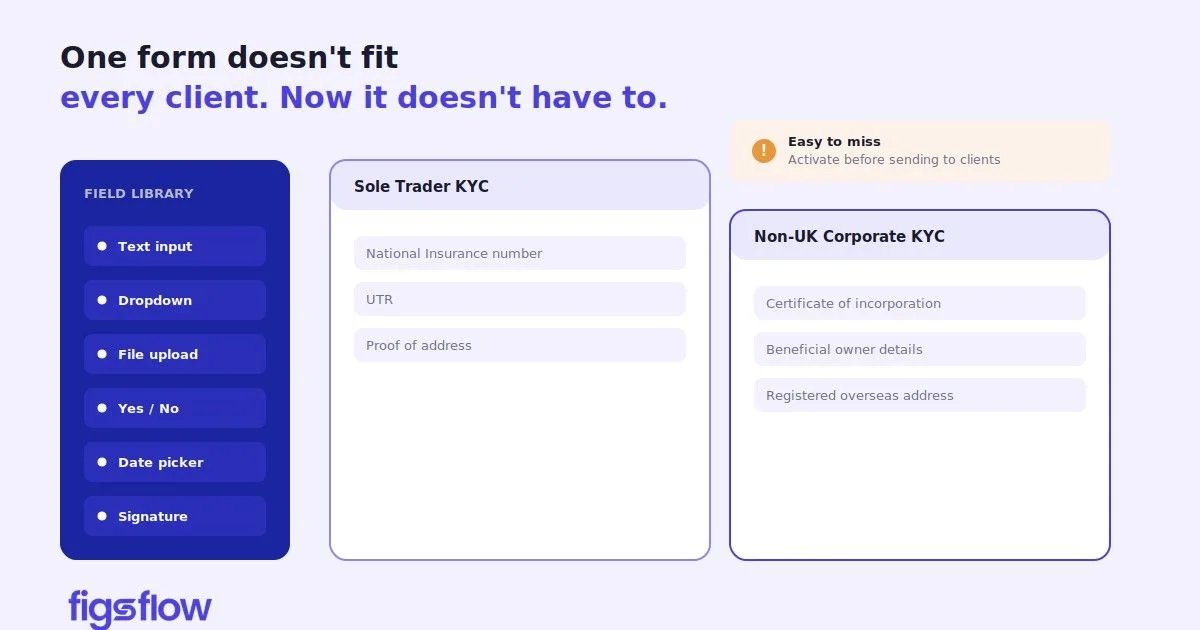
A graphical representation of an hourglass and documents related to ID verification.

4/24/2025

Directors' Identity Verification Engagement Letter Templates for Accountancy Firms Registered As ACSP

Directors' Identity Verification Engagement Letter Templates for Accountancy Firms Registered As ACSP Directors' Identity Verification Engagement Letter Templates for Accountancy Firms Registered As ACSP New Identity Verification Rules: What Accountancy Firms Need to Know The Urgency: Why You Need an Engagement Letter Right Now Skip the Drafting Headache: Use FigsFlow What's Inside the Identity Verification Engagement Letter Template? A Quick Look Conclusion: Get FigsFlow, Stay Ahead of the Competition With new identification verification rules set to come into effect in Autumn 2025, directors and Persons with Significant Control (PSCs) may have already begun turning to accountancy firms like yours for assistance. But are you prepared to meet their needs? The good news: FigsFlow has the perfect solution to help you act fast and stay ahead of the competition – regulatory-compliant identity verification engagement letter templates specifically designed for the new identity verification regime. In this post, we'll walk you through the changes and show you how FigsFlow's ready-to-use engagement letter templates can save you time, ensure compliance and put you in the driver's seat when the rules kick in. Under the new identity verification provision, all the new directors must verify their identities with the Companies House or Authorised Corporate Service Provider (ACSP) before assuming their position with their respective organisations. PSCs, those with significant influence or control over the company, must also complete their identity verification within 14 days of assuming the role. PSCs are defined as those individuals with: direct or indirect ownership of more than 25% of shares in the company direct or indirect control of more than 25% of voting rights in the company direct or indirect right to appoint or remove the majority of the board of directors otherwise has the right to exercise, or actually exercises, significant influence or control over the company Existing directors and PSCs will have 12 months from Autumn 2025 to complete their identity verification as part of the annual confirmation statement. As an accountant, you can encourage clients to voluntarily verify their identity . This voluntary verification started on 8 April 2025. Voluntary verification isn't mandatory, but it is a great way to get ahead and set yourself apart from the competition. With the clock ticking, your firm is likely flooded with client enquiries right now. And remember, your competitors are ready to swoop in and grab prospective customers. This is a huge opportunity and it is critical to act fast. By securing your clients with an engagement letter now, you'll be able to offer them clarity on the service they require immediately. An engagement letter gives you the formal authority to act on their behalf, ensuring everything is done correctly and on time. No engagement letter = No legal authority to act . So, don't risk missing out on the chance to convert these clients into loyal supporters. You can use FigsFlow as it is designed by accountants to be best engagement letter software for accountancy firms. With the new Making Tax Digital (MTD) rollout looming, you don't want to be bogged down by paperwork. Luckily for you, FigsFlow offers pre-built and customisable engagement letters for corporate identity verification services . Whether you're dealing with 5 clients or 5,000, FigsFlow allow you to create legally sound and compelling engagement letters quickly. And because they're tailored to the latest regulations, you can rest easy knowing your practice is fully compliant. https://docs.google.com/viewer?url=http%3A%2F%2Ffigsflow.com%2Fwp-content%2Fuploads%2F2025%2F04%2FEngagement-Letter-Template-ACSP-Identity-verification-service.pdf&embedded=true Using the right engagement letter template is crucial, especially as the regulatory landscape continues to evolve. While many advocate for automation and systemisation, few provide the precise templates you need. That is where FigsFlow comes in. We offer visually appealing, regulatory-compliant and customisable engagement letter templates for over 100 services your accountancy firm might offer, including ID verification under the new ACSP regime. You can access these templates right now by signing up for a free 30-day trial ! directors-identity-verification-engagement-letter-templates-for-accountancy-firms-registered-as-acsp directors identity verification engagement letter templates for accountancy firms registered as acsp page Page

A visual representation of an engagement letter template with sections listed.

4/22/2025

ICAEW Engagement Letter Template: What It Is & How to Get It Right

ICAEW Engagement Letter Template: What It Is & How to Get It Right ICAEW Engagement Letter Template: What It Is & How to Get It Right What Is an ICAEW Engagement Letter? What Makes an ICAEW-Compliant Engagement Letter? When to Issue or Update an ICAEW Engagement Letter Sample ICAEW Engagement Letter Create Your ICAEW Engagement Letter in Minutes with FigsFlow Free ICAEW Engagement Letter Templates Conclusion Frequently Asked Questions (FAQs) What does an ICAEW engagement letter include? Can I use one engagement letter template for all clients? Engagement letters are your first line of defence. Use the ICAEW-approved template to stay compliant and protect your firm. The ICAEW engagement letter template is a structured set of sample wordings issued by ICAEW's Technical Advisory Service to help members in practice draft compliant engagement letters for their clients. It covers both corporate and non-corporate clients across general practice work and runs across five parts that together form a complete, legally grounded letter. Most practitioners know the template exists. Fewer know exactly what a compliant letter must contain, when it needs to be issued or updated, or how to apply the wording correctly without introducing errors. That is what this article covers. An ICAEW engagement letter is a written contract between an accounting firm and its client. It sets out what services the firm will provide, on what terms, at what fee, and what each party is responsible for. It is issued before work begins and signed by both parties. The letter matters for two reasons. First, it protects the firm. A clearly scoped engagement letter is your primary defence if a fee dispute arises or a client later claims they expected work you never agreed to do. Second, it protects the client. It gives them a clear record of what they are paying for and what falls outside the agreement. Without one, the terms of the engagement exist only informally. That creates risk on both sides, particularly when services change, fees increase, or the relationship breaks down. ICAEW has issued an engagement letter helpsheet through its Technical Advisory Service that sets out what a compliant engagement letter should contain. A complete letter comprises four required parts. The engagement letter (Part 1) identifies both parties and references the service schedules and terms of business. The service schedules (Part 2) define the specific work, client responsibilities, and fee basis, each selected individually for each engagement. The terms of business (Part 4) cover payment, termination, liability, AML obligations, and GDPR. The privacy notice (Part 5) explains how personal data is collected and processed under UK GDPR . Part 3 provides optional additional wording for specific circumstances and is included only where needed. New clients should receive an engagement letter before any work begins, without exception. For existing clients, the letter should be reviewed and reissued whenever services change, fees are restructured, or the terms of business are updated. It is also worth reviewing letters whenever the ICAEW helpsheet is revised. The helpsheet was updated in March 2026, with changes across multiple service schedules. If your current letters are based on an older version, they may no longer reflect current regulatory expectations, particularly for services such as MTD Income Tax, VAT, and ACSP identity verification , all of which have been updated or newly added in recent revisions. As a general rule, annual reviews for recurring client engagements are good practice. It takes little time and avoids the much larger effort of unpicking an ambiguous agreement when something goes wrong. A complete ICAEW engagement letter in practice looks broadly like this. The opening letter (Part 1) confirms the client's name and the firm's details, states the date from which the engagement applies, and lists the service schedules attached. It references the terms of business and privacy notice and includes a signature block for both parties. The attached service schedules (Part 2) then set out the detail. A corporation tax schedule, for example, will define the scope of the return preparation, what records the client must provide, submission deadlines, and how the fee is calculated. A payroll schedule will cover pay run frequency, responsibilities for reporting to HMRC, and the treatment of off-payroll working rules if applicable. The terms of business (Part 4) follow, covering everything from invoice payment dates to what happens if either party wants to end the relationship. The privacy notice (Part 5) closes the document, explaining the lawful basis for processing personal data and how the client can exercise their rights. FigsFlow generates engagement letters in this structure, aligned with ICAEW standards, with each section populated based on the services selected. The image below shows what a completed letter looks like within the platform. https://docs.google.com/viewer?url=https%3A%2F%2Ffigsflow.com%2Fwp-content%2Fuploads%2F2025%2F04%2FICAEW_Engagement-letter-Final.pdf&embedded=true Building an engagement letter manually using the ICAEW helpsheet takes time. Selecting the right schedules, removing guidance text, handling optional clauses, and keeping terms of business current across a full client base adds up quickly. FigsFlow handles this in minutes. Over 100 pre-built templates aligned with ICAEW, ACCA, CIOT, CIMA, ATT, AAT, and other UK standards. Each letter is assembled automatically based on the services you select, customisable per client without touching your master template. Built-in e-signature, automated signature reminders, and group engagement support are all included. See for yourself with a free 30-minute demo. FigsFlow's template library includes ready-to-use engagement letters for a wide range of accounting, tax, and bookkeeping services, all built to UK compliance standards. A selection of available templates includes: Annual accounts and corporation tax return, personal tax return (self assessment), VAT returns, payroll services, MTD for Income Tax, trust accounts and tax return, R&D tax credit, non-resident company tax return, Companies House ACSP identity verification service, and month-end close. The full library is available at the FigsFlow templates page . Templates can be used as-is or customised to match your firm's scope and pricing. An engagement letter is not an administrative formality. It is the document that defines the relationship with your client, protects your firm when disputes arise, and demonstrates to regulators that you operate to professional standards. Getting the structure right matters from the first letter you send to the last. The ICAEW helpsheet gives you the framework. FigsFlow gives you the speed to apply it properly across every client, every year, without the manual effort that framework-only solutions require. Further Reading: Best Engagement Letter for Accountancy Firms | FigsFlow An ICAEW engagement letter includes the names and details of both parties, the scope of services to be provided, any service exclusions, the fee structure, payment terms, client responsibilities, termination conditions, and a privacy notice covering GDPR compliance. The ICAEW helpsheet breaks this across five parts: the engagement letter, service schedules, optional clauses, terms of business, and privacy notice. No. The ICAEW helpsheet requires professional judgement to be applied for each engagement. The service schedules must reflect the specific services agreed with that client, and the scope, fees, and responsibilities must be tailored accordingly. Using a generic letter across all clients without adaptation creates compliance risk and leaves scope ambiguities unresolved. icaew-engagement-letter-template-for-accountants-bookkeepers-tax-advisers icaew engagement letter template for accountants bookkeepers tax advisers page Page

A graphic illustrating HMRC shared MTD access roles and permissions.

4/21/2025

HMRC Allows Shared MTD Access For Accountants & Bookkeepers

HMRC Allows Shared MTD Access For Accountants & Bookkeepers HMRC Allows Shared MTD Access For Accountants & Bookkeepers Main vs Supporting Agents: What is the Difference? What This MTD Access Means for Accountants & Bookkeepers Risks & Restrictions to Watch Out For Conclusion For years, the collaboration process under Making Tax Digital for Income Tax (MTD IT) was much more complicated, and only one professional could access a client's digital tax records. This all changed with the release of new guidance from HMRC on 16 April 2025, confirming the rollout of multi-agent access for MTD IT. This update outlines how taxpayers can authorise both a main and a supporting agent. Since this is a new announcement, there are many factors to consider and facets to explore. So, we seek to explore what this means for accountants and bookkeepers, explain the key differences between the main and supporting agents, and discuss mistakes accountants may unwittingly make. Alright! Let us dive in. HMRC's new guidelines illustrate the need for multi-agent access for Making Tax Digital for Income Tax . For example, a bookkeeper would be a supporting agent who submits quarterly updates, and an accountant would be a main agent who finalises and submits the tax return. The main and supporting agents can sign up or opt out clients from MTD IT, submit quarterly updates, and contact HMRC about current and past returns. However, a supporting agent has limitations regarding amending income sources, requesting repayments and adjusting payments on the account. Also, the supporting agent cannot view the client's calculations or payment history or notify the client that they no longer need to file. The guidelines mark certain tasks with an asterisk, meaning a supporting agent can undertake those responsibilities under certain circumstances. For instance, the supporting agent can claim losses and reliefs only if the supporting agent has submitted the tax return. This shared access streamlines collaboration between accountants and bookkeepers and ensures clients have flexibility in managing their tax returns. Under this shared initiative, only the client can assign agent roles; for a particular client, there can be only one main agent but several supporting agents. To elaborate on this further, let us consider this scenario. If the client chooses to change their main agent, the agent who previously held that responsibility would lose access. However, in the case of a supporting agent, they will remain authorised even if new supporting agents are added. According to the HMRC, "Those currently authorised as agents for Self Assessment will automatically become main agents when a client signs up to MTD if there is no need for a supporting agent." There are several risk factors accountants and bookkeepers need to be aware of, both for themselves and their clients. First, accountants and bookkeepers must educate clients on adding a supporting agent. If the supporting agent is accidentally set as the main agent, it will revoke the current main agent status, and HMRC will not notify the accountant or client if this happens. Also, it's important to clarify the roles and responsibilities of the main and supporting agents, and this needs to be reflected in the engagement letters , accountants and bookkeepers draft. Another key point to keep in mind is that supporting agents can only submit quarterly updates but cannot receive penalty notifications for late submissions, as such notifications go directly to the main agent. Thus, it is important for agents to communicate with each other and stay on top of any such issues. Multi-agent functionality for MTD ITSA marks a long-awaited improvement for tax professionals. For years, several stakeholder bodies, such as CIOT, ATT, and ABAB, have pushed for a solution incorporating multi-agent access, recognising it as a practical approach to regulatory compliance. While there are several risks and communication challenges to be aware of, this change brings much-needed flexibility, especially for clients working with both accountants and bookkeepers. With the MTD rollout set for April 2026, this inclusion of shared access is a step towards making the system workable for everyone. hmrc-allows-shared-mtd-access-for-accountants-bookkeepers hmrc allows shared mtd access for accountants bookkeepers page Page

An infographic highlighting common questions about engagement letters.

4/17/2025

Top 5 Frequently Asked Questions About Engagement Letters

Top 5 Frequently Asked Questions About Engagement Letters Top 5 Frequently Asked Questions About Engagement Letters What Are Engagement Letters? How Do Engagement Letters Help Accountants & Bookkeepers? Do I Really Need Engagement Letters If I've Worked With A Client for Long? What Are Multi-Year Engagement Letters & How Can Accountants, Bookkeepers & Tax Advisers Use Them? Where Can I Find Sample Engagement Letters? Do you know? Clients are three times more likely to recommend firms that have clear onboarding processes. This includes firms that present them with good and professional engagement letters. Yet many firms tend to gloss over engagement letters and end up getting them wrong. So today, we'll look at what engagement letters are and why they are important, and answer some general questions that accountants, bookkeepers and tax advisers across the globe have about them. An engagement letter is a written agreement between professional service providers such as accountants, bookkeepers and tax advisers, and their clients. It sets the scope of the overall engagement, outlines each party's responsibilities and clarifies fees and payment terms. Think of an engagement letter as a document that signals the acceptance of the contract, sets expectations for both parties and limits responsibilities to either side. In case of legal disputes and proceedings, the engagement letter is the first document requested by a dispute resolution tribunal. That's why accountants need engagement letters ! Want to learn more about engagement letters? Our complete guide covers everything you need to know: what to include, compliance requirements, and ready-made templates. Explore the Full Guide → Engagement letters are the most effective risk management tools an accountant, bookkeeper or tax adviser has. As a matter of fact, engagement letters are the first document requested during legal proceedings. Even professional liability insurers offer discounts and deductible credits to firms using engagement letters. Yet, many accountants and accountancy firms don't use engagement letters. As per a 2020 study, only 61% of CPA firms' claims involved engagement letters. Engagement letters protect your firm, reduce legal exposure and save thousands on insurance and potential lawsuits. If you are not using them, you're exposed to greater risk. When it comes to money, longstanding relationships never guarantee protection. Even your loyal clients and family friends can sue you. Remember this adage: The client you have known for 10 years can still sue you in year 11. It's harsh. But numbers don't lie. Trust alone has never been a defence for accountants. So, as an accountant, you must be the first to introduce an engagement letter in any engagement. It formalises what both sides already expect, sets clear boundaries and fosters mutual understanding. Remember, in today's business world, using an engagement letter is not just smart but necessary, in a way mandatory. A multi-year engagement letter is an agreement that stays in effect over multiple years without the need to sign and draft a new letter each year. Such a document is ideal for recurring and low-risk services where the scope of services doesn't change much from year to year. For instance, if your firm provides individual tax return preparation (Form 1040) or monthly bookkeeping services, you can use a multiyear engagement letter. It will save you a lot of time and administrative burden. However, it's important to review and change the wording of a multi-year engagement letter over time, especially if the legal policies, fees and scope of service change. It's not hard to find samples of engagement letters online. But what is hard is to find engagement letters that are comprehensive, customisable, include the services you need and are compliant with ACCA, CIOT or other bodies you are governed by. That's where FigsFlow comes in. FigsFlow offers comprehensive engagement letter templates that are ready to use as soon as you download them. Or, if you sign up, you can create engagement letters that are legally compliant, visually appealing and adhere to your organisational branding requirements within minutes. You also get the added benefits of team collaboration and digital signatories. So, why not sign up for a free 30-day trial ? top-5-frequently-asked-questions-about-engagement-letters top 5 frequently asked questions about engagement letters page Page

Infographic about the importance of engagement letter templates for accountants.

4/16/2025

Why Accountants Need Engagement Letter Templates

Why Accountants Need Engagement Letter Templates Why Accountants Need Engagement Letter Templates Risk of Skipping Engagement Letters Using Engagement Letter Templates Bonus Tip: Use FigsFlow Conclusion Do you know that 1/3rd of professional liability claims against accountancy and CPA firms involved cases where no engagement letters were drafted? Or the fact that the number jumps to nearly 50% for tax-related claims. Engagement letters are more than just paperwork. They are written and binding agreements between an accountant, bookkeeper, or tax adviser and their clients that outline the scope of work, responsibilities, deliverables, fees and limitations of the service. They are a legal shield. But drafting proper and comprehensive engagement letters are easier said than done. In this article, we will explore what engagement letters must contain, how to draft them and what happens if accountants are careless. Failure to draft and forward engagement letters can expose your accountancy firm to serious risk. In several cases, accountants, CPAs, and accountancy practices were fined millions, which could have been avoided had engagement letters been developed. Here are some cases that highlight why engagement letters are important for accountancy practices: Erwin vs United States (2010) – A CPA was held personally liable for a client's unpaid taxes following the lack of a clear engagement letter detailing the responsibilities of each party. Scott Group Ltd vs McFarlane (1977) – Auditors were held liable for a $38,000 overstatement in financial statement, which misled a third party during a takeover bid. If there was proper engagement letter in place, it could have been avoided. Channel Fabrics, Inc vs Skwiersky, Alpert & Bressler LLP (2023) – A malpractice claim over the accountants was dismissed as the engagement letter clearly stated the limitations of a review engagement. This protected the accountants from liabilities. These cases clearly underscore the importance of well-drafted engagement letters for accountants. Despite all these risks, some accountants tend to overlook engagement letters. We can't really blame them because engagement letters tend to be tedious, require countless reviews and take hours to develop. However, using engagement letter templates can make this task simple and fast. A well-structured template eliminates ambiguity, reduces the risk of omissions and ensures compliance with professional standards. By standardising the process, accountants can save time, reduce errors and provide a clear and professional impression to clients from the outset. Templates also allow for greater efficiency and scalability, especially for firms handling multiple clients or service lines. Instead of drafting each engagement letter from scratch, accountants can quickly tailor a base template to suit individual clients' needs. This flexibility speeds up client onboarding while ensuring key legal and regulatory elements are never missed. Templates can also be regularly updated to reflect changes in legislation, internal policies or service offerings without starting from scratch each time. FigsFlow takes this one step further by providing expertly drafted, ready-to-use engagement letter templates tailored specifically for accountants. These templates are designed to align with industry standards and regulatory requirements, helping firms maintain compliance and professionalism effortlessly. With FigsFlow, accountants can streamline their engagement process, reduce admin time and focus more on delivering value to clients. Whether you're a sole practitioner or a large firm, FigsFlow makes engagement letter management faster, easier and more reliable. FigsFlow is a proposal and engagement letter software that offers: Engagement letter templates compliant with ACCA, CIT, CIMA, ICAEW, ATT, AAT etc standards Pre-filled terms and conditions as well as data security clauses Dynamic and adjustable pricing Digital signatures, status tracking, follow-up reminders, multi-currency support and more Using templates for engagement letters is not just about convenience. It is a smart, strategic move that enhances accuracy, compliance and professionalism. With the added support of a platform like FigsFlow, accountants can confidently manage their client agreements with ease and consistency. By adopting the right tools and processes, firms can build stronger client relationships while freeing up valuable time to focus on what matters most: delivering expert financial advice. Sign up for a free 30-day trial of FigsFlow today! why-accountants-need-engagement-letter-templates why accountants need engagement letter templates page Page

An illustration depicting pricing strategies in accounting.

4/11/2025

Value-Based Pricing for Accounting Firms: Moving Beyond Hourly Billing

Value-Based Pricing for Accounting Firms: Moving Beyond Hourly Billing Value-Based Pricing for Accounting Firms: Moving Beyond Hourly Billing What is Value-Based Pricing? Key Notes: When is Value-Based Pricing Used? Cost-Plus Pricing vs Value-Based Pricing How to Implement Value-Based Pricing Step 1: Assess Client's Needs & Goals Step 2: Identify Key Value Drivers Step 3: Create Tailored Service Packages Step 4: Align Pricing with Client Value Step 5: Clearly Communicate the Value Proposition Step 6: Monitor Results & Gather Feedback Pro Tip: Use FigsFlow for Value-Based Pricing Challenges & Solutions to Value-Based Pricing Debunking Myths Regarding Value-Based Pricing Conclusion FAQ Section Why should I choose value-based pricing over cost-plus pricing? What does value-based pricing primarily consider? How to calculate value-based pricing? Value-based pricing lets accounting firms move beyond hourly billing to capture true service worth. Though challenging, the right software can simplify this shift and boost profitability. Value-based pricing is a model for pricing goods and services based on their perceived value rather than historical price or cost-plus model. In other words, value-based pricing is about pricing the ultimate outcomes rather than the product or hours. Many well-known companies, such as Apple, Tesla, Salesforce, etc., use a value-based pricing model to increase their revenue and profit margin without significantly impacting sales volume. These companies focus on perceived value rather than what is on the invoice. This can be a valid pricing model for accountants and accounting firms to explore too. What the customer Buys and considers value is never a product. It is always utility, that is, what a product or service does for them. – Peter Drucker (Management Consultant & Author) Value-based pricing model values goods and services based on perceived value. This model is most effective for services. Also, it is used for products with high perceived value. The price of goods valued under this model is typically higher than other models as it incorporates and enhances the perceived value of service. Value-based pricing is most effective when the perceived value of your service is high, emotionally driven, or scarce. These services include tax advisory, bookkeeping, audit and assurance, business valuation, and compliance tasks, where the firm's expertise, insights, and strategic support define the success of clients. Here are some scenarios where accounting firms can confidently apply value-based pricing. Advisory Services Clients are often willing to pay premium when your guidance helps them make better financial decision. It includes business structuring, M&A advisory, succession planning, and deeds. Audit & Assurance Services Audit and Assurance is not just the compliance task. It is more about building credibility and trust. So, pricing audit and assurance services based on the significance of audit rather than hours logged aligns better with client's expectation. Tax Planning & Optimisation Tax clients want to pay less legally and avoid costly mistakes. The value firm and tax adviser provide is more than just filing tax returns . So, for services like R&D tax credits, international structuring, or inheritance planning, Accountants can use value-based pricing. Time-Sensitive Needs Time sensitive needs such as year-end filings, dispute with HMRC or other last-minute tax issues carry higher value. Clients looking for this service value based on the certainty, peace of mind and speed, rather than legal compliance or hours logged. When it comes to pricing accounting services, accountants will encounter a critical question: which pricing model should I use, cost-plus pricing or value-based pricing? Well, the answer depends on nature of services and the expectations of the client. While cost-plus pricing focuses on internal costs and desired profit margin, value-based pricing centres around customer priority and perceived value of the service. Here is a quick comparison that can help accountants decide. Aspect Cost-Plus Pricing Value-Based Pricing Pricing Costs + Markup Perceived Value Scalability Limited- tied to time & effort High-rewards efficiency & expertise Flexibility One size fits all Highly flexible- based on client needs & expectations Profit Potential Fixed margins, Capped Potential Higher margins Common in Routine work Advisory, planning and strategic services Client Focus Low High When to use Standard services with predictable time High-impact, strategic or outcome-driven services. Now that you have weighed the pros and cons of the cost-plus and value-based pricing models and made a choice for your accountancy firm, let us go through the step-by-step approach to implementing value-based pricing. The first step to value-based pricing is understanding what the client truly values. For this, you can use custom questionnaires and surveys and gather insights about client goals, challenges and expectations. Accountants must understand their clients' key value drivers. Find the answer to "What makes the client satisfied?" It could be reducing tax liabilities, getting better service packages, or ensuring regulatory compliance. Understanding these key value drivers would ensure tailored services. Once you understand clients' needs and key value drivers, you can craft a personalised yet professional service package. Ensure the package directly addresses the client's needs and highlights the benefits they will receive. You can use proposal software for accountants like FigsFlow to automate this process. It allows you to create customised proposals and engagement letters in just a few minutes. Plus, it allows you to track the entire client journey and workflow without breaking the bank. With a clear understanding of the client's needs and key value drivers, accountants can devise a pricing quotation that is value-driven rather than hours worked. You can use FigsFlow for this. This pricing software for accountants automatically calculates the prices based on provided guidelines and allows you to easily adjust discounts and prices. Justify the price by effectively communicating the benefits and outcomes to the client. You can use case studies, data or examples. Tailored engagement letters, proposals and service packages also form part of this communication as they personalise everything. After implementing value-based pricing, accountants should closely track the response of their clients and/or gather feedback. If the client perceives more value in your services, you can reflect that with your pricing. This model requires extensive manual input and a personal touch. However, FigsFlow can automate this tedious task. It allows accountants like you to craft customised proposals, engagement letters and pricing guides – all through one account. You can also create customised service packages, apply dynamic pricing and discounts and track the entire workflow from proposal development to client signing. The best part is that you do not have to make an instant commitment. You can sign up for a 30-day free trial and experience the benefits yourself. Value-based pricing is a model that requires accountants to have a deep understanding of their clients' needs and aspirations and a personalised service experience. That is what makes it powerful but also challenging for many accounting firms to implement. Below are some common challenges many accountants and accounting practices face in implementing this model along with practical solutions. Challenges Solutions Difficult to value services Link pricing to the outcome, such as tax saved. Clients seek cost breakdowns Educate the client about outcome-based pricing and its benefits. Inconsistent pricing Use pricing software like FigsFlow. Lack of tools to automate the process Use software like FigsFlow for automation and dynamic price editing. A value-based pricing model is a modern approach to pricing services and goods. With its wide adoption in the market, there are many misconceptions about this practice. Let us debunk those myths. Value-Based Pricing Guarantees Success Accountants and accounting firms should not expect exponential growth in revenue just because they adopt value-based pricing. Though the pricing is reasonable and logical with this method, it is not the absolute key to success. Value-Based Pricing Requires Detailed Consideration of Services A common misconception about this model is that it requires accountants to take into account every feature and service the client wants. That is not the case. The key to value-based pricing is gauging the value a particular client would get from the given service and customising the package and pricing based on that. Without Brand Value, There is No Value-Based Pricing There is no doubt that brand value determines the perceived value of the service. But here is the catch. In accounting, you can use your past experiences, successes and client testimonials to enhance the perceived value of your service even if you lack the brand authority. Value-based pricing is a radically different way of setting prices for your services. While adopting this model comes with a bunch of challenges, including redefining value, training your team, maintaining consistency with pricing and communicating effectively with clients, the use of the right software can ease the transition. FigsFlow , the ultimate proposal, engagement letter and pricing software, can help you navigate the transition. With easy-to-use templates and built-in pricing automation options, FigsFlow enables you to set the best prices for your services that ensure maximum profitability for you and maximum affordability for your clients. So, why not start a free 30-day trial today? Value-based pricing strengthens relationships with clients, enables differentiation with service packages and pricing, and allows you to increase revenue without affecting sales volume. Plus, unlike cost-plus pricing, it rewards efficiency and expertise and offers unlimited upside potential. Value-based pricing focuses on the client. The entire model centres around the client's needs, gauging and enhancing the perceived value of products and services from the client's perspective. The easiest and most practical way to calculate value-based pricing is to use percentage fees of the benefits received by the client. It could be tax saved, risk reduced, or costs avoided. What is value-based pricing? - Value-Based Pricing - 2 value-based-pricing-for-accounting-firms value based pricing for accounting firms page Page

An illustration depicting a gavel and legal symbols related to a financial fine.

4/8/2025

ICAEW Fines Financial Controller Over Alleged Fraud

ICAEW Fines Financial Controller Over Alleged Fraud ICAEW Fines Financial Controller Over Alleged Fraud ICAEW Fines' Case Background Intention vs Perception: ICAEW's Decision Tribunal's Ruling Conclusion ICAEW has fined a financial controller with a bill of £14,000 for wrongly utilising company funds to pay for the repairs of his personal car and falsifying the company's invoices to cover it up. The accused person had been allegedly using company funds to pay for a private car repair without authorisation and falsifying the purchase. While the allegation was not proven, the ICAEW found that he lacked integrity and acted dishonestly in his conduct. While it may not be pertinent to discuss the finer details of the case and accusation (because it was not proven), it may be best to look at the investigation and how ICAEW arrived at the conclusion of the fine so that others may learn lessons from this. A member of ICAEW was employed as a financial controller at a company, where he oversaw managing company records and accounts and had access to the company's accounting system. In 2022, he authorised a company payment that included money for the repairs of his private car. To disguise this personal expense, he entered a false invoice into the system. ICAEW raised the following four allegations against him. He stole a certain amount (for his car repairs) from the company. He paid for private expenses out of company funds without authorisation. He posted a false invoice entry. He lacked integrity. Of these allegations, the first was dismissed, and the third was proven. On an unrelated note, it is also worth noting that HMRC has also been targeting "unethical" tax advisers . This shows that the UK government is determined to root out irregularities in the accounting, bookkeeping and tax advisory sectors. With respect to the last two allegations, he acknowledged that with the benefit of hindsight and time, his actions could be seen as dishonest by an external party in isolation. However, he maintained that his intention was always to reimburse the invoice after discussing it with his superior. However, ICAEW's tribunal identified several flaws in his explanation and reached the conclusion that the accused created a false entry in the accounting records to cover up unauthorised payment. The tribunal also considered both mitigating and aggravating factors. Mitigating factors included the accused's lack of prior disciplinary record, the isolated nature of the incident, his admission of the misconduct and cooperation with the investigation, while aggravating factors included his deliberate nature to cover up the payments, abuse of his position as financial controller, and a breach of trust. The tribunal fined him £3,000 and ordered him to pay £10,717 in costs to ICAEW. The total amount to be paid was, therefore, £13,717. This truly serves to show just how important regulatory compliance is in this sector. This case highlights the critical importance of integrity, transparency, and accurate record-keeping in any financial role. For bookkeepers and financial controllers, even a minor lapse in judgment, intentional or not, can result in significant professional and reputational consequences. This is where tools like FigsFlow come into play. Built specifically for accountants and bookkeepers, FigsFlow simplifies proposal and engagement letter management, maintains a clear audit trail of approvals, and ensures consistent, transparent communication. By automating routine compliance tasks and providing pre-approved templates, it minimizes the risk of mistakes, helping professionals uphold the highest standards of ethics and conduct. icaew-fines-financial-controller-14k icaew fines financial controller 14k page Page

An informative graphic about MTD changes for accountants, bookkeepers, and tax advisers.

4/4/2025

Full Guide to Making Tax Digital for Accountants, Bookkeepers & Tax Advisers

Full Guide to Making Tax Digital for Accountants, Bookkeepers & Tax Advisers Full Guide to Making Tax Digital for Accountants, Bookkeepers & Tax Advisers Making Tax Digital for Income Tax: What It Means for Your Clients? Is this really that easy? When Does Making Tax Digital Start? Who is Exempt from MTD? Impact of MTD on Accountants, Bookkeepers & Tax Advisers Impact of MTD on Accountants Automating Compliance: How Accountants Can Streamline MTD Processes How to Track & Manage Multiple Client Submissions Efficiently Impact of MTD on Bookkeepers Impact of MTD on Tax Advisers Digital VAT: What Tax Advisers Need to Know How to Sign up & Register Clients for Making Tax Digital? Steps You Need to Take Ensuring Clients are Fully Prepared for MTD Before Signing Up Software for Making Tax Digital: Helping Clients Choose the Right Tools What Features to Look for in MTD-Compliant Software How to Transition Clients from Spreadsheets to MTD software Penalties for Non-Compliance with Making Tax Digital (MTD) Late Payment Penalties Late Submission Penalties Inaccuracy Penalties Paper VAT Return Fine Failure to Keep Digital Records or Use Digital Links Common Challenges & How to Overcome Them Conclusion: Next Steps for Accountants, Bookkeepers & Tax Advisers Discover what Making Tax Digital (MTD) means for accountants, bookkeepers, and tax advisers—and how to navigate the new digital tax landscape with ease. Making Tax Digital (MTD) is a government initiative introduced to transform the UK's tax system, making it more efficient, transparent, and easier to manage for both taxpayers and professionals like accountants, bookkeepers, and tax advisers. MTD was part of the Finance Act 2017 and became mandatory for VAT-registered businesses with a turnover of £85,000 or more from 1st April 2019. But what exactly does MTD mean, and how will it affect accountants, bookkeepers, and tax advisers? This guide will explain the key aspects of MTD, its implications for tax professionals, and the steps you need to take to get ready. The Making Tax Digital (MTD) initiative aims to streamline the tax process, benefiting both taxpayers and accountants by reducing complexities and enhancing accuracy. Under the traditional system, individuals often need a comprehensive understanding of tax rates, brackets, deductible expenses, allowances, and various taxable benefits, which can lead to errors and incorrect tax payments. MTD addresses these challenges by requiring businesses and individuals to keep digital records and use compatible software to submit updates to HMRC every quarter, bringing the tax system closer to real-time reporting. By adopting MTD-compatible software, taxpayers can simplify the filing process. These digital tools can connect directly to bank accounts, automatically pulling in data, saving time, and reducing the risk of errors. This integration also assists with business forecasting and cash flow management, enabling informed, real-time financial decisions. To comply with MTD, taxpayers need to: Update their HMRC-compatible software quarterly This ensures that all financial data is current and accurately reflects income and expenses. Incorporate any one-time income Add any additional income that isn't part of regular earnings to maintain accurate records. Submit the final confirmation form After reviewing all information, submit the form to HMRC to complete the tax filing process. By following these steps, taxpayers can ensure accurate filings, avoid penalties, and gain a clearer understanding of their financial position throughout the year. This proactive approach not only simplifies tax compliance but also enhances overall financial management. Yes and no. Yes, because Making Tax Digital (MTD) has simplified tax calculation and filing for general taxpayers. However, it also introduces additional responsibilities, as taxpayers must maintain digital records of income and expenses and submit updates to HMRC multiple times a year. To streamline this process and minimise hassle, taxpayers can appoint certified accountants or tax advisers to manage their tax affairs on their behalf. This service is quick and straightforward, taking only a few minutes. Regardless of the approach, taxpayers will ensure they pay the correct amount of tax each year. That said, there's no need to worry. As tax advisers and accountants, our role is now more crucial than ever. With real-time tax filing comes real-time tax planning—helping individuals and businesses stay compliant while optimising their tax position. MTD is being implemented in phases, and key deadlines are approaching for different types of taxpayers: Phase Date Requirement MTD for VAT (Phase 1) April 2019 Businesses with turnover > £85,000 must use MTD-compatible software to file VAT returns. MTD for VAT (Phase 2) April 2022 All VAT-registered businesses, regardless of turnover, must comply with MTD. MTD for Income Tax Self-Assessment (ITSA) April 2026 Self-employed individuals and landlords with income > £50,000 must use MTD for ITSA. MTD for ITSA (Phase 2) April 2027 Self-employed individuals and landlords with income > £30,000 must use MTD. MTD for ITSA (Phase 3) April 2028 Self-employed individuals and landlords with income > £20,000 must use MTD. Currently, all taxpayers, except for VAT-registered businesses, are exempt from the Making Tax Digital (MTD) initiative. However, starting in April 2026, individuals with a qualifying income of £50,000 or more in the 2024–25 tax year will be required to file taxes through MTD. This requirement will extend to those earning £30,000 or more in the 2025–26 tax year, effective from April 2027 and to those earning £20,000 or more in the 2025–26 tax year, effective from April 2028. Note: You could be already exempt from MTD for VAT if your business is subject to insolvency procedure and you have cancelled your VAT registration. You can apply for exemptions from MTD for VAT if using computers is not reasonable or practical because of your age, health condition, disability or religious grounds. To apply, write or call to HMRC. As an accountant, MTD changes the way you work with clients: Quarterly Submissions Instead of annual tax returns, you will be required to file quarterly updates on behalf of clients, plus an end-of-year summary. This final declaration should be filed by 31 January following the end of the relevant tax year. Client Education Many taxpayers may not be aware of the changes or might find the process challenging. It will be your responsibility to educate clients about MTD, the software they need to use, and how to stay compliant. Agent Service Account To act on behalf of your clients, you'll need to create an agent service account on GOV.UK and obtain permission from clients to manage their tax submissions. Accountant can streamline MTD processes by providing feedback to HMRC via consultation process, and educating the clients about HMRC compatible software, its uses, and submission processes. Here are some more ways you can help streamline Making Tax Digital processes. Collaborating With HMRC Accountants can collaborate with HMRC, source software to link with HMRC system and provide expert service. Training & Support Accountants can provide trainings and resources via webinars and meetings to clients and help them transition successfully to MTD. Automate Software Accountants can automate their own software and make it compatible with HMRC system. This would reduce manual workload and enhance efficiency. With the MTD registration deadline approaching, you would need to handle multiple clients' requests and submission. Here are few ways can handle and track them most efficiently. Set Priorities It is impossible to please every client and not every one of them even require same level of attention and communication. So, set priorities based on importance and urgency. Based on that, communicate with your client. This way, you can track every one of them and ensure their submission is done on time and efficiently. Communicate with Clients Regularly When it comes to taxes, especially the new MTD process, its evolving and there are new changes and requirements every here and there. So, it is important to communicate with client regularly and update them of the changes. Use a System Use client management tools that allows you track the demand of clients and what is due. This allows you to operate efficiently and satisfy the expectations of clients. You can use the software. For bookkeepers, MTD brings an end to traditional paper-based record-keeping and introduces a shift to maintaining digital records. This requires embracing cloud-based accounting systems , which can sync directly with HMRC's systems. Key Responsibilities for Bookkeepers: Maintain Digital Records Instead of maintaining paper-based ledgers or spreadsheets, bookkeepers will need to use MTD-compatible software to store financial transactions. Quarterly Updates to HMRC Add any additional income that isn't part of regular earnings to maintain accurate records. Transition Assistance Many businesses transitioning to MTD will need help with setting up new systems or migrating from paper-based systems to digital platforms. MTD will affect the role of tax advisers, shifting their focus from regulatory compliance to proactive planning and advisory: Proactive Tax Planning Tax advisers will need to provide more strategic advice, helping clients optimise Review Submissions Tax advisers will play a role in reviewing quarterly submissions to ensure that tax filings are accurate, addressing any discrepancies before they are sent to HMRC. Handling Complex Cases While MTD software will handle basic tax calculations, complex cases (such as foreign investments or trusts) will still require expert tax advice. As of April 2022 , all VAT-registered businesses are automatically enrolled in Making Tax Digital (MTD). Tax advisers no longer need to manually sign-up clients, but it remains essential to ensure that clients are correctly registered for VAT. Advisers must also ensure that VAT records are accurately maintained and submitted quarterly using HMRC-compatible software in compliance with MTD regulations. How MTD Affects VAT-Registered Businesses Making Tax Digital changes the way in which businesses file VAT returns and keep the record of income and expenses. With MTD, VAT registered businesses are required to keep digital records of each transactions including time of supply, value of supply and tax rate via HMRC compatible software. The common tax rate for the goods and services is 20%. However, some of the goods and services such as charity fundraising, trainings and education, postage stamps are exempt of VAT. You can check the tax rates on different goods and services on gov.uk. Compliance Requirements for Digital VAT Returns To comply with MTD for VAT, businesses must submit VAT returns electronically via HMRC-compatible software. Digital records must include designatory data (such as business name, VAT number, and address) along with a summary of VAT return data for each period. Submissions must be made in XML, CSV, or Excel formats , ensuring that they are API-enabled for compatibility with HMRC systems. By adhering to these requirements, businesses can ensure compliance, improve efficiency, and avoid potential penalties associated with non-compliance. You need an agent service account to register your clients for Making Tax Digital initiative and deal with their tax matters on their behalf. To create an agent service account, you must fulfil the following criteria. If you are registering as a firm, you as an Accountant, tax advisers or bookkeepers must be responsible for administrative and tax matters. If you are registering as a Limited Liability Partnerships (LLPs), you must be the registered member of the LLPs. If you meet the above criteria, follow the following steps and become registered agent today. There are lots of free and paid software available online that are compatible with HMRC system. If you are using non-compatible software of your own or spreadsheets, you can use bridging software as well. Step 1: Create an Agent Service Account To apply for an Agent Service Account , you need to go to the official HMRC website: Visit the HMRC Agent Services Sign-In Page Go to Gov.uk – Agent Services to begin the process of creating your Agent Service Account. Create or Use an Existing Government Gateway Account If you already have a Government Gateway user ID and password from previous dealings with HMRC, you can use the same login details to access the Agent Service Account registration page. If you don't have a Government Gateway account, you'll need to create one on the same page by clicking "Create an account." Note: Please note that once you begin the application process for an Agent Service Account, you cannot save your progress. Ensure you have all the necessary information before starting your application. Required Information: Your Government Gateway User ID and Password Unique Taxpayer Reference (UTR) Postcode associated with your UTR Company Registration Number (if applicable) VAT Registration Number (if applicable) National Insurance Number and Date of Birth (for sole traders and business partnerships) Anti-Money Laundering (AML) membership number and renewal date Note: Please note that the Agent Service Account is distinct from your HMRC online services for agent account. Step 2: Add New Clients to Authorise You To register a client under Making Tax Digital (MTD) and manage their tax affairs, you must first obtain authorisation from the client. To do so: Log in to your Agent Service Account. Select "Ask a client to Authorise You." Create an authorisation request. Copy the link and send it to your client. Step 3: Request Client Authorisation The authorisation link will expire after 21 days, so it's important to ensure your client signs in to your request within this time frame. To authorise you as an agent, the client must: Sign in using their Government Gateway User ID (ensure they use the correct one if they have multiple IDs). Verify their identity. Click "Authorise." If the link expires, you can send a new request. Important: Do not use your client's credentials to sign in to any account. Step 4: Managing Client Taxes Once you are authorised to act as an agent, you will be able to manage the following tax affairs on behalf of your clients: Making Tax Digital for VAT Capital Gains Tax on UK property Making Tax Digital for Income Tax Managing a trust or estate Managing Plastic Packaging Tax Key Notes: Do not sign up too close to a VAT return due date, as this may result in having to pay twice. If you pay VAT via direct debit: Sign up 7 days before the return is due or up to 5 days after the return is due. If you do not pay VAT via direct debit: Do not sign up within 3 days before the return is due. Before signing up clients for MTD, ensure clients are aware of Making Tax Digital initiative, understand and confirm their own and agents' responsibilities in relation to taxes and have all the related details. Clients have two options when it comes to making a choice for software. Either HMRC compatible software or a bridging software. HMRC compatible software serves as a direct link between your business and HMRC system. Thus, it enables you to submit digital records and file tax return electronically. There are several software builders providing free and paid version of HMRC compatible software such as Dext, IRIS Workflow, Free Agent and Sage. Bridging software helps connect non-compatible software like spreadsheet to HMRC compatible software. You can use vital tax add-in in excel as a bridging tool. Special consideration should be given to factors like HMRC recognition, real time tax reporting and accessibility to receive information from HMRC via an API while looking for MTD software. Beside this, look for additional features such as cloud accessibility, user-interface and ability to integrate with your existing system. For ease of selection, refer to the following checklist when choosing MTD-compliant software: HMRC Recognised Ensure the software is listed as compliant with HMRC's Making Tax Digital requirements. VAT Return Submission The software should facilitate direct VAT return submissions to HMRC. Digital Record Keeping Supports the mandatory digital storage of financial records. Multi-User Access Allows multiple users to collaborate efficiently. Cloud Accessibility Enables access from anywhere, ensuring flexibility and data security. Invoice and Expense Tracking Streamlines financial management with integrated tracking tools. ITSA (Income Tax Self-Assessment) Support Prepares businesses for MTD for ITSA compliance. Customer Support Reliable support services to assist with troubleshooting and queries. Data Security and Encryption Ensures the safety of sensitive financial data. Automatic Updates for Tax Regulations Keeps the software aligned with the latest tax laws. Integration with Other Tools Compatibility with accounting, payment, and business management systems. Bank Feed Integration Enables seamless syncing of bank transactions. Accounting Period Support Aligns with your business's financial reporting periods. If the software meets most of these criteria, it is a strong candidate for adoption. However, conducting thorough research and reviewing user feedback is essential before making a final decision. To efficiently transition your clients from spreadsheets to MTD (Making Tax Digital) software, you can start by creating an agent service account via Gov.uk. Once set up, seek authorisation from your client to act on their behalf for tax matters. This will enable you to manage their tax obligations seamlessly within MTD-compliant software , ensuring compliance and efficiency in their digital tax reporting. Beside this, you can create several courses, webinars and in person training to clients to educate on MTD, compatible software, transition process and its benefits. Non-compliance with HMRC's Making Tax Digital (MTD) requirements can lead to various penalties. Below is a summary of these penalties with corresponding citations: Days 1–15: No penalty if the outstanding VAT is paid within 15 days of the due date. Days 16–30: A 2% penalty is charged on the amount outstanding between 16 and 30 days after the due date. Day 31 onwards: An additional penalty accrues daily at a rate of 4% per annum on the outstanding amount from day 31 until full payment is made. Points-Based System: For each late submission, a penalty point is assigned. Upon reaching a threshold—two points for annual submissions, four for quarterly, and five for monthly—a £200 penalty is charged. The threshold is determined by how often a taxpayer is required to make their submission. Careless or Deliberate Errors: Submitting returns with inaccuracies due to carelessness or deliberate actions can result in penalties of up to 100% of the VAT due or over-claimed. Non-Digital Submission: Submitting a paper VAT return without a valid exemption may incur a fixed penalty of up to £400 per return. Non-Compliance: Not maintaining digital records or failing to use digital links to transfer data can result in penalties ranging from £5 to £15 for each day the requirements are not met. To avoid these penalties, businesses should ensure full compliance with MTD requirements, including timely payments, accurate reporting, and the use of approved digital tools. Making tax digital initiative makes a leap towards the use of tech, software and computer system which brings several challenges for accountants and clients. However, it is a regulatory requirement and to stay competitive as an accountant, bookkeepers and tax advisers, we must be the first to adopt and educate the client. Below are some of the common challenges and some practical ways to overcome them. Challenges Solutions Resistance to change from clients. Educate the client via training programs, webinars and courses. Difficulties in transitioning to HMRC compatible software and digital bookkeeping. Provide clear guidance and recommend HMRC-approved software options based on their business needs. Initial Workload and Exhaustion for Transition Use third party software. Stay updated on HMRC announcements and prepare for changes in advance. Difficulty in Handling late adopters Reach out to individual client and encourage early adoption. Streamline processes with automation. System Integration Issues Laise with software providers and consider using third-party integration tools to streamline the process. Despite these challenges, adopting MTD early presents a significant opportunity for accountants and tax professionals. By leading the digital transition , firms can enhance their service offerings, improve efficiency, and build stronger client relationships. Staying informed, investing in training, and leveraging the right tools will ensure compliance and help firms maintain a competitive edge in the evolving tax landscape. Making Tax Digital is the new initiative organised by HMRC which requires tax submission via HMRC compatible software on a quarterly basis. This initiative aims to revolutionise the tax filings systems and bridge the tax gap. With this new initiative, the role of accountants, bookkeepers and tax advisers is transformed towards more advisory, planning and tech role rather than simple bookkeeping and regulatory compliance. So, Accountants, Bookkeepers and Tax advisers: Register your agent service account and sign up your clients for MTD . Be the first to bring the change and be competitive. How to Sign up & Register Clients for Making Tax Digital 15117 Custom 1 full-guide-to-making-tax-digital-for-accountants-bookkeepers-tax-advisers full guide to making tax digital for accountants bookkeepers tax advisers page Page

An infographic explaining how accountants verify client identities under ACSP.

4/2/2025

ACSP: How Can Accountants Prove & Verify Clients' Identity

ACSP: How Can Accountants Prove & Verify Clients' Identity ACSP: How Can Accountants Prove & Verify Clients' Identity How Can Accountants Verify Identities Under ACSP? Verification Process For "Harder to Verify" Officers Reverification: What Accountants Need to Know Conclusion The UK government has introduced stricter identity verification requirements, and any negligence or failure could result in civil penalties and criminal charges. This is part of the broader Authorised Corporate Service Provider or ACSP registration regime. With the new ACSP requirement introduced as the part of Economic Crime and Corporate Transparency Act 2023 (ECCTA), accountants and corporate service providers must ensure the mandatory identity verification of company directors, PSCs and others linked to UK businesses. But how can accountants verify someone's identity under this new requirement? Let's explore. To verify the identity of your client (company directors, PSCs & others), first you need consent from the client to act on their behalf. For this, login to the HMRC agent service account, navigate to the "Manage your client's MTD services" section and follow the prompts. Once you get consent from the client, you'll need the client's Unique Reference Number (UTR), National Insurance Number (NIC), company registration number and proof of identity. Additional documents such as a passport, client's business registration documents, and tax returns may also be required based on the client's risk profile. In addition to this, ensure you submit a statement to the registrar to confirm that the ID verification checks meet the required standard and make sure to maintain records of client pertaining to ID verification checks. Accounts may face challenge to verify small groups of individuals categorised as "Harder to Verify" officers. These group typically involves: Overseas residents with non-biometric passports Individuals with unverified residency statuses For such individuals, accountants have two options: either digital verification or in-person verification. Most often, "harder to verify" officers would fail the digital verification process. So, accountants must complete all the paperwork and processes to plan for in-person verification. This typically involves sending client documents to the notary and prepping them for an interview. This is different from registering as an ACSP with Companies House. If the Companies House doubts the accuracy of information provided on behalf of a client, it issues a reverification notice. In this scenario, accountants are required to comply and provide additional evidence regarding the identity of the client within 42 days. Failure to do so would result in suspension or cessation of the verified status of your client. Upon suspension of verified status, accountants must submit a new application for verification on behalf of their client. The new requirement of mandatory identity verification is a bold step by the UK government to ensure corporate transparency, reduce financial crime, and enhance trust in business transactions. Under this new requirement, directors, PSCs and other significant person in business must verify their identity. Accountants must ensure compliance with this new requirement to operate legally and verify identity on behalf of clients. They can do this by smoothly handling the client's verification process via the HMRC agent service account. acsp-how-can-accountants-prove-verify-clients-identity acsp how can accountants prove verify clients identity page Page

An illustration depicting HMRC's crackdown on unethical tax advisers with information on penalties.

4/1/2025

HMRC Targeting "Unethical" Tax Advisers

HMRC Targeting "Unethical" Tax Advisers HMRC Targeting "Unethical" Tax Advisers HMRC's Tougher Rules for Tax Advisers Rogue Tax Advisers to Face Stricter Financial Penalties Naming & Shaming Conclusion HMRC could soon hit dishonest tax advisers with penalties up to £50,000, public naming and stricter investigations. The UK government has launched two new consultations to bring hefty sums aimed at closing the £40bn budget gap. The first one focuses on criminalising the promotors of aggressive tax avoidance scheme. The other one, which runs from 26 March to 7 May 2025 aims to give HMRC more power to punish tax advisers who misuse the tax laws. These powers include penalties of up to £50,000, public naming of offenders, and stronger investigation rights. These powers are likely to be controversial, especially among tax advisers who believe they operate within the rule. HMRC is seeking opinions to strengthen its power against dishonest tax advisers. The consultation document covers: Effectiveness of HMRC's current powers in dealing with non-compliance facilitated by tax advisers Giving HMRC more power to investigate tax advisers suspected of misconduct Allowing HMRC to request information from tax advisers if suspected of misconduct Tougher penalties for tax advisers who contribute to tax loss Publishing names of tax advisers with HMRC's sanctions Informing professional bodies about concerns of their members' activities even if it does not meet the formal disciplinary thresholds The purpose of this consultation is to ensure more effective action against tax firms that harm the system. Examples of bad practices cited in the consultation document includes false R&D tax relief claims, incorrect tax refund requests and inaccurate tax returns. Right now, tax advisers charged with misconduct face financial penalties ranging from £5,000 to £50,000, irrespective of the potential tax loss. However, HMRC is proposing tougher penalties in consultation documents. It seeks to align penalties with the loss in tax revenue and the possibility of raising the penalty up to 100% of lost tax. This could mean millions in fines and penalties in extreme cases of misconduct. An alternative approach is also cited in the consultation document, which seeks to base penalties on the fees charged by the tax advisers. Further tweaks are expected, and penalties may no longer be limited to tax advisers and taxpayers but could extend to advisory companies and firms as well. HMRC seeks to publish the list of tax advisers with sanctions and penalties aimed at naming and shaming those who break the rules. While some tax advisers might see it as a badge of honour and publicity, the same cannot be said for those with professional qualifications. If HMRC gains authority as proposed in consultation documents, it won't be necessary to report advisers to professional bodies. There is even a suggestion to name advisers even if their actions do not constitute misconduct. Many professionals and stakeholders see it as excessive. Currently, HMRC is facing difficulties in tackling dishonest tax advisers. To combat this, HMRC is seeking more authority through consultation documents. This includes, but is not limited to, tying penalties to fees charged or loss in tax revenue, public naming of offenders and strong investigation rights. If these consultations go through and HMRC acquires all the proposed powers, they will be able to act quickly and impose stricter consequences. However, these proposals are still being considered. hmrc-targeting-unethical-tax-advisers hmrc targeting unethical tax advisers page Page

An infographic showing the decreasing income thresholds for MTD ITSA from 2026 to 2028.

3/28/2025

MTD for ITSA Expands in April 2028- What Accountants Need to Know?

MTD for ITSA Expands in April 2028- What Accountants Need to Know? MTD for ITSA Expands in April 2028- What Accountants Need to Know? MTD ITSA: £20K Threshold from April 2028 MTD ITSA: Key Exemptions & Deferrals Accountants Must Know Who is Exempt from MTD ITSA? What Are the Temporary Deferrals Announced? MTD ITSA: Full Software Requirement Confirmed For 2028 No HMRC Online Filing for Year End Conclusion Rachel Reeves's Spring Statement which was meant for economic updates surprised the UK with buried details on tax measures including an important update on Making Tax Digital for Income Tax (MTD ITSA). April 2028 has been confirmed to bring major changes for MTD ITSA including the reduced income threshold of £20,000, new exemptions and deferrals. Additionally, April 2028 onwards HMRC will not provide an online service for filing year-end returns under MTD. So, what does it means for Accountants? Let's explore. At the 2024 Autumn Budget, the government signalled its commitment to Making Tax Digital (MTD) mandatory for those with qualifying income above £20,000 by the end of this Parliament (summer 2029). This was confirmed with the Spring 2025 statement which made this requirement mandatory from April 2028. Also, the government has indicated that it will explore ways to extend MTD requirements for 4 million sole traders and landlords with earnings below £20,000. To comply with this new requirement and handle the digital transition, accountants and tax advisers should equip themselves with the right digital tools and software. As the April phase for MTD ITSA (April 2026) approaches, the government has announced new exemptions and deferrals. The Spring Statement 2025 confirms that the following groups will be exempt. Taxpayers with power of attorney Non-UK resident entertainers and sportspeople Taxpayers for whom HMRC cannot provide a digital service The first two exemptions are straightforward and sensible. However, the third one is unclear. HMRC has stated that affected individuals must "notify and satisfy" them to qualify for exemption. Hopefully, HMRC will make further announcements for more clarification on this topic. Alongside the exemptions, following temporary deferrals for MTD ITSA have also been announced. Ministers of religion, Lloyd's underwriters, and recipients of the Married Couples Allowance or Blind Person Allowance are not required to comply with MTD ITSA during this Parliament (until summer 2029) Taxpayers who file an SA109 (residence/remittance basis) won't have to comply until April 2027 While these exemptions and deferrals ease the transition, accountants must be careful and prepare for potential complexities, especially for non-residents with higher incomes. They may still be required to join MTD in 2026. HMRC has confirmed the unavailability of its online services for year-end tax returns under MTD ITSA starting April 2028. This means all the accountants must use third-party software to file Self Assessment Tax Returns for taxpayers with qualifying income above £20,000. While lots of HMRC recognised software are available online to keep digital records of income and expenses, not all of them support year-end filing. This gives every accountant the responsibility of ensuring their clients have compatible solutions to avoid compliance issues. With the MTD deadlines approaching, now is the best time to review software choices, make digital transition and stay ahead of competition. With HMRC making their online service for filing year-end returns for MTD ITSA unavailable, Accountants have two options: Acquire software capable of both quarterly and year-end filings, or Use two separate software packages and advice client the same Accountants must ensure whichever the software they choose meet the needs of clients especially with niche income. Also, Accountants must be aware of both quality and cost of software solutions as software pricing could be the problem for lower income taxpayers. The Association of Taxation Technicians (ATT) has raised the same concerns with HMRC and Exchequer Secretary of the Treasury regarding the software journey. The exemptions and deferrals provided are meant to address some of these issues. Either way, Accountant must stay proactive in evaluating available software, ensuring regulatory compliance and the needs and expectations of clients. The software journey towards the digitalisation of tax under MTD ITSA can be challenging for Accountants. On top of that, the announcement from HMRC regarding the unavailability of HMRC online services for MTD ITSA raises several concerns among Tax Advisors and Accountants regarding availability, affordability and reliability of HMRC compliant software. In this situation, it is important for Accountant to stay calm, informed and review several software choices on the market. Last but not the least, stay informed, stay prepared and stay ahead. mtd-for-itsa-expands-in-april-2028-what-accountants-need-to-know mtd for itsa expands in april 2028 what accountants need to know page Page

An infographic outlining three strategies for simplifying accounting compliance.

3/27/2025

How to Simplify Accounting Compliance: 3 Easy Strategies for Businesses

How to Simplify Accounting Compliance: 3 Easy Strategies for Businesses How to Simplify Accounting Compliance: 3 Easy Strategies for Businesses Automating Professional Accounting Compliance Guide Clients to Better Accounting Ensure Data Security with Cloud Solutions Conclusion: Make Compliance Easy with FigsFlow Regulatory and accounting compliance are becoming more complex each year with frequent changes in industry, government policies and technological landscapes. Practices are required to adapt with continuously changing national and international regulations, client expectations and technological requirements. Fortunately, software such as FigsFlow can streamline the regulatory compliance process when it comes to proposals and engagement letters and free up valuable time for accountants. Here are the top three ways you can simplify accounting compliance for your businesses. One of the biggest challenges for accountants and accountancy firms is keeping up with frequent policy and regulatory changes. But don't worry. With the right accounting software, all these compliance tasks can be automated while also ensuring 100% accuracy and alignment with UK and international standards like UK GAAP, IFRS, ICAEW and CCAB. Software tools also track updates in policies and provide predictions for future changes which would ensure you stay ahead of changes without the hassle of extensive research. Educating and raising awareness regarding the standard accounting and industry practices is the best way to retain clients. The best way accountants can do this is by providing systematic and professional services, informing clients of their legal responsibilities, explaining the importance of financial records, teaching them the process to identify the red flags in transactions and regularly reviewing their processes. However, many accountants are already juggling between multiple responsibilities and lack the time and resources for all these processes. That is where FigsFlow comes into the equation. With customisable proposal and engagement letter templates for accountants , you can personalise your communications with client while maintaining professionalism. Also, it lets you clearly define expectations and standardise client processes. With reduced manual tasks, zero errors and smoother and efficient workflow, you can set the new standard for service for your clients. With the introduction of several acts such as Data Protection Act 2018, General Data Protection Regulation, Privacy and Electronic Communications Regulations (PECR), protecting data is not just important but a regulatory requirement. Failure to comply could result in costly penalties and damage of reputation. Accountants can no longer store clients' documents on desktop systems or run-of-the-mill online storage platforms. Also, this old approach is quite complicated when it comes to granting access. So, what can accountants do to ensure data security? Well, switch to cloud-based letter of engagement and proposal software for accountants , which is more reliable, secure and most often cost effective as well. With cloud storage, you can access your needed data and documents from any device with an internet connection and ensure security through controlled permissions. Simplifying compliance was and is never about making the accounting compliance process easier. Rather, it is about saving time and enhancing the workflow in everything an accountancy firm does. To do this, you need a reliable software: a software that addresses the hassles and pain points of every accountant, bookkeeper and tax adviser. A software that is developed by the accountants and for the accountants. That software is FigsFlow. With FigsFlow, you can download free and easy-to-use templates for engagement letters – templates fully compliant with ICAEW, CCAB and UK GAAP standards. Also, you can get a host of additional benefits if you sign up for the app at just £8 a month (Lite Package). A free 30-day trial is also available. how-to-simplify-accounting-compliance-3-easy-strategies-for-businesses how to simplify accounting compliance 3 easy strategies for businesses page Page

An infographic detailing ACSP registration requirements for accountancy practices in the UK.

3/26/2025

Authorised Corporate Service Provider (ACSP) Registration: What Accountancy Practices Need to Know

Authorised Corporate Service Provider (ACSP) Registration: What Accountancy Practices Need to Know Authorised Corporate Service Provider (ACSP) Registration: What Accountancy Practices Need to Know Who Needs to Register as an ACSP? Eligibility Criteria to Register as an ACSP? Who Can Apply? Step-By-Step Registration Process? Step 1: Verify Your Identity Step 2: Share Information About the Business Step 3: Share AML Registration Details Step 4: Confirm Your Legal Responsibilities Step 5: Pay the Application Fee ACSP Account & Its Features Legal Compliance Requirements for ACSP Penalties for Non-Compliance Key Dates Additional Resources Conclusion If your firm wants to act on behalf of clients with Companies House, ACSP registration is now a must. Companies House made ACSP registration mandatory for accountants, legal professionals and agents under the Economic Crime and Corporate Transparency Act on 18 March 2025. So, what exactly is ACSP & how can Accountants, legal professionals and agents register for it? Let's explore. Authorised Corporate Service Provider (ACSP) is a new requirement that requires agent to verify their own identity before filing information or verifying others' identities for HMRC. This applies to accountants operating as agents, person with significant controls and directors. If you are an Accountant or Tax Advisor operating as a sole trader, partner in partnership or directors in limited liability partnerships, its essential to understand the legal requirements of ACSP and operate legally. In this blog post, I'll walk you through the process of registering as an authorised agent including the eligibility criteria, compliance responsibilities, implications of non-compliance and key dates and deadlines. Agents who plan to verify the identity of the clients for the Companies House are required to register as an Authorised Corporate Service Provider. However, on the future, all the accountants working as agent and person with significant controls who file with the Companies House will need to register. Learn More About the Registration Process for ACSP. PSCs are those personnel with major influence or control over the business such as: Ownership of 25% or more shares or voting rights Power to appoint or remove majority of BOD Ability to influence or control over company For an Accountant to become an authorised agent under Companies House, you must fulfil the following requirements. An agent should be based on UK i.e. incorporated and doing significant business in UK Supervised by the relevant Anti-Money Laundering supervisory body There are currently 25 Anti-Money Laundering Supervisory body in the UK, and you must be registered with at least one that regulates your industry. All forms of corporate bodies and unincorporated entities can apply for Authorised Corporate Service Provider (ACSP) status under the Companies House UK. If you are an Accountant operating as a sole trader, you can also register yourself as an authorised agent. For the business, the senior personnel such as directors, partners, general partners, or manager can apply for Companies House authorised agent status. You can register for authorised agent via Companies House official website. You can follow the following four step plan to register on Companies House. To use online service to register as an authorised agent, you need to sign in to the Companies House and verify your identity. For this process, you need email address registered with Companies house. After the verification, you are required to share general information regarding the business. The specific details depend on the type of business you are looking for registration. You can take a reference to the table below for the specific documents and information required based on your business. Limited Companies and Limited Liability Partnerships (LLPs) Sole Traders Other businesses (a limited Partnership, a partnership, a corporate body or an incorporated entity) Mandatory Documents: Company number, Company authentication code, Correspondence address, Email address Mandatory Documents: Your name, Business Name (if any), Date of Birth, Nationality, Country of Residence, Correspondence address, Email address Mandatory Documents: Business name, Business address, Correspondence address, Email address Note In case of LLPs and Limited Companies, if AML registration is made under different name, it needs to be updated before you apply. For other businesses, you will need to give your name if you're registered with AML supervisory body with your own name. For ACSP status, the business must be registered with relevant UK AML. You are required to share the names of the supervisory bodies the business is registered with and AML membership IDs or numbers. You can check your practising certificate, supervisory body's online register and communications from supervisory body for your membership number. As a registered agent, you have several legal responsibilities. This includes but are not limited to: Always be registered to at least one UK AML Report on any changes to agent information within 14 days Keep records of any identity checks for 7 years and provide information about filings if requested You will need to confirm you understand and accept your legal responsibilities as an authorised agent. You need to review your application and make any changes if required. Then, click the "Pay Now" button, which will redirect you to payment page. Complete the payment process. Now, your application is submitted to Companies House. You will get the confirmation email to your email address. It will take 2-3 working days and you will be notified of the acceptance or rejection of your application via email. They will also state the reasons for rejection if your application is rejected. Once your application is accepted, you can access your agent service account and assist clients with filings with Companies House. Easily Verify Client Identities with Companies House Get Started Now If you application is accepted, your business is registered as ACSPs, and you can access your account by logging in to Companies House. ACSP account allows you to add and authorise people to file and verify people's identities on behalf of the client for Companies House. Besides, you can also assign distinct roles namely account owners, administrators, and standard users. More to this, you can update any changes in your details available to HMRC via this account. You can also use ACSP account to update HMRC of any identity verification you have done on behalf of HMRC. Authorised Corporate Service Providers must comply with the following legal requirements. At all times, ACSP must be registered with at least one Anti-Money Laundering (AML) supervisory body The agent must inform Companies House regarding any changes to the information at Companies House within 14 days The agent must be able to provide further information regarding agent's filings with Companies House, identity checks performed on the behalf of Companies House and compliance with legal requirements upon request from the Companies House If the agent has verified the identity of clients for the Companies House, they must keep records of checks for at least 7 years Notes In case of sole trader, the individual under which its registered as authorised agent is responsible. In case of other businesses, senior officials such as directors, managers or partners are responsible. Non-compliance with ACSP legal requirements would result in suspension or cessation of ACSP status. This would prevent you the agent from filing and verifying people's identities for Companies House. Also, you may face penalties, imprisonment and probation as well. Beside this, cessation, and suspension of ACSP status could damage the reputation among the clients as well. Below are the key dates an Accountant must keep an eye on for the ACSP requirements. 18 March 2025: Individuals and Organisations were able to register as ACSP. Also, its mandatory to have ACSP status to verify client's identity on behalf of Companies House. 8 April 2025: Individuals (Directors and Person with Significant Controls) can voluntarily verify their identity using gov.uk login or via an ACSP. Explore how identity verification works for ACSPs: Explore how identity verification works for ACSPs Check out our step-by-step guide for client ID verification : Steps to Complete Client ID Verification (FigsFlow) HMRC "Understanding Risks and Taking Action" Guidance : Who needs to register for money laundering supervision – GOV.UK FATF High-Risk Jurisdictions Lists: " Black and grey" lists Person with Significant Control (PSC) Explained: Person with Significant Control (PSC) Explained – FigsFlow Top 6 AML Software for Accountants in 2025 : Top 6 AML Software for Accountants in 2025 – FigsFlow Authorised Corporate Service Provider is a new requirement that requires agents verifying information on the behalf of client, directors, and Person with significant control to verify their identity. As of now, ACSP registration is only mandatory for agent verifying identity of clients. However, in the future, all directors and PSCs would be required to verify their identity. Are you registered as ACSP? If yes, comment below. If no, register today and stay competitive and compliant with HMRC regulations. Are we required to register as ACSP if we are already registered as an authorised agent under Register of Overseas Entities? The authorised agent status from Register of Overseas Entities is not transferred to Authorised Corporate Service Providers status. Thus, you are required to register under ACSP even though you are registered as authorised agent under Register of Overseas Entities act or similar others. Choose FigsFlow for LoE Verify Your Identity - ACSP Registration corporate service provider authorised-corporate-service-provider-acsp authorised corporate service provider acsp page Page

A Venn diagram comparing the features of Cone and FigsFlow software.

3/10/2025

Cone vs FigsFlow: Breaking Down the Key Differences

Cone vs FigsFlow: Breaking Down the Key Differences Cone vs FigsFlow: Breaking Down the Key Differences Product Overview: Cone vs FigsFlow Which Tool Best Meets the Needs of Accountants? Cone Vs FigsFlow: Which Tool Has Better User Interface? Result Cone vs FigsFlow: Which is Better for Creating & Sending Proposals? Cone vs FigsFlow: Which is Better for Creating & Automating Engagement Letters? Professional Signature Support in Engagement Letters Cone Vs FigsFlow: Which is Better for Pricing? The Real Difference: Cone Vs FigsFlow What's Better for AML & Client Onboarding: Cone or FigsFlow? Result Cone vs FigsFlow on My Wallet Cone Vs FigsFlow: Which Has Better Integration with Accounting Tools & Apps? Result Cone Vs FigsFlow: Which is Better for Ensuring Regulatory Compliance? Cone Vs FigsFlow: Which Excels at Collaboration Among Accountants? Cone Vs FigsFlow: Which Offers Reliable & Responsive Customer Support? What Do the Customers Say? Do They Evolve & Specialise for Accountants? What About Other Unique Features Relevant to Accountants? Cone & FigsFlow: Checklist for Decision-Making The Wiser Choice FAQs What is the best proposal software for accountancy firms? Is FigsFlow a suitable alternative to Cone? Does FigsFlow provide a pre-built ACCA-compliant engagement letter? Can I use both Cone & FigsFlow? What are the alternatives to Go Proposal? In today’s competitive accounting landscape, outdated proposals and poorly drafted engagement letters no longer meet the expectations of clients. Whether you are a solo accountant or a growing accounting practice, you need sharp and efficient proposals and engagement letters. That is where software like FigsFlow and Cone come into play. Both platforms help with proposals, pricing, engagement letters, and client onboarding, but they take different approaches. So, which platform is better suited to the needs of modern accountants? We assessed FigsFlow and Cone using a range of practical criteria tailored to the day-to-day needs of accountancy firms. These included: Core Purpose User Interface (UX) Team Collaboration & Workflows Customer Support & Product Evaluation Pricing Plans & Affordability Client Experience Ratings & Testimonials Thus, we can deliver an objective look at the strengths and weaknesses of both and tell you which one may be able to fulfil your needs. Before we get into the detailed comparison, here is a brief overview of the two platforms. Features FigsFlow Cone Best For Accountants, Tax Advisers, Bookkeepers Digital Marketing Agency, Marketing Consultants, Freelancers, Graphic Designers Engagement Letter Compliance Built-in templates compliant with ACCA, ICAEW, CIOT, CIMA, AAT, ATT and more No built-in and regulatory compliant templates Proposal & Engagement Letter Flexibility Single proposal with multiple engagement letters for each client Separate proposals needed for each client Speed of Creating Engagement Letter Less than a minute 5 minutes AML & ID Verification ✔ Built-in AML checks, sanctions screening, PEP checks ✘ No AML capabilities Payment Collection ✔ GoCardless & AdFin integration for automated payments Limited payment integrations Signature Configuration ✔ Accountant signatures embedded in LOEs before sending Basic e-signature only Disengagement Management ✔ Automated disengagement letter generation Not available Integrations HubSpot, Companies House, Irish CRO, Xero, Stripe, QuickBooks, GoCardless, AdFin Stripe, QuickBooks, Sage (No HubSpot or Companies House) Pricing Starter: £8/month (1 user) Essentials: £24/month (3 users) Standard: £60/month (5 users) Professional: £120/month (10 users) Essentials: £12/month per user Growth: £16/month per user With a general sense of what each platform is, let us now take a closer look at their underlying philosophies and how they serve accountants, bookkeepers and tax advisers. FigsFlow is built around a simple but powerful principle: accountants, bookkeepers, and tax advisers should not have to choose between compliance and convenience. The platform is designed to deliver both. FigsFlow excels in this area with a sleek design, thanks to the dedicated FigsFlow design team. Feature placements are well-thought-out, and related features are grouped together within each module for smooth navigation. At FigsFlow, our mission is to offer a truly all-in-one solution that goes far beyond basic template customisation. We have developed a system that not only manages proposals but tracks client onboarding and enables team collaboration through task assignment. It is everything we wish we have when working everyday. -Raju Gajurel, CEO & Founder of FigsFlow Cone, meanwhile, approaches the challenge from a broader angle. It focuses on simplicity and ease of use across multiple sectors. While it performs well as a general proposal tool, its approach lacks the specificity and regulatory awareness that accounting firms often require. FigsFlow presents a clean interface with a sleek and well-organised layout. Features are sensibly grouped into modules, making the navigation feel more natural. The setup process is designed to tailor the platform to your specific requirements, ensuring a personalised experience from the outset. Here’s a look at FigsFlow’s dashboard . Cone also offers a user-friendly experience with a modern design and straightforward navigation. However, its interface feels more generic, and it typically requires additional setup and manual adjustments to match the specific needs of accountancy firms. We assessed both platforms across various devices and service delivery stages. Here’s the result. User Experience Criteria FigsFlow Cone Setup & Onboarding Guided setup with customisation options Generic onboarding process Dashboard Layout Modular, role-based Standard layout Mobile Responsiveness ✔ Fully responsive ✔ Responsive Navigation Logic Feature-grouped modules Menu-based navigation Learning Curve Minimal (accountant-focused) Moderate (multi-sector) The results clearly favoured FigsFlow, particularly in terms of logical layout and user flow. FigsFlow offers streamlined UI, enabling faster onboarding and more productive usage. With FigsFlow, generating a proposal is as simple as selecting “Generate Proposal” from the home dashboard. From there, users can build multiple service packages, insert custom variables, and tailor proposal content to specific client types. The result is a polished, fully customised proposal in just a few minutes. No wonder it markets itself as the best proposal software for accountants . FigsFlow also provides additional features like automated reminders for client follow-ups, status updates for proposal signings and the ability to configure email templates for client communication. Cone offers a comparable proposal workflow, though with notable limitations. The number of templates available is limited, and the wording often lacks the precision required by accountancy firms. One interesting difference is how each system handles proposal revisions. While FigsFlow enables users to revive lost proposals, Cone allows active proposals to be recalled and edited mid-process. This functional divergence perhaps reflects the platforms’ differing priorities: one focused on continuity and compliance, the other on flexibility. FigsFlow allows you to choose from a range of LOE (Letter of Engagement) templates aligned with the requirements of major accounting bodies and customise specific wordings and clauses in real time within the live preview window. Once the template is customised as per your unique needs, you can click on the Generate Proposal and proceed with pricing services. FigsFlow will automatically generate a single proposal and multiple engagement letters based on the services offered and the companies involved. You can also generate and finalise LOEs without creating a full proposal letter by clicking on LOE only. Meanwhile Cone offers a highly customisable template library for LOE like FigsFlow. However, only few templates are available and lacks consideration for specific requirements of regulatory bodies. Like FigsFlow, you can edit engagement letter templates by simply duplicating the original and use real time preview to see the changes instantly. I found this feature helpful in both FigsFlow and Cone. However, if you want to send just the engagement letter in Cone, you need to work around and create a separate service, price it at zero and send it. This doesn’t look appealing. FigsFlow includes signature configuration, allowing accountants to embed their own signatures into engagement letters before sending them to clients. This ensures every document looks polished and carries a professional sign-off, reinforcing trust and compliance. FigsFlow simplifies pricing your accountancy services by automating rates based on the industry standards, including pay scales for associates, senior partners, junior partners and other accounting professionals. These settings are highly customisable and can be tailored to meet your specific needs. In addition to this, it features manual adjustment and discounting for flexibility . You can manually adjust the pricing, apply discounts, and set VAT percentages in real-time. Once satisfied, accountants can preview the pricing breakdown and move ahead to final confirmation. All this can be done within a minute, if not less. Cone also offers similar approach to pricing by allowing users to edit service rates directly within the proposal letter. You can add multiple services, adjust unit pricing for each, modify quantities, and apply discount rates manually. However, it has certain limitations compared to advanced systems like FigsFlow. Unlike FigsFlow, Cone lacks real-time pricing updates and thus requires you to scroll up and down across the proposal to check the updated total. Also, it lacks flexible VAT rates within the proposal and requires extra hassle for zero-rated and reduced-rated services. Where FigsFlow has extensive database of 100+ preset accounting services, Cone offers small range of templates and thus calculates prices based on standard rates for limited selection of services. This is where FigsFlow establishes clear separation from general proposal tools like Cone. FigsFlow’s AML & Client Onboarding Capabilities FigsFlow integrates complete AML compliance directly into the client onboarding workflow. At £2.10 per check (the cheapest AML check in the UK), FigsFlow provides: Biometric ID Verification – Matches client photos against passport or driving licence PEP & Sanctions Screening – Real-time checks against UK and global watchlists Ongoing Monitoring – Automated alerts when client status changes CDD & EDD Workflows – Guided customer and enhanced due diligence processes Audit-Ready Records – Exportable reports with timestamps and risk scores Companies House & Irish CRO Integration: FigsFlow now directly imports organisation contact details and associated contacts from Companies House and Irish CRO without manual data entry. This eliminates transcription errors and speeds up corporate client onboarding. Payment Collection Integration: With GoCardless integration, clients can add bank details when signing engagement letters. Payments are deducted automatically from then on unless the client disengages. AdFin integration provides streamlined payment collection across all client services, turning proposals into revenue faster. Disengagement Management: FigsFlow automatically generates disengagement letters for services clients want to end. You can edit before sending and maintain complete audit trails of service changes. Cone offers no AML verification capabilities. It cannot perform ID checks, sanctions screening, or PEP monitoring. For accountancy firms under MLR 2017 obligations, this means: Separate AML subscription required (£50-£300/month additional cost) Manual data transfer between proposal tool and AML platform Fragmented client records across multiple systems Higher total compliance costs If you’re running 50 AML checks annually, FigsFlow’s integrated approach costs £105 for checks plus £96-£120 for the platform (£201-£225 total). With Cone, you’d pay £96-£144 for Cone plus £125-£300 for separate AML software (£221-£444 total), and you’d still be juggling two systems. Let us now consider one of the most pressing concerns for any firm: which software offers better value for money? FigsFlow operates on a four-tier pricing structure, ranging from £8 per month to £120 per month in its yearly plan. Proposal & Engagement Letter The starter plans with its 1 user access and 10 proposal per month limitation is best suited for firms with basic needs and minimal transactions. Firms with higher transaction volumes can opt for standard and professional packages which allows multiple user access and unlimited proposal per month. All these packages come with onboarding support. However, only the standard and professional tier packages support dedicated customer support and relationship manager to assist with any issues. AML Module Pricing FigsFlow offers two distinct AML pricing options that integrate seamlessly with all proposal and engagement letter plans: Pay-As-You-Go AML: £3 per ID check with no monthly fees. Good for micro firms verifying individual clients occasionally. Includes client ID verification, Companies House ID verification checks, face match and liveness checks, sanctions and PEP screening, Amberhill check, address verification, electronic and MRZ ID verification, manual ID verification, compliance record-keeping, and UK Company House integration. Minimum 10 credits must be purchased. AML with Risk Assessment: £2.10 per ID check plus £8 per month fixed fee (yearly plan). Perfect for small and medium firms running regular client verifications. Includes everything in the pay-as-you-go option plus client due diligence, client risk assessments, enhanced due diligence, and firm-wide risk assessments. Minimum 10 credits must be purchased. Cone, meanwhile, offers two plans: the Essentials plan at £8 per month and the Growth plan at £11 per month in its annual plan. FigsFlow’s full pricing can be checked out here while Cone’s can be analysed here . There is little use for an onboarding software that fails to integrate with your core systems, especially your CRM. FigsFlow offers integration with HubSpot , making it easy to import client contacts directly into the platform, eliminating the need to constantly switch between apps. Additionally, FigsFlow added integrations with Companies House and Irish CRO for direct import of organisation contact details, GoCardless for automated direct debit payments, and AdFin for streamlined payment collection. Cone offers a broader range of integrations with popular accounting tools such as QuickBooks Online (QBO), Xero, Zoho, Stripe, and others. However, it lacks direct HubSpot integration, even on its premium plan, and has no Companies House or payment automation integrations. Integration Type FigsFlow Cone CRM HubSpot None Accounting Software Xero, QuickBooks, Stripe Xero, QuickBooks, Stripe, Sage Company Data Companies House, Irish CRO None Payment Collection GoCardless, AdFin Limited AML Compliance Built-in None While FigsFlow currently leads with its CRM connectivity and company data imports, Cone has advantage when it comes to synchronising with Sage accounting software. On balance, FigsFlow provides more comprehensive integrations for the complete client journey from prospect to ongoing compliance, while Cone offers slightly broader accounting software compatibility. For accountancy firms, regulatory compliance is non-negotiable. The software you choose must align with the standards set by professional bodies and legal frameworks. FigsFlow has been developed to help accountants, bookkeepers and tax advisers ensure compliance in their proposal and engagement letter generation – no ifs, buts or ands. Its templates for proposals and engagement letters are fully aligned with the requirements of key regulatory bodies across the UK and beyond. This built-in compliance provides reassurance to practices working under strict professional regulations. FigsFlow’s AML capabilities ensure full compliance with MLR 2017, HMRC supervision requirements, and ICAEW/ACCA guidance. Cone, meanwhile, is a generalist tool aimed at a broad user base. A review of its website and product documentation revealed no references to compliance with professional accounting bodies. This omission may simply reflect the fact that Cone serves many users in unregulated sectors. However, this lack of explicit compliance support is a potential red flag for accountancy firms. Efficient team collaboration is essential for firms managing multiple users and complex workflows. Both FigsFlow and Cone offer role-based access, but the depth of control varies significantly. FigsFlow provides comprehensive multi-user access, enabling administrators to assign roles to individual users. Beyond standard role allocation, FigsFlow allows granular control over four core permissions — create, read, update and delete — across all modules. This high level of configurability supports effective task delegation, enhances team productivity and mitigates the risk of unauthorised changes. Cone also includes role-based access through three predefined user roles: Admin, Standard User, and Restricted User. However, it lacks the same level of detailed permission management found in FigsFlow. This may be sufficient for general use, but firms requiring strict access controls and clear lines of responsibility may find Cone less suitable. Reliable customer support is a critical factor when adopting any software, particularly for professionals who depend on timely technical assistance. FigsFlow offers support via live chat, email, and onboarding sessions. Although the live chat function is accessible from the main interface, agent availability is not always guaranteed. In a recent test, a support query submitted via the chat feature received a helpful response after a wait of approximately 7.5 hours. FigsFlow supplements direct support with an extensive library of user resources, including articles and video guides. In Cone, accessing support requires navigating to the “Need Help” section within the user settings. Once initiated, users interact with an live agent. In testing, this method produced a helpful response within 5 hours and 21 minutes. Cone also provides email and in-app support, with documented average response times of 24 to 48 hours, depending on the subscription tier. Overall, Cone’s support response was faster and more accessible, though the absence of supplementary learning resources may be a consideration for some users. Customer reviews provide insight into user satisfaction and product reliability. These are especially useful for evaluating less tangible aspects such as ease of use, responsiveness and perceived value. FigsFlow maintains a strong reputation across third-party review platforms: On the other hand, Cone does not appear to have publicly available ratings on Trustindex, and Trustpilot. However, it maintains strong reputation over Google with G2 review of 5.0/5 as per 15 reviews. The number is not much which limits external validation of the software’s qualify and may be a point of concern for firms. FigsFlow has undergone significant development since its inception. It now includes over 100 pre-built templates supporting services such as statutory accounts, share transfers, bookkeeping, and audits. FigsFlow also provides templates aligned with emerging regulatory frameworks such as Making Tax Digital (MTD IT) and ACSP verification, underscoring its commitment to staying ahead of industry changes. What this means is FigsFlow continues to evolve to provide both what accountants, bookkeepers and tax advisers need today and may need tomorrow. Meanwhile, Cone positions itself as a generalist solution, offering flexible templates suitable for a variety of sectors. While this broad appeal allows for customisation, it does not include pre-configured workflows or templates tailored to regulated industries like accountancy. For firms requiring tools that integrate directly with compliance obligations, this may limit Cone’s practical utility. As an accountant myself, I value the following key aspects in any proposal and engagement letter software: Ease of document generation Ease of pricing services Speed Regulatory compliance Payment collection Graphics FigsFlow excels at the first five areas. The entire process from service packaging and pricing to generating proposals and engagement letters comes with built-in templates and takes less than a minute. With FigsFlow AI, you can generate professional service schedules and descriptions in seconds, while Signature Configuration automatically adds your signature to every engagement letter, eliminating manual signing steps entirely. FigsFlow’s templates are aligned with regulatory and professional standards across multiple jurisdictions, ensuring both speed and compliance. The integrated payment solutions (Adfin, GoCardless, Stripe) allow clients to pay directly when accepting proposals, removing payment friction entirely. However, when it comes to graphics and visual presentation, Cone stands out. While FigsFlow offers customisable and sleek templates, Cone takes it a step further with premium aesthetics. Key Features FigsFlow Cone Built for Accountants ✔ 100+ regulatory-compliant templates (ACCA, ICAEW, CIOT, CIMA, AAT, ATT) ✘ Generic templates for multiple industries AML & ID Verification ✔ Built-in at £2.10/check ✔ PEP & sanctions screening ✔ Ongoing monitoring ✘ No AML capabilities ✘ Requires separate tool (£600-£3,600/year extra) Payment Automation ✔ GoCardless integration ✔ AdFin integration ✔ Automated direct debit ✘ Limited payment features Company Data Import ✔ Companies House integration ✔ Irish CRO integration ✘ Manual data entry required Proposal Generation Speed < 1 minute 5 minutes Pricing Flexibility ✔ Real-time VAT adjustments ✔ Reduced & zero-rated supplies ✔ Industry-standard rate library ✘ No flexible VAT rates ✘ No real-time updates CRM Integration ✔ HubSpot ✘ No HubSpot Signature Configuration ✔ Accountant signatures embedded in LOEs before sending ✘ Basic e-signature only Disengagement Management ✔ Automated disengagement letter generation ✘ Not available Annual Cost (3-person team with 50 AML checks) £489/year (all-inclusive) £1,032-£1,776/year (requires separate AML tool) Platform Total Score FigsFlow 9/10 Cone 4/10 Both FigsFlow and Cone offer capable solutions for automating the creation of proposals, engagement letters, and related templates. Each has strengths that may appeal to different user groups. However, when assessing the platforms through the lens of an accounting, bookkeeping or tax advisory practice, FigsFlow distinguishes itself as the more suitable platform. It offers a targeted suite of tools designed with regulatory requirements in mind, supported by extensive template libraries and advanced user permission controls. These features collectively enhance both operational efficiency and compliance assurance. While Cone remains a viable option for users seeking a flexible, design-oriented platform, its generalist approach and limited accounting-specific functionality may not fully meet the specialised needs of accountancy firms. FigsFlow is the best proposal software. It offers built-in, regulatory-compliant templates, branding options, value-based pricing tools and a user-friendly interface, among other valuable features. FigsFlow can be the perfect alternative to Cone especially if you are accountant or tax professionals. While Cone caters to the need for multiple industries, it lacks specialisation and depth accountants need. FigsFlow on the other hand feature 100+ regulatory compliant templates and easy engagement and proposal workflow tailored to the needs of accountants. Yes, FigsFlow offers fully ACCA-compliant engagement letters. In fact, you can select from a range of regulatory bodies, including ICAEW, ACCA, CIMA, ATT, and more, to ensure compliance with the professional body that governs your sector. You can use FigsFlow and Cone concurrently, if that is what you mean. However, since the two software serve different types of service providers, it is best to stick with FigsFlow if you are an accountant, tax adviser or bookkeeper. For freelancers, Cone offers great value. Some top alternatives to FigsFlow includes FigsFlow, Ignition, Better Proposals and Panda Doc. While most of these software offers generic tools and templates, FigsFlow stand out with specialist feature including regulatory-compliant templates, real-time pricing adjustments and smooth client onboarding. Figsflow-vs-Cone-diff FigsFlow Dashboard Sending proposal letters Picture4 Import LOE Templates Picture6 Picture7 Picture8 Picture9 Pricings - FigsFlow Picture10 Cone vs FigsFlow on My Wallet Picture11 Picture13 Picture14 Picture15 Picture17 Picture18 FigsFlow-reviews-G2 FigsFlow-reviews-Google FigsFlow reviews Picture20 Picture21 cone-vs-figsflow cone vs figsflow page Page

A comparison of features offered by GoProposal and FigsFlow software.

2/21/2025

GoProposal vs FigsFlow: Which is right for you!

GoProposal vs FigsFlow: Which is right for you! GoProposal vs FigsFlow: Which is right for you! Product Overview: GoProposal vs FigsFlow Which Tool Offers Better User Experience & Interface? Which Tool Excels in Proposal Creation & Customisation? Which Tool Handles Engagement Letters More Efficiently? Which Tool Has More Powerful Pricing Capabilities? Which Tool Has Stronger CRM & Client Management Features? Which Tool Integrates Better with Accounting Apps? Which Tool Handles AML and Compliance Better? Which Tool Provides Better Value for Money? What Is Next: GoProposal vs FigsFlow So, Which Tool Best Serves Accountants? Goproposal & FigsFlow: Checklist for Decision Making Final Verdict: GoProposal or FigsFlow? FAQs What is the best alternative to GoProposal? Can I use both GoProposal and FigsFlow? How do I transition from GoProposal to FigsFlow? How do I transition to GoProposal? How much GoProposal cost? Your Proposals and engagement letters are the first impression you make with your clients and its worth making it count. But let’s face it, drafting these documents is time consuming and overwhelming. That is where software like GoProposal and FigsFlow steps in, helping you craft clear, professional, and customisable documents quickly, and saving your valuable time for what truly matters. But which platform best serves your needs as an accountant? 3/5 ★★★☆☆ GoProposal: The smarter way to engage clients for accounting businesses 4.7/5 ★★★★⯪ Proposal, Pricing, & Engagement Software for Accountancy, Tax Advisory & Bookkeeping Firms We, at FigsFlow tested both these software over several months and evaluated their features across the following key areas. Proposals Engagement Letters Pricing Calculators CRM & Sales Management Integrations Automation You can use our test results across these parameters and use the decision-making dashboard at the end to make an unbiased judgement and decide which software is best fit for your firm. GoProposal and FigsFlow are both powerful tools for accountants. While GoProposal focuses on simplifying engagement letter, FigsFlow offers all-in-one client onboarding with automated workflow for service pricing, proposal and engagement letter. Here’s the side-by-side overview of both platforms. Features GoProposal FigsFlow Proposal Creation and Customisation Limited template customisation; brand colours and fonts cannot be changed Fully customisable — brand colours, fonts, layout, and service content Engagement Letter Templates Requires OverSuite add-on (£45 to £90/month); 15 to unlimited templates depending on tier Included in all plans; 100+ service-tailored templates, no add-on required Engagement Letter Compliance UK and global bodies (ACCA, AAT, ICAEW, CIOT, ATT, CIMA, and more) available via OverSuite add-on UK and global bodies (ACCA, AAT, ICAEW, CIOT, ATT, CIMA, and more) included as standard across all plans Service Pricing Calculator Core Pricing Matrix based on best practice benchmarks; requires manual upkeep to stay current Advanced pricing engine with dynamic variables supporting fixed, value-based, tiered, contingent, milestone, and hybrid pricing models AML and Compliance Available as a paid add-on (GoProposal AML); covers KYC and risk assessments only Built into all plans — KYC, AML checks, PEP and sanctions screening, Customer Risk Rating, Enhanced Due Diligence, firm-wide risk assessment, liveness checks, and full audit trail E-Signatures Requires OverSuite add-on Included in all plans, no add-on required Time to Generate Proposal Approximately 5 minutes Approximately 30 seconds CRM and Sales Management Proposal tracking (Sent, Live, Seen, Won, Lost); no native CRM Proposal tracking with reminders, auto-expiry, and native HubSpot integration Starting Price £70/month (Solo plan, 1 user, 5 proposals) £8/month (Starter plan, 1 user, 10 proposals) Third-Party Integrations Xero, QuickBooks, Sage, GoCardless, Zapier, AccountancyManager, Senta, Karbon, Dext Precision Xero, QuickBooks, Stripe, Gmail, Outlook, HubSpot, Zapier, Companies House Now that you have general sense of each platform, let’s take a closer look at how each software performs in each of these key areas. FigsFlow presents a clean interface with sleek design and well-organised layout. The initial setup process is designed to tailor the platform to specific requirement of the firm, thereby ensuring a personalised experience from the outset. Plus, the related features are bundled together in a module and rightly placed, enhancing the user’s navigation and giving the platform premium and minimalistic look. Here’s a look at FigsFlow’s dashboard. GoProposal also offers similar state-of-the art user Interface. Just like FigsFlow, features are easy to navigate, and the process is well-defined and well thought. We assessed GoProposal and FigsFlow across multiple devices and areas of service delivery. Here’s the test result. UI/UX GoProposal FigsFlow Proposal and Pricing Generally easy to navigate with minor hiccups Streamlined with a well-organised interface Engagement Letter Generation Requires more inputs about client details and services Generates engagement letter alongside the proposal in a single workflow Client Onboarding Difficult to locate the feature to add a point of contact Client details can be entered quickly to generate both proposal and LOE CRM and Sales Management Cluttered interface with poor visualisation of data Proposal tracking and deal metrics available; native CRM via HubSpot integration Team Collaboration and Oversight Team members can pick up, edit, and update proposals and LOEs drafted by colleagues Team members can pick up, edit, and update proposals and LOEs drafted by colleagues Creating a proposal in FigsFlow is fast by design. From the home dashboard, click “Generate Proposal” and the platform walks you through a structured workflow: Select from a library of 150+ pre-built services Set the point of contact Review auto-calculated pricing Proceed to preview and send The entire process takes under 60 seconds. What makes it stand out is the depth behind that simplicity. For each service, FigsFlow calculates the fee using configurable pricing variables including transaction volume, quality of records, VAT status, and frequency of reporting. Discounts, catch-up fees, and associated services can all be added inline, with a live running total visible throughout. Once you reach the preview, the proposal is fully assembled and ready to send. You can edit wording, attach documents, or save it as a draft without touching the master template. You also have full control over presentation. Brand colours, fonts, and layout are all customisable, so every proposal goes out looking like it came from your firm rather than off-the-shelf software. GoProposal follows a broadly similar workflow, but the comparison stops there. Its proposal templates are not freely customisable and brand colours and font choices are restricted. More notably, users need to manually input a significant amount of client and service data before a proposal can be generated, which adds time and creates room for inconsistency across the team. For firms that issue proposals regularly, the gap in speed and flexibility is difficult to ignore. Features GoProposal FigsFlow Proposal Reminders Email reminder feature available for internal users only Automatic signature reminders sent to clients; fully customisable follow-up timing Proposal Auto-Expiry Proposal expiry period cannot be customised Custom proposal expiry period can be set per proposal Email Notifications Pre-built email templates available Pre-built email templates available Reactivating Lost Proposals Not available; a new proposal must be created from scratch Lost proposals can be reactivated and resent for client review Proposal Tracking Auto status marking as Sent, Live, Seen, Won, and Lost Auto status marking as Live, Draft, and Won Proposal and Deal Metrics Proposal targets can be set and tracked Total deals, deals won, annualised revenue, and conversion rate tracked monthly, quarterly, and annually Service Customisation Services can be customised per client requirements Services can be customised per client requirements For most accounting firms, engagement letters are a compliance necessity but they are also one of the most time-consuming documents to get right. FigsFlow addresses this directly with a library of 100+ pre-built LOE templates, compliant with the requirements of UK and global professional bodies including ACCA, ICAEW, CIOT, CIMA, ATT, AAT, ICAS, IFA, and more. The workflow is straightforward. Select a template, customise the wording and clauses directly within the real-time preview editor, and the LOE is generated alongside the proposal in one step. Each change you make applies only to that client’s document — the master template stays intact. For firms working with group structures or multiple signatories, FigsFlow generates separate, individually compliant engagement letters for each entity or signatory from a single proposal, which is particularly important for bodies like ACCA. Firms that bill on hourly or previous-year rates can also skip the proposal entirely and send a standalone LOE using the LOE-only mode, with no workarounds required. GoProposal follows a similar process but has a significant structural limitation. Engagement letter templates are locked behind OverSuite, a paid add-on that starts at £45 per month excluding VAT. Without it, users on any plan, including higher tiers, cannot access compliance-aligned templates, send standalone engagement letters, or benefit from automatic updates when regulatory requirements change. E-signatures are also part of the OverSuite add-on rather than included as standard. FigsFlow includes all of this across every plan from day one, with no add-ons required. Features GoProposal FigsFlow Build Your Template Library Cannot customise existing templates; can only build a separate personalised library from scratch Customise pre-built regulatory compliant templates per client and build a personalised library on top Regulatory Compliant Templates Requires OverSuite add-on from £45/month excluding VAT Included in all plans; compliant with ACCA, ICAEW, CIOT, CIMA, ATT, AAT, ICAS, IFA, and more Service-Tailored LOE Templates Requires OverSuite add-on Included in all plans; 100+ templates covering all major accounting services Instant E-Signatures Requires OverSuite add-on Built in across all plans; no DocuSign or third-party tool required Auto-Updates for LOE Templates Requires OverSuite add-on Included in all plans; templates updated automatically in line with regulatory changes Send Engagement Letter Without Proposal Requires OverSuite add-on Included in all plans via LOE-only mode LOE Templates by Entity Type Not available Included in all plans; separate compliant LOEs generated per entity or signatory from one proposal Multiple Signatories Not specified Supported; each signatory receives and signs independently, tracked from one screen Pricing accounting services consistently and profitably is one of the more difficult operational challenges for any firm. Done poorly, it leads to undercharging, scope disputes, and fee conversations that should never have happened. FigsFlow approaches this with a pricing engine built specifically around how accounting services are structured and valued. For each service, the calculator works from client-specific input parameters — transaction volume, quality of records, VAT status, number of bank accounts, frequency of reporting, and more. These inputs feed into a configurable pricing formula that outputs the fee instantly, with the net total, VAT, and gross total all visible in a live panel as you build the proposal. You can apply discounts at both service level and proposal level, add catch-up fees for new clients with a backlog, and override any price manually without affecting the underlying formula. What sets FigsFlow apart is the range of pricing models it supports from within the same workflow: Fixed fee pricing Value-based pricing Packaged and subscription pricing Contingent and conditional pricing Milestone-based pricing Tiered and volume-based pricing Time-based and hourly rate billing Blended and hybrid pricing Every model is supported natively. GoProposal also allows users to set and override service prices, and its Core Pricing Matrix provides a starting benchmark. However, the calculator relies on static, historic rates that users are expected to keep current manually. There is no real-time price update either — any adjustment to a service fee requires clicking “Recalculate” and waiting for the total to refresh. The range of supported pricing models is also more limited, covering fixed fees and one-off charges but lacking the conditional logic, tiered structures, and blended models that more complex engagements typically require. For firms that price a wide range of services across varied client types, the difference in capability is significant. Features GoProposal FigsFlow Real-Time Price Updates Requires clicking "Recalculate" and waiting for the total to refresh Adjusted totals reflected instantly as inputs are changed Advanced Pricing Configuration Not available; pricing is based on static historic benchmarks Fully configurable pricing engine with input parameters, calculated variables, conditional logic, tiered rates, and volume-based pricing Pricing Interface Functional but dated; limited visual feedback during configuration Clean, well-organised interface with a live running total visible throughout One-Off Fee Option Available Available Contingent and Conditional Pricing Not available Available; supports percentage-based fees and complex IF/AND/OR conditional logic Flexible Pricing Models Supports fixed fees and one-off charges; limited to simpler billing structures Supports eight pricing models including fixed, value-based, packaged, contingent, milestone, tiered, time-based, and blended hybrid pricing Catch-Up Fee Calculation Not available Available; catch-up fees calculated automatically per service for new clients with a backlog Web Embed Pricing Page Not available Available; publish a live client-facing pricing page directly on your firm website The two platforms take different approaches to client management. GoProposal’s client-facing features are centred around proposal management — managing and tracking clients primarily through the proposal workflow. For broader CRM functionality, it connects to third-party practice management tools including AccountancyManager, Senta, and Karbon, which handle task creation, contact storage, and client timelines. FigsFlow includes a built-in client management system within the platform. Each client has a dedicated profile that stores contact details including email, address, UTR, and PAYE numbers. Multiple contacts can be assigned to an organisation client, and a Relationship Manager and Client Manager can be assigned per client. The profile page includes an overview of revenue generated and total deals, a timeline of all activities and updates, a documents tab for proposals and LOEs, and a notes section for internal record-keeping. Client data can be imported in bulk via CSV or Excel, or pulled directly from Companies House. For firms already using HubSpot, FigsFlow offers a direct integration for CRM sync. Features GoProposal FigsFlow Centralised Client Records Requires third-party tools such as AccountancyManager, Senta, or Karbon Built-in client profiles storing contact details, UTR, PAYE numbers, revenue overview, documents, and activity timeline Client Data Import Contacts can be pulled from connected practice management tools Bulk import via CSV or Excel; direct import from Companies House Task and Reminder System Proposal reminders and email notifications available Proposal reminders, email notifications, proposal auto-expiry, and reactivation of lost proposals available Proposal Status Tracking Auto status marking as Sent, Live, Seen, Won, and Lost Auto status marking as Live, Draft, and Won Client Notes Not available Notes can be added at client profile level with option to attach relevant documents Email and Outlook Integration Direct integration available Direct integration with Gmail and Outlook; all client emails stored within the platform CRM Integration Connects to AccountancyManager, Senta, and Karbon Direct HubSpot integration; Zapier available for additional connections Both platforms connect with the core tools accounting firms rely on, but there are meaningful differences in scope and purpose. FigsFlow’s integrations span across accounting, payments, compliance, communication, and CRM. These include Xero, QuickBooks, Stripe, GoCardless, Adfin, Gmail, Outlook, HubSpot, Zapier, Companies House, Trust ID, and Irish CRO. The compliance-facing integrations are particularly noteworthy. Companies House allows you to pull company name, registration number, address, and officers directly into a proposal without manual entry. Trust ID handles NFC chip passport verification and higher-assurance identity checks for AML compliance. Irish CRO enables direct import of Irish company records. None of these are available in GoProposal. GoProposal’s integrations are focused on accounting software, payment collection, and practice management. These include Xero, QuickBooks, Sage, GoCardless, Zapier, Dext Precision, AccountancyManager, Senta, and Karbon. Each integration is designed to reduce manual data entry after a proposal is accepted, pushing client data and triggering tasks in connected tools automatically. Here is what each integration means in practice: Integration Available In What This Means for Accountants Xero and QuickBooks Both Draft invoices generated automatically when a client accepts a proposal; client data pushed directly into the accounting system Zapier Both Connect to thousands of other apps and build custom automated workflows without coding GoCardless Both Direct debit collection set up at the point of proposal acceptance; no separate payment platform needed Gmail and Outlook FigsFlow only Send and track proposals and follow-ups directly from your inbox without leaving FigsFlow; all emails stored against the client record HubSpot FigsFlow only Two-way CRM sync; leads flow into FigsFlow and signed clients flow back into HubSpot automatically Stripe and Adfin FigsFlow only Card payments, Pay-by-Bank, and digital wallet collection; clients can pay directly at the point of signing Companies House FigsFlow only Instantly pull company name, registration number, address, and officers into a proposal without manual entry Trust ID FigsFlow only NFC chip passport verification and higher-assurance identity checks for AML compliance Irish CRO FigsFlow only Import Irish company records directly including name, number, address, and officers Sage GoProposal only Proposal data pushed into Sage for invoice and client record management AccountancyManager, Senta, and Karbon GoProposal only Automatic task creation and client records triggered once a proposal is accepted Dext Precision GoProposal only Data integration for bookkeeping quality insights linked to proposals AML compliance is a legal requirement for UK accounting firms, not an optional extra. The two platforms approach it very differently. FigsFlow has a fully built-in AML module that sits alongside proposals and engagement letters within the same platform. It covers KYC, PEP and sanctions screening, Amberhill checks, address verification, liveness checks via Trust ID, Customer Risk Rating, Enhanced Due Diligence, and firm-wide risk assessments. Every action is logged with a full audit trail. Checks are priced from £2.10 per ID check plus a fixed fee of £8 per month, with a minimum of 10 credits required. GoProposal offers AML as a paid add-on covering KYC and risk assessments. It does not include the broader range of screening, EDD, and firm-wide compliance tools that FigsFlow provides as standard. Features GoProposal FigsFlow AML Module Available as a paid add-on Built into the platform across all plans KYC Checks Available via add-on Included; document verification, MRZ validation, and liveness checks supported PEP and Sanctions Screening Not confirmed in available product information Included as part of the AML check workflow Amberhill Checks Not available Included Customer Risk Rating Available via add-on Simplified, standard, or enhanced rating assigned alongside AML report and risk assessment Enhanced Due Diligence Not available Built-in EDD templates included Firm-Wide Risk Assessment Not available Included Full Audit Trail Not confirmed in available product information Full audit trail logged for every check and action Pricing Paid add-on; pricing not publicly listed From £2.10 per ID check plus £8 per month fixed fee; minimum 10 credits required Both platforms offer four pricing tiers, but the comparison shifts significantly once you account for what is and is not included at each level. GoProposal’s core plans cover proposals, pricing, and basic client management. Engagement letter templates, e-signatures, and AML checks all require paid add-ons on top of the base subscription. OverSuite starts at £45 per month and GoProposal AML is priced separately. For a firm that needs all three, the monthly cost adds up quickly before any core features are unlocked. FigsFlow includes engagement letter templates, e-signatures, regulatory compliance, and LOE-only mode across every plan from the Starter tier upward. AML checks are available separately on a pay-as-you-go basis from £2.10 per check. There are no add-ons required to access the core functionality. Features and Plans GoProposal FigsFlow Plan Names and Pricing (monthly) Solo £70, Basic £100, Standard £140, Premium £225 Starter £8, Essentials £24, Standard £60, Professional £120 Users Included 1 user on Solo and Basic; 2 users on Standard; 10 users on Premium 1 user on Starter; 3 users on Essentials; 5 users on Standard; 10 users on Professional Proposal Limit 5 on Solo; 10 on Basic; 50 on Standard; unlimited on Premium 10 on Starter; 30 on Essentials; 75 on Standard; unlimited on Professional Engagement Letter Templates Requires OverSuite add-on from £45 per month Included from Starter tier; no add-on required E-Signatures Requires OverSuite add-on Included in all plans Send Engagement Letter Without Proposal Requires OverSuite add-on Included in all plans AML and Compliance Requires GoProposal AML add-on Available from £2.10 per ID check plus £8 per month fixed fee; no add-on required for core plans Third-Party Integrations Available across all plans Available on Professional plan GoProposal’s website and product documentation do not reference any upcoming features or roadmap plans. Based on available information, there is no publicly stated direction for where the product is heading next. FigsFlow has a confirmed development roadmap with several modules in active progress: Task Management and Service Delivery is in development and will include: Automatic job creation when a proposal is accepted and an LOE is signed Service templates with predefined task steps covering instruction tasks, email tasks, checklist tasks, and deadline tasks Kanban board for visual workflow tracking across the team Task assignment by team member and capacity planning Time tracking, both automatic and manual, linked to tasks Timesheet approval workflows with role-based permissions Cost estimation and budget tracking against actual delivery time Client Portal is being built out and will cover: Centralised document folders with real-time sync Client-facing task and job progress tracking Real-time chat between clients and the delivery team Document upload and electronic signing within the portal Client to-do lists Financial reporting including P&L and balance sheet visible to clients Native Invoicing Module is in development to sit alongside the existing Xero, QuickBooks, Stripe, GoCardless, and Adfin integrations that are already live. For firms evaluating both platforms on where they will be in the next 12 to 24 months, FigsFlow’s trajectory points toward a full practice management platform. GoProposal, based on available information, remains focused on its current proposal and engagement letter functionality. We interviewed 100+ accountants, tax advisors, and bookkeepers to find out what they value most in proposal and engagement letter software. Their priorities were clear: Customisable proposal and engagement letter templates Automated service pricing Built-in regulatory compliant wordings and clauses Integrated e-signatures Client onboarding workflows including data collection and ID checks Multi-user support CRM functionality Accounting software integrations When you measure both platforms against these priorities, the picture is straightforward. FigsFlow covers every item on this list across all plans without requiring add-ons. GoProposal covers several of them well but places key features including engagement letter templates, e-signatures, and CRM functionality behind the OverSuite add-on, which starts at £45 per month on top of the base subscription. For accountants who want a single platform that handles proposals, pricing, compliance-grade engagement letters, AML, and client onboarding without piecing together multiple tools or add-ons, FigsFlow is the more complete solution at every price point. Feature GoProposal FigsFlow Proposal Creation Multiple manual inputs required; time consuming and prone to inconsistency across the team Select services, add client, review pricing and send; entire process completed in under 60 seconds Engagement Letter Templates Requires OverSuite add-on from £45 per month; not available on base plans 150+ regulatory compliant templates included across all plans; no add-on required Service Pricing Engine Core Pricing Matrix based on static benchmarks; requires manual upkeep to stay current Advanced pricing engine with dynamic variables, eight pricing models, and live running totals AML and Compliance Available as a paid add-on; covers KYC and risk assessments only Built in across all plans; includes KYC, PEP and sanctions screening, EDD, firm-wide risk assessment, and full audit trail E-Signatures Requires OverSuite add-on Built in across all plans; no third-party tool required CRM and Client Management No native CRM; relies on third-party tools such as AccountancyManager, Senta, or Karbon Built-in client profiles with contact details, activity timeline, documents, and notes Platform Integrations Xero, QuickBooks, Sage, GoCardless, Zapier, AccountancyManager, Senta, Karbon, Dext Precision Xero, QuickBooks, Stripe, GoCardless, Adfin, Gmail, Outlook, HubSpot, Zapier, Companies House, Trust ID, Irish CRO Value for Money Base plans start at £70 per month; key features require OverSuite and AML add-ons on top Base plans start at £8 per month; engagement letters, e-signatures, and compliance tools included as standard User Interface Well structured but some features are difficult to locate Related features grouped by module; clean layout with easy navigation Roadmap and Future Development No publicly available roadmap or upcoming feature announcements Active roadmap including task management, time tracking, client portal, and native invoicing module Overall Score 6 / 10 9 / 10 GoProposal is a capable tool for proposal creation, but the moment you need engagement letter templates, e-signatures, or AML compliance, the costs add up fast through paid add-ons that should be included from the start. FigsFlow covers all of that from the lowest tier. Proposals, pricing, 150+ regulatory compliant engagement letter templates, built-in e-signatures, AML checks, and client management — all in one platform with no extras required. Its Starter plan begins at £8 per month compared to GoProposal’s £70 base plan, before add-ons are even considered. With an active roadmap that includes task management, time tracking, a client portal, and a native invoicing module, FigsFlow is not just the better option today but a platform built to grow with your firm. If you want full functionality without the hidden costs, FigsFlow is the clear winner. FigsFlow is the best alternative to GoProposal. It offers everything GoProposal does plus more at significantly lower cost. Plus, it has got good reviews with ratings of 5/5 on G2 and 4.9/5 on Trustindex. Yes, you can use GoProposal and FigsFlow concurrently to craft proposal and engagement letter. However, it’s worth knowing FigsFlow provides everything GoProposal does plus more at almost 1/8th the cost. You can download all your data including historical data and specific information from GoProposal to a CSV file and import it to FigsFlow. And you can work as usual, notably with easier navigation and workflow. You can complete initial signup and integrate your accounting software like Xero or QuickBooks. And you’re done. You can create your own custom template for proposal and engagement letter or upgrade to GoProposal suite and use built-in templates. GoProposal subscriptions range from £70 per month to £225 per month excluding VAT. However, to access engagement letter templates, e-signatures, and AML compliance tools, you will need the OverSuite and GoProposal AML add-ons on top of the base plan. OverSuite alone starts at £45 per month excluding VAT. go proposal Figsflow GoProposal vs FigsFlow: Which is right for you! Which Tool Excels in Proposal Creation & Customisation GoProposal vs FigsFlow 2 GoProposal vs FigsFlow: Which Proposal Software Wins for Accountants? GoProposal Vs FigsFlow - Which Tool Has More Powerful Pricing Capabilities GoProposal vs FigsFlow 5 GoProposal vs FigsFlow 6 Which Tool Handles AML and Compliance Better figsflow-vs-goproposal figsflow vs goproposal page Page

A checklist for features to consider in engagement letter software

1/9/2025

What Accountants Need to Look for in Software for Engagement Letters

What Accountants Need to Look for in Software for Engagement Letters What Accountants Need to Look for in Software for Engagement Letters Key Takeaways What is an Engagement Letter? 8 Essential Features Your Engagement Letter Software Must Have Beyond Basic Engagement Letters: What to Look for in Software for Engagement Letter AML Compliance Integration Proposal Management Client Onboarding Automation Team Collaboration Tools Reporting and Analytics How FigsFlow Delivers on All Requirements The 3-Step Engagement Letter Process Real Compliance, Not Checkbox Compliance Complete Platform Integration Time Savings That Actually Matter What to Do Next Additional Resources Conclusion Frequently Asked Questions What makes engagement letter software compliant with professional body standards? How long should creating an engagement letter actually take? Are digital signatures on engagement letters legally binding in the UK? Should AML compliance be integrated with engagement letter software? What integrations should engagement letter software include? You've sent another engagement letter by email attachment. The client prints it, signs it, scans it back, and you file it somewhere between your desktop and a practice management folder you'll never find again. Three months later, they're demanding services you never agreed to provide. You search frantically for the original letter to prove what you actually committed to. This scenario costs UK accounting firms thousands in written-off time and strained client relationships every year. Engagement letter software eliminates this chaos by automating creation, tracking signatures, and maintaining permanent audit trails. But not all platforms deliver on their promises. This guide shows you exactly what to look for and why FigsFlow stands out as the complete solution for modern accounting practices. Engagement letter software must include ICAEW, ACCA, and UK GDPR compliance built into templates, not as optional add-ons Digital signatures are legally binding under UK law when properly implemented with audit trails Complete platforms integrate engagement letters with proposals, AML checks, and client onboarding workflows Manual letter creation takes 30 to 45 minutes per client while automated systems reduce this to 30 seconds Proper software maintains five-year audit trails with timestamps for every compliance action Integration with existing tech stacks (Xero, QuickBooks, HubSpot) eliminates duplicate data entry Template libraries should update automatically when regulatory requirements change An engagement letter is a legally binding contract between your accounting firm and your client. It defines the exact services you will provide, establishes fee structures, and outlines both parties' responsibilities throughout the professional relationship. Courts recognise these documents as enforceable contracts when disputes arise. This makes them your first line of defence against scope creep, fee disagreements, and unrealistic client expectations. The letter must specify deliverables with precision. Saying you'll provide "bookkeeping services" isn't sufficient. You need to state whether this includes bank reconciliation, VAT returns, payroll processing, or management accounts. Service exclusions matter just as much as inclusions. Regulatory bodies including ICAEW and ACCA provide framework guidance for drafting compliant letters. These frameworks ensure your documentation meets professional standards while protecting both your firm and your clients from misunderstandings. Proposals vs Engagement Letters: Know the Difference Learn when to use a Letter of Intent versus an Engagement Letter and how each document protects your firm at different stages of client relationships. Read: LOI vs LOE – What's the Difference? → Feature Description Regulatory Compliance Templates Pre-built templates that meet ICAEW, ACCA, CIOT, and UK GDPR standards without manual customisation. Templates must update automatically when regulations change to maintain ongoing compliance. Automated Service Selection Browse categorised service libraries (accounting, bookkeeping, tax, audit) and select relevant offerings with clear scope definitions. System should auto-populate service descriptions and legal clauses. Dynamic Pricing Calculator Real-time fee calculation based on service complexity, transaction volumes, and market rates. Must include VAT calculations and discount application with transparent breakdowns for clients. Built-in E-Signature Legally binding digital signature capability compliant with UK electronic signature regulations. Should track signature status, send automated reminders, and timestamp all signing actions. Professional Branding Complete customisation with your firm's logo, colours, fonts, and document formatting. Letters should look like they came from your practice, not generic software. Complete Audit Trails Automatic timestamping of every action including document creation, edits, sends, views, and signatures. Must maintain records for five years to satisfy MLR 2017 requirements. CRM Integration Direct connection to practice management and CRM systems (HubSpot, Xero, QuickBooks) for automatic client data import. Eliminates manual data entry and reduces errors. Secure Client Portal Dedicated portal where clients review documents, upload supporting materials, and sign agreements without email attachments. Must include document tracking and automated status updates. Software that lacks any of these eight features forces you into manual workarounds. These workarounds consume time, introduce errors, and create compliance gaps that expose your firm during regulatory reviews. The difference between adequate software and excellent software shows up during HMRC supervision visits. When supervisors request your compliance documentation, you need instant access to complete audit trails proving every step of your process. Ready to See Compliant Templates in Action? Discover how FigsFlow generates ICAEW and ACCA-compliant engagement letters in 30 seconds with built-in audit trails and e-signatures. Learn: How to Automate Engagement Letters With FigsFlow → Engagement letter software that only handles signatures misses the bigger picture. The best platforms connect engagement letters to the entire client lifecycle, from initial proposal through ongoing compliance. Money Laundering Regulations 2017 require customer due diligence before establishing client relationships. Separate AML software creates dangerous gaps between engagement acceptance and compliance verification. Integrated platforms trigger AML checks automatically when clients sign engagement letters. FigsFlow completes identity verification in approximately 30 seconds, checking details against authoritative sources including the electoral register, credit reference agencies, and Companies House records. Complete audit trails record every compliance action with timestamps for HMRC supervision visits. Proposals and engagement letters serve different purposes but belong in the same workflow. You send proposals to win new business, then convert accepted proposals into formal engagement letters. Comprehensive platforms generate both documents from a single service selection process. You choose services once, configure pricing once, and the system produces professional proposals alongside compliant engagement letters without duplicate data entry. When you adjust service scope during negotiations, changes flow automatically to both documents. Manual onboarding scatters information across email threads, desktop folders, and filing cabinets. Automated platforms provide secure client portals with clear instructions about exactly what documents clients need to provide. The portal adapts based on client type. Real-time tracking shows submission status for every required document. Automated reminders go to clients with incomplete submissions without manual follow-up from your team. Multiple team members need access to engagement letters at different process stages. Role-based access control lets you define exactly who can create, edit, approve, or view engagement letters. Custom roles adapt to your firm's hierarchy without forcing you into predetermined permission structures. Centralised dashboards show every team member their pending tasks. Partners see letters awaiting approval, managers see drafts requiring review, and administrative staff see unsigned letters needing follow-up. Engagement letter software generates valuable operational data that most firms never analyse. Advanced platforms track proposal acceptance rates, showing which services convert prospects into clients most effectively. Deal conversion analytics reveal bottlenecks in your client acquisition process. Revenue analytics by service type show which offerings generate the most profitable value for your firm, guiding resource allocation decisions. FigsFlow isn't just faster than manual processes. It's designed specifically for UK accounting firms that need speed, compliance, and integration in one platform. FigsFlow reduces engagement letter creation to three steps taking approximately 30 seconds total. Step 1: Service Selection – Access the proposal generator from your dashboard and select services from organised categories including bookkeeping, accounting, VAT, payroll, and advisory services. The platform handles multiple service selection for clients requiring comprehensive packages. Step 2: Client Details and Pricing – If you've integrated FigsFlow with HubSpot, client information imports automatically. Otherwise, select from your contact list or add new clients. The pricing calculator displays real-time fees as you adjust transaction volumes and service complexity factors. Step 3: Generate and Send – The system creates a branded PDF with all details populated including service descriptions, fee structures, payment terms, and regulatory compliance clauses. Toggle between proposal and engagement letter tabs, review both documents, and send for digital signature. Clients receive emails with embedded document links, review everything in their browser, and sign electronically without printing or scanning. The system timestamps every action creating automatic audit trails. ICAEW provides five-part guidance covering engagement letter structure, service schedules, additional wordings, terms of business, and privacy notices. FigsFlow templates incorporate this complete framework ensuring every generated letter meets professional body standards. ACCA compliance requires explicit service scope statements, limitation of liability clauses, and client responsibility definitions. These elements appear automatically in FigsFlow letters based on the services you select and client type you specify. UK GDPR compliance demands privacy notices explaining data collection purposes, processing legal basis, and storage methods. FigsFlow includes compliant privacy notice templates that update automatically when data protection regulations change. The platform maintains this compliance passively. You're not researching regulatory updates or manually editing templates when professional body guidance evolves. FigsFlow connects directly to HubSpot for automatic client data import. When deals close in your CRM, client information flows to FigsFlow without manual transfer. Xero and QuickBooks integration enables automatic client list synchronisation. You maintain one source of truth for client information across all platforms. Changes in your accounting software reflect immediately in FigsFlow. Companies House integration provides automatic company verification for corporate clients. The system retrieves incorporation details, registered office addresses, and director information directly from official registers during the onboarding process. Manual engagement letter creation consumes 30 to 45 minutes per client. You're copying service descriptions from old letters, adjusting clauses for client circumstances, calculating fees, formatting documents, and preparing emails. FigsFlow completes this entire process in 30 seconds. Service selection takes approximately 10 seconds, client configuration and pricing takes 10 seconds, and preview review takes 10 seconds. For practices onboarding 10 new clients monthly, this saves approximately 5 to 7.5 hours monthly. At typical partner hourly rates of £150 to £200, that represents £750 to £1,500 in recovered billable time every month. AML compliance automation provides additional time savings, completing checks in 30 seconds that typically consume 45 to 60 minutes per client. Explore Everything FigsFlow Offers These features are just the beginning. Discover how pricing automation, integrations, and workflow management transform your entire practice. Explore All Features → You've seen what proper engagement letter software should deliver and how FigsFlow meets every requirement. Taking action separates firms that modernise from firms that continue wasting time on manual processes. Start Your Free Trial – Test FigsFlow with actual client situations. Create engagement letters for your three most recent new clients while timing the process against your current manual workflow. Audit Your Current Process – Document exactly how long you currently spend creating engagement letters from initial draft through final signature. Calculate this time investment multiplied by your typical monthly new client volume. Calculate Your ROI – Multiply your time savings per client by monthly new client volume. Convert this recovered time to billable value using your actual hourly rates. Most firms achieve positive ROI within the first month. Ready to Take Your First Step? Start your 30-day free trial and create your first automated engagement letter in 30 seconds. Try FigsFlow Free for 30 Days → ICAEW Engagement Letter Template for Accountants, Bookkeepers & Tax Advisers – Official template guidance with five-part framework covering service schedules and privacy notices What is an ACCA-Compliant Engagement Letter? – Detailed explanation of ACCA requirements and mandatory clauses for UK accountants Guide to Creating and Sending a Bookkeeping Engagement Letter with FigsFlow – Step-by-step walkthrough with screenshots and real case studies Engagement letter software must deliver more than document generation. It needs built-in compliance, automated workflows, complete audit trails, and integration with your existing tech stack. FigsFlow provides all eight essential features in a platform designed specifically for UK accounting practices. The 30-second engagement letter process, integrated AML compliance, and comprehensive client onboarding eliminate the manual chaos that wastes hours weekly. If you're ready to compare your options, we've reviewed the top-rated platforms available to UK accountants today. See the 10 Best Engagement Letter Software for Accountants in 2026 → Compliant software incorporates templates based on ICAEW, ACCA, and CIOT framework guidance including mandatory clauses for service scope, limitations, client responsibilities, and UK GDPR privacy notices. Templates must update automatically when regulatory requirements change. Manual creation typically consumes 30 to 45 minutes including service description writing, fee calculation, and document formatting. Automated platforms like FigsFlow reduce this to approximately 30 seconds from service selection through sending. Yes, electronic signatures are legally enforceable under UK law when properly implemented with audit trails documenting signature dates, IP addresses, and signer identity verification. Courts recognise these as equivalent to handwritten signatures. Integrated systems eliminate dangerous gaps between engagement acceptance and compliance verification. When clients sign letters, AML checks trigger automatically ensuring you never begin work before completing required customer due diligence under MLR 2017. Essential integrations include CRM systems (HubSpot) for client data import, accounting software (Xero, QuickBooks) for client list synchronisation, email platforms (Outlook, Google) for sending documents, and Companies House for automatic corporate client verification. what-accountants-need-to-look-for-in-software-for-engagement-letters what accountants need to look for in software for engagement letters page Page

Graphic displaying features of LOE software for tax consultants.

12/3/2024

Top 5 Features of Best LOE Software for Tax Consultants

Top 5 Features of Best LOE Software for Tax Consultants Top 5 Features of Best LOE Software for Tax Consultants KEY TAKEAWAYS What is LOE Software for Tax Consultants? Defining LOE Software for Tax Consultants What Counts as "Best LOE Software for Tax Consultants" How We Evaluated the Top 5 Must-Have Features 5 Must-Have Features of the Best LOE Software for Tax Consultants Customisable Templates: Foundation of Best LOE Software Automated Workflows: Time-Saving LOE Software Feature Digital Signature Integration: Essential for Modern Engagement Letters Compliance and Security: Non-Negotiable LOE Software Requirements Analytics and Reporting: Data-Driven Engagement Letter Management What to Avoid in LOE Software for Tax Consultants FigsFlow: Best LOE Software for Tax Consultants Additional Resources Conclusion Frequently Asked Questions (FAQs) What is a tax engagement letter? Who will issue an engagement letter? What software do professional accountants use? How to create an engagement letter? What is a consulting engagement letter? Engagement letters are the backbone of a tax adviser's work. They outline what services will be provided, set clear expectations, and protect both parties from misunderstandings. However, writing a new engagement letter for every client consumes valuable time that could be spent serving clients or growing your practice. That's where LOE software for tax consultants comes to the rescue. Such software simplifies the process of developing engagement letters and frees up tax advisers' schedules for more strategic work. So, if you are a tax adviser considering adopting engagement letter software, here are the five must-have features you should look for. LOE software for tax consultants is essential to modern tax consultancy. LOE software transforms manual engagement letter processes into streamlined digital workflows that save hours of administrative time The five must-have features are customisable templates, automated workflows, digital signatures, compliance/security, and analytics capabilities Digital signatures allow clients to sign from any device within hours instead of waiting days or weeks for postal returns Best software ensures GDPR compliance, meets professional body standards (ICAEW, ACCA, CIOT), and maintains secure audit trails FigsFlow is purpose-built for UK tax consultants with seamless integration, transparent pricing, and expert support LOE software for tax consultants encompasses digital solutions that enhance efficiency and compliance, making engagement processes smoother. LOE software, or letter of engagement software, is a digital solution designed to streamline how tax consultants create, manage, and track engagement letters. Instead of drafting each letter from scratch using Word documents or outdated templates, this software automates the entire process from initial creation to final signature. Traditional engagement letter processes involve multiple steps: drafting the letter, customising it for each client, printing it, sending it by post, waiting for the signed copy to return, and Finally, filing it somewhere safe This manual approach is time-consuming, prone to errors, and makes tracking status nearly impossible when you're managing dozens or hundreds of clients. Modern engagement letter software transforms this workflow into a streamlined digital process. Tax advisers can generate professional, compliant engagement letters in minutes, send them electronically, track their status in real time, and store signed copies securely in the cloud. The software handles version control, ensures compliance with current regulations, and provides a complete audit trail of every engagement letter sent and received. The advantages of using LOE software for tax consultants are numerous, including significant time savings and improved client satisfaction. Not all engagement letter software is created equal, especially for tax professionals with specific regulatory and operational requirements. The best LOE software for tax consultants must balance several critical factors that directly impact your practice's efficiency and compliance. When considering options, tax professionals should focus on LOE software for tax consultants that prioritises customisation and user experience. Tax-Specific Functionality – Generic contract management software won't cut it because tax engagements have unique characteristics. You need software that recognises different tax services, understands scope limitations specific to tax work, and includes appropriate limitation of liability clauses that protect your practice. Regulatory Compliance – Your engagement letter software must help you meet professional body requirements from organisations like ICAEW, ACCA, or CIOT. It should ensure GDPR compliance for client data handling and provide the security features necessary for managing sensitive financial information. Integration Capabilities – The best LOE software doesn't exist in isolation. It should connect with your practice management system, your accounting software, and your client relationship management tools. Without integration, you create data silos and duplicate work, which defeats the purpose of automation. Scalability – Software that works for five clients might collapse under the weight of fifty. The best solutions grow with your practice, handling increased volume without performance degradation or proportional cost increases that make growth unprofitable. User Experience – If your team finds the software confusing or clients struggle with the signing process, adoption fails regardless of technical capabilities. The best LOE software makes life easier for everyone involved, not just the person who configured it. When evaluating engagement letter software, these five factors should guide your decision. The right solution understands your tax practice needs, protects your compliance position, and scales efficiently as your firm grows. Tax practices that invest in LOE software for tax consultants often see a direct correlation between efficiency and client retention. Our evaluation comes directly from conversations with thousands of FigsFlow subscribers across the UK, USA, and Australia. We listened to tax professionals who'd experienced the frustrations of inadequate software, cataloguing the bottlenecks that slowed them down and the capabilities that ultimately convinced them to switch. Clear patterns emerged about which features deliver real value versus those that sound impressive but provide little practical benefit. We also considered: For tax consultants, choosing the right LOE software for tax consultants can drastically change the workflow dynamics within a practice. Regulatory Requirements – We cross-referenced user feedback with compliance obligations from ICAEW, ACCA, CIOT, and data protection authorities to ensure features addressed legal requirements, not just conveniences. Usage Data Analysis – We examined which features tax consultants actually use daily versus those they ignore, tracking measurable outcomes like time savings, error rates, and client response metrics. The five features we identified represent the core capabilities that practising tax consultants identified as non-negotiable for professional-grade engagement letter software. The implementation of LOE software for tax consultants allows for insights that can refine practice operations and client interactions. The difference between adequate and exceptional engagement letter software comes down to five core capabilities. These features consistently appeared in feedback from thousands of tax professionals who've experienced both inadequate solutions and transformative ones. Engagement letter efficiency is significantly enhanced by LOE software for tax consultants, allowing for quicker response times and better tracking. The right LOE software for tax consultants also enables firms to maintain a professional image while addressing diverse client needs. Every client has unique needs, which is why a one-size-fits-all template won't cut it. The best LOE software for tax consultants provides ready-to-use templates that can be customised to match specific tax advisory services, client preferences, and your firm's professional standards. You need the ability to create master templates for different service types like self-assessment preparation, corporation tax compliance, tax planning, VAT returns, and HMRC enquiry support. Each service requires different scope definitions, limitation of liability clauses, and fee structures. Dynamic Fields – The software should insert client-specific information automatically. Names, company details, tax registration numbers, and service dates populate without manual typing, eliminating errors and ensuring consistency. Version Control – When HMRC updates requirements or your professional body revises guidance, you need to update templates quickly. The best software tracks versions clearly and prevents accidental use of outdated templates. Conditional Logic – If a client selects tax planning services, the engagement letter automatically includes specific clauses about advisory work and HMRC compliance limitations. This intelligent automation reduces errors and ensures appropriate terms. Template customisation should also extend to branding and tone, allowing multiple versions that preserve legal protections whilst adapting communication style to client preferences. Automation is a lifesaver for busy tax advisers. The right LOE software for tax consultants must instantly fill client details in engagement letters, track where each engagement letter stands, and send friendly reminders to clients who haven't signed yet. Moreover, the use of LOE software for tax consultants can lead to enhanced client engagement and satisfaction due to improved processes. Automatic Generation – When you add a new client, the software automatically generates the appropriate engagement letter based on the requested services. No more opening blank templates or manually formatting documents. Status Tracking – See at a glance which clients have received engagement letters, which have opened, which have signed, and which require follow-up. This eliminates spreadsheets or manual tracking systems. Reminder Systems – The software sends polite nudges at appropriate intervals whilst you customise reminder frequency and messaging. This frees you from calendar alerts and manual follow-ups. Internal Process Automation – When a client signs, the software automatically notifies the assigned tax adviser, updates client records, triggers onboarding next steps, and files the signed letter appropriately. For practices with multiple team members, junior staff can draft engagement letters that automatically route to senior reviewers before sending. In today's digital age, nobody wants to print, sign, scan, and email documents. Digital signature integration means a seamless signing process for clients who can sign letters from any device, whilst completed documents are instantly saved and accessible. Digital signatures dramatically accelerate client onboarding. Traditional postal processes take days or weeks, whilst digital signing typically happens within hours. This speed improves cash flow because work can begin sooner. Digital signatures via LOE software for tax consultants provide an excellent way to modernise the client onboarding experience. Legal Validity – The best LOE software uses digital signature technology that complies with UK electronic signature regulations and meets professional body requirements. These signatures carry the same legal weight as handwritten signatures. User Experience – The software should not require clients to create accounts, download applications, or navigate complicated processes. A simple email link with a clear signing interface produces the highest completion rates. Mobile Optimisation – The software must render engagement letters properly on small screens and provide touch-friendly signature interfaces for the many clients who prefer smartphones. Digital signature integration should include appropriate identity verification, such as email verification and optional SMS confirmation. Tax advisers deal with sensitive financial information. Top-tier engagement letter software ensures that developed engagement letters are compliant with legal and industry standards and securely stored. LOE software for tax consultants builds a stronger compliance framework that is critical for today's financial landscape. GDPR Compliance – Your software must process personal information lawfully, store it securely, provide audit trails, and support data subject rights. Non-compliance risks substantial fines and reputational damage. Professional Body Standards – ICAEW, ACCA, and CIOT provide guidance on engagement letter content. The best LOE software incorporates these standards into template libraries, ensuring your letters meet professional requirements. Data Security – The software must encrypt data in transit and at rest, maintain secure cloud storage with redundant backups, and restrict access based on user roles and permissions. Audit Trail Functionality – Every action relating to an engagement letter should be logged with timestamps and user identification, supporting professional indemnity insurance requirements and regulatory investigations. Integrated software can link engagement letter acceptance to customer due diligence completion, preventing work from starting before proper client identification occurs. Engagement letter tracking is streamlined with LOE software for tax consultants, ensuring no document is left unaccounted for. Understanding how clients interact with engagement letters helps tax advisers improve their workflow. The ideal engagement letter management software includes analytics to see which letters perform best and reports to track the status of all engagement letters at a glance. Analytics from LOE software for tax consultants help tax professionals make informed decisions about service offerings. Performance Metrics – How long does it typically take clients to sign? Which service types have the highest acceptance rates? These insights help you optimise templates and identify friction points in your onboarding workflow. Conversion Tracking – Measure how many proposals convert to signed engagement letters, identify which marketing channels produce clients who onboard quickly, and calculate the average time from initial contact to signed engagement. Team Productivity Analytics – See how efficiently different staff members manage engagement letters and where bottlenecks occur. This visibility helps practice managers optimise workflows and provide targeted training. Compliance Reporting – Generate reports showing that all active clients have current engagement letters, that letters meet professional body standards, and that proper client acceptance procedures were followed. Financial analytics link engagement letters to revenue, allowing you to track which services generate the most activity and forecast fee income based on signed engagement letters. Understanding what to avoid is as important as knowing what to seek. Some engagement letter software appears capable on the surface, but contains hidden flaws that create problems after implementation. Inflexible pricing models present the first red flag. Software that charges per user regardless of actual usage punishes tax practices with seasonal staffing patterns. You shouldn't pay for licenses that sit unused during quiet periods or face expensive barriers when adding temporary staff during peak season. Poor integration capabilities create endless headaches. If your engagement letter software cannot connect to your practice management system, you'll spend countless hours manually transferring data between systems. This duplicated effort eliminates any efficiency gains from automation. Data portability matters more than most practitioners realise. Solutions that lock your data into proprietary formats give vendors power to increase prices arbitrarily because switching becomes prohibitively difficult. Finally, responsive customer support isn't optional. When engagement letters are your gateway to new client work, software problems directly impact revenue. You need support teams that respond quickly and understand tax practice workflows. It's vital to avoid software that lacks integration capabilities, particularly with LOE software for tax consultants. FigsFlow represents a prime example of how LOE software for tax consultants can enhance operational efficiency. FigsFlow delivers all five must-have features in a platform specifically designed for UK tax consultants, accountants, and bookkeepers. Built by practitioners who understand the daily realities of tax practice, FigsFlow solves real problems rather than adding complexity. Here's how FigsFlow brings these essential features together: Customisable Templates Library – Our template collection includes engagement letters for every common tax service, all drafted to meet professional body standards and GDPR requirements. You can customise these templates to match your firm's branding and communication style while maintaining legal protections. Automated Workflows – Guide clients from initial proposal through signed engagement letter without manual intervention. Status tracking shows exactly where each client stands in your onboarding pipeline, while automated reminders gently encourage clients to complete signing. Digital Signature Integration – Make signing effortless for clients on any device. No downloads, no account creation, just simple, secure signing that completes in minutes rather than days. Compliance and Security – Our platform maintains comprehensive audit trails, encrypts all data, and supports your professional obligations from AML verification to GDPR compliance. Every aspect of FigsFlow is built with regulatory requirements in mind. Analytics and Reporting – Transform engagement letters from an administrative necessity into a strategic asset. You'll understand client behaviour patterns, measure team productivity, and connect engagement letter data to revenue forecasting. FigsFlow integrates seamlessly with your existing systems, offers transparent pay-as-you-go pricing that grows with your practice, and provides expert support from people who understand tax advisory work. Everything You Need to Know About Engagement Letter: Understanding Engagement Letters: A Guide for Professionals | FigsFlow Guide to Drafting Engagement Letters with FigsFlow: Complete Guide to Drafting Engagement Letters | FigsFlow What is an ACCA Compliant Engagement Letter?: What is an ACCA-Compliant Engagement Letter | FigsFlow The Only Difference Between LOI & LOE that Matters: [[engagement-letter-vs-letter-of-intent-whats-the-difference-why-it-matters-for-accountants|Engagement Letter vs Letter of Intent: Key Differences Explained]] Automate Professional & Regulatory Compliant Engagement Letters with FigsFlow: [[automate-engagement-letters-with-figsflow|Stop Wasting Hours: Automate Engagement Letters with FigsFlow]] Here's Why Engagement Letter is Important for Your Practice: Engagement Letter: What It Is & Why It's Important for Accountants Explore more detailed information on engagement letter software: [[engagement-letter-software-accountants|Engagement Letter Software for Accountants.]] Choosing the right engagement letter software makes your job as a tax adviser substantially easier. The best LOE software for tax consultants boosts efficiency, maintains professionalism, and ensures compliance while saving time and building client trust. The five features we've explored represent the foundation of effective engagement letter management. When evaluating software, look beyond feature lists to actual implementation quality. The best software integrates these capabilities seamlessly, making them feel like natural extensions of your workflow. FigsFlow offers all these features and more in a platform designed specifically for UK tax professionals. Why not contact us today to see what we can offer your practice? In conclusion, the best LOE software for tax consultants not only streamlines processes but also fosters stronger client relationships. A tax engagement letter is a formal agreement between a tax adviser and their client that clearly defines the services to be provided. It ensures both parties understand exactly what's included in the engagement and what falls outside the agreed scope. For instance, if you're engaged to prepare a self-assessment tax return, the letter clarifies that representing the client in an HMRC enquiry would require a separate agreement and additional fees. Tax consultants, accountants, and bookkeepers issue engagement letters to their clients before commencing any professional work. The letter is drafted by the professional adviser and sent to the client for review and signature. This establishes clear terms of engagement and protects both parties by documenting the agreed scope of work, timelines, and deliverables before any services begin. Professional accountants typically use specialised accounting software platforms like QuickBooks, Xero, and Sage for bookkeeping and financial management. For engagement letter management specifically, many firms are adopting dedicated LOE software like FigsFlow that handles proposals, engagement letters, pricing, and client onboarding. These platforms integrate with accounting software to streamline the entire client management process. Creating an effective engagement letter requires including several essential sections. Start with client and firm identification details, then clearly define the scope of services being provided. Specify the engagement period and outline your fee structure and payment terms. Include both parties' responsibilities, reference the professional standards you'll follow, and conclude with a section for client confirmation and signature. Using engagement letter software with pre-built templates ensures you don't miss critical elements. A consulting engagement letter is a formal agreement that defines the professional relationship between a consultant and their client. For tax consultants, this letter outlines the specific advisory services being provided, the consultant's responsibilities and limitations, compensation terms, and the duration of the engagement. It serves as a legal safeguard and communication tool that prevents misunderstandings about the nature and extent of the consulting relationship. Customisable Templates- Foundation of Best LOE Software Automated Workflows- Time Savings LOE Software Features Diigtal Signature Integration Essential for Modern Engagement Letters Compliance Security Non negotiable LOE Software for Tax Consultants Requirements FigsFlow Best LOE Software for Tax Consultants​ features-of-best-loe-software-for-tax-consultants features of best loe software for tax consultants page Page
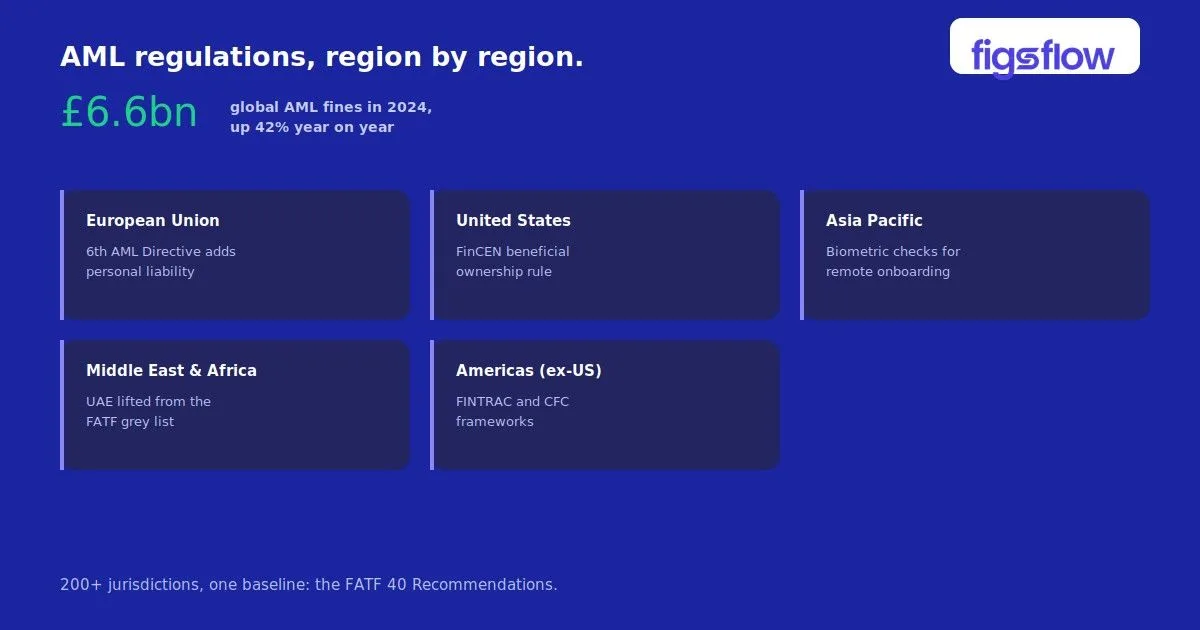
A graphical representation of a bookkeeping engagement letter showcasing a financial quote.

10/23/2024

Guide to Creating and Sending a Bookkeeping Engagement Letter with FigsFlow

Guide to Creating and Sending a Bookkeeping Engagement Letter with FigsFlow Guide to Creating and Sending a Bookkeeping Engagement Letter with FigsFlow Key Takeaways for Busy Bookkeepers What is a Bookkeeping Engagement Letter? Why Bookkeepers Need an Engagement Letter Real-Life Case Study: How an Engagement Letter Saved £12,000 Key Elements of a Bookkeeping Engagement Letter Bookkeeping Engagement Letter Samples This Is Just the Beginning How FigsFlow Makes Engagement Letters (In 3 Simple Steps) Step 1: Access the Proposal Generator and Select Services Step 2: Configure Client Details and Set Pricing Step 3: Preview and Send Your Engagement Letter Free Bookkeeping Engagement Letter Templates What to Avoid When Writing Accounting Services Engagement Letters Beyond Engagement Letters: What FigsFlow Offers 2026 Update: Mandatory AI & Data Disclosure Additional Resources Conclusion Frequently Asked Questions What should a bookkeeping engagement letter include? How often should I update my engagement letters? Are digital signatures legally binding for engagement letters? Can I use the same engagement letter for all bookkeeping clients? What happens if a client refuses to sign an engagement letter? Client asks for bank reconciliation services. You agree. Two months later, they’re demanding full financial reporting and questioning why you’re charging extra. Sound familiar? This scenario happens because bookkeepers skip the most basic protection tool available to them: a properly drafted engagement letter. The document defines your services, protects your fees, and prevents scope creep before it starts. This guide shows you exactly what belongs in a bookkeeping engagement letter, why you need one for every client relationship, and how FigsFlow generates professional, legally sound letters in under 30 seconds. You’ll also find templates, real case studies, and practical steps to implement today. .ff-cta-grid{display:flex;gap:16px;flex-wrap:wrap;justify-content:center;width:100%;max-width:950px;margin:40px auto;padding:0 15px;box-sizing:border-box}.ff-tool-btn{text-decoration:none;display:flex;align-items:center;padding:20px 24px;border-radius:10px;flex:1;min-width:300px;box-sizing:border-box;transition:all .3s ease}.ff-tool-btn.ff-primary{background-color:var(--tt-color-primary);border:1px solid var(--tt-color-primary);box-shadow:0 4px 12px color-mix(in srgb,var(--tt-color-primary) 15%,transparent)}.ff-tool-btn.ff-secondary{background-color:color-mix(in srgb,var(--tt-color-primary) 6%,var(--tt-color-bg));border:1.5px solid var(--tt-color-primary)}.ff-tool-icon{padding:12px;border-radius:8px;margin-right:16px;display:flex;align-items:center;justify-content:center}.ff-primary .ff-tool-icon{background:color-mix(in srgb,var(--tt-color-bg) 15%,transparent);color:var(--tt-color-bg)}.ff-secondary .ff-tool-icon{background:color-mix(in srgb,var(--tt-color-primary) 8%,transparent);color:var(--tt-color-primary)}.ff-tool-text{text-align:left}.ff-tool-title{font-weight:700;font-size:17px;display:block;line-height:1.2}.ff-tool-sub{font-size:11px;text-transform:uppercase;letter-spacing:.8px;font-weight:600;margin-top:4px;display:block}.ff-primary .ff-tool-title{color:var(--tt-color-bg)}.ff-primary .ff-tool-sub{color:color-mix(in srgb,var(--tt-color-bg) 85%,transparent)}.ff-secondary .ff-tool-title,.ff-secondary .ff-tool-sub{color:var(--tt-color-primary)}.ff-tool-btn:hover{transform:translateY(-2px);box-shadow:0 8px 24px color-mix(in srgb,var(--tt-color-primary) 20%,transparent);filter:contrast(1.05)}@media (max-width:680px){.ff-cta-grid{flex-direction:column}.ff-tool-btn{min-width:0;width:100%}} Get 2026 PDF Template ICAEW & ACCA Compliant Free Template Library 25+ Purpose-Wise LOEs Engagement letters are legal contracts that define services, fees, and responsibilities between bookkeeper and client Every client needs a signed letter before you begin work to protect both parties from disputes Letters must include 10 core elements covering scope, limitations, fees, data protection, and termination terms Digital signatures are legally binding in the UK, making electronic letters as valid as paper versions FigsFlow generates compliant letters in 3 steps taking approximately 30 seconds from start to send Need a customizable template for your bookkeeping engagement letters? Browse our wide range of templates and start using them today! Explore Engagement Letter Templates A bookkeeping engagement letter is a formal written agreement establishing the professional relationship between you and your client. It functions as a binding contract outlining exactly what bookkeeping services you will deliver. The letter specifies deliverables such as transaction categorisation, bank reconciliation, VAT return preparation, or payroll processing. More importantly, it states what you will not provide, preventing clients from assuming services you never agreed to perform. Think of it as your professional boundary document. Without these boundaries documented in writing, clients inevitably expect more than you intended to deliver. The engagement letter creates mutual understanding before money changes hands or work begins. Unlike informal proposals or quotes, engagement letters carry legal weight. Courts recognise them as enforceable contracts when fee disputes or service disagreements arise. This protection works both ways, safeguarding you from unreasonable client demands and protecting clients from unclear service terms. ❓ Confused About Engagement Letters vs Letters of Intent? You’re not alone. Many bookkeepers mistakenly use these terms interchangeably. An engagement letter (LOE) is legally binding and defines your service relationship. A letter of intent (LOI) simply expresses interest before negotiations begin. Understanding this difference protects your practice. Learn the key differences here Clear documentation separates professional bookkeeping practices from amateur operations. An engagement letter establishes you as a serious professional who understands business relationships require formal agreements. Prevents Scope Creep Immediately – Defines exactly what services you provide and what falls outside your agreement Provides Legal Protection in Disputes – Serves as indisputable evidence when fee or service disagreements arise Ensures GDPR Compliance – Includes privacy notices explaining how you handle sensitive financial data Demonstrates Professional Competence – Signals you operate a legitimate practice with proper procedures Clarifies Payment Terms Upfront – Specifies fees, billing frequency, and payment deadlines to prevent disputes Every successful bookkeeping relationship starts with mutual understanding. Engagement letters create this foundation by documenting expectations in clear, enforceable terms. Sarah, a Manchester-based bookkeeper, quoted £300 monthly for basic transaction categorisation. Three months in, her retail client began requesting cash flow forecasts, inventory reconciliations, and consolidated reports. Sarah hesitated to bill for the extra work, worried about damaging the relationship. By month six, she’d provided £12,000 worth of unbilled services. When she raised the issue, the client claimed these services were implied in the original agreement. Without an engagement letter defining her exact deliverables, Sarah had no written proof. She wrote off the £12,000 to maintain the relationship. A simple engagement letter stating “transaction categorisation and bank reconciliation only” would have given Sarah written proof when additional requests arose. She could have referenced it immediately, establishing that new services required separate agreements and additional fees. Consider each component of your bookkeeping engagement letter as an integral part of your professional service offering. Element Description Parties and Contact Information Full legal names and addresses of both bookkeeper and client, including business registration details if applicable Scope of Services Detailed list of specific bookkeeping tasks you will perform (e.g., bank reconciliation, transaction coding, monthly reports) Service Exclusions Explicit statement of services not included, such as tax advice, auditing, or financial planning Engagement Period Start date, end date or ongoing terms, and specific accounting periods covered Fee Structure How fees are calculated (hourly, fixed monthly, per transaction) including VAT treatment Payment Terms Invoice frequency, payment due dates, late payment consequences, and accepted payment methods Client Responsibilities Documents client must provide, deadlines for submission, and quality of records required Data Protection and Confidentiality GDPR compliance statement, how client data will be stored, processed, and protected Professional Standards Reference to bookkeeping professional bodies and ethical standards you follow Termination Conditions Notice period required, circumstances allowing immediate termination, and final billing procedures Seeing a complete bookkeeping engagement letter in context helps clarify how all the required elements come together in a real client agreement. Below is an example of a fully developed bookkeeping engagement letter that reflects UK best practice and regulatory expectations. This sample demonstrates how to clearly define the scope of bookkeeping services, outline responsibilities for both parties, set payment terms, and include essential clauses around data protection, professional standards, and termination. It is written in plain English while remaining legally robust, ensuring clients understand exactly what they are agreeing to before work begins. Use this sample as a reference point rather than a one size fits all solution. Every client relationship is different, and engagement letters should always be tailored to the specific services, risks, and commercial terms involved. What you see above is only a single example. With FigsFlow Premium, you gain access to engagement letter templates for over 100 accounting, bookkeeping, and tax advisory services. Plans start at just £8/month, giving you a scalable and compliant solution as your practice grows. Explore FigsFlow Pricing A well drafted engagement letter protects both you and your client. Avoiding these common mistakes ensures your agreements remain clear, compliant, and enforceable from day one. Creating engagement letters manually takes 30-45 minutes per client. FigsFlow reduces this to 30 seconds with an automated three-step process that handles everything from service selection to digital signatures. Make sure you’re selecting the right services in your bookkeeping engagement letter to reflect client needs accurately. Click “Generate Proposal” from your FigsFlow dashboard. The platform opens an interface designed specifically for bookkeeping and accounting services. Browse service categories on the left panel. Services are organised into bookkeeping, accounts preparation, VAT services, and payroll. Use the search function to find specific services quickly. Select your bookkeeping services by clicking them from the list. Common selections include monthly bookkeeping, bank reconciliation, VAT return preparation, or payroll processing. You can select multiple services if the client needs a combination. The system allows you to add multiple clients simultaneously. This proves useful when onboarding several clients from the same business group. Search and select your client from the entity dropdown. If you’ve integrated FigsFlow with HubSpot, client data imports automatically. Otherwise, select from your contact list or add a new client. Configure service parameters using dropdown menus. For bookkeeping services, select monthly transaction volume, quality of existing records, and whether they use cloud accounting software. The pricing calculator displays real-time fees as you make selections. FigsFlow’s algorithm considers transaction volume, record quality, and market rates. The right panel shows monthly, quarterly, and annual pricing with automatic VAT calculations. Adjust pricing manually if needed. Apply percentage or fixed discounts, and add notes for special arrangements. Choose your document preference. The default “Send both Proposal & LOE” generates both documents together. Click “Proceed to Preview” when finished. Review the generated document in the PDF preview pane. The system displays your engagement letter with branding, client details, service descriptions, and fees automatically populated. Toggle “Include Cover Letter” to add a personalised introduction. Add attachments if needed (up to 5 files, 20MB total) such as insurance certificates or professional membership proof. Switch between tabs to review your proposal and engagement letter separately. Verify all details are accurate before sending. Click “Send Live” to email documents directly to your client with built-in e-signature functionality. Clients review and sign electronically without leaving their inbox. Alternatively, click “Save as Draft” to store the document for later. The entire process takes approximately 30 seconds. If you prefer to start with a ready to use structure, FigsFlow provides a suite of free bookkeeping engagement letter templates designed specifically for UK professionals. These templates are fully aligned with ACCA, ICAEW, and other UK regulatory body requirements. They cover a wide range of services, from routine bookkeeping and accounts preparation to VAT compliance, payroll, and advisory engagements. Each template is professionally drafted, easy to customise, and structured to reduce risk while saving you time. You can download, edit, and use them immediately, whether you are onboarding a new client or reviewing an existing engagement. FigsFlow’s template library is continuously updated to reflect regulatory changes, ensuring your engagement letters remain compliant without manual revisions. Access the complete library of free bookkeeping engagement letter templates in FigsFlow and start using professionally drafted, UK compliant documents for your client engagements today. Writing an engagement letter is not just a formality. Small drafting mistakes can create major legal, financial, and client relationship issues later. Knowing what to avoid is just as important as knowing what to include. Using vague or generic service descriptions Unclear wording around services leads clients to assume additional work is included. Always describe each service precisely to prevent misunderstandings and unpaid scope creep. Failing to state service exclusions clearly If exclusions are not explicitly documented, clients may believe services such as tax advice or forecasting are included. This can expose you to disputes and unplanned liabilities. Starting work before the engagement letter is signed An unsigned engagement letter offers little protection if disagreements arise. Always ensure the letter is agreed and signed before any billable work begins. Reusing outdated or unreviewed templates Old templates may no longer reflect current regulations or your actual service offering. Engagement letters should be reviewed regularly and updated as services evolve. Ignoring data protection and regulatory obligations Missing or incorrect GDPR and professional compliance clauses can create regulatory risks. Engagement letters must reflect current UK legal and ethical requirements. FigsFlow is a complete client onboarding platform handling everything from initial proposals through compliance checks to signed agreements. Here’s what it offers beyond engagement letters: Professional Proposal Generation AML Compliance Module Secure Document Collection Complete Audit Trails HubSpot CRM Integration Centralised Dashboard All this is yours at zero cost for the next 30 days. Take full advantage of automated onboarding, compliance checks, and engagement letter generation without commitment. Following the March 2026 update to the ICAEW engagement letters help sheet, the guidance now recommends disclosing whether AI or automated software tools are used in delivering the service, along with their limitations. Our template includes the suggested AI and software clauses to reflect this. Ready to streamline your engagement letter creation? Start your free 30-day trial with FigsFlow today and generate legally sound, compliant letters in just 30 seconds! Start Your Free Trial Now What is an ACCA-Compliant Engagement Letter? – Detailed explanation of ACCA requirements, mandatory clauses, and official templates for UK accountants Engagement Letter vs Letter of Intent: Key Differences Explained – Clear comparison showing when to use each document and why confusing them creates legal risks 2025 Anti-Money Laundering ID Check Guide for Accountants in UK – How to integrate identity verification and compliance checks with your engagement letter process Engagement Letters for Tax Practitioners | ACCA Global – Official ACCA engagement letter templates, guidance notes, and service schedules updated for 2025 Engagement letters protect your bookkeeping practice from unclear scope, unexpected fees, and misaligned expectations. Every professional bookkeeper needs signed letters before starting billable work. The essential components are straightforward: define services, state exclusions, specify fees, and include data protection clauses. These create legally binding contracts courts recognise. Manual letter creation wastes time you could spend serving clients. FigsFlow automates the entire process in three steps, taking approximately 30 seconds from start to send. Start protecting your practice today. Clear engagement letters build professional relationships that last. Ready to See FigsFlow in Action? Discover how FigsFlow generates professional bookkeeping engagement letters in 30 seconds with automated pricing, GDPR-compliant templates, and built-in digital signatures. Book a Free Demo – See the platform live with our team. A bookkeeping engagement letter must include parties’ details, specific services provided and excluded, engagement period, fee structure with VAT, payment terms, client responsibilities, data protection clauses, and termination conditions. Professional letters also reference bookkeeping standards and limitation of liability clauses. Update engagement letters annually at minimum, and immediately when services, fees, or business structure changes. If clients request additional services mid-engagement, issue an updated letter before performing new work. Regulatory changes affecting data protection also trigger updates. Yes. Electronic signatures are legally binding in the UK under the Electronic Communications Act 2000 and the retained UK eIDAS Regulation, provided the signatory intended to authenticate the document. For engagement letters, a simple electronic signature is sufficient and carries the same legal weight as a handwritten one. FigsFlow records a full audit trail of when each document was sent, opened, and signed. No, each engagement letter should be customised to the specific client and services provided. While you can use a standard template, you must adjust service descriptions, fees, and terms to match each engagement. Generic letters provide weak legal protection in disputes. Don’t begin work for clients who refuse to sign engagement letters. Unsigned letters provide minimal legal protection because you cannot prove the client agreed to your terms. If a long-term client refuses, consider whether continuing without proper documentation is worth the risk. Step 1 to Creating a Bookkeeping Engagement Letter Step 2 of Creating a Bookkeeping Engagement Letter Step 3 of Creating a Bookkeeping Engagement Letter Free Bookkeeping Engagement Letter Templates creating-and-sending-a-bookkeeping-engagement-letter creating and sending a bookkeeping engagement letter page Page

An engagement letter template for accountancy firms.

8/9/2024

Engagement Letter for Accountancy Firms: What to Include, Templates & Best Practices

Engagement Letter for Accountancy Firms: What to Include, Templates & Best Practices Engagement Letter for Accountancy Firms: What to Include, Templates & Best Practices What Is an Engagement Letter for an Accountancy Firm? Why Accounting Firms Must Issue Engagement Letters ICAEW, ACCA, CIOT & Other Professional Body Obligations GDPR, AML, & HMRC Compliance What to Include in an Engagement Letter for an Accountancy Firm Scope of Services Fee Structure and Payment Terms Client and Firm Responsibilities Confidentiality and Data Protection Dispute Resolution Termination Conditions Professional Standards Reference When to Issue (& Renew) an Engagement Letter Sample Engagement Letter for an Accountancy Firm Free Engagement Letter Templates for Accountancy Firms How to Create Compliant Engagement Letters in Under a Minute Common Mistakes Accountancy Firms Make with Engagement Letters Vague scope Not updating letters when scope changes No annual review process Relying on a single generic template for all clients Not chasing for signatures before starting work Forgetting to include data protection provisions Conclusion Frequently Asked Questions (FAQs) Is an engagement letter legally binding? How often should an engagement letter be updated? Do I need an engagement letter for every service? Does an engagement letter need to be renewed every year? What is the difference between an engagement letter and a proposal? Every accounting firm needs engagement letters. Not as a formality but as a protection. For both parties. When something goes wrong with a client engagement (and at some point, it will), the engagement letter is what defines who was responsible for what. It sets the scope, the fees, the obligations, and the limits. Without one, you’re exposed. With a vague one, you’re almost as exposed. This guide covers what an engagement letter for accountancy firm needs to include, when to issue one, what a compliant letter looks like, and where to find ready-made templates. An engagement letter is a written agreement between an accounting firm and a client that sets out the terms of the professional relationship before work begins. It is not a proposal. A proposal is how you win the client. An engagement letter is what governs the work once they say yes. The two can be issued together. In fact, that is best practice for most firms but they serve different purposes. The letter defines: What services the firm will provide What the client is responsible for How fees are calculated and when payment is due What happens if things go wrong How either party can end the arrangement It is a legally binding document. Once signed, it is the contract. In the UK, issuing an engagement letter is a professional requirement for regulated firms. ICAEW’s Standards for Tax Planning and ACCA’s Professional Conduct in Relation to Taxation both require members to agree the terms of an engagement in writing before work commences. CIOT, CIMA, ATT, and AAT carry equivalent obligations for their members. The language varies slightly across bodies, but the expectation is consistent: document the scope of your work and have the client confirm it. Firms that cannot produce a signed engagement letter when a complaint is investigated are in a weak position, regardless of how good their work was. The engagement letter is also where a firm’s data protection obligations are addressed. Under GDPR, clients must be informed of how their personal data is processed. This disclosure is typically included in the letter or in a privacy notice attached to it. For firms subject to the Money Laundering, Terrorist Financing and Transfer of Funds (Information on the Payer) Regulations 2017, the engagement letter supports the documented client acceptance process. It is part of the paper trail that demonstrates due diligence was carried out. HMRC also expects clear documentation of the scope of representation, particularly for tax work. An engagement letter that defines what the firm is and is not responsible for is evidence of professional conduct if a dispute arises. Most engagement letters for UK accounting firms should cover the following sections. The detail within each will depend on the services being provided. This is the most important section. It needs to describe, in plain terms, exactly what the firm will do — and, where relevant, what it will not do. Vague scope is the leading cause of client disputes. “We will prepare your accounts” is not a scope of services. It leaves open which accounts, for which period, to what standard, and whether any advisory or tax work is included. A properly written scope section might read: We will prepare the statutory annual accounts for [Company Name] for the year ended [Date] in accordance with FRS 102, and file them with Companies House. This engagement does not include the preparation or submission of the corporation tax return (CT600) unless separately agreed. The clearer this section is, the less room there is for the client to claim something was included when it was not. Set out how fees are calculated; fixed fee, hourly rate, or value-based pricing, and when invoices are issued. State what happens if the scope changes. Include any charges for out-of-scope work, late payment terms, and whether fees are subject to VAT. If you charge a retainer or require payment in advance, say so here. Who does what. The firm’s responsibilities include providing the agreed services to a professional standard. The client’s responsibilities include providing accurate information on time, responding to queries, and keeping the firm informed of any changes to their circumstances. This section also matters for HMRC compliance. If a client provides inaccurate information and the firm relies on it, the engagement letter is the document that shows the firm acted in good faith. State that the firm will keep client information confidential, except where disclosure is required by law or professional regulations. Reference your privacy notice or data processing agreement here, and confirm the lawful basis for processing personal data under GDPR. For firms handling particularly sensitive data such as payroll records, personal tax returns, beneficial ownership information, this section deserves more than a line. Set out how disputes will be handled. Many firms include a process: first, raise the matter with the engagement partner; if unresolved, escalate to the firm’s complaints process; if still unresolved, refer to the relevant professional body or an independent mediator. Having this clause does not mean you expect disputes. It means both parties understand the process before emotions are running high. Either party should be able to end the engagement. State how much notice is required and what happens to work in progress; whether it will be completed, charged, or handed back incomplete. Include the firm’s right to withdraw from the engagement if the client fails to cooperate or if professional standards require it. State which professional body governs the firm’s conduct and the standards to which the work will be carried out. For ACCA-regulated firms, this would reference ACCA’s ethical standards. For ICAEW members, the ICAEW Code of Ethics. This is not just formality. It tells the client what level of conduct they can expect and gives the firm’s work a professional framework. Issue an engagement letter before work begins with any new client. That much is straightforward. What many firms handle inconsistently is renewals and updates. An engagement letter that was accurate three years ago may not reflect the work being done today. The scope may have expanded, fees will have changed, and GDPR obligations may have evolved. You should review and reissue an engagement letter when: A new service is added. Adding payroll, VAT, or advisory work to an existing client relationship is a new scope, not an extension of the old one. Fees change materially. A new fee schedule should be confirmed in writing. The client’s structure changes. Incorporation, a change in ownership, or a new trading entity means the client entity itself may have changed. Significant time has passed. Most professional bodies recommend reviewing engagement terms at least annually. You receive a professional body recommendation to update. Regulatory changes sometimes require existing letters to be updated, for example following changes to AML requirements or data protection legislation. Below is a representative sample of the kind of engagement letter FigsFlow generates for accounting firms. Actual letters are tailored to the service, client, and professional body. This sample is for illustrative purposes only. All names, company details, and figures shown are fictional. FigsFlow maintains a library of over 25 free engagement letter templates covering the full range of UK accounting and tax services. Templates are available for accountants, bookkeepers, and tax advisers, and are designed to comply with ICAEW, ACCA, CIOT, CIMA, ATT, AAT, and other regulatory bodies. Templates include: Annual Accounts & Corporation Tax Return LLP Annual Accounts & Tax Return Partnership Accounts & Tax Return Dormant Accounts & Corporation Tax Return Trust Accounts & Tax Return MTD for Income Tax Self Assessment Non-Resident Company Tax Return (CT600 and SA700) Companies House ACSP Identity Verification Service Month-End Close (multiple variants) R&D Tax Credit And more, updated regularly Browse the full template library → Each template is available to download and customise immediately. No sign-up required to access the free versions. Templates are useful. But for firms sending letters regularly, across multiple clients, multiple services, and multiple professional body requirements, manual templates create their own problems. Version control, customisation, chasing signatures, tracking who has and has not signed. FigsFlow handles all of that automatically. The platform lets firms generate compliant proposals and engagement letters in under a minute, with client details pulled directly from HubSpot or Companies House, service-specific terms pre-loaded, and built-in e-signature and automated reminders. One proposal can generate multiple engagement letters, useful for clients receiving several services where separate letters are required for each. Letters stay compliant with ICAEW, ACCA, CIOT, CIMA, ATT, AAT and others without the firm needing to manually update templates when guidance changes. Book a demo to see it in action → Even firms that issue engagement letters consistently can undermine their own protection by getting the details wrong. These are the mistakes that come up most often, and the ones most likely to cause problems when a client dispute arises. The single most common problem. If the scope section does not clearly exclude services that are not included, clients will assume they are. Write what is included. Then write what is not. An engagement letter from two years ago that does not reflect the services currently being provided is worse than no letter. It creates a documented expectation of the old scope that the firm may no longer be meeting. Most firms should review engagement letters with ongoing clients at least once a year. A simple annual refresh, confirming scope, updating fees, and recirculating for signature, keeps the documentation accurate and demonstrates ongoing good practice. A sole trader receiving self-assessment services has different obligations and risks than a limited company receiving accounts, tax, and payroll. Generic letters paper over those differences. Service-specific letters address them. Starting work before a signed letter is returned removes most of the protection the letter provides. The engagement letter is only evidence of agreed terms if both parties have agreed to it. Post-GDPR, an engagement letter without a data protection clause, or a clear reference to a privacy notice, is incomplete for UK firms processing personal data. This applies to almost every accounting engagement. An engagement letter is not a box-ticking exercise. Done properly, it protects the firm, sets clear expectations with the client, and satisfies the professional obligations that ICAEW, ACCA, and other bodies require. The core of a good engagement letter, clear scope, honest fee terms, defined responsibilities, and sensible exit conditions, is not complicated. What slows firms down is the process: drafting from scratch, customising for each client, tracking signatures, updating templates when regulations change. That is where the right tools make a practical difference. Whether you start with a free template or automate the process entirely, the goal is the same: get a clear, signed agreement in place before work begins. Yes. Once signed by both parties, an engagement letter is a contract. It can be enforced in the same way as any other written agreement under English law. At minimum, review it annually. Update it whenever the scope of services changes, fees are revised materially, or there are changes to the client’s structure or circumstances. Where multiple services are provided under a single engagement, one letter can cover all of them, provided the scope section addresses each service individually. Some firms and professional bodies prefer separate letters for each service; this is also acceptable. Not necessarily renewed in full, but confirmed. Many firms send a brief annual update, revised fees, confirmation of scope, and ask clients to re-sign. This keeps the documentation current and demonstrates ongoing good practice to professional bodies. A proposal is a sales document. It sets out what services you offer and at what price, to help a prospective client decide whether to instruct you. An engagement letter is a legal agreement. It confirms the terms once they have decided yes. The two can be sent together, but they serve different purposes. engagement-letter-for-accountancy-firms engagement letter for accountancy firms page Page

An infographic depicting features of proposal software for accountancy firms.

7/1/2024

Proposal Software for Accountancy Firms

Proposal Software for Accountancy Firms Proposal Software for Accountancy Firms Importance of Proposals in Accountancy Firms Challenges in Creating Accounting Proposals Benefits of Using Proposal Software Key Features of Proposals Software for Accountancy Firms Conclusion Imagine you as an accountant in a renowned accountancy firm. You are creating a proposal for a client and searching for the prices of the services required rigorously through multiple files on your desktop. The process can be both time-consuming and frustrating. In the fast-paced world of accounting, it is crucial to efficiently create persuasive proposals to attract new clients and keep existing ones. That is where Figsflow comes in, changing the way accounting firms manage their proposal processes. Proposals are crucial for accountancy firms to attract and keep clients. They describe the services you offer, explain your pricing, and set the stage for a professional relationship. A well-written proposal can make your firm stand out from competitors and create trust with potential clients. Including clear timelines, budgets, and client testimonials adds credibility and helps clients choose your services more easily. Creating proposals manually can be a challenging process. Each proposal demands careful attention to detail to prevent errors, inconsistencies, and omissions. Manual processes often result in inefficiencies, with a significant amount of time spent on repetitive tasks. Furthermore, without standardisation, maintaining a consistent brand voice and quality across all proposals becomes a challenging task. Using proposals software such as Figsflow can bring about a wide array of advantages for accounting firms: Increased Efficiency and Time Savings Proposals software automates numerous aspects of creating proposals, significantly reducing the time needed to produce thorough documents. This enables your team to concentrate on more strategic tasks, like cultivating client relationships and delivering services. Enhanced Accuracy and Consistency Proposal software uses ready-made templates and automated calculations to ensure that every document is accurate and consistent. This reduces the chance of mistakes and creates a professional image for clients. Improved Client Communication and Manage Relationships Software for creating proposals can work together with CRM systems to help you communicate better with clients. This means you can keep track of your proposal’s status, stay in touch with clients, and smoothly handle approvals. This makes it easier to keep clients satisfied and engaged overall. Here are the key features of Figsflow that cater specifically to the needs of accountancy firms: Customisable Templates Customised templates for different accounting services make creating proposals easier by ensuring all necessary information is included. Integration with CRM Systems Our system easily works with CRM systems to help manage client data and improve information flow between departments. Automated Calculations and Pricing Automated tools ensure that pricing is accurate and transparent so clients can understand the value of your services. Digital Signatures and Approval Tracking The client approval process is made easier with digital signature capabilities and real-time approval tracking. This helps reduce turnaround times. Reporting and Analytics Capabilities Analysis and reports help you understand how well your proposals are performing. This helps you improve your strategies and increase your chances of success. Proposals software provides an innovative and efficient solution tailored specifically for accountancy firms seeking to optimise their proposal processes. By using Figsflow, accountancy firms can streamline their operations, improve the accuracy of their proposals, and elevate client communication to new heights. Embracing proposals software not only enhances internal efficiency but also fosters stronger client relationships, ultimately propelling your firm’s success and solidifying its position in the competitive market. Take advantage of Figsflow to stay ahead of the competition and drive sustained business growth. proposals-software-for-accountancy-firms proposals software for accountancy firms page Page

A graphic illustrating how to scale a business using FigsFlow.

6/26/2024

How to Scale Up Your Business With FigsFlow

How to Scale Up Your Business With FigsFlow How to Scale Up Your Business With FigsFlow The Harsh Truth: Fewer Than 4 in 10 Businesses Reach Year Five Did You Know? 2 Logical Ways to Scale Up Your Business (& Join the 2% Club) Get More Clients Get More From Your Existing Clients 4 Ways to Get More Clients With FigsFlow 1. Respond While the Lead Is Still Hot 2. Send Proposals That Win on First Impression 3. Remove the Friction Between Yes & Signed 4. Remove Every Reason a Signed Client Walks Away 4 Ways to Get More From Existing Clients With FigsFlow 1. Price for Value 2. Recover the Money You're Already Leaving on the Table 3. Protect Every Engagement From Scope Creep 4. Get Paid Faster on Every Job Your Blueprint to Scale Your Business: £0 to £1M+ ARR Conclusion There are only two ways to scale up your business: win more clients, or earn more from the ones you already have. FigsFlow is built to do both. It wins you more clients through professional proposals, faster lead response, and ready-made service packages that convert while the enquiry is still warm. It gets you more from existing clients by helping you charge what you are worth, kill scope creep before it eats your margin, and deliver onboarding clean enough to bring clients back. But here is the harsh truth. No software scales a firm on its own. FigsFlow is a client onboarding platform, and it removes the friction that holds most firms back. The strategy behind it, and the judgment to execute, is still yours. This post shows you both levers in practice, then hands you a proven roadmap to £1M+ ARR. Only 38.4% of UK businesses born in 2019 were still trading five years later, according to ONS Business Demography . Fewer than four in ten reach year five. For businesses, surviving is the low bar. Scaling is rarer still. Research from Warwick Business School’s Enterprise Research Center found that just 2% of surviving start-ups registered in 2020 reached £1 million turnover after three years. Your practice is subject to the same maths. Picture 100 firms out there like yours, some of them sharper than yours. Statistically, fewer than 40 are still trading at year five, and only 2 ever scale to £1 million turnover. 65% of failed UK SMEs cite cash flow as the primary cause of failure (ONS Business Demography). The killer is rarely a lack of clients. It is money that arrives too slowly. Most resources overcomplicate this. Advertise more. Protect your margins. Get on social media. Post daily. None of it is wrong, exactly, but it buries a simple truth under a pile of tactics. At the end of the day, revenue is just one equation: Sales volume × sales price. So there are only two ways to grow it. Sell more, or sell at a higher price. Get more clients, or get more from the clients you already have. Every tactic worth your time ladders up to one of these two. Here is how each works, and where FigsFlow fits. There are two routes here, and most firms neglect both. The first is conversion: closing more of the prospects who already reach you. That means a sharper offer, a proposal good enough to sell on its own, and a web page you actually test and optimise rather than set and forget. But conversion has a ceiling. You can only turn so many of a fixed number of enquiries into clients. The second is volume: putting your firm in front of more prospects in the first place. Google Ads, organic search, blog content, a presence on the channels your clients use. This is where most firms have the furthest to go, and the most to gain. This is your cheapest and easiest growth. The clients are already on your books, they already trust you, and there is no acquisition cost to pay twice. It starts with delivery. Improve the experience and make the service visibly worth what it costs. Then charge accordingly: price every service for its true value, recover the work you currently give away for free, hold the line on scope, and collect faster. The same client base yields more revenue, and more of it lands in the bank. Everything FigsFlow does pulls one of these two levers. Here is how. By now you know FigsFlow does not bring you prospects. It runs no ads, writes no blogs, posts nothing to social. Filling the top of your funnel is on you. But a prospect you cannot convert is worth nothing. Every enquiry that goes cold, every proposal that sits unopened, every client who hesitates at signing is money already in the room that walks back out. Most firms lose more deals here, at the point of conversion, than they ever lose to a competitor. That is where FigsFlow comes in. It takes the leads you have worked to earn and closes the gaps that let them slip away. Did you know? 82% of consumers expect a response within 10 minutes, and 78% of customers purchase from the first business that responds. So, are you that first business? Think about how you respond to a new enquiry today. A prospect asks about MTD quarterly updates and wants a price and a proposal. You have two ways to answer. Option 1: “Thanks, we’ve emailed you a few questions. Send those back and we’ll get a proposal to you in two to three business days.” Option 2: On the call, you ask a few quick questions and reply: “That’s roughly £X to £Y, depending on your records. I’ve just emailed your proposal and engagement letter. Sign it whenever you’re ready to go ahead.” Option 2 wins almost every time. FigsFlow lets you respond exactly that way. You price the service using variables straight from the client, apply any discount, and have the fee in minutes. The same flow produces a professional proposal personalised to them and a regulatory-compliant engagement letter , ready to send before the prospect has spoken to anyone else. People choose polished over mediocre every time. Your proposal hits the inbox, and the first impression forms in seconds, before they read a line. Generic or cluttered, and the answer is already no. Premium and sharp, and they are leaning, yes. You cannot hand-design something that good for every prospect, and doing it manually means quality swings with how much time you had that day. FigsFlow removes the trade-off. It is a system that builds a proposal and a regulatory-compliant engagement letter for 150+ accounting, bookkeeping, and tax advisory services in under a minute. It is as simple as this: Choose the point of contact within your client firm. Add a few parameters, pre-built for each service type and fully customisable. The Advanced Pricing Calculator returns the price, and the proposal and LOE module produces both documents, ready to send live to the client. And every one carries your firm’s identity: your branding, your client testimonials, your cover image, and more. The prospect sees a serious firm before they read a single line. A prospect can decide to hire you and still not sign. Not because they changed their mind, but because signing is a hassle: a printed letter to return, an email thread to dig through, a question about what they are actually agreeing to. Every extra step is a chance to stall. FigsFlow closes that gap. The moment your proposal lands, it guides the client down the fastest route to a signed engagement letter: Sign digitally in the client portal, from any device, with no printing and no email back-and-forth. See their obligations clearly, what they are agreeing to and what is expected on their side, before they sign. Done in a few clicks, so the decision to hire you becomes a signed client in the same sitting. The easier you make signing, the fewer prospects you lose between yes and done. Someone enquires, you send the proposal, and then you wait. Think about every reason they might not go ahead. The proposal looked generic. Another firm replied faster. Signing felt like a chore. They were not sure what they were paying for, or what was expected of them. Each one is a quiet exit. FigsFlow is built to close those exits one by one: Slow to respond? You quote, propose, and send in under a minute. Proposal felt cheap? Every one looks premium and carries your branding. Unclear on price? Every billable item is itemised before they commit. Signing is a hassle? Digital signature in the portal, done in a few clicks. By the time the prospect looks for a reason to hesitate, FigsFlow has already removed it. What is left is a clear path from inquiry to signed client. Now that you know how to win more clients, let’s maximise the return from each one with FigsFlow. Most firms price from memory. They quote what they charged the last client, shave a bit to be safe, and move on. Do that across a hundred clients and you have scaled the underpricing, not the firm. FigsFlow’s Advanced Pricing Calculator takes the guesswork out. You build your pricing logic once, using variables that reflect what the work actually costs to deliver, and every quote from then on calculates consistently. No client slips below your floor by accident, and no fee depends on how you felt that afternoon. It handles every model a practice runs on: Pricing Model Best Used For Fixed fee Defined-scope compliance work Value-based Advisory and high-impact services Subscription Recurring monthly retainers Tiered and volume-based Transaction-driven bookkeeping Conditional and milestone Project work with stages Blended Engagements spanning several service types Price for what the work is worth, not what you charged last time, and the same client list earns more. Two pots of revenue sit untouched in most firms. Backlog work, cleared for free as a favour to get started. And the small add-ons, the bank rec, the credit control, quietly absorbed into the main fee. FigsFlow surfaces both at the point you build the proposal: Catch-Up Fees charge a client with a backlog for the work of clearing it, calculated separately by the pricing engine and added to the total. Associated Service s attach linked work to a core service, Bank Reconciliation or Credit Control, alongside a bookkeeping engagement, each priced automatically. Same client, same proposal. The work you used to give away becomes revenue you actually bill. Scope creep is the silent tax on a growing firm. The extra request here, the unbilled favour there, multiplied across a larger client base, quietly eats the margin you worked to win. And it almost always leaks from the same place: a vague engagement letter. A precise one is your defence. FigsFlow generates engagement letters built to the standards of ICAEW, ACCA, CIOT, CIMA, ATT, and AAT, each setting out scope, fees, and terms in writing, so what is included and what is extra is never up for debate. Before anything goes out, run it through the AI LOE Analyser. In under 60 seconds it scores the document against professional-body and HMRC requirements and flags: Scope gaps, where the work is not pinned down tightly enough to defend later. Missing clauses, the standard protections a compliant letter should carry. Payment-term misalignments, where what you will charge and when does not line up. Each issue is graded by severity and includes a recommended fix. Tighten the letter, and you stop handing back the margin you already earned. Remember the stat from the start of this blog? 65% of failed UK SMEs cite cash flow as the primary cause of failure. You serve a client, deliver the work, book the revenue, and earn a healthy margin. On paper the firm looks robust. But profit on paper is not money in the bank, and it is cash flow, not booked revenue, that keeps the business standing. That is the gap FigsFlow closes. The moment a client signs: Payment set-up is prompted straight away, so billing starts before the job does. Draft invoices generate in Xero or QuickBooks, ready for you to approve. Collection runs automatically through Stripe, GoCardless direct debit, or Adfin, with reminders and reconciliation handled for you. The work you won turns into cash on your timetable, not the client’s. Here is a seven-stage blueprint you can follow step by step to grow your firm from £0 to £1M ARR, and it works no matter where you stand today. Raju Gajurel, FCCA CTA, founder of UK Property Accountants, built this framework and used it himself to grow from solving tax problems for friends in the evenings into a group serving thousands of clients across 50+ countries. Here is the blueprint: Stage 1: Get your first three clients. Skip the perfect branding and office. Go to your existing network, ask who needs help with their accounts, and charge proper rates from the start. Stage 2: Build a recurring client base. Turn those first wins into predictable monthly revenue through referrals, repeatable services, and a steady pipeline rather than one-off jobs. Stage 3: Stop being the bottleneck. Make your first strategic hire and standardise pricing and onboarding so delivery no longer depends on you being in the room. Stage 4: Own your niche. Specialise in a sector or service so you can command higher fees, sharpen your marketing, and stand out from generalist firms. Stage 5: Grow without grinding. Appoint operational leadership and upgrade your systems so the firm scales on process, not on your personal hours. Stage 6: Build a firm worth acquiring. Make the practice valuable independent of you, with clean recurring revenue, documented processes, and a team that runs itself. Stage 7: Exit on your terms. Sell, step back, or hand over from a position of strength, having built something that holds its value without you. We have covered each stage in full, with the tactics, numbers, and case studies behind it, in the complete playbook: How to Grow Your Accounting Practice in 2026 . Scaling your business comes down to two moves: win more of the clients who reach you, and earn more from the ones you keep. FigsFlow pulls both, faster proposals and lower friction to sign on one side, sharper pricing and faster cash on the other. Stay manual and you stay where most firms stall: surviving, but never breaking past your own admin ceiling. Put the system to work and the same effort starts compounding instead of leaking. So look at your last ten proposals. How fast did each one go out, what did you leave unbilled, and how long did the cash take to land? The answers tell you which lever to pull first. Start your 30-day free trial or book a demo to see it on your own services. scaling-up-your-business-with-figsflow-effortlessly scaling up your business with figsflow effortlessly page Page

Visual comparison of engagement letters and proposals.

6/6/2024

Engagement Letter vs Proposal: Understanding Key Differences

Engagement Letter vs Proposal: Understanding Key Differences Engagement Letter vs Proposal: Understanding Key Differences What Is an Engagement Letter? Want to go deeper on engagement letters? What Is a Proposal? Engagement Letter vs Proposal When to Use an Engagement Letter vs a Proposal Here is a quick reference to help you decide: Best Practices for Drafting Engagement Letters and Proposals Define scope with surgical precision Tailor every document to the client Be explicit on fees and payment terms Build compliance into the process, not onto it Use e-signatures Common Mistakes to Avoid When Drafting Engagement Letters and Proposals Using vague language around scope of work Skipping client-specific customisation Omitting clear fee and payment terms Confusing proposals with engagement letters Failing to review for regulatory compliance How FigsFlow Simplifies the Process Conclusion FAQs What is the difference between a proposal and an engagement letter? What comes first, an engagement letter or a proposal? What is another name for an engagement letter? An engagement letter is a legally binding agreement sent after a client commits to your services, defining scope, fees, responsibilities, and legal terms. A proposal is a persuasive sales document sent before the client commits, outlining services, methodology, and pricing with no legal weight on its own. The engagement letter vs proposal sequence is always the same: proposal first, engagement letter second, work third. ACCA, ICAEW, CIOT, and AAT all require a signed engagement letter before work begins – a proposal alone does not satisfy this requirement. This guide breaks down exactly what each document does, where they differ, how to draft them well, and how FigsFlow helps you produce both in under a minute. In the engagement letter vs proposal framework, engagement letters are formal agreements that establish the terms and conditions of the relationship between the service provider and the client. They detail the scope of work, fees, responsibilities, and other pertinent details. The primary purpose of an engagement letter is to formalise the agreement between parties and outline specific services. They are often used when the scope of work is clear and agreed upon. Typically, an engagement letter includes a service description, duration, fees, client responsibilities, and legal terms. An engagement letter is a legally binding agreement sent after a client commits to your services, defining scope, fees, responsibilities, and legal terms. A proposal is a persuasive sales document sent before the client commits, outlining services, methodology, and pricing with no legal weight on its own. The engagement letter vs proposal sequence is always the same: proposal first, engagement letter second, work third. ACCA , ICAEW , CIOT , and AAT all require a signed engagement letter before work begins – a proposal alone does not satisfy this requirement. For example, a bookkeeping engagement letter details the bookkeeping services provided and associated fees. An engagement letter for accounting services specifies the accounting services to be performed. Meanwhile, an audit engagement letter outlines the audit services and the terms under which they will be conducted. An engagement letter for consulting services describes the consulting services, scope, and fees. This article covers the definition. But there is a lot more to know: what to include, compliance requirements, common mistakes, and free templates. Read the Complete Guide to Engagement Letters: Understanding Engagement Letters: A Guide for Professionals | FigsFlow On the other side of the engagement letter vs proposal divide, proposals are documents presented to potential clients outlining the proposed services, methodologies, and pricing. They are often used to win new business or to suggest additional services to existing clients. The primary purpose of a proposal is to persuade a potential client to choose your services over competitors. Proposals are used during the bidding process or when offering new services. A proposal typically includes an overview of services, methodologies, timelines, pricing, and benefits. For instance, proposals for accountants outline accounting services, methodologies, and pricing to attract new clients. Similarly, proposal drafting for tax advisors describes tax advisory services and proposed solutions. In the engagement letter vs proposal comparison, a proposal is a sales document. It is sent before the client has committed; its job is to persuade, and it has no legal weight on its own. It speaks to value – why your firm, why these services, why at this price. A well-written proposal addresses the client’s situation specifically, not generically, and presents your methodology and pricing in a way that makes the decision easy. An engagement letter is a formal agreement – and this is the core of the engagement letter vs proposal distinction. It is sent after the client has said yes, and it is legally binding once signed. It does not sell anything. It defines the scope of work precisely, sets out fees and payment terms, allocates responsibilities, and establishes what happens if either party wants to end the arrangement. It is the document that protects your firm if a dispute arises. The table below summarises the key differences: Proposal Engagement Letter Purpose Win the client Formalise the agreement Timing Before client commits After client agrees Tone Persuasive Contractual Legal weight None on its own Binding once signed Content focus Value, methodology, pricing Scope, fees, responsibilities, terms Compliance role None Required under AML regulations (UK) Knowing which document to use in the engagement letter vs proposal decision is just as important as knowing how to draft it well. Getting the engagement letter vs proposal sequence wrong – sending the wrong document at the wrong stage – can confuse clients, create legal gaps, or make your firm appear disorganised. The distinction comes down to where you are in the client relationship. Scenario Use a Proposal Use an Engagement Letter Responding to a new business inquiry ✓ Pitching additional services to an existing client ✓ Client has verbally agreed to move forward ✓ Formalizing scope, fees, and responsibilities ✓ Competitive bidding or tender process ✓ Onboarding a new client officially ✓ Outlining methodology and benefits to persuade ✓ Documenting legal terms and client obligations ✓ As a general rule, proposals open the door and engagement letters close it. Once a client says yes, the proposal has done its job and the engagement letter takes over. When thinking about the engagement letter vs proposal process, vague language is the root cause of most engagement disputes. “General accounting support” or “bookkeeping services” is not a scope; it is an invitation for scope creep. For engagement letters especially, define exactly what is included: which periods, which entities, which deliverables, what format, and what the client must provide for you to deliver them. If something is explicitly out of scope, say so. Clarity at the start saves difficult conversations later. A recycled template that has not been adjusted for the specific client signals a lack of care, and clients notice. This does not mean drafting from scratch every time. It means taking your standard template and making sure the services, fees, and relevant details reflect the actual engagement. For proposals in particular, referencing the client’s specific situation is what distinguishes a compelling proposal from a generic brochure. Ambiguous fee structures are one of the most consistent sources of billing disputes. State your fees clearly, whether fixed, hourly, or a combination, along with billing frequency, payment deadlines, late payment terms, and any conditions that could trigger additional charges such as a client providing incomplete records. If fees may change, explain when and how. For UK practices, engagement letters must align with AML obligations, professional body standards (ICAEW, ACCA, AAT depending on your membership), and where relevant, Making Tax Digital requirements. Treating compliance as an afterthought means retrofitting it, which is slower and more error prone. Use templates that already reflect these requirements, and review them whenever regulations change. Chasing physical signatures delays onboarding and creates unnecessary friction. Digital engagement letters with built-in e-signature capability remove that lag entirely. The client reviews, signs, and returns the document in minutes rather than days. It also creates a clean, timestamped record of acceptance. Even experienced accountants make avoidable engagement letter vs proposal errors when drafting these documents, often creating confusion, disputes, or compliance gaps that damage client relationships before they even begin. Here are five mistakes worth watching for: Ambiguous descriptions like "general accounting support" invite scope creep and billing disputes. Define every deliverable, deadline, and exclusion explicitly so both parties share the same expectations from day one. Copying a generic template without tailoring it to the client's situation signals a lack of care. Clients notice when documents feel recycled, and it weakens the professional impression you worked hard to create. Leaving fee structures open to interpretation is one of the most common sources of conflict. Specify your fees, billing frequency, late payment terms, and any conditions that could trigger additional charges. Confusing proposals with engagement letters. Sending a proposal when a formal engagement letter is needed, or vice versa, signals process confusion. Using the wrong document at the wrong stage can create legal ambiguity and undermine your firm's credibility.ss's financial reporting periods. Engagement letters in particular must align with professional body requirements and relevant regulations. Skipping this review risks non-compliance, especially as rules around AML, MTD, and client identification continue to evolve. Getting these details right from the start protects your firm, sets clear expectations, and builds the kind of client trust that leads to long-term relationships. Drafting a proposal and an engagement letter as separate manual tasks, pulling together templates, adjusting scope, checking compliance, formatting pricing, chasing signatures, is time most accounting firms do not have. FigsFlow is built specifically for this workflow. Rather than treating proposals and engagement letters as two separate administrative tasks, FigsFlow lets you produce both from a single process. You select the services relevant to that client, configure the pricing using the advanced calculator, and FigsFlow generates a professional-looking proposal and a regulatory-compliant engagement letter together in under a minute. The platform comes with 150+ pre-built accounting, bookkeeping, and tax advisory services, so there is no setup friction. Pricing can be set to monthly, quarterly, or annual billing, and overridden manually where needed. Every document can be previewed and edited before it goes out, and clients sign digitally with no chasing, no printing, and no delays. For compliance, FigsFlow’s templates are built to meet UK regulatory standards, including AML requirements, so the engagement letters you send are not just professionally presented but structurally sound. The result is a process that protects your firm, presents well to clients, and takes a fraction of the time it would take to do manually. A proposal and an engagement letter each have a specific job. The proposal is your firm’s first formal impression; it makes the case for your services and moves a prospect toward a decision. The engagement letter is what you send once they have decided; it defines the relationship, protects both parties, and satisfies your compliance obligations. Getting these documents right, and using them at the right moment, is a straightforward way to run a tighter, more professional practice. FigsFlow handles both in a single workflow, so neither document becomes a bottleneck. If you want to go deeper on the engagement letter side specifically, what to include, how to structure it for compliance, and how to draft one that holds up, the next step is our complete guide: Complete Guide to Drafting Engagement Letters | FigsFlow A proposal is a sales document sent before a client commits. It makes the case for your services, outlines your methodology and pricing, and has no legal weight on its own. An engagement letter comes after the client agrees to proceed. It is a formal, legally binding agreement that defines the scope of work, fees, responsibilities, and terms of the relationship. In short, a proposal wins the client; an engagement letter protects the relationship once they say yes. A proposal always comes first. It is sent during the sales process to persuade a potential client to choose your firm. Once the client agrees to proceed, the engagement letter follows to formalise the arrangement and make it legally binding. Engagement letters are also referred to as a letter of engagement, terms of engagement, client agreement, or agreement letter. The terminology varies across firms and professional bodies, but all refer to the same formal document that sets out the agreed scope of work, fees, and terms between an accountant and their client. engagement-letter-vs-proposal-understanding-key-differences engagement letter vs proposal understanding key differences page Page

A visual guide outlining five methods for reviewing proposals.

6/5/2024

5 Ways for Effective Proposal Review (Without Doing It All Yourself)

5 Ways for Effective Proposal Review (Without Doing It All Yourself) 5 Ways for Effective Proposal Review (Without Doing It All Yourself) The Problem With Proposal Review 5 Ways for Effective Proposal Review Standardise the Proposal So Every Review Looks the Same Build an AI Project to Review Against Your Rules Run It Through the FigsFlow Proposal Analyser Use a Peer Review Swap Build a Review Checklist Tied to Your Engagement Terms Which Proposal Review Method Fits Your Firm Conclusion Effective proposal review comes down to five practical methods: Standardise your templates so every review looks identical. Build an AI review project that checks drafts against your firm’s rules. Run drafts through the free FigsFlow Proposal Analyser for a full score. Set up a senior peer review swap to catch hidden errors with fresh eyes. Work from a checklist tied directly to your engagement terms. You already know what to check. Scope, fees, client names, alignment with terms. The catch is time. Review lands on the busiest senior in the firm, and on a full week it gets squeezed down to a ninety-second skim before the proposal goes live. That is what this post fixes: a repeatable system that makes proposal review fast, consistent, and accurate every time. Proposal review stalls because of load. It falls on the person who carries the liability when something goes out wrong, and that person is usually the busiest in the firm. So the check that protects your first impression with a client gets done in the gaps between everything else. Two things break as a result: The proposal stalls in a queue while the client cools. The proposal ships with a fee mistake or the wrong client name. A rushed review still costs you the work. A skipped one costs you the relationship. More discipline will not fix this. A system that does the catching for you will. Each proposal review method below trades a different thing for speed. Some cost setup time, some cost nothing, and some need a colleague. Pick the one that fits how your firm already works, or stack two. When every proposal follows the same structure, proposal review stops being reading and becomes verification. Lock the template. Same section order, same fee table format, same scope language, same terms block. A junior fills the variables. They never rebuild the shell. You then check the four things that change between clients, not the forty that do not. The payoff compounds: Your eye learns where the fee sits, where scope is defined, where the client name belongs. An error out of place jumps out, because everything around it is exactly where it always is. Standardisation has a ceiling. It catches structural errors, not judgement ones. A template will not tell you a fee is too low for the work. It tells you the field is filled. Pair it with one of the methods below. You can train an AI project to review proposals against your firm’s rules. Set the parameters once: scope must match the fee, client names must be consistent, terms must reflect current standards, and the tone must match your firm’s voice. Feed it the draft to get a flagged list of errors. The setup requires upfront effort: Dedicate a few hours to define your exact rules. Spend four to five days refining the system, correcting misses, and tightening instructions. Once optimised, the system runs consistently. The main catch is cost. If you already use AI to draft proposals, you will spend tokens twice, once to write and once to review. For high-volume firms, this setup cost can add up quickly. Run your numbers before committing, as token spend is easy to underestimate. The FigsFlow Proposal Analyser reviews your draft in under a minute, is completely free, and was built by client-facing accountants who deal with clients every day. Instead of vague advice like “improve clarity,” it scores your proposal against 13 distinct parameters and flags exact fixes: The specific line causing the issue. The exact problem found. The precise correction needed. Reviewing takes under a minute. Acting on the fixes takes five to ten. The efficiency runs both ways. On the drafting side, FigsFlow builds a professional proposal, customised to your brand and personalised to your client’s name, in under a minute. Draft fast, review fast, fix fast, with no setup time and no token bills. Did you know? You can draft and send a professional, customised and personalised proposal, along with a regulatory-compliant engagement letter in under a minute. The author’s eye skips its own errors. A second senior’s does not. Pair up. You review their proposals, they review yours. Fresh eyes catch the fee you stopped seeing on the third read and the assumption you made that the client never agreed to. The approach brings two clear advantages: It costs nothing to set up and adds a quality check on top of whatever else you run. It introduces human judgement that no template or automated tool replicates, the perspective of someone who was not in your head when you wrote it. The constraint is availability. It works when both seniors have ten minutes to spare. On the weeks you are both buried, it is the first process to fall over. That is why a peer swap pairs best with one of the faster, automated methods rather than standing alone. A checklist turns review from re-reading into ticking. Map your list to the points that carry risk: Scope matches the agreed work. Fees align with that scope. Payment terms are current. The engagement block reflects your latest standard letter. Client details are correct and consistent throughout. Run every proposal against the same sequence so nothing relies on memory. The one vulnerability is maintenance. A checklist is only as current as the last time you updated it. When your firm’s engagement terms change, the checklist has to change the same day, or it will quietly sign off on the wrong thing. No method wins on every axis. The right one depends on how much setup time you can spare, what you can spend, and how many seniors you have available. The comparison below lays out the five side by side. Method Setup time Cost Review time Consistency Best for Standardise the proposal Low Free Fast High on structure Firms with no template discipline yet AI project High Token cost, recurring Fast High High-volume firms with AI budget FigsFlow Proposal Analyser None Free Under a minute High Any senior who wants it solved today Peer review swap None Time of a colleague Medium Depends on availability Firms with two or more seniors Checklist tied to terms Low Free Medium High if maintained Firms wanting a paper trail Most firms do not pick a single method. They combine them. Standardise the proposal so the structure is fixed, then run it through the Analyser for the judgement layer a template cannot provide. This combination costs nothing and removes the review bottleneck without adding a complex process to maintain. Effective proposal review is a system, not willpower applied at the end of a long day. Pick the method that matches your firm and the review stops being a dreaded chore and becomes thirty seconds you barely notice. Leave it to discipline alone and it stays the first thing to slip in your busiest weeks, which is exactly when a flawed proposal does the most damage. Look at your last five proposals. How long did each review take, and would you stake the engagement on what you caught? the-art-of-effective-proposal-review-with-figsflow the art of effective proposal review with figsflow page Page

A document discussing the basics of engagement letters and associated costs.

5/15/2024

Understanding the Basics of Engagement Letters

Understanding the Basics of Engagement Letters Understanding the Basics of Engagement Letters What is an Engagement Letter? Key Takeaways for Busy Accountants Key Elements of an Engagement Letter Why is an Engagement Letter Important? How to Write Good Engagement Letters Common Mistakes in Engagement Letters (And How to Avoid Them) What Does an Engagement Letter Look Like? Engagement Letters vs Contract vs Proposal: What is the Difference? Free Engagement Letter Templates Free Engagement Letter Templates for Accountants Access Free Accounting Engagement Letter Templates Free Engagement Letter Templates for Tax Advisers Access Free Tax Advisory Engagement Letter Templates Free Engagement Letter Templates for Bookkeepers Access Free Bookkeeping Engagement Letter Templates How Often Should You Update Engagement Letters? Helpful Resources to Create Engagement Letters Conclusion Frequently Asked Questions (FAQs) What is the basic letter of engagement? What to write in an engagement letter? How to prepare an engagement letter? What are engagement letters for? What is the difference between proposal and engagement letter? What is an engagement letter in accounting? Why is an engagement letter important for accountants? What should be included in an engagement letter for clients? Can I use the same engagement letter for all my clients? How often should engagement letters be updated or renewed? “This template isn’t worth the paper it’s printed on.” That’s what Marcus Chen’s solicitor told him after a client dispute cost him £12,000. Like thousands of UK accountants, Marcus had downloaded a professional-looking engagement letter template late one night, customised the header, and assumed he was covered. Marcus isn’t alone. Across the UK, accounting professionals are learning expensive lessons about inadequate engagement letters, from regulatory penalties for missing MLR 2017 requirements to thousands in legal fees trying to recover unpaid invoices. But getting your engagement letters right doesn’t require a law degree. With the right structure and attention to regulatory requirements, you can protect your practice and demonstrate professionalism. An engagement letter is a formal written agreement between an accounting professional and a client that establishes the foundation of the working relationship. Think of it as a roadmap that guides both parties through the engagement, clearly defining what will be delivered, when, how much it costs, and what happens if things don’t go according to plan. For UK accountants, bookkeepers, and tax advisers, engagement letters serve a dual purpose. First, they prevent misunderstandings and scope creep. Second, engagement letter demonstrate compliance with professional body standards and Anti-Money Laundering regulations . The power lies in specificity. A properly drafted letter doesn’t just say “we’ll prepare your accounts.” It defines exactly which periods, which entities, what format, what deadlines, what information the client must provide, and what happens if they don’t. Many practitioners confuse [[engagement-letter-vs-proposal-understanding-key-differences|engagement letters with proposal]]s or contracts, but they’re distinct. An engagement letter formalises an agreement after the client has decided to work with you, focusing on the specific engagement rather than general terms. Engagement letters are your legal shield – They protect you from non-payment, scope creep, and liability issues while establishing clear boundaries with clients Save time with automation – Digital tools like FigsFlow eliminate manual updates and allow instant e-signatures, turning a tedious process into seconds of work Prevent scope creep before it starts – Clearly defined services in your engagement letter mean clients can’t demand extra work without additional compensation Combine proposals with engagement letters – Presenting both together streamlines client onboarding and increases the likelihood of signatures Templates ensure compliance – Using industry-standard templates covers all legal requirements and reduces the risk of missing critical clauses Every comprehensive engagement letter should include these eight fundamental components: Introduction and Purpose Identifies all parties involved, states the date, and clearly expresses the purpose of the engagement with specific periods or deadlines. Scope of Services Defines exactly what you will and won't do. Be specific: "Monthly bank reconciliation for three nominated accounts" rather than vague "bookkeeping services." Timeline Specifies start dates, interim deliverables, final deadlines, and dependencies such as "Accounts prepared within 10 working days of receiving complete records." Compensation Details your fee structure, payment terms, late payment charges, and expenses. Include how fees might change if scope increases. Confidentiality Addresses how you'll handle client information, GDPR compliance, data storage, and circumstances requiring legal disclosure such as money laundering reporting. Termination Defines conditions for ending the engagement, notice periods, circumstances allowing immediate termination, and how work in progress will be handled. Limitation of Liability States the extent and limitations of your liability, such as capping liability at fee value or excluding consequential losses. Regulatory Compliance Requirements Documents obligations under Money Laundering Regulations 2017, professional body standards, client identification requirements, and the client's duty to provide accurate information. Nothing kills new client excitement faster than document chaos three months into an engagement. Here’s why engagement letters are essential: Clarity and Transparency Engagement letters eliminate ambiguity that destroys client relationships. When expectations are documented upfront, both parties know exactly what success looks like and what they're paying for. Professionalism A comprehensive, well-structured engagement letter signals competence and attention to detail. It demonstrates you understand professional standards and operate systematically, which matters to both clients and regulators. Legal Protection Engagement letters provide critical evidence if disputes escalate. Courts generally uphold well-drafted letters, protecting you from non-payment disputes, professional negligence claims, and scope disagreements. Scope Creep Prevention When clients request work outside the defined scope, you can refer to the letter and explain that additional services require separate agreements. This isn't confrontational, it's professional. Regulatory Compliance For UK accountants, engagement letters aren't optional. They demonstrate compliance with Money Laundering Regulations 2017, professional body standards (ICAEW, ACCA, CIOT), and HMRC supervision requirements. Client Relationship Management Well-structured letters set expectations that create satisfied clients, facilitate smooth onboarding, and establish professional boundaries. Clear terms from the start lead to better referrals and practice growth. 🚀 Ready to Modernize Your Process? Stop spending hours on manual engagement letters. See how FigsFlow’s automation can transform your client onboarding. Discover How to Automate Engagement Letters → Stop Wasting Hours: Automate Engagement Letters with FigsFlow Effective engagement letters start with specificity. Define exactly what you’ll deliver, including which periods, entities, formats, and deadlines. State your fee structure completely and document limitations explicitly. If tax planning isn’t included, say so clearly. Write in language clients actually understand. Replace legal jargon with plain English, keep sentences short, and use headings for readability. Customise each letter for the client’s industry and circumstances. This shows attention to detail and makes clients feel valued rather than processed through a generic system. Update your letters regularly to reflect regulatory changes and lessons learnt. Set an annual review schedule and invest in legal advice for limitation of liability clauses and termination terms. Professional review can prevent costly disputes down the road. Even experienced practitioners fall into these traps. Recognising them helps you avoid costly errors. Here are the most common mistakes and their solutions: Mistake Solution Vague Scope Language Define every deliverable, report, and meeting explicitly. List what's included and excluded. Avoid open-ended phrases like "general accounting support." Attach a detailed schedule listing specific deliverables with timing. Missing Termination Clauses Specify notice periods (typically 30 days). Address immediate termination circumstances like non-payment. Explain what happens to work in progress and who owns the work papers. Inadequate Limitation of Liability Define who can rely on your work. Cap liability reasonably and exclude consequential losses. Have liability language reviewed by your solicitor and professional indemnity insurer. Forgetting Regulatory Compliance Include Money Laundering Regulations requirements, client identity verification, and risk assessment. Reference professional body membership. Address GDPR explicitly covering data collection, storage, and retention. Using Generic Templates Customise extensively. Remove irrelevant sections and add client-specific clauses. Build templates based on your actual client base and services. Not Updating for Service Changes Create new engagement letters before offering new services. Review existing client letters annually. Document all service changes in writing. Ambiguous Fee Structures State exact fees (fixed amount or hourly rates by staff level). Explain what triggers fee changes. Include payment terms, disbursements policy, and annual fee review clause. Instead of describing what an engagement letter should contain, let us show you one. Below is an engagement letter created by FigsFlow. Details: FigsFlow is sending this engagement letter to Crane & Partners for LLP accounts and tax return services. Many practitioners confuse engagement letters with contracts and proposals, but they serve distinct purposes in the client relationship. Understanding these differences helps you use each document appropriately and at the right time. Element Engagement Letters Contracts Proposals Purpose Confirms terms of an agreed working relationship after the client decides to work with you. Creates legally binding obligations with specific performance requirements for complex engagements. Presents services and pricing to persuade prospects to become clients. Timing Used after client agreement, before work commences. Used when legally binding formality is required for complex or high-value work. Used early in the sales process before any agreement. Legal Status May be legally binding depending on jurisdiction. Serves as evidence of agreed terms. Always legally binding and enforceable in court. Not legally binding. Forms basis for negotiation. Tone Professional and balanced, establishing partnership expectations. Formal and precise, focusing on legal obligations. Persuasive and value-focused, highlighting benefits. Length Typically 5-10 pages covering essential engagement terms. Can be 20+ pages with detailed legal clauses. Usually 10-20 pages combining persuasion, scope, and pricing. Flexibility Moderate. Can be amended by mutual written agreement. Low. Amendments require formal variation agreements. High. Easily revised during negotiation. Audience Both parties on equal footing after relationship is agreed. Both parties with emphasis on legal protection. Prospect-focused, designed to convince and convert. We’ve created engagement letter templates ranging from statutory accounts and tax returns to bookkeeping and advisory services for accountants, bookkeepers, and tax advisers. All templates are fully compliant with UK and global accounting standards and professional accounting bodies including ICAEW , ACCA , AAT , and CIOT . Best of all, they’re completely free, downloadable, and customisable to suit your practice needs. Let’s look at free engagement letter templates for accountants, tax advisers, and bookkeepers. Our accounting engagement letter templates cover a comprehensive range of services including statutory accounts preparation, management accounts, virtual FD services, group accounts, charity accounts, and dormant company accounts. Each template includes essential regulatory compliance requirements, MLR 2017 provisions, professional body standards, clear scope definitions, fee structures, and limitation of liability clauses. Templates are designed to be specific enough to prevent scope creep whilst remaining clear and client-friendly. Get instant access to 25+ professionally drafted, UK-compliant engagement letter templates for all accounting services. Browse Accounting Templates→ Our tax advisory engagement letter templates include comprehensive coverage for personal tax returns, corporate tax returns, VAT returns, R&D tax credits, Making Tax Digital compliance, tax planning, and HMRC enquiry support. Each template addresses specific tax compliance requirements, HMRC deadlines, client information requirements, and the critical distinction between compliance work and advisory services. Templates include appropriate limitation clauses for tax advice and clear scope boundaries to prevent disputes. Download professionally crafted engagement letter templates covering all tax services from compliance to advisory work. Browse Tax Templates→ Our bookkeeping engagement letter templates provide detailed scope definition for ongoing operational work including transaction processing, bank reconciliation, invoice management, VAT return preparation, payroll processing, and month-end procedures. Templates clearly define which accounts you’ll manage, reporting frequency, software requirements, client responsibilities for providing timely information, and what happens when information is delayed. Each template includes appropriate professional standards for bookkeepers and AAT members. Get instant access to comprehensive bookkeeping engagement letter templates designed for ongoing client relationships. Browse Bookkeeping Templates → Static engagement letters become obsolete quickly. Regular updates keep them effective and protective. Set an annual review each summer to check all templates. Look for regulatory changes including Money Laundering Regulations, professional body standards, and MTD requirements. Update fee structures before signing new clients and tighten any ambiguous language that’s caused disputes during the year. Some changes can’t wait for annual reviews. GDPR implementation and MTD rollout both required immediate updates. Professional body standard changes and anti-money laundering supervision updates also need prompt attention. Launching a new service? Create an engagement letter template before signing your first client. When client circumstances change substantially, like sole traders incorporating or businesses adding entities, issue amended engagement letters documenting the new scope and fees. Good version control matters. Date every template, store old versions, and document what changed in each update. This helps you know exactly what terms applied to clients signed in previous years. Create a Client-Winning Accounting Proposal (Free Templates Included) : Create Client-Winning Accounting Proposal (Free Template Included) | FigsFlow Master ACCA Compliant Engagement Letter in Less than 15 Minutes: What is an ACCA-Compliant Engagement Letter | FigsFlow Automate Regulatory Compliant & Professional Looking Engagement Letter with FigsFlow: Stop Wasting Hours: Automate Engagement Letters with FigsFlow Here’s the Reason You Probably Need Engagement Letter Templates As an Accountant: The Secret Weapon Smart Accountants Use: Engagement Letter Templates | FigsFlow Discover Engagement Letter Software Features for Accountants: Top Engagement Letter Software Features for Accountants | FigsFlow Engagement letters protect your practice from scope disputes, fee arguments, regulatory failures, and costly relationship breakdowns. Without them, you’re exposed. With comprehensive letters customised to each client, you create clear expectations that prevent problems before they start. The difference between adequate and excellent engagement letters comes down to specificity, regular updates, and attention to regulatory requirements. If your letters use vague scope language, haven’t been updated since MLR 2017, or rely on generic downloaded templates, start fixing them today. Review your templates against the best practices covered here. Add missing sections. Clarify ambiguous terms. Document regulatory obligations. An engagement letter is a formal agreement between an accounting professional and their client that defines the working relationship. It outlines the services to be provided, fees, timelines, responsibilities, and terms including confidentiality, termination, and limitation of liability. Include an introduction identifying both parties, detailed scope of services, timeline and deadlines, fee structure and payment terms, confidentiality provisions, termination clauses, limitation of liability, and regulatory compliance requirements. Each section should be specific rather than vague to prevent disputes. Start with your firm’s details and client information, then define the scope of services precisely. Include timeline, fees, payment terms, confidentiality clauses, termination conditions, limitation of liability, regulatory compliance requirements, and signature blocks. Customise each letter for the specific client and service rather than using generic templates. Engagement letters establish clear expectations between accounting professionals and clients, preventing scope disputes and fee arguments. They provide legal protection if disagreements arise, demonstrate regulatory compliance with professional body standards and Money Laundering Regulations, and create professional boundaries that protect sustainable practice operations. A proposal is a persuasive document sent early in the sales process to convince prospects to become clients, whilst an engagement letter is a formal agreement sent after the client decides to work with you. Proposals focus on benefits and value, whilst engagement letters define legal terms, scope, and obligations. An engagement letter is a formal document that outlines the terms of the agreement between an accountant and their client. It details the scope of services, the fees, and important legal terms such as liability limits and confidentiality clauses. Engagement letters are essential for protecting accountants from potential legal issues, non-payment, and misunderstandings. They help define the scope of work and set clear expectations between the accountant and the client. An engagement letter should include a clear description of services (scope and deliverables), how additional work will be handled, and payment terms. It should also outline liability limitations. While you can use a standard template as your foundation, each engagement letter should be customized to reflect the specific services, fees and terms relevant to that particular client. FigsFlow’s templates make this easy by allowing you to quickly personalize the scope of work, billing details and any special terms while ensuring all legal requirements are covered. Engagement letters should be renewed annually or whenever there’s a significant change in services, fees or the client’s circumstances. It’s best practice to review and update your engagement letters at the start of each tax year or accounting period. If a client requests additional services beyond the original scope, issue an updated engagement letter or addendum to cover the new work. Free Engagement Letter Templates Free Engagement letter Templates for Accountants Free Engagement Letter Templates for Tax Advisers Free Engagement Letter Templates for Bookkeepers understanding-the-basics-of-engagement-letters understanding the basics of engagement letters page Page

A graphic listing 9 tips for improving proposal workflows.

5/8/2024

9 Tips to Streamline Your Proposal Workflow with FigsFlow

9 Tips to Streamline Your Proposal Workflow with FigsFlow 9 Tips to Streamline Your Proposal Workflow with FigsFlow Tip 1: Import Your Client List in Bulk Before You Start Tip 2: Build Your Proposal Template Once, Use It Every Time Tip 3: Set Up Automated Emails for Every Proposal Stage Tip 4: Match What You Send to Where the Client Is in the Decision Tip 5: Add Associated Services and Catch-Up Fees in the Same Proposal Tip 6: Set a Custom Reminder Timeline on Every Proposal You Send Tip 7: Attach Supporting Documents Directly to the Proposal Tip 8: Skip the Proposal Entirely for Returning Clients Tip 9: Use the Proposals Hub to Find Out Who Is Holding Up a Deal Bonus Tip: Use Roles to Control What Each Team Member Can Access Conclusion To streamline your proposal workflow in FigsFlow, bulk-import clients, build a reusable proposal template, and automate emails for every stage. Match what you send to the client’s decision stage, bundle services and catch-up fees into one proposal, set automatic reminders, and track signatories in the Proposals hub to see exactly who is holding up a deal. FigsFlow is built to remove that friction at every stage. These nine tips cover the parts of the platform that make the biggest practical difference to your proposal workflow, from first contact to signed engagement. Adding clients one by one before generating a single proposal wastes time before the work has even begun. FigsFlow lets you import your entire contact base in one upload. Go to Contacts and use the bulk import option to drag and drop your file directly into the uploader. The uploaded document must follow a specific formatting structure to map your data correctly. You can access and review this required format by clicking the Excel icon located in the top-right corner of the import screen. Once imported, every contact is instantly available as a point of contact when generating proposals. You only have to enter your data once to make it accessible across the entire platform. Sending a proposal with a blank cover page or no firm branding costs you the first impression before the client reads a single word. Rebuilding the same elements for each client is one of the most avoidable drags on the proposal workflow. FigsFlow’s template editor lets you configure every element in advance. Go to Templates and open the Proposal tab. Open your existing template or create a new one. The Cover Page tab lets you upload your firm logo and a cover image. That cover image is where firms typically place a team photo or a welcoming visual for new clients. The Proposal Body tab controls every section a client reads after the cover. The default sections are Introduction, Our Fees, Terms and Conditions, Next Steps, and Service Summary. You can add a Textbox, Image, Testimonial, or Custom Page at any point in the body. The Proposal Footer tab holds your firm’s contact details: company name, description, contact number, email, website, and address. This appears consistently at the base of every page. Once the template is saved, it is available to select every time you generate a proposal. Without pre-configured emails, every proposal trigger requires someone on your team to manually write and send a message. That manual step is where follow-ups get missed and delays compound. Inside the template editor, open the Email Setting tab. This is where you link a pre-built email template to each trigger in the proposal lifecycle. For client emails, you can link a template to: the moment the proposal goes live, the moment the signature is received, and the signature reminder. For staff emails, you can link a template to: send live notification, signature received notification, and the proposal being marked as lost. To edit or create the email templates themselves, go to Templates and open the Email tab. FigsFlow loads 11 pre-built email templates covering every trigger for both proposal and engagement letter workflows. You can edit any of them, create new ones, or import from the template library. Once linked, these emails fire automatically at each stage without any manual intervention from your team. Sending a full proposal to a client who has already verbally committed to working with you creates unnecessary friction. Sending only an engagement letter to a client who is still evaluating you removes the context they need to say yes. Getting this wrong delays the signature either way. FigsFlow gives you three sending options at the bottom of the Generate Proposal screen. Client Stage Sending Option Already committed, ready to engage Send LOE only Considering but warm, needs the full pitch Send both Proposal and LOE Needs to review scope and pricing first Send Proposal only Choose the option that matches where the client actually is. A client who has already agreed scope verbally does not need to be sold to again. Give them the engagement letter and close the deal. Sending a second proposal or a separate engagement letter to add a service you forgot, or to bill for backlog work, creates confusion and delays. The client expects one document. A second one raises questions. Both associated services and catch-up fees are configurable within each service panel on the Generate Proposal screen. The catch-up fee toggle appears inside each service configuration panel. Switch it on, set the start month and the catch-up type, and FigsFlow calculates the fee separately and adds it to the proposal total as a one-off line item. Associated services are pre-linked to each core service in the library. Toggle on whichever apply. Their fees calculate automatically and roll into the gross total. Everything lands in one proposal. No follow-up documents required. A proposal that goes out without a reminder schedule is a gap in the proposal workflow that relies entirely on someone remembering to follow up manually. FigsFlow’s reminder feature removes that dependency entirely. Configure it in the preview screen, before you send the proposal live. Click Add Reminder and set the number of reminders and the interval in days. The reminder sequence starts from the date the proposal goes live and stops automatically the moment the client accepts. You do not need to cancel it manually or check whether it is still running. Set this on every proposal before you click Send. It costs nothing and removes an entire category of manual follow-up from your team’s workload. Sending your terms of business, a welcome pack, or a firm brochure in a separate email after the proposal creates a disjointed first impression. It also means the client has documents scattered across their inbox rather than in one place. FigsFlow lets you attach up to 5 files, with a combined limit of 20 MB, directly within the preview screen before sending. Click Add Attachment, upload your files, and they are delivered to the client as part of the same email that carries the proposal link. The client opens one link and finds everything they need. For existing clients being re-engaged on a familiar scope with similar terms, building and sending an individual proposal each time is unnecessary. You already have the relationship. What you need is the engagement letter, signed and on file. FigsFlow’s Bulk LOE feature handles exactly this. Go to the Proposals tab and select Bulk LOE. Choose the contacts you want to re-engage, select the service, review the entity list, and proceed to preview. FigsFlow generates one engagement letter per entity in a single run. The preview shows the letter for the first entity on the list. The structure applies to all entities in the batch. You can edit shared content such as terms and conditions and signature blocks, and the change updates across all letters at once. Individual details such as the client name and primary contact populate automatically. This is particularly useful when re-engaging a batch of clients at the start of a new tax year. Signatory bottlenecks are one of the most common points where the proposal workflow stalls. When a deal has multiple signatories and nothing is moving, the standard response is a general chase email to everyone. That wastes goodwill on people who have already signed and sometimes irritates the one person you need to move. The Proposals hub shows you exactly where each deal stands, down to the individual signatory. Each proposal entry shows the point of contact, the value, and the status. Expand the entry and you see every entity, every signatory, and whether that specific person has seen the document or not. Status labels are live, seen, lost, and won. If one signatory has viewed the proposal and another has not, you know exactly who to follow up with and can send a targeted message instead of a blanket chase. Giving every member of your team full platform access creates risk. A junior staff member with permission to send proposals live or delete templates can cause problems that take time to undo. FigsFlow’s role management system lets you define exactly what each person can see and do. Go to Settings and open the Roles tab. FigsFlow includes five pre-built roles: Administrator, Template Manager, Role Administrator, Service Administrator, and Standard User. If none of these fit a specific team member’s responsibilities, create a custom role. The permission builder lets you set access at the module level, covering the Dashboard, General Settings, Services, Contacts, Templates, Proposals, Report Operations, Role Settings, and Users, with separate toggles for Create, Read, Update, and Delete on each module. A standard member of staff who creates and edits proposals but should not be able to delete templates or manage users gets exactly those permissions and nothing more. The bottlenecks in most proposal workflows are not the writing. They are the setup that was never done, the follow-up that was forgotten, and the documents sent in three separate emails instead of one. Firms that build a structured proposal workflow inside FigsFlow, with templates configured, emails automated, and signatory tracking active, close faster and chase less. Configure it once and let the workflow run. Proposal Workflow Tip No 1 - Import Your Client List in Bulk Before You Start Proposal Workflow Tip No 2 - Build Your Proposal Once, Use It Every Time Proposal WorkFlow Tip No 3.1 Set up Automated Emails for Every Proposal Stage Proposal Workflow Tip No 3.2 - Set Up Automated Emails for Every Proposal Stage Proposal Workflow Tip 4 - Match What You Send to Where the Client Is in the Decision Proposal WorkFlow Tip No 5 Add Associated Services and Catch up fees in the same proposal Proposal Workflow Tip No 6 Set a Custom Reminder Timeline on Every Proposal You Send Proposal WorkFlow Tip No 7 Attach Supporting Documents Directly to the Proposal Proposal Workflow Tip No 8 - Skip the Proposal Entirely for Returning Clients Proposal Workflow Tip No 9 - Use the Proposal Hub to Find Out Who Is Holding up a deal Bonus Tip for Proposal Workflow - Use Roles to Control What Each Member Can Access streamlining-your-proposal-workflow-with-figsflow-tips-and-tricks streamlining your proposal workflow with figsflow tips and tricks page Page

A graphic showing how to manage large-scale proposal projects with various features.

5/8/2024

How to Manage Large-Scale Proposal Projects

How to Manage Large-Scale Proposal Projects How to Manage Large-Scale Proposal Projects What Is a Large-Scale Proposal Project? 4 Ways FigsFlow Helps You Manage Large-Scale Proposal Projects Send Professional, Client-Winning Proposals in Under a Minute Price Consistently With the Embedded Advanced Pricing Calculator Close Faster With Legally Binding E-Signature Built In Skip the Proposal & Send Engagement Letters Straight, in Bulk Coming Soon: Embed FigsFlow Into Your Website Conclusion To manage a large-scale proposal project, you need two things: a proposal template that works across your full range of services, and a system that can replicate it and personalise each copy to the client in front of you. Get that right, and sending fifty proposals takes about as long as sending one. In theory, it’s great. But the execution is where it breaks. The proposal has to look professional and win the work, stay templated yet read as if written for that one client. Then the engagement letter follows, carrying a stack of legal clauses. Miss one, and the protection you thought you had is gone. FigsFlow solves exactly that. Five things make running a large-scale proposal project feel like almost nothing: Professional, client-winning proposals generated in under a minute An advanced pricing calculator you configure once, so every quote stays consistent Legally binding e-signature with a secure client portal built in Engagement letters you can send straight, and in bulk Coming soon, FigsFlow embedded directly into your website Let’s go through each. A large-scale proposal project is any period where your firm must issue proposals and engagement letters to dozens of clients simultaneously. These projects rarely arrive in a steady, predictable stream. Instead, they cluster around specific industry triggers: Seasonal Spikes: The post-January 31st Self Assessment rush or the start of a new tax year naturally unleashes a wave of backlogged prospects. Firm Growth: A successful marketing campaign lands twenty enquiries in a fortnight, or you acquire another firm’s client book and inherit dozens of accounts to re-paper overnight. Regulatory Shifts: The ongoing MTD for ITSA rollout forces entire cohorts of sole traders and landlords into digital record-keeping and quarterly filing at the exact same time. When handled manually, the administrative cost multiplies fast. Every single client requires a fresh document to be drafted, priced, formatted, checked for compliance, emailed, and chased. One client is easy. Fifty in two weeks by hand is a bottleneck. When your onboarding process relies on manual admin, your firm’s growth is strictly capped by the number of hours you have to copy and paste. Every clustered onboarding event tests the same thing: whether your system scales, or your hours do. FigsFlow is built so the system carries it. It runs the full cycle, proposal, pricing, signature, and engagement letter, so the work that used to repeat with every client is set up once and reused. These four features are where that pays off when the volume hits. At volume, the proposal is where firms lose the most time. FigsFlow turns it into seconds. Every proposal is built from templates that have been A/B tested against real UK clients, so you start from a version that already converts. The library ships with 140+ ready-built services across accounting, tax, and advisory work. Pick the services and the proposal auto-populates with the client’s details, scope, fees, and your terms. You personalise what is specific to that client and send. The master template stays untouched, so the next proposal starts clean. Offering something the library does not cover? You have three routes: Modify an existing template to fit the new service Build and save your own for reuse Let FigsFlow AI draft the service description and schedule The result is the same every time. Templated for speed, personalised for the client, professional enough to win the work. Done in seconds, not the hour it used to take. At volume, manual quoting is where margins leak. Spreadsheets drift, sit on one person’s desktop, and numbers get mistyped. Fifty quotes later, your team charges different fees for identical work and profit walks out the door. The Advanced Pricing Calculator closes that gap. You configure your pricing logic in a visual builder once, and every proposal then prices itself from client-specific inputs. Six parameter types cover almost any service structure: Number and Text: raw transaction volumes or free-entry client details Options List: predefined selections or service tiers Tiered Pricing: flat-fee value bands by client size Volume-Based and Graduated Rates: per-unit scaling and tax-bracket style calculations A real-time preview shows the exact client-facing quote before anything goes out. Every proposal calculates instantly and identically, whoever generates it. New staff quote the right fee on day one without opening a spreadsheet, and you give a precise number while the client is still on the phone. High-volume proposal projects usually come with a high volume of administrative chasing. FigsFlow removes that friction by embedding secure, legally binding e-signatures into the heart of the client portal. Instead of sending disjointed documents, you deliver the proposal alongside the engagement letter (LOE) as one seamless digital package: The Workflow: The client receives an automated email with a secure link. The Experience: Clicking it drops them straight into their private client portal to preview the terms. The Close: They sign digitally on the spot, instantly locking in the agreement. A clean, professional signing environment removes the endless back-and-forth emails that kill momentum when you scale, and it signals to a new client that your firm runs on proper systems. Visibility stays with you throughout. Every document shows as sent, viewed, or signed, so you chase only the ones that need it. And the moment a letter is signed, a draft invoice is created in Xero or QuickBooks, ready for payment. The close completes itself. Sometimes you don’t need a full marketing pitch. You need compliant paperwork out to a batch of clients at once. Re-papering an acquired client book, or re-engaging a group of clients on the same service and terms, is exactly what FigsFlow’s Bulk LOE feature is built for. You select the clients, pick the shared service, and generate every engagement letter in one action. Edit the content once and it applies across the whole batch. Each letter is still addressed to its own client, and you can adjust individual details such as the primary contact, the engagement date, and signatories before it goes out. Full Protection: Each letter carries your full terms, schedule of services, and privacy notice, built to your professional body’s standard, whether ICAEW, ACCA, or CIOT. The same vetted clauses reach every client, so nothing slips across the batch. One Action, Individual Letters: You send the batch live in a few clicks. Each client gets their own secure link and signs their own letter electronically. When a client signs, the next step runs on its own. A draft invoice is raised in Xero or QuickBooks, and the client moves into the AML and Risk Assessment module, ready for verification. Whether it is 3 clients or 50, the batch goes out, signed and moving into compliance, in the time it used to take to draft a single letter. Every way above still starts with you. You pick the client, generate the document, send it. The next release removes even that step for inbound clients. Soon you will be able to embed FigsFlow directly into your own website. A prospect lands on your site, selects the service they want, and an engagement letter generates on the spot, personalised to what they chose and priced by your own calculator. They sign and pay in the same flow, without a single email leaving your office. For a large-scale proposal project, that shifts the maths. Your website becomes the onboarding engine, and the batch you used to chase signs itself. Managing a large-scale proposal project comes down to doing the work once and letting the system repeat it. Build the template, set the pricing, send for signature, or skip straight to engagement letters in bulk. Keep onboarding by hand and your growth stays capped by the hours you can spare. Put a system behind it and the batch that used to swallow a week clears in an afternoon. The question is not whether you can win fifty clients at once. It is whether your onboarding can keep up when you do. How to Mange Large Scale Proposal Projects wtih FigsFlow Send Professional Client Winning Proposals in Under a Minute How to Manage Large-Scale Proposal Projects - Price Consistently With the Embeded Advanced Pricing Calculator How to Mange Large-Scale Proposal Projects with FigsFlow - Close Faster with Legally Binding E-Signature Built In How to Mange Large Scale Proposal Projects With FigsFlow Skip the Proposal Send LOE in Bulk figsflow-for-large-scale-proposal-projects figsflow for large scale proposal projects page Page
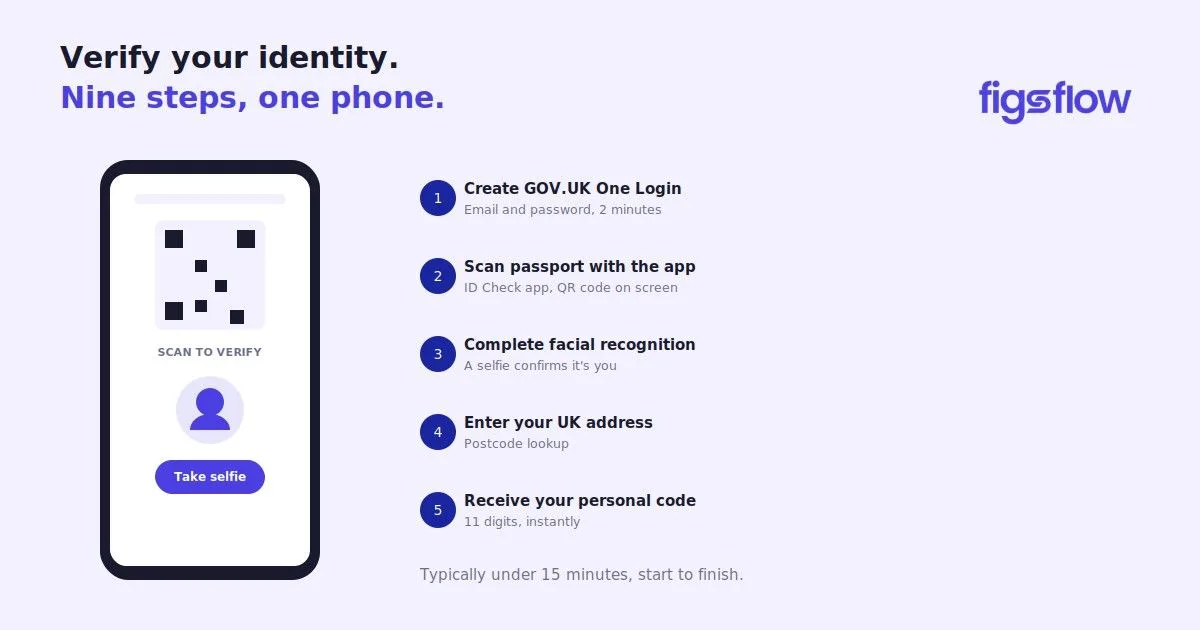
Your privacy choices

We use cookies to improve site performance, remember preferences, and measure marketing effectiveness. You can accept all cookies, reject non-essential ones, or choose categories.