
Most engagement letter software claims to connect your workflow. You’ve probably already learned that the hard way. Demoed a handful, maybe trialled one or two, and hit the same wall: a promise of end-to-end process that turned out to be three separate tools held together with a Zapier integration and manual data re-entry.
If you’re still looking for efficient engagement letter software that actually works, this is it.
We’re not going to hand you a list of twenty options with a feature comparison table. Just one platform worth your time. It’s called FigsFlow. FigsFlow connects your engagement letter software to workflow management: proposals, KYC, AML checks, risk assessment, e-signatures, invoicing, and payment collection.
Here’s how it actually does it.
What Does FigsFlow Actually Cover?
The entire journey from first contact to active, risk-rated client. Here’s what that looks like in practice.
You start with a proposal, an engagement letter, or both, depending on where you are with the client. FigsFlow’s AI writes your service schedule and descriptions. The pricing calculator handles the numbers. The whole thing takes under 30 seconds to put together and send.
Once the engagement letter is signed, two things happen automatically. An invoice is generated straight into QuickBooks or Xero. And AML and KYC checks kick off at the same time. Your client gets a link to a secure portal to upload their documents. You run the check inside FigsFlow. It takes seconds.
From there, you run a risk assessment against your own criteria, combine it with the AML result, and produce a Customer Risk Rating. If it comes back high, Enhanced Due Diligence gets triggered. That can be completed inside the platform, too.
How Do You Create an Engagement Letter with FigsFlow?
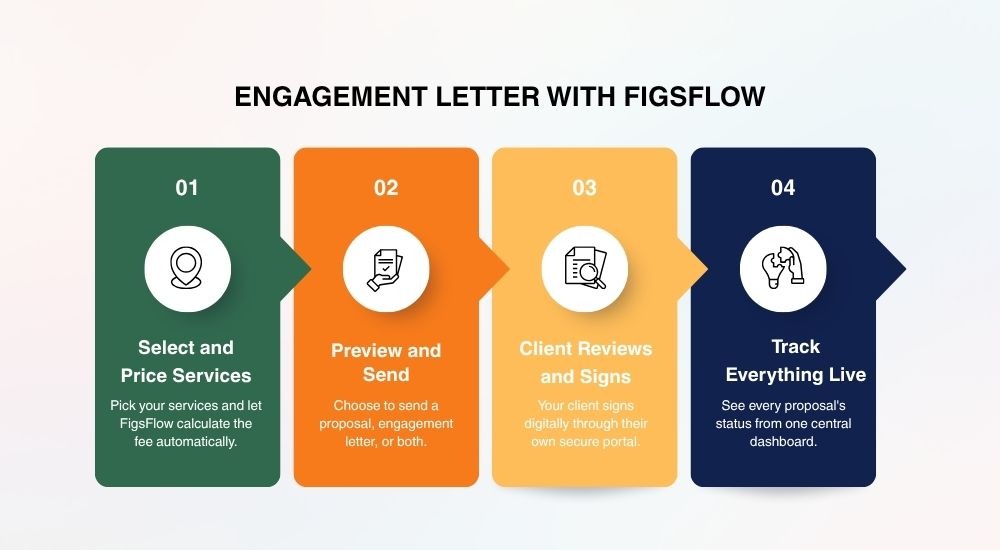
You select the service, configure the scope, set the fee, choose what to send, and it’s out the door in under 30 seconds. Your client reviews and signs through a secure portal. You get notified the moment they do, and every proposal tracks live from your dashboard.
Here’s what it actually looks like.
Service Selection & Pricing
You can pick from your service library, bundle in associated services, and include catch-up work if it applies. FigsFlow’s pricing calculator works out the fee automatically, or you can adjust it to fit your model.
Choose What to Send
You can send a proposal, an engagement letter, or both together. Preview the documents, set a custom reminder, and send.
Client Signing
Your client gets a professional email through to their own secure portal, where they can review the documents and sign digitally on any device.
Dashboard Tracking
You can see every proposal in one place: what’s been sent, what’s been signed, and what’s still waiting.
You can also build your own templates from scratch or duplicate an existing one and edit from there.
How Does FigsFlow Connect Your Engagement Letter to the Client Onboarding Journey?
The signature triggers everything. Once your client signs, FigsFlow opens the AML and KYC workflow automatically.
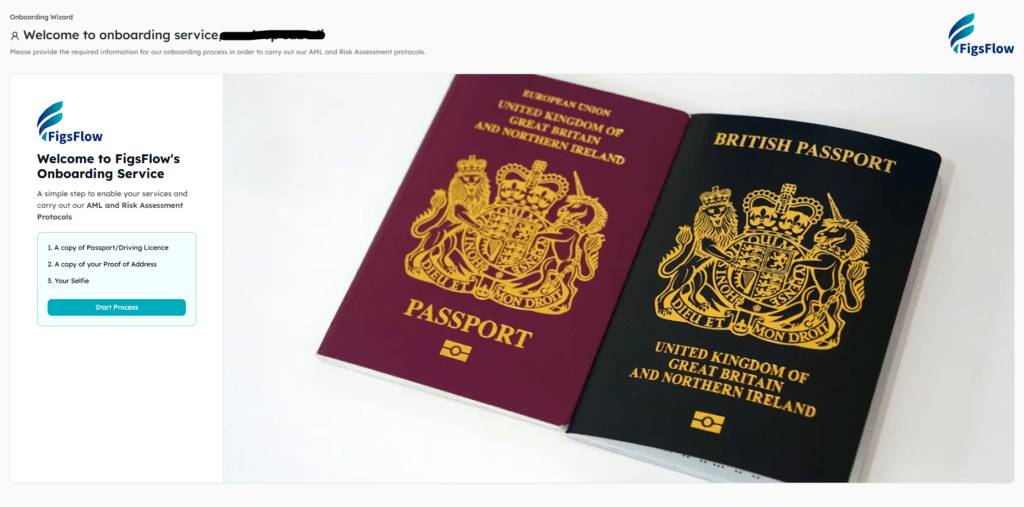
Your client receives a secure onboarding link through the engagement letter software, uploads their ID documents, proof of address, and selfie, and completes a KYC form.
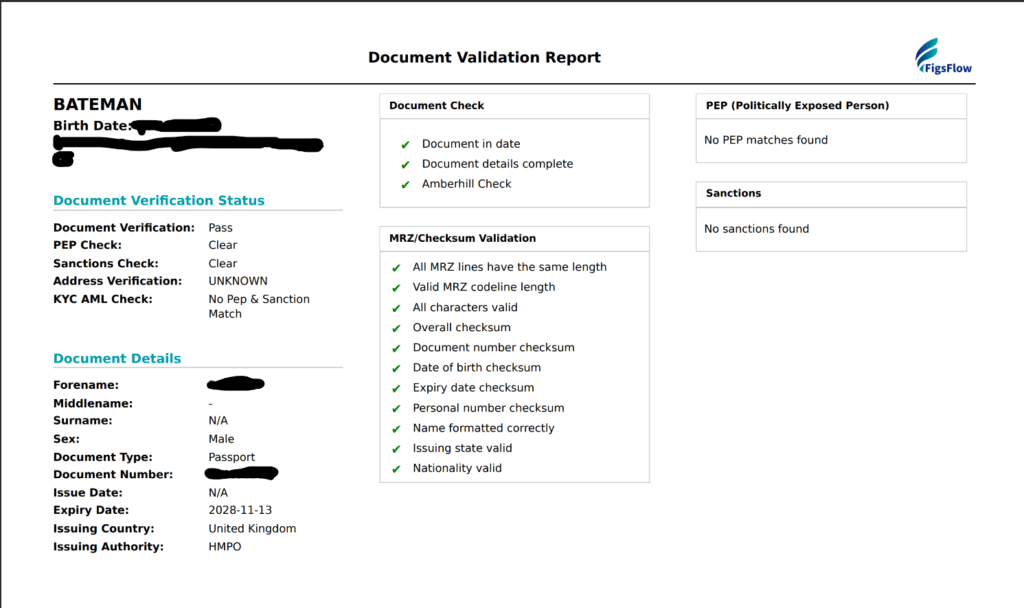
From there, you run the risk assessment. FigsFlow comes with pre-built templates by client type, or you can configure your own. With the AML report and risk assessment side by side, you assign the overall customer risk rating yourself. If the rating comes back high, it flags the need for enhanced due diligence. Again, a pre-built template or your own. Every decision is logged with a full audit trail.
The entire compliance sequence, from signed letter to completed risk assessment, runs inside one platform.
How Does FigsFlow Handle Invoicing & Payment After the Signature?
When you win a proposal in FigsFlow, the invoice auto-generates as a draft in QuickBooks or Xero. You log in, review it, approve it, and send. One step in your accounting software rather than building an invoice from scratch.
For payment, FigsFlow integrates with GoCardless and Adafin. You set up recurring payment schedules for retainer clients based on the package agreed upon in the proposal. Clients pay each period automatically.
What's Coming Next: Workflow Management & Time Tracking?
FigsFlow is rolling out a practice management system soon. It’ll connect the existing onboarding and invoicing workflow to time tracking, work assignment, team productivity, and deadline management. The same platform that handles your engagement letters and AML checks will handle your entire practice operations.
That closes the loop on the entire client lifecycle. You send the engagement letter. Client signs. AML and KYC kick off automatically. Invoice drafts in QuickBooks or Xero. Recurring payment runs via GoCardless or Adafin. Work gets assigned, tracked, and managed to the deadline. All inside FigsFlow.
Conclusion
Most engagement letter software stops at the signature. FigsFlow starts there. Proposals, engagement letters, AML checks, risk assessments, invoicing, and payment all run inside one connected workflow. Practice management and time tracking are coming next.
If you want to see how it fits your firm specifically, book a demo and see it for yourself.
Frequently Asked Questions (FAQs)
A charge out rate is the hourly amount your accounting firm charges clients for professional services. It’s different from your salary or take-home pay. This rate must cover your total employment costs, business overheads, and generate profit for your practice.
At minimum: a service library, pricing configuration, e-signature, and document storage. The better platforms also include AML and KYC checks, risk assessment, and integrations with accounting and payment software, so the letter connects to the rest of your workflow rather than sitting in isolation.
Yes. FigsFlow generates engagement letters automatically based on the service and client details you configure. You review and send. Your client signs digitally. The whole process from proposal to signed letter takes under a minute of your time.
FigsFlow is built specifically for accounting and tax practices. It covers proposals, engagement letters, AML checks, risk assessment, e-signatures, and integrations with QuickBooks, Xero, GoCardless, and Adafin. The full client onboarding journey runs inside one platform.