
We counted every human touch on one set of limited company accounts. It was 41. It is now 12.
There was a spreadsheet with fourteen tabs. One person maintained it every Monday morning for eleven years. It was entirely accurate, and it was the single largest operational risk in this firm.
 Swikriti ThakuriSep 30, 2026Updated Sep 30, 2026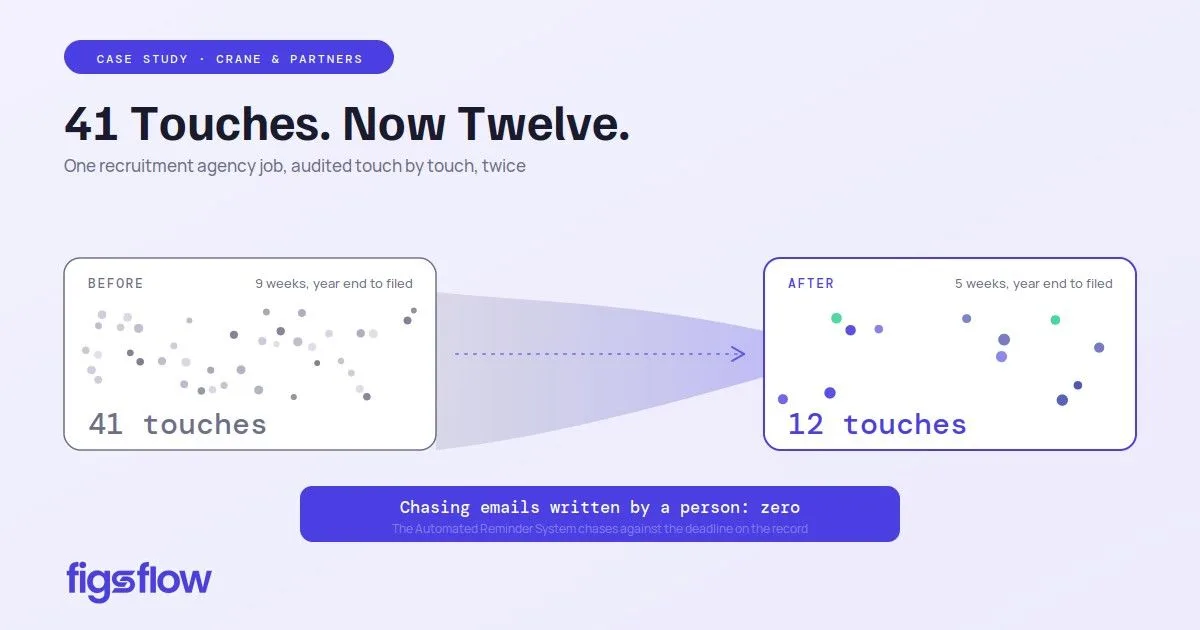
Work with Clients at Crane & Partners — jobs, tasks and deadlines, workflow templates, forms and information requests, e-signature, client portal and app, team and capacity, practice dashboard. One job, audited twice, touch by touch.
There was a spreadsheet with fourteen tabs. One person maintained it every Monday morning for eleven years. It was entirely accurate, and it was the single largest operational risk in this firm.
Before we changed anything, we wanted a measurement rather than an impression. So we audited one job end to end and counted the touches.
The method
A touch is any occasion on which a person had to do something the job could not do for itself. Opening an email to chase a client is a touch. Saving an attachment to the right folder is a touch. Preparing the accounts is not, because that is the work we are paid for and no software removes it.
The job: a recruitment agency, 31 March year end, annual accounts and CT600 plus one director's self assessment return. Chosen because it is ordinary. Nothing about this client is difficult.
Before: 41 touches
| Stage | Touches | What they were |
|---|---|---|
| Job creation | 5 | Create job on the list, add year end to the deadline spreadsheet, set a diary reminder, assign a preparer, note it on the client file |
| Records request | 9 | Draft the email, send it, note it as sent, first chase, second chase, telephone call, log receipt, save attachments to SharePoint by hand, rename the files |
| Queries | 7 | Raise first query by email, chase it, raise second query, chase again, log the responses, save them to the file, update the job list |
| Review | 6 | Tell the manager it is ready, manager opens the file, manager emails queries back, preparer corrects, preparer tells the manager, manager confirms sign-off by email |
| Client approval | 8 | Draft the approval email, attach the PDFs, send, chase, receive the signed scan, save it, file it, update the list |
| Filing and billing | 6 | File the return, update the spreadsheet, tell the partner, raise the invoice by hand, check the fee against the original proposal, send the invoice |
| Total | 41 |
Elapsed time from year end to filed and billed: nine weeks. Six of the 41 touches were a person chasing another person.
After: 12 touches
| # | Touch | What removed the ones around it |
|---|---|---|
| 1 | Preparer opens the job | Jobs are created from our workflow template the moment the engagement letter is signed, with deadlines loaded |
| 2 | Reviews the standing request list, adds one client-specific item | The request list is part of the workflow template |
| 3 | Sends the information request | One click, against the job |
| 4 | Does the technical work | This is the work. It does not change |
| 5 | Raises query one as a request on the job | Queries live on the job, not in a mailbox |
| 6 | Raises query two | — |
| 7 | Marks preparation complete | The job will not advance until this is done |
| 8 | Manager reviews inside the job | No handover email. The job appears in the manager's review queue |
| 9 | Manager signs off the review step | Named reviewer, timestamped |
| 10 | Releases the approval pack to the client portal | E-signature built in |
| 11 | Files the return in our tax software | FigsFlow does not file. It schedules and evidences |
| 12 | Releases the invoice | Drawn from the price snapshot frozen at acceptance |
Elapsed time: five weeks. Chasing emails written by a person: none. The Automated Reminder System chases against the deadline on the record, on a schedule, whether or not anybody remembered.
Where the twenty-nine went
| Removed | Count | Mechanism |
|---|---|---|
| Job setup and diary entry | 5 | Workflow templates create the job and load statutory deadlines on engagement letter signature. Obligations compute from the client's own dates, so changing an accounting reference date moves the schedule by itself |
| Chasing by hand | 6 | Automated Reminder System |
| Filing and renaming documents | 4 | Documents land in our own SharePoint against the job |
| Review handover emails | 4 | The review step is inside the job, with a named reviewer |
| Print, sign, scan, post | 3 | Built-in e-signature |
| Status updates to the list | 4 | There is no list |
| Invoice construction and fee checking | 3 | Billing draws on the frozen price snapshot |
What our clients noticed
- We stopped ringing them. One CIS contractor, on site from seven each morning with his paperwork behind the passenger seat of a van, used to receive two calls a month. He now photographs documents into the request through the client app, usually late in the evening. His records used to reach us around the nineteenth. They reach us around the eighth.
- Signing takes minutes. E-signature replaced print, sign, scan, post. Engagement letter turnaround moved from about nine days to two.
- Onboarding looks like us. The client onboarding page carries our branding rather than a software vendor's. For a firm trading since 1910, that was a condition rather than a preference.
- Booking a meeting stopped being four emails. Scheduling offers our real availability. In January that is a tax manager fielding no diary traffic instead of twenty emails a week.
- Nothing at all, for about a third of them. Portal take-up settled around two-thirds. Roughly thirty clients needed a telephone call from someone they knew.
One client, with us since the Callaghan government, posts a brown envelope second class containing a building society passbook and a handwritten note. We scan the contents into her open request and it closes exactly as it would have done had she uploaded them herself. FigsFlow tracks the request, not the channel. That single design decision is why a practice with our client base could adopt this at all.
What only we see
- Forty years of judgement, made repeatable. Our limited company accounts template carries our longest-serving consultant's actual method: the order he checks things in, the directors' loan account query he raises before anything else, the point at which somebody telephones rather than emails. Every job of that type now runs that way, including those worked by people who will never have shared an office with him.
- Permissions that match a real firm. Role-based Access Control with custom roles and granular permissions means an associate can prepare and send but cannot alter a fee or approve a risk rating. Previously that was convention. Now it is enforced, and the Centralised User Dashboard shows who holds what.
- Capacity before it becomes a crisis. Team and capacity read against the deadlines coming means that in November we can see a tax manager is over by roughly 30 hours across January, and move three jobs in week one rather than week four.
- Review that cannot be skipped. A job will not close while a step beneath it is open. This is the most unpopular feature we have and we would not turn it off. Every practice says it reviews everything. Because each step carries a name and a timestamp, we can show it.
What it cost us
Timesheets met real resistance. Two of our longest-serving people had recorded time the same way for well over a decade, and the objection was reasonable rather than obstructive. It took a full quarter and one honest conversation about why the firm needed the data. Do not start this in January.
About thirty clients needed a phone call before they would use the portal, and a handful never will. We budgeted nothing for that and should have.
Our documents did not move. They sit in our own Microsoft 365 tenant, in the SharePoint libraries we already had, under our own retention policy, which our audit work makes non-negotiable. FigsFlow writes into them. No archive migration, no second place to search.