
Where does your practice software keep the client files? Our IT consultant's eleven questions before we bought FigsFlow.
Our IT is handled externally and our audit work makes document retention non-negotiable. The same consultant has killed two previous software purchases at this firm. This review took two hours.
 Swikriti ThakuriSep 30, 2026Updated Sep 30, 2026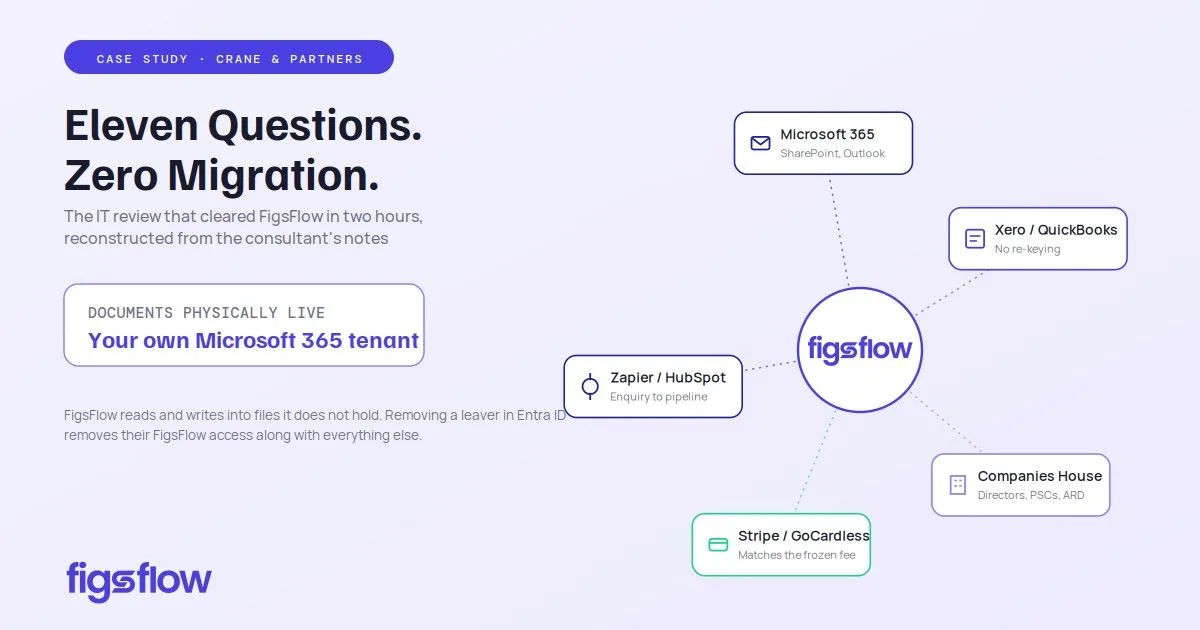
Connected to your stack at Crane & Partners — Microsoft 365, Outlook, Xero and QuickBooks, Companies House, Stripe, GoCardless, Zapier, HubSpot, API and webhooks. The review, reconstructed from his notes.
Our IT is handled externally and our audit work makes document retention non-negotiable. The same consultant has killed two previous software purchases at this firm. This review took two hours.
We publish it because the questions transfer. If you are the person who has to get a purchase past IT, past your MLRO and past whoever owns your retention policy, this is the list.
The eleven questions
1. Where do the client documents physically live?
Our own Microsoft 365 tenant, in the SharePoint libraries we already had. FigsFlow writes into them and reads from them. It does not hold them. This answer effectively ended the review in the product's favour inside the first twenty minutes.
2. Then who is the data controller?
We are. FigsFlow acts as processor. Our retention policy governs the files because they are our files in our tenant.
3. How do people sign in?
Entra ID. Existing credentials, existing MFA, existing conditional access. Removing a leaver in Entra removes their FigsFlow access along with everything else, which is the failure mode he cared about most.
4. What happens to the archive?
Nothing. We did not migrate it. A century of client papers stayed where they were and are still searchable the same way.
5. Does it touch email?
The Outlook integration links threads to the client record rather than replacing the mailbox, so correspondence becomes part of the client history instead of sitting in one person's inbox while they are on leave. Linked Email Templates mean a proposal or letter goes out with our standard covering wording attached to the document type rather than rewritten each time.
6. Ledger systems?
Xero and QuickBooks both connect, so client and invoice data flows rather than being keyed twice. The boundary is clear: FigsFlow does not do bookkeeping and does not replace Xero. It sits over it.
7. Payments?
Stripe, GoCardless and Adfin. Because the invoice draws on the frozen price snapshot, a recurring collection matches the engagement rather than a figure somebody typed. Debtor days across the practice have come down from 54 to 39.
8. Statutory data?
The Companies House integration populates registered office, incorporation date, directors, PSCs and accounting reference date from the company number. One entry, and no transcription error sitting undetected for a year.
9. Does it file anything to HMRC?
No. Our tax software files. FigsFlow schedules, chases and evidences the work around the submission. It is not recognised software and does not claim to be, which he regarded as a point in its favour rather than against.
10. Can our own systems talk to it?
Zapier and webhooks, plus a HubSpot integration. Our website enquiry form reaches the FigsFlow pipeline as a record with its source attached, rather than as an email somebody has to notice on a Friday afternoon.
11. What is the blast radius if the vendor fails?
Smaller than usual, because the documents are ours and in our tenant. That is the honest ceiling on the answer. The workflow and the audit trail still live in someone else's system, and no architecture removes that entirely.
His scoring
| Criterion | Weight | Verdict |
|---|---|---|
| Client documents remain in our tenant | Critical | Pass |
| Single sign-on through existing identity provider | Critical | Pass |
| No archive migration required | High | Pass |
| Processor / controller position documented | High | Pass |
| Leaver off-boarding via existing process | High | Pass |
| Ledger and payment integration without double keying | Medium | Pass |
| Inbound API for our own web forms | Medium | Pass |
| Workflow and audit data portable on exit | Medium | Partial |
| Integration coverage beyond the UK stack | Low | Not assessed |
The two things we gave up
The integration surface is UK-focused. Xero, QuickBooks, Companies House, GoCardless, Adfin, Stripe, Outlook, Google, HubSpot and Zapier. If you run an unusual practice stack, check your specific systems before signing rather than afterwards.
The AI assistant sits on a separate licence and a later timetable than the rest of the platform. Treat it as something arriving rather than something bought.
Why this is a commercial argument, not a technical one
Our previous two software evaluations died in review. This one cleared in a two-hour conversation because the security questions had been answered by the architecture rather than by a vendor questionnaire.
Ask any practice software vendor where the client documents physically sit. The answer tells you most of what you need to know, and it tells you before you have spent three months on an implementation you cannot reverse.