
The best CRM software for accounting firms in 2026 includes HubSpot, Salesforce, Accelo, Capsule, Insightly, Pipedrive, Zoho, Freshsales, and Nimble. Each brings something different to the table, whether that is enterprise-grade automation, native accounting software integrations, or a lightweight setup that gets out of your way and lets you focus on clients.
That said, you cannot realistically demo all nine, let alone implement them.
This guide breaks down how each CRM software for accounting firms compares, what it costs, and what real users think, so you can shortlist with confidence and choose the one that grows your practice.
CRM Software for Accounting Firms At a Glance
The table below gives you a quick snapshot of CRM software for accounting firms before diving into the full breakdowns. Each tool has been assessed across overall CRM capability, accounting software compatibility, value for money, and ease of adoption, then scored out of 30.
Use it to narrow down your shortlist before reading the detailed overviews below.
| CRM Software for Accounting Firms | Best For | Pricing | Score /30 |
|---|---|---|---|
| HubSpot CRM | All-in-one CRM with proven scalability | Free plan; from $15/seat/mo | 29/30 |
| Salesforce CRM | Enterprise-grade depth and AI automation | Free (2 users); from $25/user/mo | 27/30 |
| Accelo | Purpose-built quote to cash for accounting firms | On request, demo required | 25/30 |
| Capsule CRM | Native Xero, QuickBooks, Sage, FreeAgent sync | Free (2 users); from $18/user/mo | 23/30 |
| Insightly CRM | CRM plus post-sale project delivery in one tool | From $29/user/mo; 14-day trial | 21/30 |
| Pipedrive | Visual pipeline management, strong deal tracking | From $14/user/mo; 14-day trial | 19/30 |
| Zoho CRM | Affordable AI-powered CRM with broad integrations | Free (3 users); from $14/user/mo | 17/30 |
| Freshsales | Budget friendly AI assisted CRM for small firms | Free (3 users); from $9/user/mo | 15/30 |
| Nimble CRM | Inbox and LinkedIn native relationship management | From $24.90/seat/mo; 14-day trial | 13/30 |
CRM Software for Accounting Firms (Detailed Overview)
Now that you have the snapshot, here is where each platform earns or loses its place on your shortlist. The entries below go deeper on features, pricing, real user experience, and fit, giving you everything you need to choose the right CRM software for accounting firms with confidence.
Watch This Space
After analysing every platform on this list, one thing is clear: most CRM software for accounting firms was never actually built for accounting firms. It was built for sales teams and adapted.
FigsFlow is changing that.
Purpose-built from the ground up for accountants, bookkeepers, and tax advisors, it combines CRM, practice management, compliance, proposals, time tracking, and client billing in one unified platform.
It is launching very soon. And when it does, it will sit at the top of this list. Keep an eye on it.
HubSpot CRM
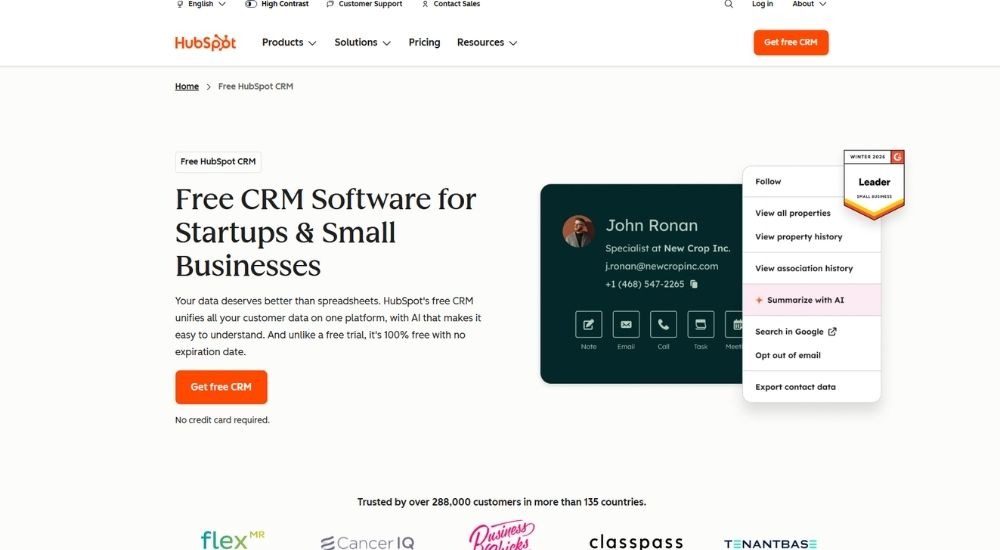
HubSpot CRM is a general-purpose platform trusted by over 288,000 businesses worldwide. While not designed specifically as CRM software for accounting firms, its contact management, pipeline tracking, and AI-powered automation tools make it a practical choice for practices wanting a scalable, well-integrated system. A genuinely useful free plan makes it accessible for firms of any size.
Quick Facts
- Cost: Free plan available. Paid plans start at $15 per seat per month
- Ratings: 4.4/5 (based on G2)
- Who’s For: Accounting firms wanting a flexible, scalable CRM with strong automation
- Best At: Contact management, deal pipelines, and AI-assisted workflow automation
Key Features of HubSpot CRM
- Centralizes all client contacts, deals, and communication history in one unified view
- Tracks opportunities and forecasts revenue through a visual pipeline dashboard
- Automates routine follow-ups and repetitive tasks using customizable workflows
- Connects with 2,000+ third-party tools through the HubSpot Marketplace
- Surfaces client insights and summarizes records using built-in AI tools
Pros & Cons of HubSpot CRM
HubSpot CRM brings a lot of firepower to firms that want a proven, scalable platform without a steep upfront investment.
- Genuinely useful free plan available
- Scales easily across growing teams
- 2,000+ app integrations supported
- Intuitive workflow builder for automation
- AI tools built throughout the platform
- Not purpose-built for accounting firms
- Costs climb steeply at higher tiers
- Can feel complex for smaller, simpler setups
Users who rely on it for day-to-day client management generally find it gets the job done.
For everyday use cases like managing accounts, tracking opportunities, and monitoring activity, HubSpot's free tier covers everything a practice needs without spending a penny.
That experience is consistent with what others report after switching from competing platforms.
After moving from a different platform, we found that HubSpot delivered on automation and reporting. The workflow builder is logical once you get the hang of it, but the learning curve was steeper than we anticipated.
For accounting firms comfortable with adapting a general-purpose tool, HubSpot offers a strong and scalable foundation.
Salesforce CRM
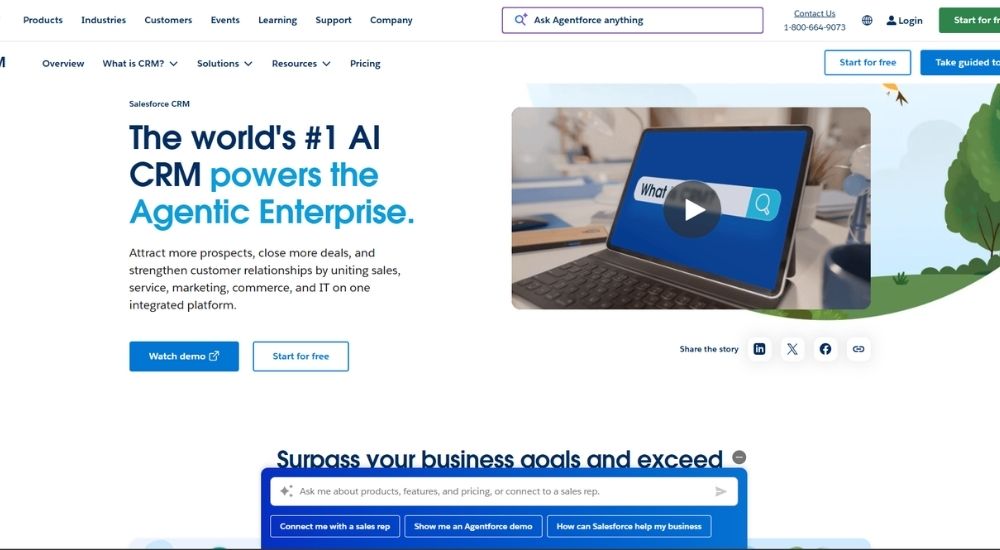
Salesforce CRM is widely recognized as the world’s leading AI-powered CRM platform, used by businesses of every size across virtually every industry. While not designed exclusively as CRM software for accounting firms, its depth of customization, agentic AI capabilities, and enterprise-grade reporting make it a serious option for larger or fast-growing practices that need maximum flexibility. A free plan for up to two users is available.
Quick Facts
- Cost: Free plan available for up to 2 users. Paid plans start at $25 per user per month
- Ratings: 4.4/5 (based on G2)
- Who’s For: Larger accounting firms needing enterprise-level CRM with deep customization
- Best At: Sales pipeline management, AI-powered automation, and cross-team collaboration
Key Features of Salesforce CRM
- Centralizes sales, service, marketing, and client data on one unified platform
- Automates workflows and lead routing to reduce manual handoffs between team members
- Delivers AI-powered forecasting and real-time performance dashboards
- Integrates with thousands of business applications through the AppExchange marketplace
- Deploys AI agents via Agentforce to handle tasks and surface insights across the firm
Pros & Cons of Salesforce CRM
Salesforce brings unmatched CRM depth to firms that are ready to invest in a platform built to scale without limits.
- Industry-leading AI and automation capabilities
- Highly customizable to fit complex firm workflows
- Strong cross-team collaboration across departments
- Extensive integration library via AppExchange
- Trusted by enterprises globally with proven reliability
- Not purpose-built for accounting firms
- Significantly more expensive than most alternatives
- Can take considerable time and resources to implement fully
Users with experience across multiple platforms tend to recognize the value once Salesforce is properly set up.
The platform is straightforward to navigate, which has made it easy for the team to stay on top of client interactions, sales activity, and marketing efforts all in one place.
Those who have stuck with it over longer periods point to its reliability for handling high volumes of activity.
Having used it for years, it consistently delivers accurate results and reliable forecasting. When you are managing a large volume of opportunities, that level of precision makes a real difference.
For accounting firms operating at scale and willing to invest in implementation, Salesforce delivers a level of CRM capability that few platforms can match.
Accelo
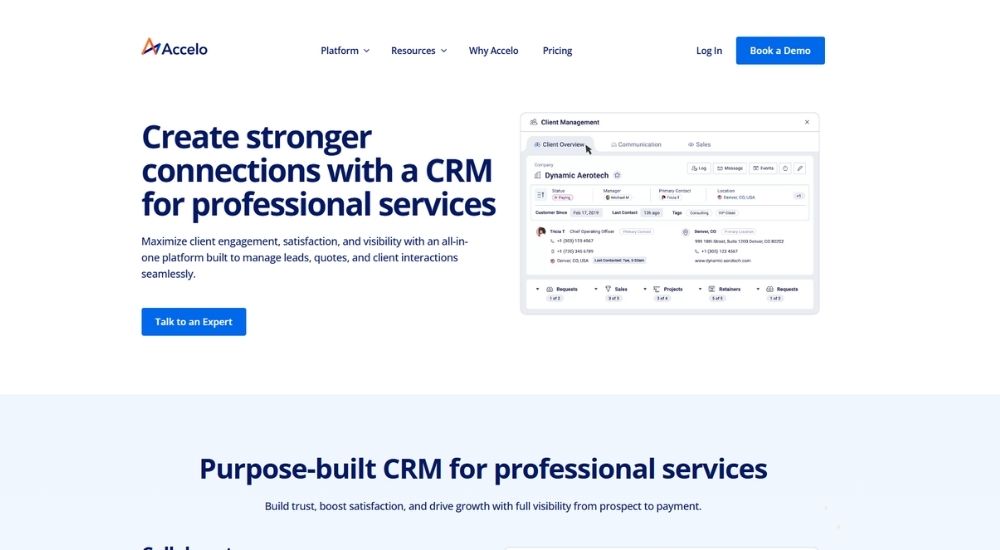
Accounting firms that have outgrown basic contact tools and need something that connects client relationships directly to project delivery and billing will find Accelo purpose-built for exactly that. It covers the full arc from prospect to payment in one platform, making it one of the most operationally complete CRM software for accounting firms on this list. Pricing is available on request, with a demo required to get started.
Quick Facts
- Cost: Pricing available on request. Demo required
- Ratings: 4.4/5 (based on G2)
- Who’s For: Accounting and CPA firms wanting an end-to-end platform connecting CRM, projects, timesheets, and billing
- Best At: Quote to cash management, client profitability tracking, and workflow automation
Key Features of Accelo CRM
- Manages the full client lifecycle from lead and quote through to project delivery and invoice
- Tracks time, tasks, and expenses across client engagements with full team visibility
- Converts approved quotes into active projects in a single click with no data loss
- Integrates with Xero, QuickBooks, Microsoft 365, Google Workspace, and Stripe
- Delivers profitability dashboards showing which clients and project types generate the best returns
Pros & Cons of Accelo CRM
Accelo gives accounting firms something most CRMs cannot: a clear line of sight from the first client conversation all the way through to getting paid.
- Purpose-built for professional services, including accounting
- Full quote to cash visibility in one platform
- Strong Xero and QuickBooks integration
- Automates billing, retainers, and timesheet tracking
- Client profitability reporting is built in
- Pricing not transparent, requires a demo
- Steep learning curve, typically 2 to 3 months to fully implement
- Can feel complex for smaller or leaner firms
Users who invest the time to implement it properly tend to see meaningful operational gains.
For accounting firms wanting CRM software for accounting firms that goes beyond contact management, Accelo brings clients, projects, and tasks together in one place. The ability to delegate work, log time, and track project progress keeps the whole team aligned, and the Xero integration takes the friction out of invoicing and financial management.
Firms that have embedded it into their daily operations speak to the strategic clarity it creates.
Using Accelo as our CRM software for accounting firms gave us a level of financial clarity we did not have before. We can now clearly see which clients and types of work are actually profitable, and that insight has driven some of the biggest changes we have made to how the business operates.
For accounting firms ready to move beyond standalone CRM tools and manage their entire client operation from one platform, Accelo delivers a level of depth that few alternatives can match.
Capsule CRM
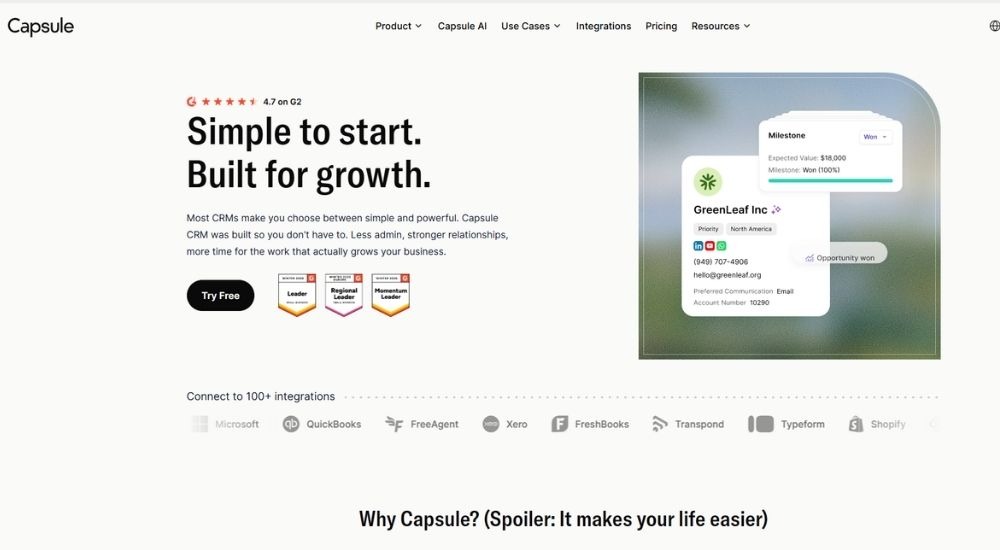
Capsule CRM was built around a simple idea: a CRM should get out of your way and let you focus on relationships. For accounting firms that have grown tired of overcomplicated platforms, that philosophy lands well. It integrates directly with Xero, QuickBooks, Sage, and FreeAgent, making it one of the most naturally compatible CRM software for accounting firms on this list. A free plan for up to two users is available, with paid plans starting at $18 per user per month.
Quick Facts
- Cost: Free plan available for up to 2 users. Paid plans start at $18 per user per month
- Ratings: 4.7/5 (based on G2)
- Who’s For: Small to mid-sized accounting firms wanting a clean, easy-to-adapt CRM with accounting tool integrations
- Best At: Contact management, pipeline tracking, and integrating with accounting software
Key Features of Capsule CRM
- Tracks every client interaction, note, email, and task in one centralized contact record
- Manages sales pipelines through a clean drag-and-drop Kanban-style board
- Integrates natively with Xero, QuickBooks, Sage, and FreeAgent out of the box
- Automates follow-up tasks and workflow sequences to reduce manual admin
- Surfaces AI-powered summaries of recent client activity before calls or meetings
Pros & Cons of Capsule CRM
Capsule hits a sweet spot that accounting firms with lean teams will appreciate: enough depth to be genuinely useful, without the setup burden that slows down adoption.
- Native integrations with major accounting tools
- Very fast to set up and easy for teams to adopt
- Clean interface with minimal learning curve
- AI summaries are available on paid plans
- Excellent value at its price point
- Free plan limited to 2 users
- Advanced automation options are limited on lower tiers
- Reporting lacks the depth of larger enterprise CRMs
Users who switched from more complex platforms consistently point to how quickly Capsule clicked for their teams.
After testing a number of platforms, most fell short on one end or the other. For practices searching for CRM software for accounting firms that balances capability with simplicity, Capsule delivers on both. The pipeline and forecasting tools in particular give a clear and reliable view of what is coming ahead.
Those in financial services specifically highlight how well it handles the full client journey.
As CRM software for accounting firms goes, Capsule handles the full client journey remarkably well. From first contact through to active engagement, the process feels seamless. The integrations work exactly as they should, and the ability to automate follow ups and run targeted email campaigns has had a noticeable impact on how the practice communicates with clients.
For accounting firms that want a CRM that connects directly to the tools they already use and works reliably from day one, Capsule makes a compelling and practical choice.
Insightly CRM
Insightly CRM earns its place on this list by doing something most platforms struggle with: combining client relationship management and project delivery in one workspace. For accounting firms managing ongoing engagements alongside new business, that combination matters. As a capable CRM software for accounting firms that need more than a basic contact database, it brings pipeline tools, workflow automation, and deep integration with apps like QuickBooks and Xero into a single, well-structured platform. Paid plans start at $29 per user per month with a 14-day free trial.
Quick Facts
- Cost: Starts at $29 per user per month. Free 14-day trial available
- Ratings: 4.2/5 (based on G2)
- Who’s For: Accounting firms wanting a scalable CRM with project management built in
- Best At: Pipeline visibility, workflow automation, and post-sale project delivery
Key Features of Insightly CRM
- Manages leads, contacts, opportunities, and communication from a single dashboard
- Converts closed deals directly into projects without losing any client data
- Automates repetitive tasks, including emails, reminders, and record updates
- Integrates with QuickBooks, Xero, Google Workspace, and 500+ other apps
- Customizes fields, dashboards, and page layouts to match your firm’s workflow
Pros & Cons of Insightly CRM
Insightly stands out for combining CRM and project delivery in one platform, which suits accounting firms managing ongoing client engagements alongside their sales pipeline.
- CRM and project management in one tool
- Clean, easy-to-navigate interface
- Highly customizable fields and dashboards
- Strong integration with accounting apps
- Quick to implement with good onboarding support
- Not built specifically for accounting firms
- Advanced features locked behind higher-tier plans
- Automation setup has a noticeable learning curve
Users who work across both client acquisition and delivery tend to find real value in how the two sides of the platform connect.
What stands out most about Insightly is the way it brings CRM and project management together, letting you follow a client from initial contact right through to completed delivery. The interface is clean, the workflows are straightforward, and the email and calendar sync works seamlessly.
Others who have been using it day to day over a longer period share a similarly positive view of how it fits into their operations.
The interface is intuitive and easy to get your head around. We made the switch over two years ago and have not looked back. Getting up and running was straightforward, and it has become a platform our team relies on every single day.
For accounting firms that want a structured post-sale workflow alongside their CRM, Insightly offers a practical and well-integrated solution.
Pipedrive
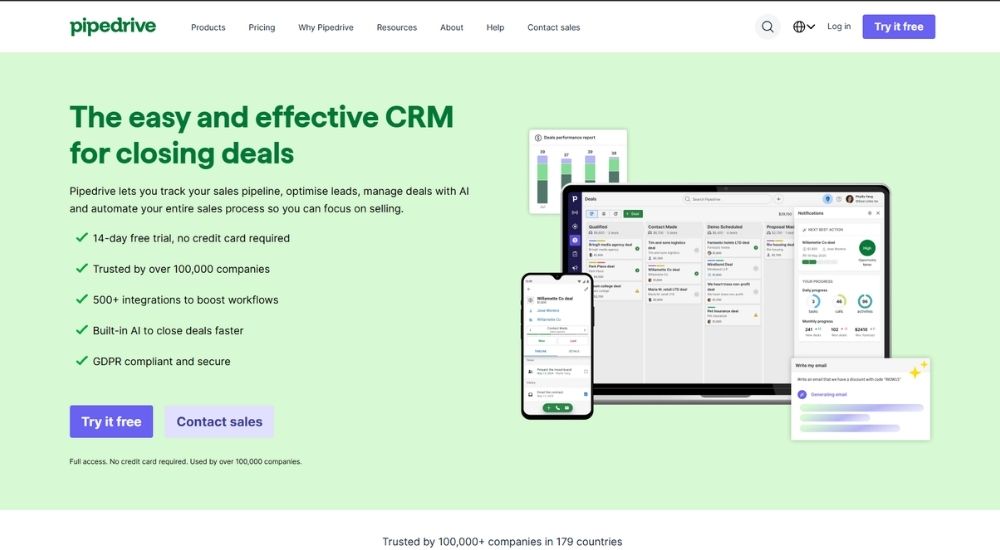
Accounting firms that live and die by their pipeline will find a lot to like in Pipedrive. Built around activity-based selling, it keeps client opportunities visible, follow-ups on track, and revenue predictable. As a dedicated CRM software for accounting firms looking for simplicity without sacrificing depth, Pipedrive earns its reputation among 100,000+ companies across 179 countries. Plans start at $14 per user per month with a 14-day free trial.
Quick Facts
- Cost: Starts at $14 per user per month. Free 14-day trial available
- Ratings: 4.5/5 (based on Trustpilot)
- Who’s For: Accounting firms that want a clean, pipeline-focused CRM with strong automation
- Best At: Visual pipeline management, deal tracking, and AI-powered sales insights
Key Features of Pipedrive
- Visualizes the entire client pipeline through a customizable Kanban-style dashboard
- Automates follow-up sequences and repetitive tasks to keep deals moving forward
- Generates sales reports instantly using AI-powered natural language prompts
- Integrates with 500+ tools, including QuickBooks, Zapier, Google Workspace, and more
- Sends and tracks quotes, proposals, and contracts with built-in e-signature support
Pros & Cons of Pipedrive
Pipedrive keeps things focused on what matters most for client-facing teams: knowing exactly where every deal stands and what needs to happen next.
- Clean and intuitive interface from day one
- Strong pipeline visibility across all deals
- AI features are included across all plan tiers
- E-signature and document tools built in
- Highly rated customer support and onboarding
- No free plan, only a 14-day trial
- Advanced features require higher-tier plans
- Some security controls locked behind premium tiers
Firms that have made the switch consistently highlight how quickly the platform delivers results.
It is one of the few tools I recommend without hesitation for running a business effectively. We had a long established accounting firm work through a prospecting exercise on Pipedrive and within a matter of hours their representative came back to us having uncovered close to $188K worth of potential revenue they had not previously identified.
Others appreciate how the simplicity translates directly into adoption across their teams.
Out of every CRM I have tried, Pipedrive is the easiest to work with day to day. For any accounting firm evaluating CRM software for accounting firms, the clean interface, drag and drop pipeline, and straightforward workflow setup make it one of the least intimidating options to get started with.
For accounting firms that want visibility, speed, and a CRM their team will actually use every day, Pipedrive delivers on all three.
Zoho CRM
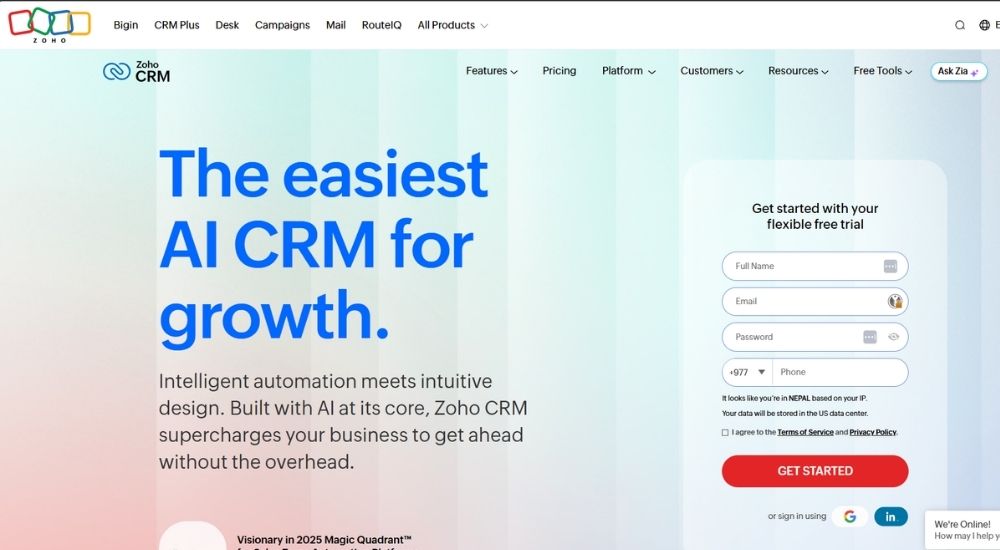
Zoho CRM has built a reputation that speaks for itself, with over 300,000 businesses worldwide choosing it as their central hub for client relationships. Accounting firms that want a highly customizable, AI-powered system without the enterprise price tag will find it hard to look past. Its broad integration library, flexible pricing, and built-in AI assistant Zia make it one of the most complete CRM software for accounting firms options at this price point. A free plan for up to three users is available, with paid plans starting at $14 per user per month.
Quick Facts
- Cost: Free plan available for up to 3 users. Paid plans start at $14 per user per month
- Ratings: 4.3/5 (based on Capterra)
- Who’s For: Accounting firms wanting a highly customizable, budget-friendly CRM with strong automation
- Best At: Workflow automation, AI-powered insights, and omnichannel client engagement
Key Features of Zoho CRM
- Manages leads, contacts, deals, and pipeline activity from a single unified workspace
- Automates workflows and sales processes to reduce repetitive manual tasks
- Uses built-in AI assistant Zia to forecast trends and surface timely insights
- Integrates with 1,000+ third-party apps, including accounting and productivity tools
- Customizes team spaces, dashboards, and data views to match your firm’s structure
Pros and Cons of Zoho CRM
Zoho CRM delivers impressive depth at a price point that suits firms of nearly any size, making it one of the more accessible options on this list.
- Free plan available for up to 3 users
- Highly competitive pricing across all tiers
- Strong AI features built into the platform
- Extensive integration library including accounting tools
- Flexible contracts with no long-term commitment required
- Not designed specifically for accounting firms
- Can feel feature-heavy for smaller or simpler setups
- Initial setup and customization take time to get right
Users who have moved to Zoho from more expensive competitors tend to highlight the automation gains most.
Once we set up the workflow rules, Zoho took care of the repetitive processes automatically. Security and data privacy were non-negotiable for us and Zoho met every requirement. It completely transformed how we operate.
That experience is echoed by others who found more capability in the platform than they initially expected.
Zoho brought a level of automation to our sales and lead management that we simply did not have before. For anyone who has not explored it properly, there is a lot more depth to this platform than you might expect from the outside.
For accounting firms watching their software budget without wanting to compromise on capability, Zoho CRM offers a compelling and flexible foundation.
Freshsales
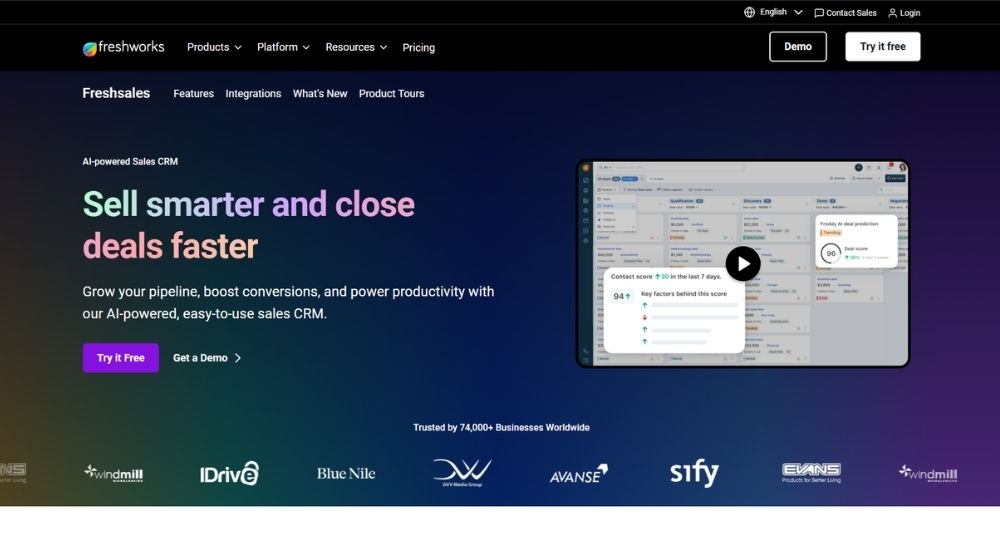
Freshsales strips away the bloat that makes so many CRM platforms frustrating to adopt and replaces it with something that accounting firms can actually get up and running fast. Its Freddy AI assistant handles lead scoring, deal insights, and email writing, while built-in phone and chat mean client communication never has to leave the platform. For smaller or growing practices exploring CRM software for accounting firms at an accessible price point, Freshsales makes a compelling case. A free plan for up to three users is available, with paid plans starting at $9 per user per month.
Quick Facts
- Cost: Free plan available for up to 3 users. Paid plans start at $9 per user per month
- Ratings: 4.5/5 (based on G2)
- Who’s For: Small to mid-sized accounting firms wanting an affordable, AI-assisted CRM
- Best At: Lead management, AI-powered deal insights, and multichannel client communication
Key Features of Freshsales
- Manages contacts, accounts, and deals through clean kanban views and drag and drop pipelines
- Scores leads, and surfaces deal insights automatically using the Freddy AI assistant
- Communicates with clients via built-in chat, email, and phone from within the platform
- Automates repetitive tasks and follow-up sequences to free up team time
- Generates quotes, invoices, and onboarding documents through the built-in CPQ tool
Pros & Cons of Freshsales
Freshsales brings a well-rounded feature set at one of the more accessible price points on this list, making it a strong contender for firms that want smart automation without overspending.
- Very affordable entry price at $9 per user
- Free plan available for teams of up to 3 users
- AI features included from mid-tier plans upward
- Built-in phone, chat, and email in one platform
- Clean interface with a short learning curve
- Not built specifically for accounting firms
- Advanced AI features require higher-tier plans
- Less customizable than enterprise-level alternatives
Firms that have adopted Freshsales tend to highlight the impact on team efficiency and client engagement.
In the past year alone, our customer base grew tenfold. What surprised us most was that despite the rapid growth, the time our team spent on admin actually fell by a fifth.
Others point to how it changed the way they use client data to drive their outreach.
Email engagement data gave us a clearer picture of our audience, which sharpened how we targeted specific niches. The platform stopped being a background tool and became central to how the whole organisation operates.
For accounting firms at an earlier stage of growth that need a capable and budget-conscious CRM solution, Freshsales is a strong starting point.
Nimble CRM
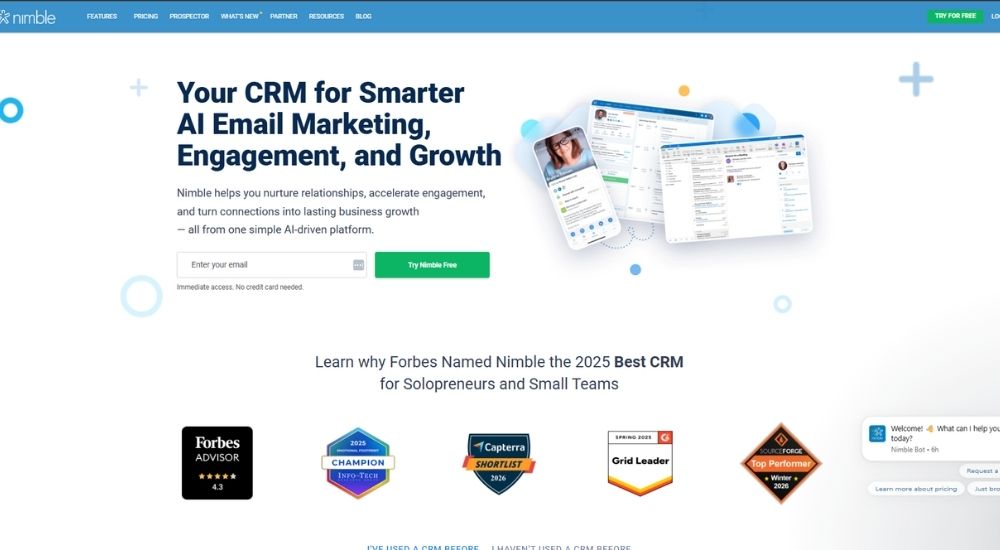
Accounting firms that live in their inbox and spend meaningful time on LinkedIn will find Nimble CRM built around exactly how they already work. Rather than pulling people into a separate platform, it sits inside Gmail, Outlook, and LinkedIn, surfacing client context and letting teams capture contacts, log notes, and trigger follow-ups without breaking their flow. For practices evaluating CRM software for accounting firms that prioritize relationships over rigid sales processes, Nimble makes a strong case at a flat, all-inclusive price. Plans start at $24.90 per seat per month billed annually, with a 14-day free trial.
Quick Facts
- Cost: Starts at $24.90 per seat per month, billed annually. 14-day free trial available
- Ratings: 4.5/5 (based on G2)
- Who’s For: Small accounting firms and solopreneurs wanting a lightweight, relationship-focused CRM
- Best At: Contact enrichment, email sequences, and LinkedIn prospecting via the Nimble Prospector tool
Key Features of Nimble CRM
- Enriches contact records automatically by pulling data from email, social, and the web
- Captures leads directly from LinkedIn and any website using the Nimble Prospector browser extension
- Sends automated email sequences and group messages from the user’s own email address
- Manages deals and workflows through fully customizable kanban-style pipelines
- Integrates natively with Microsoft 365 and Google Workspace, including two-way contact and calendar sync
Pros & Cons of Nimble CRM
Nimble keeps the focus on the relationship side of client management, which suits accounting firms where trust and long-term contact nurturing matter as much as closing new work.
- All features included at one flat price
- Prospector tool works directly inside LinkedIn
- Clean, intuitive interface with minimal setup
- Strong Microsoft 365 and Google Workspace integration
- Responsive customer support team
- Storage limit of 2GB per user fills up quickly
- Reporting lacks depth for larger or more complex teams
- Add-ons required for email marketing and additional contacts
Users who have tried multiple platforms tend to come back to Nimble for its simplicity and focus.
After a frustrating experience with another platform, switching back to Nimble felt like the right move. As CRM software for accounting firms that prioritises relationship management over rigid processes, it stands out for its seamless lead capture, well structured email sequences, and visual workflows that make it easy to see and control exactly where every lead sits.
Others highlight how much time it saves on the parts of client management that used to happen manually.
For accounting firms using CRM software for accounting firms that actually reduces admin rather than adding to it, Nimble delivers. The platform handles the heavy lifting of finding, capturing, and organising contact data, cutting that workload significantly and freeing up time to focus on building client relationships rather than managing spreadsheets.
For accounting firms that want a CRM that works where they already are, rather than asking them to change how they operate, Nimble is a smart, low-friction choice.
How to Choose the Best CRM Software for Accounting Firms
Before scrolling back up and picking the one with the best-looking interface, be honest with yourself and answer these questions first.
- Does your CRM need to connect directly with the accounting tools your firm already uses?
- How many people in your firm will actually use it day to day?
- Are you managing ongoing client engagements after the sale, or is your focus mainly on winning new work?
- What is your realistic monthly budget per user once you move beyond the entry tier?
- Does your team have the time and appetite to learn a complex platform, or do you need something running within a day?
Your answers will point you in a clear direction.
- If you want enterprise-level power, deep customization, and brand reliability, go with HubSpot or Salesforce
- If you need native accounting software integrations and a clean, no-fuss setup, go with Capsule
- If you want CRM and project delivery combined in one place, go with Insightly or Accelo
- If budget is the primary driver and you need something lean and fast to adopt, go with Freshsales or Pipedrive
- If your team wants the CRM to come to them rather than the other way around, go with Nimble or Zoho
That said, five questions will rarely capture everything. The best CRM software for accounting firms is ultimately the one that fits how your team works in practice, not just on paper. Shortlist two or three options and test them properly. Choosing the right CRM software for accounting firms is a decision worth taking a few extra days to get right.
Additional Resources
- Secure Client Portal for Accountants: What It Is, What to Look For & What’s Coming in FigsFlow
- Which Engagement Letter Software Connects to Workflow Management? FigsFlow Does
- AI in Accounting: How Artificial Intelligence Is Transforming Accounting Firms
- 7 Task Management Tips for Accountants
- Top 10 Best Task Management Software for Accountants in 2026
- Top 10 Document Generation Software for Accountants in 2026
- 20 Best Practice Management Software Solutions for 2026
- Top 10 Best Proposal Software for Accountants in 2026
Conclusion
There is no single platform that works best for every accounting firm. A sole practitioner has completely different needs from a growing CPA firm juggling multiple service lines and a team of ten. What matters is finding the tool that removes friction from your day rather than adding to it.
The nine platforms in this guide cover a wide range of approaches, from lightweight inbox native tools to full practice management systems. What they all have in common is this: any one of them, properly adopted, will put your firm in a stronger position than spreadsheets and disconnected tools ever could.
The right CRM software for accounting firms does not just organize your contacts. It gives your team visibility, saves time on admin, and helps you show up better for every client. Take the shortlist, run the trials, and choose the CRM software for accounting firms your team will actually use.
Frequently Asked Questions (FAQs)
There are plenty of options available, but none of them are purpose-built for UK accounting firms. Most were designed for sales teams and adapted. FigsFlow is set to change that. Built specifically for accountants, bookkeepers, and tax advisors, it is launching very soon and is shaping up to be the most relevant and complete option for UK practices.
Several platforms offer low entry prices, but cost and value are not always the same thing. FigsFlow is launching soon with pricing designed to be the most competitive option for accounting firms, without compromising on capability. Affordable and purpose-built rather than cheap and adapted.
Small firms need a platform that works from day one and scales as they grow, without forcing a switch down the line. FigsFlow is built with exactly that in mind. It offers everything a small practice needs to manage clients, proposals, compliance, and delivery, with enough flexibility to grow with your firm so you never have to start over.
Most CRMs on the market were not built with tax professionals in mind. They were built for sales teams and retrofitted. FigsFlow is the exception. Designed specifically for accountants, bookkeepers, and tax advisors, it is built around the actual workflows of the profession by a team with over ten years of industry experience. It is not adapted from another tool. It is built from the ground up for the way tax professionals work. Launching very soon.