

You know the problem.
Deadlines missed. Tasks falling through the cracks. Month-end billing taking hours because no one tracked time as the work happened. And you, still chasing and checking, when you should be growing the practice.
You also know the fix: job management software for accountants.
But here is what most guides skip over. Not all job management software for accountants is created equal. There are five levels, each built differently, each serving a different type of practice with a different set of needs and bottlenecks.
That is what this guide is about: 14 platforms, carefully researched across all five levels, so you walk away knowing exactly which one fits your firm.
Sounds good? Let us start.
Job Management Software for Accountants at a Glance
The table below scores each job management software for accountants across six criteria relevant to accounting firms:
- accounting-specific functionality,
- job and task management depth,
- compliance and onboarding capability,
- integrations,
- ease of adoption, and
- value for money.
General task management tools have been excluded.
| Job Management Software for Accountants | Best For | Pricing | Score /30 |
|---|---|---|---|
| FigsFlow | UK firms wanting proposals, compliance, and onboarding in one connected workflow | From £8/mo; AML from £2.10/check | 28 |
| Acting Office | Medium to large UK firms wanting end-to-end practice management from lead to tax submission | Available on request | 26 |
| BrightManager | UK firms wanting MTD compliance, onboarding, and task management at a flat annual cost | From £409.25+VAT/year (up to 12 users) | 24 |
| Xero Practice Manager | Xero partner firms wanting connected job tracking, time recording, and invoicing at no extra cost | Free for qualifying Xero partners | 22 |
| Client Hub | Bookkeeping and outsourced accounting firms wanting client communication and workflow in one place | From $49/user/mo (USD) | 21 |
| Pixie | Small UK firms wanting flat-fee workflow automation with a GDPR-compliant client portal | From $129/mo unlimited users | 20 |
| Senta | Small to mid-sized UK firms wanting customisable workflow automation with integrated CRM | £22.40 to £28/user/mo | 19 |
| Tidyflow | Solo practitioners and small firms wanting clean workflow, time tracking, and billing in one platform | From $20/user/mo (USD) | 17 |
| Jetpack Workflow | Smaller firms wanting a simple, dedicated tool for recurring workflow automation and deadline tracking | From $40/user/mo (USD) | 15 |
| Aero Workflow | Firms wanting flat-rate workflow automation with built-in time tracking and accounting templates | From $105/mo (up to 5 users) | 13 |
What Is Job Management Software for Accountants?
Job management software for accountants is any platform that helps a practice organise client work, track deadlines, and keep the team on top of what needs doing. The category covers a wide range of tools, and the differences between them matter.
The market sits across five distinct levels.
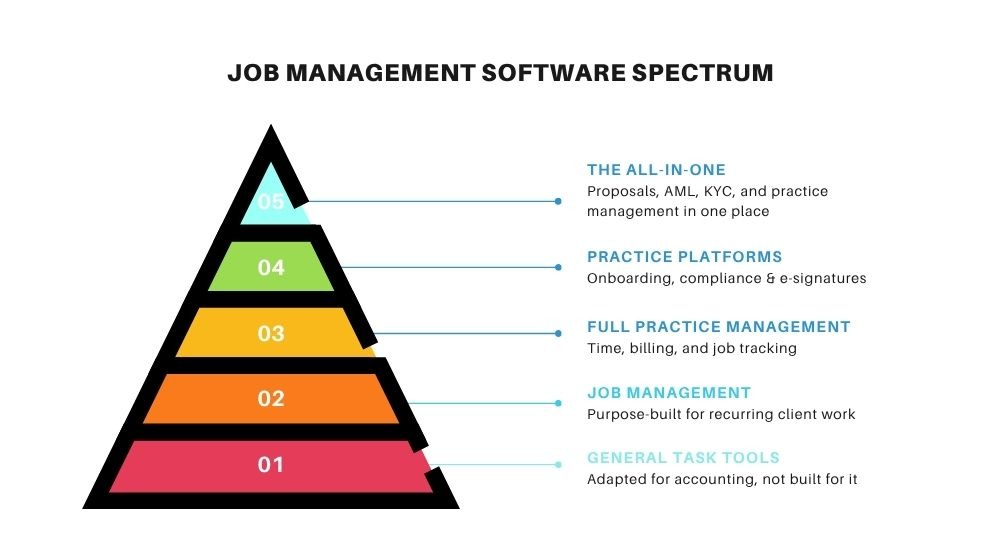
The higher the level, the more your software runs your practice.
Level 1: General Task Management Tools Adapted for Accounting
Not built for accountants, but flexible enough to be configured for client work and team tasks.
Level 2: Accounting-Specific Job & Workflow Management
Purpose-built tools focused on keeping recurring client work organised, visible, and on time.
Level 3: Full Practice Management for Accounting Firms
Covers time tracking, billing, client records, and reporting alongside core job management.
Level 4: Complete Practice Platforms with Onboarding, Compliance & More
Bring onboarding, AML, engagement letters, e-signatures, and compliance into one connected system.
Level 5: The All-in-One: Built for the Whole Firm
Proposals, pricing, AML, KYC, EDD, engagement letters, e-signatures, time tracking, and full practice management. One platform, built for firms that are done compromising.
The All-in-One: Built for the Whole Firm
The tools in this category go furthest. They are built to run the entire practice from a single platform, covering everything from the first client proposal through to compliance, onboarding, job management, time tracking, and beyond. The goal is simple: one system, no gaps, no switching between tools.
It is the smallest category in this guide, and for good reason. Very few platforms genuinely deliver at this level for accounting firms.
FigsFlow
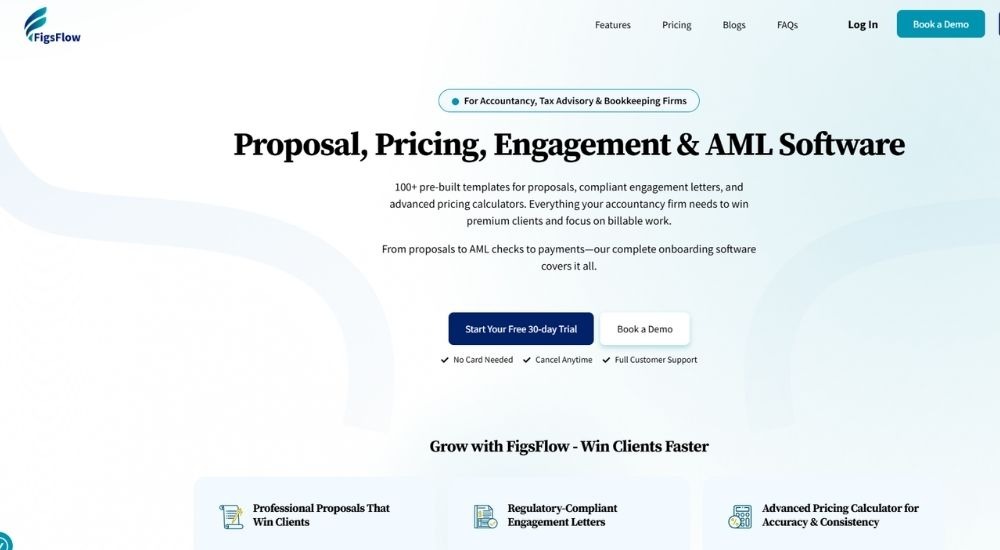
FigsFlow is a UK-built practice management platform designed specifically for accountants, bookkeepers, and tax advisers. Where most tools cover one part of the client journey, FigsFlow brings proposals, pricing, engagement letters, AML, KYC, EDD, e-signatures, and compliance into a single connected workflow.
Quick Facts
- Cost: Proposals and engagement letters from £8 per month; AML checks from £2.10 per ID check plus £8 per month; enterprise pricing available on request
- Ratings: 4.9/5 based on 35 Trustindex reviews
- Who It’s For: UK accounting, bookkeeping, and tax advisory firms of all sizes
- Best At: End-to-end client onboarding from proposal to compliance in one workflow
Key Features of FigsFlow
- Generates professional proposals with engagement letters and accurate pricing in minutes, using a library of regulatory-compliant templates that auto-populate with client details and require no manual drafting
- Runs AML checks, PEP and sanctions screening, identity verification, and risk assessments natively, removing the need for a separate compliance tool and keeping the full audit trail inside one platform
- Collects client information, KYC data, and due diligence through customisable forms with conditional logic, sent via onboarding link or email and completed by clients in minutes
- Manages e-signatures across multiple signatories with automatic follow-up reminders, auto-lost flagging, and a full signatory status view, so nothing sits unsigned without action
- Connects invoicing and payment collection to Xero, QuickBooks, GoCardless, Stripe, and Adfin, so fees flow automatically once a proposal is won without any re-keying between systems
Pros & Cons of FigsFlow
For UK firms that want job management software for accountants built around compliance and the full client journey, FigsFlow is in a category of its own.
- Purpose-built for UK accounting and bookkeeping firms
- Proposals, AML, and compliance in one connected workflow
- Regulatory-compliant templates for ACCA, ICAEW, CIOT, CIMA, and AAT
- 30-day free trial with no credit card required
- Practice management system coming soon to complete the platform
- No dedicated mobile app currently
- Job and task management are not yet live
Firms that have made FigsFlow central to their onboarding consistently point to the same outcome: less time chasing, fewer tools to manage, and a client experience that reflects well on the practice. One reviewer noted that the AML and KYC functionality alone removed the need for a separate compliance tool entirely, cutting both cost and complexity in one move.
The AML and KYC functionality is brilliant and a game-changer. Our team no longer need a separate compliance tool, which reduces cost and complexity for our firm.
The compliance confidence runs alongside a broader feeling that the platform was built by people who understand how accounting practices actually operate. Several users highlight how naturally it fits into an existing tech stack and how straightforward it has been to bring new staff on board.
It is clear that FigsFlow has been designed with accountants and bookkeepers in mind. The features focus on the practical parts of running a practice, especially around compliance and onboarding. It has made a noticeable difference to how smoothly we handle new clients.
For UK firms looking for job management software for accountants that covers the full client journey today and has a complete practice management system on the way, FigsFlow is the most complete forward-looking option in this guide. The 30-day free trial makes it straightforward to see the difference for yourself.
Complete Practice Platforms with Onboarding, Compliance & More
The platforms in this category go beyond job tracking. They bring onboarding, compliance, engagement letters, AML, and e-signatures into the same system.
For firms tired of switching between tools, this is where that problem gets solved.
Acting Office
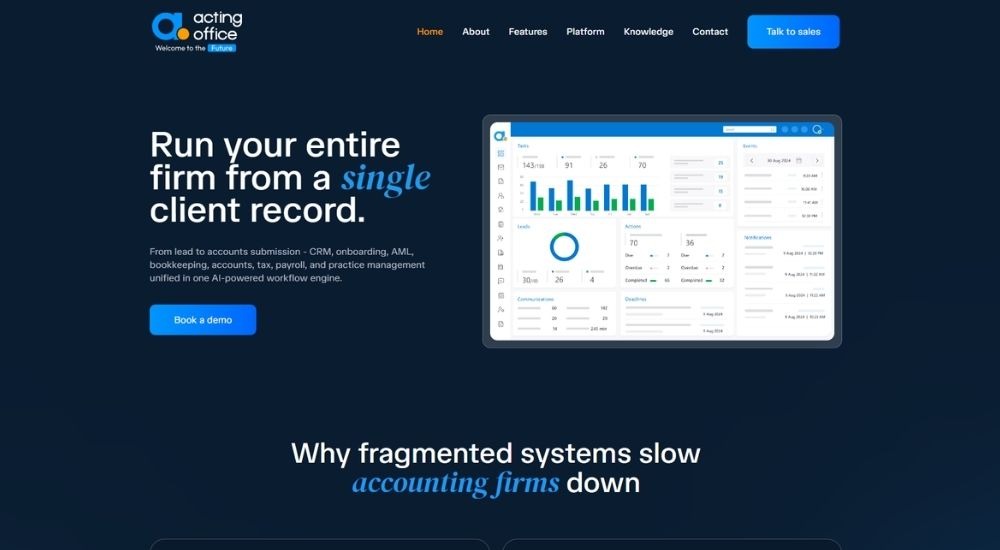
Acting Office is a UK-built, AI-powered practice management platform designed for accounting firms that want to run everything from a single system. From client onboarding and AML checks through to accounts production, payroll, and tax filing, it covers far more ground than typical job management software for accountants — making it one of the most comprehensive options available to UK practices today.
Quick Facts
- Cost: Available on request
- Ratings: 3.4/5 based on 2 Trustpilot reviews
- Who It’s For: Medium to large UK accounting firms
- Best At: End-to-end practice management from lead to tax submission
Key Features of the Acting Office
- Automates the full client journey from lead to accounts submission via a single AI-powered workflow engine, removing re-keying and disconnected handoffs
- Provides live WIP, deadlines, revenue, and profitability reporting through a shared data model that updates across every module in real time
- Handles AML checks, engagement letters, and e-signatures natively, keeping compliance inside the same platform used for everyday job management software for accountants
- Covers accounts production, bookkeeping, payroll, CT600, SA100, and MTD VAT filing in one connected system
- Protects client data through ISO 27001 certification, 2FA, SSO, role-based permissions, and a full audit trail across every user action
Pros & Cons of Acting Office
For firms that have outgrown a patchwork of tools, Acting Office delivers where standard job management software for accountants typically falls short.
- Covers the entire practice lifecycle natively
- AML, compliance, and audit trail built into the core
- Automated time tracking with no manual timesheets
- ISO 27001 certified with enterprise-grade security
- AI workflow engine reduces manual scheduling and approvals
- Open API supports custom integrations
- Pricing not publicly available
- Better suited to medium and larger firms
- Very limited independent review base currently
- Steeper evaluation process given demo-only access
Acting Office rewards firms that are ready to consolidate. Those who commit to the platform tend to see the operational benefits quickly.
We have been using Acting Office for well over a year now. The team is easy to work with, and the platform keeps evolving. What stands out most is how proactively they bring in new technology. It has genuinely helped us work faster and make better decisions.
The internal efficiency gains are where the platform consistently earns its keep, particularly around month-end and compliance cycles.
Firm-wide visibility over WIP was something we never had before. Double entry disappeared within weeks and month-end became noticeably faster, without us needing to grow the team to get there.
For larger UK accounting firms ready to replace multiple disconnected tools with one connected system, Acting Office is among the most fully built options currently available.
Full Practice Management for Accounting Firms
These platforms cover the full day-to-day running of a practice. Job tracking, time recording, client records, billing, and reporting all sit in one place.
They do not go as far as the category above on compliance and onboarding, but for firms that want a single system for operations without the complexity of a full enterprise suite, this level hits the mark.
BrightManager
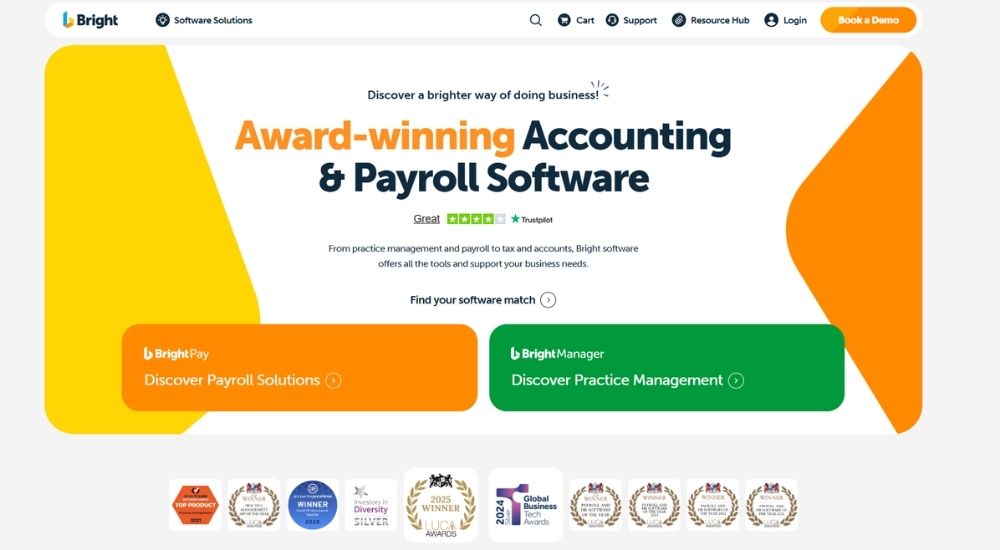
BrightManager is a UK-built, award-winning practice management platform loved by thousands of UK accountants and bookkeepers. It covers the full day-to-day running of a practice, from automated task management and time tracking through to client onboarding and MTD compliance. For firms looking for job management software for accountants that is built specifically for the UK market and backed by a broader ecosystem of accounting tools, BrightManager is a strong contender.
Quick Facts
- Cost: From £409.25 +VAT per year for up to 12 users (billed annually); enterprise pricing available for larger firms
- Ratings: 4.5/5 based on 23 G2 reviews
- Who It’s For: UK accounting and bookkeeping firms of all sizes
- Best At: Automated task management, MTD workflows, and profitability tracking
Key Features of BrightManager
- Automates task creation, assignment, and client reminders across the full practice workflow, keeping teams on top of deadlines without manual chasing
- Tracks time against jobs and monitors profitability per client through a built-in Insights Hub, helping firms identify where revenue is being lost
- Manages the complete onboarding journey, including professional clearance, letters of engagement, AML checks, and e-signatures in one workflow
- Pulls compliance deadlines directly from Companies House and tracks HMRC submissions from a single MTD dashboard, covering the essentials of job management software for accountants under UK regulatory pressure
- Provides a fully audited client activity timeline, logging every email opened, document signed, and form submitted to protect the practice’s liability
Pros & Cons of BrightManager
Lorem ipsum dolor sit amet, consectetur adipiscing elit. Ut elit tellus, luctus nec ullamcorper mattis, pulvinar dapibus leo.
- UK-built with MTD and HMRC compliance at the core
- Flat annual pricing up to 12 users with no hidden per-module charges
- Onboarding, AML, and letters of engagement all in one platform
- 30-day free trial with no credit card required
- Integrates with the broader Bright suite for payroll, accounts, and tax
- AML checks are a paid add-on per credit, not included as standard
- Accounts production, payroll, and tax filing require separate Bright products
Teams that make BrightManager part of their daily operations tend to find that it becomes genuinely indispensable. The automation and onboarding capabilities are where it earns its strongest praise.
BrightManager has become central to how we run the practice. From onboarding through to day-to-day workflows and client exchanges, it just keeps getting better. The team behind it are clearly listening and constantly improving things.
For firms that need straightforward visibility over what the team is working on, the task and time tracking combination delivers quickly.
It keeps all our client details in one place, handles engagement letters and AML without any fuss, and the whole thing is genuinely efficient and easy to use. We rely on it every single day.
For UK practices wanting job management software for accountants that covers compliance, onboarding, and daily operations at a predictable annual cost, BrightManager is one of the most well-rounded options available.
Xero Practice Manager
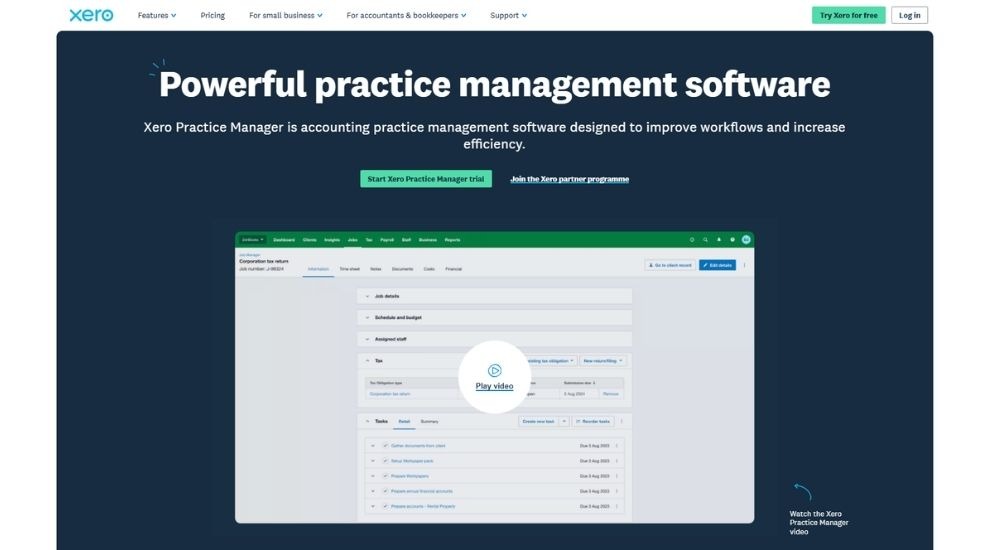
Xero Practice Manager (XPM) is a cloud-based practice management tool built specifically for accounting and bookkeeping firms already using Xero. For practices looking for job management software for accountants that connects directly to their accounting platform, XPM removes the need to re-enter data across separate systems, keeping jobs, time, and invoicing in one connected workflow.
Quick Facts
- Cost: Free for Xero silver, gold, and platinum partners; 14-day free trial available
- Ratings: 4.5/5 based on 43 G2 reviews
- Who It’s For: Accounting and bookkeeping firms already using Xero
- Best At: Job tracking, time recording, and invoicing within the Xero ecosystem
Key Features of Xero Practice Manager
- Assigns jobs and tasks to staff with due dates and milestone tracking, giving managers a clear view of workload and progress at any point
- Records time by duration or start and stop, then converts logged hours into progress or final invoices automatically
- Syncs client records, invoices, and payments in real time with Xero, eliminating double entry for firms using both platforms
- Tracks all work in progress and recoverable costs through standard and custom reports, with charts built in for easier review
- Supports quote creation that flows directly into active jobs, making it a practical end-to-end option for job management software for accountants who bill by time
Pros & Cons of Xero Practice Manager
XPM earns its place cleanly for one specific type of firm: those already committed to the Xero ecosystem.
- Free for qualifying Xero partners
- Tight two-way sync with Xero accounting
- Simple, intuitive interface with a low learning curve
- Mobile app included for on-the-go time tracking
- Effective for managing job management software for accountants who bill by time
- Only valuable if already using Xero
- No native client portal or document management
- Deeper reporting often requires export to Excel
- Bulk job creation not currently supported
For firms already in the Xero world, XPM tends to slot in naturally. The job tracking and time-to-invoice workflow is where it earns consistent praise.
I can raise a quote, turn it into an active job, track progress at a glance, and generate an invoice without leaving the platform. It covers the core of what I need from job management software for accountants without unnecessary complexity.
Not everyone finds it perfect out of the box. Those needing deeper analytical insight note its limitations.
It gets the job done well for day-to-day practice management and is genuinely simple to use. The main frustration is that anything beyond standard reporting tends to need an export into Excel, which adds a step I would rather avoid.
For Xero partner firms wanting capable, connected job management software for accountants at no extra cost, XPM is a logical and well-regarded choice.
Client Hub
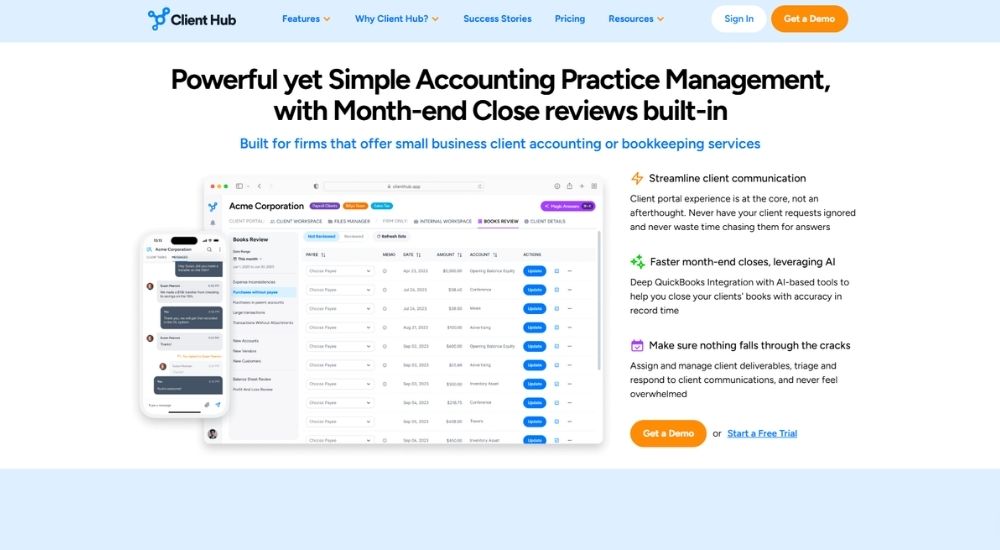
Client Hub is a cloud-based practice management platform built primarily for bookkeeping and outsourced accounting firms. It brings workflow tracking, client communication, document management, and time tracking into one place. For practices evaluating job management software for accountants that prioritises the client experience alongside internal operations, Client Hub is a well-reviewed and accessible option — though UK firms should note its pricing is in US dollars.
Quick Facts
- Cost: $49 to $79 per user per month (USD pricing — no UK billing confirmed)
- Ratings: 4.7/5 based on 40 Capterra reviews
- Who It’s For: Small to mid-sized bookkeeping and outsourced accounting firms
- Best At: Client communication and workflow management in one hub
Key Features of Client Hub
- Manages all client jobs and tasks from a single dashboard, with workflow checklists, recurring job templates, and deadline tracking built in
- Brings client communication, secure messaging, and document sharing into one workspace, removing the need to chase clients across email threads
- Integrates deeply with QuickBooks and Xero to automate month-end close and resolve uncategorised transactions directly within the platform
- Uses AI to generate workflow tasks, draft client messages, and summarise email threads, reducing time spent on routine communication
- Tracks time against jobs and budgets across the whole firm, giving managers a clear view of capacity and outstanding work
Pros & Cons of Client Hub
Client Hub earns consistently strong reviews, particularly from smaller firms that want capable job management software for accountants without a steep learning curve.
- Intuitive setup with minimal onboarding time
- Client portal experience is central, not an afterthought
- Deep QuickBooks and Xero integration for bookkeeping workflows
- AI tools built into everyday tasks, not just bolted on
- Mobile app included across all plans
- USD pricing with no confirmed GBP billing
- No AML, engagement letters, or UK compliance tools
- Reporting depth limited for larger or more complex firms
Firms that make the switch tend to consolidate quickly from multiple tools into one. The reduction in email back-and-forth is the most commonly cited gain.
I used to run three separate apps — one for client communication, one for documents, and one for workflow. Now everything is in one place and my working day is genuinely simpler. The recurring tasks alone have saved me hours every month.
For those who need strong client-facing functionality, the response rates through the portal stand out as a meaningful improvement over email.
Clients actually respond on time now. Everything is in one place for them too — tasks, documents, messages. It has completely changed how we communicate, and I rarely chase anyone for information any more.
For bookkeeping-led practices that want capable job management software for accountants without the complexity of a full enterprise suite, Client Hub is worth a close look — though UK firms will want to factor in the dollar pricing and the absence of UK-specific compliance features before committing.
Pixie
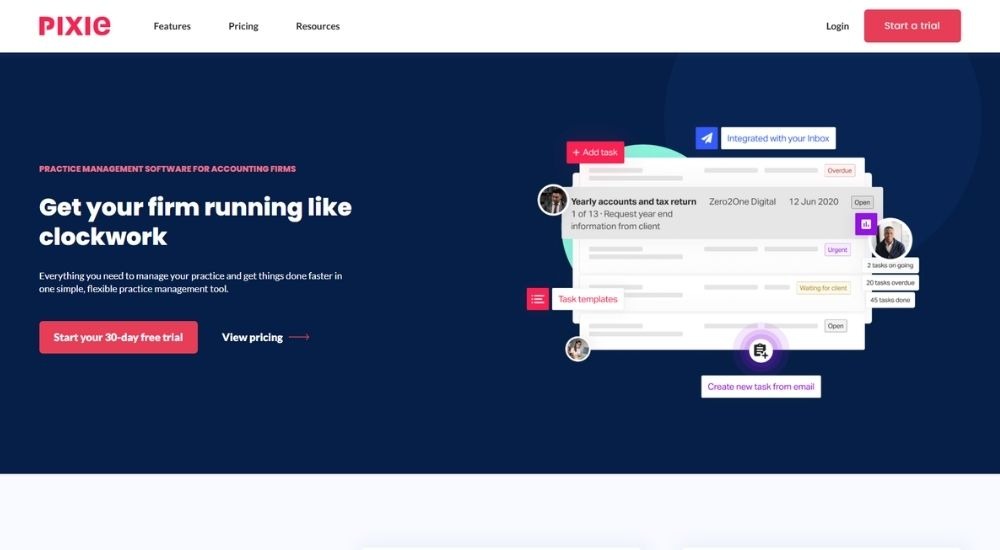
Pixie is a UK-built practice management platform designed for small to mid-sized accounting and bookkeeping firms. With workflow automation, a GDPR-compliant client portal, and flat-fee pricing regardless of team size, it covers the core of what most firms need from job management software for accountants without the complexity or cost that comes with larger platforms.
Quick Facts
- Cost: From $129 per month for unlimited users (up to 250 clients)
- Ratings: 4.8/5 based on 32 Capterra reviews
- Who It’s For: Small to mid-sized UK accounting and bookkeeping firms
- Best At: Workflow automation and task management at a flat monthly fee
Key Features of Pixie
- Covers the essentials of job management software for accountants — recurring workflows, deadline tracking, and client reminders — through pre-built templates ready to use from day one
- Automates job creation and task assignment based on key client dates, removing the need for manual scheduling across the team
- Centralises client records, emails, and files with direct Companies House integration to keep information accurate without re-keying
- Manages client communication through a GDPR-compliant portal with e-signatures, auto-reminders, and real-time chat in one place
- Gives practice managers visibility over individual workloads and outstanding tasks through simple, filterable work reports
Pros & Cons of Pixie
Pixie keeps things deliberately simple, and for most smaller UK firms, that is exactly the point.
- UK-built with GDPR compliance throughout
- Flat fee regardless of team size
- 30-day free trial with no credit card required
- Quick to set up, easy for new staff to learn
- Pre-built templates for UK and US workflows
- Pricing listed in USD rather than GBP
- No native AML, invoicing, or tax filing
- Limited integrations beyond Zapier
What Pixie does well is deliver the fundamentals of job management software for accountants cleanly and without unnecessary weight.
Pixie got everything out of my head and into one organised system. The setup was straightforward, the team were genuinely helpful throughout, and bringing on new staff has been easy ever since.
For those who have tried other platforms and found them overcomplicated, the speed of getting up and running tends to stand out.
We have been using it for over a year, and the time saved on task management and deadline tracking has been considerable. Day-to-day work simply flows better.
For smaller UK practices wanting capable job management software for accountants at a predictable monthly cost, Pixie is one of the most straightforward options available.
Senta
Senta is a UK-built, cloud-based practice management platform for accountants and bookkeepers. It brings together job tracking, CRM, document storage, a client portal, and email automation under one roof. For firms exploring job management software for accountants that covers daily operations without unnecessary complexity, Senta offers a well-priced, customisable foundation that scales with a growing practice.

Quick Facts
- Cost: £22.40 to £28 per user per month
- Ratings: 3.8/5 based on 4 G2 reviews
- Who It’s for: Small to mid-sized UK accounting and bookkeeping firms
- Best At: Customisable workflow automation with integrated CRM
Key Features of Senta
- Automates recurring jobs and task assignments across the full client lifecycle, from onboarding through to year-end compliance work
- Centralises client communications by integrating directly with Gmail, Office 365, Exchange, and IMAP, keeping all correspondence visible across the practice
- Tracks job progress through customisable workflows with overdue alerts, a production board, and task reassignment via drag and drop
- Stores and exchanges client documents securely through a built-in portal, with unlimited e-signing included at no extra cost
- Pulls live financial data from Xero and QuickBooks into client records, enabling proactive advisory conversations without switching between platforms
Pros & Cons of Senta
Designed specifically for the UK market, Senta gets several things right from the outset.
- UK-built with local date formats and currency
- Highly customisable workflows, fields, and forms
- Unlimited document storage included as standard
- Preloaded with over 40 job and workflow templates
- Straightforward per-user pricing with no module charges
- Very limited G2 review base for peer validation
- Notification system lacks depth for larger teams
- No native proposals, engagement letters, or AML tools
Users who take the time to configure Senta properly tend to get a lot out of it. The automation, custom fields, and integrations with Xero, QuickBooks, and Companies House make it a genuinely capable platform for day-to-day practice management.
It's comprehensive, cloud-based, and customisable. We've built our own processes and checklists straight into it. The search is fast, the custom client views are powerful, and being able to send automated emails and SMS from within the platform has saved us real hours. The Companies House and QuickBooks integrations are a nice touch, too.
Not every practice finds the transition seamless, though. Firms with larger teams or more complex needs have noted that the platform demands a reasonable investment in setup before it delivers its full value.
It needs constant updating to keep it useful. The features are there, but it doesn't do enough on its own to meaningfully improve efficiency without a lot of manual input from the team.
For smaller UK accounting firms willing to put in that initial configuration effort, Senta rewards the investment with a well-priced, flexible platform that covers the core of practice operations cleanly.
Tidyflow
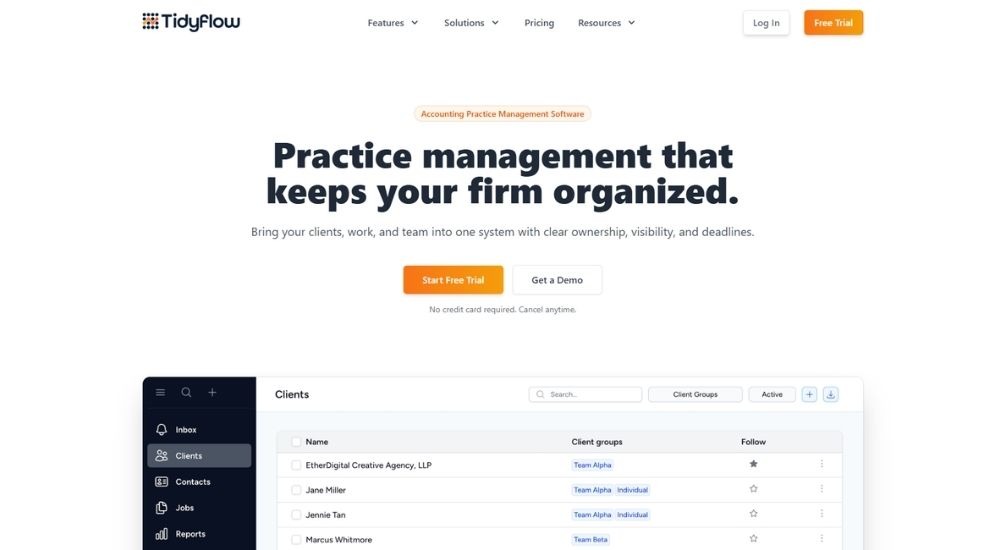
Tidyflow is a cloud-based practice management platform built specifically for accounting firms that want to bring their client work, team, and documents into one organised system. Clean in design and straightforward to adopt, it covers the essentials of job management software for accountants without unnecessary complexity, making it a practical option for smaller and growing practices looking to move away from scattered tools.
Quick Facts
- Cost: From $20 per user per month (Solo, billed annually) or $35 per user per month (Team, billed annually)
- Ratings: 4.7/5 based on 3 Capterra reviews
- Who It’s For: Solo practitioners and small to mid-sized accounting firms
- Best At: Combining workflow management, time tracking, and billing in one clean platform
Key Features of Tidyflow
- Manages recurring and one-off client jobs through customisable task templates that can be bulk deployed across the entire client base in seconds
- Tracks time via stopwatch or manual entry, then feeds logged hours directly into WIP reporting for batch invoicing from a single view
- Provides clients with a portal for document access, file uploads without login, and request tracking, all with automated follow-up reminders
- Syncs invoices to Xero or QuickBooks Online to eliminate double entry, with support for fixed fees, recurring billing, and partial payments
- Gives practice managers full visibility over deadlines, task ownership, and team workload through a bird’s-eye task overview board
Pros & Cons of Tidyflow
For firms coming from a mix of disconnected tools, Tidyflow offers job management software for accountants that consolidates the essentials without a steep learning curve.
- Intuitive interface praised for ease of adoption
- All features included across both plans
- Unlimited document storage on all plans
- Companies House lookup built in for UK client records
- Free trial available with no credit card required
- Very limited independent review base currently
- USD pricing with no confirmed GBP billing
- No AML, engagement letters, or UK-specific compliance tools
- No native email management
Firms that have switched from general tools tend to notice the difference quickly. The clarity of knowing who owns what and what is due when is where Tidyflow earns its strongest praise.
We switched from Asana, and the difference was immediate. The platform is built around how an accounting firm actually works. Automating our task workflows has freed the team up to focus on clients rather than chasing each other for updates.
For those managing multiple clients across a small team, the combination of task visibility and billing in one place tends to stand out.
It is easy to use, customisable, and keeps everything on schedule. Client management, task tracking, document storage — all in one place. Nothing falls through the cracks, and the team always knows what they are working on.
As a clean and capable piece of job management software for accountants at a competitive per-user price, Tidyflow is worth consideration for smaller UK practices — though the limited review base and USD pricing are factors to weigh up before committing.
Accounting-Specific Job & Workflow Management
These tools do one thing and do it well. Built specifically for accounting and bookkeeping firms, they keep recurring client work organised, visible, and on time. There is no bloat, no features you will never use. Just a clean, purposeful system designed around how accounting practices actually operate.
Jetpack Workflow
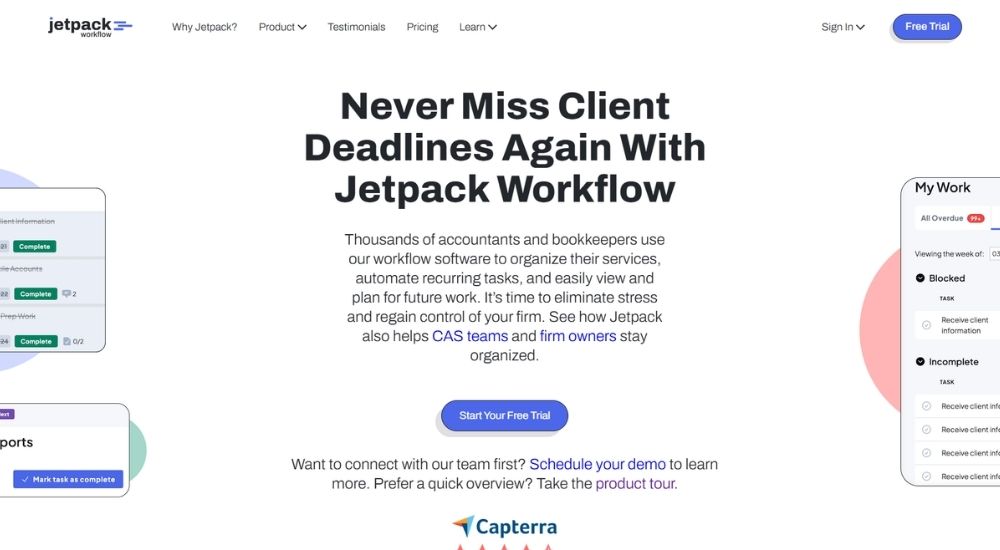
Jetpack Workflow is a US-based workflow management tool built specifically for accounting and bookkeeping firms. It does one thing and does it well: keeping recurring client work organised, visible, and on time. For smaller firms taking their first step into proper job management software for accountants, Jetpack offers a clean, low-friction entry point without the complexity of a full practice management suite.
Quick Facts
- Cost: $40 per user per month (billed annually) or $49 per user per month (billed monthly)
- Ratings: 4.8/5 based on 53 Capterra reviews
- Who It’s For: Solo practitioners, bookkeepers, and small accounting firms
- Best At: Recurring workflow automation and deadline tracking
Key Features of Jetpack Workflow
- Creates and standardises recurring workflows using a library of accounting-specific templates, keeping all client work consistent across the team
- Automates task handoffs and deadline cascades so nothing slips between team members during busy periods
- Gives firm owners a real-time view of all work in progress, upcoming jobs, and team capacity from a single dashboard
- Tracks progress across unlimited clients and projects without restrictions on plan size
- Includes complimentary onboarding, training sessions, and in-app support with every subscription at no extra cost
Pros & Cons of Jetpack Workflow
For firms coming from spreadsheets and sticky notes, Jetpack is one of the most accessible pieces of job management software for accountants on the market.
- Straightforward setup, up and running within days
- Unlimited clients, projects, and templates on all plans
- Training and onboarding included as standard
- Strong track record with over six thousand accounting firms
- Consistently praised for customer support responsiveness
- USD pricing with no GBP equivalent
- No client portal, document management, or AML tools
- Limited scope for firms needing more than workflow management
- Invoicing and time billing require separate tools
Firms that stick with Jetpack tend to value its simplicity and reliability over everything else. The ability to see all client work in one place, without chasing it across emails and spreadsheets, is where it consistently delivers.
I track every tax client from the moment information arrives through to billing, all in one place. Jobs never get lost, one-off tasks are just as easy to manage as recurring ones, and I finally feel in control of what is on my plate.
For those who have tried heavier platforms and found them overcomplicated, Jetpack tends to land well.
We moved from a clunky system that never quite did what we needed. Once we were set up in Jetpack, deadlines stopped being a source of stress. Everything is visible, nothing gets missed, and the team knows exactly what to work on next.
As a dedicated job management software for accountants who want to bring order to recurring work without a steep learning curve, Jetpack Workflow is difficult to beat at its price point. UK firms should factor in the dollar pricing and the absence of UK compliance tools before committing.
Aero Workflow
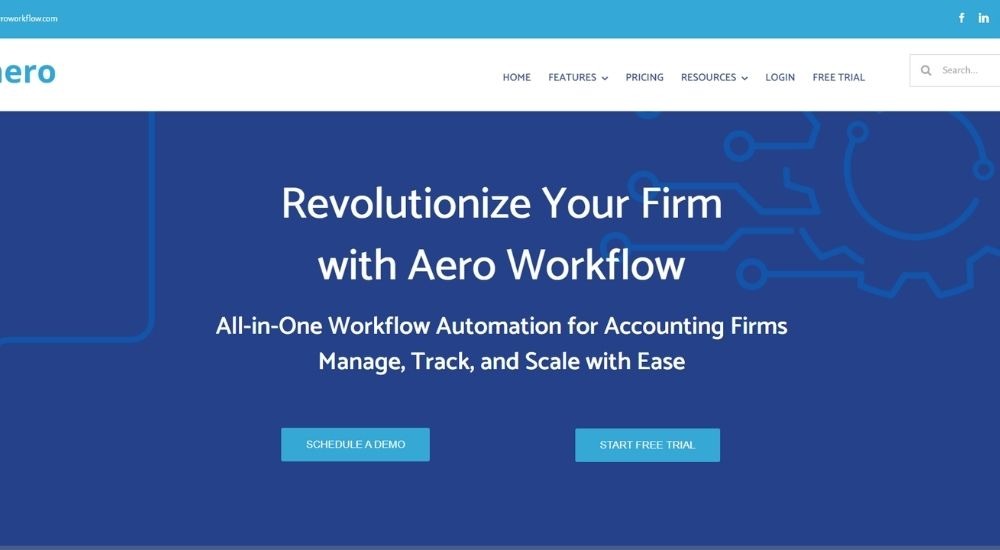
Aero Workflow is a US-based workflow management platform built by accountants, for accountants. With flat-rate pricing, over 150 pre-built checklist templates, and built-in time tracking, it gives accounting and bookkeeping firms a structured way to manage recurring client work without paying per user. For practices looking for job management software for accountants that is affordable, scalable, and purpose-built for the profession, Aero makes a strong case.
Quick Facts
- Cost: From £105 per month for up to 5 users (monthly billing); annual plans available
- Ratings: 4/5 based on 16 Capterra reviews
- Who It’s For: Accounting and bookkeeping firms with up to 50 users
- Best At: Recurring workflow automation with built-in time tracking and flat-rate pricing
Key Features of Aero Workflow
- Automates recurring client work using over 150 pre-built accounting checklist templates that can be customised and applied across the client base in a few clicks
- Tracks time automatically at the task level as staff work through jobs, feeding billable data directly into QuickBooks Online for invoicing
- Stores client credentials, tax IDs, and key resources securely in a central client vault linked to the relevant workflows
- Provides managers with a live dashboard showing task status, team workload, and upcoming deadlines across all active jobs
- Scales from solo practitioners to firms of fifty users on flat-rate plans, with no additional charge for adding team members within each tier
Pros & Cons of Aero Workflow
Aero is one of the more considered options for firms that want job management software for accountants with strong template foundations and transparent pricing.
- Flat-rate pricing covers the full team with no per-user costs
- Time tracking built into every task automatically
- 30-day free trial with onboarding and support included
- Open API for custom integrations
- Pre-built templates reduce setup time significantly
- Lower review volume than comparable tools
- Interface can require time to learn initially
- No client portal, document management, or compliance tools
- Better suited to QuickBooks users, given integration depth
Firms that invest time in setting Aero up properly tend to see strong returns, particularly around billing efficiency and deadline visibility.
We have been using it for several years. Every procedure, every checklist, and every client credential is stored inside each task. If someone is off sick, nothing gets missed. Our monthly billing process has gone from hours to minutes since our time syncs directly to QuickBooks.
The reporting capability is where it earns particular praise from those managing profitability across a client base.
The reports are the most valuable part for us. We can see exactly how long each client's work takes and whether our fixed-fee pricing is profitable. It has helped us identify and address clients that were costing us more than they were worth.
For firms wanting job management software for accountants with built-in time tracking and predictable flat-rate costs, Aero Workflow is a well-priced and purposeful option. UK practices should note that its integrations and compliance features are largely built around the US market.
General Task Management Tools Adapted for Accounting
These tools were not built for accountants. They were built for everyone, which means you will spend time bending them to fit your practice before they deliver any real value. They can work as job management software for accountants, and some firms do use them successfully.
But if you are weighing your options, a purpose-built practice management platform will serve your firm better in the long run.
ClickUp
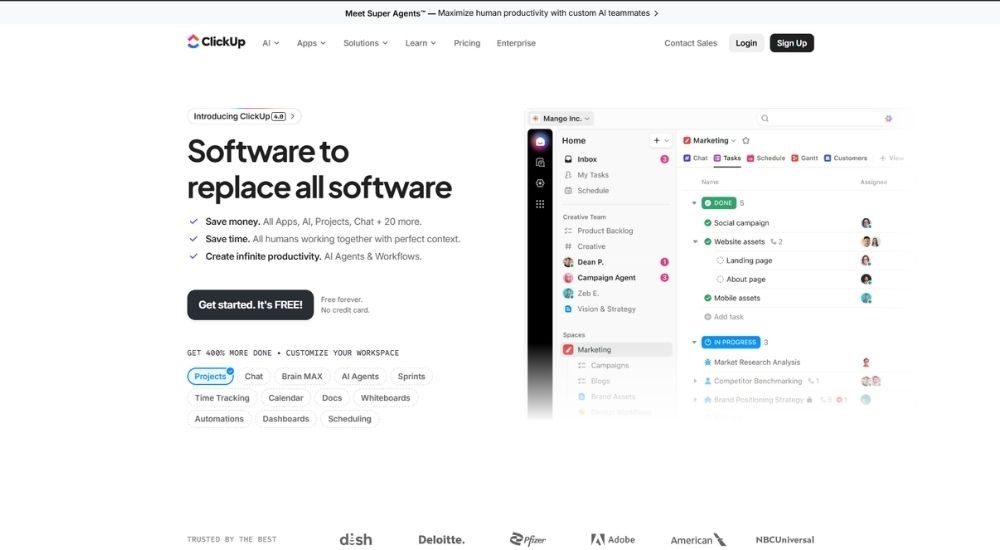
ClickUp is a US-based productivity platform used by over 20 million people worldwide. Its depth of customisation, automation, and task management makes it one of the most flexible general tools available. Firms willing to invest in configuration can build capable workflows, but it requires meaningful setup time before it delivers real value.
Free plan available; paid plans from $7 per user per month (billed annually).
- Customisable task and workflow management
- Automation engine with thousands of trigger combinations
- Native time tracking and timesheets on Business plans and above
- 50-plus integrations, including QuickBooks, Slack, and Google Drive
- Free plan included for smaller teams
Asana
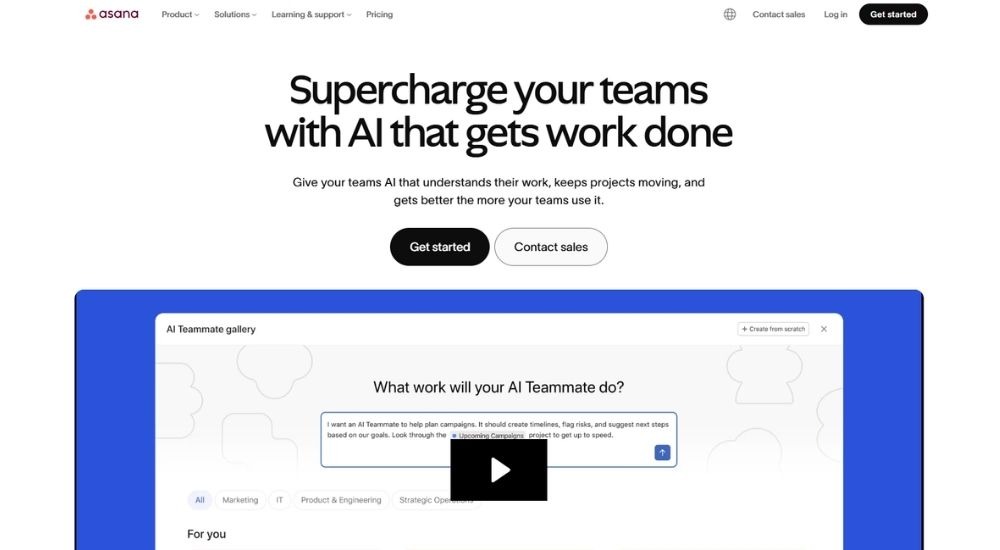
Asana is a widely used project management platform built around clear task ownership and structured workflows. It is popular with professional services teams for its clean interface and reliable automation. Firms can adapt it for client work tracking, though it lacks any accounting-specific functionality out of the box.
Free plan for up to two users; paid plans from $10.99 per user per month (billed annually).
- Task and project tracking with list, board, timeline, and calendar views
- Workflow automation from the Starter plan upward
- Goals, portfolios, and workload management on higher tiers
- Native time tracking on the Advanced plan
- Full integration library across all plans
Monday.com
Monday.com is a visual, board-based work management platform designed for teams that want flexibility and clarity over how work is organised. Its drag-and-drop interface makes it accessible, and its customisation options run deep. For accounting firms, it functions as a general task hub rather than a dedicated practice tool.
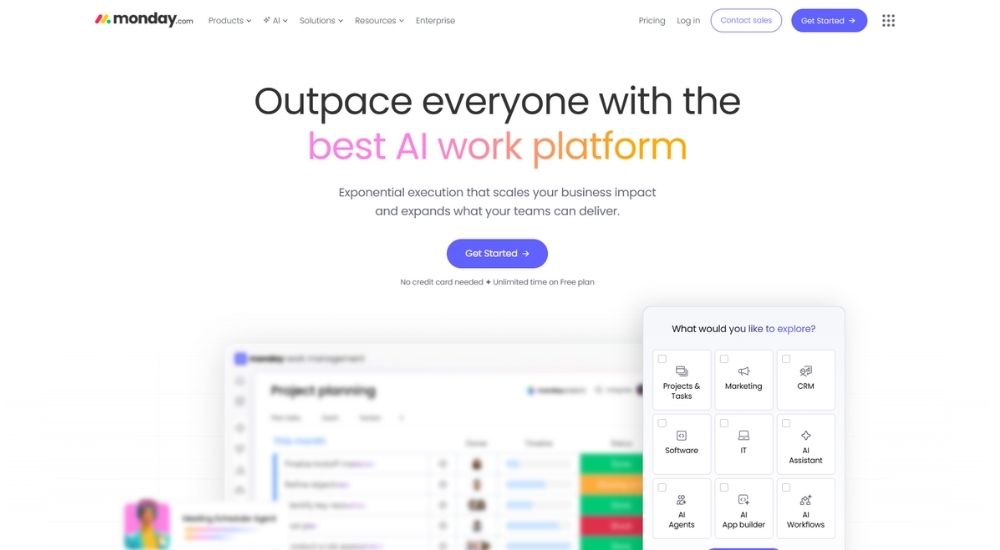
Free plan for up to two users; paid plans from $9 per seat per month (billed annually, minimum three seats).
- Board-based task and project management with multiple view options
- Automations and integrations from the Standard plan upward
- Time tracking on the Pro plan and above
- Real-time dashboard reporting
- 14-day free trial available
Teamwork.com
Teamwork.com is a project management platform built specifically for client-facing teams, making it one of the more naturally adaptable tools in this category for accounting firms. It covers time tracking, budgets, and client permissions out of the box, giving it more practical relevance than most general platforms at this level.

Free plan for up to five users; paid plans from $10.99 per user per month (billed annually).
- Project and task management with Gantt, board, and table views
- Built-in time tracking and budget management on paid plans
- Retainer management for recurring client work
- Client access controls and project-level permissions
- Free forever plan included for small teams
How to Choose the Right Job Management Software for Your Firm
Start with the problem, not the software. What is actually breaking down in your practice right now? Missed deadlines, unbilled time, chaotic onboarding, compliance tasks spread across three tools? Your answer points directly to the level you need.
Use the five levels in this guide as your first filter. Then narrow further by team size, budget, and whether you need UK-specific features like MTD, HMRC compliance, or Companies House integration. If you are already committed to Xero or QuickBooks, platforms that integrate deeply with those tools will reduce friction significantly.
Once you have a shortlist of two or three, book a demo and ask each vendor to walk through the specific workflow that is causing you the most pain. Then, try it with a real client and a real job.
The right job management software for accountants will feel obvious once you see it working in your practice.
Conclusion
Not all job management software for accountants is created equal. There are five levels, and choosing the wrong one costs you time, money, and the operational clarity your firm deserves.
Of the 14 platforms reviewed in this guide, FigsFlow sits at the top of the rankings and the top of the pyramid. It is the only platform that brings proposals, pricing, engagement letters, AML, KYC, EDD, and e-signatures into one connected workflow today, with a full practice management system on the way.
If you want to see what FigsFlow does now, what is coming, and how it could change the way your practice operates, the best next step is a demo: Book a Personalised FigsFlow Demo