
The best e-signature software for accountants in 2026 are FigsFlow, Ignition, Canopy, Engager, GoProposal with OverSuite, Proposify, DocuSign, Adobe Acrobat Sign, Signable, and Legalesign. All ten do one thing well: collect a legally binding signature on a document your client needs to sign.
But that is where the similarities end. Some of these platforms stop at the signature. Others extend as far as document generation, full client onboarding, AML and KYC compliance verification, invoicing, payment collection, and complete practice management.
So before you read any further, ask yourself one question: what is it you actually want? Just e-signature software, nothing more? A platform that generates your proposals and engagement letters alongside the signing workflow? Or a system that runs your entire practice, with time tracking, AML checks, and payment collection connected from the same place? That answer determines what the best option looks like for your firm.
So, let’s first get clear on each category and select the best one for you.
What is E-Signature Software?
E-signature software for accountants is any platform that lets a practice send documents digitally, collect a legally binding signature from a client, and keep a confirmed record of what was agreed. The category covers a wide range of tools, and the differences between them matter considerably more than most firms realise when they first go looking.
The market sits across four distinct levels.
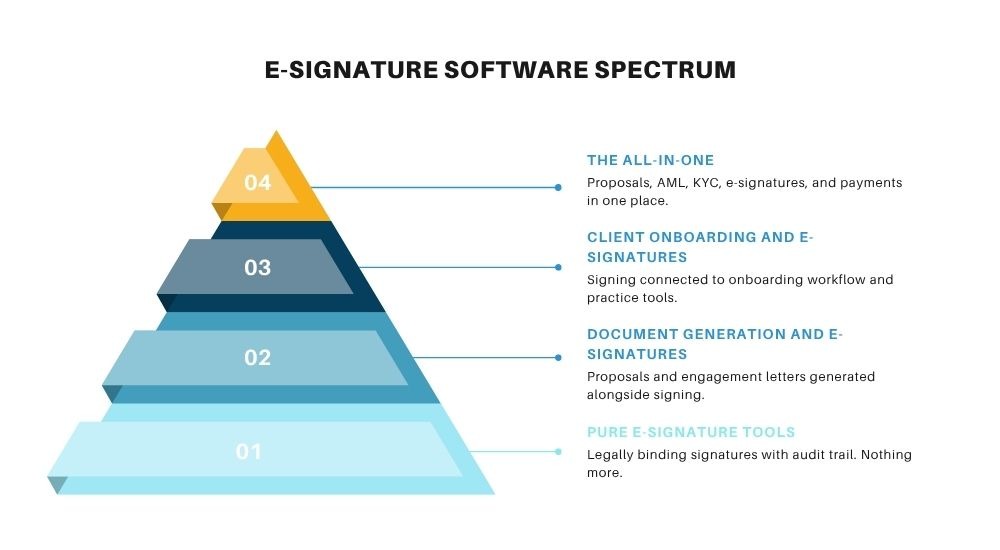
The higher the level, the more your software does beyond the signature itself.
Level 1: Pure E-Signature Tools
No document generation, no compliance features, no onboarding workflow. These tools handle the signing step and nothing else. They work well if you are already generating your own documents and simply need a reliable, compliant way to collect signatures.
Level 2: E-Signature Software That Also Generates Documents
Proposal and engagement letter generation sits alongside the signing workflow, so you are not building documents elsewhere and importing them. The signature and the document come from the same place.
Level 3: E-Signature Software with Built-In Client Onboarding
Proposals, engagement letters, and e-signatures connect into a broader client onboarding and practice workflow. Signing triggers the next steps rather than sitting in isolation.
Level 4: E-Signature Software That Runs the Whole Practice
Proposals, AML, KYC, EDD, engagement letters, e-signatures, invoicing, payment collection, and practice management in one connected workflow. At this level, the signature is not the end of the process. It is the beginning of everything that follows.
10 E-Signature Software for Accountants (At a Glance)
The table below gives you a quick snapshot of e-signature software for accountants before diving into the full breakdowns. Each tool has been assessed across
- pricing,
- document limits,
- audit trail quality, and
- accounting-specific integrations.
Then, the tools are scored out of 30. Use it to narrow down your shortlist before reading the detailed overviews below.
| E-Signature Software | What Sets It Apart | Pricing | Score /30 |
|---|---|---|---|
| FigsFlow | Only platform combining proposals, AML/KYC/EDD, e-signatures, and payments in one UK-built compliance workflow | From £8/mo; AML from £2.10/check | 28 |
| Ignition | Proposal-to-payment automation purpose-built for accountants, with AI pricing insights and automated billing triggered on signature | Solo £29/mo to Pro+ £299/mo (annual) | 26 |
| Canopy | Fully modular practice management covering CRM, workflow, time tracking, billing, and e-signatures in one platform | From $45/user/mo; Client Engagement $150/mo unlimited users | 25 |
| Engager | UK practice management with unlimited users on all plans, including disengagement and professional clearance letter generation | From £9+VAT/mo (by client count) | 25 |
| GoProposal + OverSuite | UK proposals with compliance-grade engagement letters reviewed quarterly by former ACCA compliance leads | Solo £70/mo; OverSuite adds £45–£90/mo | 23 |
| Proposify | Best-in-class proposal design with real-time prospect engagement analytics and interactive client-facing quoting | From $19/user/mo | 21 |
| DocuSign | Most globally recognised e-signature brand, AES available for post-April 2025 HMRC agent authorisation compliance | Personal £8/mo; Business Pro £33/user/mo | 20 |
| Adobe Acrobat Sign | Deep native integration with Microsoft 365, Outlook, and Teams; unlimited sends on team plans with full PDF editing built in | From £16.99/user/mo | 20 |
| Signable | UK-built unlimited-user model with envelope-based pricing — cost stays flat as headcount grows; AES on all plans | PAYG £1.50/envelope; from £319+VAT/year | 18 |
| Legalesign | Most affordable UK e-signature option; ISO 27001 certified, UK-hosted, eWitnessing available, and highest enterprise support rating globally | PAYG £1.50/doc; Solo Basic £10/mo | 17 |
E-Signature Software for Accountants That Runs the Whole Practice
At this level, the signature is not the end of the process. It is the beginning of everything that follows.
Only one platform in this review connects signing to AML checks, document generation, invoicing, and payment collection in one place. That is FigsFlow.
FigsFlow
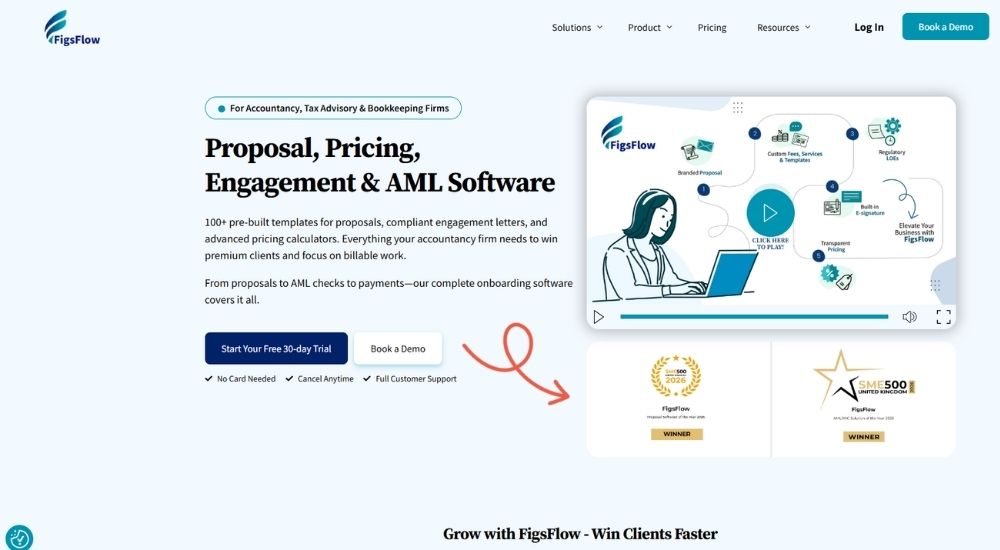
The only platform in this article to win both Proposal Software of the Year and AML/KYC Solution of the Year at the SME500 UK Awards 2026, FigsFlow is UK-built e-signature software for accountants that connects proposals, engagement letters, and digital signing directly into a compliance workflow covering KYC, AML, EDD, and client risk rating, with invoicing and payment collection integrated from the same platform.
Quick Facts
- Best for: UK accounting firms wanting proposals, compliance verification, e-signatures, and payment collection in one connected workflow
- Rating: 5/5 (based on G2)
- Pricing: Starter £8/month, Essentials £24/month, Standard £60/month, Professional £120/month. AML checks from £2.10 per check (all ex VAT)
- Platform: Web, iOS, Android
- Free trial: 30 days, no card details required
What FigsFlow Does (& Doesn't)
Proposal Generation ✅ Engagement Letter Templates ✅ E-Signature Collection ✅ Custom Signature Reminders ✅ KYC Verification ✅ AML Checks ✅ EDD ✅ Firm-Wide Risk Assessment ✅ Client Risk Rating ✅ Invoicing Integration ✅ Payment Integration ✅ Time Tracking ⏳ Full Practice Management ⏳
Key Features of FigsFlow
- Proposals and engagement letters generated in under 60 seconds with ACCA, ICAEW, CIOT, CIMA, AAT, and ATT compliant templates auto-populated with client details
- AML checks powered by LexisNexis World Compliance Data covering PEP screening, sanctions lists, Amberhill verification, and document authentication from £2.10 per check
- KYC, client due diligence, enhanced due diligence, and firm-wide risk assessment are built directly into the onboarding workflow rather than handled separately
- Invoicing integration with QuickBooks and Xero auto-generates draft invoices on proposal acceptance, with payment collection via GoCardless, Adfin, and Stripe
- Custom signature reminders send automatically to unsigned proposals, with an auto-lost feature that closes inactive proposals without manual follow-up
Pros & Cons of FigsFlow
No other platform in this article connects e-signature to a full AML compliance trail and payment collection in one workflow. Time tracking and full practice management are on the roadmap, not yet live.
- Only platform combining proposals, engagement letters, e-signatures, AML, KYC, EDD, and payments in a single UK-built workflow
- Dual award winner: Proposal Software of the Year and AML/KYC Solution of the Year 2026
- AML checks from £2.10, significantly below the market average
- ACCA, ICAEW, CIOT, CIMA, AAT, and ATT compliant templates updated in line with regulatory changes
- Entry pricing starts at £8/month, the most accessible in this category for what it delivers
- Built by practising accountants, not adapted for them
- Time tracking module not yet live
- Full practice management functionality still in development
- Proposal volume caps on lower plans may restrict higher-volume firms
FigsFlow’s reviews share a pattern that does not appear elsewhere in this article. Users are not describing a tool they adopted. They are describing a process they escaped. The shift from manual onboarding chaos to a compliant, signed, invoiced client in under ten minutes is the consistent reference point.
As an accountant, I have tried many onboarding tools, but FigsFlow is the best. It generates compliant proposals in under a minute and creates customisable engagement letters, transforming our workflow. Pre-loaded templates meeting the standards of ACCA, ICAEW, and CIOT support compliance and save hours.
The dual award recognition from SME500 UK carries weight in reviews too, not as marketing noise but as third-party confirmation that what users experience in the platform matches an independently assessed standard.
The software is super easy to use. Customising templates, sending documents, and getting client approvals all happen in no time. It is professional, efficient, and exactly what an accounting firm needs to stay organised and compliant.
For accounting firms that want e-signature software for accountants to do more than capture a signature, and need the compliance verification, invoicing, and payment layer to follow automatically in the same platform, FigsFlow is the most complete live solution in this category. The practice management module is coming. What is already here puts it ahead of everything else reviewed.
E-Signature Software for Accountants with Built-In Client Onboarding
Here, the signature connects to something that follows. These platforms bring proposals, engagement letters, and e-signatures into a broader client onboarding workflow, so signing triggers next steps rather than sitting in isolation.
You still will not find AML or full practice management at this level, but the gap between agreement and onboarded client is significantly smaller than anything a pure e-signature tool can close.
Canopy
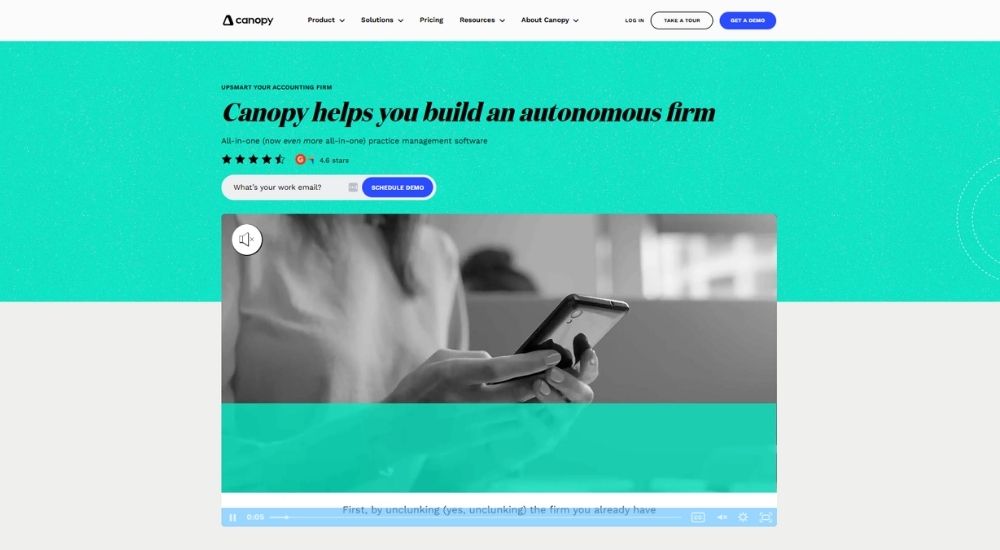
Canopy is a US-built, modular accounting practice management platform that covers proposals, engagement letters, e-signatures, invoicing, and payment collection in one system, though it has no AML, KYC, or EDD functionality and is designed entirely around US tax compliance rather than UK regulatory requirements.
Quick Facts
- Best for: US-based accounting firms wanting a single platform across the full client and billing lifecycle
- Rating: 4.6/5 (G2, 640 reviews)
- Pricing: Client Engagement Platform $150/month for unlimited users, Document Management $36/user/month, Workflow $32/user/month, Time & Billing $22/user/month. Small firm plans from $45/user/month
- Platform: Web, iOS, Android
- Free trial: Available on request
What Canopy Does (& Doesn't)
E-Signature Collection ✅ Proposal Generation ✅ Engagement Letters ✅ Client Portal ✅ Document Management ✅ Invoicing ✅ Payment Collection ✅ CRM ✅ Task & Workflow Management ✅ Time Tracking ✅ AML Checks ❌ KYC Verification ❌ EDD ❌ UK-Specific Compliance ❌
Key Features of Canopy
- Modular pricing lets firms activate only the features they need
- AI-powered Smart Intake auto-fills forms, generates request lists, and summarises email threads
- Engagement and proposal wizard covers pricing, billing terms, and e-signature in one client-facing flow
- Time tracking, invoicing, and payment collection sit inside the same platform as workflow and tasks
- IRS transcript retrieval and tax resolution tools are built natively for US tax practices
Pros & Cons of Canopy
Canopy covers more ground than almost anything else in this category. The gap is compliance verification, and for UK firms, the US-first design means a significant portion of the platform simply does not apply.
- Fully modular, firms pay only for what they use
- Unlimited users on the Client Engagement base plan
- AI features reduce data entry across intake, email, and document workflows
- Covers proposal through to payment without switching tools
- Consistently rated for ease of use and customer support
- No AML, KYC, or EDD
- Built for the US market, limited UK compliance relevance
- Initial setup is steep on data entry
- Billing and reporting are less robust than other modules
- Clients cannot initiate messages from the portal
Canopy’s strongest endorsements come from firms that previously ran on multiple disconnected tools. The consolidation is where it wins, and that argument shows up consistently across reviews.
It handles everything across all phases of our practice: client data, workflow, scheduling, billing, and due date monitoring. Despite implementing it mid-tax season, the setup was manageable, and the difference was immediate.
The friction before getting there is real, and several reviewers flag the initial data migration and setup process as genuinely difficult.
The setup was tedious. The onboarding team imported all 6,000 contacts instead of the 700 I asked for, which created a significant cleanup job. Once past that, no real issues, but the start is not smooth.
For accounting firms evaluating e-signature software for accountants that want a single platform running the full client and billing lifecycle, Canopy is one of the most complete options at this level. UK firms should weigh the absence of AML tooling and the US-centric compliance design carefully before committing.
Engager
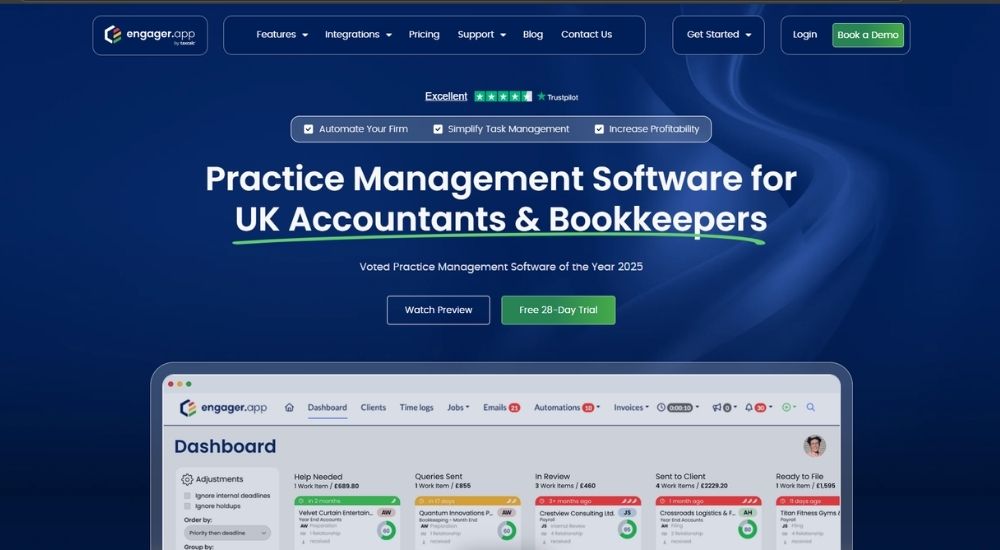
Engager is a UK-built practice management platform for accountants and bookkeepers that covers proposals, engagement letters, disengagement letters, and e-signatures with full workflow and task management built in, though it does not currently include AML checks, KYC verification, EDD, or integrated payment collection.
Quick Facts
- Best for: UK firms wanting document generation and practice management in one platform without AML requirements
- Rating: 4.7/5 (Trustpilot, 186 reviews)
- Pricing: Starts at £9+VAT/month for up to 5 clients, scales by client count with all features included on every plan
- Platform: Web, iOS, Android
- Free trial: 28 days, no card details required
What Engager Does (& Doesn't)
E-Signature Collection ✅ Engagement Letter Generation ✅ Disengagement Letters ✅ Professional Clearance Letters ✅ Proposal Generation ✅ Client Portal ✅ Task Management ✅ Time Tracking ✅ Invoicing ❌ Payment Collection ❌ AML Checks ❌ KYC Verification ❌ EDD ❌
Key Features of Engager
- Engagement letters, disengagement letters, and professional clearance letters are all generated within the same platform
- Client-count pricing with unlimited users on every plan, meaning headcount never increases the monthly cost
- Task management with job phases, Kanban view, checklists, and automated deadline reminders built into the workflow
- Integrated email via Microsoft 365 and Gmail keeps all client communications in one place with full visibility
- Time tracking and catch-up fees tools are built in, supporting profitability monitoring without a separate integration
Pros & Cons of Engager
Engager does more than any other platform at this price point. The gap is compliance verification. Firms with straightforward onboarding needs will find it more than enough. Firms with MLR obligations will need a separate AML tool alongside it.
- Disengagement letters and professional clearance letters are included natively
- Unlimited users on all plans with no per-seat charge
- Full practice management features at the lowest monthly entry point in this category
- Client portal with mobile app included in the lowest plan
- Continuously updated with an active community and responsive support
- No AML, KYC, or EDD built in
- No invoicing or payment collection
- Initial setup is complex and can feel overwhelming without guided onboarding
- Xero integration carries an additional fee
Engager’s reputation is built almost entirely on what it delivers relative to what it costs. Firms migrating from IRIS and other established platforms consistently describe the experience as a step up rather than a compromise.
We moved over from another practice management system, and I'm so glad we did. The only complaint I have is that I didn't do it sooner. The support is brilliant, the community is great, and the letters of engagement look genuinely professional.
The one area where reviews split is initial setup. The depth of the platform that makes it valuable is also what makes the first few weeks harder than expected.
It can feel a little overwhelming at first. But once you get past that, it is light-years ahead of the competition in most respects. The depth of what it does at this price is genuinely hard to argue with.
For accounting firms evaluating e-signature software for accountants that need document generation and practice workflow without enterprise pricing, Engager delivers more than anything else in this tier. The compliance verification gap is real, but for many smaller practices, it is a gap they can manage separately.
E-Signature Software for Accountants That Also Generates Documents
Here, you are no longer building documents elsewhere and importing them. These platforms generate proposals and engagement letters alongside the signing workflow, so the document and the signature come from the same place.
The onboarding workflow and compliance verification are not part of the picture at this level, but for firms that want to stop the copy-paste process, this is where it ends.
Ignition
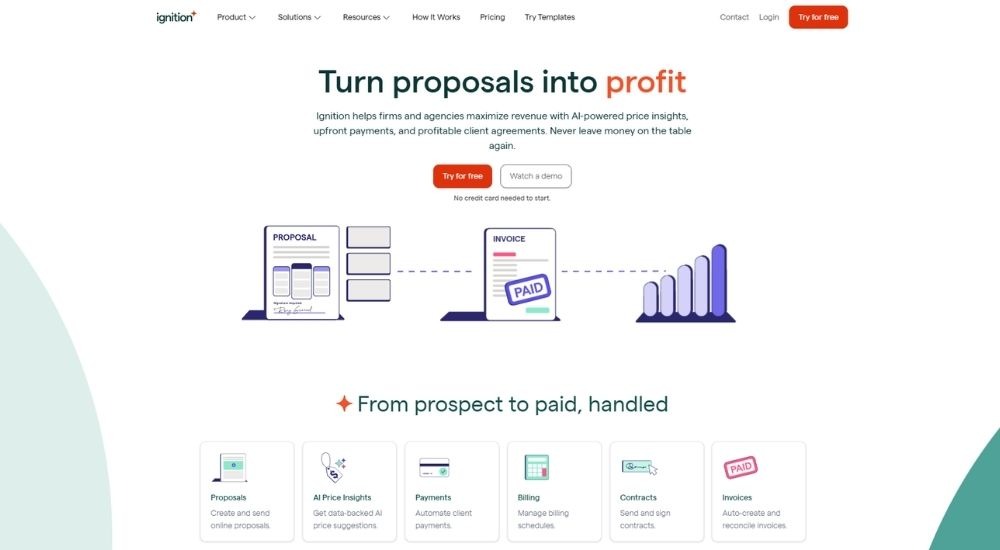
Ignition is accounting-specific e-signature software for accountants that connects proposals, engagement letters, and automated payment collection in a single platform, purpose-built for professional services firms that want to move from first contact to signed agreement without switching tools.
Quick Facts
- Best for: Accounting firms wanting proposals, engagement letters, e-signatures, and payment collection in one flow
- Rating: 4.7/5 (G2, 119 reviews)
- Pricing: Solo £29/month, Core £79/month, Pro £169/month, Pro+ £299/month (all billed annually)
- Platform: Web, iOS, Android
- Free trial: 14 days, no credit card required
What Ignition Does (& Doesn't)
Proposal Generation ✅ Engagement Letter Templates ✅ E-Signature Collection ✅ Automated Payment Collection ✅ Bulk Proposal Send ✅ Scope Adjustment ✅ Revenue Reporting ✅ Disengagement Letter Templates ❌ AML/KYC Checks ❌ Job Management ❌ Time Tracking ❌
Key Features of Ignition
- Industry-vetted engagement letter templates with up to 10 e-signatures per proposal on Pro+ plans
- AI-powered price insights built into the service library, drawing on real proposal data across the platform
- Automated billing and payment collection are triggered the moment a client signs, eliminating manual invoicing
- Bulk proposal creation and renewal allow firms to re-engage entire client lists without rebuilding each agreement
- Integrations with Xero, QuickBooks, Karbon, Xero Practice Manager, and Zapier connect the signing workflow to existing practice tools
Pros & Cons of Ignition
Ignition is one of the few platforms where the e-signature and the invoice are the same action. For firms that have historically separated those two steps, the consolidation alone justifies the subscription.
- Proposal, engagement letter, e-signature, and payment are all handled in one flow
- Industry-vetted templates reduce compliance risk on engagement letters
- AI pricing insights help firms price confidently rather than by gut feel
- Automated payment collection removes the invoicing step entirely
- Strong integrations with Xero, Karbon, and QuickBooks
- Pricing is steep for smaller or sole-trader practices
- No AML, KYC, or compliance verification built in
- Customisation on forms and scope amendments is limited compared to standalone document tools
Ignition has a strong following among accounting firms that previously lost revenue to scope creep and late payments. The combination of signed engagement letters and automatic billing is consistently cited as the reason firms stay.
I used to lose income constantly on out-of-scope work. Now I send invoices under direct debit agreements that clients have already signed, with full fee breakdowns attached. No more written-off time and no more second-guessing on pricing.
Cost is the most common objection, and it comes up repeatedly across reviews from smaller practices evaluating e-signature software for accountants on a tighter budget.
It is extremely expensive, and that is genuinely the only downside. Everything else about the platform works well, and the support team is responsive. But the monthly subscription is hard to justify at smaller volumes.
For accounting firms that want e-signature software for accountants to do more than capture a signature, Ignition closes the gap between agreement and payment in a way no pure e-signature tool can.
GoProposal + OverSuite
GoProposal is UK-built proposal and pricing software for accountants that, paired with the OverSuite add-on, generates compliance-grade engagement letters with e-signatures, giving firms a connected system from pricing through to signed agreement without building documents from scratch.
Quick Facts
- Best for: UK accounting firms wanting consistent pricing, professional proposals, and compliant engagement letters in one system
- Rating: 4.6/5 (Capterra, 5 reviews)
- Pricing: GoProposal Solo £70/month, Basic £100/month, Standard £140/month, Premium £225/month. OverSuite adds £45 to £90/month, depending on volume (all ex VAT)
- Platform: Web, iOS, Android
- Free trial: 30 days, no card details required
What GoProposal + OverSuite Does (& Doesn't)
Proposal Generation ✅ Engagement Letter Templates ✅ E-Signature Collection ✅ Consistent Pricing System ✅ Quarterly Compliance Updates ✅ Bulk Proposals ✅ Client Management ✅ AML/KYC Checks ❌ Disengagement Letter Templates ❌ Payment Collection ❌ Time Tracking ❌
Key Features of GoProposal + OverSuite
- Core Pricing Matrix builds firm-wide pricing based on best practice benchmarks, removing inconsistency across staff and proposals
- OverSuite engagement letters are reviewed quarterly by former ACCA compliance leads and updated automatically when regulations change
- Engagement letters can be sent independently of a proposal, giving firms flexibility during onboarding or mid-engagement
- Integrations with Xero, QuickBooks, Sage, Karbon, GoCardless, and AccountancyManager connect the proposal flow to billing and practice tools
- Proposals are generated in the client meeting with a transparent service menu, with fees agreed before the client leaves
Pros & Cons of GoProposal + OverSuite
GoProposal is one of the few UK-built tools where the pricing system, the proposal, and the engagement letter were designed together from the start. That joined-up thinking shows in the workflow.
- UK-specific engagement letters are updated quarterly by compliance experts
- Pricing matrix removes inconsistency across team members
- Engagement letters can be sent without a proposal
- Strong UK integrations, including GoCardless, Sage, and AccountancyManager
- 30-day free trial with full access and no card required
- AML and KYC require a separate add-on
- No payment collection in the base platform
- Proposal volume caps restrict Solo and Basic plan users
GoProposal has a genuinely active user community, and that community is one of the reasons firms stay. The education and pricing strategy support around the platform goes beyond what the software itself does.
Before GoProposal, we had to compose proposals by cutting, pasting, or writing from scratch. Now it generates a consistent professional document and manages the whole communication to the client. Once a proposal is won, the GoCardless integration makes it a system you quickly grow to rely on.
Since the Sage acquisition, cost has become the most common friction point in reviews, and a few longer-term users have noted a shift in the product’s character.
Great software and a strong community for accountants. Very expensive though, and the acquisition has changed some of what made it feel like it was built specifically for us.
For UK accounting firms that want e-signature software for accountants with compliance-grade engagement letters maintained by actual regulatory experts, GoProposal with OverSuite is one of the most credible options in this category.
Proposify
Proposify is a sales-focused document platform used across industries that brings proposal design, e-signatures, and deal tracking together, making it the only tool in this category where visual presentation and prospect engagement analytics sit at the centre rather than accounting compliance.
Quick Facts
- Best for: Firms that prioritise proposal design, brand presentation, and sales pipeline visibility over accounting-specific compliance
- Rating: 4.4/5 (Capterra, 298 reviews)
- Pricing: Basic $19/user/month, Team $41/user/month, Business from $3,900/year (billed annually)
- Platform: Web, iOS, Android
- Free trial: 14 days, no credit card required
What Proposify Does (& Doesn't)
Proposal Generation ✅ E-Signature Collection ✅ Contract Management ✅ Document Tracking ✅ Engagement Analytics ✅ Interactive Quoting ✅ CRM Integrations ✅ Engagement Letter Templates ❌ Accounting-Specific Compliance ❌ AML/KYC Checks ❌ Payment Collection ❌
Key Features of Proposify
- Drag-and-drop proposal editor with interactive quoting lets clients adjust quantities and select optional services before signing
- Real-time engagement analytics show exactly which sections a prospect viewed, for how long, and when they opened the document
- E-signatures are legally binding and compliant with international e-signature standards across 15+ languages
- Integrations with Salesforce, HubSpot, Pipedrive, QuickBooks, and Stripe connect proposals to CRM and billing workflows
- Content library with reusable sections, snippets, and templates reduces proposal build time significantly across teams
Pros & Cons of Proposify
Proposify is a sales tool wearing a proposal platform’s coat. The design and analytics capabilities are genuinely impressive, but for most accounting firms, they are solving a problem that does not exist.
- Best-in-class proposal design and drag-and-drop editor
- Prospect engagement analytics show deal momentum in real time
- Interactive quoting lets clients self-select services before signing
- Strong CRM integrations for firms with an active sales pipeline
- No accounting-specific templates or compliance features
- Pricing is in USD with no UK-specific plan
- Buggy on complex custom proposals per multiple reviews
Proposify earns its strongest reviews from firms sending a high volume of proposals where speed, design quality, and close rate matter. The analytics feature is the most commonly cited reason users stay.
We can produce proposals that used to take two hours in about fifteen minutes. They close at a higher rate, and clients consistently comment on how professional they look compared to what competitors send.
The reviews that push back tend to come from smaller teams or those using heavily customised templates, where bugs and formatting issues create friction that undermines the time savings.
It is great in concept, but it can be buggy when building custom proposals. If you are using the same template repeatedly with no changes, you will probably have no issues. If you build bespoke documents for each client, it becomes frustrating.
For accounting firms using e-signature software for accountants primarily as a client-facing sales tool rather than a compliance document, Proposify offers more design power and deal intelligence than anything else at this level.
Pure E-Signature Software for Accountants (Signature Only)
These platforms do one thing and do it well. You bring the document, and they collect the signature. No proposal builder, no engagement letter templates, no compliance verification. What you get is a legally binding, auditable signature on whatever you send, with a reliable trail to back it up if a client ever disputes what they agreed to.
For firms that already have document generation handled elsewhere and simply need a dependable signing layer on top, this is the right level to be shopping at.
DocuSign
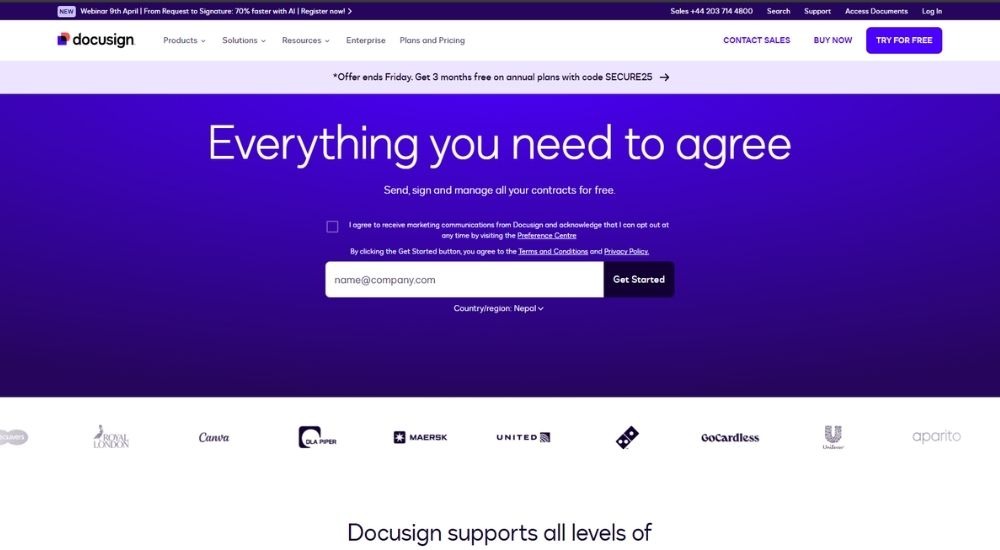
DocuSign is an electronic signature platform used by over one million businesses globally to send, sign, and track documents digitally from any device, with legally binding audit trails and compliance across UK, EU, and international standards.
Quick Facts
- Best for: Firms that already generate their own documents and need a reliable signing layer
- Rating: 4.5/5 (G2, 2,571 reviews)
- Pricing: Personal £8/month, Standard £20/user/month, Business Pro £33/user/month (all billed annually)
- Platform: Web, iOS, Android
- Free trial: 30-day money-back guarantee on paid plans
What DocuSign Does (& Doesn't)
E-Signature Collection ✅ Audit Trail ✅ Document Tracking ✅ Reusable Templates ✅ Multi-Signer Workflows ✅ SMS Delivery ✅ Identity Verification ✅ Engagement Letter Generation ❌ Proposal Builder ❌ Disengagement Letter Templates ❌ AML/KYC Checks ❌ Accounting-Specific Compliance ❌
Key Features of DocuSign
- Legally binding e-signatures accepted across the UK, EU, and 180+ countries under eIDAS and GDPR
- Real-time tracking shows exactly when a document is opened, signed, or left pending
- Advanced Electronic Signature (AES) available on Enhanced plans, meeting HMRC’s post-April 2025 requirements for agent authorisations
- 1,000+ integrations, including Xero, QuickBooks, SharePoint, and Salesforce
- Full audit trail with timestamps, IP addresses, and signer identity confirmation on every envelope
Pros & Cons of DocuSign
DocuSign is reliable and well-supported, but it is built for general business use. For accounting firms, that gap shows up quickly once document generation enters the picture.
- Recognised and trusted by clients globally
- AES is available for HMRC agent authorisation compliance
- Works on any device with no signer account required
- Reliable performance with minimal setup time
- 1,000+ integrations, including Xero, QuickBooks, and Salesforce
- No accounting-specific templates or document generation
- Pricing adds up quickly for small or occasional-use firms
- Bulk export and long-term document management are limited on standard plans
DocuSign is the most recognised name in e-signature software for accountants, and users tend to stick with it for one reason: it works. Signing is fast, setup is minimal, and clients rarely push back on it.
We use it constantly for contracts and approvals, and it never lets us down. Templates, automated reminders, tracking, audit trails — it handles everything without needing much from us to get started.
The reviews are consistent on cost though. Smaller firms using e-signature software occasionally find the per-user pricing difficult to justify against what they actually send each month.
It does the signing part well. But bulk-exporting contracts is not straightforward, and templates cannot be saved as usable PDFs. If you are treating it as a long-term record of signed engagement letters and fee agreements, those are real limitations worth knowing about before you commit.
For firms that already generate their own documents and need reliable e-signature software for accountants to sit on top of that process, DocuSign is a dependable choice.
Adobe Acrobat Sign
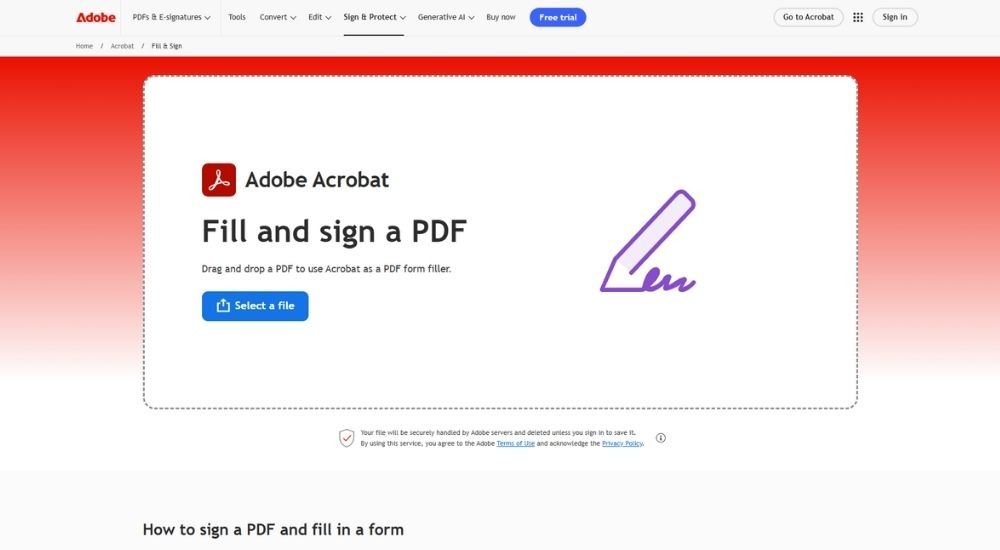
Adobe Acrobat Sign is e-signature software for accountants and businesses that combines legally binding digital signing with the full Adobe PDF toolkit, letting firms send, track, and manage documents across any device without leaving their existing Adobe workflow.
Quick Facts
- Best for: Firms already working within the Microsoft 365 or Adobe ecosystem
- Rating: 4.4/5 (G2, 1,060 reviews)
- Pricing: Acrobat Standard £16.99/user/month, Acrobat Pro £23.99/user/month, Acrobat Studio £29.99/user/month (all billed annually)
- Platform: Web, iOS, Android, Microsoft 365
- Free trial: Available on Pro and Studio plans
What Adobe Acrobat Sign Does (& Doesn't)
E-Signature Collection ✅ Audit Trail ✅ Document Tracking ✅ Reusable Templates ✅ Multi-Signer Workflows ✅ Bulk Sending ✅ Identity Verification ✅ Engagement Letter Generation ❌ Proposal Builder ❌ Disengagement Letter Templates ❌ AML/KYC Checks ❌ Accounting-Specific Compliance ❌
Key Features of Adobe Acrobat Sign
- Legally binding e-signatures compliant with eIDAS, GDPR, and global standards across 180+ countries
- Native integration with Microsoft 365, Outlook, Teams, and SharePoint with no conversion steps required
- Unlimited e-signature sends on team plans with no envelope caps
- Real-time tracking shows document status, signer activity, and completion at every stage
- Built-in PDF editing, redaction, and form creation sit alongside signing in one platform
Pros & Cons of Adobe Acrobat Sign
- Deep integration with Microsoft 365, Outlook, and Teams
- Trusted global brand with strong client recognition
- Unlimited sends on team plans
- PDF editing and signing in one platform
- Robust audit trail with timestamps and signer verification
- No accounting-specific templates or compliance features
- High pricing for small or occasional-use firms
- Form field placement is not intuitive and often needs manual adjustment
Adobe Acrobat Sign earns strong marks as e-signature software for accountants who already live inside Microsoft or Adobe tools. The integration removes friction that other platforms reintroduce through workarounds.
It works seamlessly with Microsoft Outlook and Acrobat. The setup was straightforward, and it has genuinely saved time. Getting confidential documents signed securely through a process that only takes a few prompts is exactly what we needed.
The consistent complaint across reviews is the cost relative to what smaller firms actually use. For practices sending a handful of engagement letters each month, the subscription feels oversized.
The pricing is simply too high if you only need the basics. There are simpler alternatives available that handle e-signature software for accountants without the full Adobe bundle attached to the bill.
For firms that need e-signature software sitting inside an already established Adobe or Microsoft workflow, Acrobat Sign removes the switching and keeps everything connected. For everyone else, the price point is harder to justify.
Signable
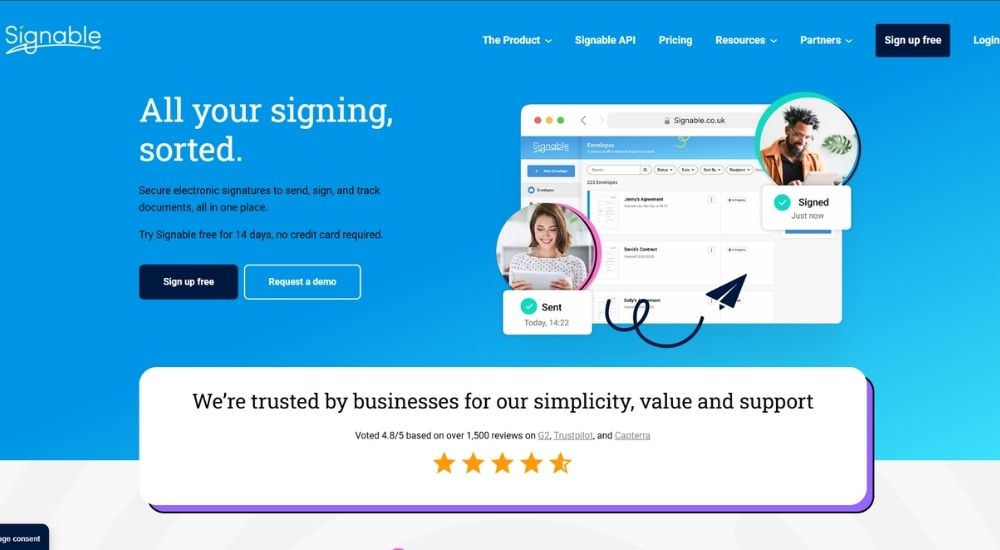
Signable is UK-built e-signature software for accountants and businesses that covers the full signing workflow with unlimited users on every paid plan, AES compliance, and envelope-based pricing that scales cleanly from sole traders to multi-site firms.
Quick Facts
- Best for: Firms wanting unlimited users and flexible envelope-based pricing without per-seat charges
- Rating: 4.8/5 (Capterra, 185 reviews)
- Pricing: PAYG £1.50/envelope, Small £319+VAT/year, Medium £759+VAT/year, Large £1,859+VAT/year (all annual)
- Platform: Web, iOS, Android, API
- Free trial: 14 days, no credit card required
What Signable Does (& Doesn't)
E-Signature Collection ✅ Audit Trail ✅ Document Tracking ✅ Reusable Templates ✅ Bulk Send ✅ Auto Reminders ✅ Two-Factor Authentication ✅ Engagement Letter Generation ❌ Proposal Builder ❌ Disengagement Letter Templates ❌ AML/KYC Checks ❌ Accounting-Specific Compliance ❌
Key Features of Signable
- Advanced Electronic Signatures are fully compliant with eIDAS, GDPR, and HMRC’s post-April 2025 agent authorisation requirements
- Unlimited users on every paid plan with no per-seat charges, regardless of firm size
- UK-hosted data on AWS infrastructure, ISO 27001 certified and Cyber Essentials accredited
- Auto-reminders and real-time document tracking show exactly when a document is opened, viewed, or left unsigned
- Envelope-based pricing with a PAYG option suits firms with irregular or seasonal signing volumes
Pros & Cons of Signable
Signable’s unlimited user model makes it particularly practical for growing firms. The cost stays predictable as headcount increases, which most per-seat platforms cannot offer.
- Unlimited users on all paid plans
- UK-built and UK-hosted with strong compliance credentials
- Clean envelope-based pricing with a PAYG option
- AES is available across all plans without additional tiers
- Consistently rated highly for ease of use and customer support
- No accounting-specific templates or compliance workflows
- No dedicated mobile app, signing is browser-based on mobile
- Lower brand recognition with clients than DocuSign or Adobe
Signable has a loyal following among accounting firms that use it specifically for letters of engagement. The audit trail and dispute resolution value come up consistently in reviews from finance and accounting users.
We send letters of engagement to new clients, and it is a very simple system. Easy to learn, and documents go out for signature quickly. Exactly what we need it to do.
The dispute protection angle is one that accounting firms in particular find valuable, and several reviewers specifically mention it.
It has been genuinely useful for settling disputes. I can see exactly when a document was accessed and viewed. Clients who claim they never received something quickly find it difficult to maintain.
For accounting firms evaluating e-signature software for accountants on a budget, Signable offers a strong combination of compliance, flexibility, and support without the enterprise price tag.
Legalesign
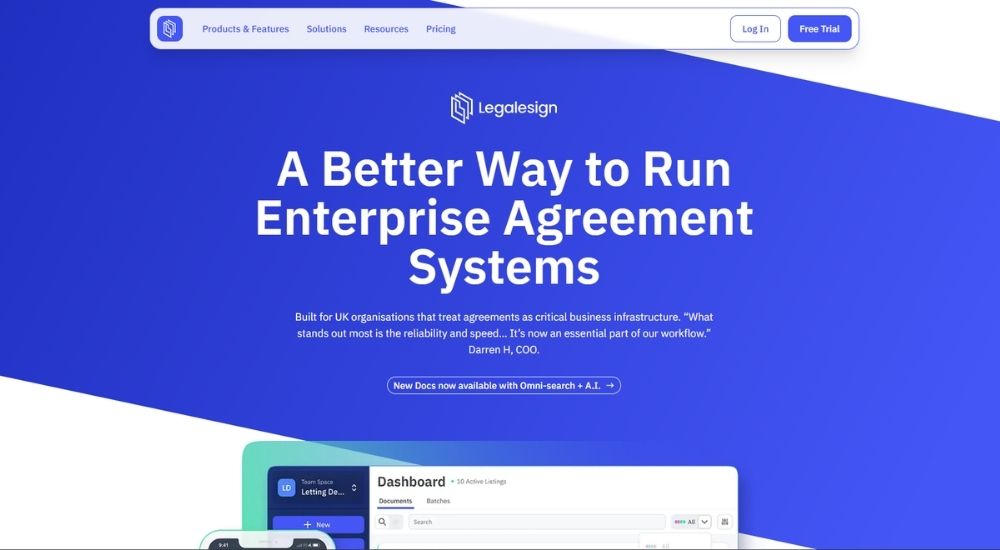
Legalesign is a UK-based e-signature software for accountants and businesses that covers the full signing workflow from forms and bulk send to witnessed signatures, built on ISO 27001-certified infrastructure and rated number one for enterprise support across all e-signature providers globally.
Quick Facts
- Best for: UK firms wanting a cost-effective, UK-hosted signing platform with strong compliance credentials
- Rating: 4.9/5 (Capterra, 37 reviews)
- Pricing: Pay As You Go £1.50 per document, Solo Basic £10/month, Solo Pro £25/month, Team £20/user/month (all ex VAT)
- Platform: Web, iOS, Android, API
- Free trial: 14 days, no credit card required
What Legalesign Does (& Doesn't)
E-Signature Collection ✅ Audit Trail ✅ Document Tracking ✅ Reusable Templates ✅ Bulk Send ✅ eWitnessing ✅ Identity Verification ✅ Engagement Letter Generation ❌ Proposal Builder ❌ Disengagement Letter Templates ❌ AML/KYC Checks ❌ Accounting-Specific Compliance ❌
Key Features of Legalesign
- Advanced and Qualified Electronic Signatures available, meeting UK eIDAS, GDPR, and HMRC agent authorisation requirements
- The eWitness feature supports legally witnessed document signing entirely online, a function absent from most competitor platforms
- Bulk send allows hundreds of documents to be sent for signature in a single click with automated follow-up reminders
- ISO 27001 certified for eight years and Cyber Essentials Plus accredited, with all data stored in UK-based servers
- API-first architecture allows full integration with existing practice software via REST and GraphQL
Pros & Cons of Legalesign
Where Legalesign separates itself from the bigger names is pricing, UK data residency, and customer support. For accounting firms, those three things matter.
- UK-based servers with eight years of ISO 27001 certification
- Most affordable entry point in this category
- eWitnessing available natively
- Highest rated for enterprise support globally
- Pay As You Go suits low or seasonal signing volumes
- AES and QES are available without enterprise pricing
- No accounting-specific templates or compliance workflows
- Lower client-facing brand recognition than DocuSign or Adobe
- Interface has a learning curve for initial setup
Legalesign punches above its weight on support, and that reputation holds across every review platform, for smaller firms using e-signature software for accountants without a dedicated IT team, which counts for a lot.
We switched from one of the leading providers after our account contact kept changing. The product does everything we need, the pricing is fair, and whenever we have a question, someone is actually there to answer it.
The one review left by an accountant specifically calls out something the larger platforms consistently miss: witnessed signatures and proper audit certification required workarounds elsewhere.
The leading e-signature companies simply did not cater for things like adding a witness or forwarding signing responsibility. Finding those options available here, alongside a team that actually walked us through each one, made the decision straightforward.
For accounting firms wanting reliable e-signature software for accountants with strong UK compliance credentials and without enterprise pricing, Legalesign is worth serious consideration.
How to Select the Best E-Signatory Software for Accountants?
Start with one question before comparing anything else: what do you actually need the software to do?
If the answer is to capture a legally binding signature on a document you have already built, you need a pure e-signature tool and nothing more. If you want to stop building documents elsewhere and importing them, you need a platform that generates proposals and engagement letters alongside the signing workflow. If you want the signature to trigger something that follows, onboarding, invoicing, or compliance verification, you need a platform built around that fuller picture.
That one question places you in the right category. From there, the selection is straightforward: compare features against your workflow, set pricing against your volume, and trial before you commit.
The honest version of that process is that most firms need more than one of these things, but rarely all of them at once. Platforms that bundle everything together often price accordingly.
Why FigsFlow Works for Any Combination
FigsFlow connects e-signatures, document generation, AML, KYC, EDD, and payment collection in one workflow, but the modular pricing means you access what you need now and add capability as your requirements grow. A firm that only needs proposals and e-signatures today is not paying for the compliance layer. Practice management is arriving as a separate module on the same logic. Know what you need. Pay only for that. Add the rest when the time comes.
Conclusion
Out of the 10 platforms reviewed across four levels of e-signature software for accountants, FigsFlow is the best.
It is the only platform that connects proposals, engagement letters, e-signatures, AML, KYC, EDD, and payment collection in a single UK-built workflow, without forcing you to pay for what you do not yet need. The modular pricing means you start with the capability your firm requires today and add the rest as your requirements grow. Practice management is arriving at the same logic. So is everything that follows it.
That matters because the best software for an accounting firm is not the one with the longest feature list. It is the one that fits where you are now, keeps pace with where the industry is heading, and does not charge you for the gap between the two.
FigsFlow does that better than anything else in this category.
Frequently Asked Questions (FAQs)
FigsFlow. Most e-signature tools make you sign documents created elsewhere. FigsFlow generates the proposal or engagement letter and collects the signature in the same workflow. For accountants, that combination removes a step that every other tool on this list still requires.
Audit trails, signer authentication, and GDPR compliance are non-negotiable. Beyond that, look at document limits per month, how the tool integrates with your practice management software, and whether templates can be locked to protect regulatory wording.
Reusable engagement letter templates, automatic reminders for unsigned documents, multi-party signing orders, and a full audit trail on every document. Bulk send is worth having if you issue similar letters across a large client base at the same time.
FigsFlow starts at £8 per month and is the most cost-effective option on this list, especially considering what that price includes. Alongside e-signatures, you get proposal templates, engagement letter tools, an automated pricing module, and onboarding support across higher tiers, not just a signing tool.