
How to Create an Electronic Signature for Free | FigsFlow
Learn how to create an electronic signature for free. We cover how to make, add, and send e-signatures for free. Perfect for UK professionals.
 Swikriti ThakuriApr 15, 2026Updated Sep 29, 2026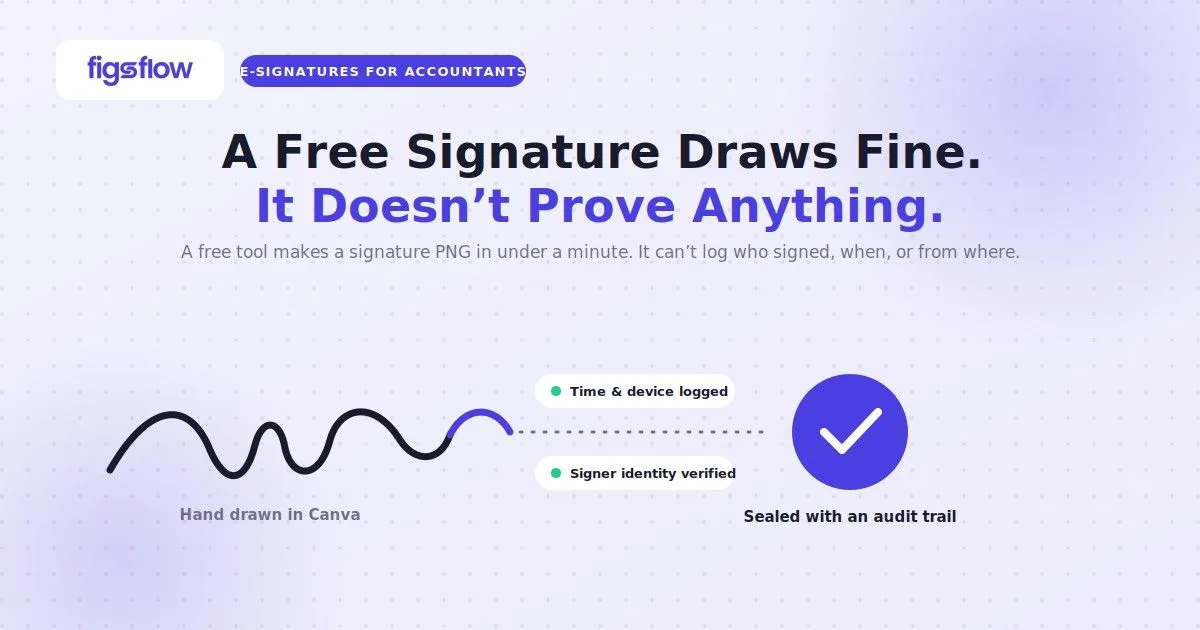
An electronic signature is any data in electronic form used to sign a document – from a typed name to a drawn image, and it differs from a digital signature in important legal ways. Under UK law, a PNG signature image created with a free tool is legally valid for most business documents. Below is the electronic signature I made using Canva in under a minute, completely free.

You can paste it into a Word document, drop it into a PDF, attach it to an email, or place it into Google Docs. For most everyday documents, it’s perfectly valid in the UK. And the best part, it’s free and requires no login.
So let’s cut the chase and make your electronic signature for free, whether it’s for a one-off document or part of a wider client onboarding checklist.
Built for UK accountants
Free is fine for personal use. Your clients deserve better.
FigsFlow gives your practice a compliant, professional e-signature workflow — from £8/month.
Rated 5.0 · G2 Reviews · Excellent · 35 reviews
6 Ways to Create an Electronic Signature for Free
There’s no shortage of free tools for making an electronic signature. Here are six worth knowing about:
Canva
Draw or type your signature on a whiteboard canvas and download it as a PNG. No login required, no watermark, no cost.
Smallpdf
Upload a PDF and draw your signature directly onto it. Good for one-off signing, but less useful if you want a reusable signature file.
Adobe Acrobat (free tier)
Lets you draw or type a signature and apply it to a PDF. Requires an Adobe account.
SignWell
Free plan covers a handful of documents per month. Clean interface, audit trail included on paid plans.
Sign.Plus
Draw, type, or upload a signature image. Free tier available with monthly document limits.
Preview (Mac only)
Built into every Mac. Open any PDF in Preview, go to Tools > Annotate > Signature, and draw directly using your trackpad or iPhone camera.
In this post, we’ll walk you through Canva. It’s the most reliable, the most straightforward, and the only one that lets you create and download a high-resolution reusable electronic signature for free with no account and no document limits. If you would rather add a signature straight into an existing file, see our guide on adding an electronic signature in Word, PDF & Google Docs.
Step-by-Step Guide to Create Your Electronic Signature for Free
Creating an electronic signature in Canva is straightforward. It follows a simple six-step process:
- Go to Canva’s free signature generator
- Choose how you want to create your signature
- Draw or type your signature
- Download your signature
- Select the right file settings
- Save and use
Let’s go through each one in detail.
Step 1: Go to Canva's Free Signature Generator
Open your browser and type canva.com/signature-generator into the address bar. You’ll land on the following interface.

You’ll see two options: “Draw your signature” and “Type your signature.” No account, no subscription, nothing to fill in.
Step 2: Choose How You Want to Create Your Signature
Click “Draw your signature.” This is the better option for accountants who want something that looks personal and professional rather than a generic typed font.
If drawing feels awkward with a mouse, don’t worry. That’s covered in the next step.
Step 3: Draw Your Signature
Canva opens a whiteboard canvas with a pen tool active. Use your mouse or trackpad to draw your signature. It takes a few attempts to get something you’re happy with. Clear and try again as many times as you need.

If you have an iPad with an Apple Pencil, use that instead. Drawing with a stylus produces a much cleaner, more natural-looking signature than a mouse ever will. The result looks indistinguishable from a pen on paper.
Step 4: Click Download
Once you’re happy with your signature, click the “Download” button in the top right corner of the screen. A download panel will open on the right side.

Step 5: Select the Right File Settings
Before you hit download, set these three things correctly.
File Type
Choose PNG. Not JPG. PNG preserves sharp edges and supports transparent backgrounds. JPG compresses the image and always exports with a white background, which looks messy when placed on a document.
Size
Leave the size slider at its maximum. A larger file gives you a higher resolution signature that stays crisp whether you’re pasting it into a Word document, a PDF, or an email. You can always scale it down later. You cannot recover quality from a small file.
Transparent Background
Download two versions. Tick “Transparent background” and download once. Then untick it and download again with a solid white background. You’ll want both.
Step 6: Save Your Files
- Save the transparent version as: signature-transparent.png
- Save the solid background version as: signature-white.png
Keep both somewhere you’ll find them, a dedicated folder on your desktop or in your cloud storage works well.
And that’s it. You now have a high-resolution electronic signature for free, ready to use anywhere.
How to Use Your Signature
Use the transparent version when placing your signature on top of a document. It sits cleanly over any background with no white box around it. This works in Word, Google Docs, PDF editors, and most onboarding or document platforms. It’s as simple as Insert > Picture, or drag and drop directly onto the page.
Use the solid white version for email signatures or anywhere a transparent background causes display issues, including on engagement letter software that renders documents as flat images. Some email clients don’t render transparency well, and a white background avoids any rendering problems.
Is a Drawn Signature Legally Valid in the UK?
Yes, an electronic signature is free & legal for most documents an accounting firm handles day to day, though the tier of signature required varies by document type – see our simple vs advanced vs qualified electronic signature breakdown.
Under Section 7 of the Electronic Communications Act 2000 and Article 25 of the UK eIDAS Regulation, an electronic signature cannot be denied legal effect solely because it exists in electronic form. What courts look at is whether there was a clear intention to sign and whether the signature is properly connected to the document.
A drawn PNG signature pasted into an engagement letter and sent by email satisfies those conditions for routine documents – see our guide on whether e-signatures on engagement letters are valid in the UK. It doesn’t apply to deeds, wills, or lasting powers of attorney, which still require wet ink.
For a full breakdown of what makes an electronic signature legally valid in the UK, including which document types require a higher tier of signature, read our detailed guide here: Are Electronic Signatures Legally Binding in the UK?
What If You Need More Than a Signature?
A PNG works well for one-off documents you’re signing yourself. But let’s be real. When a client asks how to sign something, you can’t send them a link to this article, ask them to make an electronic signature for free on Canva, and hope they follow through. That’s a fast way to lose the deal – see our guide on getting client documents faster.
For anything client-facing, you need a platform that sends the document, captures the signature, and logs who signed, when, and from which device. We’ve compared the ten best e-signature software options for accountants in the UK, covering everything from basic signing tools to full practice management platforms. Check it out here: 10 E-Signature Software for Accountants | FigsFlow
Conclusion
Making an electronic signature for free is straightforward. A free search online gives you tens, if not hundreds, of tools that claim to do it, and a good twenty to thirty that do it absolutely fine, though some accountants prefer a dedicated CRM software for accountants that keeps signing history tied to the client record. Canva is simply the most reliable of the lot, and you can have a high-resolution signature ready in under a minute.
That said, a PNG has its limits. It works well when you’re signing something yourself, but it doesn’t send documents, capture client signatures, or produce an audit trail – the areas covered in our wider electronic signatures, KYC & AML guide. For one-off use, it’s perfectly fine.
For anything beyond that, you need a platform that handles e-signatures, engagement letters, and the entire client onboarding process from one place. Accounting firms that use a proper platform aren’t the ones chasing clients to re-sign documents or explaining why their signature image didn’t work. That is the standard you are building toward. That’s exactly what FigsFlow does.