Now Live: Practice Management Launched In FigsFlow On 7 October.Free until 28/02/2027
FigsFlow
Swikriti Thakuri

Swikriti Thakuri

ACCA Content Writer

Published entries

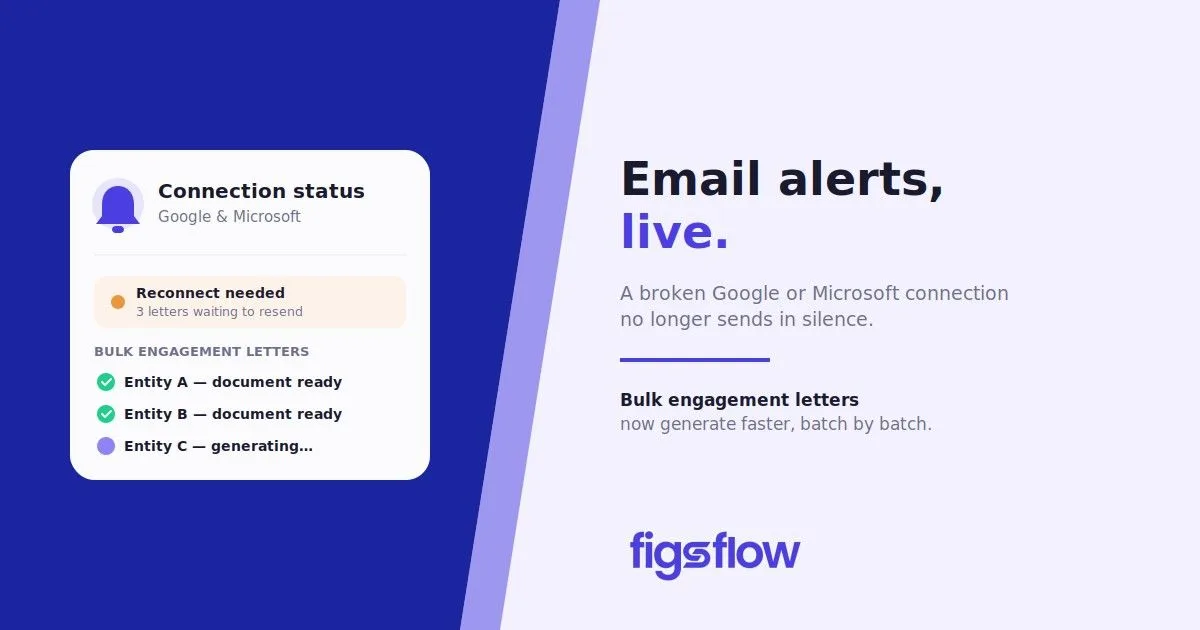
A screenshot showing email alerts and connection status for Google and Microsoft.

9/18/2026

Faster Bulk Engagement Letters & Email Failure Alerts, Now Live

Faster Bulk Engagement Letters & Email Failure Alerts, Now Live Faster Bulk Engagement Letters & Email Failure Alerts, Now Live If Your Email Connection Stops Working, You Will Know Drop the Dialling Code on Your Documents Bulk Engagement Letters Are Faster & More Reliable Bug Fixes Conclusion Your email connection can break the moment you change your password, and nothing on screen tells you. Proposals and engagement letters keep queuing silently while your client waits. This update closes that gap. FigsFlow now watches your Google and Microsoft connection, flags the failure in Settings, and emails you the list of what stopped sending. Bulk engagement letter creation is faster and more resilient too, and several fixes clean up how the platform handles email delivery, client activity tracking, and subscriptions. A password change or reset is usually what breaks the link between FigsFlow and your Google or Microsoft account. Until now, that failure was invisible. Proposals and engagement letters stopped reaching clients, and nothing in the interface said so. FigsFlow now checks the connection regularly. When it fails, Settings shows a warning explaining that proposals and engagement letters are not reaching clients, with a Reconnect button in place of Disconnect. The follow up email lists the proposals waiting to be sent and copies in the colleagues who created them, so you know exactly what needs resending once you reconnect. A connection that is still working is never flagged by mistake. The country list on your proposal and engagement letter footer now includes a “No dialling code” option. Before this, a dialling code was always added to your phone number, and if you had not chosen a country, FigsFlow defaulted to the first one on the list. Numbers already saved with a dialling code are unaffected. Proposals covering many entities used to push FigsFlow to generate every document at once. On larger proposals, that was more than the browser could handle, and the generating window could spin indefinitely with no indication anything had gone wrong. Documents are now created in small batches, with the proposal and cover letter generated alongside them instead of waiting in line. The generating window shows the real status of each entity as its document completes, and names the correct entity if one fails. If one document fails, the rest still get created, and a failed save now tells you so instead of leaving you with a draft that lists documents that were never actually generated. Your logo now deletes properly. Removing a logo in Settings, Your Preference, Firm Profile did not previously stick. It reappeared after pressing Update, and again on reload. It is now removed for good, and cannot be deleted by accident while a new image is still uploading. One stuck message no longer blocks the queue. A message that failed to send used to keep retrying and hold up everything queued behind it. Failed messages now retry a set number of times with a pause between attempts, then get set aside so the rest of the queue keeps moving. Client activity now updates on resent, won, and lost emails. Where a proposal was resent, or a won or lost notification was sent, the signatory panel kept showing the client as not engaged, indefinitely. The emails were arriving. FigsFlow was not recording them. It now does. Engagement letters send from your own address again. When an email connection failed, FigsFlow switched it off, and engagement letters then went out from the FigsFlow address instead of the firm’s own, with no notice to anyone. The connection now stays attached to the firm and is simply marked as needing reconnection. Free trials no longer convert to paid plans without your say. Buying AML credits during a free trial saved a card to the account, and FigsFlow read that as a decision to subscribe. The trial could then become a paid plan and get billed automatically at the end of it. A trial now ends unless a plan is actively purchased and stops showing as auto-renewing from day one. Your email connection failing silently was the riskiest gap in this list. It is now caught, flagged, and reported before a client notices a document never arrived. Bulk engagement letter generation and the billing fix close two smaller but real sources of friction. Ask yourself: has a client ever mentioned not receiving a proposal you thought had gone out? Check your Settings for the new connection status now, before it happens again. faster-bulk-engagement-letters faster bulk engagement letters page Page

Real client names, addresses and emails no longer get rejected – FigsFlow

9/11/2026

Real Client Names, Addresses and Emails No Longer Get Rejected

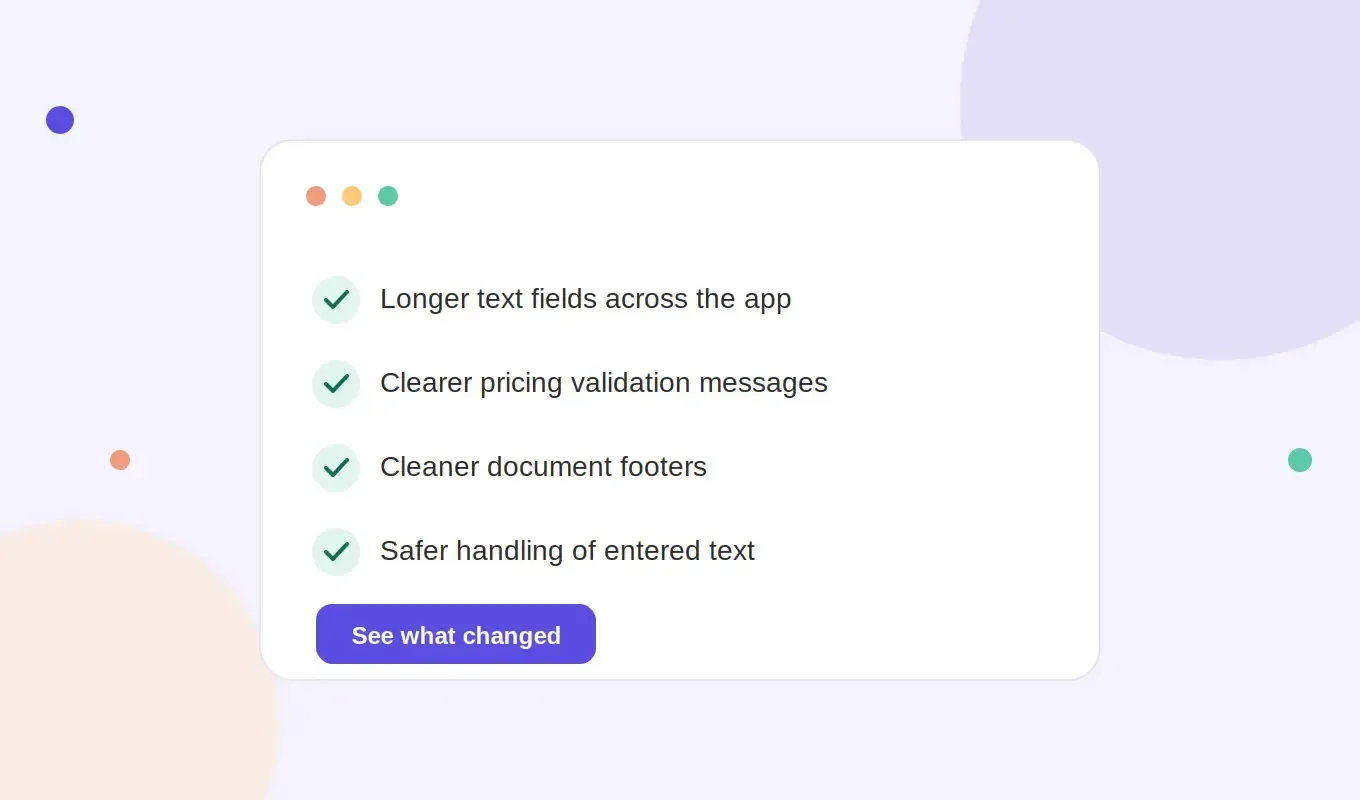
Real Client Names, Addresses and Emails No Longer Get Rejected Real Client Names, Addresses and Emails No Longer Get Rejected Where FigsFlow Was Rejecting Legitimate Client Data FigsFlow Phone Numbers Now Display Correctly on Generated Documents Client Facing Text Fields No Longer Accept Code or Links Pricing Validation Now Names the Missing Field Two Editing Problems Fixed Footer Layout Now Spans the Page Cleanly Conclusion FigsFlow’s address field held a hard limit that a single commercial building address in London routinely ran past. Staff shortened the address, guessed at a version that would fit, or typed the full address into a notes field instead. Every one of those workarounds meant a Letter of Engagement went out with an address that didn’t match Companies House or the client’s own paperwork. Now the limit is raised, six others alongside it, and fixes what those limits were quietly breaking behind them. Here’s what changed and what it means for how you work. Genuine client details rarely fit into short character allowances. A double-barrelled surname, a formal reminder subject line, an international phone number with a country code prefix, all pushed past what FigsFlow allowed and got refused outright. But now, we’ve expanded those limits. Field New limit Note Email template subject lines 250 characters Placeholders expand when the email is sent Phone numbers 30 characters Email addresses 254 characters International standard Address lines 100 characters Town and region 50 characters Surnames 50 characters Now matches the first name limit Service, package and contact type names 100 characters Tax, tag, discount and role names 50 characters Custom placeholder values 500 characters These substitute into letter text Cover page titles 100 characters Footer company name 250 characters Same behaviour whether edited from the template list or while creating a template In addition, the tax rate field previously had a 25-character limit. If you entered more than 25 characters, the system saved only part of the entry without warning. The full rate appeared to have been saved, but the shortened version was used when the proposal was generated. The field is now unlimited, so the full entry is saved correctly. Contact numbers on proposal and Letter of Engagement footers and cover pages ran together as one unbroken string. Clients had to work out where the country code ended and the number began. The country code is now separated. Fields whose content appears in a proposal email or a generated document, including template footer, client information, bulk engagement letter details, firm details, testimonials, images and cover page fields, now reject HTML tags and links. Client, contact and firm details are cleaned of embedded markup before proposal emails, reminder emails and generated documents are produced. Rich text areas keep their intended formatting, since formatting there is deliberate. A blank required pricing parameter used to return a generic “something went wrong” message, with no indication of what to fix. Building a proposal meant checking every field in turn to find the gap. The message now names the parameter as titled in the template, for example “Please provide a valid Number of Employees value”. A missing dropdown selection reads “Please select a … option”. Document preview stopped displaying in some browsers after a new preview component was introduced. The previous viewer has been restored while a cross browser tested replacement is prepared. The table formatting toolbar also disappeared once the editor was scrolled, which made a table difficult to edit beyond the first screen. The toolbar now stays in view. Footer content on generated proposals and Letters of Engagement previously wrapped early or pushed cover page content onto a second page. It now spans the page as intended on both document types. Longer fields, clearer errors and cleaner documents replace what used to be silent limits and vague failures. Every fix here removes a workaround someone on your team had already built to get around the software instead of through it. Skip these updates and staff keep trimming addresses, guessing at truncated tax rates, and manually respacing phone numbers on every document. Which of these workarounds was quietly costing your team the most time before this release? figsflow_footer_before_after real-client-data-addresses-and-emails-no-longer-get-rejected real client data addresses and emails no longer get rejected page Page

A new look for FigsFlow – what's changing

9/1/2026

A New Look for FigsFlow: What's Changing

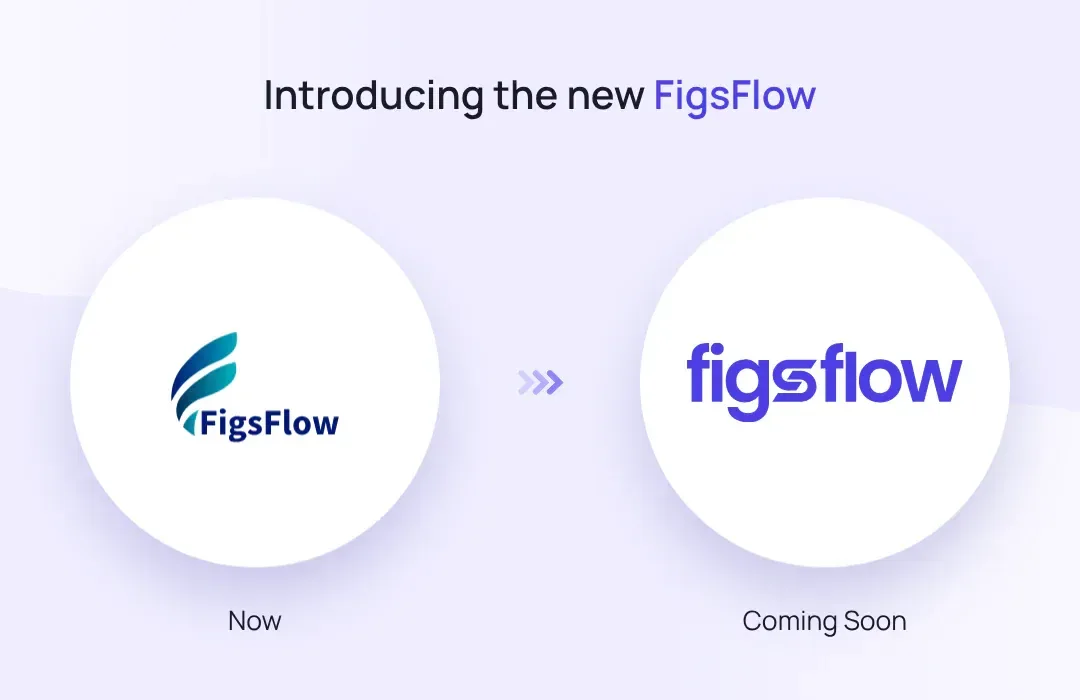
A New Look for FigsFlow: What's Changing A New Look for FigsFlow: What's Changing The New FigsFlow Logo Why FigsFlow Is Rebranding When the New Look Goes Live What's Next Conclusion We’re changing things up at FigsFlow, and we wanted our users to be the first to know. Out with the old, in with the bold! You’ll notice a fresh look to FigsFlow very soon. We’re retiring our old logo and colour scheme in favour of a sharper, more modern identity, a bold new mark and a vibrant new palette that reflect where the platform is heading. It’s a small change to look at, but it marks the start of something much bigger behind the scenes. This is the mark you’ll see across the FigsFlow platform, website and client communications from launch. The wordmark and icon are new. The workflows behind them are not. FigsFlow has grown a lot since its initial launch, and our brand needed to catch up. The rebrand isn’t just a cosmetic refresh, it’s the opening move in a broader push to make FigsFlow a sharper, more complete practice management tool for accountants, bookkeepers and tax advisers. Think proposals, engagement letters, pricing and AML checks, all working together more smoothly than before. The new branding rolls out automatically across the FigsFlow platform and website in the coming days. There’s nothing to install, update or reconfigure. You’ll see the new logo and colours the next time you log in. We’re not ready to lift the lid on everything just yet, but here’s the headline: new features are landing soon that are designed to bring more of your day-to-day practice management — client work, projects, team tasks and your existing tools — into one connected place. Less switching between systems, less chasing information, more time for client work. FigsFlow’s rebrand changes the logo and colour palette. It changes nothing else. Ignore it, and your workflows carry on exactly as they are. Notice it, and you’ll see a sharper, more current platform behind the same tools you already use. Log in as usual. The new look will be waiting. Figsflow new logo figsflow-is-changing figsflow is changing page Page

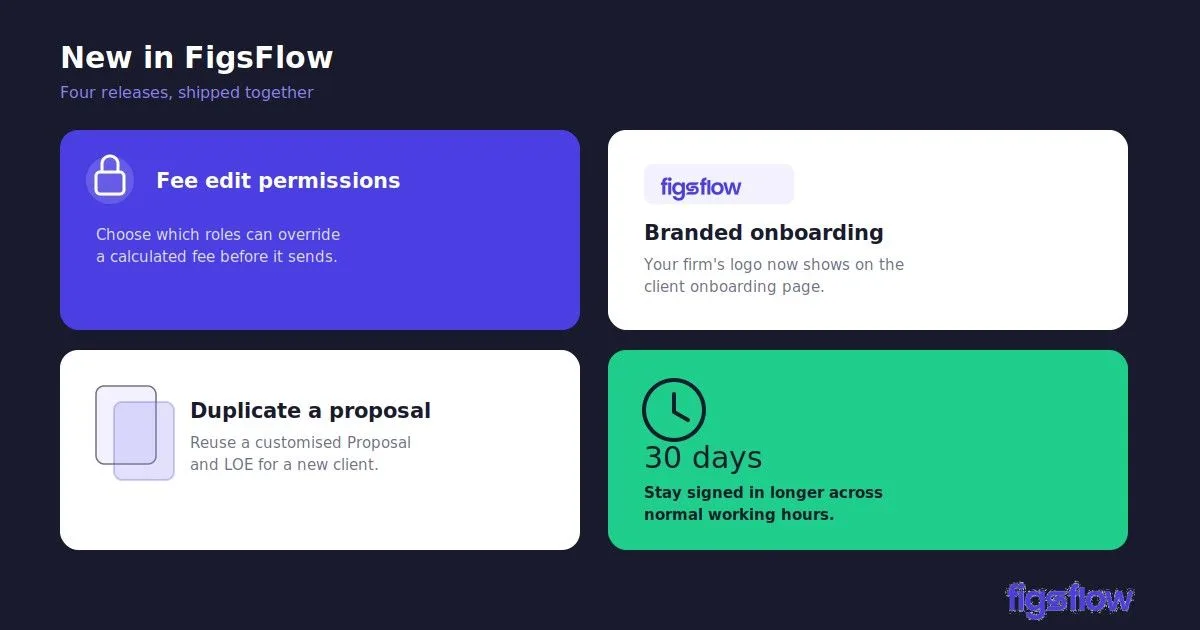
An announcement card detailing new features available in FigsFlow.

7/20/2026

New in FigsFlow: Fee Control, Branded Onboarding & Proposal Duplication

New in FigsFlow: Fee Control, Branded Onboarding & Proposal Duplication New in FigsFlow: Fee Control, Branded Onboarding & Proposal Duplication Set Fee Edit Permissions How to set Fee Edit Permissions Show Your Firm's Logo on the Client Onboarding Page How to Set or Change Your Logo Reuse a Customised Proposal for a New Client How to Duplicate Proposal More Reliable AI Drafting Longer Login Sessions Conclusion New fee edit permissions let firms control who can change a proposal’s fee, put your firm’s brand on the client onboarding page, and let you duplicate a proposal and carry your customisations across to the next client. Two smaller fixes come with it. AI drafts now come through cleanly, and you stay logged in for longer. Here is what changed and where to find each one. When your team generates a proposal for a client, FigsFlow works out the fee automatically from your pricing setup. This feature lets the firm decide who is allowed to change that figure. You choose which roles can manually override the calculated fee. Anyone without permission sees the fee as read-only and generates the proposal on the automatically calculated price. Follow the steps below to choose which users or roles can override the calculated fee. When you onboard a new client, they receive a secure link that opens the client onboarding page, where they complete your firm’s AML and risk assessment steps. Until now, that page carried the FigsFlow logo. It now displays your firm’s own logo instead, so the client sees your brand from the very first screen rather than your software provider’s. It is a small change, but the onboarding page is often a client’s first real interaction with your firm online, and a branded page looks more professional and reassures them they are in the right place. If you have not uploaded a logo yet, the page simply falls back to the FigsFlow logo, so it always looks complete. Step 1: Go to Settings, then Firm Profile Step 2: Find your firm logo on that screen and upload or change it Step 3: Save. It applies to the client onboarding page automatically If you have customised a client’s Proposal and LOE, you can duplicate proposal for another client instead of building it again. All the terms, wording, and formatting carry across exactly as they are. You then change the name to the new client. Step 1: Go to Proposals and duplicate the client proposal you want to reuse. Step 2: Select the client you want to send it to, then preview. AI-generated engagement letters and service descriptions now come through complete and in the correct order every time. Earlier, longer drafts could sometimes cut off partway or arrive with sections out of sequence. That is fixed. When you generate a letter or a service description, the full text comes through as intended, ready to review without patching gaps or reordering paragraphs. You now stay signed in for up to 30 days across normal working gaps, so you are not logged out between sessions during a typical working week. Previously, sessions timed out sooner, which meant signing back in more often than you would like, sometimes mid-task. That no longer happens during normal use. When a session does genuinely expire, you get a single clean redirect to the login page rather than repeated prompts or broken screens. Sign back in once and you are straight back to where you were. This release gives firms tighter control over pricing, a branded first impression at onboarding, and report reuse that no longer costs you your customisations. Set your Fee Edit role and upload your logo now so the controls apply before your next client goes out. Onboarding logo-Fee edit Duplicate proposal-Step 1 Proposal duplicate Step2 new-in-figsflow-fee-edit-branded-onboarding new in figsflow fee edit branded onboarding page Page

An infographic with tips on mastering proposal management.

8/12/2024

5 Proposal Management Tips Every Accounting Firm Should Be Using

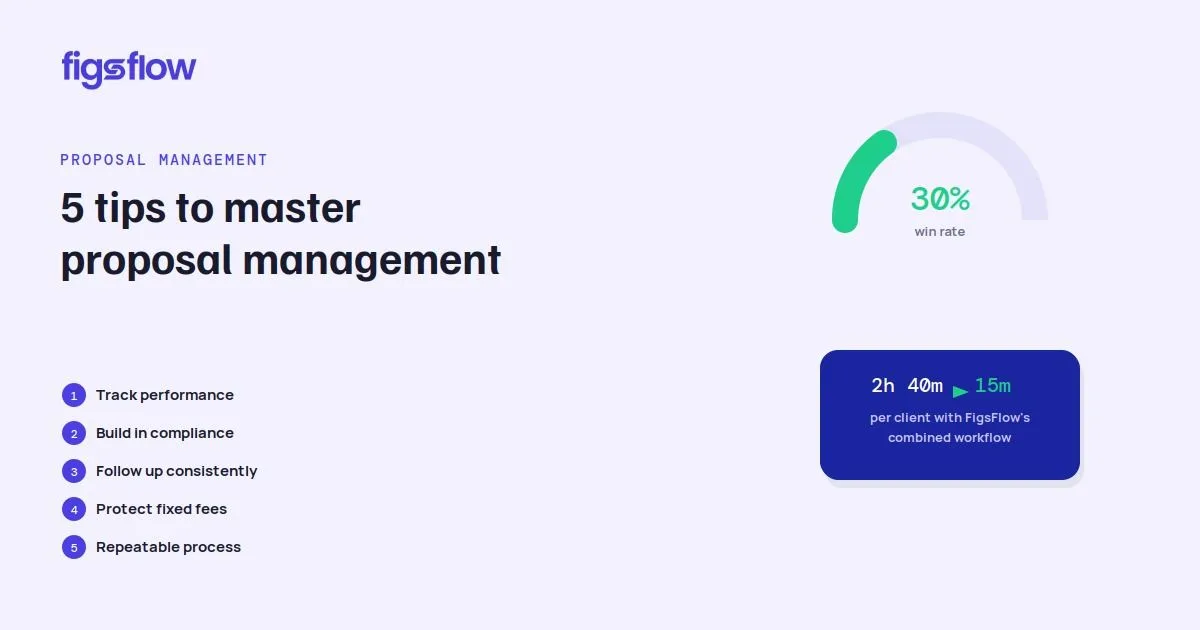
5 Proposal Management Tips Every Accounting Firm Should Be Using 5 Proposal Management Tips Every Accounting Firm Should Be Using Why Proposal Management Matters for Accounting Firms 1. Track Your Proposal Management Performance 2. Build Compliance Into Your Proposal Workflow Did You Know? 3. Follow Up Consistently After Sending Proposals 4. Protect Fixed Fees with a Clear Scope 5. Create a Repeatable Proposal Process How FigsFlow Manages the Whole Proposal Process Further Reading Conclusion FAQs What makes a good proposal management plan? Why is a good proposal management process important? How do you make your proposal management work? What is the difference between a proposal and an engagement letter? A potential client asks your accounting firm for a proposal. Your team spends hours preparing the document, explaining the services, calculating the fee, and outlining the scope. The proposal is sent with confidence, but then the waiting begins. Days pass, the prospect does not respond, and eventually the opportunity disappears. The problem is not always your accounting expertise, experience, or the quality of your service. Often, the issue is the proposal management process behind it. Without a structured way to create, track, follow up, and improve proposals, even strong opportunities can be lost before the client relationship begins. Effective proposal management helps accounting firms win more work by making every proposal clearer, easier to approve, and simpler to track from first draft to signed engagement. It brings together proposal creation, compliance checks, follow-up, and performance review so firms can convert more enquiries into clients while reducing admin and protecting fees. Many accounting firms focus heavily on delivering excellent client work but spend less time improving how they win new clients. A proposal is not just a document explaining services and pricing. It is the stage where a prospect decides whether they trust your firm, understand your value, and believe you are the right choice. Poor proposal management creates several problems. Prospects may not understand what is included, fees become harder to justify, and teams spend valuable time chasing proposals that were never properly managed. Here are the five ways proposal management can help your accounting firm win more clients. You cannot improve your proposal management process if you do not know how well your proposals are performing. Many accounting firms know how many clients they have won, but they do not track how many proposals they send, how many convert, or where opportunities are being lost. Tracking your proposal win rate gives you a clear picture of whether your proposal management strategy is working. The formula is simple: Proposal win rate = Number of proposals won ÷ Number of proposals sent × 100 . For example, if you send 50 proposals and win 15, your win rate is 30%. However, good proposal management goes beyond one number. Accounting firms should also review the value of proposals won, the type of services that convert best, and which lead sources produce the strongest opportunities. A firm may have a good overall win rate but still struggle to win larger advisory or tax engagements. That shows the issue may be positioning, pricing, or how the proposal communicates value. Reviewing proposals by source, such as referrals, website enquiries, existing clients, networking, and outreach, helps firms understand where they should focus their efforts. Many accounting firms treat proposals, engagement letters , onboarding, and compliance as separate steps. The proposal is prepared first, the client agrees, and only then does the firm start collecting information, completing checks, and preparing documents. This approach creates unnecessary delays and adds friction for both the firm and the client. A stronger proposal management workflow connects these steps from the beginning. A well-managed accounting proposal should clearly explain the services included, deliverables, fees, timeline, client responsibilities, terms, and next steps. For UK accounting firms, proposal management should also consider compliance requirements such as identity verification, AML procedures, client risk assessments, and record keeping. When compliance is built into the same workflow as the proposal, clients can move from interested prospect to signed client more efficiently. The easier you make the process, the less chance there is of losing momentum after the client says yes. Under the FigsFlow onboarding model, a fully combined proposal, engagement letter, payment mandate, and AML request takes a firm 10 to 15 minutes per client. The same steps handled through a patchwork of separate Word documents and tools took 2 hours 40 minutes. Sending a proposal and waiting for a response is one of the easiest ways to lose opportunities. A lack of response does not always mean the prospect is not interested. Often, clients are busy, comparing options, managing deadlines, or simply forgot to reply. Strong proposal management includes a clear followup process. Instead of sending one reminder and assuming the opportunity is gone, firms should create a consistent communication schedule. After sending the proposal, confirm the client has received it and let them know you are available if they have questions. A few days later, follow up to see whether they need clarification around the scope, pricing, or next steps. If there is still no response, a final follow-up can remind them without creating pressure. The purpose of follow-up is not to chase the client. It is to make the decision easier and keep the conversation moving. Fixed fees are attractive because clients want certainty. They know what they are paying and accounting firms can create predictable revenue. However, fixed fees only work when the scope is clearly defined. Without proper proposal management, unclear scope can lead to scope creep, where additional work slowly gets added without additional fees. This can happen when a bookkeeping client increases their transaction volume, a tax client introduces new income sources, or a client starts requesting services that were never included in the original agreement. A strong proposal management process makes expectations clear from the beginning. The proposal should explain what is included, what is excluded, and what situations may require a fee review. For example, instead of simply writing “monthly bookkeeping services included”, a clearer scope would explain the expected transaction volume and what happens if the workload increases. Clear scope protects the relationship because both the firm and the client understand what has been agreed. The best accounting firms do not depend on one person’s memory to manage proposals. They create a repeatable proposal management process that ensures every prospect receives the same professional experience. This starts with having templates for common services such as bookkeeping, tax returns, payroll, and advisory work. Templates save time while ensuring important details are not missed. A good process also defines responsibility. Everyone should know who prepares the proposal, who reviews pricing, who sends it, and who manages follow up. Most importantly, firms should review their proposals regularly. Every successful and unsuccessful proposal provides useful information. By analysing which proposals converted, which objections appeared, and why prospects chose another firm, businesses can continuously improve their proposal management approach. The firms that improve their process over time are the ones that create more consistent results. Managing proposals manually across emails, spreadsheets, and separate documents can create unnecessary admin and make it difficult to track performance.FigsFlow helps accounting firms manage the entire proposal management process in one workflow, including proposal creation, engagement documents, signatures, onboarding steps, and tracking. By bringing these activities together, firms can spend less time managing paperwork and more time focusing on winning new clients and delivering valuable services. Reasons Your Accounting Proposal Is Losing You Clients 5 Steps to Faster Bookkeeping Proposals | FigsFlow Writing a Follow-Up Email (Free Templates) | FigsFlow Secrets to Drafting Best Proposals for Accountants | FigsFlow Reasons Your Accounting Proposal Is Losing You Clients Proposal management is not about creating longer documents or sending more proposals. It is about creating a clear and simple journey that helps prospects understand your value and confidently move forward.Accounting firms that measure their results, communicate their services clearly, follow up consistently, protect their scope, and build repeatable systems will be better positioned to convert more opportunities. The next growth opportunity for your firm may not come from finding more leads. It may come from improving the way you manage the proposals you already send. Start by reviewing your recent proposals and identifying what your successful ones have in common. That is where better proposal management begins. A clear scope, a fee the client understands, and a fixed followup routine. It defines who drafts, reviews, and signs off, sets real deadlines for each stage, and tracks every proposal won or lost so you can keep refining what works. Most proposals lose not on quality but on confusion or silence. A solid process makes the offer clear, the fee justified, and the followup consistent. That wins more work, protects your margin, and removes hours of admin from every client you take on. Track your win rate, build the engagement letter and AML into the proposal itself, follow up several times rather than once, and set a scope tight enough to spot drift. Then review what your winners share and reuse it. A proposal is the commercial document that sets out your services and fees to win the client. An engagement letter is the legal agreement that follows acceptance, defining scope, responsibilities, and terms. The strongest workflow combines both so the client signs once. Why Proposal Management Matters 5-tips-to-master-proposal-management 5 tips to master proposal management page Page

An infographic listing five ways to maximize proposal success rate.

6/5/2024

5 Ways to Maximise Your Proposal Success Rate (Without Competing on Price)

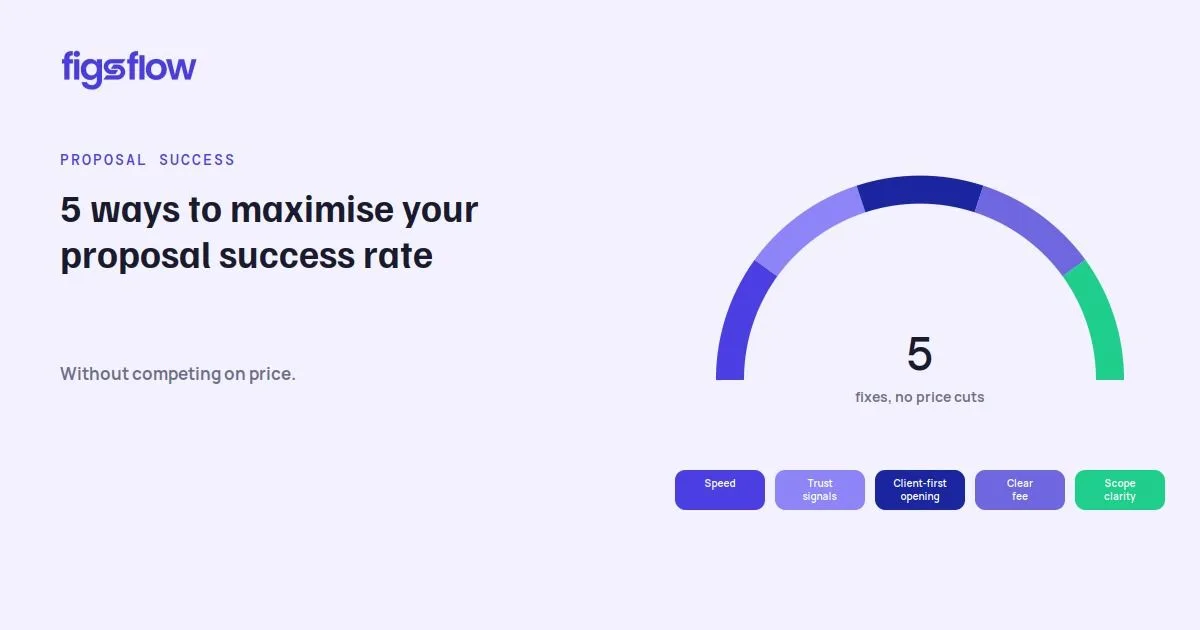
5 Ways to Maximise Your Proposal Success Rate (Without Competing on Price) 5 Ways to Maximise Your Proposal Success Rate (Without Competing on Price) The Mistakes Quietly Costing You Clients Five Ways to Lift Your Proposal Success Rate 1.Speed Wins More Deals Than You Think 2.Sell Yourself Before the Number 3.Start by Talking About Them 4.Show Them Exactly What They Pay For What a Clear Fee Table Looks Like 5.Leave No Doubt About the Scope How FigsFlow Closes Each Gap FURTHER READING Conclusion FAQs What makes a proposal successful? What makes a grant proposal strong? Won't clients just pick the cheapest option? How can you improve your proposal management performance? What metrics should I consider when submitting a proposal? You spend an hour on a proposal, send it, and hear nothing. A week later the prospect signs with someone else, and you tell yourself they went cheaper. Most of the time, they did not. They went with the firm that was easier to say yes to. Your proposal success rate has far less to do with your fees than with how the proposal is built and how you follow it up. The reasons proposals fail are predictable, and every one is inside your control. Respond before the client cools. Earn trust before they reach the price. Make the figure impossible to misread. Close the scope gap. Lead with their problem, not your service. This article takes each in turn, shows what it costs you, and hands you the fix. Get all five right and you win more without ever touching your fees. Five mistakes do most of the damage. A slow follow-up, trust that arrives too late, a price the client misreads, a scope with a visible gap, and a proposal all about you instead of them. Each is a habit, which is why it keeps costing you until you fix it. And it is invisible from your side. The client spots something that does not sit right, hesitates, and walks, but the reason never reaches you. So the same five ride along on the next proposal, and the next. The sections below turn each one into a fix. None of these require a price cut. They require you to remove whatever makes a client hesitate, and to track which proposals win so you can do more of what works. A prospect is keenest the moment they ask you to quote. That interest fades a little each day. Take five to ten working days and the client has often gone quiet, gathered rival quotes, or lost the urge to decide at all. The best firms reply inside two to three working days for standard work. Speed is not just convenience, it reads as competence. A quick reply says you are organised, the client matters, and you will be just as responsive once the work starts. A slow quote says the opposite. If you fumble the simple job of sending a price, the client quietly wonders how you will cope with their actual accounts, the deadlines, and the work that really gets messy. The fix is to stop rebuilding every proposal from scratch. A blank document makes speed impossible. A template you fill in minutes makes two to three days routine. When a prospect reaches your fee with no reason to trust you yet, they compare your number to the other one on their desk, and the lower one wins. You were never in a value conversation. You were in a price comparison, and you put yourself there. Think about what they are weighing up. They are not buying a tax return, they are handing a stranger their finances and hoping it goes well. That runs on confidence, not cost. So build it early. The name and face of their accountant, the body that regulates you, a few clients who look like them. By the time they reach your fee, the question shifts from “can I afford this” to “can I afford to get this wrong with someone cheaper”. So, treat trust as a section, not a signature line. Name the accountant who will run the account and their qualification, your regulatory body, and how long you have done this. Add two or three short client results, how many businesses like theirs you look after, and the industries you know well. Keep it brief. A prospect skimming the proposal should answer two questions in seconds. Who am I dealing with, and who else has trusted them. Answer those before the fee and the price lands very differently. Most proposals open by talking about the firm. Your services, your packages, your credentials. It all matters, but it answers a question the client has not asked yet. They dig through it to find the bit about their own situation, and by then they have half switched off. It reads like a brochure, not a reply. Flip the order. Open with the problem they came to you with. The landlord lost in the new digital filing rules. The contractor still smarting from last year’s penalty. The owner who has outgrown their bookkeeper. Name it in their words, then move into what you do about it. When the first line makes them think “that is exactly me”, they read the rest with their guard down, because you listened before you sold. It costs nothing, and almost no firm bothers. One short paragraph at the top that names their problem, then leads straight into how you fix it. A correct price still loses the deal if the client cannot read it. One gross figure with no breakdown invites the question you never get to answer. What am I actually paying for, and is the VAT already in there? Pricing clarity is the single heaviest factor in whether a proposal converts. Show the net, the VAT, and the gross. State the billing frequency plainly, monthly or quarterly or annual. Justify each line so the client sees what sits behind the number instead of guessing. Vague fee wording does the same damage as a wrong figure, because uncertainty reads as risk. The fix is structure. A clear fee table beats a paragraph every time. A client should read your price in ten seconds, no calculator needed. That means a table, not a paragraph. Here is the same quote, shown the way that converts. Service Net VAT Gross Billed Annual accounts and tax return £1,200 £240 £1,440 Annually Bookkeeping £85 £17 £102 Monthly VAT returns £75 £15 £90 Quarterly Everything sits in one place. The client sees what each service costs and when they pay for it, so a monthly fee never gets mistaken for an annual one. Hand someone a lump sum with nothing behind it and they stall, trying to work out what it covers. Hand them a breakdown like this and the yes comes easily. If the client cannot tell where your job ends and theirs begins, that uncertainty feels like risk, and risk makes people pause. The samem vague wording lets the work creep wider later, so it costs you twice. Once when they hesitate to sign, and again when you end up doing more than the fee covers. So close the scope. Name the deliverables, the filing targets, the Companies House and HMRC deadlines you own, and what you are explicitly not doing. Say what the client must provide, in what format, and by when. Draw that line cleanly and they can say yes without quietly wondering what they have missed. Every one of the five fixes comes back to the same thing. Build the proposal properly and send it fast. That is exactly what FigsFlow does, on all five fronts at once. It builds a branded, priced, client-ready proposal in under sixty seconds, so a two to three day turnaround becomes your default, not a stretch. Templates pull your credentials, regulatory body, and social proof into every proposal automatically, so the trust and proof a client wants is always there. The pricing module lays out net, VAT, and gross with the billing frequency, so the figure cannot be misread. And proposal-only mode lets you send the quote first, then follow with the compliant engagement letter once they commit, closing the scope and naming the next step. Want to see where your proposals are losing clients before you send another? Start a free trial of FigsFlow and build your next one against all five fixes at once. Create Winning Business Proposals Through FigsFlow | Guide The Secret Weapon to Draft the Best Proposals | FigsFlow 5 Steps to Faster Bookkeeping Proposals | FigsFlow Reasons Your Accounting Proposal Is Losing You Clients Your proposal success rate is decided before the client reaches the price, not at it. Respond while interest is high, build trust before the fee, lead with their problem, make the number readable, and close the scope. Get these wrong and you lose deals you should have won, blaming a price that was never the problem. Get them right and the same proposals start converting. Before you send the next one, ask yourself two things. Would I sign this, and would I know what to do next? Speed, clarity, and a focus on the client. Send it fast, open with their problem, build trust before the price, show the fee in full, and make the next step obvious. The proposal that is easiest to say yes to wins, not the cheapest. A clear, evidenced need, specific and measurable outcomes, and a realistic budget. Funders want proof you can deliver and a plan to sustain the results. Match their priorities tightly, and replace vague aims and inflated figures with specifics. Not when value is clear. Research shows many clients choose mid-tier or premium options when each one offers a distinct outcome rather than just more hours. Price becomes the deciding factor only when the client cannot see what separates you. Make trust, proof, and scope obvious and the cheapest quote stops winning by default. Send faster, two to three working days instead of ten. Build trust before the price, open with the client’s problem, show net, VAT and gross clearly, and define the scope so nothing reads as risk. Stop rebuilding each proposal from scratch. A template you populate in minutes makes all five habits routine. Look at how often each service turns into a signed client, and how long the average proposal takes to get signed. Check whether prospects are even opening what you send. See which of your pricing structures wins most often. Judge it all against your own history, not the wider profession. 5 Ways to Lift Your Proposal Success Rate maximising-proposal-success-rates-with-figsflow maximising proposal success rates with figsflow page Page

Your privacy choices

We use cookies to improve site performance, remember preferences, and measure marketing effectiveness. You can accept all cookies, reject non-essential ones, or choose categories.