
How Do I Evaluate Practice Management Platforms for Mid-Sized Accounting Firms?
Evaluate practice management platforms on cost, integrations, compliance, proposals & support - 8 criteria plus a 5-step process for mid-sized UK firms.

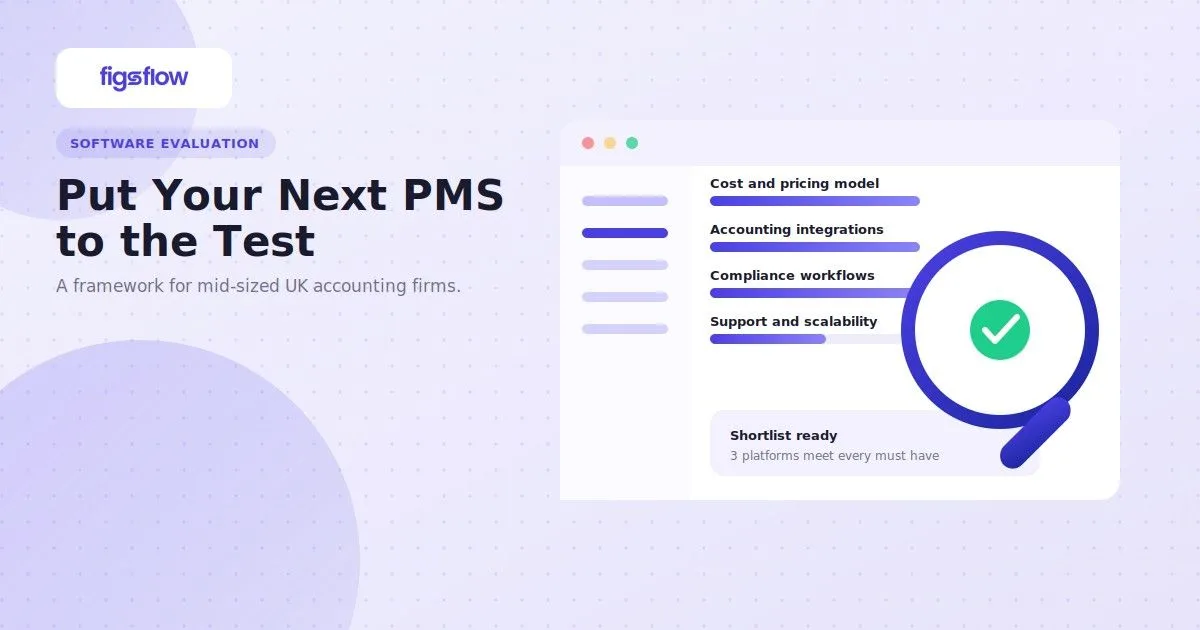
Make a list of what your firm needs now and in the next one to two years, see which PMS solutions handle those needs, shortlist the top five, demo them, and pick the one that fits best. That’s the best and most practical way to evaluate practice management platforms for a mid-sized accounting firm.
But that process assumes you already know what a PMS can actually do for your firm, what questions matter, and which variables matter regardless of your specific use case.
Most firms don’t.
To evaluate practice management platforms properly, you need to know what the software does, which criteria separate vendors, and how to run a structured comparison.
What Is a Practice Management Platform & What Does It Do for Your Firm?
A practice management platform is software that consolidates the core functions of running an accounting firm: proposals, letters of engagement, pricing, time tracking, client management, workflow automation, and reporting. Instead of juggling separate tools, spreadsheets, and email threads, everything lives in one system.
For a mid-sized firm, here’s what a good PMS does:
- Centralises service offerings and pricing, so every team member pulls from the same source
- Automates proposal and LOE creation with compliance built in, so your engagement process is consistent and audit-ready
- Integrates with your accounting software, so data moves without manual entry
- Gives visibility into workload, capacity, and profitability by client and service line, so decisions are based on actual numbers instead of hunches
- Supports remote teams and distributed workflows with cloud-based access from anywhere
Understanding these five functions is the baseline for any firm preparing to evaluate practice management platforms. If you’re just starting out with 10 to 12 clients or running a small practice with 20 to 30 clients, you may not strictly need a PMS.
You can manage with spreadsheets and templates. Even so, small firms often find a PMS worth considering because the time saved on proposal creation and client data management can be reinvested into client acquisition.
The Difference a PMS Makes: Grant & Associates versus Mason & Partners
Grant & Associates operates without a PMS. Proposals are pulled from Word templates and manually filled. Partner approval happens via email. Client data is re-entered into the accounting software. Reports on profitability by service line require pulling data from multiple systems and reconciling by hand. A proposal takes three to five days from inquiry to client delivery.
Mason & Partners uses a PMS. A prospect inquiry generates a proposal in 20 minutes by pulling client data and pricing automatically. It routes to the partner for approval with a single click. Once the client accepts, engagement data flows into the accounting software without re-entry. Profitability reports are generated on demand. The same proposal is delivered to the client the same day.
Both are small firms and can operate wholly without a PMS. The choice is yours: do you want to be Grant & Associates, spending time on manual processes and proposal administration, or Mason & Partners, freeing up time to focus on client work and growth? Heads up: once your firm scales beyond 50 to 70 people, you don’t have that choice anymore. A PMS becomes a necessity.
The gap between these two firms shows why mid-sized practices evaluate practice management platforms before they hit 50 staff, not after.
7 Things to Consider When Evaluating Practice Management Platforms
Now that you understand what a PMS can do, the next question is how to evaluate practice management platforms against criteria that actually predict day-to-day fit.
Vendors vary dramatically in pricing, compliance features, integrations, and support. Some are built for small practices and crumble under mid-sized complexity. Others are overengineered and cost twice as much as you need to spend.
The seven criteria below cut through the noise. Each one matters to mid-sized firms, and together they form the framework for evaluating practice management platforms on the market.
Cost & Pricing Model
When you evaluate practice management platforms on cost, the subscription fee is the least important number. Most firms look at the monthly or annual subscription for pricing comparison. It’s obvious and the first thing to do. But there’s a lot more to consider.
Some of those things include:
- Is the platform modular, or do you pay for features you won’t use? Some vendors bundle everything; others let you pick what you need
- Is pricing per user, per transaction, or fixed? Each model scales differently as your team grows
- Do prices vary by user role, or does everyone pay the same regardless of access level?
- What does your cost look like at 80 people in two years? Ask the vendor directly before comparing
Also, consider whether the vendor offers a demo or a 30-day free trial before you commit. If they don’t, that’s a problem. You’re being asked to sign without testing whether it works for you. Ask about their refund policy too. If you’re locked into a year-long contract with no exit clause and the platform fails you, you’re stuck.
Firms that evaluate practice management platforms on three-year total cost avoid the mid-contract price shock that per-user models create.
Integration Capabilities with Accounting Software
No firm should evaluate practice management platforms without testing the integration against its own accounting software in a live demo.
- Check whether the PMS integrates with your existing accounting software. If it does, don’t rely solely on the vendor’s website claim.
- Look for customer reviews, case studies, or recorded demos that confirm the integration works in practice.
- If you cannot find clear evidence, book a demo and ask the vendor to show exactly how it connects with your specific software.
- If the PMS does not integrate with your current system, you still have several options. You could switch to accounting software that integrates with the PMS, choose a different PMS that works with your existing setup, or move to an all-in-one platform that combines practice management and accounting functionality.
Because there are thousands of possible software combinations, perfect integrations are not always available. The key is to compare the cost, disruption, and long-term efficiency of each option before making a decision.
Proposal, Letter of Engagement & Pricing Module
Mid-sized firms should evaluate practice management platforms on whether proposal, engagement letter and pricing generation takes minutes, not days.
The PMS must handle three things well: creating professional proposals, generating regulatory-compliant engagement letters, and pricing services consistently and accurately. Ideally, all three should happen within five minutes.
Here are the few things you need to consider, alongside a broader look at practice management software for UK firms:
- Professional proposal creation that pulls client data, services, and pricing automatically, not template-and-edit every time
- Regulatory-compliant engagement letter generation that can include HMRC-specific language or other compliance requirements, and is consistent every time
- Pricing module where you can set service prices, volume discounts, hourly rates, and fixed fees in one place
Beyond that, you also need to consider approval workflows, version control, and template customisation. Approval workflows and version control separate strong platforms when you evaluate practice management platforms for engagement work.
Compliance Features & Proposal Workflows
Regulated firms must evaluate practice management platforms as compliance infrastructure: enforced approvals, audit trails and locked fields.”
For mid-sized firms handling regulated services, a practice management platform should operate as part of your compliance infrastructure, not just an admin tool. The system should actively enforce internal controls and quality standards through automation and permissions.
When evaluating compliance capabilities, look for these core features:
- Enforced Approval Workflows – Junior staff should not be able to send proposals or Letters of Engagement (LOEs) until a manager or partner has reviewed and approved them.
- Granular Audit Trails – The platform should maintain a permanent record of who created, edited, reviewed, and approved each document.
- Conditional Compliance Language – For complex tax planning, advisory, or cross-border work, the system should automatically insert the correct disclaimers, liability limitations, or engagement clauses based on the selected service or client profile.
- Permission-Based Field Locking – Critical fields such as payment terms, liability caps, and standard legal clauses should be restricted from editing without senior-level approval.
Finally, review the vendor’s security standards carefully. The platform should provide strong encryption both at rest and in transit, alongside clear policies for data retention, backups, and access controls, as it will store highly sensitive financial and personal client information.
Encryption at rest and in transit is a minimum standard when you evaluate practice management platforms holding client financial data.
Product Updates & Development Activity
Evaluate practice management platforms on release frequency: no meaningful updates in 12 months is a red flag
A practice management platform should evolve alongside regulatory changes, operational demands, and your firm’s growth. A stagnant system eventually becomes a bottleneck, forcing teams to rely on manual workarounds or additional tools.
When evaluating a vendor’s development activity, focus on these areas:
- Release Frequency & Transparency – Check how often the vendor ships updates and whether they maintain a visible product roadmap. Consistent releases signal active development. A platform with little or no meaningful progress over the past 12 months is a warning sign.
- Substance Over Cosmetic Changes – Review recent release notes and feature updates. Prioritise vendors investing in core functionality such as compliance workflows, reporting, automation, integrations, and operational efficiency rather than purely visual interface redesigns.
- Long-Term Scalability – Compare the vendor’s roadmap against your firm’s growth plans over the next two to three years. If you expect to need advanced reporting, API access, workflow automation, or custom integrations and those features are neither available nor planned, the platform may not support your future requirements.
A strong PMS vendor should demonstrate consistent product investment, clear direction, and a roadmap that aligns with the way modern accounting firms are evolving.
Team & Support Behind the Platform
A practice management platform is only as good as the team behind it. Strong features mean little if support is slow or disconnected from how accounting firms operate.
Check whether the support team understands accounting workflows and compliance requirements, not just the software itself. Review available support channels, response times, and whether onboarding and training are included.
Test the support team directly by presenting a realistic scenario from your firm. Their response will quickly show how well they understand your workflow and how seriously they handle customer issues.
You should also assess the vendor’s long-term stability. Look at factors such as company growth, hiring activity, funding, and team size to judge whether the platform is likely to remain supported and continue evolving.
Finally, consider who built the software. Vendors founded by accountants or tax professionals often have a deeper understanding of industry challenges and firm operations. Vendors founded by accountants tend to score higher when firms evaluate practice management platforms on workflow understanding.
Awards, Accreditations & Industry Recognition
Third-party recognition helps validate a vendor’s credibility within the accounting industry. Look for endorsements aligned with ICAEW’s practice finance and management resources or ACCA’s practice management guidance, alongside recognition in respected industry rankings, when you evaluate practice management platforms.
Look for accreditations such as ICAEW endorsement, ACCA approval, or recognition in respected industry rankings while evaluating practice management platforms. Strong reviews and adoption by established accounting firms are also good indicators that the platform can handle complex practice requirements.
You should also review security and compliance credentials, including GDPR compliance, SOC 2 certification, or similar standards. If your firm operates internationally, check whether the platform has recognition beyond the UK market.
While accreditations should not outweigh functionality or usability, they can help break ties when comparing similar platforms. In most cases, the vendor with stronger third-party validation is the safer long-term choice.
Bonus: Remote Capability & Distributed Team Support
Modern practice management platforms must support distributed and remote teams, not just office-based workflows.
Check whether the system is fully cloud-based and accessible from anywhere without relying on VPNs or desktop installations. It should also be mobile-friendly for staff working remotely or on client sites.
Collaboration features are key. The platform should allow real-time commenting, notifications, and shared editing so teams in different locations can work on proposals and documents without friction.
Finally, test performance under real-world conditions. If the platform slows down or becomes unreliable on low-bandwidth connections, it can significantly impact offshore teams or remote staff productivity.
How to Actually Evaluate Practice Management Platforms for Your Firm
The systematic approach saves time and reduces the risk of a costly wrong choice. Use this process.
Step 1: List Your Requirements
Involve key users (finance partner, ops manager, tax advisor, client manager, junior accountant). List what the firm needs now and in the next 2–3 years. Focus only on real requirements: compliance, integrations, reporting, and collaboration. Aim for 20–40 items.
Step 2: Create a Capability Checklist
Mark each requirement as: Must-have (non-negotiable), Should-have (important), and Future need. Create a spreadsheet and score each platform. Eliminate any that fail a non-negotiable requirement.
Step 3: Shortlist Platforms
Keep only 3–5 platforms that meet most core needs.
Step 4: Request Demos Tailored to Your Workflow
When you request a demo, send the vendor your requirement list and ask them to show how they meet your top 10 requirements, not their standard canned demo. Tell them you'll bring two or three people from your team who use the software daily. This is critical. The people who actually use the tool need to see it and ask questions. A demo for the partner alone tells you nothing about whether the tool works for your staff.
Step 5: Make the Decision
Compare platforms against your requirements, cost, support quality, and overall experience during demos. Instead of relying purely on scoring, focus on which platform genuinely fits how your firm works in practice. The right choice is usually clear when you consider day-to-day usability, workflow alignment, and team confidence in using it.
Further Reading
7 TaxDome Alternatives for Accountants (2026)
Top 14 Job Management Software for UK Firms | FigsFlow
How to Grow Your Accounting Practice in 2026 | FigsFlow
Top Workflow Management Software for Bookkeepers (7 Picks)
Get Bookkeeping Clients: Unlock Success with 9 Ways
Conclusion
Evaluating a practice management platform is a project: define your requirements, assess them systematically against each platform, demo the top candidates, and decide.
The cost of a wrong choice isn’t just the software fee. It’s implementation time, rework, lost efficiency, and staff friction. A systematic evaluation costs 30 to 40 hours upfront and saves you hundreds of hours and thousands of pounds later.
Define what you need now and in three years, then choose based on how each platform meets those requirements.