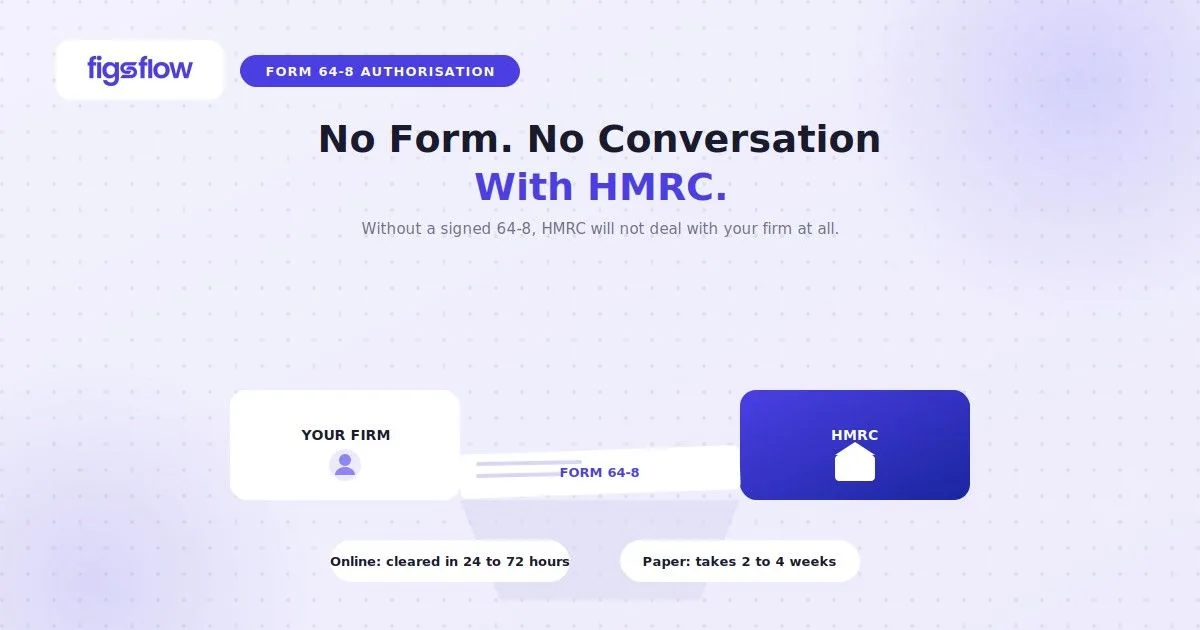
Acting for a client without a valid HMRC authorisation in place is not a grey area. HMRC will not correspond with you, process your submissions, or accept changes to the client’s records.
Form 64-8 is the paper route to that authorisation. For most tax regimes it remains valid and widely used, but it has a hard ceiling: a 64-8 gives you no access to MTD for Income Tax. Practitioners who do not understand that distinction are heading into 2026 mandation with a gap in their authorisation stack.
This article covers what the form covers, how to complete it correctly, where it falls short, and what to use instead when it does.
The Importance of Formal Authorisation
Before delving into the details of form 64-8, it is important to understand why formal authorisation is necessary:
Legal Consent
The completed authorisation confirms that your client has explicitly given you permission to act on their behalf. This consent does not transfer any of your client’s legal obligations to you; it merely allows you to transact with HMRC for the client.
Data Security & Privacy
By following HMRC’s strict protocols, both the client’s and your own sensitive information remain secure. Using the correct form and process ensures that you remain compliant with HMRC’s data handling requirements.
Streamlined Communication
When authorisation is in place, HMRC can correspond with you directly about your client’s tax matters. This helps in reducing administrative delays and improves the efficiency of managing multiple tax regimes.
What Is Form 64-8 & When Do You Need It?
Form 64-8 is HMRC’s paper authority for agents. The client signs it to confirm you may deal with HMRC on their behalf across the tax regimes specified on the form.
You need a 64-8 when digital authorisation through the Government Gateway or online Business Tax Account is not available for a particular service, or when the client cannot or will not use the online route. For most Self Assessment, Corporation Tax, PAYE, VAT, and CIS work, the 64-8 remains the standard paper fallback.
One form covers one agent. Where a client uses separate agents for PAYE and Corporation Tax, for example, each agent requires a separate form.
Form 64-8 overrides any earlier authority given to HMRC. If a client signs a new 64-8 naming a different agent, the previous authorisation is cancelled. Confirm with new clients that no existing authority is inadvertently revoked.
What Tax Areas Does Form 64-8 Cover?
The June 2025 version of the form covers the following regimes:
| Tax area | What the agent can do |
|---|---|
| Self Assessment (individual and partnership) | Submit returns, make claims, view and change details, provide repayment bank details, cancel SA registration |
| Individual PAYE | Access employment history, taxable benefits, pension and PAYE dates |
| Employers' PAYE | Access employees' personal and financial information |
| Corporation Tax | Access company and financial information, update communication and contact details |
| VAT | Discuss VAT with HMRC in writing or by phone, sign paper documents, view and submit VAT details, cancel VAT registration, appeal penalties |
| Construction Industry Scheme | Access returns, subcontractors' income and deductions |
| Tax credits | Act on behalf of the client (correspondence still goes to the client; the agent cannot receive payments) |
| Trust | Access personal and financial information for the trust (64-8 does not provide access to the online Trust Registration Service) |
While Form 64-8 remains widely used, its boundaries are strictly enforced.
The High Income Child Benefit Charge operates entirely outside Form 64-8 boundaries. Securing authorisation requires submitting Form CH995 instead. Using the standard paper form for this charge will result in an immediate HMRC rejection, stalling client onboarding.
A paper 64-8 also limits VAT access strictly to telephone queries and written correspondence. It does not grant online filing capabilities. To submit VAT returns online, you must establish a digital link by initiating an authorisation request through your Agent Services Account or having the client complete the link via their Business Tax Account.
Is Form 64-8 Enough for MTD ITSA?
No. A paper 64-8, or an existing Government Gateway agent authorisation, gives no access to MTD for Income Tax functionality.
Why Does a 64-8 Not Transfer to the Agent Services Account?
MTD for Income Tax operates through the Agent Services Account (ASA), not through the classic Government Gateway agent account. Until your client authorisations are reflected in your ASA, you cannot file quarterly updates, view digital records, or submit the Final Declaration through compatible software. That applies even to clients you have acted for for many years.
Your existing SA authorisations are recognised for MTD ITSA, but they do not transfer automatically. You must actively add them to your ASA. This is an administrative step, not a fresh authorisation. The client does not need to re-consent. But if you skip it, you are locked out.
Adding an existing authorisation to the ASA is also a separate step from signing the client up for MTD. Both are required and they are not the same thing. Authorisation means HMRC recognises your firm as the client’s agent. Sign-up means the client is enrolled in the MTD regime and has quarterly obligations. A client can be authorised but not yet signed up. Both must be in place before the first quarterly update can be filed.
Conflating authorisation with sign-up is one of the most common errors in MTD onboarding. You can see a client in HMRC’s systems without them being enrolled, and you can enrol a client you have not yet formally authorised to act for. Neither state alone is sufficient.
What Is the Correct Authorisation Route for MTD?
For the overwhelming majority of clients, the digital handshake is the correct route. The process works as follows:
- From inside your MTD software or directly in the ASA, initiate an authorisation request using the client’s UTR and National Insurance number.
- HMRC generates a unique link and emails it to the client at the address HMRC holds on file.
- The client signs in with their own Government Gateway credentials and clicks Authorise.
- HMRC notifies your ASA and software that the authorisation is live.
The handshake typically completes within minutes, though it can take up to 72 hours. It avoids the 7 to 14 day processing delay of paper-based routes and leaves a clean audit trail.
Paper authorisation is available for a small subset of clients who have a formal HMRC digital exclusion or a genuine technical barrier to completing the handshake. HMRC accepts a written request signed by the client, identifying the agent firm and the specific MTD services authorised. Allow at least 7 to 14 days for processing, and often longer.
How Do You Complete Form 64-8 Correctly?
To complete the form 64-8, download the official current version from GOV.UK and enter your client’s personal identifiers, such as their UTR or National Insurance number, along with your firm’s exact agent details. Tick the specific tax regimes you are authorised to manage, and ensure both parties provide genuine, physical signatures with the date.
What Agent Codes & References Are Required for Form 64-8?
The form has designated fields for each tax regime. Only the relevant code goes in each field. Do not add explanatory text or supplementary information in the form fields themselves.
- Self Assessment agent code: 6 characters (format 1111XX)
- Corporation Tax agent code: separate field, different code
- PAYE: PAYE reference number and, where online access is required, the Agent Government Gateway identifier and PAYE agent ID code
- CIS: CIS reference number, PAYE reference number, and Agent Government Gateway identifier if online access is being granted
- VAT: VAT registration number
Where the UTR has not yet been issued, tick the relevant box rather than leaving the field blank. For Self Assessment clients who want their Statement of Account sent to the agent rather than to themselves, tick the relevant box on the form.
Do not strike through unused boxes.
Form 64-8 Rules for Special Circumstances
Handling special client setups demands precise adherence to HMRC’s entity-specific protocols. Because the automated system checks the signatory’s legal capacity against the selected tax regime, any mismatch triggers an immediate rejection.
Use these criteria to determine who must sign:
Tax credits
There is no online authorisation route for tax credits. The 64-8 is the only option. For joint claims, both claimants must sign the same form. HMRC will continue to send correspondence directly to the client regardless of the authorisation.
Personal representatives
When acting for the estate of a deceased person, the personal representative completes the form on behalf of the individual. The representative must include their own signature, name and address, and the deceased person's National Insurance number or UTR in the appropriate field.
Partnerships
The partner responsible for the partnership's tax affairs signs the form. That authority applies only to the partnership. Individual partners who also require authorisation must each sign a separate 64-8 for their own personal tax affairs.
Companies
The form must be signed by the company secretary or another responsible officer.
Covering letters
Only include a covering letter if it contains information that is essential to process the form and cannot be included within the form itself. Do not write in the margins or outside the designated boxes.
Where Do You Send the Completed Form 64-8?
The default destination is HMRC’s National Insurance Contributions and Employer Office at BX9 1AN. Only send pages 1 and 2. Page 3 is the client’s reference copy and must not be submitted to HMRC.
There are exceptions that override the default:
- Where the form accompanies other correspondence, send it to the relevant HMRC office handling that correspondence.
- Where the authorisation is solely for Corporation Tax, send it to the HMRC office dealing with the company.
- Where the client is handled by HMRC’s High Net Worth Unit, send it to that unit.
- Where the form accompanies a VAT registration application, send it to the appropriate VAT Registration Unit.
- Where an HMRC office has specifically requested the form, return it to that office.
HMRC does not confirm receipt of the form to the agent as a matter of course. If you have not seen the authorisation reflected in your online services account within a reasonable period, follow up directly with HMRC.
What Does Form 64-8 Authorisation Actually Allow You to Do?
Form 64-8 appoints your firm as the client’s legal intermediary with HMRC, though ultimate accountability for the tax position remains entirely theirs. Once processed, it grants full Self Assessment control to submit returns, view accounts, and claim reliefs, alongside offline VAT powers to handle telephone queries, view liabilities, and manage paper correspondence. However, it blocks all online VAT filings, provides zero access to Making Tax Digital (MTD) functionality or quarterly updates, and will not automatically route financial statements to your firm unless you explicitly tick the designated box.
What Can an Authorised Agent Do for Self Assessment?
A fully authorised SA agent can submit returns, make claims for tax relief, discuss current and prior year returns with HMRC, view and amend the client’s details (including income sources), provide bank details for repayments, finalise the overall tax position, view calculations and amounts owed, and cancel the client’s SA registration.
The client remains legally responsible for their own tax. You act as intermediary. The client’s Statement of Account goes to the client by default unless the relevant box is ticked on the form.
What Can an Authorised Agent Do for VAT?
VAT authorisation via a 64-8 operates in writing and by telephone only. Within that scope, you can discuss the client’s VAT with HMRC, sign paper documents, view and change VAT details, view payment history and liabilities, cancel the VAT registration, and appeal late submission or late payment penalties.
To file VAT returns online, a separate digital authorisation is required through the client’s Business Tax Account or via the agent’s digital services. The 64-8 does not grant online filing access for VAT.
If your client has signed up for Making Tax Digital for VAT, the 64-8 cannot be used to authorise an agent for those MTD VAT services. Digital authorisation is required.
What Is Limited Authorisation & When Does It Apply?
Limited authorisation covers a specific area of tax without placing the agent on HMRC’s records as a full tax agent. An agent with limited authorisation can talk to HMRC and help the client complete forms. They will not have access to the client’s tax account online.
Since March 2026, HMRC no longer accepts the 64-8 to request limited authorisation. Limited authorisation must be requested by writing to HMRC at the National Insurance Contributions and Employer Office, BX9 1AN. The letter must include the client’s name, address, and tax reference number, the agent’s name and address, and the client’s signature.
What Are the Common Mistakes When Using Form 64-8?
We’ve looked across the industry at the exact reasons why so many Form 64-8 submissions bounce or stall at HMRC. Avoid these common blunders, and you’ll guarantee a much smoother authorisation process for both your firm and your clients.
Using an outdated version.
HMRC updated the form in June 2025. Submitting an earlier version creates processing delays and may result in rejection. Always download the current version from GOV.UK.
Entering the wrong agent code format.
SA codes are six characters. Entering a PAYE code in the SA field, or vice versa, stalls processing. Verify the correct code format for each regime before submission.
Adding information outside the form fields.
Notes in margins, additional comments in boxes, or supplementary information added to the form itself rather than a separate letter all create problems. The form fields contain only what is asked for.
Sending to the wrong HMRC office.
The default address at BX9 1AN applies in most cases, but there are five categories of exception. Sending a Corporation Tax only form to the default address, for example, adds unnecessary processing time.
Treating the 64-8 as sufficient for MTD work.
A signed 64-8 for a client who is within MTD for Income Tax scope does not give you access to their MTD obligations. The ASA transfer and the digital handshake are both required before any quarterly filing can take place.
Overlooking the joint claimant requirement for tax credits.
One signature is not enough for a joint tax credits claim. Both claimants must sign the same form or the authorisation is incomplete.
Conclusion
Form 64-8 remains the correct paper authorisation route for Self Assessment, Corporation Tax, PAYE, VAT, CIS, tax credits, and trusts, subject to the relevant HMRC rules. Complete it correctly, send it to the right office, and the authorisation is in place.
For MTD for Income Tax, firms must still use the Agent Services Account and digital authorisation process, as a standard 64-8 alone does not provide MTD filing access.
Review your authorisation setup for each client regularly to avoid access or filing issues later.
Frequently Asked Questions (FAQs)
Online agent authorisation is usually approved within 24 to 72 hours. Paper 64-8 forms typically take 1 to 2 weeks, but HMRC processing can extend to 6 weeks during busy periods.
Yes. HMRC accepts digital or electronic signatures on 64-8 forms, including typed or touchscreen signatures, as long as the taxpayer personally applied the signature.
You cannot directly upload a standalone 64-8 form online. HMRC requires the form to be completed, signed, and posted. However, many taxes now support faster digital agent authorisation through HMRC’s online services.
You can authorise an agent using HMRC’s digital handshake service, through your Business or Personal Tax Account, or by submitting a paper 64-8 form. The digital method is usually the quickest option.