
You’re vetting a potential client. Three browser tabs open. LinkedIn shows one director’s name. Google Maps confirms an address that doesn’t match the website. You’re guessing at the incorporation date.
Thirty minutes later, you’re still building a picture from fragments. And you’re doing this for every prospect, every compliance check, every client review.
Complete, verified company data can be accessed quickly through Companies House Advanced Search, offering you eight precision filters to narrow down your results.
KEY TAKEAWAYS
- Companies House Advanced Search offers eight precision filters to search 5+ million UK company records with no registration, login, or payment required
- Advanced search reveals patterns basic searches miss: multiple companies at one address, dissolved entities in a director’s history, and potential conflicts of interest across your client base
- Filter by SIC codes, incorporation dates, company status, and registered addresses to find exact company types, track market trends, or verify client claims against official records
- Companies House does not verify filed information, so advanced search is your starting point for due diligence, not proof of accuracy. Independent verification remains essential for AML compliance
- Use advanced search to map beneficial ownership structures, identify undisclosed director appointments, and catch red flags like dissolved companies or competing business interests before engagement
What Is Companies House Advanced Search?
Defining Companies House Advanced Search
Companies House Advanced Search is a free filtering tool that lets you search the UK company register using eight different criteria simultaneously. Unlike the basic search box that accepts only company names or numbers, the advanced search lets you combine registered addresses, incorporation dates, company status, business sectors, and entity types to find precisely what you need.
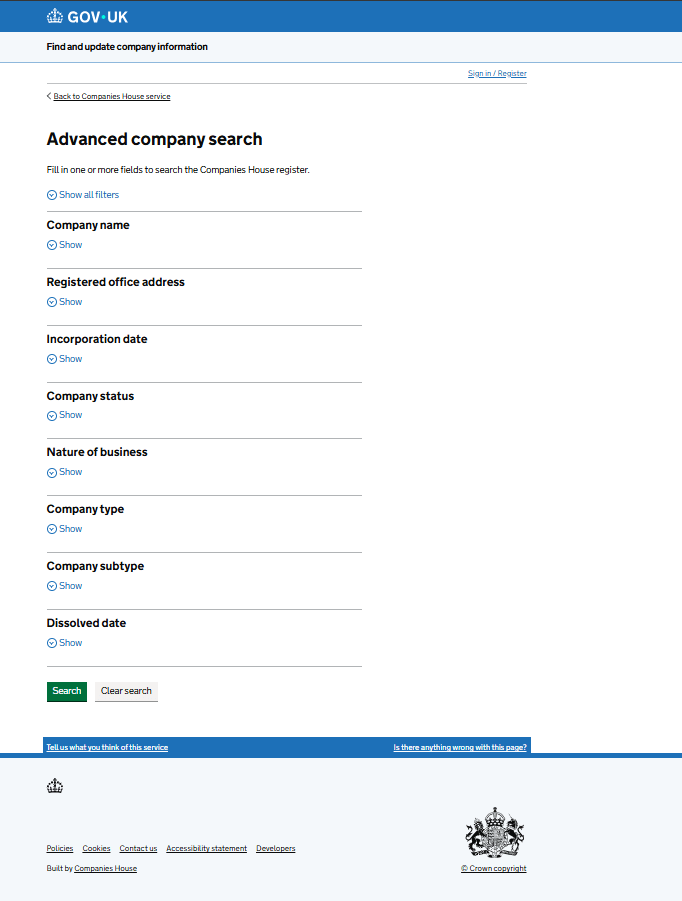
The tool lives at find-and-update.company-information.service.gov.uk/advanced-search and requires no registration, login, or payment.
Think of basic search as asking, “Does this company exist?” Advanced search answers “Show me every active accounting firm incorporated in Manchester since 2020.”
Companies House updates the register in real time as companies file documents. You’re accessing the same authoritative database that companies submit their information to: the definitive source for UK company data.
The interface accepts partial matches, date ranges, SIC code filters, and status exclusions. Each filter narrows your results until you’ve isolated exactly the companies that matter for your specific purpose.
When to Use Companies House Advanced Search Vs Simple Search
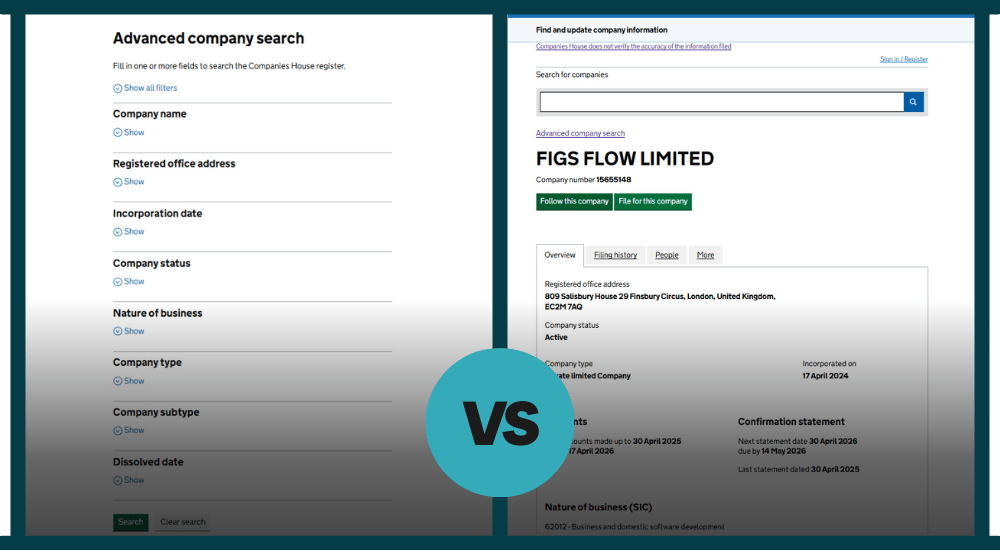
The basic search box works perfectly when you know exactly what you’re looking for. Client name is “FigsFlow Limited”, and you need their company number? Type it in. Takes five seconds.
When it comes to filtering results, Companies House Advanced Search is essential for more complex inquiries, allowing you to refine your results far beyond the basic search functionality.
Finding All Companies At a Specific Address
Your client mentions they share office space with three other businesses. You need to identify potential conflicts before taking on a new engagement at that location. Basic search won’t help because you don’t know the company names. Advanced search lets you enter the registered address and returns every company filed there. You’ll see competing firms, dissolved entities, and businesses your client forgot to mention.
Locating Recently Incorporated Companies In Your Sector
You’re targeting startups in the software development space that might need accounting services. Basic search requires you to guess company names. Companies House Advanced search lets you filter by SIC code 62012 (Business and domestic software development) and incorporation date within the past six months. The result is a list of every new software company that needs an accountant.
Identifying Dissolved Companies
A potential client’s director ran three companies before this one. You need to know what happened to them. Basic search shows current appointments but doesn’t reveal the full history. Advanced search with company status set to “Dissolved” and the director’s name shows every failed venture. That pattern matters for your risk assessment.
Filtering By Company Type & Status
You specialise in Limited Liability Partnerships, but the basic search returns every entity type. Companies House Advanced search lets you filter exclusively for LLPs that are currently active, immediately narrowing thousands of results to your target market. Add a location filter, and you’ve built a prospecting list in minutes.
The decision point is simple. If you’re verifying information you already have, use basic search. If you’re discovering companies that match specific criteria, use advanced search.
Complete Your Identity Verification
How Companies House Advanced Search Works (Live Example)
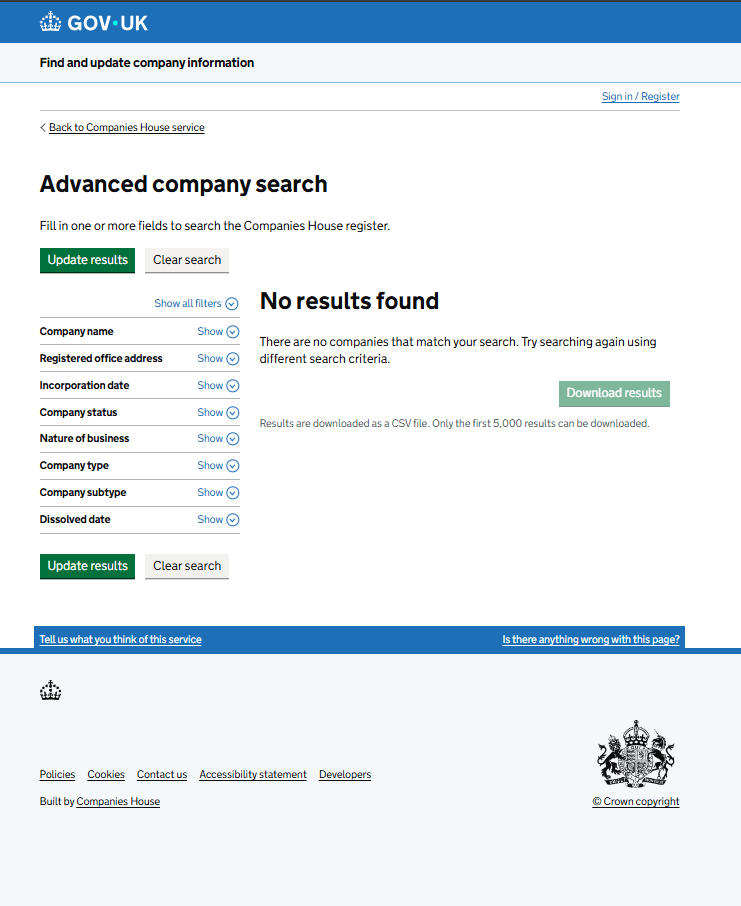
Let’s find all active assurance companies in London incorporated between January 2020 and December 2023 with “Consulting” in their name.
The Results:
No results found. There are no companies that match these exact criteria.
This is valuable information. If a prospective client claims to operate an active consulting firm in London incorporated during this period under these parameters, and Companies House returns zero matches, you’ve identified a red flag. The company either doesn’t exist as described, operates under different details than claimed, or the client is providing false information. This is exactly the kind of verification that prevents you from onboarding fraudulent clients or wasting time on non-existent opportunities.
Spot Money Laundering Red Flags
Non-existent or falsely represented companies are common tools in money laundering schemes. Understanding the warning signs protects your practice from unwitting involvement.
Learn how money laundering works, the three stages criminals use, and the red flags accountants must watch for in our guide: What Is Money Laundering? Definition & Examples| FigsFlow
Why UK Accountants Need Advanced Search
Companies House Advanced search solves three problems that basic searches can’t touch: verifying client identities for AML compliance, investigating beneficial ownership structures, and conducting proper conflict checks before engagement.
AML Compliance & Client Verification
The Money Laundering Regulations 2017 require you to verify client identity before providing services. A client says they run “Tech Solutions UK Limited” from Manchester. Basic search confirms the name exists. Advanced search reveals three companies with similar names at different addresses, two of which are dissolved. Without the status filter, you verify the wrong entity and build your relationship on false information. Filter by director name, and you might find six dissolved entities in a three-year context, which is critical for your risk assessment.
Beneficial Ownership Investigations
Identifying persons with significant control requires understanding company structures. Advanced search lets you map these by finding all entities connected through shared directors, addresses, or incorporation timing. A director might claim minority ownership, but advanced search reveals they control three other companies in the supply chain. That connected ownership might trigger PSC reporting requirements you’d miss with simple searches.
Proposal Preparation & Conflict Checking
Before sending a proposal, you need to know who you’re dealing with. A prospect wants you to handle their accounts. Basic search shows clean information. Advanced search by director name reveals they sit on the board of your existing client’s main competitor. That’s a conflict you’d never catch without filtering by officer appointments across companies. You also get accurate registered addresses, correct company numbers, and proper entity types for error-free engagement letters.
Basic search tells you a company exists. Advanced search tells you whether you should work with them.
Companies House Advanced Search Filters Explained
Each of the eight filters serves specific research purposes.
Company Name
Accepts partial matches without case sensitivity. Enter “consulting” to find Consulting Ltd, ABC Consulting Services, and Consulting Group International. Use the “exclude” field to remove noise: search “consulting” but exclude “consultancy” to narrow results to exact terminology.
Registered Office Address
Finds all companies at a location. Enter full postcodes for exact matches or partial addresses for area searches. “EC2M” returns every company in the London postcode area. This reveals office-sharing arrangements, virtual office usage, and related corporate structures at the same location.
Incorporation Date
Uses “From” and “To” date ranges. Search companies incorporated between 1 January 2024 and 31 March 2024 to find Q1 formations. Leave “To” blank for all companies incorporated after a specific date. Useful for identifying recently formed competitors or tracking incorporation patterns.
Company Status
Offers Active, Dissolved, Open, and Closed options. Active companies are trading normally. Dissolved companies have been struck off. Most searches use Active only, but dissolved status becomes critical when researching a director’s history of company failures.
Nature of Business
Accepts SIC codes for Standard Industrial Classification. Code 69201 covers accounting services. Code 62012 covers software development. Enter these five-digit codes to find companies in specific industries. Browse SIC codes from Companies House to identify the right classifications.
Company Type
Filters by legal structure: Private Limited Company, Public Limited Company, Limited Liability Partnership, and others. Select multiple types to compare structures across a sector. Essential when you specialise in specific entity types and want to build targeted prospecting lists.
Company Subtype
Narrows certain company types further. Community Interest Companies, Private Fund Limited Partnerships, and other specialised structures appear here. Most general searches won’t use this filter, but it’s essential when researching social enterprises or investment vehicles.
Dissolved Date
Works like an incorporation date but for companies struck off the register. Search companies dissolved in the past year to research market exits or identify directors moving between failed ventures. Combined with officer name searches, this reveals patterns that indicate higher-risk clients.
Practical Applications for Accountancy Practices
Advanced search prevents onboarding mistakes that basic searches miss. A prospect mentions they operate three companies. Search by director name and you find five current appointments plus two dissolved companies: undisclosed entities that might need separate engagements or indicate higher risk.
Conflict checks become systematic. Your client manufactures automotive parts. A prospect wants your services. Advanced search by SIC code reveals they manufacture the exact same product line for your client’s main competitor. You’ve caught the conflict before investing time in proposals.
Competitive intelligence gets precise. Track new accounting firm formations in your region over the past six months. Monitor dissolutions to identify clients needing new accountants. Research potential demand for specialised services by filtering SIC codes in your geographic area. Advanced search turns market research from guesswork into data.
Limitations of Companies House Advanced Search Everyone Must Know
Companies House shows you what’s been filed, not what’s necessarily true. Understanding these limitations protects you from relying on incomplete or outdated information.
Unverified Information
Companies House does not verify the accuracy of filed information. Directors self-certify their details. Registered addresses might be outdated. Beneficial ownership can be incorrectly reported. Your AML obligations require independent verification beyond Companies House records through documents, third-party databases, and direct client interaction.
Historical Records Create Noise
Dissolved companies remain searchable for 20 years. A director search might return appointments from 2005 that carry less weight than recent positions. Consider the age of information when assessing risk. Recent dissolutions matter more than historical ones.
Filing Delays Affect Currency
A director might have resigned yesterday, but still appears active until the form TM01 is processed. Companies House aims for same-day processing, but backlogs occur. For time-sensitive matters, confirm status directly with the company rather than relying solely on filed records.
Use advanced search as your starting point for research, not your endpoint for verification.
Additional Resources
- The Most Affordable Way Small Firms Can Stay Compliant with AML Rules: 2025 AML Rules Compliance Too Expensive? We’ve Got You Covered!
- Everything You Need to Know About Tipping Off in Anti-Money Laundering (All in One Place): Tipping Off in AML: Penalties & Prevention | FigsFlow
- Here’s What It Takes You to Be an Authorised Corporate Service Provider (ACSP) for Companies House Identity Verification: How to Become an ACSP for Companies House Identity Verification
- Step-By-Step Guide to Register as ACSP with Companies House: Identity Verification Through ACSP Is Now a Business Essential
- Complete Your Entire Client Onboarding in AML & KYC with Just a Single Platform: AML & KYC in Client Onboarding | FigsFlow
Companies House Identity Verification: Complete Guide: Companies House Identity Verification: Who, When, How & Personal Code | FigsFlow
- The Companies House register contains public information about all companies incorporated in the UK: Companies House advanced search function – Companies House
Conclusion
Companies House Advanced Search turns hours of research into minutes of focused filtering. Eight criteria. Unlimited combinations. Free access to 5 million company records.
Basic search answers “Does this company exist?” Advanced search answers “Show me every company that matches these exact risk factors.” That specificity protects your practice from conflicts, strengthens AML compliance, and accelerates client onboarding.
Advanced search isn’t a replacement for due diligence. It’s the foundation that makes proper verification possible.
Verify Directors Instantly
Frequently Asked Questions (FAQs)
Use the Companies House search service at find-and-update.company-information.service.gov.uk. Enter the person’s name in the search box and select the “Officers” tab. You’ll see all their current and resigned directorships, including appointment dates, company names, and correspondence addresses.
Yes. Directors and shareholders are separate roles. A director manages the company but doesn’t need to own shares. Similarly, shareholders own the company but don’t need to be directors. Many companies have directors who hold no shares at all.
Yes. Companies House provides free, unlimited searches with no registration required. You can access basic company information, registered office addresses, nature of business (SIC codes), company status, director details, and filing history at no cost.
Search for the company name or number on Companies House. Click the company from the results, then select the “People” tab. This shows all current and resigned directors with their appointment dates, nationalities, correspondence addresses, and identity verification status.
Company owners are shareholders, not directors. Access the Companies House search service, find the company, and review the “Filing history” tab. Download the latest confirmation statement (form CS01) or annual return, which lists shareholders and their shareholdings. For companies with Persons with Significant Control, check the “People” tab for PSC details.
Check Companies House to confirm the company is registered and active. Verify the registered office address matches what the company claims. Review filing history for overdue accounts or confirmation statements. Check the director’s details for red flags like multiple dissolved companies. For regulated activities, verify that the company appears on the Financial Conduct Authority Register.