
You already know the problem.
The client who replied to a three-month-old thread. The document request you sent twice because you forgot you sent it once. The missed filing deadline because you couldn’t find the relevant email thread in time. It’s costing you time, money, resources, and most importantly, clients you can’t afford to lose.
And here’s the fix: Proper client email management for accountants, which comes down to three options:
- Apply manual structure to what you already have
- Bring in a dedicated tool built for team inboxes
- Rethink what client email is actually for and cut the volume at the source
This post covers all three approaches to email management for accountants, plus a bonus tool that takes care of most of the problem before the email even needs to exist.
Why is Client Email Management for Accountants Such a Problem?
The deeper issue is that accounting work is deadline-driven, multi-client, and a single person is often handling all of it at once.
You’re not managing one client with one timeline. You’re managing dozens, sometimes hundreds, each at a different stage, each with a deadline that doesn’t care about the other twenty-three you’re already tracking. A self-assessment query, a VAT return, a corporation tax question — all sitting in the same inbox, all competing for the same slot in your day, none of them labelled with how urgent they actually are.
Then there’s compliance. You ask a client for their records. They send half of what you need. You follow up. They send something unrelated. You follow up again. Meanwhile, two dozen other threads are doing the exact same thing at different stages. Each one feels manageable on its own. Together, they become a permanent backlog you’re triaging instead of clearing.
And the time cost of all that triaging adds up. McKinsey found that the average professional spends more than a quarter of the working week managing email. For accountants, that figure runs higher. Client emails don’t arrive in clean batches. They arrive in fragments, reference conversations buried three scrolls back, and usually need a response before any actual work can move forward.
That’s why client email management for accountants is a structural problem. Assigning specific clients to specific accountants helps with ownership, but it doesn’t fix the inbox. The coordination is still there. The fragments, the follow-ups, the buried threads. What it actually requires is a fix to the system and the approach. And you’re already in the right place for that.
3 Approaches to Client Email Management for Accountants
There are broadly three ways to tackle client email management as an accountant, each building on the last.
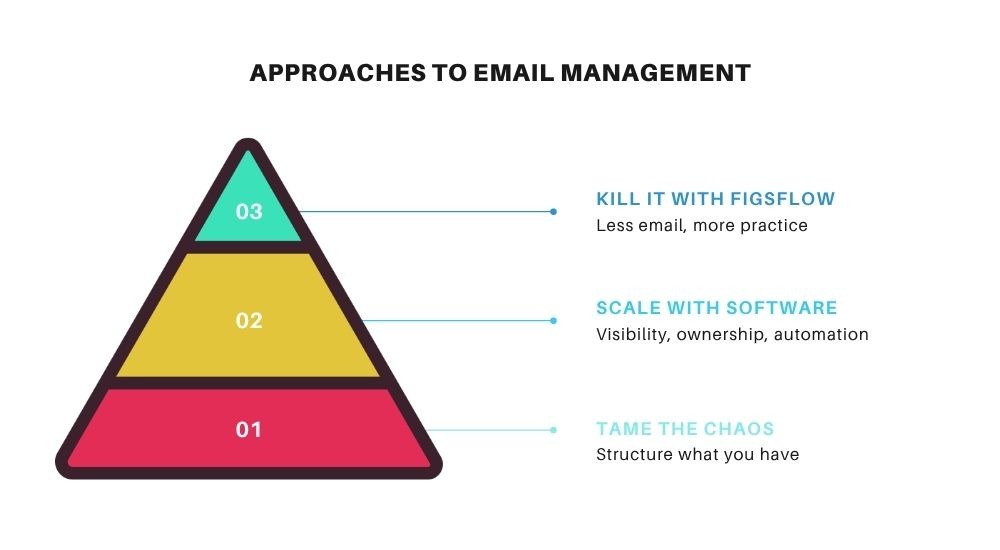
The further up the pyramid you go, the less time you spend managing email and the more time you spend on work that moves your practice forward.
Traditional methods are where most practices start. Outlook folders, shared mailboxes, and color categories bring basic structure to your inbox. They work, but they don’t scale beyond a handful of clients.
Dedicated tools add team-level visibility and accountability. Software like Karbon, Hiver, and Missive is purpose-built to manage high email volumes across multiple clients, with shared inboxes, assignment, and automation built in.
Reducing email at source is the most effective approach. Move coordination out of email entirely using a client portal, so what remains in your inbox is only the communication that actually needs to be there.
How Do Accountants Manage Client Emails Without Dedicated Tools?
There are several ways accountants manage client emails without dedicated tools. And for a long time, we implemented these tactics in our own workflow at FigsFlow, and they worked great. Even today, some of us still use them. Many firms still run on them entirely.
Client folders in Outlook.
You create a folder for each client, set up rules to route incoming mail automatically, and file everything as you go. When you stick to it, it works well. You can find the thread you’re looking for, you have a full record of everything sent and received, and there’s no ambiguity about where a conversation lives. For sole practitioners or small firms where one person owns each client relationship end to end, this is a solid starting point.
Color categories and flags.
You tag emails by urgency, work type, or status. Red for needs action today. Green for waiting on the client. Blue for information only. It’s a visual system that gives you a quick read of your inbox without opening every message. Pair it with flags or tasks linked directly to emails, and very little falls through without a reminder attached.
Shared mailboxes.
Everyone on the team accesses a central inbox, like accounts@yourfirm.com. In theory, everyone can see what’s been handled and what hasn’t. In practice, shared mailboxes without structure create their own version of the problem. If three people can all see an unread email, none of them feels solely responsible for it. Responses get duplicated. Emails get left because everyone assumed someone else had it.
These tactics to email management for accountants organize existing email volume. They don’t reduce it, and they don’t create accountability by themselves. That’s exactly what dedicated tools are built to do, and why more accounting teams are making the switch.
What Are the Best Email Management Tools for Accounting Teams?
The best email management tools for accountants/accounting firms are Karbon, Hiver, Front, Missive, and SaneBox. Each takes a different approach, serves a different type of practice, and comes at a different price point. When manual systems start creaking, these are the tools accountants typically reach for.
Let’s look at each one in detail.
Karbon
Karbon approaches email management for accountants by pulling your inbox directly into your practice management workflow. Emails become actionable items rather than sitting in a separate silo. You assign them to colleagues, link them to active jobs, comment on them internally, and track them against client timelines, all without leaving the platform.
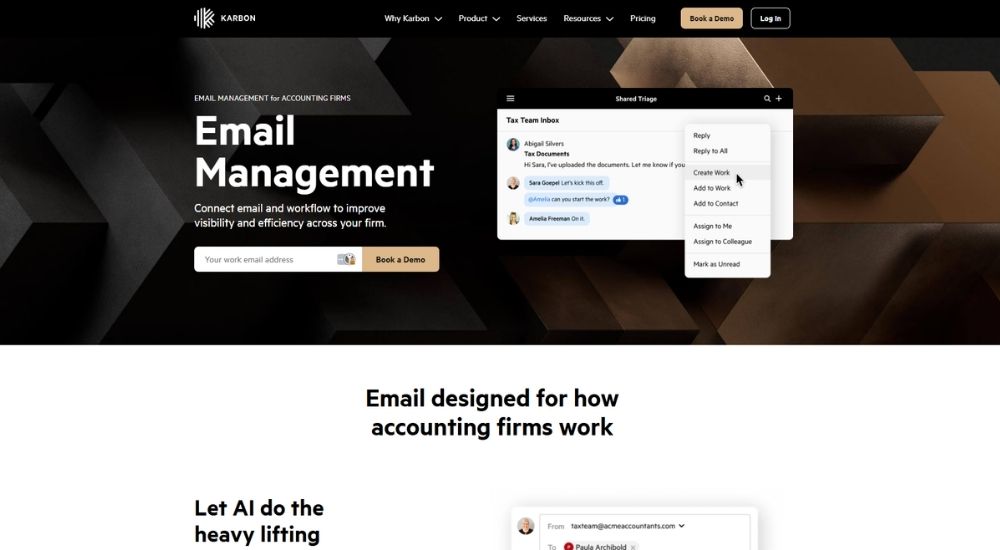
One thing to be clear about upfront: email management in Karbon is not a standalone product. You get it as part of the full practice management platform, which also includes workflow automation, billing, client management, time tracking, and more. If better email organisation is all you need, Karbon is more than you are paying for.
What Karbon Does (& Doesn't)
- Triage inbox pulls all emails into one shared team view
- Assign emails to team members with one click
- Internal comments on emails without forwarding
- Convert emails into tasks or full work items
- Activity timeline per client showing full email history
- AI summaries of long threads
- AI-assisted email drafts and quick replies
- Shared inboxes for team accounts like accounts@
- Mobile triage via iPhone and Android app
- No standalone email plan — full platform or nothing
- Cannot permanently delete emails from triage
- No delayed send or email recall
- Newest reply shows at the bottom, harder to navigate threads
- Does not reduce incoming email volume
- AI drafts can misread context occasionally
- Finding specific emails harder than in native Gmail or Outlook
Plans start at $59 per user per month on the Team plan, paid annually, rising to $89 per user per month on Business. Karbon holds a 4.8 rating on G2 across 788 reviews.
Linking emails to client timelines means the whole team can find and reference them instantly. Being able to assign tasks with comments and track completion has taken a lot of pressure off during tax season.
The transparency it creates is the biggest win. Anyone on the team can pull up a client and immediately see the full picture — what was discussed, when, and by whom. The external comment feature alone has noticeably cut down on client emails.
Email threads showing the newest reply at the bottom is still an issue even after more than a year of use. You have to expand each thread to read the full exchange, which adds up when you're moving fast.
For accounting teams that want client email management built directly into how their work gets tracked and delivered, Karbon is the most complete option available. Just go in knowing you are buying a full practice management platform, not an email tool.
Hiver
Hiver’s approach to email management for accountants is simplicity first. Rather than pulling you into a new platform, it sits directly inside Gmail and adds a structured layer on top of it. Shared inboxes, email assignment, internal notes, and automation all work from within the inbox your team already uses. The learning curve is close to zero because the interface is already familiar.
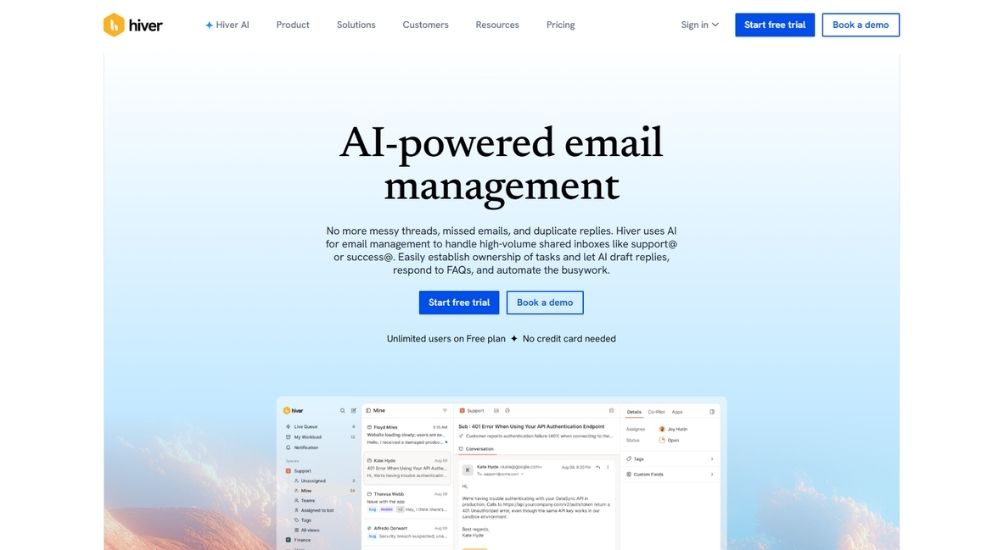
Unlike Karbon, Hiver does offer email management as its core product. You are not buying into a full practice management suite. That makes it a more focused option for accounting teams that want better inbox structure without committing to a platform overhaul.
What Hiver Does (& Doesn't)
- Shared inbox for team email addresses like support@ or accounts@
- Assign emails to specific team members with clear ownership
- Internal notes on email threads without forwarding
- Tag emails by urgency, type, or priority with color coding
- Rule-based automations for routing, tagging, and closing emails
- AI-assisted reply drafting and email summarisation
- Round-robin assignment to balance workload across the team
- Analytics on response times and team performance
- Customer portal for ticket submission and tracking
- Free plan available with core shared inbox features
- Works with Gmail only — no Outlook support
- Deeper automation features limited compared to full helpdesks
- Can lag when handling high email volumes
- Slack integration is one-way — cannot manage tasks from Slack
- Status updates can occasionally take longer to refresh
- Free plan limits you to one tag only
Paid plans start at $25 per user per month on the Growth plan, rising to $55 on Pro and $85 on Elite. A forever-free plan is available with shared inbox, live chat, and core collaboration features. Hiver holds a 4.6 rating on G2 across 1,280 reviews.
Assigning emails and tracking who is handling what has taken all the guesswork out of our shared inbox. No more wondering whether someone has already replied.
The best part is that it lives inside Gmail. There was no new tool to learn. The team was productive with it from day one.
The recurring complaint is that it only works with Gmail. If your firm runs on Outlook, Hiver is not an option. Some teams also note that performance slows slightly under high email volume, and that deeper automations feel limited compared to more enterprise-grade tools.
For accounting teams already on Google Workspace that want straightforward client email management without switching platforms, Hiver is one of the cleanest options available.
Front
Front takes a broader approach to email management for accountants than either Karbon or Hiver. It positions itself as a full customer communication platform, bringing email, SMS, WhatsApp, live chat, and social channels into one shared workspace. For an accounting team, the relevant core is the shared inbox, which gives everyone visibility, clear ownership, internal commenting, and automation without the chaos of a standard group mailbox.
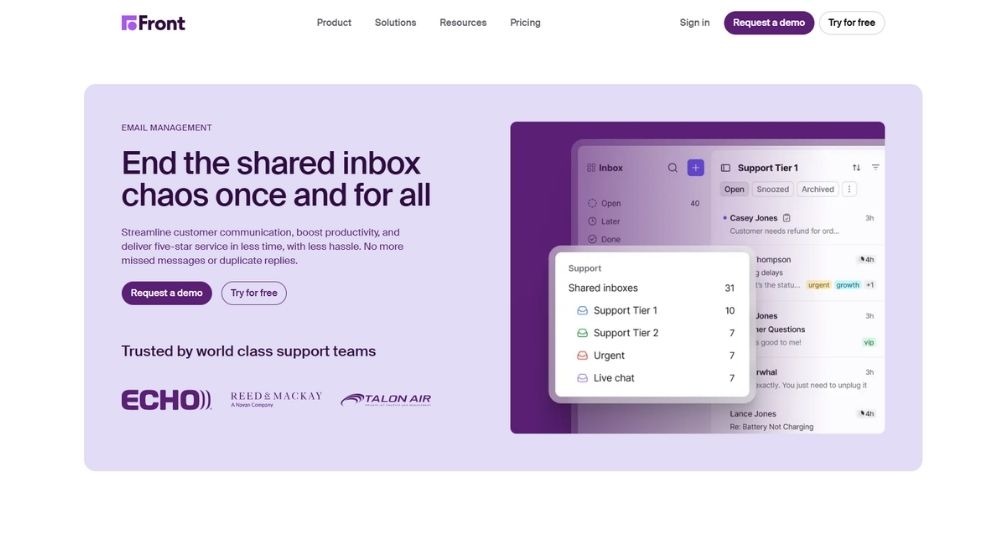
Like Hiver, Front is not an accounting-specific tool. Unlike Hiver, it works across email providers and is not tied to Gmail. It also carries significantly more features and, as a result, significantly more complexity. Whether that complexity is worth it depends entirely on how much of it your practice will actually use.
What Front Does (& Doesn't)
- Shared inbox across email, SMS, WhatsApp, and social channels
- Assign emails to team members with visible ownership
- Internal comments and @mentions directly on email threads
- AI-assisted reply drafting, tone adjustment, and translation
- Rule-based automation for routing, tagging, and assigning emails
- Conversation linking to connect related threads across clients
- Detailed analytics on response times, workload, and satisfaction
- 100+ integrations with CRMs, ticketing tools, and internal systems
- Omnichannel inbox — all channels managed from one place
- Steep learning curve — interface can feel cluttered for new users
- Pricing scales quickly as team size and features grow
- Advanced analytics feel basic compared to dedicated analytics tools
- Mobile experience weaker than desktop for heavy collaboration
- Some automation limited to complex multi-step workflows
- No native Microsoft Teams integration
- Occasional email delivery delays under high volume
Plans start at $25 per seat per month on Starter, rising to $65 on Professional and $105 on Enterprise, billed annually. AI features like Copilot and Smart QA are add-ons on lower tiers and only included on Enterprise. Front holds a 4.7 rating on G2 across 2,429 reviews.
Emails stopped feeling messy even when multiple people were replying at the same time. Being able to see who is replying, leave internal comments, and avoid duplicate responses made a real difference to how the team operates.
The search and filter functionality is genuinely strong. Finding archived conversations or the full history of an exchange is faster and more reliable than most other tools we have used.
The consistent complaint across reviews is pricing. Front becomes expensive quickly as teams grow, and accessing its more powerful features requires moving to higher tiers. The interface also carries a learning curve that some teams find overwhelming at first, particularly those coming from a standard inbox setup.
Front works best for practices managing high volumes across multiple communication channels that want a feature-rich platform built for scale. For smaller firms that need better inbox structure without the overhead, there are lighter and more affordable options. That said, for teams that do grow into it, Front is one of the more capable tools available for email management for accountants who need visibility, automation, and omnichannel coverage in one place.
Missive
Missive approaches email management for accountants as a collaboration problem first. The core idea is that your inbox shouldn’t force you to forward emails, chase colleagues on Slack, or guess who’s handling what. Everything sits in one shared workspace where emails get assigned, discussed internally, and actioned without anyone leaving the thread. It works across Gmail, Outlook, and IMAP, which makes it more flexible than Hiver for firms not on Google Workspace.
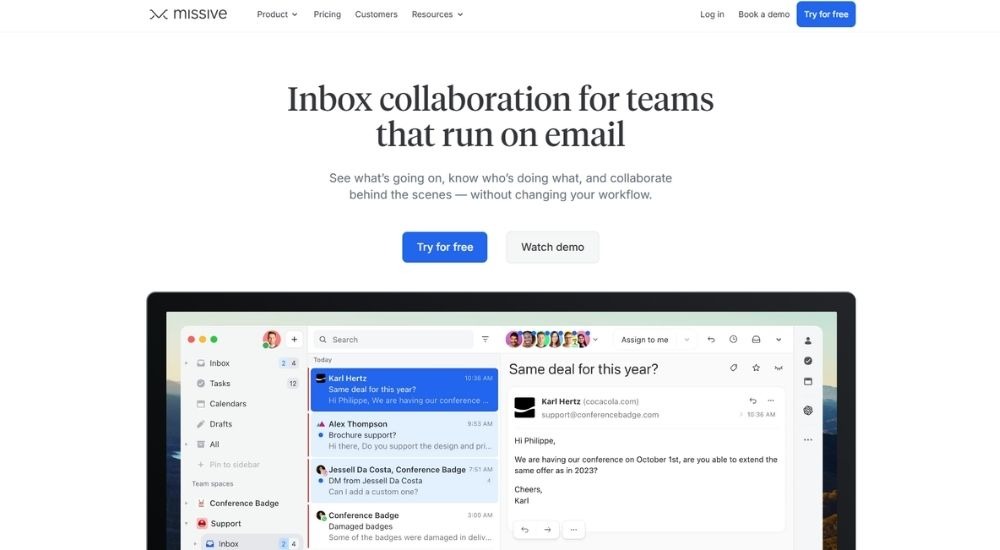
It is not accounting-specific, but it has a dedicated accounting solutions page and a meaningful number of accounting firm users. The pricing is also the most accessible of the tools covered so far.
What Missive Does (& Doesn't)
- Shared inboxes for team email addresses across Gmail, Outlook, and IMAP
- Assign emails to specific team members with clear ownership
- Internal comments and @mentions directly on email threads
- Collaborative email drafting in real time
- Rules and automations for routing, tagging, and follow-ups
- AI-assisted drafts, summaries, and translations via OpenAI integration
- Snooze emails and set follow-up reminders for outstanding items
- Unified inbox across email, SMS, WhatsApp, Messenger, and Instagram
- SOC 2 Type II certified for security compliance
- Audit trail showing all actions taken on every conversation
- No email sequences for account management or follow-up campaigns
- Mobile app lacks some features available on desktop
- Bulk actions limited when processing high volumes from the same sender
- Tagging system not customisable enough for accounting-specific categories
- Initial setup and notification configuration take time to dial in
- Does not support email sequences natively
Plans start at $14 per user per month on Starter, $24 on Productive, and $36 on Business, all billed annually. A free plan is available for very small teams. Missive holds a 4.7 rating on G2 across 783 reviews.
Being able to assign emails during busy periods like quarterly closes and track who is handling which inquiry has made a real difference. The snooze feature is particularly useful for chasing outstanding items at exactly the right moment without cluttering the inbox.
The shared inbox means anyone on the team can respond to vendor or client questions without having to search through other people's emails. Emails that need special attention automatically go to the right person.
The consistent criticism is the search. Finding older or specific conversations has been a known friction point, though users note it has improved over time. Initial setup also requires some patience, particularly getting rules and notifications configured properly before the whole team is onboarded.
As a tool for client email management for accountants, Missive sits in a strong position for small to mid-sized firms that want genuine collaboration features without the price tag of Front or the platform commitment of Karbon. It is one of the more affordable ways to bring structure to email management for accountants who run most of their practice communication through a shared inbox.
SaneBox
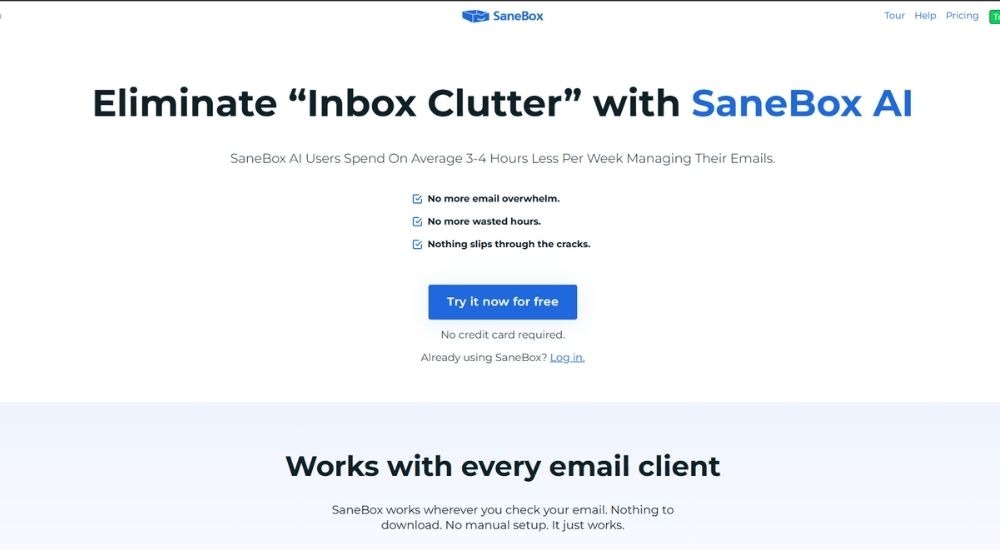
SaneBox takes a fundamentally different approach to email management for accountants compared to every other tool on this list. It sits on top of your existing email client and uses AI to filter out the noise before you ever open your inbox. Unimportant emails move automatically to a separate folder. What stays is what actually needs your attention. No new platform to learn. No change to how you currently work.
What SaneBox Does (& Doesn't)
- Automatically sorts emails by importance into separate folders
- Works across Gmail, Outlook, and all IMAP email clients
- SaneBlackHole permanently removes unwanted senders
- Follow-up reminders when someone has not replied
- Snooze emails until a specific date or time
- Daily digest of unimportant emails for bulk review
- One-click unsubscribe from unwanted senders
- No shared inbox or team collaboration features
- Cannot assign emails to team members
- No internal comments or notes on email threads
- AI requires initial training and ongoing correction
- Pricing increases when managing multiple accounts
- No accounting-specific functionality
Plans start at $4.13 per month on the Snack plan, rising to $7.04 on Lunch and $20.79 on Dinner. A business plan starts from $8.25 per licence per month. SaneBox holds a 4.8 rating on G2 across 187 reviews.
The inbox stops feeling overwhelming almost immediately. Vendor emails, newsletters, and low-priority messages are already filed before you open anything. What's left is what you actually need to deal with.
The follow-up reminder feature is genuinely useful. You BCC a specific date when sending an email, and a reminder lands back in your inbox on that date if nothing has been replied to. No separate tracking list needed.
The AI needs training upfront, and some users find they still need to check secondary folders occasionally. Pricing also scales up across multiple accounts.
SaneBox is best suited to sole practitioners or individual accountants who want a quieter inbox without adopting a new platform. It does not solve team visibility or coordination problems. But for cutting the noise that fills a typical accounting inbox every morning, it is one of the most effective and least disruptive tools available for email management for accountants.
What Does Smarter Email Management for Accountants Actually Look Like?
Smart email management for accountants reduces the volume of unnecessary email, gets the work done faster, and reserves the inbox for high-value communication that clients actually read, remember, and act on.
That’s exactly what FigsFlow does.
Instead of sending a document request email, following up when nothing arrives, and following up again when they send the wrong thing, you send a single link to a client portal with a short personal message. The client opens it, fills in a configured form, and uploads their documents. The system flags anything blurry or unreadable before it’s submitted, so you’re not chasing quality either. Everything that comes through automatically populates the client profile. No thread. No back-and-forth.
KYC, AML checks, and onboarding work the same way. The entire client onboarding process comes down to three or four emails emails. Not asking for documents. Not chasing signatures. Just sending a link and letting the portal do the rest.
FigsFlow is also launching a dedicated client portal where clients can track the progress of their work and communicate directly with their client manager without emailing at all. When that’s in place, the only email you need to send is the one that matters most: their work is done, here’s the result, please review.
That’s the inbox worth having. Every message in it carries weight.
Conclusion
There is no right/wrong approach to client email management for accountants.
Traditional methods work up to a point. Outlook folders and color categories get you organised. Dedicated tools take that organisation to a team level, with clearer ownership, better visibility, and automation that reduces the manual load. If your practice is growing and client email is becoming a coordination burden, any of the tools covered here will improve things.
But the practices that pull ahead aren’t just the ones with the tidiest inbox setup. They’re the ones that stopped treating email volume as a fixed constant and started asking which emails shouldn’t exist at all. Get the coordination out of the inbox, and what’s left is worth reading. Your clients will respond to it, remember it, and trust the firm behind it more because of it.
Frequently Asked Questions (FAQs)
The best approach depends on your practice size. Karbon suits larger firms wanting full practice management. Hiver works well for Gmail users. Missive fits smaller teams on a budget. For reducing email volume at the source, FigsFlow moves document collection and compliance entirely out of the inbox.
Organize by client, assign clear ownership, and make sure nothing sits unactioned. Then look at what’s generating volume. Document requests, AML checks, and signature follow-ups can all move into a portal like FigsFlow, which cuts the majority of back-and-forth before it starts.
Create client folders and use colour categories to prioritise by urgency. Set follow-up reminders so nothing goes cold. Move document collection and compliance requests to a portal. FigsFlow handles all of that in one place, leaving your inbox for communication that actually matters.
Move coordination out of email entirely. When clients receive a portal link for documents, AML checks, and e-signatures, the reply chain disappears. FigsFlow handles all of that in a single onboarding flow, so the only email left is the one worth sending.
No. A portal replaces low-value coordination emails, such as document requests, compliance chasing, and signature follow-ups. Email stays for conversations that carry real weight. The goal is not fewer emails. It is better email that clients actually read and remember.