
Practice workflow where no T2 goes out half-checked
FigsFlow is accounting job management software for Canadian firms. It runs your recurring engagements — compilations, review engagements, T1 and T2 returns, GST/HST filings — as jobs, tasks and sub-tasks. A task stays open until every check beneath it is done, and a job can’t move to filed until the review set by its service template is signed off. The rules hold as firmly on April 30 as in a quiet week in August.
G2 reviews Google reviews Verified reviews Trustpilot reviews
Happy on FigsFlow




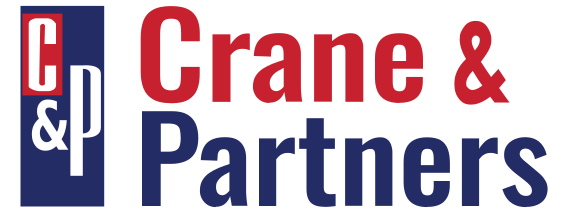

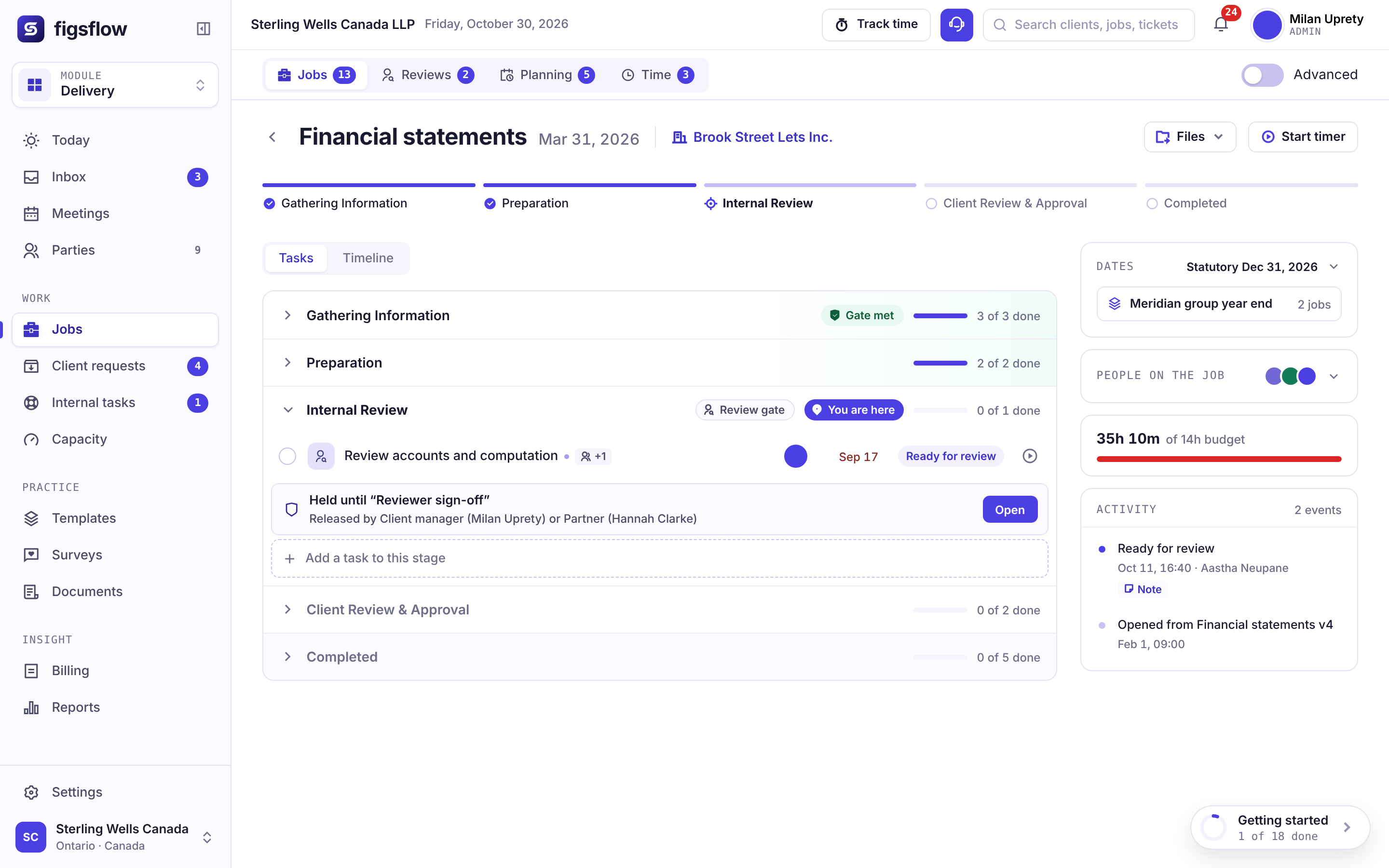
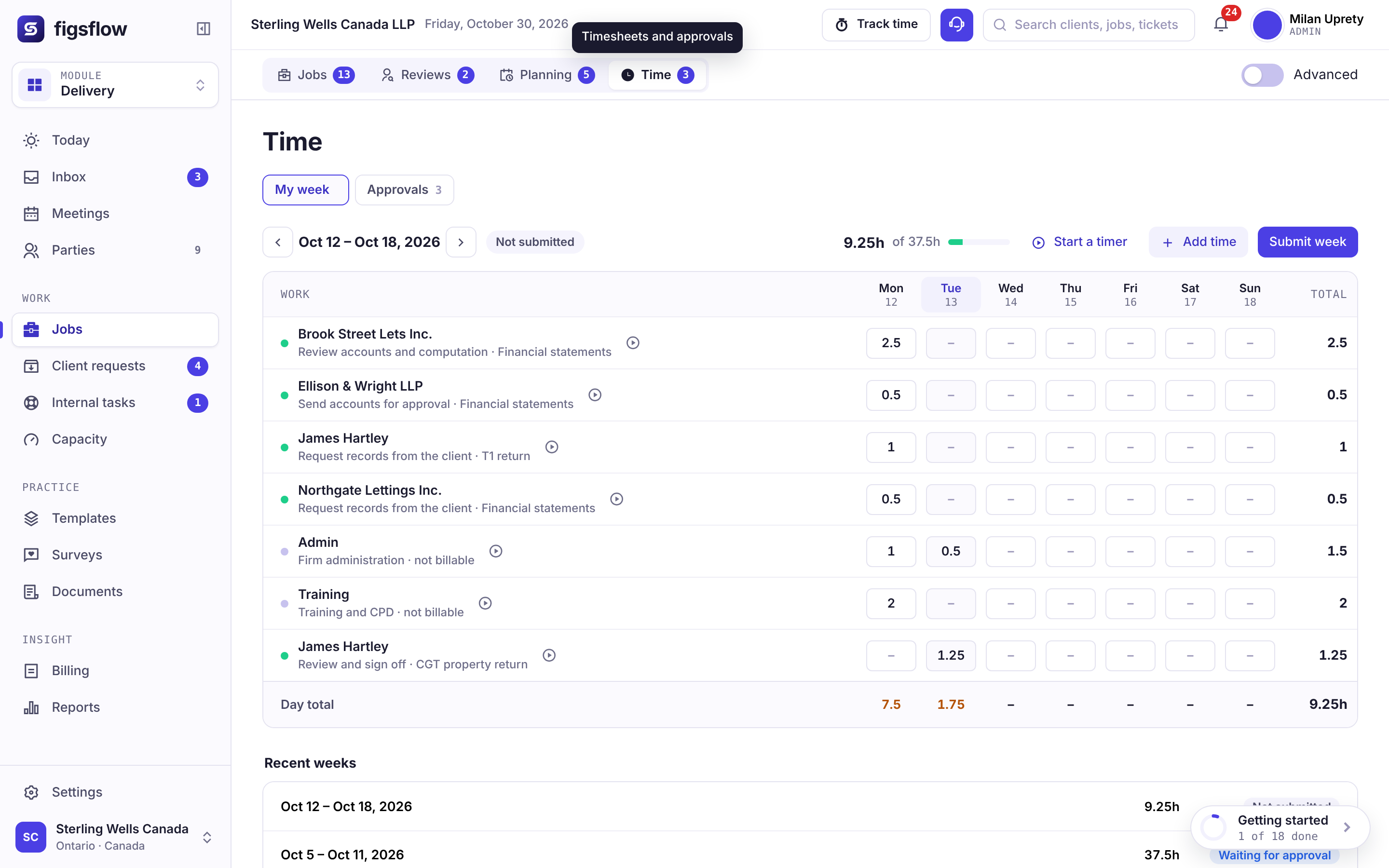
Watch a T2 engagement move through FigsFlow
A short screen recording of the jobs dashboard with a sample Canadian client list. Play it whenever suits you.
Tour the whole platformA green checkmark doesn’t prove the review engagement was actually completed
Someone checked off the step. That shows a checkbox changed, not that receivables were agreed to the aged listing, the CSRE 2400 procedures were documented, or last year’s comparative figures were checked. So you walk over and ask. The answer is yes, honestly given, and neither of you can confirm it without opening the working papers.

Job, task, sub-task. Nothing deeper.
Each level has one accountable person. Stage is a property of the job, not another layer with its own owner.
Job
A single engagement you deliver, such as a client’s year-end compilation and T2 return.
Engagement managerTask
A piece of work one person is responsible for finishing.
Staff accountantSub-task
A specific check within a task, such as receivables to the aged listing or cash to the bank reconciliation.
Assignee- Engagement letter signed
- Job created from the service template
- Tasks generated
- Sub-tasks generated
- Review
- Filed
Plenty of practice software stacks four or five levels, each with its own owner. That’s how a stage sits at 80% for weeks while nobody owns the last 20%.
When is a task “done” in FigsFlow?
Only when every sub-task beneath it is finished, and a stage only when every task in it is. The rule lives in the software rather than in your quality management manual, and no one can override it — a sign-off rule with exceptions isn’t really a rule.
Override not available
What’s holding this task up?
A task can be blocked by another, block one, or simply be linked to it. While blocked, it stays in view and people can keep working on it, but nobody can mark it complete. Once the blocking task is done, whoever was waiting hears about it automatically.
What did the reviewer actually find?
Sign-off starts with one question for the reviewer: was the file free of errors? If it wasn’t, each error gets a type — clerical, computational, omission, incorrect treatment, source data, compliance or blunder — along with the area affected and how it was fixed. Sign-off stays locked until that’s done.
Logging a blunder sends an immediate alert to the staff member’s supervisor, and it can’t be switched off.
7 error types · clerical · computational · omission · incorrect treatment · source data · compliance · blunder
Where did the hours go?
Each task has budgeted hours and a timer. Once actual time runs more than 20% over budget (the default threshold), the task turns amber for the engagement manager while there’s still room to act, not when the invoice is being drafted. Those actuals stay on the job, so next season’s budget can start from real numbers.
Want to see it on one of your own engagements?
Book a demoChecking a box, or enforcing a sign-off
Any practice tool can record that work was done. What sets them apart is what happens when someone closes a step that isn’t finished.
| When this happens… | Portal-first practice suitesClient portal, CRM and pipelines in one | Workflow-first appsRecurring jobs, checklists and boards | FigsFlowSign-off enforced |
|---|---|---|---|
| Someone closes a step with work still open in it | !Stages move by automation or by hand; open checklist items rarely stop them. | !Checklists sit inside the job; whether they block completion depends on settings. | ✓Blocked, with no override. |
| A staff accountant signs off their own file | !Approval steps exist; who can approve is usually a permission, not a rule. | !Review is a task like any other; whoever is assigned can check it off. | ✓Blocked wherever the template calls for review. |
| The reviewer finds errors | !Notes and comments, not a typed error record. | !Review notes and comments, not a typed error record. | ✓Every error given one of seven types, with the area and the fix. |
| A significant error turns up | ✕Escalation depends on someone choosing to send it. | ✕Escalation depends on someone choosing to send it. | ✓The supervisor is alerted right away, and it can’t be turned off. |
| One task depends on another | !Automations can wait on a stage; task-level blocking varies. | !Dependencies in some products; closing isn’t always blocked. | ✓Can be worked on but not closed, and the person waiting is told when it’s free. |
| Hours run over budget | !Budget against actual in reports, if time is tracked there. | !Budget reports exist; alerts vary by product and plan. | ✓Turns amber at 20% over by default, mid-engagement. |
| Next season’s budget is set | !Rolled forward with the recurring job, then adjusted by hand. | !Rolled forward with the recurring job, then adjusted by hand. | ✓Set against this year’s actual hours, job by job. |
| A practice inspector asks how files were supervised | !An activity log of who moved what, and when. | !Completed checklists with names and dates. | ✓A typed record of every review finding. |
Columns describe two common kinds of practice software, not any one product. Features vary by product and plan.
Most practice software records that a step was done. An enforced sign-off won’t let the file move on until it’s done — and a practice inspection is where you find out which one you had.
How it works for your firm size
Choose the size closest to yours.
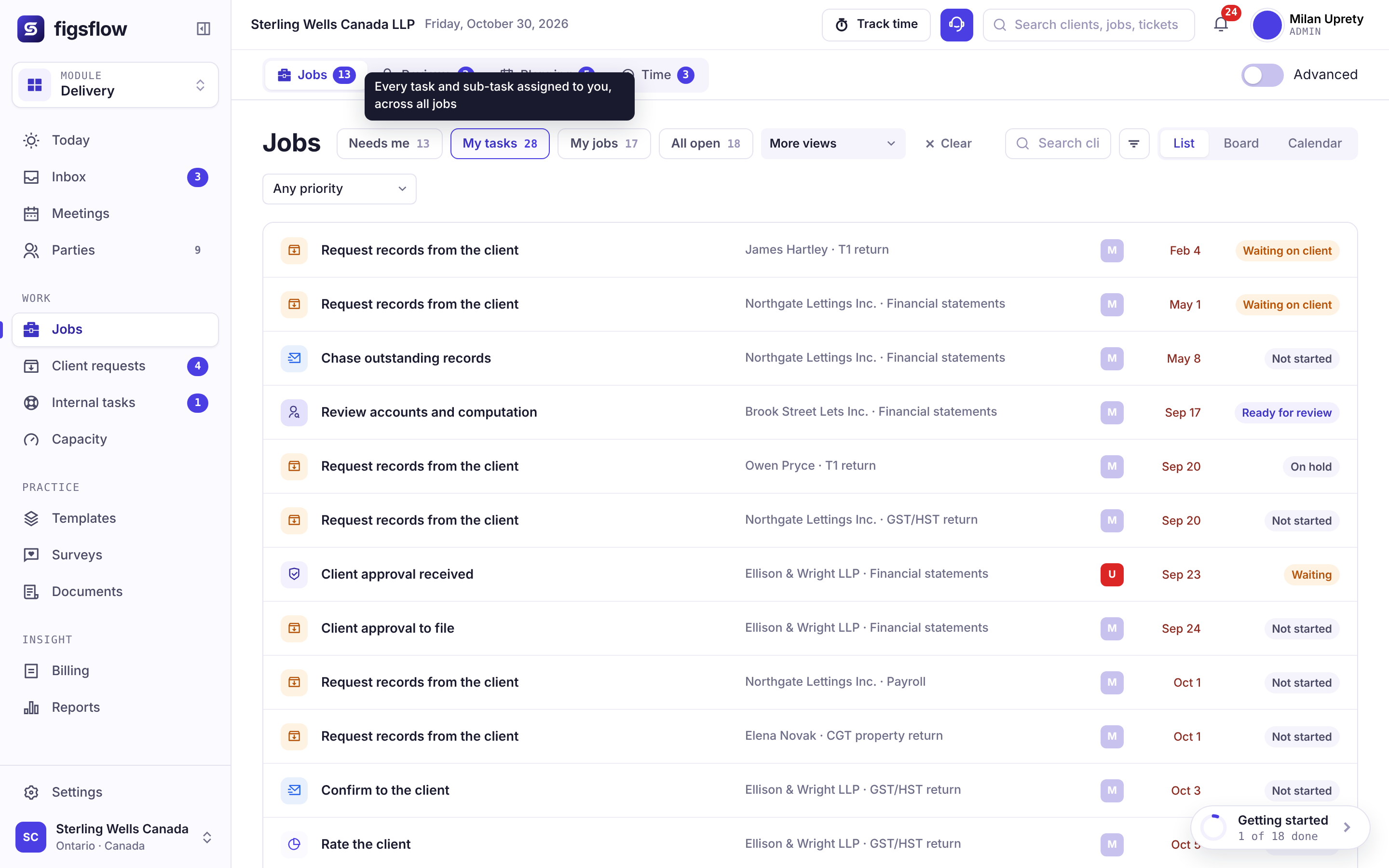
What you’ll see0:00 / 1:52
- 0:00 You prepare the file and you review it
- 0:28 The engagement is set up from your template
- 0:56 You try to close a task with a check outstanding FigsFlow won’t let it close, even for you
- 1:24 EFILE done, with a record of each check
Preview clock — no video source set
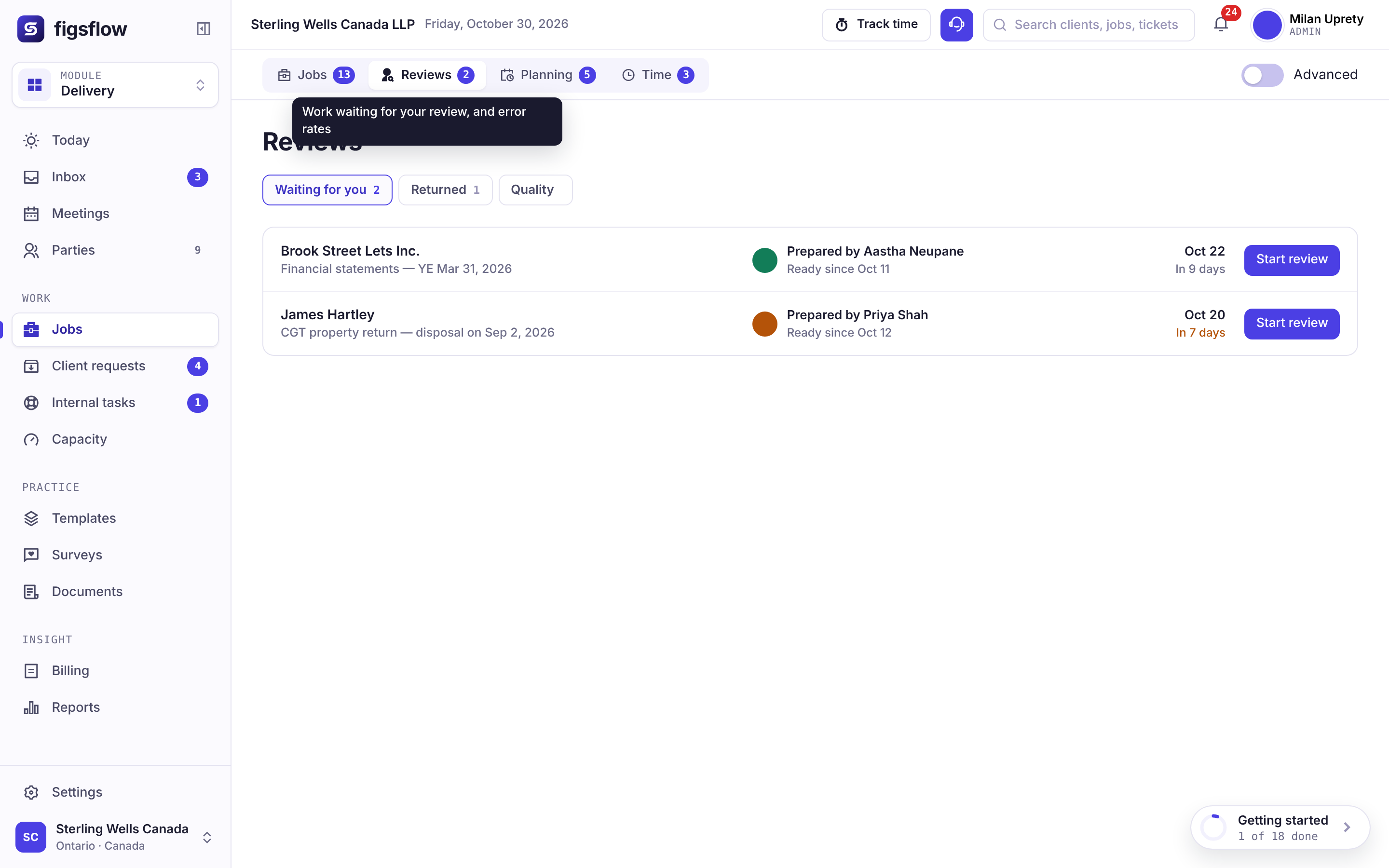
What you’ll see0:00 / 2:06
- 0:00 A staff accountant finishes and marks the task done
- 0:32 FigsFlow checks every sub-task first
- 1:04 Signing off your own file is blocked; the reviewer is alerted The handoff is documented
- 1:38 Signed off, with preparer and reviewer recorded
Preview clock — no video source set
What you’ll see0:00 / 2:14
- 0:00 A CPA student prepares from the template
- 0:34 The manager reviews and records findings
- 1:08 Each error given one of seven types What was found, not just that someone looked
- 1:46 Repeated errors point to coaching needs
Preview clock — no video source set
What you’ll see0:00 / 2:31
- 0:00 One template standard across every office
- 0:38 No office can override the rules locally
- 1:16 A blunder alerts the supervisor at once It can’t be switched off or hidden
- 1:58 Findings summarized by office and area
Preview clock — no video source set
Connects to the tools your firm uses
Client files stay in your SharePoint, and hours move to invoicing without retyping. Keep using your tax and accounting software, such as TaxCycle, ProFile or CaseWare, for the preparation itself.
- Microsoft 365
- Outlook
- SharePoint
- Xero
- QuickBooks Online
- Stripe
- Gmail
From firms that use it daily
Developed alongside accountants in active practice: people who’ve had their own files come back from review with points to clear.
This is a solid platform for a tax advisory practice
“I found the ad hoc LOE templates especially helpful, since most software only covers standard engagements. … Once it’s set up, it pretty much runs on its own.”
A great experience with FigsFlow
“Creating professional proposals and engagement contracts takes only a few minutes, which has saved me a lot of time.”
Saves so much time
“…being able to duplicate a proposal and carry the wording across to a new client saves so much time.”
Reviews and figures as shown on Trustindex on October 30, 2026. Read every review on Trustindex
 Placeholder 0:48
 Placeholder 1:02
 Placeholder 0:55
 Placeholder 1:14
Pricing for this module
Jobs, tasks and deadlines sit in Practice Management. Prices are in Canadian dollars and exclude GST/HST; monthly billing and every module are on the Canadian pricing page.
Practice Management
Beta in Canada. No minimum. One tier, nothing gated.
First 10 people, then C$79 from the 11th · billed annually (C$72 and C$95 on monthly billing) · plus GST/HST
Book a demo- Unlimited jobs, tasks and templates
- Timesheets, capacity and job profitability
- Client portal, documents in your own SharePoint
- Email and deadline automation
- 20 AI actions a person a month
- No implementation fee
AI Assist
For Practice Management and the Suite, on the seats you choose.
Billed annually (C$19 on monthly billing)
Book a demo- Email triage and thread summaries
- Drafting you approve before anything sends
- Client and job summaries drawn from your own record
- Removes the 20-action monthly cap for that person
Add it only to the people who need it.
Everything a job connects to
A job does not sit on its own. These four touch it directly; the rest of the platform sits around them on the same shared record.
Workflow templates
Where the task set comes from — the service template that generates every task and sub-task.
See the workflow templates moduleTeam and capacity
Who has room for it, before the job is assigned rather than after.
See the team and capacity moduleCanadian tax calendar
The date it has to clear, tracked against the job rather than a wall calendar.
See the Canadian tax calendarAudit trail
What the review recorded, kept as evidence rather than a timestamp.
See the audit trail module