
Engagement letters from wording your partners approved once
FigsFlow is engagement letter software for accountants in the UK. Pick the services, the letter assembles from your approved clauses, the fee comes from your pricing, the client e-signs — and the work starts.
 G2 reviews
 Google reviews
 Verified reviews
Trusted by the best





The tour
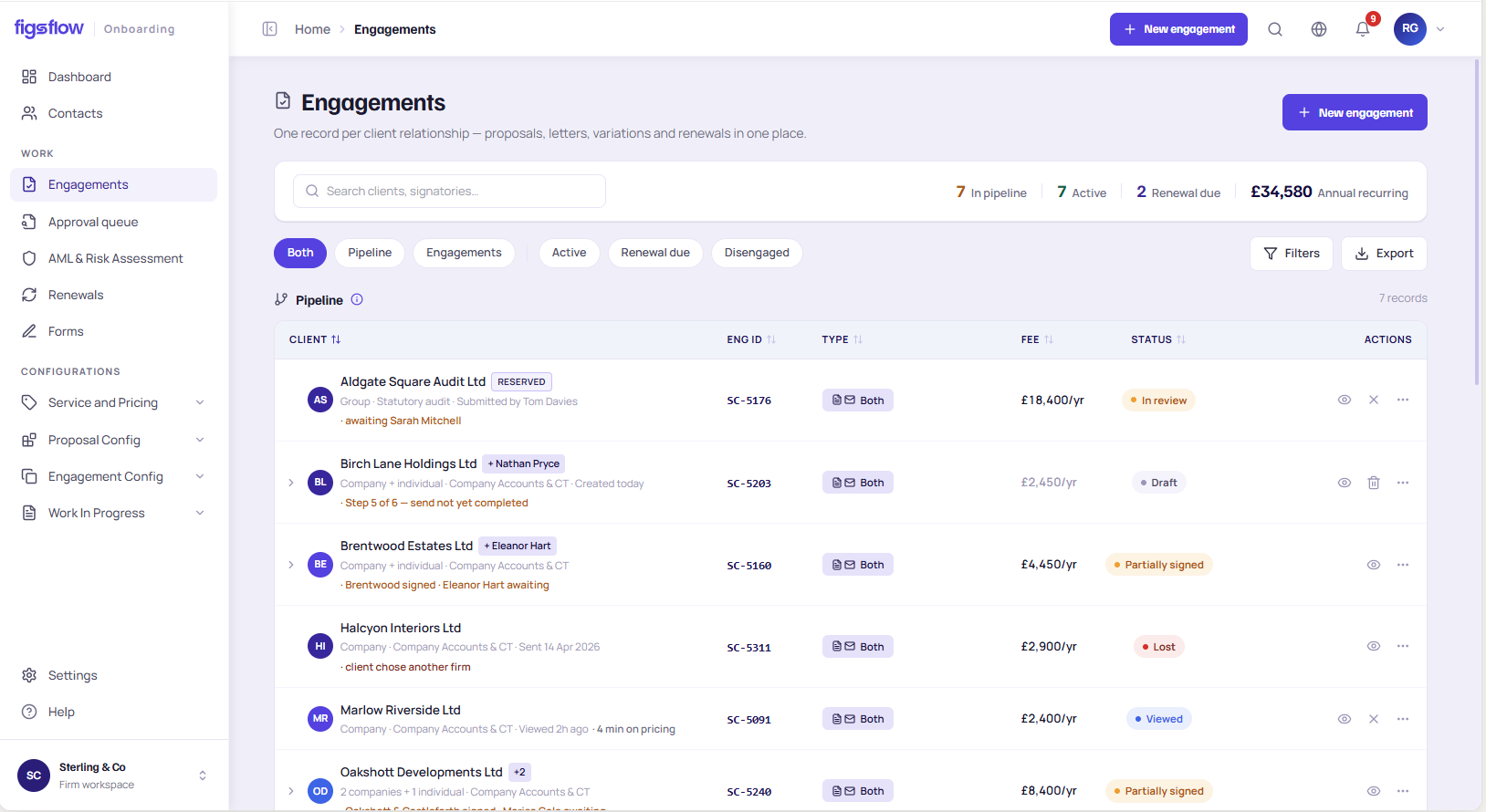
Draft your engagement letter from here
Pick a client, add services, send for signature — the real flow of FigsFlow's accounting engagement letter software, with nothing to install.
1Pick the client
2Legal form — picks the template
3Add the services
UK Property Accountants
Engagement letter · EL-2026-0148 · v1
To Property SPV — Limited company
Services engaged
- Annual accounts
- Corporation tax return (CT600)
Clauses in this letter
Fee schedule
| Annual accounts | £1,450 |
| Corporation tax return (CT600) | £650 |
| Annual fee, excluding VAT | £2,100 |
|---|
What the signature just did
You've written this letter before.
So has everyone else — differently.
A client copies last year's closest letter, retypes the fee from memory, and it's still unsigned eleven days later — while the work has already started.
A letter can't protect the firm when no two are the same. That is the problem engagement letter software for accountants exists to fix.

"Nobody can say which version the client signed."
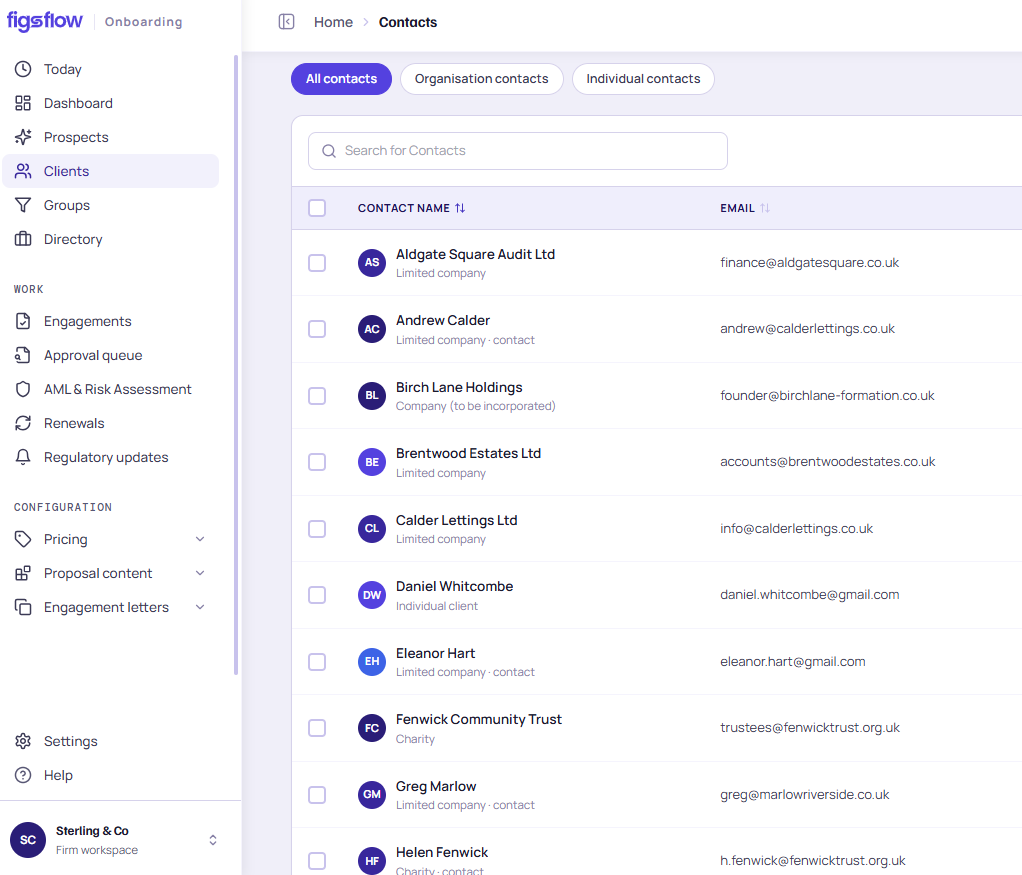
One client record
What feeds the letter — and what it feeds
Upstream, the letter takes services and price from your proposal and pricing. Downstream, its signature creates the jobs, starts the deadline clock and opens onboarding — same client record, nothing re-keyed.
- Proposal accepted
- Price from your rate card
- Letter assembled
- Client e-signs
- Jobs created
- Onboarding opens
01 · Upstream
Proposal and pricing
The services the client accepted, and what they agreed to pay.
03 · Downstream
Jobs, deadlines, onboarding
Created by the signature, not by someone remembering to.
Send proposal and letter as one pack, signed once, or the letter alone. One proposal across several entities becomes one letter per entity, each on the right template.
Practice dashboard02 · You are here
Engagement letter
The binding version of that agreement, assembled from your approved clauses.
What it does
The four questions a compliance partner asks first
Four capabilities separate engagement letter software for accountants from a document tool with a signature button. Each one is a real question from a real practice.
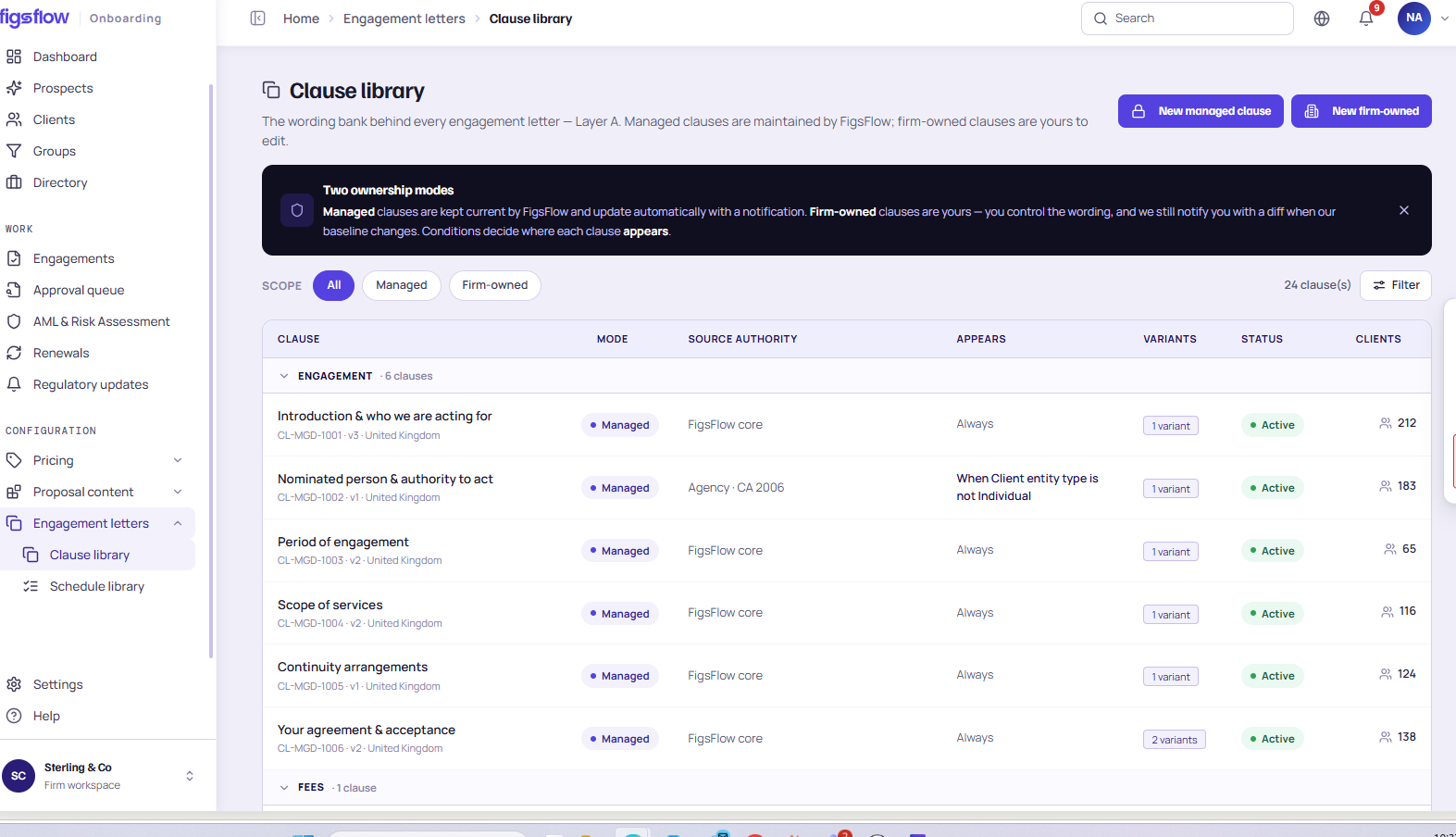
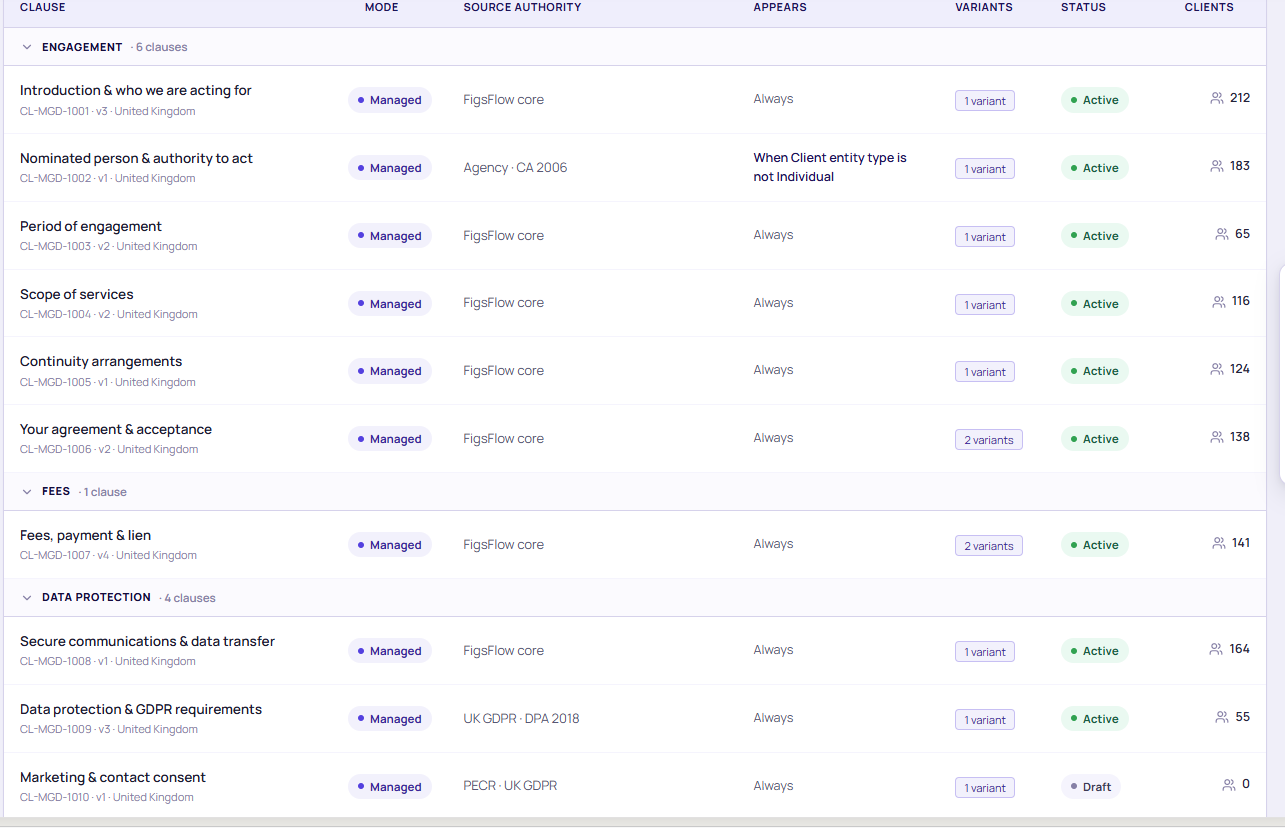
“Whose wording goes in the letter?”
Your approved clause library
Every clause approved once at firm level. Adopt the pre-drafted set, rewrite anything, or paste in your professional body's wording. Every letter inherits it — and an edit on one client's letter never touches the master.
“Does a limited company get the same letter as a sole trader?”
Entity-specific templates
No. The letter picks the template for the client's legal form — sole trader, partnership, company, LLP, charity — and swaps in only the clauses that apply. Everything else stays as your partners approved it.
“Where does the fee in the letter come from?”
From your pricing. Frozen on acceptance.
From your rate card and the services on the engagement — not from memory. Override on any letter and the override is recorded. On acceptance the figure freezes, so it's the same figure in month nine.
Nothing was edited. Each change is its own signed version, and the old ones stay readable.
“What happens when the scope changes in July?”
Signed variations. Never edits.
The original is never edited. A scope change issues a new version, signed as a variation; the superseded letter stays on record. Annual letters renew on a cycle. Six years on, you can still read what governed May.
“Can a client negotiate a clause?”
Reviewed. Every time.
A redline doesn't go straight back out. The request sits in draft and supervisor review, gated by role, exactly like the original letter. The edit is recorded against that one letter only — your approved template is untouched — and the version the client eventually accepts is the one that's pinned.
The accepted version is pinned — the redline never touches your approved set
Seen enough? Bring a client you're scoping this week.
Book a demoThe honest comparison
A template folder, a document builder, or engagement letter software for accountants?
Most firms are still on the first. Here's what changes.
| When… | Word templates on a shared driveWhoever last saved the file | A generic document or e-sign toolBuilt for documents, not practices | FigsFlowA letter assembled from your data |
|---|---|---|---|
| Who controls the wording | ✕Whoever last saved the file. | !Whoever built the template. | ✓Your firm, clause by clause, approved once. |
| Where the fee comes from | ✕Typed in, from memory. | !Typed in, from the proposal. | ✓Calculated from your pricing, frozen on acceptance. |
| What happens on signature | ✕Someone notices, eventually. | !You get a notification. | ✓Jobs are created, reminders stop, onboarding opens. |
| What the client signed, six years on | ✕The closest surviving copy. | ✕A PDF in someone's downloads. | ✓The pinned version, on the client record, with its audit certificate. |
Not a nicer editor. A letter assembled from your data — whose signature does something.
At your size
How accounting engagement letter software lands in a firm like yours
Pick the shape of your practice.
One approved set, so the letter no longer depends on who typed it. Out the same day the client says yes.
Nominated approvers, permissions delegated by office, and every signed letter stored as a document in your own Microsoft tenant.
Your stack
It sits inside the tools you already open at nine
Letters live as documents in your SharePoint and go out from Outlook, under your firm's name. The client is the record your bookkeeping platform already knows. Nothing leaves your tenant — the first thing engagement letter software for accountants has to get right.
- Microsoft 365
- Outlook
- SharePoint
- Xero
- QuickBooks Online
- [CONFIRM] payments provider
Where it comes from
Built inside a working accountancy practice
FigsFlow wasn't built in a software company and sold to accountants. It was built inside UK Property Accountants, a chartered certified practice in central London, because the firm's own letters had stopped matching each other. The practice issues its letters through it today. [CONFIRM wording and approval to name the firm]
What letters cost
Accounting engagement letter software is usually sold as a bolt-on. In FigsFlow it is part of the platform, included from the Solo plan up. Prices exclude VAT; monthly billing and every module are on the UK pricing page.
Solo
One person, sending their own engagements.
Billed annually (£29 monthly)
Start free- Proposals, pricing engine and letters
- Compliant clause library
- Unlimited e-signatures
- AML pay as you go · programme free for 90 days
- Fair use: 150 engagements a year
Only need engagement letters? Letters is free — one person, 20 letters a year, documents and e-signature. No card.
Team
Up to 3 people · extra people at £15
Billed annually (£95 monthly; extra people £19)
Start free- Approvals and firm countersigning
- Compliance Programme included
- Fair use: 450 engagements a year
Add Advanced Pricing for £29 a month.
Practice
Up to 15 people · extra people at £9
Billed annually (£209 monthly; extra people £11)
Start free- Advanced Pricing: formula pricing builder, website pricing embed and client value calculator
- Unlimited engagements
- Additional workspaces available
25 people or more? Talk to us about Enterprise.
Signature covers letters, proposals, consents and firm documents, with as many signatories as needed. It is not HMRC agent authorisation — form 64-8 is still obtained separately.
Either side of the letter
The letter is one step. Here are the ones around it
Proposals, pricing, onboarding and the audit trail all read from the same client record as this letter.
Proposals
Send the proposal and the letter together, signed once, or the letter on its own.
Proposal software for accountantsPricing and quoting
The rate card the letter's fee is calculated from.
See the pricing moduleOnboarding suite
Client due diligence on the same record, as a gate before or after signing.
Onboarding and client due diligenceAudit trail
Who changed what, and when, across every version of every letter.
See the audit trailResources
See it in practice
Writing, short films and case studies on getting the letter right before the work starts.
The real cost of a bad engagement letter
What a drifting letter actually costs a firm — and the template that fixes it.
Read the articleScope creep starts in the engagement letter
Three phrases in your template that quietly hand the client more than you priced.
Read the articleAre e-signatures on engagement letters valid in the UK?
Which signature tier an engagement letter actually needs, and what the law says.
Read the articleForty-one versions of one letter
How one practice got back to a single approved set. [CONFIRM]
Read the case studyThe fee that stopped drifting
What changed when the letter's fee came from the rate card. [CONFIRM]
Read the case studyAnnual letters for three hundred clients
Renewing a full client base from one approved set. [CONFIRM]
Read the case studyQuestions