
Client document collection software for Canadian accountants
FigsFlow is client document collection software for Canadian accounting and bookkeeping firms. Ask for the records once, from the job that needs them. The client sees exactly what is outstanding, uploads without creating an account, and the request chases itself until everything is in.
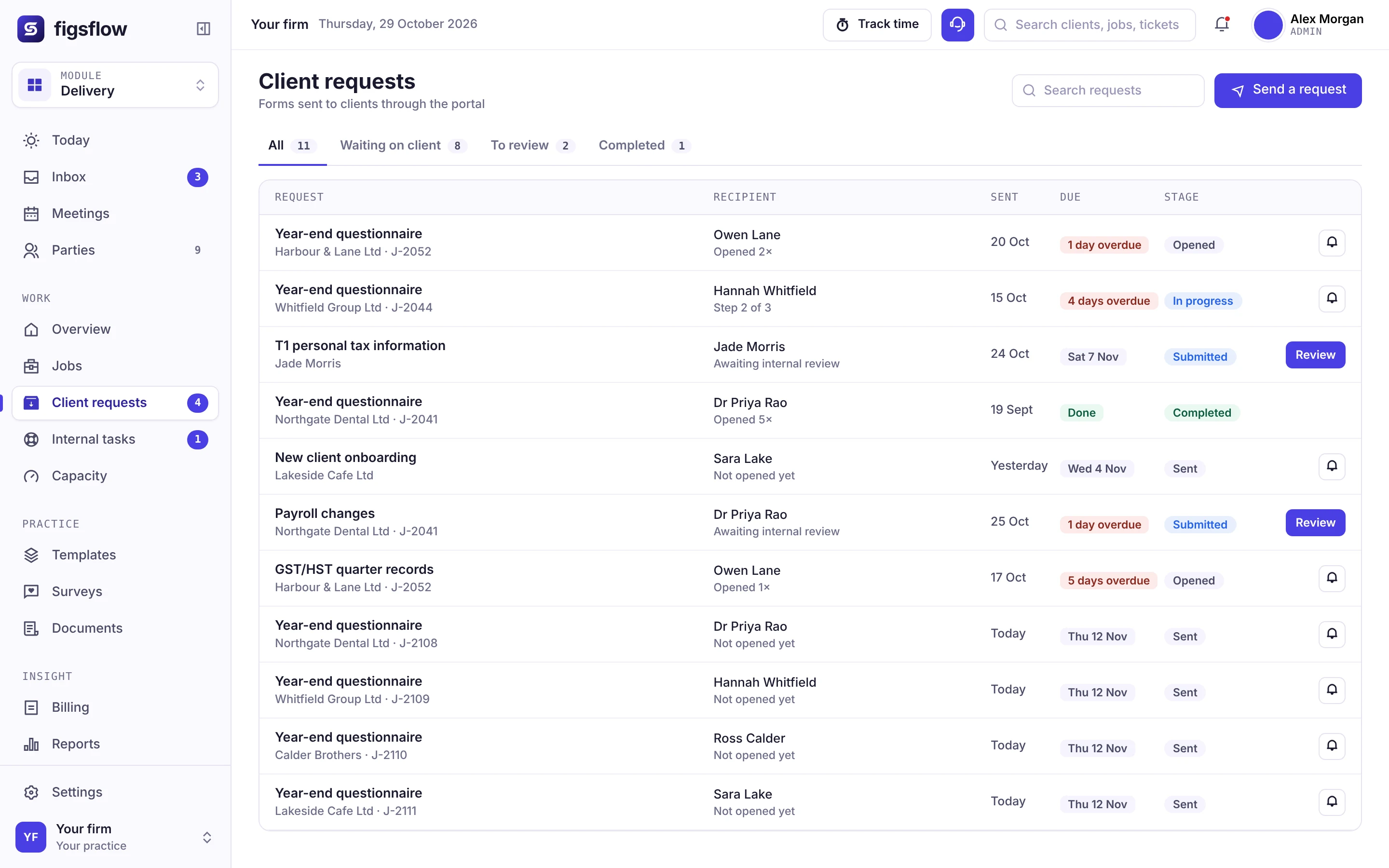
Happy on FigsFlow






The tour
From your form to their upload, in four short chapters
Click through a request from both sides: how the firm builds it, and what the client sees when it arrives.
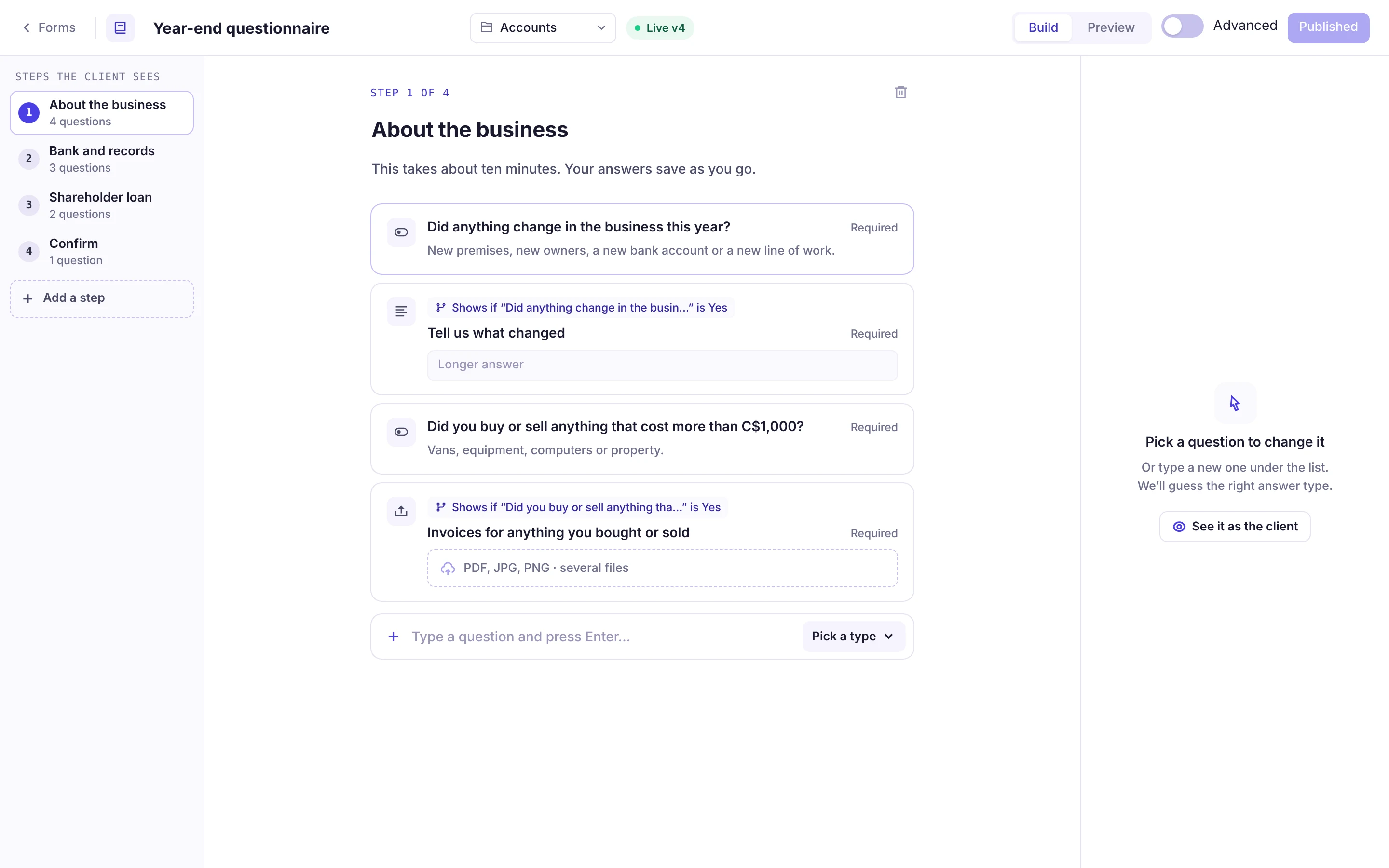
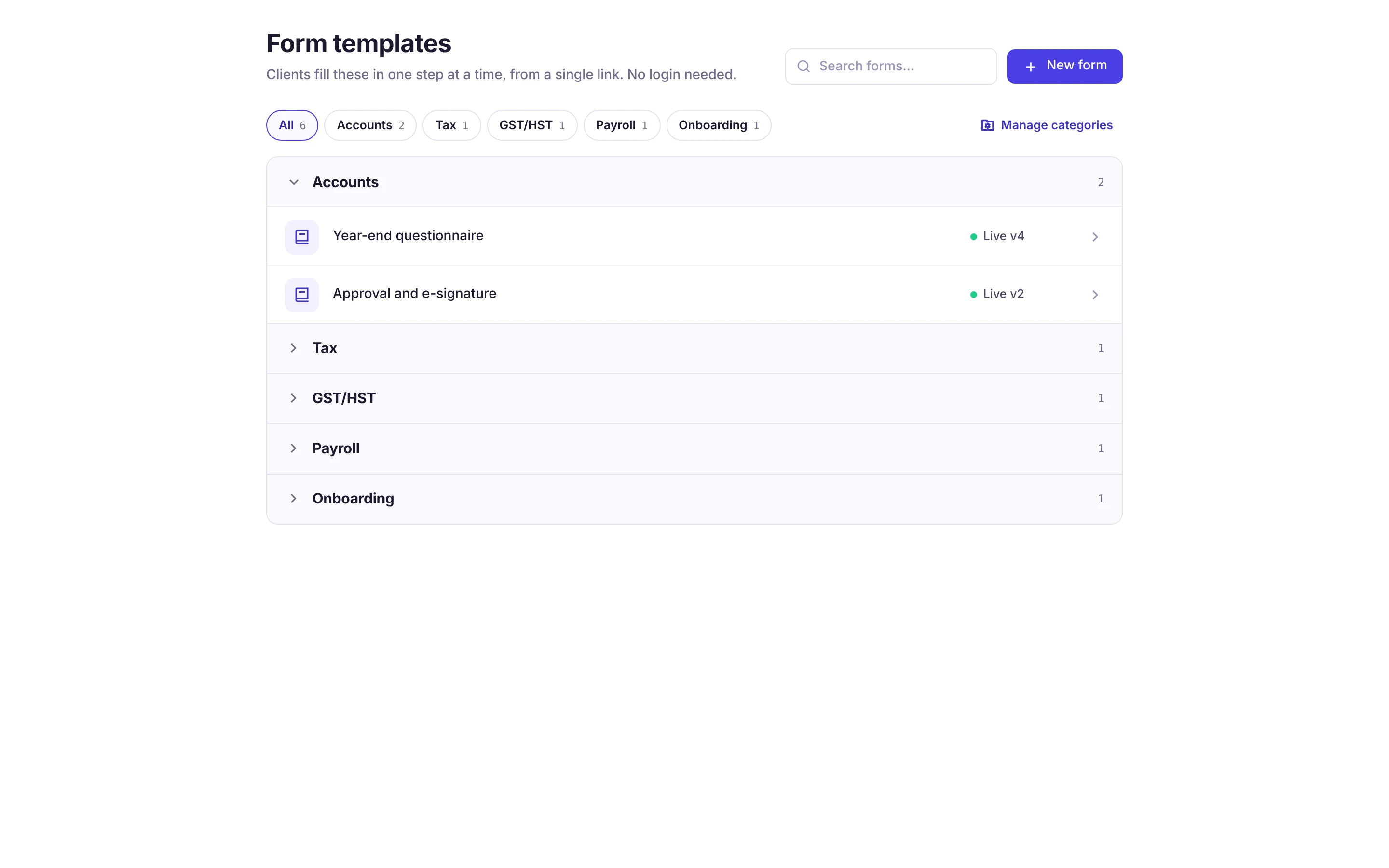
Build it once, step by step
Group questions into the steps the client sees, and only ask what applies to them.
- Steps the client works through one at a time
- Follow-up questions that appear only when an answer is Yes
- Upload questions for PDF, JPG and PNG files
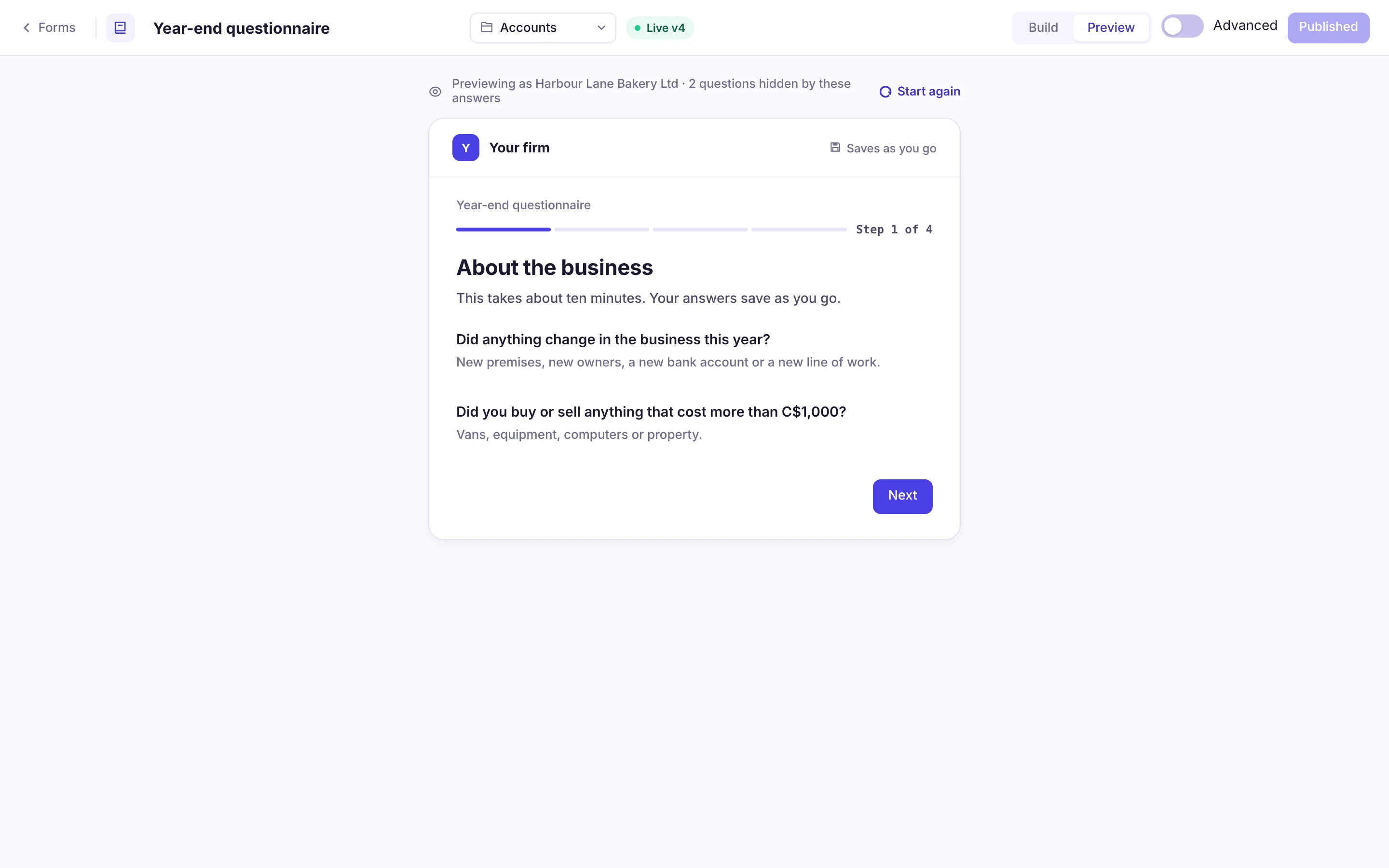
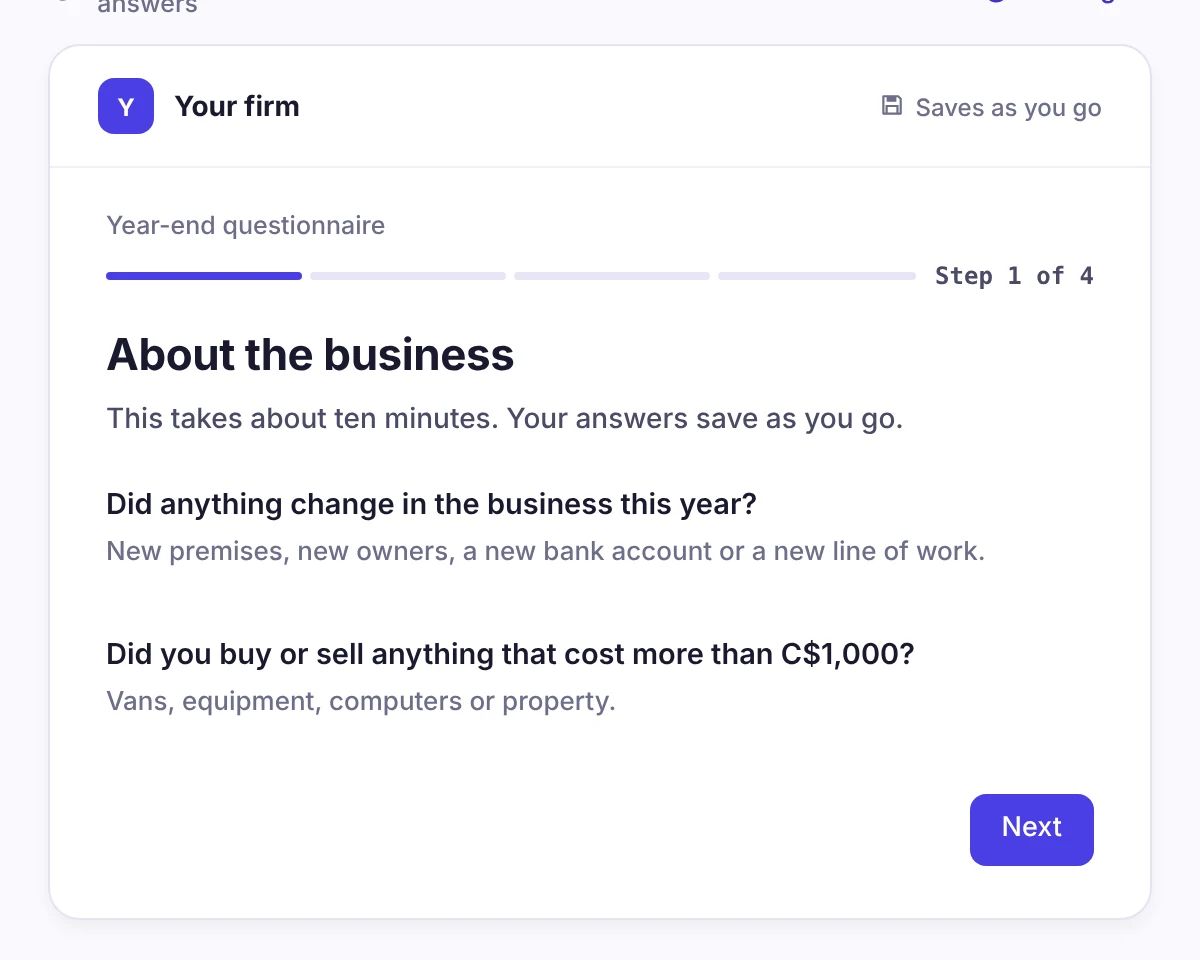
See it exactly as the client will
Preview the form before it goes out, laid out the way it opens on the client’s side.
- Step-by-step progress at the top
- Answers save as the client goes
- Amounts shown in Canadian dollars
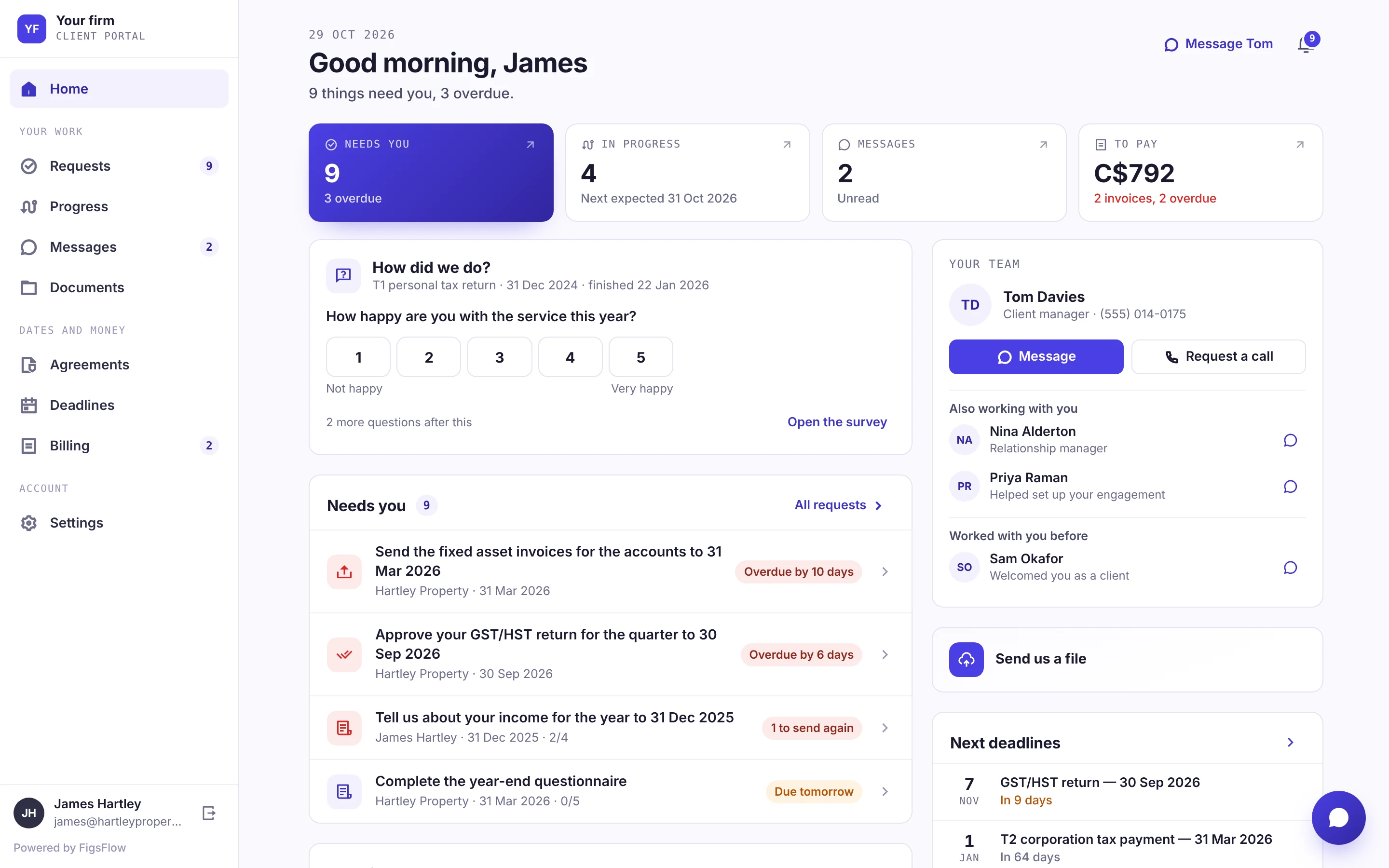
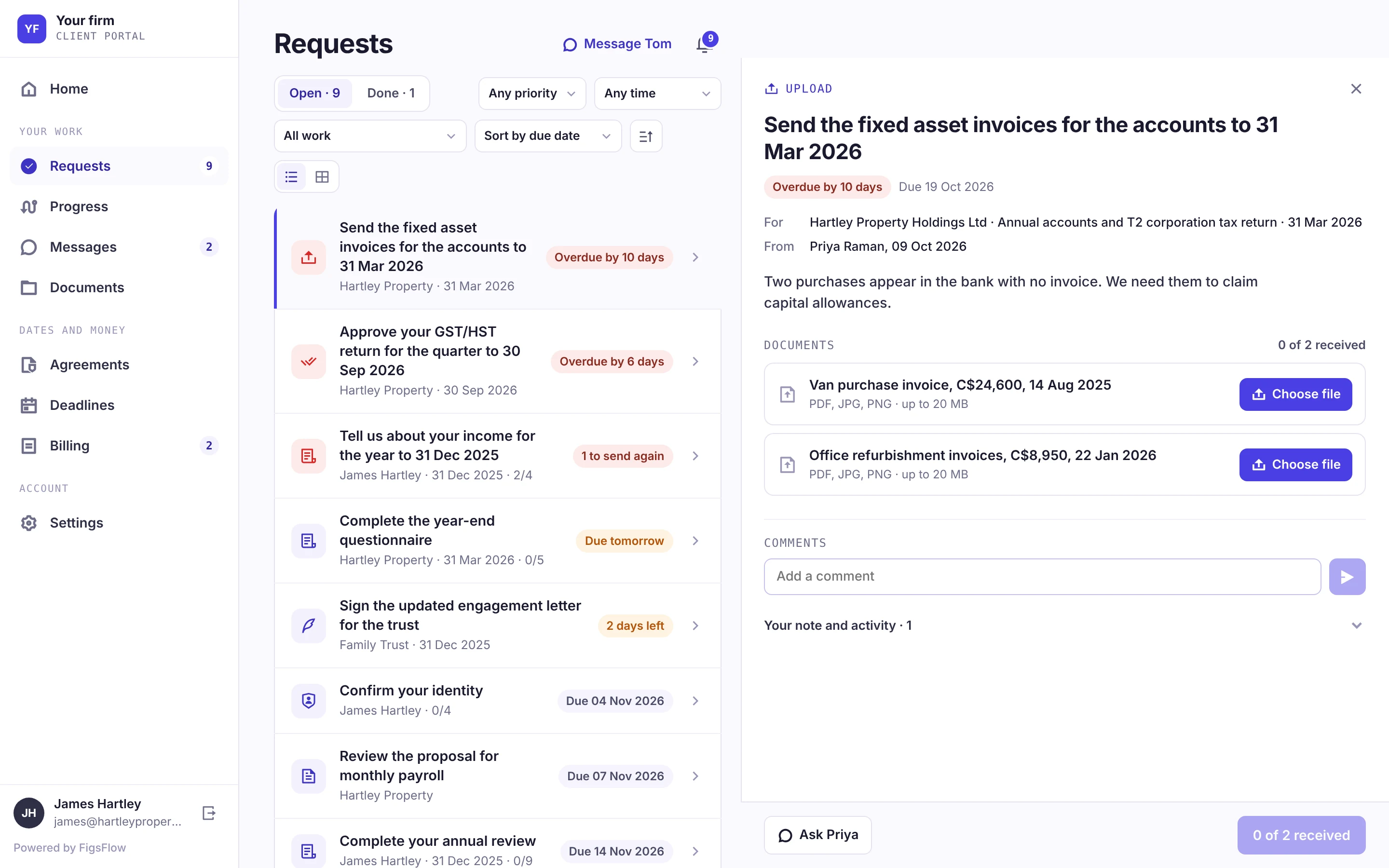
What needs them sits at the top
In the client portal, requests waiting on the client lead their home screen, with overdue ones flagged.
- Overdue and due-soon requests marked
- Each request shows the account and date it belongs to
- Their client manager is one click away
One slot for every document
Each request lists exactly which files it needs and counts what has arrived.
- A named slot for each document, with the file types it takes
- A running count, such as 0 of 2 received
- Comments stay on the request
The problem
You have asked twice. It is not rude to ask a third time.
The bank statements are still not here. You asked in an email that is now forty messages down, and you cannot remember whether the second chase went out or you only thought about sending it.
One client has replied with three of the seven things and no note about the rest. The T2 filing deadline has not moved.
Two attachments arrived somewhere in the thread. Nobody can say which four are still missing without reading all of it again.
Where it sits
Everywhere you have to ask a client for something
Requests are not an onboarding feature. They run the whole year: monthly bookkeeping records, the GST/HST quarter, slips for T1 season, the year-end pack and the ID documents that must clear before work starts.
New client onboarding
- Photo ID
- Proof of address
- Prior-year returns
- CRA authorization
Monthly records
- Bank statements
- Sales invoices
- Purchase invoices
- Receipts
GST/HST quarter
- Sales summary
- Purchase summary
- Vehicle and mileage
- Adjustments note
T1 season
- T4 and T5 slips
- RRSP receipts
- Childcare receipts
- Medical expenses
Year-end pack
- Inventory count
- Capital additions
- Loan statements
- Shareholder loans
What it collects
Capability · 01
Do clients need an account?
No. One link, no password, no app. They see a checklist of what you need, tick items off as they upload, and come back to it later on whatever device is nearest.
- One link, opened on whatever device is nearest.
- No password to set and no password to reset.
- Half-finished today is still half-finished tomorrow, not lost.

Capability · 02
Can we send the same request to two hundred clients?
Yes. One template, two hundred requests, each carrying that client's own list and deadline. They come back onto one board instead of two hundred email threads.
Capability · 03
Does it chase for us?
On a schedule you set, in your firm's name, and it stops the moment the last item arrives. No client is ever chased for something they have already sent — the part that actually costs you goodwill.
- Reminders go out on day 3, day 7 and day 10.
- Sent in the name of your firm, from your own domain.
- The second reminder covers outstanding items only.
- The schedule ends when the last item arrives.
- Request sent — 7 items2026-10-12 · 7 outstanding
- Reminder 1 sent automatically2026-10-15 · 7 outstanding
- Client uploaded 2 items2026-10-15 · 5 outstanding
- Reminder 2 — outstanding items only2026-10-19 · 5 outstanding
- Escalated to the client manager2026-10-22 · 4 outstanding
Blocking a job right now
Capability · 04
How do we know what is still missing?
One board across the whole book: requested, part returned, complete. You can see which clients are holding up which jobs before the deadline is close enough to matter.
- Every request in flight, with its status, on one board.
- Blocked jobs sorted by deadline, not by who shouts loudest.
- Returned files land in your own SharePoint, against the client and the job.
The difference
A shared folder, or a request that knows what is missing
A folder accepts whatever arrives and tells you nothing. A request knows what it asked for, what came back and what is still outstanding.
| Area | Shared folder or file link | FigsFlow request |
|---|---|---|
| What it holds | ✕Whatever arrives | ✓Exactly what it asked for, item by item |
| Finding what is missing | ✕Open each file to work out what it is | ✓Every requested item has a visible state |
| File names | ✕scan (3).pdf, IMG_4471.HEIC, final_final.pdf | ✓One named slot per item, filed against the client and the job |
| Chasing | ✕Whoever remembers sends the next email | ✓Reminders on your schedule that stop when the item arrives |
| Starting the job | ✕Nothing tells you the job can start | ✓The job knows when it can start |
Storage tells you what arrived. A request tells you what is still missing — and whether the job can start.
Who it is for
Whose problem this actually is
One request, four sizes of practice. The mechanism does not change — what you do with the board does.

One person, no cover
The next reminders go out at 7 a.m. from your name and address. Nothing here needs you tonight.

Everyone touches every client
Three people chase the same client in the same week. One shared request per job ends the double-asking that makes a firm look disorganized.

Hundreds of jobs, one deadline
Jobs grouped by what they wait on — the client, your team or a third party — so April 30 stops being a surprise.

Work you must evidence
Every ask, reply and reminder in order, exportable as a PDF when a practice inspection asks who requested what, and when.
Your stack
Works with what you already run
What arrives lands in your own SharePoint, filed against the client and the job. Requests go out through your Microsoft 365 or your own sending domain, so the client sees your firm.
Related modules
Next in the platform
A request is one step in the job. These four sit either side of it, on the same client record.
More of the platform
Onboarding suite
Onboarding and ID verification that must clear before the rest of the work begins.
Explore onboardingClient portal
Where the client does it, and somewhere to come back to when they only finished half of it today.
Explore the client portalJobs and workflow
The job that cannot start until the last item arrives, and knows the moment it can.
Explore jobs and workflowDocuments in your SharePoint
Where returned files land: your own SharePoint, filed against the client and the job.
Explore documents