
A client meeting that arrives already prepared
FigsFlow is appointment scheduling for accountants inside the client record. The client books real availability from your Outlook calendar, the invitation carries a Teams link and an agenda built from what is actually open on their file, and what you agree becomes tasks on the job rather than a note in somebody's notebook.
Happy on FigsFlow






The tour
From the diary to the outcome, in four short chapters
Click through the firm side of a client meeting: the week, the booking, the meeting itself and a paid first consultation.
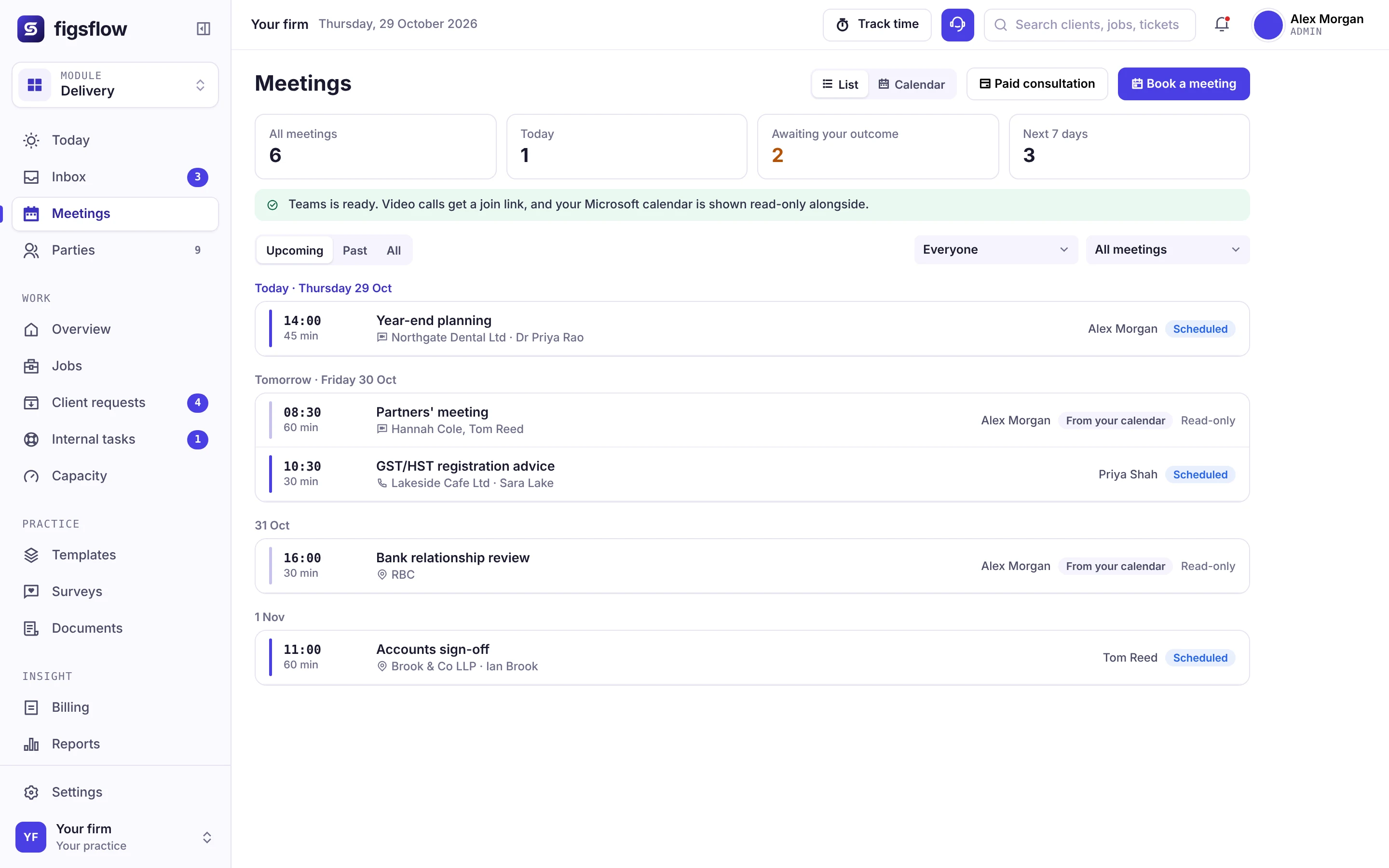
The whole week in one view
Meetings sit in a week or month calendar, marked by where each one stands.
- Scheduled, awaiting outcome, completed and cancelled
- Filter by person and by meeting type
- Your Microsoft calendar shown read-only alongside
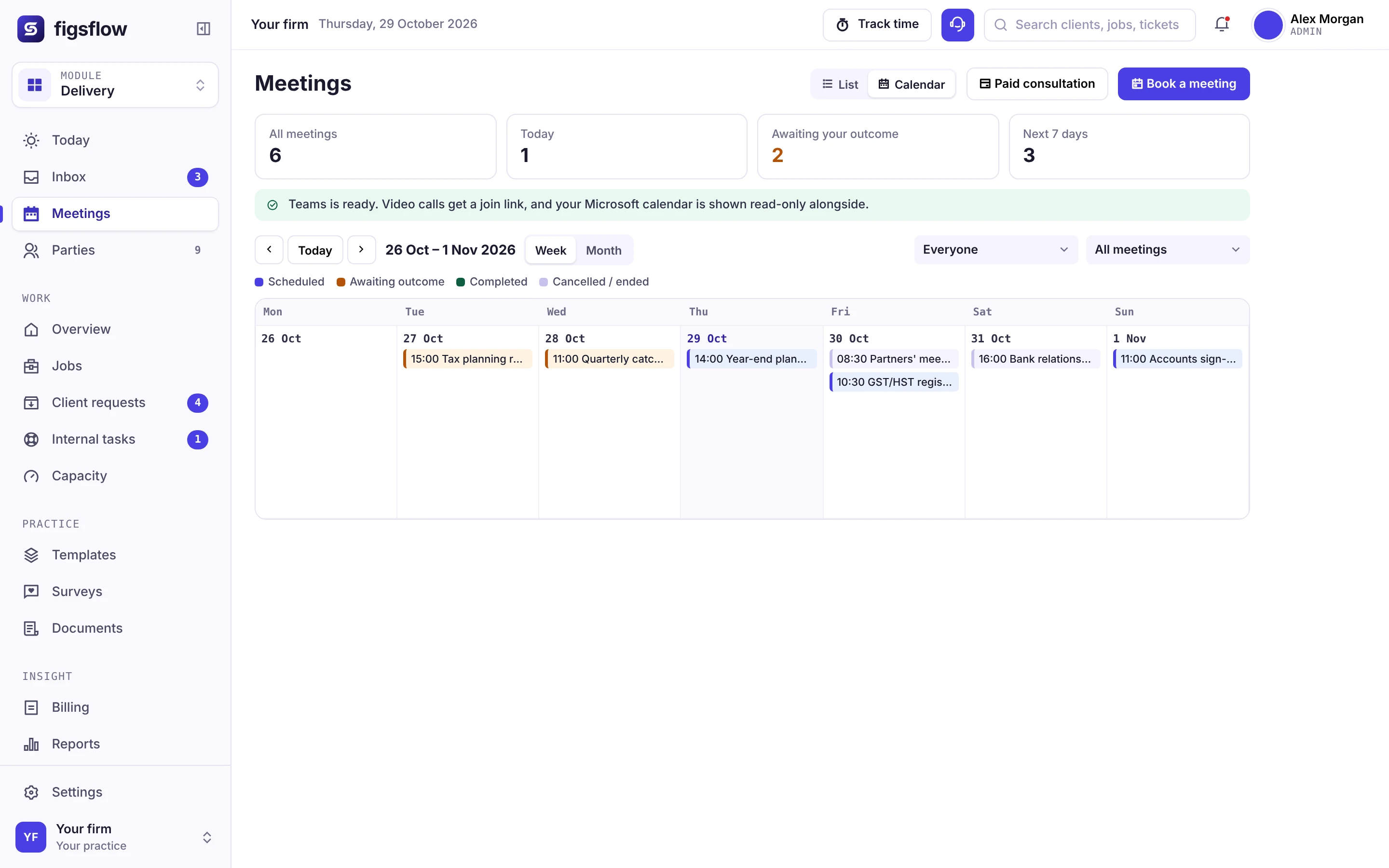
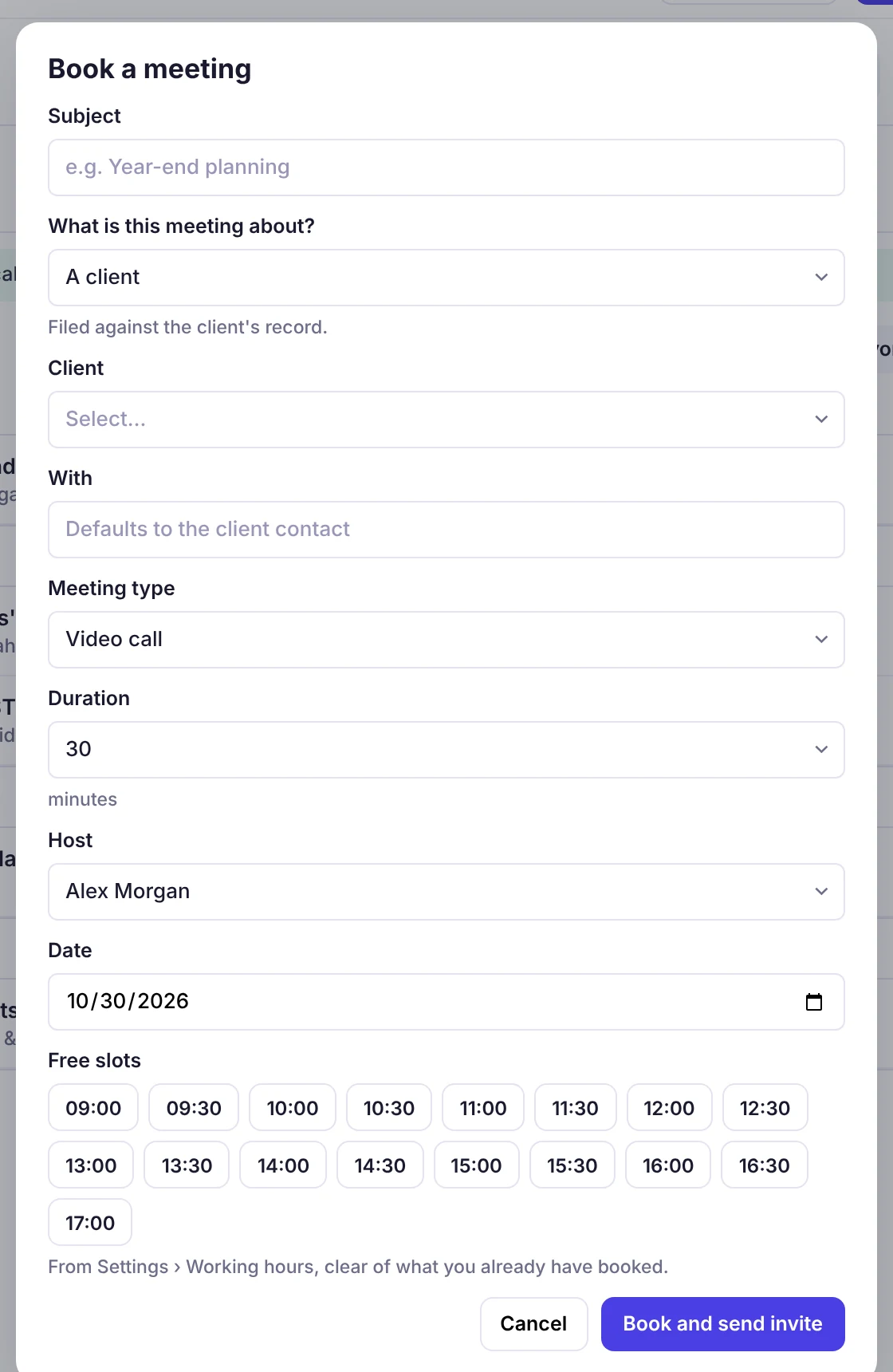
Book from free slots only
Pick the client, the meeting type and the host, and only free slots are offered.
- Client, meeting type, duration and host
- Slots from working hours, clear of what is already booked
- Book and send the invite in one step
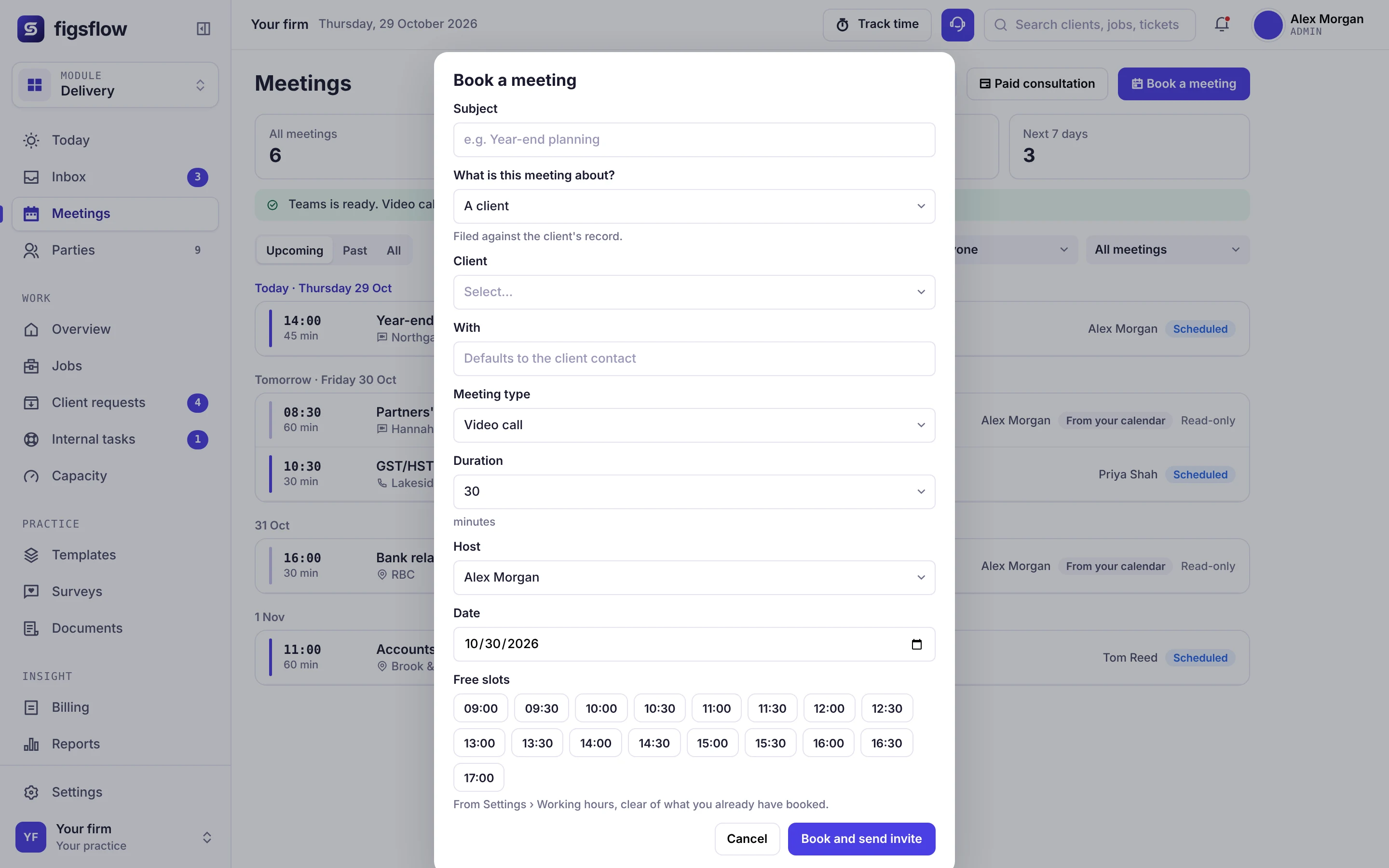
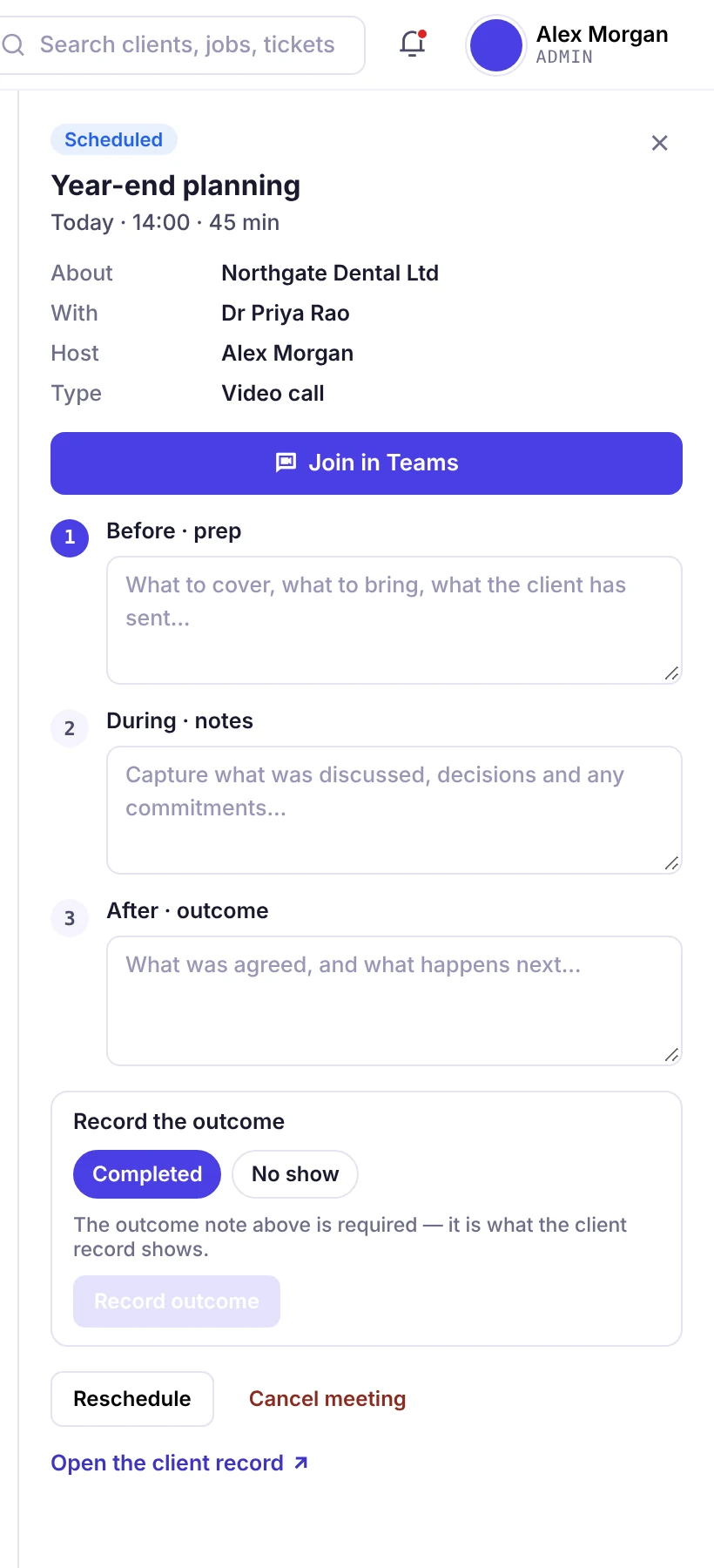
Prep, notes and outcome on one panel
Open a meeting and everything about it is in one place, from the Teams link to the outcome.
- Join in Teams from the meeting
- Before, during and after fields
- Record Completed or No show, then open the client record
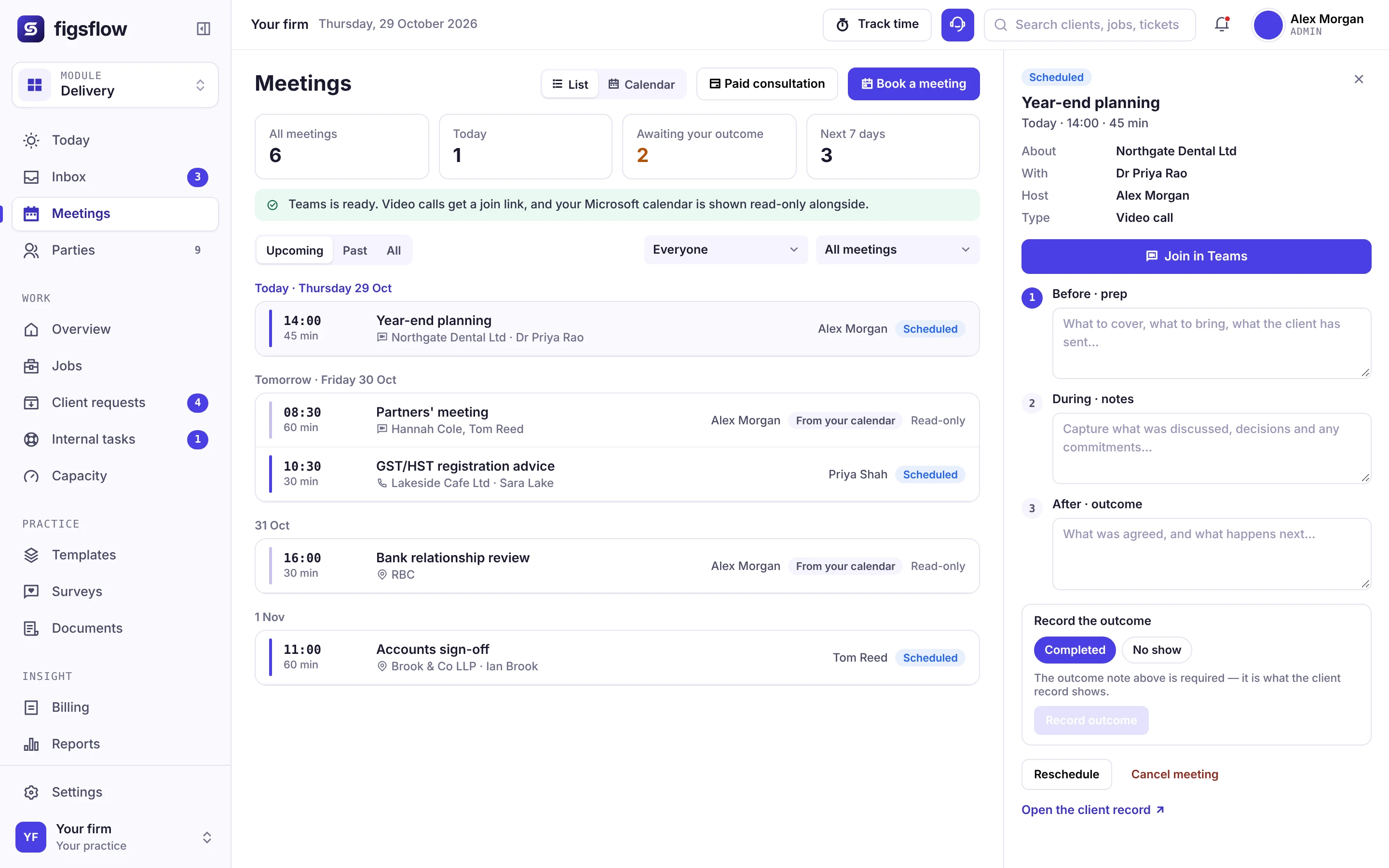
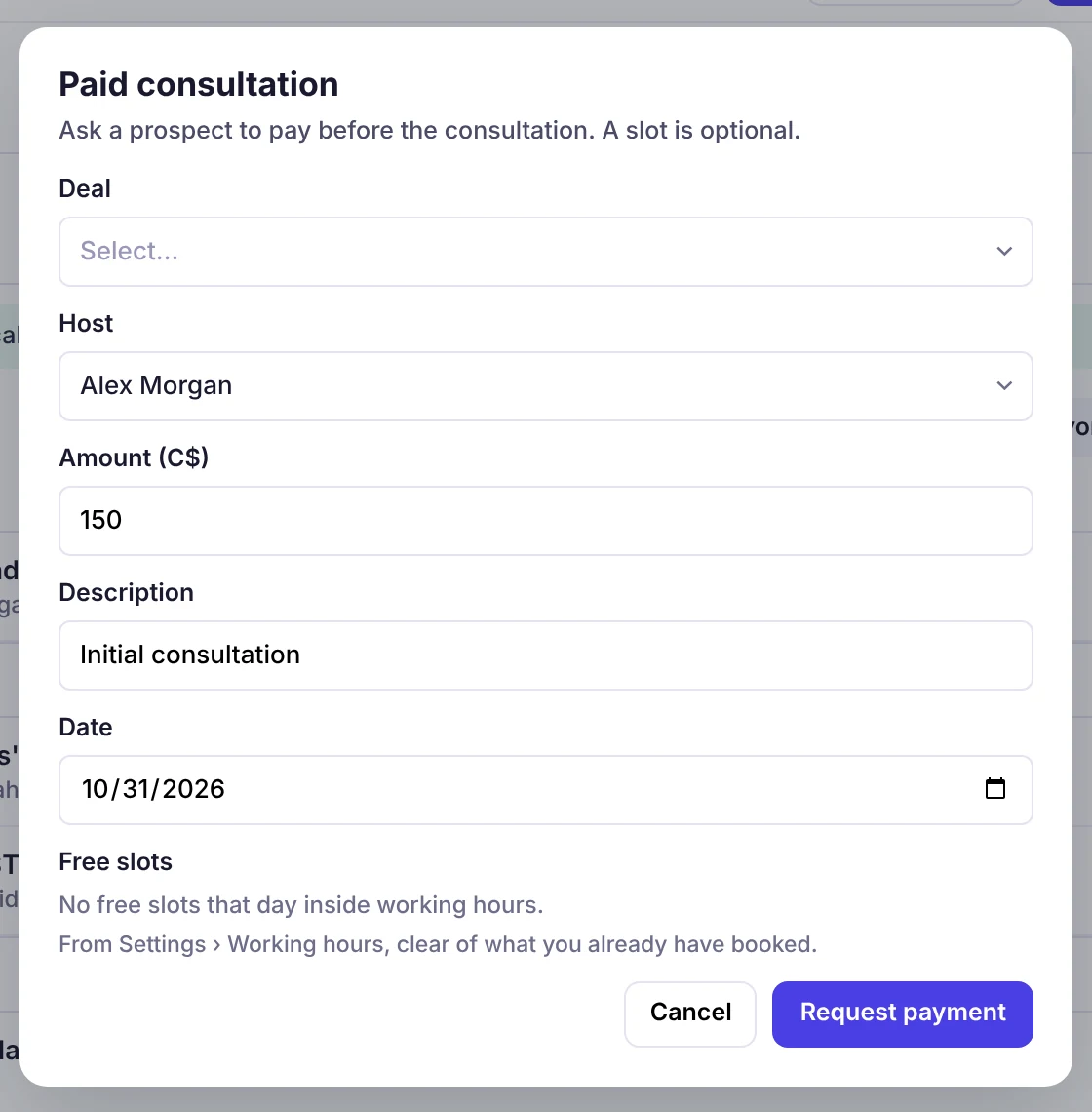
Ask a prospect to pay first
For a first consultation, request payment before the meeting. Adding a slot is optional.
- Choose the deal it belongs to
- Amount in Canadian dollars, with a description
- Free slots from working hours, if you add one
The problem
You asked the client for something they sent in July
Ten minutes into the year-end meeting, you ask for the bank statements. The request was marked received and the file has been complete since the summer — none of which was in front of anyone when the call started.
Nothing went wrong. Nobody missed a deadline. But for the remaining thirty-five minutes, you are the firm that had to be told something it already knew. They are not judging the answer. They are judging whether you knew the question.
What the firm already had
What it cost in the room
Where it sits
A meeting is a step in the relationship, not an entry in a diary
Scheduling is the part every tool does. What makes it worth having inside a practice system is the two edges — what the meeting knows, and what it leaves behind.
- Someone wants to talk
- It gets booked
- It arrives prepared
- The outcome becomes work
- It stays on the record
What feeds a meeting
- Your Outlook calendar — genuine free time, with notice and buffers applied.
- The client record — who they are and who should be in the room.
- Open jobs and requests — which is what the agenda is assembled from.
- Your deadline data — so a year-end conversation knows the fiscal year end.
What a meeting feeds
- Jobs and tasks — agreed actions with an owner and a date.
- Client requests — things the client left owing you, chased on a schedule.
- The pipeline — where the conversation turned into additional work.
- The client record — a history someone can read cold, months later.
Availability
Real Outlook availability, not a second calendar
Availability is read from the Outlook calendar each person already keeps. Existing appointments, vacation and the meeting type's buffers are removed before a slot is ever offered.
Times are shown in the booker's own zone. A client in St. John's sees Newfoundland time, a client in Vancouver sees Pacific time, and the diary stores UTC — so nobody turns up an hour and a half out the week before the T1 deadline.
The meeting is created in the adviser's own calendar and hosted by them, not by a generic service account, so the client sees a name they recognize on the invitation.

Assembled when the meeting is booked — not typed by whoever remembers.
Context on arrival
Nobody spends the first ten minutes catching up
Because the booking is raised against a client rather than an email address, the meeting carries what is open on that client: jobs in flight, records still outstanding, the next filing deadline, anything awaiting signature, and what was agreed last time.
The client is not asked questions the firm could have answered from its own system, and the partner is not reconstructing the file in the two minutes beforehand.
Outcomes, not notes
What you agreed either becomes work, or it does not exist
A meeting note records that something was said. A task is a commitment with an owner and a date. The gap between the two is where most of what gets agreed in a client meeting quietly disappears.
Recording an outcome raises the work against the same objects the rest of the firm runs on — a task on a job, a request to the client, a deal on the pipeline. Booking the meeting moves the deal too, so the pipeline reflects what actually happened.
Running it day to day
Fewer no-shows, nothing new for IT to approve
Reminders that belong to the meeting type
The cadence is identical for every client and runs whether or not the owner is at their desk. The client reschedules or cancels from the same link, and it moves on the record.
A link where the client is already looking
The information request that goes out on a new enquiry carries the assigned adviser's booking link inside it — not three scrolls below an email signature nobody reads.
Runs on the Microsoft 365 consent you have
Calendar access is an added scope on your existing Microsoft Graph connection, sign-in is Entra ID, and if a token refresh fails it raises an alert rather than quietly stopping.
The difference
Everyone can book a slot. Almost nobody attaches it to the work.
Appointment scheduling software for accountants has to clear three more bars than booking: whether the meeting knows anything when it starts, whether the outcome becomes work, and whether any of it is visible later.
| The test | Email back-and-forth | A standalone booking tool | A practice suite with a calendar view | FigsFlow |
|---|---|---|---|---|
| Client books real availability | ✕No: Days of elapsed time per meeting | ✓Yes: Yes, and well | !Partly: Usually the firm books its own diary | ✓Yes: From Outlook, with notice and buffers |
| Meeting arrives with context | ✕No: Whatever the partner remembers | ✕No: Books a calendar, not a client | !Partly: If someone opens the file first | ✓Yes: Assembled from the client record |
| Outcome becomes work | ✕No: A note, if anyone wrote one | ✕No: Nowhere for it to go | !Partly: Sometimes, by hand | ✓Yes: Tasks, requests and deals |
| Readable by someone else later | ✕No: One person's inbox | !Partly: The booking only | !Partly: Partly | ✓Yes: On the client record, months later |
Who uses it
The first meeting type a firm sets up is different every time
It gets switched on where somebody other than the meeting's owner has to answer “when are you free?”.
Six replies, four days
- Start with
- Whatever you currently answer by email at 9 p.m.
- Turn on early
- Reminders. A no-show costs you a whole slot in March.

Visibility of the diary
- Start with
- Whatever the person on the phone has to ask a partner about.
- Turn on early
- Meeting outcomes — actions agreed in a room vanish fastest here.

A type per service
- Start with
- The service your team books most often.
- Turn on early
- Per-type notice, so planning meetings stop landing same-day.

One policy, many offices
- Start with
- The type that differs most between offices today.
- Turn on early
- Export, so a partner can review what was agreed across a portfolio.
Your stack
Short list, honestly labelled
- Outlook calendar and Teams links
- Entra ID single sign-on and Microsoft Graph
- The client portal, jobs, tasks and client requests
- CRM pipeline and CSV / Excel export
- Google Calendar
- Events and webinars
- SMS reminders
- Seat limits and ticketing
Related modules
Next in the platform
A booked meeting touches all four of these, on the same client record.
More of the platform
CRM and pipeline
Free/busy from the deal owner’s own Outlook, with bookings written back.
Explore the CRMJobs, tasks and deadlines
Meeting outcomes recorded as tasks on the job rather than as notes.
Explore jobs and tasksForms and requests
The outstanding requests that appear on the meeting agenda automatically.
Explore forms and requestsE-signature and approvals
Items awaiting signature, surfaced before the call starts.
Explore e-signature