
Onboarding that ends with the work already started
FigsFlow's onboarding suite is accounting client onboarding software built for UK practices — company checks, AML and risk, proposal and fee, and the engagement letter, gated in one flow. By the time a client signs, delivery has already begun.
281 reviews from
 G2 reviews
 Google reviews
 Verified reviews
Trusted by the best





Watch one client move from enquiry to delivery
Ninety seconds: a new enquiry is matched against Companies House, checked for risk, proposed, signed — and handed to delivery already scoped. No re-typing, no re-keying.
What the video shows. An enquiry arrives and is matched against the register. Identity and screening run on the matched entity and produce a risk rating. The fee comes from the pricing model and becomes a proposal the client accepts online. Acceptance releases the engagement letter — but only because diligence had already cleared. The signature creates the first jobs with deadlines attached.
Nobody chose to type the company name five times. The tools chose it for them.

It is Thursday. A new company client said yes on the phone this morning, and taking them on properly means touching four different systems before anybody does a minute of chargeable work.
The company details go into the onboarding form. Then into the AML tool, because that tool has never heard of this client. Then into the proposal, where the fee is agreed. Then into the letter, drafted from a template somebody copied from the last one — including, occasionally, the last client's registered office. Then into the practice system, so the jobs exist.
Somewhere in that sequence the letter goes out before the diligence finishes, because the letter lives in a signing tool that has no idea the check is still open. Nobody decided to work that way. It happens because the check and the letter are in different products, and no product can enforce a gate it cannot see.
One onboarding record, six stages, nothing re-typed
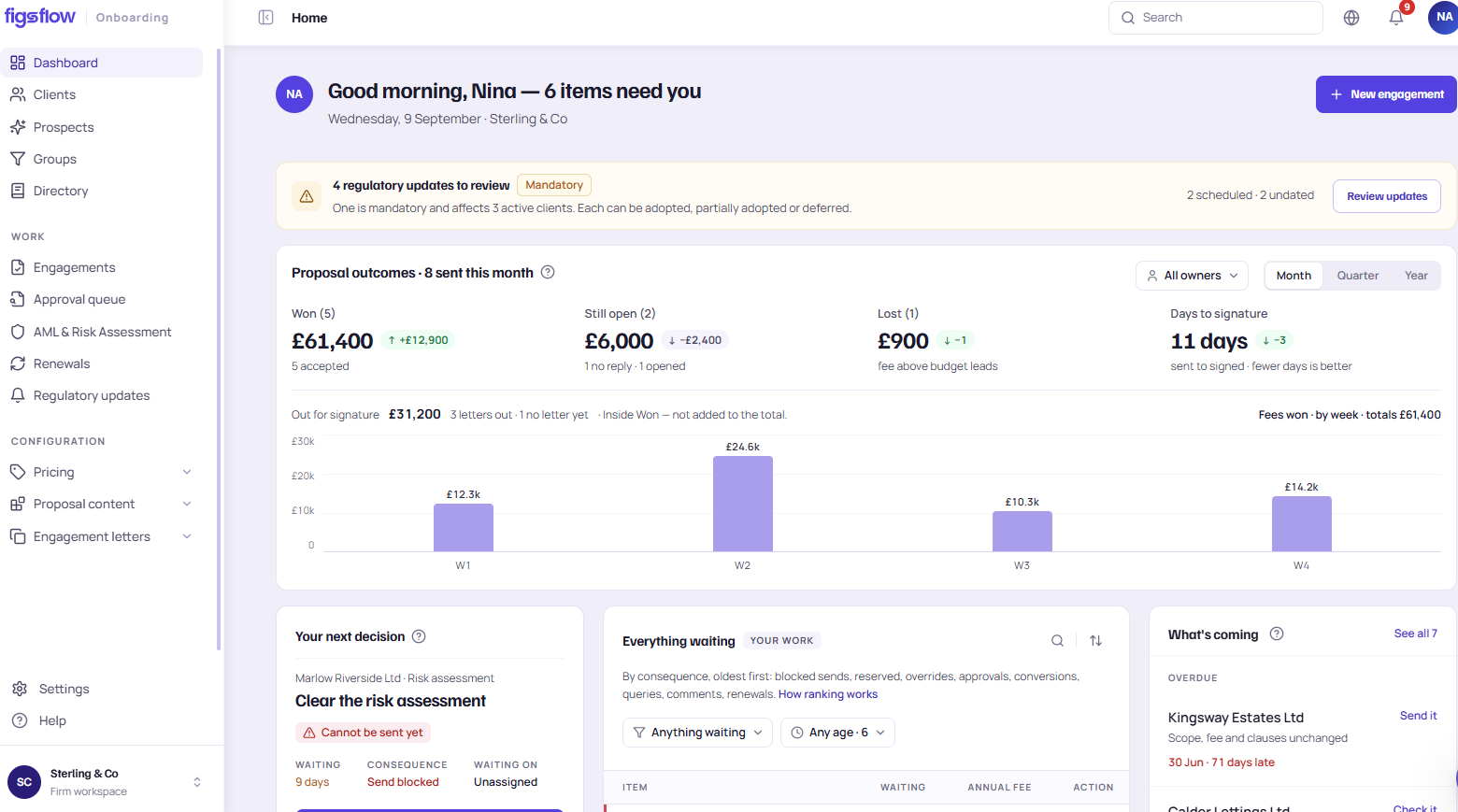
An enquiry becomes a matched company, a diligence check, a priced proposal, a signed engagement, and a job in delivery — the same record throughout. Each stage below opens the module that runs it, from company lookup through to the engagement letter.
- Enquiry form
- Companies House match
- AML & risk
- Proposal
- Engagement letter
- Delivery board
One record, carried forward
The contact and the engagement are created together at the enquiry, and every stage after that writes back to the same record. Company details are matched once from the register. The diligence outcome sits on the file it was run against. The fee that was agreed is the fee the letter is built from. Nothing is re-typed between stages, because there is no second system to re-type it into — which is also why the gate on the engagement letter can hold at all.
The record does not stop at signature. The jobs, the deadlines and the delivery team all read from the same one.
HMRC deadlinesOnboarding record
- Enquiry formCaptured
- Companies House matchMatched
- AML & riskChecks complete · enhanced
- ProposalAccepted · £4,800
- Engagement letterReleased on clearance
- Delivery boardJobs created
Curious what this costs to run? See UK pricing, or book a 30-minute walkthrough with a practice specialist.

The company is matched before anyone opens a form
A new enquiry is checked against Companies House records automatically — company number, registered address, directors and persons with significant control pulled through onto the client record. FigsFlow tracks verification status and outstanding checks against the confirmation statement date; it does not file anything with Companies House on the firm's behalf.
Companies House moduleIdentity checks and risk scoring, evidenced as they happen
Client and beneficial-owner identity is verified, and a risk score is generated per engagement — low, standard or enhanced. Every check is timestamped and held against the client file, so the firm has evidence, not a memory of having done it. Responsibility for the risk decision stays with the firm and its MLRO throughout; FigsFlow evidences the check, it does not make the firm compliant.
AML and client due diligenceRisk assessment
The fee becomes a proposal without being rebuilt
Once diligence clears, the priced quote turns into a proposal the client can review and accept online — the same fee, the same scope, no rekeying into a second document. Acceptance is what releases the next stage: the engagement letter.
| Service | Basis | Annual fee |
|---|---|---|
| Year-end accounts | Fixed | £1,850 |
| Corporation tax return | Fixed | £650 |
| Payroll · 4 employees | Monthly | £1,440 |
| Bookkeeping review | Quarterly | £860 |
| Total · agreed fee | £4,800 |
The letter only releases once the checks clear
The engagement letter assembles from the accepted proposal and the firm's own clause library, varied by entity type and service. It cannot go out until identity, risk and Companies House checks are complete — the gate holds by design, not by someone remembering to check. Every version and every clause change is kept on the audit trail.
Engagement lettersAudit trail
The gate that either holds, or depends on somebody remembering
A standalone AML tool stops at the check. A proposal and e-signature tool stops at the signature. FigsFlow is the one that holds the gate between them.
Built for the practice you are now
A sole practitioner sees one queue. A growing practice sees a board split by team. A multi-office firm sees it split by office, with partner-level visibility over all of it. Same suite, different view.
Short list, honestly labelled
The suite connects to the things a UK practice touches while taking a client on — the registers, the mailbox and the identity checks. The rest of this fold is what is not connected, because finding that out in month two is worse than reading it now.
One search returns the entity, the registered office, the officers and the persons with significant control, and writes them to the client record. It is the reason nothing downstream has to be typed.
- COMPANY SEARCH
- OFFICERS
- PSC DATA
- FILING DATES
- IRISH CRO
Client identity, face match and liveness, PEP and sanctions screening and address verification, run against the matched entity rather than a name somebody keyed in.
- PHOTO ID + LIVENESS
- PEP & SANCTIONS
- ADDRESS VERIFICATION
Mail and calendar work from inside the client record, documents are held in your own tenant under your existing IT policy, and people sign in with the identity your firm already administers.
- OUTLOOK
- SHAREPOINT — YOUR TENANT
- CALENDAR
- ENTRA ID SSO
A submission creates the contact and the prospective engagement together, stamps the source and drops it at the first stage with no human touch.
- CONTACT + ENGAGEMENT IN ONE STEP
- SOURCE STAMPED
- FIELDS MAPPED AT SETUP
FigsFlow reads the register to build the client record and support due diligence. It does not file. Statutory filing stays with WebFiling or your filing software.
Not in this releaseThe suite scopes and prices MTD work and schedules the quarterly jobs, but the updates and the Final Declaration are submitted through MTD-compatible software on HMRC's list.
By design — not plannedNo two-way sync with the ledger your clients keep their records in. The suite takes the client on and schedules the work; it does not post to the books.
Not in this releaseThe suite runs the checks, records the evidence and holds the gate. Whether the diligence was sufficient, and whether a report should be made, is a judgement for your firm and its MLRO.
Not our rolePractices already onboarding this way
This fold is blocked, not finished. It needs a real UK customer quote with the firm's name, practice size and written permission, plus one desk-scale customer photo. Per the claims register's genuine-testimonial rule, no stock photo or invented quote stands in for it — so hold this fold back from the initial publish, or ship the reviews strip only once the numbers above are verified.
What it costs
Onboarding is included from the [entry tier name] plan, priced per user, per month. Full pricing, including what's bundled at each tier, is on the pricing page.
See UK pricingTier names and prices to be pulled from the live pricing page — reuse the real cards, do not re-illustrate.
Everything onboarding hands over to
Six stages between an enquiry and a scheduled job, on one record. The letter cannot be released until the checks behind it have cleared.
Company number, registered address, directors and PSCs pulled onto the record.
See Companies House → AML and client due diligencePhoto ID with liveness, PEP and sanctions screening, address verification.
See AML and CDD → Risk assessment and scoringA low, standard or enhanced band generated for each engagement.
See risk assessment → Engagement lettersHeld until identity, risk and register checks clear, then signed.
See engagement letters → AI assistant API and webhooks Audit trail and evidence Client mobile app Client portal CRM and pipeline Documents in SharePoint E-signature and approvals Email Forms and requests HMRC deadlines Jobs, tasks and deadlines Meetings and scheduling MTD Income Tax Practice dashboard Pricing and quoting Proposals Reporting and analytics Team and capacity Timesheets and billing Workflow templates The whole platformQuestions about accounting client onboarding software
What does the onboarding suite cover?
Does FigsFlow file anything with Companies House or HMRC?
Can I use just one part — say, only the proposal?
Does this replace our AML provider?
What happens once the client signs?
Bring the messiest client you took on this year.
A 30-minute demo with a practice specialist — bring your actual client file, not a script.
Signed? The engagement is already a job with deadlines →
United Kingdom and Republic of Ireland. This page describes how FigsFlow supports a practice's onboarding workflow and is not legal, regulatory or tax advice. Your supervisory body's guidance takes precedence, and your firm remains responsible for its own AML procedure and for deciding whether the due diligence it performs is adequate. Capability statements checked on 09/09/2026 and should be re-verified before release.